
Visual Studio Blog
The official source of product insight from the Visual Studio Engineering Team
Latest posts
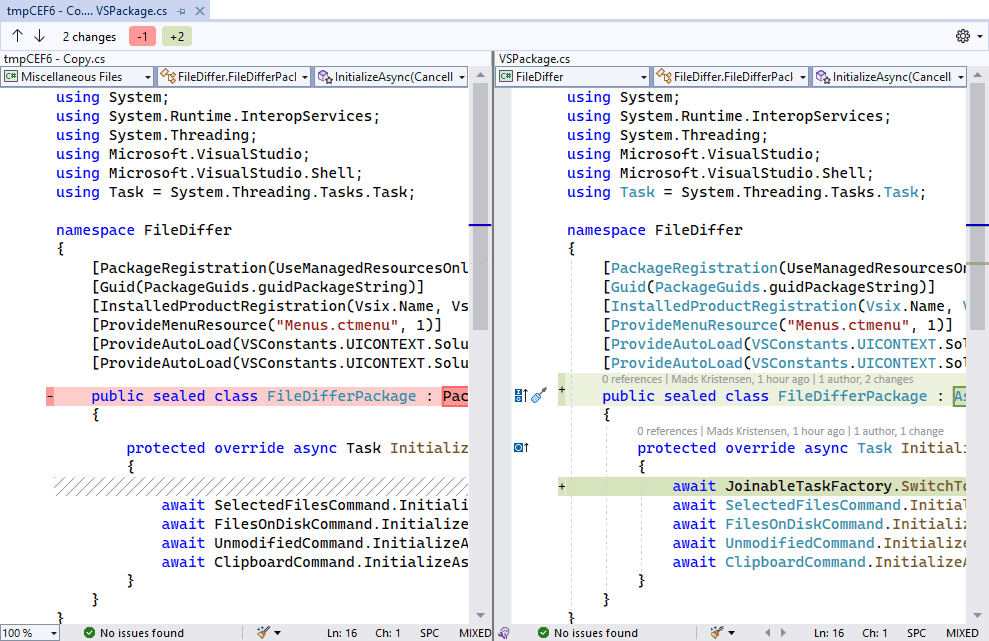
Comparing files in Visual Studio

As developers, we often need to compare two files to find the differences. Sometimes, even comparing the content of the clipboard with a file on disk. And again, sometimes comparing our local changes to previous versions from our Git commit history. There is no straightforward way in Visual Studio to do those things today, but in this month’s experiment we’re going to change that. Various editors and IDEs offer this feature today, but Visual Studio has required the use of extensions such as VS Diff to provide the feature. An interesting thing about the various implementations is that they offer slightly di...
Visual Studio for Mac 17.4 Preview 2.1 is now available

We are pleased to announce the second preview release of Visual Studio for Mac 17.4. This release has been focused on addressing feedback from customers and on improving the overall experience. If you are already using the Visual Studio for Mac Preview release, use the Visual Studio > Check for Updates… menu to update. If you aren't using it yet, download it now: This blog post summarizes the top changes in this release. You can check out the preview release notes to learn all about the changes we've made. Single Click to Restart Debugging Customers have long asked for a convenient way to rest...

Now Introducing Arm64 Support for VS Extensions!

Back in June, we announced Arm64 Visual Studio 2022 application, the first version of Visual Studio that natively supports building and debugging Arm64 apps on Arm-based processors. Now, we’re excited to announce the extensions you write, and use, are supported in Arm64 VS! Adding Arm64 support to your new or existing extension Making your extension Arm64-compatible can be accomplished in three easy steps: For more details on making your extension arm64-compatible (especially for native extensions), check out the updated documentation on migrating extensions. Upload your n...
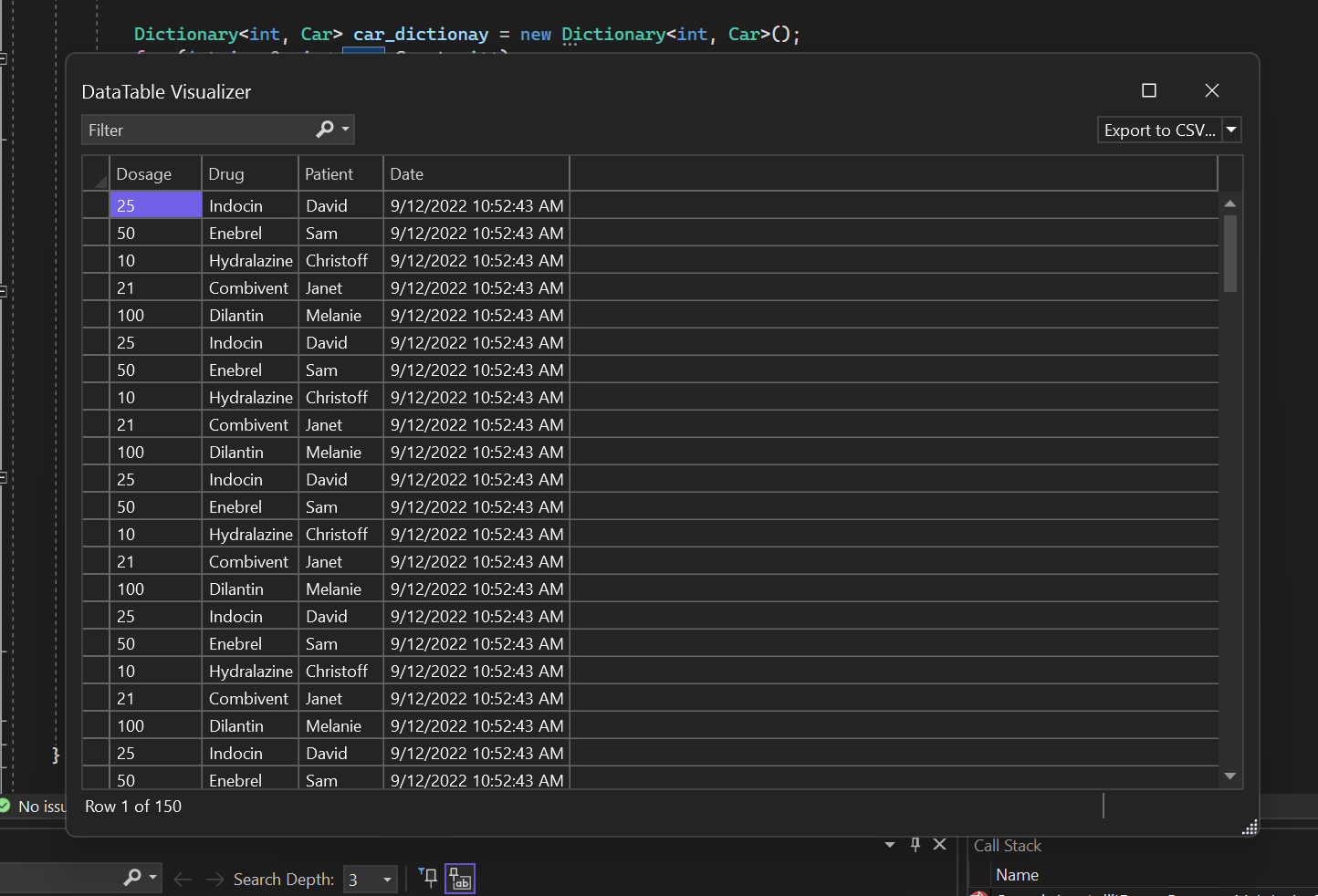
DataTable Visualizer Improvements

Your favorite DataTable visualizer has now got a makeover with all new improvements coming in 17.4 Preview 2. The DataTable visualizers will now support sorting, filtering, exporting, and theming like IEnumerable visualizer. The DataTable Visualizer allows you to view the contents of a DataTable, DataSet, DataView, or DataViewManager object. You can access this visualizer by clicking on the magnifying glass icon next to the Value for one of those objects in a debugger variables window or a DataTip. This debugger visualizer now enables you to find /compare/solve/investigate data queries...
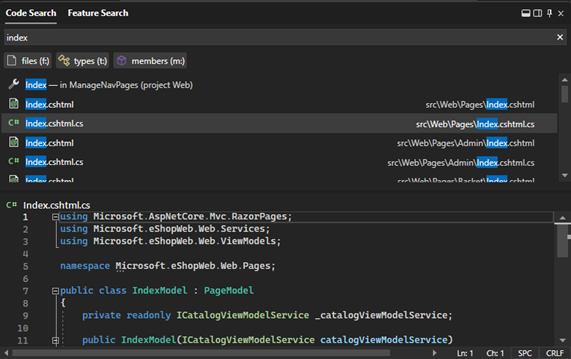
Visual Studio 2022 17.4 Preview 2

We have released Visual Studio 2022 17.4 Preview 2. In this post we'll share details about features added since Preview 1. Feedback from developers like you during our preview cycle is so important for us to deliver a final product that meets your high expectations. We welcome your feedback in the threads to this post or through Developer Community. Please continue to share your suggestions for new features or improvements to existing ones and any bugs or issues via report a problem. We’ve addressed a number of your top-reported bugs in this release and added new features based on your suggestions in Devel...
It’s finally here. Bicep is in Visual Studio!

In less than two years, Bicep’s VS Code extension has grown from zero users to more than 15 thousand a month. In addition to the Bicep extension's success, millions of resources are now deployed with Bicep files via Azure CLI and Azure PowerShell. Our incredible community has not only shaped the suite of Bicep features we know and love today, but they also made it abundantly clear how important Visual Studio was to their daily workflow. We heard you, no more switching back and forth between editors! Bicep extension for Visual Studio is now available on Windows for version 17.3 and higher! This rele...

Adding color to bracket pairs
When dealing with deeply nested brackets in Visual Studio, it can be hard to figure out which brackets match and which do not. For people with color blindness or other optic maladies, the problem can be even worse. By color-coding bracket pairs, we’re making this much easier. Various IDE’s and editors offer this feature today – usually done through extensions. For example, the Viasfora extension for Visual Studio has provided this feature for many years. What’s interesting about all these implementations is how they all do things a bit differently. Granted, they all colorize bracket pairs, but the way they...
Live Share: Enterprise Policies are here!

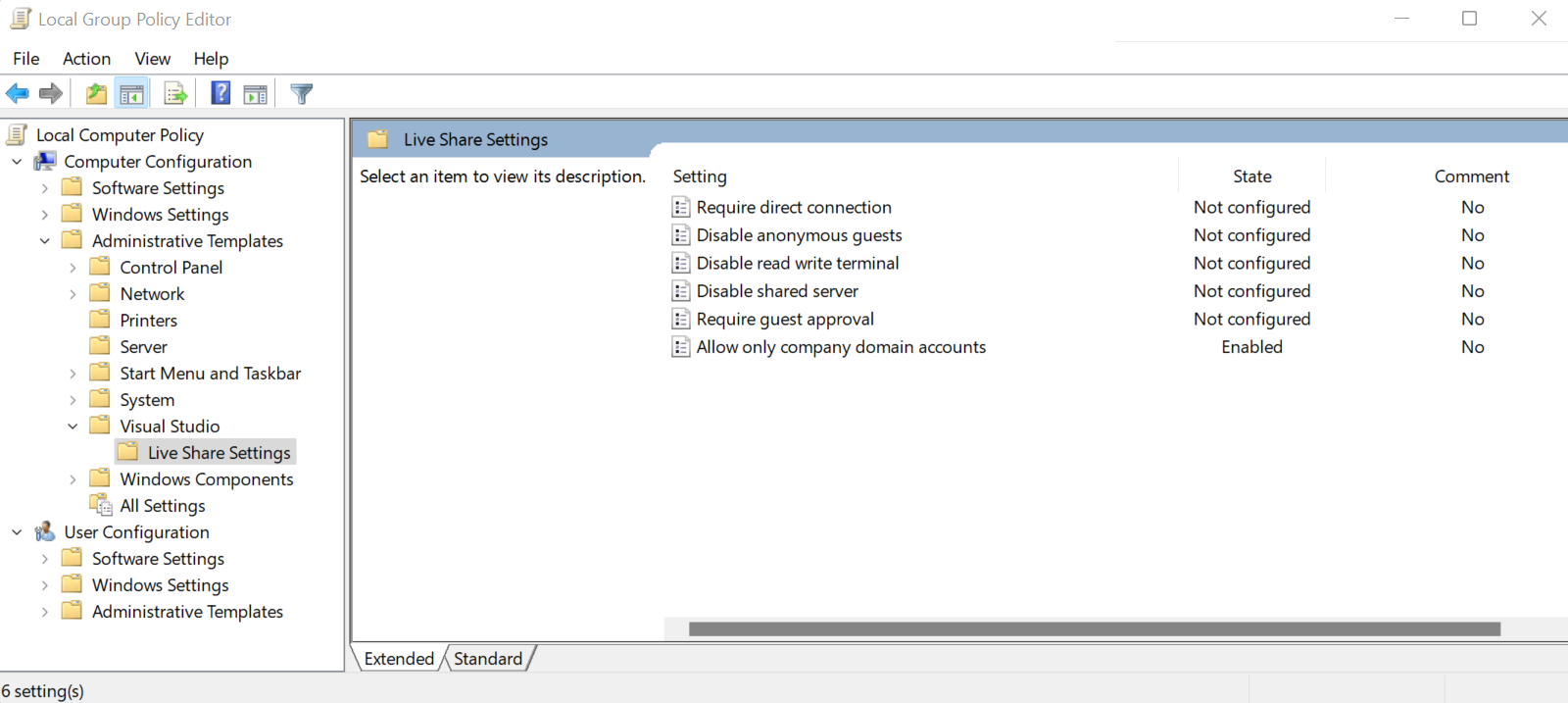
Securing your Visual Studio Live Share session has never been easier. Whether you’re looking to restrict access to only individuals in your organization or to disable read-write terminals, your organization can now configure policies for proper control and compliance. Today, we invite organizations to explore everything Live Share has to offer, including editing and debugging with others in real time, sharing terminal instances, and the newly added policies. With these policies, your organization will be able to add an extra layer of protection to prevent accidents on Visual Studio Live Share and increase pr...
What’s New in Visual Studio 2022 17.4 Preview 1
We released Visual Studio 2022 17.4 Preview 1 last week alongside the 17.3 generally available release. In this post we'll share details about some of the new capabilities in this preview and the focus of this release. Feedback from developers like you during our preview cycle is so important for us to deliver a final product that meets your high expectations. We welcome your feedback in the threads to this post or through Developer Community. Please continue to share your suggestions for new features or improvements to existing ones and any bugs or issues via report a problem. 17.4 Preview 1 also adds new...