
Visual Studio Blog
The official source of product insight from the Visual Studio Engineering Team
Latest posts

Exploring JavaScript and TypeScript Development in Visual Studio

Over the last 12 months, we made many improvements to the JavaScript and TypeScript developer experience in Visual Studio so that you can run both your front-end and back-end together within one click in one place. You might have seen the updates but in this blog post we will detail the new and improved features now available when working with JavaScript and TypeScript in Visual Studio. We will focus mainly on the productivity improvements including the JavaScript and TypeScript project type, project templates, code editing, dependency management and compatibility with the VS Code debugging. All the featur...

Improving the Syntax Highlighting of JavaScript in Visual Studio

Syntax highlighting, aka colorization, is one of Visual Studio's essential features; it uses colors and styles to help guide our brains when reading code. Following this Developer Community suggestion, we decided to work on improving the JavaScript and TypeScript experience! Starting from 17.6 we improved existing colorization and expanded it to new areas including control keywords, strings in tags, escape characters, JSDocs, and more. This post walks you through these changes and how you can configure and personalize your own! Overview Syntax highlighting is a Visual Studio feature that dif...
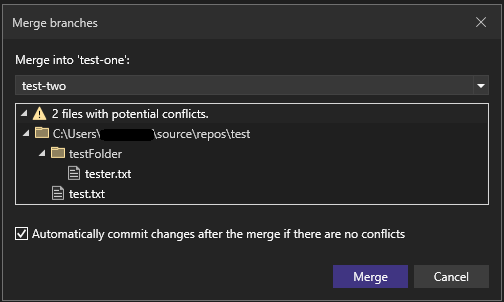
Git Tooling Preview Features to Enhance Productivity

We’re excited to share productivity and quality of life improvements available to the Git experience in Visual Studio version 17.6 Preview 2. Download the latest Visual Studio Preview and watch our recent Visual Studio Toolbox Live session to check out the following new Git features. Improved Search for Related GitHub Issues and Azure DevOps Work Items During this release, we’ve improved on the Issues and Work Items integration in the commit message we introduced in 17.6 preview 1. You now get better search results when querying for items that you haven't updated recently. You also can view items that...
Improving Visual Studio performance with the new Instrumentation Tool

Summary With the release of Visual Studio 2022 version 17.6 we are shipping our new and improved Instrumentation Tool in the Performance Profiler. Unlike the CPU Usage tool, the Instrumentation tool gives exact timing and call counts which can be super useful in spotting blocked time and average function time. To show off the tool let’s use it to improve performance in Visual Studio. Wait, I thought Visual Studio already had an Instrumentation tool? If you were thinking, “Doesn't Visual Studio already have an Instrumentation Tool” then you were thinking right! So, what’s… new? Well, a whole list of things ...
Visual Studio Toolbox: Debug Threads & Tasks with Parallel Stacks

The Visual Studio Toolbox show helps you become a more productive developer by focusing on tooling in and out of Visual Studio. Our latest episodes of VS Toolbox (available both on Learn and YouTube) feature Mark Downie and Ramkumar Ramesh from the Visual Studio Diagnostics team. They demonstrate how you can use the Threads and Tasks views of the Parallel Stacks window in VS 2022 to debug your multithreaded applications. When debugging multithreaded applications, understanding the relationship between threads is important for properly designating and negotiating resources between them. In the Debug...
Visual Studio Toolbox: Integrated C++ Game Development
The Visual Studio Toolbox show helps you become a more productive developer by focusing on tooling both in and outside of Visual Studio. The show is available both on Learn and YouTube. Our latest episode features C++ program manager David Li, who shows how you can use the new Unreal Engine Integrations in Visual Studio 2022 17.5 to be more productive and build games faster with C++ and the Unreal Engine. David first talks about how Visual Studio helps you avoid the losing your focus by having to bounce back and forth between environments. He then shows how to install the Unreal Engine extensions and take adva...
GitHub Copilot chat for Visual Studio 2022

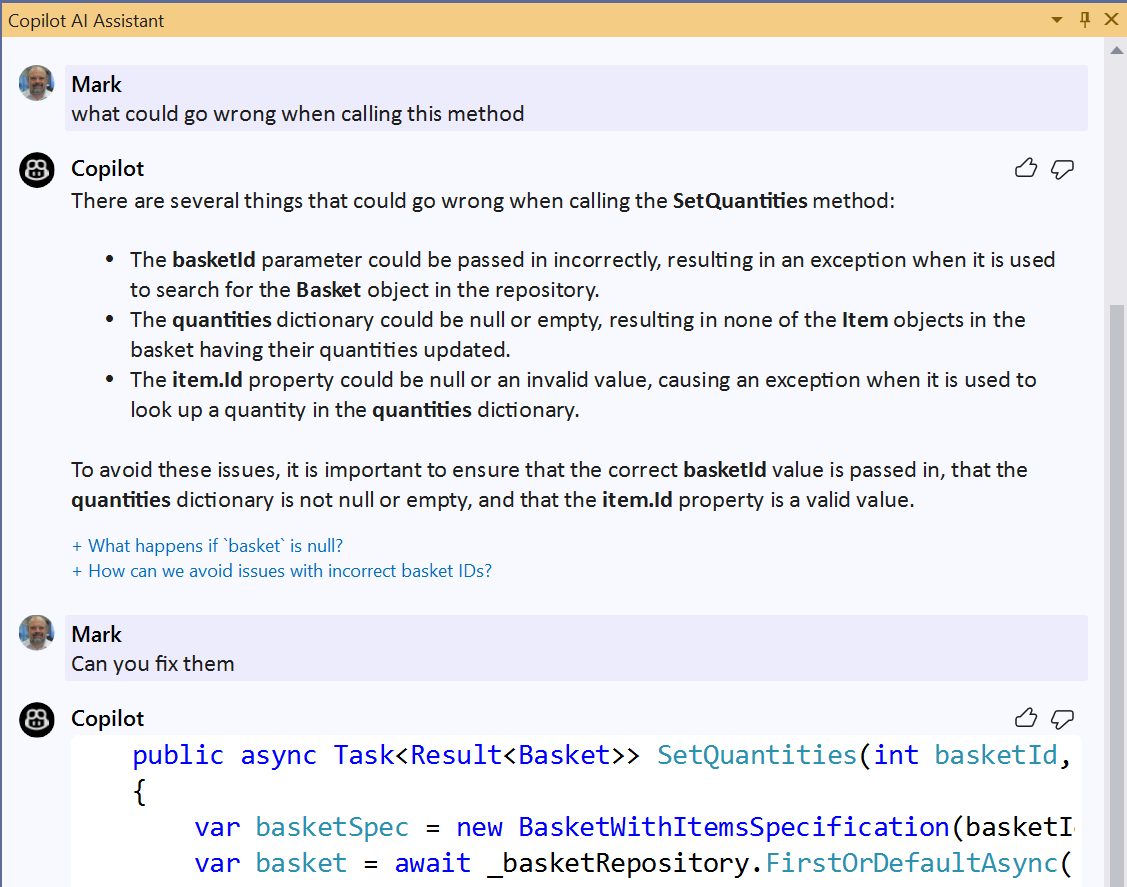
GitHub Copilot has become a trusted AI-assisted pair programmer helping to auto-complete comments and code more productively. That’s just the beginning though! We’ve been working to evolve Copilot to move beyond code completion and provide enhanced AI assistance that you can access throughout your development lifecycle, whatever task you happen to be doing at the time. Copilot chat in Visual Studio We’re bringing fully integrated AI-powered Copilot chat experiences to Visual Studio. This is no ordinary chat! With tight integration in Visual Studio, it understands what you’re working on. That means it can quickl...
Streamlining your Debugging process with Breakpoint Groups

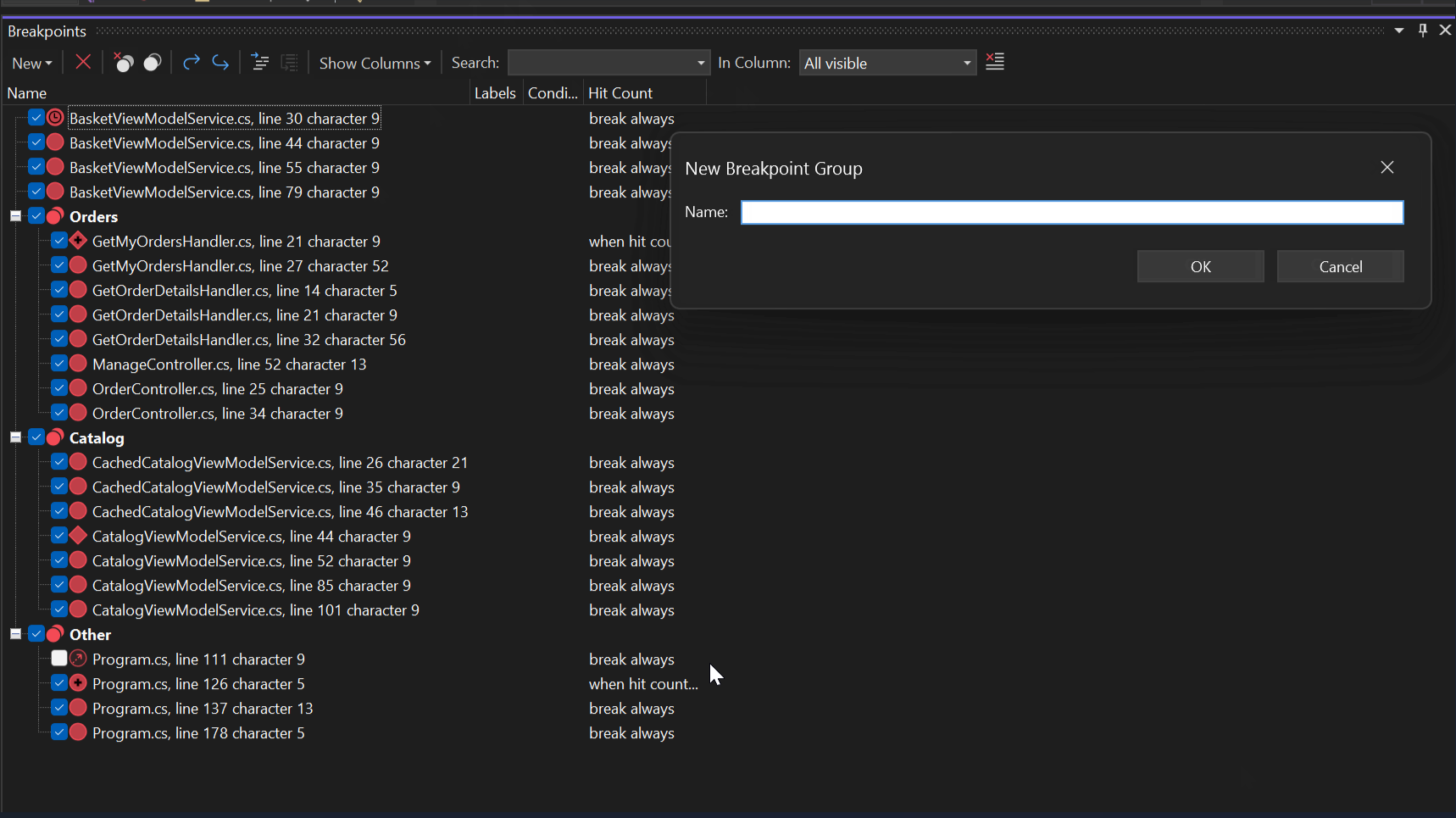
Have you ever had a situation when you are debugging a complex scenario with a huge list of breakpoints, and you find yourself scrolling and tapping in the breakpoints windows to disable/enable them individually and repetitively? Then the new Breakpoint Groups feature in Visual Studio may be the answer for you. This feature will allow you to create named breakpoint groups with any number of breakpoints in them. This provides a way to customize the breakpoint configuration and toggle breakpoints individually or in combination making debugging, testing, and troubleshooting faster and more effective. Breakpoin...
Upgrading from IntelliCode custom team completions models to deep learning.

TL;DR – A deep learning model will now help provide starred completions for custom methods in the IntelliSense list. All users of Visual Studio 2022 will receive this improvement automatically. With original IntelliCode, a custom trained model was previously useful for ranking custom methods in a user’s code. When IntelliCode first shipped in Visual Studio, it used a simple Markov-chain model to rank methods in the IntelliSense list. This model couldn’t rank custom methods that are specific to your code, so we enabled developers to train repository-associated team & personal models to rank custom methods sp...