
Visual Studio Blog
The official source of product insight from the Visual Studio Engineering Team
Latest posts

Visual Studio for Mac 17.5 is now available

We are pleased to announce the release of Visual Studio for Mac 17.5. Along with the usual incremental improvements, we’ve focused on improving the Git experience for this release. Read along as we look at these improvements and the other big changes made. As always, if you want to know all the changes made during this release, you can check out the release notes. If you are already using the Visual Studio for Mac Preview release, use the Visual Studio > Check for Updates… menu item to update. If you aren’t using it yet, download it now: Git Improvements The most noticeable new Git featu...
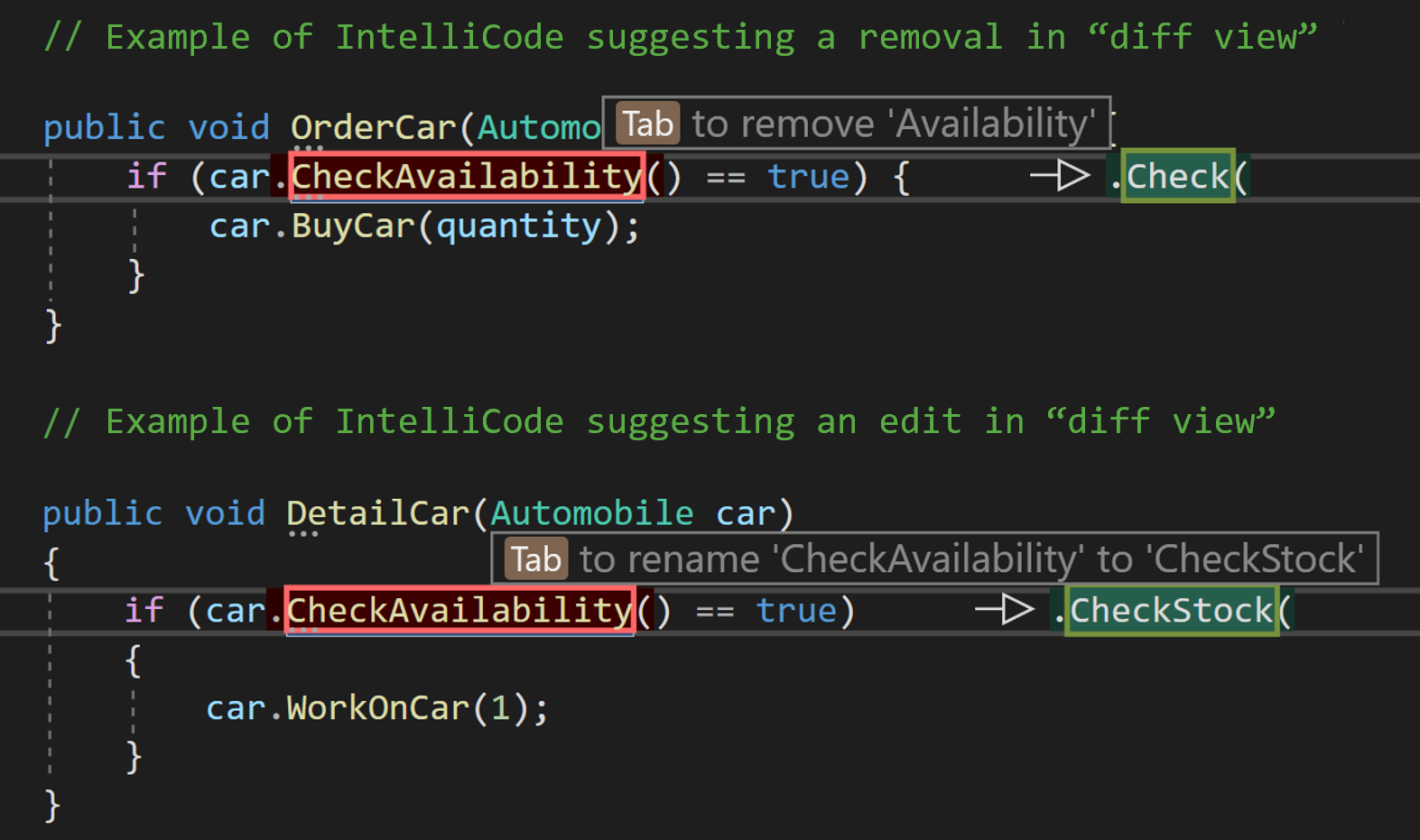
Visual Studio AI-Assistance: A Developer’s Best Friend

The Visual Studio family leverages AI to help you stay focused on the creative tasks that get the core logic of your application built. For Visual Studio and VS Code, IntelliCode is free and assists with writing, editing and understanding code in popular languages. With IntelliCode, models run locally, meaning that none of your code leaves your machine. This blogpost will focus on IntelliCode. For users desiring even more AI capabilities, Copilot and Copilot for Business are also supported by Visual Studio and VS Code. Copilot’s models are cloud based. Tips, tricks, and engineering story behind IntelliC...
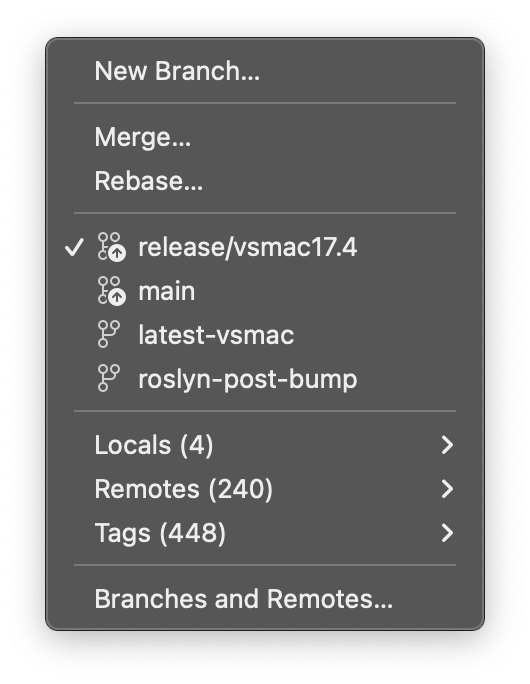
Introducing the Git Status Bar and Testing Improvements in Visual Studio for Mac 17.5
Last week saw the release of the third preview in the lead up to the official release of Visual Studio for Mac 17.5, and in this blog post we’re going to look at some of the changes in this release - the new Git Status Bar, and some other improvements that have been made to the Test Explorer tool window. Git Branch Selector Improving the Git experience is one of Visual Studio for Mac team’s primary areas of focus for 17.5and one of the big new features is the Git Status Bar. When you open a solution which has a Git repository the Git Status Bar will appear in the Status Bar area at the bottom left of...
Documents and tool windows unleashed

We’re continuing our video series with tips and tricks to help you get the most out of Visual Studio. This week is all about managing tool windows and documents. There are lots of options to customize how we layout the various windows, documents, and tabs that you use every day. Knowing about these features will help you optimize your usage of Visual Studio and make you a happier and more productive developer. First up, we’re looking at how to work with tool windows and documents in this video. Now that you know more about how to customize the windows, let’s look at how to save the layouts and how to sw...
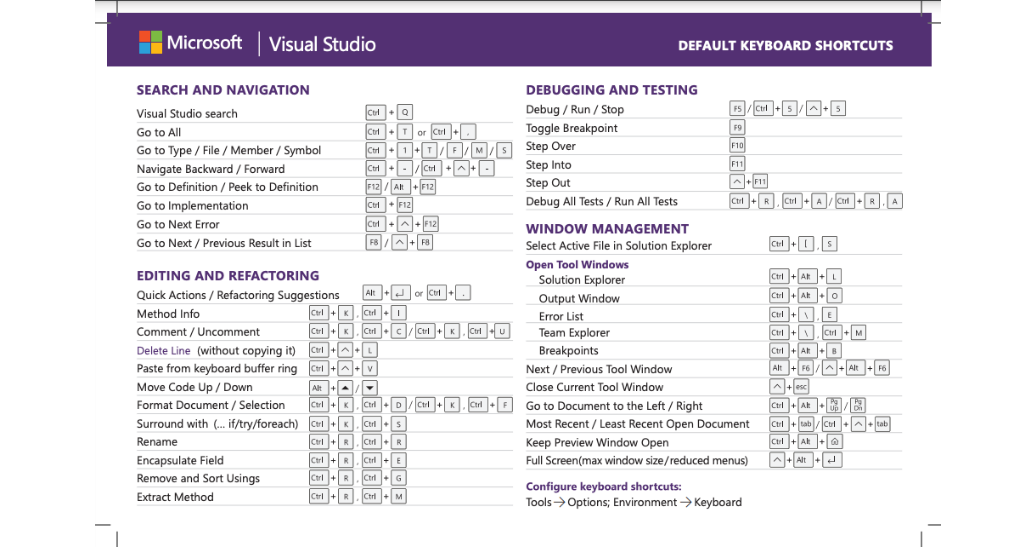
Keyboard Shortcuts to Master Your Git Flow in Visual Studio

One popular way for users to optimize their efficiency is to leverage shortcuts to interact with the UI. With Git tasks, like Committing, Pulling, and Pushing being part of your daily workflow, learning how to avoid leaving the keyboard for the mouse can keep you in the zone. Checkout some other shortcuts on this printable keyboard shortcut cheatsheet for Visual Studio available for download. Try out the following Git keyboard workflows to see which shortcuts you can work into your daily practice. Not only can they help you be more productive and iterate quicker, but they can be easier to access for folks w...
Visual Studio Spell Checker Preview Now Available

We know developers like you take pride in your code! Many of the features in Visual Studio are designed to help you write the code you want. Visual Studio helps you ensure your code compiles and can even help with code styling. Now it can even make sure your spelling is accurate. Visual Studio 17.5 preview 3 introduces the first preview of the Spell Checker for C#, C++ and Markdown files. Getting Started The feature will be turned on automatically when working with any C#, C++ or Markdown file. Now, when you’re working with any document supported by the spell checker, Visual Studio will mark any words t...

Visual Studio 2022 17.5 Preview 3 is here!

Visual Studio 2022 17.5 Preview 3 is out and ready to install! This release continues to bring new productivity improvements for all developers and enhances many of the capabilities that shipped in 17.5 Preview 2. Several of these changes in this preview came from asks in the community and are highlighted below. These and many other threads on Developer community are full of discussions, design ideas. We’d love to hear your suggestions and learn about any bugs or issues using report a problem. General IDE Shell, Git, Editor, Debugger, and Diagnostics .NET C++ ...
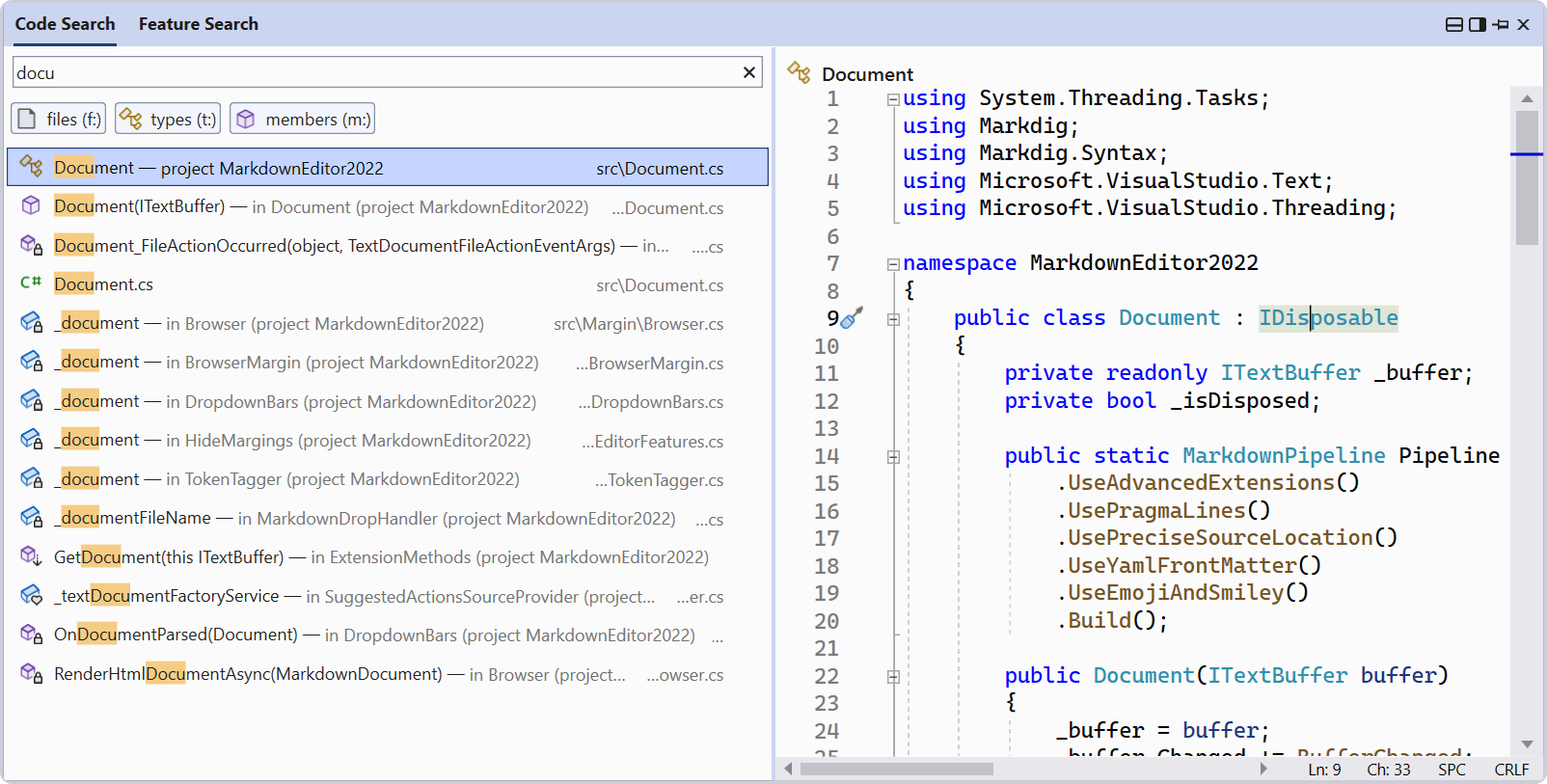
New: Better search in Visual Studio

Whether you are looking for specific code files, classes, methods, or features and options in the IDE, finding them is not always easy. With multiple ways to search, how would you even know which one to choose? The new All-In-One Search combines code and feature search into the same UI and adds some extra power and productivity to the experience. To enable the new search experience, go to Tools > Options > Environment > Preview Features > New Visual Studio Search Experience. After doing that, and restarting Visual Studio, you’ll now see the new search button appear in the title bar, as shown in...
Debugging Encoded Text

Validating encoded strings is a basic but important part of our debugging workflow these days. I cannot count the number of times I have found myself looking at a URL-encoded string only to be suddenly unsure how percentage signs are supposed to be represented? I have been a web developer for years, but I can never remember what the URL-encoded version of a question mark might be, or how to encode or decode an equal sign from my memory. Encoding and decoding are also necessary when handling JSON Web Tokens (JWT) in authentication workflows, you may need to decode and verify claims data passed between parties. ...