
Visual Studio Blog
The official source of product insight from the Visual Studio Engineering Team
Latest posts
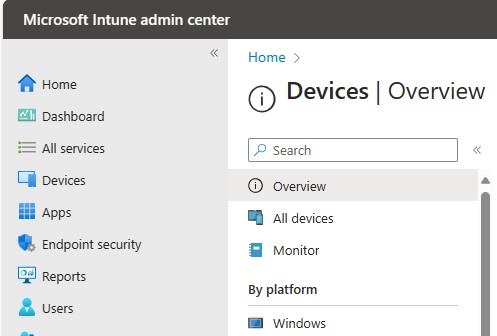
Configure Visual Studio policies using Microsoft Endpoint Manager (Intune)

Visual Studio global policies are now included in the Microsoft Endpoint Manager (Intune) settings catalog! It's easier for administrators to configure their organization’s devices now that the Visual Studio software policies are readily accessible in the Device Configuration Profile UI. A few months ago, we announced the release of Visual Studio Administrative Templates (ADMX files), which improved Visual Studio policy discoverability and usability. In order to use these ADMX files to deploy device configuration via Intune, an administrator had to take a couple of actions. First, they had to manually upload t...

Visual Studio 2022 17.7 Preview 2 is here!

Welcome to the Public Preview 2 of Visual Studio version 17.7! Hot on the heels of our recent Preview 1, we're thrilled to roll out another collection of upgrades tailored to empower developers like you. Preview 2 pushes the boundaries further, providing speed, productivity, and collaboration improvements for developers across different domains. Dive into this new wave of enhancements, spanning improved debugging capabilities, auto-decompilation for external .NET code, several C++ embedded and game development improvements, and more. Now you can even create your pull requests right within Visual Studio! Look...
Installing Visual Studio from an Internal Intranet Website
We’re happy to announce that starting with Visual Studio 2022 version 17.6, Visual Studio layouts are available to install from an internal intranet website! Enterprise customers have long been able to download a particular version of Visual Studio, host it on a private network file share, and make it available for their clients to install. This download cache of Visual Studio product files is commonly known as a layout. There are a few reasons why a company would choose to use layouts. For example, the administrator may want control what version of the product their organization uses. Or sometimes, the cli...
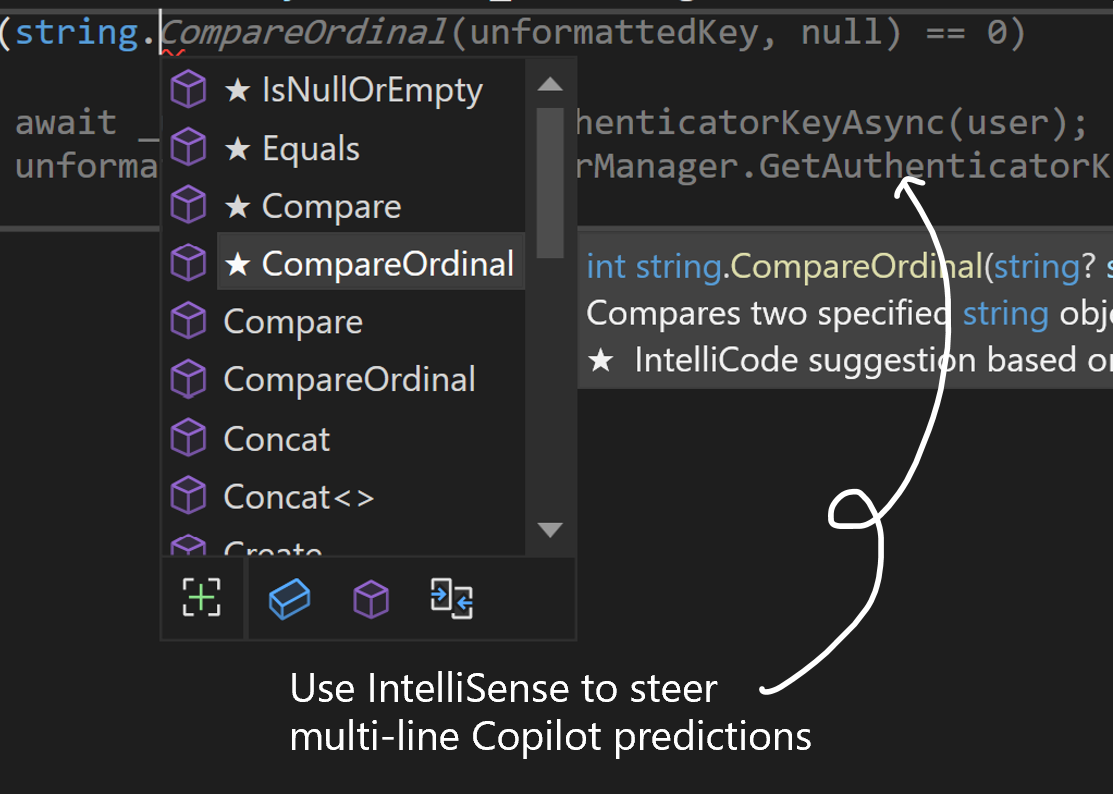
Visual Studio’s IntelliSense list can now steer GitHub Copilot code completions.

TL:DR GitHub Copilot and Visual Studio’s built-in AI assistance features are now better together. With the latest version of GitHub Copilot, changing your selection in Visual Studio's IntelliSense list steers the GitHub Copilot with additional context about your code, so you can easily explore the single and multi-line code completions to get just the code you need. Press TAB to accept the IntelliSense member, then TAB again to accept the Copilot prediction. With the latest release (version 1.84+), Copilot predictions are not only visible when the IntelliSense list when the IntelliSense is open, but your In...
Announcing C# Dev Kit for Visual Studio Code

We are thrilled to announce the preview release of C# Dev Kit, a new Visual Studio Code extension that brings an improved editor-first C# development experience to Linux, macOS, and Windows. The C# Dev Kit is designed to enhance your C# productivity when you’re working in VS Code. It works together with the C# extension, which has been updated to be powered by a new fully open-source Language Server Protocol (LSP) host, creating a performant, extensible, and flexible tooling environment that easily integrates new experiences into C# for VS Code. The source repo for this extension is in the process of being mig...

What’s New in SSDT 17.6: Ledger, Performance, Copilot

We are delighted to announce the new release of SQL Server Developer Tools for Visual Studio 17.6 released on May 16th, 2023. The major focus areas for this release are: SQL Server Developer Tools (SSDT) is a database tool within Visual Studio that lets users develop, build, test and publish their databases from a source-controlled project. It lets the users start from scratch with a new Database Project or import an existing database with a few clicks. SSDT is not available as a standalone installer but comes in the package with Visual Studio. We have added support to SQL Server 2022 ...
Iterating on your Welcome Experience feedback

One of Visual Studio’s goals is to help you quickly ‘get to code.’ We’ve recently experimented with Welcome Experience in Preview that helps you get to the code and tasks that you care about, right within the Visual Studio shell. Take a look at the original Welcome Experience design and its motivations in the previous blog post. Developers like you shared a lot of great feedback for that experience, so we’ve iterated once more. Read on to learn about the design and functionality changes we made to the Welcome Experience. To give this experience a try, please install the latest Visual Studio Preview build: ...
Create a Microsoft Power App for your ASP.NET Core Web API

Boost your developer journey by easily creating front ends for your web APIs. Low-code tooling is becoming increasingly popular among developers because it allows them to create applications faster and with less code. In Visual Studio 2022 17.6 preview 2, you can now connect to the Microsoft Power Platform via connected services and create custom connectors based on your ASP.NET web API. You can download the latest preview at Visual Studio Preview. In today’s blog post, we will cover prerequisites, how to create the custom connector from within Visual Studio and how to quickly build a front-end using Microsoft ...
Unified Settings: Share Your Feedback!
In a hybrid and cloud-based world, we want to make it easy for you to configure Visual Studio to your preferences whether you're working on a laptop from home, on your desktop in the office, or using a Dev Box or Azure VM. Unified Settings reimagines how you personalize your IDE with a modern UI that reacts to changes immediately, has portable storage, and offers full control over what is shared between different project workspaces and Visual Studio installations. Unified Settings helps you set up your environment with both individual and team/workspace settings in Visual Studio. The settings sync to the cloud...