
Visual Studio Blog
The official source of product insight from the Visual Studio Engineering Team
Latest posts
Visual Studio for Mac: Top Features of the New Editor

Over the past year, the Visual Studio for Mac team updated the editors within the IDE to be faster, more fluent and more productive. We did this by building a macOS-native editor interface on top of the same editor backend as Visual Studio on Windows. In version 8.1 we introduced the new C# editor. This was followed by the new XAML editor in 8.2. And most recently, we updated our web languages to utilize the new editors in version 8.3, completing the process we set out to do a year ago. To celebrate this accomplishment, I wanted to share a bit of detail regarding the design and implementation of the new editors a...

Azure IoT Tools September Update: Azure IoT Edge remote debug and more!

Welcome to the September update of Azure IoT Tools! In this September release, you will see the improved remote debugging experience and Azure IoT Device Provisioning Service support in Visual Studio. Additionally, an iotedge-compose tool has been released for you to port compose-based apps to Azure IoT Edge. Debug Azure IoT Edge C# remote Linux container With the version 16.3 release of Visual Studio 2019, the remote debugging experience in Linux docker containers has been improved. The feature is intended to help generic container debugging. We can leverage it in Azure IoT Edge module scenario to help ...
Watch the latest Visual Studio extensibility videos

We have been posting several short videos about Visual Studio extensibility to our YouTube channel in the past couple of months. We chose the topics for the first videos, but now it’s time for you to tell us what videos to record next.

Tracepoints: Debug with less clutter

Have you ever accidentally shipped a log statement to production? Are you tired of cleaning up log statements while debugging? The tool to solve your problems has been here all along!

Visual Studio 2019 for Mac version 8.3

Today, we’re releasing version 8.3 of Visual Studio 2019 for Mac - our .NET IDE, built natively for macOS. This release is predominantly driven by your feedback: delivering a faster and more reliable ASP.NET Core web developer experience, reducing the time between coding and testing Xamarin UI changes, and including a few “delighters” to make your experience even better. These are the 3 top requests we’ve focused on in this release: ASP.NET Core developers will find this release really exciting. In addition to the items mentioned above, we’ve made the following improvements for your daily co...

.NET Core Support and More in Visual Studio 2019 version 16.3 – Update Now!

As we continue to deliver on our mission of any developer, any app, any platform, it's always an exciting time on the Visual Studio team when we get to launch major features. Today we've released Visual Studio 2019 version 16.3 which contains support for the release of .NET Core 3.0, significant C++ improvements, and great updates for Python developers as well as TypeScript 3.6 support. You can download version 16.3 on visualstudio.com or update from the Visual Studio installer. We are also releasing the first preview of Visual Studio 2019 version 16.4 which can be downloaded from visualstudio.com. For additi...
How to debug and profile any EXE with Visual Studio

Have you ever needed to debug or profile an executable (.exe file) that you don’t have source for or can’t build? Then the least known Visual Studio project type, the EXE project, is for you!

Java on Visual Studio Code September Update

September update for Java on Visual Studio Code. Including move refactoring, more code actions, live linting, new getting started experience and more updates for debugger and test runner extensions.
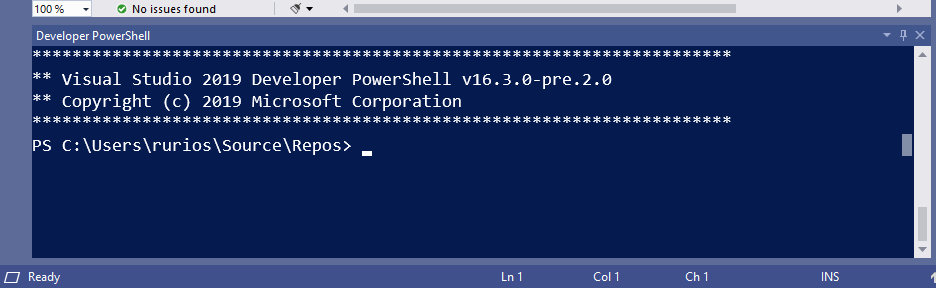
Say hello to the new Visual Studio terminal!

Building on the momentum from the recently announced Developer PowerShell, we are excited to share the first preview of the new Visual Studio terminal. This new preview experience is part of Visual Studio version 16.3 Preview 3. Rather than build everything from scratch, the Visual Studio terminal shares most of its core with the Windows Terminal. For you, that translates into a more robust terminal experience, and faster adoption of new functionality. Enabling the new Visual Studio terminal To try the terminal preview, you’ll first need to enable it by visiting the Preview ...