
C++ Team Blog
The latest in C++, Visual Studio, VS Code, and vcpkg from the MSFT C++ team
Latest posts
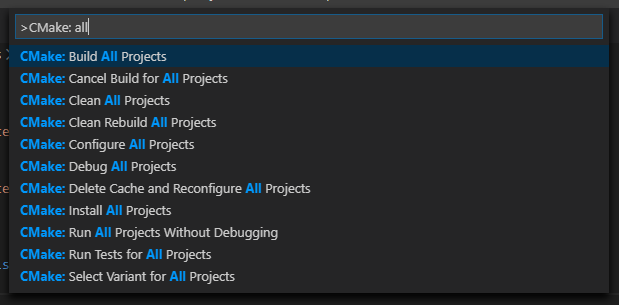
Visual Studio Code CMake Tools Extension: Multi-root workspaces and file-based API

The February 2020 update of the Visual Studio Code CMake Tools extension is now available. This release includes two of the extension’s top feature requests: file-based API support and multi-root workspaces. For a full list of this release’s improvements check out the release notes on GitHub. Multi-root workspace support The latest release of the CMake Tools extension comes with support for multi-root workspaces. This means you can have two or more folders containing a root CMakeLists.txt open side-by-side in Visual Studio Code. When a workspace contains multiple folders, the CMake Tools extension will display ...
Easily Add, Remove, and Rename Files and Targets in CMake Projects

It’s easier than ever to work with CMake projects in Visual Studio 2019 16.5 Preview 2. Now you can add, remove, and rename source files and targets in your CMake projects from the IDE without manually editing your CMake scripts. When you add or remove files with the Solution Explorer, Visual Studio will automatically edit your CMake project. You can also add, remove, and rename the project’s targets from the Solution Explorer’s targets view. C and C++ Source Files Visual Studio now tracks C and C++ source files as they are added, renamed, or removed from the Solution Explorer, automatically modifying the u...
Code Navigation for CMake Scripts
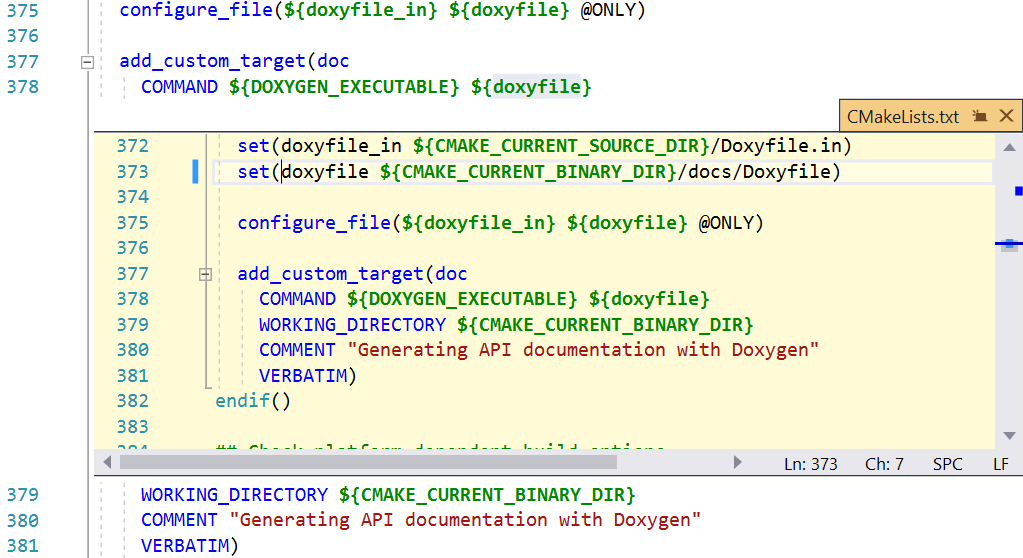
Visual Studio 2019 16.5 Preview 2 makes it easy to make sense of complex CMake projects. Code navigation features such as Go To Definition and Find All References are now supported for variables, functions, and targets in CMake script files. This can be a huge timesaver because CMake projects with more than a handful of source files are often organized into several CMake scripts to encapsulate each part of the project. These navigation features work across your entire CMake project to offer more productivity than naïve text search across files and folders. They are also integrated with other IDE productivity f...
JCC Erratum Mitigation in MSVC

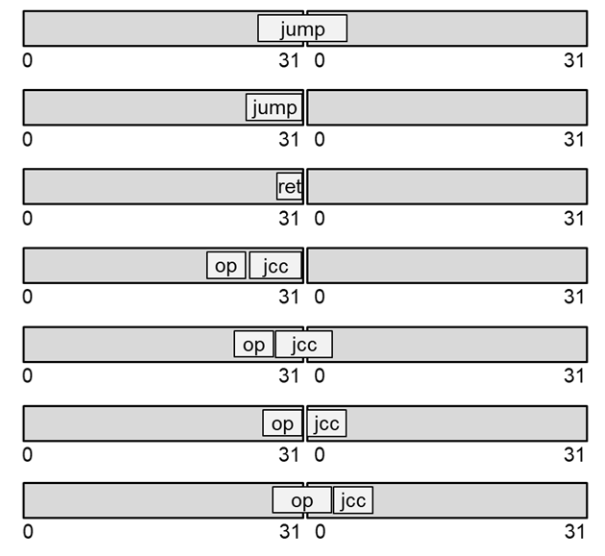
The content of this blog was provided by Gautham Beeraka from Intel Corporation. Intel recently announced Jump Conditional Code (JCC) Erratum which can occur in some of its processors. The MSVC team has been working with Intel to provide a software fix in the compiler to mitigate the performance impact of the microcode update that prevents the erratum. Introduction There are three things one should know about JCC erratum: Each of these topics are explained below. JCC Erratum The processors listed in Intel’s white paper referenced above have an erratum which can occur under certain cond...
Improve Parallelism in MSBuild

Starting in Visual Studio 2019 16.3, we have been adding features to improve build parallelism.
MSVC Backend Updates in Visual Studio 2019 Versions 16.3 and 16.4

Versions 16.3 and 16.4 of Visual Studio 2019 brought many new improvements in code generation quality, build throughput, and security. If you still haven’t downloaded your copy, here is a brief overview of what you’ve been missing out on. Demonstration of C++ Build Insights, a new set of build analysis tools in Visual Studio 2019 version 16.4. Visual Studio 2019 version 16.3 Visual Studio 2019 version 16.4 Do you want to benefit from all of these improvements? If so, download the latest Visual Studio ...
CMake, Linux targeting, and IntelliSense improvements in Visual Studio 2019 version 16.5 Preview 2
Visual Studio’s native support for CMake allows you to target both Windows and Linux from the comfort of a single IDE. Visual Studio 2019 version 16.5 Preview 2 introduces several new features specific to cross-platform development, including: File copy optimizations for CMake projects targeting a remote Linux system Visual Studio automatically copies source files from your local Windows machine to your remote Linux system when building and debugging on Linux. In Visual Studio 2019 version 16.5 this behavior has been optimized. Visual Studio now keeps a "fingerprint file" of the ...
C++ Modules conformance improvements with MSVC in Visual Studio 2019 16.5

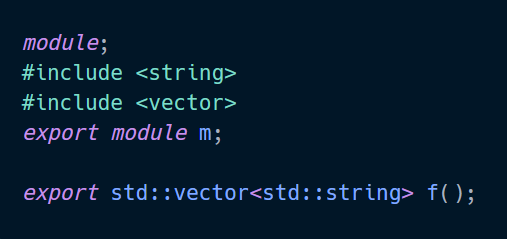
C++20 is right around the corner. Along with the new standard comes the much anticipated Modules feature! The compiler team initially announced that we were working on the Modules TS back in 2017 and since then we have been hard at work improving the feature and improving compiler conformance around this feature. We finally feel it is time to share some of the progress we have made on the conformance front for Modules. What's new? Header Unit Support In C++20 [module.import]/5 describes the import of a new translation unit type, the header unit. The semantics of this type of import are ...
Improvements to Accuracy and Performance of Linux IntelliSense
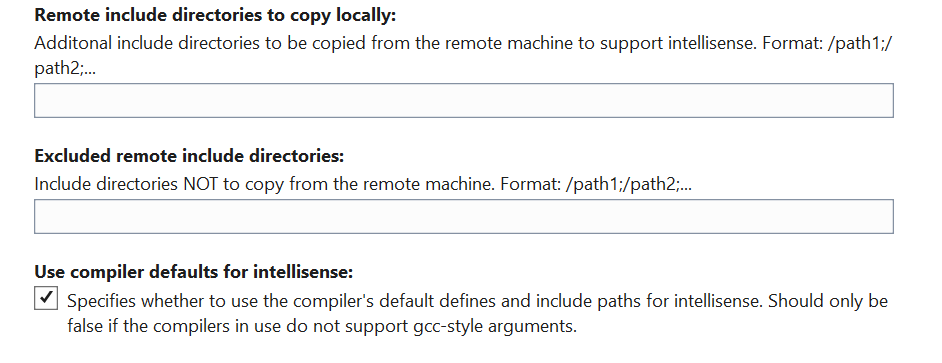
This blog post was written by Paul Maybee, a Principal Software Engineer on the C++ Cross-Platform Team. Accurate C++ IntelliSense requires access to the C++ headers that are referenced by C++ source files. For Linux scenarios the headers referenced by a Linux MSBuild or CMake project are copied to Windows by Visual Studio from the Linux device (or VM, or Docker container, or WSL system) being targeted for the build. Visual Studio then uses these headers to provide IntelliSense. If the headers are not the correct versions, for example they are gcc headers rather than clang headers, or C++11 headers rather tha...