
C++ Team Blog
The latest in C++, Visual Studio, VS Code, and vcpkg from the MSFT C++ team
Latest posts
Visualize Macro Expansion for C++

We are excited to announce the availability of Visualize Macro Expansion in Visual Studio 17.7 Preview. This feature lets you visualize the step-by-step expansion of macros. To begin utilizing this feature, ensure that you update to the latest version of Visual Studio Preview. Visualize Macro Expansion Visual Studio has introduced an enhanced Macro Expansion feature. This feature brings significant benefits, enabling you to comprehend and review complex multi-level macro expansions in a step-by-step manner. When you hover over a macro, you can access Quick Info, which now includes the Visualize Expansion li...
#include cleanup in Visual Studio
We are thrilled to announce the return of #include cleanup, a tool that helps you maintain clean code, now available in Visual Studio 17.8 Preview 1. To start using this feature, make sure to update to the latest version of Visual Studio Preview. #include cleanup Visual Studio now offers #include cleanup, a feature that improves the quality of your code by generating suggestions to remove unused headers and add direct headers. Our suggested workflow is to first go through the direct include suggestions to add direct headers where indirect headers are used, followed by removing the unused includes. R...
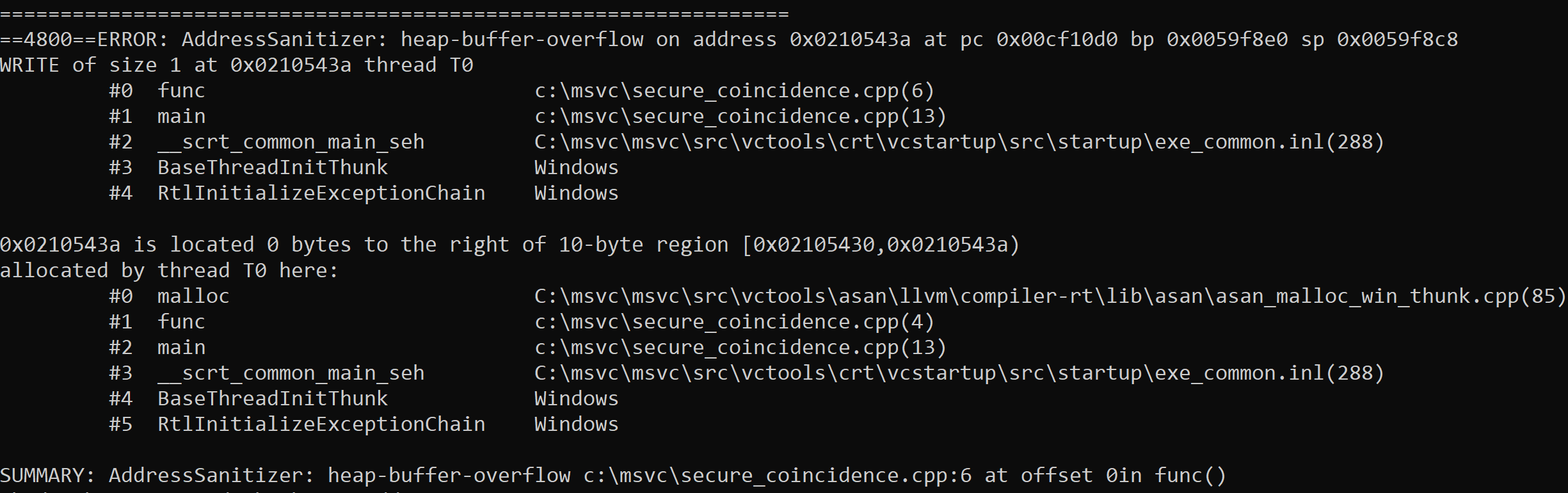
AddressSanitizer continue_on_error

Visual Studio 17.6 comes with new functionality in the Address Sanitizer runtime which provides a new “checked build” for C and C++. This new runtime mode diagnoses and reports hidden memory safety errors, with zero false positives, as your app runs. Introduction C++ memory safety errors are a top concern for the industry. In Visual Studio 17.6, we deliver a new experimental Address Sanitizer feature: continue_on_error (COE). We’ll remove the experimental label in 17.8. You compile as before, by simply adding the compiler flag . With 17.6 you can enable the COE functionality by setting environment variables fro...
C++ Extension in VS Code 1.16 Release: Call Hierarchy & more

The 1.16 version of the C++ Extension in VS Code has now been shipped. With this version of the extension, we are releasing one of our most upvoted GitHub feature requests – Call Hierarchy. We also added new functionality when creating declarations and definitions that allows you to copy the declaration/definition and specify its placement in code, as well as adding other code enhancements. For the full list of changes, please reference the 1.16 release notes. Call Hierarchy With call hierarchy, you can now easily navigate your codebase, especially when trying to understand the complex calling relationships...

vcpkg integration with the GitHub dependency graph

Introducing vcpkg's integration with the GitHub dependency graph
Using Key Events with warning C26800

Here's how you can use Key Events to fix warning C26800
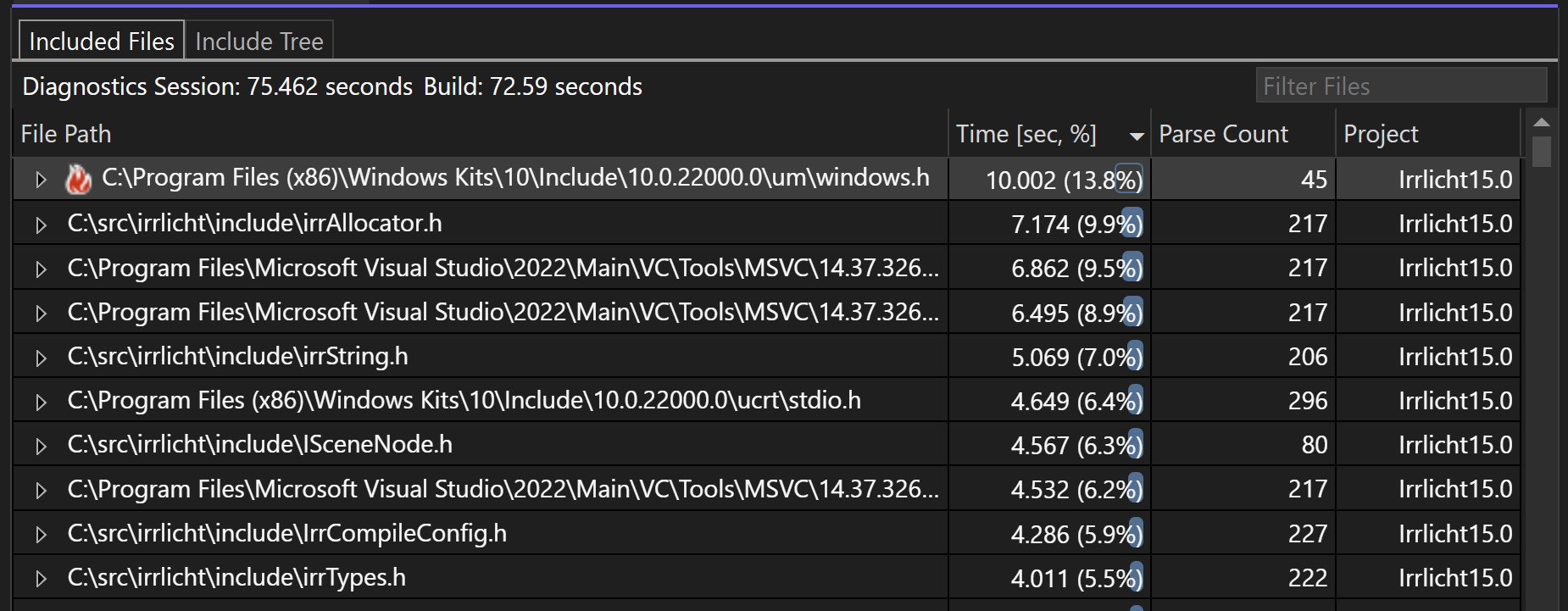
Build Insights Now Available in Visual Studio 2022

Introduction We're excited to announce that Build Insights is now integrated with Visual Studio 2022! Available in Visual Studio 2022 17.7 Preview 2, Build Insights provides critical information of your development environment. Using the analysis created by Build Insights, you will now have the power to effectively optimize your build times, especially large projects like AAA games. With Build Insights now integrated with Visual Studio, you will be able to capture your ETL trace and see your build analytics from within Visual Studio with only a few clicks. As a first step, you will be able to use the Include Fil...
Pure Virtual C++ Videos Available

All of the videos from our Pure Virtual C++ conference are now available! You can find them all on YouTube. Overall we had 18 videos on a wide variety of C++ topics, from Rust/C++ interoperability, to value semantics, to improving compiler errors. Here are the videos for our five live sessions which ran on the day of the conference:
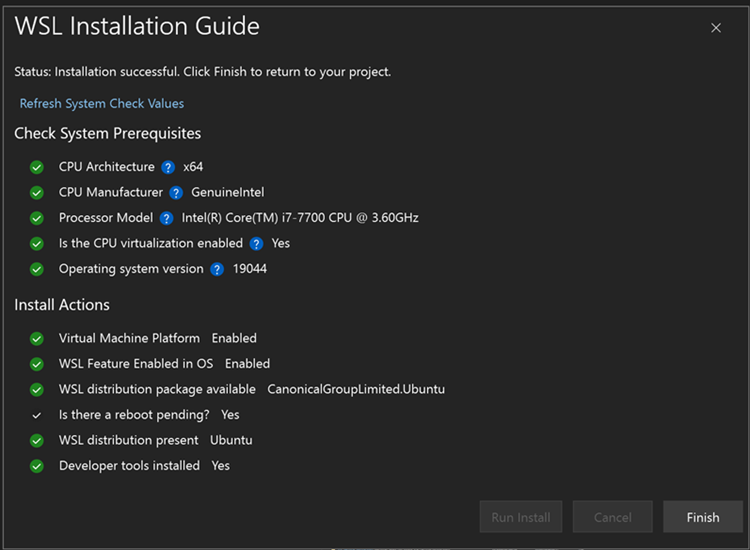
Automatically Install Windows Subsystem for Linux from Visual Studio using New Seamless Integration

Have you ever wanted to try using Windows Subsystem for Linux (WSL) to target Linux from your C++ project, but haven’t gone through the documentation or CLI installation process? Now, from Visual Studio with the Linux and Embedded Workload, Visual Studio makes it easier than ever to get to that one-click install of WSL. Download the latest preview version of Visual Studio and select the Linux and Embedded workload to give it a try! How do I start? When you open a CMake project that can target Linux, an info bar will open for users to click and open a WSL installation process. By default, it will install a WSL2 ...