
Visual Studio Blog
The official source of product insight from the Visual Studio Engineering Team
Latest posts

Removing out-of-support components from your Visual Studio installations

Visual Studio is a rich IDE that provides an abundant collection of tools and functionality for developers to use in every stage of software development. As we all know, technologies change over time, some faster than others; consequently, certain components that are initially included with Visual Studio may go out of support faster than the IDE itself. When a component transitions to “out of support”, it will not receive any future updates, including security fixes. Using the latest Visual Studio 2022 version 17.4 installer, it is now possible to bulk remove all components from your Visual Studio installat...
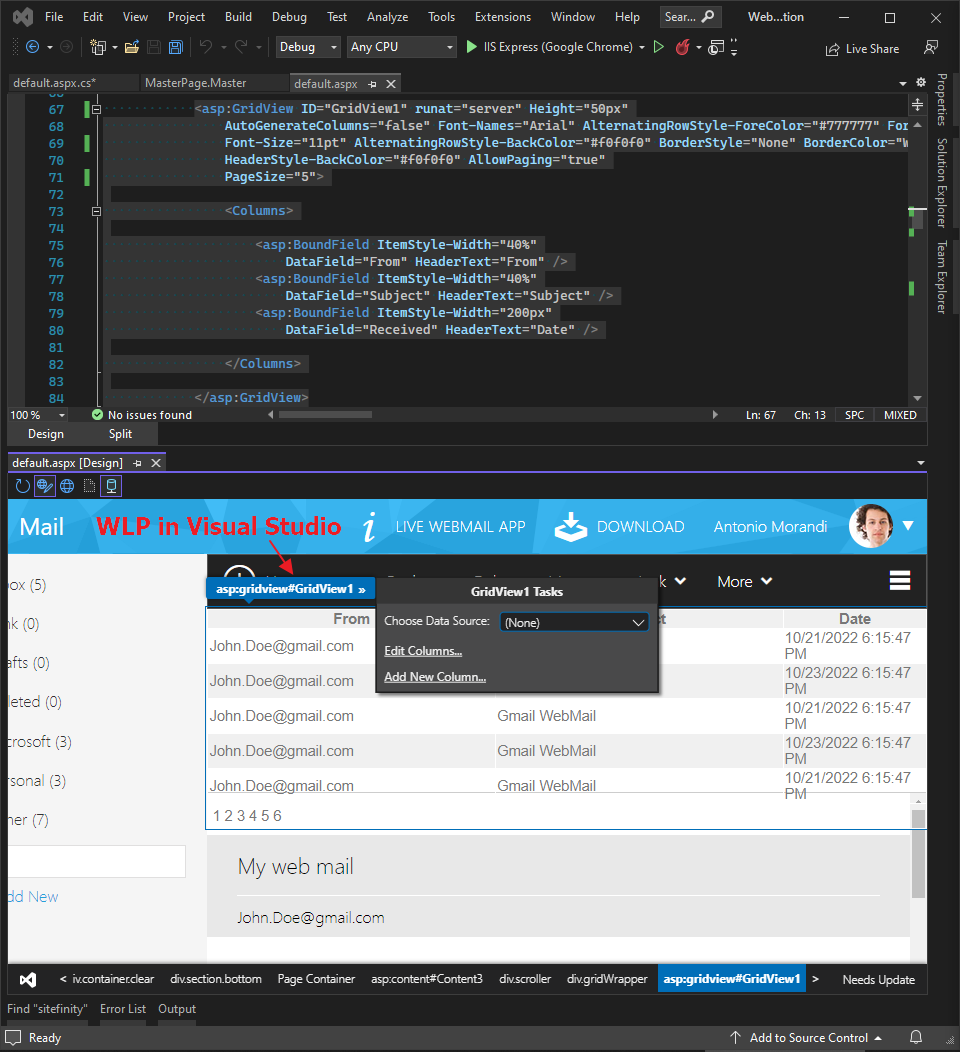
Improve your productivity with Web Live Preview and Telerik

This post will concentrate on everything new, cool, trendy, and useful around the integrated Web Live Preview tool in Visual Studio 2022. More than 17 years ago, when I started my dev career with ASP.NET Web Forms as part of an ASP.NET development team, my first steps commenced out as many of us with the superior assistance of the Visual Studio Designer – I played with the famous drag and drop of controls from the Toolbox, configured their properties from the Action Panel (aka Smart tags), created server events by double clicking over the components and so on. It was like a magic to create the UI of the page...
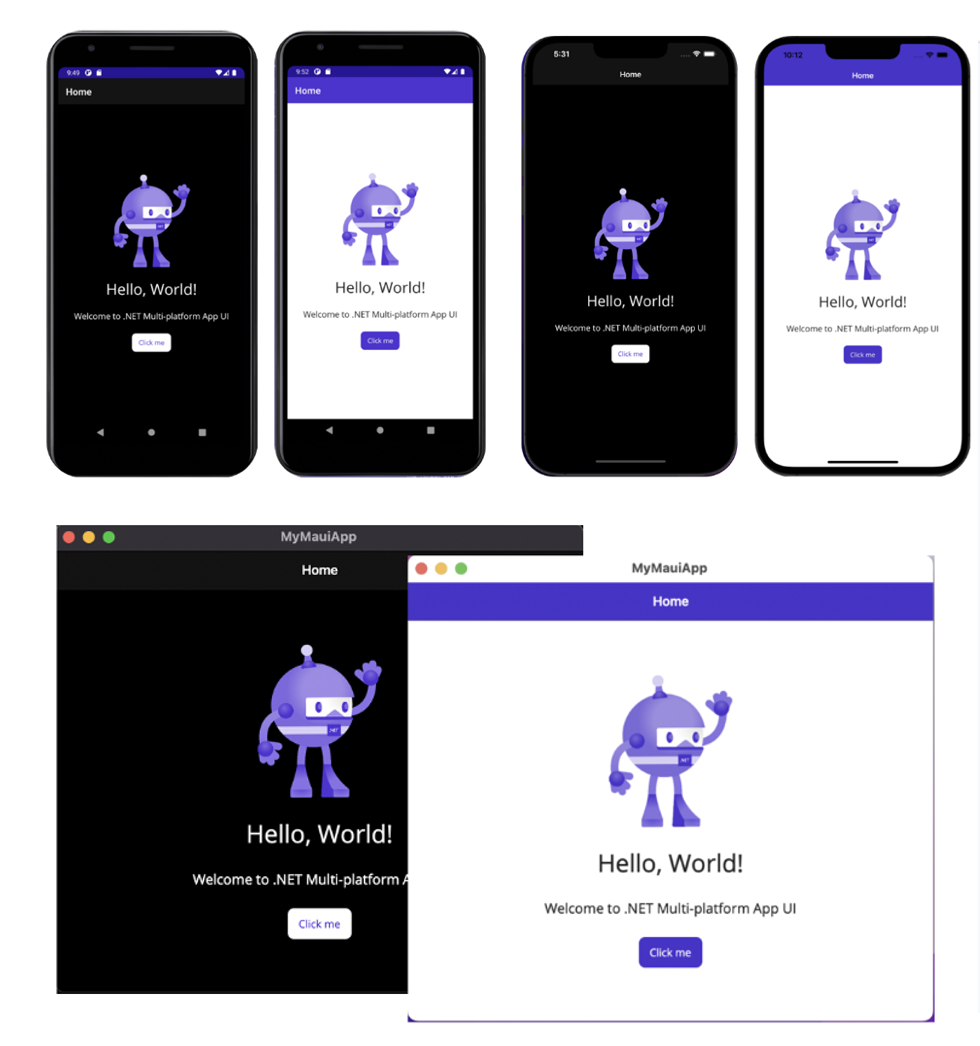
.NET MAUI is now available in Visual Studio for Mac 17.4

I am excited to share the news that .NET Multi-platform App UI (.NET MAUI) is now available in Visual Studio for Mac! .NET MAUI tooling shipped in the 17.4 preview Visual Studio for Mac release in August, and then on November 8th we shipped the general availability of .NET MAUI tooling in the 17.4 stable release. This release has also shipped the latest quality and reliability improvements for the .NET MAUI SDK as part of .NET 7. See our Release Notes on GitHub and Visual Studio for Mac Release Notes. In Visual Studio for Mac 17.4, you now have access to many of the same .NET MAUI productivity features that...
Visual Studio 2022 Performance Enhancements 17.4

Every new Visual Studio release includes new performance improvements that make the product faster and more responsive. 17.4 has some significant improvements across common scenarios like Find in Files, Branch switching, configuration changes, unit testing, C++ indexing and file saving. We use product telemetry from our GA releases to set baselines, run experiments in previews to test different solutions, measure changes in controlled lab environments for repeatable results, and dogfood builds daily to test our changes. While your mileage may vary, we believe there is something here for everyone. Download Visual...
Enable Group Policy Settings with Visual Studio Administrative Templates (ADMX)

IT Administrators often want to control, via group policy, certain aspects of Visual Studio behavior to achieve consistency, compliance, and compatibility across their organizations. One challenge has been that there was no easy way to discover what global policies exist for Visual Studio. Because there was no centralized repository that captured the Visual Studio policy options, there was also no consistent method to deploy settings using standard management and deployment tools such as the Group Policy Editor or Microsoft Endpoint Manager, resulting in duplicated, inefficient, and sometimes incorrect effort....
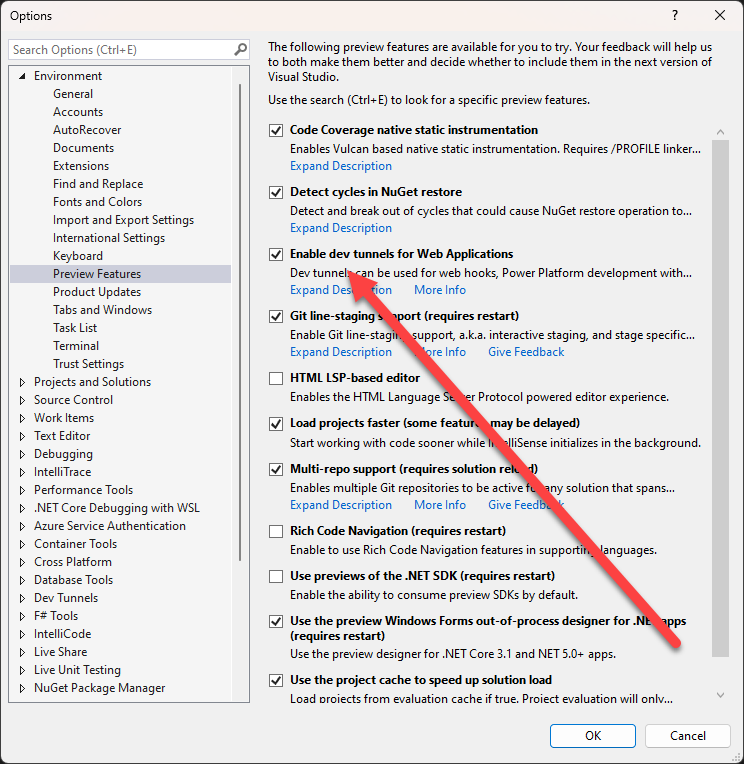
Public preview of dev tunnels in Visual Studio for ASP.NET Core projects
In a previous blog post we introduced the private preview for port forwarding in Visual Studio, this support has now been renamed to “dev tunnels” and is now in public preview. The main difference between the private preview and the public preview is that you no longer need to sign-up, and be approved, to access dev tunnels. Getting started with dev tunnels is easy, follow the steps below. 1: Download Visual Studio 17.4 2: Enable the dev tunnels preview feature in Visual Studio After installing Visual Studio 17.4, you can enable the dev tunnels feature in Tools->Options->Environment-Preview Fea...
Multi-repository Support Released!

As one of our most highly requested features with Developer Community, we are so happy to announce the release of multi-repository support in Visual Studio 2022. Support for multiple repositories means you can have up to 10 active Git repositories at once. This allows you to work with a solution that spans more than one repository, enabling git operations accross several repositories at the same time. For example, in a large web project you may need different repositories to manage work done on the frontend, the API, the database, the documentation, and various libraries and dependencies. Before multi-repository ...

Introducing Visual Studio Rollback!

Visual Studio IDE is a feature-rich program that supports many aspects of software development. Our customers can use VS to edit, debug, and build code, and then publish an app. The IDE also provides frequent updates to add additional features, make reliability improvements, and address security vulnerabilities, and we encourage customers to adopt these updates as quickly as possible. We strive to ensure that updates are highly compatible, but even so, sometimes our customers want the ability to restore Visual Studio to its previous state. To address this highly requested feature, Visual Studio is introducing t...
Deploy Visual Studio updates to devices enrolled in Windows Update for Business
Starting in November 2022, IT Administrators can now deploy Visual Studio administrator security updates throughout their organization to cloud connected devices that are configured to use Windows Update for Business (WUfB) and are managed by mobile device management solutions such as Microsoft Endpoint Manager (also known as Intune). This solution applies to all security updates for all supported versions of Visual Studio, making it easier for organizations to always stay updated and secure. How It Works Client Machine Configuration In order to take advantage of this new capability, the IT Administrator will ...