
C++ Team Blog
The latest in C++, Visual Studio, VS Code, and vcpkg from the MSFT C++ team
Latest posts

Visual Studio Code C/C++ extension: May 2019 Update

The May 2019 update of the Visual Studio Code C/C++ extension is now available to C/C++ extension Insiders. This release includes many new features, including Visual Studio Code Remote Development extensions with C/C++, an IntelliSense Configurations settings UI, and IntelliSense improvements.
Clang/LLVM Support in Visual Studio

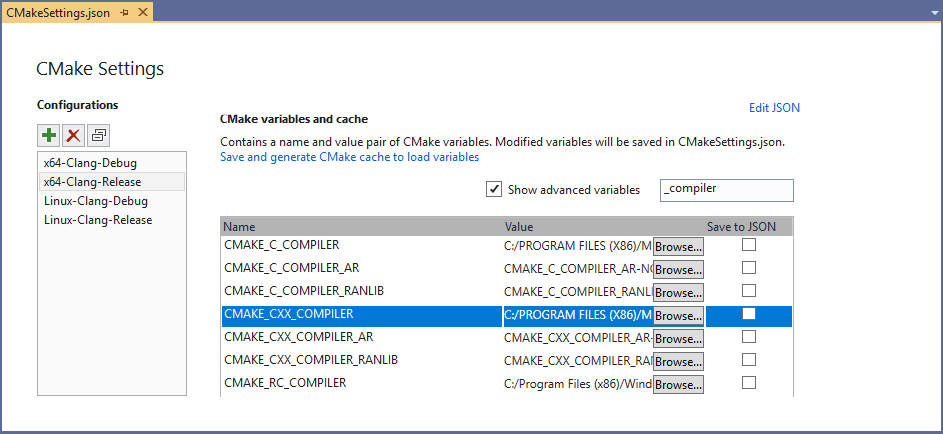
Visual Studio 2019 version 16.1 Preview 2 comes with support for Clang/LLVM out-of-the-box. Visual Studio has had great tooling for MSVC and GCC for quite a while now. The latest preview brings Clang into the fold. Visual Studio 2019 includes out of the box support for editing, building, and debugging CMake projects with Clang/LLVM. If you use MSBuild projects, however, don’t worry. Support for MSBuild based .vcxproj projects is coming soon as well. If you are not familiar with Visual Studio’s CMake, support check out how to get started. If you are developing on Windows and targeting Clang, we hope to make ...
Visual Studio CMake Support – Clang/LLVM, CMake 3.14, Vcpkg, and Performance Improvements
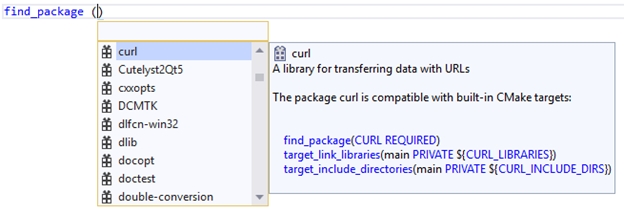
We’ve introduced a bunch of improvements to our CMake support in the latest preview of Visual Studio 2019 Update 1. The latest release includes Clang/LLVM support, CMake 3.14, better vcpkg integration, and many more enhancements. If you are not familiar with Visual Studio’s CMake support, check out how to get started.
Improved C++ IntelliCode now Ships with Visual Studio 2019

IntelliCode support for C++ previously shipped as an extension, but it is now an in-box component that installs with the “Desktop Development with C++” workload in Visual Studio 2019 16.1 Preview 2. Make sure that IntelliCode is active for C++ by enabling the “C++ base model” under Tools > Options > IntelliCode > General: This version of C++ IntelliCode also supports free-functions and has better accuracy. You can see the IntelliCode results starred at the top of the member list: Talk to Us! We’d love for you to download Visual Studio 2019 version 16.1 Preview 2 and enable IntelliCode ...
Visual Studio C++ Template IntelliSense Populates Based on Instantiations in Your Code
Ever since we announced Template IntelliSense, you all have given us great suggestions. One very popular suggestion was to have the Template Bar auto-populate candidates based on instantiations in your code. In Visual Studio 2019 version 16.1 Preview 2, we’ve added this functionality via an “Add All Existing Instantiations” option in the Template Bar dropdown menu. The following examples are from the SuperTux codebase. The Template Bar dropdown menu now contains a new entry, "Add All Existing Instantiations". Clicking the “Add All Existing Instantiations” option will populate the dropdown, so yo...
C++17/20 Features and Fixes in Visual Studio 2019

Visual Studio 2019 version 16.0 is now available and is binary compatible with VS 2015/2017. In this first release of VS 2019, we've implemented more compiler and library features from the C++20 Working Paper, implemented more overloads (C++17's "final boss"), and fixed many correctness, performance, and throughput issues. Here's a list of the C++17/20 compiler/library feature work and the library fixes. (As usual, many compiler bugs were also fixed, but they aren't listed here; compiler fixes tend to be specific to certain arcane code patterns. We recently blogged about compiler optimization and build throughpu...
Accelerating Compute-Intensive Workloads with Intel® AVX-512

This guest post was authored by Junfeng Dong, John Morgan, and Li Tian from Intel Corporation. Introduction Last year we introduced Intel® Advanced Vector Extensions 512 (Intel® AVX-512) support in Microsoft* Visual Studio* 2017 through this VC++ blog post. In this follow-on post, we cover some examples to give you a taste of how Intel® AVX-512 provides performance benefits. These examples include calculating the average of an array, matrix vector multiplication, and the calculation of the Mandelbrot set. Microsoft Visual Studio 2017 version 15.5 or later (we recommend the latest) is required to compile these d...

Visual Studio Code now available through Particle Workbench

We’re excited to announce that Visual Studio Code is included in the new release of tooling for Particle IoT developers. Developers using the Particle platform can now use Visual Studio Code as their default editor for building IoT apps! Particle provides a widely-used IoT platform that consists of hardware, software, and connectivity. At their Spectra conference last year, Particle announced Particle Workbench, a professional IoT developer offering that includes Visual Studio Code. Particle Workbench and Visual Studio Code provide a free, ready to use experience to develop, program, and debug apps on P...
In-Editor Documentation for CMake in Visual Studio

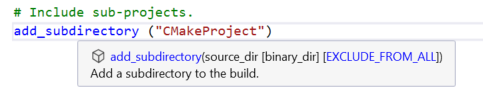
Visual Studio 2019 version 16.1 Preview 1 introduces in-editor documentation for CMake commands, variables, and properties. You can now leverage IntelliSense autocompletion and quick info tooltips when editing a CMakeLists.txt file, which will save you time spent outside of the IDE referencing documentation and make the process less error-prone. If you are just getting started with our native support for CMake, head over to our CMake Support in Visual Studio introductory page. You can use CMake to target multiple platforms from the comfort of a single IDE. Quick info Visual Studio now provides tooltips for CM...