
C++ Team Blog
The latest in C++, Visual Studio, VS Code, and vcpkg from the MSFT C++ team
Latest posts

Using VS Code for C++ development with containers

This post builds on using multi-stage containers for C++ development. That post showed how to use a single Dockerfile to describe a build stage and a deployment stage resulting in a container optimized for deployment. It did not show you how to use a containers with your development environment. Here we will show how to use those containers with VS Code. The source for this article is the same as that of the previous article: the findfaces GitHub repo. Creating a container for use with VS Code VS Code has the capability to target a remote system for debugging. Couple that with a custom build task for compiling ...
What’s New in CMake – Visual Studio 2019 Preview 2

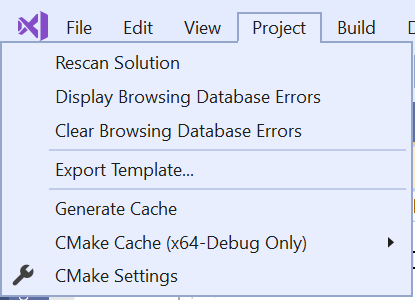
We have made a bunch of improvements to Visual Studio’s CMake support in the latest preview of the IDE. Many of these changes are taking the first steps to close the gap between working with solutions generated by CMake and the IDE’s native support. Please try out the preview and let us know what you think. If you are new to CMake in Visual Studio, check out how to get started. CMake Menu Reorganization One of the first things you might notice when you open your CMake projects in Visual Studio 2019 Preview 2 is that the CMake menu has disappeared. Don’t worry, nothing is wrong. We just reorganized these item...
C++ Binary Compatibility and Pain-Free Upgrades to Visual Studio 2019

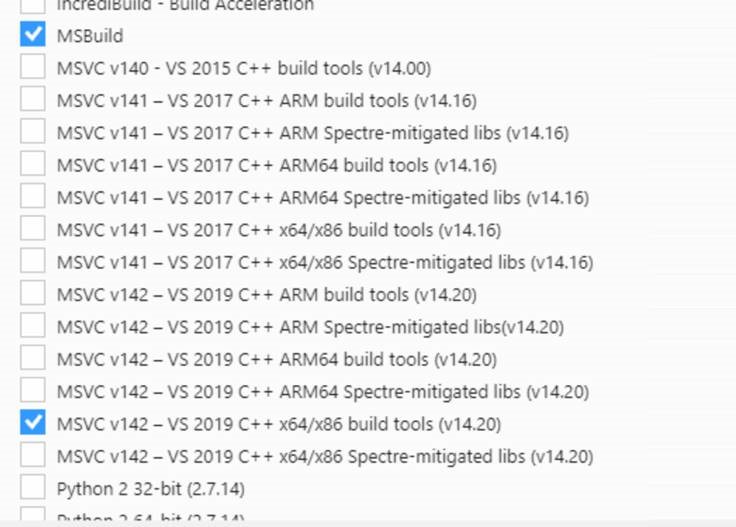
Visual Studio 2019 pushes the boundaries of individual and team productivity. We hope that you will find these new capabilities compelling and start your upgrade to Visual Studio 2019 soon. As you are considering this upgrade, rest assured that Visual Studio 2019 makes it distinctively easy to move your codebase from previous versions of Visual Studio. This post captures the reasons why your upgrade to Visual Studio 2019 will be pain-free. Side-by-side Visual Studio Installations You can install the latest version of Visual Studio on a computer that already has an earlier version installe...
Visual Studio Code C/C++ extension: January 2019 Update

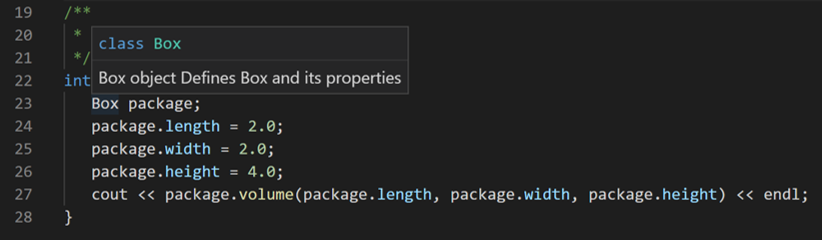
[Updated on 11/4/2019] - Removed mentions of "Improved Member Function Completion" which is no longer supported based on user feedback. The January 2019 update of the Visual Studio Code C++ extension is now available. This release includes many new features and bug fixes including documentation comments support, improved #include autocomplete performance, and many IntelliSense bug fixes. For a full list of this release’s improvements, check out our release notes on Github. Documentation Comments We added support for documentation comments for hover, completion, and signature help. You can now see documentati...
New Code Analysis Checks in Visual Studio 2019: use-after-move and coroutine

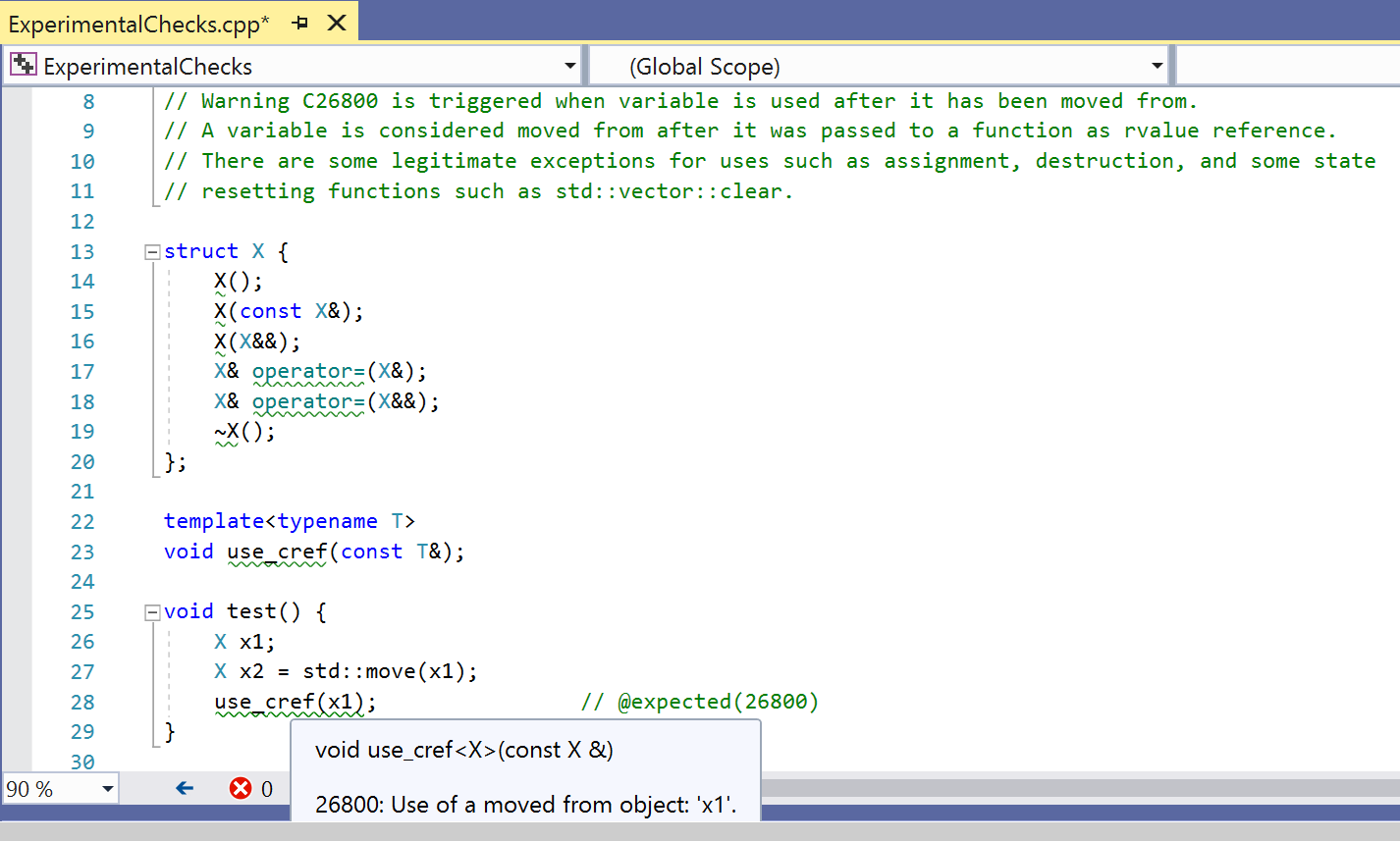
Visual Studio 2019 Preview 2 is an exciting release for the C++ code analysis team. In this release, we shipped a new set of experimental rules that help you catch bugs in your codebase, namely: use-after-move and coroutine checks. This article provides an overview of the new rules and how you can enable them in your project. Use-after-move check C++11 introduced move semantics to help write performant code by replacing some expensive copy operations with cheaper move operations. With the new capabilities of the language, however, we have new ways to make mistakes. It’s important to have the tools to help find ...

Concurrency Code Analysis in Visual Studio 2019
Concurrency Code Analysis in Visual Studio 2019 The battle against concurrency bugs poses a serious challenge to C++ developers. The problem is exacerbated by the advent of multi-core and many-core architectures. To cope with the increasing complexity of multithreaded software, it is essential to employ better tools and processes to help developers adhere to proper locking discipline. In this blog post, we’ll walk through a completely rejuvenated Concurrency Code Analysis toolset we are shipping with Visual Studio 2019 Preview 2. A perilous landscape The most popular concurrent programming paradigm in use toda...
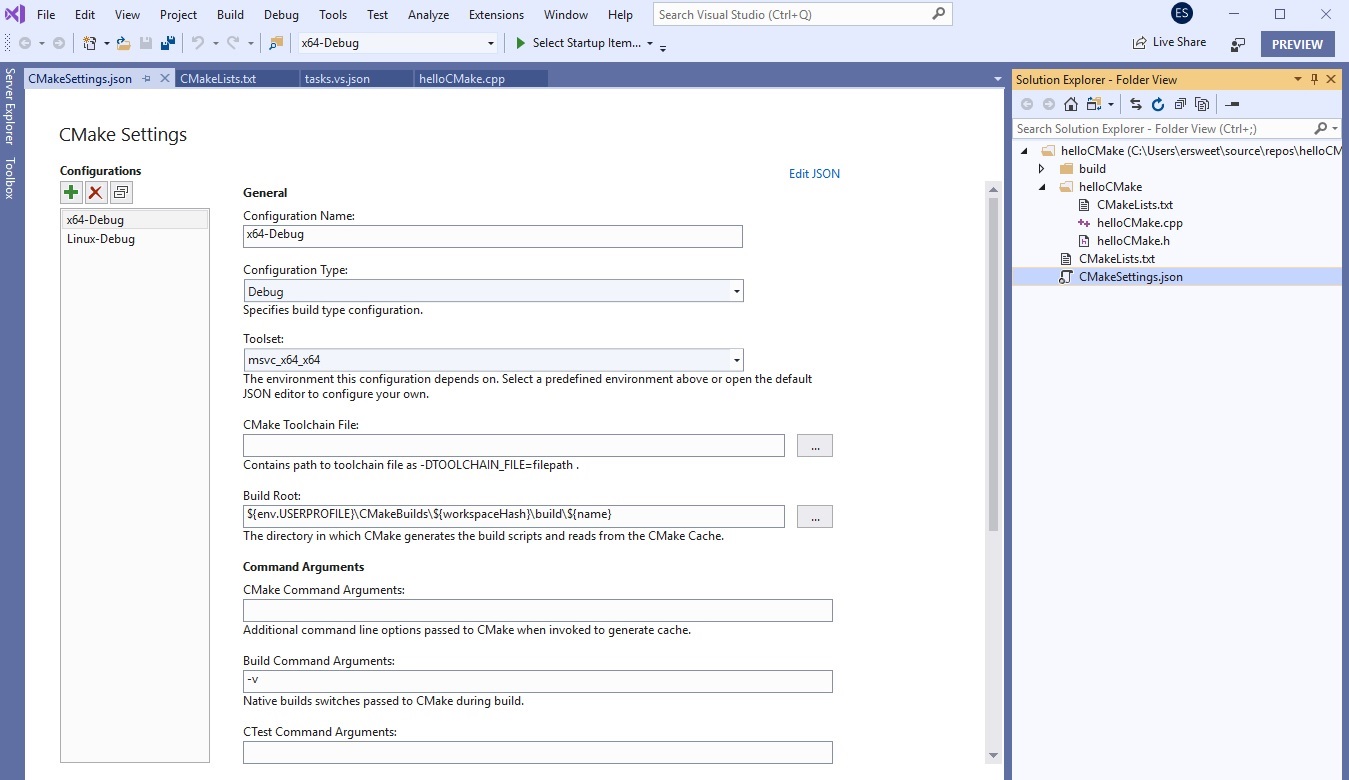
Introducing the New CMake Project Settings UI

Visual Studio 2019 Preview 2 introduces a new CMake Project Settings Editor to help you more easily configure your CMake projects in Visual Studio. The editor provides an alternative to modifying the CMakeSettings.json file directly and allows you to create and manage your CMake configurations. If you’re just getting started with CMake in Visual Studio, head over to our CMake Support in Visual Studio introductory page. The goal of this editor is to simplify the experience of configuring a CMake project by grouping and promoting commonly used settings, hiding advanced settings, and making it easier to ed...
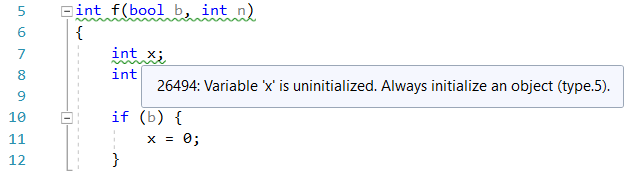
In-editor code analysis in Visual Studio 2019 Preview 2

The C++ team has been working to refresh the Code Analysis experience inside Visual Studio. Last year, we blogged about some in-progress features in this area. We’re happy to announce that in Visual Studio 2019 Preview 2, we’ve integrated code analysis directly into the editor, improved upon previously experimental features, and enabled this as the default experience. In-editor warnings & background analysis Code analysis now runs automatically in the background, and warnings display as green squiggles in-editor. Analysis re-runs every time you open a file in the editor and when you save your changes. ...
C++ Productivity Improvements in Visual Studio 2019 Preview 2

Visual Studio 2019 Preview 2 contains a host of productivity features, including some new quick fixes and code navigation improvements: The Quick Actions menu can be used to select the quick fixes referenced below. You can hover over a squiggle and click the lightbulb that appears or open the menu with Alt + Enter. Quick Fix: Add missing #include Have you ever forgotten which header to reference from the C++ Standard Library to use a particular function or symbol? Now, Visual Studio will figure that out for you and offer to fix it: But this feature doesn’t just find...