Visual Studio Blog
The official source of product insight from the Visual Studio Engineering Team
Featured posts

Visual Studio 2026 is here: faster, smarter, and a hit with early adopters
Dear developers, We’re thrilled to announce that Visual Studio 2026 is now generally available! This is a moment we’ve built side by side with you. Your feed...
Latest posts
From AI to .NET: 20 VS Live! Las Vegas Sessions You Can Watch Now
In March 2026, developers came together at VS Live! Las Vegas for a full week of technical learning, hands-on exploration, and a lot of great conversations about where software development is headed next. From AI-assisted development to modern .NET, cloud-native apps, and developer productivity, one thing was clear: the pace of change is not slowing down. If you were not able to attend, or if you want to revisit some of the strongest content from the event, we are now publishing 20 sessions from VS Live! Las Vegas on the Visual Studio YouTube channel. We are releasing about two sessions per day, so you can watc...
Azure MCP tools now ship built into Visual Studio 2022 — no extension required
Azure MCP tools now ship built into Visual Studio 2022 — no extension required Azure MCP tools are now built into Visual Studio 2022 as part of the Azure development workload — no separate extension to find, install, or update. You can enable over 230 tools across 45 Azure services directly in GitHub Copilot Chat and manage Azure resources, deployments, and diagnostics without leaving your IDE. If you already have the Azure development workload installed, you're one click away from getting started. What changed Previously, using Azure MCP tools in Visual Studio 2022 required you to install the "GitHub Copilo...
Stop Hunting Bugs: Meet the New Visual Studio Debugger Agent Workflow
We’ve all been there: a bug report lands in your inbox with a title like "App crashes sometimes" and zero reproduction steps. Your morning, which was supposed to be spent building new features, is now a forensic investigation. You’re setting scattershot breakpoints, staring at the call stack, and trying to guess what the original reporter was thinking. Debugging isn't just about fixing code; it’s about reducing uncertainty. Today, we’re taking a massive leap toward solving that problem by introducing a new, upgraded, guided workflow within our exiting Debugger Agent in Visual Studio. Ending the "Guessin...
Take full control of your floating windows in Visual Studio
Make Visual Studio floating windows work perfectly with PowerToys FancyZones. Flip one option to get independent windows, better snapping, and less friction.
Bookmark Studio: evolving bookmarks in Visual Studio
Bookmarks in Visual Studio have always been a simple, reliable feature. Many developers use them regularly, and over the years we’ve heard consistent feedback from those users. Bookmarks were useful, but there were a few core gaps that kept them from being as effective and relevant as they could be. Navigation was one of the biggest pain points. You could move between bookmarks, but there was no easy way to jump directly to a specific bookmark using the keyboard. That made bookmarks harder to rely on once you had more than a few. Another common request was sharing. Bookmarks worked well for personal, local nav...
Visual Studio March Update – Build Your Own Custom Agents
This month's Visual Studio update gives you new ways to customize GitHub Copilot. Custom agents allow you to build specialized Copilot agents tailored to your team's workflow, backed by the tools and knowledge sources that matter to your project. Alongside that, agent skills bring reusable instruction sets, and a new find_symbol tool gives agents language-aware navigation across your codebase. Beyond agents, we're continuing to invest in the diagnostics experience with Copilot-powered profiling directly from Test Explorer and real-time perf tips during debugging. Security gets a boost too, with Copilot now hel...
Unlock More Power in Your Development Workflow: Syncfusion for Visual Studio Subscribers
A few months ago, I was talking with a developer who said something that stuck with me: “I love building apps. I just don’t love rebuilding the same UI controls over and over again.” That’s the reality for a lot of teams. You want to focus on your business logic, your architecture, your differentiation. Instead, you burn cycles wiring up grids, charts, document exports, dashboards, and signing workflows. If you’re a Visual Studio subscriber, there’s a benefit waiting for you that can change that: Syncfusion. And it’s included at no additional cost for eligible subscribers. Let me walk you thro...
Get the Inside Scoop on Visual Studio Subscriptions, Straight to Your Inbox
Get the Inside Scoop on Visual Studio Subscriptions, Straight to Your Inbox A few weeks ago I was talking with a Visual Studio Enterprise subscriber. Seasoned .NET developer. Ships production code. Knows his stack inside and out. During the conversation I mentioned one of the training benefits included in his subscription. He stopped me. “I didn’t even know that was included.” That is exactly why we created the Visual Studio Subscriptions monthly email newsletter. Why We Launched It Visual Studio Professional and Enterprise subscriptions include far more than just the IDE. For exam...
Visual Studio Dev Essentials: Free, Practical Tools for Every Developer
When I first found Visual Studio Dev Essentials, it felt like discovering a hidden door in the developer toolkit world. I’d heard about free tools and cloud credits, but I wasn’t sure if it would really matter in day-to-day coding life. The short answer: it absolutely does. What struck me most was how the program was built with real developers in mind, and the fact that it’s completely free makes it accessible to anyone with a Microsoft account. Why Dev Essentials Matters Dev Essentials is not a trial version or a limited sneak-peek. It’s a free developer membership that brings together the tools, clou...
Visual Studio February Update
This month’s Visual Studio update continues our focus on helping you move faster and stay in flow, with practical improvements across AI assistance, debugging, testing, and modernization. Building on the momentum from January’s editor updates, the February release brings smarter diagnostics and targeted support for real world development scenarios, from WinForms maintenance to C++ modernization. All of the features highlighted are available in the Visual Studio 2026 Stable Channel as part of the February 2026 feature update (18.3). Please update to the latest version to try out these new features! WinForms Ex...
Custom Agents in Visual Studio: Built in and Build-Your-Own agents
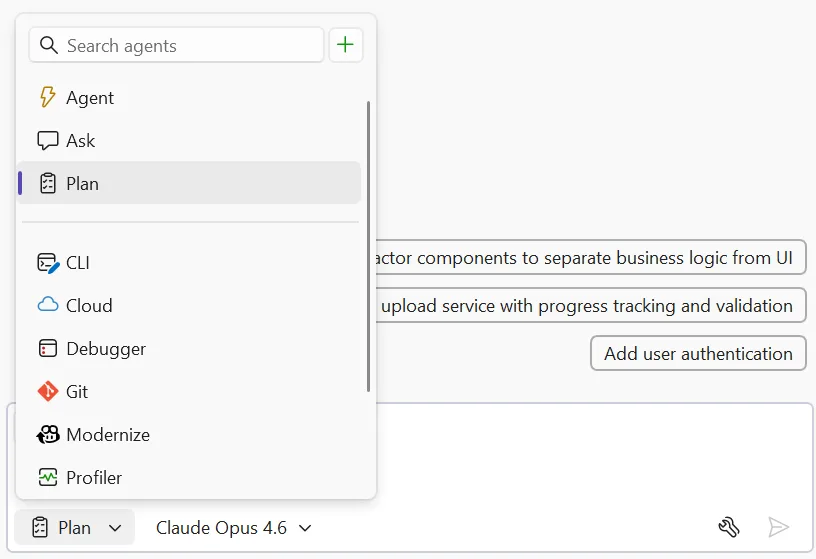
Agents in Visual Studio now go beyond a single general-purpose assistant. We're shipping a set of curated preset agents that tap into deep IDE capabilities; debugging, profiling, testing alongside a framework for building your own custom agents tailored to how your team works. Built in agents Each preset agent is designed around a specific developer workflow and integrates with Visual Studio's native tooling in ways that a generic assistant can't. Access them through the agent picker in the chat panel or using ‘@’ in chat. Bring your own: custom agents (preview) The presets cover workflow...
Unlock language-specific rich symbol context using new find_symbol tool
Refactoring at scale is a time-consuming and error-prone process for developers. In large codebases, developers have relied on manual searches and incremental edits across multiple files to accomplish these tasks. Modern development workflows depend on fast and accurate code navigation to avoid these pitfalls. When developers refactor existing code, explore unfamiliar areas of a large codebase, or make targeted changes, they naturally rely on IDE language service features such as Find All References, Go to Definition, and Go to Implementation to understand how code is structured and connected. Agent mode no...
Roadmap for AI in Visual Studio (February)
After a busy January (catch up here), we're shifting focus to reliability and refinement. This month is about tightening core workflows, improving agent stability, and building on the MCP foundations we've been laying. Agent Mode & Coding Agents Reliability is the priority this month. We're raising the floor on agent-driven scenarios with: Planning Agent First steps toward a dedicated agent for multi-step task planning and execution. Copilot SDK & Platform Integration (Experimental) We’re also beginning early work to better integrate the Copilot CLI into Vis...
Performance improvements to MEF-based editor productivity extensions
If you use editor productivity extensions for Visual Studio 2026, there's good news—they can now load faster! Extension developers with existing MEF-based editor productivity extensions should read this blog to learn about recent changes and how they might be affected. We introduced VisualStudio.Extensibility to simplify the creation of Visual Studio extensions for developers. Previously, handling threads in VSSDK-based extensions was often difficult, requiring knowledge of thread affinity and even the ins and outs of COM just to avoid freezing Visual Studio. The new extensibility model abstracts these techni...
Visual Studio January Update — Enhanced Editor Experience
Productivity Improvements This month, we are bringing you a series of small yet long requested and popular features to let you better control and customize your editor. These features are currently only available in the Insiders channel and will be available in Release soon. Colorized Code Completions Code completions are now colorized with syntax highlighting to help you quickly parse suggested code between variables, functions, and other elements! To try out this experience, go to Tools > Options > Text Editor > Code Completions and check "Use colorized text for code comple...
Copilot Memories
Are you wasting time reviewing code for nits on code standards, project preferences, or important contribution guidelines? We know the pain. It’s all too easy for best practices and those tiny but critical team details to slip through the cracks, resulting in inconsistencies, confusion, and wasted time. But now, there’s a smarter way to ensure everyone’s always on the same page! How Copilot memories make teamwork effortless Introducing Copilot memories, a new feature that empowers every developer and team to capture, remember, and share their coding preferences and important project guidelines, automatical...
Welcome to 2026, A Growth Year for All of Us
I always enjoy the quiet stretch between Christmas and New Year’s. It’s one of the few moments in the year when things slow down just enough to reflect on what actually resonated. While many of us were unplugging, our digital team was doing the opposite, editing and publishing 19 sessions from VS Live! Orlando to the Visual Studio YouTube channel. What surprised me wasn’t just the pace at which those sessions went live, it was what happened next. During the holidays alone, those sessions were viewed nearly 30,000 times. That tells me two things. First, learning doesn’t stop just because the calendar does. Seco...
How AI fixed my procrastination
I struggled to get started. For ages, I kept putting off building this website, creating a new programming language for Visual Studio, and coming up with fresh color themes. Each project looked overwhelming, and I couldn’t find the time or motivation to jump in. It all just felt like too much at once. But when a national holiday gave me a long weekend, I grabbed the chance to try out Copilot in Visual Studio and see how far I could get. To my surprise, I knocked out all three projects way faster and more easily than I expected. I’m sharing what I learned because I hope it inspires you to finally tackle those p...
Debugging, but Without the Drama (A Visual Studio 2026 Story)
It starts the way these things always start. A red build. A failing test. And that quiet, sinking feeling of “This worked yesterday.” Meet Sam. Sam’s not a junior, not a rockstar, just a solid developer who’s shipped enough code to know that bugs don’t care how confident you feel on Monday morning. That test failure does not offer much help at all. There are no clear steps to reproduce the issue. The exception message seems familiar in a vague way. But it does not prove useful right then. Out of habit Sam hits F5. He notices something small yet pretty important about it. The debugger launches fa...
Behind the scenes of the Visual Studio feedback system
Here on the Visual Studio team, our top priority is making your coding experience smoother and more enjoyable. And that begins with truly listening to your feedback. We understand that sometimes sharing your thoughts can feel like tossing bug reports and suggestions into a black hole. It doesn’t feel good, and we get it. But here’s the good news: over the past year, we’ve resolved more bugs reported by users and delivered more requested features than at any other time in Visual Studio’s history. We believe in being open about what happens to your feedback, so in this post, we’ll pull back the curtain and show ...
Streamlining your Git workflow with Visual Studio 2026
You’re a .NET developer with a busy morning, and an Azure DevOps ticket drops: “Login endpoint 500s under load.” You’ve got to fix it, review a teammate’s feature branch, and keep your repo clean - all before lunch. Visual Studio’s Git tools turn this everyday Git workflow of creating topic branches, stashing changes, committing, and handling PRs into a smooth, fast process. Let’s walk through your morning, showing how Visual Studio keeps Git friction out of your way. 9:00 AM: Spin up a topic branch for your bug fix Your repo’s open in VS (View → Git Repository), and you’re on main, fresh from last night’s C...
Unlocking the Power of Web with Copilot Chat’s New URL Context
There are many scenarios where Copilot Chat can feel limited by the built-in model training data. Maybe you want guidance on the latest web framework, documentation, or project-specific resources—but Copilot’s responses just aren’t specific enough. For developers who rely on up-to-date or esoteric answers, this gap can be a real frustration. URL Context: Bringing the web into Copilot Chat With the new URL context feature, Copilot Chat can now access and use information directly from web pages you specify. By pasting a URL into your Copilot Chat prompt, you empower Copilot to pull real-time, relevant infor...
Visual Studio November Update – Visual Studio 2026, Cloud Agent Preview, and more
Visual Studio 2026 is here! If you haven’t heard the news yet, we’re excited to share with you that Visual Studio 2026 is now generally available! This new version can better assist you with several performance improvements, a redesigned user experience, and a major leap in AI-driven development. Read more about it here and get started with VS 2026 today! Below updates are all available in Visual Studio 2026 only. GitHub Cloud Agent Preview is now available in Visual Studio The Cloud Agent is now in preview and ready to help you offload repetitive or time-consuming work. Enable it via the Copilot badge d...
Why changing keyboard shortcuts in Visual Studio isn’t as simple as it seems
A straight look at what’s behind the keys We’ve all tried unlearning a keyboard shortcut - it feels like forgetting how to breathe. Muscle memory doesn’t mess around. We wrestle with this every time someone suggest a “quick” shortcut change. It’s not just editing a keybinding but navigating a history that makes Visual Studio so customizable for developers like us. Picture yourself deep in code, chugging coffee, ready to close a tab. You hit Ctrl+W because Chrome, VS Code, and every other tool uses it. But in Visual Studio? You likely need Ctrl+F4, a combo straight out of the Windows 98 era. Or maybe you try c...
Profiler Agent – Delegate the analysis, not the performance
In Visual Studio 2026 we introduced Copilot Profiler Agent, a new AI-powered assistant that helps you analyze and optimize performance bottlenecks in your code. By combining the power of GitHub Copilot with Visual Studio's performance profiler, you can now ask natural language questions about performance, get insights into hot paths, and quickly identify optimization opportunities. Let's walk through a real-world example of how this tool can help you make meaningful performance improvements. Benchmarking a real project To demonstrate the capabilities of the Copilot Profiler Agent, let's optimize CsvHelper, a p...
Upgrade MSVC, improve C++ build performance, and refactor C++ code with GitHub Copilot
Visual Studio 2026 introduces new GitHub Copilot capabilities to support C++ developers in three development tasks: These experiences are available now as a Private Preview in Visual Studio 2026. Install Visual Studio 2026 and join the waitlist for Private Preview today. C++ code editing tools for GitHub Copilot C++ code editing tools for GitHub Copilot bring the precision of C++ IntelliSense to Visual Studio agent mode to enable faster and more accurate codebase-wide edits. This includes: See Perform wide-sweeping refactors using C++ code editin...
Visual Studio – Built for the Speed of Modern Development
Visual Studio will adopt the Modern Support Lifecycle as a continuously updated IDE designed to deliver innovation as soon as it is ready, while maintaining the reliability and stability you count on every day with control over your build tools choices.