
Visual Studio Blog
The official source of product insight from the Visual Studio Engineering Team
Latest posts

Visual Studio 2022 for Mac is now available

Today, I’m thrilled to share the news of the general availability (GA) release of Visual Studio 2022 for Mac v17.0 and that it’s available to download now. This is the fastest Visual Studio for Mac version yet with an all new native macOS UI, fully running on .NET 6, and optimized for Apple Silicon (ARM64) processors. Today, we’re also shipping a preview of our next update to Visual Studio for Mac, which you can install side-by-side with this v17.0 GA release. This preview brings initial support for .NET 7 development, as well as a first look at tooling for .NET MAUI. You can read more about the releas...
All-In-One Search Is Getting Slicker

Since we first previewed a brand new way to search your code called the All-In-One Search with Visual Studio 17.2, we’ve been making updates to the UI to make it feel slicker and help you search your code faster! In 17.3, we’ve continued to build on the preview. You’ll find the following notable changes in the latest version: Relative File Paths In 17.2, each search result, whether file, type, or member, displayed the absolute file path of where the match was. This means that the file path always started at the root. Often times, the root information doesn’t provide developers with essential i...

Visual Studio 2022 for Mac Release Candidate 2
Visual Studio 2022 for Mac 17.0 Release Candidate 2 is now available! In this release, we’ve focused on addressing top reported issues from the first release candidate. This work builds on top of earlier previews where we’ve moved the UI of the IDE to fully native macOS UI and migrated the IDE to run on top of .NET 6 (enabling native support of Apple’s M1 (arm64) processor). Get the latest release now by using the Visual Studio > Check for Updates… menu in Visual Studio for Mac, or download it directly: Top issues fixed in this release We’d like to thank developers like you who have taken the time to re...
Just-in-time refactoring made even easier with IntelliCode auto suggested code for C#

Have you ever wondered if there was a tool to help you with routine code tasks like writing common constructors or inserting similar code to a few different spots? Maybe you even know some code actions or refactorings that can help you. But at the time you could have used the code action, you typed the change instead, because you remembered the code action too late or forgot about it.” Since the release of Visual Studio 2022, IntelliCode has code actions and refactorings for common tasks in the IntelliSense list. In Visual Studio 17.3, these code actions and refactorings are now offered as auto suggestion code...
Visual Studio 2022 17.2 is now available!

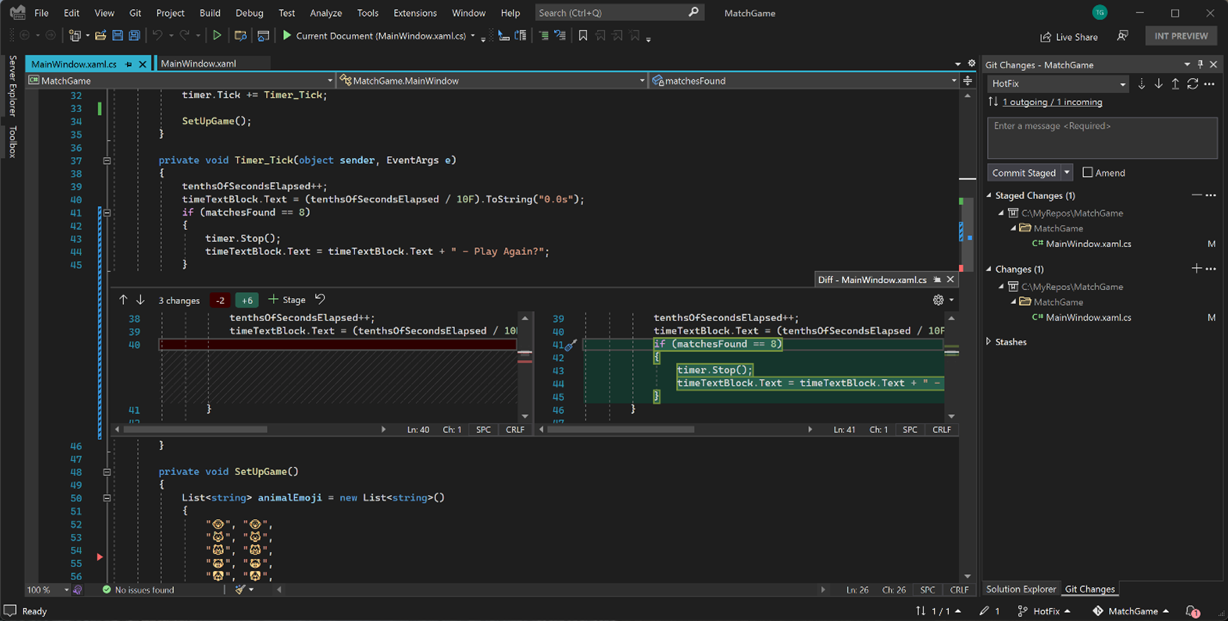
Today we are pleased to release Visual Studio 2022 17.2 as generally available. We want to acknowledge and thank all developers like you that continue to provide us valuable feedback on your experiences using Visual Studio 2022 for helping shape the product and be a part of our release! This release brings continued improvements to the C# and .NET experiences, new Git performance and experiences, updates for C++ developers, and new Azure tools for local development and deployment. We also continue to address your direct feedback submitted via Developer Community, addressing over 400 feedback items in this ...
Update all Visual Studio installations with a single click!

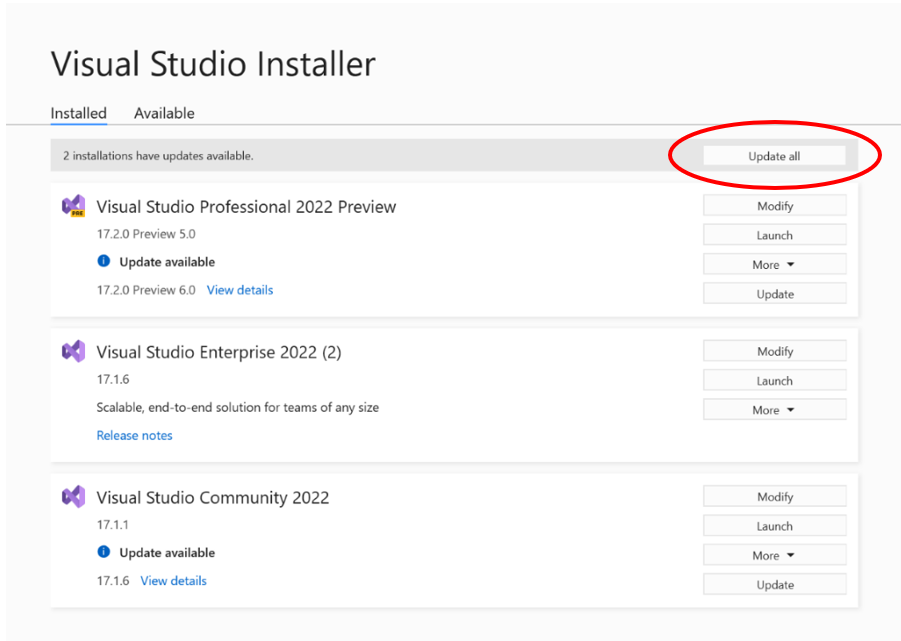
We are continuously improving the Visual Studio update experience so that it’s as easy and effortless as possible. Many of you take advantage of the side-by-side support for Visual Studio and have multiple versions of Visual Studio installed simultaneously. In 17.3 Preview 1, we’ve made it easier to update all of your side-by-side versions of Visual Studio with a single click of the new “Update all” button on the installer. So, you can quickly kick off the updates, go for a cup of tea, and when you return, all of your installations will have been updated with the latest goodness that Visual Studio has to offer. ...

Visual Studio on an ultra-wide monitor

A growing number of Visual Studio customers use ultra-wide monitors today. Ultra-wide means wider than a traditional 16:9 widescreen display – usually 3440x1440 or larger resolution. They seem to be gaining popularity among developers and I’m curious how Visual Studio can use all this extra space. So, I asked people on Twitter to send me screenshots of their ultra-wide Visual Studio layouts. Based on those screenshots, I constructed some different layouts that you might find inspiration in for your own ultra-wide setup. 1. Making room for the app This layout has Visual Studio take up two thirds of the width...
Case Study: Double performance in under 30 minutes

Summary Recently I was converting some decompression code to C# so that we could use it cross platform and to aid in our team’s effort to migrate our new analysis process to .NET 6. After I got the initial implementation done with the simplest, cleanest code that I could, I proceeded to profile it to make sure I wasn’t doing anything silly. I want to go over my normal process for this and what I found. Spoiler, I got a 2x performance improvement with under 30 minutes of work. What is the code The code in question has 2 main components, and . The general structure of the code looks like so: D...
Visual Studio 2022 for Mac Release Candidate

On behalf of our whole team, I’m beyond excited to announce that the Visual Studio 2022 for Mac 17.0 Release Candidate (RC) is ready for you to download now and includes a go-live license that allows you to develop in production environments. A faster, more fluid IDE for everyone This release swaps out the front-end UI of the IDE with a fully native macOS UI, replacing our previous architecture that was made up of a combination of UI technologies. We also replaced the IDE’s backend by moving to run it on .NET 6. The combination of these two major changes results in a smoother UI experience. You’ll see t...