
Visual Studio Blog
The official source of product insight from the Visual Studio Engineering Team
Featured posts
Visual Studio 2026 is here: faster, smarter, and a hit with early adopters

Dear developers, We’re thrilled to announce that Visual Studio 2026 is now generally available! This is a moment we’ve built side by side with you. Your feed...
Latest posts

Unlock More Power in Your Development Workflow: Syncfusion for Visual Studio Subscribers

A few months ago, I was talking with a developer who said something that stuck with me: “I love building apps. I just don’t love rebuilding the same UI controls over and over again.” That’s the reality for a lot of teams. You want to focus on your business logic, your architecture, your differentiation. Instead, you burn cycles wiring up grids, charts, document exports, dashboards, and signing workflows. If you’re a Visual Studio subscriber, there’s a benefit waiting for you that can change that: Syncfusion. And it’s included at no additional cost for eligible subscribers. Let me walk you thro...

Get the Inside Scoop on Visual Studio Subscriptions, Straight to Your Inbox
Get the Inside Scoop on Visual Studio Subscriptions, Straight to Your Inbox A few weeks ago I was talking with a Visual Studio Enterprise subscriber. Seasoned .NET developer. Ships production code. Knows his stack inside and out. During the conversation I mentioned one of the training benefits included in his subscription. He stopped me. “I didn’t even know that was included.” That is exactly why we created the Visual Studio Subscriptions monthly email newsletter. Why We Launched It Visual Studio Professional and Enterprise subscriptions include far more than just the IDE. For exam...
Visual Studio Dev Essentials: Free, Practical Tools for Every Developer
When I first found Visual Studio Dev Essentials, it felt like discovering a hidden door in the developer toolkit world. I’d heard about free tools and cloud credits, but I wasn’t sure if it would really matter in day-to-day coding life. The short answer: it absolutely does. What struck me most was how the program was built with real developers in mind, and the fact that it’s completely free makes it accessible to anyone with a Microsoft account. Why Dev Essentials Matters Dev Essentials is not a trial version or a limited sneak-peek. It’s a free developer membership that brings together the tools, clou...
Visual Studio February Update

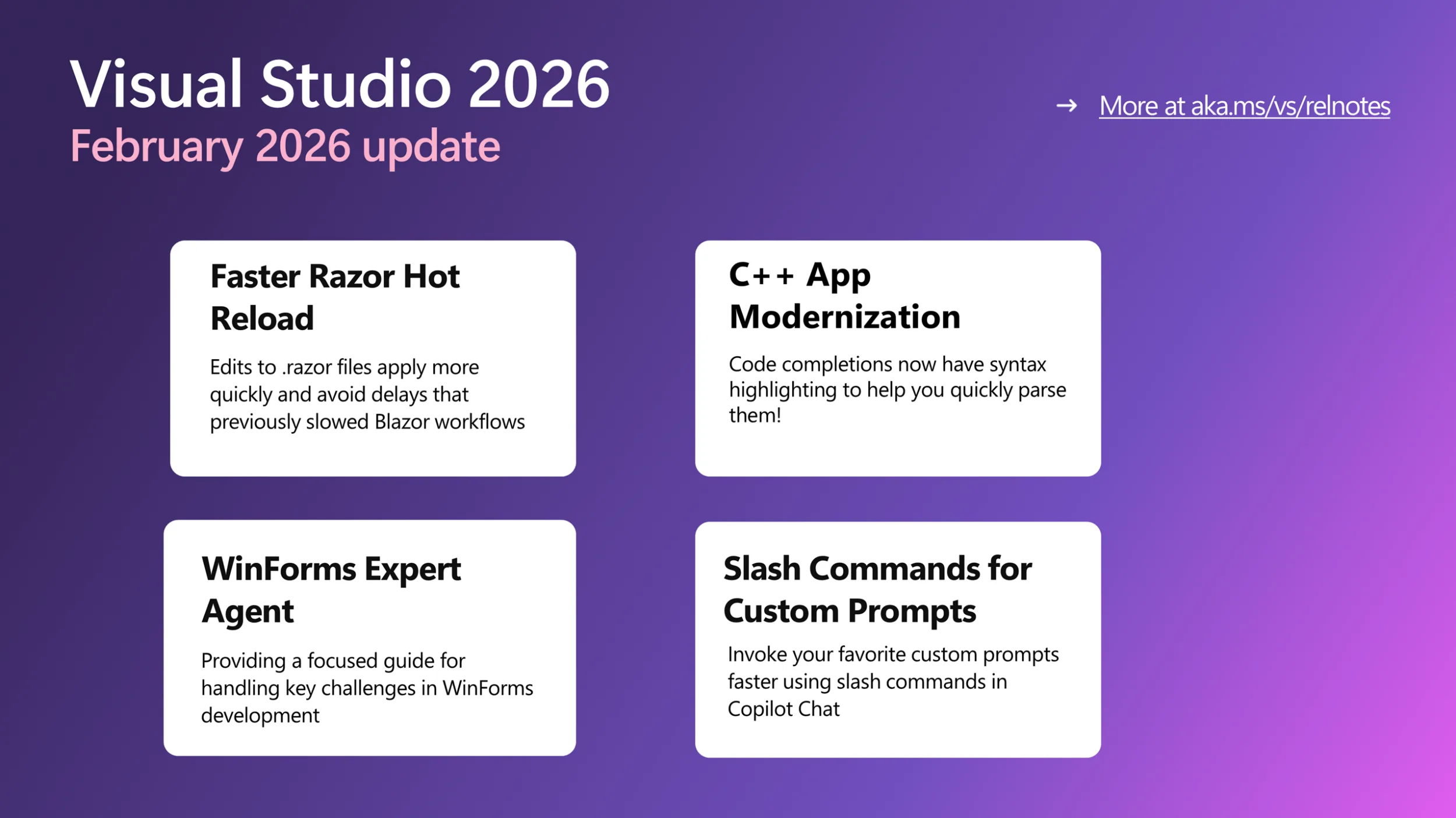
This month’s Visual Studio update continues our focus on helping you move faster and stay in flow, with practical improvements across AI assistance, debugging, testing, and modernization. Building on the momentum from January’s editor updates, the February release brings smarter diagnostics and targeted support for real world development scenarios, from WinForms maintenance to C++ modernization. All of the features highlighted are available in the Visual Studio 2026 Stable Channel as part of the February 2026 feature update (18.3). Please update to the latest version to try out these new features! WinForms Ex...
Custom Agents in Visual Studio: Built in and Build-Your-Own agents


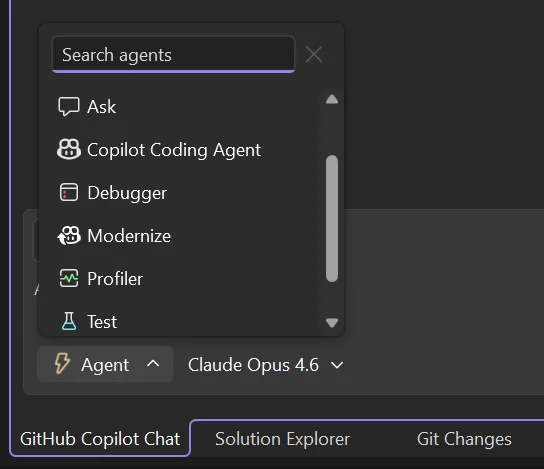
Agents in Visual Studio now go beyond a single general-purpose assistant. We're shipping a set of curated preset agents that tap into deep IDE capabilities; debugging, profiling, testing alongside a framework for building your own custom agents tailored to how your team works. Built in agents Each preset agent is designed around a specific developer workflow and integrates with Visual Studio's native tooling in ways that a generic assistant can't. Access them through the agent picker in the chat panel or using ‘@’ in chat. Bring your own: custom agents (preview) The presets cover workflow...
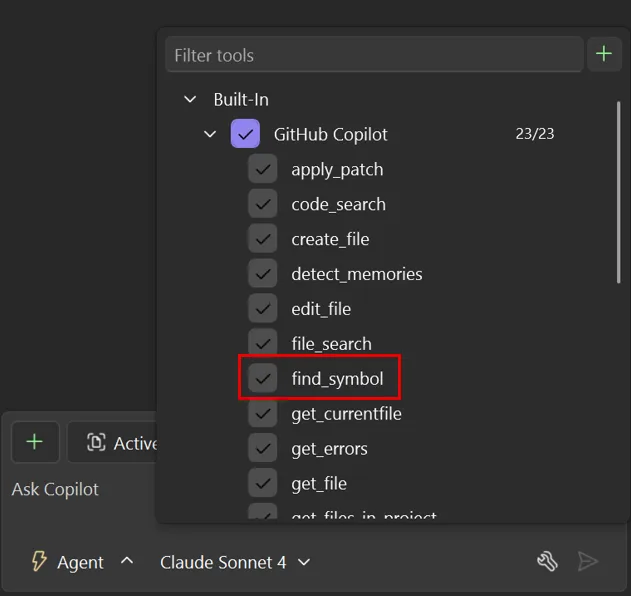
Unlock language-specific rich symbol context using new find_symbol tool


Refactoring at scale is a time-consuming and error-prone process for developers. In large codebases, developers have relied on manual searches and incremental edits across multiple files to accomplish these tasks. Modern development workflows depend on fast and accurate code navigation to avoid these pitfalls. When developers refactor existing code, explore unfamiliar areas of a large codebase, or make targeted changes, they naturally rely on IDE language service features such as Find All References, Go to Definition, and Go to Implementation to understand how code is structured and connected. Agent mode no...
Roadmap for AI in Visual Studio (February)
After a busy January (catch up here), we're shifting focus to reliability and refinement. This month is about tightening core workflows, improving agent stability, and building on the MCP foundations we've been laying. Agent Mode & Coding Agents Reliability is the priority this month. We're raising the floor on agent-driven scenarios with: Planning Agent First steps toward a dedicated agent for multi-step task planning and execution. Copilot SDK & Platform Integration (Experimental) We’re also beginning early work to better integrate the Copilot CLI into Vis...
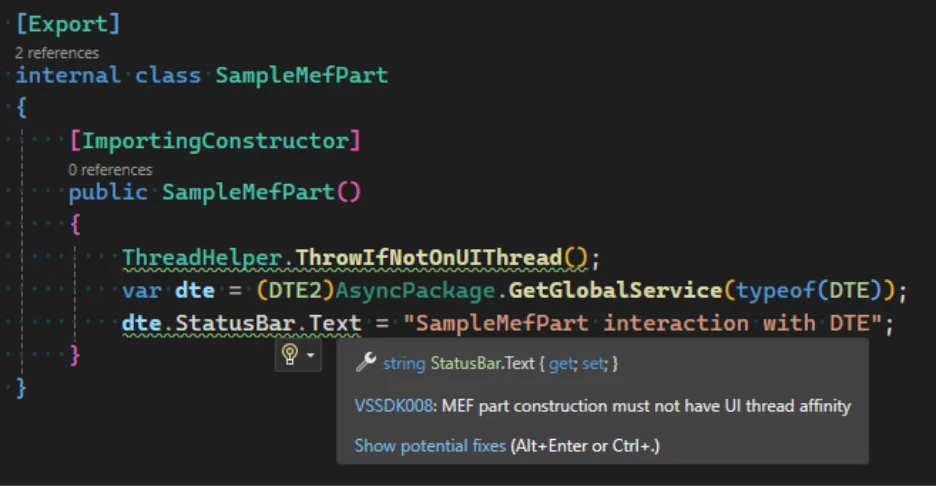
Performance improvements to MEF-based editor productivity extensions


If you use editor productivity extensions for Visual Studio 2026, there's good news—they can now load faster! Extension developers with existing MEF-based editor productivity extensions should read this blog to learn about recent changes and how they might be affected. We introduced VisualStudio.Extensibility to simplify the creation of Visual Studio extensions for developers. Previously, handling threads in VSSDK-based extensions was often difficult, requiring knowledge of thread affinity and even the ins and outs of COM just to avoid freezing Visual Studio. The new extensibility model abstracts these techni...
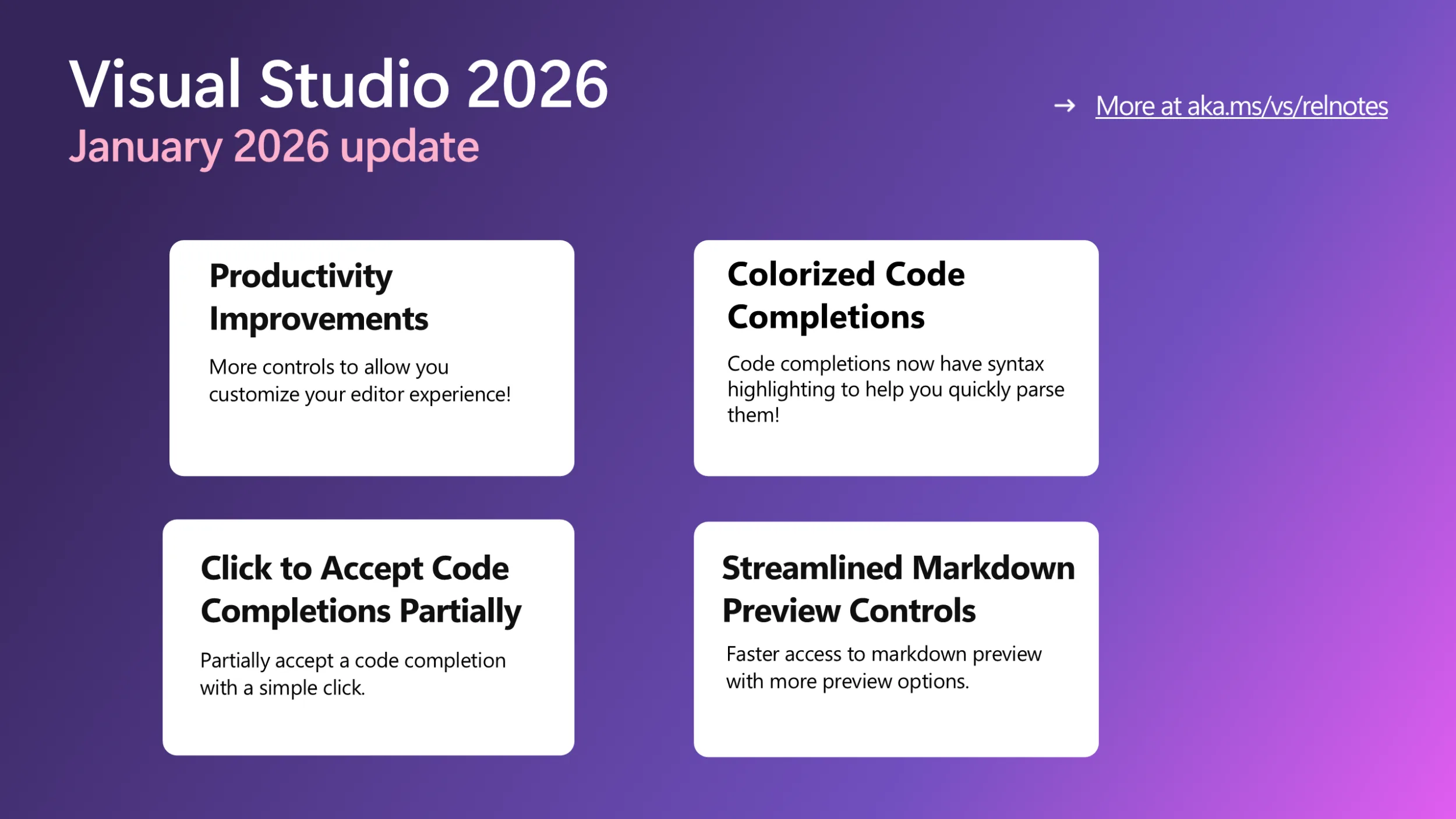
Visual Studio January Update — Enhanced Editor Experience

Productivity Improvements This month, we are bringing you a series of small yet long requested and popular features to let you better control and customize your editor. These features are currently only available in the Insiders channel and will be available in Release soon. Colorized Code Completions Code completions are now colorized with syntax highlighting to help you quickly parse suggested code between variables, functions, and other elements! To try out this experience, go to Tools > Options > Text Editor > Code Completions and check "Use colorized text for code comple...
Copilot Memories

Are you wasting time reviewing code for nits on code standards, project preferences, or important contribution guidelines? We know the pain. It’s all too easy for best practices and those tiny but critical team details to slip through the cracks, resulting in inconsistencies, confusion, and wasted time. But now, there’s a smarter way to ensure everyone’s always on the same page! How Copilot memories make teamwork effortless Introducing Copilot memories, a new feature that empowers every developer and team to capture, remember, and share their coding preferences and important project guidelines, automatical...

Welcome to 2026, A Growth Year for All of Us
I always enjoy the quiet stretch between Christmas and New Year’s. It’s one of the few moments in the year when things slow down just enough to reflect on what actually resonated. While many of us were unplugging, our digital team was doing the opposite, editing and publishing 19 sessions from VS Live! Orlando to the Visual Studio YouTube channel. What surprised me wasn’t just the pace at which those sessions went live, it was what happened next. During the holidays alone, those sessions were viewed nearly 30,000 times. That tells me two things. First, learning doesn’t stop just because the calendar does. Seco...
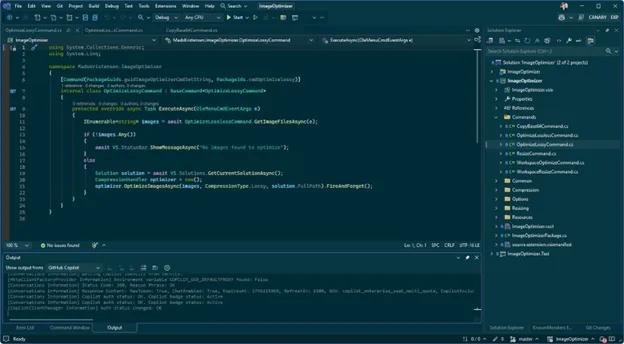
How AI fixed my procrastination
I struggled to get started. For ages, I kept putting off building this website, creating a new programming language for Visual Studio, and coming up with fresh color themes. Each project looked overwhelming, and I couldn’t find the time or motivation to jump in. It all just felt like too much at once. But when a national holiday gave me a long weekend, I grabbed the chance to try out Copilot in Visual Studio and see how far I could get. To my surprise, I knocked out all three projects way faster and more easily than I expected. I’m sharing what I learned because I hope it inspires you to finally tackle those p...
Debugging, but Without the Drama (A Visual Studio 2026 Story)

It starts the way these things always start. A red build. A failing test. And that quiet, sinking feeling of “This worked yesterday.” Meet Sam. Sam’s not a junior, not a rockstar, just a solid developer who’s shipped enough code to know that bugs don’t care how confident you feel on Monday morning. That test failure does not offer much help at all. There are no clear steps to reproduce the issue. The exception message seems familiar in a vague way. But it does not prove useful right then. Out of habit Sam hits F5. He notices something small yet pretty important about it. The debugger launches fa...
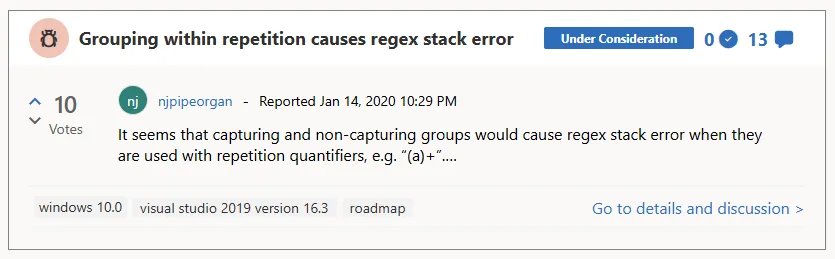
Behind the scenes of the Visual Studio feedback system
Here on the Visual Studio team, our top priority is making your coding experience smoother and more enjoyable. And that begins with truly listening to your feedback. We understand that sometimes sharing your thoughts can feel like tossing bug reports and suggestions into a black hole. It doesn’t feel good, and we get it. But here’s the good news: over the past year, we’ve resolved more bugs reported by users and delivered more requested features than at any other time in Visual Studio’s history. We believe in being open about what happens to your feedback, so in this post, we’ll pull back the curtain and show ...
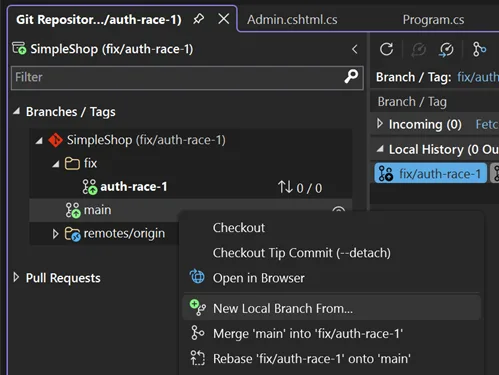
Streamlining your Git workflow with Visual Studio 2026
You’re a .NET developer with a busy morning, and an Azure DevOps ticket drops: “Login endpoint 500s under load.” You’ve got to fix it, review a teammate’s feature branch, and keep your repo clean - all before lunch. Visual Studio’s Git tools turn this everyday Git workflow of creating topic branches, stashing changes, committing, and handling PRs into a smooth, fast process. Let’s walk through your morning, showing how Visual Studio keeps Git friction out of your way. 9:00 AM: Spin up a topic branch for your bug fix Your repo’s open in VS (View → Git Repository), and you’re on main, fresh from last night’s C...
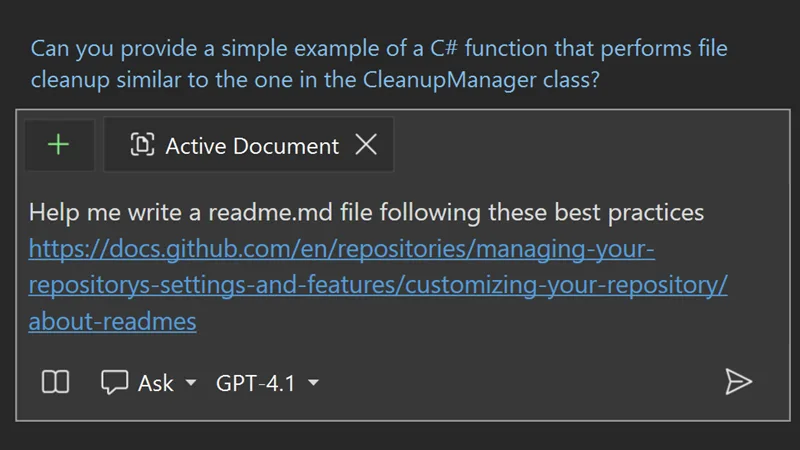
Unlocking the Power of Web with Copilot Chat’s New URL Context
There are many scenarios where Copilot Chat can feel limited by the built-in model training data. Maybe you want guidance on the latest web framework, documentation, or project-specific resources—but Copilot’s responses just aren’t specific enough. For developers who rely on up-to-date or esoteric answers, this gap can be a real frustration. URL Context: Bringing the web into Copilot Chat With the new URL context feature, Copilot Chat can now access and use information directly from web pages you specify. By pasting a URL into your Copilot Chat prompt, you empower Copilot to pull real-time, relevant infor...
Visual Studio November Update – Visual Studio 2026, Cloud Agent Preview, and more
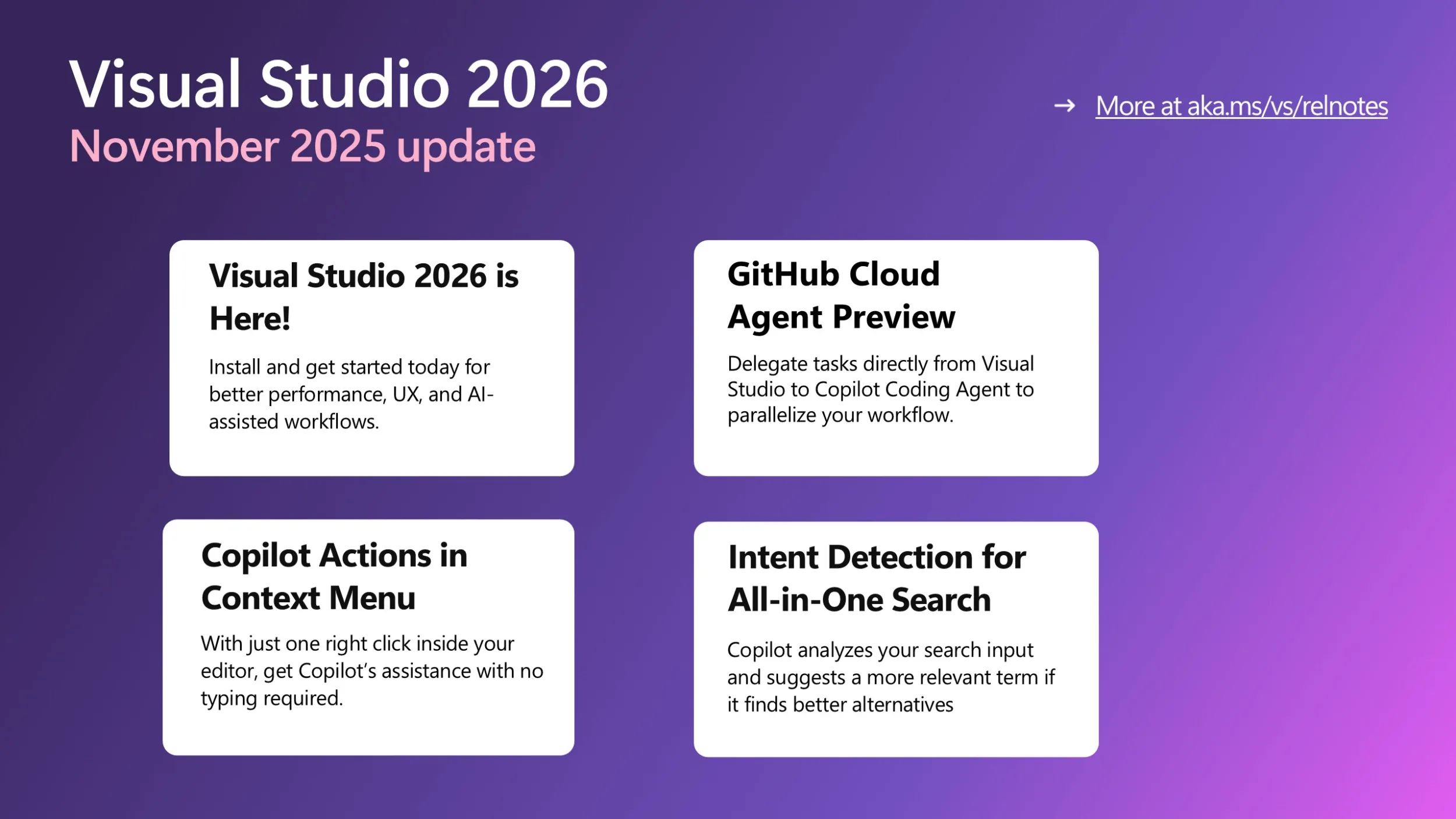
Visual Studio 2026 is here! If you haven’t heard the news yet, we’re excited to share with you that Visual Studio 2026 is now generally available! This new version can better assist you with several performance improvements, a redesigned user experience, and a major leap in AI-driven development. Read more about it here and get started with VS 2026 today! Below updates are all available in Visual Studio 2026 only. GitHub Cloud Agent Preview is now available in Visual Studio The Cloud Agent is now in preview and ready to help you offload repetitive or time-consuming work. Enable it via the Copilot badge d...
Why changing keyboard shortcuts in Visual Studio isn’t as simple as it seems
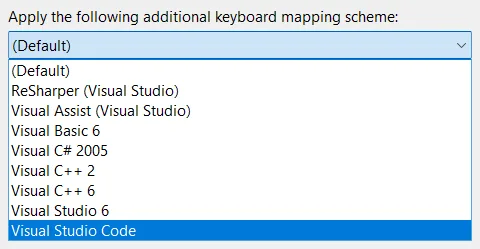
A straight look at what’s behind the keys We’ve all tried unlearning a keyboard shortcut - it feels like forgetting how to breathe. Muscle memory doesn’t mess around. We wrestle with this every time someone suggest a “quick” shortcut change. It’s not just editing a keybinding but navigating a history that makes Visual Studio so customizable for developers like us. Picture yourself deep in code, chugging coffee, ready to close a tab. You hit Ctrl+W because Chrome, VS Code, and every other tool uses it. But in Visual Studio? You likely need Ctrl+F4, a combo straight out of the Windows 98 era. Or maybe you try c...

Profiler Agent – Delegate the analysis, not the performance

In Visual Studio 2026 we introduced Copilot Profiler Agent, a new AI-powered assistant that helps you analyze and optimize performance bottlenecks in your code. By combining the power of GitHub Copilot with Visual Studio's performance profiler, you can now ask natural language questions about performance, get insights into hot paths, and quickly identify optimization opportunities. Let's walk through a real-world example of how this tool can help you make meaningful performance improvements. Benchmarking a real project To demonstrate the capabilities of the Copilot Profiler Agent, let's optimize CsvHelper, a p...
Upgrade MSVC, improve C++ build performance, and refactor C++ code with GitHub Copilot

Visual Studio 2026 introduces new GitHub Copilot capabilities to support C++ developers in three development tasks: These experiences are available now as a Private Preview in Visual Studio 2026. Install Visual Studio 2026 and join the waitlist for Private Preview today. C++ code editing tools for GitHub Copilot C++ code editing tools for GitHub Copilot bring the precision of C++ IntelliSense to Visual Studio agent mode to enable faster and more accurate codebase-wide edits. This includes: See Perform wide-sweeping refactors using C++ code editin...
Visual Studio – Built for the Speed of Modern Development

Visual Studio will adopt the Modern Support Lifecycle as a continuously updated IDE designed to deliver innovation as soon as it is ready, while maintaining the reliability and stability you count on every day with control over your build tools choices.
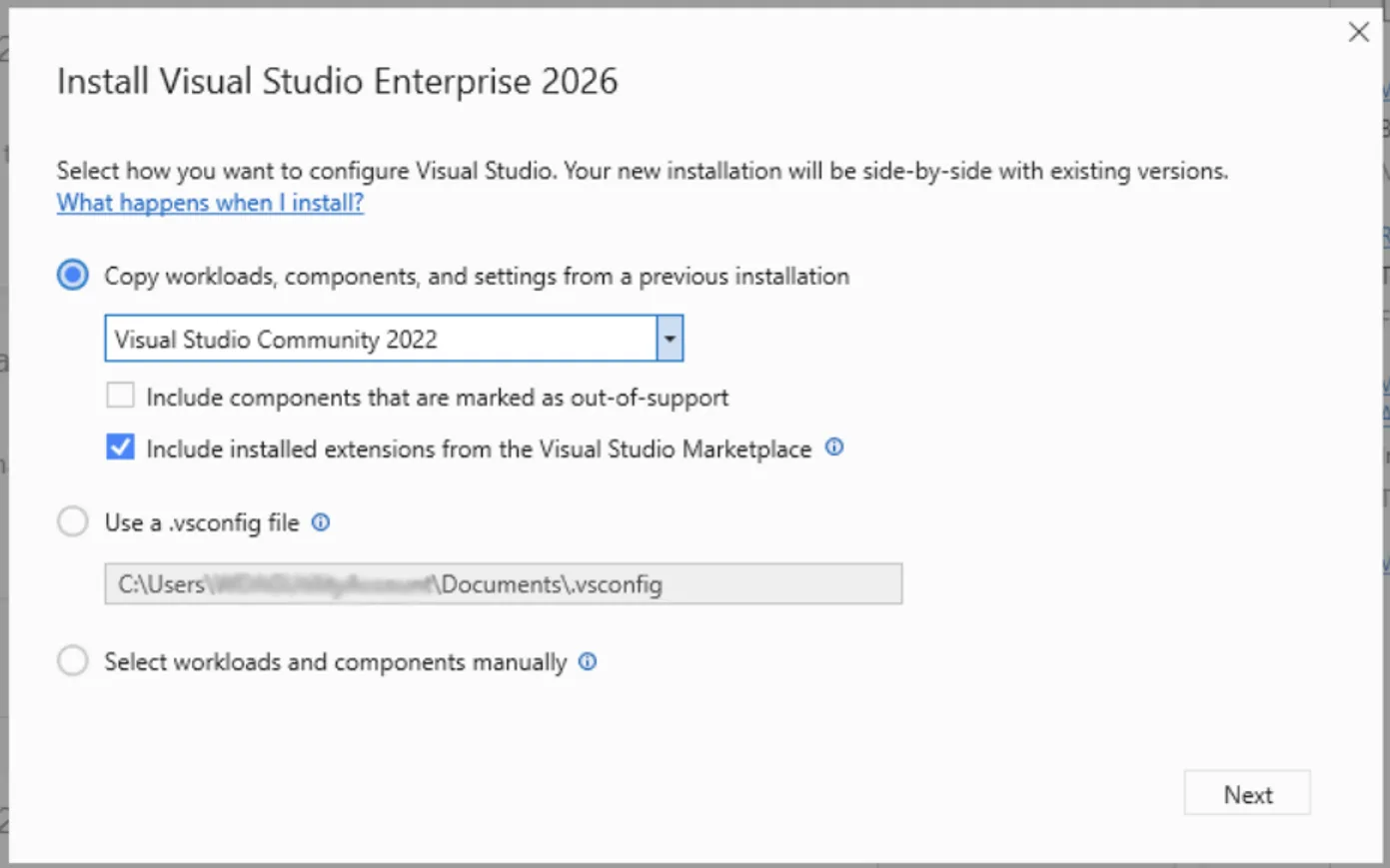
Spend Less Time Upgrading, More Time Coding in Visual Studio 2026

In the past, moving to the next major version of Visual Studio could take hours, sometimes days, to recreate your dev environment the way you like it. Visual Studio 2026 makes it easier than ever to stay current with the latest productivity features, performance improvements, and security fixes all without disrupting your flow. With the new Visual Studio install experience, you can effortlessly recreate your previous Visual Studio 2022 environment. Your workloads, SDKs, toolsets, extensions and settings are automatically copied and configured, so everything you need to build and continue developing your project i...
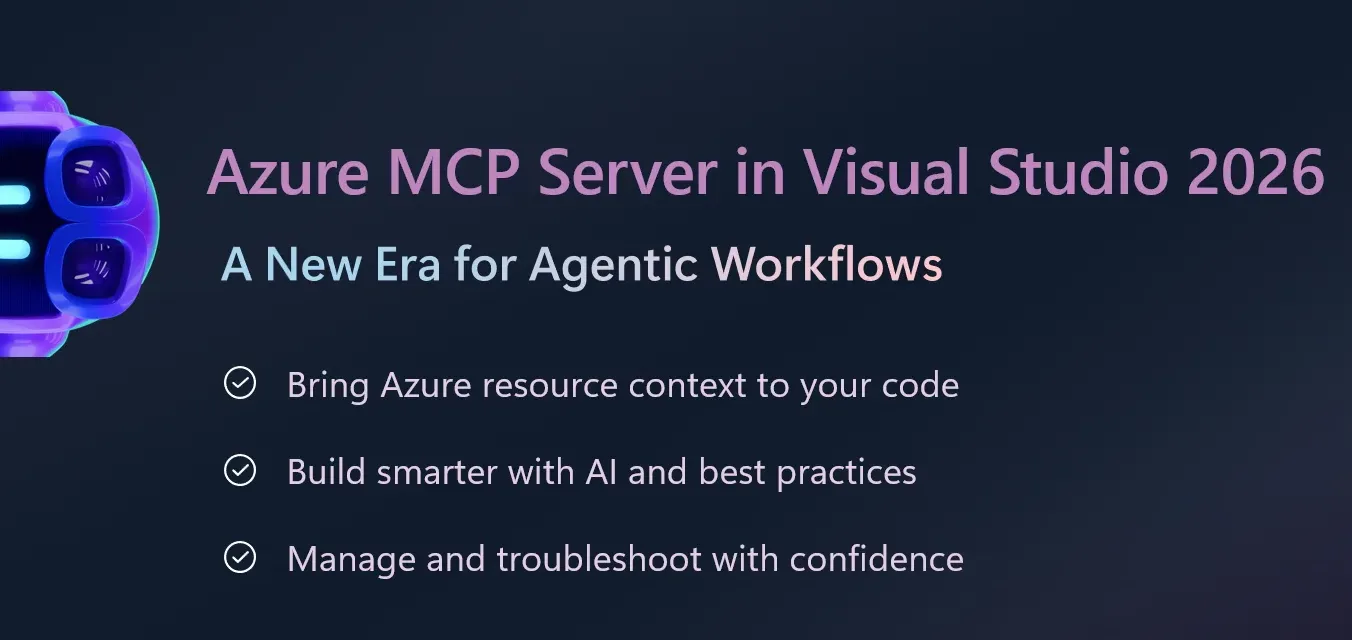
Azure MCP Server Now Built-In with Visual Studio 2026: A New Era for Agentic Workflows

Managing cloud resources often means juggling multiple tools, writing custom scripts, and switching contexts between your IDE and cloud management portals. These extra steps slow development and make it harder to build intelligent, secure applications efficiently. We’re excited to announce that Azure MCP Server (Model Context Protocol) tools are now generally available out-of-the-box in Visual Studio 2026, bringing agentic cloud automation directly into your trusted IDE. This integration empowers developers to build intelligent, secure applications faster, with less complexity and more confidence. Why It ...
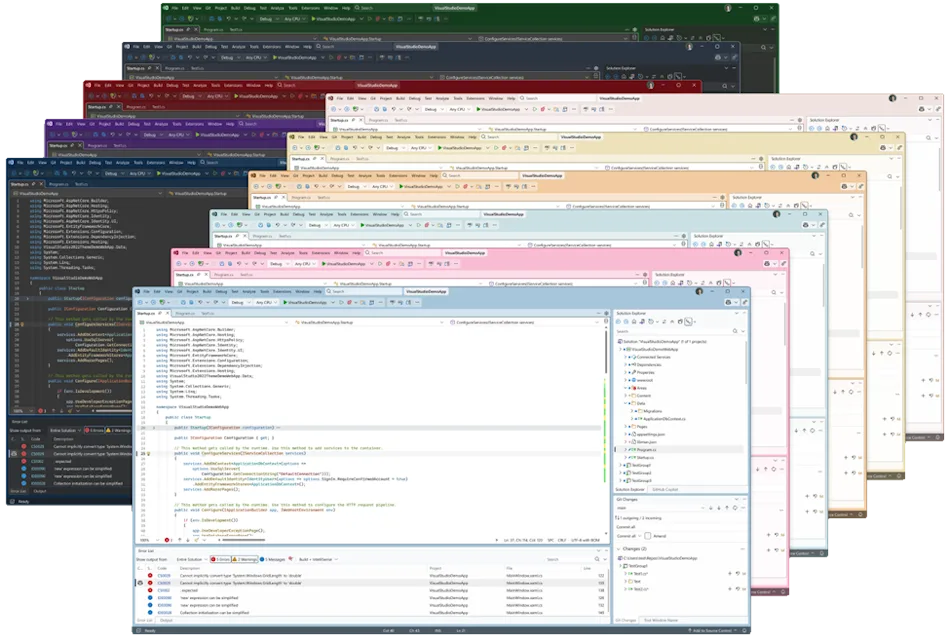
A first look at the all‑new UX in Visual Studio 2026

Visual Studio 2026 introduces a refreshed user experience, thoughtfully crafted for clarity, accessibility, and a clean interface that feels right at home on Windows. This update is the result of extensive collaboration with developers and incorporates valuable feedback from the community. We’ve improved typography, iconography, and the overall layout to minimize distractions and keep your code front and center. Each update is designed to support modern workflows, making Visual Studio a more intuitive, consistent, and personal experience. Download the Insiders release and try our new visual improvements, AI in...
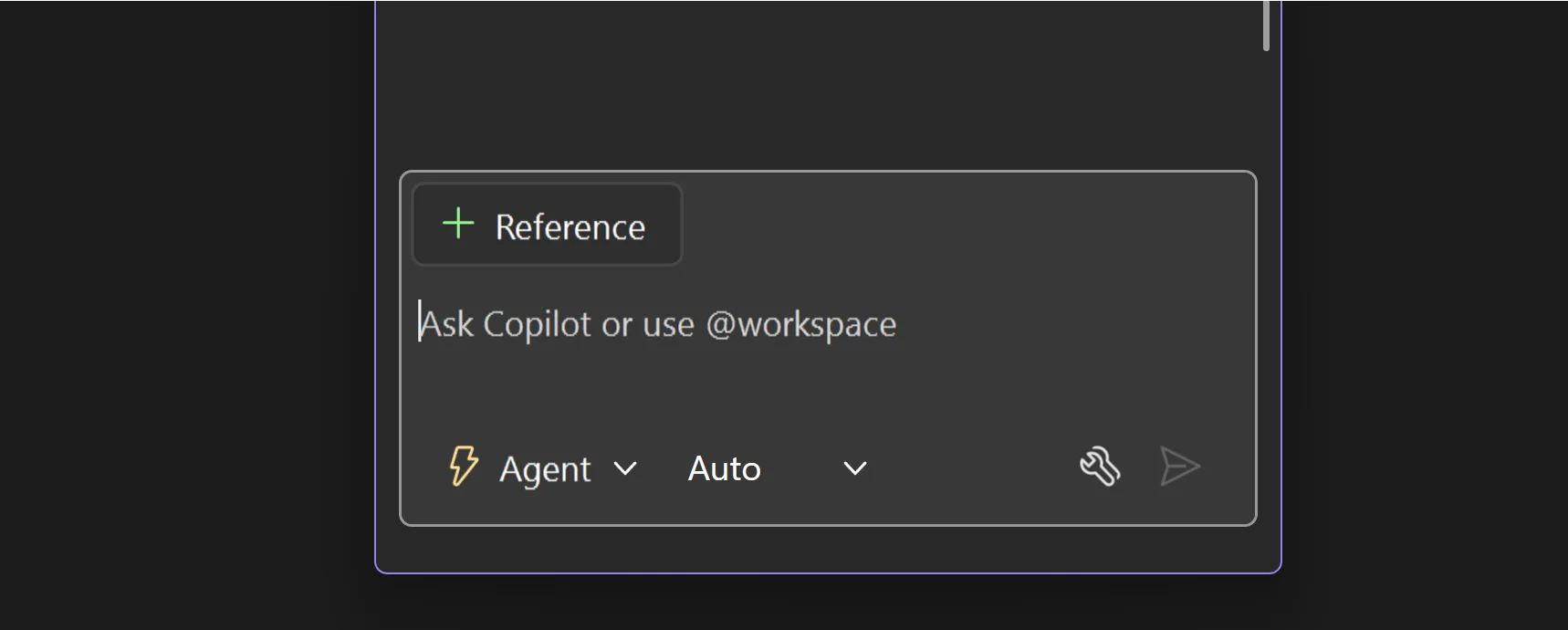
Introducing Copilot auto model selection (preview)

Faster responses, a lower chance of rate limiting, and 10% off premium requests for paid users - auto picks the best available model for each request based on current capacity and performance. With auto, you don't need to choose a specific model. Copilot automatically selects the best one for your task. Auto model selection in Chat is rolling out in preview to all GitHub Copilot users. How auto model selection works Auto selects the best model to ensure that you get the optimal performance and reduce the likelihood of rate limits. Auto will choose between GPT-5, GPT-5 mini, GPT-4.1, Sonnet 4.5, and Haiku 4.5 an...
Visual Studio 2026 is here: faster, smarter, and a hit with early adopters
Dear developers, We’re thrilled to announce that Visual Studio 2026 is now generally available! This is a moment we’ve built side by side with you. Your feedback has helped shape this release more than any before. Since the introduction of the Insiders Channel in September, more developers have downloaded and tested this preview than any other in Visual Studio’s history. In the year leading up to this release, we fixed over 5,000 of your reported bugs and implemented 300 feature requests. That’s the most we’ve ever done, and we’re just getting started! With several performance improvements, a redesigned ...
Roadmap for AI in Visual Studio (November)
Today, we’re excited to share our public roadmap, which outlines the next steps in evolving Visual Studio with AI-powered agentic experiences. With every month, we aim to deliver smarter, faster, and more intuitive tools that enhance your coding experience. Disclaimer: The items outlined here represent ongoing work for the month. They are not commitments or guarantees for delivery within the current month. Upvote the features you or your organization care about most, so we know what to prioritize. With that said, here is what we are working on! New Agents We’re streamlining how you find and switch between mo...
Join us at .NET Conf: Dive into the future of development with Visual Studio 2026
We're thrilled to invite you to one of the most exciting events in the .NET ecosystem: .NET Conf. It runs from November 11th through the 13th and you’re invited! This annual virtual conference is a must-attend for developers, architects, and enthusiasts looking to level up their skills and stay ahead of the curve in .NET and Visual Studio development. What to expect at .NET Conf .NET Conf brings together experts from Microsoft and the broader community to share insights, best practices, and the latest innovations. Whether you're building web apps, mobile solutions, cloud services, or anything in between,...
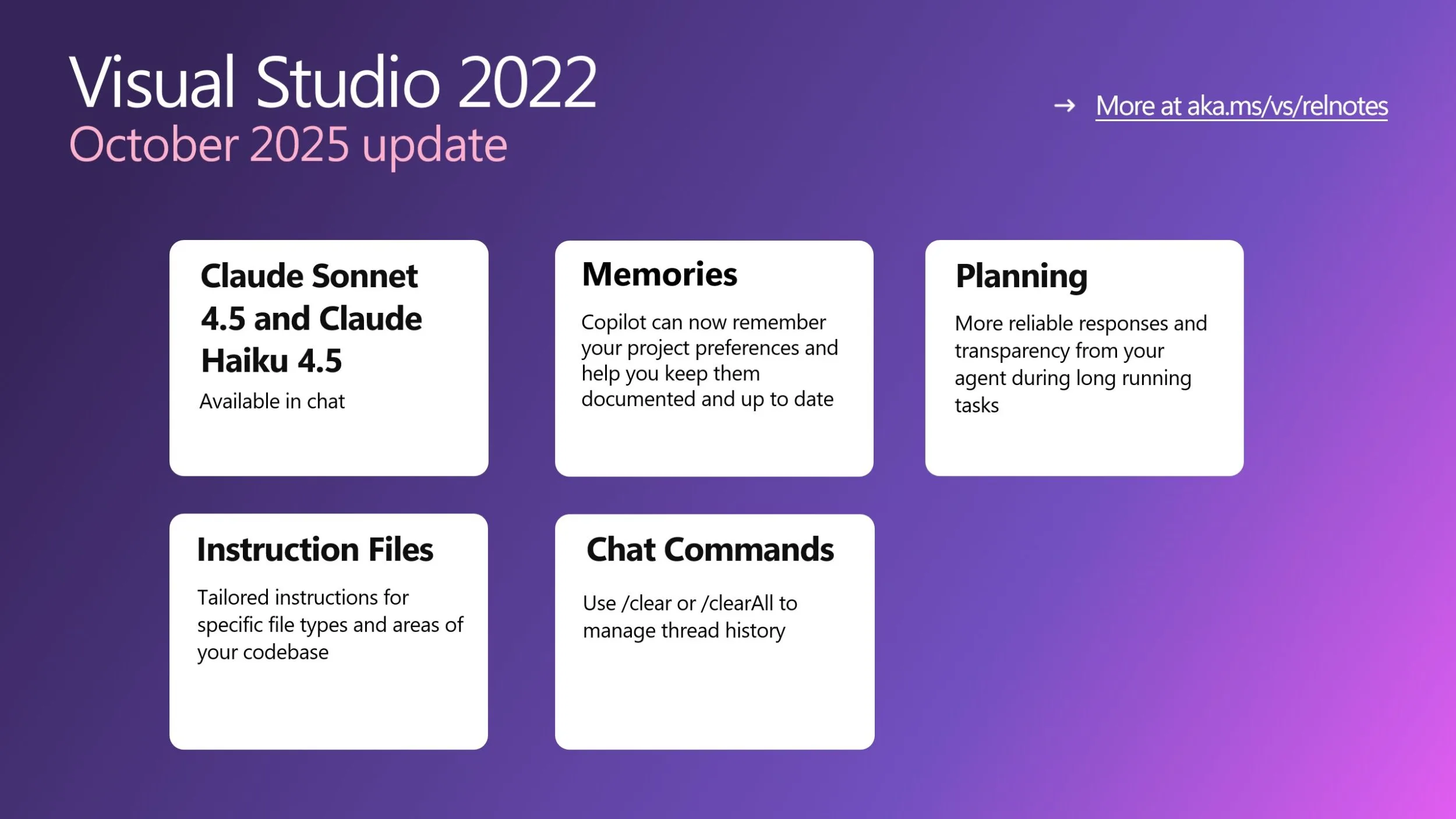
Visual Studio October Update – new models, memories, planning, and more
The October 2025 update for Visual Studio 2022 (v17.14) is now available. In this month, we are bringing you improvements to model choices and agentic flows. New Models We now have Claude Sonnet 4.5 and Claude Haiku 4.5 available in the chat window. This means the latest innovations for driving your agentic workflows is right at your fingertips. Memories For Copilot to work effectively for your unique team and repository, it needs to learn about your project and team best practices. Copilot memories enable Copilot to understand and apply your project's specific coding standards, making it project...
Introducing Planning in Visual Studio (Public Preview)
Quick prompts are great for small fixes, but they fall short on big projects. You end up rewriting instructions, tweaking them constantly, and hoping the model stays on track. It gives Copilot a visible, structured path to follow, one that updates as it works and keeps you in control at every step. In Agent Mode, Copilot can now create plans that research your codebase, break down big tasks, and run them step by step while iterating along the way. The result is a more predictable and transparent workflow that helps you understand exactly what it’s doing. How It Works Planning uses transparent tool ca...

Modernizing Visual Studio Extension Compatibility: Effortless Migration for Extension Developers and Users
We have great news for extension users and developers: Visual Studio 2026 is introducing an extension compatibility model designed specifically to make your life easier. Our top priority is to ensure that your extensions continue to work seamlessly across Visual Studio releases - with no extra effort required from you. For users: extensions that work in Visual Studio 2022 will just automatically work in Visual Studio 2026. And when upgrading to Visual Studio 2026 the Installer will install most extensions you’re using in Visual Studio 2022. For extension developers, gone are the days of needing to update versi...
Visual Studio Dev/Test Benefit Explained
Before joining Microsoft, I served as VP of Application Development at one of the largest temporary staffing companies in the United States. I’ll never forget the look on our CFO’s face when I told him we needed two to three additional cloud environments to support a large-scale modernization project. His expression went from curious to cautious as he started calculating what that might mean for compute, storage, and database costs. “You want three more cloud environments? Do you have any idea what that’s going to cost us each month?” He wasn’t wrong to ask. Expanding our cloud footprint could easily double our...
Roadmap for AI in Visual Studio (October)
Today, we’re excited to share our public roadmap, which outlines the next steps in evolving Visual Studio with AI-powered agentic experiences. With every month, we aim to deliver smarter, faster, and more intuitive tools that enhance your coding experience. Disclaimer: The items outlined here represent ongoing work for the month. They are not commitments or guarantees for delivery within the current month. Upvote the features you or your organization care about most, so we know what to prioritize. With that said, here is what we are working on! Remote agents We are starting to bring remote agents like the Gi...

VS Live! Orlando – Your Ultimate Learning Adventure
Imagine swapping stories with fellow developers over dinner as the Florida sun sets, then beginning the next morning with a stroll past the resort’s palm-lined walkways before catching your first session across 41 dynamic tracks. From there, immerse yourself in a full day of learning and connection. That’s the magic of Visual Studio Live! at Live 360 Tech Con, November 16–21, 2025, at Universal Orlando’s Royal Pacific Resort. Content-Rich Days, Networking Nights From breakfast to late afternoon, Live! 360 delivers back-to-back sessions, workshops, and labs led by Microsoft product managers and industry ex...
The $150 Secret Hiding in Plain Sight
Picture this: I’m standing in front of 400+ developers at Visual Studio Live! Redmond, right here on the Microsoft campus in Building 33, about to reveal what I call the hidden value of a Visual Studio subscription. I pull up a simple question on the screen: About half the hands go up in the packed Kodiak Auditorium. Good start. "Now, how many have actually logged in and activated your benefits?" The room goes quiet. Maybe 160 hands remain raised. "And how many are using your monthly Azure credits?" I watch as the forest of hands dwindles to just a couple dozen brave souls. The math is staggeri...
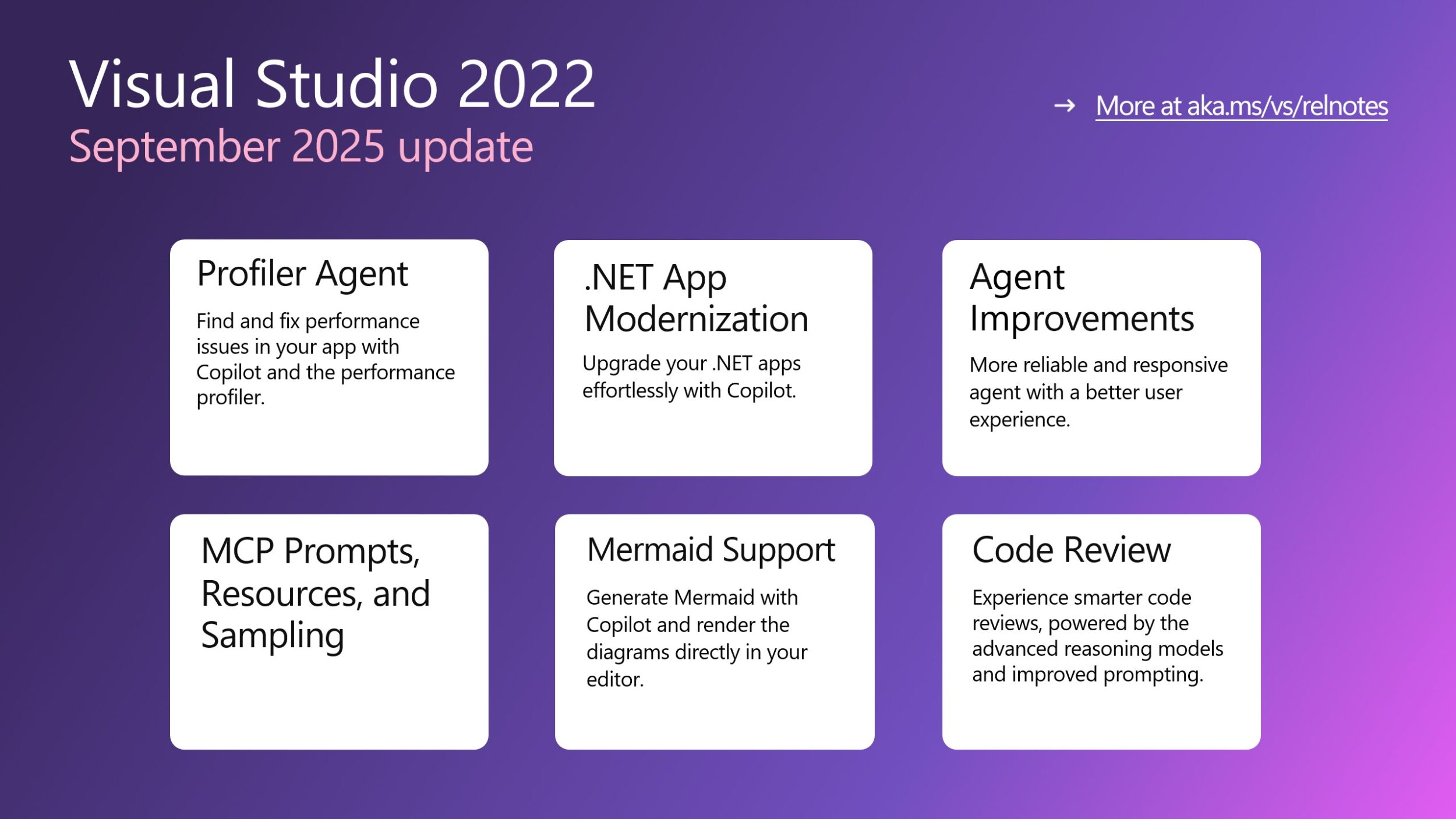
Visual Studio September Update – profiler agent, app modernization, and more
The September 2025 update for Visual Studio 2022 (v17.14) is now available. In this month, we are bringing you a fully integrated and game-changing agentic AI experience, from code generation to modernization, profiling, and code reviews. Profiler Agent We’ve heard the feedback loud and clear developers love the Profiler Agent. So, we’re bringing it to Visual Studio 2022 as well. It’s an AI-powered assistant built into Visual Studio that helps you find and fix performance issues without needing to be a profiling expert. The Profiler Agent works with GitHub Copilot to: ...
Enhancements to XAML Live Preview in Visual Studio for .NET MAUI

The XAML Live Preview feature in Visual Studio 2022 version 17.14 introduces a significant usability improvement for .NET MAUI projects: the XAML Live Preview window is now available during design time, eliminating the requirement to initiate a debug session. This change streamlines the UI development workflow for .NET MAUI applications. Design-Time Availability Previously, XAML Live Preview was only accessible while debugging. With this release, you can open the XAML Live Preview window directly during design time. This allows you to see changes in your app UI in real-time. You can also use Hot Reload and othe...

Getting the most out of MCP in Visual Studio with Prompts, Resources, and Sampling


We're excited to announce that Visual Studio now supports MCP prompts, resources, and sampling (with even more coming soon!) to enhance your Copilot experience by bringing in more context from your engineering stack. These powerful new features unlock deeper integrations with your favorite tools and services, making your development workflow more intelligent and context aware. Let’s dive into each of these features and discuss some examples with specific MCP servers that can truly level up your AI-coding experience. MCP Resources and Resource Templates: Access External Data Seamlessly Model Context Proto...
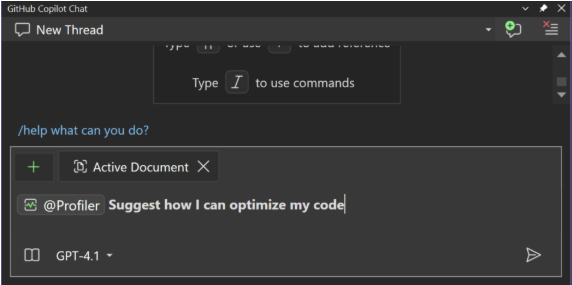
Democratizing Performance: The Copilot Profiler Agent in Action on Real Code
We’re excited to announce the Copilot Profiler Agent available in Visual Studio 2026 Insiders, it's an AI-powered performance assistant built directly into Visual Studio. Forget staring at endless call trees or walls of mysterious numbers that leave you asking, “where do I even start?” The Copilot Profiler Agent changes that. Instead of raw data, you now get an AI partner that not only points out the real bottlenecks but also explains what’s going on, suggests fixes, writes benchmarks, and even validates improvements all in a smooth, guided loop. It’s like having a performance engineer sitting next to you....
Visual Studio 2026 Insiders is here!
Visual Studio 2026 Insiders is here - and it marks one of the most ambitious steps forward we’ve taken with the IDE. This release brings AI woven directly into the developer workflow, performance improvements that reset expectations for speed at enterprise scale, and a modern design that makes the environment feel lighter and more focused. And for the first time, we’re introducing the new Insiders Channel, which replaces the long-standing Preview Channel as the way developers can get early access to upcoming features. This is a release you can feel the moment you start using it - download the Insider...
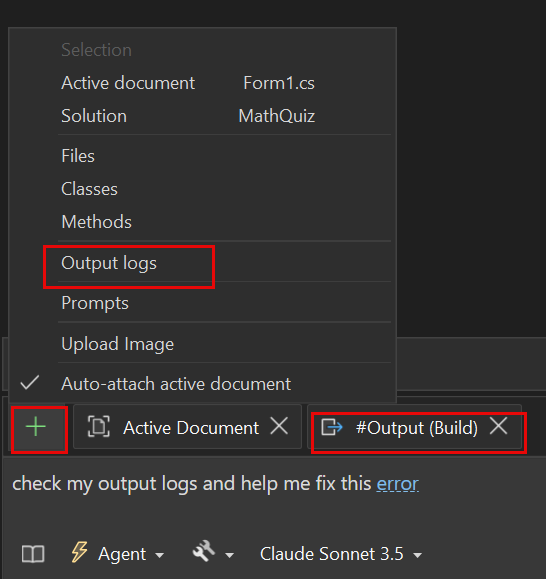
Make Sense of Your Output Window with Copilot
Ever found yourself staring at the Output Window, overwhelmed by endless lines of logs and cryptic messages? You're not alone! For years, developers have relied on the Output Window for critical build and debug information. But making sense of it—and translating it into action—has been a challenge. What if you could instantly ask questions about your logs and take action without leaving your workflow? Now you can, thanks to Copilot’s new Output Window context! Say hello to smarter output window assistance In Visual Studio 17.14, Copilot can now read your Output Window, making it possible to interact with you...
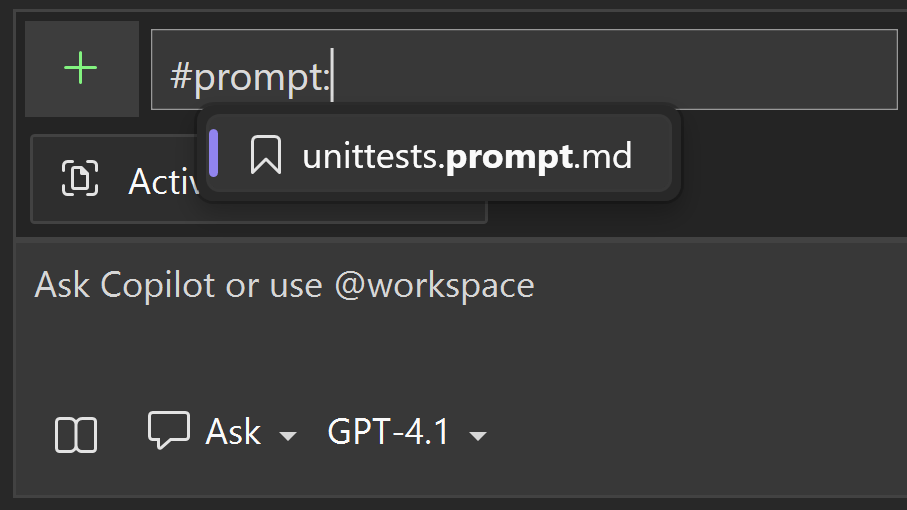
Boost Your Copilot Collaboration with Reusable Prompt Files
Writing effective prompts for AI tools can be time-consuming and challenging. Cement those efforts by leveraging reusable prompt files. These custom prompts allow for quick access at the prompt box, and they’re automatically stored and shared with your teammates to make it easy to multiply your Copilot successes. Reusable prompt files solve the prompt-writing challenge Reusable prompt files let you write, save, and run prompts right inside Visual Studio. Simply craft your prompt in a .github/prompts/[title].prompt.md file, save it, and reference it whenever you need to engage Copilot. This means your bes...
Roadmap for AI in Visual Studio (September)
Today, we’re excited to share our public roadmap, which outlines the next steps in evolving Visual Studio with AI-powered agentic experiences. With every month, we aim to deliver smarter, faster, and more intuitive tools that enhance your coding experience. Disclaimer: The items outlined here represent ongoing work for the month. They are not commitments or guarantees for delivery within the current month. With that said, here is what we are working on! New Modes for Debugging and Profiling: We’re streamlining how you find and switch between modes and making sure both built-in and extension-provided mode...
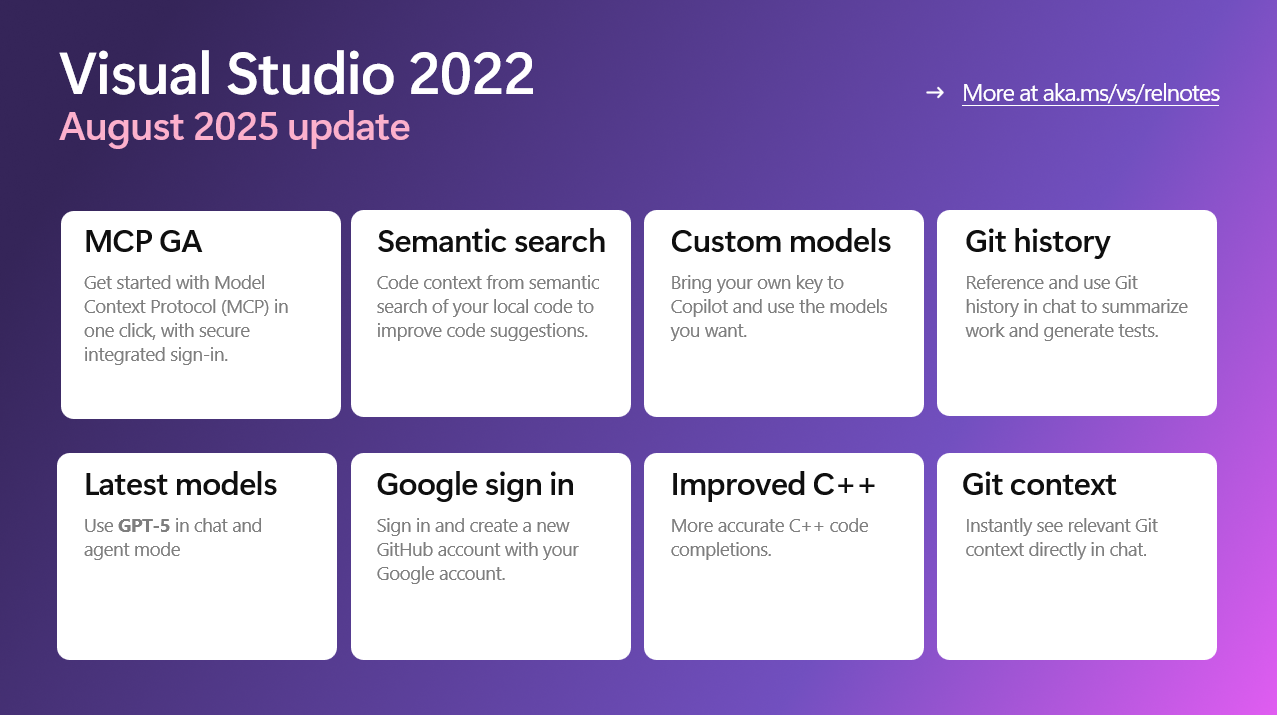
The Visual Studio August Update is here – smarter AI, better debugging, and more control
The August 2025 update for Visual Studio 2022 (v17.14) is now available, and it’s all about helping developers stay focused, productive, and in control. Whether you're building games, tuning performance, or exploring AI, this release brings meaningful improvements that make everyday development smoother and smarter. GPT-5 support now available We're excited to announce that GPT-5 is now available in Visual Studio, bringing the latest advancements in AI directly to your development environment. With GPT-5 integration, you can leverage more powerful, accurate, and context-aware code suggestions and chat exper...
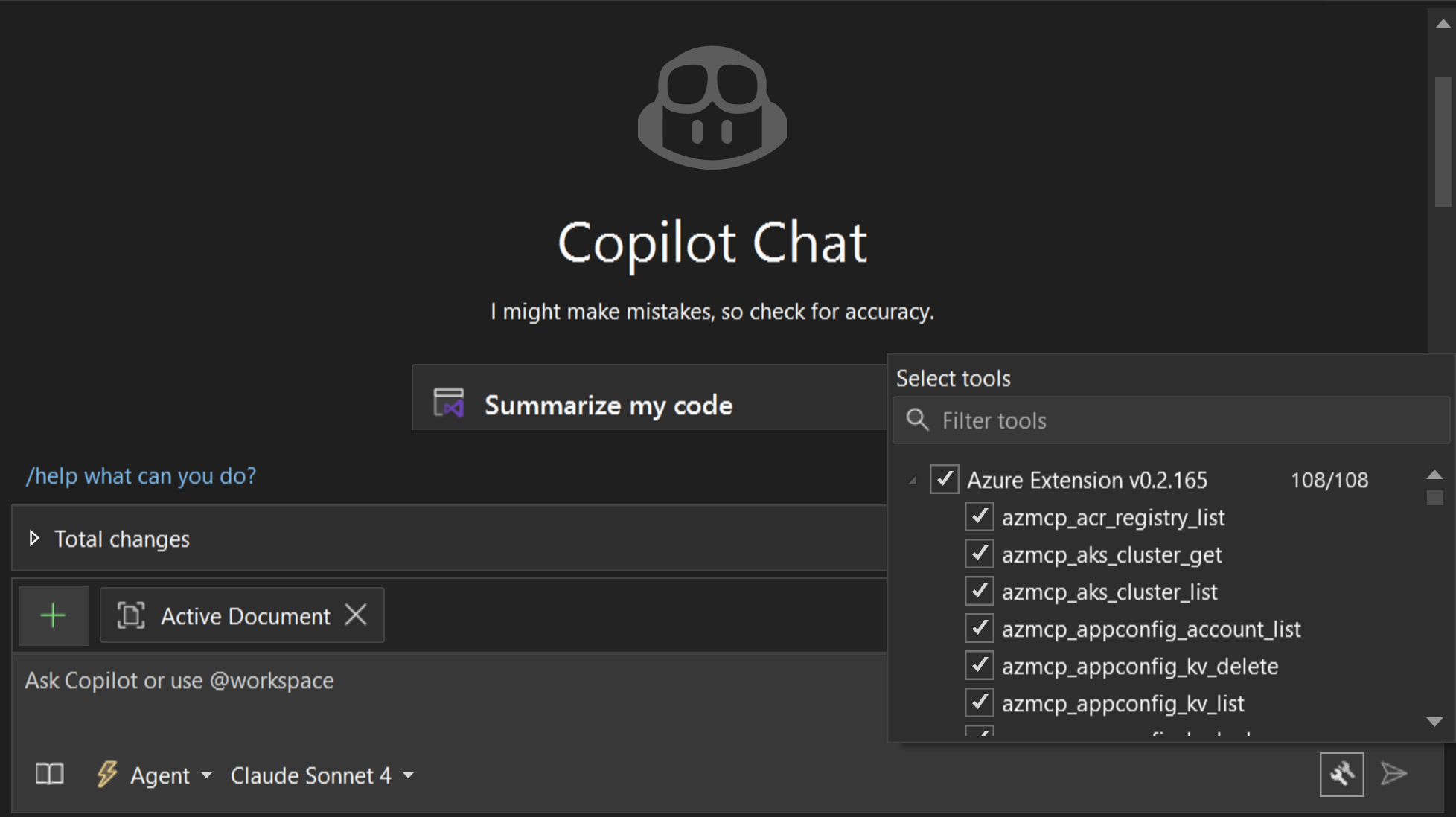
GitHub Copilot for Azure (Preview) Launches in Visual Studio 2022 with Azure MCP Support
The GitHub Copilot for Azure extension is now in Public Preview for Visual Studio 2022 (17.14+). It brings a curated set of Azure developer tools—exposed through the Azure MCP server—directly into GitHub Copilot Agent Mode in Visual Studio. The extension automatically installs and manages the Azure MCP server, so you can query resources, diagnose issues, deploy with azd, and run Azure CLI commands—all from the Copilot Chat. Ship Azure features without leaving Visual Studio. Agent-powered, MCP-enabled, no extra setup. What’s in the Public Preview? ...

Better Control over Your Copilot Code Suggestions
Copilot code completions and suggestions in the editor speed you up in your daily programming and coding activities, at every keystroke. They help you finish the line you're typing or anticipate your next edit, making your workflow smoother and faster. At the same time, editor is where you focus and put in the deep work. Based on your feedback, we understand how important it is to strike the right balance between helpful suggestions and maintaining control over your attention and workspace. We're excited to share features that give you enhanced control over your Copilot experience, so you can decide when sugge...
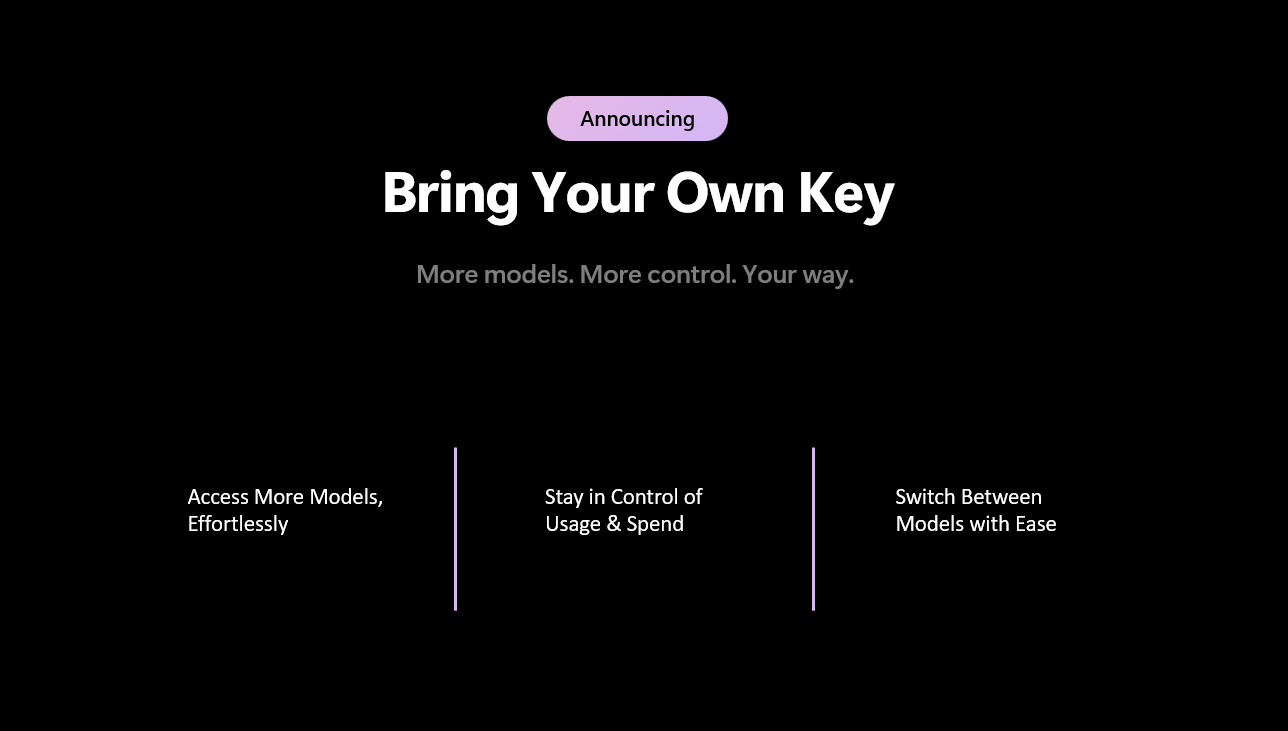
Bring Your Own Model to Chat in Visual Studio

We’re excited to announce that you can now bring your own language model into Visual Studio Chat. You can connect API keys from providers (OpenAI, Anthropic, and Google) to access a wider range of models. This makes it easy to test the latest releases, customize workflows, or run on infrastructure you control. What it unlocks Getting started If you already have an API key from OpenAI, Anthropic, or Google, setup takes just a minute: A few important considerations: This is just the beginning. We’re expanding support for additional mo...
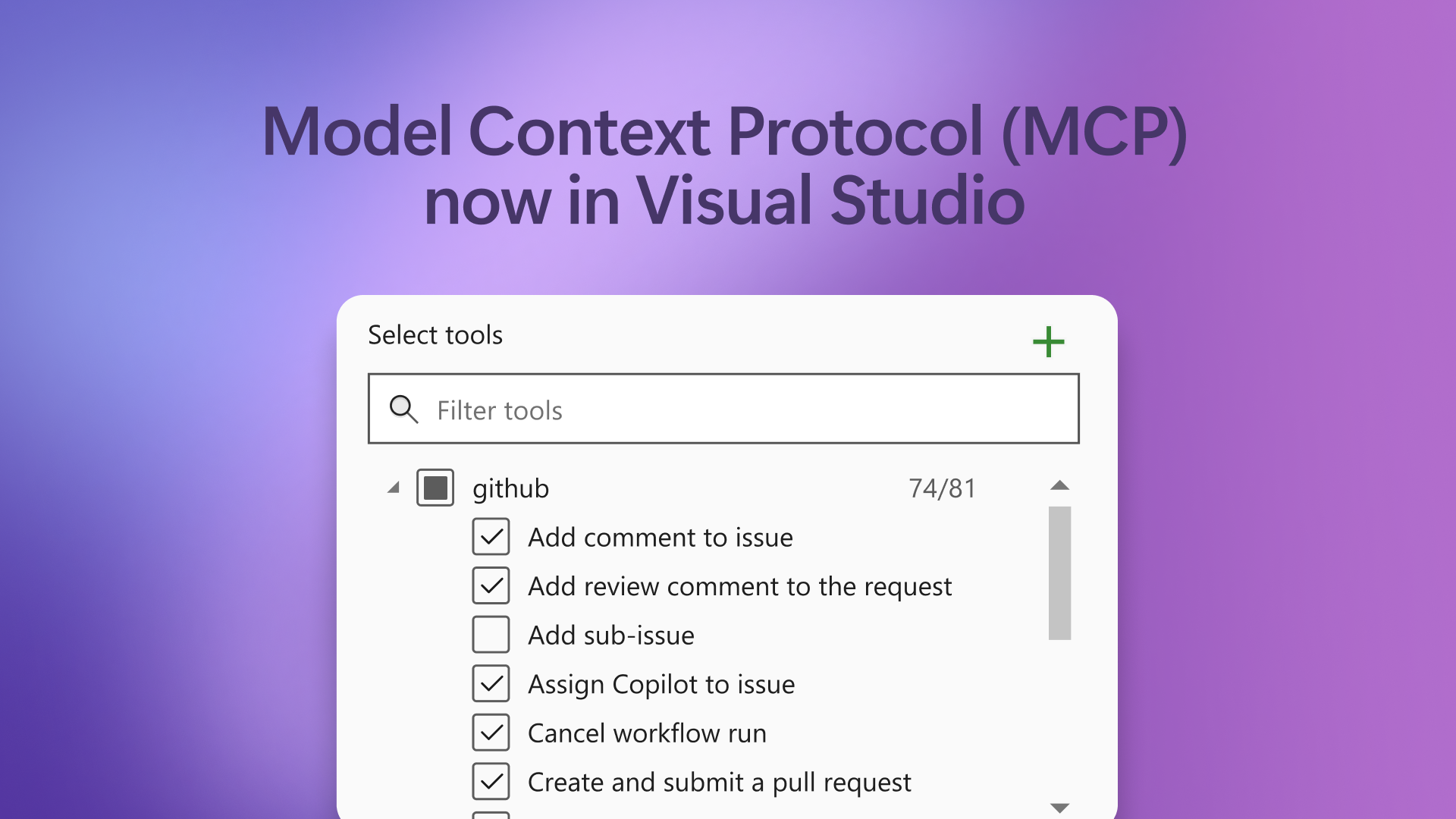
Model Context Protocol (MCP) is Now Generally Available in Visual Studio 🎉
We’re excited to announce that MCP support is now GA in Visual Studio—unlocking richer, real-time context from your entire development stack and expanding the power of Agent Mode like never before. Model Context Protocol (MCP) is an open standard that makes it easy for AI agents to connect with external tools and services—think of it like HTTP, but for AI-enabled developer workflows. Instead of building custom integrations for every tool, MCP lets you plug into robust server endpoints for databases, code search, deployment pipelines, and more, all through a consistent, secure protocol. With GA support in Vi...
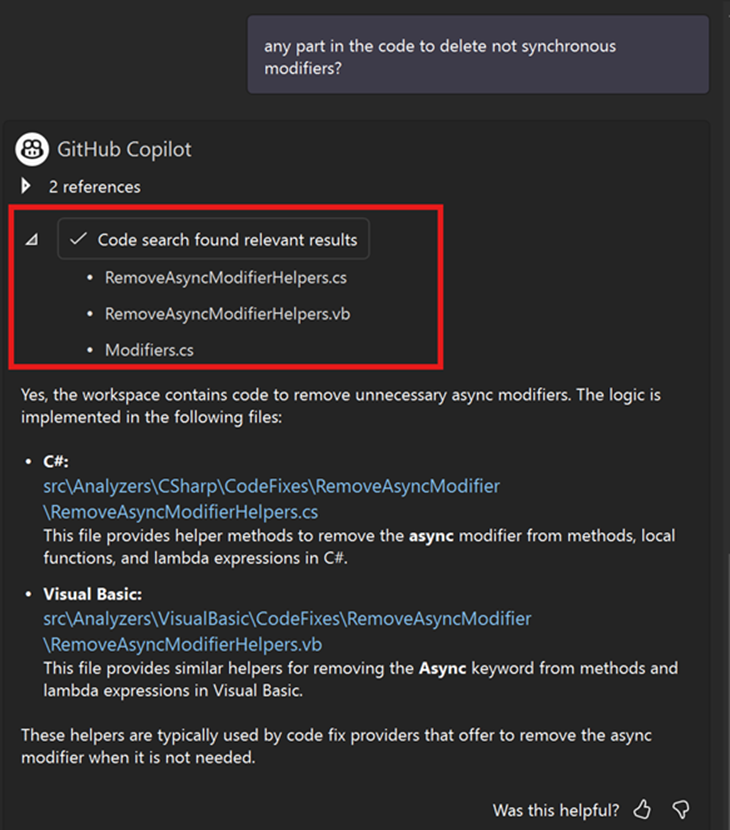
Improving Codebase Awareness in Visual Studio Chat

Smarter Code Search in Visual Studio: From BM25 to Semantic Search In our latest 17.14.11 release, we’ve made a significant leap forward in how we explore your code to retrieve meaningful context. Our new Remote Semantic Search integration helps you find exactly what you need faster and with greater precision than ever before. By embedding Remote Semantic Search directly into the Visual Studio Copilot code search experience, we’ve combined the power of traditional keyword search (BM25) with the deep contextual understanding of cutting-edge AI models. This means your searches go beyond just matching words, t...

From Redmond to San Diego: VS Live! Highlights, Session Examples, and What’s Next
There’s something special about hosting developers at Microsoft HQ — and this year’s Visual Studio Live! Redmond reminded me why I love these events. The energy in every room was electric. From the moment the first session kicked off, developers leaned in, asked smart, challenging questions, and took every opportunity to connect with the Product Managers and engineers from Visual Studio, Azure, and GitHub Copilot. Between sessions, the hallways were buzzing. Right after the Experts Meet & Greet, one speaker shared a story that stuck with me: “A customer came up to me and said: All those paper cuts that Ma...
GPT-5 Now Available in Visual Studio
We’re excited to share that GPT-5, OpenAI’s latest frontier model, is now rolling out in GitHub Copilot for Visual Studio. GPT-5 offers faster responses and even better performance for writing and understanding code. This release brings a new level of capability to your development workflow, making it easier to move from idea to implementation. Try it now: Click the Copilot badge in your IDE, open Chat, and select GPT-5 (Preview). Why GPT-5 Matters to you GPT-5 is OpenAI’s most advanced model to date. It delivers substantial improvements in: From building end-to-end features to understand...
Visual Studio 2015 Retirement: Support reminder for older versions of Visual Studio
Support for Visual Studio 2015 will end on October 14, 2025. If you’re using an older version of Visual Studio, we want to keep you productive and secure when using Visual Studio, and strongly recommend you upgrade to Visual Studio 2022, which brings the power of Copilot to your development workflow. It also contains key productivity improvements in the editor, built-in support for Git version control and rich integration with GitHub, AI-powered code completions, and tools for .NET 8 and 9, and .NET MAUI. Support Timeframe Reminders for older versions If you’re still using an older version of Visual Studio, her...

Smarter AI Edits in Visual Studio Copilot

When we first set out to get smarter AI edits in Visual Studio Copilot, we knew we were tackling a deeply complex problem. It wasn’t just about generating great suggestions—it was about figuring out how to seamlessly apply those suggestions to your code. While the idea seemed simple at first glance, the reality was anything but. The Complexity of Implementing AI-Generated Edits Let’s rewind to our early attempts. Copilot might give you a fantastic suggestion—a new method, a helpful refactor, or maybe even a corrected logic block. But the real challenge began when we tried to insert those changes into th...

Watch Live: Visual Studio Toolbox at VS LIVE! Redmond 2025
Join Robert Green and Leslie Richardson for a full day of live sessions, demos, and interviews. Live from Microsoft HQ – Stream Tuesday’s Sessions with Visual Studio Toolbox! On Tuesday, August 5, join us for a special edition of Visual Studio Toolbox Live—broadcast from VS LIVE! Redmond and hosted by Leslie Richardson and Robert Green. You’ll get a full day of Microsoft-led sessions, live studio commentary, behind-the-scenes interviews, and exclusive insights straight from campus. 👉 Click here to set a YouTube reminder so you don’t miss a moment. 🎤 What You’ll See on Tuesday We’re streaming five sessions ...
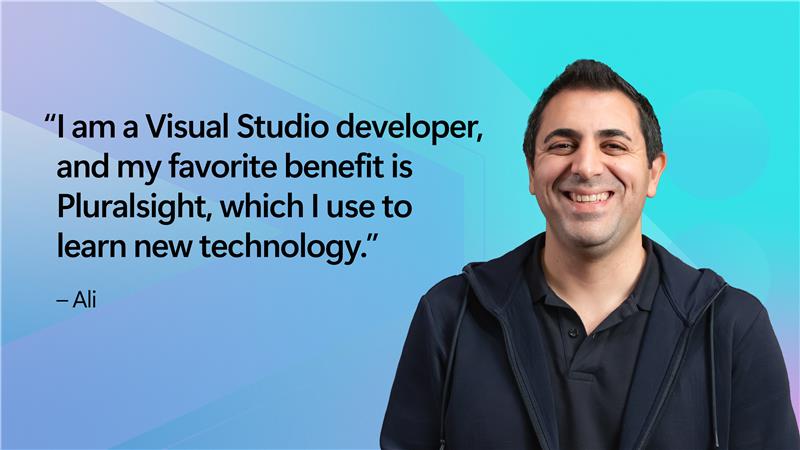
Fresh Learning Paths Now Available on Pluralsight for VS Subscribers
We’ve been thrilled to see so many of you jump back into your Pluralsight benefit after our April 3rd announcement about extended access. Your enthusiasm for learning and leveling up with Visual Studio inspires us every day. If you haven’t had a chance to dive in yet—or want to explore what’s new since then—I wanted to share an update on some exciting new courses and paths that we think you’ll find especially valuable. More Time to Learn, More Ways to Grow Visual Studio developers on a paid Professional or Enterprise subscription unlock exclusive learning opportunities—Professional subscribers receive 6 months ...
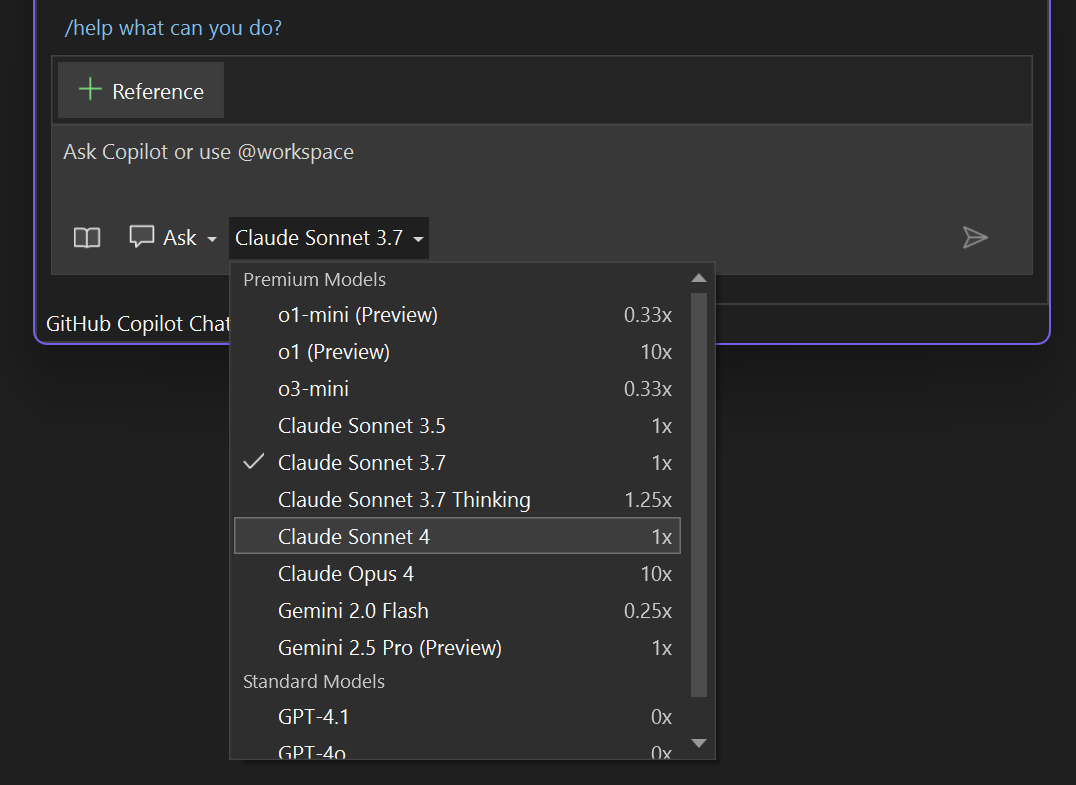
Better Models, Smarter Defaults: Claude Sonnet 4, GPT-4.1, and More Control in Visual Studio

We’re excited to share some major improvements to the Copilot experience in Visual Studio, including smarter default models, more choices, and easier ways to manage your usage. Smarter default model Copilot in Visual Studio now uses GPT-4.1 as the default model (previously 4o). In our testing, it delivers significantly better performance—faster responses, higher quality suggestions, and greater efficiency overall. More models to choose from Want to try something else? You now have access to an ever-broader range of models: Model selections are now sticky, meaning your chosen m...
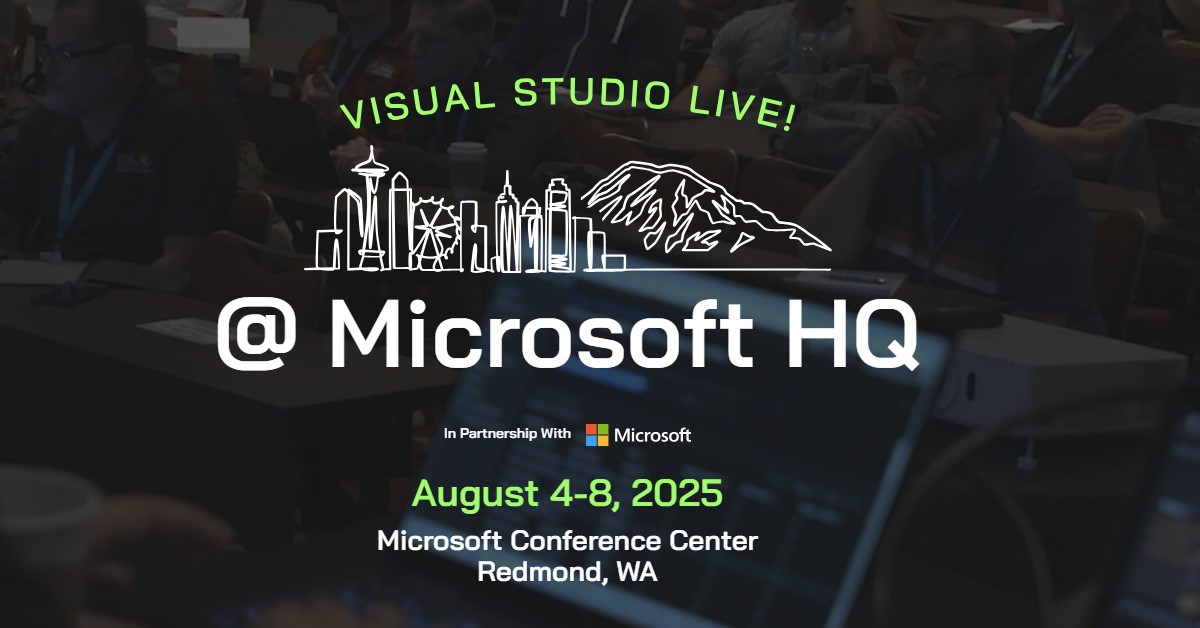
Inside Access: Join Us at VS Live! Redmond for a Week of Deep Developer Learning
A long time ago, I stood in a packed room at VS Live! and watched developers erupt in applause after a debugging demo shaved hours off a real-world problem. That was the moment I realized this wasn’t just a conference—it was a place where developers and toolmakers come together to push the craft forward. I’m excited to announce that I’ll be keynoting VS Live! Redmond 2025, August 4–8 at the Microsoft Conference Center—and I’d love for you to join us. This is more than just a developer event. It’s the one time each year when the Visual Studio, GitHub, and Azure engineering teams open our doors, share what we...
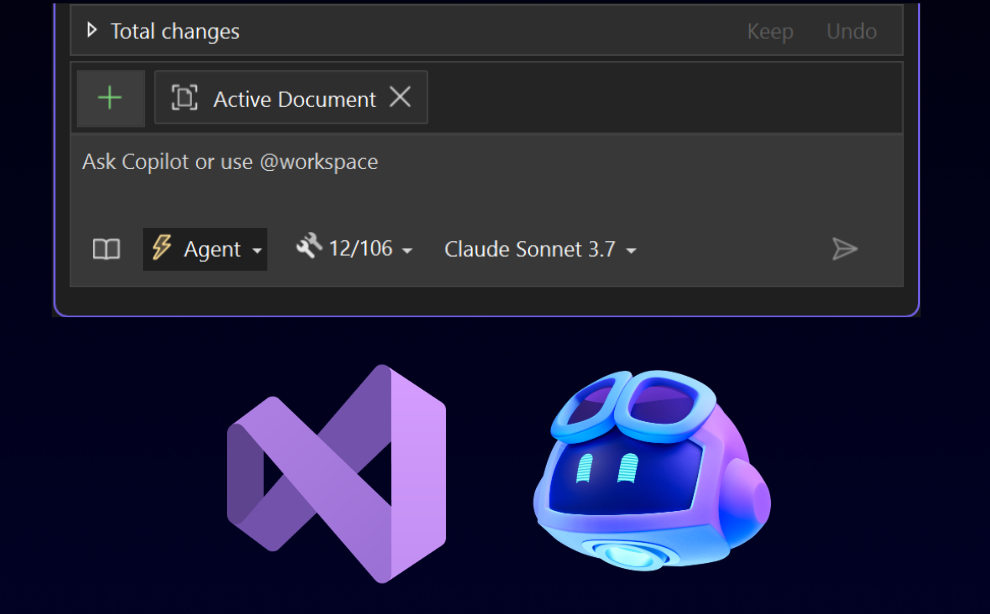
Agent mode is now generally available with MCP support

Copilot agent mode is the next evolution in AI-assisted development—and it's now generally available in the Visual Studio June update. Agent mode turns GitHub Copilot into an autonomous pair programmer capable of handling multi-step development tasks from end to end. It builds a plan, executes it, adapts along the way, and loops through tasks until completion. Agent mode can analyze your codebase, propose and apply edits, run commands, respond to build or lint errors, and self-correct. You can integrate additional tools from MCP servers to expand the agent's capabilities. Ask Mode, on the other hand works w...
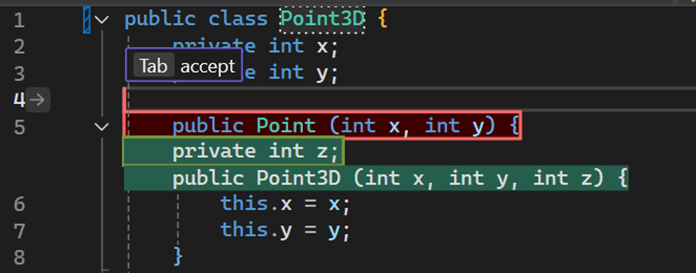
Next edit suggestions available in Visual Studio
GitHub Copilot code completions, or gray text, are specialized in autocompleting unfinished code or providing helpful template code. In reality, coding activities are more diverse than writing new code. What if Copilot could better assist your coding not only with code generation, but your code editing activities as well? We are excited to announce next edit suggestions, or NES for short, is now available in Visual Studio 2022 17.14 to further improve your coding experience. NES leverages the previous edits made and predicts the next edit to come, whether it’s an insertion, deletion, or mix of both. Unlike Cop...

How to filter C++ Build Insights by project


Visual Studio 2022 version 17.14 comes with quality-of-life improvements to its C++ Build Insights integration that will make it easier for you to navigate large multi-project traces and handle long file names for your build inputs and artifacts. What is C++ Build Insights? C++ Build Insights is a powerful tool that lets you visualize and optimize the build process of your C++ projects. It leverage MSVC's trace capture technology and uses the Windows ETW framework to collect detailed information about every build event, such as compilation, linking, code analysis, and more. You can then view and analyze this ...

Cloud Academy: Unlock Your Azure Skills and Accelerate Your Career
When we launched the Cloud Academy benefit for Visual Studio Professional and Enterprise subscribers back in March 2025, our goal was simple: give you the hands-on, practical learning experience you need to confidently master Azure and cloud technologies — without spending a dime beyond your subscription. Why? Because in today’s fast-changing tech world, knowing theory isn’t enough. You need to do — to experiment, build, troubleshoot, and grow your skills in a real environment. That’s exactly what Cloud Academy delivers. From Frustration to Confidence: Learning That Fits Your Style If you’re like many deve...

Extension Manager updates in Visual Studio

The latest updates in Visual Studio 2022 introduced features specifically designed to improve how you manage extensions. These updates offer tools that help you automate processes, provide detailed controls for configuration, and enhance the user interface to streamline your development workflows. Seamless auto updates Visual Studio now automatically triggers updates whenever you open the Extension Manager window. This ensures you are consistently working with the latest features and fixes without needing to manually initiate updates. Infobar notifications for applied updates An Infobar will now appear wh...

Improve the commands in your extensions
As Visual Studio extension authors, our goal is to create tools that empower developers across diverse environments. A key part of this mission involves ensuring that your extension commands remain accessible and consistent across all Visual Studio locales. In your VSSDK extensions, by adding the CanonicalName property to your commands in the .vsct file, you can achieve greater resilience and user satisfaction for your extension. And with a few simple tricks, you can make your command names a lot prettier as well. Why add the CanonicalName property? When a Visual Studio extension supports multiple locales, t...
VisualStudio.Extensibility: Editor classification and updates to user prompt
We continue to invest in the VisualStudio.Extensibility SDK to allow users like you to create extensions that run faster and smoother than ever before! VisualStudio.Extensibility helps you build extensions that run outside the main Visual Studio IDE process for improved performance, reliability, and installation without restarting Visual Studio. Additional benefits include a sleek and intuitive .NET 8-based API and comprehensive, well-maintained documentation to help you develop amazing extensions faster than ever before. For the latest up-to-date docs and installation instructions, visit https://aka.ms/Vi...
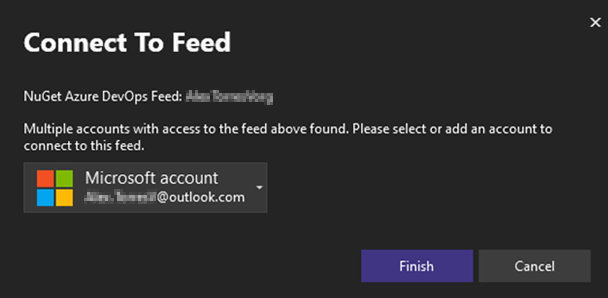
Connecting to Private NuGet Feeds Just Got Easier
The Visual Studio 2022 17.14 update is here, and it brings great quality-of-life improvements—especially around NuGet authentication. From context about the authentication needs of private NuGet feeds to a simplified account selection workflow, this update helps you stay focused on your code! If you haven’t already, download the latest Visual Studio update to take advantage of this and the rest of the improvements. Streamlining the NuGet authentication experience Over the past year, we’ve made significant strides to improve the identity and authentication experiences across Visual Studio 2022. For instance, we ...
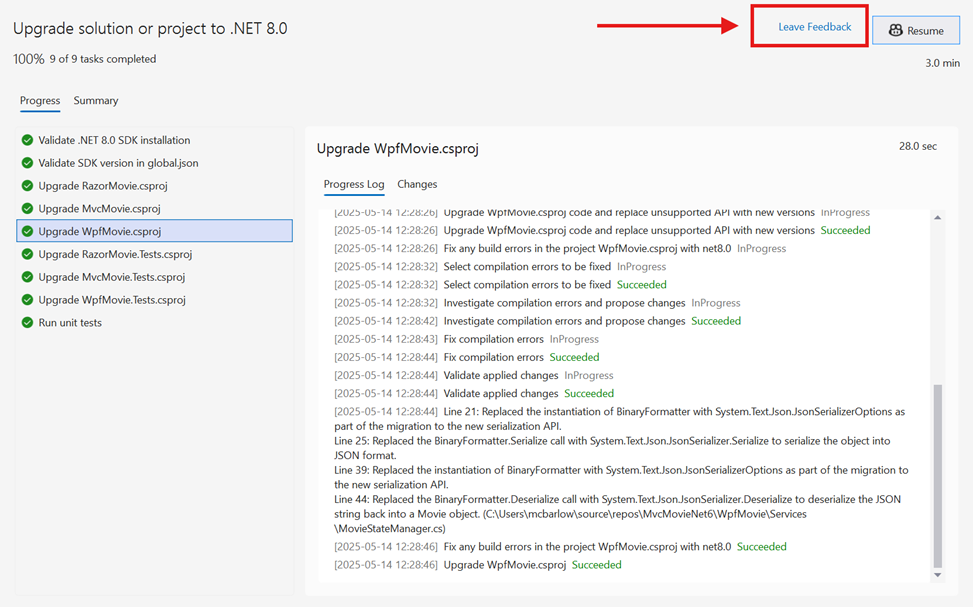
Faster .NET Upgrades Powered by GitHub Copilot

Introducing GitHub Copilot app modernization – Upgrade for .NET You probably don’t look forward to the process of modernizing your applications. It can be time consuming, risky, and full of manual toil. Today we’re changing that. We’re thrilled to introduce the public preview of GitHub Copilot app modernization - Upgrade for .NET, an AI-powered experience that helps you bring your .NET applications to the latest version quicker and more confidently than ever before. Powered by GitHub Copilot and Agent Mode, it serves as an intelligent upgrade companion that understands your code, determines the right upgrade ...

How to Watch Microsoft Build 2025 Online
Microsoft Build 2025 Is Here! — How to Make the Most of It Virtually It’s that time again—Microsoft Build has started! Microsoft Build 2025 runs this week (May 19–22)—and now’s the perfect time to catch the sessions live or watch past sessions on-demand. This year, Build is more accessible than ever. Every keynote, breakout session, demo theater, and even our hands-on labs are available to stream—live or on-demand—completely free. No travel. No ticket. Just you, your browser, and some of the best developer content of the year. I’ve had the privilege of working alongside our Product Managers and Engineeri...
Agent mode has arrived in preview for Visual Studio


Plan, build, test, and fix — all from one prompt. Agent mode is now available in public preview for all users in Visual Studio 17.14. Agent mode in Visual Studio allows you to define tasks using natural language, with Copilot autonomously planning, editing your codebase, invoking tools, and iterating to resolve issues. Unlike Copilot Chat or Edits, agent mode doesn’t stop at one suggestion or file edit but works iteratively until the task is complete. What can agent mode do? Agent mode doesn’t just help you write code — it helps you finish the job. All of this is done iteratively, meaning that Copilo...
🎉 Visual Studio 2022 v17.14 is now generally available!
We’re thrilled to announce the general availability of Visual Studio 2022 version 17.14! This release continues our mission to empower developers with faster, smarter, and more productive tools across all workloads. There is so much for developers to love in this release, so be sure to check out the release notes for the full list. This is only the beginning, going forward, we’ll be bringing new features to you even faster with a new monthly release cadence for stable releases of Visual Studio! Here are some of the highlights you can look forward to when you update to 17.14 today! AI Assisted Development ...
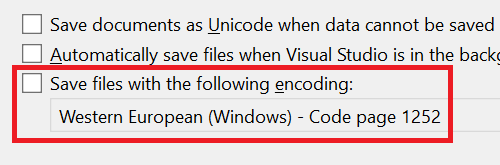
Set the default file encoding
Have you ever encountered unexpected issues due to file encoding when working in cross-platform environments? These frustrating problems can disrupt your workflow and consume valuable time. Visual Studio addresses these concerns with a new feature – the Default File Encoding option. You can now specify the encoding Visual Studio should use when saving files. This ensures that files are saved with the correct encoding, minimizing potential issues. Developers often work on projects across different platforms, each requiring specific file encodings. Incorrectly managed encodings can lead to various issues, fro...

Effortless adjustments with an adaptive paste

Find yourself needing to adjust pasted code to actually work in your project? Visual Studio 2022 introduces the capability to adapt your pasted code with Copilot to reduce the time you spend on making tedious changes. Streamline manual code modifications with adaptive paste When you're copying and pasting code, the process often comes with extra steps. Adjusting parameters, correcting styling, or fixing even the most minor errors can slow down your workflow. These small, repetitive tasks add up and disrupt your focus. Addressing these challenges, Visual Studio introduces a new Copilot-powered capability tha...

Toolbox Support for Explicit Assembly References in Windows Forms Out-of-Process Designer


Visual Studio 17.14 Preview 3 introduces a new feature that enhances the Windows Forms out-of-process designer experience for .NET Framework projects. This release brings Toolbox support for Explicit Assembly References, addressing a long-standing need in legacy application development and migration workflows. What Are Explicit Assembly References? Explicit Assembly References are stand-alone assemblies directly referenced in your project. They are not pulled in through NuGet packages, project references, or the Global Assembly Cache (GAC). These assemblies often represent legacy .NET Framework components, ...

GitHub Copilot Highlights in Visual Studio 17.14 Preview 3 (Available Now)
Visual Studio 17.14 Preview 3 is now available! The GitHub Copilot experience in Visual Studio is continuously updated to provide the latest advancements in AI-assisted development. The following features and improvements have been recently released in Visual Studio version 17.14 Preview 3. (Remember, preview versions of Visual Studio can be run side by side with the main releases) https://www.youtube.com/watch?v=Cg5RC21uWi8 A guided Walkthrough for getting started If you're new to GitHub Copilot in Visual Studio and are looking for a quick, guided way to get started, this feature is for you. Head to ...
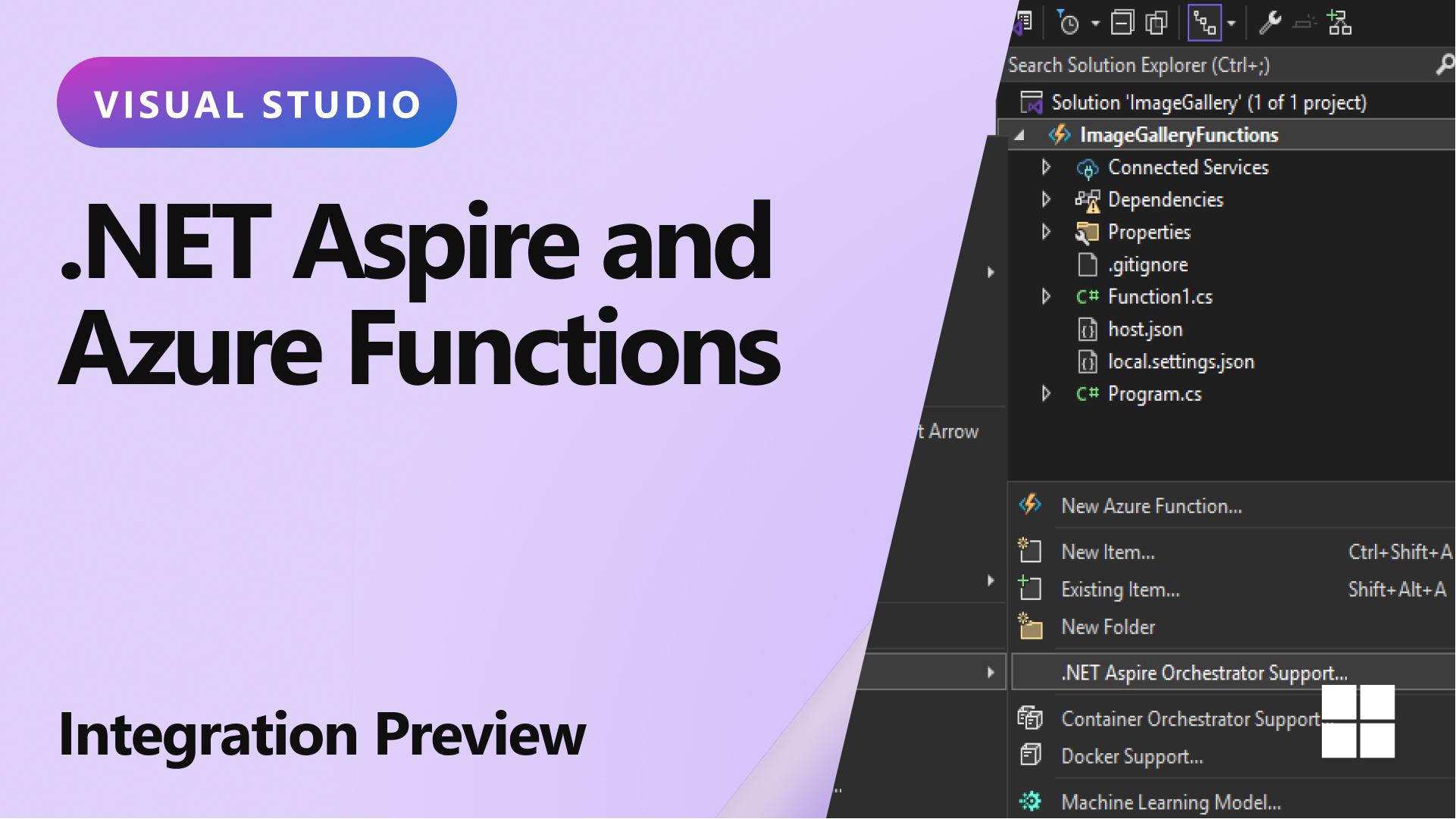
.NET Aspire and Azure Functions integration preview

Have you ever struggled with integrating serverless technology into your existing .NET projects? The new update in Visual Studio has got you covered. Say hello to the powerful integration of .NET Aspire with Azure Functions, making your development process smoother than ever before. With this release of Visual Studio, Azure Functions developers can enlist in .NET Aspire orchestration when creating a new Azure Functions project. This simple addition transforms your workflow by including an App Host and a Service Defaults project in your solution right from the get-go. Check out this video by James Montemagno sh...
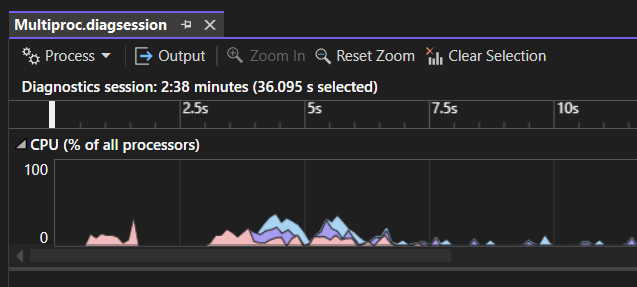
Multi-Process CPU Usage Analysis in Visual Studio
Streamlined Performance Insights Across Processes The Visual Studio Profiler's CPU Usage tool and Instrumentation tool now supports multi-process analysis, providing a unified view of CPU activity across multiple processes. With performance graphs featuring distinct, color-coded stacked swim lanes for each process, diagnosing and optimizing CPU usage is now more efficient than ever. Tackling Multi-Process Complexity Analyzing CPU usage for applications across multiple processes has traditionally been challenging. Identifying performance bottlenecks with multiple processes requires manual correlation of dat...

Your Pluralsight Benefit Just Got Better
As I talk with Visual Studio developers about the learning and skilling benefits included in their subscription, one thing I hear often is: “I wish I had more time to actually use Pluralsight.” Starting today, I’m pleased to share that we’re doing something about that. We’ve extended access to Pluralsight for all Visual Studio subscribers—12 months for Enterprise and 6 months for Professional—giving you more time to build skills, prepare for certifications, and stay ahead in a fast-moving industry. Why this matters We know developers are juggling a lot—projects, meetings, and ever-evo...

View and manage git tags

Are you tired of switching between your IDE and command-line tools to manage Git tags? We’ve got the perfect solution for you! With the latest update, Visual Studio empowers you to seamlessly view and manage Git tags directly within the Git Repository window. This streamlined workflow ensures you remain within the familiar environment of the IDE, enhancing your productivity and efficiency when working with Git tags. Effortless navigation and action Visual Studio now allows you to handle Git tags without ever leaving the IDE. Gone are the days of interrupting your workflow to open a separate Git tool. The...

Debugging with the AI-powered IEnumerable visualizer

Are you tired of wrestling with complex LINQ queries during debugging? Visual Studio 2022 has introduced powerful new improvement, powered by AI, to simplify your workflow with its editable expression feature in the IEnumerable Visualizer. These added functionalities aim to make debugging more intuitive and efficient, helping you write and refine LINQ queries with ease. Say goodbye to frustration and hello to efficiency with the new enhancement! The Challenge: Crafting Complex and Desired LINQ Expressions Generating and troubleshooting LINQ queries can be a tedious and intricate process, often demanding prec...
Introducing Visual Studio Hub

The Visual Studio Hub is here! Keeping up with the latest Visual Studio updates, features, and resources can feel like a full-time job. We’ve heard it time and time again—you want a simpler way to stay informed without digging through scattered blog posts, release notes, and social media updates. That’s why we created Visual Studio Hub—a single destination to help you quickly find what matters most. Whether you’re looking for the newest features, GitHub Copilot resources, upcoming events, or expert insights from our product teams, the Hub makes it easy to stay connected with everything happening in the ...
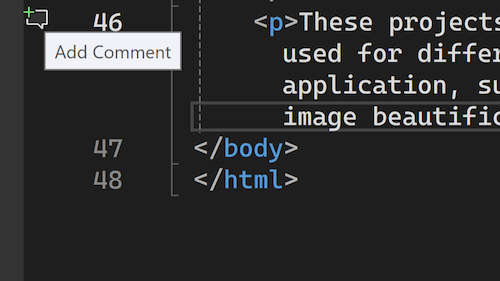
Enhance Pull Request Reviews with In-Depth Feedback
Visual Studio 2022 has taken the pull request experience to the next level by making reviews interactive. We previously enabled viewing your pull request comments inline in your working files. Now, the latest update empowers you to add comments directly within the IDE, streamlining the review process. Now, pull request reviewers can conduct deep reviews with the navigational power of the IDE and stay in their focused environment. We heard from your feedback that the web experience for reviewing pull requests can only go so far. When you need to really understand your colleagues' proposed changes, it's best...
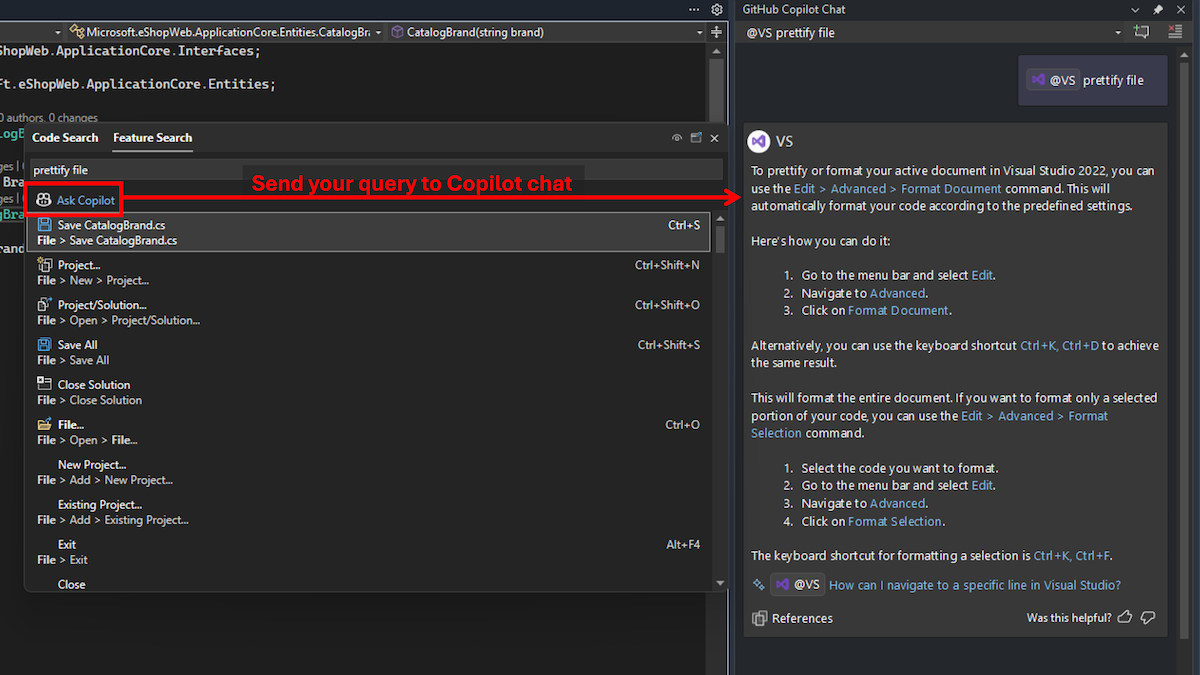
Find the IDE features you need with GitHub Copilot and Search
Ever find yourself needing to locate a specific menu item, command, or option in Visual Studio, but you don't know its name or location? Do you often struggle to find detailed instructions on using certain features effectively? Now, there’s a solution to get you the information you need right in the IDE. Visual Studio now makes it easy to access GitHub Copilot Chat from Feature Search (Ctrl+Q). Clicking “Ask Copilot” will send your query to GitHub Copilot Chat and get detailed responses, without leaving Visual Studio and search for docs online. This tool interprets the semantic meaning of your query,...

Boost your GitHub productivity with our new multi-account support!
Managing your GitHub identity in Visual Studio 2022 just got easier! Our latest update overhauls the GitHub account management experience and improves how you work with multiple accounts, especially for GitHub Copilot and version control scenarios. In this post, we'll detail how these changes will make your GitHub workflow smoother, from the moment you start using Visual Studio to your everyday coding. Onboarding Improvements The latest Visual Studio 2022 update streamlines your GitHub experience right from the very start. You can now Sign in with your GitHub account during the first launch experience: I...
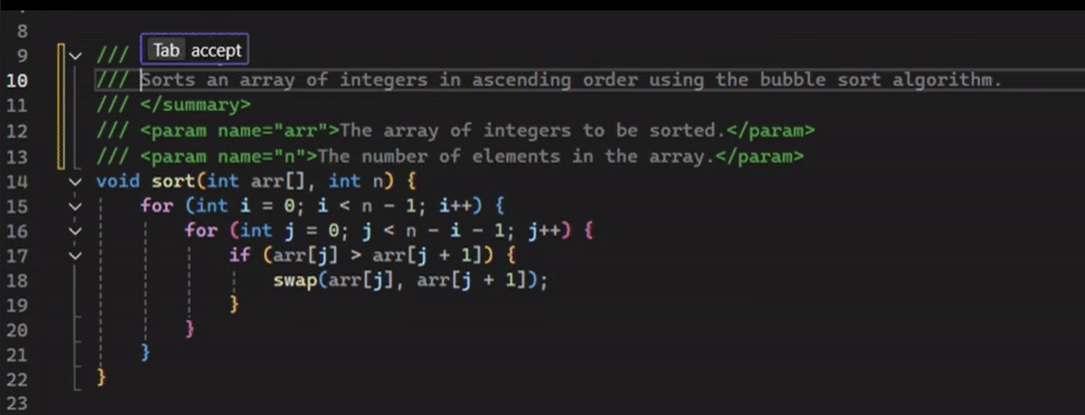
Introducing automatic documentation comment generation in Visual Studio
We are excited to announce that Copilot is now automatically integrated into Visual Studio’s editor to help you generate doc comments for functions. This new feature aims to streamline your documentation process and enhance your coding experience. To access these updates, you will need a GitHub Copilot subscription. If you don’t already have GitHub Copilot, you can sign up for free here. AI doc comment generation If you have automatic doc comment generation enabled via your settings, you can simply type what would trigger your doc comment format (such as ///) and Copilot suggestions will automatically fill o...

New, Simpler Solution File Format

For years, you’ve worked with Visual Studio’s solution file (*.SLN) format, and while it’s a core part of your project organization, we know the experience hasn’t always been smooth. Whether you’ve been modifying, maintaining, or trying to resolve merge conflicts, it’s often felt more like a hassle than it should be. We understand your frustrations, and we’re here to talk about why it’s time for a change and how a new solution file format can make your life easier. The Challenges Despite being a critical element of the Visual Studio ecosystem, the existing solution file format has its share of drawbacks: ...
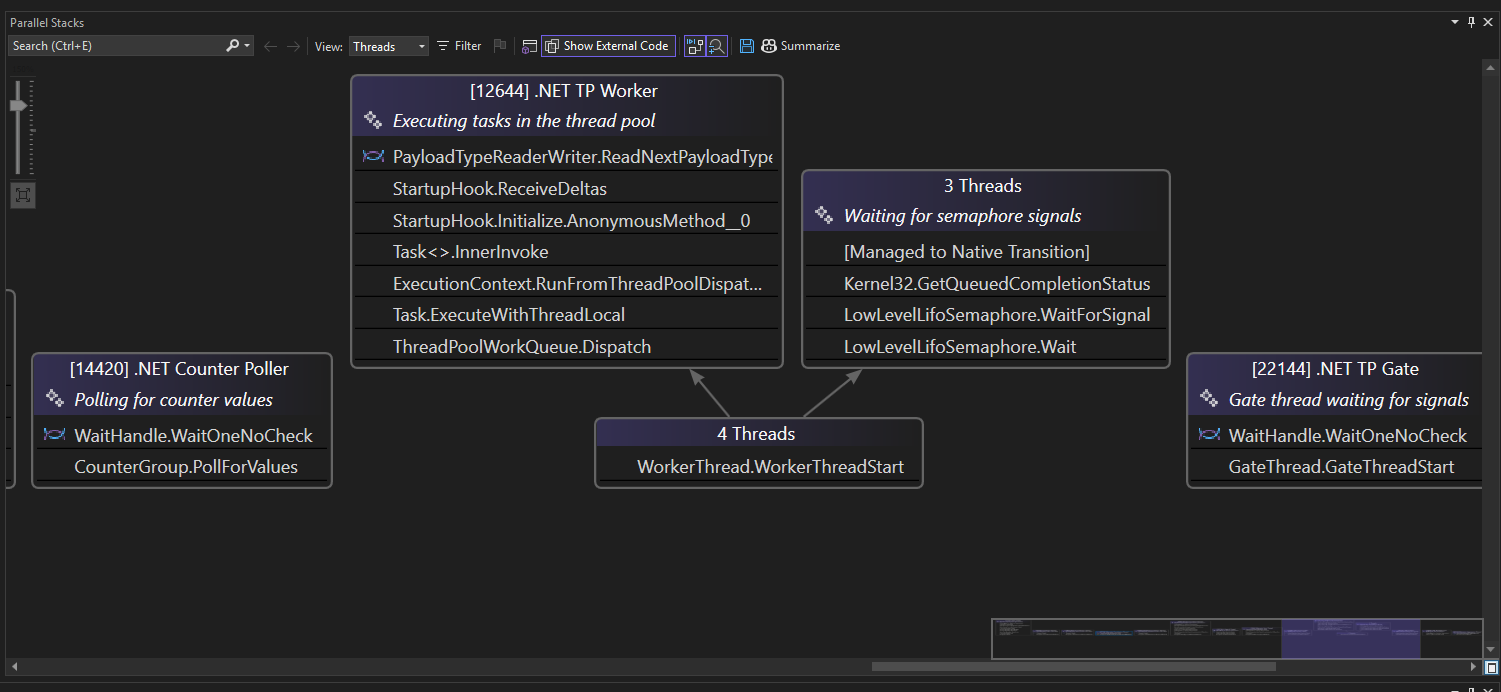
Make more sense of multithreaded debugging
Debugging complex programs often feels like navigating a labyrinth of threads and stack traces. The challenge of understanding thread behaviors and tracing issues can be daunting, leading to longer development times and increased frustration. But now, there's a solution that simplifies this process—introducing AI-powered thread summaries in Parallel Stacks Window with Visual Studio. To address these challenges, Visual Studio introduces two AI-powered features that make debugging more intuitive: thread summaries and app summarization. These enhancements bring clarity to your debugging workflow by providing con...

GPT-4o Copilot code completion model available now in Visual Studio public preview
We are excited to announce that the new GPT-4o Copilot code completion model is now available for GitHub Copilot users in Visual Studio starting in 17.14 Preview 2! This new model, based on GPT-4o mini, has undergone additional training on over 275,000 high-quality public repositories across more than 30 popular programming languages. As a result, developers can expect more accurate suggestions and better performance. Try it out now! For Visual Studio users who have yet to use GitHub Copilot, get started today! There’s even a free plan that includes 2,000 completions and 50 chats per month. You can sign up ...

Unlock Free Access to Cloud Academy: A New Benefit for Visual Studio Subscribers
I’m very excited to share some great news with you! Starting today, if you’re a Visual Studio Professional or Enterprise on an annual paid subscription, you can get free access to Cloud Academy from QA—no trial, and no credit card required. This exclusive benefit is included with your Visual Studio subscription and provides 12 months of free access to Cloud Academy. Act fast—this is a limited-time offer. Just log in to the Visual Studio subscriptions portal at my.visualstudio.com and activate your free plan. What is Cloud Academy? Cloud Academy, now part of QA, is a premier learning platform that helps deve...
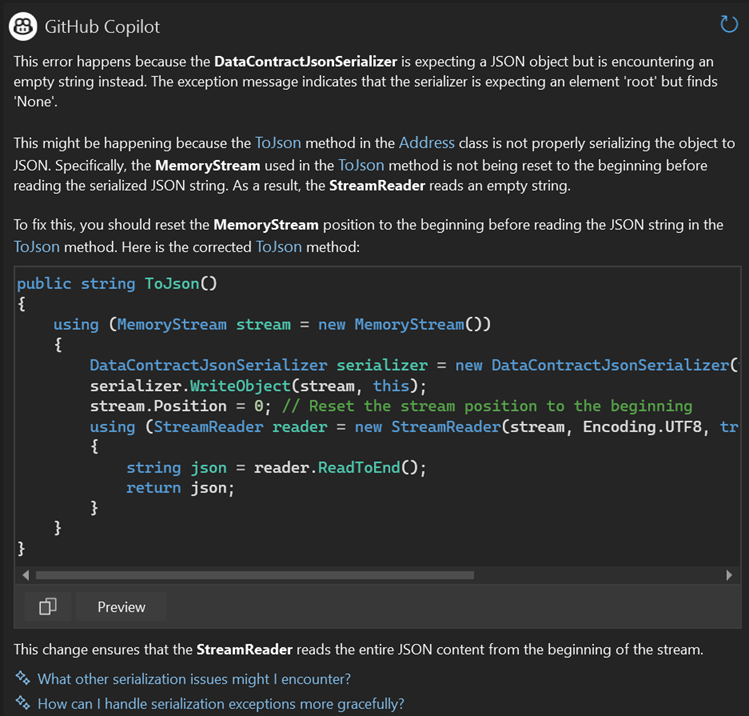
New Debugging and Profiling Features in Visual Studio (v17.13)
The latest Visual Studio update (v17.13) brings a strong set of debugging and profiling features designed to speed up troubleshooting, making it more efficient. With AI-driven features in this release, variable analysis and data inspection are smarter and more intuitive, and problems are easier to identify and debug. Profiling tool improvements also deliver better support and visualization for multi-process execution, native code, and async workflows, with clearer insights into performance bottlenecks. For a full list of debugger and diagnostics features in this release, check out the release notes. GitHub C...

Great new productivity features in Visual Studio
Sometimes it’s the little things in life that matter the most. In the latest version of Visual Studio, we’ve added some features and tweaks that aim to put a smile on your face and make you more productive. Here is a list of some of these, and if you want the full list, make sure to check out the release notes. Customize file encoding Developers working in cross-platform environments often need files to be saved with specific file encodings. Changing these encodings can lead to various issues. Visual Studio now allows you to set the default file encoding for saving files. This feature ensures that your prefe...

Catch issues before you commit to Git
Discovering issues with code changes after committing changes can be frustrating. Fortunately, Visual Studio offers a new feature that helps you catch potential problems early, improving your code quality. Visual Studio now includes a feature powered by GitHub Copilot that lets you review your local code changes before committing them, before they are part of your pull request. This can help identify performance and security issues early, ensuring you maintain a higher quality codebase. How to Get Started To use this feature, ensure your GitHub Copilot subscription is active and enabled within ...

Claude 3.7 Now Available in GitHub Copilot for Visual Studio
The world of AI is evolving at a breathtaking pace, and today brings an exciting milestone for developers and tech enthusiasts alike. Anthropic’s newest release, Claude 3.7, is now available directly within GitHub Copilot for Visual Studio 2022 17.13, heralding a new era of seamlessly integrated, advanced AI coding assistance. This new Sonnet model supports the non-thinking modes in Copilot. How to Access Claude 3.7 Getting started is easy: If you don’t see Claude 3.7 as an option, there could be two reasons: Learn More For further details, check out the Using Claude Sonne...

Leverage vision in Copilot Chat
Now, in the preview channel, you can attach images in GitHub Copilot chat to help you illustrate your ideas effectively and get the best responses. Imagine working on a UI development task where describing a design or layout through text just doesn't cut it. Or perhaps you're debugging an issue and need to share a screenshot of an error state or message. Starting in 17.13 Preview channels, you can now paste an image from your clipboard or use the paperclip icon in the chat window to upload your image directly from your file explorer. Simply add your prompt text and send! Copilot will analyze the image and...

Unlocking More Power: Tool Calling in GitHub Copilot for Visual Studio
Have you ever been frustrated when Copilot doesn’t understand you? While it can’t read your mind, we’ve been working hard to make your coding experience smoother. Previously, Copilot in Visual Studio could look at files in your repository, but you needed to specify the context of your code manually. We understand this wasn’t the most intuitive experience, so we’ve been working on a smarter way to infer information automatically. Introducing Tool Calling: A Smarter Copilot Tool Calling is here—a major update that changes how you interact with Copilot. Now, Copilot can automatically search for more relevant co...

Introducing Code Referencing for GitHub Copilot Completions in Visual Studio
When GitHub Copilot completions (or “gray text”) pop up on your screen, have you ever wondered where does the completions come from and worried about if it matches with public code leading to license issues? If you have, we are introducing code referencing to support you and provide more transparency! We are excited to announce that code referencing is available now for GitHub Copilot Completions in Visual Studio 2022 17.13, a feature previously introduced in Copilot Chat (see previous blog post). So you can feel more confident when accepting the completions! Learn about Completions Public Code Match When yo...

VisualStudio.Extensibility: Tagger support and updates to settings
We continue to invest in the VisualStudio.Extensibility SDK to allow users like you to create extensions that run faster and smoother than ever before! VisualStudio.Extensibility helps you build extensions that run outside the main Visual Studio IDE process for improved performance, reliability, and installation without restarting Visual Studio. Additional benefits include a sleek and intuitive .NET 8-based API and comprehensive, well-maintained documentation to help you develop amazing extensions faster than ever before. For the latest up-to-date docs and installation instructions, visit https://aka.ms/Vi...

New restrictions on package loading

As Visual Studio transitions its core packages and services to an async loading/retrieval model, we've identified bugs in both the initial async implementation and the existing synchronous package loading mechanism. While most of these bug fixes have been transparent to extenders, one requires attention due to changed constraints. This post highlights that change. Note that this is only applicable to VSSDK based extensions and does not apply to VisualStudio.Extensiblity. For more information on the differences between extensibility models in Visual Studio, please refer to this documentation: Choose the right V...

First preview of Visual Studio 2022 v17.14
We are pleased to announce the release of Visual Studio 2022 v17.14 Preview 1, marking the initial preview of our next update to Visual Studio. This update prioritizes delivering exceptional developer experiences, with an emphasis on stability and security, as well as AI enhancements. Download the preview and see the full list of enhancements in the release notes. Stability & security In this release, we’re focusing on bug fixes that help make Visual Studio more stable and secure. This is something we do from time to time. Our goal is to ensure that developers can work in a reliable and secure environme...

Visual Studio 2022 v17.13 is Now Available!
We are excited to announce the availability of Visual Studio 2022 v17.13. This update focuses on stability and security, along with continuous improvements for all developers using Visual Studio. Based on your feature requests, several new tools and enhancements have been added to this release. This update includes improvements for developers, such as advanced debugging capabilities, efficient code management, and enhanced security features. These additions aim to simplify workflows and boost productivity. For detailed information on each new feature, check out the release notes. If you’re pressed f...

VisualStudio.Extensibility: Managing .NET runtime versions
We continue to invest in the VisualStudio.Extensibility SDK to allow developers like you to create extensions that run faster and smoother than ever before! VisualStudio.Extensibility helps you build extensions that run outside the main Visual Studio IDE process for improved performance and reliability, and that can be installed without the need to restart Visual Studio. Additional benefits include a sleek and intuitive .NET 8-based API and comprehensive, well-maintained documentation to help you develop amazing extensions faster than ever before. In the recent releases of Visual Studio, we've focused on d...
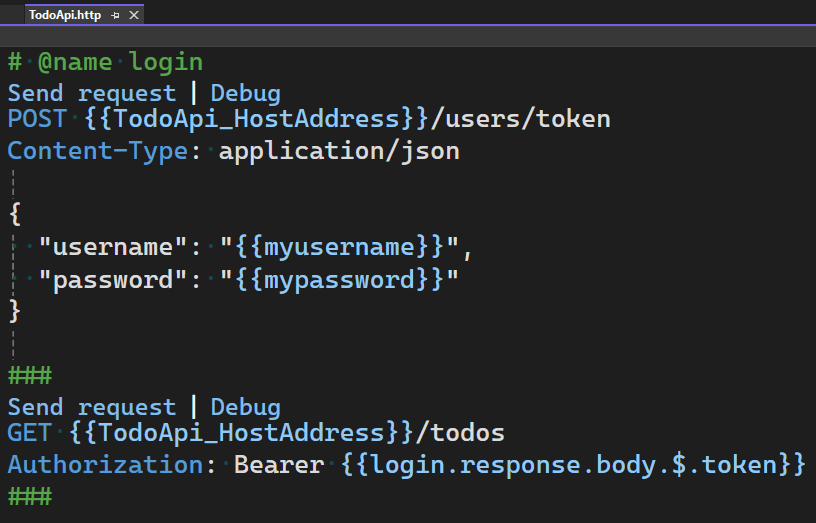
HTTP File updates for Request Variables and more

Many users have requested adding support for Request Variables in HTTP files in Visual Studio. With Request Variables, you can send an HTTP request and then use data from the response, or request, in any subsequent request that is sent from the HTTP file. We have also added support for a shared environment, $shared, which enables you to share variables across different environments. In this post we will outline the new support which has been added for Request Variables and more. All the features listed in this post are included in Visual Studio 2022 17.12+. Request Variables When working with APIs it’s common t...

Your fonts are now preserved when changing theme
Do you find yourself adjusting your font settings every time you change themes in Visual Studio, We've made some changes that we think will help. The latest update in Visual Studio 2022 allows theme switching without affecting font settings. This feature maintains the selected font face and size regardless of the chosen theme, while font colors continue to adapt to the theme. Seamless integration for a better user experience This improvement is automatically enabled for all users, facilitating a consistent appearance in your coding environment. If you prefer the prior behavior, you can revert it easily. ...

Customize your AI-generated git commit messages
When it comes to collaborative software development, clear and effective communication is key. One area that often gets overlooked is the Git commit message. Poorly crafted suggestions and feedback for the AI-generated commit messages, and now you can add custom prompt instructions! This new capability enables you to tailor commit messages to fit your workflow and team's standards seamlessly. This means you have control over the number of lines, the length of the lines, and even the style of the commit message. By specifying these details, you ensure that each commit message is meaningful and consistent...

Customizing collapsed text Indicators

Visual Studio 2022 introduces new options for customizing the collapsed text indicator, which helps in distinguishing between different sections of collapsed text in the editor. This aims to make the coding environment more intuitive and easier to use by providing additional customization for visual cues. Customizing your coding environment You can now personalize the color and background of the editor’s collapsed text indicator independently by setting custom colors for both the collapsed and expanded text indicators. This feature can be accessed via the Tools > Options > Environment > Fonts and C...
Iterate across multiple files more efficiently with GitHub Copilot Edits
GitHub Copilot Edits in Visual Studio 2022 combines the conversational flow of chat and an inline review experience to help you iterate across your codebase with more control and efficiency. 💡 Here’s how Copilot Edits helps with iterating across multiple files: Available in Visual Studio 2022 17.13, released February 11th. *Preview versions of this feature were released in 17.13 Preview, released December 18th, 2024. Get started with GitHub Copilot Edits in Visual Studio For more details on how to use Copilot Edits, visit our documentation. Watch Copil...

Announcing a free GitHub Copilot for Visual Studio
We're excited to announce an all new free plan for GitHub Copilot, available for everyone today in Visual Studio. All you need is a GitHub account. No trial. No subscription. No credit card. With GitHub Copilot Free, you’ll receive: https://www.youtube.com/watch?v=f8CkP7SC-kM GitHub Copilot’s Features in Visual Studio GitHub Copilot transforms your Visual Studio experience with powerful features designed to save you time and supercharge your productivity: Copilot Edits: Multi-File Editing Copilot Edits helps you quickly make changes to multiple files with just one prompt. Edits combines t...
Our Favorite NEW Visual Studio Features of 2024

Last year, the Visual Studio team delivered many new developer-focused improvements and AI integrations, many of which came directly from your feedback on Developer Community. In this post, we highlight the team’s favorite features from 2024 that boost productivity, streamline workflows, and enhance your coding experience. Let’s dive in! Image Hover Preview: See your images instantly! (Mads Kristensen 00:30) Struggling to visualize referenced images in your code? Visual Studio’s Image Hover Preview solves this by showing a quick preview of any image, complete with dimensions and file size, when you hover ...
Join us at VS Live! 2025 Las Vegas
Join Your Favorite Speakers at VS Live! Las Vegas With the new year here, many developers are looking for the best ways to stay ahead in a rapidly evolving tech landscape. That’s why Visual Studio Live! Las Vegas, March 10-14, 2025, is a must-attend event! Stay ahead of the curve with the latest enhancements in .NET, Azure, GitHub, GitHub Copilot, Visual Studio, and more. Visual Studio Live! Las Vegas is your fastest way to catch up on the innovations shaping the tech landscape. What Makes VS Live! Las Vegas a Must-Attend? From hands-on workshops to deep-dive sessions, this event is loaded with practical g...

Enhanced Change Signature in C++

Change Signature allows you to modify a function's parameters, including reordering, adding, removing, or altering them across various locations. Previously, the Change Signature feature in Visual Studio involved multiple clicks and nested pop-up windows. In Visual Studio 2022 version 17.12, we've reduced the number of clicks and eliminated these nested steps to streamline the process. Simplified Process with Intuitive Interface We have updated the user interface for the Change Signature feature based on direct feedback we received from C++ developers to reduce the number of clicks and pop-up windows. It al...

Benchmarking with Visual Studio Profiler
In Visual Studio 17.13 Preview we have released our updated BenchmarkDotNet diagnosers, allowing you to use more of the tools in the performance profiler to analyze benchmarks. With this change it is super quick to dig into CPU usage and allocations of benchmarks making the measure, change, measure cycle quick and efficient. Benchmarking a real project So, to show how we can use the tools to make things better let's go ahead and benchmark a real project. At the time of writing this article, CsvHelper is the 67th most popular package on Nuget.org with over 9 million downloads of the current version. If we can be...
Unlocking insights with Meter Histogram in the profiler
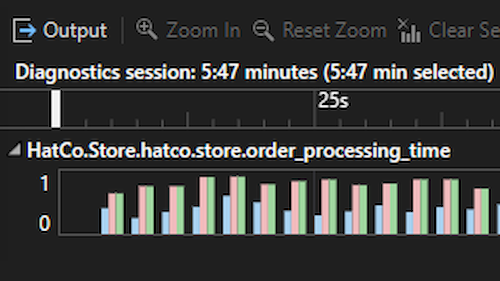
Are you struggling with performance bottlenecks in your applications? Look no further! Visual Studio 2022 introduces the Meter Histogram feature in its performance profiling suite, providing you with the tools to analyze and visualize histogram data like never before. The Meter Histogram is a key enhancement to Visual Studio's performance profiling suite. This feature enables you to capture and analyze histogram data generated by various performance instruments, offering clear insights into the distribution of your application's data. By visualizing this data, you can easily identify patterns and anomalies...
Dock the Code Search window in Visual Studio 2022
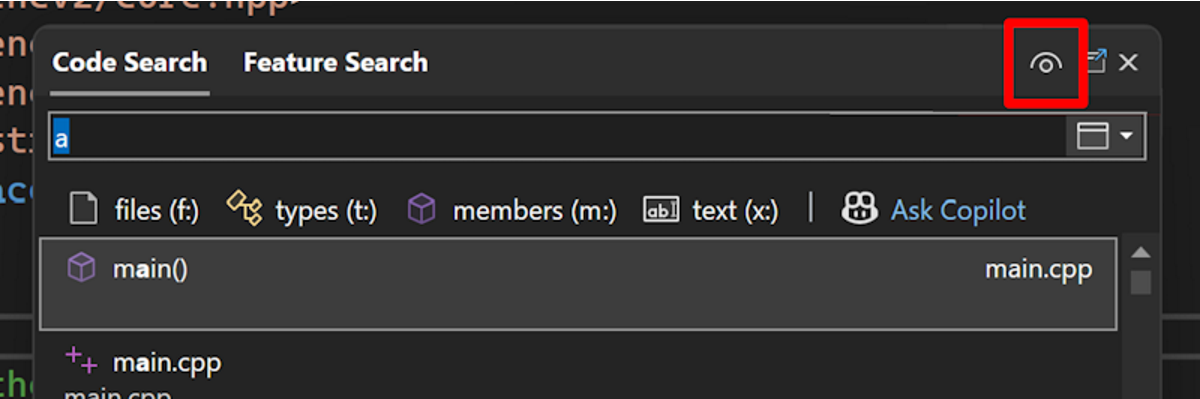
Ever felt frustrated with the search window cluttering your workspace? The latest feature in Visual Studio 2022 gives you more control over the behavior of the Code and Feature Search window, making your search experience smoother and more efficient. Some users have shared that the search window feels intrusive, interrupting your work by appearing mid-screen or on the wrong screen and taking up precious screen real estate. You now have the option to turn the search window into a tool window and dock it where you’d like. Choose how you want your search window Visual Studio now allows you to dock the searc...
Go to line anywhere with Code Search for Visual Studio 2022
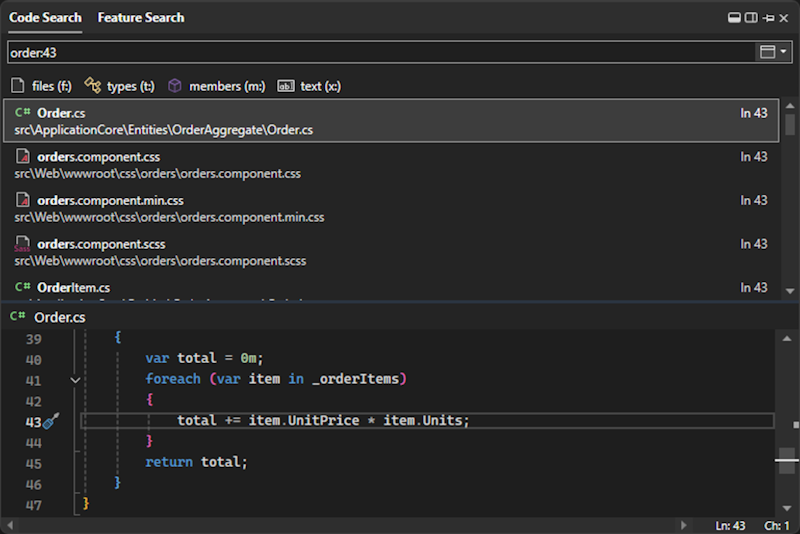
Finding the exact line of code where an issue is occurring can be like searching for a needle in a haystack. Whether you are debugging an error on line 43 of a file or diving into a specific section of code, you can efficiently jump to the right places with this newest addition to Code Search. In Code Search, you can now jump to a specific line in the current file or another file, making it faster and easier to move around your codebase. Navigate to a line in the current document No need to scroll endlessly to find a specific line. With the updated Code Search, you can swiftly jump to any line in the current...

Connect securely to your Azure resources
Visual Studio 2022's Connected Services features are being updated to help you start secure. In the past, for example with Azure Storage, we’d inject the entire connection string into your configuration. With this update, we’ve removed the secrets from the UX – and from what we save to configuration – altogether. This means your code has fewer secrets in it, so you won’t push those into your source control repository inadvertently. Integrated authentication, by default Prior to this update, Connected Services would inject secret-inclusive connection strings for resources like Azure Storage into your secrets...
Security updates to Azure publishing from Visual Studio
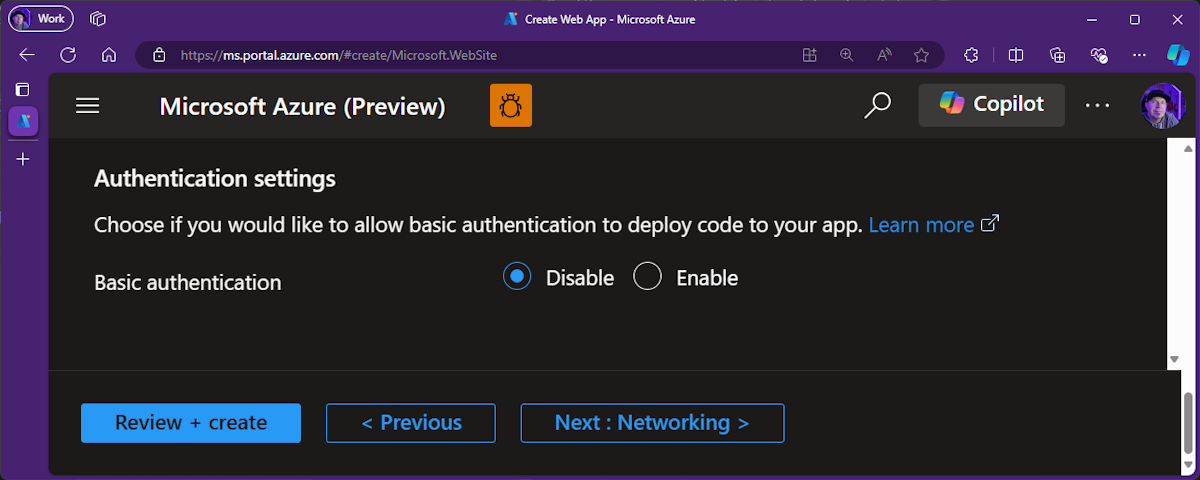
Visual Studio 2022 introduces a new feature to improve the security of publishing applications to Azure App Service. This feature is designed to disable Basic Authentication and enable integrated security for a more secure publishing process. Basic Authentication has been identified as a less secure method for managing app deployments. Visual Studio 2022 addresses this issue by offering you an option to disable Basic Authentication, which enhances security by using integrated authentication. The problem with Basic Authentication Basic Authentication involves sending user credentials in a format that is n...
GitHub Copilot Free is here in Visual Studio
If you haven’t already heard, GitHub just announced Copilot Free! And great news: you can already start using Copilot Free right now in Visual Studio. It's available now, and we're putting the finishing touches on a more streamlined experience in January. We’re excited to bring these benefits to the entire Visual Studio family. With Copilot Free, you’ll have AI-powered tools right at your fingertips—smarter debugging, AI generated commit messages, AI-breakpoint placement, and of course, direct access to Completions, Chat, and much more. Developers have seen a 25% speed increase with Copilot—and now you can exp...
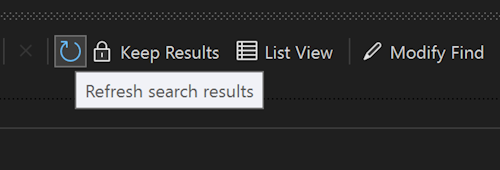
Refresh your Find results
Are you tired of having to repeatedly launch the Find window in Visual Studio to update your search results? Whether you've just refactored some code or pulled recent changes, having to redo a search to get updated results is no longer necessary. With the new refresh option, you can now update your Find results without the hassle of starting over. The Refresh search results button in Visual Studio 2022 will save you time and effort when searching through your code. Refresh your previous Find No more friction when updating your earlier Find results! After completing a Find, you can click the clockwise arr...
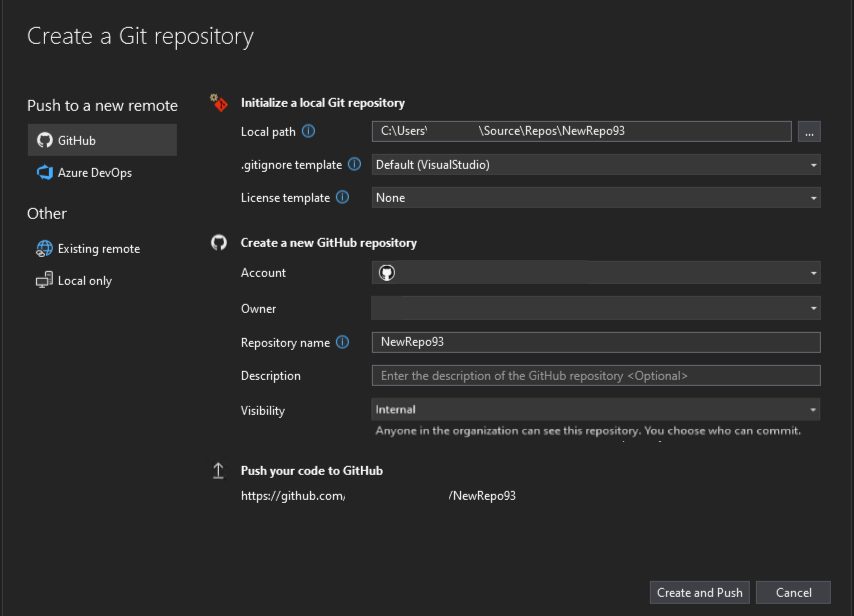
Create internal GitHub repos for your team
Visual Studio 2022 now includes support for creating internal repositories for GitHub organizations. This feature allows developers to work within their GitHub organization's guidelines within the Visual Studio environment more effectively. Managing repositories involves configuring varying levels of visibility and permissions. Visual Studio 2022’s new feature aims to smooth this process by providing support for internal repositories, ensuring that developers can be aligned with their organization's polices when they create new repositories. How it works In the Create a Git repository dialog, the visibil...

Boost your Git confidence with the new file rename notification
Have you ever renamed a file in Solution Explorer and wondered if Git is tracking your changes correctly? You're not alone. Many developers have found this process confusing and worry whether their changes are being properly staged in Git. But worry no more - there's a solution! When you rename files in Solution Explorer, Visual Studio 2022 will now remind you to stage your changes to see the renamed files in Git. This small but mighty notification ensures that Git is recognizing your file change. Why This Matters There is often confusion on how Git works when you rename files, especially since there’s a...
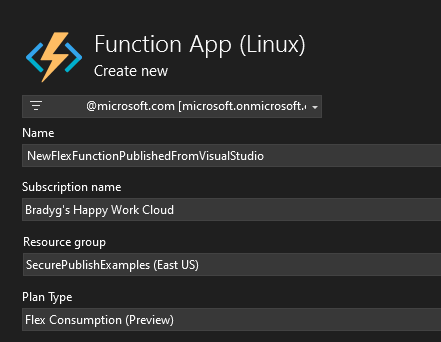
Effortless publishing with Azure Functions Flex Consumption
Struggling with complex deployment processes for your serverless applications? Visual Studio 2022 introduces a seamless solution with the new Azure Functions Flex Consumption hosting plan, now generally available. Imagine a world where deploying your serverless applications to a hosting plan that supports fast scaling and VNet is as simple as a right-click. With the Azure Functions Flex Consumption hosting plan, this is now a reality. This feature allows you to right-click publish to Flex directly from Visual Studio 2022, streamlining your workflow and saving valuable time. One of the standout features ...
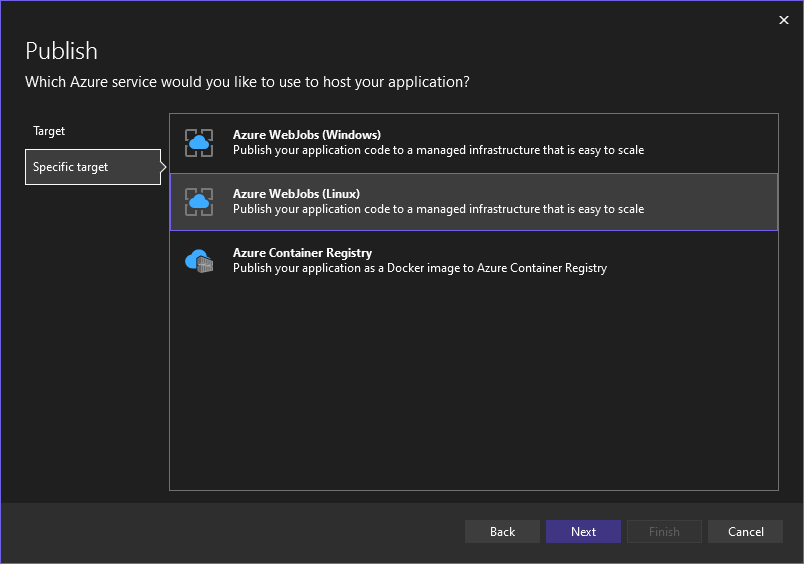
Effortless publishing to Azure WebJobs on Linux
Are you tired of the cumbersome process involved in publishing your .NET console applications to Azure WebJobs on Linux? For developers yearning for a seamless and efficient method to deploy their applications, Visual Studio 2022 introduces a much-anticipated solution. Visual Studio 2022 now supports right-click publishing to Azure WebJobs on Linux, making the deployment process faster and more intuitive than ever before. This new feature brings much-needed convenience to developers working with cross-platform .NET 5.0+ Console Apps, allowing them to effortlessly publish their code with just a few clicks. ...
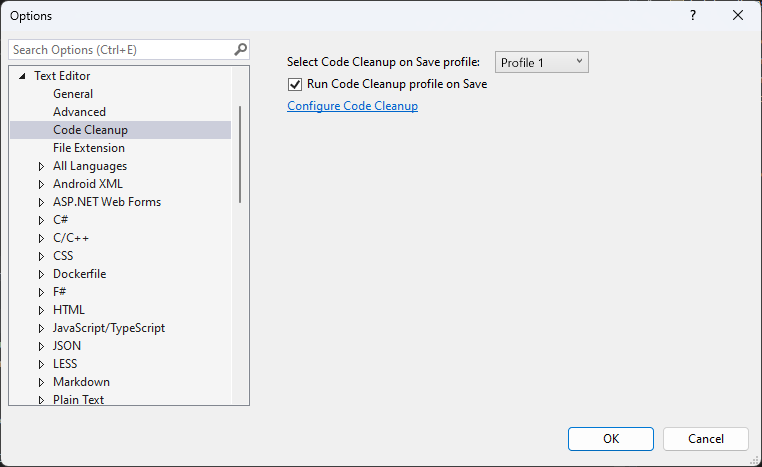
Keep working with non-blocking Code Cleanup
Are you tired of waiting for Code Cleanup to finish every time you save your work? Visual Studio 2022 will no longer lock up and get in the way of your tasks as it’s cleaning up the code under the covers. Every developer knows the importance of maintaining clean code. However, the traditional Code Cleanup process in Visual Studio could take a while to run and lock up the entire IDE, which made it inappropriate to run on save for all scenarios. These interruptions could break your flow and slow down your development progress. Now, when you save your work, Code Cleanup can run seamlessly in the background...
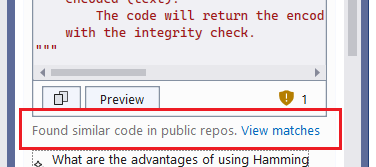
Introducing Code Referencing for GitHub Copilot Chat in Visual Studio
Are you tired of the uncertainty that comes with using code suggestions from AI tools? We've got exciting news for you! Visual Studio 2022 now includes code referencing in GitHub Copilot, ensuring greater transparency and control for developers. We are thrilled to announce that code referencing is now available in GitHub Copilot Chat within Visual Studio. This new feature introduces a filter that detects when code suggestions match public code on GitHub, providing you with valuable context to make more informed decisions about the code you incorporate into your projects. Make Informed Decisions with Code Sugg...
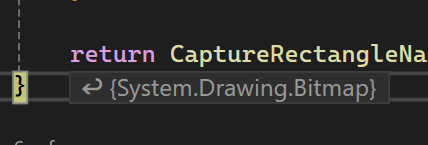
How Inline Return Values Simplify Debugging in Visual Studio 2022
Have you ever found yourself creating temporary variables just to inspect return values from functions? It’s a small task that can quickly become tedious, breaking your rhythm and cluttering up your code. Visual Studio 2022 introduces a smarter way to handle this with "Inline Return Values," allowing you to stay focused on coding without the extra steps. This new feature allows you to view return values directly in your code, right where you need them. With Copilot integration, you can go a step further by analyzing the return values in real time. It simplifies understanding and verifying your code’s behav...
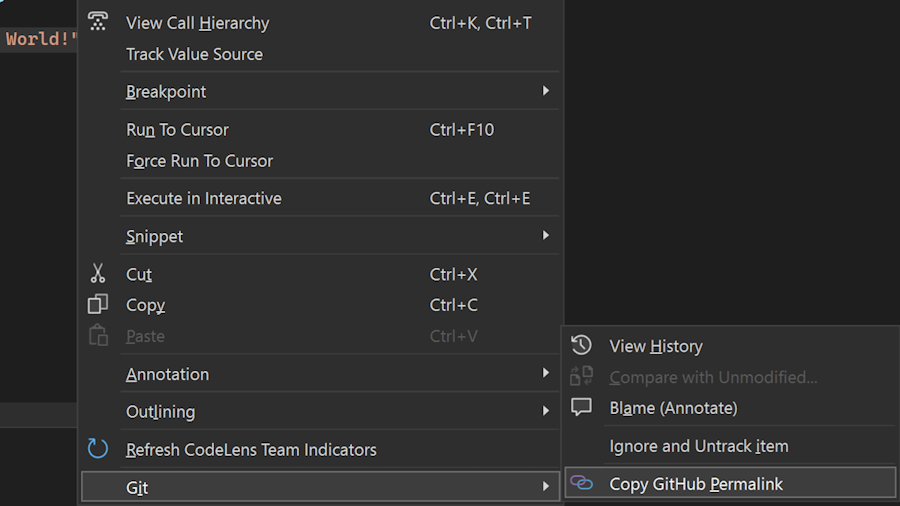
Introducing the Copy Git Permalink Feature in Visual Studio 17.12

We are excited to announce the release of the Copy Git Permalink feature in Visual Studio 17.12. This new functionality streamlines the process of sharing code references, enhancing collaboration and ensuring that critical context is preserved. Effortless Code Sharing If you’ve found yourself needing to share code snippets with colleagues, you know the challenges of preserving context. With the new Copy Git Permalink feature, you can now generate a permalink directly from Visual Studio to the remote repository. Simply select the desired code, right-click, and choose the “Copy Permalink” option under the Git s...
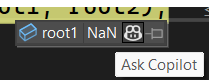
AI-Powered Insights: Streamlining Variable Analysis with GitHub Copilot in Visual Studio
Tired of spending countless hours troubleshooting errors and unexpected values in your code? Visual Studio 2022 introduces GitHub Copilot Variable Analysis. This powerful tool makes inspecting and analyzing variables from Locals, Autos, watch windows and DataTips effortless, helping you solve issues faster and cutting down on time and frustration. Enhanced Debugging Experience Debugging can often resemble searching for a needle in a haystack, especially in complex codebases. But GitHub Copilot Variable Analysis can make the debugging experience much easier and smoother. Simply hover over any variable in the Loc...
Transform your debugging experience with GitHub Copilot

Are your unit tests failing, and do you want to debug them more effectively? The latest feature in Visual Studio 2022, powered by GitHub Copilot, has the perfect solution for you. Introducing the Debug with Copilot button in Test Explorer, this feature takes the hassle out of debugging failed tests and gets you closer to passing tests in no time. Debugging failing unit tests can often be a tedious and frustrating process. Developers spend significant time identifying the root cause of the failure and figuring out the steps to resolve it. This time-consuming process can delay development timelines and reduc...
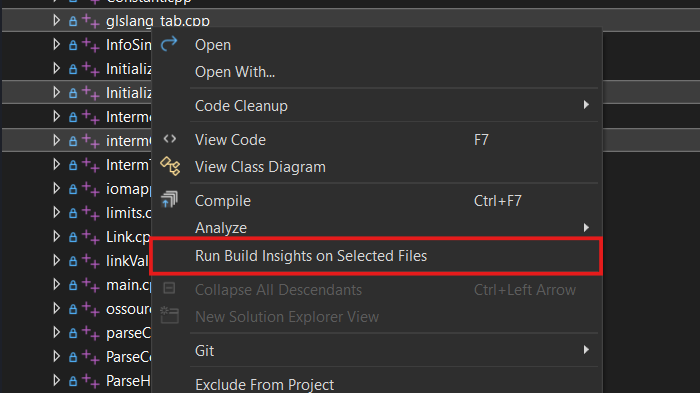
Updates for C++ developers in Visual Studio 2022 17.12

Visual Studio 17.12 is here and comes with a host of new features for C++ developers. We’ve made improvements across our toolchain, C++ Build Insights, Unreal Engine support, and more. This post gives a quick overview of what’s available; for all the details, see What’s New for C++ Developers in Visual Studio 2022 17.12 on the C++ blog. Standard Library and MSVC Compiler As always, you can find all the details about our STL work in the changelog on GitHub. Thanks to everyone who contributed changes for this release! On the conformance side, we have finished the implementation of C++23’s P2286R8 Formatting Ra...

Debugger and Diagnostics updates in Visual Studio 17.12
We are thrilled to announce a host of exciting new features in Visual Studio 17.12, designed to enhance your development experience and boost your productivity. Our team has been working diligently to address some of the most popular requests from our developer community, and we are confident that these updates will significantly improve your workflow. For a full list of updates, check out the release notes. Display Inline Method Return Values The Visual Studio debugger now displays inline values for return statements, responding to one of the most requested features from the developer community. This enh...
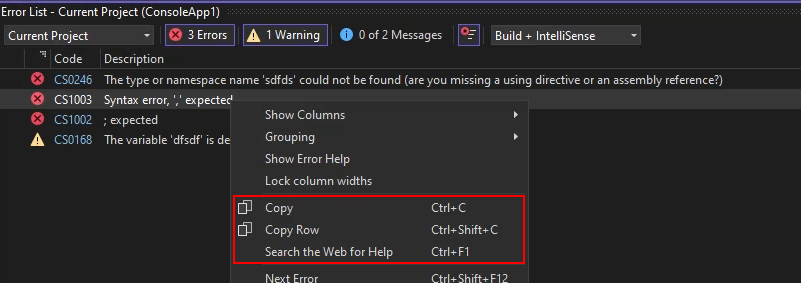
Copying error messages just got easier
Have you ever been frustrated by the tedious process of copying error descriptions from the Error List? Previously with Visual Studio, copying an error would include all column headers and row values, which isn’t always what you want. If you were planning to search for the error online, it was a hassle to clean up the text after pasting. Now when you `Ctrl+C` on a row in the Error List, only the error description is copied to the clipboard. You can still copy the entire row with `Ctrl+Shift+C` and now even directly search the web for the error. This makes it easy to get the information you need, saving pre...
Top 5 GitHub Copilot Features in Visual Studio from Microsoft Ignite 2024

At this year’s Microsoft Ignite, it was truly exciting to see Scott, Dalia, and Jessie demo some of the most innovative features of GitHub Copilot that are transforming the developer experience in Visual Studio. From the breakout session, we highlighted five standout features that are pushing productivity to the next level. Whether you're working on complex edits or crafting custom workflows, these tools showcase how AI can elevate your coding game in ways you never thought possible. *Note: It will take 24-48 hours after the session for the recording to be uploaded. 1. Copilot Edits: Collaborative Ite...

Making you more productive with Visual Studio v17.12
The 12th update to Visual Studio 2022 is packed with lots of exciting new features that users have been asking for! Here are some of the awesome highlights from this release that are some of my personal favorites. For all the details, be sure to check out our release notes. Copy from the Error List You see an error in the Error List that you don't know how to fix. So, you select it and hit Ctrl+C to copy the description for a web search. After you've pasted it into the search engine, you realize it copied all column headers and row values instead of just the description. Now you must delete everything except th...
Copy files across instances of Visual Studio
Transferring code files between different instances of Visual Studio has often been a tedious task. To simplify this process, Visual Studio 2022 now includes a feature that allows you to easily copy and paste code files and folders between instances using the Solution Explorer. This enhancement aims to streamline workflow and save time. Until now, moving code files and folders between different Visual Studio instances has been a hassle. Developers often had to manually relocate files, risking errors and inefficiencies in their workflow. With the new copy and paste functionality, this problem is now a thing...

VisualStudio.Extensibility 17.12: CodeLens support is here!
We continue to invest in the VisualStudio.Extensibility SDK to allow users like you to create extensions that run faster and smoother than ever before! VisualStudio.Extensibility helps you build extensions that run outside the main Visual Studio IDE process for improved performance and reliability, and can be installed without the need to restart Visual Studio. Additional benefits include a sleek and intuitive .NET 8-based API and comprehensive, well-maintained documentation to help you develop amazing extensions faster than ever before. This 17.12 release builds on our previous releases and brings support for...
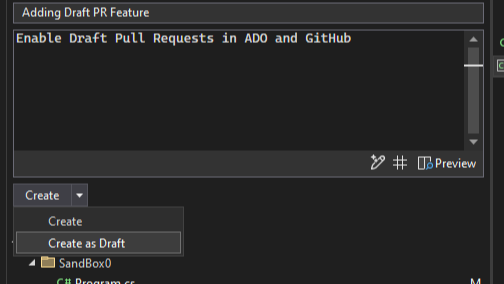
Git tooling updates in Visual Studio 17.12
We are thrilled to announce the latest updates to Git tooling in Visual Studio, designed to enhance your development experience and streamline your workflow. These new features are in direct response to user feedback, ensuring that you have the tools you need to be more productive and efficient. For the full list, check out the release notes. Pull request drafts and templates You can now create pull request drafts and start your descriptions with GitHub templates in Visual Studio. These were the two top requests for the create a pull request experience. Draft PRs Use the drop-down menu on the Create button to...
Join Us at Microsoft Ignite: Unlock GitHub Copilot’s New Potential in Visual Studio
Get ready for an exciting Microsoft Ignite breakout session where we’re unveiling the latest advancements in GitHub Copilot in Visual Studio! Join Dalia Abo Sheasha, Jessie Houghton, and Scott Hanselman as they dive into how GitHub Copilot is evolving to help developers work smarter, collaborate better, and achieve more. Here’s a little preview of what we’ll be discussing: Enhanced AI-Powered Coding Experience We’ll be sharing some powerful new tools that make prompt crafting and code completion smoother than ever. Discover how GitHub Copilot’s conversational abilities are growing to bring even more ...
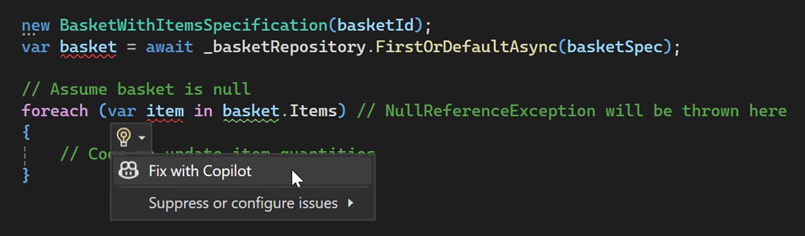
Fix Code with GitHub Copilot

Looking to resolve code issues quickly? The new GitHub Copilot feature integrated into the lightbulb and error list in Visual Studio 2022 offers a valuable solution for developers. Whether you're working in C# or C++, this feature will help you understand and address problems in your codebase more efficiently. The integration of GitHub Copilot into Visual Studio 2022 provides quick fixes and insightful explanations right at your fingertips. Say goodbye to sifting through documentation or conducting endless online searches to debug your code. The lightbulb and error list now offers direct access to GitHub Copil...

First preview of Visual Studio 2022 v17.13
We’re excited to announce the availability of Visual Studio 2022 v17.13 Preview 1 – the first preview of our next update to Visual Studio. This update focuses on providing fantastic developer experiences across the board, with a focus on stability & security, and AI & productivity. Download the preview and see the full list of enhancements in the release notes. Quality & security Ensuring the highest standards of quality and security is paramount. Visual Studio 2022 v17.13 incorporates robust quality and security enhancements designed to provide a seamless and secure development environment. ...

Visual Studio 2022 v17.12 with .NET 9
We are thrilled to announce the General Availability (GA) of Visual Studio 2022 version 17.12. This update focuses on providing fantastic developer experiences for working with .NET 9 projects and new AI productivity features, along with continuous improvements for all developers. Thanks to your continuous feature requests, we've incorporated many of them in this release. There's something new for every developer. We have added several new tools and enhancements that simplify your workflow and improve productivity. Whether you're looking for advanced debugging capabilities, more efficient code management, ...

Better GitHub Copilot Completions for C#
We're excited to announce a significant enhancement to GitHub Copilot that elevates your C# coding experience. Introducing the new update: GitHub Copilot code completions now provide more accurate and relevant autocomplete suggestions by incorporating additional C# context. Previously, GitHub Copilot generated suggestions based on the content of your currently active file and any other open files in your editor. While this approach was helpful, we have discovered that including more relevant context can greatly improve the quality of these suggestions. With this latest update, GitHub Copilot now automatical...
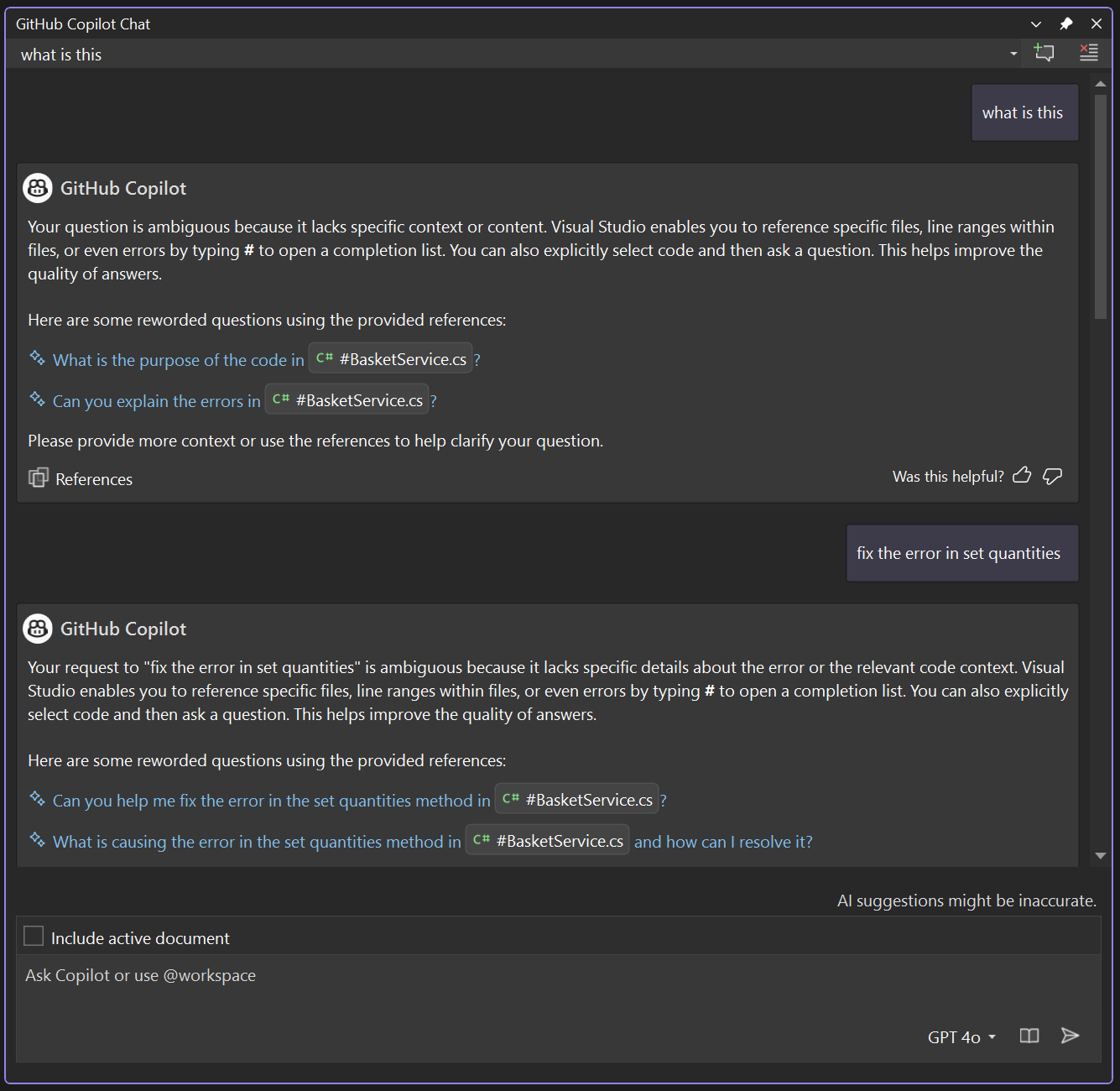
Introducing a new, more conversational way to chat with GitHub Copilot
In the fast-evolving world of software development, intuitive AI-driven interactions are becoming essential to unlocking new levels of productivity. Today, we’re excited to share our latest innovation - a guided chat experience within GitHub Copilot that reshapes how developers interact with AI. This guided chat experience is available in Visual Studio 2022 17.12 Preview 3 and above. This guided way to chat was created with one clear goal in mind: to make interactions between developers and AI more natural, effective, and aligned with everyday workflows. It is our deep belief that conversational AI is the futu...

Learn how to create a Client-Server Application in under 45 Minutes in the new Season of AI

What if you could create a robust, versatile client-server application in under 45 minutes? With Visual Studio and GitHub Copilot, this is not only possible but also efficient and enjoyable. This Season of AI, we show you how to use developer tools like GitHub Copilot to create apps from scratch. This season of AI occurs from October 1 through December 30, 2024, and the first 150 speakers with confirmed events will receive a special swag gift pack! You will experience firsthand how to: - Develop both server-side and client-side code using .NET, Blazor, and Minimal APIs. - Run and test your applicatio...
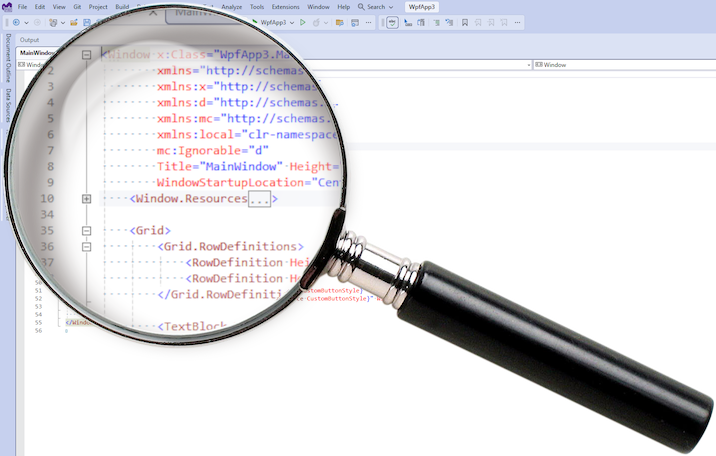
The making of Bring Back Plus/Minus

A lesson about the software forensics process involved in developing the Bring Back Plus/Minus extension, which brings back the plus/minus symbols to the editor outlining feature in Visual Studio 2022. While I did have the advantage of being able to look at the Visual Studio source code, I could have figured this out just as well without it, and that's the focus of this article. The investigation of how to bring back the plus/minus symbols started with this important clue from a comment on the Developer Community feedback ticket for this issue: However, Visual Studio has a very rich extensibility model, an...

Unreal Engine Toolbar in Visual Studio
In Visual Studio 2022 version 17.11, we’ve added a new Unreal Engine toolbar to Visual Studio. The Unreal Engine toolbar is a new feature that provides quick access to common Unreal Engine tasks. You can find the toolbar at the top of your code window when you have an Unreal Engine project loaded. The toolbar includes the following actions: Attach to Unreal Engine process: Lets you easily debug your game or editor by attaching to the running Unreal Engine process. You can choose which process to attach to from a drop-down menu. Rescan Blueprints Cache: Refreshes the cache of Blueprint symbols in Visu...
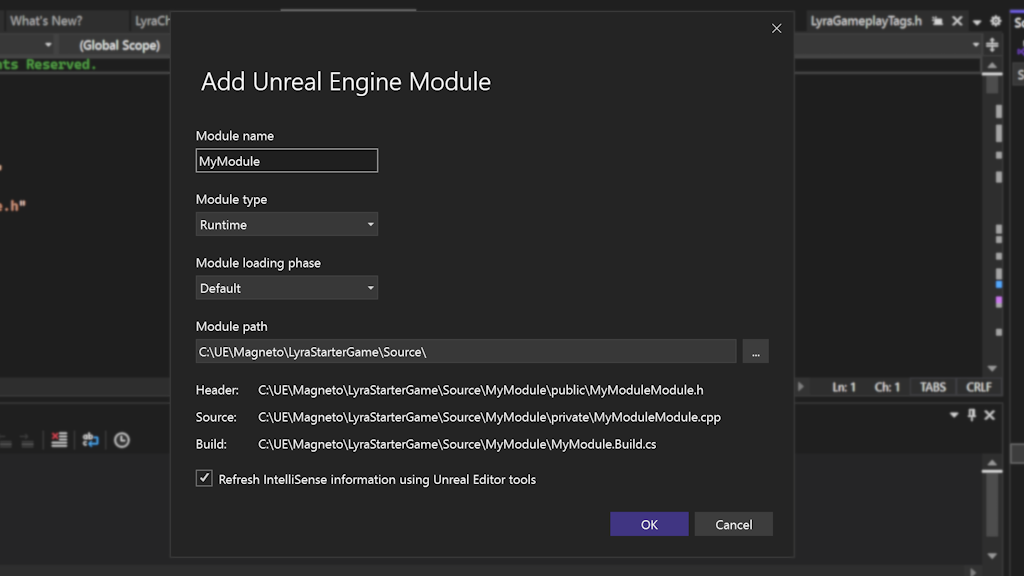
Create Unreal Engine modules faster
Unreal Engine modules help keep your code organized and modular. However, creating modules can be a tedious and error-prone process that involves manually editing configuration files and adding boilerplate code. Visual Studio 2022 version 17.11 comes with a new dialog to help with this process. With the new Add Module dialog, you can quickly add new modules to your project without leaving Visual Studio or manually editing configurations. How to use the Add Unreal Engine Module dialog To use the Add Unreal Engine Module dialog, you need to have an Unreal Engine project open in Visual Studio. You can do this b...
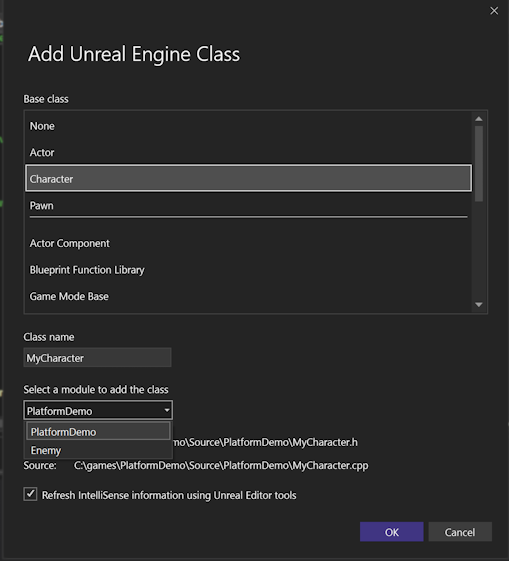
Easily add Unreal Engine classes to your C++ project
Visual Studio 2022 v17.11 introduces a new Add Unreal Engine Class dialog that lets you easily add common Unreal Engine classes to your project. You can also choose to which module to add your class, so you can keep your code organized and modular. To use this feature, you need to have an Unreal Engine project open in Visual Studio. Right click on the project in Solution Explorer and select Add > Unreal Engine Item. In the Add New Item dialog, select Unreal Engine Common Classes to open the Add Unreal Engine Class dialog. This dialog shows you a list of common Unreal Engine classes that you can use as a...

Upgrade Your Windows Forms .NET Projects to the Latest .NET Version for Enhanced Security
Each release of .NET introduces a host of new features and bug fixes that enhance both performance and security. To leverage these benefits both service and desktop application developers must upgrade their applications to the latest .NET versions. Just like other developers wanting to take advantage of the latest .NET enhancements, we are updating our design-time support policy. This update will enhance the safety of the Visual Studio WinForms design-time experience and motivate WinForms developers to update their applications for improved security. However, updating this policy will mean we will no longer supp...
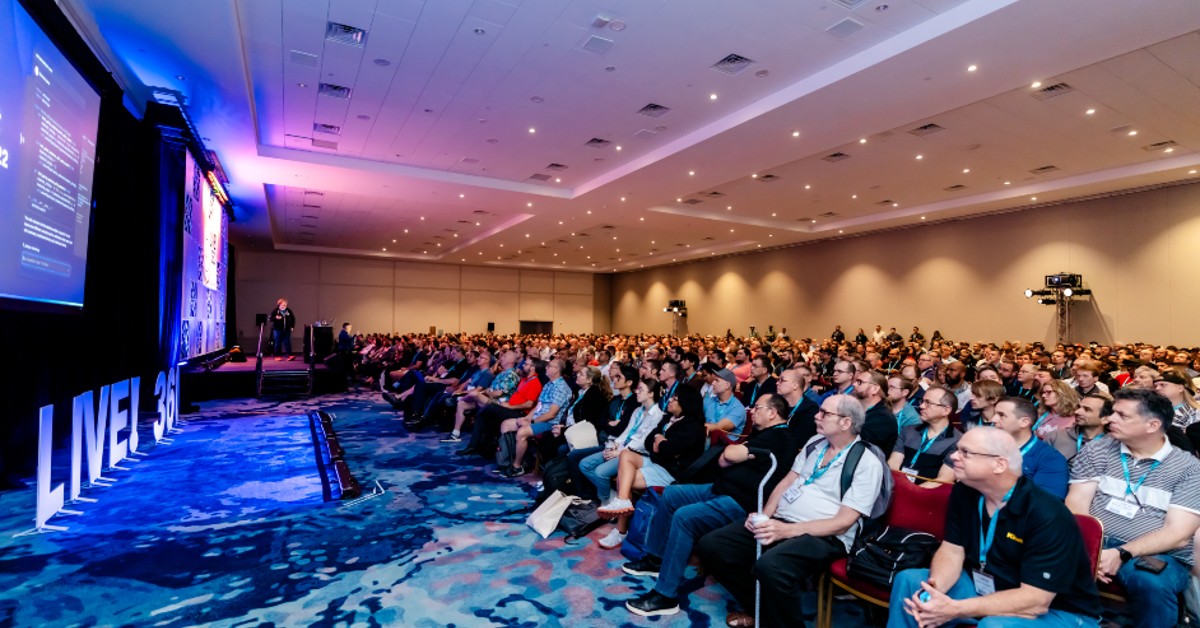
Get Hands-On with Visual Studio, .NET, AI, and More at Live! 360 next month.
Visual Studio LIVE! Orlando 2024 November 17-22 | Loews Royal Pacific Resort, Orlando, FL We’re only four weeks away from the final Visual Studio Live! event of the year, and we’re close to capacity! Live! 360 Orlando offers something for everyone—whether you’re a developer, IT professional, data specialist, or cybersecurity expert. You’ll have the opportunity to learn from industry leaders while networking with peers who share similar roles. Packed Hands-On Labs and Workshops The week kicks off and wraps up with two full days of hands-on labs and workshops, featuring top experts like GitHub's Brian Randell a...
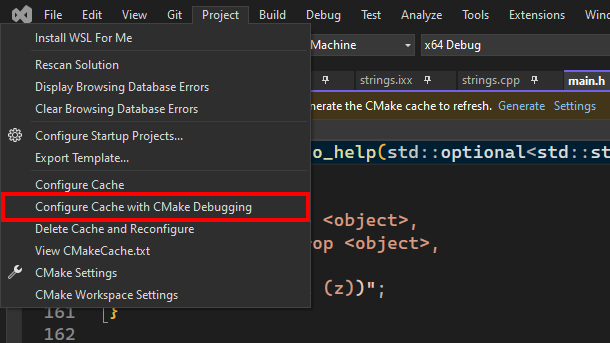
Debug CMake Scripts on Linux with Visual Studio
If you are working on a CMake project that targets Linux, you may have encountered some challenges when trying to debug your CMake scripts and CMakeLists.txt files. You may have wondered why your variables are not set correctly, or why your custom commands are not executed as expected. Or you may have simply wanted to step through your CMake scripts and see what is happening behind the scenes of the configure step. We are excited to announce that the CMake debugger in Visual Studio now has support for CMake projects targeting Linux via WSL or SSH. The CMake debugger allows you to debug your CMake scripts and C...

Improve your debugger game with editable expressions
Do you ever wish you could quickly test different queries on your collections or datasets while debugging? Do you want to save time and avoid writing code just to inspect your data? If you answered yes, then you will love the new editable expression feature in the Visual Studio debugger. This feature allows you to modify the expressions textbox on the top of the IEnumerable visualizer dialog with your desired LINQ expressions. The visualizer updates in real-time, reflecting the data change resulting from your query. You can easily apply different filters or sort orders to your collections based on your needs. ...

Easier localization with the new resource (.resx) manager
If you're developing applications that target multiple languages and cultures, you probably know how challenging it can be to manage the resources for each localization. You need to keep track of all the strings, images, icons, and other assets that are specific to each culture, and make sure they are consistent and up to date across your project. Fortunately, Visual Studio has a solution for you: the revamped Resource Explorer. This new feature lets you view, edit, and manage all your resources in one place, with a sleek and intuitive interface that is designed for the modern .NET developer. In this bl...
Accelerate C++ Debugging with Enhanced Conditional Breakpoints
Are you tired of waiting for your conditional breakpoints to hit in C++? Do you wish there was a way to speed up the debugging process and get to the root of the problem faster? If so, you're in luck! We have some exciting news for you: Visual Studio 2022 has significantly improved the performance of conditional breakpoints in C++ through a reworked implementation. This means you can now debug your C++ code faster and more efficiently than ever before. What are conditional breakpoints? Conditional breakpoints are a powerful debugging tool that only triggers when a specified condition is met. For instance...

Discover Hidden Insights with Profiler’s External Code Decompilation
Have you ever wondered what's happening under the hood of your .NET application? Do you want to quickly and easily identify and fix performance bottlenecks? If so, Visual Studio has the perfect tool for you: the profiler. The profiler allows you to analyze your code's performance, pinpoint hot paths, detect memory leaks, address thread contention, and more. It helps you measure CPU usage, memory consumption, and file activity, and lets you drill down into specific methods and lines of code. But what if the code you need to profile isn't yours? What if it's a third-party library, a NuGet package, or a framew...

Visual Studio 2022 – Recent performance enhancements
Visual Studio 2022 continues to be faster with each version. In this blog post we will highlight a couple of the more significant enhancements you’ll experience in 17.11, such as a more efficient C# language service, faster conditional breakpoints and symbol searches in C++. Reduced CPU usage by C# language service Code Indexing In 17.10 we revamped the code indexing system in the C# language service (Roslyn). It used to be both aggressive and highly intermittent. This would lead to high spikes of CPU usage, taking resources away from the operations users were performing, especially during times like solution...

Effortless Instrumentation profiling with Persistent Target Selection
Ever wished to assess your code's performance without repeatedly choosing the target process or executable for each instrumentation profiling session? If so, you're among many developers who find this task cumbersome and prone to errors, especially when profiling the same target repeatedly. We understand your frustration and have a solution: Visual Studio 2022 introduces a new feature that addresses this issue. The instrumentation tool now remembers your target selection across runs, providing a seamless experience and enhancing the continuity of your profiling sessions. With this improvement, you can m...
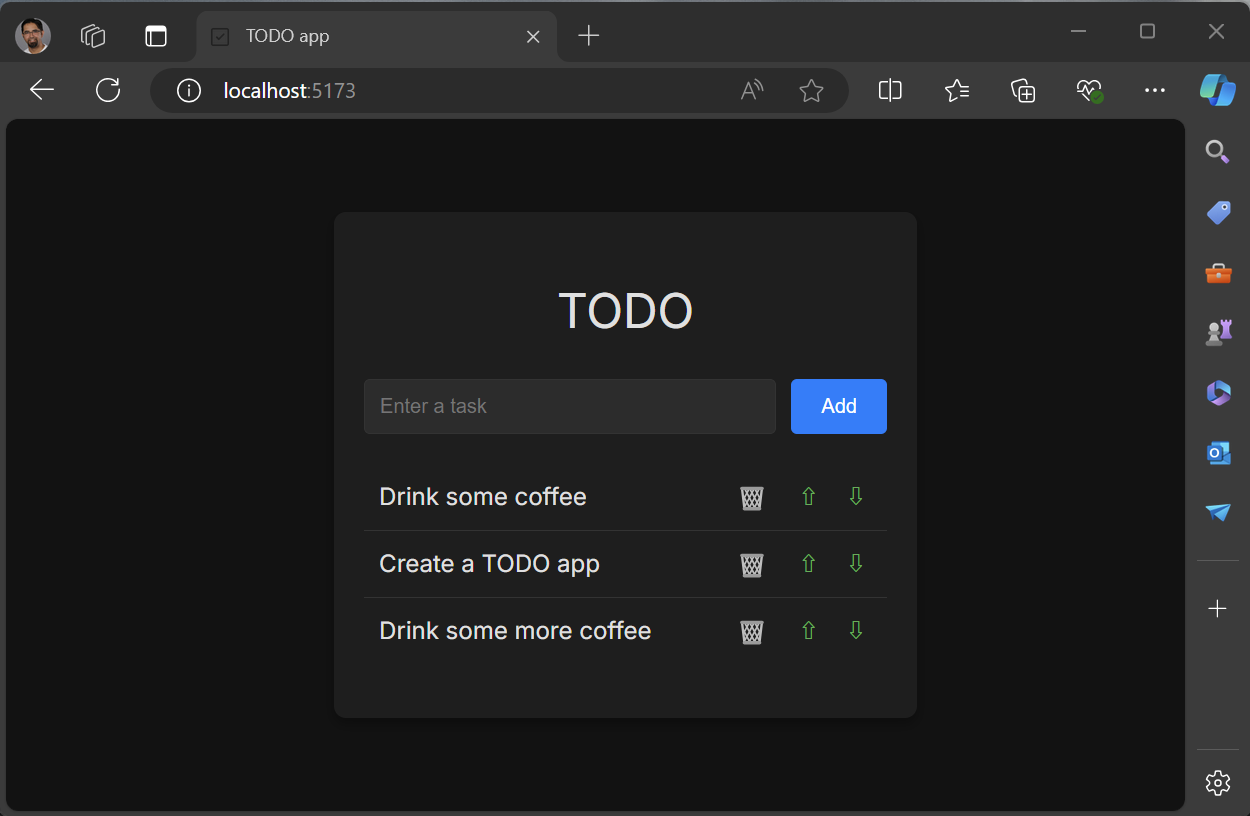
Creating a React TODO app in Visual Studio 2022
In this tutorial we will create a React front-end, with JavaScript, of a TODO web app using a Visual Studio 2022. To get started install Visual Studio with the Node.js development workload. This will include the JavaScript/TypeScript (JSTS) projects and the associated support. The code for this app can be found at sayedihashimi/todojswebapp (github.com). Create a new React project using the New Project Dialog in Visual Studio 2022. Use File > New > Project … to open that dialog. For this tutorial select the React App JavaScript template which is shown below. After clicking Next, give the project the ...
Organize Your Breakpoints like a pro
Do you feel overwhelmed by the sheer number of breakpoints in your Visual Studio project? Wish you could categorize and toggle them on and off with ease? The new breakpoint group feature in Visual Studio 2022 is here to transform your debugging experience. Breakpoint groups allow you to create custom collections of breakpoints and apply various actions to them. For example, you can enable or disable all breakpoints in a group or set conditions and actions for them or even make the whole group dependent on other breakpoints. But that's not all. You can also mark the selected breakpoint group as the defau...
Next-Gen Code Coverage in Visual Studio: Enhanced C++ Support and Security

We’re excited to share the latest changes in Visual Studio’s code coverage components. If you haven’t already, be sure to check out our previous blog posts: What’s New in Our Code Coverage Tooling? and Code coverage features in Visual Studio Enterprise. C++ Code Coverage Tired of instable native code coverage that doesn’t support ARM64? Now, you can collect native code coverage for all your methods, including those on ARM64. We have completely overhauled the C++ code coverage support to improve reliability, performance, and security. The new implementation, powered by MSVC compiler tooling, now supports x86...
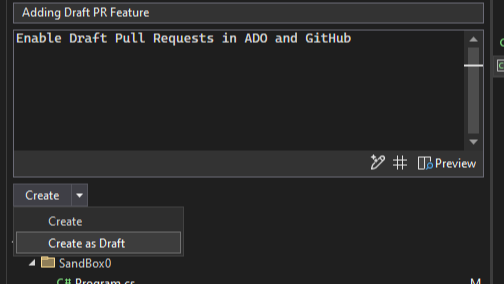
Level up your collaborations with the pull request experience in Visual Studio
One of our main goals is to help you and your team collaborate more effectively and efficiently on your software projects. That's why we are constantly improving our Version Control features, especially the ones related to the pull request workflow. Starting in Visual Studio version 17.11, you can enjoy a smoother and smarter pull request experience, from creating to reviewing to merging. You can link your Azure DevOps work items, and in both Azure DevOps and GitHub you can create draft PRs and use default templates. You can even get AI assistance to write your pull request descriptions. Plus, you can view and re...

Multi-Project Launch Configuration
Are you tired of the hassle of manually configuring your development environment every time you want to launch multiple projects? We've heard your feedback and are thrilled to announce a feature in Visual Studio that simplifies your workflow. The Multi-Project Launch Configuration feature in Visual Studio allows developers to set up and save profiles for launching specific projects within a multi-project solution in predefined states for debugging. This simplifies the process of working with complex solutions, improves debugging efficiency, and enables easy sharing of configurations among team members. En...

How to run .NET Framework apps natively on Arm64 devices
Are you developing .NET Framework applications for Arm-based processors? Do you want to take advantage of the performance and power efficiency of running your apps natively on Arm64 devices? If so, you'll be happy to hear that Visual Studio 2022 17.11 has a new feature that makes it easier than ever to do just that. Visual Studio 2022 natively supports building and debugging Arm64 apps on Arm-based processors. However, if you build your app with the AnyCPU setting, which is the default for most .NET Framework projects, your app will run on an Arm64 device using x64 emulation. While this may seem counterint...
Understanding the behavior of the XAML Designer with abstract base classes

Visual Studio 2022 introduced a new XAML designer for building WPF apps, with a goal of increasing the performance and reliability of the designer. The new designer can quickly open a XAML file by using WPF’s built-in parser and display. This new design has a nuanced behavior when the root XAML element derives from an abstract base class. This article helps with understanding implications for using an abstract base class and describes workarounds which can ensure a smooth design experience. The Challenge with Abstract Base Classes When working with the XAML Designer, the base class of the root element is instan...
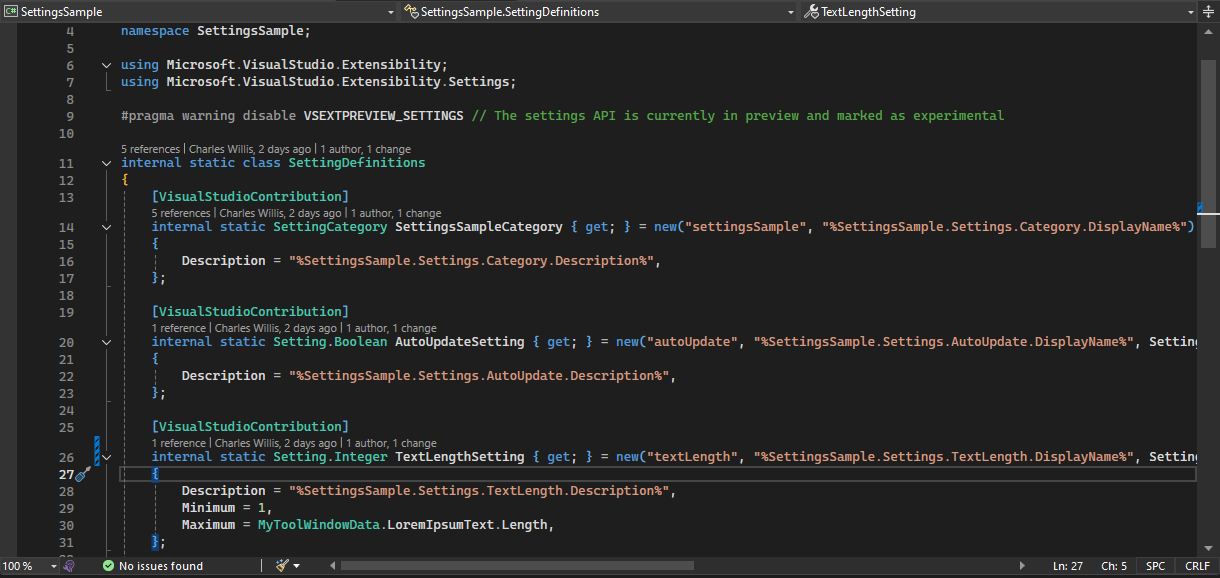
VisualStudio.Extensibility 17.11: Settings and more Remote UI support
We continue to invest in the VisualStudio.Extensibility SDK to allow users like you to create extensions that run faster and smoother than ever before! VisualStudio.Extensibility helps you build extensions that run outside the main Visual Studio IDE process for improved performance and reliability. Additional benefits include a sleek and intuitive .NET 8-based API and comprehensive, well-maintained documentation to help you develop amazing extensions faster than ever before. This 17.11 release builds on our previous releases, bringing support for defining user-configurable settings for your extensions to allow...
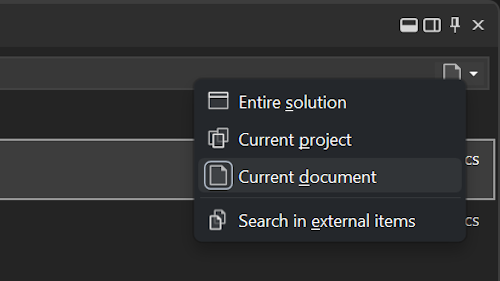
Search scoping helps you find what you’re looking for
If you're working on a large and complex solution, you might find yourself overwhelmed by the number of results when you use code search in Visual Studio. You might be looking for a specific class, method, or variable, but end up scrolling through pages of irrelevant matches. Wouldn't it be nice if you could narrow down your search scope to only the parts of the solution that you care about? In the latest update of Visual Studio, you can now use the new scoping options in code search to filter your results by the entire solution, the current project, or the current document. You can also toggle the inclusion o...
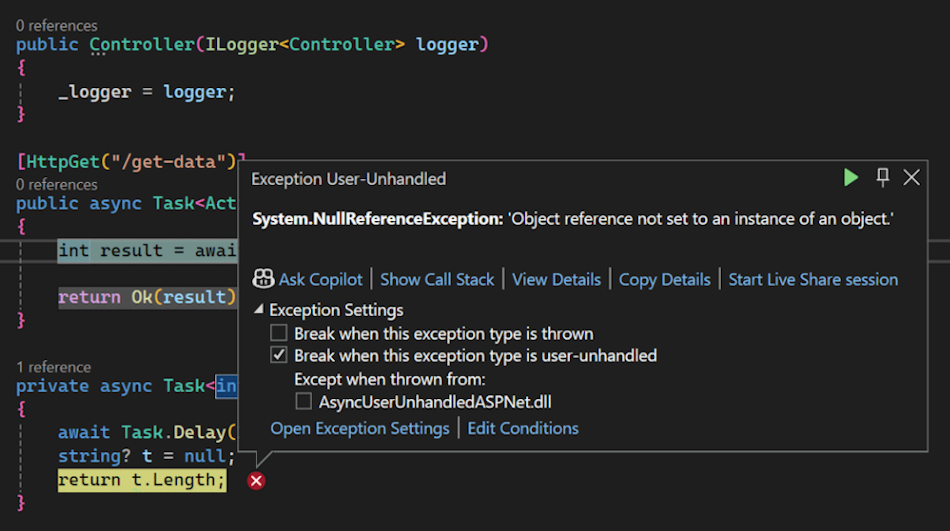
Break for Async User-Unhandled exceptions in the Visual Studio Debugger

Before .NET 9, the debugger was unable to track exceptions thrown from user-code async methods into non-user code framework methods, such as ASP.NET middleware. We are pleased to announce that you will now start seeing the debugger stop for these user-unhandled exceptions in your ASP.NET applications, as well as anywhere else this might happen! Summary Debugging asynchronous code, especially in frameworks like ASP.NET Core, can be tricky due to the potential for exceptions to be thrown across asynchronous boundaries. Now, the Visual Studio Debugger will automatically break when an async Task method throw...
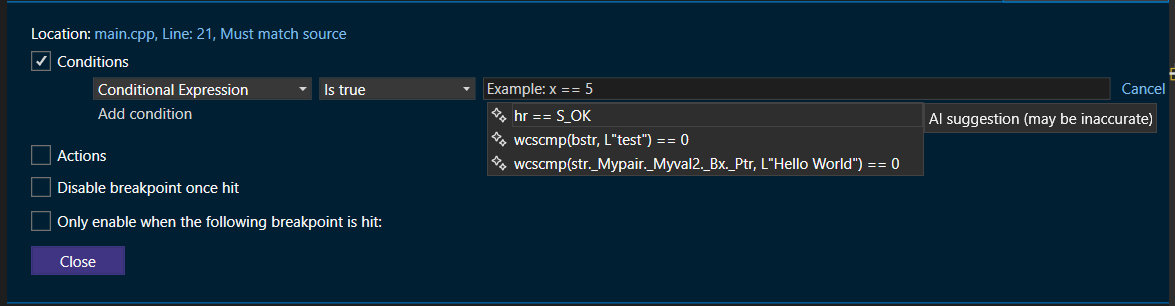
Supercharge C++ Debugging with AI-Generated breakpoint expressions
Have you ever spent hours debugging your C++ code, struggling to set up the right conditional breakpoint or tracepoint? Or wished for a smarter way to obtain detailed runtime information without manually crafting complex expressions? You're in luck! With Visual Studio 2022, the latest GitHub Copilot feature now offers AI-generated expressions for both conditional breakpoints and tracepoints, available from C# 17.10 and now extended to C++. With these AI-generated conditional breakpoints and tracepoints, you can now automate the creation of intelligent expressions tailored to your specific debugging needs, signifi...
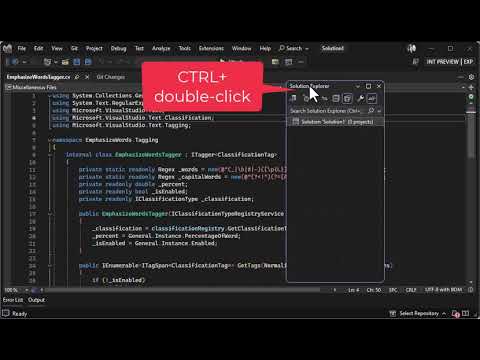
Easily dock and float tool windows
You’re in the middle of a debugging session, attempting to chase down that one issue that is causing you trouble. In the heat of the moment, you grab a tool window and drag it out of its docked position – purely by accident. You didn’t mean to drag it, but sometimes when you move the mouse around, things like that happen. Your full attention now shifts from debugging to trying to get the tool window back to where it was. Sounds familiar? Here’s something that will help. There is a little-known feature that will move a tool window between its last known docked location and last known floating location. H...
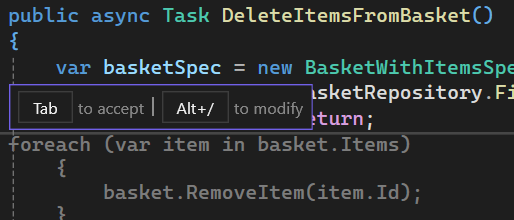
Incorporate GitHub Copilot into your daily flow
Streamlining Workflow with GitHub Copilot Have you ever received code completions that are too large to manage or ones that need slight tweaks, but you must accept all the code to make those changes? To address these pain points, in Visual Studio 17.11 we’ve introduced a new feature that allows you to refine your completions by adding extra context or asking clarifying questions. Now, you can move directly into Inline Chat and view the suggested code in a more accessible way, without having to accept and modify everything in the editor. Refining GitHub Copilot Completions with Inline Chat You now have mor...
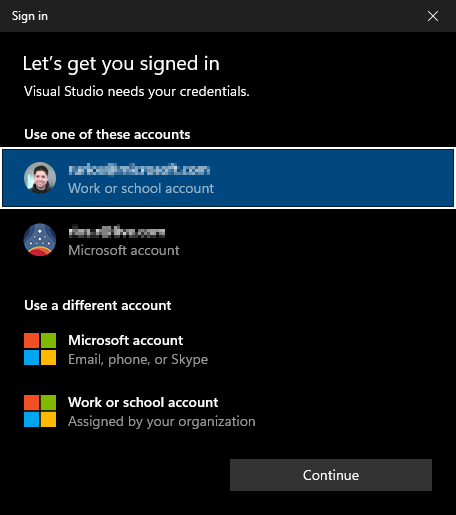
Enhancing your Visual Studio authentication experience
The current cyber security climate demands that applications not only provide outstanding features but also prioritize the security of user data. Applications like Visual Studio rely on token-based authentication to access resources on your behalf. While effective, token-based authentication can be susceptible to attacks if not properly protected. Today, we are happy to announce that starting with the Visual Studio 17.11 update, we are helping better protect your credentials by making the Windows authentication broker, also known as WAM (Web Account Manager), the default authentication method for Visual Studio 20...
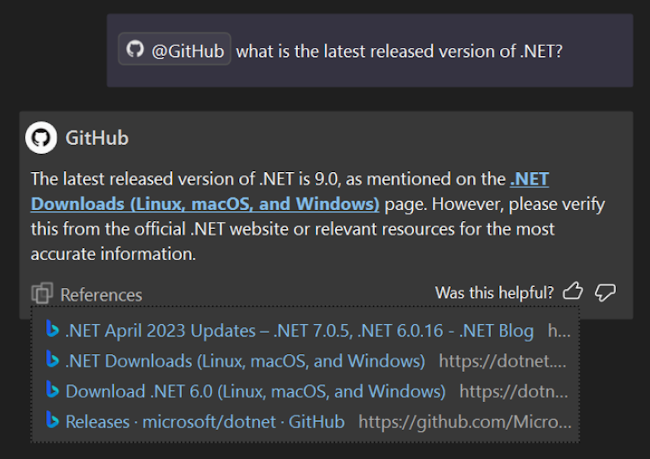
New GitHub Copilot features in Visual Studio 2022 17.11
Visual Studio 2022 17.11 now brings exciting advancements from GitHub Copilot! This release significantly improves how GitHub Copilot integrates into your development workflow, offering smarter and more intuitive coding assistance. Discover the new GitHub Copilot features in Visual Studio, such as enhanced context understanding, improved code completions, and AI insights for debugging and naming. These updates aim to boost your productivity and efficiency in coding. To try these new features, download the update, make sure to activate your GitHub Copilot account and check out the release notes for more detaile...
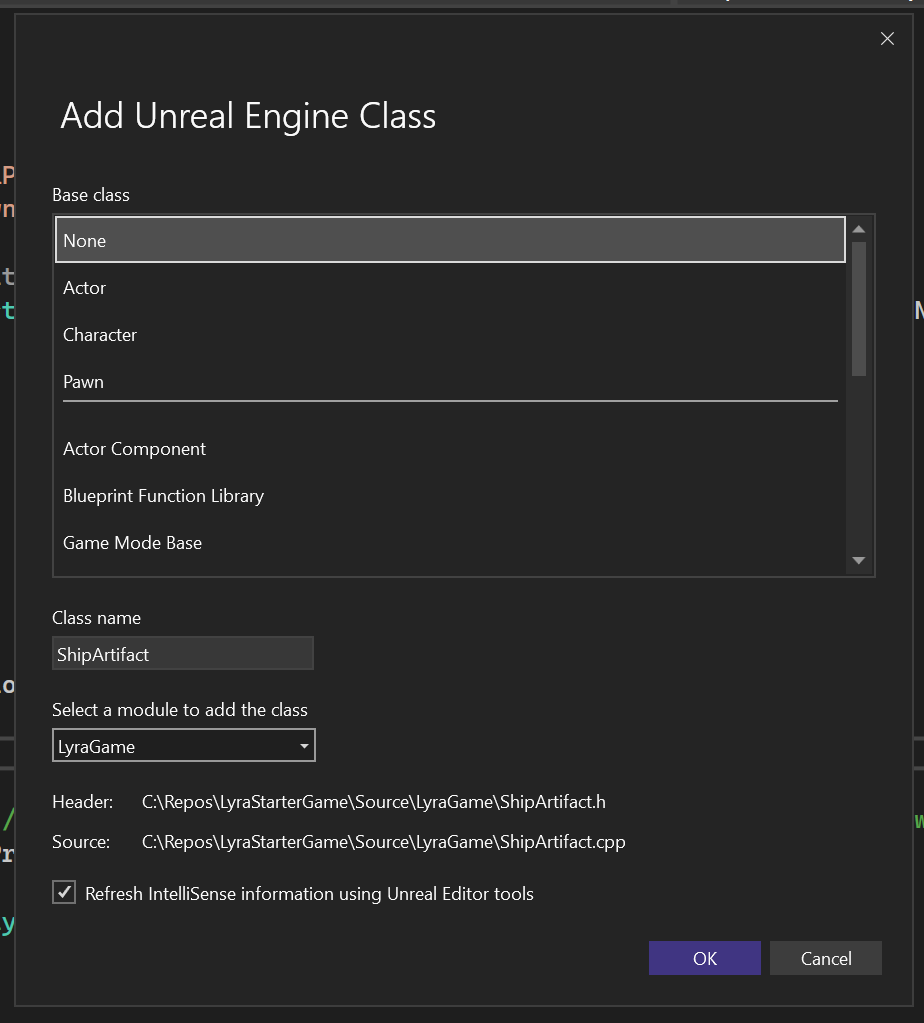
C++ Gaming Productivity Update for Visual Studio 2022 version 17.11
Introduction In Visual Studio 2022 version 17.11, you will find brand new productivity enhancements for your game development workflows. From faster conditional breakpoints to a swath of Unreal Engine enhancements, we have added various productivity boosters based on your feedback. Once again, thank you for sharing Developer Community feedback and answering our surveys. Your valuable feedback continues to drive the direction of the Visual Studio gaming team. General C++ Game Development Supercharge Your IntelliSense Performance We have received feedback from AAA developers about IntelliSense performance. Whil...
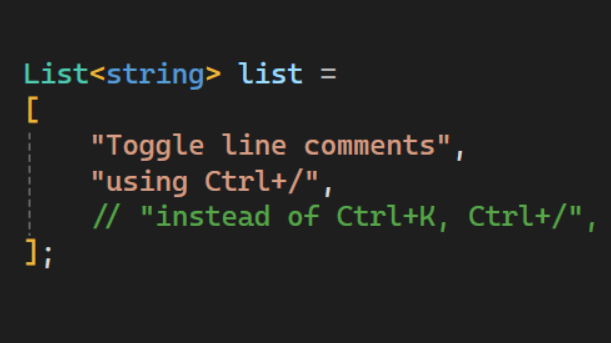
New IDE features in Visual Studio v17.11
In Visual Studio 2022 v17.11, you'll discover several new features that address specific issues developers have reported. These updates don't belong to a distinct category, but we're dedicated to sharing them with you in this blog post. You can download the update and view the comprehensive release notes for full details. Find the code you're looking for Do you ever feel like you're seeing too many results in code search? Narrow down your focus with the newly added scoping options in Code Search. For the default code search experience and each filter, you can now set the scope to Entire solution, Current...
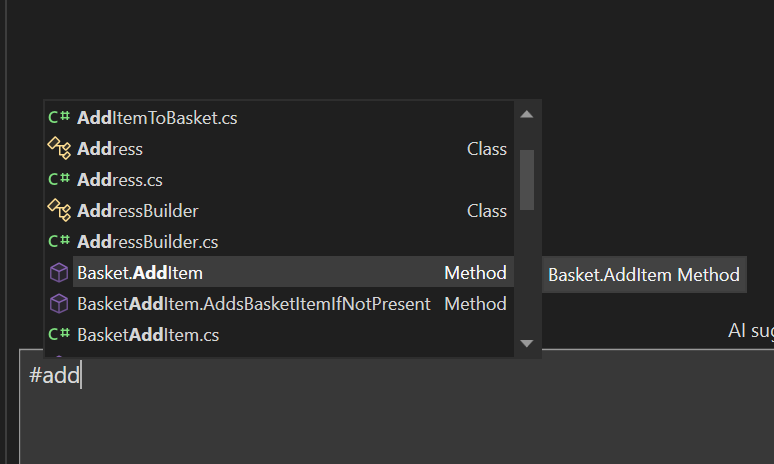
Enhancing Code Comprehension: GitHub Copilot’s Features in Visual Studio 2022 17.11
GitHub Copilot in Visual Studio 2022 17.11 now offers an improved experience you to refer to their methods, classes, functions, and entire solution directly within the chat. By using the # symbol followed by the name of a method, class, or function, or by referring to your solution with @workspace, you can provide specific context that helps GitHub Copilot better understand their code and the problem at hand. Refer to your solution GitHub Copilot Chat now allows you to refer to your entire solution. This feature helps provide an even deeper understanding of your solution to get the best results. To refer to you...
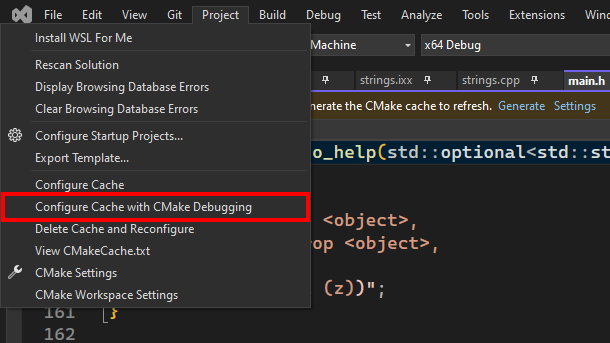
New C++ features in Visual Studio v17.11
Visual Studio 2022 version 17.11 is here and comes with a host of new features for C++ developers. We’ve made improvements across our toolchain, Unreal Engine support, Build Insights, CMake debugger, and more. This post gives a quick overview of what’s available; for all the details, see What's New for C++ Developers in Visual Studio 2022 17.11 on the C++ blog. Standard Library The three main areas of improvement in this release are in formatted output, vectorization, and diagnostics. For formatted output, we’ve implemented parts of Formatting Ranges and all of Printing Blank Lines with println. Our vectorizati...
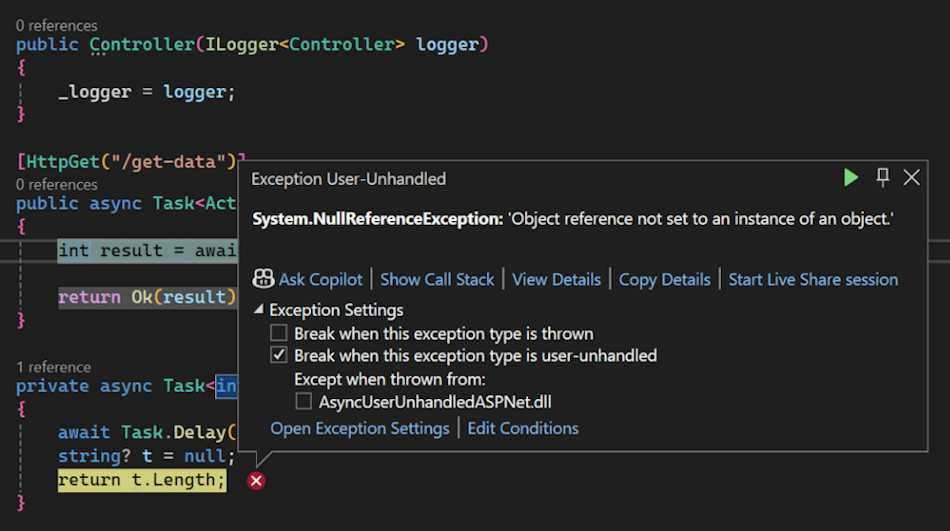
New debugging and diagnostic features
Debugging and diagnostics are vital skills for any developer, but they can also be difficult and time-consuming to get proficient . That's why we've added some fantastic new features and enhancements to Visual Studio 2022 v17.11 that will help you find and resolve bugs faster and easier than ever before. Here are some of the highlights. Download this update and see the release notes for all the details. Debugging Break on async method exceptions Debugging asynchronous code, especially in frameworks like ASP.NET, can be tricky due to the potential for exceptions to be thrown across asynchronous boundaries. ...
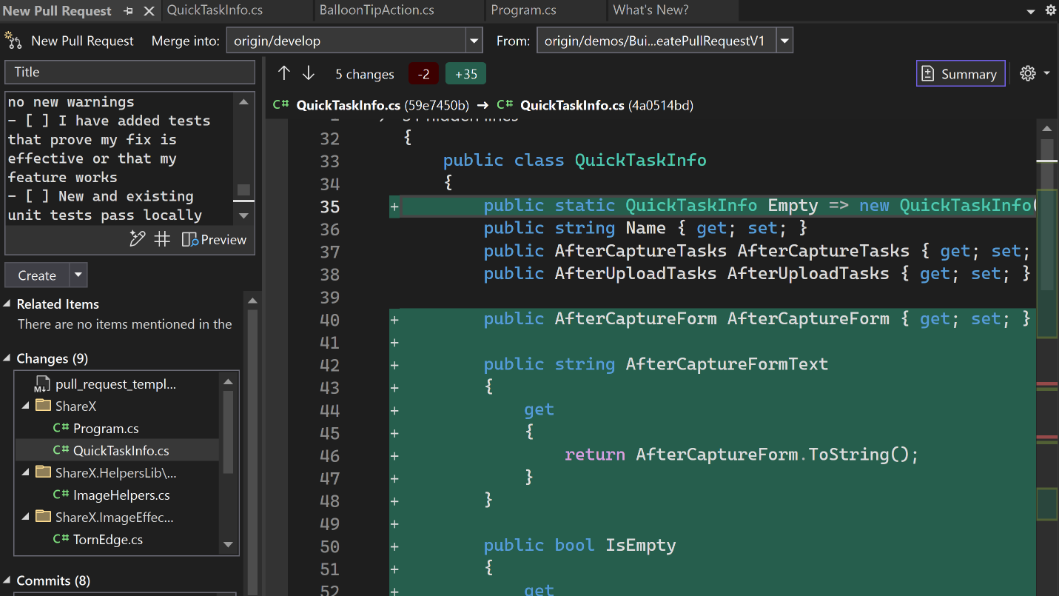
New git tooling features
Visual Studio 2022 v17.11 includes fantastic updates to everyone working with Git. They bring the richness of both GitHub and Azure DevOps into Visual Studio and part of your natural workflow. This greatly simplifies your inner loop, making you even more productive than before. Download this update and see the release notes for all the details. More meaningful code reviews We've made it easier to view your GitHub and Azure DevOps pull request comments directly in your working file in Visual Studio. You can now stay in your context, make necessary code changes, and interact with your colleagues' suggestions ...
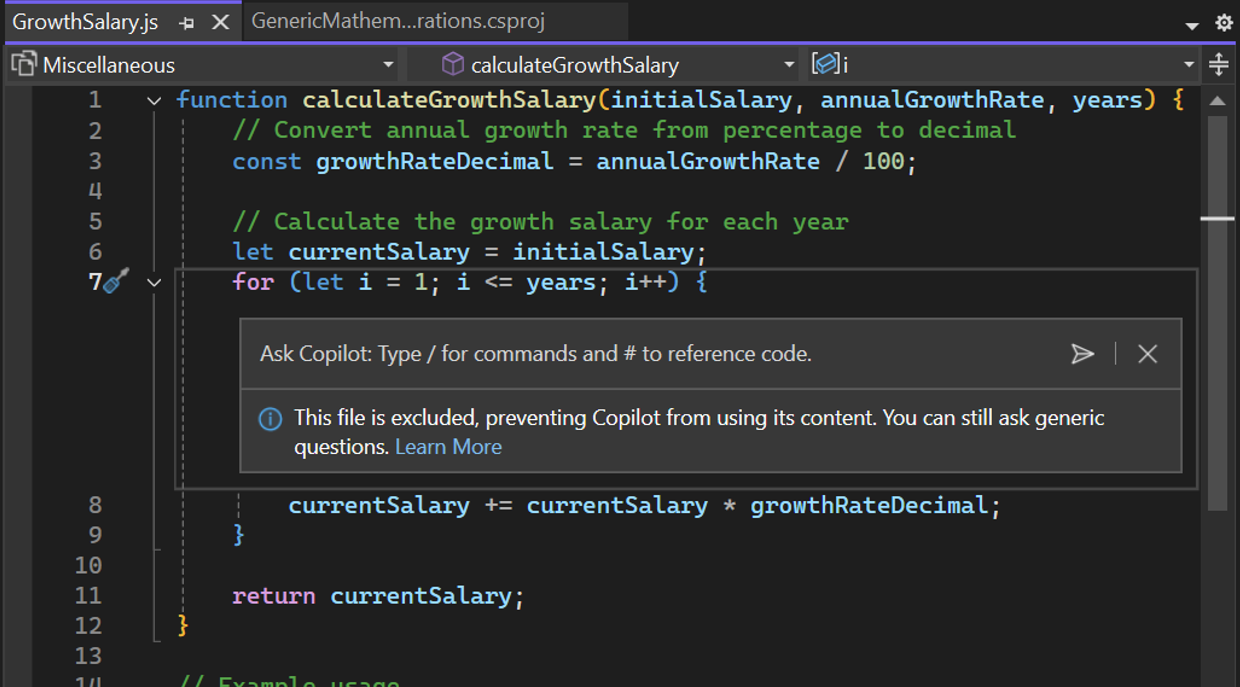
Copilot Content Exclusion Now Available in Visual Studio 2022 17.11
We are excited to announce that Copilot Content Exclusion is now available in Visual Studio 2022 17.11. This feature allows your admins to configure Copilot to ignore certain files in a repository or organization, giving you enterprise control that ensures sensitive information is protected while seamlessly integrating trusted AI for efficient coding. This will now be available for Completions, Inline, Chat, for GitHub Copilot for Business and GitHub Copilot for Enterprise customers. Content Exclusion is not limited to repos hosted on GitHub but also available for repositories hosted on other platforms, such a...

First preview of Visual Studio 2022 v17.12 with .NET 9
We’re excited to announce the availability of Visual Studio 2022 v17.12 Preview 1 – the first preview of our next update to Visual Studio. This update focuses on providing fantastic developer experiences for working with .NET 9 projects and new AI productivity features, along with continues improvements all-around. Download the preview and see the full list of enhancements in the release notes. .NET 9 + Aspire .NET 9 elevates cloud-native and intelligent app development, focusing on productivity enhancements, streamlined deployments, and accelerated AI integration, ensuring superior performance for develope...

Visual Studio 2022 v17.11 – Your feedback in action
We are thrilled to announce the General Availability (GA) of Visual Studio 2022 version 17.11. This release is a testament to our commitment to listening to you, our developer community. Every enhancement, every fix, and every new feature in this release has been shaped by your feedback. Whether you're building web, desktop, cloud, or gaming applications, Visual Studio 2022 v17.11 is designed to make your development experience smoother, faster, and more intuitive. We heard you - loud and clear. From the most upvoted issues on our Developer Community Forum to the suggestions that came through in our feedba...

My Summer Experience as a SWE Intern at Microsoft

Hi everyone! I’m Serena, a rising 4th year at Rochester Institute of Technology with a major in Computer Science and a minor in Psychology. This summer I was a returning intern at Microsoft as a software engineering intern with the JavaScript and TypeScript Tooling team. In this blog post, I will be covering what it was like to work on language tooling and my overall experience as an intern at Microsoft. What I Worked On Over the summer, I worked on a toggle feature for inlay hints (that is additional information about source code that is rendered inline) in Visual Studio. The inlay hint feature supports mu...
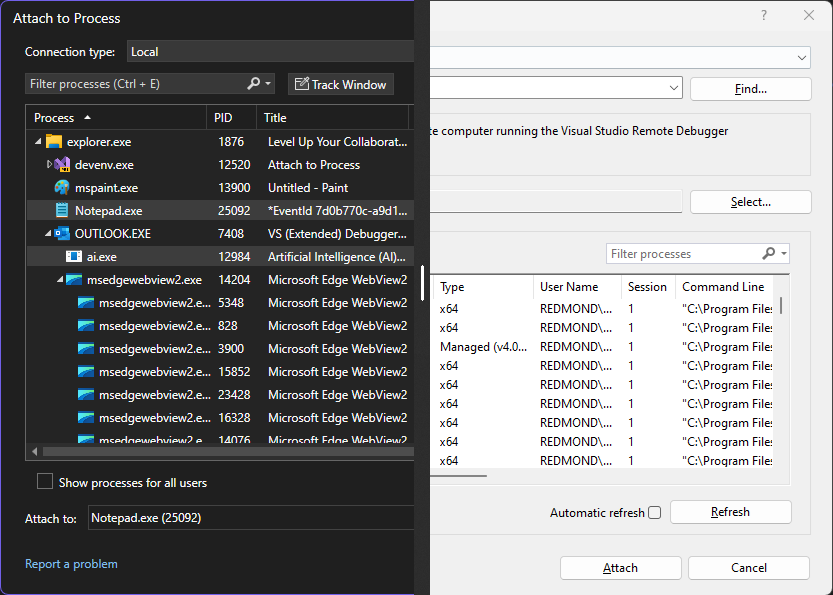
Introducing the revamped Attach to Process experience

One of the most powerful and frequently used features of Visual Studio is the Attach to Process dialog, which enables you to debug processes running on your machine or on a remote machine. For anything you could develop using Visual Studio, the Attach to Process dialog allows you to quickly attach the debugger to the processes you want to inspect and troubleshoot. While this feature has been around for a long time, its current design has room for modernization to better fit the latest versions of Visual Studio. Thus, we used this opportunity to improve the Attach to Process experience introducing a revamped and r...
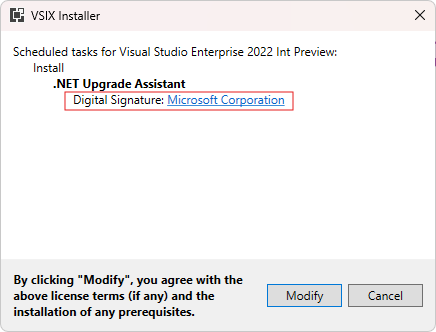
Sign VSIX packages with Sign CLI

You can now leverage Sign CLI for a more secure, modern way to sign your Visual Studio extensions. Signing your VSIX packages improves security, prevents tampering, and builds trust with your users. This integration makes it easier and more convenient to sign your packages than ever before! Sign CLI replaces the older VSIXSignTool with a modern, general purpose sign tool that’s actively maintained and kept up to date with the latest security standards. It supports cloud and local signing from a variety of sources and can also fit seamlessly into your CI pipeline for easy integration. Continue reading to le...
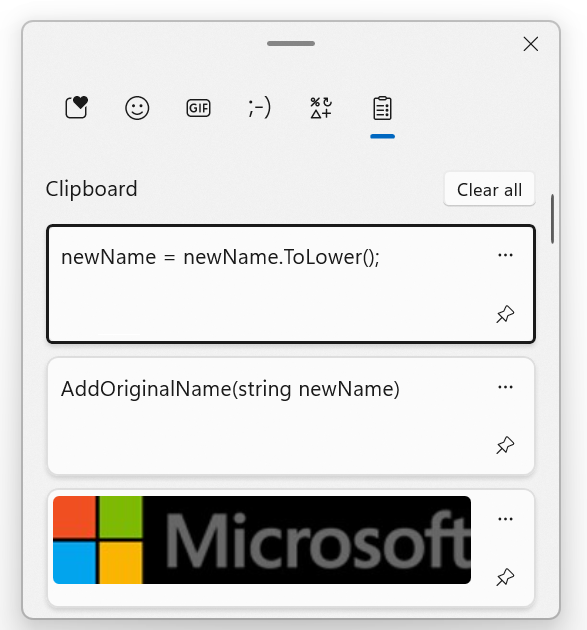
Visual Studio tip: Using Ctrl-L to delete a line with and without Clipboard backup

Here is one Visual Studio tip from my colleague Gwyn Peña-Siguenza which I didn't know about! Yes, even after 26 years using this fantastic tool, I am still discovering new features. So thanks to Gwyn for this!! This is all about deleting lines, and using the Windows Clipboard for support. You can see the short video on our YouTube channel, and there is also a longer video with 20 must-know shortcuts here. Don't forget to subscribe if you want to learn more tips! Using the Clipboard History in Windows One of my favorite tools on Windows is the Clipboard History. This feature was introduced in Windo...

Three New Premium Visual Studio Subscriber Benefits Announced
A Visual Studio Subscription, whether Professional or Enterprise, delivers far more than just software usage rights; it's a comprehensive toolkit designed to significantly boost your development capabilities and career growth. These subscriptions can save you thousands each year, offering everything from monthly Azure credits for cloud experimentation to complimentary access to premium training platforms like Pluralsight and LinkedIn Learning. You will also benefit from discounted rates on Azure Dev/Test pricing and significant savings at professional events like Visual Studio LIVE! Before we explore the detai...
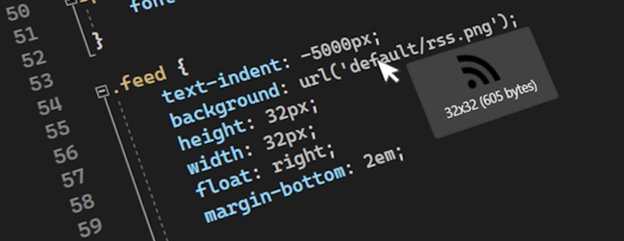
Making Visual Studio a bit more visual
Any web, desktop, or mobile developer works with images often. You reference them from C#, HTML, XAML, CSS, C++, VB, TypeScript, and even in code comments. Some images are local, and some exist online or on network shares, while others only exist as base64 encoded strings. We refer to them in numerous ways in code, but always as string values that don’t show us what the image looks like. Until now. The feature request An option to preview images when they are hovered has gotten a lot of attention lately, so we decided to look into it. Various image previewers exist for different editors already, but they a...
Get Hands-On with Visual Studio and Azure: Live at Microsoft HQ this August!
Visual Studio LIVE! Microsoft HQ 2024 August 5-9 | Microsoft Conference Center, Redmond, WA There’s still time to register, join us, get your questions answered, and bring back a wealth of knowledge and excitement to your teams! We’re close to selling out for next month’s conference, which will be packed with valuable sessions and activities, hosted on campus at the Microsoft Conference Center in Redmond, WA. Visual Studio LIVE! 2024 is not just another conference; it’s a celebration of innovation, learning, and community. Here are some key highlights and reasons why you should attend: Discover the Latest I...
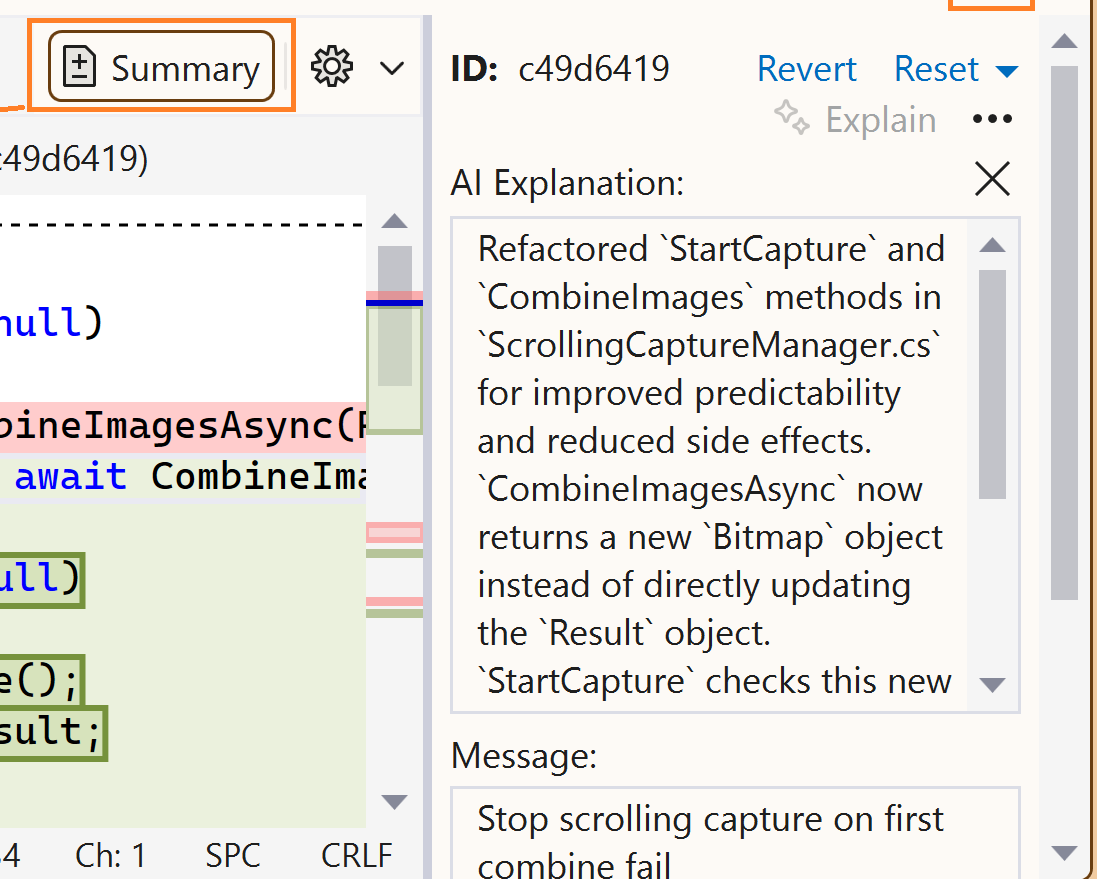
Demystify history with GitHub Copilot commit explanations
Have you ever struggled to understand what a commit was doing or why it was made? Do you wish you had more clarity and context when reviewing or collaborating on code changes? If you answered yes, then you'll love what GitHub Copilot can do for you: generate commit explanations. GitHub Copilot can analyze your code differences and produce concise summaries that highlight the key points. No more guessing or wasting time on deciphering your Git history. You can focus on coding and collaborating with ease. And the best part is, you can also improve your communication and teamwork by having better documentation and t...
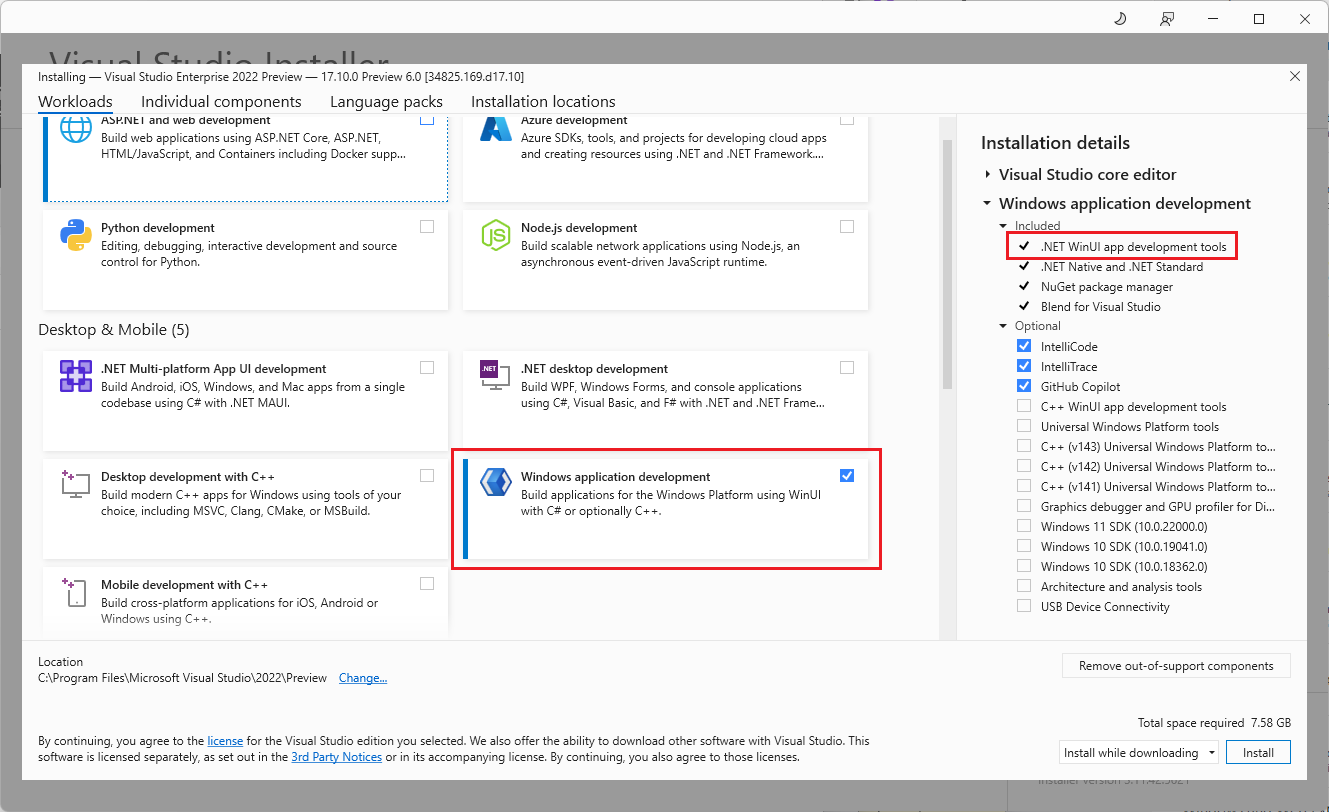
Dive into native Windows development with new WinUI workload and template improvements

At //Build 2024, the WinUI team announced a renewed focus on WinUI as one of the premier app development frameworks we recommend for native Windows app development. To make it as seamless and easy as possible to get into coding, we created a new Windows Dev Center page, streamlined our Getting Started with WinUI documentation, and partnered with Visual Studio to improve the developer experience with workloads and templates. Today, we’ll focus on showing you the great new changes in Visual Studio along with a little bit of our thought process behind them and links to learn more! Getting started with the new w...
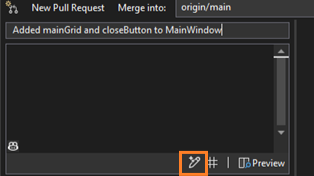
Let GitHub Copilot draft your pull request description
Writing good pull request descriptions is essential for effective code reviews and collaboration. But it’s time-consuming and tedious, especially when you have multiple commits or complex changes. That's why we’re highlighting a feature that will make your life better with the help of GitHub Copilot: generated pull request descriptions. GitHub Copilot examines your code changes and generates helpful summaries that you can edit and customize. Save your energy for your coding tasks and let GitHub Copilot provide extra context for your reviewers. Starting with Visual Studio version 17.10 GA, to try these ...
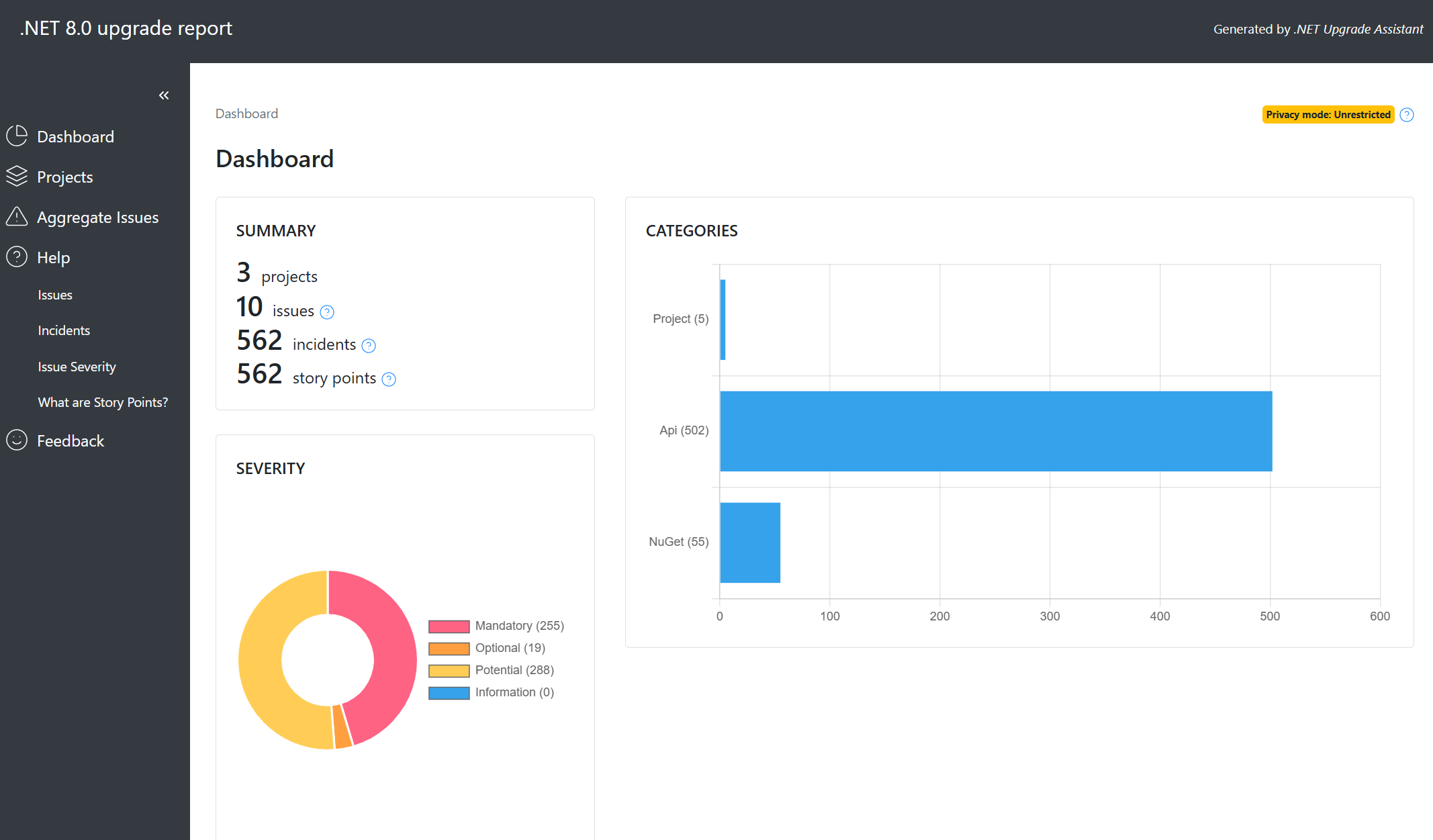
Code Assessment with .NET Upgrade Assistant
We are thrilled to announce the latest enhancements to the .NET Upgrade Assistant. .NET Upgrade Assistant helps upgrade solutions to newer versions of .NET. Whether you’re upgrading from .NET Framework to .NET 8 or just between .NET Core versions (from .NET 6 or 7 to .NET 8 or 9), .NET Upgrade Assistant can help you understand what changes will be needed. .NET Upgrade Assistant is available as a Visual Studio extension or as a command-line tool. Now as part of your upgrades to modern .NET, you’ll have access to powerful code assessment features. Here’s what’s new: Our code assessment tool scans your solut...
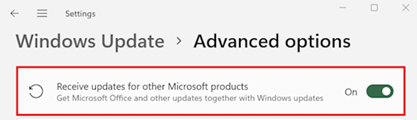
Keep Visual Studio automatically updated and secure through Microsoft Update

Visual Studio is coming to Microsoft Update! We’re pleased to announce that starting in August 2024, users of the Visual Studio Community edition who are not part of an organization managed by an IT administrator can choose to receive monthly Visual Studio security updates through the Microsoft Update (MU) system on "patch Tuesdays". This new update option will be available for Visual Studio 2022, Visual Studio 2019, and Visual Studio 2017. It won’t be available for the Preview channel. How to enable Visual Studio updates through MU Open Windows Settings and go to Windows Update > Advanced Options. If you c...
Easily navigate code delegates while debugging
Delegates are everywhere in modern code; a delegate is a type that represents references to methods with a particular parameter list and return type. Developers use delegates to pass methods as arguments to other methods. One example you may be familiar with is with event handlers. Handlers are methods you can invoke through delegates. Delegates remind me of C++ function pointers, but of course delegates are fully object-oriented. There are a few ways to represent delegates, there is, for example, Func delegate. This generic delegate represents a method that takes one or more parameters and returns a value of a ...

Bosch widely adopts Visual Studio for their C++ remote Linux projects
The Bosch security camera team was seeking a unified development setup for their team and recently re-evaluated Visual Studio as a solution for their C++ projects and remote Linux development needs. Their experience with Visual Studio 2022 featured notable improvements relevant to their workflows such as seamless GDB and CMake/WSL integrations ...
Catch up on the latest Git tooling features in 17.10 GA
We believe that boosting the productivity of your development and team collaboration helps you produce better software solutions. That’s why the Visual Studio Version Control team has delivered new features, streamlining your inner loop and code review experiences. You’ll get AI support writing commit messages, pull request descriptions, commit explanations, and a better pull request creation experience. Download the latest Visual Studio release to try them out and let us know what you think! Write less, code more with GitHub Copilot Starting with Visual Studio version 17.10 GA, to try out generated pull...

Visual Studio 2022 – 17.10 Performance Enhancements

We are excited to announce the latest update of Visual Studio 2022, which brings you a range of performance enhancements across various areas of the IDE. In this blog post, we will highlight some of the most notable improvements that you can experience in version 17.10, such as faster Windows Forms designer loading, faster Razor colorization, quicker solution loading, and reduced DLL overhead. Windows Forms designer loading speed We heard from developers and partners that Windows Forms designer in projects targeting .NET Core 3.1 and up can be slow in loading up. In those scenarios the designer is loade...
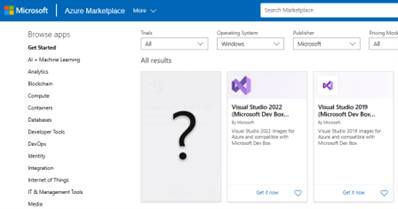
Giving our Azure marketplace images a makeover
We previously announced the addition of new, optimized Azure VM image offers to help you create and test your applications faster and more easily on Azure VMs and the Microsoft Dev Box service. As we continue to evolve and optimize our offers, we're introducing more developer-optimized VM images and deprecating our older non-optimized offers. In this blog post, we’ll provide details and timelines for the additions and depreciations that will take place over the next couple of months. Boost your productivity with new Azure marketplace images We're committed to giving you the best, most productive starting po...
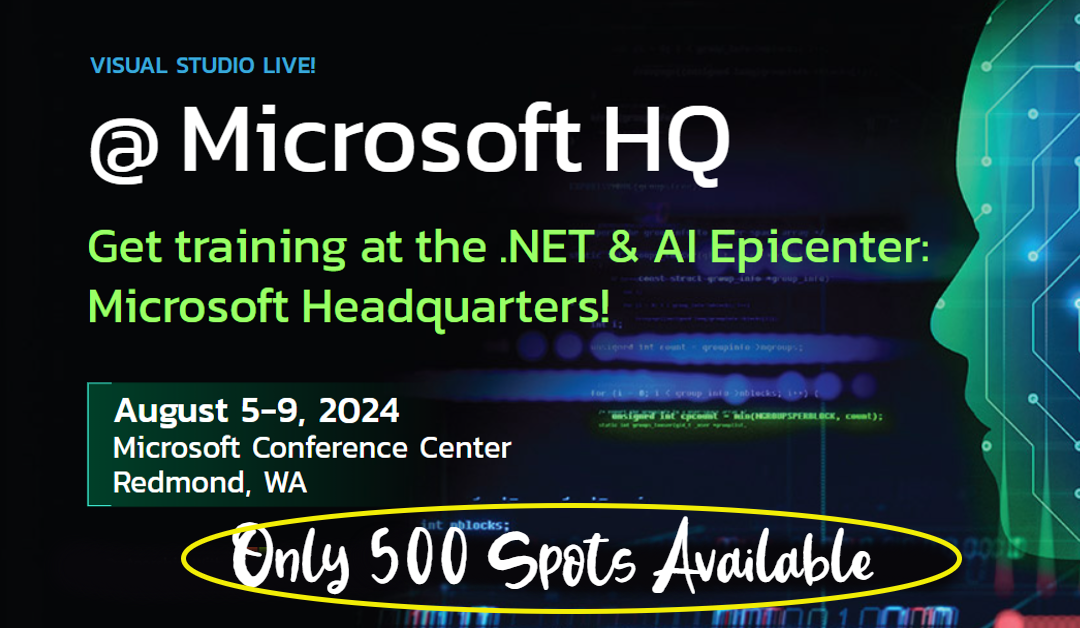
Get Hands-On with Visual Studio and Azure: Live at Microsoft HQ this August!
Visual Studio LIVE! Microsoft HQ 2024 August 5-9 | Microsoft Conference Center, Redmond, WA Join the Ultimate Developer Celebration! Who's ready to connect with fellow developers and Visual Studio Product Managers this August at the Microsoft Campus in Redmond? Visual Studio Live! @ Microsoft HQ celebrates the bright days of the Pacific Northwest—offering the perfect opportunity to immerse yourself in everything Visual Studio, Azure, GitHub, and the marvels of GitHub Copilot. This isn't just a conference; it's a celebration of innovation, learning, and community! With 35 speakers, including 20 from Microsoft, ...
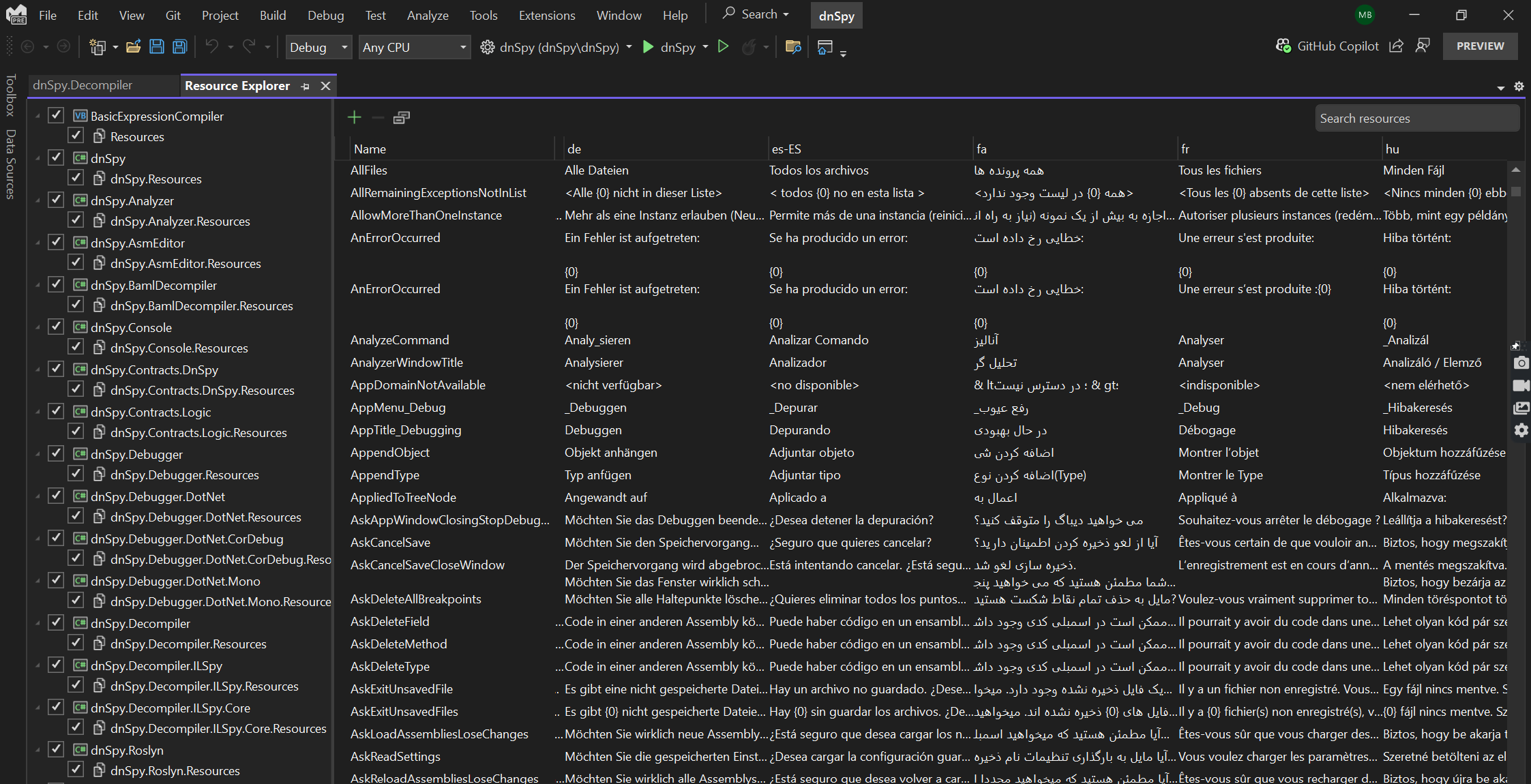
Introducing the Revamped Visual Studio Resource Explorer
With the recent revamp of Visual Studio’s Resource Explorer, developers are in for a treat! We’re thrilled to unveil the reimagined Visual Studio Resource Explorer, and trust us, it’s a game-changer. Developers who manage resources in Visual Studio will be delighted to learn that we have finally updated our out-of-the-box resource management experience to better accommodate the needs of the modern .NET developer. This update will make it easier and faster for developers to manage resources in their .NET applications. Here’s the lowdown: The Pain Points We Crushed: Let’s rewind. The old Resource Edi...
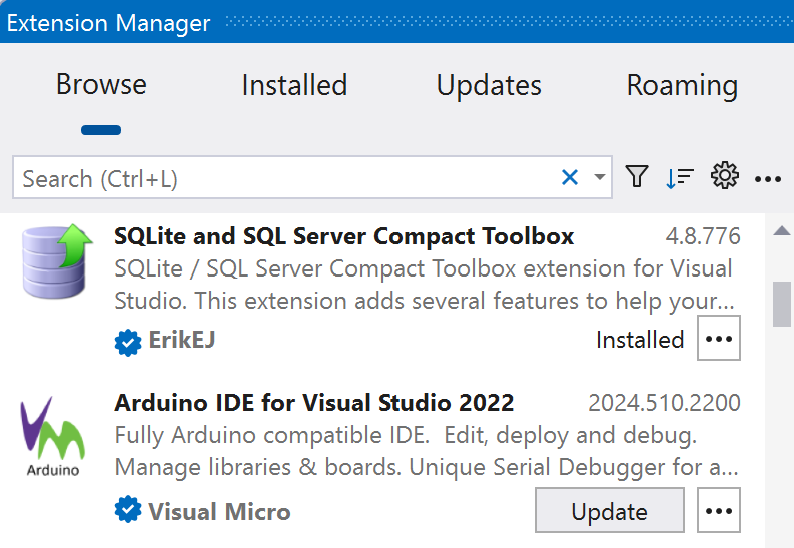
A modern Extension Manager has arrived with Visual Studio 17.10
We’re bringing our updated Extension Manager to all users! Over the last year, we’ve made our updated Extension Manager available as an optional preview feature and have been asking you to let us know what you think. Based on your incredible feedback, we’re now ready to offer the new Extension Manager as an on-by-default preview feature starting with Visual Studio 17.10. We’ve streamlined the essential features into a modern UI to help you discover great new extensions and manage your installed extensions. With this release, we still want to hear from you! As you use the Extension Manager in this last preview...
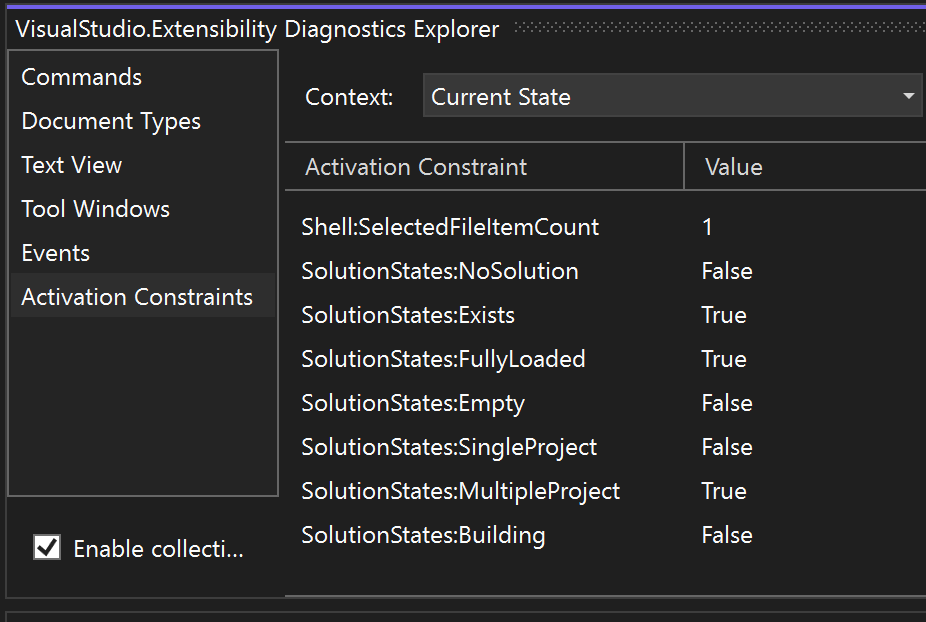
VisualStudio.Extensibility 17.10: Debug your extensions with the Diagnostics Explorer
Imagine creating extensions that run faster and smoother than ever before! If you haven't been following along lately, we've been working on improving the VisualStudio.Extensibility SDK. VisualStudio.Extensibility helps you build extensions that run outside the main IDE process for improved performance and reliability. With it comes a sleek and intuitive .NET 8-based API and comprehensive, well-maintained documentation to help you develop awesome extensions. This 17.10 release builds on our previous releases, and it brings with it a brand-new debugging experience to make it easier for you to get your extension...
Developing cloud-native apps with .NET Aspire and Visual Studio
We're excited to introduce the general availability of .NET Aspire, a comprehensive stack aimed at simplifying the way .NET cloud-native apps are built and managed. .NET Aspire offers developers like you an improved, opinionated framework for constructing distributed applications, ensuring a seamless and consistent development experience. This new stack brings together a collection of tools, patterns, and special NuGet packages known as .NET Aspire Components designed specifically for the orchestration, component integration, and tooling required in modern cloud-native development. Whether you are on day-zero or...

First preview of Visual Studio 2022 v17.11
We are excited to announce the release of Visual Studio 2022 v17.11 Preview 1, the first preview of our next update for Visual Studio 2022. This preview focuses on quality-of-life improvements for all developers and workloads. See the release notes for full list of features. When you use Visual Studio, you want to feel empowered and productive. That's why quality-of-life features are so important: they make coding a smooth and enjoyable experience, free of unnecessary hassles and headaches. You’ll also find hundreds of user-reported bugs and issues fixed and lots of tweaks to existing features. All of i...

Maximizing joy and minimizing toil with great developer experiences

The future always starts with developers. They determine the speed of innovation, and never has that been more true than today, in the era of Generative AI. We’re already seeing GenAI have a profound impact on the way that we build applications and collaborate with our colleagues. More developers will be empowered to create with technology by having access to a coach to guide you through each stage of your learning journey. And user expectations are evolving quickly so that today’s end-users expect their apps already know about their context and history, and even anticipate their next step. There’s a lot of ch...
Visual Studio 2022 17.10 and GitHub Copilot: Your Coding Partner for Faster and Smarter Development
Today, as we kick off the //BUILD 2024 conference, we're thrilled to share the general availability of Visual Studio 2022 17.10! This release features a new, single GitHub Copilot extension, marking a significant leap forward in AI-assisted development by embedding the power of advanced AI directly into strategic parts of your Integrated Development Environment (IDE). With the integration of GitHub Copilot directly into Visual Studio, we’re offering you a coding partner with improved context, providing smart suggestions and code completions that help you stay focused and productive. While GitHub Copilot is impl...

Improve your code quality with GitHub Copilot in Visual Studio

In our previous post, we discussed GitHub Copilot’s Slash Commands, which allow you to trigger specific actions within Visual Studio with simple text-based inputs. Now, let's explore the command and its potential to improve code quality in Visual Studio. Refactoring with /optimize In a recent exploration by Bruno Capuano, we see the transformative capabilities of GitHub Copilot's command. Bruno demonstrates its prowess by refactoring a code snippet, showcasing how simple text-based inputs can yield significant improvements in code structure and performance. https://www.youtube.com/watch?v=4rvM33NjIDI On...

Get Ready for Visual Studio at Build 2024: Join Thousands Online!
MICROSOFT BUILD 2024 Watch it Live! or On-Demand – Starting Next Tuesday! Next week, from May 21st, I’ll be diving into Microsoft Build 2024, and I invite you to come along for the ride—virtually! We’ll explore cutting-edge developments in Visual Studio, Azure, and AI development from wherever we are, no travel required. It’s your chance to join live discussions and connect with tech enthusiasts from around the world, all from your home or office. This year, I’m particularly excited about charting new paths with AI and copilots. Whether you're looking to boost your efficiency, secure your projects, or simply...

Mastering Slash Commands with GitHub Copilot in Visual Studio
GitHub Copilot, the AI-powered coding assistant, revolutionizes coding in Visual Studio with its advanced features. In this series, we delve into the efficiency and convenience offered by Slash Commands, elevating your coding workflow. Introducing Slash Commands Slash Commands are predefined actions within GitHub Copilot, accessible through the prompt interface. Bruno Capuano, in his latest video, elucidates these commands, accessible via the Slash button in the Copilot Chat window or by typing a forward slash in the message box. Alternatively, you can also access the Slash Commands by typing a forward s...

Using GitHub Copilot as your Coding GPS
In this series, we delve into GitHub Copilot in Visual Studio, showcasing how it aids coding. GitHub Copilot functions as a coding GPS, guiding you through software development in Visual Studio. In our new short video, Bruno Capuano shows how this smart coding assistant boosts coding efficiency and quality. https://www.youtube.com/watch?v=kq8JNPgajAU&embeds_widget_referrer=https%3A%2F%2Ftechcommunity.microsoft.com%2F&embeds_referring_euri=https%3A%2F%2Fcdn.embedly.com%2F&embeds_referring_origin=https%3A%2F%2Fcdn.embedly.com&source_ve_path=MjM4NTE&feature=emb_title GitHub Copilot: an assist...