
Visual Studio Blog
The official source of product insight from the Visual Studio Engineering Team
Latest posts
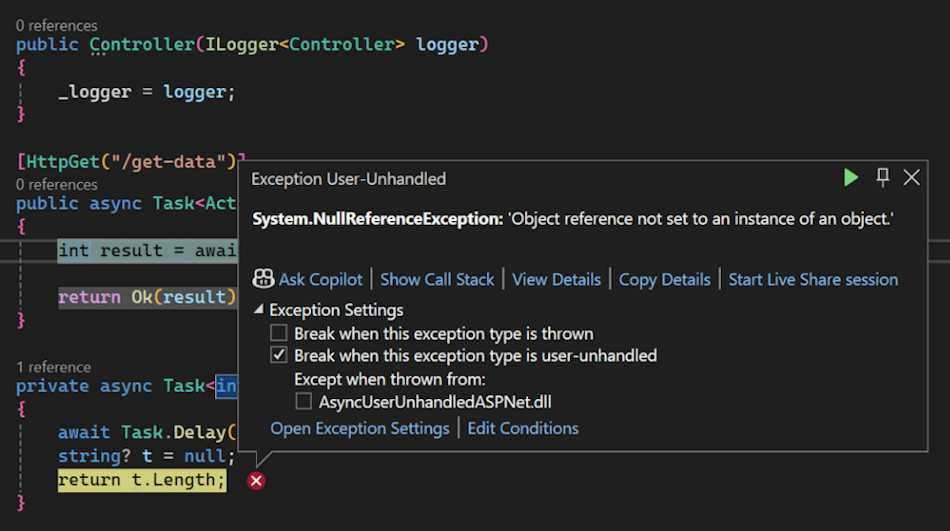
New debugging and diagnostic features

Debugging and diagnostics are vital skills for any developer, but they can also be difficult and time-consuming to get proficient . That's why we've added some fantastic new features and enhancements to Visual Studio 2022 v17.11 that will help you find and resolve bugs faster and easier than ever before. Here are some of the highlights. Download this update and see the release notes for all the details. Debugging Break on async method exceptions Debugging asynchronous code, especially in frameworks like ASP.NET, can be tricky due to the potential for exceptions to be thrown across asynchronous boundaries. ...
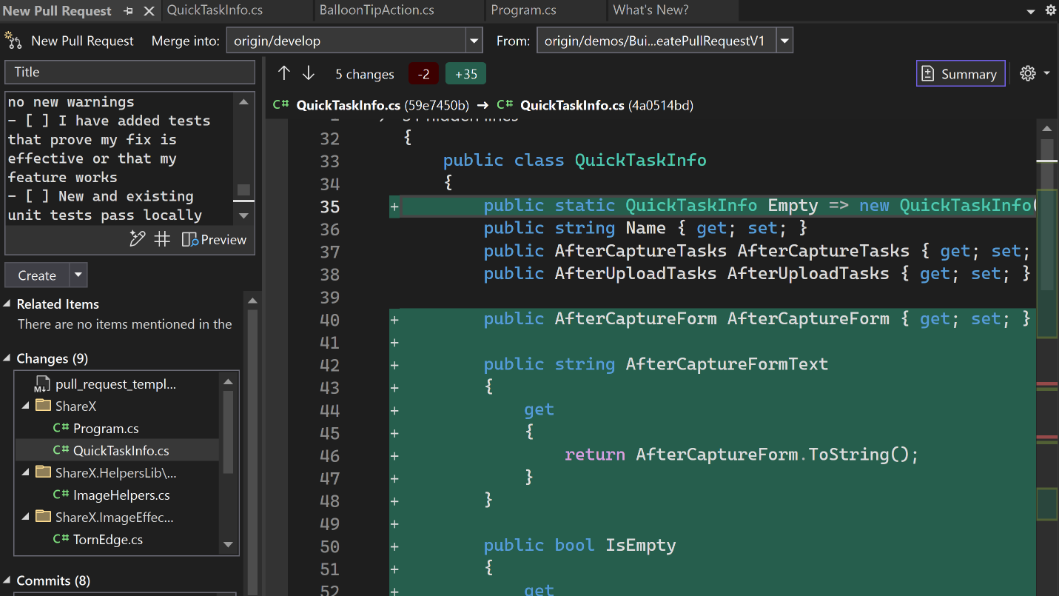
New git tooling features

Visual Studio 2022 v17.11 includes fantastic updates to everyone working with Git. They bring the richness of both GitHub and Azure DevOps into Visual Studio and part of your natural workflow. This greatly simplifies your inner loop, making you even more productive than before. Download this update and see the release notes for all the details. More meaningful code reviews We've made it easier to view your GitHub and Azure DevOps pull request comments directly in your working file in Visual Studio. You can now stay in your context, make necessary code changes, and interact with your colleagues' suggestions ...
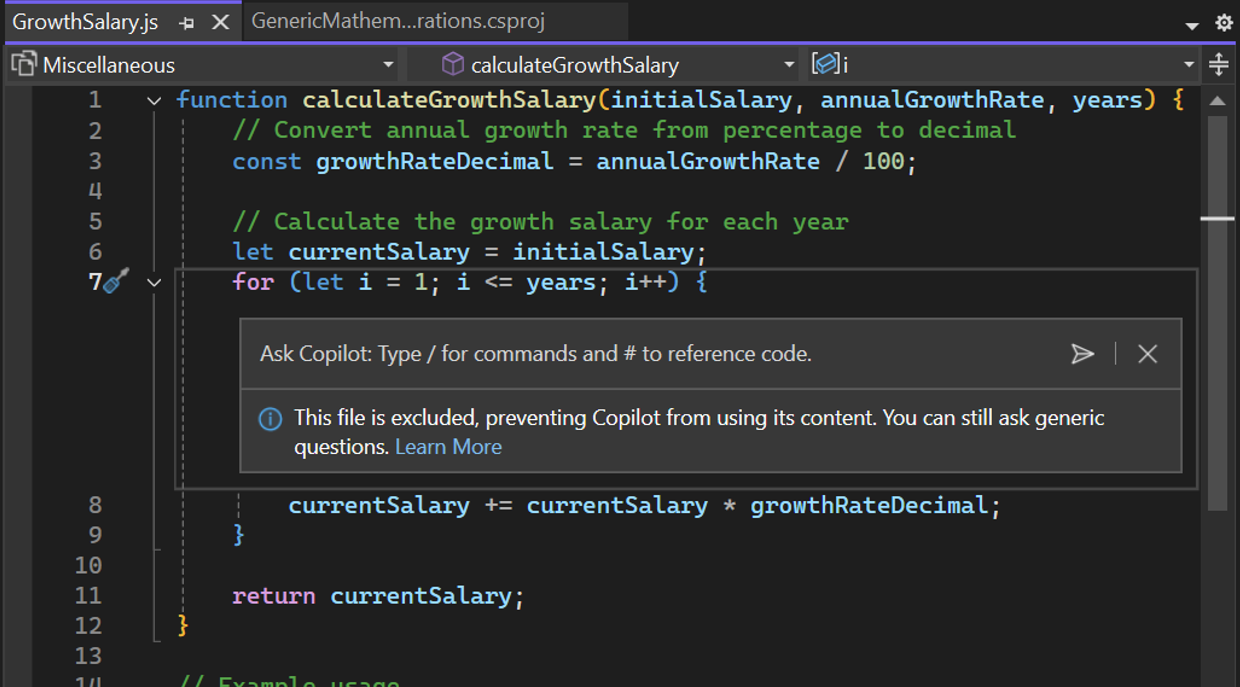
Copilot Content Exclusion Now Available in Visual Studio 2022 17.11

We are excited to announce that Copilot Content Exclusion is now available in Visual Studio 2022 17.11. This feature allows your admins to configure Copilot to ignore certain files in a repository or organization, giving you enterprise control that ensures sensitive information is protected while seamlessly integrating trusted AI for efficient coding. This will now be available for Completions, Inline, Chat, for GitHub Copilot for Business and GitHub Copilot for Enterprise customers. Content Exclusion is not limited to repos hosted on GitHub but also available for repositories hosted on other platforms, such a...

First preview of Visual Studio 2022 v17.12 with .NET 9

We’re excited to announce the availability of Visual Studio 2022 v17.12 Preview 1 – the first preview of our next update to Visual Studio. This update focuses on providing fantastic developer experiences for working with .NET 9 projects and new AI productivity features, along with continues improvements all-around. Download the preview and see the full list of enhancements in the release notes. .NET 9 + Aspire .NET 9 elevates cloud-native and intelligent app development, focusing on productivity enhancements, streamlined deployments, and accelerated AI integration, ensuring superior performance for develope...
Visual Studio 2022 v17.11 – Your feedback in action
We are thrilled to announce the General Availability (GA) of Visual Studio 2022 version 17.11. This release is a testament to our commitment to listening to you, our developer community. Every enhancement, every fix, and every new feature in this release has been shaped by your feedback. Whether you're building web, desktop, cloud, or gaming applications, Visual Studio 2022 v17.11 is designed to make your development experience smoother, faster, and more intuitive. We heard you - loud and clear. From the most upvoted issues on our Developer Community Forum to the suggestions that came through in our feedba...

My Summer Experience as a SWE Intern at Microsoft

Hi everyone! I’m Serena, a rising 4th year at Rochester Institute of Technology with a major in Computer Science and a minor in Psychology. This summer I was a returning intern at Microsoft as a software engineering intern with the JavaScript and TypeScript Tooling team. In this blog post, I will be covering what it was like to work on language tooling and my overall experience as an intern at Microsoft. What I Worked On Over the summer, I worked on a toggle feature for inlay hints (that is additional information about source code that is rendered inline) in Visual Studio. The inlay hint feature supports mu...
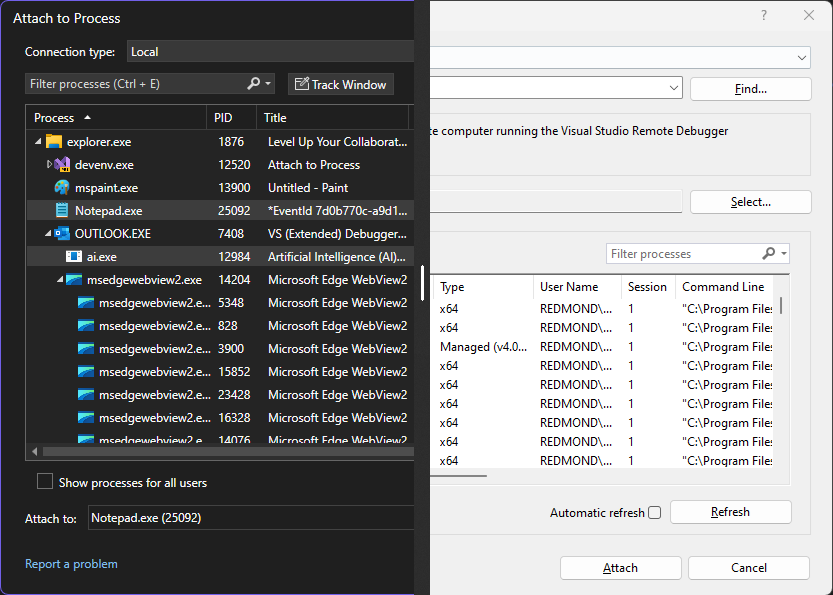
Introducing the revamped Attach to Process experience

One of the most powerful and frequently used features of Visual Studio is the Attach to Process dialog, which enables you to debug processes running on your machine or on a remote machine. For anything you could develop using Visual Studio, the Attach to Process dialog allows you to quickly attach the debugger to the processes you want to inspect and troubleshoot. While this feature has been around for a long time, its current design has room for modernization to better fit the latest versions of Visual Studio. Thus, we used this opportunity to improve the Attach to Process experience introducing a revamped and r...
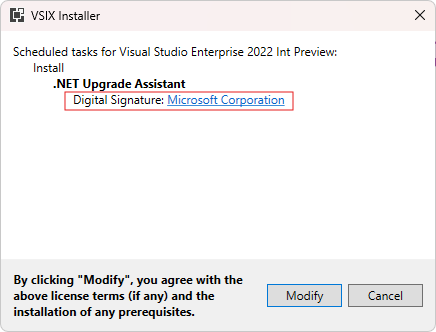
Sign VSIX packages with Sign CLI


You can now leverage Sign CLI for a more secure, modern way to sign your Visual Studio extensions. Signing your VSIX packages improves security, prevents tampering, and builds trust with your users. This integration makes it easier and more convenient to sign your packages than ever before! Sign CLI replaces the older VSIXSignTool with a modern, general purpose sign tool that’s actively maintained and kept up to date with the latest security standards. It supports cloud and local signing from a variety of sources and can also fit seamlessly into your CI pipeline for easy integration. Continue reading to le...
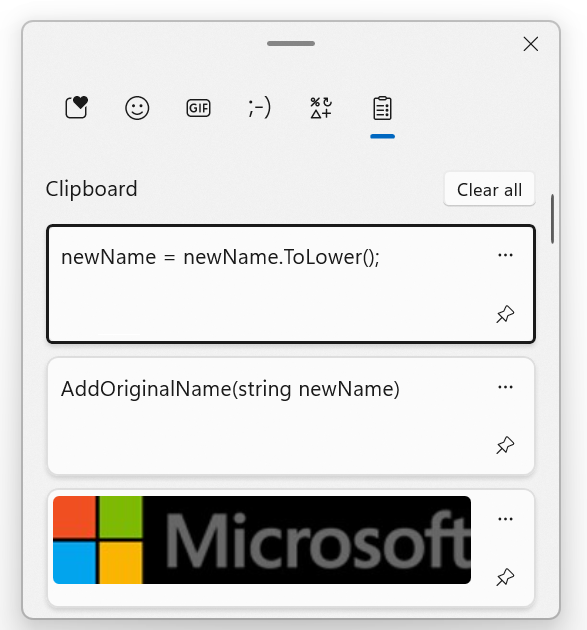
Visual Studio tip: Using Ctrl-L to delete a line with and without Clipboard backup

Here is one Visual Studio tip from my colleague Gwyn Peña-Siguenza which I didn't know about! Yes, even after 26 years using this fantastic tool, I am still discovering new features. So thanks to Gwyn for this!! This is all about deleting lines, and using the Windows Clipboard for support. You can see the short video on our YouTube channel, and there is also a longer video with 20 must-know shortcuts here. Don't forget to subscribe if you want to learn more tips! Using the Clipboard History in Windows One of my favorite tools on Windows is the Clipboard History. This feature was introduced in Windo...