
PIX on Windows
Performance tuning and debugging for DirectX 12 games on Windows
Latest posts
PIX 1906.14 – GPU Timing in New Timing Captures

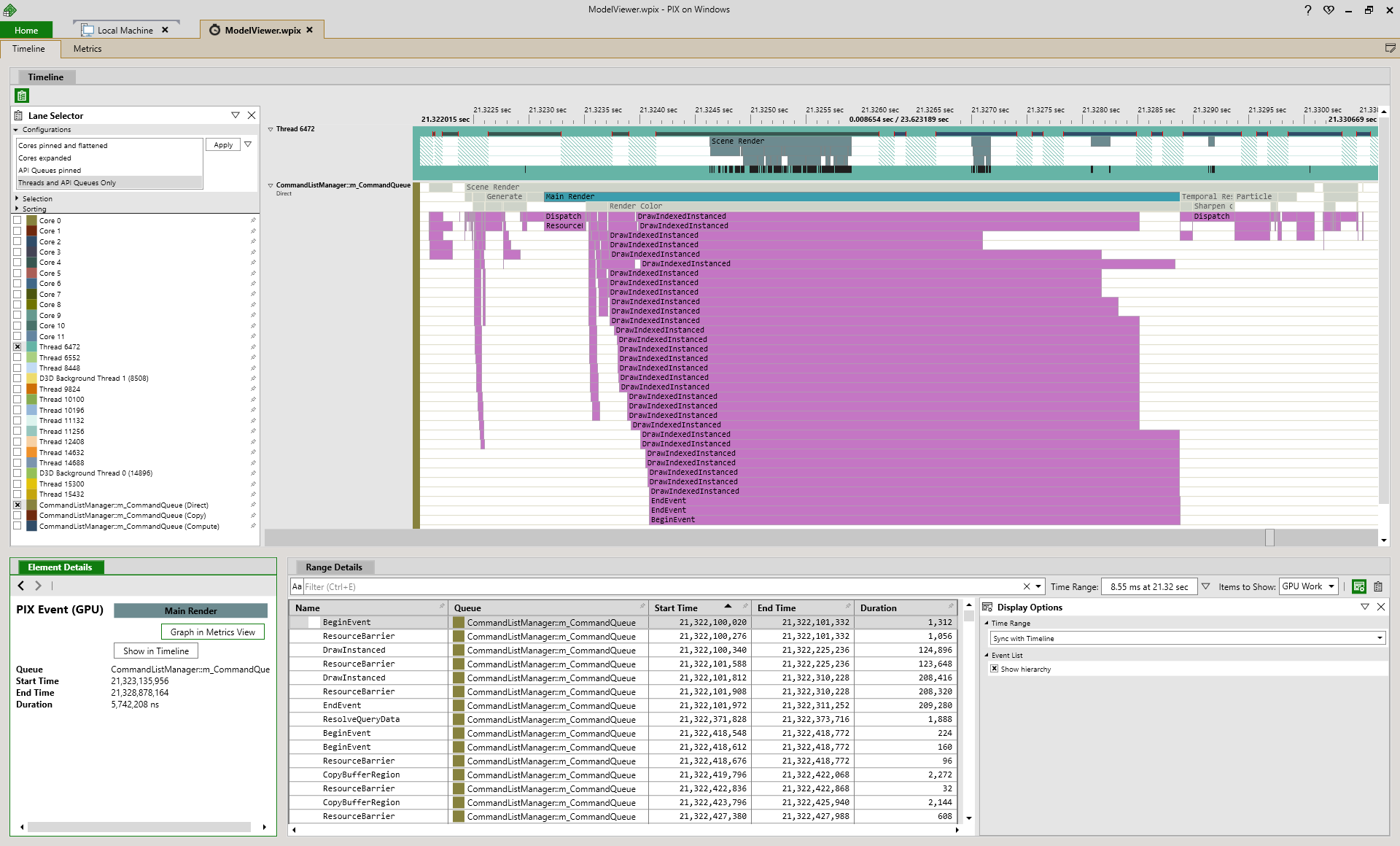
Today we released PIX 1906.14, available for download here. This release adds GPU timings to the New Timing Capture preview and further improvements to DXIL shader debugging. Highlights GPU Timing Data This release of PIX adds GPU Timing Data to the preview of New Timing Captures. Like with Legacy Timing Captures, GPU Timing data displays GPU work alongside your API calls; in the graph below, each bar represents the Top of Pipe to End of Pipe duration of a GPU operation on the Command Queue: In the future, we plan to add more features currently found in e...

PIX CPU Tools: Finding and Analyzing Context Switches

The information in this post has been updated and replaced with the following documentation page: Finding and Analyzing context switches Steven Pratschner Program Manager - PIX team
PIX CPU Tools: Populating the Range Details view
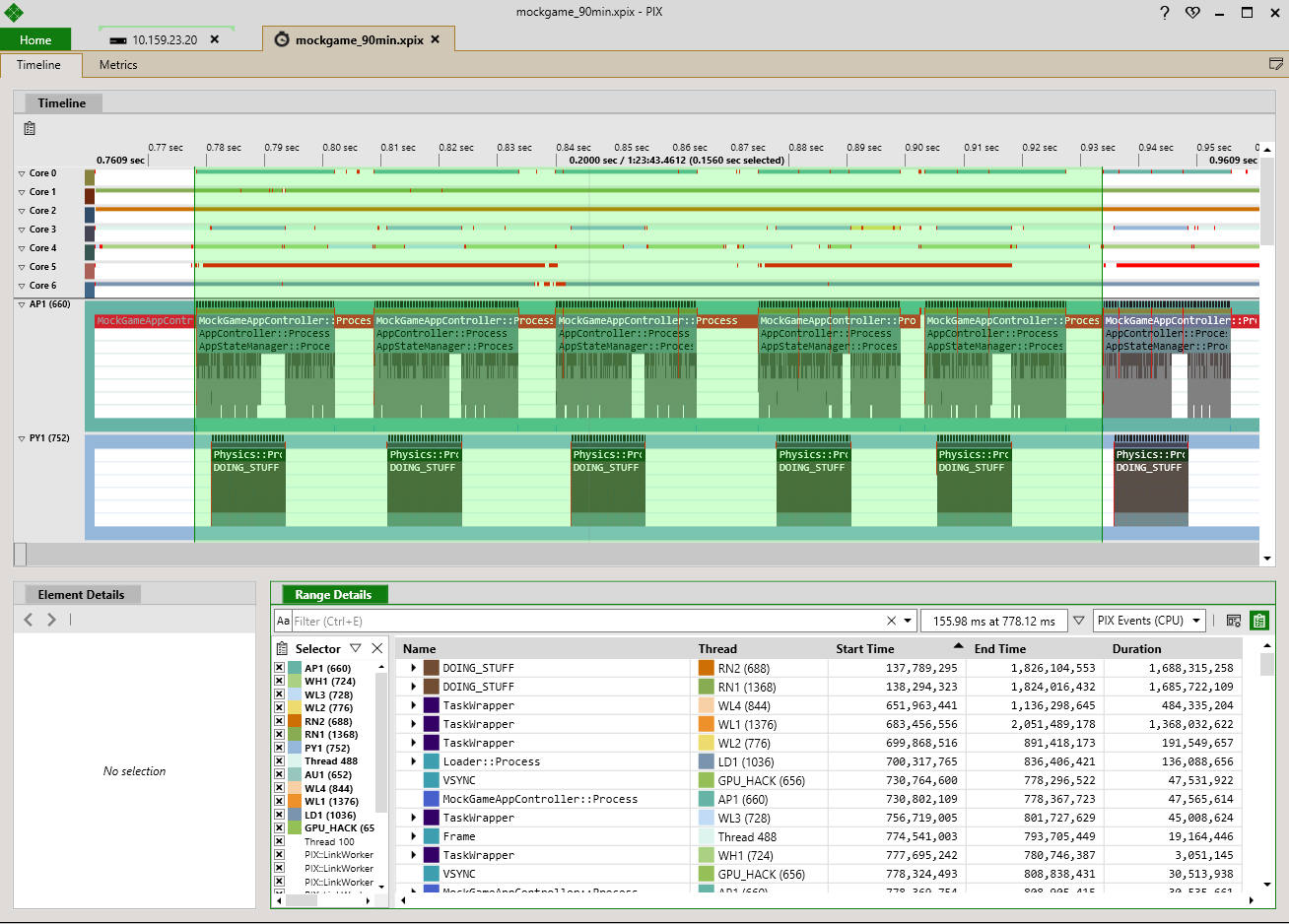
The most common way to populate the Range Details view in the new implementation of PIX Timing Captures is to drag select a range of time in the Timeline using the mouse. When you complete your selection, Range Details is populated with the data from all Thread and Core lanes for the range of time you selected. After Range Details is populated, single clicking anywhere in the Timeline will not cause Range Details to update, but selecting a different time range will. There are other ways to populate Range Details in addition to selecting time ranges with the mouse. You may find these other modes useful depen...
PIX CPU Tools: Graphing PIXReportCounter values in the Metrics View
The Metrics view in New Timing Captures allows you to graph the duration of PIX CPU events and any counter values that are reported using the PIXReportCounter API. Graphing event durations is fairly discoverable in the UI, but I think it's less well-known that counter values can be graphed as well. Annotating your title with calls to PIXReportCounter and graphing the resulting custom data in the Metrics view can be very helpful when investigating performance outliers. For example, in the following picture, when looking at the frame that is highlighted, it's fairly obvious that the duration of the UpdateEnemy...
PIX CPU Tools Reboot!
A few weeks ago we released a version of PIX that includes a Preview release of a new implementation of Timing Captures. This release represents a significant reboot of our CPU performance tools in PIX. We've gotten a lot of feedback over the last few years about how our CPU tools in PIX compare with other AAA game-focused profiling tools. Developers told us they needed longer capture times, faster capture open speed, better analysis tools and numerous improvements to our UI, among other things. Clearly we had a ways to go. It quickly became apparent to us that the architecture we had in place for Timing...
PIX 1904.23 – New Timing Capture preview and improved DXIL shader debugging

Today we released PIX 1904.23, available for download here. This release contains a preview of the new Timing Capture implementation and improvements to DXIL shader debugging and pixtool as well as various other improvements and bug fixes. Highlights Preview of new Timing Capture implementation This release of PIX includes a Preview version of a new implementation of Timing Captures. This new version is labeled a Preview both because various aspects of the new captures may change based on your feedback, and because the new implementation of Timing Captures does not ...
PIX 1903.26 – Occupancy for Turing GPUs and Variable Rate Shading

Today we released PIX-1903.26, available for download here. This release includes support for Variable Rate Shading in GPU Captures, and it adds support for Occupancy on NVIDIA Turing GPUs such as an RTX 2080. Variable Rate Shading Variable Rate Shading (VRS) is a powerful new DirectX 12 feature that allows applications to significantly reduce their pixel shading work in exchange for minimal loss of visual fidelity. It was announced last week over on the DirectX blog. PIX fully supports applications that use VRS. In particular, PIX's GPU Captures support capture and replay of VRS API calls. This al...
PIX 1903.12 – High Frequency Counters
Today we released PIX-1903.12, available for download here. This release includes an exciting new feature in GPU Captures: High Frequency Counters. With High Frequency Counters, developers can plot graphs of GPU hardware counter values over time and correlate ranges of the graphs back to specific events within their GPU Capture. These graphs give developers new insight into GPU activity during their D3D12 work. In addition, since the graphs are typically sampled many times per D3D12 event, High Frequency Counters complement PIX’s Occupancy graph by providing detailed insight into GPU activity within individual...
PIX 1901.28 – Timing Data Improvements and support for new GPUs

Today we released PIX-1901.28, which can be downloaded here. In this release we’ve made improvements to Timing Data in GPU Captures, added support for new GPUs from NVIDIA and AMD, and fixed miscellaneous other issues described below. Timing Data Improvements for GPU Captures We have significantly reworked how PIX collects Timing Data in GPU Captures. Improvements include: Radeon 7 and Turing support This release adds support for AMD Radeon 7 GPUs and NVIDIA Turing GPUs (such as an RTX 2080). This means that a rich set of hardware performance counters is now available in PIX for all modern NVIDIA, A...