
Visual Studio Blog
The official source of product insight from the Visual Studio Engineering Team
Latest posts
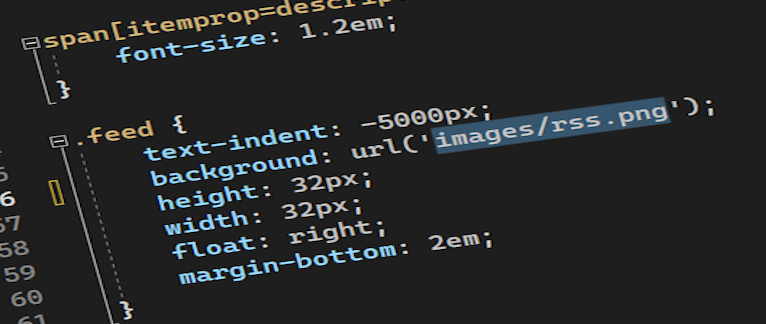
Working with images just got easier in Visual Studio

Any web, desktop, or mobile developer works with images often. You reference them from C#, HTML, XAML, CSS, C++, TypeScript, and even in code comments. Some images are local, and some exist online or on network shares, while others only exist as base64 encoded strings. We refer to them in numerous ways in code, but always as string values that don’t show us what the image looks like. It would be nice if those image references could show us the images too. The feature request An option to preview images when they are hovered has gotten some attention lately, and we think it sounds like a great idea. If you ...
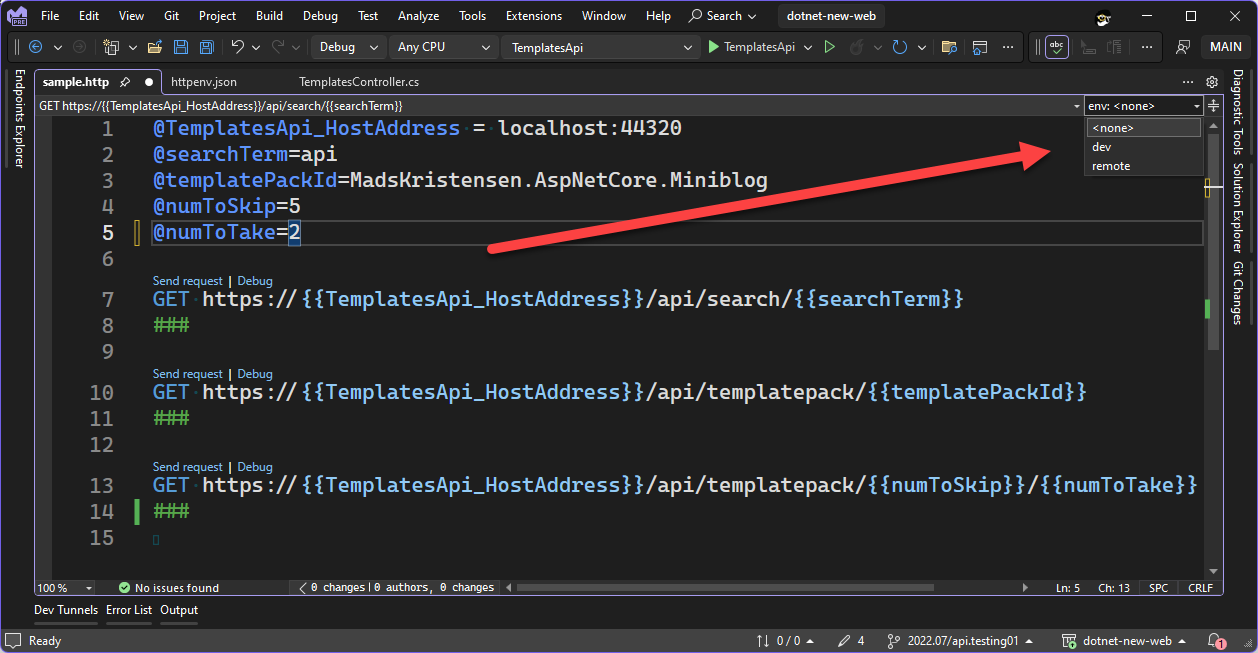
Safely use secrets in HTTP requests in Visual Studio 2022

In the 17.8 Preview 1 version of Visual Studio 2022 we have updated the HTTP file editor to enable you to externalize variables to make testing your Web APIs across different environments easier. This update also includes support to handle secrets in a secure fashion. To access these new features, you’ll need to install 17.8 Preview 1, or later, which you can do with the link below. In previous releases if you wanted to use a variable in an HTTP file in Visual Studio, the variable would have to be defined directly in the HTTP file itself. This makes it more difficult to test different environments with the...
Simplified Code Refinement and Debugging with GitHub Copilot Chat


This March, we announced GitHub Copilot chat for Visual Studio 2022. With Chat, Copilot has moved beyond code completions, offering in-depth analysis and explanations of how code works. It supports the generation of unit tests, and even helps with proposed fixes to bugs, and explaining exceptions. By gathering useful context data from Visual Studio, Copilot Chat helps you form great questions to get useful answers. Using GitHub Copilot with Visual Studio gives you more time for creativity by spending less time on boilerplate manual tasks and diagnosis. Now, we’ve taken deep integration with Visual Studio a ste...
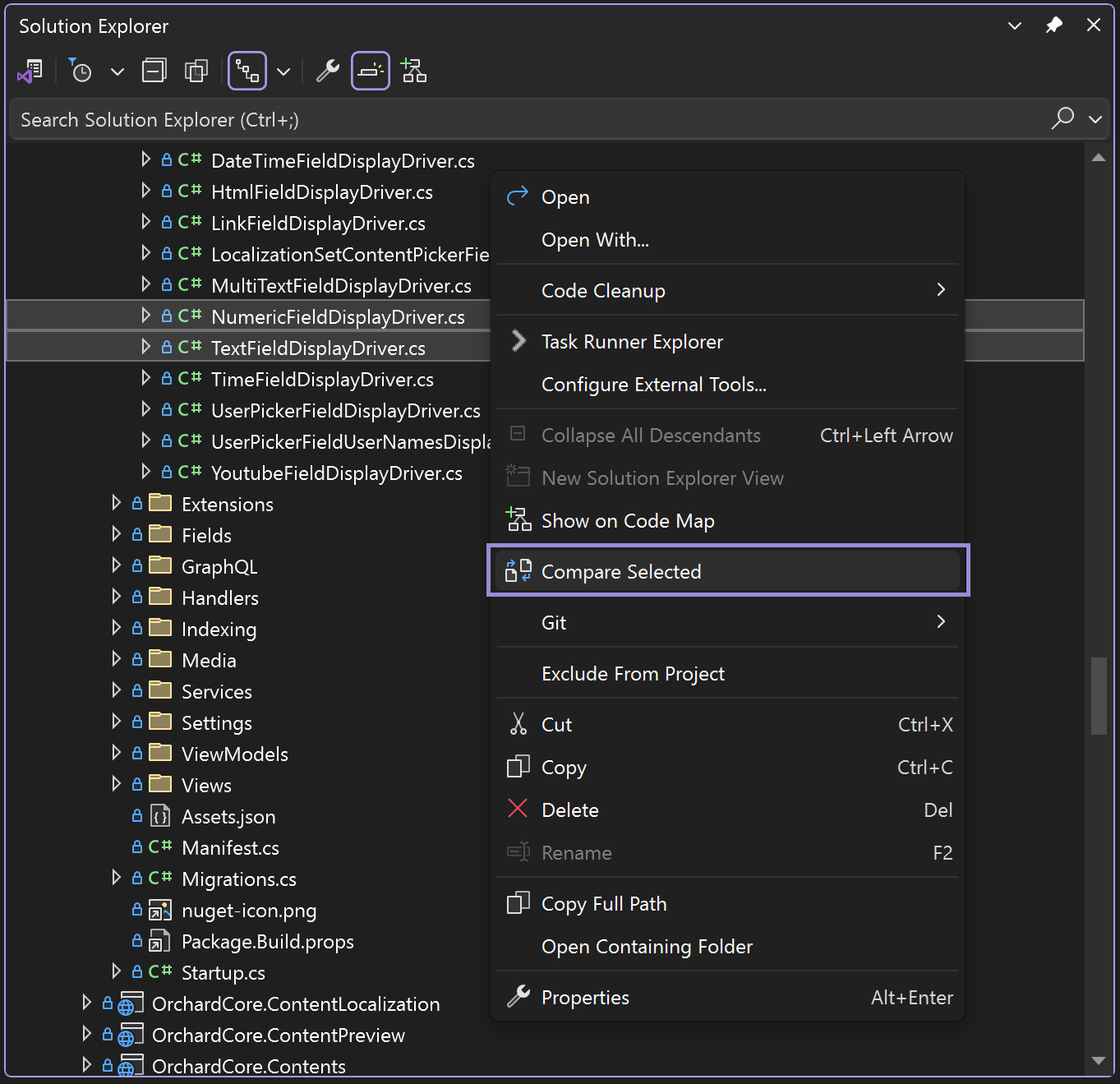
New in Visual Studio: Compare Files with Solution Explorer

Comparing code in different files is a common need for developers, yet it often disrupts the flow of your work. We've heard your feedback and are excited to introduce a new compare feature in Visual Studio. This feature enables you to compare code files directly within the Solution Explorer, eliminating the need for external tools and keeping you in your developer flow. Effortless Code Comparison with Two Options Recognizing that developers have different scenarios for comparing files, we've introduced two convenient ways to achieve the same goal: effortless code comparison to understand differences. 1. Comp...

Multi-Branch Graph Available for General Audiences

The power of version control comes alive when you can visualize your Git operations with the new multi-branch graph, available in 17.7 GA. In response to your feedback, we’ve delivered an improved graph experience. Track all the branches, commits, and merges that arise in your git workflows by viewing multiple branches at the same time. Leveraging the Multi-branch Graph Visualizing multiple branches empowers you to perform cross branch operations and makes it easy to understand the relationships between branches. In the past, you may have used tools like GitKraken, Sourcetree, or git log to visualize your r...

Unleashing the Power of Visual Studio 2022 for C++ Game Development

In Visual Studio 2022 v17.7, we are excited to bring you a multitude of performance tune-ups, productivity enhancements, and Unreal Engine integrations for C++ game development. In this blog post, you will learn how to take advantage of these new improvements whether you use Unreal Engine or a proprietary game engine. Not a game developer? See how these features can also benefit your C++ projects. At Visual Studio, we are dedicated to understanding the unique challenges faced by AAA game developers. We recognize that AAA game developers work with large and complex C++ codebases, which often come with speci...
My favorite features in Visual Studio 17.7
Two of my favorite features in Visual Studio happen to share a similar origin story. They were both created in deep collaboration with you, the user, and went through multiple iterations before you gave your final thumbs up. This is the story of how they came to be and why they are my favorites. File comparison Visual Studio 2012 introduced this feature and used by the Team Explorer tooling for working with TFS. However, it was never exposed outside Team Explorer. The only way to use it was from the Command Window (View -> Other Windows -> Command Window) by typing the command name Tools.DiffFiles and...
Visual Studio 2022 – 17.7 Performance Enhancements

Visual Studio 2022 17.7 introduces a set of exciting performance improvements that cater to key areas like F5 Speed, Enhanced Light Bulb Performance in C#, improved memory consumption in C# spell checker, C++ Unreal Engine – IntelliSense optimization, Solution Explorer, Find in Files and much more. Our key theme is to elevate the performance of Visual Studio and these performance enhancements pave the way for a seamless and productive coding journey in Visual Studio 2022 17.7. Embrace the power of these upgrades and experience a new level of development efficiency. Happy coding! Enhanced F5 Speed The F5 ...
Let’s Co-Create! Your Voice Matters

We want to celebrate the suggestions you’ve made and the time you have invested in giving feedback to help build Visual Studio. We're thrilled to announce that Visual Studio 2022 17.7, which began with Preview 1 on May 16th, is now officially out of Preview and generally available! The journey from Preview to today has been shaped by the insights and feedback of our community. Whether you've been with us since the beginning or are just joining now, we want to thank you for the suggestions you’ve made in this new release. Feedback from developers like you influences every release of Visual Studio. We want you ...