
Visual Studio Blog
The official source of product insight from the Visual Studio Engineering Team
Latest posts
Visual Studio 2019 for Mac Preview 3

This blog post is all about the cool new features, bug fixes and performance improvements we've added to the latest release (Preview 3) of Visual Studio 2019 for Mac. Some of the highlights include but are not limited to the following: launching multiple IDE instances, faster Xamarin Android developer tools, and a new C# editor. Read on to learn more.

Visual Studio 2019 Release Candidate (RC) now available

Visual Studio 2019 Release Candidate (RC) and Preview 4 are now available for download. Learn more about the new product channels in Visual Studio 2019 and how you can choose your path forward with the latest downloads.
Dependency Autocompletion, Performance Improvements and More for Java on Visual Studio Code

Welcome to February update of Java on Visual Studio Code! We'd like to share a few new improvements to further enhance your productivity, including Try these new features by installing Java Extension Pack with Visual Studio Code. See below for more details! Managing your Maven Dependencies Easily Editing pom.xml is a common task for developer when working with Maven project. To make it easier with Visual Studio Code, the Maven extension now supports code snippet as well as dependency auto-completion. The extension pulls plugin information from your local repository as we...
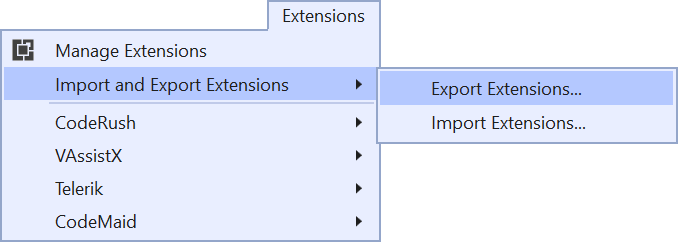
Use your favorite extensions with Visual Studio 2019

Do you want to try the preview of Visual Studio 2019 but worry that your favorite extensions aren’t supported yet? A record number of extensions have already added support for Visual Studio 2019. So there is a good chance your favorite extensions are among them. In fact, more than 850 extensions are currently available, and more are being updated every day.

Reflecting your feedback in Visual Studio 2019

Over the last few months, we’ve seen lots of thoughtful and passionate discussion throughout the community, on the blog, in Developer Community, and a bunch of social media sites. There were a few popular themes in the feedback that we wanted to acknowledge and talk a bit about the changes we’ve already made based on your feedback.

Join us April 2nd for the Launch of Visual Studio 2019!

I’m excited to announce the upcoming release of Visual Studio 2019 on April 2, 2019 at the Visual Studio 2019 Launch Event. Join us online starting at 9 AM Pacific Time for demos and conversations centered around development with Visual Studio 2019, Azure DevOps, and GitHub.

Welcome to the new home of our developer tools blogs!

With the new look and URL for Microsoft’s developer tools and services blogs where you can explore the latest news and updates for our products, discover a new project to try out, and share your favorite content with your friends.

Break When Value Changes: Data Breakpoints for .NET Core in Visual Studio 2019

“Why is this value changing unexpectedly and where or when is this occurring?!” This is a question many of us dread asking ourselves, knowing that we'll have to do some tedious trial-and-error debugging attempting to locate the source of this issue. For C++ developers, the exclusive solution to this problem has been the data breakpoint, a debugging tool that allows you to break when a specific object’s property changes. Fortunately, data breakpoints are no longer a C++ exclusive because they are now available for .NET Core (3.0 or higher) in Visual Studio 2019 Preview 2!
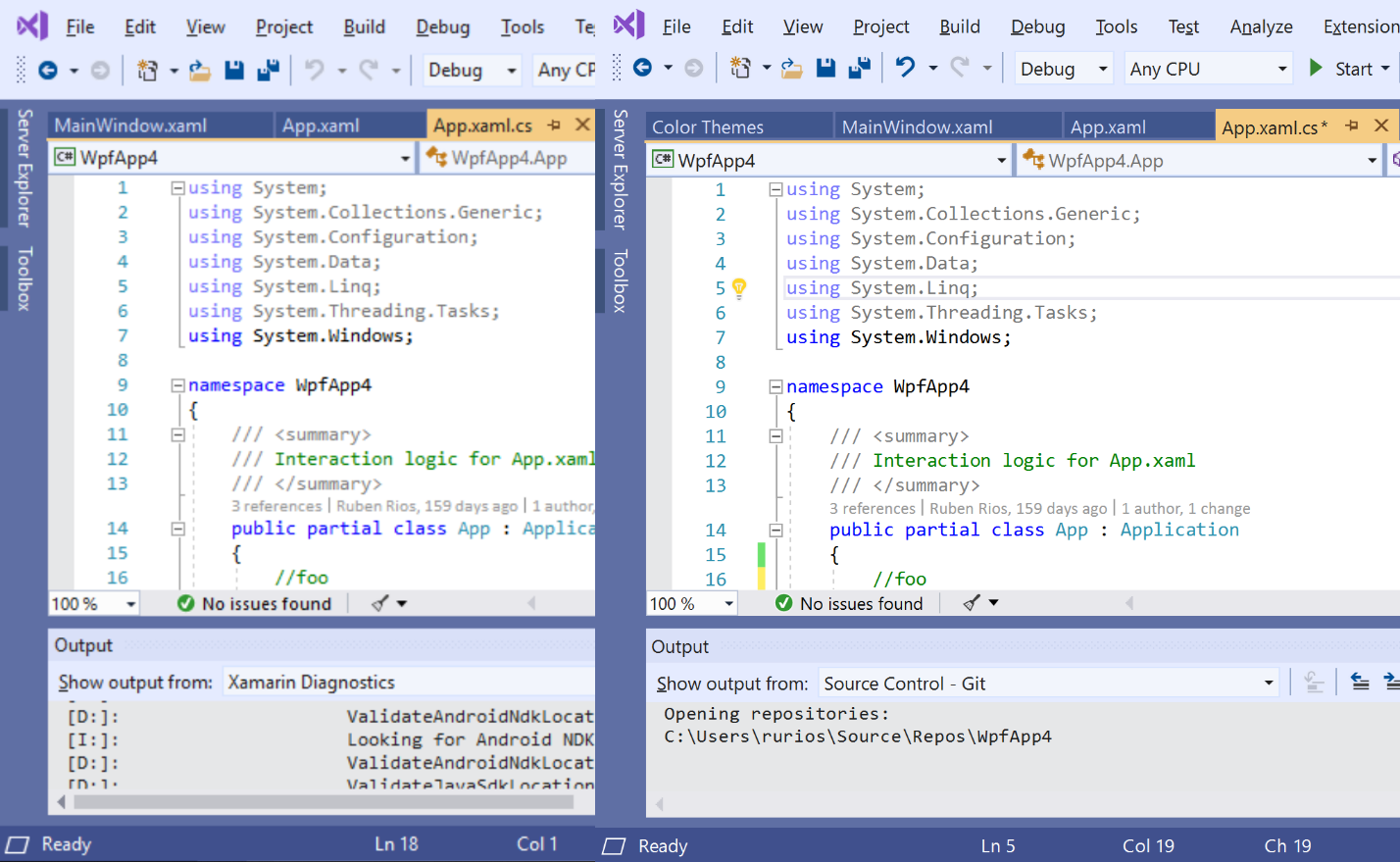
A better multi-monitor experience with Visual Studio 2019

Visual Studio 2019 now supports per-monitor DPI awareness (PMA) across the IDE. PMA support means the IDE and more importantly, the code you work on appears crisp in any monitor display scale factor and DPI configuration, including across multiple monitors.