
Visual Studio Blog
The official source of product insight from the Visual Studio Engineering Team
Latest posts
Speed up your .NET and C++ development with Hot Reload in Visual Studio 2022

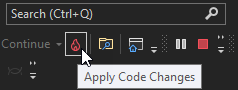
With the recent release of Visual Studio 2022 Preview 2 we’d like to use this blog post to dive deeper into the brand-new Hot Reload experience which works for both managed .NET and newly supported native C++ apps. With Hot Reload our goal is to save you as many app restarts between edits as possible, making you more productive by reducing the time you spend building/restarting as you continue to build your app. We try to achieve this goal by making it possible for you to edit your applications code files and, in many cases, apply those code changes immediately without having to do things such as pause the app...
Join the Visual Studio 2022 for Mac Private Preview

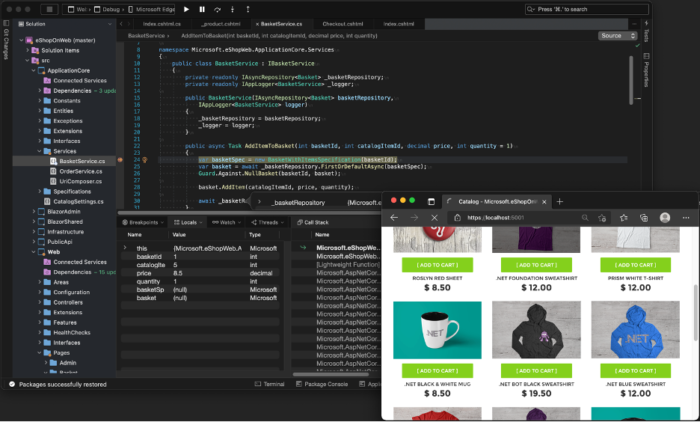
Today we’re inviting you to try out Visual Studio 2022 for Mac as we share our first private preview release. This is the first release of our .NET IDE with a refreshed, fully native macOS UI. We’d love for you to download it, try it out, and share your feedback to help us shape the next major release of Visual Studio for Mac. The Visual Studio 2022 for Mac preview can be installed side-by-side with earlier versions of Visual Studio for Mac and is free to use. Our goal with Visual Studio 2022 for Mac is to make a modern .NET IDE tailored for the Mac that delivers the productive experience you’ve come to...
Design your Web Forms apps with Web Live Preview in Visual Studio 2022

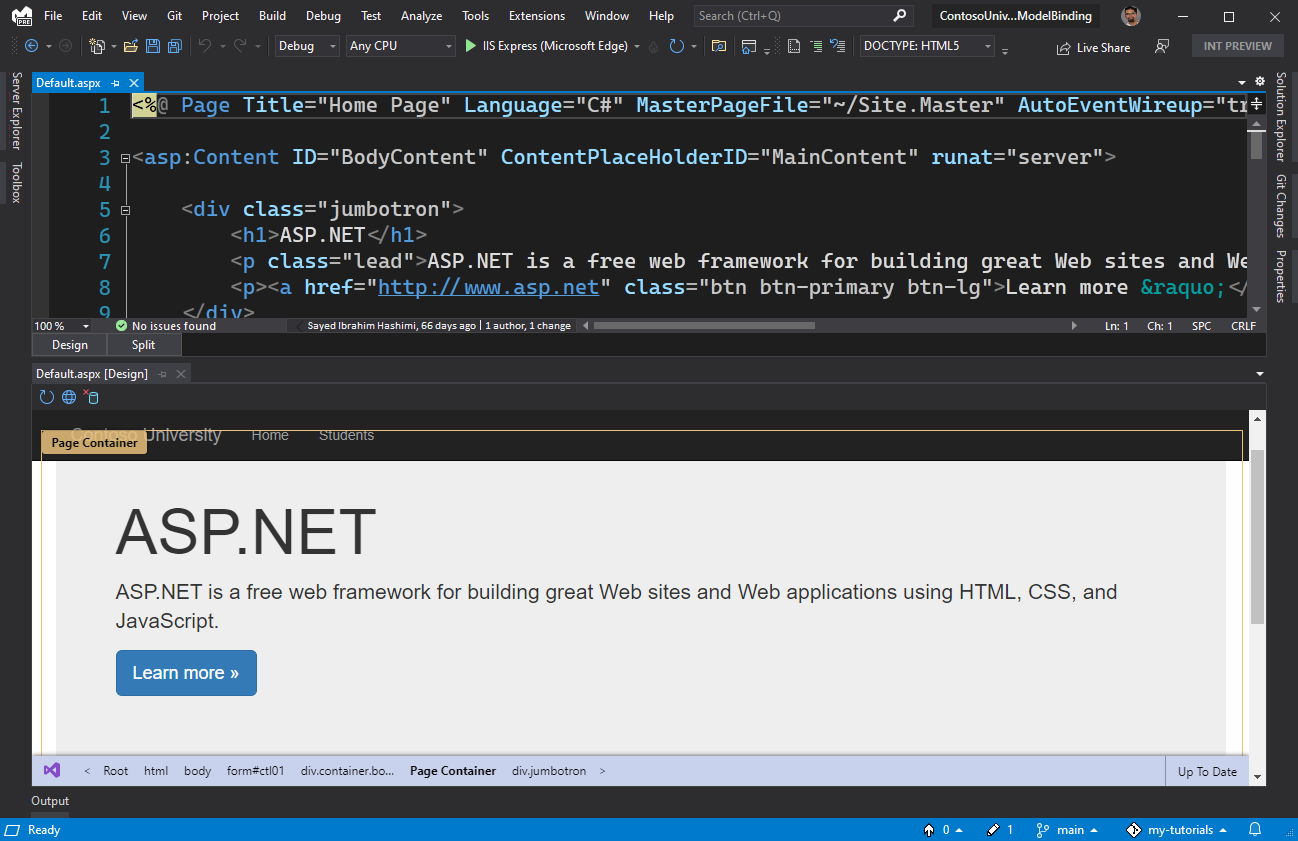
In this post we have introduced, and demonstrated, the new Web Forms Designer and Web Live Preview that is built into Visual Studio 2022 Preview 2. We are very excited to bring a new designer for Web Forms. We would love for you to try out this new designer experience and let us know how it’s working for you with your own projects and solution
Debug code with force run to cursor

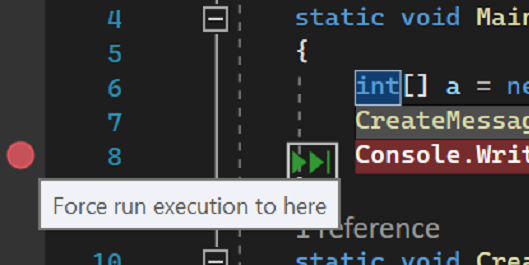
Starting Visual Studio 2022 Preview 2 you can use "Force Run To Cursor". It is like "Run To Cursor," but you can keep your breakpoints and the debugger will skip over them until it reaches the line of code with the cursor. It will also skip any of the first-chance exceptions break conditions that may occur.
Visual Studio 2022 Preview 2 is out!

We're excited to announce the second preview release of Visual Studio 2022! Preview 1 was the first-ever 64-bit Visual Studio, delivering improved scalability. Starting with Preview 2, we’re focusing on delivering new capabilities on the themes of personal and team productivity, modern development, and constant innovation. In this blog we’re going to highlight a few of the new capabilities of Visual Studio 2022. We’d love for you to download it, try it out, tell us what you think, and join us in shaping the next major release of Visual Studio with your feedback. Developing for everyone At Microsoft, our...

.NET Object Allocation Tool Performance

With the release of Visual Studio 16.10 comes a new analysis engine for the Performance Profiler, with the .NET Object Allocation Tool being the first tool to be onboarded. This provides the tool with some new features and a significant perf boost. Give it a shot with your C# app and see what spurious allocations you can remove to speed up your app! What's new? The .NET Object Allocation Tool now has support for Source Link which lets the tool pull down source files when going to source. This lets you see exactly where allocations are happening even if they are not in your code. Search now has auto compl...
Let’s make Visual Studio even more accessible together.

Visual Studio wants to be the most accessible IDE available today. We've made huge strides, but we want to do even more. In this post, we'll talk about some of the new innovations we're exploring and we'd love your feedback. We want to make sure we're making the features that folks will love and we'd love to hear from you.

Gain +10 Debugging for Unity with Visual Studio

If you’re like me, you’ve probably searched through Debug.Log messages in the Unity console to find or fix a bug. Have you also asked if there was a better way? Follow along with our new video series and by the end we think you’ll be surprised at how a few simple debugging tools in Visual Studio can transform your workflow with Unity.
Visual Studio 2022 Preview 1 now available!
We're excited to announce that the first preview release of Visual Studio 2022 is ready to install! This is the first release of a 64-bit Visual Studio and we’d love for you to download it, try it out, and join us in shaping the next major release of Visual Studio with your feedback.