
Visual Studio Blog
The official source of product insight from the Visual Studio Engineering Team
Latest posts
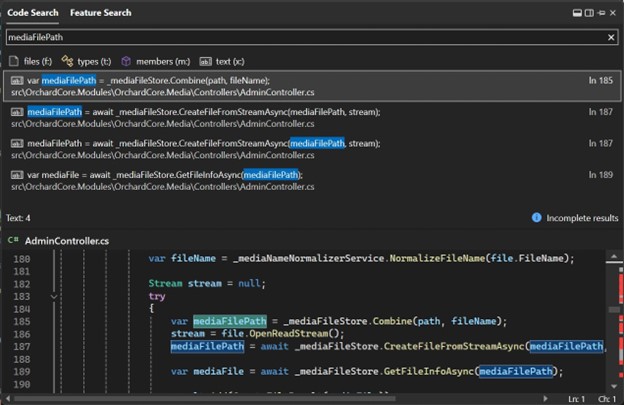
17.9 Preview 3 brings exciting changes to Code Search

With the release of 17.9 Preview 3 dropping today, we are bringing some exciting enhancements to the Code Search (also known as All-In-One Search) experience. Since our last update with the search experience, we’ve been hard at work refining the experience and ideating ways to add to the experience. Now, you can search for any word or string of characters across your solution, supplementing file and symbol results from your codebase. You can now search for local variable names, words in comments, parameter names, or any other string of characters across your codebase. The added text support will help round out...

Code, Connect & Learn at Visual Studio LIVE! in Las Vegas.

As an integral part of our Visual Studio community, we're thrilled to extend a special invitation to Visual Studio LIVE!, from March 3-8, 2024, at the Paris Las Vegas Hotel & Casino. This event is a hub for developers eager to explore the latest features in the IDE plus additional insights from experts in Visual Studio, Azure, and GitHub. Microsoft is not just sponsoring but actively participating in this dynamic conference. And for our blog readers, we have an sweet offer to make this experience even more rewarding. Keep reading to learn about an exclusive discount code for blog readers, available for a l...
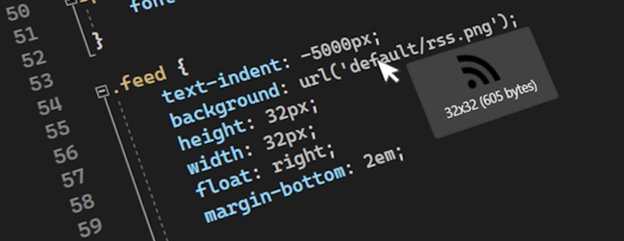
2023 – a year of community experiments

As we enter a new year, we wanted to catch you up on several experiments your feedback and participation helped us fine tune over the course of 2023. A community experiment is when we identify features believed to increase user productivity and happiness, and then build and test it with the community of Visual Studio users. These are features that don’t have many upvotes on Developer Community, but other signals suggest that they would be desirable for developers regardless. We then publish the feature as an open-source extension and work with the community to get it Just Right™. This includes receiving bug re...
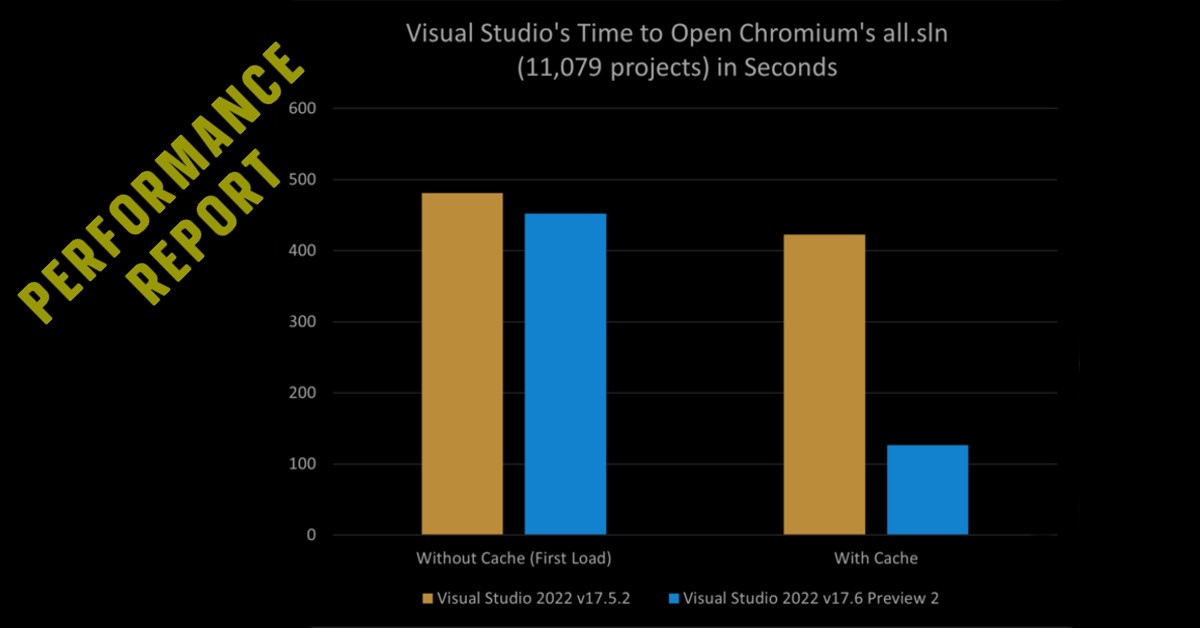
Visual Studio Performance Highlights Delivered in 2023

As we step into 2024, we're taking a moment to look back at the significant performance improvements our team delivered in 2023. Your valuable feedback, active collaboration, and unwavering support have been crucial in enhancing Visual Studio. This past year has been focused on optimizing performance, and we're thrilled to showcase the key advancements that have elevated your development experience. Join us as we recap the impactful enhancements that made Visual Studio faster, smoother, and more responsive in 2023. 17.5 Performance Enhancements 17.6 Performance Enhancements ...

Visual Studio 2013 Retirement: Support reminder for older versions of Visual Studio

It’s a New Year, and a good time for a reminder of upcoming dates in the Visual Studio support lifecycle. Support for Visual Studio 2013 will end on April 9 of this year. If you’re using an older version of Visual Studio, we want to keep you productive and secure when using Visual Studio, and strongly recommend you upgrade to Visual Studio 2022. Additionally, Visual Studio 2019 will transition from Mainstream to Extended Support on April 9, 2024. Further, if you’re using the Community Edition of Visual Studio 2017 or 2019, we recommend you upgrade to Visual Studio 2022 Community, our first 64-bit IDE which ...
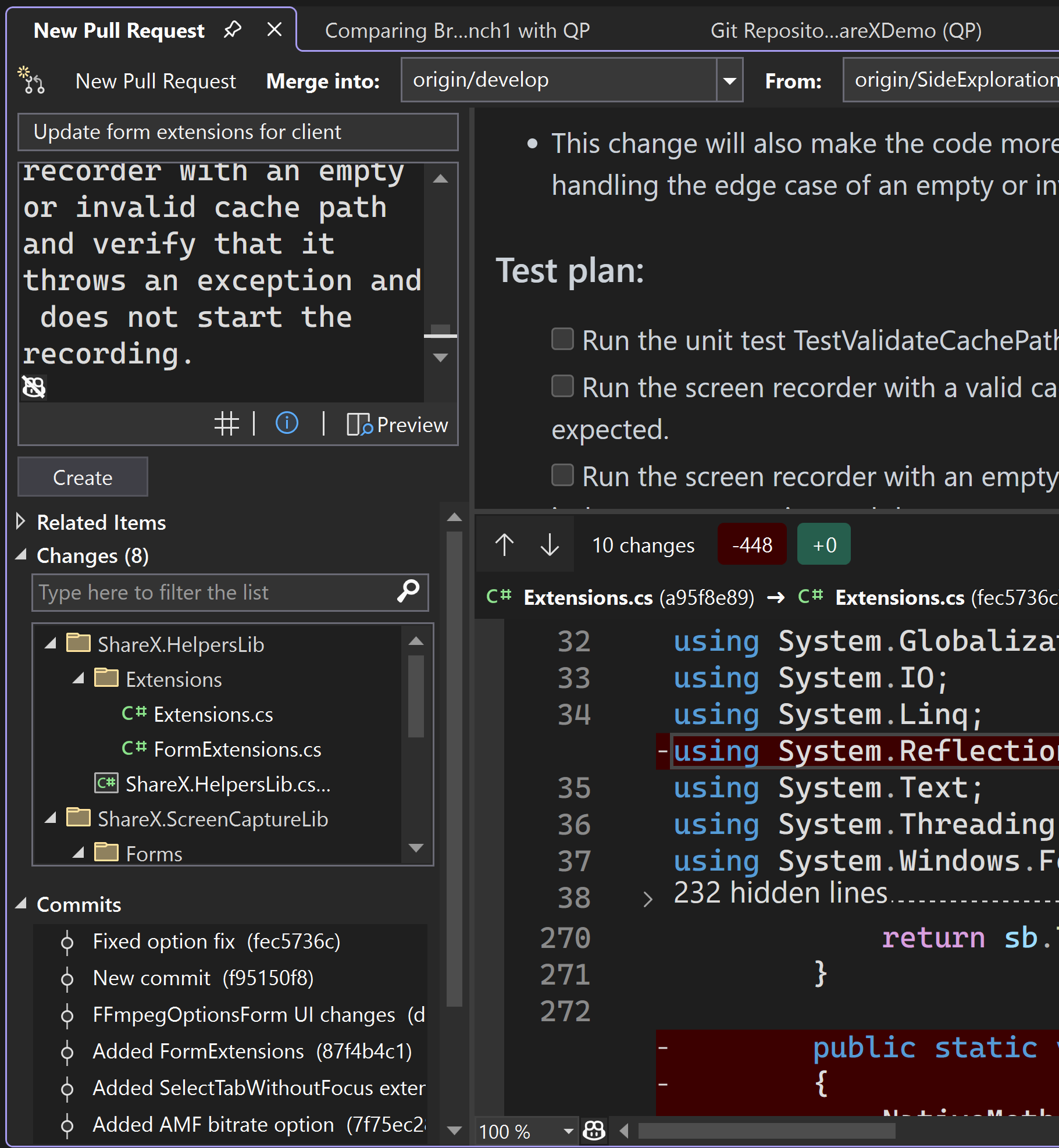
A year of making you more productive using Git in Visual Studio

As we reflect on the past year, it’s clear that the journey of enhancing our Git tooling has been exciting! Our team has been dedicated to increasing GitHub integration, boosting productivity, and addressing valuable feedback from Developer Community. Today, we’re thrilled to share the milestones we’ve achieved and the enhancements that are making your Git experience in Visual Studio smoother and more intuitive. We hope this post can summarize the updates over the past year, and help you find and try out any updates you may have missed. More GitHub Integration Because we can partner closely with GitHub, we’re h...
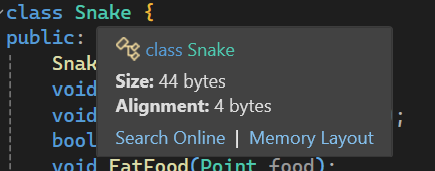
Size, Alignment, and Memory Layout Insights for C++ Classes, Structs, and Unions

In Visual Studio 2022 version 17.8, we introduced a feature that allows C++ developers to easily view the size and alignment of classes, structs, unions, base types, or Enums. Furthermore, in Visual Studio 2022 version 17.9 Preview 1, we're taking it a step further by providing the capability to visualize the memory layout of your C++ classes, structs, and unions. Thanks to your feedback, you can now use these features to gain a better understanding of how data is organized and accessed in your programs. Size and Alignment Visualizing size and alignment provides C++ developers with powerful insights ...
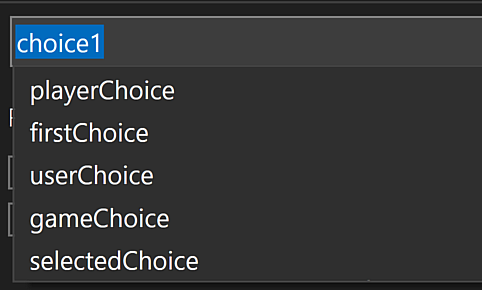
Naming Made Easy: AI-Powered Rename Suggestions

Ever struggled to name a variable, method, or class—finding that perfect balance between expressiveness and conciseness? You're not alone. We've tackled this universal challenge in the latest Visual Studio Preview via our GitHub Copilot Chat extension (subscription required). Introducing: AI-powered rename suggestions. This feature doesn't just suggest names; it learns how your identifier is used and your code style to propose identifiers that seamlessly fit into your codebase. It's like having a dedicated naming expert by your side, enhancing your code while keeping you in the coding flow. The Power of AI in...
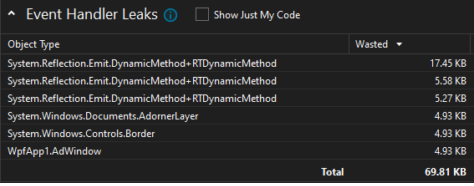
Unlocking the Secrets of Managed Memory: Dive into Event Handler Leak Insights!

Event handler leaks have been around for a long time, and they are one of the peskiest issues WPF (Windows Presentation Foundation) developers regularly deal with. You might be thinking: What makes event handler leaks so important? Event handler leaks are easy to cause, all it takes is to forget to unsubscribe to an event. Additionally, they are quite difficult to spot and even trickier to fix. The new insight added to the Visual Studio Managed Memory Usage Tool introduced in update 17.9 Preview 1 significantly trivializes the process of spotting/fixing these leaks. It provides information on which objects are...