
Visual Studio Blog
The official source of product insight from the Visual Studio Engineering Team
Latest posts

Three New Premium Visual Studio Subscriber Benefits Announced

A Visual Studio Subscription, whether Professional or Enterprise, delivers far more than just software usage rights; it's a comprehensive toolkit designed to significantly boost your development capabilities and career growth. These subscriptions can save you thousands each year, offering everything from monthly Azure credits for cloud experimentation to complimentary access to premium training platforms like Pluralsight and LinkedIn Learning. You will also benefit from discounted rates on Azure Dev/Test pricing and significant savings at professional events like Visual Studio LIVE! Before we explore the detai...
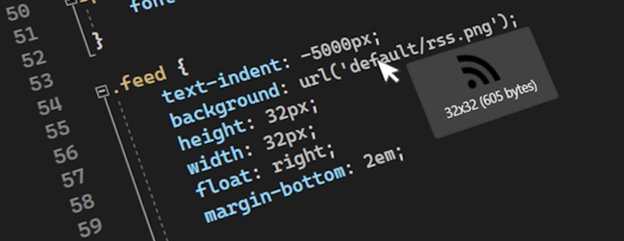
Making Visual Studio a bit more visual

Any web, desktop, or mobile developer works with images often. You reference them from C#, HTML, XAML, CSS, C++, VB, TypeScript, and even in code comments. Some images are local, and some exist online or on network shares, while others only exist as base64 encoded strings. We refer to them in numerous ways in code, but always as string values that don’t show us what the image looks like. Until now. The feature request An option to preview images when they are hovered has gotten a lot of attention lately, so we decided to look into it. Various image previewers exist for different editors already, but they a...
Get Hands-On with Visual Studio and Azure: Live at Microsoft HQ this August!
Visual Studio LIVE! Microsoft HQ 2024 August 5-9 | Microsoft Conference Center, Redmond, WA There’s still time to register, join us, get your questions answered, and bring back a wealth of knowledge and excitement to your teams! We’re close to selling out for next month’s conference, which will be packed with valuable sessions and activities, hosted on campus at the Microsoft Conference Center in Redmond, WA. Visual Studio LIVE! 2024 is not just another conference; it’s a celebration of innovation, learning, and community. Here are some key highlights and reasons why you should attend: Discover the Latest I...
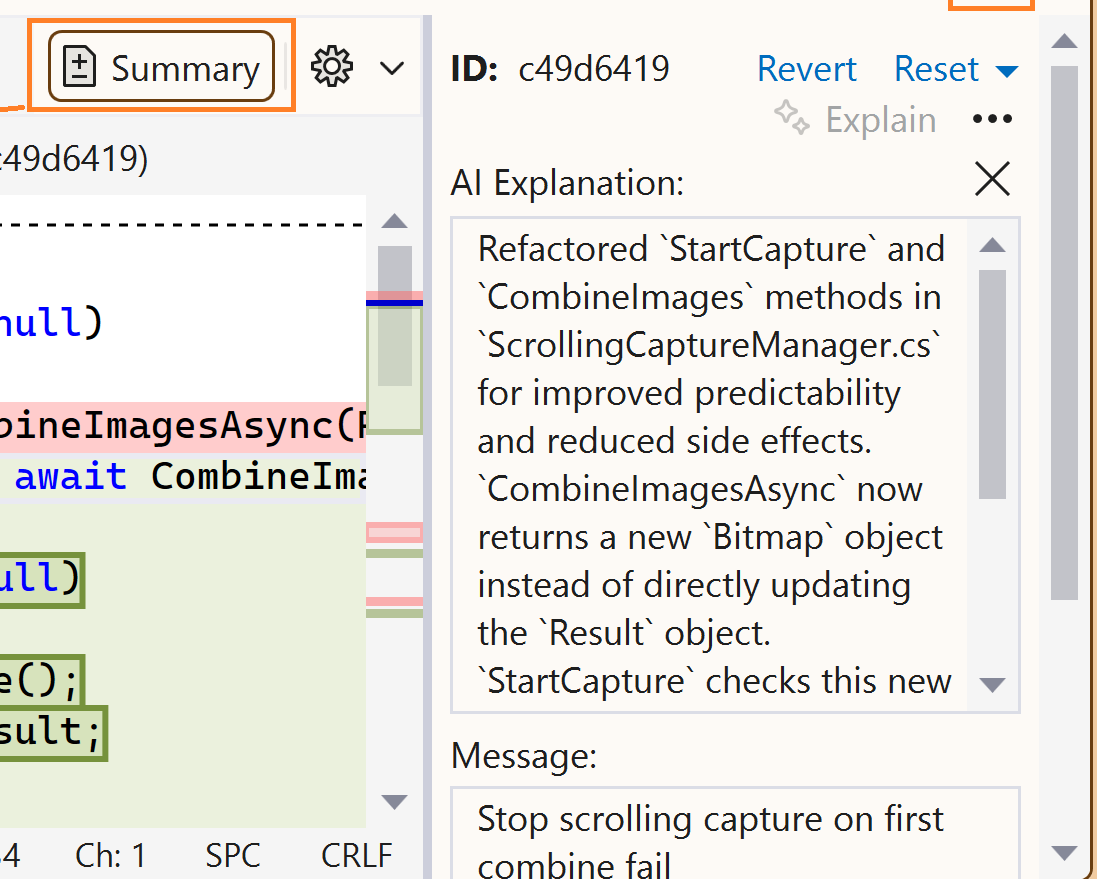
Demystify history with GitHub Copilot commit explanations

Have you ever struggled to understand what a commit was doing or why it was made? Do you wish you had more clarity and context when reviewing or collaborating on code changes? If you answered yes, then you'll love what GitHub Copilot can do for you: generate commit explanations. GitHub Copilot can analyze your code differences and produce concise summaries that highlight the key points. No more guessing or wasting time on deciphering your Git history. You can focus on coding and collaborating with ease. And the best part is, you can also improve your communication and teamwork by having better documentation and t...
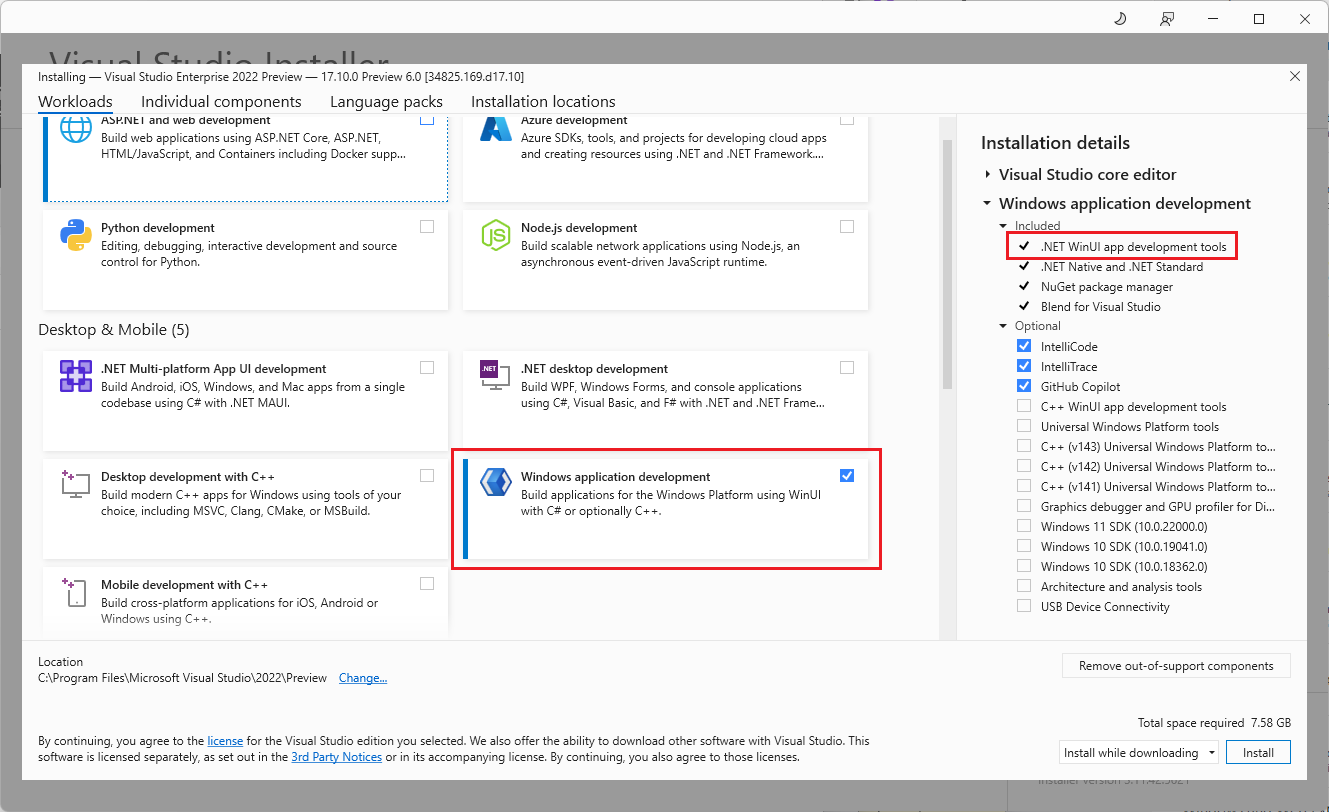
Dive into native Windows development with new WinUI workload and template improvements

At //Build 2024, the WinUI team announced a renewed focus on WinUI as one of the premier app development frameworks we recommend for native Windows app development. To make it as seamless and easy as possible to get into coding, we created a new Windows Dev Center page, streamlined our Getting Started with WinUI documentation, and partnered with Visual Studio to improve the developer experience with workloads and templates. Today, we’ll focus on showing you the great new changes in Visual Studio along with a little bit of our thought process behind them and links to learn more! Getting started with the new w...
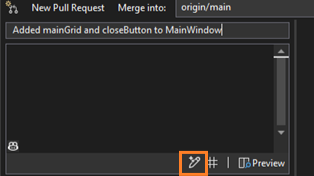
Let GitHub Copilot draft your pull request description
Writing good pull request descriptions is essential for effective code reviews and collaboration. But it’s time-consuming and tedious, especially when you have multiple commits or complex changes. That's why we’re highlighting a feature that will make your life better with the help of GitHub Copilot: generated pull request descriptions. GitHub Copilot examines your code changes and generates helpful summaries that you can edit and customize. Save your energy for your coding tasks and let GitHub Copilot provide extra context for your reviewers. Starting with Visual Studio version 17.10 GA, to try these ...
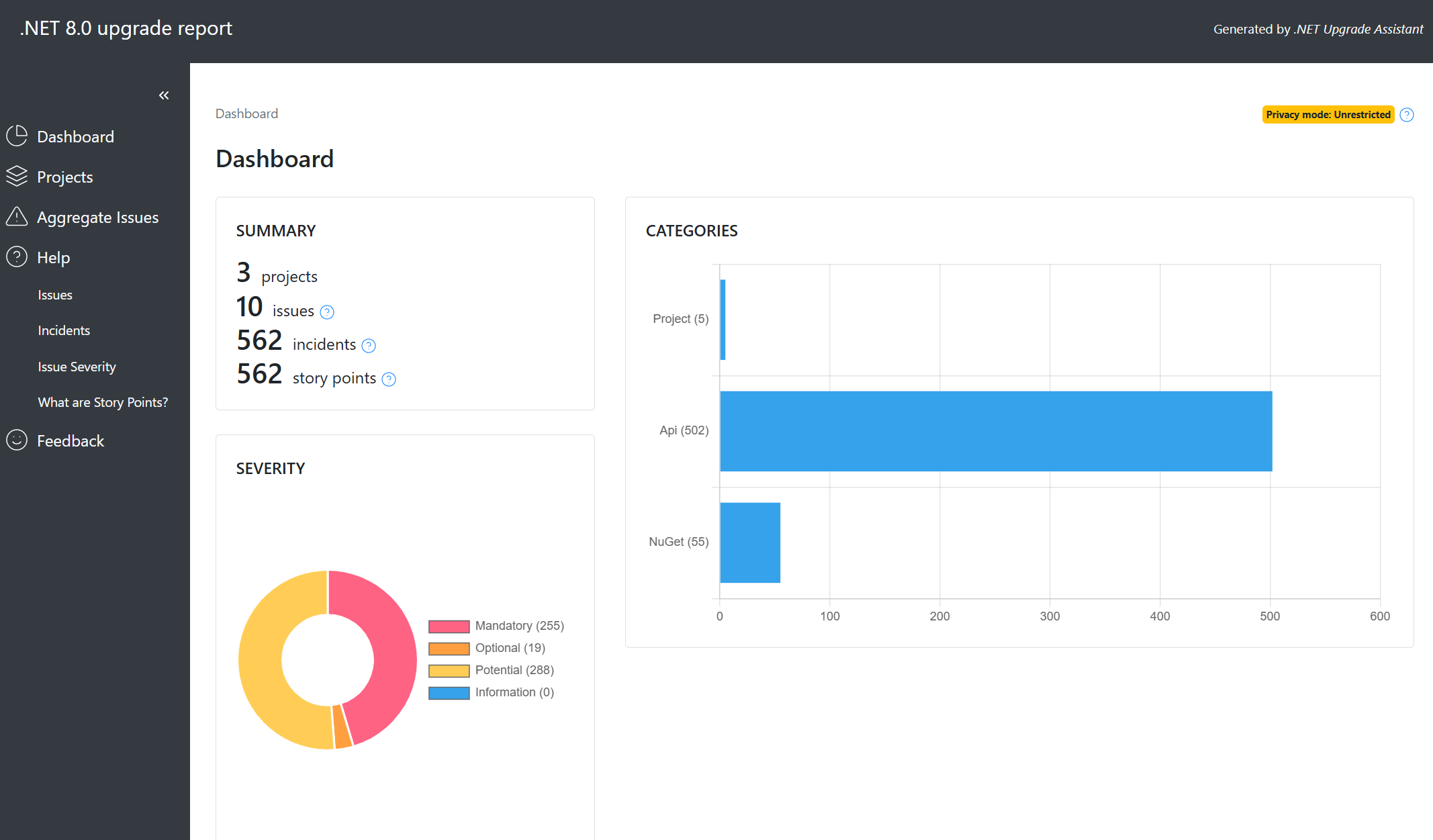
Code Assessment with .NET Upgrade Assistant

We are thrilled to announce the latest enhancements to the .NET Upgrade Assistant. .NET Upgrade Assistant helps upgrade solutions to newer versions of .NET. Whether you’re upgrading from .NET Framework to .NET 8 or just between .NET Core versions (from .NET 6 or 7 to .NET 8 or 9), .NET Upgrade Assistant can help you understand what changes will be needed. .NET Upgrade Assistant is available as a Visual Studio extension or as a command-line tool. Now as part of your upgrades to modern .NET, you’ll have access to powerful code assessment features. Here’s what’s new: Our code assessment tool scans your solut...
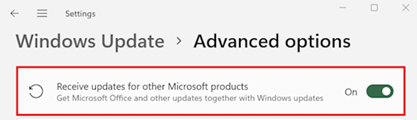
Keep Visual Studio automatically updated and secure through Microsoft Update

Visual Studio is coming to Microsoft Update! We’re pleased to announce that starting in August 2024, users of the Visual Studio Community edition who are not part of an organization managed by an IT administrator can choose to receive monthly Visual Studio security updates through the Microsoft Update (MU) system on "patch Tuesdays". This new update option will be available for Visual Studio 2022, Visual Studio 2019, and Visual Studio 2017. It won’t be available for the Preview channel. How to enable Visual Studio updates through MU Open Windows Settings and go to Windows Update > Advanced Options. If you c...
Easily navigate code delegates while debugging

Delegates are everywhere in modern code; a delegate is a type that represents references to methods with a particular parameter list and return type. Developers use delegates to pass methods as arguments to other methods. One example you may be familiar with is with event handlers. Handlers are methods you can invoke through delegates. Delegates remind me of C++ function pointers, but of course delegates are fully object-oriented. There are a few ways to represent delegates, there is, for example, Func delegate. This generic delegate represents a method that takes one or more parameters and returns a value of a ...