
Azure DevOps Blog
DevOps, Git, and Agile updates from the team building Azure DevOps
Latest posts
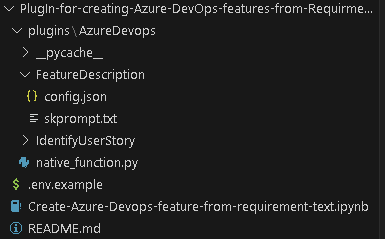
Revolutionizing Requirement Gathering: Azure DevOps Meets Azure OpenAI using Semantic kernel

This blog is a deep dive into the future of requirement gathering. This blog explores how Azure DevOps and Azure OpenAI are joining forces to transform the way we capture project requirements. From automated requirement generation to intelligent analysis, learn how these powerful tools are reshaping the landscape of project management. Stay tuned for an enlightening journey into the world of AI-powered requirement gathering!

Now Generally Available: GitHub Advanced Security for Azure DevOps is ready for you to use

We’re excited to announce that GitHub Advanced Security for Azure DevOps is now generally available and is ready for you to use in your own Azure DevOps repos! You can now enable code, secret, and dependency scanning within Azure Repos and take advantage of the new product updates. Learn how to enable Advanced Security in your Azure Repos > Thanks to your great feedback, we were able to identify issues and deliver updates that address key improvements since our public preview. You wanted: and we delivered. Instead of registering to get your organization onboarded to Advanced Security, we’ve done away w...

Introducing Azure DevOps Server 2022 Update 1 RC1

Today we're very excited to announce the first release candidate (RC1) of Azure DevOps Server 2022.1! With this release, we've added many new features that you've been asking for. Here are a few of the highlights: There are many more features with this release, and you can read all about those features in our release notes. You can download Azure DevOps Server 2022.1 RC1 today. A direct upgrade to Azure DevOps Server is supported from any version of TFS, including Team Foundation Server 2015 and newer. Let us know any feedback or questions via the Developer Community. Resources

September patches for Azure DevOps Server and Team Foundation Server
This month, we are releasing fixes that impact our self-hosted product, Azure DevOps Server. The following versions of the products have been patched. Check out the links for each version for more details. Azure DevOps Server 2022.0.1 Patch 3 Update: If you downloaded patch 3 for Azure DevOps Server 2022.0.1 on September 12, you must download patch 3 again. The links published on September 12 were downloading patch 2 instead of patch 3. If you already installed patch 4 published on October 10, you don't have to reinstall patch 3 since patches are cumulative and include changes for previously released ...
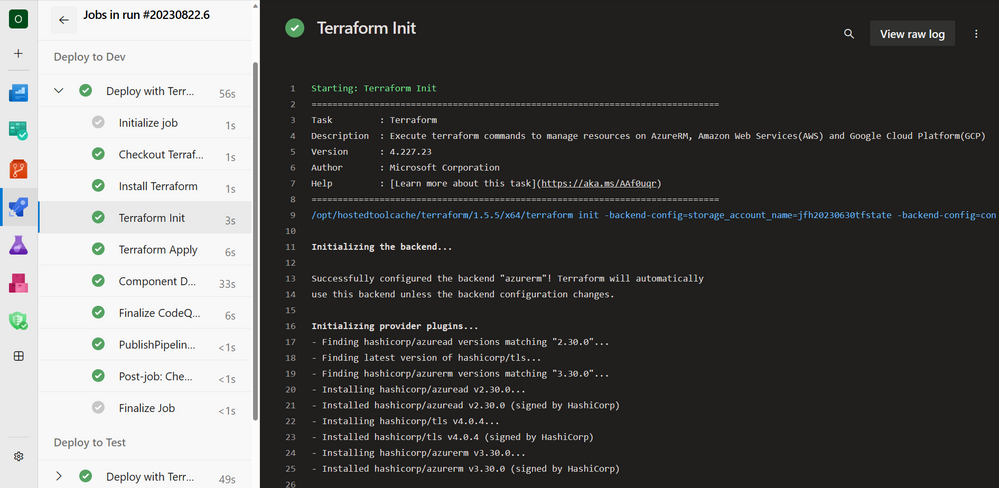
Introduction to Azure DevOps Workload identity federation (OIDC) with Terraform

You might have seen "Workload identity federation for Azure Deployments" in the Azure DevOps Roadmap, well now it is in public preview and we've updated everything you need to start using it with Terraform today. Say goodbye to secrets when using Terraform for Azure with Azure DevOps.
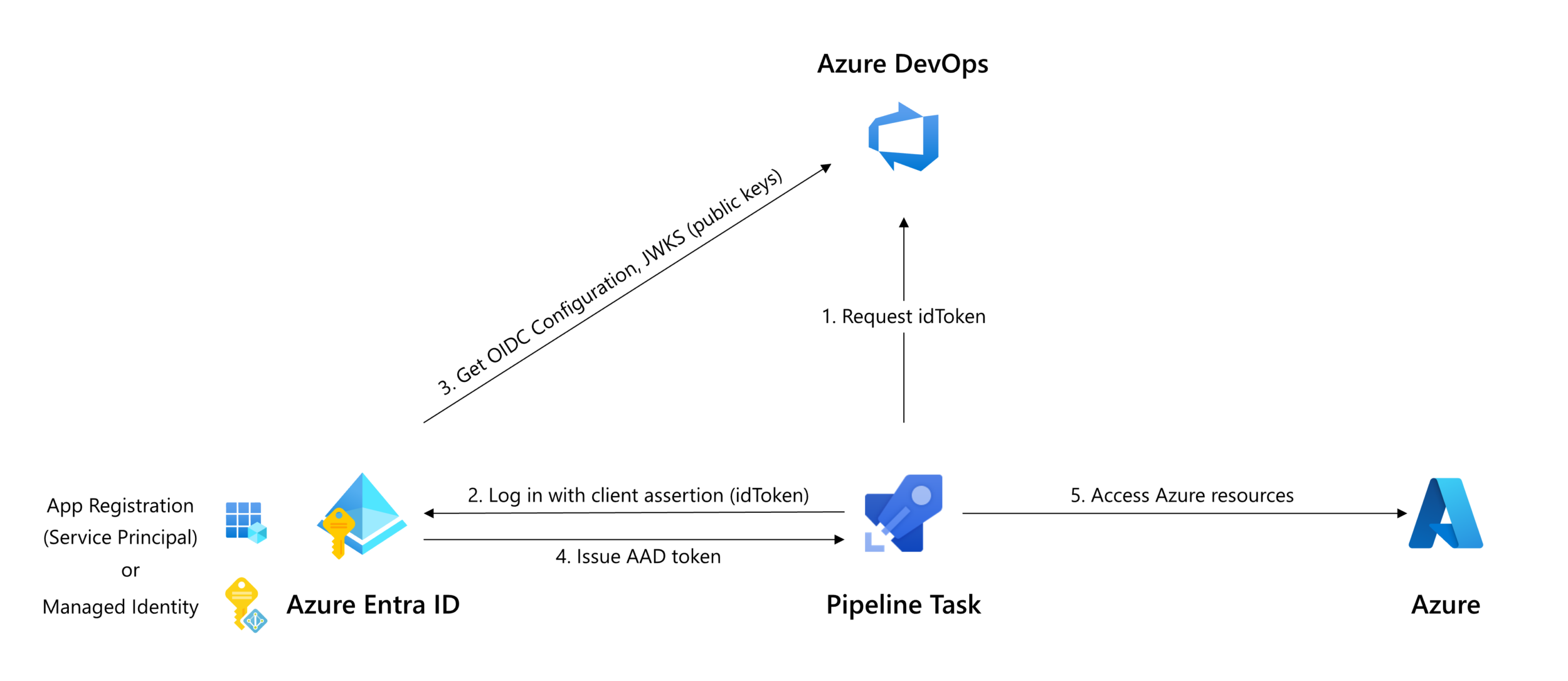
Public preview of Workload identity federation for Azure Pipelines

Do you want to stop storing secrets and certificates in Azure service connections? Are you tired rotating these secrets whenever they expire? We are now announcing a public preview of workload identity federation for Azure service connections. Workload identity federation uses an industry-standard technology, Open ID Connect (OIDC), to simplify the authentication between Azure Pipelines and Azure. Instead of secrets, a federation subject is used to facilitate this authentication. How it works As part of this feature, the Azure (ARM) service connection has been updated with an additional scheme to support worklo...

Introducing Azure Artifacts support for Rust Crates

Rust is earning its place as a go-to language for developers everywhere. Why? It's fast, it's safe, and the community around it is supportive and hands-on. With clear guides and a collective push to help each other out, Rust feels less like just another tool and more like a reliable coding partner for modern programming challenges. We at the Azure Artifacts team have taken notice and have been hard at work shipping support for Rust Crates, which is entering public preview today! No sign-up is needed for the preview; you can get started by navigating to your Azure DevOps project, selecting Artifacts, and followi...
August patches for Azure DevOps Server
This month, we are releasing fixes that impact our self-hosted product, Azure DevOps Server. The following versions of the products have been patched. Check out the links for each version for more details. Azure DevOps Server 2022.0.1 Patch 2 Update: If you have Azure DevOps 2022 and installed Patch 4, take a look at this post from the Developer Community before you install this patch. Note: If you have Azure DevOps Server 2022, you should first update to Azure DevOps Server 2022.0.1 and then install install Azure DevOps Server 2022.0.1 Patch 2. If you have Azure DevOps Server 2022.0.1, you shoul...

Set up PIM access in Azure DevOps

Privileged Identity Management (PIM) is a service in Azure Active Directory (Azure AD) that enables users to manage, control, and monitor access to important resources in an organization. Azure DevOps is a key resource for any organization as it stores Application Lifecycle Management artifacts (code, work item, pipelines, packages, test data etc.) of an Organization. Hence, key roles like Project Collection Admin must not be available forever with anyone and access needs to be enabled on a need basis for certain period of time. This article details the steps to be performed to enable Project Collection Admin ac...