
Azure DevOps Blog
DevOps, Git, and Agile updates from the team building Azure DevOps
Latest posts
Remote MCP Server preview in Microsoft Foundry

Earlier this week we release the public preview for our Azure DevOps MCP Server. Today we are excited to let you know that the Azure DevOps MCP Server is now available to use in Microsoft Foundry. For those who are new to Foundry, Microsoft Foundry is a unified platform for building and managing AI powered applications and agents at scale. It brings together model access, orchestration, evaluation, and deployment into a single environment. It is used to develop intelligent solutions such as copilots and automated workflows, connect AI to real world tools and services, and move projects from experimentation to s...

Authentication Tokens Are Not a Data Contract

Authentication tokens exist to answer one question: is this caller authorized to do this? They are not intended to be a stable data interface, a schema you can depend on, or an input into application logic. If your application decodes tokens and reads claims from them, this is an important heads-up. Token Claims Were Never Guaranteed Although tokens may appear readable today, that was never a promise. We have never publicly documented token contents, and as a result, we have always reserved the right to change token claims at any point, for any reason. Claims may change, become optional, be renamed, be remov...
Azure DevOps Remote MCP Server (public preview)
When we released the local Azure DevOps MCP Server, it gave customers a way to connect Azure DevOps data with tools like Visual Studio and Visual Studio Code through GitHub Copilot Chat. The next step was to make this experience easier to get started with and to enable it for services that support only remote MCP servers. The Remote MCP Server is a hosted version of the Azure DevOps MCP Server that uses streamable HTTP transport. It supports the same core scenarios as the local server but removes the need for additional setup and installation. The Remote Azure DevOps MCP Server preview is available now. We are ...

March Patches for Azure DevOps Server

We are releasing patches for our self‑hosted product, Azure DevOps Server. We strongly recommend that all customers stay on the latest, most secure version of Azure DevOps Server. The latest release, Azure DevOps Server, is available from the download page. This patch addresses an issue introduced in the original Azure DevOps Server release that, under certain conditions, could cause group memberships to become deactivated. Who should install this patch This patch applies to customers who installed Azure DevOps Server prior to the March 13, 2026 re‑published release. If you previously applied the mitigation de...
Temporary rollback: build identities can access Advanced Security: read alerts again

If you use build service identities like to call Advanced Security APIs, the Advanced Security permission changes in Sprint 269 broke that. We restricted API access for build identities as a security improvement but failed to provide an early notice for customers that relied upon this for various automations. We're rolling it back temporarily. The restriction will be re-enforced on April 15, 2026. What you should do Action is required. The recommended path is a service principal with Advanced Security: Read alerts permissions for your Advanced Security-enabled repositories. Scope it narrowly, and if the servi...

Updates to Team Calendar extension
We are excited to release a new update to the Team Calendar extension. This update includes a series of visual refinements across the extension, introducing a more consistent design language, smoother transitions when expanding and collapsing sections, improved contrast for better readability, an updated color palette aligned with Azure DevOps, and clearer, more consistent icons throughout the experience. Side Panel UI Improvements The side panel has received a complete visual overhaul with a modern, clean design that better integrates with Azure DevOps. Enhanced Summary View The Calendar Summary panel has...
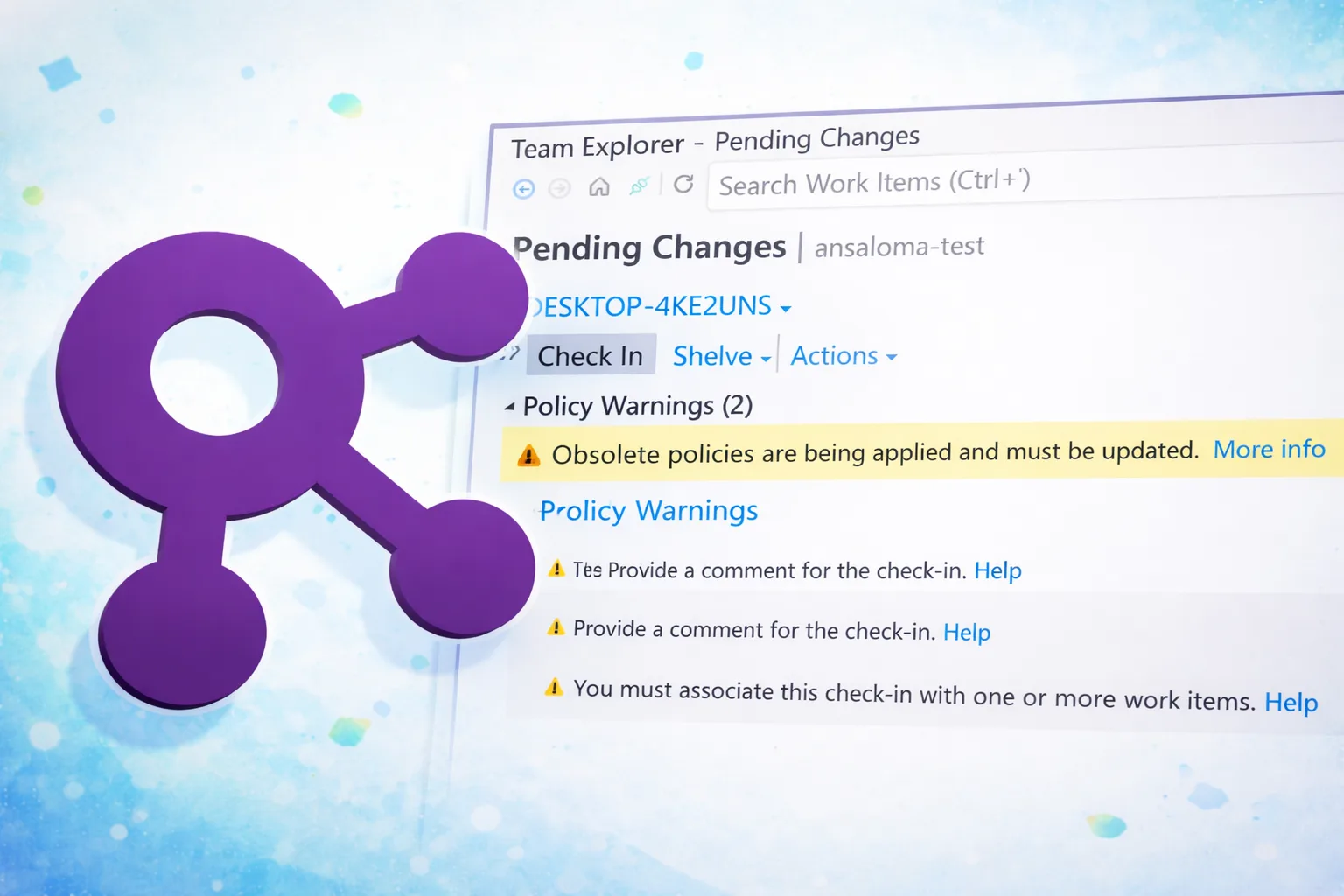
TFVC Remove Existing Obsolete Policies ASAP
In April 2025, we announced the deprecation schedule for legacy TFVC check-in policies. This change was required due to limitations in how those policies were previously implemented and stored. The old policies have been marked as obsolete, and you can replace them by selecting the equivalent updated policy. We are currently in Phase II of this transition. During this phase, you can still replace obsolete policies through Team Explorer. When attempting to check in, you’ll also see a notification indicating that your configuration is out of compliance and still using obsolete policies. The final phase of this ...
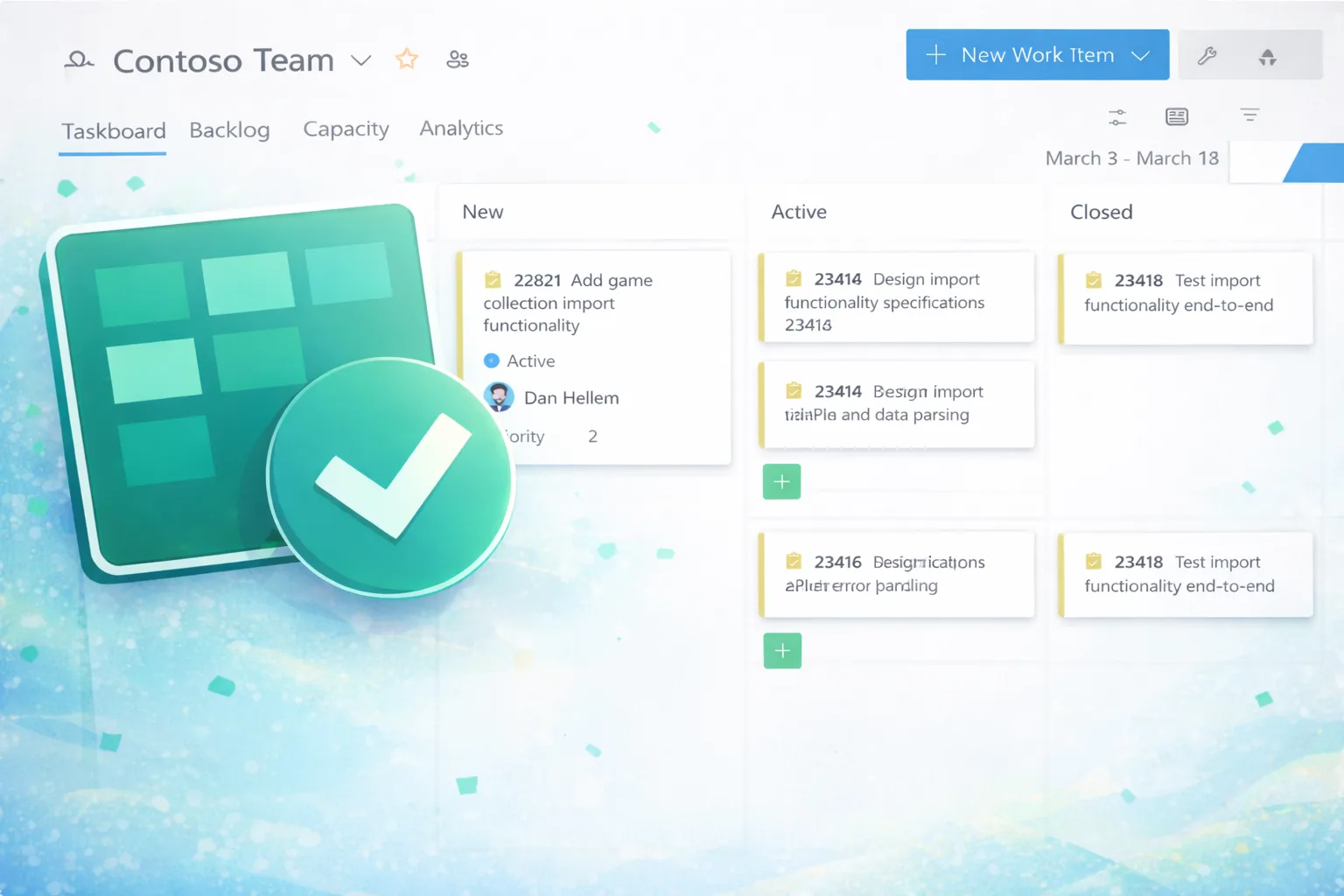
Condensed views on Kanban and Sprint boards
One of the challenges teams face when working with large boards or displaying multiple fields on work item cards is limited screen space. This became even more noticeable with the rollout of the New Boards hub, which introduced additional spacing and padding for improved readability. While this enhances clarity, it can also reduce the number of cards visible at once. For example, if a work item contains a dozen or more tags and several custom fields, a single card can easily consume a significant portion of your vertical space. In Delivery Plans, we addressed this challenge with the condensed view option, where ...

February Patches for Azure DevOps Server
We are releasing patches for our self‑hosted product, Azure DevOps Server. We strongly recommend that all customers stay on the latest, most secure version of Azure DevOps Server. The latest release, Azure DevOps Server, is available from the download page. To make it easier to find and apply the latest patches, we are sharing patch details in the table below. Each entry includes the Azure DevOps Server version, a direct download link for the patch, and a link to the corresponding release notes with additional details. ⬇️Azure DevOps Server Patch Download ✅Verifying Installation To verify that the patch is ...
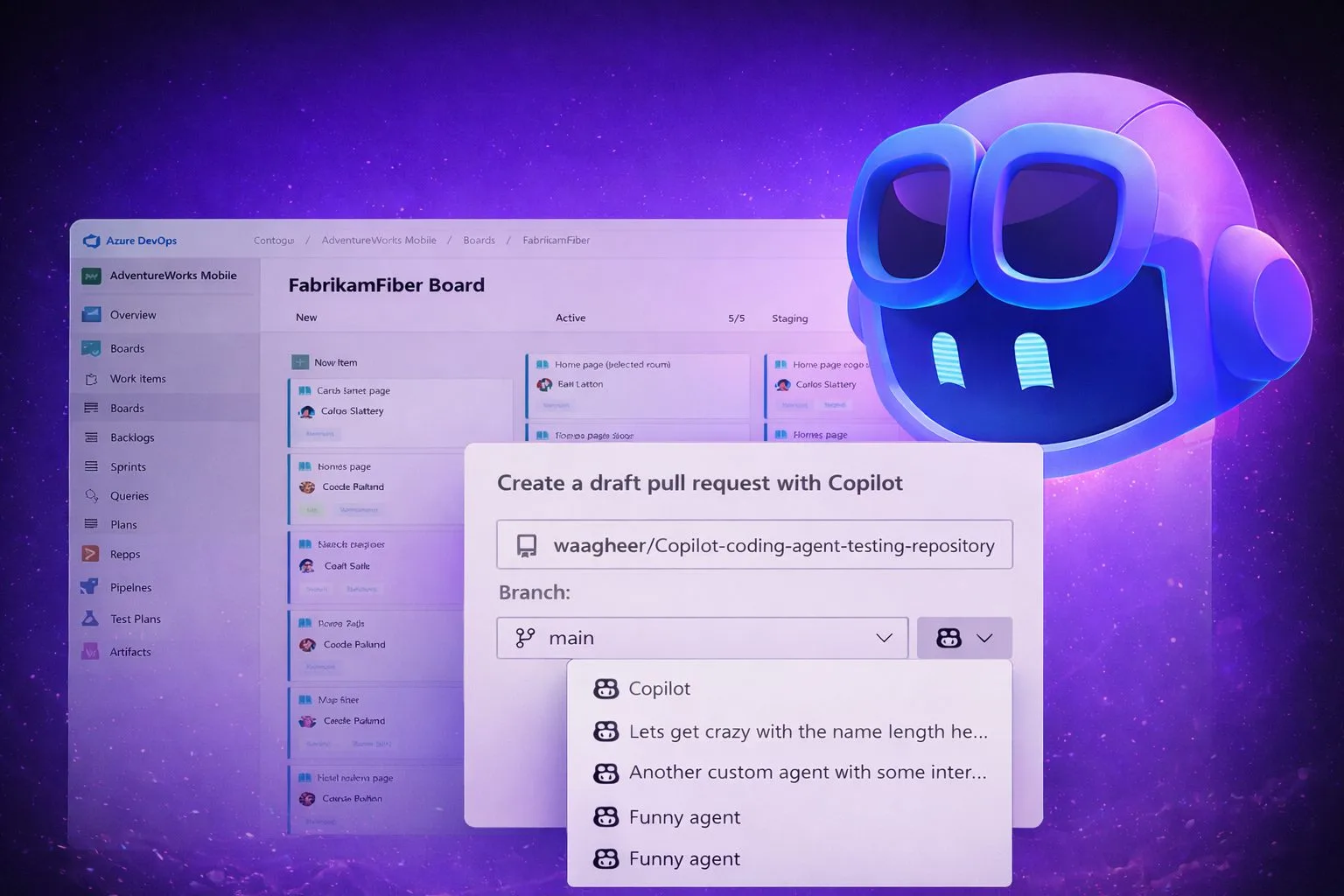
Azure Boards integration with GitHub Copilot includes custom agent support
We recently released the GitHub Copilot Coding Agent for Azure Boards to all customers. If you’re not already familiar with it, we recommend taking a few minutes to read this blog post for an overview and details. One of the top requests from customers using the GitHub Copilot Coding Agent for Azure Boards has been the ability to select and use custom agents defined at the GitHub repository or organization level. In this update, we’re excited to share that support for custom agents is on the way. 🤷♀️ What are custom agents? Custom agents in GitHub Copilot are tailored versions of the Copilot coding agent that...

Azure Boards additional field filters (private preview)
We’re introducing a limited private preview that allows you to add additional fields as filters on backlog and Kanban boards. This long-requested feature helps teams tailor their views, focus on the work that matters most, and provide feedback as we iterate toward general availability.
What’s new with Azure Repos?
We thought it was a good time to check in and highlight some of the work happening in Azure Repos. In this post, we’ve covered several recent improvements, along with a preview of features that are coming soon. To stay up to date, be sure to visit the Azure DevOps Roadmap. These changes have either already been released or are currently rolling out. Be sure to check the sprint release notes for full details. Breaking Change: Disabling Obsolete TFVC Check-In Policies Back in April 2025, we shared changes to how TFVC check-in policies are stored. These updates affect TFVC projects using policies such as Build (r...
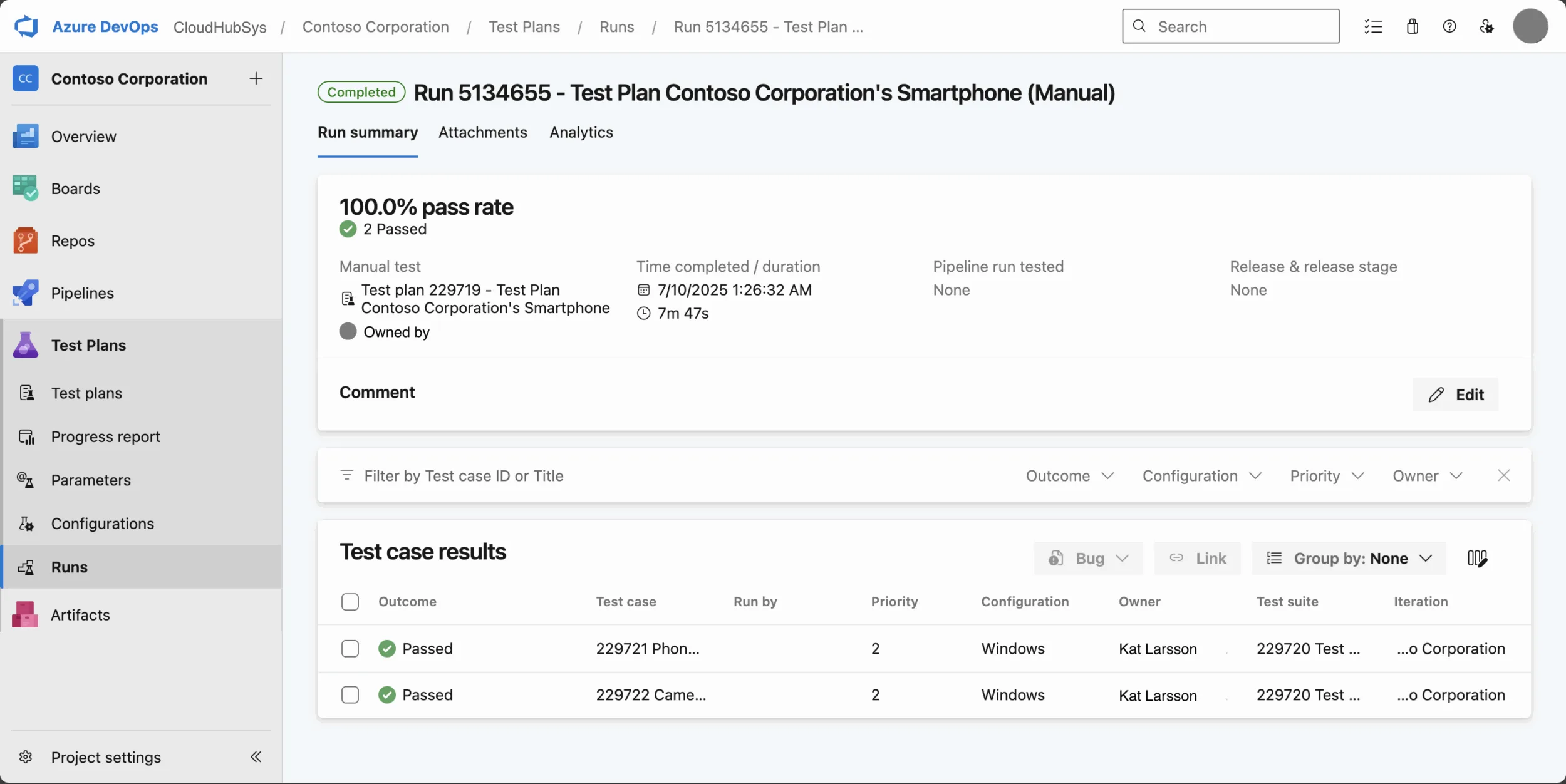
The New Test Run Hub is Going Generally Available!

Delivering high-quality software requires clarity, speed, and collaboration. That’s why we introduced the New Test Run Hub in Azure Test Plans. A modern, streamlined experience designed to make test execution and analysis fast and intuitive. And we’re excited to announce that this experience is moving to General Availability (GA) for the Azure DevOps Services throughout January 2026. Why the New Test Run Hub? The new hub centralizes test execution for both manual and automated runs, giving teams: Your Feedback Matters Based on your feedback, we’ve made several improvements ahead of General Availabi...

Work item linking for Advanced Security alerts now available
Security vulnerabilities don't fix themselves. Someone needs to track them, prioritize them, and actually ship the fix. If you've ever tried to manage security alerts alongside your regular sprint work, though, you know the friction: you're looking at an alert in one tab, switching to your backlog in another, trying to remember which vulnerability you were supposed to file a bug for. We shipped work item linking for GitHub Advanced Security for Azure DevOps alerts to fix this. It's now generally available and it does exactly what it sounds like: you can link work items in Boards directly to security alerts. Note...
Azure Boards integration with GitHub Copilot
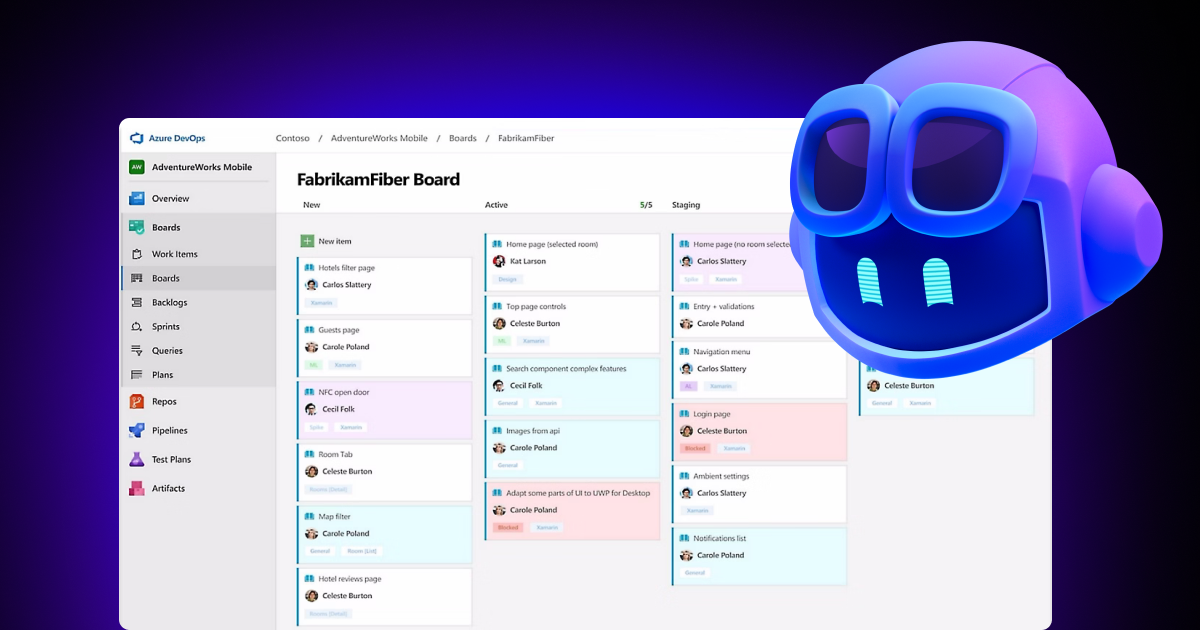
A few months ago we introduced the Azure Boards integration with GitHub Copilot in private preview. The goal was simple: allow teams to take a work item from Azure Boards and send it directly to GitHub Copilot so the coding agent could begin working on it, track progress, and generate a pull request. We are happy to announce that this integration is now being rolled out as generally available 🎉. Customers who participated in the preview helped us validate the experience, find issues, and shape improvements. GA includes the same workflow introduced in preview, along with new capabilities based on customer feedbac...

Retirement of Global Personal Access Tokens in Azure DevOps
In the new year, we’ll be retiring the Global Personal Access Token (PAT) type in the Azure DevOps Services product. No changes will be made to global PATs in the Azure DevOps Server product. Global PATs allow users to authenticate across all accessible organizations. While this can feel convenient, a single credential with broad reach creates a concentrated security risk — especially as a user’s access footprint grows. This level of privilege becomes an attractive target for bad actors, making global tokens unsuitable for today’s security‑conscious environments. Setting clear boundaries around high‑impact cr...

Updated: Announcing Azure DevOps Server General Availability
Update March 13, 2026: We have released a patch that resolves the issue introduced in the original Azure DevOps Server release that, under certain conditions, could cause group memberships to become deactivated. Who should install Azure DevOps Server Patch 2 Who does not need this patch Update March 13, 2026: Azure DevOps Server Issue Resolved and Release Re‑Published We’re happy to share that the previously identified issue affecting Azure DevOps Server has been resolved, and the corrected release is now available. You can now proceed with new installations or upgrades using the previously published ...
Azure DevOps and GitHub Repositories — Next Steps in the Path to Agentic AI

In May, we talked about the evolution of GitHub Copilot from a coding assistant into an AI powered peer programmer. Since then, GitHub has taken a major step forward - becoming an open platform for agentic development, where Agent HQ enables developers to orchestrate any agent, anytime, anywhere. Agent HQ provides observability, governance, and security controls for agents, so organizations can manage access, audit usage, and enforce policies. Meanwhile, the new GitHub Code Quality (in public preview) provides in-context findings, maintainability scores, and one-click fixes—helping teams ensure their code is heal...

November Patches for Azure DevOps Server
Today we are releasing patches that impact our self-hosted product, Azure DevOps Server. We strongly encourage and recommend that all customers use the latest, most secure release of Azure DevOps Server. You can download the latest version of the product, Azure DevOps Server 2022.2 from the Azure DevOps Server download page. Azure DevOps Server 2022.2 Patch 7 Release notes If you have Azure DevOps Server 2022.2, you should install Azure DevOps Server 2022.2 Patch 7 to have the most secure and updated product experience. With this patch we are fixing the following: Verifying Installation Run , is the...
Azure Developer CLI: Azure Container Apps Dev-to-Prod Deployment with Layered Infrastructure

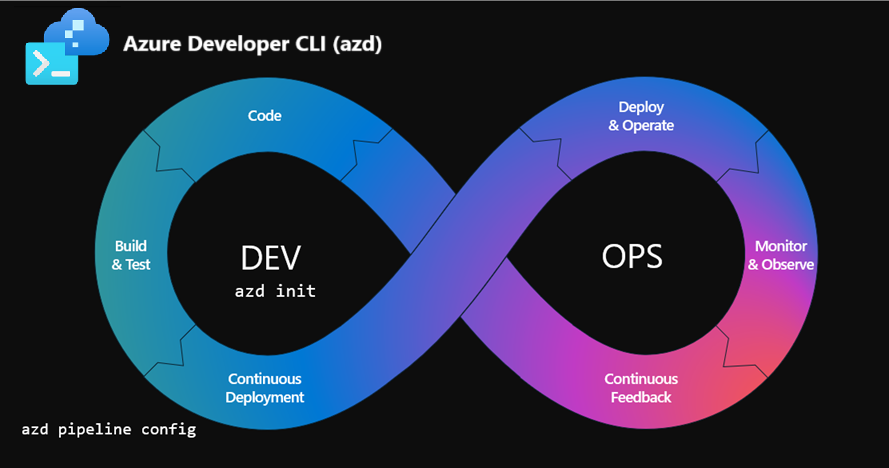
This post walks through how to implement "build once, deploy everywhere" patterns using Azure Container Apps with the new and layered infrastructure features in Azure Developer CLI v1.20.0. You'll learn how to deploy the same containerized application across multiple environments with proper separation of concerns. This is the third installment in our Azure Developer CLI series, building on our previous explorations: - Azure App Service and GitHub Actions - Azure DevOps Pipelines Build once, deploy everywhere The challenge we're solving If you've worked with containers in production, you've probably run into...
Upcoming Updates for Azure Pipelines Agents Images


To ensure our hosted agents in Azure Pipelines are operating in the most secure and up-to-date environments, we continuously update the supported images and phase out older ones. In October 2024, we announced support for Ubuntu-24.04. Soon, we plan to update the ubuntu-latest image to map to Ubuntu-24.04. Additionally, MacOS 15 Sequoia and Windows 2025 images will be generally available later this year. Alongside these new releases, we will deprecate older images like Ubuntu-20.04 and Windows Server 2019. Please refer to the following subsections for detailed updates on individual images. Ubuntu Ubuntu 24.04 ...
Modernizing Authentication for Legacy Visual Studio Clients
As part of our ongoing commitment to security and modernization, we’re updating outdated authentication mechanisms used by older versions of clients reliant on our older Visual Studio client libraries. For full details on all known impacted clients, refer to the official announcement we made in April 2024: End of Support for Microsoft products reliant on older Azure DevOps and Visual Studio authentication. In order to minimize disruption due to removing these legacy tokens, over the past few months, we’ve worked on seamlessly transitioning these legacy tokens to Entra-backed authentication when possible. This c...
Azure DevOps local MCP Server is generally available
Today we are excited to take our local MCP Server for Azure DevOps out of preview 🥳. Since the initial preview announcement, we've worked closely with early adopters and the community to incorporate feature suggestions and feedback. We’ve improved login and authorization, added and refined tooling, and introduced domains so users can scope active tools to stay under client limits. 🤷♂️ What is an MCP Server? A local MCP Server (Model Context Provider) is a tool that sits between your AI assistant (like GitHub Copilot) and your Azure DevOps organization. Its job is to inject rich, real-time context such as work ...
Announcing the new Azure DevOps Server RC Release
We’re excited to announce the release candidate (RC) of Azure DevOps Server, bringing new features previously available in our hosted version. You can download Azure DevOps Server RC today. A direct upgrade to Azure DevOps Server RC is supported from any version of Team Foundation Server, including Team Foundation Server 2015 and newer. Note: October 14, 2025, is the date for the end of Extended Support for Team Foundation Server 2015. This means that it will no longer receive security updates or technical support. We strongly recommend that customers upgrade to the latest versions of Azure DevOps as they ar...
Azure Boards integration with GitHub Copilot (Private Preview)
As of October 16, 2025, we are no longer accepting organization signups for the private preview. Our focus is now on completing the feature and preparing it for general availability in the coming weeks. Several months ago, GitHub introduced the public preview of its Copilot coding agent, a powerful new capability that allows you to assign GitHub Issues directly to Copilot. From there, the agent works independently in the background, much like a human developer, to complete the task. Copilot evaluates the request based on the information you provide, whether from the issue description or a chat message, then ...
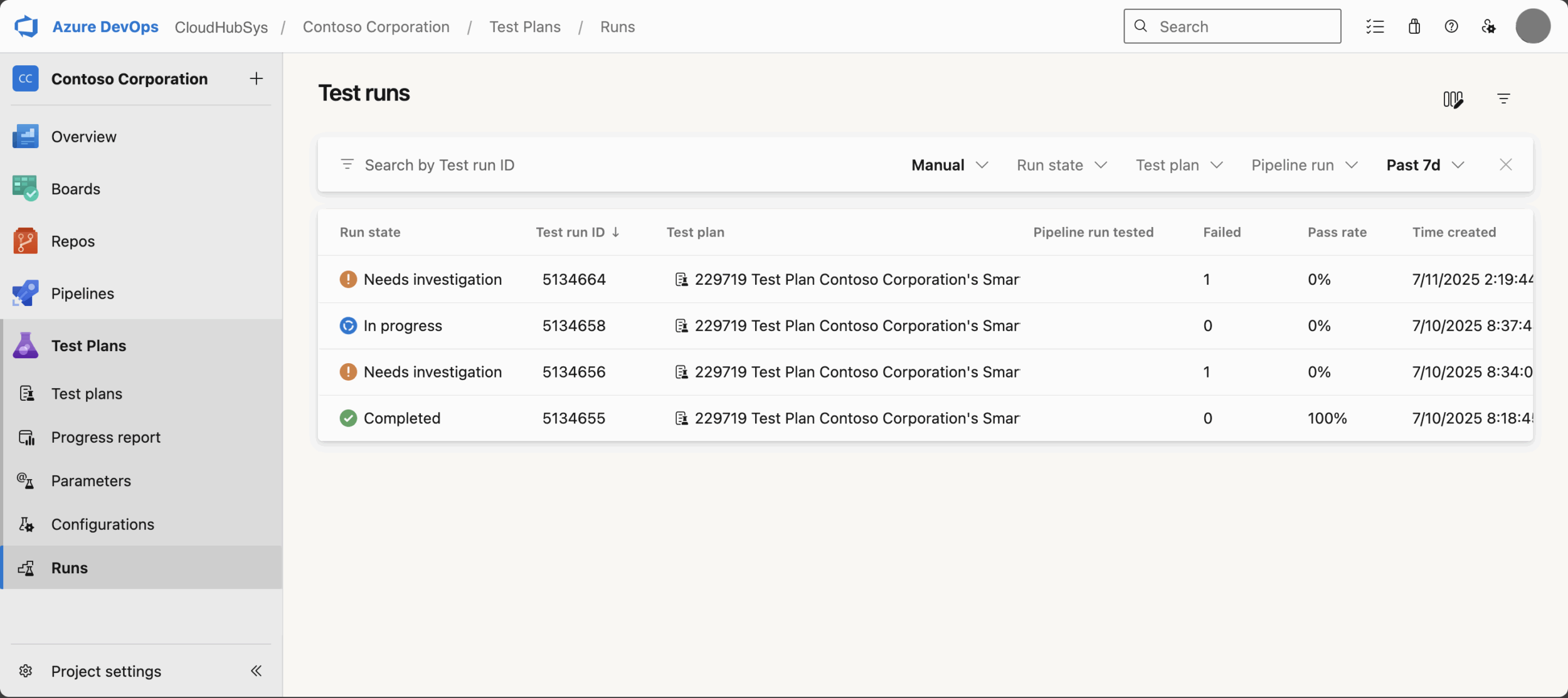
New Test Run Hub in Azure Test Plans
Delivering high-quality software is a necessity and that’s why Azure Test Plans has introduced the all-new Test Run Hub, an enabler for teams who want to take control of their testing process and drive continuous improvement. What Makes the Test Run Hub a Must-Have? The Test Run Hub is designed to help teams track test progress, analyze results, and maintain quality across every development cycle. Whether you’re running manual or automated tests, the new test run hub brings clarity and efficiency to your quality assurance workflow. Key Benefits Real-Time Visibility: Instantly monitor test progress and quali...
Azure Developer CLI: From Dev to Prod with Azure DevOps Pipelines

Building on our previous post about implementing dev-to-prod promotion with GitHub Actions, this follow-up demonstrates the same "build once, deploy everywhere" pattern using Azure DevOps Pipelines. You'll learn how to leverage Azure DevOps YAML pipelines with Azure Developer CLI (azd). This approach ensures consistent, reliable deployments across environments. Environment-Specific Infrastructure The infrastructure approach is identical to our previous GitHub Actions implementation. It uses conditional Bicep deployment with a single parameter. This drives environment-specific resource configuration. The same B...
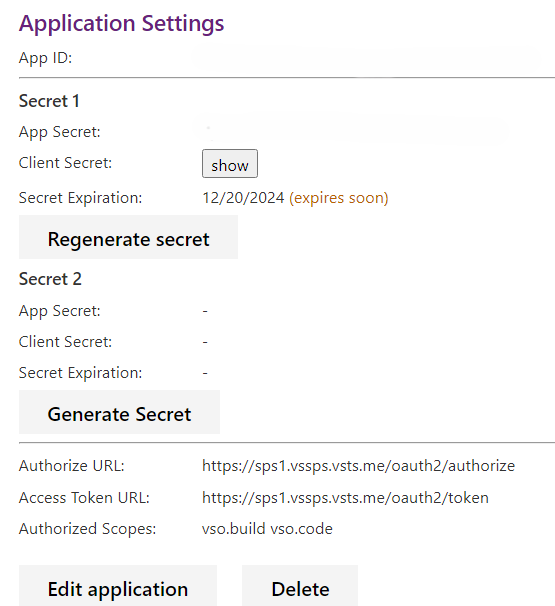
Azure DevOps OAuth Client Secrets Now Shown Only Once
We’re making an important change to how Azure DevOps displays OAuth client secrets to align with industry best practices and improve our overall security posture. Starting September, newly generated client secrets will be shown only once at the time of creation. After that, they will no longer be retrievable via the UI or API. This update helps reduce the risk of accidental exposure and encourages secure storage practices, such as saving secrets in Azure Key Vault or other secure vaults. These changes will go into effect for all apps by September 2, 2025. We will also be retiring the Get Registration Secret ...
Hunting Living Secrets: Secret Validity Checks Arrive in GitHub Advanced Security for Azure DevOps

If you’ve ever waded through a swamp of secret scanning alerts wondering, “Which of these are actually dangerous right now?” — this enhancement is for you. Secret validity checks in GitHub Advanced Security for Azure DevOps (and the standalone Secret Protection experience) add a high‑signal field to each alert: (still usable), or (couldn’t be verified). Instead of treating every alert like a five‑alarm fire, you can now fast‑path the truly risky stuff and spend less time chasing ghosts. TL;DR Why This Matters Traditional secret scanning: Found something → raise alert → you investigate → sometimes...
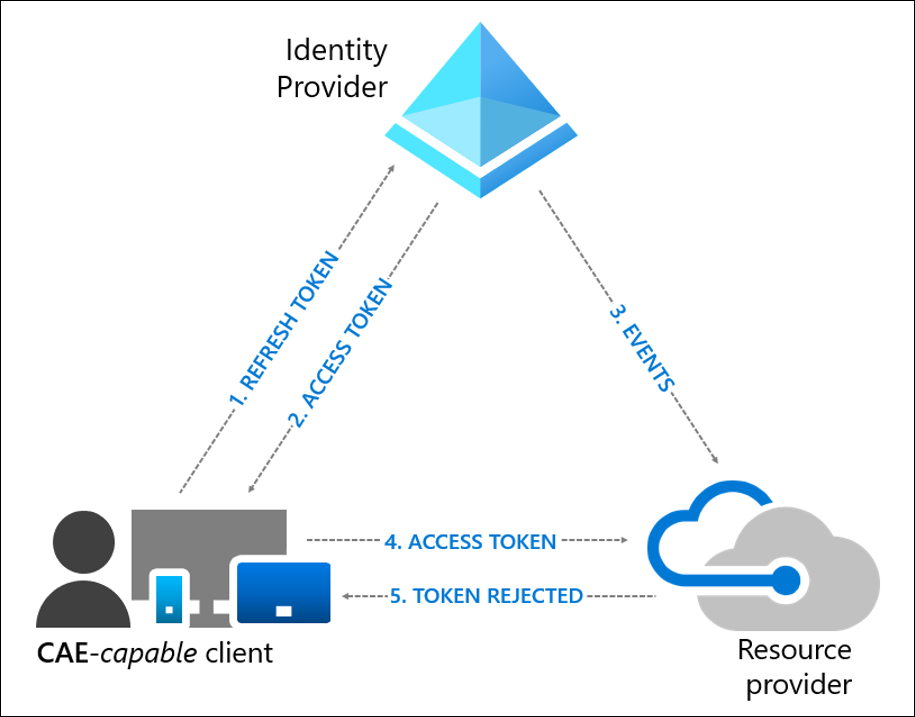
Real-Time Security with Continuous Access Evaluation (CAE) comes to Azure DevOps
Update (Nov 20): Continuous Access Evaluation (CAE) rollouts are in progress. It is now available to some customers, and will be rolled out to all customers by mid-December. We’re thrilled to announce that Continuous Access Evaluation (CAE) is now supported on Azure DevOps, bringing a new level of near real-time security enforcement to your development workflows. 🔐 What Is CAE? Continuous Access Evaluation (CAE) is a feature from Microsoft Entra ID that enables near real-time enforcement of Conditional Access policies. Traditionally, Microsoft Entra access tokens in Azure DevOps are valid for up to an hour...

Automate your open-source dependency scanning with Advanced Security
Any experiences that require additional setup is cumbersome, especially when there are multiple people needed. In GitHub Advanced Security for Azure DevOps, we're working to make it easier to enable features and scale out enablement across your enterprise. You can now automatically inject the dependency scanning task into any pipeline run targeting your default branch. This is a quick way to ensure that your production code (and any code being merged into your production branch) are evaluated for open-source dependency vulnerabilities. Enabling one-click dependency scanning for your repository You'll need to h...
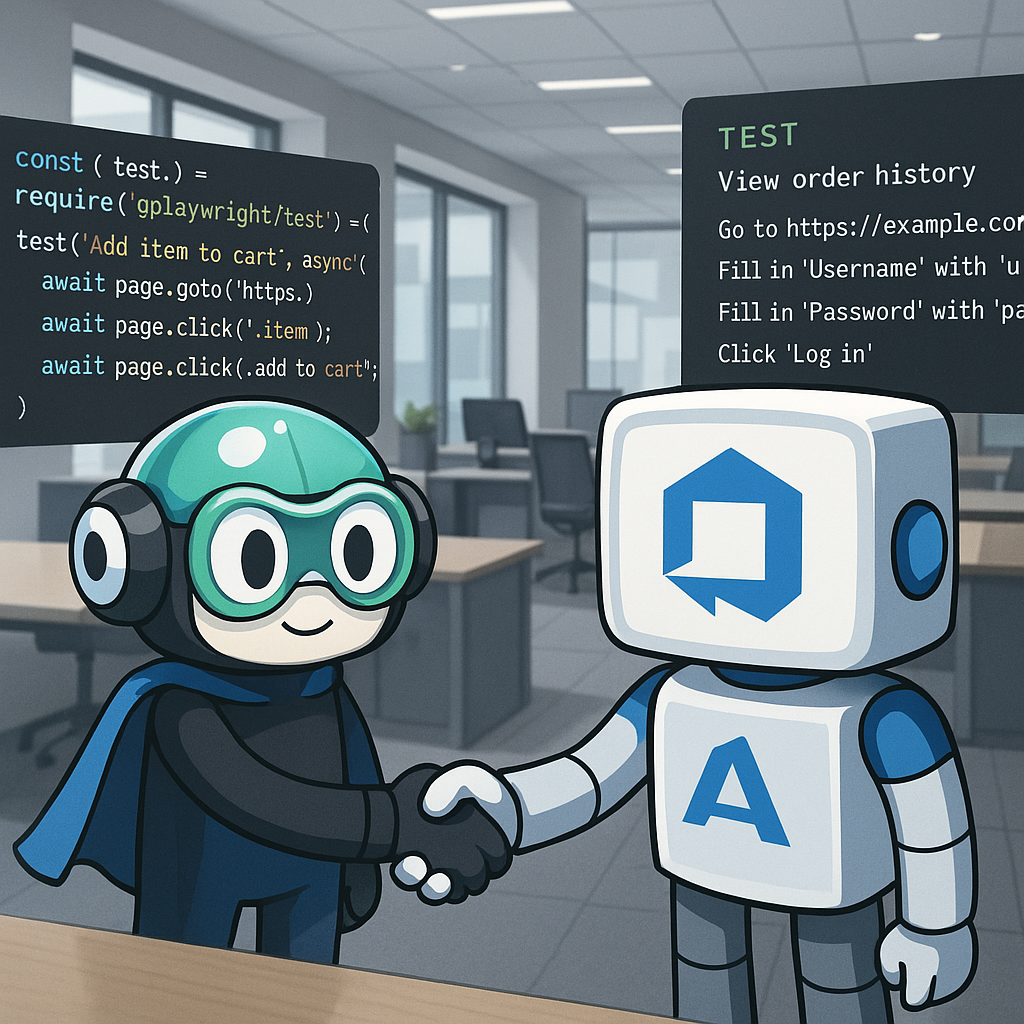
From Manual Testing to AI-Generated Automation: Our Azure DevOps MCP + Playwright Success Story

In today’s fast-paced software development cycles, manual testing often becomes a significant bottleneck. Our team was facing a growing backlog of test cases that required repetitive manual execution—running the entire test suite every sprint. This consumed valuable time that could be better spent on exploratory testing and higher-value tasks. We set out to solve this by leveraging Azure DevOps’ new MCP server integration with GitHub Copilot to automatically generate and run end-to-end tests using Playwright. This powerful combination has transformed our testing process: By automating our testing pipelin...
Azure Developer CLI: From Dev to Prod with One Click
This post walks through how to implement a "build once, deploy everywhere" pattern using Azure Developer CLI (azd) that provisions environment-specific infrastructure and promotes applications from dev to prod with the same build artifacts. You'll learn how to use conditional Bicep deployment, environment variable injection, package preservation across environments, and automated CI/CD promotion from development to production. Environment-Specific Infrastructure When deploying applications across environments, different requirements emerge: Rather than maintaining separate infrastructure templates or complex...

July Patches for Azure DevOps Server
Today we are releasing patches that impact our self-hosted product, Azure DevOps Server. We strongly encourage and recommend that all customers use the latest, most secure release of Azure DevOps Server. You can download the latest version of the product, Azure DevOps Server 2022.2 from the Azure DevOps Server download page. Azure DevOps Server 2020.1.2 Patch 17 Release notes If you have Azure DevOps Server 2020.1.2, you should install Azure DevOps Server 2020.1.2 Patch 17 to have the most secure and updated product experience. With this patch we are fixing a null reference exception in the multi-repo trigge...
Markdown Support Arrives for Work Items
After several months in private preview and many bug fixes along the way, we’re excited to announce that Markdown support in large text fields is now generally available! 🎉 🦄 How it works By default, all existing and new work items will continue using the HTML editor for large text fields. However, you now have the option to opt-in and use the Markdown editor for individual work items and fields. Existing work items Open the work item and click into a large text field (e.g., Description). The field will initially appear as an HTML editor, but you’ll now see an option to convert it to Markdown. We perform a...
Removing Azure Resource Manager reliance on Azure DevOps sign-ins
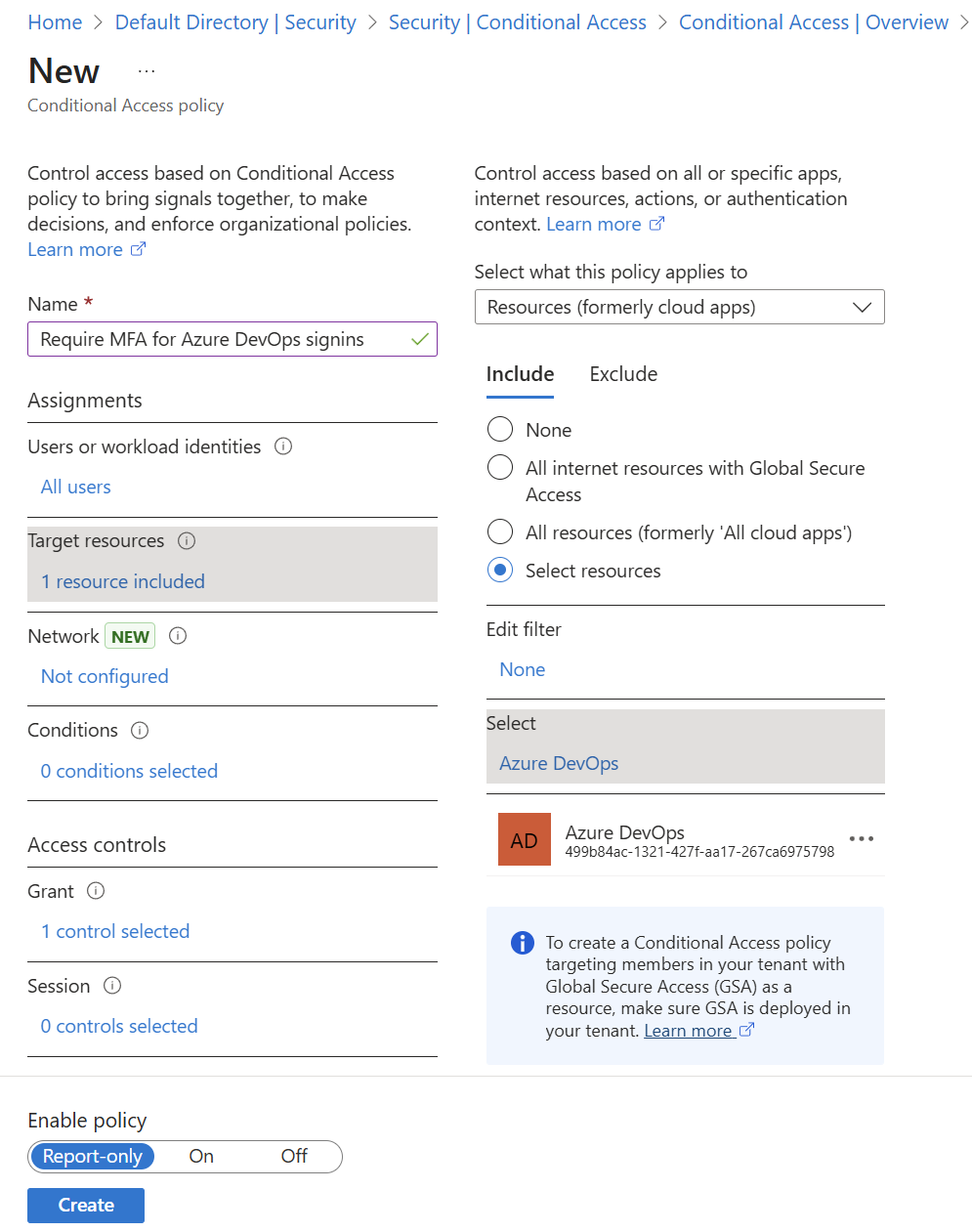
Azure DevOps will no longer depend on the Azure Resource Manager (ARM) resource (https://management.azure.com) when you sign in or refresh Microsoft Entra access tokens. Previously, Azure DevOps required the ARM audience during sign-in and token refresh flows. This requirement meant administrators had to allow all Azure DevOps users to satisfy ARM-based Conditional Access policies to maintain access to ADO. Tokens for Azure DevOps no longer require the ARM audience. As a result, you can manage Azure DevOps access more effectively by creating Azure DevOps-specific Conditional Access policy instead of relying on t...
Azure DevOps MCP Server, Public Preview
A few weeks ago at BUILD, we announced the upcoming Azure DevOps MCP Server: 👉 Azure DevOps with GitHub Repositories – Your path to Agentic AI Today, we’re excited to share that the local Azure DevOps MCP Server is now available in public preview. This lets GitHub Copilot in Visual Studio and Visual Studio Code access and interact with your Azure DevOps environment, including work items, pull requests, test plans, builds, releases, and wiki pages. 🤷♂️ What is an MCP Server? A local MCP Server (Model Context Provider) is a tool that sits between your AI assistant (like GitHub Copilot) and your Azure DevOps or...

June Patches for Azure DevOps Server
Update October 14: These issues we encountered with patching Azure DevOps Server 2022.2 have now been fully resolved. We appreciate your patience and understanding during this time. We will resume our regular patching cycle starting in November. Update July 25: We are currently investigating an issue with Patch 6 for Azure DevOps Server 2022.2. Our team is actively working to identify the root cause and implement a resolution as quickly as possible. We will continue to provide updates and details in this blog as they become available. Thank you for your patience and understanding. Today we are releasing patches...

Restricting PAT Creation in Azure DevOps Is Now in Preview
As organizations continue to strengthen their security posture, restricting usage of personal access tokens (PATs) has become a critical area of focus. With the latest public preview of the Restrict personal access token creation policy in Azure DevOps, Project Collection Administrators (PCAs) now have another powerful tool to reduce unnecessary PAT usage and enforce tighter controls across their organizations. 🗣️ This has been one of our most requested features -- we're excited to finally deliver it. Why This Matters PATs are a convenient way for users to authenticate with Azure DevOps, but they also pose...

GitHub Secret Protection and GitHub Code Security for Azure DevOps
Following the changes to GitHub Advanced Security on GitHub, we're launching the standalone security products of GitHub Secret Protection and GitHub Code Security for Azure DevOps today. You can bring the protection of Advanced Security to your enterprise with the flexibility to enable the right level of protection for your repositories. GitHub Secret Protection for Azure DevOps Secret Protection is available for $19 per active committer per month, which provides features including: GitHub Code Security for Azure DevOps Code Security is available for $30 per active committer per month, which provides f...
Azure DevOps with GitHub Repositories – Your path to Agentic AI

GitHub Copilot has evolved beyond a coding assistant in the IDE into an agentic teammate – providing actionable feedback on pull requests, fixing bugs and implementing new features, creating pull requests and responding to feedback, and much more. These new capabilities will transform every aspect of the software development lifecycle, as we are already seeing on our own teams within Microsoft and GitHub. Copilot’s agentic capabilities are most powerful when your code lives in GitHub, and that’s why we’ve been working hard to make the experience of using GitHub, Copilot, and Azure DevOps seamless. Now is the tim...
One Pipeline to Rule Them All: Ensuring CodeQL Scanning Results and Dependency Scanning Results Go to the Intended Repository
"One Ring to rule them all, One Ring to find them, One Ring to bring them all, and in the darkness bind them." – J.R.R. Tolkien, The Lord of the Rings In the world of code scanning and dependency scanning, your pipeline is the One Ring—a single definition that can orchestrate scans across multiple repositories. However, much like the One Ring, if misused, it can lead to chaos: publishing results to the unintended repository. Fear not, brave developer! This guide will show you how to wield your pipeline wisely so that CodeQL scanning results and Dependency Scanning results are always published to the inten...
Introducing Azure DevOps ID Token Refresh and Terraform Task Version 5

We are excited to share some recent updates that improve the experience of using Workload identity federation (OpenID Connect) with Azure DevOps and Terraform on Microsoft Azure. Many working parts have come together to make this possible and we'll share those here. We are also very pleased to announce version 5 of the Microsoft DevLabs Terraform Task, which supports ID Token refresh by default. What is ID Token Refresh? Workload identity federation requires an ID Token issued from the identity provider, in our case Azure DevOps. This ID Token has a short lifespan of ~5 minutes by design. It is immediately ex...

Spring Cleaning: A CTA for Azure DevOps OAuth Apps with expired or long-living secrets
Today, we officially closed the doors on any new Azure DevOps OAuth app registrations. As we prepare for the end-of-life for Azure DevOps OAuth apps in 2026, we'll begin outreach to engage existing app owners and support them through the migration process to use the Microsoft Identity platform instead for future app development with Azure DevOps. This platform, used across Microsoft teams, can access the same Azure DevOps REST APIs, with the added benefit of ongoing regular investment and additional security controls available to company admins. We've collected a list of helpful resources from Microsoft Entra do...
Azure Boards + GitHub: Recent Updates
Over the past several months, we’ve delivered a series of improvements to the Azure Boards + GitHub integration. Whether you're tracking code, managing pull requests, or connecting pipelines, these updates aim to simplify and strengthen the link between your work items and your GitHub activity. Here’s a recap of everything we’ve released (or are just about to release): 🔗 Smarter Link Management for Branches, PRs, and Commits We’ve made it easier than ever to keep your work items automatically updated as your development progresses: These changes reduce the need for manual linking and help keep your work...
April Patches for Azure DevOps Server and Team Foundation Server
Today we are releasing patches that impact our self-hosted product, Azure DevOps Server, as well as Team Foundation Server 2018.3.2. We strongly encourage and recommend that all customers use the latest, most secure release of Azure DevOps Server. You can download the latest version of the product, Azure DevOps Server 2022.2 from the Azure DevOps Server download page. Previously, the Azure DevOps Agent used the Edgio CDN with endpoint . As part of Edgio's retirement, the domain is being decommissioned. To ensure continued availability, we have migrated to an Akamai-backed CDN with a new endpoint . This patch in...
Boards Integration with GitHub Enterprise Cloud and Data Residency (Public Preview)
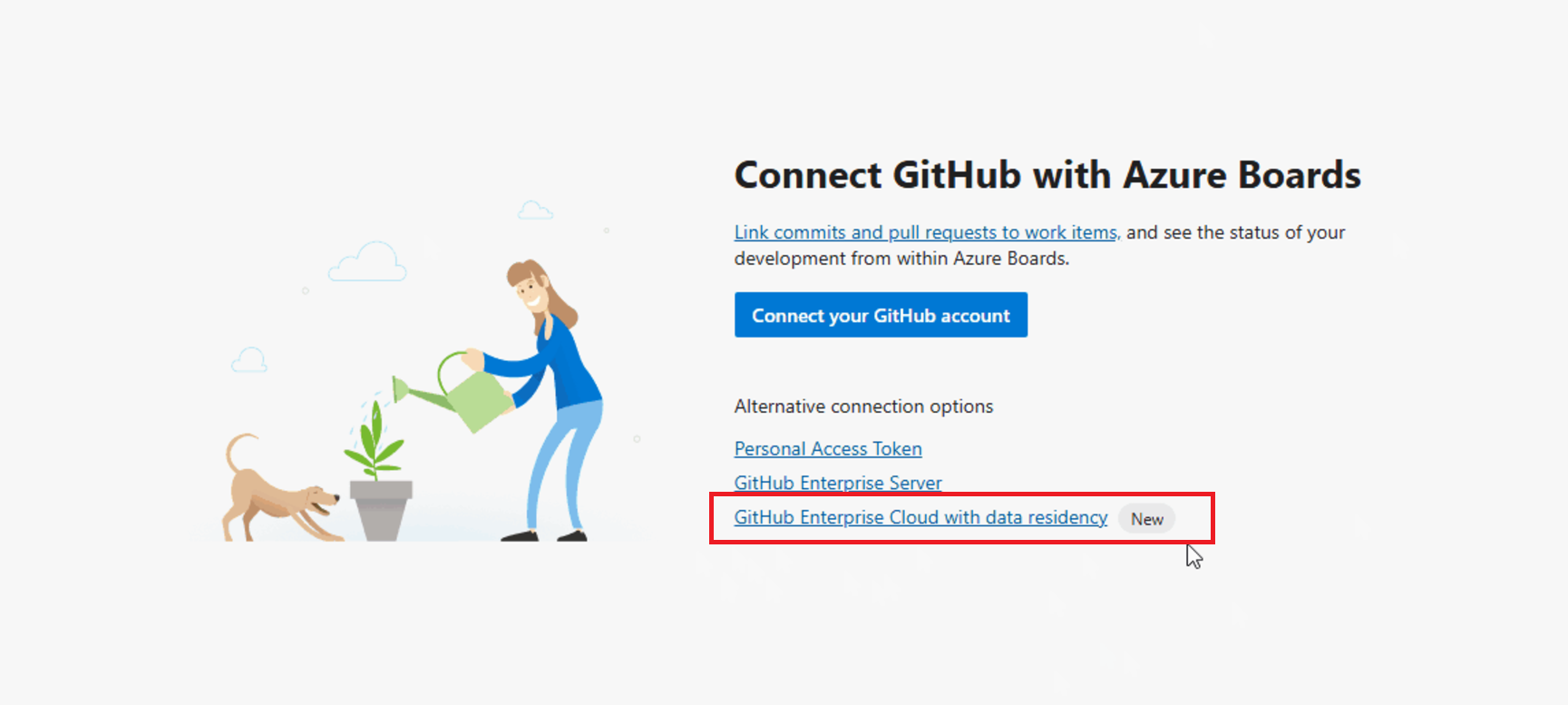
Back in January, we launched a private preview of our Boards integration with GitHub Enterprise Cloud with data residency. If you're unfamiliar with GitHub's data residency option and what it means for your organization, you can learn more in the original announcement. Since the private preview launch, we’ve gathered valuable feedback from early adopters, and today, we’re excited to open up the experience to a wider audience with a public preview. How it works We’ve introduced a new option that allows you to connect an Azure Boards project to your GitHub Enterprise Cloud organization with data residency. Af...
CDN Domain URL change for Agents in Pipelines
Introduction We have announced the retirement of Edgio CDN for Azure DevOps and are transitioning to a solution served by Akamai and Azure Front Door CDNs. This change affects Azure DevOps Pipelines customers. This article provides guidance for the Azure DevOps Pipelines customers to check if they are impacted by this change in CDN and the changes required if impacted. Impacted Azure DevOps Service and Azure DevOps Server Customers should complete the suggested changes by May 1, 2025 and May 15, 2025 respectively. As of June 11, 2025, the old domain URL (https://vstsagentpackage.azureedge.net) is inactive. Impa...

TFVC Policies Storage Updates

TFVC Check-In Policies TFVC projects can have check-in policies such as Build (Require last build was successful), Work Item (Require associated work item), Changeset comments policy (Require users to add comment to their check-in), etc. We are changing the way we store these policies on the server. This change will slightly affect TFVC users since they would need to initiate migration process from their side. Phase I – User opt-in (Complete) This is a phase in progress. We provided means for users to start their migration process. Migration from obsolete policies to active ones should be done by the project...

Important Update: Server Name Indication (SNI) Now Mandatory for Azure DevOps Services

Earlier this year, we announced an upgrade to our network infrastructure and the new IP addresses you need to allow list in your firewall - Update to Azure DevOps Allowed IP addresses - Azure DevOps Blog. This is our second blog post to inform you that starting from April 23rd, 2025, we will be requiring Server Name Indication (SNI) on all incoming HTTPS connections to Azure DevOps Services. SNI is an extension to the TLS protocol that allows clients to specify the hostname they are connecting to. All modern browsers and client software support SNI and use it by default, ensuring a seamless transition for most ...
New Overlapping Secrets on Azure DevOps OAuth
As you may have read, Azure DevOps OAuth apps are due for deprecation in 2026. All developers are encouraged to migrate their applications to use Microsoft Entra ID OAuth, which can access all Azure DevOps APIs and has the added benefit of enhanced security features and long-term investment. Although we are nearing Azure DevOps OAuth’s end-of-life, we remain committed to providing very critical security enhancements on Azure DevOps integration methods as they remain available. To this end, we’re introducing a new feature designed to improve security on existing apps and streamline the oft-disruptive secret rotat...

Introducing Java, JS and Python support in Test Plans
Update - December 1, 2025 The feature is Generally Available. Support for additional languages in Test Plans We are excited to announce new capabilities in Azure Test Plans that will enhance your testing workflows. With this latest release, we are introducing the ability to associate automated tests written in Java/JUnit (Maven and Gradle), JS (Jest) and Python (PyTest) with test cases and then run those tests with the new Azure Test Plan task. This is an addition to the ability to associate tests written in the majority of the .NET supported frameworks, which was until now only supported via Visual Studio Co...
Markdown for large text fields (private preview)
📢 As of April 15th, we are no longer accepting private preview requests. We have enough participants signed up to provide feedback. Keep an eye on the Azure DevOps release notes for the general availability announcement. Adding Markdown capabilities to the work item is a long-standing request. We introduced Markdown for comments in early 2024, but due to the rollout of the New Boards Hub, we put the feature on hold. Today, we’re excited to announce a private preview for Markdown support in large text fields! 🎉 🦄 How it works By default, all existing and new work items will continue using the HTML editor f...
March Patches for Azure DevOps Server
Today we are releasing patches that impact our self-hosted product, Azure DevOps Server. We strongly encourage and recommend that all customers use the latest, most secure release of Azure DevOps Server. You can download the latest version of the product, Azure DevOps Server 2022.2 from the Azure DevOps Server download page. The following versions of the product has been patched. Azure DevOps Server 2022.2 Patch 4 If you have Azure DevOps Server 2022.2, you should install Azure DevOps Server 2022.2 Patch 4 to have the most secure product experience. Check out the Release notes for details. Note: Azur...
New Boards Hub Update
We've reached a major milestone in the rollout of New Boards Hub this week by making it the default experience for all organizations and users. While many users can still temporarily switch back if they encounter a blocking issue, our telemetry shows that 97% of users are staying on New Boards without reverting. This is a significant step forward! Maintaining two versions of Boards is not a sustainable long-term solution, and our goal is to transition all customers to New Boards permanently. To that end, we’ve already disabled Old Boards for over 50% of organizations, and we’ll continue this process over the n...
Azure DevOps Basic usage included with GitHub Enterprise

Many customers want to use both GitHub and Azure DevOps together. Until now, unless you purchased Visual Studio subscriptions with GitHub Enterprise, you had to pay separately for both products. With the Sprint 252 release, Azure DevOps Basic usage rights are included with GitHub Enterprise Cloud. Your users access this benefit automatically when they login to Azure DevOps using Microsoft Entra. Their access level will change to “GitHub Enterprise” and just like a Visual Studio subscriber, there are no Azure DevOps charges for these users. We’ll be adding support for GitHub Enterprise Cloud with Data Residenc...
GitHub Copilot for Azure DevOps users
Azure DevOps customers frequently ask us when GitHub Copilot will be available to them. What many don’t realize is that GitHub Copilot for Business is already accessible to all customers, including those using Azure DevOps. Even better, much of its powerful functionality is integrated into tools you already use, like Visual Studio and VS Code. In this post, we’ll share resources to help you get started with GitHub Copilot as an Azure DevOps customer and highlight some of the great features available in your IDE. 👟 Getting Started Getting started with GitHub Copilot is simple and opens the door to a more efficie...

February Patches for Azure DevOps Server
Update 2/24: We re-released Patch 3 for Azure DevOps Server 2022.2. If you have previously installed the earlier versions of this patch, please update it using the provided link. This re-release addresses an issue causing YAML pipelines to fail. Further details on the issue can be found in the Developer Community. Update 2/13: We have re-released Patch 3 for Azure DevOps Server 2022.2 to fix the YAML pipelines failing issue reported in the Developer Community. You can use the link provided in this blog post to download the patch for the first time as well as fixing the issue if you have previously installed Patc...

Full web support for conditional access policies across Azure DevOps and partner web properties
We’re happy to announce that we’ve made significant progress in updating our web authentication stack on Azure DevOps services and partner web properties to utilize Microsoft Entra tokens to handle web sessions. By replacing our previous cookies with Entra tokens, we’ve deepened the integration we have with Microsoft Entra ID on our web experience. This change allows us to continuously evaluate identity compliance with Entra policies on an hourly basis (the duration of an Entra token). Previously, we could only regularly evaluate IP-fencing policies (at a much less frequent cadence than every hour) with our old...
Update to Azure DevOps Allowed IP addresses
We are excited to announce some important upgrades to our networking infrastructure that will enhance the performance and reliability of our service. As part of these infrastructure upgrades, we are introducing new IP addresses that you will need to allow list in your firewall configurations. What’s Changing And Why? We are transitioning from the current set of network edge devices supporting Azure DevOps to new, better-performing network edge devices by May 2025. As part of this transition, we have added new IP addresses to the current published allow list - Allowed address lists and network connections - Azur...
Upcoming support lifecycle milestones for older on-premises products
Multiple versions of our on-premises product will reach the end of support on October 14, 2025. Customers are encouraged to start planning and deploying upgrades now to ensure that installed products remain supported and secure, and to take advantage of new capabilities offered in successor products. The latest version of our on-premises product is Azure DevOps Server 2022.2. October 14, 2025, is the date for the end of Extended Support for Team Foundation Server 2015 - meaning it will no longer receive security updates or technical support. Upon end of support, there will be no new updates, free or paid assiste...
Changes to provisioning Azure DevOps projects using the Azure DevOps Demo Generator
The Azure DevOps Demo Generator is a tool that allows you to create projects in your Azure DevOps organization, complete with pre-filled sample content. This includes source code, work items, iterations, service connections, and build and release pipelines, all based on a template you select. Starting February 28, 2025, we are eliminating the need for us to authenticate on your behalf. This update will give you greater control over creating new projects and ensure a more secure process. Instead of the previous authentication process, you will run the ADOGenerator project as a console application or executable (....

Reducing personal access token (PAT) usage across Azure DevOps
In the new year, we’ll be making moves towards strengthening Microsoft and our customers' security posture in regards to the usage and creation of personal access tokens (PATs). If you’ve been following this blog, you may have noticed we’ve been distancing away from PATs as the recommended authentication method for Azure DevOps APIs by offering more restrictive policies and secure alternatives. PATs can be an enticing vector for unauthorized access, especially when insecurely stored, over-scoped, or set for long durations. There exist scenarios where PATs remain the primary form of authentication within Azure D...
Important: Switching CDN providers

The current content delivery network (CDN) provider Edgio, used by Azure DevOps is retiring. We're urgently transitioning to a solution served by Akamai and Azure Front Door CDNs to maintain the responsiveness of our services. What this means for you For most of you, this transition will be seamless. To ensure that you can continue to access Azure DevOps without any interruptions, use the following Powershell commands to validate that your current firewall settings allow connectivity to the new CDN providers: If your network includes firewalls that could affect access to the new CDNs, we recommend adding ...
New Boards Hub Rollout Expectations
Although the process may seem slow, we are steadily progressing toward rolling out the New Boards Hub to all customers. Our plan is to deprecate the old Boards experience for all Azure DevOps service users by the end Q1 2025. The rollout is advancing on two fronts. First, we are setting the New Boards Hub as the default experience. Second, for customers who already have the New Boards Hub enabled as the default, we are transitioning groups to exclusively use the New Boards Hub. Removing the option to revert to the old Boards experience. Currently, 60% of customers have the New Boards Hub set as their default ex...
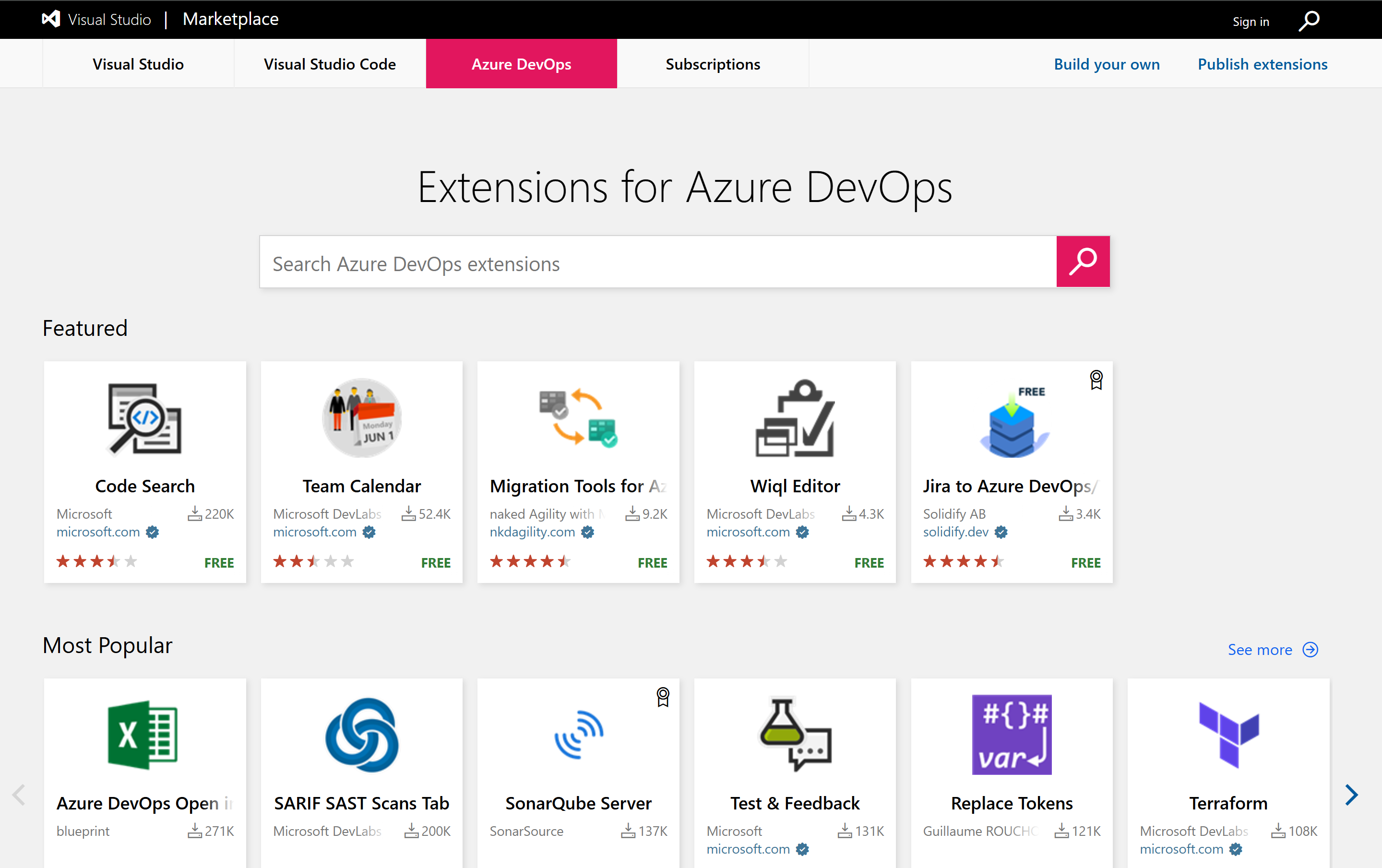
Microsoft DevLabs Extensions
The Microsoft DevLabs publisher was created as a hub for internal teams at Microsoft to channel their passion for Azure DevOps into experimental extensions. These extensions helped address product gaps and fostered innovation, ultimately benefiting Azure DevOps customers via the public marketplace. The challenge Over time, as the original creators of these extensions moved on to other things, many extensions became outdated. This led to several problems: To restore the value of the Microsoft DevLabs publisher, we conducted a review to identify which extensions should be actively maintained and which ne...
Getting the most out of Azure DevOps and GitHub
Microsoft has two very successful DevSecOps products in the market – GitHub and Azure DevOps. Azure DevOps has a large enterprise customer base that loves the highly customizable enterprise-focused planning and tracking capabilities in Azure Boards, the robust continuous delivery capabilities in Azure Pipelines, the manual and exploratory testing capabilities in Azure Test Plans, and the deep integrations across the suite. GitHub is the world’s largest developer community, with over 100M developers. It also serves over 4M organizations, including 90% of the Fortune 100. It’s beloved by developers and at the foref...
Announcing the General Availability of Managed DevOps Pools (MDP) for Azure DevOps


We are thrilled to announce that Managed DevOps Pools for Azure DevOps is now generally available! This milestone marks a significant advancement in our mission to improve developer productivity in the CI/CD loop, reduce your cloud bill for ES infra and to reduce the toil associated with creating and maintaining custom CI/CD infrastructure for your pipelines. If you are new to Managed DevOps Pools, you can read about it in the Managed DevOps Pools documentation. Overview Managed DevOps Pools enables dev teams and platform engineering teams to quickly spin up custom DevOps pools that suit their workload’s unique...
November Patches for Azure DevOps Server
Today we are releasing patches that impact our self-hosted product, Azure DevOps Server. We strongly encourage and recommend that all customers use the latest, most secure release of Azure DevOps Server. You can download the latest version of the product, Azure DevOps Server 2022.2 from the Azure DevOps Server download page. The following versions of the products have been patched. Check out the links for each version for more details. Azure DevOps Server 2022.2 Patch 2 If you have Azure DevOps Server 2022.2, you should install Azure DevOps Server 2022.2 Patch 2 to have the most secure product experience....
No new Azure DevOps OAuth apps beginning April 2025
📢 As of April 23, 2025, the Azure DevOps OAuth app platform is no longer accepting new app registrations. Starting April 2025, we will no longer accept new registrations of Azure DevOps OAuth apps. This is the first step we’ll be taking towards our longer-term vision of sunsetting the Azure DevOps OAuth platform. Moving forward, we’ll be publicly advocating all developers that are building applications on top of Azure DevOps REST APIs to explore the Microsoft Identity platform and registering a new Entra application instead. All existing Azure DevOps OAuth apps will continue working until the official end-o...
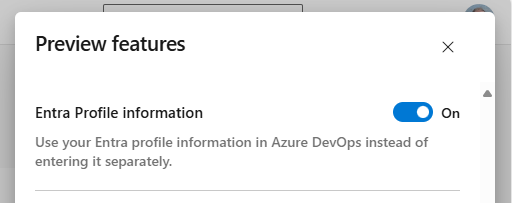
Using Entra profile information in Azure DevOps
We’re excited to announce the ability to use Entra profile information in Azure DevOps. This has been a long-standing feature request from the community (ex. profile, picture, email, and name). Beyond the convenience of configuring profile information in one place and ensuring the accuracy of personal information, using Entra profile information in Azure DevOps provides important security and compliance benefits for Enterprise customers. Today we encourage users in Entra backed organizations to turn on Entra Profile information in Preview Features. When you do, your Azure DevOps profile will become read-only, an...
Introducing Pull Request Annotation for CodeQL and Dependency Scanning in GitHub Advanced Security for Azure DevOps
In the world of software development, security is paramount. As developers, we strive to write clean, efficient, and most importantly, secure code. GitHub Advanced Security for Azure DevOps has always been at the forefront of providing tools that make it easier to build and release high-quality software. Today, we’re excited to announce a new feature release that will take your code security to the next level: PR (Pull Request) Annotation for CodeQL and Dependency Scanning. PR Annotation - What Does it Mean for You? Pull Request Annotation brings security insights directly into your development workflow. Here’s...
Deprecation of the macOS-12 Hosted Pipeline Image
Update: the retirement date of macOS-12 has been moved to January 8. Azure DevOps is starting the deprecation process for the (Monterey) hosted pilelines image. While the image is being deprecated, you may experience longer queue times during peak usage hours. Deprecation will begin on October 7 and the image will be fully unsupported by January 8, 2025. Pipeline jobs using the image label should be updated to use , or . To raise awareness of the upcoming removal, we will temporarily fail jobs using . Pipeline jobs that are scheduled to run during the brownout periods will fail. The brownouts are scheduled f...
Azure Boards, September Update
September was a productive month for Azure Boards, and we’re excited to share some of the new features coming your way. Area and Iteration Level Fields Area and iteration level fields have been crucial for querying or displaying results based on their specific levels: (Root) Level 1 / Level 2 / Level 3 / etc. Previously limited to a few organizations, these fields are now available to all Azure DevOps organizations using New Boards Hub. You can use them in queries and display them as backlog columns, but they are not supported in style rules, swim lane rules, card fields, and delivery plan fields. Permanentl...
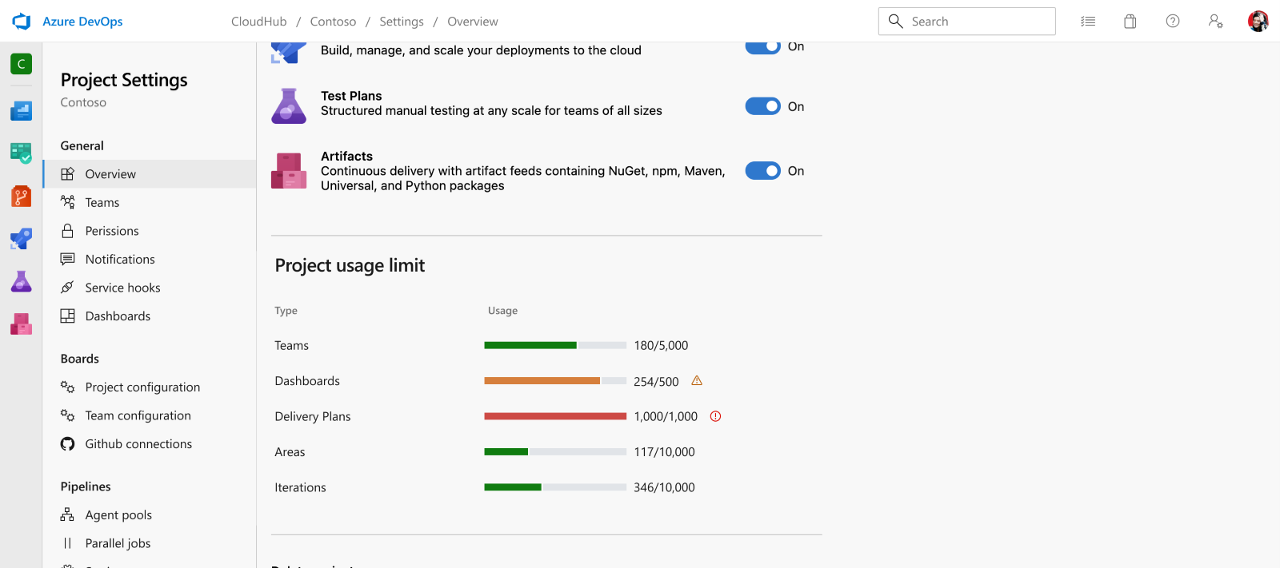
Introducing Object Limit Tracker in Azure DevOps

We're excited to introduce the Object Limit Tracker in Azure DevOps! This new feature provides real-time visibility into resource usage for each organization and project directly within Azure DevOps. By offering insights into commonly asked limits, we enable users to manage resources more proactively and prevent potential issues. Challenges in Monitoring Object Usage Currently, operational limits like pipeline usage and top commands can be monitored through the Usage tab, giving some insight into resource consumption. However, object limits—such as the number of projects, dashboards, or teams—have not been simi...

New Boards Hub Rollout Update
Back in March, we shared an update on our initiative to make the New Boards Hub the default experience for all organizations. However, that rollout was delayed as we shifted priorities for several months. Today, we're excited to announce that the rollout of the New Boards Hub is back on track. This process will take several weeks to complete, as we gradually deploy to a set of different regions each week. Here's a quick refresher on the New Boards Hub and what you can expect. 🤷♂️ How do I know New Boards is the default? As we roll out to each customer, you’ll receive a welcome message the first time you open ...
New Azure DevOps Server Roadmap
While we recommend our hosted service for most customers due to its scalability and flexibility, we understand the importance of the on-premises version for many of our customers. Therefore, we remain committed to providing support and improvement for both versions. Previously, our public roadmap included Server columns that reflected when we expected the feature to be shipped in Azure DevOps Server. We’ve received feedback from our Azure DevOps Server customers expressing concerns about not having a clear timeline and that they were struggling to align efforts and prioritize upgrade tasks. In addition, not havi...
Announcing Public Preview of Managed DevOps Pools (MDP) for Azure DevOps
Engineering teams ideally want to spend all their time writing code to create applications and services for their users! In reality, many end up spending a significant portion of their time on other tasks, such as maintaining DevOps infrastructure. In Azure DevOps, Microsoft-hosted agents (aka Azure Pipelines agents) provide a fully managed, low overhead way to get started with Azure Pipelines. Many customers find that these agents are not flexible enough to meet their needs - not enough power, not enough memory, an inability to connect to private networks, etc. In these cases, teams can use self-hosted agents f...
Update on Azure Boards + GitHub Integration
It's been a few months since our last update on the initiative to enhance the integration between Azure Boards and GitHub. We're excited to share that many new features have been completed and are in the process of being rolled out. Here’s a summary of our progress so far, along with an announcement of two new features 🎉. Create GitHub branch from work item (new) You can now create a GitHub branch directly from a work item within Azure DevOps. The "New GitHub Branch" link is available whenever a GitHub connection is configured for your project. This link can be found in all work item context menus, including th...
Updated: Azure DevOps Server 2022.2 RTW now available
8/13 Update: We have re-released Azure DevOps Server 2022.2 to fix the loading Teams names issue. If you have installed the version of Azure DevOps Server 2022.2 released on July 9, you can install Patch 1 for Azure DevOps Server 2022.2 to fix the issue. Patch 1 is not required if you are installing Azure DevOps Server 2022.2 for the first time since the download links have been updated to include the fix. You can download Patch 1 from this link. 8/5 Update: We are currently testing a fix for the loading Teams names issue. We will continue sharing updates in this blog post and expect to announce a release date b...
June patches for Azure DevOps Server
This month, we are releasing fixes that impact our self-hosted product, Azure DevOps Server. The following version of the product has been patched. Azure DevOps Server 2022.1 Patch 4 If you have Azure DevOps Server 2022.1, you should install Azure DevOps Server 2022.1 Patch 4. Release notes Verifying Installation

Test & Feedback Extension in Manifest V3
We are excited to announce a new update to the Azure DevOps Test and Feedback extension! This update brings essential implementation changes, upgrading from manifest version 2 to version 3. Following Google's announcement of their Manifest V2 deprecation schedule, we have been actively working on our implementation of Manifest V3. While the extension’s core features remain the same, this behind-the-scenes update enhances the extension’s security and performance. 🔬 What is Test & Feedback Extension If you are new to the Test and Feedback Extension, we invite you to try it out! Testing should no longer be lim...
May patches for Azure DevOps Server
This month, we are releasing fixes that impact our self-hosted product, Azure DevOps Server. The following version of the product has been patched. Azure DevOps Server 2019.1.2 Patch 9 If you have Azure DevOps Server 2019.1.2, you should install Azure DevOps Server 2019.1.2 Patch 9. Release notes Verifying Installation
Azure DevOps Server 2022 Update 2 RC now available
Today we're thrilled to announce the release candidate (RC) of Azure DevOps Server 2022.2! This release includes new features that have been previously released in our hosted version of the product. Here are a few of the highlights: There are more features with this release, and you can read all about those features in our release notes. You can download Azure DevOps Server 2022.2 RC today. A direct upgrade to Azure DevOps Server is supported from any version of TFS, including Team Foundation Server 2015 and newer. Let us know any feedback or questions via the Developer Community. Resources
AB links on GitHub pull request and scale improvements for large organizations
We have a few new updates to announce for the work we have been doing to improve the Azure Boards + GitHub experience. Let’s jump right into it… 🎉 Add link to GitHub commit or pull request (GA) After being several weeks in preview, we are excited to announce our new enhanced experience for linking work items to GitHub. You can now search and select the desired repository and drill down to find and link to the specific pull request or commit. No more need for multiple window changes and copy/paste (although you still have that option). ⭐ GitHub connection improvements (private preview) For GitHub organizat...
End of Support for Microsoft products reliant on older Azure DevOps and Visual Studio authentication
Azure DevOps will no longer guarantee support for older authentication methods in use by out-of-support Visual Studio and Microsoft products. Known impacted clients include: This may not be a comprehensive list of impacted products, but affected products are expected to be out of support already per Microsoft’s product end of support policies. Some third-party clients/tools may also be in use of these out-of-date authentication mechanisms. If you're using one of these tools, consider upgrading to a later version of the client, which may be calling our APIs using more modern authentication t...
New Boards Hub on as default
If you've been keeping up with the progress of New Boards Hub, you're probably aware that the preview has been active for quite some time now. In fact, we officially announced the preview of New Boards Hub almost two years ago to the day. Since that initial preview announcement, we've been gathering your feedback and addressing issues. Azure Boards covers a vast range of functionalities, and migrating all these experiences to a new, modern platform was no small feat. We've tackled hundreds of bugs across various areas, including performance, accessibility, and functional. Today, we're thrilled to announce the f...

Quick Copy and Import Test Case by Plan or Suite ID
Efficiency is key in managing extensive test cases, and we understand the value of your time. That's why we're thrilled to announce an exciting enhancement to Azure Test Plans – the Quick Copy and Import test case feature, enabling you to use Test Plan or Suite ID for immediate action. Say goodbye to the delays caused by lengthy dropdown menus and enjoy the new copy and import test case workflow. Quick Copy and Import Test Case by Plan or Suite ID With this feature, simply enter the ID of your Test Plan or Suite to copy or import Test Cases. This ID search not only saves time but also makes your test management...
March patches for Azure DevOps Server
This month, we are releasing fixes that impact our self-hosted product, Azure DevOps Server. The following versions of the products have been patched. Check out the links for each version for more details. Azure DevOps Server 2022.1 Patch 3 If you have Azure DevOps Server 2022.1, you should install Azure DevOps Server 2022.1 Patch 3. Release notes Verifying Installation Azure DevOps Server 2020.1.2 Patch 13 If you have Azure DevOps Server 2020.1.2, you should install Azure DevOps Server 2020.1.2 Patch 13. Release notes Verifying Installation Azure DevOps Server 2019.1.2 Patch 8 I...

Azure Pipelines deprecated tasks retirement schedule
Azure Pipelines includes around 150 build & release tasks as well as many more task extensions. Various included tasks have multiple (major) versions bringing the total to over included 200 tasks. Some of these tasks have been deprecated for some time, as newer tasks have replaced them. Deprecation means the task is still supported, before it is retired. In this blog post we'll communicate what will happen as deprecated tasks retire. What tasks can I no longer use? In November we announced deprecated tasks will be retired after January 31st. If you are using some of the tasks listed below, please update yo...
End of SSH-RSA support for Azure Repos

Azure Repos provides two methods for users to access a git repository in Azure Repos – HTTPS and SSH. To use SSH, you need to create a key pair using one of the supported encryption methods. In the past we’ve been supporting only SSH-RSA and we’ve asked users to enable the SSH-RSA here. This is not required to be done anymore as in 2022 we’ve added support for the RSA-SHA2-256 and RSA-SHA2-512 to Azure DevOps Service. Later that year, the same support was also added to Azure DevOps Server 2022 and in August 2023 to Azure DevOps Server 2020 and 2019. The relevant release notes are linked here: We are now an...

JUnit Attachments Support for Publish Test Results

We've recently made some improvements to the Publish Test Results task in Azure Pipelines. This task now supports file attachments when publishing test results from a JUnit report. JUnit Attachments Report Format The JUnit XML report format doesn't officially have support for file attachments but there is a common convention of including attachments in the element of each test case. Attachments are specified in the format . For example: The Publish Test Results task will automatically look for any attachments listed in the element, upload those attachments to Azure DevOps, and associate them with the test ...
February patches for Azure DevOps Server
This month, we are releasing fixes that impact our self-hosted product, Azure DevOps Server. The following versions of the products have been patched. Check out the links for each version for more details. Azure DevOps Server 2022.1 Patch 2 If you have Azure DevOps Server 2022.1, you should install Azure DevOps Server 2022.1 Patch 2. Release notes Verifying Installation Azure DevOps Server 2020.1.2 Patch 12 If you have Azure DevOps Server 2020.1.2, you should install Azure DevOps Server 2020.1.2 Patch 12. Release notes Verifying Installation Azure DevOps Server 2019.1.2 Patch 7 ...
Workload identity federation for Azure deployments is now generally available
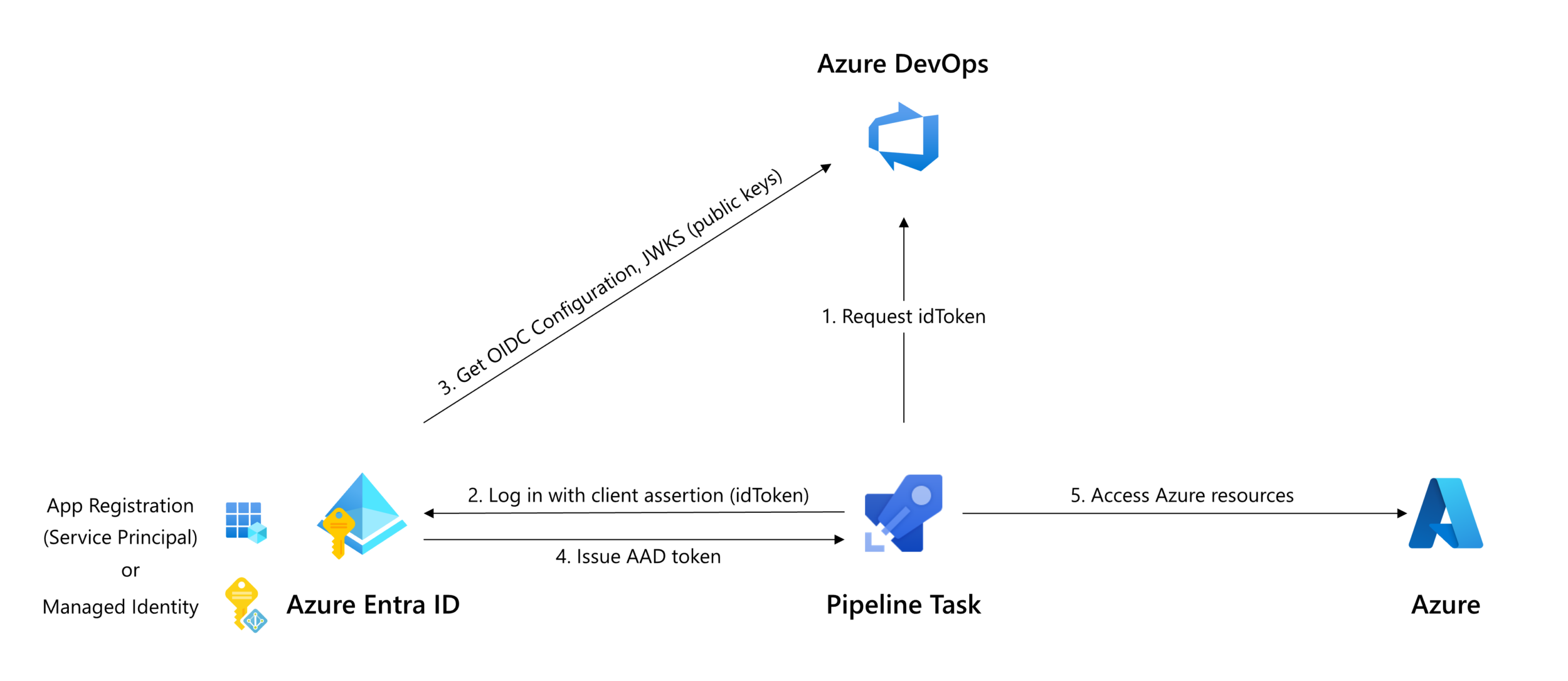
In September, we announced the ability to configure Azure service connections that do not need a secret. Azure service connections that use workload identity federation are easier to manage and more secure. Many customers have adopted this feature and we're excited to announce it is now generally available! Improved security Workload identity federation enforces how an identity can be used. The federation subject () configured on the App Registration or Managed Identity can only be used in Azure DevOps, by the service connection the federation is configured for. This provides a stricter constraint than a secr...
Regenerating secrets for Azure DevOps OAuth applications
You can now self-regenerate new client secrets as needed for apps made on top of the Azure DevOps' OAuth platform. A valid, active client secret is critical for getting a refresh token to continue using your app. Once the secret has expired, you will also no longer be able to get access and refresh tokens needed to access Azure Devops APIs through this app. Why is this important? Client secrets have historically expired 5 years after the original app creation date. This new feature is useful for folks to get ahead of their app expiration and replace any soon-to-expire client secret before it runs out and causes...
Azure Boards + GitHub improvements in private preview
Today we are happy to announce several improvements to our GitHub integration story. These improvements are vital for those customers who are seeking better traceability between Azure Boards and GitHub repositories. AB# Validation This is a recap of the private preview announcement we made in December 2023. AB# validation is now available to all organizations across the service. We've enhanced the Azure Boards app to notify users about the validity of work item links, helping them spot and fix any issues before merging a pull request. Linking to GitHub Pull Requests and Commits (preview) You have two optio...

New Boards Hub Update, January 2024
In our fall update, we acknowledged the necessity to pause the rollout of New Boards Hub. Our focus was on enhancing its quality, performance, accessibility, and addressing an long list of bugs and issues. We're pleased with the progress achieved in the past few months and want to highlight a few key points as we prepare to make New Boards Hub the default experience for our next group of customers. 💁♀️ Accessibility and page reflow The impetus behind the development of New Boards Hub was the commitment to accessibility compliance. Unfortunately, we didn’t do a good job of building accessibility compliance from...
New version of Publish Code Coverage Results task
We’ve introduced a new V2 version of the publish code coverage results task (known as PCCR) in Azure Pipelines recently. The main benefit of the V2 task is the support for more formats of the code coverage results and therefore more programming languages than the V1 task, which was limited to Cobertura and JaCoCo formats only. You can see more details for the V2 task in our public documentation. The V2 task was made compatible with the build quality check task (known as BQC) in version 2.231.0. Any customer using build quality check can safely migrate from the V1 task to the V2 task version 2.231.0 or later. Wh...
Final notice of alternate credentials deprecation
In November 2019, we announced that the alternate credentials feature will be formally deprecated in March 2020. Since then, a small number of users were grandfathered in with continued usage of existing alternate credentials, which have remained active until today. We will be discontinuing all usage of alternate credentials this month. Users have been notified of this change over email over the course of 2023. If you are affected and this is the first time you are hearing of this, the recommended action from our team is to explore this list of alternative means of authentication available, at your earliest con...
Azure DevOps Server Product Lifecycle and Servicing
Azure DevOps Server and Team Foundation Server follow the Microsoft Product Fixed Lifecycle Policy of 10 years. The first 5 years of Mainstream Support provide feature updates, platform updates, security updates, functionality fixes, and quality improvements. The second 5 years of Extended Support provide critical security updates only for the latest release of each version. Azure DevOps Server and Team Foundation Server are serviced through security or servicing patches that provide targeted cumulative bug fixes for existing features in the product. For the best and most secure product experience, we strongly e...
Updates to Azure DevOps Demo Generator and Labs
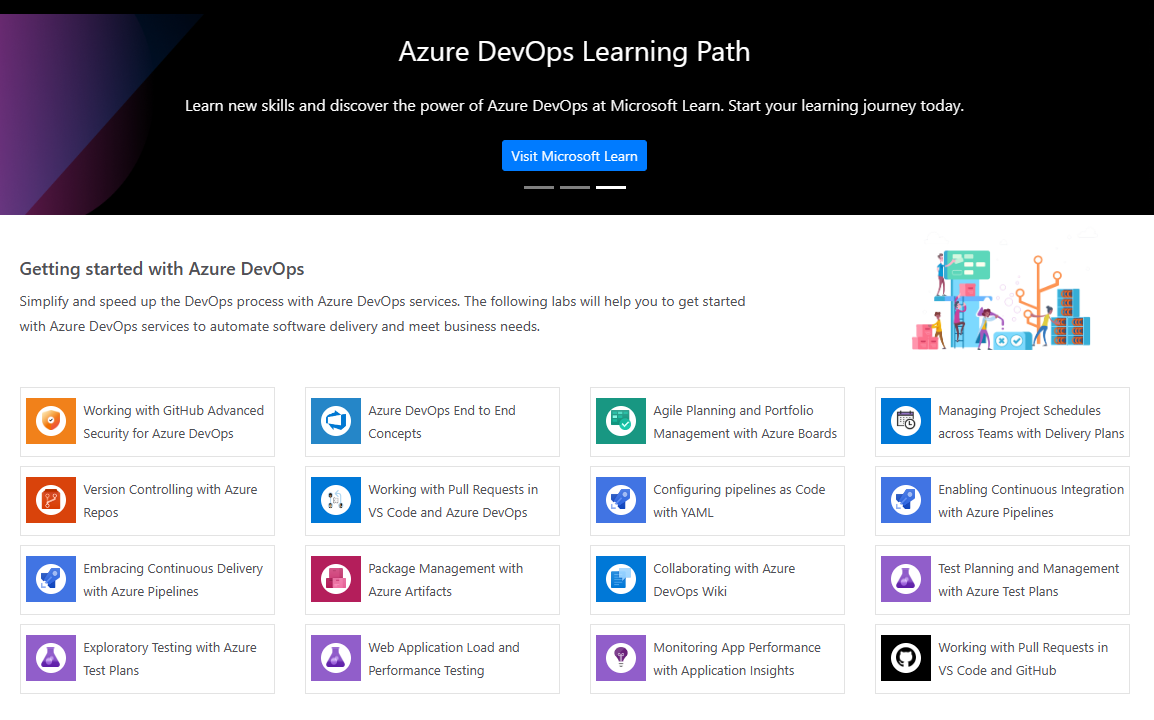
We are excited to announce that we have published new content to the Azure DevOps Demo Generator and Azure DevOps Labs! The Azure DevOps Labs is a great tool to help you learn about the integrated features offered in Azure DevOps. Now you can use the Azure DevOps end-to-end concepts hands-on lab to learn how you can bring together your development team and contributors to develop software at a faster pace. In addition to the end-to-end lab, we have also included a working with GitHub Advanced Security for Azure DevOps lab so you can learn about the security features offered in Azure Repos. On the Azure DevOp...
December patches for Azure DevOps Server
This month, we are releasing fixes that impact our self-hosted product, Azure DevOps Server. The following versions of the products have been patched. Check out the links for each version for more details. Azure DevOps Server 2022.1 Patch 1 If you have Azure DevOps Server 2022.1, you should install Azure DevOps Server 2022.1 Patch 1. Release notes Verifying Installation Azure DevOps Server 2020.1.2 Patch 11 If you have Azure DevOps Server 2020.1.2, you should install Azure DevOps Server 2020.1.2 Patch 11. Release notes Verifying Installation
Work Items in Visual Studio
Several years ago, with the introduction of Visual Studio 2019, we launched a completely revamped work item experience. This updated view operates entirely on REST, replacing the deprecated SOAP APIs utilized in the legacy version. Although Visual Studio 2022 still includes the option to revert to the legacy view, the majority of our users have transitioned to the new default view. For those who prefer the legacy experience, here is some guidance to facilitate a smooth transition. How do I turn on the new view? To enable the new default view, launch Visual Studio and navigate to the Search function at the top...
Updated: Azure DevOps Server 2022.1 RTW now available
12/5 Update: There is a known issue where the Agent version does not update after upgrading to Azure DevOps Server 2022.1 and using Update Agent in Agent Pool configuration. We are currently working on a patch to resolve this issue and will share updates in the Developer Community as we make progress. In the meantime, you can find a workaround for this issue in this Developer Community ticket. Today, we released Azure DevOps Server 2022.1 RTW. This is our final release of Azure DevOps Server 2022.1. You can directly install Azure DevOps Server 2022 Update 1 or upgrade from any version of Azure DevOps or TFS, inc...

New Boards Hub, Fall Update
If you have been following these posts, then you are more than familiar with our New Boards Hub initiative. We have been doing our best to keep our community informed of the new features and our rollout plans. Now is a good time to provide an update on where things are at with a couple of our new preview features, as well as our rollout plans. Rollout slowdown Several weeks ago, we completed the rollout of New Boards as the default experience through Ring three. During that time, we received a flood of feedback and issues. Instead of pushing to adhere to some timeline, we have decided to pause the rollout of...

Azure DevOps’ First Consensus Assessment Initiative Questionnaire (CAIQ) Now Available

I am thrilled to announce that we have now published, for the first time, a Consensus Assessment Initiative Questionnaire (CAIQ) specific to Azure DevOps. The Consensus Assessment Initiative Questionnaire (CAIQ) is a tool developed by the Cloud Security Alliance (CSA). It serves as a standard set of questions aimed at helping potential cloud customers evaluate the security capabilities of cloud service providers. Essentially, it's a comprehensive checklist that covers a wide range of security topics relevant to cloud computing. The CAIQ is designed to streamline the due diligence process for organizations conside...
November patches for Azure DevOps Server and Team Foundation Server
This month, we are releasing fixes that impact our self-hosted product, Azure DevOps Server, as well as Team Foundation Server 2018.3.2. Azure DevOps Server 2022.0.1 Patch 5 Note: If you have Azure DevOps Server 2022, you should first update to Azure DevOps Server 2022.0.1 and then install Azure DevOps Server 2022.0.1 Patch 5. If you have Azure DevOps 2022 and installed Patch 4, take a look at this post from the Developer Community before you install this patch. If you have Azure DevOps Server 2022.0.1, you should install Azure DevOps Server 2022.0.1 Patch 5. Please note that our patches are cumulative. If...

Git Partial Clone Now Supported in Azure DevOps

Git Partial Clone Treeless and blobless Git Partial Clones are now enabled in Azure DevOps for all customers! Partial clones are a reduced type of git clone that users create via specific arguments on the git command line. For large repositories with a lot of history, they offer a dramatic performance improvement compared to a regular clone, with some tradeoffs. Partial clones do not download every single historical object in the repository at clone time like a traditional clone. Instead, they delay downloading many objects until checkout of a branch (or other git scenario) that needs them. Those who want a deep...
Azure DevOps Server 2022.1 RC2 now available
We have released Azure DevOps Server 2022.1 RC2. This is our last planned prerelease before our final release of Azure DevOps Server 2022.1. A direct upgrade is supported from Azure DevOps Server 2022.1 RC1, any version of TFS, including Team Foundation Server 2015 and newer. Let us know any feedback or questions via the Developer Community. Here are some key links:
Azure Boards + GitHub Integration Improvements
The existing Azure Boards + GitHub integration has been in place for several years now. This integration was a great starting point, but it does not offer the level of traceability that our customers have grown accustomed to. Based on your feedback, we have put together set of investments to enhance this integration. Our goal is to improve upon it so that Azure Boards customers who choose to use GitHub repositories can maintain an equivalent level of traceability to having repositories in Azure DevOps. These are some of the items we have planned. Improved AB#ID validation Improve the Azure Boards GitHub app to...

Seamless Automation: Bridging Requirement Discussion Transcripts to Azure DevOps Features

Unlock the Power of Seamless Automation: Transforming Requirement Discussion Transcripts into Azure DevOps Features. Discover a smarter way to bridge discussions and development with ease.

Introducing Work Item Chart Filtering in Azure DevOps Dashboards
We are thrilled to announce the release of Work Item Chart Filtering in Azure DevOps Dashboards. This enhanced filtering streamlines your workflow just a click away. Effortless Filtering for Deeper Insights With this new feature, not only can you hover over a work item chart, but you can also delve deeper into work items by clicking on its segment. The chart will then redirect you to a page where you can view filtered query results. Gone are the days of manual filtering and creating multiple queries to obtain the exact piece of data you need. Dive into your work items and analyze them with a streamlined appro...
Improved Code Coverage Tab Experience

If you’re using Azure DevOps for your CI/CD pipeline, you may be interested in our recent improvements to code coverage testing. Code coverage tests can help you identify areas of your code that are not tested, or not tested enough, and improve the quality of your automated tests and overall code quality. With our recent updates, you can now view code coverage tab by default for all the code coverage formats. Additionally, if you have enabled code coverage policy, you will see comments in the pull request indicating whether or not the policy has been met, including comments about missing test cases or test execu...

October patches for Azure DevOps Server
This month, we are releasing fixes that impact our self-hosted product, Azure DevOps Server. The following versions of the products have been patched. Check out the links for each version for more details. Azure DevOps Server 2022.0.1 Patch 4 Note: If you have Azure DevOps Server 2022, you should first update to Azure DevOps Server 2022.0.1 and then install Azure DevOps Server 2022.0.1 Patch 4. If you have Azure DevOps 2022 and installed Patch 4, take a look at this post from the Developer Community before you install this patch. If you have Azure DevOps Server 2022.0.1, you should install Azure Dev...

Team Work Item Automation Rules (Private Preview)
Customers have been requesting to automate state transitions for a while. Take this request from 2018: “When a User Story contains several child tasks, often developers update the child tasks but not the overall state of the User Story. It would be great to automatically update the state of the User Story according to the state of the child tasks. For example, if one Task is changed to Doing then the User Story should be set to Doing. If all Tasks are in Closed, then the User Story should be Closed.” You can automate this on your own, but it requires web hooks and custom code. However, it really needs to be p...

New Azure DevOps scopes now available for Microsoft Identity OAuth delegated flow apps
We have added new Azure DevOps scopes for delegated OAuth apps on the Microsoft Identity platform, also colloquially known as Azure Active Directory OAuth apps. These new scopes will enable app developers to announce specifically which permissions they are hoping to request from the user in order to perform app duties. They may look familiar as these new scopes are the same ones available via Azure DevOps OAuth today. Previously, was the only scope available for app developers to choose from. This scope gives the app full access to all Azure DevOps APIs, which means it will be able to do anything that the user ...

Achieve Code Consistency: MegaLinter Integration in Azure DevOps

In this blog I present a solution to implement automated linting in Azure DevOps for platform engineers

Managed identity and service principal support for Azure DevOps now in General Availability (GA)
After announcing the release of Managed Identity and Service Principal support in public preview last March, we were overcome by the positive response many of you had. We’re grateful to those who have taken the time to implement a managed identity within your apps and tools. With your help, we’ve collected valuable feature feedback and resolved some hidden bugs to improve the overall performance of this feature, bringing us to today, when we’re happy to announce that the feature is now in General Availability (GA). Some notable GA user-facing updates worth calling out: 1. Set object-level permissions on ser...
New Boards Hub Rollout Update
In July, we provided an overview on the steps for New Boards hub to go GA. In this blog post, we wanted to provide a short update on where things are at and what you can expect over the next couple of months. Roll out schedule So far, the New Boards Hub “on by default” initiative has been enabled for over 30% of the active organizations. We have been enabling one ring at a time, collecting feedback and fixing bugs along the way. About 95% of the users continue to use the new experience. On average we are fixing 25-35 bugs per sprint. Most of the new bugs reported are edge cases that happen under very specifi...
Revolutionizing Requirement Gathering: Azure DevOps Meets Azure OpenAI using Semantic kernel
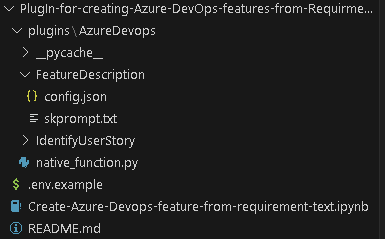
This blog is a deep dive into the future of requirement gathering. This blog explores how Azure DevOps and Azure OpenAI are joining forces to transform the way we capture project requirements. From automated requirement generation to intelligent analysis, learn how these powerful tools are reshaping the landscape of project management. Stay tuned for an enlightening journey into the world of AI-powered requirement gathering!

Now Generally Available: GitHub Advanced Security for Azure DevOps is ready for you to use

We’re excited to announce that GitHub Advanced Security for Azure DevOps is now generally available and is ready for you to use in your own Azure DevOps repos! You can now enable code, secret, and dependency scanning within Azure Repos and take advantage of the new product updates. Learn how to enable Advanced Security in your Azure Repos > Thanks to your great feedback, we were able to identify issues and deliver updates that address key improvements since our public preview. You wanted: and we delivered. Instead of registering to get your organization onboarded to Advanced Security, we’ve done away w...
Introducing Azure DevOps Server 2022 Update 1 RC1
Today we're very excited to announce the first release candidate (RC1) of Azure DevOps Server 2022.1! With this release, we've added many new features that you've been asking for. Here are a few of the highlights: There are many more features with this release, and you can read all about those features in our release notes. You can download Azure DevOps Server 2022.1 RC1 today. A direct upgrade to Azure DevOps Server is supported from any version of TFS, including Team Foundation Server 2015 and newer. Let us know any feedback or questions via the Developer Community. Resources
September patches for Azure DevOps Server and Team Foundation Server
This month, we are releasing fixes that impact our self-hosted product, Azure DevOps Server. The following versions of the products have been patched. Check out the links for each version for more details. Azure DevOps Server 2022.0.1 Patch 3 Update: If you downloaded patch 3 for Azure DevOps Server 2022.0.1 on September 12, you must download patch 3 again. The links published on September 12 were downloading patch 2 instead of patch 3. If you already installed patch 4 published on October 10, you don't have to reinstall patch 3 since patches are cumulative and include changes for previously released ...
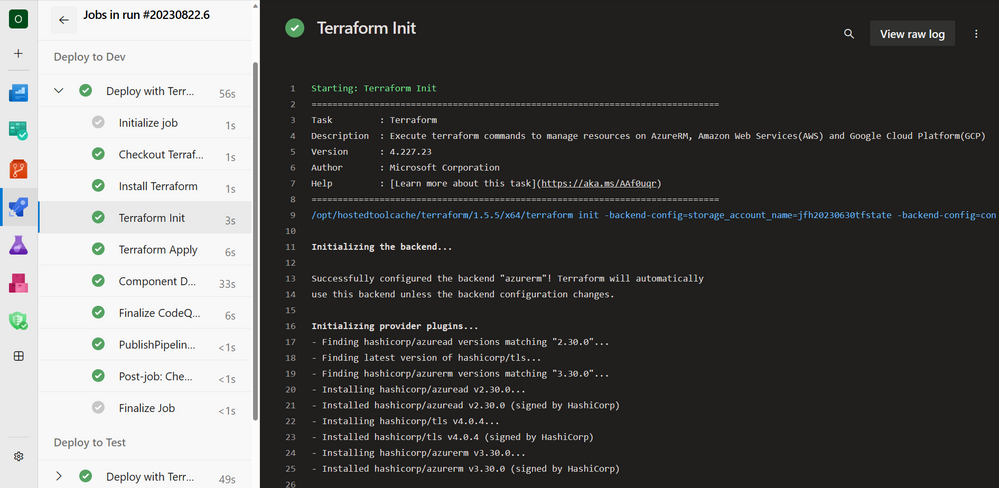
Introduction to Azure DevOps Workload identity federation (OIDC) with Terraform
You might have seen "Workload identity federation for Azure Deployments" in the Azure DevOps Roadmap, well now it is in public preview and we've updated everything you need to start using it with Terraform today. Say goodbye to secrets when using Terraform for Azure with Azure DevOps.
Public preview of Workload identity federation for Azure Pipelines
Do you want to stop storing secrets and certificates in Azure service connections? Are you tired rotating these secrets whenever they expire? We are now announcing a public preview of workload identity federation for Azure service connections. Workload identity federation uses an industry-standard technology, Open ID Connect (OIDC), to simplify the authentication between Azure Pipelines and Azure. Instead of secrets, a federation subject is used to facilitate this authentication. How it works As part of this feature, the Azure (ARM) service connection has been updated with an additional scheme to support worklo...

Introducing Azure Artifacts support for Rust Crates

Rust is earning its place as a go-to language for developers everywhere. Why? It's fast, it's safe, and the community around it is supportive and hands-on. With clear guides and a collective push to help each other out, Rust feels less like just another tool and more like a reliable coding partner for modern programming challenges. We at the Azure Artifacts team have taken notice and have been hard at work shipping support for Rust Crates, which is entering public preview today! No sign-up is needed for the preview; you can get started by navigating to your Azure DevOps project, selecting Artifacts, and followi...
August patches for Azure DevOps Server
This month, we are releasing fixes that impact our self-hosted product, Azure DevOps Server. The following versions of the products have been patched. Check out the links for each version for more details. Azure DevOps Server 2022.0.1 Patch 2 Update: If you have Azure DevOps 2022 and installed Patch 4, take a look at this post from the Developer Community before you install this patch. Note: If you have Azure DevOps Server 2022, you should first update to Azure DevOps Server 2022.0.1 and then install install Azure DevOps Server 2022.0.1 Patch 2. If you have Azure DevOps Server 2022.0.1, you shoul...

Set up PIM access in Azure DevOps
Privileged Identity Management (PIM) is a service in Azure Active Directory (Azure AD) that enables users to manage, control, and monitor access to important resources in an organization. Azure DevOps is a key resource for any organization as it stores Application Lifecycle Management artifacts (code, work item, pipelines, packages, test data etc.) of an Organization. Hence, key roles like Project Collection Admin must not be available forever with anyone and access needs to be enabled on a need basis for certain period of time. This article details the steps to be performed to enable Project Collection Admin ac...
Improvements to code coverage experience under test automation

If you're using Azure DevOps for your CI/CD pipeline, you may be interested in our recent improvements to code coverage testing. Code coverage tests can help you identify areas of your code that are not tested, or not tested enough, and improve the quality of your automated tests and overall code quality. With our recent updates, you can now view code coverage results in a default view for .coverage format, using the default vstest task to publish code coverage. Additionally, if you have enabled code coverage policy, you will see comments in the pull request indicating whether or not the policy has been met, inc...
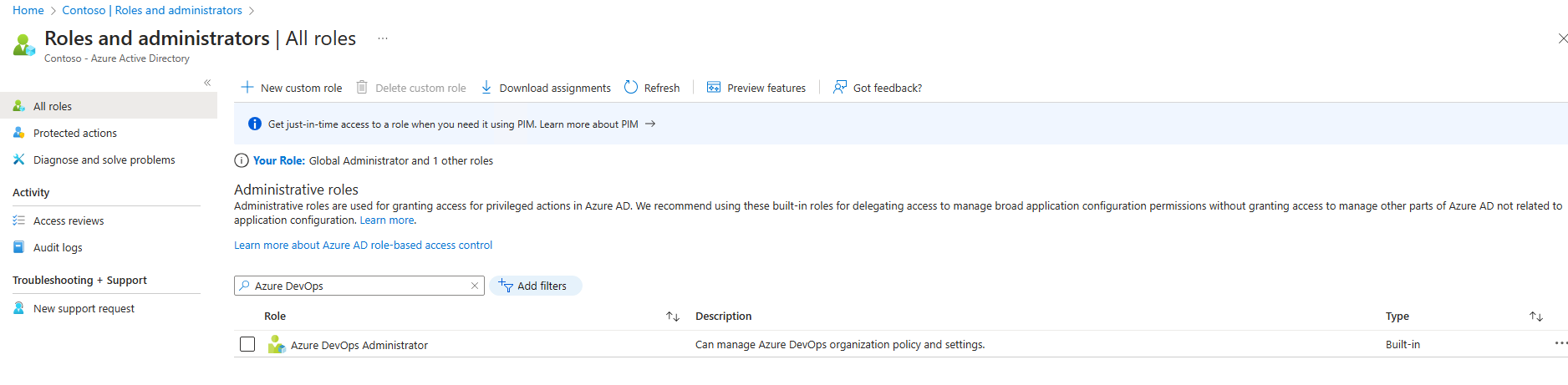
Setting up AAD Policies in Azure DevOps
Recently we deployed Azure DevOps end to end at a customer environment and while deploying, we applied all necessary policies as per best practices. These policies can be applied by all customers and this blog aims to make it easier for our customers. The details are shared in a Q&A format for better understanding. 1. Who can set up these policies? Identify a custodian user who would be managing Azure DevOps in your organization. The user can be same as your Azure Active Directory Administrator as well. Once, a user is identified we need to go to Azure Active Directory in Azure -> Roles and administrato...
New Boards Hub Path to GA
March of 2022 is when we announced the official preview of New Boards Hub. Since then, we have been actively taking feedback, fixing bugs, and adding new features. It’s been a long journey. In this post we will outline the last few steps on making New Boards Hub the default experience for all users. Features only available in New Boards In order to convince customers to try New Boards Hub, we had to bring additional value. We did this by adding some of the top requested features in our backlog. Below is the list of features (can also be found on our public roadmap) that are exclusively available to New Boards u...
Azure DevOps 2023 Q3 Roadmap update
Yesterday, we published updates to our product roadmap. It outlines our plans for the next two quarters, and future investments. The features listed below are a few highlights of what we plan to deliver in Q3. Visit our product roadmap for a complete look at the list of features for Q4. We are excited about the future and the impact the features we plan to deliver will have on our customers' success! Azure Boards For the last several months our team has been focused on collecting feedback about the New Boards Hubs and addressing bugs based on this feedback. This quarter we plan to turn on the New Boards Hubs a...
New Boards Hub Update, Sprint 224
Yet another sprint has come to an end, accompanied by a wave of bug fixes 🌊🪲. Our team's hard work has allowed us to eliminate over 40 New Boards Hub bugs last sprint. With sprint 225, we are ready to activate the "Try the New Boards Hub" message for all organizations. This exciting step will undoubtedly generate another round feedback, which we anticipate, and we expect in dedicating another two or three sprints to address the feedback received. Additionally, we are going to start the process of turning on New Boards Hub as the default experience for those customers in the earlier deployment rings. Notable bugs...
Choose an image for your organization
We’re pleased to announce that you can now choose an image for your Azure DevOps organization and replace the automatically generated image. Learn how to change your organization's image The ability to change an organization’s image has been a long standing feature request in the Developer Community with over 150 votes. Please share your ideas and help us prioritize improvements by sharing and voting on community suggestions. Help us make Azure DevOps a tool you love to use to get things done! Thanks, Andrew Brenner
New Boards Hub Update, Sprint 223
With the risk of sounding repetitive, sprint 223 was dedicated to resolving bugs. Looks like sprint 224 will be much of the same. We continue to make great progress, but we have a little way to go before the New Boards Hub is ready for general availability. Notable bugs fixed We appreciate and need your feedback to ensure the New Boards Hub is successful. Please to email us with any issues you find.
June patches for Azure DevOps Server
This month, we are releasing fixes that impact our self-hosted product, Azure DevOps Server. The following versions of the products have been patched. Check out the links for each version for more details. Azure DevOps Server 2022.0.1 Patch 1 If you have Azure DevOps Server 2022.0.1, you should install Azure DevOps Server 2022.0.1 Patch 1. Release notes Verifying Installation Azure DevOps Server 2022 Patch 4 If you have Azure DevOps Server 2022, you should install Azure DevOps Server 2022 Patch 4. Note: This will be the last patch for Azure DevOps Server 2022. Going forward, you shou...

Updates to Approvals and Checks

Approvals and Checks provide increased security to your YAML pipelines. They allow you to control if a pipeline run is allowed to access a resource. Let's look at an example. Say you develop the FabrikamFiber web app. To deploy a new version of your app, you use a YAML pipeline that uses an Azure Resource Manager (ARM) service connection. Your deployment to production policy requires the app meet some performance criteria. You implemented the policy using an Invoke Azure Function check on the ARM service connection. Your Azure Function can check the performance of the to-be-deployed version of the system against...

The evolution of quality assurance and how Azure Test Plans is driving the future of manual testing
The Deming Prize from Japan is the highest honour in Total Quality Management in the world. Japanese products are known for their superior quality, but it wasn’t always the case. In the 1950s fresh out of defeat in the World War 2, Japan was desperately trying to shift manufacturing from military to civilian products for trade. However the poor quality of the products deterred international buyers. Enter W. Edwards Deming who realised companies should invest in quality assurance (QA) methods that reduce the workload and save costs. This marked the beginning of the iteration development in manufacturing and has no...
Markdown editor for comments (preview)
We are delighted to announce the long-awaited private preview of the new Markdown editor for the work item discussion. This exciting feature empowers you to utilize the Markdown syntax and editor for all future comments. The Markdown editor aligns with the same experience you encounter in other parts of the product, such as Pull Requests. Existing comments You have the option to keep your existing work item comments as they are or convert them individually to Markdown. Our migration process makes a best effort to convert the HTML to Markdown, and in the majority of cases, it works as expected. However, it's imp...
New Boards Hub Update, Sprint 222
This sprint marked another milestone for New Boards. We successfully activated the "Try the New Boards Hub" message for a large chunk of customers. As a result, a greater number of users have had the opportunity to engage with the New Boards Hub and share feedback. Additionally, we have made significant performance improvements in the Recycle bin functionality, which will be implemented shortly after the deployment of sprint 222 releases. Lastly, we made great progress in resolving numerous bugs, see the list of bug fixes below: Notable bugs fixed We appreciate and need your feedback to ensure the New Boards...
Improved Flaky Test Management in Azure Pipelines
In software development, testing is an integral part of the development process. Tests are used to verify that software behaves as expected, and they ensure that changes made to the code do not break existing functionality. However, there is a problem that often arises when running automated tests: Flaky tests. Flaky tests are tests that produce different results each time they are run, even when the code being tested has not changed. This can happen for a variety of reasons, such as race conditions, non-deterministic behaviour, or environmental factors. Flaky tests can be frustrating and time-consuming to deal ...
GitHub Advanced Security for Azure DevOps public preview starts now!
In October of last year we announced that GitHub Advanced Security was coming to Azure DevOps, starting with a private preview in November. Since then, we’ve been working hard on the product and incorporating feedback from our private preview customers. Today, we are excited to announce that GitHub Advanced Security for Azure DevOps is available to everyone in a public preview! Sign up for the preview, and we’ll do our best to get your Azure DevOps organization(s) enabled as soon as possible. As a reminder – GitHub Advanced Security for Azure DevOps brings the same industry leading developer security capabilitie...
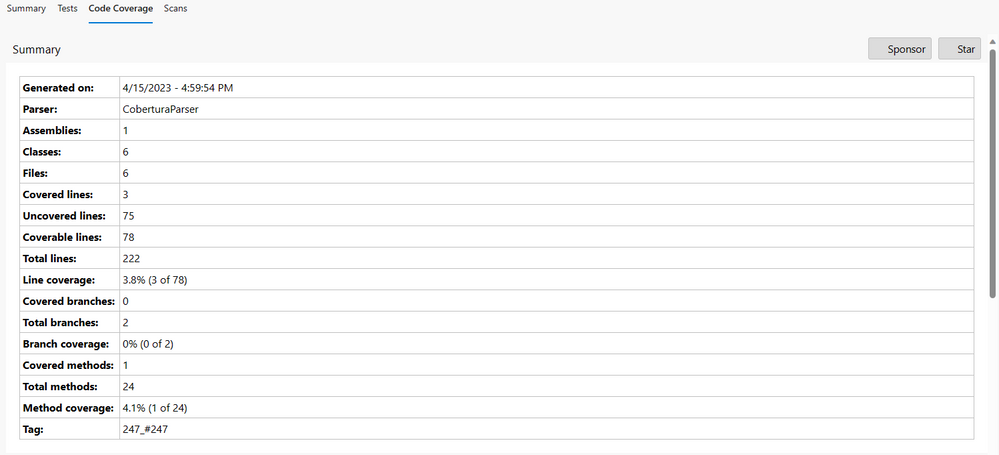
Publish Code Coverage Report in Azure DevOps Services pipeline execution summary


Publish Code Coverage Report as part of the pipeline execution summary in Azure DevOps Services.
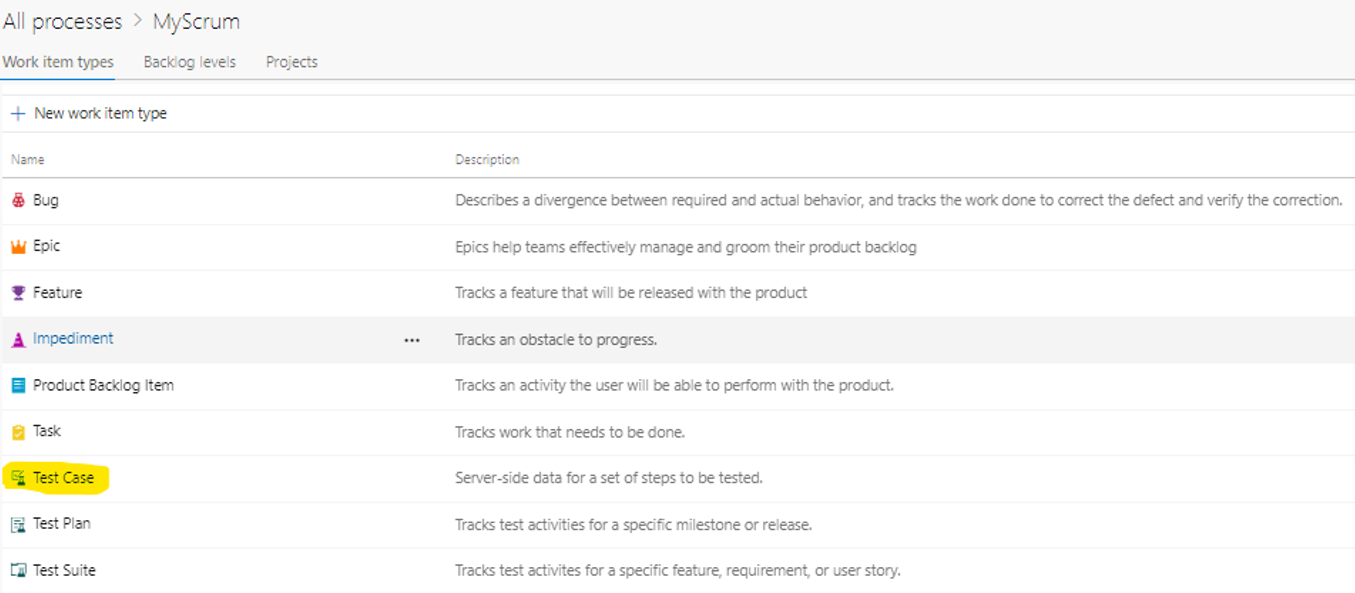
Make Test Cases Readonly in Azure DevOps Services
This blog content is compiled by @Ahetejaz from Azure DevOps CSS support team. Recently, he helped a customer in making a TestCase Readonly in Inherited Process. Requirement: Azure DevOps Services (inherited Process Template): Test cases to be made read only. Other work item types should be editable. Scenario: Generally, test cases move from "Design", "Ready" and "Closed" state. In Design state, tester will construct the test case and will move it to Ready state once the construction is completed. At this point, team may want to freeze the test case from further editing and admin would like to make it read only...
Azure DevOps Achieves ISO 26262 ASIL D level of Certification

We are pleased to announce that Azure DevOps has successfully passed the ISO 26262 ASIL D certification, the highest level of Functional Safety management process, by TÜV SUD, an international independent third-party testing and certification company. This certification demonstrates Microsoft's commitment to providing our Automotive customers with the highest level of quality and safety in their software development projects. Azure DevOps is now the only software development platform with this certification. What is ISO 26262? ISO 26262 is an international standard for the functional safety of road vehicles. It...
Now available: Azure DevOps Server 2022.0.1
Today, we released Azure DevOps Server 2022.0.1 RTW. This is our final release of Azure DevOps Server 2022.0.1. You can directly install Azure DevOps Server 2022.0.1 or upgrade from Azure DevOps Server 2022.0.1 RC, Azure DevOps Server 2022, Team Foundation Server 2015 or newer versions of the product. You can find the full details of the fixes we've included with this release in our release notes. Here are some key links: We’d love for you to install this release and provide any feedback at Developer Community.
New Boards Hub Update, Sprint 221
Our team remains dedicated to improving New Boards Hub by addressing any issues that may arise. We're happy to report that the New Boards Hub has been steadily progressing with each sprint. Although it is not quite ready for general availability yet, we're making significant strides with each iteration. Be sure to keep an eye out for updates. In the meantime, we've resolved a number of bugs in sprint 221, which we've listed below. Notable bugs fixed We appreciate and need your feedback to ensure the New Boards Hub is successful. Feel free to email me with any issues you find.
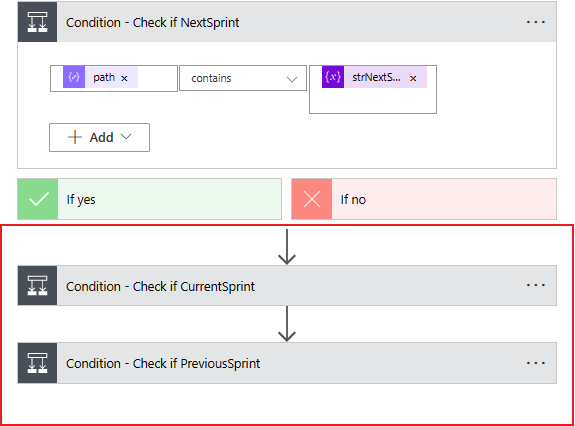
Use Power Automate to update Azure DevOps queries

In this blog post, I’ll explain how to set up automation to automatically update Azure DevOps (ADO) queries. Using an automated Power Automate flow, you save time by not having to manually update your queries for each sprint. Everyone using your queries benefits by having data and details that are always current and accurate. Solution overview The solution uses a Power Automate flow to update ADO queries. The queries contain a sprint number. For example, the sprint query contains 2303. This number represents the third month (March) of the year 2023. Fortunately, the sprints that I’m working with follow strictly...
New Boards Hub Update, Sprint 220
Sprint 220 was again dedicated to fixing bugs. We continue to drive down that bug backlog as quickly as we can. Notable bugs fixed Note: although these items are fixed, they may not be released to all organizations yet. Rollout can take a few days to a couple weeks. New feature We added a small usability feature to the work item save button. The button choice between “Save” and “Save and Close” is now sticky for the next time you save a work item. This prevents making an extra click if you prefer “Save” over “Save and Close”. We appreciate and need your feedback to ensure the New Boards Hub is successful...
Service Connection guidance for AKS customers using Kubernetes tasks
Kubernetes tasks & Service Connections Azure DevOps supports Kubernetes deployments with a number of included tasks: These tasks can be configured to target a Kubernetes cluster in a number of ways, using the property: Kubernetes Service Connection limitations when accessing AKS You can create a Kubernetes Service Connection with any of the below options: When selecting the 'Azure Subscription' option, Kubernetes needs to be accessible to Azure DevOps at Service Connection configuration time. There may be various reasons Service Connection cannot be created, e.g. you created a private ...
Azure DevOps 2023 Q2 Roadmap update
Yesterday we published an updated list of features we plan to deliver in Q2. Each title includes a link where you can find details about each feature. We expect that this will help bring visibility into the key investments for the upcoming quarter. GitHub Advanced Security We are very excited to announce that GitHub Advanced Security for Azure DevOps will be moved into public preview! GitHub Advanced Security for Azure DevOps is a suite of developer security analysis tools integrated directly into Azure DevOps to protect your Azure Repos and Pipelines. With GitHub Advanced Security for Azure DevOps, we bring th...
Announcing Azure DevOps Server 2022.0.1 RC
Today, we are releasing Azure DevOps Server 2022.0.1 RC. This is a go-live release, meaning it is supported on production instances, and you will be able to upgrade to our final release. Azure DevOps Server 2022.0.1 includes bug fixes for Azure DevOps Server 2022. You can find the details of the fixes in our release notes. You can directly install Azure DevOps Server 2022.0.1 RC or upgrade from Azure DevOps Server 2022 or Team Foundation Server 2015 or newer. Here are some key links: We’d love for you to install this release candidate and provide any feedback at Developer Community.
Introducing Service Principal and Managed Identity support on Azure DevOps
We are proud to announce that Service Principals and Managed Identities can now be used to authenticate with Azure DevOps. For those who have not heard of them before, these Azure Active Directory identities enable teams to gain access to your Azure DevOps organizations acting as their own application, not as a human user or service account. Why is this important? Service principals and managed identities provide an exciting new alternative to personal access tokens (PATs), one of our most widely used authentication methods that is tied to the user that created the token. Teams have traditionally relied on PA...
New Boards Hub Update, Sprint 219
Sprint 219 was dedicated to fixing bugs. We continue to drive down the bug backlog as quickly as we can. We will also have a couple new preview features coming that will be announced in the 219 sprint notes. Notable bugs fixed Note: although these items are fixed, they may not be released to all organizations yet. Rollout can take a few days to a couple weeks. We appreciate and need your feedback to ensure the New Boards Hub is successful. Feel free to email me with any issues you find.

March patches for Azure DevOps Server
This month, we are releasing fixes that impact our self-hosted product, Azure DevOps Server. The following will be fixed with this patch: Azure DevOps Server 2022 Patch 3 If you have Azure DevOps Server 2022, you should install Azure DevOps Server 2022 Patch 3. Check out the release notes for more details. Verifying Installation

Write Your Bicep Files in Visual Studio

The growth of Bicep has increased massively over the last few years for those of you deploying into Azure. The community made it clear that being able to work in Visual Studio and not have to interrupt their workflow was critical to them. The product teams listened and they released a Bicep extension for Visual Studio version 17.3 and higher! Having to switch applications when in the middle of a project or a task can be tough for various reasons. With the new Bicep extension, you can continue your work without interrupting your coding process. Watch the video below to see what features are available in the new B...
New Boards Hub, Sprint 218 Update
Not a lot to report other than a list of issues fixed 😁. Bug fixes will continue at full speed through sprint 219 as well. Notable bugs fixed Note: although these items are fixed, they may not be released to all organizations yet. Rollout can take a few days to a couple weeks. We appreciate and need your feedback to ensure the New Boards Hub is successful. Feel free to email me with any issues you find.
Integrate Azure Load Testing into Azure DevOps
Azure Load Testing became generally available in February 2023. It shipped with a lot of new features that were requested by you, the community. You can get started quickly from within the Azure portal, or upload your own custom JMeter script. Azure Load Testing allows you to find bottlenecks within your application stack, load testing your applications, and includes reporting on your tests, allowing you find any performance regressions or issues. While Azure Load Testing is an awesome tool, you can even integrate it into your Azure DevOps pipeline! Allowing you to load test your applications as part of your CI/...
How to build, test and deploy your application using Azure and GitHub

In this blog-tutorial you will: Note Using GitHub Codespaces can incur costs. At the time of writing this tutorial, GitHub free accounts get 120 core-hours of Codespaces compute and 15GB of Codespaces storage for free. Please do consult the GitHub Codespaces pricing page for the most up to date information. This application will be built entirely from within your browser. To do this, you will be using the items listed below in the prerequisites. If you want to run this locally using VSCode or another IDE, please also install the items marked as "Optional" in the list below. Prerequisites ...
Create Azure DevOps Management Reports
When managing any sized organization, there is always the question of how to track and review your existing policies on every single project. There is a solution that can query your exiting projects and provide management reports for a multitude of reports. Using this tool can help you assess and manage all of the projects in your Azure DevOps organization. Watch the video below where April and Vinicius take you through a hands-on tutorial of generating these management reports. Follow along and get started generating management reports!
Retrospectives: The Hidden Gem Enabling Teams to Thrive – Part 1

Let me ask you a question. If you asked a world-renowned expert what the single most impactful thing a team could do to improve, what do you think they’d say? I had the opportunity to ask Scott Tannenbaum that question during a recent meeting. Scott is the co-author of the book “Teams that Work”, an evidence-based book outlining the factors that thriving teams have in common. His work has helped over 600 organizations including a third of the Fortune 100 companies. He’s been studying teams for more than 35 years and has written over 175 publications. It’s not a stretch to say Scott is a world-renowned expert on ...
Azure Pipeline: Error: Cannot read properties of undefined (reading ‘templatePath’).
This blog content is compiled by @Ahetejaz from Azure DevOps CSS support team. Recently, he helped a customer in resolving an issue 'Error: Cannot read properties of undefined (reading 'templatePath') in Azure DevOps Services when user tried to edit the YAML pipeline. The reason for the issue was deletion of service connection for external repository. Scenario: Azure DevOps YAML pipeline connected with Bitbucket using ‘Bitbucket cloud’ service connection. The pipelines gives below error while editing it. Findings: When we select edit on the pipeline, the first thing is to connect the repository provider s...
End of support for Azure Pipelines agents running on CentOS 6, Debian 4.9, Fedora 32, Ubuntu 16, macOS 10.14, and older versions
In the blog post Upgrade of .NET agent for Azure Pipelines, we explained our plan to update the agent implementation from .NET Core 3.1 to .NET 6 in order to support newer operating systems. If you run your agents on any operating system supported by .NET 6, then this will be seamless to you. However, if you run the agent on one of the following operating systems, then this blog has some steps that you must take now in order to prevent pipelines from failing. Starting with 2.218 version of the agent that is going to be released in March 2023, pipelines running on any of the above operating systems will fail wi...
Join Brendan Burns, Donovan Brown and others for Azure Open Source Day on March 7th!

We hope you will join us on Tuesday, March 7th to learn how to build intelligent, scalable apps faster and easier at this deep dive into open source and Azure. See the latest open-source technology in action—while connecting with the community of industry leaders, innovators, and open-source enthusiasts. Register now!
New Boards Hub, Sprint 217 update
As noted in the New Boards Hub 216 Update, we turned on the "Try me" banner for New Boards Hub to new set of customers. As expected, it has spurred a fury of feedback that has kept us busy. It will be at least a sprint or more to address the current backlog of issues reported. In the meantime, please keep using the New Boards Hub and report any issues you find. Notable bugs fixed Note: although these items are fixed, they may not be released to all organizations yet. Rollout can take a few days to a couple weeks. New Features We released these new Boards features over the last two sprints: We appre...
Updated: February patches for Azure DevOps Server
2/17 Update: After installing Azure DevOps Server 2020.1.2 Patch 5 notifications were not getting delivered. To address this issue, we are re-releasing the patch. If you installed Patch 5, you should download and re-install the patch from the link provided in the instructions below. This month, we are releasing fixes that impact our self-hosted product, Azure DevOps Server. The following will be fixed with this patch: Azure DevOps Server 2022 Patch 2 If you have Azure DevOps Server 2022, you should install Azure DevOps Server 2022 Patch 2. Check out the release notes for more details. Verifying Inst...
Customers using Red Hat Enterprise Linux (RHEL) 6 should upgrade the OS on Self-hosted agents
RHEL 6 & .NET Core 3.1 The current versions of the Azure Pipelines agent across all OSes depend on .NET Core 3.1. .NET Core 3.1 no longer ships updates for RHEL 6, including security related patches. We will be updating the .NET Core 3.1 (minor) version to keep it up-to-date for other operating systems. As part of this update we will drop support for RHEL 6. Hence, v2.214 is the last agent version that will support RHEL 6. After February 13, no more agent releases will support RHEL 6. What does this mean? The agent release page has a separate RHEL 6 build, which we will stop releasing after v2.214. Any fut...

Learn Azure DevOps from Zero to Hero
Azure DevOps is FULL of so many features! Myself and Nana from Techworld with Nana teamed up to bring you an Azure DevOps Zero to Hero video! Many of you reading this blog may already be very experienced with Azure DevOps, please share this video to your colleagues and teams that are just getting started. The community (i.e. yourselves!) asked for a full course on how to learn Azure DevOps. We made sure to cover off the major features of Azure DevOps that will enable you to get skilled up and using the tool with ease. The video is broken down into the following components: Azure Boards: The complete project pla...
Disable creation of classic pipelines
YAML pipelines offer the best security for your Azure Pipelines. In contrast to classic build and release pipelines, YAML pipelines: This is why many of you who are security-conscious choose to only use YAML pipelines. Alas, as long as your engineers can choose to use classic pipelines, you will have to continue worrying about their security. We've launched a new feature that allows you to disable creation of classic pipelines. When you enable it, no classic build pipeline, classic release pipeline, task groups, and deployment groups can be created. Thus, there won't be any (new) classic pipelines to worr...
Azure DevOps Server 2022 Patch 1
This month, we are releasing fixes that impact Azure DevOps Server 2022. The following will be fixed with this patch: Azure DevOps Server 2022 Patch 1 If you have Azure DevOps Server 2022, you should install Azure DevOps Server 2022 Patch 1. Key links: Verifying Installation
New Boards Hub, Sprint 216 update
Because of the holidays, and our deployment schedule, this update includes our progress for both sprint 215 and 216. You will notice a lot of bugs being fixed in these sprints. Some of the issues being significant. We also turned on the "Try the New Boards Hub" message to another ring of customers this week. This will no doubt produce another round of feedback tickets for us to address. We have two more rings to go, but we are getting closer to having the New Boards Hub be the default experience. Notable bugs fixed Note: Although these items are fixed, they may not be released to all organizations yet. Rollo...
Organization profile image
Well, it’s hard to believe it’s already 2023! Here at Azure DevOps, we want to wish all of you a Happy New Year and share a small improvement we just added to the product roadmap. An Azure DevOps organization is created with an automatically generated profile image, based on the first letter in the organization name. This makes it hard for users accessing multiple organizations to differentiate one from another in the list. We’ll add the ability to upload an image of your choice, so that it more accurately reflects the brand of your organization. Community Suggestion Ticket You’ll see us adding more and more ...
Node runner update guidance for Azure Pipelines task authors
Introduction This blog post contains important guidance for Azure Pipelines task authors. Task authors are developers that create custom pipeline tasks that are published on the Marketplace and/or used internally in their organization. Background Azure Pipeline tasks are executed using Task runners, which in turn are bundled with and invoked by the Pipelines agent. Tasks use Node or PowerShell runners, which are distributed with the agent in the agent directory. The PowerShell runner uses Windows PowerShell. Therefore, to run cross-platform e.g. on macOS and Ubuntu, most tasks use a Node runner. For example,...
December patches for Azure DevOps Server
This month, we are releasing fixes that impact our self-hosted product, Azure DevOps Server. The following will be fixed with this patch: Azure DevOps Server 2020.1.2 Patch 4 If you have Azure DevOps Server 2020.1.1, you should first update to Azure DevOps Server 2020.1.2. Once on Update 1.2, install Azure DevOps Server 2020.1.2 Patch 4. Check out the release notes for more details. Verifying Installation Azure DevOps Server 2019.1.2 Patch 2 If you have Azure DevOps Server 2019.1.1, you should first update to Azure DevOps Server 2019.1.2. Once on Update 2019.1.2, install Azure DevOps Server 2019.1...
New Boards Hub, Sprint 214 Update
List of New Boards Hub bugs fixed in sprint 214. We enabled the "Try New Boards Hub" message across another ring of accounts. The process continues to go slower than originally expected. Every time we enable the message, we receive more feedback on issues that need to be fixed. This process will continue over the next couple of sprints. We want to get the rollout right and the issues fixed before making New Boards Hub the default experience. Notable bugs fixed Note: Although these items are fixed, they may not be released to all organizations yet. Rollout can take a few days to a couple weeks. We appreciate ...
Updated: Now available: Azure DevOps Server 2022 RTW
12/16 Update: There is an additional step that you will have to follow while upgrading to Azure DevOps Server 2022. This applies to Azure DevOps Server/Team Foundation Server and Elasticsearch installations on the same and in different machines. You will have to select Install New Search while configuring search post Azure DevOps Server upgrade. Re-indexing is not required in this case. If any index is found which is below 6.x then re-indexing is required for that index to upgrade Elasticsearch to 7.x. The following table includes mapping of Azure DevOps Server/Team Foundation Server and Elasticsearch ...
Upgrade of .NET agent for Azure Pipelines
We are upgrading the .NET used by Azure Pipelines agent from current .NET Core 3.1 to .NET 6. This is to support new Apple silicon hardware as well as newer operating systems such as Ubuntu 22.04, or Windows on ARM64. Another reason for the .NET upgrade is the fact the .NET Core 3.1 version is already in maintenance phase and the support ends on December 13th, 2022. This means there will be no patches after this date. See .NET and .NET Core official support policy (microsoft.com) and .NET Core 3.1 reaching end of support on December 13th, 2022 for more details. We do not want our customers to build and release th...
New Boards Hub, Sprint 213 Update
Nothing exciting to report for sprint 213. We spent most of our time fixing issues and continue to make good progress. You will also see the new usability feature added below. Notable bugs fixed Note: Although these items are fixed, they may not be released to all organizations yet. Rollout can take a few days to a couple weeks. Copy link to comments feature Using the new "Copy link" action, you can copy a link to a specific work item comment. Paste that link into another work item comment or description. When clicked on, the work item will be opened, and the comment is highlighted. What is next? Contin...

Azure DevOps client libraries migrated to MSAL

The Microsoft.VisualStudio.Services.InteractiveClient library is a public NuGet package that takes care of authenticating to Azure DevOps Services. It abstracts away the acquisition, management and refreshing of authentication tokens, so developers can focus on their goals and stay productive. Historically, the interactive client library has been dependent on the Microsoft.IdentityModel.Clients. ActiveDirectory (or ADAL, for short) to authenticate against Azure Active Directory. With ADAL coming close to the end of its lifecycle, we have updated the interactive client to use a new authentication library - Micros...
All Azure DevOps REST APIs now support PAT scopes

Recently, the Azure DevOps team completed an initiative to associate all Azure DevOps REST APIs with a granular personal access token (PAT) scope. As part of our ongoing investments in security, we undertook this effort to reduce the risks associated with a leaked PAT credential. Previously, a number of Azure DevOps REST APIs were not associated with a PAT scope, which at times led customers to consume these APIs using full-scoped PATs. The broad permissions of a full-scoped PAT (all permissions of their corresponding user), in the hands of a malicious actor, represent a significant security risk to organizations...
New Boards Hub, Sprint 212 Update
In sprint 211 we enabled the "Try the New Boards Hub" banner and popup. This has resulted in a lot of great user feedback, and in turn, a pile of bugs. Our main focus in sprint 212 was fixing these bugs. That trend will continue through sprint 213. Oh, and we did squeeze in one new usability feature (see below) that has been a problem for a long time. 🎉🥳🎊 Notable bugs fixed Note: Although these items are fixed, they may not be released to all organizations yet. Rollout can take a few days to a couple weeks. Edit work item link types Changing a work item link requires at least three steps to complete. For e...
Azure DevOps Server 2022 RC2 now available
We have released Azure DevOps Server 2022 RC2. This is our last planned prerelease before our final release of Azure DevOps Server 2022. You can upgrade from Azure DevOps Server 2022 RC1 or previous versions of TFS and Azure DevOps. You can find the full details in our release notes. Here are some key links: We’d love for you to install this release candidate and provide any feedback at Developer Community.
Azure DevOps Roadmap update
Last week we made significant updates to our product roadmap. We published the latest features for 2022, updated the list of features for 2023, and included an initiatives section that provides details about the product strategy and long-term investments. In addition to including a new list of key features and initiatives, we also updated where we host details for each item in the roadmap. Previously, we were sharing details for a particular item in a public roadmap project in Azure DevOps. Now, you can navigate to the All features section of the roadmap to drill into details for each feature. Below are a f...
October patches for Azure DevOps Server
This month, we are releasing fixes that impact our self-hosted product, Azure DevOps Server. The following will be fixed with this patch: Azure DevOps Server 2020.1.2 Patch 3 If you have Azure DevOps Server 2020.1.1, you should first update to Azure DevOps Server 2020.1.2. Once on Update 1.2, install Azure DevOps Server 2020.1.2 Patch 3. Check out the release notes for more details. Verifying Installation Azure DevOps Server 2020.0.2 Patch 1 If you have Azure DevOps Server 2020.0.1, you should first update to Azure DevOps Server 2020.0.2. Once on Update 2020.0.2, install Azure DevOps Server 2020....
Integrate security into your developer workflow with GitHub Advanced Security for Azure DevOps
Exciting things are in store for Azure DevOps in the coming year! We’re planning deep investments in security as well as broad investment across the product. Read on for more information, and then be sure to check out our updated roadmap at https://aka.ms/AzureDevOpsRoadmap. Deep investments in security First, we are super excited about bringing GitHub Advanced Security and Microsoft Defender for Cloud’s new Defender for DevOps capabilities to Azure DevOps customers! Additionally, two other major security initiatives are planned for Azure DevOps over the coming year. The first is focused on minimizing the risks...
Publishing extensions to Marketplace issue resolved
We have resolved a known issue regarding publishing extensions to the Visual Studio Marketplace. If you’ve run into the error message: “Your ability to create global personal access tokens (PATs) is restricted by your organization.”, this is likely because your administrator has enabled a policy to restrict the creation of global personal access tokens (PATs). Previously, a global PAT was necessary to publish an extension to the Visual Studio Marketplace using the Cross-platform CLI for Azure DevOps (tfx-cli). We have now redesigned the extensions publishing process to accept any PATs with a Marketplace “Publi...
New Boards Hub, Sprint 211 Update
Sprint 211 was a busy one. We were able to complete a lot of bugs and yet introduce some new exciting features. We also enabled a "Try the New Boards Hub" banner and popup to the legacy boards experience on select organizations. This helped us get another round of feedback and bugs to address. Notable bugs fixed Note: Although these items are fixed, they may not be released to all organizations yet. Rollout can take a few days to a couple weeks. Option to maintain hierarchy with filters When filtering on the backlog, your hierarchy gets flattened out in the results and you see just one long list of items. T...
New Boards Hub, Sprint 210 Update
We spent most of sprint 210 focusing on accessibility issues and bug fixes. Here is a list of the items that have been resolved. Note: Although these items are fixed, they may not be released to all organizations yet. Rollout can take a few days to a couple weeks. What is next? Starting the week of September 19th, we will be adding a "Try the New Boards Hub" banner and popup to the legacy boards experience. This is our first step in gaining awareness of what is to come. We will continue to monitor the telemetry and feedback before taking any further steps. We also plan on releasing a couple features that ar...

Azure DevOps Graph connectors for Microsoft Search
Microsoft Search is the workplace search solution offered with Microsoft 365. Microsoft Search lets you find the information you need by unlocking knowledge and expertise. It helps you find what you need to complete what you're working on. Whether you're searching for people, files, organization charts, sites, or answers to frequent questions, you can use Microsoft Search throughout your workday to get answers. Microsoft Graph connectors offer an intuitive way to bring content from external services into Microsoft Graph, enabling external data to power Microsoft 365 intelligent experiences such as Microsoft Sear...
New Boards Hub, Sprint 209 Update
We fixed a bunch more issues for New Boards Hub in sprint 209. Here is a list of the items that have been resolved. As always, if you find anything, please email me directly or post a comment below. Note: Although these items are fixed, they may not be released to all organizations yet. Rollout can take a few days to a couple weeks. If you have not tried the New Boards Hub yet, please do. We appreciate and need your feedback to ensure the New Boards Hub is ready for prime time to replace the existing hub. Feel free to email me with any issues you find.
Introducing Azure DevOps Server 2022 RC1
Today we're very excited to announce the first release candidate (RC) of Azure DevOps Server 2022! We added many new features that you've been asking for. Here are a few of the highlights: There are many more features with this release and you can read all about those features in our release notes. You can download Azure DevOps Server 2022 RC1 today. A direct upgrade to Azure DevOps Server is supported from any version of TFS, including Team Foundation Server 2015 and newer. Let us know any feedback or questions via the Developer Community. Resources
August patches for Azure DevOps Server
This month, we are releasing fixes that impact our self-hosted product, Azure DevOps Server. The following will be fixed with this patch: Azure DevOps Server 2020.1.2 Patch 2 If you have Azure DevOps Server 2020.1.1, you should first update to Azure DevOps Server 2020.1.2. Once on Update 1.2, install Azure DevOps Server 2020.1.2 Patch 2. Check out the release notes for more details. Verifying Installation
New Boards Hub, Sprint 208 Update
Since the March announcement of the New Boards Hub, our team has collected a lot of your feedback. Thank you! We have been hard at work addressing the issues. Every week the experience gets better and better. The issues backlog is getting smaller, and we are getting closer to where we can enable the New Boards Hub as the primary experience. We thought it was a good time to start sharing the bugs we have fixed in the latest sprint so you can view our progress and re-test any issues you may have found in the past. As always, if you find anything, please email me directly or post a comment below. *Note: Although...
Azure Boards Summer Update
Over these last few months, our team has been working hard at delivering new value in Azure Boards. We would like to take a moment to highlight some of the most recently released features. Be sure to check out the Features Timeline for updates and our product roadmap. New Boards Hub Modernizing the user experience for the Azure Boards Hubs has been a significant and important investment for Azure Boards. The product has been re-platformed to provide a faster user interface, consistency with other parts of the product, and improved accessibility. We announced the 2nd preview wave in sprint 202 and have been work...
Content archived for Azure DevOps previous versions

In April of this year, we completed a major project to archive older versions of our content. For several years now, we've supported content for all Azure DevOps versions. These versions included TFS 2013 through Azure DevOps Services. Users viewed the content for their versions through the content version selector. In April, the content version selector changed as shown. Why do we archive content? There are several reasons why we archive content. What content is archived? What happened to TFS 2013, TFS 2015, and TFS 2017? We moved content for older versions to our archive site. You can access th...
July patches for Azure DevOps Server
This month, we are releasing fixes that impact our self-hosted product, Azure DevOps Server. The following will be fixed with this patch: Azure DevOps Server 2020.1.2 Patch 1 If you have Azure DevOps Server 2020.1.1, you should first update to Azure DevOps Server 2020.1.2. Once on Update 1.2, install Azure DevOps Server 2020.1.2 Patch 1. Check out the release notes for more details. Verifying Installation Azure DevOps Server 2019.1.2 Patch 1 If you have Azure DevOps Server 2019 Update 1.1, you should first update to Azure DevOps Server 2019.1.2. Once on Update 1.2, install Azure DevOps Server 2019 ...
DevOps Dojo – UX/Accessibility

“I took the road less traveled, and that has made all the difference. It always seems impossible until it's done, and that is what motivates me to work on something that hasn't been done before. It wasn’t easy bringing the two worlds of DevOps and accessibility to the same page, but we knew it had to be done. I don't take accessibility for granted mainly because of the life experiences I have had as a person who stutters. Accessibility may vary with perspective; for me email/text is more accessible than a call, but for someone else calling might be more accessible. Thus, my mantra is to develop the product to be...
Top Stories from the Microsoft DevOps Community – 17.06.2022
Last weekend was the Scottish Summit, while this event is local to the UK, people flew in globally to speak and attend one of the best Azure events around! There were so many great sessions from technical folks in the community and an amazing keynote from Dona Sarkar about accessibility. I am April Edwards and every week I try to bring you the latest updates from around the DevOps on Azure community. If you have a post you’d like to have me include, I am always listening. You can reach out on Twitter or LinkedIn and I will be sure to share your latest post with the community. Also, be sure to tag your posts with...
Copy a work item type using Azure DevOps API’s

So, we all love how we can manage engagements in Azure DevOps (ADO). We can create Epics, Features, User Stories and track our progress on Kanban boards. You can customize work item types to suit the needs of your business and project with ease. What if you wanted to copy a work item type you created and use it for another business case? There is no way to copy the existing work item to a new work item type. If you only have a few fields, well that’s no big deal, but if you have multiple pages, multiple groups on the page and multiple fields in the groups that becomes a monumental task. In this article I will ex...
DevOps Dojo – OKRs (Objectives and Key Results)
In the Dojo White Belt Master Class, the first session is OKR fundamentals. In this session, we answer these top 20 questions related to OKRs, then we ask participants to set their team OKRs for the rest of the class. Every day, each team checks their progress towards their committed OKRs and aspirational OKRs. On the final day, each team reports back with their overall OKR status and the outcomes of their learning experience. This blog is not an introduction to OKRs. You can probably find many books, YouTube videos, and other free resources to learn about OKRs (e.g. Measure business outco...
DevOps Dojo: Lean Product – Part 3
In Part 1 and Part 2 of the DevOps Dojo – Lean Product series, we covered the why, what, and how of the product-centric model and lean product model as outlined in the White & Orange Belts of the DevOps Dojo. In this third and last part of the Lean Product series, we will take on a view from 10,000 feet above and explore how adopting a Lean Product approach impacts three specific areas in large enterprises. As it should be clear from the topics outlined above, Part 3 of the series is more targeted towards Business/IT digital leadership roles responsible for strategizing, planning, undergoing, or matur...
Top Stories from the Microsoft DevOps Community – 04.06.2022
'Don't Accept the Defaults' -Abel Wang I am April Edwards and every week I try to bring you the latest updates from around the DevOps on Azure community. If you have a post you’d like to have me include, I am always listening. You can reach out on Twitter or LinkedIn and I will be sure to share your latest post with the community. Also, be sure to tag your posts with #AzureDevOps! It has been an extremely busy few weeks! Microsoft Build 2022 has just wrapped up and it was an amazing event! It was hosted online and several cities featured hybrid event. In the UK we hosted live in from our UK offices and it was...

Azure DevOps Server 2022 Deprecation of Reporting Services
As part of the Azure DevOps Server 2022 release, we wanted to reiterate the deprecation of the existing data warehouse reporting services. We previously announced this in the Azure DevOps Server 2020 release notes. The warehouse reporting service has been part of TFS and Azure DevOps for over a decade. We felt this release was the right time to deprecate the old technology and debt while we continue our commitment with the new Analytics Service. Hello Analytics Service 👋 In Azure DevOps Server 2019.1, we released the Analytics Service as part of the core product. This service opened up a variety of new reportin...
Work Item Revision Limits
Every time a work item is updated, it creates an entry in the work item history. This is a great feature for users to track all the individual changes made to work items. However, we have seen organizations with automated tools that will generate tens of thousands of work item revisions. It creates issues with performance and usability on the work item form and other REST APIs. As a result, we are implementing a work item revision limit of 10,000 to the Azure DevOps Service. This limit is to prevent automated tools from running amok and creating these performance problems. How the revision limit works Once the ...
Deploying Java Applications to Azure using Continuous Delivery
Join us for episode 3 in our series DevOps for Java Shops! In this episode Brian Benz walks us through how to deploy a Java application to Azure App Service using GitHub Actions and continuous delivery! April: [00:00:00] Tune in into this week's episode of the DevOps lab, where we have episode three with dev ops, for Java shops. So tune in to see what we do next with feature flags and get hub actions. Welcome back to this week's episode of the DevOps lab. We're going to kick off our series DevOps for Java shops. We're back with episode three and we're welcoming back. Brian Bens. Welcome Brian, Brian: glad to...
Deploy a Java Application to Azure using Continuous Integration
Join us for episode 2 in our series for DevOps for Java Shops! In this episode Brian Benz walks us through how to deploy a Java application to Azure App Service using GitHub Actions and continuous integration. April: We're back this week with the dev ops lab and we're continuing our series DevOps for Java shops. So let's welcome back, Brian Benz. Welcome back, Brian. Brian: Great to be back. Thanks. April: Really excited to have you back. So we're gonna be building out our Java app a little bit more, and we're going to be integrating that into GitHub actions today, Brian: right? Yes. Yeah, this is going to...
Updates to Azure Pipelines Runtime Variables Settings [Updated]
We have gotten a lot of feedback on this change and after internal deliberation, we are now rolling back this change ASAP. Final Update as of 5/19/22 @ 10:08 AM PST: Again, I am deeply sorry for the inconvenience and disruption this has caused. We remain deeply committed to making sure our customers have a first-class experience using Azure DevOps. Cheers!
Deploy a Java application to Azure App Service using GitHub Actions
Join us for episode 1 in our series for DevOps for Java Shops! In this episode Brian Benz walks us through how to deploy a Java application to Azure App Service using GitHub Actions. Brian also covers off feature flags! April: Welcome to this week's episode of the dev ops lab. This week, we're kicking off a brand new series dev ops for Java shops. So with us today, we have a very special guest Brian Benz. Welcome Brian ! Brian: Great Thanks!. April: Great. So excited to have you on the show. You and I have worked together in the past, but for those that are out there watching that don't know who the amazing ...
Azure Artifacts introduces new Upstreaming capabilities

Azure Artifacts is announcing the long-desired feature of supporting Upstreams for Universal Packages across different ADO organizations. For engineers using Azure Artifacts, Universal Packages are a useful tool when managing and sharing large packages across different feeds. They allow for utilizing packages that are not supported by Azure Artifacts, as well as packages that are larger than what Azure Artifacts limits allow. However, as useful as an engineer might find Universal Packages, they are not able to share them with other ADO organizations. If an engineer wanted to utilize a Universal Package created b...
DevOps for Java on Azure
Azure loves Java, bring your favorite tools and frameworks to Azure! In this 3-part series of our DevOps for Java Shops, Brian Benz stops by to highlight the easiest ways for Java developers to work with their IT organizations and partners to deliver their code to the cloud, including the best ways to reliably make updates and maintain production cloud code using built-in CI/CD tools from GitHub and Microsoft. You can find more information, step-by-step tutorials, and sample source code at DevOps for Java Shops. Learn about DevOps and subscribe: The DevOps Lab on YouTube Azure DevOps YouTube Channel Recom...
May patches for Azure DevOps Server and Team Foundation Server
This month, we are releasing fixes that impact Azure DevOps Server 2019.0.1, as well as the following older Team Foundation Server (TFS) releases: TFS 2015.4.2, TFS 2017.3.1 and TFS 2018.3.2. The following will be fixed with this patch: Azure DevOps Server 2019.0.1 Patch 13 If you have Azure DevOps Server 2019, you should first update to Azure DevOps Server 2019.0.1. Once on 2019.0.1, install Azure DevOps Server 2019.0.1 Patch 13. Verifying Installation TFS 2018 Update 3.2 Patch 17 If you have TFS 2018 Update 2 or Update 3, you should first update to TFS 2018 Update 3.2. Once on Update 3.2, install ...

Azure DevOps Server 2020.1.2, 2020.0.2 and 2019.1.2 releases
Today, we are releasing multiple versions of our self-hosted product, Azure DevOps Server. You can find the details of the fixes in the release notes for each version. Azure DevOps Server 2020.1.2 Azure DevOps Server 2020.0.2 Azure DevOps Server 2019.1.2
Top Stories from the Microsoft DevOps Community – 13.05.2022
We're back this week for another top stories from the #AzureDevOps #Community! We're less than 2 weeks away from Microsoft Build! The excitement is building as some of the regions are hosting live and in-person! Check out the Microsoft Build website to register! I am April Edwards and every week I try to bring you the latest updates from around the DevOps on Azure community. If you have a post you’d like to have me include, I am always listening. You can reach out on Twitter or LinkedIn and I will be sure to share your latest post with the community. Also, be sure to tag your posts with #AzureDevOps! Get the...

Top Stories from the Microsoft DevOps Community – 2022.06.05
The top stories from the #AzureDevOps #community for 2022.06.05 are here! It's been a fun week with May the 4th and Cinco de Mayo! I am April Edwards and every week I try to bring you the latest updates from around the DevOps on Azure community. If you have a post you’d like to have me include, I am always listening. You can reach out on Twitter or LinkedIn and I will be sure to share your latest post with the community. Also, be sure to tag your posts with #AzureDevOps! Get the top stories from the Azure DevOps community right in your email every week with this newsletter! Sign up today and never miss any o...

Reconfigure Azure DevOps Server to use Kerberos instead of NTLM
Multiple on-prem customers have reported that after upgrading Git LFS to version 3.0 (or higher), they are no longer able to authenticate against Azure DevOps Server. This is because Git LFS has dropped support for NTLM authentication in version 3.0 (Changelog from 24th September 2021). While it is possible to roll back Git LFS to the last 2.x version with NTLM support to resolve this issue, the Git LFS team does not recommend this option. (Additionally, you may find that using Git LFS 3.x versions require use of HTTP version 1.1, as HTTP version 2 may not work, per our trials.) This does not impact the hosted ...
Top Stories from the Microsoft DevOps Community – 2022.22.04
We're back this week for another top stories from the #AzureDevOps #Community! I am April Edwards and every week I try to bring you the latest updates from around the DevOps on Azure community. If you have a post you’d like to have me include, I am always listening. You can reach out on Twitter or LinkedIn and I will be sure to share your latest post with the community. Also, be sure to tag your posts with #AzureDevOps! Get the top stories from the Azure DevOps community right in your email every week with this newsletter! Sign up today and never miss any of these great posts from the #AzureDevOps community! ...

Opt-in to Auditing on Azure DevOps
Auditing has now been made an opt-in feature on Azure DevOps and will only be available to organizations that are connected to Azure Active Directory. While Auditing is still in public preview at the moment, the ability to enable and disable Auditing in your organizations is now available. You should see these changes in your settings within the next 2 weeks, if not already. What this means is that if your organization does not actively use Auditing today, you will have to explicitly turn on the auditing feature in your organization for the auditing events to be included in their organization’s audit log. For or...
Top Stories from the Microsoft DevOps Community – 2022.08.04
We're back for another top stories from the #AzureDevOps #Community! After last weeks' 'catch-up' from the last month, this week feels so much quieter, but there is some awesome content for you! I am April Edwards and every week I try to bring you the latest updates from around the DevOps on Azure community. If you have a post you’d like to have me include, I am always listening. You can reach out on Twitter or LinkedIn and I will be sure to share your latest post with the community. Also, be sure to tag your posts with #AzureDevOps! Get the top stories from the Azure DevOps community right in your email every ...
DevOps Dojo: Lean Product – Part 2
DevOps Dojo: Lean Product has three parts; this is Part 2. In this blog, we discuss why lean product, what is lean product, how to approach lean product, and then we demonstrate How we apply lean product to build our own lean product in Dojo. Finally, we ask a question if we should scale process or scale leaders.

Top Stories from the Microsoft DevOps Community – 2022.01.04
It's April in April! It's no joke, the top stories from the #AzureDevOps #Community are back this week! We have been on a short hiatus in support of the people in Ukraine. We do hope that everyone out there is safe and healthy. I am April Edwards and every week I try to bring you the latest updates from around the DevOps on Azure community. If you have a post you’d like to have me include, I am always listening. You can reach out on Twitter or LinkedIn and I will be sure to share your latest post with the community. Also, be sure to tag your posts with #AzureDevOps! Get the top stories from the Azure DevOps com...
DevOps Dojo: Lean Product – Part 1
DevOps Dojo: Lean Product has three parts; this is Part 1. In this blog, we provide some historical info about Lean Product in DevOps Dojo; then we explain why use a product-centric model, compare project vs. product, deep dive various roles and transition strategy, finally discuss product-centric model at services.
“New Boards Hub” Public Preview
We are excited to officially announce the public preview for the "New Boards Hub". We look forward to having you try it and sending us your feedback.
Azure Artifacts feed continues to make product accessible to everyone
Azure Artifacts feeds continues to make products accessible for everyone with support for WCAG 2.1

Azure Artifacts now provides native support to use packages from more repositories
Artifacts now natively supports Google Maven Repository, Gradle Plugins, and Jitpack as upstream sources. Azure Artifacts also added native support upstreaming to PowerShell Gallery.
Deprecating weak cryptographic standards (TLS 1.0 and 1.1) in Azure DevOps Services

Azure DevOps team needed to partially rollback the previous release of TLS 1.0/1.1 deprecation that was run on Jan 31st, 2022. This was due to unexpected issues caused by the change. Here's a link to the previous blog post related to that release. TLS 1.0/1.1 deprecation applies to all HTTPS connections to Azure DevOps Services including web API, and git connections to https://dev.azure.com/orgname and https://orgname.visualstudio.com. This does not apply and will not impact the Self-Hosted product: Azure DevOps Server. Currently, connections to IPv6 endpoints of our services are already on enforced TLS 1.2 s...

AzureFunBytes Episode 70 – Intro to @Azure Stream Analytics with @fleid_bi

This week on AzureFunBytes we’ll be discussing how to best get started in stream processing with Azure Stream Analytics (ASA). Azure Stream Analytics is a real-time analytics service that lets you define streaming jobs in SQL.

AzureFunBytes Episode 69 – What’s New In @AzureStaticApps with @simona_cotin and @nthonyChu
On this episode of AzureFunBytes, Simona Cotin and Anthony Chu join the show to discuss what's new in Static Web Apps since the last time they were on the show! Azure Static Web Apps allows you to build modern web applications that automatically publish to the web as your code changes.

Top stories from the #AzureDevOps #community for 2022.25.02 are here!
Welcome back! I am April Edwards and every week I try to bring you the latest updates from around the DevOps on Azure community. If you have a post you’d like to have me include, I am always listening. You can reach out on Twitter or LinkedIn and I will be sure to share your latest post with the community. Also, be sure to tag your posts with #AzureDevOps! Get the top stories from the Azure DevOps community right in your email every week with this newsletter! Sign up today and never miss any of these great posts from the #AzureDevOps community! Hello and welcome back to the weekly roundup of news and posts fr...

AzureFunBytes Episode 68 – Progressive Delivery with @SplitSoftware and @AzureDevOps
This week on AzureFunBytes,David Brooke Martin of Split Software joins the show to show us how Split fits well with Azure DevOps , and how feature flags make real time control of code possible, even in production. David will also share the very latest on the Azure DevOps <> Split integration.

Top Stories from the Microsoft DevOps Community – 2022.02.18
Hello and welcome back to the weekly roundup of news and posts from across the DevOps on Azure community.

Deploy Into Azure Using Pulumi and GitHub Actions
On this week's episode of The DevOps Lab we have Kat Cosgrove and Matty Stratton from Pulumi joining us! In this week's episode we take our Infrastructure as Software a step further and deploy into Azure, using GitHub Actions. Check out the episode below: 02:45 - Why do tests and pipelines matter for your infrastructure as code? 3:57 - Review previous project and tests from the past two episodes 08:15 - Add our unit tests to our GitHub pipeline 13:13 - Adding the Pulumi GitHub Action to perform a Pulumi Preview April: Welcome to this week's episode of the DevOps lab with episode three, with Matty Stratton, b...
Top Stories from the Microsoft DevOps Community – 2022.02.11
That's right friends, love is in the air! Valentine's Day weekend is upon us and I love Fridays! Not only because I get to enjoy the weekend, but because I know you get the latest and greatest posts from the DevOps on Azure Community.

AzureFunBytes Episode 67 – What’s New With @AzureCosmosDB?
Some of the big advantages of using Azure Cosmos DB include low latency and global availability with replication, multi-region writes, auto-scaling, and integration into other Azure Services (Azure Kubernetes Service, Azure Key Vault, and more!)
Copy Dashboard Public Preview Part 3
We are excited about updating the public preview to include the ability to select which folder to store queries and configuration carried over with the copy operation.
Top Stories from the Microsoft DevOps Community – 2022.02.04
We have another week of posts from the DevOps on Azure Community. The posts this week come from across the world to share subjects like GitHub, Azure Pipelines, the always popular Terraform, and a heavy dose of security. Let's get into this week's community contributions!

Top Stories from the Microsoft DevOps Community – 2022.01.28
That's another week in the books! How did you do this week? Fix some things? Break some things? Maybe even learn some things? Each week that passes is an opportunity to practice continuous learning.
Updated: Azure DevOps Server and Team Foundation Server patches
With this patch cycle, we are releasing fixes that impact our self-hosted product, Azure DevOps Server, as well as Team Foundation Server 2018.3.2. Check out the blog post for more details.
AzureFunBytes Episode 66 – Building real-time apps with @Azure SignalR with @chris_noring
This week on AzureFunBytes we'll be discussing how to make your applications real-time with SignalR. SignalR is a library that developers can add real-time functionality making code push content to connected clients in an instant rather than waiting for the client to request data from the server.
Top Stories from the Microsoft DevOps Community – 2022.01.21
The top stories from the #AzureDevOps #community for 2022.01.20 are here! We've got new posts on Octopus to deploy your apps to Azure, GitHub Actions, inner source, Terraform, and more. Let's get started!

AzureFunBytes Episode 65 – @Azure Durable Functions For Automation With @LBugnion
Work on writing your code and not managing the infrastructure required. Let the Durable Functions framework take care of activity monitoring, synchronization, and runtime concerns. You can also use many of the popular programming languages you are already familiar with.
Safely Upgrade Your Pipelines from Azure DevOps Server 2019 to Server 2020
Learn how to upgrade from Azure DevOps Server 2019 to Server 2020 without losing builds.
Top Stories from the Microsoft DevOps Community – 2022.01.14
This week brings a heavy heaping of Azure DevOps from our community members. We've got posts on Power Platform, Python, Azure DevOps Pipelines, Terraform, and more! Let's get into our posts for this week.

AzureFunBytes Episode 64 – Building SOC Efficiency with @Azure Sentinel with @rodtrent
This week we’ll investigate the use cases for implementing the first cloud-native Security and Event Management service (SIEM) Microsoft Sentinel.
Top Stories from the Microsoft DevOps Community – 2022.01.07
It's a new year, time for some new posts from the community! This week's posts cover subjects like Az Modules, Pipelines, Azure API Management, repository branching, Packer, and Azure Kubernetes Service.

AzureFunBytes Episode 63 – Getting Started with @Azure and WebAssembly with @StevenMurawski
To talk more about WebAssembly, I’ve asked Steven Murawski, a Principal Cloud Advocate at Microsoft to come back on the show. We’ll learn about what changes to web applications are provided by WebAssembly, look at how we can integrate it with your Azure environment, and show how to get started.
DevOps Dojo – Culture and Mindset
In this blog, we would like to deep dive into one of the most important topics in DevOps: Culture and Mindset. First, we start with a few quizzes; then we discuss why the most difficult obstacles in DevOps tend to be cultural; finally, we provide various examples in Dojo community how we accelerate DevOps culture.
Top Stories from the Microsoft DevOps Community – 2021.12.31
I hope you've had a great holiday season so far. I have been off the last two weeks but I wanted to make sure I was able to finish the year strong with another one of these roundups from the community.
Top Stories from the Microsoft DevOps Community – 2021.12.17
Let's take a look at what contributions came from our community this week. I am always thankful I am capable of creating these posts every week because of people like you. We've got new posts about storing your Docker images, npm modules, Azure Pipelines, Terraform, Xcode, and even Azure PowerApps!

December patches for Azure DevOps Server
This month, we are releasing fixes that impact our self-hosted product, Azure DevOps Server. Check out the blog post for more details.
Updated: Azure DevOps (and Azure DevOps Server) and the log4j vulnerability
For Azure DevOps, our analysis pointed towards the Search service not being vulnerable. Even so, we are following the guidance and upgrading to the latest Log4j version and reviewing our network security group rules for the Search service as part of a defense in depth strategy. We will continue posting updates to this blog post as we learn mor

Deploy Bicep files by using GitHub Actions
The main goal of this is to show the viewer how to utilize an automated process to deploy applications by just pushing to a GitHub repository. If you'd like to follow along with this session, I've provided viewers with a GitHub Template with full instructions on how to deploy this solution.
Top Stories from the Microsoft DevOps Community – 2021.12.10
I am always on the hunt looking for great information for those who are just learning about DevOps all the way to the seasoned vet looking to implement some new methodology. Let's take a look at this week's roundup! We've got posts on GitOps, Kubernetes, Microservices, and a lot more.
Top Stories from the Microsoft DevOps Community – 2021.12.03
We've got great updates about testing. Azure Data Factory, retrieving deleted git branches, and Bicep.
Automating Azure Static Web Apps in Azure Pipelines
Azure Static Web Apps were launched earlier in 2021 and out of the box they had the capability to integrate your existing repository and deploy your Static Web App from Azure DevOps. You can reference the full getting started guide for the end-to-end deployment setup. Although, there is a caveat, the whole process is not entirely automated. When you create an Azure Static Web App you are required to copy the Deployment Token from the Azure portal into your variables in Azure DevOps. While deployment using Azure DevOps is supported, we really want to be better automate our pipeline and take out the manual inter...
AzureFunBytes Episode 62 – Supercharge your Java Apps on Azure with @rorypreddy
This week our friend, Microsoft Senior Cloud Advocate, Rory Preddy returns to the show to discuss how to supercharge your Java apps on Azure.
Deprecating weak cryptographic standards (TLS 1.0 and TLS 1.1) in Azure DevOps
Due to the potential for future protocol downgrade attacks and other Transport Layer Security (TLS) protocol versions 1.0 and 1.1 vulnerabilities not specific to Microsoft’s implementation, it is required that dependencies on all security protocols older than TLS 1.2 be removed wherever possible. Per Microsoft’s position to protect against cryptographic attacks, we are announcing that Azure DevOps services will no longer accept connections coming over TLS 1.0 / TLS 1.1 and require TLS 1.2 at a minimum from January 31, 2022. This applies to all HTTPS connections to Azure DevOps Services including web API, and gi...
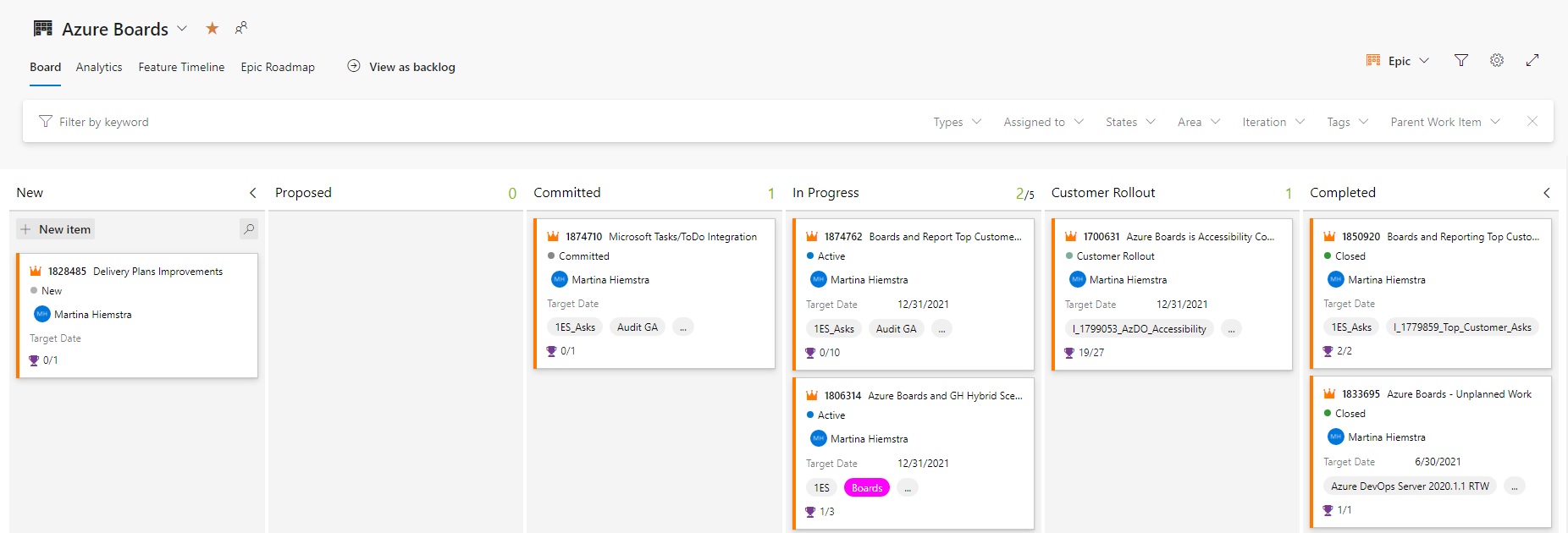
Azure Boards Ux Modernization – Public Preview

The updated user experience for Azure Boards is available as an opt-in public preview.
Top Stories from the Microsoft DevOps Community – 2021.11.26
Another week of just spectacular content to share with you. It's so impressive to see how much more there is to learn. This week we have some amazing contributions from our community! We have new posts on Pipelines, Terraform, Bicep, and feature flags.
Top Stories from the Microsoft DevOps Community – 2021.11.19
Now that we've got through our opening business, let's take a look at this week's posts from the Microsoft DevOps community. This week has a strong showing with new posts on Azure Data Factory, Azure DevOps, Bicep, and Azure Static Web Apps.
Top Stories from the Microsoft DevOps Community – 2021.11.12
The top stories from the #AzureDevOps #community for 2021.11.12 are here! Let's dive into this week's posts. We've got lots of new content including a lot on Terraform, Power Platform, containers, and more.
Known issue with publishing extensions: “Your ability to create global personal access tokens (PATs) is restricted by your organization.”

If you’ve run into trouble while trying to publish an Azure DevOps or Visual Studio extension to the Visual Studio Marketplace, please ask your administrator if they have enabled the new policy to restrict the creation of global personal access tokens (PATs).

AzureFunBytes Episode 61 – Deploying to @Azure is one “git push” away with @juliendubois
On this week's episode of AzureFunBytes, Principal Manager, Java Developer Advocate Julien Dubois joins me to show how deploying to Azure is one "git push" away using a new Open Source tool called NubesGen.

DevOps Dojo – Customers & Trust
In this blog, we discuss how DevOps Dojo helps customers with trust. We deep dive into ten most frequently encountered scenarios in customer’s environments; applying Dojo guiding principles in addressing customer’s complex and complicated problems in DevOps; Offering holistic and modular solutions to empower customers to do more.
Top Stories from the Microsoft DevOps Community – 2021.11.05
This week brings more posts from across the DevOps on Azure community. We've got new posts on Azure Functions, Bicep, Chaos Engineering, and more. Let's dive into this week's posts and see what the community has for us.
Top Stories from the Microsoft DevOps Community – 2021.10.29
This week we have posts about Azure Bicep, Azure DevOps testing, PowerShell, and more! Let's dive right into our community contributions!
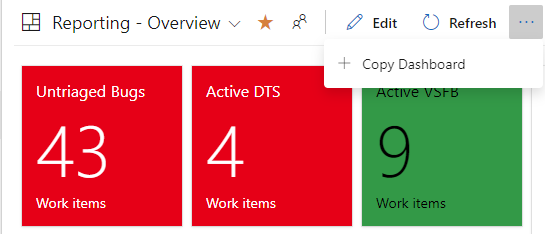
Copy Dashboard – Public Preview Phase 2
Copy Dashboard Public Preview - Phase 2. Queries and configuration are carried over as part of the copy operation.
October patches for Azure DevOps Server
This month, we are releasing fixes that impact our self-hosted product, Azure DevOps Server. The following will be fixed with this patch: Azure DevOps Server 2020.1.1 Patch 2 If you have Azure DevOps Server 2020.1.1, you should install Azure DevOps Server 2020.1.1 Patch 2. Check out the release notes for more details. Verifying Installation Azure DevOps Server 2020.0.1 Patch 7 If you have Azure DevOps Server 2020.0.1, you should install Azure DevOps Server 2020.0.1 Patch 7. Check out the release notes for more details. Verifying Installation

AzureFunBytes Episode 60 – DevOps Solutions on @Azure with @TheAprilEdwards
DevOps isn’t just technology implementation either. It’s a cultural shift that needs to happen from the top of an organization to the bottom.
Top Stories from the Microsoft DevOps Community – 2021.10.22
What a busy week! We had an amazing event called #MSCreate: DevOps where a great cast of speakers joined us to discuss culture, automation, cloud native, security, and observability. If you missed it, no worries, you can find the videos all on YouTube! This week the community continues with a lot of new Azure DevOps related posts, some Pow
Top Stories from the Microsoft DevOps Community – 2021.10.15
This week we have posts on Citrix, Azure DevOps Agents, Variable Groups, Azure VM Scale Sets, and more. Let's dive into this week's contributions!

Hosted Pipelines Image Deprecation
Microsoft-hosted Pipelines provides images for the 2 latest versions of macOS, Windows & Ubuntu. In this blog post we want to update you on recent and upcoming changes for each of those operating systems.
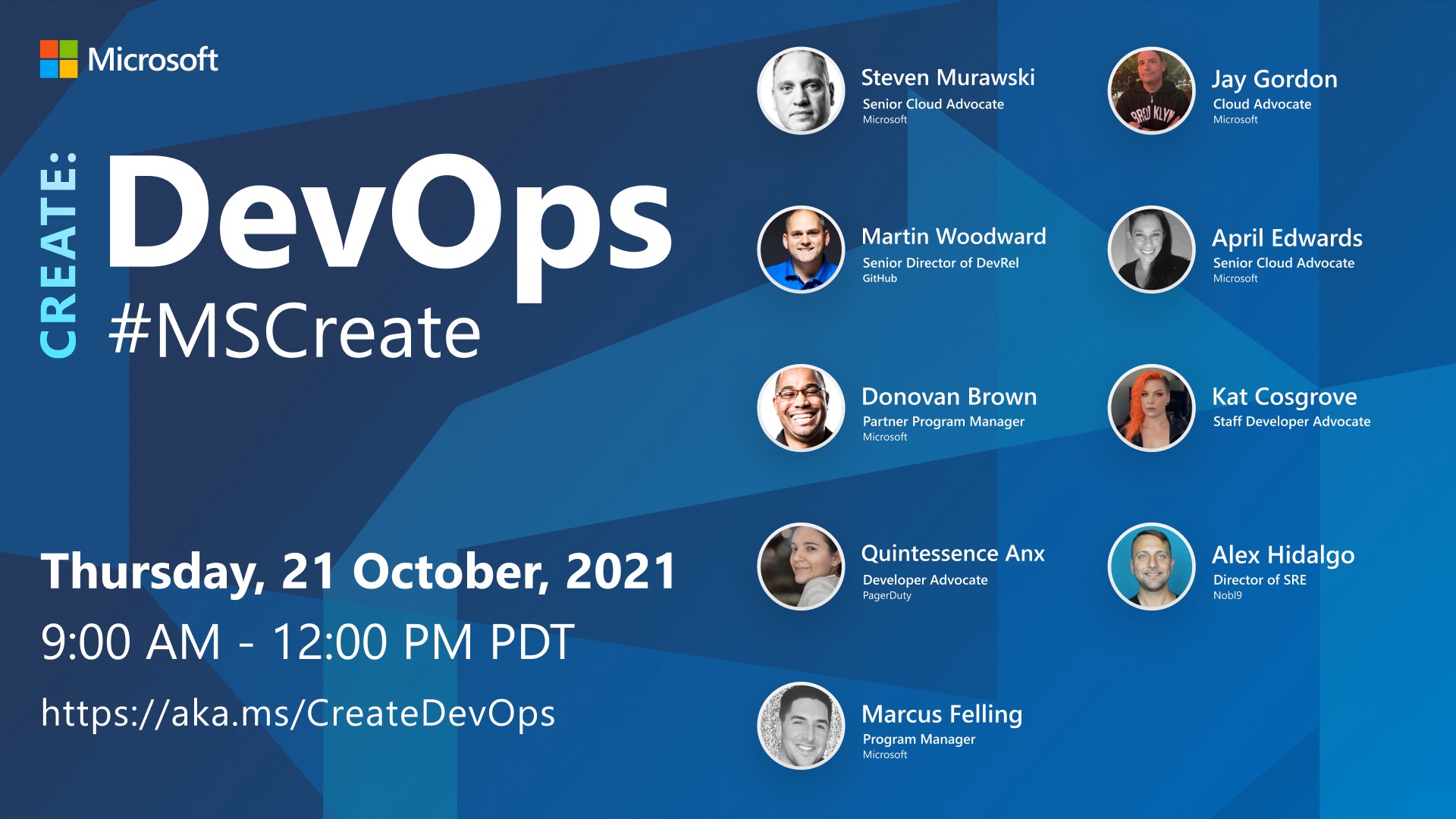
Join us at #MSCreate: DevOps on @LearnTV October 21, 2021
DevOps looks to bring people together in IT organizations through shared goals, increased collaboration, and focus on improvement. While technology plays a key role in DevOps by implementing tools for automation, time management, and communication, ultimately a cultural shift within organizations is critical for success.

AzureFunBytes Episode 59 – Remote Possibilities with @burkeholland
Development containers help you focus on building code and in this software, providing a separate coding environment from your computer. This is ideal when ensuring reliability for all that may be collaborating on a single software development project.
Azure DevOps Response to GitKraken SSH Bug
Azure DevOps was recently informed by GitKraken's development team, Axosoft, of a security vulnerability in GitKarken's key generation algorithm. This vulnerability led to the generation of insecure SSH keys. We identified customers affected by this vulnerability and revoked their SSH keys. Check out the blog post for more details.
Top Stories from the Microsoft DevOps Community – 2021.10.08
Well, we have another great week of contributions from the community. I've got a jumbo-sized update this week. So let's dive into the posts on subjects like GitHub Actions, service hooks, git, monitoring, and more.
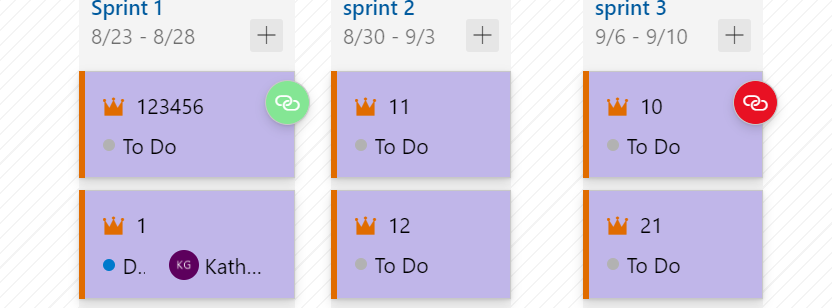
Azure Boards Fall Update
Update on features and work from the Azure Boards team.

AzureFunBytes Episode 58 – Improve your Open Source Security with @WhiteSourceSoft
As developers progress along the software delivery lifecycle there's a need to ensure that security scans can be automated. By implementing products like WhiteSource you can automatically detect, prioritize, and remediate your open source security vulnerabilities.
Top Stories from the Microsoft DevOps Community – 2021.10.01
Welcome back to the news, I'm your anchor Jay Gordon. This week we bring you all the top picks from the DevOps community. This week we have posts from some of our regular contributors and some new friends. This week brings posts on Personal Access Tokens, CI/CD for Angular, Landing Zones, and more.

AzureFunBytes Episode 57 – Securing @Azure with @shehackspurple
On this week's AzureFunBytes Episode 57, Securing Azure, I welcome Tanya Janca from We Hack Purple to give an overview of security basics within Azure!
Top Stories from the Microsoft DevOps Community – 2021.09.24
The top stories from the #AzureDevOps #community for 2021.09.24 are here!

AzureFunBytes Episode 56 – Secretless Applications with @ChristosMatskas
Secretless application development strives to solve some important problems, like preventing your credentials from being leaked. If you are seeing connection strings, usernames or passwords in log files, you're adding to your risk profile.
Introducing Azure DevOps Audit Stream

Auditing is important in any environment and solution, to get a view on who is doing what, typically from a compliance or governance perspective. In most scenarios, the solution allows you to store auditing to a logfile. The downside is that nobody is really watching over the logs, until something goes wrong. Auditing is enabled by default for all Azure DevOps organizations, and cannot be turned off. This guarantees that you never miss an actionable event. Events get stored for 90 days after which they will get deleted automatically. One possibility though is, you can back up audit events to an external location...
Top Stories from the Microsoft DevOps Community – 2021.09.17
There's plenty of DevOps content by our community to share. We have posts on Terraform, Data Platform automation, and even some GitHub Actions goodness.
Level up your skills with Bicep!
Getting started with Bicep
September patches for Azure DevOps Server and Team Foundation Server
This month, we are releasing fixes that impact our self-hosted product, Azure DevOps Server, as well as Team Foundation Server 2017. Check out the blog post for more details.

AzureFunBytes Episode 55 – Programming for Accessibility with @rorypreddy
AzureFunBytes is a weekly opportunity to learn more about the fundamentals and foundations that make up Azure. It's a chance for me to understand more about what people across the Azure organization do and how they do it. Every week we get together at 11 AM Pacific on Microsoft LearnTV and learn more about Azure. This week on AzureFunBytes we're talking about how to create applications for everyone. Accessibility is the design of products, services, and devices that focus on making environments the most welcome and usable to any user. Different people have different methods they may interface with the applicat...
Top Stories from the Microsoft DevOps Community – 2021.09.10
This week we come to you with some great new posts from our community. We have content on Terraform, Security, and Azure Pipelines this time around. I think you're going to really enjoy it!

AzureFunBytes Episode 54 – @GitHub Integration with @Azure and Shifting Left
Security is not an option when deploying applications. Considerations into what keeps your users safe must be part of your software delivery lifecycle. Whether it's adding correct firewalls rules to a server or knowing your npm package dependencies don't have cryptocurrency miners, you must always take steps to further your security posture.
Top Stories from the Microsoft DevOps Community – 2021.09.03
This week I searched far and wide to find some really informative posts from our community. We've got posts on code quality, Python, Azure DevOps Pipelines, and more!

AzureFunBytes Episode 53 – Intro to @PulumiCorp with @mattstratton
Pulumi is a modern infrastructure as code platform. It leverages existing programming languages—TypeScript, JavaScript, Python, Go, and .NET—and their native ecosystem to interact with cloud resources through the Pulumi SDK.
Top Stories from the Microsoft DevOps Community – 2021.08.27
The top stories from the #AzureDevOps #community for 2021.08.27 are here! Let’s get into this week’s posts! We have new content on subjects like testing, development backlog process, and code shipping.

AzureFunBytes Episode 52 – Intro to @GraphQL with @Adron of @HasuraHQ
The internet is driven by APIs. Software is able to be queried, interconnected, and presented to you thanks to APIs. This week on AzureFunBytes we’ll focus on using GraphQL. GraphQL is a query language and server-side runtime for APIs that allows you to reduce the “over-fetching” problem of querying data.
Top Stories from the Microsoft DevOps Community – 2021.08.20

Happy Friday! Jay is out of the office this week, so I'm back with some good reading to kick off the weekend.
Updated: Azure DevOps Server 2020.1.1 RTW now available
Today, we released Azure DevOps Server 2020.1.1 RTW. This is our final release of Azure DevOps Server 2020.1.1. Check out the blog post for more details.

AzureFunBytes Episode 51 – Deploy With ARM Templates with @shankuehn
ARM templates are a JSON file that helps you define what exactly you need to do in your Azure deployment. You do not need to know a specific programming language in order to use this declarative syntax.
Top Stories from the Microsoft DevOps Community – 2021.08.13
This week we've got posts on Terraform, Azure DevOps pipelines, searching your code, and more. It's chock full of tutorials and advice on how to have the best experience using the huge catalog of DevOps tools in the market. Let's get into it and check out this week's posts!
Developer Best Practices – Structuring Your Repository for Static Web Apps
As developers, the structure of our repositories has an affect on how we write our code, but also how we secure our code.
August patches for Azure DevOps Server
For the August patches, we are releasing fixes that impact our self-hosted product, Azure DevOps Server. Check out the blog post for more details.
AzureFunBytes Episode 50 – Intro to @BicepLang with @adotfrank
This week on AzureFunBytes we flex some Azure muscle with Bicep. Bicep is a language that allows you to use a declarative syntax to codify your Azure infrastructure deployments. Bicep is an Azure native Domain-Specific Language (DSL) that promotes a cleaner syntax, improved type safety, and better support for modularity and re-use of code.
Top Stories from the Microsoft DevOps Community – 2021.08.06
This week’s batch of posts focuses on automation, testing, governance, and more. No time to waste we have a lot of posts to read, let’s get into it.
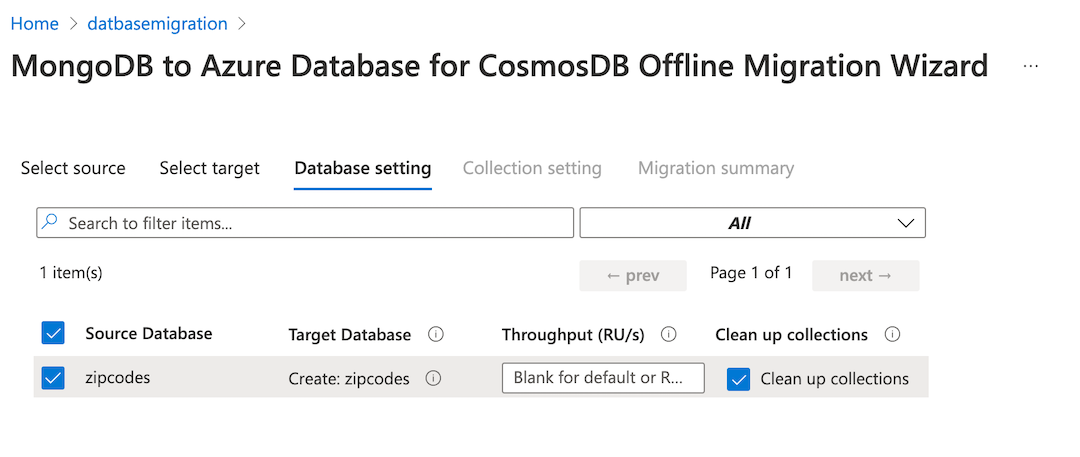
AzureFunBytes Presents: Migrating Your Data – Migrate your MongoDB data to Cosmos DB
Last time, I showed you how to create a Cosmos DB account for your MongoDB data using an ARM template. This time, we'll use the Azure Database Migration Service (DBMS) to migrate my data I have on a Virtual Machine into Cosmos DB.
AzureFunBytes Episode 49 – Intro to @Azure SQL with @StevenMurawski
At the heart of most applications is a database. This database could provide critical information about customers, patients, store inventory, or even help us find a cure for diseases. How we create, modify, and consume these databases is important to learn in order to be successful with our applications.
Monitoring Azure by using Grafana dashboards
By using Azure Monitor, Azure Log Analytics and Application Insights, Azure cloud teams have access to a collection of end-to-end monitoring solutions, directly from the Azure Portal, allowing for Azure Services monitoring, as well as hybrid. Monitoring involves reading out a combination of: - metrics, for example CPU and Memory load on a Virtual Machine, number of HTTPS connections to an Azure App Service,...) - logs, for example log files from an Apache VM, Linux Syslogs, Cosmos DB logs on a Storage Account,...) - traces, which typically provides insights using a correlation as well as time series on both metr...
Top Stories from the Microsoft DevOps Community – 2021.07.30
After a few days off I am back and looking for new great content. This week provides us with posts on Terraform, Azure Networking, and even some code we can use with Azure DevOps.

Comparing Azure Static Web Apps vs Azure WebApps vs Azure Blob Storage Static Sites
Let's compare the use cases for Azure Static Web Apps against other Azure services for your static web site hosting.

DevOps Dojo – People & Teams
The Aspires are the youngest employees at Microsoft who graduated recently from the university. We will look at what drives people, what types of people we are attracted, and what the attributes of Dojo coaches are. Then we will have a personal story from each Aspire, and finally learn how experienced Dojos and Aspires work together.

AzureFunBytes – @Azure Arc Enabled Data Services with @sqldbawithbeard
Azure Arc makes it possible to run your Azure data services in your datacenter, at the edge, and in public clouds using Kubernetes and the infrastructure of your choice. You're not just limited to Azure, you can enable your data from any public cloud you may feel like using.
Top Stories from the Microsoft DevOps Community – 2021.07.23
Happy Friday! With Jay out of the office this week, I'm back with some great community content to keep you going until he's back.

AzureFunBytes – @Azure Logic Apps with @ChloeCondon
As a part of the Azure Integration Services, Logic Apps helps you connect legacy, modern, and cutting-edge systems across cloud, on-premises, and hybrid environments.
Top Stories from the Microsoft DevOps Community – 2021.07.16
Another Friday, another bunch of great links to tutorials, events, and vlogs all about DevOps, Azure, and GitHub. We just finished up Microsoft Inspire, an event focused on Microsoft Cloud and the opportunities it provides for partners.
Azure DevOps Server 2020.1.1 RC now available
Today, we released Azure DevOps Server 2020.1.1 RC. This is our planned prerelease before our final release of Azure DevOps Server 2020.1.1. Check out the blog post for more details.

AzureFunBytes Episode 46 – OpenShift on @Azure with @jjasghar
This week I welcomed to the show IBM Developer Advocate JJ Asghar to help me understand Red Hat OpenShift on Azure
Top Stories from the Microsoft DevOps Community – 2021.07.09
We have a diverse array of posts about .NET 6, Azure Functions, performance testing, creating Windows 10 images, and accessibility.

AzureFunBytes Episode 37 – Microsoft Power Apps with @98codes
Power Apps is a suite of apps, services, connectors, and data platform that provides a rapid application development environment to build custom apps for your business needs.
Top Stories from the Microsoft DevOps Community – 2021.07.02
Happy Friday to you all, that means it's time to catch up on these great posts about DevOps. This week we look at Azure Pipelines, Kubernetes, Azure subscription management, and even BizTalk! I think we've got a great variety of content for you, so let's get into it!

AzureFunBytes Episode 45 – Observing @Azure with @DatadogHQ, with guest @ryan_maclean
evelopers and Ops teams require insight into how their deployed applications are performing. By utilizing Datadog with your Azure deployments, on-prem, or even in a multi-cloud solution, you’ll get a single dashboard to see all the infrastructure you are managing.
Top Stories from the Microsoft DevOps Community – 2021.06.25
Welcome to this week's roundup of content from the Azure DevOps community. We've got plenty of new content to cover! Be sure all your posts you'd like included in future editions of the top stories are tagged with #AzureDevOps!

How to create your personal blog with Gatsby & Azure Static Web Apps – Azure Tips & Tricks
This series provides you with 16 different cookbooks to begin building applications using Azure Static Web Apps. You’ll learn what the SWA service is, what tools you’ll need to work with it, how CI/CD fits in, and much more.
DevOps Dojo – Experiential Learning
Dojos at Microsoft learn DevOps through Experiential Learning. To embrace the DevOps culture of experimentation, we various experiments in DevOps learning, it includes learning from experts and peers, self-learning, learning through teaching, writing, and playing, learning through pairing, and learned how to unlearn and relearn.

AzureFunBytes – @Azure Data Factory Security with @narainabhishek
This is part two of our series on Azure Data Factory. Last time Mark helped get us on the road to understanding how to best get our data into the cloud by using the linked services and tools with Azure Data Factory. Data Factory contains a series of interconnected systems that provide a complete end-to-end platform for data engineers.
Top Stories from the Microsoft DevOps Community – 2021.06.18
It's Friday which means there's a new batch of content from the community to share. We have new posts on pipelines, DevSecOps, and Bicep to share with you. Let's get into it!
June patches for Azure DevOps Server
For the June patches, we are releasing fixes that impact our self-hosted product, Azure DevOps Server. Check out the blog post for more details.

AzureFunBytes – Intro to Azure Data Factory with @KromerBigData
This week on AzureFunBytes, I am joined by Principal Program Manager, Mark Kromer about how to store and process our big data with Azure Data Factory. Mark will discuss the ETL (Extract, Transform, Load) process that gets our data into Azure Data Factory. I ask Mark how can we transfer the data we might have to Azure?
Top Stories from the Microsoft DevOps Community – 2021.06.11
Welcome back DevOps Community! Every week we see you all producing incredibly valuable content on DevOps subjects. This week is no different as we dive into testing, data, and deployment pipelines.

AzureFunBytes Presents: Migrating Your Data – Create Your Cosmos DB
Databases are complex beasts from an operational standpoint. There are a number of tasks that in the past had been laid at the feet of people known as Ops or DBA. Those tasks typically involve scaling your database servers, handling performance, ensuring backups, and monitoring. Let’s not forget licensing for your Enterprise database server.

AzureFunBytes Episode 42 – Hybrid Cloud on Azure with @ThomasMaurer
This week my guest was Senior Cloud Advocate Thomas Maurer . We dove into the world of hybrid cloud ! Not every application is born in the cloud, but they can certainly interact with it. A hybrid cloud is a type of cloud computing that combines on-premises infrastructure—or a private cloud—with a public cloud.
Top Stories from the Microsoft DevOps Community – 2021.06.04
For many in the United States, this was a quick week after the Monday holiday and "unofficial start of the summer." But as the seasons continue to turn, one thing remains eternal: this community continues to put out amazing new content.

New policies to restrict personal access token scope and lifespan
Azure DevOps Administrators can now define a maximum lifespan for personal access tokens (PATs) and restrict the creation of global and full-scoped personal access tokens (PATs). These policies will affect all users and Azure DevOps organizations linked to the Azure AD tenant.

AzureFunBytes – Getting started with Bicep
Bicep is a Domain Specific Language (DSL) for creating your Azure resources. While there are various methods for writing infrastructure as code (IaC), such as Ruby, etc. Bicep aims to reduce complexity by introducing a cleaner syntax for you to reuse your code more often.
Top Stories from the Microsoft DevOps Community – 2021.05.28
Happy Friday, DevOps Friends! Hope you had a great Microsoft Build, I know I did. I really enjoyed a lot of the great sessions, Ask The Experts, and of course keynotes that were broadcast throughout the week. One of my favorite sessions was [Ask the Experts: Infra as Code - Bicep](https://cda.ms/29n) that featured Microsoft CVP Brendan Burn

AzureFunBytes – Containers and Kubernetes with @brendandburns
This week I welcomed Kubernetes co-founder and Microsoft Corporate Vice President, Brendan Burns. Brendan has been there from the beginning and is kind enough to join the show to show off some of the power of using containers along with some new tricks found in Azure Kubernetes Service (AKS).
Now available: Azure DevOps Server 2020.1 RTW
Today, we released Azure DevOps Server 2020.1 RTW. This is our final release of Azure DevOps Server 2020.1. Check out the blog post for more details.
Copy Dashboard – Public Preview
The public preview of Copy Dashboard is now available.
Top Stories from the Microsoft DevOps Community – 2021.05.21

Happy Friday everyone! This week's posts cover things like figuring out who an approver is on a pipeline for contact, how to safely use System.AccessTokens in Docker builds, hosting free websites with Azure Static Web Apps, and more! Be sure to check them out!
AzureFunBytes – Demystifying Helm with @DonovanBrown
This week I welcome Captain America himself, Donovan Brown to discuss how to be a super hero to your Kubernetes clusters using Helm. We'll have a discussion on what made Donovan take interest in Helm and how he got started learning to use it. We'll also dive into Donovan's new role as Partner Program Manager in the Office of the CTO.
Top Stories from the Microsoft DevOps Community – 2021.05.14
This week's top posts cover sprint setup in Azure DevOps, getting started with Terraform and Azure DevOps, automating deployments with Bicep, and more!
On Prem To the Cloud: Let’s Rub Some DevOps On It! (Ep 3)

In episode 2 of this series, Jay helped Abel migrate the Mercury Health application environment into Azure. So we're in the cloud! But what about future changes? How do we get them out to customers? The answer is DevOps!

AzureFunBytes – Microsoft Identity with Christos Matskas!
This week I welcomed [Christos Matskas](https://twitter.com/ChristosMatskas), Program Manager at Microsoft, to the show. We have discussed Identity before, but we'll get a great look into [authentication, authorization](https://cda.ms/24G), and [Azure AD](https://cda.ms/24F). Christos helps us understand how we can bridge the gap between our
May patches for Azure DevOps Server
This month, we are releasing fixes that impact our self-hosted product, Check out the blog post for more details.
Top Stories from the Microsoft DevOps Community – 2021.05.07
Happy Friday everyone! This week was overflowing with awesome blog posts, and it was hard to narrow them down to just a handful! This week's top posts cover reporting in Azure, publishing packages to Azure Pipelines, how we can create diagrams with code in Pipelines, and more!
Intro of DevOps Dojo
Have you heard of the DevOps Dojo? This introduction will fill you in on what the DevOps Dojo is, where we started, and what we do. Be sure to check it out!

On-Prem To The Cloud (episode 7): Migrating to Azure SQL
Our customers have been wanting some more basic, getting started material on taking their on-prem applications and moving them to the cloud. This video series does just that. Starting with a simple on-prem solution, lifting and shifting and then slowly evolving the app through its many stages until it is a 100% cloud native app. On Episode 7 w
IPv6 fencing Conditional Access Policies now supported
We are now extending our CAP support to also include IPv6 fencing policies. As we see people increasingly access Azure DevOps resources on devices from IPv6 addresses, we want to ensure that your teams are equipped to grant and remove access from any IP address.
Top Stories from the Microsoft DevOps Community – 2021.04.30
Happy Friday! If you didn't catch it, we recently ran an online event - <a href="https://aka.ms/AAA-DevOpsGitHub" target="_blank">All Around Azure: DevOps with GitHub</a>. The recorded sessions will be posted early next week, so check it out! Until then, there's these great community posts to take us into the weekend.
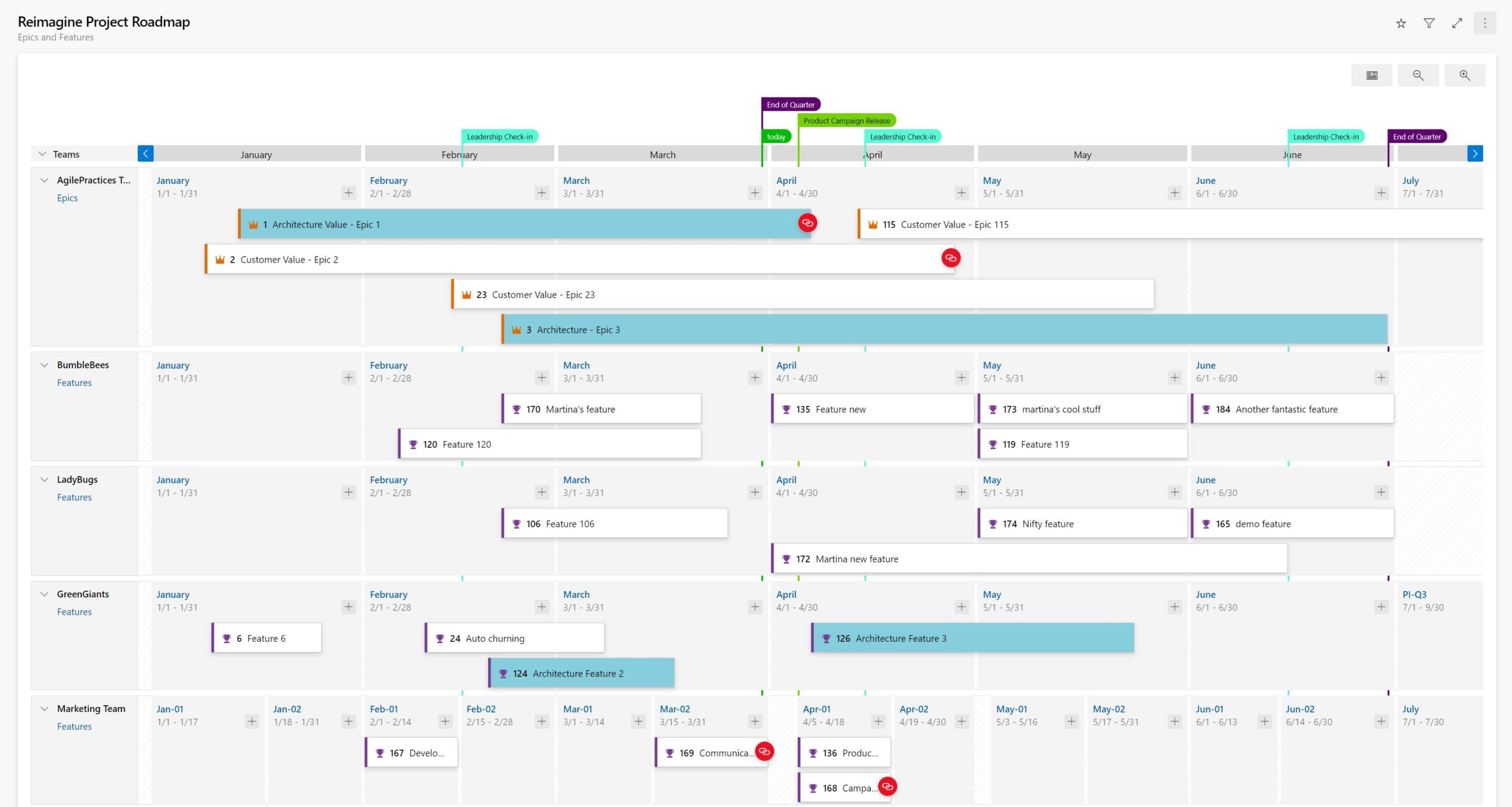
Delivery Plans 2.0 is now GA!
General availability announcement of Delivery Plans 2.0 for the Azure DevOps Service.

Rearchitecting for MicroServices: Featuring Windows & Linux Containers

Are you following our On-Prem to the Cloud Series via the DevOps Lab on Channel 9? If not, you should be! In this week's episode, which falls right at number 8, we continue to build on the skills we have learned throughout each episode. So far we have managed to take our Mercury Health application from our on-prem server and it now runs in Azure App Service via Platform as a Service (PaaS). Last week, Jay Gordon walked us through how to plan for database migration and we now have our DB in Azure as well via Azure SQL Server. This week, I walk Damian Brady through some of the considerations one should take when y...

AzureFunBytes – Azure Static Web Apps with Anthony Chu!
This week I welcomed Anthony Chu, Program Manager at Microsoft, to discuss Azure Static Web Apps and Azure Functions. Anthony and I have a conversation on why this service makes sense for your web apps.
Top Stories from the Microsoft DevOps Community – 2021.04.23
The top stories from the Azure DevOps Community for 2021.04.23 are here! This week's articles include topics like deploying Bicep via an Azure DevOps Pipeline, getting started with Azure DevOps via our demo generator, using the Azure DevOps CLI, and more.

AzureFunBytes Episode 36 – Intro to Chaos Engineering with Ana Margarita Medina!
This week I welcomed [Ana Margarita Medina][2], Senior Chaos Engineer and Developer Advocate from [Gremlin][3] to discuss [Chaos Engineering on Azure][4]. I have been really lucky to become friends with Ana over the last few years, she's so dedicated to helping this Chaos community!
Top Stories from the Microsoft DevOps Community – 2021.04.16
The top stories from the Azure DevOps Community for 2021.04.16 are here! The posts this week include setting up a CI/CD pipeline in Azure DevOps, overcoming repository issues within a pipeline, Azure Bicep, and more!

Personal Access Token Lifecycle APIs in general availability
Since releasing our Personal Access Token (PAT) Lifecycle Management APIs in private preview last month, we’ve received overwhelming interest from folks who are looking for a more robust alternative to the existing UI for creating and managing their PATs. We are happy to announce that these APIs are now available to the general audience.

DevOps Fireside Chats – March 2021 Review
Damian Brady and Abel Wang joined host Jay Gordon to discuss Agile Development. We take live questions and try to work out some of the tools, processes, and cultural changes associated with adopting an agile mindset. We look at the differentiation in different development management models and how to implement them for your team.

AzureFunBytes Episode – Intro to Azure Machine Learning with Henk Boelman!
As a person who's been in the Ops world for most of his career machine learning and predictive services are still very new to me. An entire world of data analysis is capable of providing greater insight into what customers want, [live chat bots](https://cda.ms/21n), and make decisions. [Is machine learning just one big search on a database?]
April patches for Azure DevOps Server and Team Foundation Server
This month, we are releasing fixes for security vulnerabilities that impact our self-hosted product, Azure DevOps Server as well as Team Foundation Server. Check out this post for details.
Azure DevOps Server 2020.1 RC2 now available
Today, we released Azure DevOps Server 2020.1 RC2. This is our last planned prerelease before our final release of Azure DevOps Server 2020.1
Top Stories from the Microsoft DevOps Community – 2021.04.09
The top stories from the Azure DevOps Community for 2021.04.09 are here! The posts this week cover a wide range of topics and technologies - check them out!

Building Your First GitHub Action
Hello from the friendly octocats at GitHub! By now, you might have used [GitHub Actions][1] for automation, CI/CD, and more. In this guide, you'll use TypeScript to build a GitHub action to interact with an existing service, and then learn how to publish it to GitHub Marketplace for discovery by the larger GitHub community.

AzureFunBytes – Intro to Cosmos DB with Mark Brown
Every week on AzureFunBytes, we try to introduce you to the technology, tools, processes, and practices that make up the fundamentals of Azure. This week we'll discuss how to get your data fast, with nearly any programming language, and distributed across the globe with Cosmos DB. Cosmos DB is Azure's fully managed, multi-model NoSQL database for your apps, data science, and nearly whatever purpose you may need for querying non-relational data sets. You can work at PLANET scale by replicating your data across multiple regions with single-digit millisecond response times. You'll be able to work with key-value,...
Top Stories from the Microsoft DevOps Community – 2021.04.02
This week's posts cover topics including using Terraform in a CI/CD pipeline, using branch name as a variable in Azure DevOps, setting up an Azure DevOps Pipeline with Azure Data Factory and Azure Databricks, and more. Check them out!
Delivery Plans 2.0 – We got Style!
Card styling is now available in Delivery Plans 2.0

Intro to Service Principals with Peter De Tender
AzureFunBytes is a weekly opportunity to learn more about the fundamentals and foundations that make up Azure. It's a chance for me to understand more about what people across the Azure organization do and how they do it. Every week we get together at 11AM Pacific on Microsoft LearnTV and learn more about Azure. This time Microsoft Technical Trainer Peter de Tender joins me for a conversation about Azure Identity and Service Principals. Peter recently wrote a blog post on the Azure DevOps blog that really made me think it was time to dig into managed identity and access management a bit more. We'll learn that r...
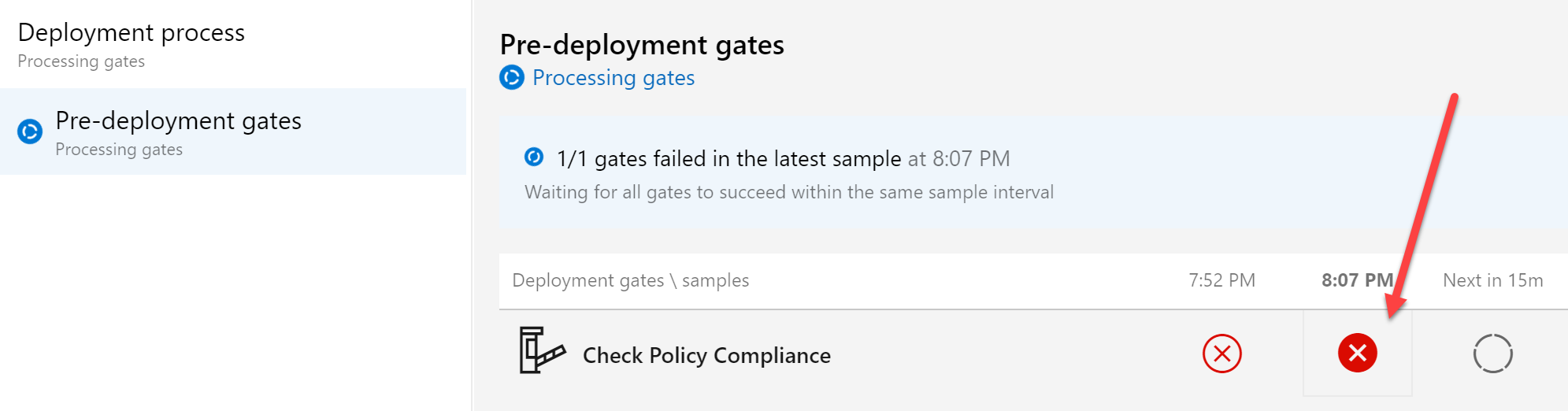
Controlling Release Pipelines with Gates and Azure Policy Compliance
In this article, I will guide you through making your CI/CD pipeline deployments more intelligent (and powerful) by using Azure DevOps Release Gates (Sometimes called Quality Gates), to only allow a Release to run, when there are no Azure Policy violations getting reported for that deployment.
Top Stories from the Microsoft DevOps Community – 2021.03.26
This week's top stories cover great topics ranging from Azure DevOps repository configuration, to Bicep and ARM Templates, to Domain Controller tips in Azure DevOps, and even remote state setup in Terraform. Check them out!
Introducing Azure DevOps Server 2020.1 RC1
Today we're very excited to announce the first release candidate (RC) of Azure DevOps Server 2020.1!

On Prem To The Cloud: DevOps-ing Everything As Code (Ep 5)
We're back with episode 5 in our On Prem To the Cloud journey where we'll take a deeper look at getting our Infrastructure as Code setup in a Continuous Integration/Continuous Delivery (CI/CD) pipeline.

AzureFunBytes – Intro to Azure Policy with Steven Murawski
Each week on AzureFunBytes, we try to introduce you to the technology, tools, processes, and practices that make up the fundamentals of Azure. One of the real goals we strive for is to cover all the subjects and make sure you're able to implement the tech and concepts presented. One of the people who's really come to help me with this is Azure Principal Cloud Advocate Steven Murawski. Steven joins me once again on the show to discuss Azure Policy. Azure Policy helps you set standards for your organization at-scale. You can enforce specific policies across your Azure accounts. We will discuss how organizati...

Azure Friday: Best practices for Azure Container Instances (ACI) with GitHub Actions
What are Azure Container Instances? Azure Container Instances (ACI) allow for a quick, simple, and cost effective way to run serverless containers in production. ACI is a GA (generally available) service for hosting serverless containerized workloads, including ETL (Extract, Transform, Load) pipelines, serverless batch jobs, and API microservices. What are container best practices? How hard is it to use GitHub Actions with container best practices AND Azure Container Instances? Azure Container Instances integrates easily with CI/CD tools such as GitHub Actions, Azure Devops, and even 3rd party tools ...
Top Stories from the Microsoft DevOps Community – 2021.03.19
Happy Friday everyone! The weather here in South Texas has been all over the place lately, but the community blog posts are tracking just fine! In this week's top stories, we've got posts that cover many great topics ranging from on-prem Kubernetes deployments on Azure Stack Hub to writing your own Azure DevOps Extension. Check them out!
Change in Azure Pipelines Grant for Private Projects

Azure Pipelines has been offering free CI/CD to customers since the beginning. This allows people trying out Azure DevOps to use nearly all our features, including Microsoft-hosted agents, without having to pay us anything. We offer 1800 free minutes per month on hosted agents to all projects, and 10 parallel jobs to open source projects. Earlier this year, we announced a change in the process for getting the free tier in public projects. That change was made to handle the abuse of hosted agent pools and to protect the interests of existing customers. While that effort has been successful in stopping abuse from ...

On Prem To the Cloud: Everything As Code (Ep 4)
And we are back! Now that Abel and Damian have shown us how to build a Continuous Integration/Continuous Delivery (CI/CD) pipeline for the application and database, we've gained a bit of time back in our calendar (those manual deploys were taking a lot of time since our dev team got all Agile on us...). Jay helped Abel migrate the application environment into Azure and it's time to start taking advantage of the flexibility of cloud provisioning. One of the greatest advantages of working in the cloud is that so many physical tasks have become API calls - which makes Infrastructure as Code very powerful. A Prac...

Learn Live – Scale your cloud resources with elasticity
One of the best parts of being an Azure Cloud Advocate is the community interaction with people just getting their feet wet in the world of tech. I was recently asked to take part in the Learn Live series of live streams to help people take their first steps in understanding why elasticity makes the cloud move. All of these sessions are based on Microsoft Learn modules that can provide you with the skills to start becoming a cloud pro. This time, we cover the "Scale your cloud resources with elasticity" Microsoft Learn module. In this session, I am joined by Dwitrisha Saha, Microsoft Student Ambassador, to dig...
Top Stories from the Microsoft DevOps Community – 2021.03.12
Happy Friday! It's March in Wisconsin and most of the snow has melted away, uncovering a number of blog posts on interesting topics.
DevOps Fireside Chats Feb 2021 – Infrastructure as Code
Azure DevOps Fireside Chats is an opportunity to talk with DevOps professionals about a different subject every month. In February we discussed Infrastructure as Code (IaC). IaC helps codify your IT solutions allowing you to specify everything you need in a declarative manner. Watch a conversation between April Edwards, Jay Gordon, Steven Murawski, and Puppet Labs Eric Sorenson as they try to answer questions on IaC from the Azure Community. 2:50 - Introductions 14:39 - What are the benefits of Project Bicep over Azure Resource Manager templates? 22:00 - What strategy is best for engaging people to use IaC? ...
Mitigating leaked personal access tokens (PATs) found on GitHub public repositories
Announcing the automatic discovery and mitigation for leaked Azure DevOps personal Access Tokens (PATs) found on GitHub
Top Stories from the Microsoft DevOps Community – 2021.03.05
This week's top community posts cover many great topics such as PowerShell code testing within a pipeline, automated publishing for Azure Data Factory pipelines, container image creation and Azure Container Registry upload via pipelines, and more! Have a look!

AzureFunBytes – Intro to Agile Development with Abel Wang
Is DevOps Agile? Is Agile DevOps? Wait a sec... what is Agile? That's the question we'll answer this week on AzureFunBytes. Every week we try to tackle a subject that covers the foundations of using Azure. This week we'll look into Agile Development with none other than the rock god and Principal Cloud Advocate, Abel Wang. Software development has come a long way, with new languages, new tools, and tons of processes for us to follow to deliver value to our customers. Agile development focuses on the delivery of features to our users by focusing on smaller, collaborative efforts. Unlike methods such as waterfall,...
Top Stories from the Microsoft DevOps Community – 2021.02.26
Happy Friday! It is still February in Wisconsin and I'm buried in snow. Despite the cold temps and weather, I'm keeping warm inside and enjoying these great community contributions.
On Prem To The Cloud: Lift and Shift (Ep 2)
Welcome to the second in a series on moving your applications from on-premises to the cloud. Last time, Abel Wang joined Steven Murawski to discuss what goes into getting started with your migration. You learned about the problem our team has been facing to help get Mercury Health's current IT solution moved away from their on-prem solution and into Azure. One of Steven's keys to beginning a migration is by starting small, we'll do that by lifting and shifting Mercury Health into their new Azure deployment. I've had to move house a few times in my life. It always entailed me spending countless hours taking dow...

AzureFunBytes – Ansible on Azure
There are so many tools to use to build your cloud infrastructure to choose from. Getting details on what options are available to you can help you determine the best path forward in your DevOps journey. Ansible is an open-source automation tool that allows you to codify your process of Configuration Management and Continuous Delivery. Ansible provides a radically simple method of managing IT resources by utilizing an agentless deployment methodology. Ansible is multi-platform giving you a number of options on what OS's you can deploy to. With Ansible you can work with your Windows hosts and install packages vi...
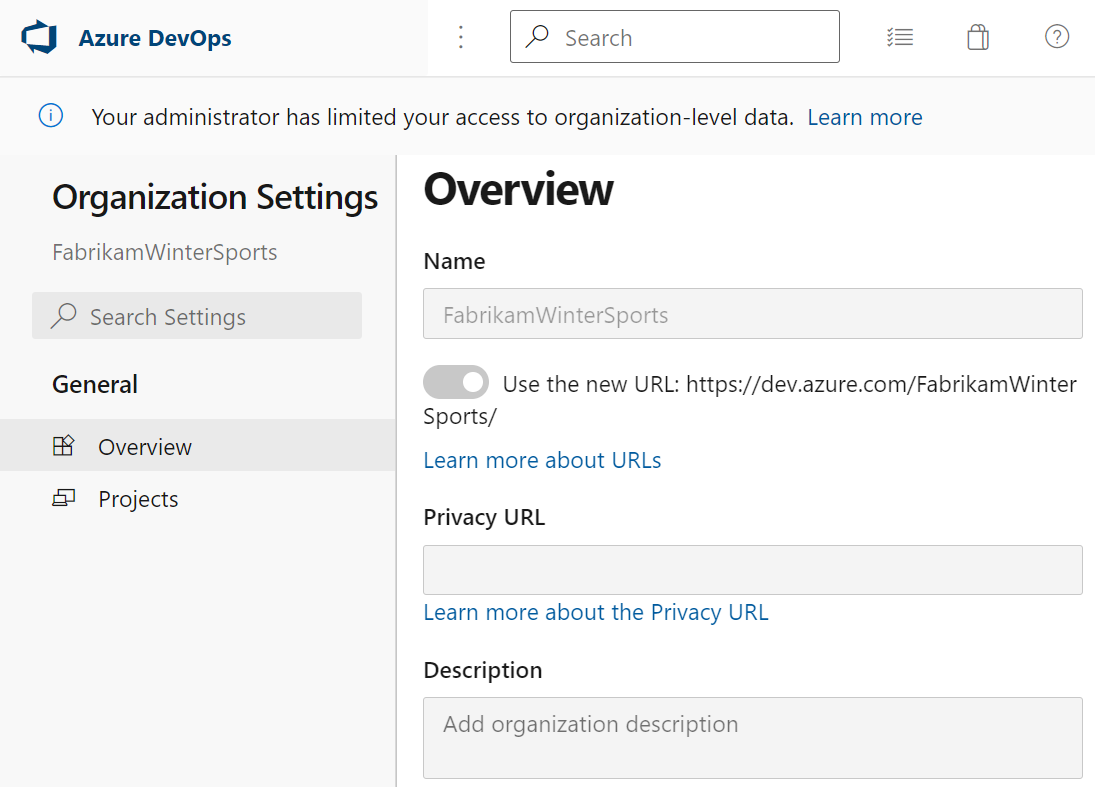
Limit user visibility and collaboration to specific projects
This sprint we’re releasing a public preview feature to enable organization administrators in [Azure DevOps](https://azure.microsoft.com/services/devops/) to restrict users from seeing and collaborating with users in different projects.
Top Stories from the Microsoft DevOps Community – 2021.02.19
Happy Friday everyone! I hope all our friends in Texas are staying safe and warm. While these blog posts won't warm up your home, they will warm up your mind!
Change in Azure Pipelines Grant for Public Projects
To prevent abuse from miners and to help serve our legitimate users, we are making a change in how we give free concurrency to new open source projects in Azure Pipelines.

Billing and Token Management events now available in Auditing
We’re happy to announce two new event types are now available in the auditing logs: (1) Billing setup and management events, and (2) Personal Access Tokens (PATs) and SSH Keys management events.

On Prem To The Cloud: Getting Started (Ep 1)
Welcome to the first in a series on moving your applications to the cloud. Together, with Abel Wang and the rest of the Cloud Advocacy DevOps team, we'll embark on a journey to show you the possibilities available to migrate your application to the cloud. I was lucky enough to start the series off with Abel, where we introduce the application

AzureFunBytes – Dapr on Azure
AzureFunBytes - Dapr on Azure Each week on AzureFunBytes, we dive into the tools and products that make up the foundations of using Azure. This week we dive into microservices and how our distributed applications can thrive on Azure. One tool that really helps drive productivity and helps developers build reliable and resilient applications is Dapr. Dapr is an open-source, portable, event-driven runtime that reduces the overhead in creating distributed microservices in the cloud. Dapr helps provide you with options to create microservices using any language, with any framework, on any platform. Dapr will help...
Top Stories from the Microsoft DevOps Community – 2021.02.12
Happy Friday! (Well, maybe a bit later than Friday - my fault for not double-checking the publishing time). This week, we have a variety of topics, including how to use Azure DevOps with some experiences you may not expect!
New Personal Access Token Lifecycle APIs in private preview
We’re happy to announce the release of our new APIs to manage the lifecycle of Personal Access Tokens (PATs) on Azure DevOps, which allow your team to manage PATs they own, offering them new functionality, such as creating new PATs with a desired scope and duration, renewing existing PATs, or expiring existing PATs.
The Azure DevOps Demo Generator
The Azure DevOps Demo Generator is a fantastic tool that can help you provision Azure DevOps projects complete with sample data or a starting point for a new project. I recently sat down with Nagaraj Bhairaji from the team that built the tool.

Changes to Azure Artifacts Upstream Behavior
Want to learn more about additional security for your private feeds? Check out the changes in the Azure Artifacts Upstream Behavior.
February patches for Azure DevOps Server
This month, we are releasing fixes to resolve issues reported in the Developer Community. These fixes impact our self-hosted product, Azure DevOps Server. Check out this post for details.
Azure DevOps Roadmap update for 2021 Q1

With each quarterly blog update, we bring you a list of enhancements we're making to Azure DevOps. This time around, we're also making some changes to the process itself, and we want to share those with you.
Continuous Monitoring for Web Performance and Accessibility

Monitoring a web app, both for performance and accessibility is super important. Check out how the Azure Cloud Collaboration Center does it!

DevOps Fireside Chats – January 2021 – New Year, New DevOps with #LoECDA
Welcome to our series of DevOps Fireside chats on LearnTV. These monthly conversations are focused on providing you with a direct line to the Azure Advocates and other DevOps professionals to ask questions about your pressing DevOps needs. Each month you'll have a new topic the panel will cover! DevOps evolves a lot in an organization, but how does it evolve year to year? Is it the tools, the projects, the people, or maybe all of the above? This month we focus on "New Year, New DevOps" and talk about the changes we expect to see in the world of DevOps. Having the right minds to help you always provides some addi...
Top Stories from the Microsoft DevOps Community – 2021.02.05
Happy Friday everyone! We're back with this week's top stories from the Microsoft DevOps Community. We've got some great posts to share that cover things like building pipelines in Azure DevOps, testing in Azure DevOps, and some tricks that will help you work with docker images in Azure DevOps.

AzureFunBytes – Terraform and Azure
Azure Cloud Advocate Zachary Deptawa joins me again! This time we'll dive a bit deeper into Terraform! Zachary has a ton more information to share about how to deploy your applications using HashiCorp Terraform along with Microsoft Azure. Join us with your questions and learn even more fundamentals. AzureFunBytes! - Byte-sized content with a live Twitch show! Learn about Azure fundamentals with me! Join me, ask questions, and learn about Azure! Live stream is available on Twitch at 2 pm EST Thursday. You can also find the recordings here as well: https://twitch.tv/azurefunbytes https://twitter.com/azur...
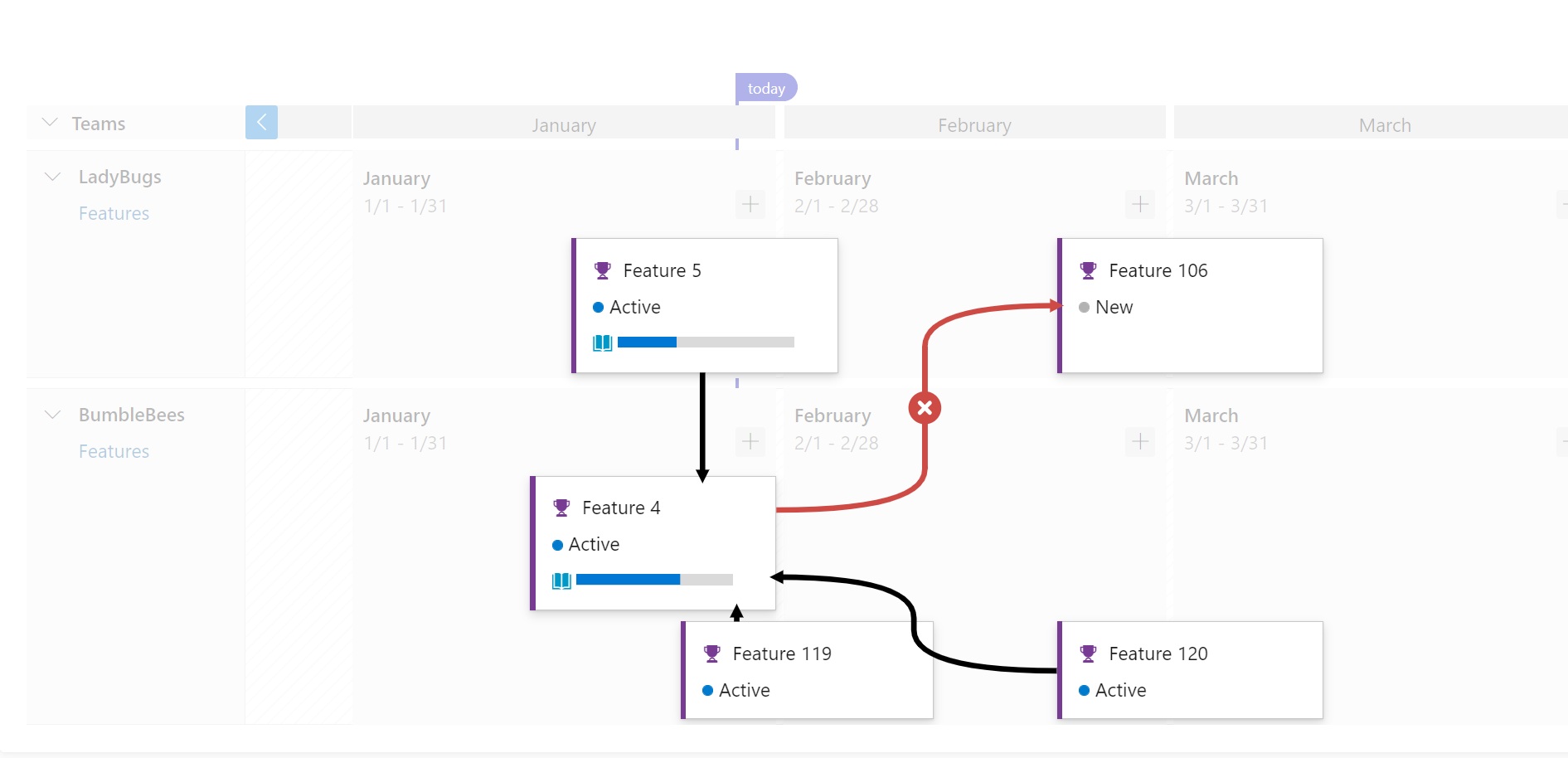
Delivery Plans 2.0 Update
Lots of progress has been made with dependencies in Delivery Plans 2.0, check out the latest!

Project Bicep – Next Generation ARM Templates
ARM templates for Azure is hard. We get it. Check out the next generation of ARM. Project BICEP!
Top Stories from the Microsoft DevOps Community – 2021.01.29
Happy Friday everyone. Let's wrap up January with some great community posts about pipelines and organization moves!
Demystifying Service Principals – Managed Identities
This article will describe the use case and core differences between Service Principal and Managed Identities, using Key Vault and other Azure services as an example
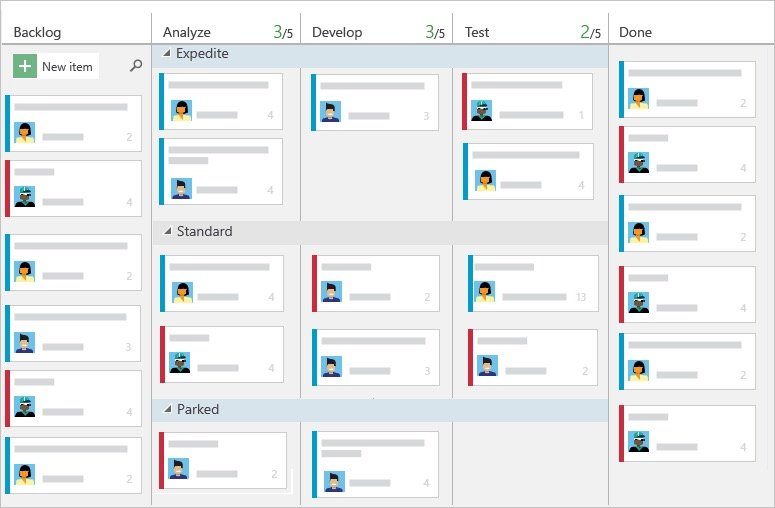
AzureFunBytes – A Brief Intro To Azure Boards
In the world of software development and infrastructure management, it's important to have a source of truth to drive your team. DevOps values communication and tracking of work. Being able to have somewhere to go to identify the most important work that's been planned, determining if it's been assigned, and then being able to report on progress will ensure a greater level of success for your team. There are so many tools out there right now that can assist you in the project management of your software delivery or development. Azure DevOps provides you with options beyond just Continuous Integration and Continu...
Top Stories from the Microsoft DevOps Community – 2021.01.22
Hello everyone and happy Friday! I hope you've all had a great start to the year. We've got some great content from the community this week largely centering around Azure DevOps Pipelines (classic and YAML). Check them out!
Introduction to Infrastructure as Code on Azure using Python with Pulumi

Let's take a look at how to deploy your Azure resources using programming languages that you're already familiar with. We'll deploy an Azure App Service to Azure using Pulumi and Python.
Azure DevOps Server 2020.0.1 RTW now available
Today, we released Azure DevOps Server 2020.0.1 RTW. This is our final release of Azure DevOps Server 2020.0.1. You can upgrade from Azure DevOps Server 2020.0.1 RC or previous versions of TFS and Azure DevOps. Check out this post for details.

AzureFunBytes – Azure Migrations with Laurent Bugnion
Not all applications are born in the cloud, some are running in data centers across the globe. Moving them into the cloud should be something that excites you rather than looks like a challenge. This time, Laurent Bugnion joins me on AzureFunBytes to discuss how to begin your migration journey into Azure. Laurent and I spent a lot of time on the Microsoft Ignite | The Tour discussing with people all over the world the tools you can use to migrate to Azure. In this conversation, we bring some of that direct to you on AzureFunBytes! No tickets required! We chat about "why" we migrate, "how" we migrate, and "when" ...
Top Stories from the Microsoft DevOps Community – 2021.01.15
Happy Friday! January is cold, dreary, and snowy (where I live). So I've found a little light reading from our Azure DevOps community that helps pass the time and stay energized by the possible.

Developing with Confidence (even in an Abstracted world)
Have you ever wondered if it's possible to have complete confidence in your DevOps process? Do you have confidence now in your current solution, pipeline, workflow, and / or application code? Having true confidence in what you built - the quality, reliability, and strength of what you constructed - is challenging regardless of your application architecture be it monolithic or abstracted. However, it's no secret abstraction adds a whole extra layer (or several layers) of complexity - what is running where, which API contains which issue or bug? Wouldn't it be great if you could simply connect over to your decoupl...
January patches for Azure DevOps Server and Team Foundation Server
This month, we are releasing fixes that impact our self-hosted product, Azure DevOps Server, as well as Team Foundation Server 2019.1.1. Check out this post for details.

Generate a GitHub Actions workflow with Visual Studio or the dotnet CLI
It's easier than ever to get started with a generated GitHub Actions workflow for your .NET project. Here are just a couple of options available to you from Visual Studio or the dotnet CLI.

AzureFunBytes – A Guide to Skills Measured for the Azure Fundamentals Exam (AZ-900)
Who takes the AZ-900? Well let's be honest, there's no "one type" of person that takes this exam because our world has more than one type of person, period. People in all different roles can take this exam in order to really show what they have been learning.
Top Stories from the Microsoft DevOps Community – 2021.01.08
Happy Friday everyone. It's a new year and we've got some community content to get your year moving in the right direction. Whether it's getting certified, starting with source control, templatizing your deployments, or extending the reach of your searches, our community has something for you.
Group By Tags for Chart Widget
Group By Tags for Chart Widget is available in public preview
Publishing Azure Container Instances from Docker CLI
## Summary In this post, I introduced you to a brand new capability from Docker Desktop, providing a direct (native almost) integration with Azure Container Instance. This allows you to deploy and run a container instance on Azure, without much hassle. I showed you how this works with public Docker Hub images, as well as with more private imag
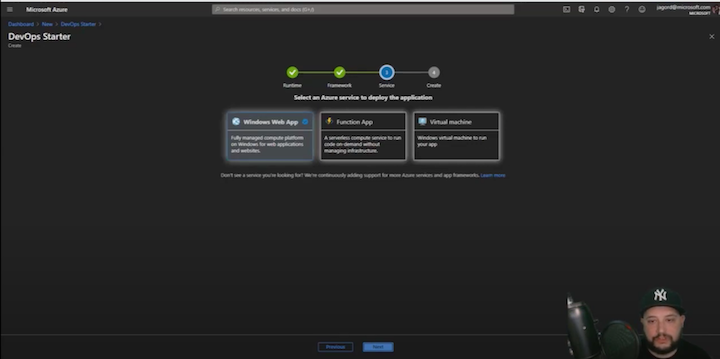
AzureFunBytes – CI/CD on Windows with the Azure DevOps Starter Kit
In this video, Jay will walk you through using the Starter to start creating a demo website, make changes, and have them deployed automatically thanks to Azure DevOps.

AzureFunBytes – Modernizing Your Apps With Containers
In this video, learn how to manage containers for deployment, options for container registries, and ways to manage and scale deployed containers. We’ll learn why to use containers, the advantages, and even demo a container creation.
Using Azure Machine Learning from GitHub Actions
Azure Machine Learning is the ideal product to help you mature your machine learning process with MLOps. Even better, it integrates very easily with GitHub Actions, enabling you to train your models automatically when your code changes.
AzureFunBytes – The AZ-900 Badge, Your First Triumph on Azure
Earning your certificate can provide you with the confidence to say to your current or future employer, "I know this." But even more, it's about letting yourself know you are ready to take on the world with your new skills using Microsoft Azure.
Top Stories from the Microsoft DevOps Community – 2020.12.18
Happy Friday! Our community has been hard at work this month with some great content. The topics this week cover Azure DevOps build agents, caching in Pipelines, and more! Check them out!
Azure DevOps Service Tag Released

Azure DevOps Services now supports Azure Service Tags! What problems did customers face without Service Tags? In the past, IP addresses changed when new Azure DevOps systems were added or migrated. Then, customers were unaware of the IP changes and were required to update their on-prem firewalls or Azure NSGs manually. What are Service Tags? Service Tags are a convenient way for customers to manage their networking configuration to allow traffic from specific Azure services. Now that a service tag has been set up for Azure DevOps Services, customers can easily allow access by adding the tag name AzureDevOps t...

AzureFunBytes – Azure Virtual Networks with Abel Wang
Using VNETs allows you to design and manage your networks without having to actually configure physical devices. Use VNETs to create hybrid networks with your existing on-prem/datacenter solution with your Azure workloads.
Top Stories from the Microsoft DevOps Community – 2020.12.11
Happy Friday! This week was GitHub Universe and we got a peek at some interesting stuff happening on the GitHub platform. We also have more great content from our community, covering topics from work item creation, to extending the capabilities of our pipelines (in glorious ways). Enjoy!

I need manual approvers for GitHub Actions!!!! And I got them now :)
GitHub just announced some CD features and I love them! Manual approvers for environments along with workflow visualization!

Azure DevOps Shorts: Azure Sentinel and AKS
Microsoft Azure Sentinel is a scalable, cloud-native, security information event management (SIEM) and security orchestration automated response (SOAR) solution. Azure Sentinel delivers intelligent security analytics and threat intelligence across the enterprise, providing a single solution for alert detection, threat visibility, proactive hun
December patches for Azure DevOps Server and Team Foundation Server
This month, we are releasing fixes for security vulnerabilities that impact our self-hosted product, Azure DevOps Server, as well as the following older Team Foundation Server releases: TFS 2015, TFS 2017 and TFS 2018.
Announcing Azure DevOps Server 2020.0.1 RC
Today, we are releasing Azure DevOps Server 2020.0.1 RC. This is a go-live release, meaning it is supported on production instances, and you will be able to upgrade to our final release. Azure DevOps Server 2020.0.1 includes bug fixes for Azure DevOps Server 2020.
Top Stories from the Microsoft DevOps Community – 2020.12.04
Happy Friday! It's great to start December with some interesting community content. Today we have posts on Jmeter, Azure Data Factory, SQL Server, netstandard2 builds, and M365 - all with an Azure DevOps twist. Enjoy!

Delivery Plans Public Preview Update
Our team has been hard at work addressing feedback, fixing bugs, improving performance, and even adding new features. In this blog post we wanted to highlight our progress and what you can expect over the next couple of sprints.
How Does Microsoft Do DevOps
This blog show Microsoft's DevOps Transformation story and then dives into how Microsoft does all things DevOps.

AzureFunBytes – DevOps on Azure with Donovan Brown
In this stream, Donovan Brown joins me to discuss the different methods of implementing DevOps on Microsoft Azure. We take a walk together through different workflows with GitHub Actions, Azure Web App Service, and more. Donovan helps me "rub some DevOps" on some deployment targets we'll spin up to ensure repeatable, reliable releases.
Optimum Developer Productivity – GitHub + Visual Studio Code + Azure
VS Code, GitHub, and Azure form the dream team that empowers GitHub developers to build the apps they love, the way they want, and deploy where they want.

ARM Templates Or HashiCorp Terraform – What Should I Use?
There are many tools that can help tackle infrastructure as code including cloud or host agnostic options like HashiCorp Terraform as well as platform-specific options like Azure Resource Manager Templates. Which is right for you?

AzureFunBytes Short – Cloud Shell
The Azure Cloud Shell is one of my favorite things about using Azure. Many of the administrative tasks that I may have had to run from a local computer can now be done from a browser anywhere I can authenticate into my Azure account. I used to always worry about needing a computer that had a shell or a terminal program with my ssh key on it all the time. Now, I keep much of this on my Azure Cloud Shell on my local computer so I can work pretty much anywhere. Azure Cloud Shell is an interactive, authenticated, browser-accessible shell for managing Azure resources. It provides the flexibility of choosing the shell...
Top Stories from the Microsoft DevOps Community – 2020.11.20
Happy Friday! We've had a really strong week of content. Feast your eyes on these varied topics - from pipeline components and build agents, to working with Java or Go apps, to testing databases in your CI. Our community has something for everyone.
Replacing “View YAML”

This sprint, we're replacing the "View YAML" experience. This is the feature which helps you migrate designer pipelines to YAML. The new version is more correct and covers more Classic Build features, which I'll cover in this post. It removes one useful quirk of the old implementation, so I'll share tips for anyone who depended on that quirk. The old experience The previous version of this feature worked on a job or step at a time. If you've never used it before, you can see how the old experience worked below. Once the new experience ships, if you click that button, you'll be greeted with a message telling ...
Static Web App PR Workflow for Azure App Service using Azure DevOps Pt 2 (But what if my code is in GitHub)
In part 1, I walked you you through how to set up that sweet pull request workflow for Static Web Apps if your app if your app is in Azure App Service and your code and pipelines are in Azure DevOps. Now I show you how to do the same thing if your pipelines are in Azure Pipelines, but your code is in a GitHub repo.

AzureFunBytes Short – Azure Containers (Kubernetes, Container Instances, More)
A container virtualizes the underlying OS and causes the containerized app to perceive that it has the OS—including CPU, memory, file storage, and network connections—all to itself. Because the differences in underlying OS and infrastructure are abstracted, as long as the base image is consistent, the container can be deployed and run anywhere
What’s New in Azure DevOps Docs For October?
Do you ever wonder what docs have been updated for Azure DevOps? We sure do, and now we track and report on it.

Things to consider when running visual tests in CI/CD pipelines: Container Pipeline Edition (Part 3)
What is a container based pipeline? In short, it's a pipeline where *each* task runs in a container. The benefit of this is I don't need to spend time configuring my build server or build environment with *all* the necessary dependencies and binaries needed for my pipeline.
Top Stories from the Microsoft DevOps Community – 2020.11.13
Happy Friday everyone! We have some great community content covering testing (for both code and infrastructure), YAML definition tips, and security scanning. Enjoy and have a great weekend!
Delivery Plans 2.0 Public Preview
Welcome to the public preview of Delivery Plans 2.0. We have added Delivery Plans into the core product and included some great new features like work items spanning iterations and stakeholder access. Give it a try today and let us know what you think.

Project Bicep Demo at Ignite 2020 by Mark Russinovich
Bicep is a Domain Specific Language (DSL) for deploying Azure resources declaratively. It aims to drastically simplify the authoring experience with a cleaner syntax and better support for modularity and code re-use. Bicep is a **transparent abstraction** over ARM and ARM templates, which means anything that can be done in an ARM Template can
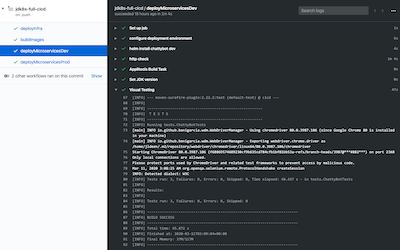
Things to consider when running visual tests in CI/CD pipelines: Azure Devops & GitHub Actions (Part 2)
Join us for the second post in this blog series, "Things to consider when running visual tests in CI/CD pipelines", where we focus on the pipeline based CI/CD method!
Top Stories from the Microsoft DevOps Community – 2020.10.30
Happy Friday and Happy Halloween! This week we have a number of great posts across a variety of topics. And just a heads up, we'll be taking next Friday (November 6th) off from the community roundup post and be back at it on November 13th!
What is DevOps? with Donovan Brown
"DevOps is the union of people, process, and products to enable continuous delivery of value to our end users." - Donovan Brown. Why we do "DevOps" comes down to that one big word Donovan highlights... value. Our customers want the services we provide to them to always be available, to be reliable, and to let them know if something is wrong.
Top Stories from the Microsoft DevOps Community – 2020.10.23
Happy Friday! In addition to the great community content this week, I'd like to highlight <a href="https://docs.microsoft.com/learn/paths/deploy-manage-resource-manager-templates/?WT.mc_id=devops-10272-stmuraws" target="_blank">a new learning path on Microsoft Learn</a>. This learning path can help you ramp up on ARM templates.

Azure Web App Service and GitHub Actions (Video Tutorial)
The video should help provide you with a great start on using this service with your Azure Web App Service. Utilizing resources like GitHub actions can help you on your journey to becoming a Microsoft DevOps Certified Expert.

Things to consider when running visual tests in CI/CD pipelines: Getting Started (Part 1)
Testing - it's an important part of a developer's day-to-day, but it's also crucial to the operations engineer. In a world where DevOps is more than just a buzzword, where it's become accepted as a mindset shift and culture change, we *all* need to consider running quality tests.
Top Stories from the Microsoft DevOps Community – 2020.10.16
Happy Friday! I've been on vacation this week, but I found some enjoyable reading thanks to you wonderful folks. Some CI/CD with containers and a few tips and tricks posts will carry you through the weekend.
What is infrastructure as code?
Infrastructure as Code (IaC) is the management of infrastructure (networks, virtual machines, load balancers, and connection topology) in a descriptive model, using the same versioning as DevOps team uses for source code. This blog post looks at two IaC options to use for Microsoft Azure.
Static Web App PR Workflow for Azure App Service Using Azure DevOps
The pull request workflow in Static Web Apps is super cool, but that only works for Static Web Apps and GitHub Actions.. This blog post walks you through how to implement the same PR workflow for Azure App Service using Azure DevOps
Azure DevOps Roadmap update for 2020 Q4
As part of our quarterly update, we’d like to share with you some of the highlights from the previous quarter and discuss what we have planned for this upcoming one. Each of the highlighted features includes a link to our public roadmap project where you'll find more details on the item and where you can check its status.

October patch for Team Foundation Server
This month, we are releasing a patch that impact Team Foundation Server 2018.
Top Stories from the Microsoft DevOps Community – 2020.10.09
Happy Friday (well, now Saturday..). Sorry for the late post, but I had some connectivity challenges that were more difficult to work around than expected yesterday. While I had connectivity challenges and am shipping this post a bit late, our community continues to deliver great content on time. Check out these great posts!

Removing Assigned To Rule from Bug
The hidden rule that assigns the bug to the person who created it when the state is changed to resolved, is about to be removed from the Agile process. In this blog post, we wanted to share the impact of this change as well as the work around for those customers who still want to use the rule in their projects.
Azure DevOps Server 2020 RTW now available
Today, we released Azure DevOps Server 2020 RTW. This is our final release of Azure DevOps Server 2020. You can upgrade from Azure DevOps Server 2020 RC2 or previous versions of TFS and Azure DevOps.
Top Stories from the Microsoft DevOps Community – 2020.10.02
Happy Friday! Our community continues to deliver interesting content. From PowerApps to VS Code, from secret scanning to cleaner YAML configurations, there's lots to learn.
Top Stories from the Microsoft DevOps Community – 2020.09.25
Happy Friday! I hope you got to enjoy some of the 48 hour Microsoft Ignite experience. If you missed it, <a href="https://myignite.microsoft.com/home?WT.mc_id=devopstopstories-blog-stmuraws" target="_blank">there's a ton of content available</a> to watch at your convenience. And as usual, we have a number of great community posts to take us

Optimizing package storage (and costs!)

With tiered-storage Artifacts billing, paying attention to your artifacts usage obviously... pays off! Here are some best practices around artifacts storage, to optimize and ultimately reduce your monthly costs. If there's one takeaway, it's to use feed retention settings!
Azure DevOps Services to end support for Internet Explorer 11 and legacy version of Microsoft Edge
Beginning December 31, 2020, Azure DevOps Services will no longer support Internet Explorer 11 and the legacy version of Microsoft Edge. After the above date, customers may have degraded experience when using Internet Explorer 11 and the legacy version of Microsoft Edge. While we understand that this change may be difficult, customers will benefit from using the new Microsoft Edge which follows the Modern Policy. To begin, we recommend that customers first read this detailed article about how to plan for Microsoft Edge deployment. The article guides customers through key questions and offers a path forward for ma...
Top Stories from the Microsoft DevOps Community – 2020.09.18
Happy Friday! Next week is Microsoft Ignite (<a href="https://aka.ms/devops/ignite-reg" target="_blank">Register now!</a>) which should have some great content! I know I'm looking forward to it. To help you get there, we've got some great posts today covering a wide range of topics.
Azure Artifacts billing changes coming October 2020
There are a few upcoming changes in October 2020 regarding the billing experience for all Azure Artifacts customers. The notable differences, starting October 5th, are around UI changes, a new storage drilldown feature, and changes within the usage limit tiers.
Top Stories from the Microsoft DevOps Community – 2020.09.11
Happy Friday! This week we have several Pipelines-related posts about versioning, building for Cloud Foundry, and managing infrastructure-as-code. We also have an interesting post on connecting Azure DevOps and M365 Search.
September patches for Azure DevOps Server
This month, we are releasing fixes that impact our self-hosted product, Azure DevOps Server 2019. The following has been fixed with this patch: Unexpected behavior while adding AD groups to security permissions.
Top Stories from the Microsoft DevOps Community – 2020.09.04
Happy Friday! We are going into a holiday weekend in the US, so I though you all might enjoy this mix of great community posts. We have content on DevSecOps, Infrastructure as Code, Compliance as Code, containers, and troubleshooting. Enjoy!
Top Stories from the Microsoft DevOps Community – 2020.08.28
Happy Friday! I'm back with a collection of posts from you, the wonderful Azure DevOps community. We range from how we use Azure DevOps to the fullest, to code formatting and security, to managing Azure Lighthouse.
Let’s Hack a Pipeline: Shared Infrastructure
Welcome back to Let's Hack a Pipeline. We've seen argument injection and source code stealing. This week, we'll wrap up the miniseries with Episode III: a Shared Infrastructure attack. One more time: security is a shared responsibility. The purpose of this series is to showcase some potential pitfalls to help you avoid them. The setup Let's say I'm part of a large company called Fabrikam. Fabrikam's Azure DevOps organization is divided into lots of separate projects. We have a centralized team responsible for setting up pipelines infrastructure. The central team has created an agent pool full of powerful build...
[Updated] New IP address ranges with Service Tags for Azure DevOps Services
Please see the Rollout Update section below for important information about brownout status and schedule change for East US 2 region. Azure DevOps Services will support Service Tags by the end of CY2020. Azure Service Tags are a convenient way for customers to manage their networking configuration to allow traffic from specific Azure services. Once a Service Tag has been set up for Azure DevOps Services, customers can easily allow access by adding the tag name azuredevops to their NSGs or firewalls either through the portal or programmatically. In preparation for this enhancement, our IP address space will be ...
Let’s Hack a Pipeline: Stealing Another Repo
We're back with another Let's Hack a Pipeline. Last time, we saw how to create - and prevent - argument injection. In this episode, we'll look at how a malicious user could access source code they shouldn't see. Welcome to Episode II: Stealing Another Repo. (Episode III is now available, too!) As I said before: security is a shared responsibility. The purpose of this series is to showcase some pitfalls to help you avoid them. I can't possibly cover every single angle, and examples have been simplified to make the point. The setup In a large company, there are probably some code repos I'm not allowed to see. Ev...
Top Stories from the Microsoft DevOps Community – 2020.08.21
Happy Friday! This week, thanks to our great community content, you can improve your productivity with YAML pipelines while working in VS Code and explore several different uses of Azure Pipelines!
Let’s Hack a Pipeline: Argument Injection
Welcome to Let's Hack a Pipeline! In this series of posts, we'll walk through some common security pitfalls when setting up Azure Pipelines. We don't really want to get hacked, so we'll also show off the mitigation. Episode I is titled Argument Injection. Episode II and Episode III are now also available. Preface on security A quick note before we begin: security is a shared responsibility. Microsoft tries very hard to set safe, sensible defaults for features we deliver. Sometimes we make mistakes, and sometimes threats evolve over time. We have to balance security with "not breaking people's things", especial...

New in Azure Boards Sprint 174
The Azure Boards team has been hard at work fixing bugs and shipping new features. We have a few features that are now generally available as well as few public preview features. Check out all of the Azure Boards Sprint 174 goodies
Top Stories from the Microsoft DevOps Community – 2020.08.14
Happy Friday! This week brings us a variety of stories -multistage build pipelines, building lab environments, deployment patterns, cross-cloud ARM64 builds, and using containers for development and build.
Azure DevOps Server 2020 RC2 now available
Today, we released Azure DevOps Server 2020 RC2. This is our last planned prerelease before our final release of Azure DevOps Server 2020. You can upgrade from Azure DevOps Server 2020 RC2 or previous versions of TFS and Azure DevOps.
Top Stories from the Microsoft DevOps Community – 2020.08.07
Happy Friday and welcome to August! This week we have a nice variety of posts, ranging across supporting infrastructure as code, workflow management, integrating with GitHub, and working with Raspberry Pi build agents. We top it off with a tips and tricks article that may have a new trick or two for you.
Azure Repos default branch name
Azure Repos added the ability to choose a default branch for new repositories.
Top Stories from the Microsoft DevOps Community – 2020.07.31
Happy Friday! It's the fifth Friday in July, so I'm going to try something a bit different today. There's a lot of interest in GitHub Actions, so we've got a number of Actions-related posts today. Let me know how you like the Actions content in the comments!
Top Stories from the Microsoft DevOps Community – 2020.07.24
Happy Friday! Reading these blog posts has been a great way to lead into this weekend. We start with flipping the infrastructure as code idea towards Azure DevOps, then we have a number of posts around different CI/CD aspects, and close out with some thoughts on pull request reviews.
Azure DevOps Roadmap update for 2020 Q3
As part of our ongoing commitment to Azure DevOps, we'd like to share with you some key features we're planning on delivering over the next quarter. Each of these highlighted features includes links to our public roadmap project where you'll find more details on the item and where you can check its status.
Top Stories from the Microsoft DevOps Community – 2020.07.17
Happy Friday! Today's selection of posts covers a variety of topics - from container scanning to authentication with Google Play and from reusing YAML templates to custom badges for all your status needs.
July patches for Azure DevOps Server and Team Foundation Server
This month, we are releasing fixes that impact our self-hosted product, Azure DevOps Server 2019, as well as Team Foundation Server 2018. Take a look at the blog post to learn more about this patch.
Top Stories from the Microsoft DevOps Community – 2020.07.10
Happy Friday! This week, we've got a few stories around improving the pull request/code review process, with a bit of containers and infrastructure-as-code thrown in for flavor. Enjoy!
Azure Boards Summer Update
The summer of 2020 has been busy for the Azure Boards team. We are actively pushing out new features and fixing bugs. Over the next couple of sprints, we plan on delivering some exciting new features. Here are some of the things we recently completed and some features coming soon.
Top Stories from the Microsoft DevOps Community – 2020.07.03
Happy Friday! Working with secrets, managing the flow of work, testing, and CI are the focus points for today's roundup. Enjoy!
Updated: Announcing Azure DevOps Server 2020 RC1
Today, we are releasing Azure DevOps Server 2020 RC1. This is a go-live release, meaning it is supported on production instances, and you will be able to upgrade to our final release. We’ve added a ton of new features which you can read about in our release notes.
Top Stories from the Microsoft DevOps Community – 2020.06.26
Happy Friday! It's the last Friday in June and I've got some great posts for you this week. Covering a variety of topics including creating dynamic pools of self-hosted agents, improving your documentation, working with on-premises source control, and using the cool new GitHub Super Linter, there is a little something for everyone.
Top Stories from the Microsoft DevOps Community – 2020.06.18
This edition is a bit early. It's Thursday, June 18th, and tomorrow in the United States is <a href="juneteenth.com" target="_blank" rel="noopener">Juneteenth Day</a>. Enjoy these community posts today and let tomorrow be about other voices.
An alternative to the Azure DevOps App in the Microsoft Teams app store

Guidance to move to new suite of specific apps for Azure DevOps in Microsoft Teams
Top Stories from the Microsoft DevOps Community – 2020.06.12
It's Friday and we are back with some great content from this wonderful Azure DevOps community. I'll keep the commentary to a minimum and let you enjoy some community posts.
How to hide or edit the reason field in Azure DevOps
In this blog post we will share a couple work arounds for those customers who would like to hide or customize the reason field.
June patches for Azure DevOps Server and Team Foundation Server
This month, we are releasing fixes for security vulnerabilities that impact our self-hosted product, Azure DevOps Server 2019, as well as the following older Team Foundation Server releases: TFS 2017 and TFS 2018.
TF221122: An error occurred running job Work Item Tracking Warehouse Sync for team project collection
When running Azure DevOps Server, or previous versions for TFS, you may come across this error... TF53010: The following error has occurred in a Team Foundation component or extension: Detailed Message: TF221122: An error occurred running job Work Item Tracking Warehouse Sync for team project collection or Team Foundation server TPC01. Exception Message: Cannot create compensating record. Missing historic data. Predecessor of work item(s) 1944917|7|7d5ffdd2-ea37-4335-9111-c3601c20096c not found. (type SqlException) SQL Exception Class: 16 SQL Exception Number: 1000002 SQL Exception Procedur...
Top Stories from the Microsoft DevOps Community – 2020.05.29
Happy Friday! This is the last post for this month - and it's been a good month. Now, on to stories covering container-based builds, ARM templates, UI testing, build variable management, and the Power Platform, from you - the wonderful Azure DevOps community!
New in Azure Boards sprint 170
Checkout out the new features in Azure Boards sprint 170
Top Stories from the Microsoft DevOps Community – 2020.05.22
Happy Friday! This week was our first ever online Microsoft Build, where we had 48 hours of continuous content across all the developer experience. Now back to our regularly scheduled community blog highlights. This week's theme is the delivery pipeline - check them out!
Streaming for Auditing is now in Public Preview

Auditing for Azure DevOps enables organization administrators to monitor and react to changes throughout their organizations. Today we are excited to announce that streaming for auditing is now available for all organizations as a public preview! Streaming allows audit data to be sent automatically to other locations for further processing. Sending auditing data to Security Incident and Event Management (SIEM) tools opens up exciting new possibilities such as alerting on specific events, creating powerful views on top of auditing data, and performing automated anomaly detection. It also allows you to store more t...
Azure DevOps Roadmap update for 2020 Q2
We have recently updated the Features Timeline to showcase areas where we are making key investments for this quarter. I am delighted to share few of those initiatives that we have planned for Q2 with you.
Top Stories from the Microsoft DevOps Community – 2020.05.15
Happy Friday! Things are busy in the Microsoft space as we ramp up for Microsoft Build next week. While it can be hard to wait for the content from Build, we've got some great community posts to keep you reading until then.
May patch for Team Foundation Server
This month, we are releasing a patch that impacts Team Foundation Server 2015. There are no security fixes with this patch; this patch includes functional changes to fix an error message when getting the list of projects in administration pages.
An Alternative to VSTS App in Slack app store
Apps for Azure Pipelines, Azure Boards and Azure Repos in Slack app store as an alternative to VSTS App in Slack app store
Top Stories from the Microsoft DevOps Community – 2020.05.08
Happy Friday! Growing up, my mom was definitely the project manager of the house. I think she may appreciate this weeks posts about work item and iteration management. We also have an interesting challenge with Azure API Management and a way to keep your private build agents .NET Core up to date.
Top Stories from the Microsoft DevOps Community – 2020.05.01
Happy Friday and 1st of May! This week we cover integration with how to ensure your spending on the right things, IBM environments, Azure Functions, working with the Power Platform, and I couldn't forget something about PowerShell.
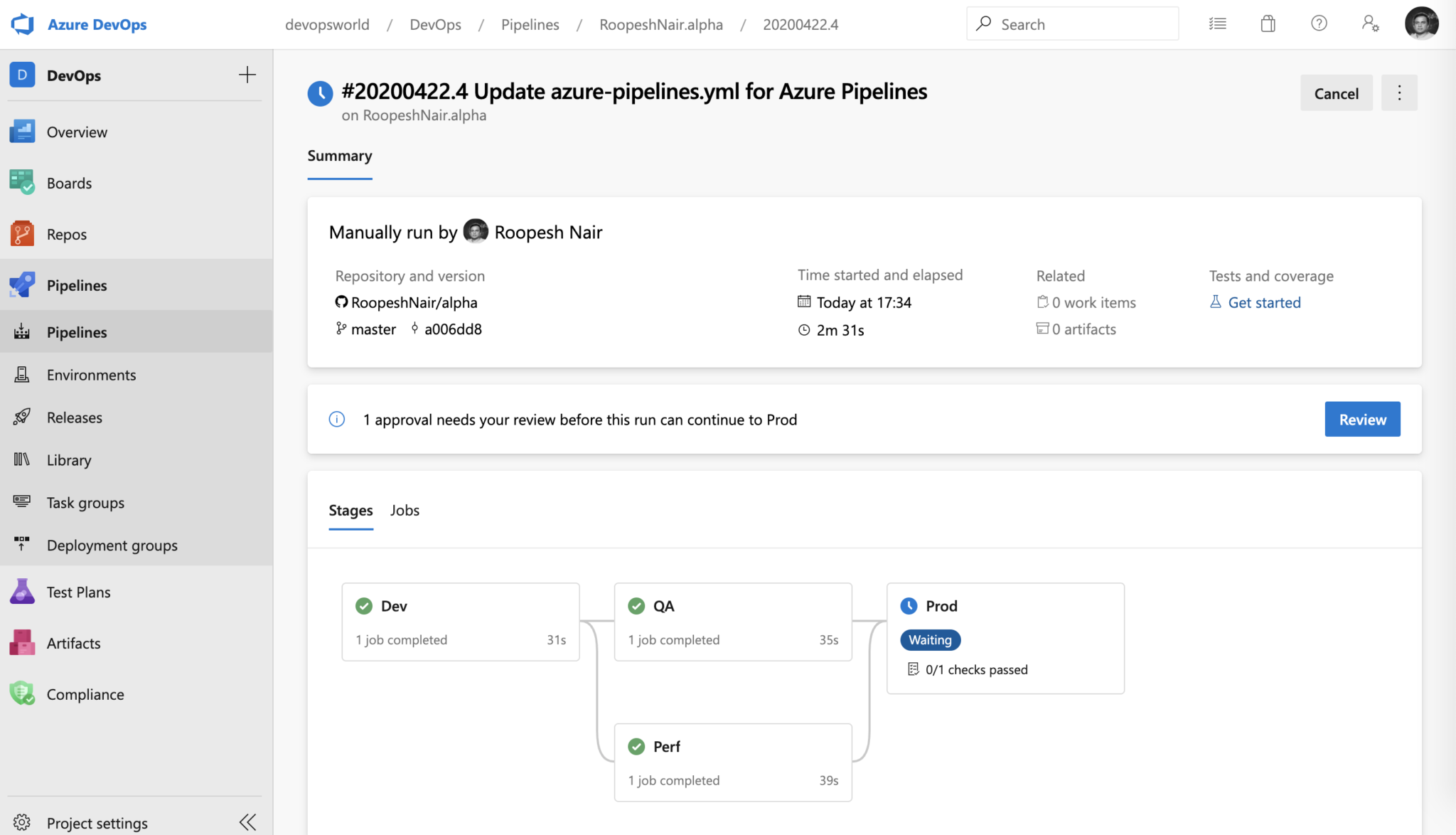
Announcing General Availability of YAML CD features in Azure Pipelines

Azure Pipelines YAML CD features now generally available We’re excited to announce the general availability of the Azure Pipelines YAML CD features. We now offer a unified YAML experience to configure each of your pipelines to do CI, CD, or CI and CD together. Releases vs. YAML pipelines Azure Pipelines supports continuous integration (CI) and continuous delivery (CD) to test, build and ship your code to any target - repeatedly and consistently. You accomplish this by defining a pipeline. CD pipelines can be authored using the YAML syntax or through the visual user interface (Releases). You can create and...
Top Stories from the Microsoft DevOps Community – 2020.04.24
Happy Friday! I have some great reading for the weekend. From deciding what build pipeline to create to tackling problems like updating variables to troubleshooting hung builds or misplaced build artifacts to getting ready to deploy containerized applications, there is a little something for everyone here.
Top Stories from the Microsoft DevOps Community – 2020.04.17
Happy Friday! This week we have a few Python-related posts, some .NET Core CI/CD, and PowerShell (for both Azure Boards and Azure DevOps wikis). Enjoy your weekend and some great community reading!
April patches for Azure DevOps Server and Team Foundation Server
This month, we are releasing patches that impact our self-hosted product, Azure DevOps Server 2019, as well as Team Foundation Server 2018. There are no security fixes with this patch; these patches include functional changes.
Top Stories from the Microsoft DevOps Community – 2020.04.10
Happy Friday! It's been another crazy week, but I've got some great weekend reading for you here. With Terraform in CI/CD, parameterized builds, some database migration love, a cool build automation project, and a dose of daily PowerShell in your pipeline there is something for everyone.
Top Stories from the Microsoft DevOps Community – 2020.04.03
Happy Friday! Maintaining our "social distance" can be tough, but fortunately reading through these posts and experimenting ourselves is a great way to pass the time. Today's selection of community content has lots of JavaScript! From Azure Functions to Angular to React, Azure DevOps has you covered and our awesome community shows us the way.
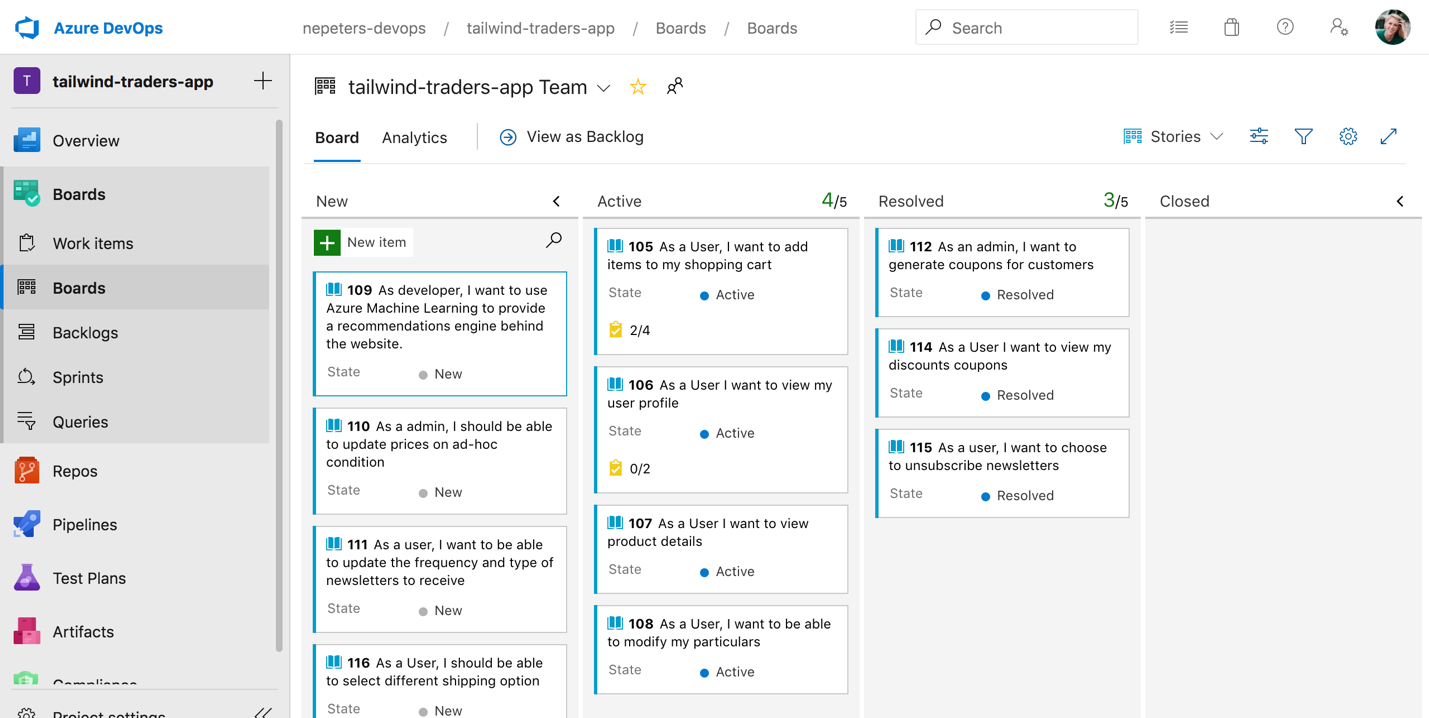
Remoting into DevOps

The impacts of the COVID-19 global health pandemic on our lives and work will ripple out for years. With almost no notice, nearly the entire world has been thrust into remote work. As we adjust to this new normal, DevOps can help.
Optimizing for stability during the global health pandemic
Azure DevOps serves as the foundation of the engineering system for many of our customers, as well as for most of Microsoft itself. With so much uncertainty arising from the COVID-19 global health pandemic, during this time we believe our overriding focus for Azure DevOps needs to be stability and reliability.
Top Stories from the Microsoft DevOps Community – 2020.03.27
Happy Friday DevOps friends! Check out today's stories where we range from getting SSIS Catalogs under source control to self-updating screen shots in projects to a collection of projects working in the open to help with the COVID-19 pandemic.
Top Stories from the Microsoft DevOps Community – 2020.03.20
Happy Friday everyone! The content parade continues this week with topics including: database changes in the pipeline, infrastructure as code, security, and automation of Azure DevOps itself.

Introducing the New Pull Request Experience for Azure Repos

Try out Azure Repos' mobile-friendly and faster pull request experience with new features like adding required reviewers per pull request, comparing multiple iterations, and accepting suggested changes within the pull request!
Supporting SHA-2 algorithm in SSH on Azure DevOps
![Jimson Chalissery [MSFT]](https://devblogs.microsoft.com/devops/wp-content/uploads/sites/6/2019/01/jimson-150x150.jpg)
With the release of OpenSSH 8.2 last month, connections to SSH servers using SHA-1 was disabled by default in the OpenSSH client. We understand that this move helps improve the security of SSH connections, by encouraging all users to adopt the SHA-2 class of algorithms, generally considered safer. However, this resulted in OpenSSH users not being able to connect to Azure DevOps, since Azure DevOps only supported SHA-1 class algorithms. Workaround was to use a flag to force the client to fall back to SHA-1. We've now remedied the situation by enabling support for a SHA-2 class key exchange algorithm - ‘diffie-hel...
Top Stories from the Microsoft DevOps Community – 2020.03.13
Hey y'all! Happy Friday the 13th! While there's lots of discouraging things out on the interwebs lately, we have some great examples of how to continue to deliver software. From build pipelines and shared definitions to custom release notes to caching, there's a lot of great content this week.
March patches for Azure DevOps Server and Team Foundation Server
This month, we are releasing fixes for security vulnerabilities that impact our self-hosted product, Azure DevOps Server 2019, as well as the following older Team Foundation Server releases: TFS 2015, TFS 2017 and TFS 2018.
Top Stories from the Microsoft DevOps Community – 2020.03.06
It's been another good week for Azure DevOps content. This week we've got a comparison in working with Azure Pipelines Tasks and GitHub Actions, see how Azure DevOps is any language, any platform, any cloud, and take a look at using Terraform output to help with later tasks. Thanks to the community for continuing to share great content!
Update: Support for TLS 1.0/1.1 in Azure DevOps Services Extended
Unlike previously announced, we will not temporarily or permanently disable TLS 1.0 and TLS 1.1 in Azure DevOps Services until further notice.
Top Stories from the Microsoft DevOps Community – 2020.02.28
Hi y'all! I'm Steven Murawski, a Cloud Advocate here at Microsoft. I'm going to be helping with the community stories and we've got a great issue today! There are some great getting started ideas, a cautionary note about expectations vs. experience, a thorough pull request process, and examples of Azure DevOps for any language, any platform.
Azure DevOps Services to require TLS 1.2 (Updated)
UPDATE: Based on customers' feedback, we have decided to postpone this change. We will not disable TLS 1.0/1.1 support for Azure DevOps Services until further notice.
Support for Azure DevOps Services is now included with Azure support plans
Starting February 24, the legacy Basic and Premium support options for Azure DevOps Services will be retired, and support for our cloud-based Azure DevOps Services will be offered through Azure support plans instead.
Introducing Scalar: Git at scale for everyone

Git is a distributed version control system, so by default each Git repository has a copy of all files in the entire history. Even moderately-sized teams can create thousands of commits adding hundreds of megabytes to the repository every month. As your repository grows, Git may struggle to manage all that data. Time spent waiting for to report modified files or to get the latest data is time wasted. As these commands get slower, developers stop waiting and start switching context. Context switches harm developer productivity. At Microsoft, we support the Windows OS repository using VFS for Git (formerly GVFS)...
Azure DevOps Roadmap update for 2020 Q1
Last week we updated the Features Timeline to provide visibility to several of our key investments for this quarter. I am happy to share a few highlights on some of the features for Q1.
Top Stories from the Microsoft DevOps Community – 2020.01.31

I still cannot believe it is 2020, and yet January is already over! This week, we've got updates on working with Git, deploying static websites and Azure VMs, and more. Thanks to the community for creating this great content!
Top Stories from the Microsoft DevOps Community – 2020.01.24
This week was the week of the first-ever DeliveryConf event, where we tried a new format aimed to encourage the audience participation, and the sharing of insights between professionals working with different technologies in the same space. We've learned a lot!
Azure Pipelines hosted pools updates

Azure Pipelines is currently investing in updating and removing some of its hosted images. These changes are designed to ensure we are able to better serve the needs of our growing user base. As a result, a set of exciting changes are coming during the months of January - March 2020. Changes coming in January 2020 During the week of January 27, 2020, the image will be updated to point to . Currently, the image points to . This does not change our support for . You can continue to use by directly referencing this label in your YAML and classic pipelines. Changes coming in February 2020 On February 3, 2020, ...
Removing older images in Azure Pipelines hosted pools
Over the past year, we have been able to update Azure Pipelines hosted images faster than ever before. We have also rolled out new images - Windows Server 2019 with Visual Studio 2019, Ubuntu 18.04, and macOS Mojave 10.14. We have seen a phenomenal growth in the use of hosted pools. To prepare for another set of exciting updates this year and to better serve the needs of our growing user base, we have to make room - both in terms of Azure capacity and in terms of human support resources - and remove some of the less used, older images. On March 23, 2020, we'll be removing the following Azure Pipelines hosted ima...
Top Stories from the Microsoft DevOps Community – 2020.01.17
The new year is underway, and the days are getting longer. This week, we have some exciting news to share, and some great articles to discuss. Grab a warm beverage and let's get started!
Top Stories from the Microsoft DevOps Community – 2020.01.10
We are in the second week of the new year, and people are slowly getting back into full-time work mode. This week, our community posts are all about extensions and integrations. Read on for some great content!
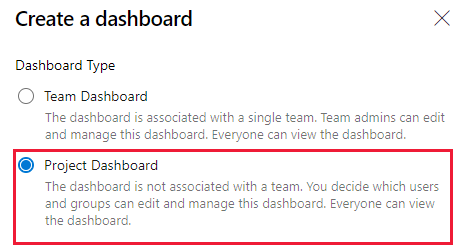
Create Dashboards without a Team

Now you can create a dashboard without needing to have a team first. Create and share cross-team dashboards. Personalize who can edit them.
Top Stories from the Microsoft DevOps Community – 2020.01.03
This is the first post of 2020, and the community did not take a break for the holidays! Today, I am reminded of the importance of 101s and introductory trainings. Wherever you are on your (Azure) DevOps journey, this community has content for you!
Top Stories from the Microsoft DevOps Community – 2019.12.20
This post is the last community roundup before the holiday break, and we certainly have some holiday cheer for you. Thanks to all the blog authors, and check out the end of the post for a fun holiday-break project!
DeliveryConf 2020
This year, I’ve been privileged to work with a great team across the DevOps community and help co-chair the new DeliveryConf conference, a non-profit conference dedicated to the technical aspects of Continuous Integration and Continuous Delivery. I am looking forward to all the fantastic technical sessions on CI/CD!
Top Stories from the Microsoft DevOps Community – 2019.12.13
It is the holiday season, and the bright lights are everywhere. In the technology world, I hope you're seeing more green than red lights in your Azure Pipelines status badges!
Now available: Azure DevOps Server 2019 Update 1.1 RTW
Today, we are releasing Azure DevOps Server 2019 Update 1.1 RTW. Azure DevOps Server 2019 Update 1.1 includes bug fixes for Azure DevOps Server 2019 Update 1. You can find the details of the fixes in our release notes.

What’s new in Azure DevOps Sprint 161
Sprint 161 has just finished rolling out to all organizations and you can check out all the cool features in the release notes. This post covers just some of the features that you can start using today.
Top Stories from the Microsoft DevOps Community – 2019.12.06
This week, the emerging theme of the community posts is the cross-platform, cross-cloud, extensible nature of Azure DevOps. Azure DevOps is not just a product, but a platform, enabling the community to expand and improve on our engineering efforts to support the growing variety of technologies around the world.
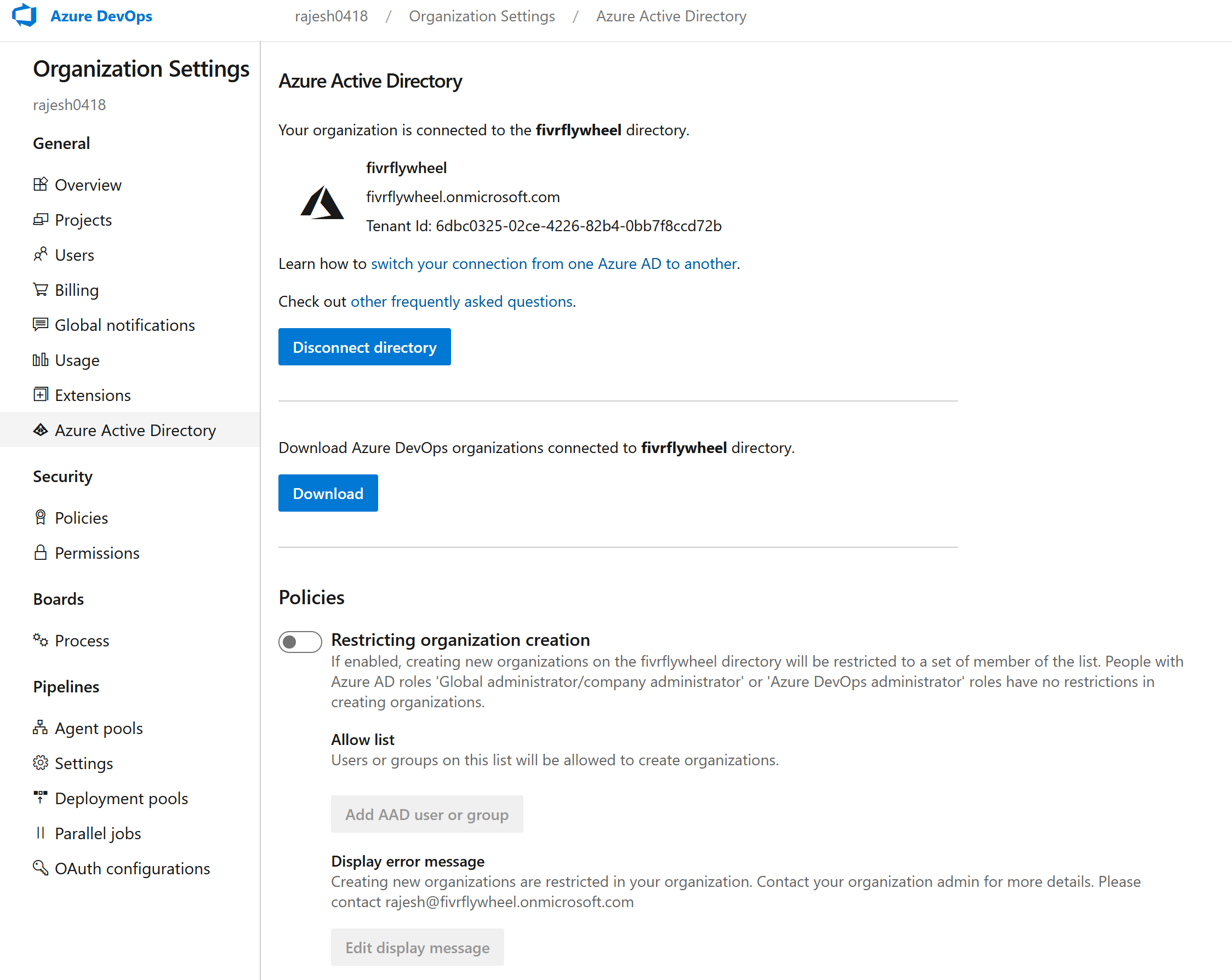
Policy support to restrict creating new Azure DevOps organizations
We are rolling out a new tenant policy in Azure DevOps to configure who are allowed to create new Azure DevOps organizations in your company.
Top Stories from the Microsoft DevOps Community – 2019.11.29

Round up of the latest community news to be thankful for. This week we have CI/CD using IoT Hub, 100 days on IaC, Configuring CI/CD with Azure Pipelines, using the GitHub Actions for Azure, 3 ways to automate tests, Deploying to GCP using Terraform with Azure Pipelines and a reminder that Gene Kim's latest book, The Unicorn Project, is out now
Azure DevOps will no longer support Alternate Credentials authentication

Azure DevOps will no longer support Alternate Credentials authentication beginning March 2, 2020. Customers still using Alternate Credentials have until then to transition to a more secure authentication method, to avoid this breaking change impacting their DevOps workflows.
Top Stories from the Microsoft DevOps Community – 2019.11.22
After all the recent travel, I finally got to spend this week at home and recharge. It was a much-needed break, and I got to enjoy Chicago, even though the winter decided to arrive early this year. So we can make a fresh cup of tea, and enjoy some community posts on code security and mobile development!

A Sprint Burndown widget with everything you’ve been asking for
Sprint burndown the way you want. Burndown by Story Points, count of Tasks, custom fields. Create burndowns on Epics, Features, Stories. Resize to 10x10.
Top Stories from the Microsoft DevOps Community – 2019.11.15
This week was the week of GitHub Universe, with some fantastic announcements coming out. If you've missed it, it is definitely worth taking a look at the day one and two keynotes. In the meantime, check out the great content the Azure DevOps community shared!
What’s new in Azure DevOps Sprint 160
Sprint 160 has just finished rolling out to all organizations and you can check out all the new features in the release notes. Here are some of the features that you can start using today. ReviewApp in Environments Pull requests are a very useful tool that allows developers to review new code before it is merged into the master branch. But in the new microservices-oriented world, we need to check not just the code, but the service itself. Even when the deployment is targeting a development environment, we want to verify that we aren't breaking any of our dependencies. To enable this scenario, ReviewApp d...

Uploading to Codecov just got easier
Codecov.io added tokenless uploading of coverage results for public Azure Pipelines.

Updates to the Git Commit Graph Feature
In a previous blog series, we announced that Git has a new commit-graph feature, and described some future directions. Since then, the commit-graph feature has grown and evolved. In the recently released Git version 2.24.0, the commit-graph is enabled by default! Today, we discuss what you should know about the feature, and what you can expect when you upgrade. What is the commit-graph, and what is it good for? The commit-graph file is a binary file format that creates a structured representation of Git's commit history. At minimum, the commit-graph file format is faster to parse than decompressing commit files...
New with Azure Artifacts: public and project-scoped feeds

Sharing what's new with Azure Artifacts. You can now share packages publicly with anyone on the Internet (without authentication). You can also restrict feeds to a specific project only. We've also made other performance improvements, and we've added a new "Feed recycle bin".
Top Stories from the Microsoft DevOps Community – 2019.11.08
This week, Microsoft Ignite brought our team to sunny Orlando, Florida, along with thousands of professionals leveraging Microsoft technologies around the globe. To give you a taste of the event, this week's post features some of the recordings of the community-driven Microsoft Ignite sessions dedicated to Azure DevOps.
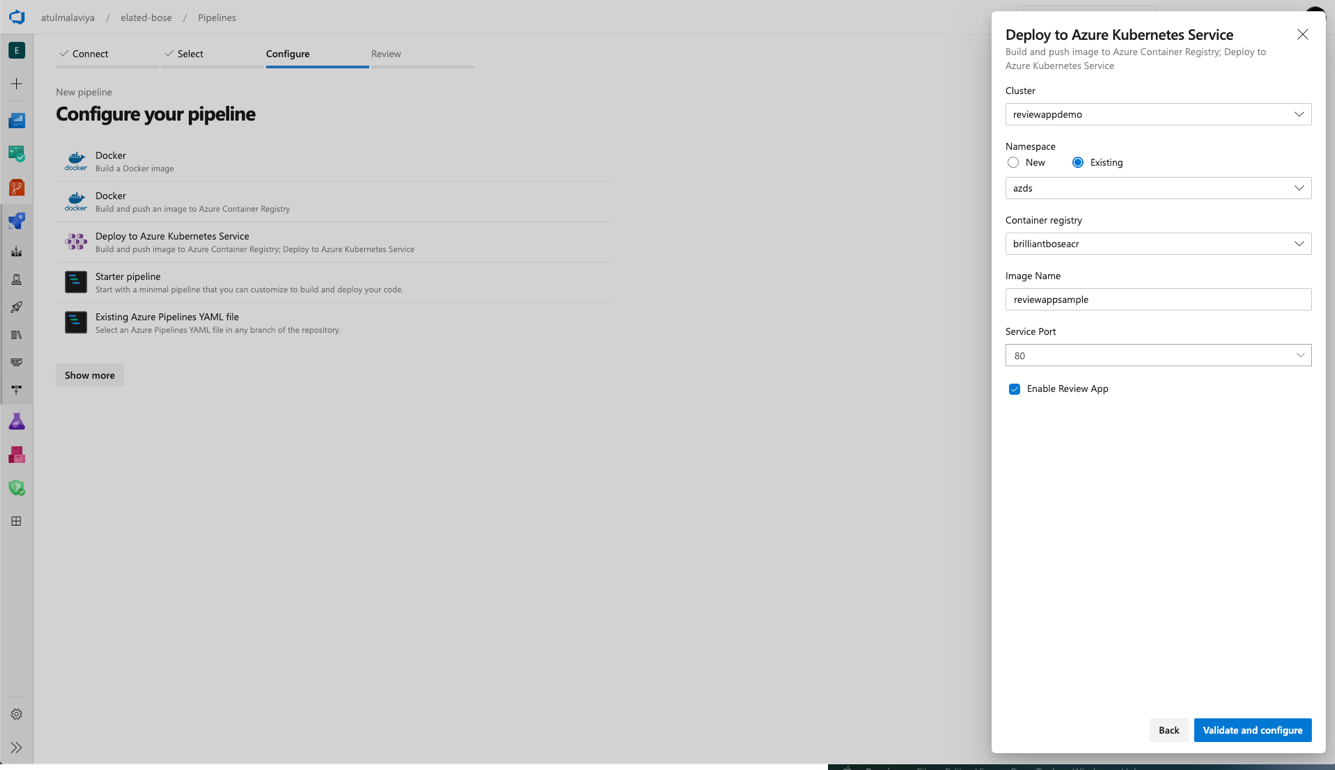
Review Apps in Azure Pipelines

The new Review Apps feature of Azure Pipelines (in preview) allows developers to dynamically create environments on every Pull Request, to test applications consisting of multiple microservices.
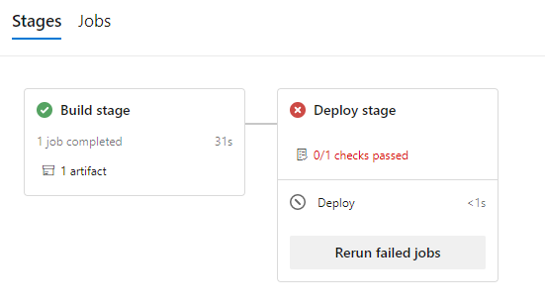
Secure software supply chain with Azure Pipelines artifact policies

New preview capabilities for Azure Pipelines let you define artifact policies that are enforced before deploying to critical environments such as production. You will be able to define custom policies that are evaluated against all the deployable artifacts in a given pipeline run and block the deployment if the artifacts don't comply.
Now available: Azure DevOps Server 2019 Update 1.1 RC
Today, we are releasing Azure DevOps Server 2019 Update 1.1 RC. This is a go-live release, meaning it is supported on production instances, and you will be able to upgrade to our final release.
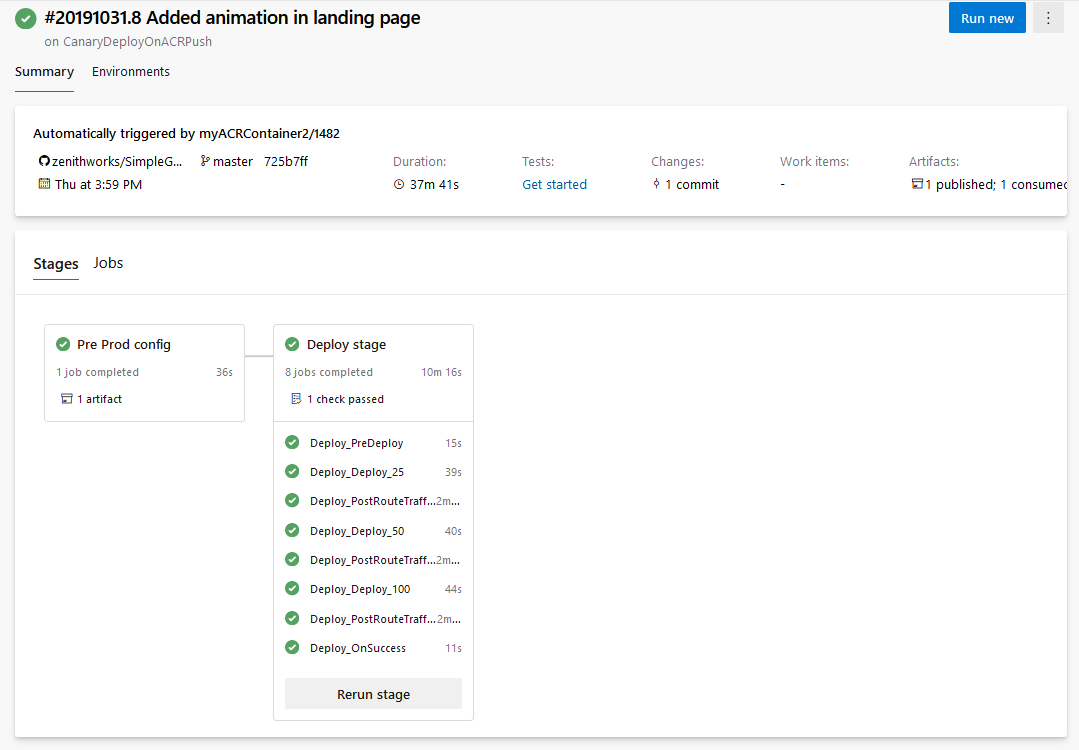
Improved Continuous Delivery capabilities and caching for Azure Pipelines
What's new with Azure Pipelines. We've updated Continuous Delivery capabilities with triggers on other pipelines and Azure Container Registry, and implemented new deployment strategies for VMs and Kubernetes. We're also making Pipeline Caching and Pipeline Artifacts generally available.
Top Stories from the Microsoft DevOps Community – 2019.11.01
Highlights from the past week from the Microsoft DevOps community. Featuring a readiness checklist for Azure, GUI testing with the Robot Framework, Fortify integration and a great write-up on the recent CVE-2019-1306 security issue patched in September.
Azure DevOps Roadmap update for 2019 Q4
We are continuously investing in Azure DevOps, this quarter we plan to deliver very exciting enhancements and features across our services. The features listed below are a few highlights of what we plan to deliver in Q4. Visit the Features Timeline for a complete look at the list of features for Q4.
Announcing the Azure Boards app for Microsoft Teams

Create and monitor work items in Azure Boards from your Microsoft Teams channel.
What’s new in Azure DevOps Sprint 159
Sprint 159 has just finished rolling out to all organizations and you can check out all the new features in the release notes. This post covers just some of the features that you can start using today.
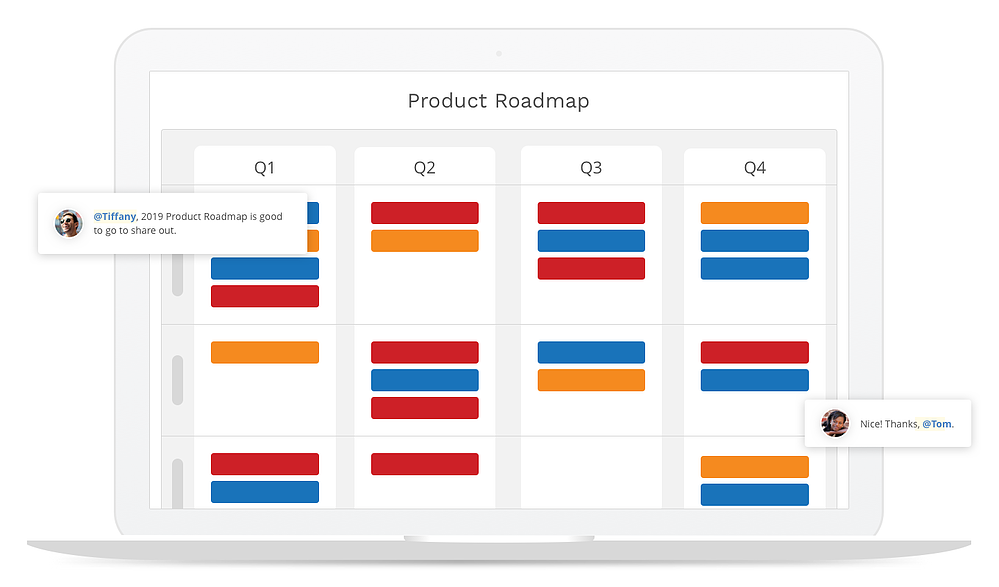
Integrate your product roadmap to Azure Boards

What is a product roadmap and how can teams leverage that in connection with their backlogs? Andre Theus from ProductPlan explains the difference between strategic product roadmaps and tactical backlogs, and how teams can use ProductPlan for roadmapping together Azure Boards thanks to the integrations.
Top Stories from the Microsoft DevOps Community – 2019.10.25
Azure DevOps and Azure Cloud thrive through partnerships. I am especially grateful to our community members and partners who work with us on broadening that ecosystem. In this week's newsletter, we will highlight integrations between Azure DevOps and a range of 3rd party and 1st party tools.
Announcing the Azure Repos app for Microsoft Teams

Coding is a team sport. To help developers be more efficient, we are excited to announce the new Azure Repos app for Microsoft Teams
Top Stories from the Microsoft DevOps Community – 2019.10.18
It is the fall conference season, which means that this blog may be brought to you from a different geographical location every week. This week I had the privilege of speaking at All Things Open, and a chance to visit our Raleigh, NC office for the first time ever. Are you participating in any fun events this fall?
Top Stories from the Microsoft DevOps Community – 2019.10.11
Delivering software, especially in a large organization, is as much about writing code as about successful project and process management. In this week's community update, we take a look at various ways to visualize and extend the process management tasks in Azure DevOps. Happy Friday!
Top Stories from the Microsoft DevOps Community – 2019.10.04
Time flies, and it is October already. Pumpkins are everywhere, even in Azure DevOps. If you are looking for a fun automation project for Halloween, check out our last story for this week!
What’s new in Azure DevOps Sprint 158
Sprint 158 just finished rolling out to all organizations and you can check out all the cool features in the release notes. This post covers just some of the features that you can start using today.
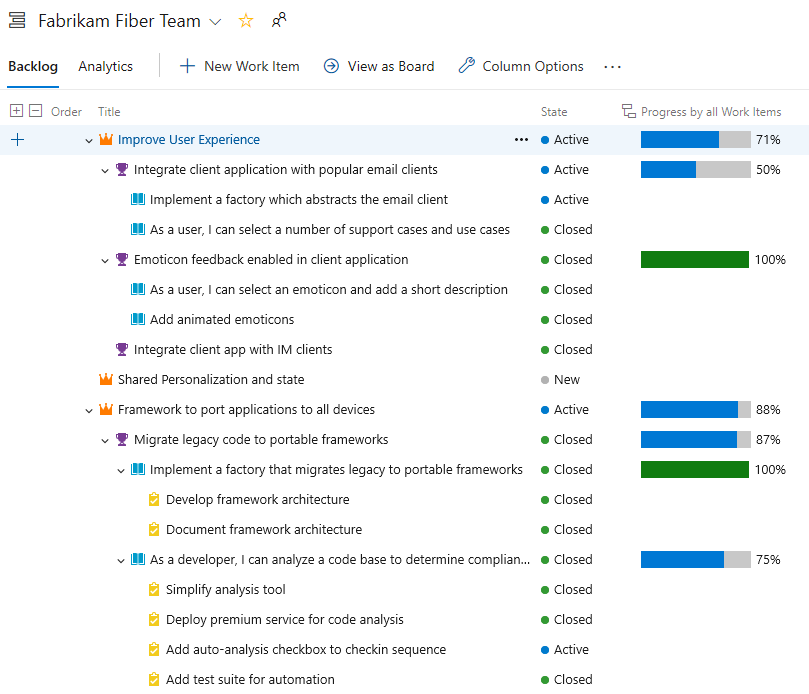
Track the progress of work using Rollup columns

How is our Feature progressing? As simple and common as this question is, it’s a hard one to answer. Especially if your Feature is complex and is composed of multiple User Stories and Tasks. With Sprint 157 Update you will be able to answer this using Rollup in Azure Boards backlog view. What is rollup? Rollup is an aggregation displayed on a parent item (like Epic, Feature or even User story) calculated based on parent child relationships. For example, at the Feature backlog you can track progress of each of the Features based on the sum of Story Points for the completed linked User Stories. Learn more about ...
Top Stories from the Microsoft DevOps Community – 2019.09.27
Whether or not you are an optimist, many jobs in technology teach you to anticipate and protect against the worst-case scenario. In this week's community stories, we learn more about the importance of automated testing and the perils of edge cases in Site Reliability Engineering. Let's get started!
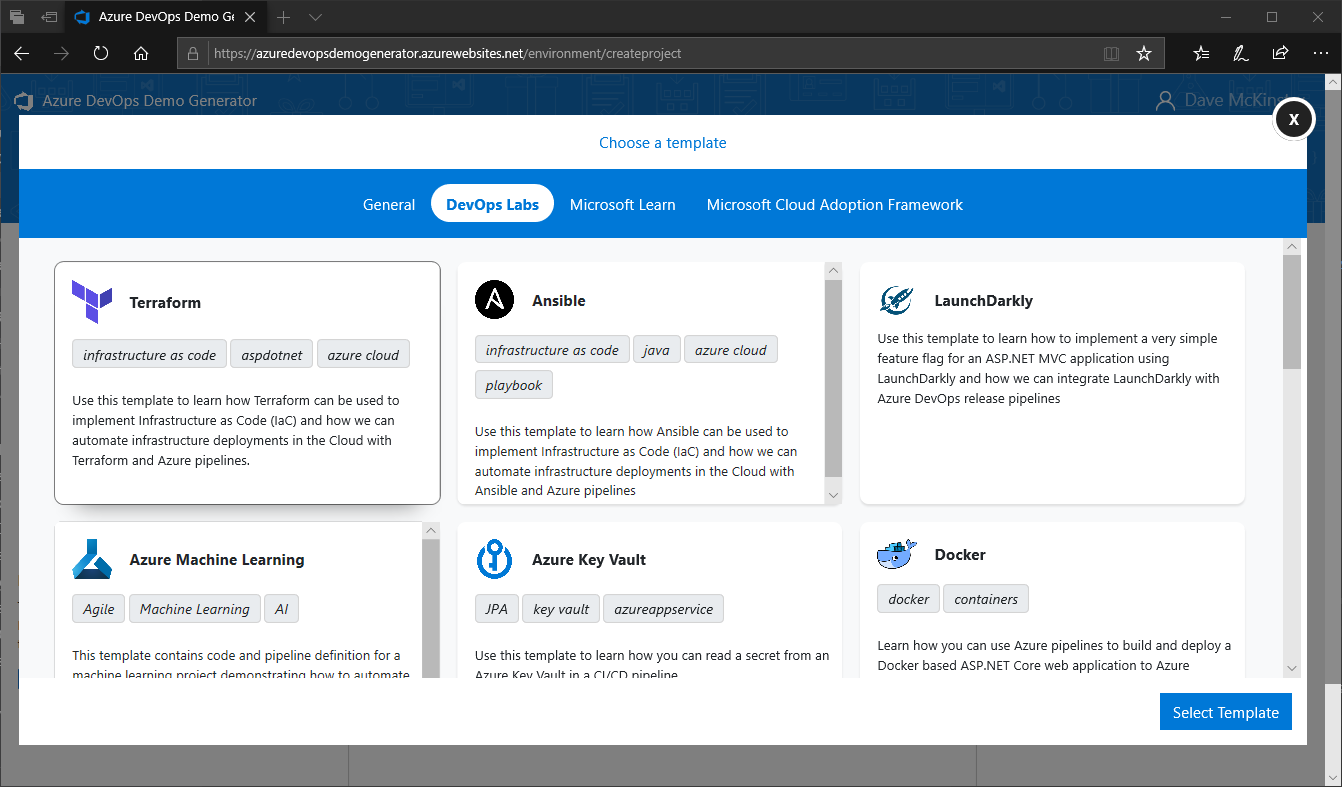
Azure DevOps Demo Generator is now open source

The Azure DevOps Demo Generator is a community operated service that provisions template-based projects inside your Azure DevOps organization. Today we've published the source code for Demo Generator under the MIT License and welcome community participation. We've also enabled the ability to generate and use your own custom templates!
What’s new in Azure DevOps Sprint 157
Sprint 157 has just finished rolling out to all organizations and you can check out all the cool features in the release notes. This post covers just some of the features that you can start using today.
Top Stories from the Microsoft DevOps Community – 2019.09.20
Do tools facilitate the adoption of DevOps culture, or is it the other way around? How important are the technical tools in helping us deliver value to our end-users with higher quality and less friction?

Team Safety with the Anonymous Fist to Five method
The success of any agile team is built on the shoulders of its individuals and their ability to work as a team. Those individuals need to feel safe to express their ideas and thoughts without other members passing judgement on each other. For every great idea your team has, there are dozens of other ideas that don't stick. If team members are not in a safe and inclusive environment, those ideas will never be proposed. This stifles team growth and innovation. Having a team culture where individuals feel good about expressing ideas and thoughts is how a high functioning agile team is built and is able to excel. Bu...
Top Stories from the Microsoft DevOps Community – 2019.09.13
This week the community presented me with a good problem to have - too much great content! Even after paring it down, there is still a lot I wanted to share. Arm yourself with a fresh beverage, we are about to dive in!
September patches for Azure DevOps Server and Team Foundation Server

This month, we are releasing fixes for security vulnerabilities that impact TFS 2015, TFS 2017, TFS 2018, and Azure DevOps Server 2019. CVE-2019-1305: cross site scripting (XSS) vulnerability in Repos CVE-2019-1306: remote code execution vulnerability in Wiki Here are the versions impacted: Azure DevOps Server 2019 Update 1 Patch 1 If you have Azure DevOps Server 2019 Update 1, you should install Azure DevOps Server 2019 Update 1 Patch 1. Verifying Installation To verify if you have this update installed, you can check the version of the following file: [INSTALL_DIR]\Application Tier\Web Services\bin\Mic...
Top Stories from the Microsoft DevOps Community – 2019.09.06
I am always grateful for the opportunity to publish this newsletter, as the community continues to surprise me with amazing stories of applying automation to improve both software and human lives. Please check out this week's stories, especially the last one!
Top Stories from the Microsoft DevOps Community – 2019.08.30
Sasha has been out at DevOpsDays Chicago this week so my turn to pick the highlights from the amazing Azure DevOps community across my feeds. Worth mentioning that while DevOpsDays Chicago has finished, there are plenty of local DevOpsDays happening across the globe. Next week it's the turn of Cape Town where Rory Preddy will be showing you how to integrated Accessibility Insights into your CI/CD pipeline in Azure. Remember, DevOps is about improving the flow of value to all your end users not just the temporarily unimpaired. Building accessibility into your pipelines is a great way to make sure your team see it ...

Enabling DevSecOps with Synopsys and Microsoft
Integration between Synopsys and Microsoft enables developers to build secure software faster—putting the “Sec” in DevSecOps. Learn more in our free webinar!
Top Stories from the Microsoft DevOps Community – 2019.08.23
This week is the last week before DevOpsDays Chicago - a conference I help organize. I am really looking forward to spending two days with the Chicago tech community, learning about our common challenges and success stories. We can always aspire to help each other thrive, no matter which company or background we come from.
Now available: Azure DevOps Server 2019 Update 1 RTW
Today, we are announcing the availability of Azure DevOps Server 2019 Update 1. Azure DevOps Server brings the Azure DevOps experience to self-hosted environments. Customers with strict requirements for compliance can run Azure DevOps Server on-premises and have full control over the underlying infrastructure. This release includes a ton of new features, which you can see in our release notes, and rolls up the security patches that have been released for Azure DevOps Server 2019 and 2019.0.1. You can upgrade to Azure DevOps Server 2019 Update 1 from Azure DevOps Server 2019 or Team Foundation Server 2012 or late...
Announcing the Azure Repos app for Slack
Monitor repositories in Azure Repos from your Slack channel
What’s new in Azure DevOps Sprint 156

Sprint 156 has just finished rolling out to all organisations and you can check out all the cool features in the release notes. This post covers just some of the features that you can start using today.
Top Stories from the Microsoft DevOps Community – 2019.08.16
DevOps is making strides into the data realm. Whether we call it DataOps, MLOps, or simply CI/CD for Data, it is becoming easier to automate schema updates and data transformation processes. This week the community shared some excellent articles on the topic!

Understanding delta file changes and merge conflicts in Git pull requests

Understanding the way Git defines Δfile changes and merge conflicts in pull requests.
August patches for Azure DevOps Server and Team Foundation Server
For the August release, we are releasing patches for Azure DevOps Server 2019.0.1, TFS 2018 Update 3.2, and TFS 2017 Update 3.1. This month, there are no security fixes; these patches include functional changes. Azure DevOps Server 2019.0.1: We added information to service connections to clarify that they are authorized for all pipelines by default. TFS 2018 Update 3.2 and TFS 2017 Update 3.1: Fixed a bug where the Work Item Tracking Warehouse Sync stops syncing with an error: "TF221122: An error occurred running job Work Item Tracking Warehouse Sync for team project collection or Team Foundation server ATE. --...
Top Stories from the Microsoft DevOps Community – 2019.08.09
As the 10th anniversary of the Continuous Delivery book is approaching, I reflect on how many professionals back then considered daily deployments unattainable. It is immensely rewarding to work on a tool that enables more organizations around the world to approach this ideal!
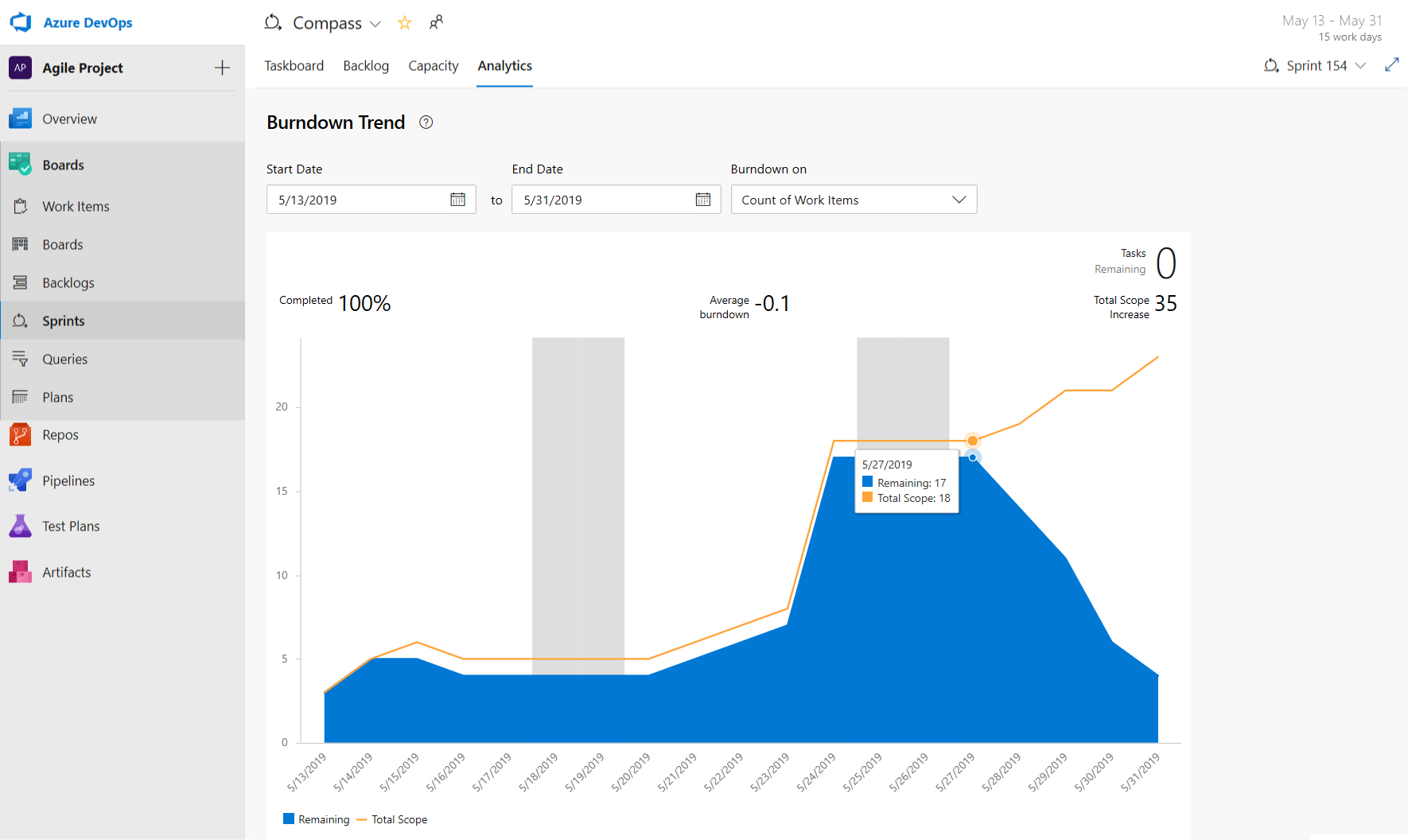
Get insights into your team’s health with Azure Boards Reports
You can’t fix what you can’t see. That’s why high executing teams want to keep a close eye on the state and health of their work processes. Now its easier for teams to track important metrics with minimal effort right inside Azure Boards. Introducing three new reports to Azure Boards: Sprint Burndown, Cumulative Flow Diagram (CFD), Velocity.

A Deep Dive into Git Performance using Trace2

A deep dive into using the new Git Trace2 feature to study Git performance problems on very large repos.
What’s new in Azure DevOps Sprint 155
Sprint 155 has just finished rolling out to all organisations and you can check out all the cool features in the release notes. This post covers just some of the features that you can start using today.
Top Stories from the Microsoft DevOps Community – 2019.08.02
In this week's community posts, we learn more about YAML pipelines' capabilities and additional security tools integrations. I am excited about what the community will do next week with all the new features we released in sprint 155!
Support for large test attachments now available in Azure Pipelines
With this update, Azure Pipelines supports test attachments bigger than 100MB in size, which means you can now upload big files like crash dumps or videos with failed tests, aiding your troubleshooting experience.
Azure DevOps Roadmap update for 2019 Q3
Azure DevOps Roadmap update for 2019 Q3 As always, the Azure DevOps engineering team is working hard to deliver enhancements and new features across all our services. Recently we have been adding new capabilities at an unprecedented pace, including support for multi-stage YAML pipelines, Pipeline environments and Kubernetes integration, support for authenticating with GitHub identities, Python and Universal packages and public feeds in Azure Artifacts, new and updated integrations with Jira Software, Slack and Microsoft Teams, and much more. We have also been making a renewed effort to include some smaller item...
Top Stories from the Microsoft DevOps Community – 2019.07.26
It is summer in the Northern Hemisphere, and I hope you are enjoying the lovely weather. For that moment when you need a break from the fun outdoor activities with your friends and family, here are some great posts from the Azure DevOps community for you to enjoy!

Share packages publicly from Azure Artifacts – Public Preview

Share your packages stored in Azure DevOps with guests and anonymous users with the public preview of public feeds.
Caching and faster artifacts in Azure Pipelines

I'm excited to announce the public previews of pipeline caching and pipeline artifacts in Azure Pipelines. Together, these technologies can make every run of your pipeline faster by accelerating the transfer of artifacts between jobs and stages, and by caching the results of common operations like package restores.
Now available: Azure DevOps Server 2019 Update 1, Release Candidate 2
Today, we are announcing the release of Azure DevOps Server 2019 Update 1 RC2. This is our last planned prerelease before our final release of Azure DevOps Server 2019 Update 1. This second release candidate includes some bug fixes since RC1. You can upgrade from Azure DevOps Server 2019 Update 1 RC1 or previous versions of Azure DevOps Server or TFS. You can find the full details in our release notes. Here are some key links: We'd love for you to install this release candidate and provide any feedback via Twitter to @AzureDevOps or in our Developer Community.

Bring your GitHub collaborators to Azure DevOps
Today we’re announcing the next step in the journey of making Azure DevOps and GitHub work great together. If you are an admin, sign into Azure DevOps with your GitHub identity, and you can now invite your GitHub team members.

Announcing the Azure Boards app for Slack
Create and monitor work items in Azure Boards from your Slack channel
Top Stories from the Microsoft DevOps Community – 2019.07.19
This week was packed with action at MSInspire and MSReady. It was remarkable to see the innovation in Satya Nadella's corenote. As a cherry on top, this community shared some amazing stories this week. I am so proud that our Azure DevOps Open Source program is enabling more and more teams around the world to provide value to the community!
What’s new in Azure DevOps Sprint 154
Sprint 154 has just finished rolling out to all organisations and you can check out all the cool features in the release notes. This post covers just some of the features that you can start using today.
Top Stories from the Microsoft DevOps Community – 2019.07.12
It is July, and the summer is in full swing. I got a nice break from travel, and now I'm headed to Microsoft Ready/Inspire next week. Say hi if you are at either conference! In the meantime, enjoy these highlights from the Azure DevOps community.
Azure Pipelines integration with Jira Software

Azure Pipelines enable you to continuously build, test and deploy to any platform or cloud. This plugin connects Jira Software with Azure Pipelines, enabling full tracking of how and when an issue is delivered.

Create and manage Azure Pipelines from the command line

We are excited to announce the availability of `az pipelines` command group in the Azure DevOps extension to manage YAML backed pipelines from the command line to cater to developers who prefer working from the command line interface or require commands to automate set up and management.

July Security Release: Patches available for Azure DevOps Server and Team Foundation Server
For the July security release, we are releasing fixes for vulnerabilities that impact Azure DevOps Server 2019, TFS 2018, TFS 2017, TFS 2015, TFS 2013, TFS 2012, and TFS 2010. Thanks to everyone who has been participating in our Azure DevOps Bounty Program. CVE-2019-1072: remote code execution vulnerability in work item tracking CVE-2019-1076: cross site scripting (XSS) vulnerability in Pull Requests Functional bug fix: Email notifications may have incorrect dates Azure DevOps Server 2019.0.1 Patch 1 If you have Azure DevOps Server 2019, you should first update to Azure DevOps Server 2019.0.1. Once on 2019...
Top Stories from the Microsoft DevOps Community – 2019.07.05
This week is a holiday week in the US, but this community is still going strong! Check out the post to see the highlights of some of the great overviews the Azure DevOps community has published. Enjoy the holiday weekend!
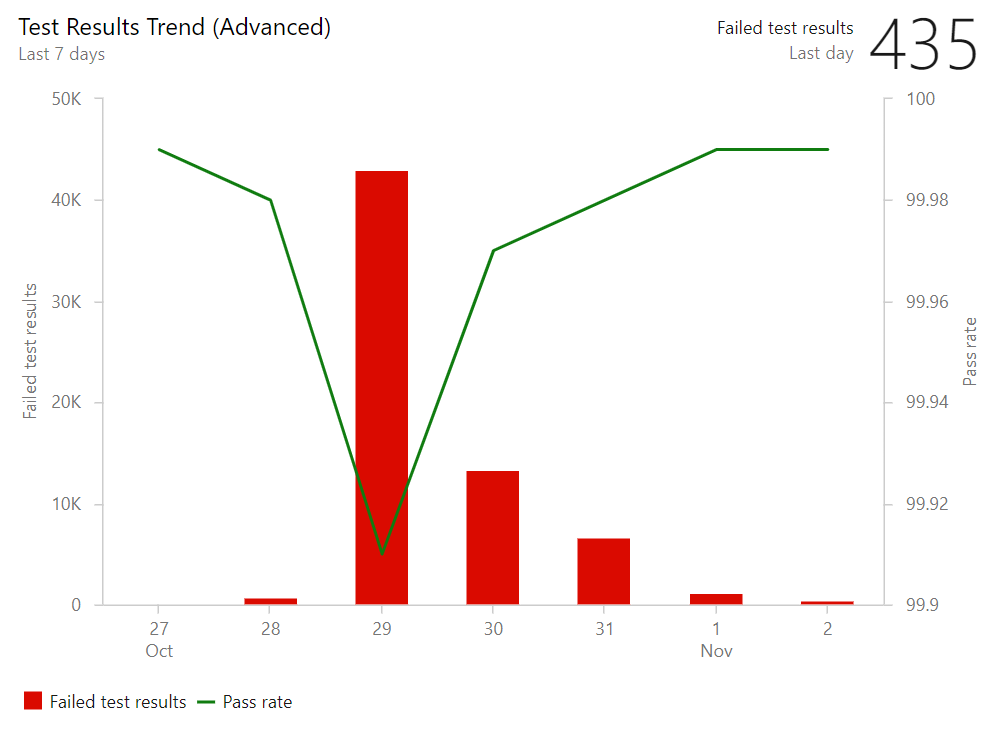
Announcing Azure DevOps Server 2019 Update 1 RC1
Today, we are announcing the release of Azure DevOps Server 2019 Update 1 RC1. Azure DevOps Server, formerly known as Team Foundation Server or TFS, is a self-hosted package that customers can run in their own environment, on-premises, or inside VMs on the cloud and includes all of the Azure DevOps services: Pipelines, Boards, Repos, Artifacts and Test Plans. It is designed for customers who aren't ready to move to our cloud-based Azure DevOps Services yet and have the need for the additional control of a self-managed solution. Azure DevOps Server 2019 Update 1 RC1 is a go-live release, meaning you can install i...
Top Stories from the Microsoft DevOps Community – 2019.06.28
This week was a busy week in Azure DevOps! Thanks to this vibrant community, it was difficult to choose the top stories (what a great problem to have). If I've missed anything important, please feel free to send it my way, I am @DivineOps on Twitter. GDBC: Azure learnings from running at scale Let's start with the recap of the Global DevOps Bootcamp 2019, delivered at a 100 (!) venues around the globe on June 15th. In the spirit of continuous improvement, the team gathered the event feedback from 2018, and worked hard to improve the attendee experience. The recap highlights the process of pushing the quotas of ...
What’s new in Azure DevOps Sprint 153
In this update, we continue to enhance the Azure Boards integration with GitHub like quickly view linked GitHub commits, PRs and issues from your Kanban board. We've also introduced a Top Publishers program in the marketplace, so you can install Azure DevOps extensions with confidence. Check out this post to learn more about these features.
Auditing for Azure DevOps is now in Public Preview

Auditing for Azure DevOps is now available for all organizations as a Public Preview! A new way to monitor activities and changes throughout Azure DevOps organizations.
Top Stories from the Microsoft DevOps Community – 2019.06.21

I'm at NDC Oslo and it's summer solstice. So today's the longest day of the year, and up here that makes for a really long day. But that's good news for me, it gives me more time to catch up on the amazing articles that the Microsoft DevOps community is writing. Check them out - and if you're also at NDC Oslo this week, be sure to say hi! Everything as Code with Azure DevOps Pipelines: C#, ARM, and YAML: Part #1 Check in all the things! Jeremy Lindsay doesn't stop with just putting the source code and the unit tests into his repository, he also defines his infrastructure as code using ARM templates, and his pipe...
Link unfurling (preview) in Azure Pipelines app for Slack
The Azure Pipelines app for Slack provides rich previews of builds and releases when a URL is pasted to the pipeline ( Link unfurling)
Bootstrapping Azure DevOps extensions with Yeoman

Bootstrap an Azure DevOps extension with support for hot reload and debugging in Visual Studio Code.
Top Stories from the Microsoft DevOps Community – 2019.06.14
I'm back home this week in England - and after week in sunny Raleigh-Durham, North Carolina (and before that, a week in even sunnier New Orleans), the cold rain has me stuck inside in the office. But it's not all bad, as that gives me an opportunity to catch up on some of the great articles written by the Azure DevOps community: Global DevOps Bootcamp The Global DevOps Bootcamp is this weekend! Global DevOps Bootcamp is incredible, with DevOps thought leaders around the world coming together to show you how to build modern apps using continuous delivery and DevOps practices. Are you ready? Have you signed up for...
Streamlining Azure DevOps extension development

Azure DevOps has an incredibly deep set of functionality to allow you to build extensions for your team. Learn how to develop Azure DevOps extensions faster from your local environment using Visual Studio Code, React and webpack.
Improving Azure DevOps cherry-picking

One of the more powerful git commands is the cherry-pick command. This can be an extremely powerful component of many git workflows such as the Azure DevOps team's Release Flow. To highlight a common use-case for it, let’s talk about hot-fixing release branches.
What’s new in Azure DevOps Sprint 152
In this update, check out the modern updated wiki experience with more support for HTML tags and better table creation and editing. Several new Azure DevOps CLI commands to make your life that much easier! Check out the video to learn more about these features, plus more in the release notes here: https://aka.ms/azuredevops/152
New IP firewall rules for Azure DevOps Services
Azure DevOps is currently investing in enhancing its routing structure. As a result of this enhancement, our IP address space will be changing. If you're currently using firewall rules to allow traffic to Azure DevOps, please be sure to update these rules to account for our new IP ranges.
Top Stories from the Microsoft DevOps Community – 2019.05.31
I'm on vacation this week, so I've been eating fatty foods and drinking tasty beverages instead of looking after the fine features of Azure DevOps. But, of course, the DevOps community isn't on vacation, so here's some of the great news and stories that they've been working on this week. Containerised CI/CD pipelines with Azure DevOps If you're a regular reader of this top stories roundup, you'll know that I can't stop talking about containerizing your CI/CD process. Brent Robinson has another great post about simplifying your builds and supporting complex architectures with containers. Using the same Azure Dev...
Global DevOps Bootcamp – June 15th
On June 15th 2019, our amazing community, passionate about DevOps on the Microsoft stack, are coming together for the 3rd Global DevOps Bootcamp. Check out this blog post in how you can get involved and attend one near you!
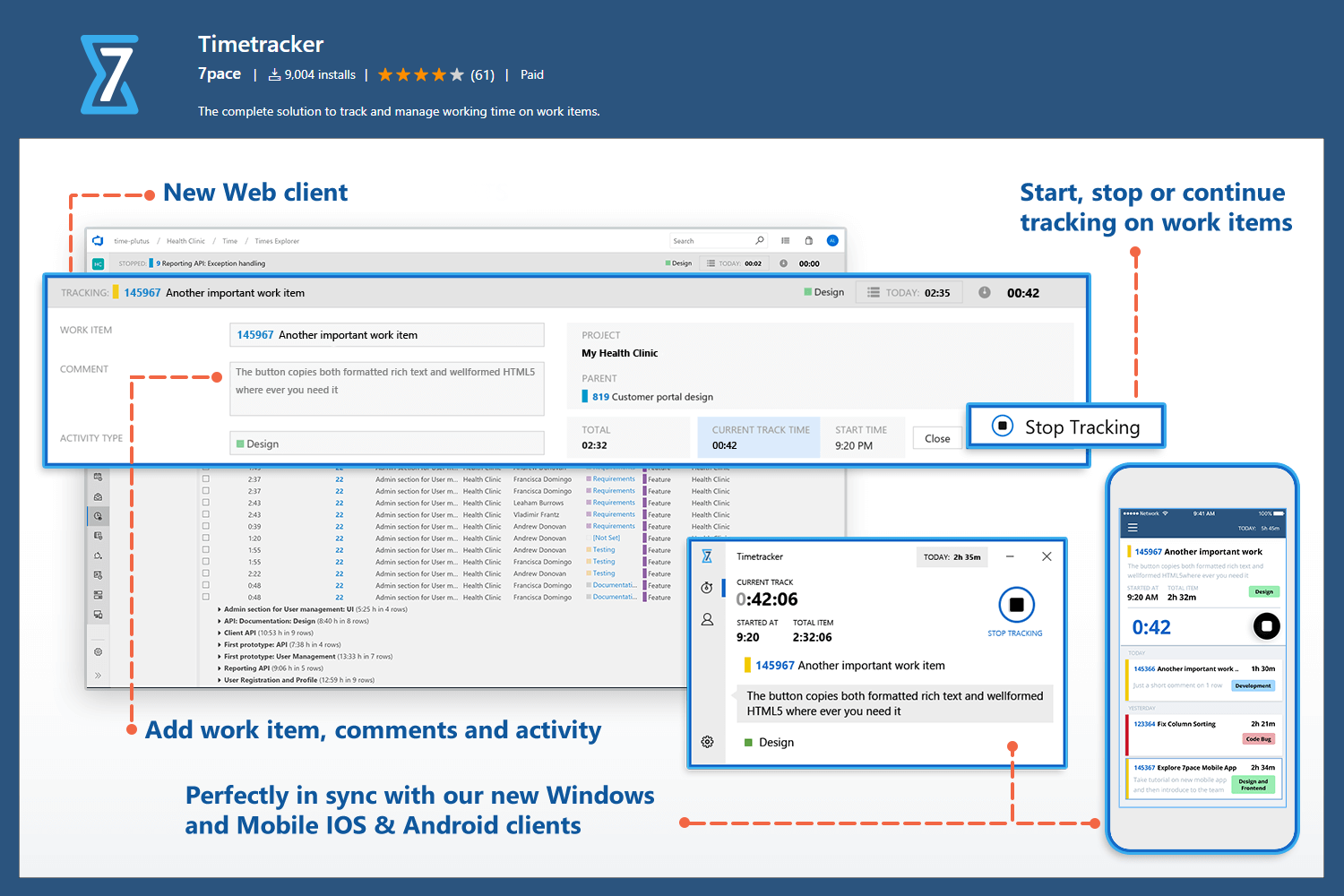
Extension Spotlight – 7pace Timetracker

The Azure DevOps Marketplace keeps on growing, with around 1,000 extensions. While it’s easy to find and search for something you know you need to solve a problem we thought it would be good to blog about some of the extensions that add value to Azure DevOps. In this post we look at the popular 7pace Timetracker.
Top Stories from the Microsoft DevOps Community – 2019.05.24
This week I'm lucky to be in Berlin at GitHub Satellite, where I got to see some of the amazing announcements from our friends over at GitHub and talk to GitHub users about Azure Pipelines. And now that it's Friday, I'm getting caught up on the Azure DevOps news as well. From one release per quarter to 30 times a day This great session that Marcel de Vries gave earlier this year at NDC Minnesota is now online: he takes you on a journey to take a legacy waterfall application and apply modern release techniques so that you can release multiple times per day while keeping the quality high. Azure DevOps Terraform T...
Announcing Azure DevOps Server 2019.0.1 RTW
Today, we are releasing Azure DevOps Server 2019.0.1 RTW. Azure DevOps Server (formerly Team Foundation Server) brings the Azure DevOps experience to self-hosted environments. Customers with strict requirements for compliance can run Azure DevOps Server on-premises and have full control over the underlying infrastructure. This release includes bug fixes for Azure DevOps Server 2019 and rolls up the security patches that have been released for Azure DevOps Server 2019. You can find the details of the fixes in our release notes. You can upgrade to Azure DevOps Server 2019.0.1 from Azure DevOps Server 2019 or Team ...
Top Stories from the Microsoft DevOps Community – 2019.05.17
The weekend's nearly here, so it's almost time to relax. Don't tell your boss that I suggested it, but maybe you should knock off a little early and catch up on the DevOps news. Lucky for me, I'm not in the office next week: I'll be at Techorama Belgium and GitHub Satellite. Be sure to stop by and say hi if you're there, too! Configuring Cypress in CI with Azure DevOps Pipelines End-to-end web testing is always tricky, and the Cypress test automation framework aims to make that easier, providing direct access with JavaScript. Mario Cardinal shows how to integrate Cypress into your Azure Pipelines CI builds. Con...
What’s new in Azure DevOps Sprint 151 + Microsoft Build announcements
Sprint 151 finished rolling out to all organisations end of last week and you can check out all the cool features in the release notes. Here is just a snapshot of some of the features that you can start using today, as well as some of the key announcements that we made at Microsoft Build last week.
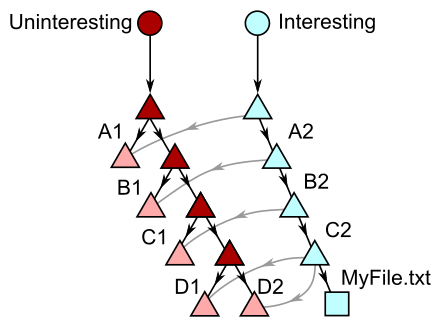
Exploring new frontiers for Git push performance
In previous posts I've talked about performance improvements that our team contributed to the Git community. At Microsoft, we've been pushing Git to its limits with the largest and busiest Git repositories on the planet, improving core Git as we go and sending these improvements back upstream. With Git 2.21.0 and later you can take advantage of a new sparse pack algorithm that we developed to dramatically improve the git push operation on large repos. For example, the Windows team saw a 7.7x performance boost once they enabled this new feature. In this post I want to explain the new sparse pack algorithm and ...

Azure Pipelines Now Supports Additional Hosted macOS Versions

Use Azure DevOps to build iOS and macOS apps now on macOS Mojave and High Sierra
May Security Release: Patches available for Azure DevOps Server 2019, TFS 2018.3.2, TFS 2018.1.2, TFS 2017.3.1, and TFS 2015.4.2
For the May security release, we are releasing fixes for vulnerabilities that impact Azure DevOps Server 2019, TFS 2018, TFS 2017, and TFS 2015. Thanks to everyone who has been participating in our Azure DevOps Bounty Program. We have now added the ability to patch TFS 2015, so customers do not need to install a full release to get the security fixes. As a reminder, all patches are cumulative, so they include all the fixes in previous patches. CVE-2019-0872: cross site scripting (XSS) vulnerability in Test Plans CVE-2019-0971: information disclosure vulnerability in the Repos API CVE-2019-0979: cross site scr...
Announcing the Azure Pipelines app for Microsoft Teams
Monitor pipelines in 'Azure Pipelines' from your 'Microsoft Teams' channel.
Top Stories from Microsoft Build – 2019.05.10
Whew, what a week! Microsoft Build 2019 has come and gone, and what an amazing conference it was. There were so many great announcements for Microsoft products, and for Azure and DevOps in particular. I absolutely cannot wait to get home and start playing with the new features. (And I hope you're excited, too!) And a very special thanks to everybody who took the time to came visit us at our booths on the expo floor. But if you weren't able to make it to the conference, don't worry, the conference can come to you. This week instead of the usual top stories from the community, I wanted to link to all the great con...
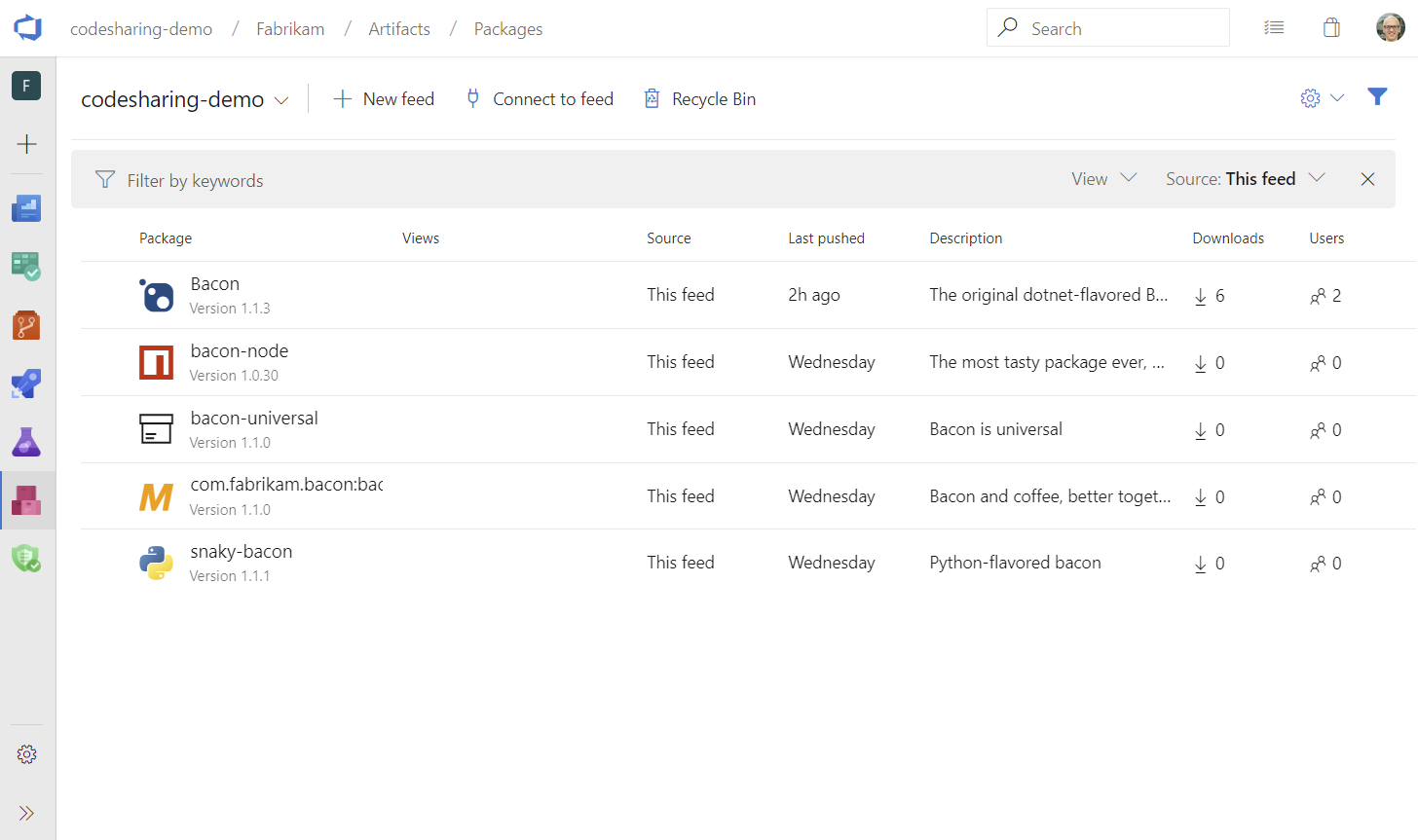
Pay-per-GiB pricing and more Azure Artifacts updates
Azure Artifacts introduces pay-per-GiB pricing and is available to all users in your organization - no license needed. Also, Python and Universal Packages are generally available and ready to use at scale.
Signing into Azure DevOps using your GitHub credentials
Today, we are enabling developers to sign in with their existing GitHub account to Microsoft online services, on any Microsoft log in page. Using your GitHub credentials, you can now sign in via OAuth anywhere a personal Microsoft account does, including Azure DevOps and Azure.
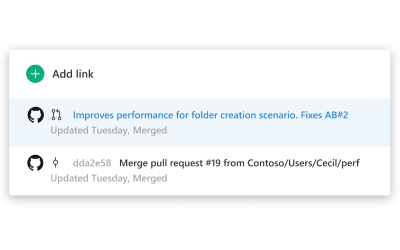
Introducing Azure Boards to the GitHub Marketplace

While you’ve been able to get started with Azure Boards from azure.com/boards for several months now, the new app in the GitHub Marketplace streamlines the acquisition of the service and configuration of your GitHub repository connections.
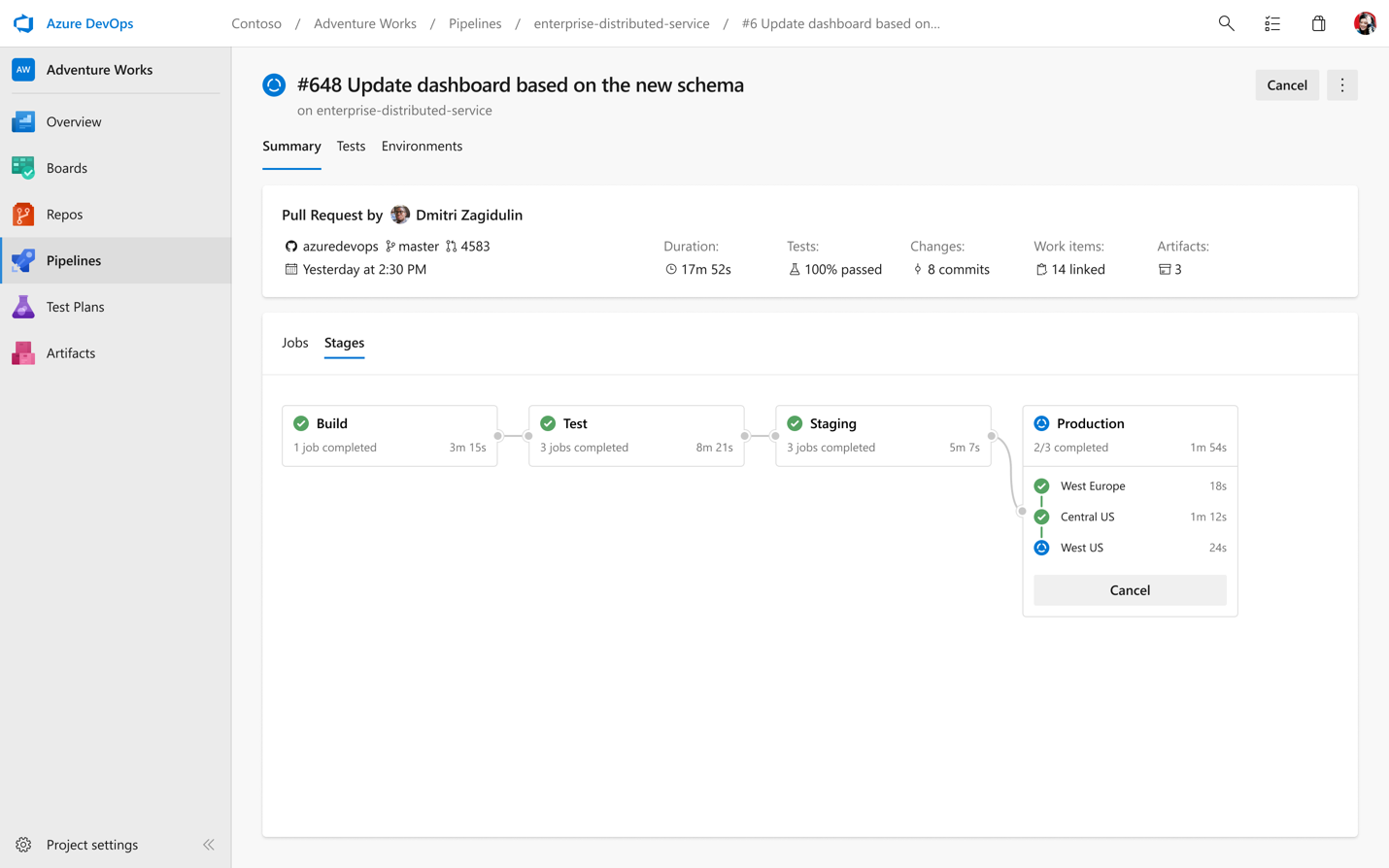
What’s new with Azure Pipelines
![Gopinath C H[MSFT]](https://secure.gravatar.com/avatar/0e635e66967482e395dc3140ae93e6e9?s=96&r=g)
Today, we are announcing new features for Azure Pipelines, including multi-stage YAML pipelines (for CI and CD), environments and deployment strategies, and Kubernetes support.

Announcing Kubernetes integration for Azure Pipelines
We are announcing new features features designed to help our customers build applications with Docker containers and deploy them to Kubernetes clusters, on all cloud providers and on-premises.
A simpler way to buy Azure DevOps
We are constantly working to improve our experience end-to-end, including how our products are purchased. In response to feedback from our customers, we are pleased to announce some changes that will simplify how some Azure DevOps services are purchased.
Top Stories from the Microsoft DevOps Community – 2019.05.03
It's Friday - which means that Microsoft Build 2019 starts Monday! I'm literally writing this on my way to the airport and I couldn't be more excited to be able to talk to so many passionate, creative developers next week. If you're there, please stop by the Azure DevOps booth on the expo floor to say hi, and be sure to check out all the DevOps focused breakout sessions. And if you're not there? Don't miss everything that's streaming live because we've got so much to show you. How to edit a YAML Azure DevOps Pipeline So you're committed to checking in your build definition as YAML? (You are, right?!) That's awes...

Announcing Azure DevOps Server 2019.0.1 RC
Today, we are releasing Azure DevOps Server 2019.0.1 RC. This is a go-live release, meaning it is supported on production instances, and you will be able to upgrade to our final release. Azure DevOps Server 2019.0.1 includes bug fixes for Azure DevOps Server 2019. You can find the details of the fixes in our release notes. You can upgrade to Azure DevOps Server 2019.0.1 from Azure DevOps Server 2019 or previous versions of Team Foundation Server. You can also install Azure DevOps Server 2019.0.1 without first installing Azure DevOps Server 2019. Here are some key links: We’d love for you to install this ...
Azure DevOps Roadmap update for 2019 Q2
Last week we published an update to the Features Timeline. The features listed below link to the public roadmap project where you can find more details about each item. Here are a few highlights on some of the features for Q2.
Top Stories from the Microsoft DevOps Community – 2019.04.26
Whew, it's been a busy week! The team is getting ready for the Microsoft Build 2019 conference, in just two weeks! We can't wait to show you what we've been working on, so if you're there, be sure to stop by the Azure DevOps breakout sessions and at our booth to chat with us! But what's going on this week? Here's what the community has to say: Migrating a GUI based build to YAML in Azure DevOps Pipelines YAML builds in Azure Pipelines are great, because they let you check in the build definition right next to the code that it's building. That means that even as build definitions evolve, you always have a build d...

Azure DevOps Labs now includes Azure DevOps Server 2019 VM and labs

We are excited to announce the availability of Azure DevOps Server 2019 Virtual Machine and the corresponding self-paced labs. To access the VM and the hands-on labs, check out Azure DevOps Labs
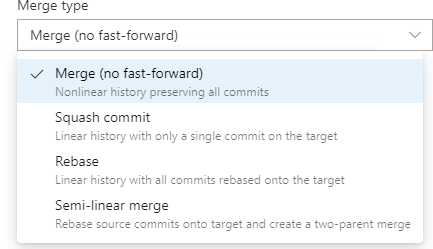
Pull Requests with Rebase
We're excited to roll out another way to integrate your pull requests in Azure Repos. Arriving in the Sprint 150 update is an option to rebase your pull request into the target branch. This lets you keep a linear commit history in your master branch, which many people think is an elegant way to visualize history. Like tabs vs spaces, the way code gets integrated is the subject of heated debates on teams. Some people prefer merges, some people prefer rebase, and some people prefer a hybrid approach or even a "squash". Azure Repos supports each of these scenarios: Merge (no fast-forward) This is the default int...
What’s new in Azure DevOps Sprint 150?
In this update, you can now use the Task assistant for editing YAML files, share your team's board using the Azure Boards badge, and the general availability of the Analytics Service as well as the dark theme! Check out the video to learn more about these features.
Top Stories from the Microsoft DevOps Community – 2019.04.19
It's a gorgeous long weekend here in England - it's warm and the sun is shining, two things that don't happen here all the time. I'm heading outside to enjoy it, and I hope you've got some nice weather, too. But if you're stuck with the dreary end of winter, then I'll leave you with some great articles from the community to keep you busy. Publishing Static Content to Azure Blob Storage It's easy to create a powerful and scalable static site by putting Azure CDN in front of Azure Blob Storage. But how do you deploy that site? You could use , but Jason N. Gaylord shows you a better way using Azure Pipelines. What...
Changes to Coded UI Test in Visual Studio 2019

We've been recommending for a while that customers use the open source tools Selenium and Appium tools, therefore the Visual Studio 2019 release marks their final deprecation. We recommend using Selenium for testing web-applications and Appium with WinAppDriver for testing desktop (WPF, WinForms, Win32) and UWP apps.
Top Stories from the Microsoft DevOps Community – 2019.04.12
I'm back from a few weeks of travelling - a fun mix of conferences and holiday - and I'm happy to be home. I'm particularly excited that I'll be here in England for the Global Azure Bootcamp in just a few weeks. It's coming up on April 27, it's all about Azure and Cloud Computing, and it's taking place in locations across the world. So now I've just got to figure out which location I want to visit! There's an event near you, too, so maybe I'll see you there! Azure DevOps Server 2019 Install Guide If you're gearing up to install Azure DevOps Server 2019 (the on-premises version of Azure DevOps, formerly Team Foun...
What’s new in Azure DevOps Sprint 149?
Sprint 149 has just finished rolling out to all organisations today and you can check out all the cool features in the release notes. Here is just a snapshot of some of the features that you can start using today. Navigate to Azure Boards work items directly from mentions in any GitHub comment Want to mention a work item in a GitHub comment? Well, now you can. When you mention a work item within the comment of an issue, pull request, or commit in GitHub using the syntax, those mentions will become hyperlinks that you can click on to navigate directly to the mentioned work item. This doesn't create a formal li...
April Security Release: Patches available for Azure DevOps Server 2019, TFS 2018.3.2, TFS 2018.1.2, TFS 2017.3.1, and the release of TFS 2015.4.2
For the April security release, we are releasing fixes for vulnerabilities that impact Azure DevOps Server 2019, TFS 2018, TFS 2017, and TFS 2015. These vulnerabilities were found through our Azure DevOps Bounty Program. Thanks to everyone who has been participating in this program. CVE-2019-0857: spoofing vulnerability in the Wiki CVE-2019-0866: remote code execution vulnerability in Pipelines CVE-2019-0867: cross site scripting (XSS) vulnerability in Pipelines CVE-2019-0868: cross site scripting (XSS) vulnerability in Pipelines CVE-2019-0869: HTML injection vulnerability in Pipelines CVE-2019-0870: cross ...
Top Stories from the Microsoft DevOps Community – 2019.04.05
The big news this week is the launch of Visual Studio 2019. If you weren't able to watch the video keynote live, don't worry. It was all recorded for you so you can watch it on-demand. And don't forget my favorite part: all the projects that you can build with Visual Studio 2019? You can also set up continuous integration builds for them with Azure Pipelines. Of course, that's not the only news this week. Here's what's happening in the community: Pure Containerized Deploy with Terraform on Azure DevOps I'm getting more and more excited about containerized deployments. It just makes so many of the hard parts of ...

Analytics For Azure DevOps Services is Now Generally Available

Analytics for Azure DevOps Services is Now Generally Available! Read this blog to learn more about the exciting features that you can start using!
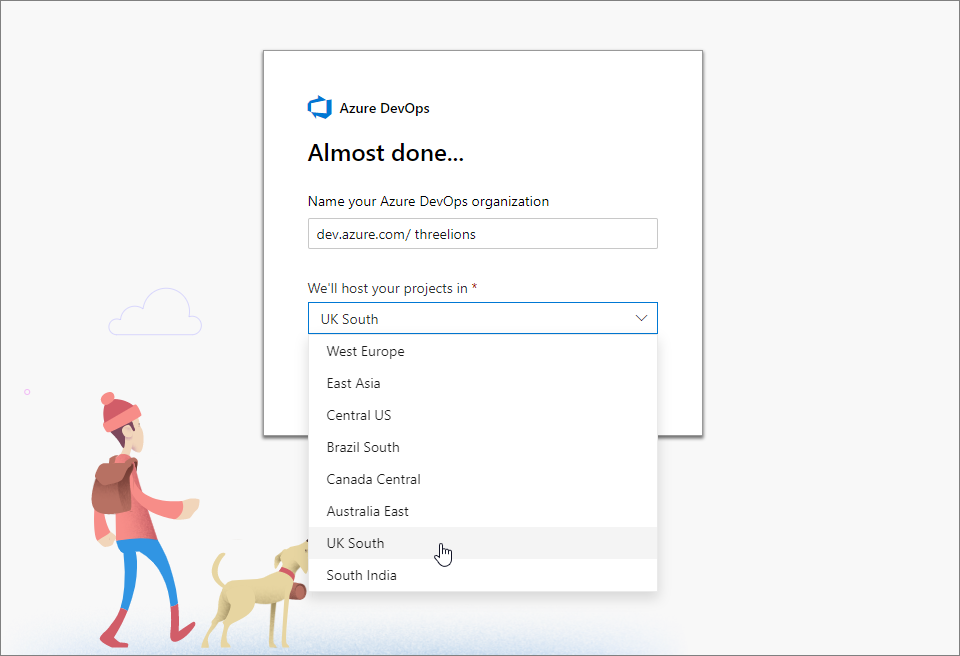
Azure DevOps Now Available in the UK
At the Microsoft Reactor in London this morning, Donovan Brown announced that customers can now create Azure DevOps organizations and choose that their data will be hosted in the UK Azure geography.
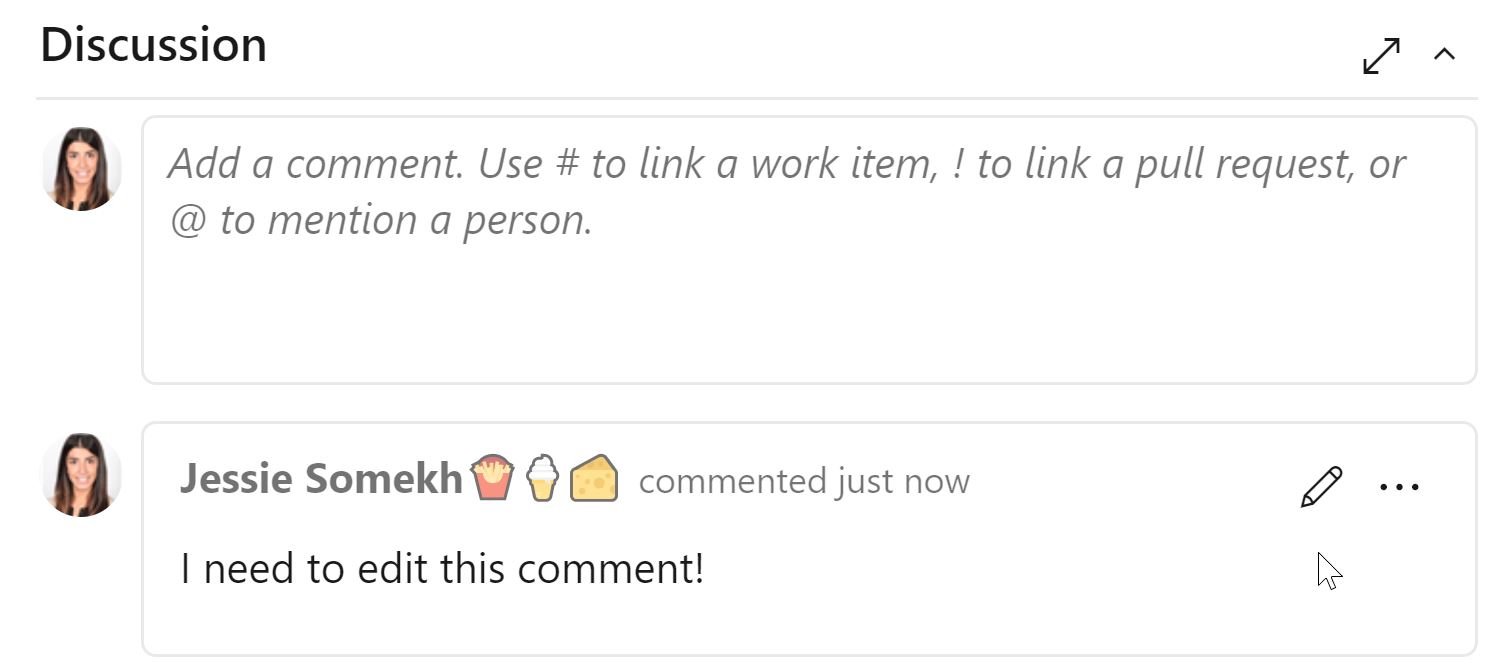
Edit and Delete Discussion Comments on the Work Item

You can now edit and delete comments in your work item's discussion! Read this blog to learn more about the experience.
Azure Boards Project Paper Cuts

We recognize that throughout the years, Azure Boards's workflows have accumulated smaller issues and usability nitpicks which have failed to become part of bigger product initiatives. This is where Project Paper Cuts comes in.
Top Stories from the Microsoft DevOps Community – 2019.03.29
One of the embarrassing things that can happen to you when you travel a lot is that you start to forget what day of the week it is. When you fly out on a Sunday, spend some time in one place, then hop on another flight and work in a totally different place, you run the risk of not fully internalizing what day of the week it is. I mention this because regular readers will have noticed that there were no Top Stories last week. It seems that in my travel-addled mind, I woke up on Saturday thinking that it was Friday. So when I was getting ready to write about the week's top stories, their time had already past. On ...
Top Stories from the Microsoft DevOps Community – 2019.03.15
I've been building tools for Azure DevOps for fifteen years and yes, in case you were wondering, saying that does make me feel old. But more importantly: I'm still learning new things about it that I didn't know. That's why I'm so happy to read all these articles every week. It's not just about the cool things that people are doing, it's also about the helpful tips that can make you more productive. Here's some great articles that I found this week: How to build pinball high score with Azure DevOps Who's got the high score on your pinball game? Back in my day all you had were three little letters. Panu Oksala ha...
Approve Azure Pipelines deployments from Slack
Many of our customers use Slack channels to manage Azure Pipelines. Today, we're making it even easier for you, with a tighter integration that lets you be more productive - even when you're on the go!
March Security Release: Patches available for TFS 2018.3.2, TFS 2018.1.2, and TFS 2017.3.1
For the March security release, we are releasing a fix for a cross site scripting (XSS) vulnerability in release management (CVE-2019-0777). This impacts TFS 2017 and TFS 2018. We are releasing patches for TFS 2018 Update 3.2, TFS 2018 Update 1.2, and TFS 2017 Update 3.1. This fix is already in Azure DevOps Server 2019. TFS 2018 Update 3.2 Patch 2 If you have TFS 2018 Update 2 or Update 3, you should first update to TFS 2018 Update 3.2. Once on Update 3.2, install TFS 2018 Update 3.2 Patch 2. Verifying Installation To verify if you have this update installed, you can check the version of the following file: [...
Top Stories from the Microsoft DevOps Community – 2019.03.08
It's been a busy week here on the Azure DevOps team - we've been busy putting the finishing touches on Azure DevOps Server 2019 and getting it out the door. Azure DevOps Server is the new name for Team Foundation Server - so now you can install the very latest version of our on-premises DevOps tools in your data center. While we weren't publishing that, we found some great links about DevOps from the community: Azure DevOps for Visual Studio Extensions Laurent Kempé authors the popular Git Diff Margin extension for Visual Studio, which brings more information about your Git repository into the editor. Producing ...

Announcing Azure DevOps Server 2019 RTW
Today, we announced the release of Azure DevOps Server 2019, the evolution of Team Foundation Server. This is the first release of our new brand and new navigation. You can read about the new features in our release notes. Here are some key links: Thanks to everyone who installed our release candidates and sent us feedback. Please send us any new feedback at Developer Community.
Top Stories from the Microsoft DevOps Community – 2019.03.01
I don't know why but it seems like some weeks are just busier than others for everybody. And y'all have obviously been busy, because this week I got so many notifications about Agile, DevOps, GitHub and Azure DevOps articles in my inbox that it was hard to keep up. (But don't worry, the ones that I didn't have a chance to read this week are still queued up for me to read next week!) How I alert(1) in Azure DevOps A few months ago we announced our bounty program for security issues in Azure DevOps. One researcher jumped on that opportunity to dig in, and wrote up the details of how they found a cross-site scripti...

Hosted Pipelines Announcements: VS 2019, Mojave, and more

Hosted Agents in Azure Pipelines are getting a Windows Server 2019 image with VS 2019 installed, macOS agents are upgrading to Mojave (OS X 10.14), and we share a few upcoming road map items!
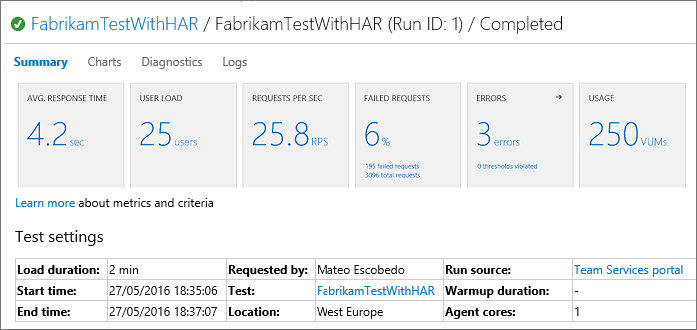
Cloud-based load testing service end of life

We plan on closing down the corresponding Azure DevOps cloud-based load testing service on March 31st, 2020.
Top Stories from the Microsoft DevOps Community – 2019.02.22
Here in England, we've got some lovely spring-like weather coming for the weekend. I can't wait to put the computer away, get the grill out and enjoy the sunshine. But before I unplug, I wanted to share with you some of the great articles that I found this week around DevOps. Archie: Easy cross-compilation for busy developers It's not much of a secret that I want more builds on more platforms for my software because I want as much validation as I can get for every pull request and every change. I don't know, but I suspect that Jay Rodgers shares this thinking, because he's busy making cross-compilation easier fo...

Cross-Platform Container Builds with Azure Pipelines
This is a follow-up to Matt Cooper's earlier blog post, "Using containerized services in your pipeline". If you haven't yet, I encourage you to read that post to understand the new `container` syntax in the pipeline definition. As a program manager for Azure DevOps, I spend a lot of time speaking with customers about their DevOps practices. In a recent meeting, a development team was excited about Azure Pipelines and our Linux build agents that we manage in Azure, but they needed to build their application on CentOS instead of Ubuntu. Like text editors, whitespace and the careful placement of curly ...

Create a CI/CD pipeline for your Azure IoT Edge solution with Azure Pipelines

Modern software moves quickly and demands more from developers than ever. New CI/CD tools can help developers deliver value faster and more transparently, but the need for customized scripts that address different kinds of edge solutions still presents a challenge for some CI/CD pipelines. Now, with the Azure IoT Edge task in Azure Pipelines, developers have an easier way to build and push the modules in different platforms and deliver to a set of Azure IoT Edge devices continuously in the cloud. Azure IoT Edge is a fully managed service that delivers cloud intelligence locally by deploying and running AI, Azur...
Top Stories from the Microsoft DevOps Community – 2019.02.15
I hope you had another great week - I certainly did! I had the good fortune to spend time building out some fun container-based Azure Pipelines builds for open source projects. Expect a blog post on that soon! In the meantime, here's some other great blog posts that I found this week. Using Azure DevOps Pipelines to Deploy Azure Functions written in Java Ten years ago, I came to Microsoft as a former Unix sysadmin who built Java tools on a Mac. That was strange then, but a decade later, we're all about any language on any platform. Mani Bindra has a great post about using Azure Pipelines to deploy Azure Function...
New Basic Process Available in Azure DevOps
Our new Basic Process is now available in Azure DevOps. This process is light and simple so you can get started working immediately without having to understand any complex concepts. Give it a try today.
Using Azure DevOps from the Command Line
We're pleased to announce that we now have a public preview of Azure DevOps extension for the Azure CLI which is available cross platform. The extension allows you to experience Azure DevOps from the command line, bringing the capability to manage Azure DevOps right to your fingertips!
Welcome to the new DevOps blog!
And... the new DevOps blog is live! The blog has a new and improved look and functionality - easily share posts, follow authors and a fresh new look! Check it out and let us know what you think!
Microsoft DevOps blog has moved!
Today, the Microsoft DevOps blog has began moving to a new platform with a modern, clean design and powerful features that will make it easy for you to discover and share great content. Stay tuned for a follow-up post with links to other blogs plus FAQs in the next few hours!
February Security Release: Team Foundation Server 2018 Update 3.2 Patch 1 is available
We announced the <a href="https://blogs.msdn.microsoft.com/devops/2019/01/17/announcing-the-azure-devops-bug-bounty-program/">Azure DevOps Bounty Program</a> a few weeks ago. We’re excited that this effort has already helped us on our mission to provide the highest level of security for our customers. Thanks to everyone who is participating in the Bounty program.

Announcing launch of Azure Pipelines app for Slack
I am excited to announce the availability of the Azure Pipelines app for Slack. If you use Slack, you can use the Azure Pipelines app for Slack to easily monitor the events for your pipelines. Set up and manage subscriptions for completed builds, releases, pending approvals and more from the app and get notifications for these events in your Slack channels.
Top Stories from the Microsoft DevOps Community – 2019.02.08
Happy Friday! I hope you've had a great feel full of finding bugs, improving performance and keeping your services online. Now that you're cruising into the weekend, it's a good time to take a moment and read up on the state of DevOps. Here's some great articles (and a podcast) that I found this week.
What’s new in Azure DevOps Sprint 146 Update
In this update, you can now simplify the organization of your work using the Basic process, wiki updates, and updates to Azure Pipelines. Check out the video to learn more about these features.
Adding caching to Azure Pipelines
For a long while, Azure Pipelines users have been asking to improve performance on the hosted build agents by adding caching for common scenarios like package restore. The issue came up in a recent popular Hacker News item, so we wanted to share an update.
Top Stories from the Microsoft DevOps Community – 2019.02.01
It's been a busy week for me, I've been at the fabulous NDC London conference where I had the pleasure of seeing some amazing speakers like Microsoft's very own Seth Juarez, Jon Galloway and Scott Hanselman. The NDC family of conferences are amazing and if there's one in your neck of the woods, I encourage you to check it out. But now I'm on the train back home, so I'm catching up on what I missed in the news this week. Here's some of the great stories that I found.
Azure DevOps Roadmap update for 2019 Q1
Last week we updated the Features Timeline to provide visibility on our key investments for this quarter. The features listed below link to the public roadmap project where you can find more details about each item.
Updates to Java requirements for TFS Search

The search feature of Team Foundation Server (TFS) uses Elasticsearch, which depends on Java SE. Until now, Oracle Java SE was the supported version of JRE for TFS search. With the change in Oracle licensing terms, there will be no more “free public Java updates” and users are required to buy a subscription to continue to get JRE updates for commercial use.
Top Stories from the Microsoft DevOps Community – 2019.01.25
Whew, in addition to the day job, I've been hacking on some open source this week. So I've been thinking a lot about my favorite things about Azure Pipelines that helps out with OSS. So it's been a busy week, and I'm looking forward to the weekend. But first, I wanted to share some of this week's great stories from the community.
Top 5 Open Source Features in Azure Pipelines
When I became a Program Manager, I gave up writing software for a living. So I did what many programmers do when faced with such a dilemma: I started working on open source software in my spare time. One of the projects that I work on is called libgit2.
Automating Releases in GitHub through Azure Pipelines

Do you own a GitHub repository? Do you create releases on GitHub to distribute software packages? Do you manually compile a list of changes to be included in release notes? If yes, you will be excited to know that you can now automate creation and modification of GitHub Releases directly from Azure Pipelines. This can be done through the GitHub Release task that is now rolled out to all users.
Using containerized services in your pipeline
Azure Pipelines has supported container jobs for a while now. You craft a container with exactly the versions of exactly the tools you need, and we'll run your pipeline steps inside that container. Recently we expanded our container support to include service containers: additional, helper containers accessible to your pipeline.

Azure DevOps Server 2019 RC2 now available
Today, we released Azure DevOps Server 2019 RC2. This is our last planned prerelease before our final release of Azure DevOps Server 2019. RC2 includes some new features since RC1. You can upgrade from Azure DevOps Server 2019 RC1 or previous versions of TFS. You can find the full details in our release notes.
Top Stories from the Microsoft DevOps Community – 2019.01.18
Lots of big news coming from the Azure DevOps team this week: we've announced a bounty for security researchers and announced a partnership with Service Now. But there's also some great reading coming from the Azure DevOps community - here's some of the nice articles that I found this week.

Announcing the Azure DevOps Bounty Program

It is my pleasure to announce another exciting expansion of the Microsoft Bounty Programs. Today, we are adding a security bug bounty program for Azure DevOps in partnership with the Microsoft Security Response Center (MSRC) to our suite of Bounty programs.
Include ServiceNow Change Management in Azure Pipelines
In DevOps ecosystem, choice of systems and collaboration between cross-functional teams is critical. Incidence response and change management are key DevOps activities. ServiceNow is a market leader for IT service management, and we are delighted that Azure Pipelines and ServiceNow have partnered together for an integration of Azure Pipelines with ServiceNow Change Management.
Team Foundation Server Security Updates
Today, we are releasing updates for a cross site scripting (XSS) vulnerability and an issue where in some instances task groups may incorrectly show variables that are marked as secret. Team Foundation Server 2017 and 2018 are impacted. We have released patches for TFS 2017 Update 3.1 and TFS 2018 Update 1.2. We have also released TFS 2018 Update 3.2, which is a full install that includes these fixes. **TFS 2017 **Customers on TFS 2017 should upgrade to TFS 2017 Update 3.1 and then install the TFS 2017 Update 3.1 patch. This patch includes the previous fix detailed in this blog post. To verify if you have a pat...
Top Stories from the Microsoft DevOps Community – 2019.01.11
Welcome back Microsoft developers and DevOps practitioners; I hope you had a great new year! Me? I took some time off to recharge the batteries and I'm glad I did because — wow — even though it's just the beginning of 2019, there's already some incredible news coming out of the DevOps community.
Azure DevOps Agents on Azure Container Instances (ACI)

This article provides a solution for running Azure DevOps agents (Build/Release agents) on Windows Server Core based containers, hosted on Azure Container Instances (ACI). A solution like this might be useful, when the default Microsoft-hosted agents don't fit your requirements, and you don't prefer using "traditional" IaaS VMs for running your self-hosted agents.
Top Stories from the Microsoft DevOps Community – 2018.12.14
Happy Friday! Now that I live in Jolly Old England, the holiday festivities have begun (if you're not British, you might not know the whole of December is reserved for parties). So this will be the last top stories post for 2018, but don't worry, I'll be back in 2019. In the meantime, here are some great DevOps articles that I found this week.
Top Stories from the Microsoft DevOps Community – 2018.12.07
It's Friday, and I'm just on my way home from Microsoft Connect(); 2018. If you missed the product announcements, discussions and coding sessions, don't worry: Connect is entirely online, so you can catch up right now.
Top Stories from the Microsoft DevOps Community – 2018.11.30
I'm getting ready to head out to Microsoft Connect 2018 next week, but before I go, I wanted to share with you some of the great stories from the Microsoft DevOps community.
Blocking malicious versions of event-stream and flatmap-stream packages
On November 26, 2018, the npm package manager released security advisory 737 regarding the flatmap-stream package. It was determined that this package was malicious, and contained harmful code. In addition, the popular event-stream package was modified to make use of the harmful flatmap-stream package. These malicious packages were apparently attempting to locate bitcoin wallets stored on the computer running the packages and exfiltrate the coins. npm has removed the flatmap-stream package from their registry. Visual Studio Code has also taken steps to block affected extensions. In response to this incident, we...
Blocking malicious event-stream and flatmap-stream packages
We are making a change to Azure DevOps to block the harmful flatmap-stream 0.1.0 package and the versions of event-stream newer than version 3.3.4 which make use of the flatmap-stream package.

What’s new in Azure DevOps Sprint 143 Update
Sprint 143 Update of Azure DevOps is rolling out to all organizations. In this update, draft pull requests is now available in Azure Repos which allows you to easily create work in progress that may not include everyone. We are also releasing new features in Azure Artifacts, including the ability to exclude files in artifact uploads and get provenance information on packages. Watch the following video to learn more about these features.
Top Stories from the Microsoft DevOps Community – 2018.11.23
I hope that you've recovered from your Thanksgiving feast and you're sitting around comfortably, binge-watching sitcoms and reading the latest news in DevOps. No? Is that just me? Well, now it can be you, too, because here's what I've been reading today.
Run your CI with Jenkins and CD with Azure DevOps

Azure release pipelines provide you with the first-class experience to integrate with Jenkins. You can have Jenkins as your Continuous Integration (CI) system and use Azure DevOps Release for your Continuous Deployment (CD) and get all the benefits of Azure DevOps like: In this example you will build a Java web app using Jenkins and deploy to Azure Linux VM using DevOps Azure Pipelines. Ensure the repo where your code is hosted (Github, GHE or Gitlab) is linked with your Jenkins project. Also, please ensure your JIRA server plugin is installed on Jenkins so that you can track your JIRA ...

Announcing Azure DevOps Server 2019 RC1
Yesterday, we announced Azure DevOps Server 2019 RC1. This is the evolution of TFS and the first release with our new brand and new navigation. We've added a ton of new features which you can read about in our release notes.
Top Stories from the Microsoft DevOps Community – 2018.11.16
Happy Friday! Sure you're getting ready to call it a day and start enjoying your weekend, but before you do, don't miss these excellent articles about DevOps on the Microsoft platform.
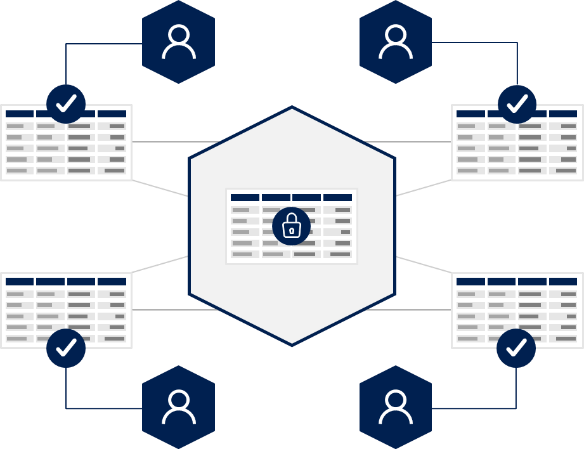
DevOps for Blockchain Apps

Blockchain has emerged from the shadow of its cryptocurrency origins to be seen as a transformative data technology that can power the next generation of software for multi-party Enterprise and consumer scenarios. With the trust and transparency that blockchain can deliver, this shared data technology is seen as a disruptor that can radically transform assumptions, costs, and approaches about how business is done. Microsoft Azure has had blockchain offerings since 2015 and the technology is now moving from initial PoCs and pilots to mainstream production. Customers around the world are building blockchain sol...
Xcode 8.0-8.3.2 deprecation on Azure Pipelines hosted agents
This September, Azure Pipelines delivered Microsoft-hosted build support for Xcode 10 on the day it was released. Now that our community builds fewer than 1 percent of apps with older versions of Xcode 8, we will focus on supporting Xcode 8.3.3 and higher. Effective November 28, 2018, we are ending support for older versions of Xcode on Microsoft-hosted agents, including 8.0, 8.1, 8.2, 8.2.1, 8.3.1 and 8.3.2. If you use Microsoft-hosted agents, we recommend that you update your pipeline to use Xcode 8.3.3 or higher prior to November 28, 2018. After this date, pipelines that run on Microsoft-hosted agents and are...
Xcode 8.0-8.3.2 deprecation on Azure Pipelines hosted agents

This September, Azure Pipelines delivered Microsoft-hosted build support for Xcode 10 on the day it was released. Now that our community builds fewer than 1 percent of apps with older versions of Xcode 8, we will focus on supporting Xcode 8.3.3 and higher. Effective November 28, 2018, we are ending support for older versions of Xcode on Microsoft-hosted agents, including 8.0, 8.1, 8.2, 8.2.1, 8.3.1 and 8.3.2. If you use Microsoft-hosted agents, we recommend that you update your pipeline to use Xcode 8.3.3 or higher prior to November 28, 2018. After this date, pipelines that run on Microsoft-hosted agents and are...

New Advanced Text Editor on the Work Item Form in Azure DevOps
With the Azure DevOps Sprint 143 Update, we’re excited to announce the availability of our new rich text editor on the work item form in Azure Boards. The work item form can be accessed in Azure Boards from the work items hub, boards, backlogs, and queries. This editor is also open source, which means you can check out the roosterjs repo and submit pull requests on GitHub at https://github.com/Microsoft/roosterjs. If you open a work item from anywhere in Azure DevOps, this new editor will allow you to format your text in new advanced ways. This new editor provides full emoji support, which will help bring your c...
Top Stories from the Microsoft DevOps Community – 2018.11.09
Woo! It's Friday, so as you're getting ready for the weekend, maybe you should get caught up on some of the news from around the Azure DevOps community.
Security fixes for Team Foundation Server
Today, we are releasing a fix for a potential cross site scripting (XSS) vulnerability. This impacts Team Foundation Server 2017 and 2018. We have released patches for TFS 2017 Update 3.1, TFS 2018 Update 1.1, and TFS 2018 Update 3. We have also released TFS 2018 Update 3.1, which is a full install that includes this fix.
Top Stories from the Microsoft DevOps Community – 2018.11.02
I'm always fascinated to see how people take the flexibility of the Azure DevOps platform and stretch it to the limits. This week, people are creating pipelines for containers, NuGet packages and even retrocomputers!
What’s new in Azure DevOps Sprint 142 Update
Sprint 142 Update of Azure DevOps is rolling out to all organizations. In this update, there have been several improvements to YAML in Azure Pipelines, we've switched on the new navigation for everyone, improved experiences for Azure Boards, as well as introducing the dark theme.
Azure DevOps Roadmap update for 2018 Q4
In order to provide you with visibility into several of our key investments, we post quarterly updates to the roadmap on our Features Timeline page.
Top Stories from the Microsoft DevOps Community – 2018.10.26
Without a doubt, the biggest news this week is that Microsoft has completed its acquisition of GitHub. The future is bright, and I can't wait to see how people will continue to use GitHub and Azure DevOps together. This partnership opens a new door of possibilities for developers, and I'm so excited to see what we'll build together.

Share your Azure DevOps feature suggestions with us

Customer feedback is critical to helping us improve Azure DevOps. Over the years we’ve addressed thousands of issues and suggestions originating from our users through many different channels. In order for us to collaborate with you more effectively, we’ve been improving our feedback channels along the way so that they provide us more real time information and the feedback lands directly in our systems.
Test Analytics in Azure Pipelines is now at your fingertips
You have walked the right path, adopted DevOps, setup tools for CI and CD and embraced continuous testing all the way in your software development process. Are you done? Keeping the pipeline healthy and making it effective is KEY to your DevOps ongoing journey. Some time back we introduced Analytics in Azure Pipeline with Top failing tests report to help you do just that. It gives you near real-time visibility of continuous testing for your build and release pipeline. You can improve the efficiency of your pipeline and shorten release cycles by identifying repetitive, unreliable and high impact test issues. Let...
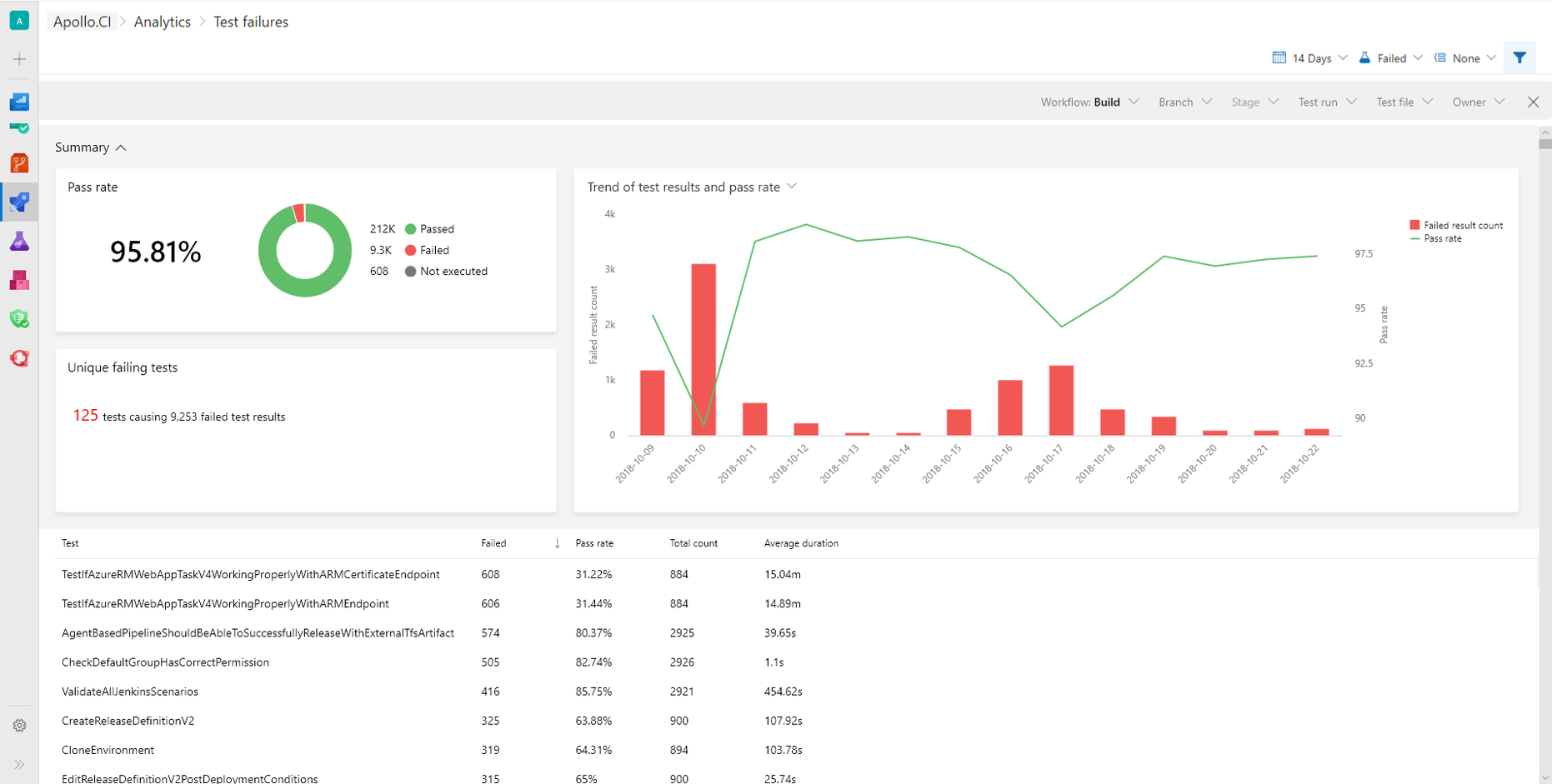
Test Analytics in Azure Pipelines is now at your fingertips
Keeping the pipeline healthy and making it effective is KEY to your DevOps ongoing journey. Some time back we introduced Analytics in Azure Pipeline with Top failing tests report to help you do just that.
ExpressRoute for Azure DevOps
Today we are excited to announce that Azure DevOps is now available over Azure ExpressRoute. Customers who typically operate in the government and financial services sectors have requested this support because they want private connections that don’t go over the public Internet for security reasons. ExpressRoute also typically offers them more reliability, faster speeds, and lower latencies than typical Internet connections.

Microsoft’s Developer Blogs are Getting an Update
The Microsoft DevOps blog will move to a new platform with a modern, clean design and powerful features that will make it easy for you to discover and share great content. The DevOps blog, along with a select few others, will move to a new URL, followed by additional Microsoft developer blogs transitioning over the coming weeks.
Top Stories from the Microsoft DevOps Community – 2018.10.19
It's another Friday, and I've spent another week talking to customers about their DevOps journey. And it's another week of amazing content about DevOps on the Microsoft cloud from the community.
Top Stories from the Microsoft DevOps Community – 2018.10.12
I'm back! One of the great privileges of my job is that I get to spend a lot of time talking to customers about DevOps. But that often means a lot of time on the road, and stepping away from drinking at the firehose of great content coming from the Azure DevOps community. But now that I'm back in the office, I've found a great bunch of DevOps links.
Remediating the October 2018 Git Security Vulnerability
Today, the Git project has announced a security vulnerability: there is a security issue in recursively cloning submodules that can lead to arbitrary code execution. The Azure DevOps team encourages you to examine whether you are on an affected platform and, if so, upgrade your Git clients to the latest version.

Getting started with Universal Packages

At the end of last sprint we flipped the switch on a new feature for Azure Artifacts called Universal Packages. With Universal Packages teams can store artifacts that don’t neatly fit into the other kinds of package types that we support. A Universal Package is just a collection of files that you’ve uploaded to our service and labelled with a name and version.
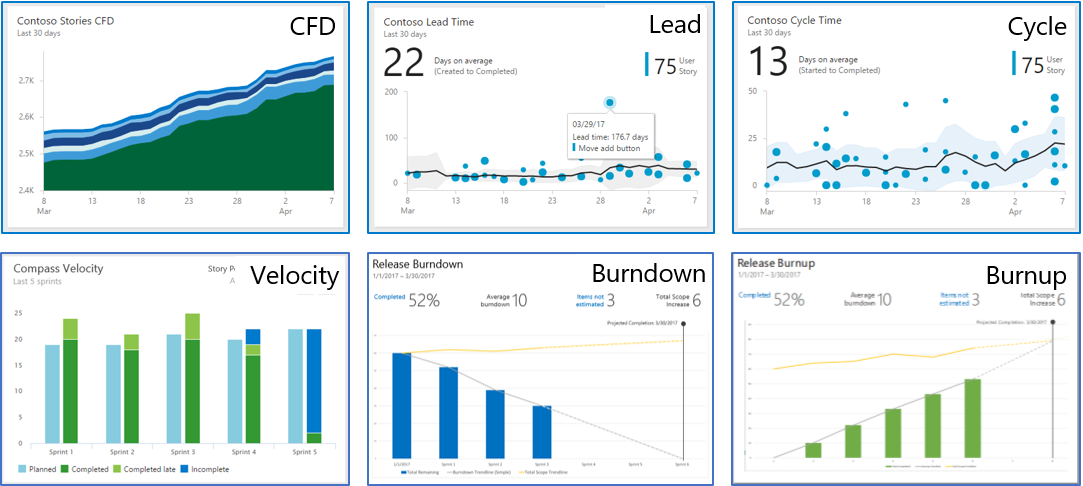
Analytics will be available on TFS 2019 RC1 – Want to help us test it?
Analytics is the new reporting platform for both Team Foundation Server (TFS) and Azure DevOps. Analytics will be available with TFS 2019 RC1, which should be available later this year. We are looking for TFS customers who are planning to install RC1 when its released and would be willing to participate in a test program for Analytics.
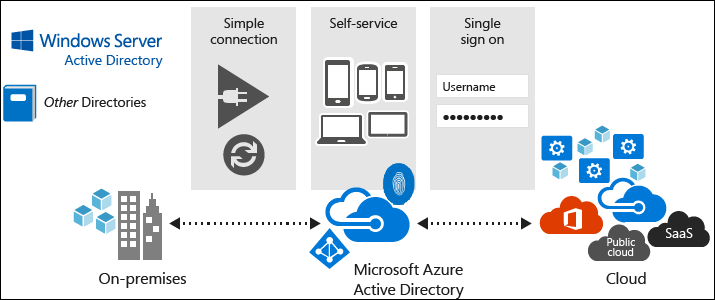
Using AzureAD identities in Azure DevOps organizations backed by Microsoft Accounts

Azure DevOps now supports AzureAD (AAD) users accessing organizations that are backed by Microsoft accounts (MSA). For administrators, this means that if your organization uses MSAs for corporate users, new employees can use their AAD credentials for access instead of creating a new MSA identity.
Navigation Update for Azure DevOps

Back in June of this year, we rolled out the first iteration of our new navigation model for Azure DevOps. We’ve spent the summer improving that experience based on the feedback many of you have provided. Thank you! Our next step is to move from the new model being a preview, to becoming the navigation for the product. In this post, I’ll walk through some of the key feedback we’ve addressed and lay out the schedule you can expect going forward.
Azure DevOps Reporting – What reports do you want?
If you are using Azure DevOps – we want to hear what reporting metrics are important to you. We've authored a short survey to gather this data.
Team Foundation Server 2018 Update 3 and Update 1.1 are available
Last week, we released both TFS 2018 Update 3 and TFS 2018 Update 1.1. Update 3 is a roll up of bug fixes on top of Team Foundation Server 2018 Update 2. You can see a list of the bugs that were fixed in the release notes.
Top Stories from the Microsoft DevOps Community – 2018.09.14
Wow, y'all: seven years ago today, at the BUILD conference, we announced the preview of what we called "Team Foundation Service". That service offering became Visual Studio Team Services. And on Monday, we announced the newest evolution of what that vision has become: Azure DevOps.
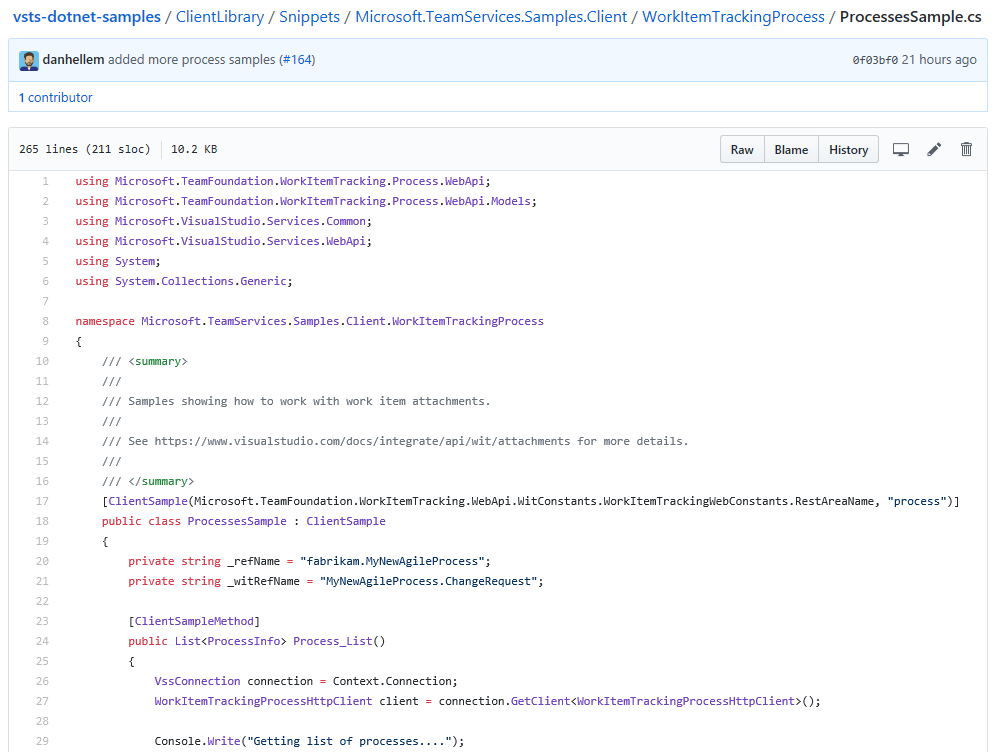
Announcing new REST API’s for Process Customization
In the new 5.0 (preview) version we combined the two inherited REST API's under a single domain. Making it much easier to determine what REST API endpoints to use. What domain you need depends on the process model used by your projects.
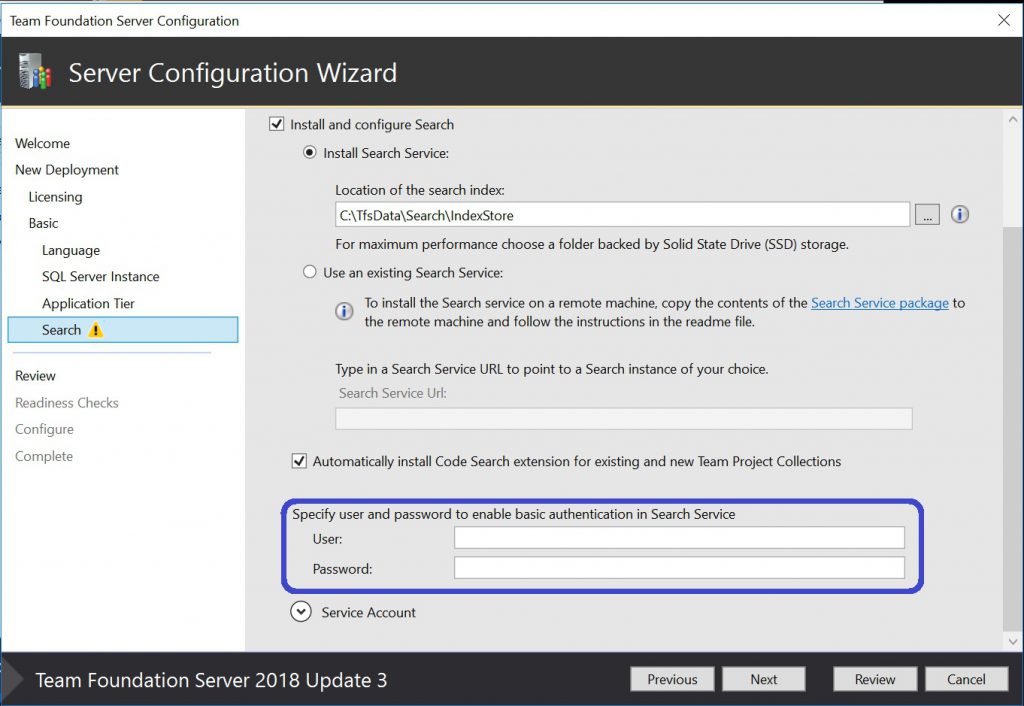
Introducing Search service authentication to make communications with TFS more secure
Basic authorization is now enabled on the communication between the TFS and Search services to make it more secure.
What’s new in Azure DevOps Launch Update
We shared some exciting news this morning on the Azure blog: We’re bringing Azure DevOps to developers and enterprises around the world who need flexible and efficient tools for their development process.
Top Stories from the Microsoft DevOps Community – 2018.08.31
This week is one of my favorite times of year. The evenings are getting cool and crisp, the apple tree in the backyard is bearing fruit, and best of all, there's some great DevOps reading to be had. That's right, I know what I'm doing this weekend!

Team Foundation Server (TFS) Reporting – Which reports do you use?
If you are using Team Foundation Server (TFS) and SSRS Reporting today, we want to hear from you! We want to know which of the TFS Reports we offer today are most valuable to you.
Top Stories from the Microsoft DevOps Community – 2018.08.24
I don't know about y'all, but it's been a long week here on the VSTS team. I'm beat! And when I'm tired, it gets hard to focus on those little letters on my LCD. So this week I'm linking you to a bunch of great content that you don't have to read!

Moving from Hosted XML Process to Inherited Process – Generally Available
Last month we announced a private preview that allows you to move projects that use a Hosted XML process to an Inherited process. We received a fare share of feedback, watched the telemetry, and made some fixes. This week we announced that the feature is now generally available! If you are using Hosted XML, and you are ready to move to the modern inherited process model, please give it a try. If you have any questions or issues send us an email How it works Moving a project from a Hosted XML process to an Inherited process takes a few steps. Make sure you read through and understand all of the steps before at...
Analytics Private Preview for Customers on TFS 2018 Update 2
Analytics is the new reporting platform for both Team Foundation Server (TFS) and Visual Studio Team Services (VSTS). We are starting a Limited Private Preview of Analytics for TFS 2018 Update 2 in preparation for a full release in TFS 2019.
A Microsoft DevSecOps Static Application Security Testing (SAST) Exercise

Static Application Security Testing (SAST) is a critical DevSecOps practice. As engineering organizations accelerate continuous delivery to impressive levels, it’s important to ensure that continuous security validation keeps up. To do so most effectively requires a multi-dimensional application of static analysis tools. The more customizable the tool, the better you can shape it to your actual security risk.
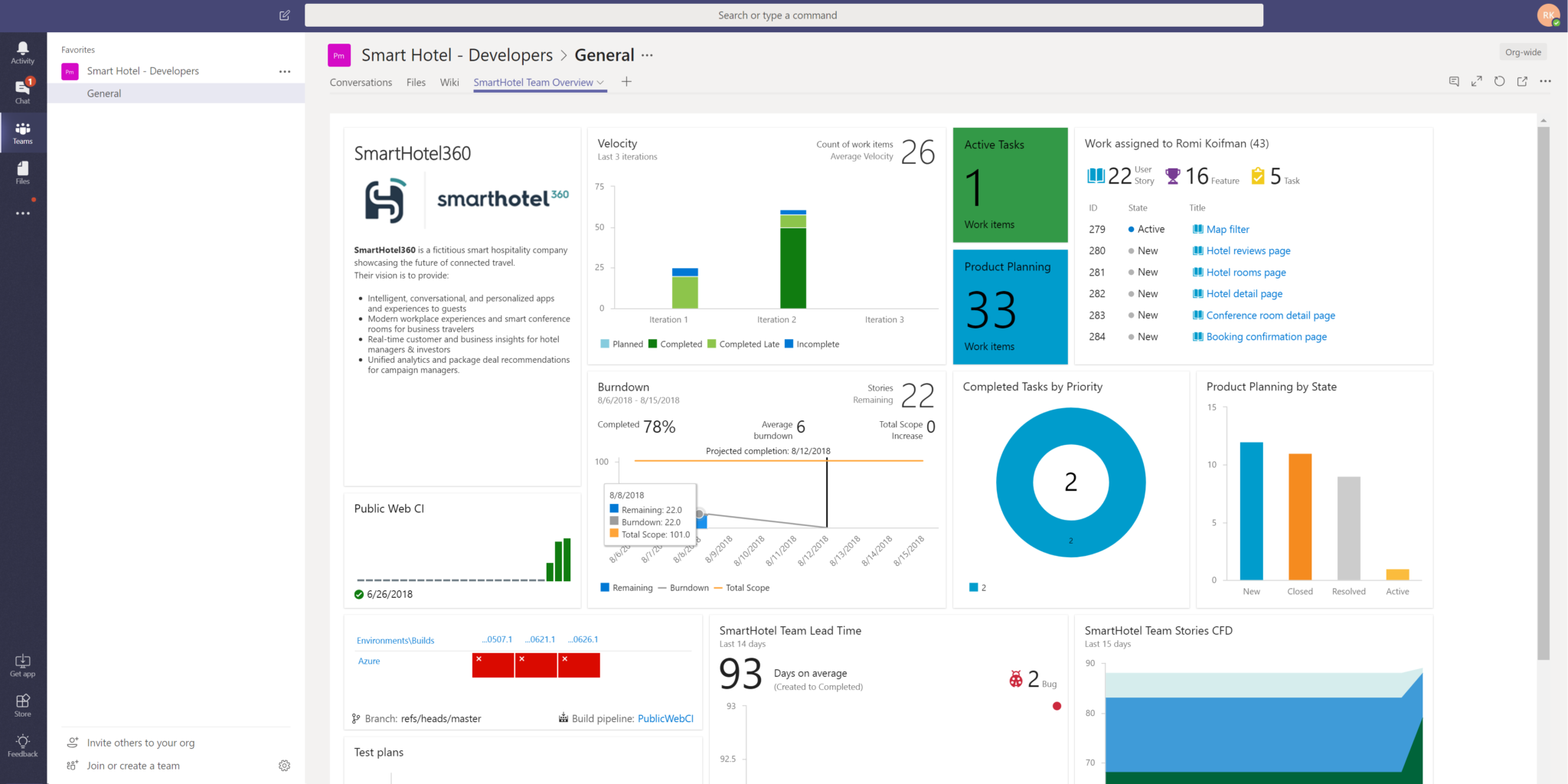
What’s new in VSTS Sprint 138 Update
The Sprint 138 Update of Visual Studio Team Services (VSTS) has rolled out to all organizations. In this update, test results for releases have been enhanced to group together test attempts and summarize better.
Top Stories from the Microsoft DevOps Community – 2018.08.17
Another Friday means another happy hour! No, not the time when I hit the bar after work — the time when I catch up on the news around DevOps for VSTS and Azure. Here's what I've been reading (and, this week, writing!)
Top Stories from the Microsoft DevOps Community – 2018.08.10
Time for my favorite part of the week: sitting back on a Friday afternoon and catching up on the hard work going on in the DevOps community. And this week didn't disappoint, there were so many great stories that it was hard to pick just a few of my favorites.

Make your Visual Studio Team Services dashboard part of your conversation in Microsoft Teams
Visual Studio Team Services (VSTS) Dashboards help keep track of your project and drive collaboration with your team. Starting today, you can bring your VSTS dashboards right where the conversation is happening in Microsoft Teams (MS Teams).
Revoking potentially impacted tokens from ESLint vulnerability
On the 24th of July 2018, we notified some customers via e-mail and on this blog about a planned action that we would start taking in relation to the malicious ESLint NPM package incident. This action is now underway.
Team Foundation Server 2018 Update 3 RC is available
Today, we are announcing the release candidate of Team Foundation Server 2018 Update 3. We'd love for you to install TFS 2018.3 RC and we're looking forward to your feedback.
Top Stories from the Microsoft DevOps Community – 2018.08.03
It's Friday, which means I get to kick back and catch up on all the news coming out of the Microsoft DevOps community. There's a bunch of great blog posts about DevOps, plus a new episode of the Radio TFS podcast and a new training class from one of our MVPs. Check out some of the top stories.
Top Stories from the Microsoft DevOps Community – 2018.07.27
For many of us in the northern hemisphere, things are really heating up — both the temperature and the move into DevOps in the cloud. This week we saw some great posts on DevOps adoption, including cloud migration, moving to VSTS from on-premises TFS, and modernizing workflows with Azure DevOps Projects. Add DevOps To Your Existing Dockerized Applications With Azure DevOps Projects Azure DevOps Projects are great for building out a pipeline for a greenfield application, but Rahul Rai reminds us that it's easy to migrate an existing app in as well. He shows you how to dockerize your app and get a simple p...
What’s new in VSTS Sprint 137 Update
The Sprint 137 Update of Visual Studio Team Services (VSTS) has rolled out to all organizations. In this Update, both Microsoft-hosted Linux and macOS agents, as well as Azure DevOps Projects are now generally available. Watch the following video to learn about a few of the features, which also includes a demonstration of some of the improvements to Wiki. Since the preview of Azure DevOps Projects last November, we’ve continued to expand the list of languages, frameworks, and Azure services to help you get started with a full DevOps pipeline, including a sample application and telemetry, directly from the Azur...
Enabling administrators to revoke VSTS access tokens
As promised in the Protecting our users from the ESLint NPM package breach blog post last week, we have deployed new REST APIs to allow administrators of Visual Studio Team Services (VSTS) accounts to centrally revoke Personal Access Tokens (PAT) and JSON Web Tokens (JWT) created by users in their accounts. We've reviewed our system telemetry and have found no evidence that user credentials were compromised, but out of an abundance of caution, we believe it’s prudent to proactively revoke these tokens. As such, we recommend that VSTS administrators take immediate action and revoke any PAT and JWT tokens that ca...
Top Stories from the Microsoft DevOps Community – 2018.07.20
This week I've been busy talking with Open Source developers and users at OSCON, explaining how VSTS can enable their builds with our hosted (or on-premises!) build agents. Meanwhile, we've seen some incredible podcasts and blog posts about DevOps in Azure. The DevOps Lab: Azure Automation Runbooks with PowerShell Damian Brady sits down with MVP Thomas Rayner to talk about Azure Automation Runbooks - a handy way to configure and execute PowerShell inside Azure - all from the command-line. Announcing the Azure Cloud Shell editor in collaboration with Visual Studio Code Brendan Burns explains some of the new int...
Adopting the word “organization”
In our interactions with users, we see a lot of confusion over the word account. Currently we use account to mean things like https://contoso.visualstudio.com and things like admin@contoso.com. To avoid this confusion, and to better align with the terminology of the broader developer and OSS community, we will be adopting the word organization in Visual Studio Team Services. For example, in documentation: To sign in to your VSTS account at any time, go to https://{youraccount}.visualstudio.com. ...will become: To sign in to your VSTS organization at any time, go to https://{yourorganization}.visualstudio.com....
Dashboard Updates Generally Available

We’re excited to announce updates to the new dashboard experience. This new experience lets you: It is now generally available for VSTS customers and coming to TFS in the next major version. Get to your dashboards fast We’ve updated the dashboard picker based on customers’ biggest piece of feedback: make it easy to switch between a team’s dashboards. The updated picker now contains two pivots: Mine and All. The Mine pivot makes it easy to find your team dashboards and your favorited dashboards. The All pivot continues to show you all of the dashboards within the project. You can additiona...
Protecting our users from the ESLint NPM package breach
On the 12th of July 2018, malicious code was detected in two popular open-source NPM packages, eslint-scope (version 3.7.2) and eslint-config-eslint (version 5.0.2). As a result, developers who downloaded and installed these packages may have had credentials stored in their .npmrc file compromised. This may include credentials required to access package feeds hosted in Visual Studio Team Services. In response to this incident, we identified a set of users across our service that were at risk of having had their credentials exposed. We have revoked a set of access tokens associated with their identities to mitig...
Supercharging the Git Commit Graph IV: Bloom Filters
We've been discussing the commit-graph feature in Git 2.18 and how we can use generation numbers to accelerate commit walks. One area where we can get significant speedup is when presenting output in topological order. This allows us to walk a much smaller list of commits than before. One place where this breaks down is when we apply a filter to our results. For instance, if we filter by a path, then we are asking for a set of commits that modified that path. The following Git command returns the commits that changed "The/Path/To/My/File.txt" in the branch: If the path is not modified very often, then we nee...
Top Stories from the Microsoft DevOps Community – 2018.07.13
It's been another busy week for VSTS and DevOps, and we're excited to see some interesting articles and podcasts about DevOps on Azure. Moving a Git Repo from Bitbucket to VSTS One of the great things about Git is that it's easy to move your repository from one hosting provider to another - and maintain the full history along the way. Gerald Versluis shows you how simple it is to migrate your repositories from Bitbucket to VSTS. Create VSTS Work Items or GitHub Issues for Application Insights from Azure Portal Application Insights provides great monitoring of your web applications - but how do you get visibili...
Azure DevOps Projects general availability
During our Connect(); 2017 event, we announced the public preview of Azure DevOps Projects to help customers start running applications on any Azure service in just three steps. Today, we're excited to announce that Azure DevOps Projects is now generally available in the Azure Portal, making it easier for developers to deploy to the Azure cloud and create CI/CD pipelines with pre-configured resources and best practices. Once you select an application language, a runtime, and an Azure service, Azure DevOps Projects sets up everything you need for developing, deploying, and monitoring your application, including:...
Universal Packages bring large, generic artifact management to VSTS
Until now, Package Management has hosted packages that are part of a development ecosystem: NuGet packages for .NET development, npm packages for Node.js and web frontend development, and Maven packages for Java development. We're also continuing to expand our support for new development ecosystem, with support for Python's PyPI packages and more in the coming months. However, we've also seen an unmet need in the market for what we call "a versioned bunch of files". This might be a tool, a build drop, some AI training data, test data, or pretty much any fileset you can imagine. To meet that need, I'm excited to ...
Supercharging the Git Commit Graph III: Generations and Graph Algorithms
Earlier, we announced that Git 2.18 contains a new commit-graph feature, and we discussed the commit-graph file format. As shipped in Git 2.18, this file only speeds up commit walks by a constant multiple, due to parsing structured data from the commit-graph file. Today, we continue by talking about how we can use the idea of a generation number to greatly reduce the number of commits we walk, giving much greater performance improvements. Many of the topics we discuss today are already on their way to a future version of Git while others are still part of the future plans for the commit-graph feature. Let's use ...
Top Stories from the Microsoft DevOps Community – 2018.07.06
Here's a quick look at the news around Microsoft DevOps — this week we've got a lot of great guidance around version control, Database DevOps, and deployments, plus some new software, including a Power BI template. Recover a Deleted VSTS Git Repo We use version control so that we can make sure that we can recover things when we delete them; and it's easy to recover files and branches that you accidentally delete. But what if you delete your whole repository? Hosam Kamel explains how you can take advantage of the VSTS REST APIs to restore a deleted repository. Updating VSTS to SQL Change Automation Redga...
Moving from Hosted XML process to Inheritance process – Private Preview
VSTS provides two process customization models, Hosted XML and Inheritance. Hosted XML was designed to allow your customizations to come with you when migrating from TFS. The Inheritance process model is the future of process customization in VSTS. It's simple yet powerful. As more customers import their work into VSTS we have received a lot of feedback to be able to take a project using the Hosted XML process and move it to an Inherited process. Today we are starting a limited private preview for those customers who want to migrate their projects from a Hosted XML to an Inheritance process. This blog post will ...
If I am a VSTS Stakeholder, can I also be an Admin?

Today, we’re excited to announce that users with the Stakeholder access level can now be administrators in Visual Studio Team Services (VSTS). With these upcoming changes, Stakeholders can administer access levels, permissions, and settings – if they have been granted permissions to do so. Previously, they were only able to invite users and assign them an access level, and could never act as full administrators without also being granted a Basic access level. Why change? When we first introduced Stakeholder in 2014, the goal was to allow people who just wanted to track progress or file an occasional bug to do s...
What’s new in VSTS Sprint 136 Update
The Sprint 136 Update of Visual Studio Team Services (VSTS) has rolled out to all accounts. In this Update we introduce several design changes as part of modernizing our user interface. Watch the following video to learn about a few of the features, which also includes a demonstration of the new navigation and new Work hubs. Here’s an example of creating a new pull request or bug from the new navigation. See Jeremy’s post about the new navigation for more information. On top of the new navigation, we’ve also introduced a set of new Work hubs. We’ve taken what used to be a powerful but more complex Bac...
Supercharging the Git Commit Graph II: File Format
Earlier, we announced the commit-graph feature in Git 2.18 and talked about some of its performance benefits. Today, we'll discuss some if the technical details about how the commit-graph feature works, including some helpful properties of its file format. This file speeds up commit-graph walks so much that we were able to identify other ways to speed up these walks using small optimizations. If you prefer a video, I talked about the commit-graph format in the second half of a talk at Git Merge 2018. What makes a commit? In Git, a commit consists of a few pieces of information: ...
Top Stories from the Microsoft DevOps Community – 2018.06.29
It's another big week for DevOps stories — here's some of the things that I found interesting: Hello, Pulumi Joe Duffy announces Pulumi, a new cloud development platform that lets you write code — real code, not YAML — to compose and create cloud infrastructure. We're excited to take this for a spin and see how we can use Pulumi to build Azure infrastructure on-the-fly and deploy to it from VSTS. Supercharging the Git Commit Graph What happens when you take a graph theorist out of academia and put him to work on Git? He makes some incredible performance improvements. Derrick Stolee from the...
Supercharging the Git Commit Graph
Have you ever run and waited a few seconds before the window appears? Have you struggled to visualize your commit history into a sane order of contributions instead of a stream of parallel work? Have you ever run a force-push and waited seconds for Git to give any output? You may be having performance issues due to the number of commits in your repository. If you have a large repository, then you may notice that takes a few seconds to write any output, while Visual Studio Team Services (VSTS) returns these results very quickly. This is due to some really cool algorithms we built out and tested server side. ...
New Work Hubs
In our recent post “New navigation for Visual Studio Team Services” we shared an early look at our plans for the upcoming year. For the Work hubs in VSTS, we’re investing in ways that address usability issues many of you have shared with us. In this post, we’ll describe a few of the first steps in that journey. From one hub to three In talking with users, we found that many struggled with the complexity of our Backlogs hub. Though powerful, the Backlogs hub was home to too many features. This often made it difficult to find the feature or capability you’re looking for. To address this problem, we’ve split the ...
What’s new in VSTS Sprint 135 Update
The Sprint 135 Update of Visual Studio Team Services (VSTS) has rolled out to all accounts. In this Update release progress gets a lot more visual. With the new release progress views, artifacts, environments, and deployment progress are now presented in a much more rich and graphical way so that you can spot problems or take action to keep releases moving. Watch the following video to learn about a few of the features, which also includes a demonstration of the new views.
New Navigation for Visual Studio Team Services

I’m excited to share the new navigation we’re working on for Visual Studio Team Services (VSTS) to modernize the user experience and give you more flexibility. As Lori mentioned in her blog post, our goal to create an integrated suite that also gives the flexibly to pick and choose the services that work best for you. That goal is a common customer request and at the heart of this new design. In the next few weeks, you’ll see a “New Navigation Preview” message pop up in your VSTS account. Please give it a try, it only affects your view of your account and you can easily roll back if you need to. This is the begin...
Queries Hub Updates Generally Available

The New Queries Hub streamlines many of the existing features from the old hub and provides new capabilities to make it easier to get to the queries that are important to you. It is now generally available for VSTS customers and coming to TFS in the next major version. Expanded Directory pages The left panel for query navigation has been converted into its own set of pages that provide improved query management experiences. These pages highlight new metadata for each query including: Additionally, you now have access to the team favorite queries for all the teams you are a member of wit...
Top Stories from the Microsoft DevOps Community – 2018.06.15
DevOps 100 TechBeacon creates the DevOps 100 list - the top 100 leaders, practitioners and experts in DevOps that you should be following. It's no surprise that Microsoft employees made an impressive showing on this list: from the VSTS team, Sam Guckenheimer is the man to follow. For the DevOps Cloud Developer Advocates, Donovan Brown and Jessica Deen made the list. But they're not the only CDAs: Bridget Kromhout, Jessie Frazelle, and Ashley McNamara are recognized for their thought-leadership, and over on the Azure product team, don't miss Jeffrey Snover, Michelle Noorali, and Caitie McCaffrey. Getting Star...
Top stories from the VSTS community – 2018.06.08
In case you've just gotten back from a backpacking adventure where you had no internet, no telephones and no homing pigeons, then you may have missed out on the big news this week. Microsoft has agreed to acquire GitHub! It's hard to imagine anything bigger, so this week we have a roundup of the top stories around this agreement. Microsoft to acquire GitHub The official announcement from Microsoft explains the details of the acquisition, including how the company will align within Microsoft, with Nat Friedman taking over as GitHub's CEO. Microsoft + GitHub = Empowering Developers Satya Nadella explains his ...
VSTS and GitHub

Today, Satya announced the exciting news - our intent to acquire GitHub! GitHub and Microsoft have been partnering on several levels for years. Specifically, the VSTS team has worked closely with GitHub on Git at a technical level and on other open source projects such as libgit2, GVFS, and Git LFS. It's been a great partnership, one where we both contribute to the overall Git community and ensure our mutual customers have a great experience when using our combined products. I'm excited about the opportunity to work even more closely with GitHub. When the acquisition completes, GitHub will remain independent an...
Top stories from the VSTS community – 2018.06.01
The big news that landed this week is that there's a security vulnerability in Git that can be hidden inside a repository. Please update your Git clients — but in the meantime, hosting providers like GitHub and VSTS are actively blocking these malicious repositories for your protection. Top Stories Data Governance, DevOps, and Delivery William Brewer explains how data governance is critical to DevOps practices, and how we need proper protocols in place to ensure that we avoid making the same mistakes over again. Version 2.1.12 of the VSTS PowerShell Module is out Donovan Brown has updated the VSTeam Pow...
One Week Left to Take State of DevOps Survey

Folks, the State of DevOps Survey closed June 8th. If you haven't yet, please click this link: https://bit.ly/2FCG8Me I just reread the results from prior years in Accelerate and I was struck by the findings in Chapter 5. The differences in velocity among high, medium- and low-performers are well known and I commented on these before. I forgot that there are interesting findings that architecture is important in achieving high performance. In the 2017 survey, the biggest contributor to continuous delivery was whether teams can: These attributes held true, regardless of whethe...
Remediating the May 2018 Git Security Vulnerability
The Git community has disclosed an industry-wide security vulnerability in Git that can lead to arbitrary code execution when a user operates in a malicious repository. This vulnerability has been assigned CVE 2018-11235 by Mitre, the organization that assigns unique numbers to track security vulnerabilities in software. Git 2.17.1 was released today and includes this fix. Git for Windows 2.17.1 (2) has been released that includes this fix. The Visual Studio Team Services (VSTS) team takes security issues very seriously, and we encourage all users to update their Git clients as soon as possible to fix this vul...
Top stories from the VSTS community – 2018.05.25

Here are top stories we found in our streams this week related to DevOps, VSTS, TFS and other interesting topics, listed in no specific order: TOP STORIES PODCASTS VIDEOS TIP: If you want to get your VSTS news in audio form then be sure to subscribe to RadioTFS . Here are some ways to connect with us:
What’s new in VSTS Sprint 134 Update
The Sprint 134 Update of Visual Studio Team Services (VSTS) has rolled out to all accounts. In this Update we continue to increase the breadth of services offered in Azure DevOps Projects to enable you to get started quickly. The (newly renamed) Azure Kubernetes Service (AKS), a fully managed Kubernetes container orchestration service, Azure Service Fabric, and Azure SQL Database join the list of Azure services in DevOps Projects, which gives you options depending on the type of application you’re building and how much customization you want to have. Hear from Gopi, our lead for Release Management, about the valu...
Use packages reliably with upstreams for VSTS feeds
Software packages are a crucial part of development in languages ranging from C# to JavaScript to Python to Go. They help you iterate faster, avoid solving a problem that’s been solved many times before, and allow you to focus on your unique value. But, they can also add uncertainty and risk to your development process. Packages are sometimes removed from the public registries, or those registries are down. Even packages from other teams in your organization can sometimes become unavailable, if the creating team deletes the feed or has a retention policy that cleans up old versions you still rely on. With the up...
Announcing the deprecation of the WIT and Test Client OM
Updated contents on April 2, 2019 Since the first version of Team Foundation Server (TFS) in 2005, we have provided a set of SOAP APIs for programmatic interaction with Work Items and Tests. In recent years, REST has replaced SOAP as the preferred method for building integrations offering a simpler and more flexible programming model, support for multiple data formats, and superior performance and scalability. As our REST APIs have matured we've reached a point where we feel it's time to announce the deprecation of the Work Item and Test SOAP APIs. Starting in Visual Studio 2019 and Azure DevOps Server 2019, al...
Top stories from the VSTS community – 2018.05.11
Here are top stories we found in our streams this week related to DevOps, VSTS, TFS and other interesting topics, listed in no specific order: TOP STORIES ARTICLES VIDEOS TIP: If you want to get your VSTS news in audio form then be sure to subscribe to RadioTFS . Here are some ways to connect with us:
DevOps with VSTS: Build 2018 Recap
The Visual Studio Team Services team just wrapped up the Build conference here in Seattle. If you weren’t able to make it, be sure to watch the recordings of our sessions online. Azure DevOps with VSTS by Damian Brady, Abel Wang DevOps is about people, process and products. Getting it all right requires effort but the benefits to your organization and customers can be huge. Microsoft has a fantastic set of products that can adapt to any language on any platform. In this demo heavy session, starting from just a blank desktop, we will create a new DevOps project and a complete pipeline. We will show you how ...
Please Help Make the Science of DevOps Even Better!
DevOps Research and Assessment (DORA) is now calling for participation in the 2018 Accelerate State of DevOps Survey. Please click the link to join. We all benefit from having scientifically reviewed data to substantiate the impact of DevOps practices. The results are summarized in the last four years of the State of DevOps Reports and the new book, Accelerate. For example, this table from last year's research clearly identifies the different outcomes experienced based on DevOps performance. We're proud to co-sponsor the study this year. Please do take the survey and help make history. Everyone in the commu...
Shift Left with SonarCloud Pull Request Integration

One of our DevOps "habits" is to Shift Left and move quality upstream. Including additional validations earlier in the DevOps pipeline means identifying potential issues before they become a problem. For teams using pull requests, catching issues while the PR is active is ideal - the code hasn't been merged yet, so it's easy to respond to feedback. The latest SonarCloud extension for Visual Studio Team Services (VSTS) is a great tool to help identify issues during the PR - let's take a look at how it works. To try out the integration, I've done the following: All of this allows SonarCloud t...
Team Foundation Server 2018 Update 2 is now available
Today we announce the release of Team Foundation Server 2018 Update 2. There are a lot of new features in this release, which you can see in our release notes. One big change in Update 2 is that we have re-enabled legacy XAML builds to unblock those customers that still require it in their environment. Although we’ve made this change, please keep in mind that XAML build are deprecated, meaning there will be no further investment in this feature. To learn more on how you can start migrating from XAML Builds to more supported features, read our migration documentation. To get started, here are your key resources:...
Release Gates – Enable Progressive Exposure and Phased Deployments
We are excited to announce that release gates are now generally available to all VSTS users and accounts so everyone can now add progressive exposure to their continuous delivery pipelines. What are release gates If you haven’t tried them yet, Release gates enable data-driven approvals for phased deployments with VSTS based on monitoring of deployment health through the pipeline. Using release gates, you can specify application health criteria that must be met before release is promoted to the next environment. Prior to or after any environment deployment, all the specified gates are automatically evaluated u...
Azure DevOps Project: New feature additions
Since we announced Azure DevOps Projects at the Connect conference late last year, we've been hard at work to make it as easy as possible to get set up with a fully functioning DevOps pipeline for your team in a few short steps – regardless of what platform you build your applications in and which features you want to use in Azure. We have also been busy extending the backing build and release services provided in Azure by Visual Studio Team Services (VSTS). VSTS now has built-in support for popular application frameworks, automatic and seamless DevOps pipeline integration, and built-in monitoring support. When ...
Top stories from the VSTS community – 2018.05.04
Here are top stories we found in our streams this week related to DevOps, VSTS, TFS and other interesting topics, listed in no specific order: TOP STORIES VIDEOS //BUILD/ Are you attending the Microsoft Build event from May 7-9 in person or tuning in live? Are you planning to share your experiences and/or exciting announcements on your blog?If yes, please tweet me on @wpschaub, so that we can consider your post(s) for the next top stories summary. TIP: If you want to get your VSTS news in audio form then be sure to subscribe to RadioTFS . Here are some ways to connect with us:
Announcing the DevOps Resource Center
One of the favorite parts of my job is curating a web site with the stories of how we work. Those experience reports and more of our guidance are now consolidated at https://aka.ms/devops. In addition to our own stories, this center offers content to help your team learn DevOps practices, Git (including Git at scale), and Agile. There's also a self-assessment if you'd like specific recommendations on how to improve. As always, we'd love your feedback (and your tweets). Thanks!
What’s new in VSTS Sprint 133 Update
The Sprint 133 Update of Visual Studio Team Services (VSTS) has rolled out to all accounts. In this Update we continue to expand on the languages and platforms we support build and release. Check out the demo video for an overview of the features and a look at YAML and the release definition templates.
Top stories from the VSTS community – 2018.04.27
Here are top stories we found in our streams this week related to DevOps, VSTS, TFS and other interesting topics, listed in no specific order: TOP STORIES RADIOTFS VIDEOS TIP: If you want to get your VSTS news in audio form then be sure to subscribe to RadioTFS . Here are some ways to connect with us:
VSTS Public Projects Limited Preview
Visual Studio Team Services (VSTS) offers a suite of DevOps capabilities to developers including Source control, Agile planning, Build, Release, Test and more. But until now all these features require the user to first login using a Microsoft Account before they can be used. Today, we’re starting a limited preview of a new capability that will eventually extend the powerful features of VSTS to the open source community. Starting today, we’re working with a small number of open source projects to begin testing this experience in beta before rolling it out to a wider set of projects. In this blog post, we want to...
Top stories from the VSTS community – 2018.04.20
Here are top stories we found in our streams this week related to DevOps, VSTS, TFS and other interesting topics, listed in no specific order: TOP STORIES WHAT’S NEW VIDEOS TIP: If you want to get your VSTS news in audio form then be sure to subscribe to RadioTFS . Here are some ways to connect with us:
Release Flow: How We Do Branching on the VSTS Team
Whenever I talk to somebody about Git and version control, one question always comes up: How do you do your branching at Microsoft? And there’s no one answer to this question. Although we’ve been moving everybody in the company into one engineering system, standardizing on Git hosted in Visual Studio Team Services, what we haven’t done is move everybody into the same branching and development model. Some teams — like Windows — have kept a branching strategy that is similar to the one that they’ve been using for many years. It’s hard to argue with this approach, they’ve got a lot of tooling to support it, and t...
What’s new in VSTS Sprint 132 Update
The Sprint 132 Update of Visual Studio Team Services (VSTS) has rolled out to all accounts and includes several features to help you scale your build and release pipeline.
TFS 2018 Update 2 RC2
We have released Team Foundation Server 2018 Update 2 RC2. You can see details about Update 2, including some key new features, in our RC1 blog post. RC2 is our last planned release before TFS 2018 Update 2 RTW. Here are some key links: TFS 2018.2 RC2 Release Notes TFS 2018.2 RC2 Web Installer TFS 2018.2 RC2 ISO TFS 2018.2 RC2 Express Web Installer TFS 2018.2 RC2 Express ISO Like RC1, RC2 is a go-live release that is fully supported for installation in your production environment. It is available in all languages. Please report any problems on Developer Community or call customer support if you need immediate h...
Power BI and VSTS – Integration made easy
We are excited to announce an easy-to-use solution for integrating Power BI with VSTS Analytics. You don’t have to know how to write OData queries anymore! Our new feature Analytics views makes getting VSTS work tracking data into Power BI simple, and it works for the largest accounts. Similar to a work items query, an Analytics View specifies filters that scope the result of work items data and the columns. Additionally, views allow you to report on past revisions of work items and easily create trend reports. We provide a set of Default Analytics views that work well for customers with smaller accounts and b...
Top stories from the VSTS community – 2018.04.13
Here are top stories we found in our streams this week related to DevOps, VSTS, TFS and other interesting topics, listed in no specific order: TOP STORIES VIDEOS TIP: If you want to get your VSTS news in audio form then be sure to subscribe to RadioTFS . Here are some ways to connect with us:
Top stories from the VSTS community – 2018.04.06
Here are top stories we found in our streams this week related to DevOps, VSTS, TFS and other interesting topics, in no specific order: TOP STORIES RADIOTFS, VIDEOS TIP: If you want to get your VSTS news in audio form then be sure to subscribe to RadioTFS .
Top stories from the VSTS community – 2018.03.30
Here are the top stories we found in our streams this week related to DevOps, VSTS, TFS and other interesting topics. Top Stories Podcasts & Videos If you have feedback or would like to see a story included in next weeks round-up then please leave a comment below or use the #VSTS hashtag on Twitter
What’s new in VSTS Sprint 131 Update
The Sprint 131 Update of Visual Studio Team Services (VSTS) has rolled out to all accounts and includes several features that were prioritized and influenced by feedback over the last several months. The Work Items hub, which is now generally available, brings important work together into a new hub with several views for items you’re following, your activity, and, of course, items assigned to you. I showed this new hub to another team in Microsoft yesterday and they were eager to start using it since it enables them to drop some of the queries they often run. We also add virtual machine support to Azure Dev...
Deadline extended for connecting VSTS accounts to AzureAD
On January 5, 2018, I announced that Visual Studio Team Services will no longer allow creation of new MSA users with custom domain names backed by AzureAD. While most customers agree with the direction of this change, I got clear feedback that they could not connect their VSTS to AzureAD by the March 31 deadline. Based on this feedback, we are changing our tactics and extending the deadline to the end of September. PLEASE NOTE: VSTS will continue to work the way it does today and current users will never lose access. The only restriction starting in October will be on the creation of new MSA users; existing us...
TFS 2018 Update 2 RC1
We have released Team Foundation Server 2018 Update 2 RC1. Update 2 is the first "feature" update for TFS 2018 based on our updated release approach. Here are some key links: TFS 2018.2 RC1 Release Notes TFS 2018.2 RC1 Web Installer TFS 2018.2 RC1 ISO TFS 2018.2 RC1 Express Web Installer TFS 2018.2 RC1 Express ISO RC1 is a go-live release that is fully supported for installation in your production environment. We've tested and used it in our own environment in addition to having run it on VSTS. RC1 is available in all languages, but you may notice that some strings are still in English. We expect to have all th...
Deployment Groups is now generally available: sharing of targets and more…
We are excited to announce that Deployment Groups is out of preview and is now generally available. Deployment Groups is a robust out-of-the-box multi-machine deployment feature of Release Management in VSTS/TFS. What are Deployment Groups? With Deployment Groups, you can orchestrate deployments across multiple servers and perform rolling updates, while ensuring high availability of your application throughout. You can also deploy to servers on-premises or virtual machines on Azure or any cloud, plus have end-to-end traceability of deployed artifact versions down to the server level. Agent-based deployment ...

Announcement: Publish markdown files from your git repository to VSTS Wiki

Now you can publish markdown files from a git repository to the VSTS Wiki. Developers often write SDK documents, product documentation, or README files explaining a product in a git repository. Such pages are often updated alongside code in the code repository. Git provides a friction free experience where code and docs can live on the same branch and are reviewed together in pull requests and are released together using the same build and release process. There are few issues with hosting such pages in code repositories: You can read about more use cases in this user voice. Solution No...
Top stories from the VSTS community – 2018.03.23
Here are the top stories we found in our streams this week related to DevOps, VSTS, TFS and other interesting topics. Top Stories Podcasts & Videos If you have feedback or would like to see a story included in next weeks round-up then please leave a comment below or use the #VSTS hashtag on Twitter
TFVC Windows Shell Extension for VSTS and TFS 2018
Team Foundation Version Control (TFVC) users looking for a lightweight version control experience integrated into Windows File Explorer will be happy to see the latest release of the TFVC Windows Shell Extension. This tool provides convenient access to many TFVC commands right in the explorer context menu, and the latest release adds support for Team Foundation Server 2018 and VSTS. Formerly part of the TFS Power tools, the tool has been released as a standalone tool on the Visual Studio Marketplace.
Top stories from the VSTS community – 2018.03.16
Here are top stories we found in our streams this week related to DevOps, VSTS, TFS and other interesting topics. TOP STORIES VIDEOS TIP: If you want to get your VSTS news in audio form then be sure to subscribe to RadioTFS . FEEDBACK What do you think? How could we do this series better? Here are some ways to connect with us:
GVFS for Mac

Over the last couple of years, we built GVFS to enable the Windows team to work in a Git repo that is orders of magnitude larger than any repo in existence before it. GVFS is currently only supported on Windows 10. We recently announced that we're investigating how to build GVFS on other platforms. I'm excited to say that we've made good progress on a prototype design for GVFS for Mac, and I'll share some of those details here. GVFS for Windows is made of up three main pieces: If you're interested, you can read much more about how it works and peruse the code. Items 1 and 3 are not inherentl...
How VSTS is Accelerating the Engineering Group Behind Windows
As part of our engineering processes in Microsoft, we often share best practices and stories of change across the engineering teams in the company. At our latest internal engineering conference as I listened in to sessions, I was struck by the sheer scale of the effort the Windows and Devices Group (WDG) undertook and the problems they've solved using Visual Studio Team Services (VSTS) and wanted to write up some of my key takeaways here. WDG here at Microsoft powers the operating systems of computing devices across the planet. It looks after not only the Windows operating system, but also Xbox, Surface, HoloL...
Top stories from the VSTS community–2018.03.09
Here are top stories we found in our streams this week related to DevOps, VSTS, TFS and other interesting topics. TOP STORIES (A FEW) SUMMIT TWEETS VIDEOS TIP: If you want to get your VSTS news in audio form then be sure to subscribe to RadioTFS . FEEDBACK What do you think? How could we do this series better? Here are some ways to connect with us:
How to Contribute to Git (on Windows)
Git was originally designed for Unix systems and still today, all the build tools for the Git codebase assume you have standard Unix tools available in your path. If you have an open-source mindset and want to start contributing to Git, but primarily use a Windows machine, then you may have trouble getting started. In fact, while responding to comments on Reddit about my previous post on Microsoft's performance contributions to Git, I got the following comment: We have a team at Microsoft that contributes to Git and Git for Windows, and our primary development machines all run Windows. Windows users are also ...
DevOps for IoT with Win10 IoT Core, UWP, and VSTS

We often get asked how to do CI/CD for IoT apps using Win10 IoT Core. If you’ve been considering or using Win10 IoT Core, then read on. The Visual Studio Test Platform that ships with Visual Studio 15.6 RTW now supports Testing on Win10 IoT Core. Continuous Integration (CI) and Continuous Delivery (CD) are key practices in DevOps. Integrations are frequent, and verified with an automated build that runs automated tests to detect integration errors as soon as possible. The workflow might look as follows: (1) A developer commits changes to the application’s repo. (2) A build gets triggered automatically. (3) Auto...
New Git Features in Visual Studio 2017 Update 6

This week we released Visual Studio 2017 Update 6. In this release, you can now push, delete, and view all of the Git tags in your repository. Additionally, if you use Visual Studio Team Services (VSTS), you can checkout pull request branches making it easier to review, test, and build changes. To learn more about what else is new in Visual Studio 2017 Update 6, check out the Visual Studio release notes. Git tags One of our top requested features on UserVoice was to be able to push tags. Now, in addition to being able to push tags, you can view all of the tags in your repo, create, delete, and create a new bran...
Security updates for TFS 2015 Update 4, TFS 2017, and TFS 2017 Update 3
We released updates to Team Foundation Server 2015 Update 4, Team Foundation Server 2017, and Team Foundation Server 2017 Update 3 to fix security vulnerabilities. You can read the details in Brian's blog post. We recommend customers install these updates. The installation process is the same as other updates, where you'll have to go through the Upgrade wizard after installing. All of these fixes are also in Team Foundation Server 2018 Update 1, and we recommend customers on Team Foundation Server 2018 to upgrade to Update 1. Here are some key links: Team Foundation Server 2015 Update 4.1: Release Notes TFS Serv...
Top stories from the VSTS community–2018.03.02
Here are top stories we found in our streams this week related to DevOps, VSTS, TFS and other interesting topics. TOP STORIES TIPS FEEDBACK What do you think? How could we do this series better? Here are some ways to connect with us:
Reducing the latency of permissions inherited through AAD Group memberships
Ever since we introduced the support for Azure AD groups in VSTS, the usage of Azure AD groups for managing permissions by our customers have grown significantly. The growth in usage also highlighted a gap we had where VSTS took anywhere between 24-48 hours to catch up with any membership changes that happened in upstream Azure AD. This meant a user who got added to an Azure AD group and inheriting permission to a resource via that group membership must wait anywhere between 24-48 hours to see a change in their permissions. BTW this delay is not applicable to a new user who is logging in, but for users who are al...
@CurrentIteration, Team Parameter, Offset
With our Sprint 131 update (rolling out over the next few weeks), there are some major changes coming to the @CurrentIteration macro used for work item queries. We are introducing the concept of a macro parameter, as well as allowing an offset to @CurrentIteration. These updates are mainly motivated by: Using the Team Parameter Now when you create or modify a query with the @CurrentIteration macro, you will be required to also select the team whose iteration schedule you would like to use. In the query editor UI, this selection will be made via an inline dropdown: If you are using our Work ...
VSTS/TFS Roadmap update for 2018 Q1 and Q2
We recently published an update to the “Features under development” roadmap on our Features timeline. This feature list, although subject to change and not comprehensive, provides visibility into our key investments in the medium term. We update the feature list as part of our agile planning rhythms, about every 9 weeks. Some of the features link to deep dive blog posts or articles where you can find out more. We also denote the version of on-premises TFS we expect the feature to be included in, often after getting mileage on VSTS. Here are a few features that are particularly noteworthy. Code: Add required revi...
Top stories from the VSTS community – 2018.02.23
Here are top stories we found in our streams this week related to DevOps, VSTS, TFS and other interesting topics. TOP STORIES DEVOPS LINKS TIP: If you want to get your VSTS news in audio form then be sure to subscribe to RadioTFS . FEEDBACK What do you think? How could we do this series better? Here are some ways to connect with us:
New VSTS Messaging Extension for Microsoft Teams
Today we are releasing our new Messaging Extension to add to the integrations between Microsoft Teams and Visual Studio Team Services (VSTS). The messaging extension allows you to search, find, and discuss specific work items in your channel or private chats. It is great way to have a group conversation about your work, without leaving Microsoft Teams. Instructions on how to set up the Microsoft Teams integrations can be found on the Team Services marketplace. Give it a try and let us know what you think. In the meantime we will continue to invest in our collaboration efforts with Microsoft Teams. If you ha...
Top stories from the VSTS community – 2018.02.16
Here are top stories we found in our streams this week related to DevOps, VSTS, TFS and other interesting topics. TOP STORIES RADIOTFS TIP: If you want to get your VSTS news in audio form then be sure to subscribe to RadioTFS . FEEDBACK What do you think? How could we do this series better? Here are some ways to connect with us:
Top stories from the VSTS community – 2018.02.09
Here are top stories we found in our streams this week related to DevOps, VSTS, TFS and other interesting topics. TOP STORIES VIDEOS TIP: If you want to get your VSTS news in audio form then be sure to subscribe to RadioTFS . FEEDBACK What do you think? How could we do this series better? Here are some ways to connect with us:
Top stories from the VSTS community – 2018.02.02
Here are top stories we found in our streams this week related to DevOps, VSTS, TFS and other interesting topics. TOP STORIES LABS TIP: If you want to get your VSTS news in audio form then be sure to subscribe to RadioTFS . FEEDBACK What do you think? How could we do this series better? Here are some ways to connect with us:
Supporting AzureAD Conditional Access Policy across VSTS
In February 2017, VSTS announced support for Azure Active Directory Conditional Access Policy (CAP). One caveat that was called out in that announcement was that alternate authentication mechanisms, such as personal access tokens, would not enforce CAP. As I discussed previously, many VSTS administrators gave us feedback that they need a way to ensure their users weren't accessing development assets, such as source code, from outside corporate walls. We have been partnering with the AzureAD team to provide an update to Active Directory Authentication Library (ADAL) allowing us to pass the client IP address of ...
Stakeholders can now view VSTS Analytics widgets
Why can't Stakeholders view the Analytics widgets? That is a question we often heard. Now we have an answer. They can! Well, now they can. We've updated the VSTS Analytics extension to allow users with Free licenses (Stakeholders license) to view Analytics widgets. This means Stakeholders can view CFD, Lead/Cycle Time, Velocity, Burndown/Burnup widgets. For more information on these powerful widgets, read this topic. A Basic license (or higher) is still required to access the Analytics OData endpoint or use Power BI to connect to Analytics. Enjoy!
MSTest V2: in-assembly parallel test execution
Introduction MSTest V2 v1.3.0 Beta2 now supports in-assembly parallel execution of tests - the top most requested/commented issue on the testfx repo. The feature can dramatically reduce the total time taken to execute a suite of tests. To get started, install the framework and adapter from NuGet. If you are already using MSTest V2, then upgrade to this version. Try out the sample on GitHub. The GitHub page has details, but here are the results with that sample (YMMV, of course): Motivation The key motivation is to complete the execution of a suite of tests, within a single container, faster. Coarse-grained p...
VS Subscriptions and linking your VSTS account to AzureAD
A few weeks ago, I posted about a change coming to organizations managing their identities with Microsoft Accounts (MSAs); as of March 30th, you will no longer able to create new MSAs with a custom domain name that is linked to an Azure Active Directory tenant. Many customers have reached out asking how this change affects their Visual Studio subscriptions (formerly known as MSDN subscriptions) so this post is aimed at answering that question. In general, VS subscription administrators assign subscriptions to a user’s corporate email (e.g. justin@fabrikam.com) so that they can get the welcome email and notific...
Top stories from the VSTS community – 2018.01.26
Here are top stories we found in our streams this week related to DevOps, VSTS, TFS and other interesting topics. TOP STORIES RADIOTFS TIP: If you want to get your VSTS news in audio form then be sure to subscribe to RadioTFS . FEEDBACK What do you think? How could we do this series better? Here are some ways to connect with us:
Top stories from the VSTS community – 2018.01.19
Here are top stories we found in our streams this week related to DevOps, VSTS, TFS and other interesting topics. TOP STORIES VIDEOS TIP: If you want to get your VSTS news in audio form then be sure to subscribe to RadioTFS . FEEDBACK What do you think? How could we do this series better? Here are some ways to connect with us:
January 2018 VSTS Hosted Agent Image Updates

The January 2018 updates are rolling out this week and should complete by the end of the day Friday January 19, 2018 GitHub Release #1801 Visual Studio 2017 on Windows Server 2016 Linux
Link wiki pages and work items, write math formulas in Wiki, Keyboard shortcuts and more…
Happy new year to all Wiki lovers. We are learning a lot with each passing day and in this blog I will share our learning and value that we delivered in the past few sprints. Few of these features are coming up in this sprint (Jan end). Link work items and Wiki pages In October, we had enabled the referencing work items to a wiki page, now you can link a work item to a wiki and vice versa. You can link work items to wiki to create epic pages, release notes, and planning content that will help you track the work items associated with a wiki page and validate what % of your epic page is complete. Link work items...
Top stories from the VSTS community – 2018.01.12
Here are top stories we found in our streams this week related to DevOps, VSTS, TFS and other interesting topics. TOP STORIES RADIOTFS TIP: If you want to get your VSTS news in audio form then be sure to subscribe to RadioTFS . FEEDBACK What do you think? How could we do this series better? Here are some ways to connect with us:
Power BI and VSTS Analytics
We have been working hard to improve the integration between VSTS Analytics and Power BI. We are happy to announce we've released the first step in doing so. The VSTS Power BI Desktop Connector has been updated to provide additional options for historical trend and bug analysis. Please refer to our guidance on connecting to VSTS with Power BI Data Connector The additional options are available when you download the January, 2018 release (or later) of Power BI Desktop. However, this is just the first step! While it may appear we are only providing a few more options, we have completely reengineered the way ...
Microsoft’s Performance Contributions to Git in 2017
Visual Studio Team Services (VSTS) hosts the largest Git repository in the world: the Windows source code. Keeping a primary copy of the code available in the cloud and having it be performant while being updated by over 4000 users at the same time is a monumental achievement, but it is only useful if engineers can use the core Git client on their machines. We made this possible by building GVFS. The Windows repository is larger than any other Git repository by orders of magnitude, and that exposed a few performance issues in core Git that we needed to fix to make it work with the large repositories we see at Mi...
Sharing of Deployment Groups across projects

Last year we released Deployment Groups in Public Preview during the May 2017 timeframe, which enabled customers to deploy software to their IaaS machines. One of the big pieces of feedback we received was that this only partially addressed the scenario of customers sharing their IaaS machines (deployment targets) across multiple applications. For example, this didn’t address the branch office scenario where multiple applications are installed on the same machine, or the enterprise scenario where a central admin manages resources while Project users just consume the resources. Reason: While it was possible to us...
VSTS will no longer allow creation of new MSA users with custom domain names backed by AzureAD
3-28-2018 UPDATE : The deadline listed below has been extended to the end of September. Read my latest blog post for more information. On September 15, 2016, the Azure Active Directory (Azure AD) team blocked the ability to create new Microsoft accounts using email addresses in domains that are configured in Azure AD. Many VSTS customers expressed concern when this change happened. As a result, we worked with the Azure AD team to get a temporary exception for our service to be excluded from this limitation. Over the past year, we have improved our experience for connecting accounts to Azure AD and we are now re...
Top stories from the VSTS community – 2018.01.05
Here are top stories we found in our streams this week related to DevOps, VSTS, TFS and other interesting topics. TOP STORIES VIDEOS MSDN MAGAZINE TIP: If you want to get your VSTS news in audio form then be sure to subscribe to RadioTFS . FEEDBACK What do you think? How could we do this series better? Here are some ways to connect with us:
Network virtualization using SCVMM and TFS/VSTS for your Build-Deploy-Test automation
In the previous blog post on How to perform Lab management operations in Build and Release, we explained about performing Build-Deploy-Test scenarios on your SCVMM environments using our TFS/VSTS SCVMM extension. This post focuses on self service creation of isolated virtual networks using SCVMM and VSTS/TFS Build & Release. Network Virtualization Network Virtualization provides ability to create multiple virtual networks on a shared physical network. Isolated virtual networks can be created using SCVMM Network Virtualization concepts. In this document, we will go through: 1. Setting up ...
Top stories from the VSTS community – 2017.12.29
Here are top stories we found in our streams this week related to DevOps, VSTS, TFS and other interesting topics. TOP STORIES VIDEOS TIP: If you want to get your VSTS news in audio form then be sure to subscribe to RadioTFS . FEEDBACK What do you think? How could we do this series better? Here are some ways to connect with us:
Top stories from the VSTS community – 2017.12.22
Here are top stories we found in our streams this week related to DevOps, VSTS, TFS and other interesting topics. TOP STORIES HOLIDAYS - We wish you all a safe and restful holiday with your friends and family! TIP: If you want to get your VSTS news in audio form then be sure to subscribe to RadioTFS . FEEDBACK What do you think? How could we do this series better? Here are some ways to connect with us:
Top stories from the VSTS community – 2017.12.15
Here are top stories we found in our streams this week related to DevOps, VSTS, TFS and other interesting topics. TOP STORIES RADIOTFS VIDEOS TIP: If you want to get your VSTS news in audio form then be sure to subscribe to RadioTFS . FEEDBACK What do you think? How could we do this series better? Here are some ways to connect with us:
New Git Features in Visual Studio 2017 Update 5
This week we released Visual Studio 2017 Update 5. In this release, we added new Git features which were based on your UserVoice requests to support Git submodules, Git worktrees, , and . To learn more about all of our Git features and what's new in Visual Studio 2017 Update 5, check out our Git tutorials and the Visual Studio release notes. Git submodules and worktrees Visual Studio now treats Git submodules and Git worktrees like normal repos. Just add them to your list of Local Repositories on the Team Explorer Connect page and get coding! Please note that you still cannot do anything that requires multi-rep...
Top stories from the VSTS community – 2017.12.08
Here are top stories we found in our streams this week related to DevOps, VSTS, TFS and other interesting topics. TOP STORIES EVENT VIDEOS TIP: If you want to get your VSTS news in audio form then be sure to subscribe to RadioTFS . FEEDBACK What do you think? How could we do this series better? Here are some ways to connect with us:
Top stories from the VSTS community – 2017.12.01
Here are top stories we found in our streams this week related to DevOps, VSTS, TFS and other interesting topics. TOP STORIES RADIOTFS VIDEOS TIP: If you want to get your VSTS news in audio form then be sure to subscribe to RadioTFS . FEEDBACK What do you think? How could we do this series better? Here are some ways to connect with us:
Announcing public preview of Wiki search
Search wiki pages Over time as teams document more content in wiki pages, finding relevant content becomes increasingly difficult. To maximize collaboration, you need the ability to easily discover content across all your projects. Now you can use wiki search to quickly find relevant wiki pages by title or page content across all projects in your VSTS account. Simply type the search text in the Search wiki in this project search box in the top navigation of VSTS. The search results display the page title and a snippet of the markdown content in the order of relevance to easily discover the page of your inte...
November extensions round-up: Actionable Insights for Agile teams and a widget for easy access to all teams in your project
The round-up is back for November! I'm sorry for not posting in October. My wife and I welcomed our second child, a girl, into the world. I was at home spending time with them because they grow up so fast :) But now I'm back, and some really exciting extensions went live in the Marketplace this month. RippleRock, has entered the Marketplace with their actionable agile insights experience SenseAdapt. We also have another useful dashboard widget from a publisher you might know because of his other successful extensions in the marketplace, Dave Smits! SenseAdapt, by RippleRock This extension provid...
Top stories from the VSTS community – 2017.11.24
Here are top stories we found in our streams this week related to DevOps, VSTS, TFS and other interesting topics. TOP STORIES RADIOTFS VIDEOS EXTENSIONS TIP: If you want to get your VSTS news in audio form then be sure to subscribe to RadioTFS. Happy Thanksgiving! If you’re wondering why there are two Thanksgiving events in North America, read this post. FEEDBACK What do you think? How could we do this series better? Here are some ways to connect with us:
DevOps and VSTS Videos from Connect(); 2017
We've just wrapped up the Microsoft Connect(); conference that took place last week in New York and online, with sessions streamed live from New York and Seattle. The Connect(); conference highlights developer tools like Visual Studio Team Services (VSTS) and the rest of the Visual Studio family of products. It's an event full of news and training about software development and DevOps, and if you missed the live stream, the DevOps and Visual Studio Team Services (VSTS) sessions are all available to watch on-demand. Keynote Scott Guthrie kicked off Connect(); with a keynote highlighting Microsoft's commitment ...
VSTS Analytics OData now publicly available
The Visual Studio Team Services (VSTS) Analytics OData feed has been promoted to full public preview, available to everyone. Developers can use OData to access VSTS Analytics to write 3rd party or custom widgets. Or, write any tool or extension that takes advantage of the VSTS Analytics data model. This OData feed is built on VSTS Analytics, our new reporting platform. For more information, check out our Channel 9 video: Visual Studio Team Services Reporting: Dashboards, Power BI, and OData. The video describes an overview of what is available today, and a roadmap of what's coming. The OData endpoint is availab...
Supporting Inner Source with Forks
We're very excited to announce that we've added the ability to fork Git repositories hosted in Visual Studio Team Services. If you work on open source projects, then you're probably already familiar with repository forks. A fork takes a Git repository and creates a duplicate copy of it - on Visual Studio Team Services - and lets you work in that fork, isolated from the original copy. You can experiment safely and push up whatever changes you make to your fork, where they stay until you're ready to contribute them back. Then you can open a pull request with your changes back to the original repository. This f...
It has never been a better time to migrate from TFS to VSTS!
From the day Visual Studio Team Services (VSTS) first went live, customers wanted a path to migrate their existing on-premises Team Foundation Server (TFS) data. For a long time, only low-fidelity paths existed – migrating a subset of resources at their “tip” values, using tools to preserve a bit more history, and so forth. Just over a year ago, we announced the preview of our TFS Database Import Service, which enabled a much higher fidelity migration path – all work items with full history and existing IDs, all TFVC data with full history, and much more. Since then, hundreds of companies of all sizes have used ...
Package Management adds nuget.org upstream source
Until now, we've focused on making Package Management in Visual Studio Team Services and Team Foundation Server the best place to store your private NuGet and npm packages, but we haven't focused as much on the packages you use from public sources like NuGet.org. We've had basic support for npmjs.com as an "upstream source", but that's about it. As of Connect(); 2017, I'm happy to announce that we're expanding the upstream sources feature to include guaranteed saving of the packages you use and more sources, starting with the public preview of the NuGet.org upstream source that's available now. Upstream sources...
Top stories from the VSTS community – 2017.11.17
Here are top stories we found in our streams this week related to DevOps, VSTS, TFS and other interesting topics. TOP STORIES MICROSOFT CONNECT VIDEOS TIP: If you want to get your VSTS news in audio form then be sure to subscribe to RadioTFS . FEEDBACK What do you think? How could we do this series better? Here are some ways to connect with us:
Cloud-hosted Mac agents for CI/CD pipelines
Removing barriers to DevOps in the cloud Teams developing software for Apple devices have limited options when migrating to the cloud. Because such apps must be built on Macs, and because there are few cloud-hosted Mac offerings, many teams are forced to provide their own Mac hardware for CI/CD while the rest of their DevOps are hosted in the cloud. This adds cost, maintenance, and integration burdens that weigh down teams. Today, Microsoft announces free, cloud-hosted CI/CD agents on macOS as part of Visual Studio Team Services (VSTS). Available in preview, VSTS now supports building and releasing Apple apps i...
Release Gates: Releases with continuous monitoring built in
Continuous monitoring is an integral part of safe deployments and DevOps pipelines. Ensuring the application in a release is healthy after deployment is as critical as the success of the deployment process. Enterprises adopt various tools for automatic detection of application health in production and for keeping track of customer reported incidents. Manual approvals are frequently used to gather and incorporate feedback for deployments to an environment. The user who approves the deployment manually monitors all the health signals before promoting the release. For instance, we commonly encounter the following co...
Introducing Azure DevOps Project
In today’s world, organizations need to innovate and get to market faster. This requires learning latest technologies, using them in your product and deploying at a faster pace. Adopting Azure is one such scenario. Existing on-premise apps are getting migrated to Azure and new applications are getting developed to take advantage of Azure services. But there are multiple challenges that can slow down the learning and implementation. For example, which Azure Resource to use, how to create and configure it, how to deploy an app to the newly created resource. The deployment steps themselves differ based on the choic...
Introducing the new CLI for VSTS

Today we are announcing a new cross-platform command line interface for Visual Studio Team Services (VSTS) and Team Foundation Server (TFS). This new CLI, currently in preview, lets you manage and work with pull requests, work items, builds, and more. Many more commands and capabilities will be added over time, hopefully with help from the community! If you loving using the command line, you will love VSTS CLI. VSTS CLI is great for interactive use or for scripting. As a developer you can use it for your everyday workflows, like creating pull requests, opening bugs, and more. Bash, PowerShell, etc users can easi...
Announcing “Azure DevOps Project” public preview
In today’s world, organizations need to innovate and get to market faster. That needs learning latest technologies, using them in your product and deploying at a faster pace with Continuous Delivery enabled from day1. We are happy to announce the public preview of Azure DevOps Project. Azure DevOps Project helps you launch an app on the Azure service of your choice in a few quick steps and set you up with everything you need for developing, deploying, and monitoring your app. Creating a DevOps Project provisions Azure resources, git code repository with sample application, Application Insights configured by def...
VSTS is now a Symbol Server
As far back as 2012, Visual Studio Team Services and Team Foundation Server users have been asking for a Symbol Server. Symbols are crucial to debugging Windows applications, esp. applications written in native languages like C and C++, because they map from the built binary back to the source code: the classes and functions needed to step through an application line-by-line. More than 680 of you have asked for this functionality, and I'm pleased to formally announce the public preview of the VSTS Symbol Server. The VSTS Symbol Server is easy to use. The updated "Index Sources and Publish Symbols" task now publi...
Pipeline as code (YAML) preview
The ability to store your CI build in source control has been a long running request for VSTS and TFS garnering more than 650 votes on user voice. Having your CI defined alongside your application source gives you the ability to evolve your CI as your code evolves and to apply source centric workflows like pull requests and code reviews to your CI. Today we are excited to preview support for defining your VSTS Build pipelines using YAML files checked into your source repository. To get started you will first need to opt-in to the “Build YAML definitions” preview feature for your account. Once that flag is o...
GVFS Updates: More Performance, More Availability
It's been a few months since we last talked about GVFS, the technology that allows Git to support Enterprise-scale Git repositories. And it's been a busy few months. Not only have we been working on a ton of performance improvements, we've also been getting it ready for a wider audience so that we can bring modern version control and DevOps practices to everybody working in giant repositories, even those that aren't hosting their repository Visual Studio Team Services. Performance When it comes to GVFS, performance is job number one. The last time we talked about GVFS, we had just introduced a huge performance...
While You’re Waiting for Connect(), Check out DevOps at Microsoft
Unfortunately, I had to cut out of DevOps Enterprise Summit early. It’s great to see how DOES has doubled every year, and how the conversations are changing from “Why DevOps?” to “How do we adopt DevOps faster, at larger scale, and through a bigger org?” In this spirit, I updated DevOps at Microsoft last week with eighteen videos and ten articles. If you’re waiting for Connect(), like me, please check it out.
DevOps @ Connect(); 2017

There is a lot of excitement and energy around DevOps at this year’s Connect(); event in New York City. Please join the live stream starting tomorrow at 10:00 AM EST for Scott Guthrie’s keynote, where he will showcase lots of new innovations across Azure, .NET, Visual Studio, Visual Studio Team Services (VSTS) and more. At 3:00 PM EST, I am going to double-click on the DevOps news and dive deeper into the latest updates to VSTS and Team Foundation Server (TFS).
Test batching options with VSTest task

Being able to run tests efficiently in a CI/CD pipeline is crucial to get a fast indication of build quality in order to quickly deliver customer value. For this, VSTest supports running automated tests in a distributed manner using multiple agents. In this post, we will discuss the various options available in the VSTest task to distribute tests and the suitability of each option. Option 1: Based on number of tests and agents In this case, the tests are grouped into batches of equal count of tests. By default, the number of tests per batch is determined as follows: Count of tests per batch = (Total no. of tes...
Creating work item form extensions in Visual Studio Team Services

Visual Studio Team Services (VSTS) and its on-prem version TFS has an extensibility framework that lets 3rd party developers write and publish their own extensions. A VSTS extension is just a set of contributions where each contribution can contribute to certain contribution points provided by VSTS like hubs, pivots, menu items, work item forms, and more. This blog describes how to write efficient work item form extensions that can contribute to a work item form page, group, or control. General documentation for writing extensions are published in Microsoft docs, which also cover how to write work item form exte...
Top stories from the VSTS community – 2017.11.10
Here are top stories we found in our streams this week related to DevOps, VSTS, TFS and other interesting topics. TOP STORIES RADIO VIDEOS TIP: If you want to get your VSTS news in audio form then be sure to subscribe to RadioTFS . FEEDBACK What do you think? How could we do this series better? Here are some ways to connect with us:
Visual Studio Team Services is in East Asia!
In 2014, we set a goal to make Visual Studio Team Services (VSTS) a global service. This is driven by our commitment to provide our customers around the world great performance and compliance with local data sovereignty requirements. Between 2014 and 2016 we announced VSTS instances in Europe, Australia, India, and Brazil. Two months ago we announced a new VSTS instance in Canada. Along the way we have also stood up four additional instances in the United States and another additional instance in Europe to handle the large number of accounts created in those geographies. Today we are excited to announce the avai...
Monitoring Team Foundation Server 2018
Monitoring on-premises Team Foundation Server deployments is an important part of keeping them running smoothly, especially for large enterprise deployments. Good monitoring can help administrators avoid issues before they impact end users, as well as react quickly when user impacts do occur. TFS has shipped management packs for System Center Operations Manager since way back in 2008. See https://www.microsoft.com/download/details.aspx?id=14720 for that original download, and https://www.microsoft.com/download/details.aspx?id=54791 for the latest TFS 2017 version. These management packs have largely offered the ...
Top stories from the VSTS community – 2017.11.03
Here are top stories we found in our streams this week related to DevOps, VSTS, TFS and other interesting topics. TOP STORIES RADIOTFS **** **** VIDEOS TIP: If you want to get your VSTS news in audio form then be sure to subscribe to RadioTFS . FEEDBACK What do you think? How could we do this series better? Here are some ways to connect with us:
Top stories from the VSTS community – 2017.10.27
Here are top stories we found in our streams this week related to DevOps, VSTS, TFS and other interesting topics. TOP STORIES VIDEOS TIP: If you want to get your VSTS news in audio form then be sure to subscribe to RadioTFS . FEEDBACK What do you think? How could we do this series better? Here are some ways to connect with us:
VSTS SSH on Azure’s Global Network
Over the past few months, we've been moving SSH for Visual Studio Team Services (VSTS) onto Azure's global network. As part of the move, we’re asking our SSH users to update their remotes to new SSH URLs. We have rolled out the new URLs to all accounts, and will be maintaining support for the old URLs though December 1, 2017. We recognize that this URL change is disruptive and it’s not a decision we take lightly. This post is to explain the motivation for moving to Azure's global network, what it is, the benefits, and why a URL change is needed. How VSTS SSH currently works When you make an SSH request, we rout...
Top stories from the VSTS community – 2017.10.20
Here are top stories we found in our streams this week related to DevOps, VSTS, TFS and other interesting topics. TOP STORIES < p> RADIOTFS VIDEOS TIP: If you want to get your VSTS news in audio form then be sure to subscribe to RadioTFS . FEEDBACK What do you think? How could we do this series better? Here are some ways to connect with us:
Wiki* to turn Wiki & many exciting features
It has been 3 months since Wiki went live and thanks to your feedback, we believe this is the right time to remove preview tag from Wiki. Wiki* will be Wiki in the coming days. I would like to give a shout out to everyone in the developer community , VSTS user voice, and those who reached out to us with their feedback to make VSTS better. What does it mean for Wiki* to be Wiki? Once Wiki is not in preview, it will be enabled by default on all accounts. You will not be able to view Wiki under Preview features and enable or disable it in your user account menu. If you still have the old wiki extension insta...
Top stories from the VSTS community – 2017.10.13
Here are top stories we found in our streams this week related to DevOps, VSTS, TFS and other interesting topics. TOP STORIES VIDEOS STICKERS TIP: If you want to get your VSTS news in audio form then be sure to subscribe to RadioTFS . FEEDBACK What do you think? How could we do this series better? Here are some ways to connect with us:
DevOps with Azure and VSTS: Videos from Ignite 2017
The Visual Studio Team Services team just got back from Microsoft Ignite, and we had the opportunity to talk to so many people about VSTS and DevOps. But if you weren’t able to make it to Ignite, you can take advantage of the next best thing: you can watch the recordings of our sessions online. Agile Planning with Visual Studio Team Services Dan Hellem and Charles Taylor show how Visual Studio Team Services can give you a clear view into your team’s backlog and in-flight work and allow you to visualize dependencies between teams to plan feature readiness. Continuous Delivery on Microsoft Azure using Visual S...
Top stories from the VSTS community – 2017.10.06
Here are top stories we found in our streams this week related to DevOps, VSTS, TFS and other interesting topics. TOP STORIES RADIOTFS VIDEOS TIP: If you want to get your VSTS news in audio form then be sure to subscribe to RadioTFS . FEEDBACK What do you think? How could we do this series better? Here are some ways to connect with us:
Using the latest NuGet in your build
NuGet (both the command-line tool and the accompanying tools built into Visual Studio) continues to iterate rapidly and add support for new .NET Core and .NET Standard target frameworks, among other improvements. Naturally, many users of Team Build in Visual Studio Team Services want to build those apps, and we've seen some support issues because the version of NuGet used in the 'NuGet' build task by default is 4.0.0, which throws various error messages when trying to build these new project types. Additionally, on November 10th, NuGet.org will require that packages are pushed by NuGet clients that support proto...
Top stories from the VSTS community – 2017.09.29
Here are top stories we found in our streams this week related to DevOps, VSTS, TFS and other interesting topics. TOP STORIES HAVE SOME FUN VIDEOS TIP: If you want to get your VSTS news in audio form then be sure to subscribe to RadioTFS . FEEDBACK What do you think? How could we do this series better? Here are some ways to connect with us:
Chef brings Habitat to VSTS, and Agile Extensions makes editing your backlog a breeze
This month I have two extensions that I am excited about. Chef, who earlier this year released their core set of CI/CD tasks for working with Chef, is adding a new extension that connects VSTS with their app & container automation system, Habitat. Agile Extensions is also making an early splash in the Marketplace with the newest awesome addition to their suite of tool for Agile teams, Backlog Essentials. Habitat Integration, by Chef This extension adds 7 Build & Release tasks for working with Habitat. From Chef, Habitat "provides a toolset that allows software to be packaged into an immut...
Burndown and Burnup Widgets available for the VSTS Analytics Extension
UPDATE 10/06/2017. The S123 Deployment is complete. The Burndown / Burnup widgets are now available for all accounts. === The Burndown and Burnup Widgets are now available for those who have installed the Analytics Extension on their Visual Studio Team Services (VSTS) accounts. (NOTE: The S123 Deployment should be completed by the end of September. If the widget is not available on your account, check back later) The Burndown widget lets you display a burndown across multiple teams and multiple sprints. You can use it to create a release burndown, a bug burndown, or a burndown on just about any scope of work o...
DevOps sessions at Microsoft Ignite 2017
Microsoft Ignite is happening next week in Orlando, and we are really excited to be there! Microsoft Ignite is an IT Professional and Developer conference that happens yearly, with over 700+ sessions, insights, roadmaps and live demos from the products you use every day. The Visual Studio Team Services (VSTS) team will be there and you don’t want to miss the opportunity to connect with us. We’ll have lots of exciting content for you ranging from high level overview sessions, breakout sessions and theater sessions. Don’t miss these great session from us throughout the week: Agile Continuous Integration a...
Top stories from the VSTS community – 2017.09.22
Here are top stories we found in our streams this week related to DevOps, VSTS, TFS and other interesting topics. TOP STORIES RADIOTFS TIP: If you want to get your VSTS news in audio form then be sure to subscribe to RadioTFS. FEEDBACK What do you think? How could we do this series better? Here are some ways to connect with us:
Remembering How We Should Manage Open Source
A DevSecOps best practice is root cause analysis, so that we can learn from live site incidents and prevent their recurrence. Equifax made news recently with the exfiltration of data from half the US population. This is a sobering opportunity to look at the root cause. The Equifax attack used Apache Struts, a popular open source project for web apps. Unfortunately, the deployed version had a known vulnerability, Apache Struts CVE-2017-5638, that was known months before the attack. This was easy for bad actors to find. More importantly, Struts had a clear fix available. The fix could have been implemented to prev...
What’s new in TFS 2017 Update 3 RC
The Release Candidate (RC) of Team Foundation Server 2017 Update 3 is now available. It is a go-live release and fully supported for production use. This release includes bug fixes for TFS 2017 since Update 2, many of which resulted from technical support case resolutions and Developer Community problem reports. You'll see fixes across the product including a few for exploring code related to scrolling, HTML preview, and full screen mode. A handful of issues with search have also been addressed to make the search job more reliable and manageable. Here are the key links: RTW is com...
Visual Studio Team Services is in Canada!
In 2014, we set a goal to make Visual Studio Team Services (VSTS) a global service. This is driven by our commitment to provide our customers around the world great performance and compliance with local data sovereignty requirements. Between 2014 and 2016 we announced VSTS instances in Europe, Australia, India, and Brazil. Along the way we have also stood up four additional instances in the United States and another additional instance in Europe to handle the large number of accounts created in those geographies. Today we are excited to announce the availability of our latest VSTS instance in Canada (Azure’s Can...
Top stories from the VSTS community – 2017.09.15
Here are top stories we found in our streams this week related to DevOps, VSTS, TFS and other interesting topics. TOP STORIES VIDEOS TIP: If you want to get your VSTS news in audio form then be sure to subscribe to RadioTFS . FEEDBACK What do you think? How could we do this series better? Here are some ways to connect with us:
Visual Studio Marketplace is moving to a new markdown parser
Visual Studio Marketplace is moving its markdown parser to markdown-it which is based on the CommonMark specification. If you are a Visual Studio Team Services (VSTS) extension publisher, this would impact formatting of your extension markdown content and thus its presentation to marketplace users. Impacted extension content is: Based on our analysis, approx. 1/3rd of VSTS extensions need to be updated to ensure consistent formatting. The key impacted areas we found were multi-level lists, embedded links and images inside HTML. To help VSTS publishers smoothly transition to the new...
Top stories from the VSTS community – 2017.09.08
Here are top stories we found in our streams this week related to DevOps, VSTS, TFS and other interesting topics. TOP STORIES RADIOTFS **** TIP: If you want to get your VSTS news in audio form then be sure to subscribe to RadioTFS . FEEDBACK What do you think? How could we do this series better? Here are some ways to connect with us:
Visual Studio Team Services Encryption at Rest
Customers interested in ensuring the highest level of protection for their data stored in Visual Studio Team Services (VSTS) often ask about our ability to encrypt their data at rest. To meet these organizational security and compliance requirements, our goal is to fully encrypt all customer data in VSTS. Toward that end, over the past several years we’ve been adopting built-in Azure encryption capabilities and are committed to adopting future capabilities as they become generally available. We are now most of the way there and are committed to closing our few remaining gaps. The rest of this article provides det...
Wiki supports HTML tags, anchor links, and much more
It has been exactly 2 months since Wiki went live on VSTS. Wiki is also available in TFS 2018 RC1 now. We have received tons of great feedback and we also learnt a lot from usage patterns. I wanted to talk about some of our learnings and the improvements in Wiki. If you are just starting with Wiki, then you can read my first blog on Wiki announcement or view this video talking about the basic features of Wiki. You can also watch the video on Channel nine. Support HTML Tags A big use case for Wiki was documenting training content to help onboard new users to the organization. Training content req...
Managing Release Notifications
When you are configuring continuous deployment pipelines for your team, it becomes essential to keep the team members informed about the progress of releases and the related action items. We had started preview of the release notifications feature that integrates the configuration of release related notifications with the default notification settings experience in Visual Studio Team Services (VSTS) a few months back. Thanks to all for participation in the preview and valuable feedback from the same. We are now announcing the feature as generally available on all accounts and be the only available release noti...
How to perform Lab management operations in Build and Release.
As you are already aware, we announced the plan for deprecating XAML builds sometime back. TFS 2018 RC1 is now available and with that XAML builds are no longer supported. Consequently, Lab Management and automated testing capabilities in Microsoft Test Manager (MTM) are no longer supported starting from TFS 2018 RC1. In TFS 2015, we shipped the new scriptable, cross-platform Build and Release Management. Since then, in the several updates to TFS 2015 and TFS 2017 we have continued to evolve the solution, plugging any gaps, addressing feedback and adding new capabilities. Specifically, we have an extensible an...
Top stories from the VSTS community – 2017.09.01
Here are top stories we found in our streams this week related to DevOps, VSTS, TFS and other interesting topics. TOP STORIES **** VIDEOS TIP: If you want to get your VSTS news in audio form then be sure to subscribe to RadioTFS . FEEDBACK What do you think? How could we do this series better? Here are some ways to connect with us:
Upgrade to MSTest V2!
MSTest V2 has crossed 1 Million downloads. Congratulations! Hats off to the community! MSTest V2 is seeing robust usage. We ourselves use it heavily. If you are still using an earlier version of the MSTest framework, we encourage you to upgrade. We have looked at the uptake of MSTest V2 from the perspective of two constituencies, and our approach has been as follows: (1) users creating new unit test projects: Starting with Visual Studio 2017, the in-box Unit Test Project templates use only MSTest V2. The older unit test project templates (that were using MSTest V1) are no longer available to the user. Thus new...
Git forks now in public preview
Forks - the ability to create a server-side copy of a Git repository - is rolling out across Visual Studio Team Services (VSTS) and available in TFS 2018 RC1 as a public preview. In VSTS, you won't have to do anything to turn it on, it'll be available by default. If it's not on for you yet, it will be after the current deployment finishes. [edited 2017-09-06 to clarify product names and availability of the feature] A fork is a complete copy of a repository's contents (files, commits, branches, and tags). Don't worry, it's stored very efficiently on the back end. Forks are a great way to isolate experimental, ris...
Work Item Type and Inclusive Design
A little over a month ago, we rolled out work item type icons to all Visual Studio Team Services (VSTS) accounts and Team Foundation Server (TFS) with 2017.2. It's been awesome to see @VSTS tweets, Developer Community feedback, and direct emails from customers that are very excited about the icons. Additionally, we've received a lot of questions about the motivation for the change and if it was necessary to replace the color bar for everyone. In this post I'll walk through what motivated our move to work item type icons, the design process, and some of our own learnings as we work to make VSTS accessible to ever...
Amazon AWS and new NDepend pricing plans in August’s VSTS extension round-up
Since the creation of the Marketplace, we have seen strong demand for tools to work with Amazon Web Services. I am so thrilled that this month the search for those tools comes to an end. In addition to Amazon releasing their AWS Tools, our partners at NDepend have recently lowered the prices on their static analysis tools for .NET code. This is such a great month for our customers and I hope you'll give all of these extensions a look. AWS Tools for Microsoft Visual Studio Team Services Earlier this month, our partners at Amazon published their VSTS tools for AWS. This was a really cool partnership between the...
Handling a TFS 2018 Upgrade from Old Form to New Form
As of TFS 2017.2, the old work item form <Layout> tag has been deprecated and is no longer supported in TFS 2018. If you are upgrading your server and have a collection where the new work item form has not been enabled you will encounter the following severe warning during readiness checks: [VS403364]: This release introduces major updates to the work item form layout and functionality and deprecates legacy custom controls. Consequently, the upgrade process will update all work item type definitions to use the new work item form WebLayout element and remove all custom controls. For additional information a...
Automatic linking work items to builds

The “Automatic linking of a build with associated work items” feature was released in TFS 2017 Update 2 (see the Release Notes). In a nutshell, this feature allows users to track builds that have incorporated their work without having to manually search through a large set of builds. For a richer, more first-class experience, we decided to leverage links instead of the existing build-related fields and introduced 2 new link types: Below is a sample of the development links control with the new “Integrated in build” link that was added to the associated work item when the build completed. As always,...
Top stories from the VSTS community – 2017.08.25
Here are top stories we found in our streams this week related to DevOps, VSTS, TFS and other interesting topics. TOP STORIES RADIOTFS TIP: If you want to get your VSTS news in audio form then be sure to subscribe to RadioTFS . FEEDBACK What do you think? How could we do this series better? Here are some ways to connect with us:
Visual Studio Test Platform – upcoming changes to data collectors
Having executed a test - at a minimum - we want to know the outcome. But beyond that, we may want to know more. Data collectors and loggers are the key extension mechanisms intended to provide this and other such details for rich reporting. Data collectors and loggers generate information based on listening to events raised during test execution. A logger might emit simple outcome information (that is the console logger used by vstest.console.exe), while a "trx" logger would emit additional information as a .trx file (/logger:trx). Data collectors are a little more advanced. A "Code Coverage" data collector woul...
The future of our TFS/SharePoint Integration
(Updated September 12, 2017) We have now published a full set of documentation that covers SharePoint integration for both TFS 2017 (and earlier versions) and TFS 2018. Also, the following solutions are no longer in private preview: Team Foundation Server (TFS) has provided SharePoint integration since its inception in 2005. That integration included SharePoint site templates and automatic site provisioning as well as support for browsing document libraries from inside Visual Studio Team Explorer. In the ensuing years, a lot has changed – both in SharePoint and in TFS. The extensibili...
Top stories from the VSTS community – 2017.08.18
Here are top stories we found in our streams this week related to DevOps, VSTS, TFS and other interesting topics. IMPORTANT TOP STORIES VIDEOS TIP: If you want to get your VSTS news in audio form then be sure to subscribe to RadioTFS . FEEDBACK What do you think? How could we do this series better? Here are some ways to connect with us:
The TestContainer Capability
Updating off pre-RTM bits once RTM ships ought to be routine. But if you have not already done so in the case of the .NET Core based Test projects, let me give you a reason to do so. vstest delegates discovery and execution of tests to test-framework-specific adapters. Adapters indicate the kind of test containers that they can process – for e.g. in the case of .NET based test frameworks like MSTest, xUnit, NUnit, etc. their adapters would indicate that they can discover and execute tests from ".DLL" files. Now imagine a solution producing say 20 DLLs, and having test projects that use xUnit (or NUnit, or MSTest...
Git vulnerability with submodules
The Git community has disclosed a serious security vulnerability in Git that can lead to arbitrary code execution. This has been assigned CVE 2017-1000117. The Visual Studio Team Services (VSTS) team takes security issues very seriously. We encourage all users to update their Git clients as soon as possible to address this issue. If you use other Git clients, please contact the vendor to understand whether or not you need to upgrade. The problem When fetching from remote repositories, Git URL parsing can be confused by command line options embedded inside the URL. This can be exploited to p...
DevOps Self Assessment from DORA, ITRev and MS
Nicole Forsgren, Gene Kim, participants of the DevOps Enterprise Forum and I collaborated on a free starter self-assessment for your team's DevOps performance. It's now available at https://DevOpsAssessment.net. As input, we used the research from the State of DevOps Reports (presented by DORA and Puppet) that Nicole has been leading for years, in addition to the inquiries we get about good DevOps practices. When you take the assessment, you can opt to share your answers anonymously with DORA for further industry research. Please give it a try.
Top stories from the VSTS community – 2017.08.11
Here are top stories we found in our streams this week related to DevOps, VSTS, TFS and other interesting topics. TOP STORIES RADIOTFS **** **** VIDEOS TIP: If you want to get your VSTS news in audio form then be sure to subscribe to RadioTFS . FEEDBACK What do you think? How could we do this series better? Here are some ways to connect with us:
What’s new in VSTS Sprint 121 Update
The Sprint 121 Update of Visual Studio Team Services (VSTS) is rolling out more broadly to accounts this week and includes Wiki in public preview and many features to make your workflow more integrated and consistent. Wiki, now included with every project, leverages the simplified editing experience of markdown syntax to write pages that help your team understand, use, and contribute to your project. Other features include Ansible integration for Release, better branch management, pull request extensibility in public preview, and improved exploratory testing traceability. We've also made strides to clarify t...
How do we use RM for our test runs
![Aseem Bansal [MSFT]](https://devblogs.microsoft.com/devops/wp-content/uploads/sites/6/2018/10/aseem-150x150.jpg)
Authored by Gaurav Sisodia from EPS team and Aseem Bansal from RM team. In this post, we will talk about how VSTS organization (Brian Harry’s team) is using VSTS for continuous integration and testing the product. We will also talk about how we have transformed engineering systems from internal home grown tool, that we used to use for testing the product, to using release management. What were we using before RM came? Before we talk about how we are using Release Management (RM) today, let me talk about how we were testing TFS/VSTS product before RM was available and this will help in getting complete context....
Top stories from the VSTS community – 2017.08.04
Here are the top stories we found in our streams this week related to DevOps, VSTS, TFS and other interesting topics: TOP STORIES * Bulk import git repositories into VSTS/TFS - Gordon Beeming Gordon takes us through the different ways to import a Git repository into VSTS and then shows us how to easily automate the process using the VSTS REST API if you have hundreds to bring over like he did. * Display a VSTS dashboard on a TV screen with custom CSS - Edmund Dipple Edmund gives us a cool trick to be able to show a VSTS Dashboard on a TV screen without the VSTS chrome around it. Should work from a Raspberry PI ...
Accelerated Continuous Testing with Test Impact Analysis – Part 4
Essential to TIA’s test selection is the map of dynamic dependencies between test methods and source files of code exercised during their execution. TIA needs dependencies mapped in this form: TIA can generate such a dependencies-map for managed code execution. Where such dependencies reside in .cs and .vb files, TIA can automatically watch for commits into such files and then run tests that had these source files in their list of dependencies. Out-of-the-box, that, in a nutshell, is TIA’s scope. But by explicitly providing the dependencies-map, TIA can be extended even beyond! Extending TIA to new scenarios ...
Human readable tests and build chaining in July’s VSTS extension round-up
Our community of publishers continues to grow and the contributions they're making are great. This month I've got an extension for chaining build definitions together, and another that was written because people were searching for it in the Marketplace. SpecFlow+LivingDoc See it in the Marketplace here: https://marketplace.visualstudio.com/items?itemName=techtalk.techtalk-specflow-plus Living documentation is the term used to describe system documentation that is up-to-date and easily understood. A prime example of this are feature files written in Gherkin, which uses natural language to describe how an app...
Top stories from the VSTS community – 2017.07.28
Here are top stories we found in our streams this week related to DevOps, VSTS, TFS and other interesting topics. TOP STORIES VIDEOS TIP: If you want to get your VSTS news in audio form then be sure to subscribe to RadioTFS . FEEDBACK What do you think? How could we do this series better? Here are some ways to connect with us:
Improved user settings in Visual Studio Team Services (VSTS)
We're excited to announce some upcoming changes that will make it easier to update your user settings. Here is a preview of what's coming in Q4 2017. Coming Q4 2017 Updated user interface We're updating the navigation and polishing the user experience. Today, navigation in user settings consists of two sections, about and preferences. Our new UI reduces the depth of these sections and expands the overall breadth of navigation. Navigation within user settings will now support profile, time and language, oauth authorizations, and display settings. These new sections will increase the ...
Velocity Widget available for the VSTS Analytics Extension
The Velocity Widget is now available for those who've installed the Analytics Extension on their Visual Studio Team Services (VSTS) accounts. The Velocity Widget provides functionality not available in the Velocity Chart displayed on the Backlog view, such as: If you haven't already, install the Analytics Extension to get access to the Velocity Widget as well as widgets for Lead Time, Cycle Time, and a Cumulative Flow Diagram. We will be publishing more widgets for the Analytics Extension in the coming months, such as Burndown, Burnup, and Trend. Look for those in upcoming re...
Top stories from the VSTS community – 2017.07.21
Here are top stories we found in our streams this week related to DevOps, VSTS, TFS and other interesting topics. TOP STORIES **** **** VIDEOS TIP: If you want to get your VSTS news in audio form then be sure to subscribe to RadioTFS . FEEDBACK What do you think? How could we do this series better? Here are some ways to connect with us:
Extending MSTest V2
APIs are assets. As developers we learn them, write to them, and – if the API are extensible – we grow them. An extensible API removes barriers to introducing new abstractions closer to our own domains. Once such abstractions are in place, they in turn allow us to work with the underlying framework in a more fluent manner. Extensibility therefore has been a goal for the MSTest V2 Test Framework API. MSTest V2 lends itself to being extensible at various points: Attribute extensions has been the way to add any description to a test method. It takes two strings as name/value pairs – general enough, but also verbos...
Improved package support in Team Build
We know that packages are a key way to bring in dependencies and to share your work with your users, and we know many of you are using private package sources (like Package Management, Artifactory, MyGet, and others) to develop packages inside your organization. To improve those workflows, over the past two sprints, we've released major improvements to the NuGet, npm, and Maven build tasks in Team Build. What's new NuGet We've combined the old NuGet Installer/NuGet Restore, NuGet Packager, NuGet Publisher, and NuGet Command tasks into a single NuGet task. This brings the NuGet task inline w...
The fastest path to a new VSTS extension
Over the last few years we have introduced a number of ways to extend and integrate with Visual Studio Team Services (VSTS) and Team Foundation Server (TFS). For example, client libraries for .NET (which work with both .NET Framework and .NET Core apps) and for Node.js and an extensibility model that allows extension of our web experience. The possibilities for developers wanting to integrate with or extend VSTS are almost endless. But with all of these great options, there is a challenge of knowing what pieces you need to get started and then assembling them in the right way. We have made a lot of improvements ...
Top stories from the VSTS community – 2017.07.14
Here are top stories we found in our streams this week related to DevOps, VSTS, TFS and other interesting topics. TOP STORIES **** **** VIDEOS TIP: If you want to get your VSTS news in audio form then be sure to subscribe to RadioTFS . FEEDBACK What do you think? How could we do this series better? Here are some ways to connect with us:
Improved alternate authentication experience for Visual Studio Team Services (VSTS)
Recently, we've heard feedback from customers that developers have a poor experience creating and managing their alternate authentication credentials and that administrators moving from TFS to the cloud aren't provided the policies they need to enforce how alternate authentication is used by their end users. This post will describe our plans to provide a better E2E experience for end users as well as improved administrative experiences for administrators. This post is intended to be a preview of what we're planning on building over the next quarter. As always, the timelines and designs are subject to change. ...
Top stories from the VSTS community – 2017.07.07
Here are top stories we found in our streams this week related to DevOps, VSTS, TFS and other interesting topics. TOP STORIES VIDEOS TIP: If you want to get your VSTS news in audio form then be sure to subscribe to RadioTFS . FEEDBACK What do you think? How could we do this series better? Here are some ways to connect with us:
Announcing public preview of Wiki in Visual Studio Team Services
Last updated 1/4/2017: Wiki was released to all in October. Read more. Each project in Visual Studio Team Services (VSTS) now supports its own Wiki. Now you can conveniently write pages that help your team members and other users understand, use, and contribute to your project. Create my first wiki page When you create your first Wiki, we will provision a git repository that will store all your pages and artifacts. The first page you create in the Wiki serves as the Wiki home page, i.e. any user who clicks the Wiki* hub will see the Wiki home page. You can always change the wiki home page later. The Wi...
Deploy Visual Studio Test Agent Task – Test Machine Rebooting Scenarios
![Deepak.Singhal [MSFT]](https://devblogs.microsoft.com/devops/wp-content/uploads/sites/6/letter-avatar/d9b0f0329bf6cd1fa0ff1e3eb4c036e0.svg)
Deploy Visual Studio Test Agent (DTA) task in TFS/VSTS, is used for setting up Test Agent (TA) on multiple machines to run functional tests. Image below describes the functionality of the task and present reboot cases: DTA Task & need of Auto-logon To run UI tests that interact with desktop, test machine must have a valid user interactive session. If such valid session is not present, then DTA task relies on auto-logon to create such session and therefore reboots the test machine. Windows doesn’t provide any mechanism other than auto-logon, to login and create an interactive user session on the s...
Top stories from the VSTS community – 2017.06.30
Here are top stories we found in our streams this week related to DevOps, VSTS, TFS and other interesting topics. TOP STORIES TIP: If you want to get your VSTS news in audio form then be sure to subscribe to RadioTFS . FEEDBACK What do you think? How could we do this series better? Here are some ways to connect with us:
See the big picture with ProductPlan, and drag & drop your work items to plan your sprints with Sprint Drop Plan calendar in the June Team Services Extensions Round-up
This month I've got two extensions to enhance how you plan. Whether you're sharing a product roadmap with partners, or planning a sprint for your engineering team, the Marketplace continues to have you covered. ProductPlan I am a big fan of communicating the big picture to my team and partners. It helps align everyone to the team goals and empowers more people to notice when something may not be lining up. This is why I am happy to announce that our partners at ProductPlan have brought their roadmap solution to the Team Services Marketplace. Help your stakeholders see the big picture by integrating Produc...
Extension reporting hub for Marketplace publishers
Visual Studio Marketplace is the one stop shop where developers, teams or organizations, can discover and acquire as well as offer and monetize extensions for the Visual Studio family of products i.e. Visual Studio Team Services (VSTS), Team Foundation Server (TFS), Visual Studio and Visual Studio Code. This ecosystem is powered by a community of 8K+ publishers showcasing 12.5K extensions. Publishers make the ecosystem rich with their extensions – we are pleased to announce the “Extension reporting hub”, which allows publishers to track data related to their extension, ranging from page views on the extension, t...
Top stories from the VSTS community – 2017.06.23
Here are top stories we found in our streams this week related to DevOps, VSTS, TFS and other interesting topics. TOP STORIES TIP: If you want to get your VSTS news in audio form then be sure to subscribe to RadioTFS . FEEDBACK What do you think? How could we do this series better? Here are some ways to connect with us:
Top stories from the VSTS community – 2017.06.16
Greg Duncan, Martin Woodward and I (Willy) were chatting recently about all the great news posts that Greg pulls together for the Radio TFS podcast and what a shame it was that so many of them ended up on the cutting room floor. So instead we thought that instead it would be good to do a round-up on our blog from time to time - hope you find them useful. So here are top stories we found in our streams this week related to DevOps, VSTS, TFS and other interesting topics. TOP STORIES Special thanks to Greg Duncan for pulling these links together. If you want t...
View tags for git repositories
Git repositories now show tags that allow you to mark important points in your repo's history. Now you can easily bookmark a specific commit in your git repository to compare to other commits in the future. In this post, I will talk about how you can easily manage following git tag related tasks in VSTS : Create a tag If you know the commit that needs to be tagged then you can simply browse to the commit, click on the context menu, and click on Create tag. You can also create a tag from the commit list view by clicking on Create tag from the context menu. You can also create a tag f...
Accelerated Continuous Testing with Test Impact Analysis – Part 3
At its core, TIA collects, and subsequently consults, a map of the dynamic dependencies of each test method as it is executing. As the test method is executing it will cover various methods - the source file in which those methods reside are the dynamic dependencies that get tracked. So, the mapping ends up like the following: and so on … Later, when a commit comes in containing say a.cs, TIA consults the mapping and runs only the test methods that had a.cs as their dynamic dependency. It of course takes care of newly introduced test methods (that might come in as part of the commit), and carries forward previ...
Deploying Applications to Azure Container Service
In this blog post I will show you how to setup continuous delivery of a dockerized app by using Visual Studio Team Services (VSTS) to a Kubernetes cluster running in ACS. Azure Container Service (ACS) allows to deploy and manage containers using Kubernetes, Docker Swarm, Mesosphere DC/OS orchestrators. You can now deploy these three orchestrators on Azure, by either using the portal, Azure Resource Manager template or Azure-CLI. The Azure Container Registry (ACR) is an implementation of the open source Docker Registry. ACR is now available as an Azure Service and it is fully compatible with all the three orche...
Mobile work item form general availability
We are very excited to announce the general availability of the mobile work item form and the mobile My work items page in Visual Studio Team Services. We now have a full end-to-end experience to find work items that matter to you, and view and edit them using a form optimized for mobile devices. Mobile work item form About five months ago we announced the very first preview of the mobile work item form. Since then we have received and listened to a lot of feedback and made many improvements to the work item form. Some notable features that we added: Improved discussion experience supporting markdown Preview...
Building and Deploying a Java Application to Oracle WebLogic Server Running in Azure VM with Microsoft Visual Studio Team Services

If you are interested in Microsoft Visual Studio Team Services (VSTS) platform and Java development, maybe you know that VSTS has everything you need to organize CI/CD pipeline for your Java application development. Visual Studio ALM Blog has a lot of useful and helpful resources describing how to build and deploy your Java application and artifacts to Azure App Service or Azure VM running lightweight open source Tomcat or Jetty servlet container with VSTS. But what if you are going to use/using enterprise grade Java EE application server like Oracle WebLogic Server in Azure VM and you have a requirement to seaml...
Turn your infrastructure into code with Chef, and update your Assembly information with May’s Team Services Extensions Roundup
May is coming to a close, and we've had more Team Services accounts installing extensions than any month since we launched the Marketplace. The ecosystem momentum we've seen this year is strong, and there are still so many exciting integration opportunities out there to go enable. For this roundup I've got two great extensions, and to start us off you'll need your cookbook because the first one up is... Chef Let's get cooking, Chef has come to the Visual Studio Team Services Marketplace! If you're not familiar with Chef, they offer an infrastructure automation platform with a slick custom development kit all...
Beyond GVFS: more details on optimizing Git for large repositories
Over the last few years, Microsoft has been moving the entire company to a modern engineering system built on Visual Studio Team Services and using Git as our version control system. For many of the projects within Microsoft, this is no problem, since: the Git homepage tell us: Git was built to work on the Linux kernel, meaning that it has had to effectively handle large repositories from day one. And it's true that Git does deal very effectively with the Linux kernel, which is indeed quite large for an open source project. It contains 60,000 files in HEAD and its history spans 12 years. But as far as Enterp...
Personalize what notifications you receive for releases
Note: If you do not see the preview feature on your account, kindly leave a comment to this blog with your team services account name. There are multiple stakeholders for a release. Whether the team is small or large, keeping the right stakeholders informed about how releases are progressing and what actions are required. Notifications, whether they arrive via email, Microsoft Teams, Slack, or some other system, push relevant information to recipients. Recipients don’t need to periodically check for new information; the information arrives when the recipient needs to be told something or when their action is r...
New Release Definition Editor in Team Services
![Saumya Venkataraman [MSFT]](https://devblogs.microsoft.com/devops/wp-content/uploads/sites/6/letter-avatar/bd50ceb03e7683c87b22a018f2693037.svg)
Have you ever struggled to create a mental model of how the deployments to your environments would progress? We are introducing the pipeline view for your release definitions that will show how your deployments flow. Approvals, environment and deployment settings are now in-context and easily configurable. The new release definition editor is currently in early adopter phase. Over the next few weeks, the new editor will be available for all accounts using the preview features menu. The visualization of the deployments in a Release view will follow later. Visualization of the pipeline The pipeline in the editor...
Announcing General Availability of Work item search
Discovering relevant work items should consume as little time and effort as possible. That’s why we have built work item search with speed and simplicity in mind, so you can spend more of your time on your work and less time searching for work items. Say hello to Work item search, now available by default with Visual Studio Team Services. 5/25: Today, we are excited to announce the general availability of Work item search in Visual studio team services (VSTS).Work item search is a simple, fast and flexible search across all work items over all projects for a given account in Visual Studio Team Services. Not onl...
Announcing the deprecation of the old Work Item Form in TFS
A little over a year ago we released the new work item form to Visual Studio Team Services and now with TFS 2017 the same great functionality is available to our on-premises customers. Here are some highlights of the new features available today: Additionally, we've made great improvements to the links, attachments, and history controls. These include: Overall feedback for the new work item form has been positive and we now have 100% adoption on our hosted accounts. We want on-premises customers to tap into the same value that has delighted our VSTS users and so we have ...
Visual Studio Team Services demonstrates how Microsoft Loves Java

To demonstrate our continued commitment to support Java developers and their full lifecycle DevOps needs with Visual Studio Team Services (VSTS) and Team Foundation Server (TFS), I want to share some of our recent and exciting Java-related feature announcements. Our teams are working with large and small Java teams every day to better understand their needs and to solicit recommendations for improvements of our tools. So, we invite you to engage directly with our Java Cross Platform team at Twitter using @JavaALM to help shape the future of our Java support. Package Management Since introducing Package Manageme...
Using Open Source Components? Using TFS?
Back in March, I wrote about the WhiteSource Bolt extension for VSTS. This is a fantastic way to automate security checks for open source vulnerabilities in the release pipeline of your team project. The most frequent question I’ve received is, When can we have this for TFS too? I’m happy to announce that the extension now works with TFS on-prem TFS too. It comes with a 14-day trial, and if your using Visual Studio Enterprise, go to https://my.visualstudio.com for a 6-month activation code. To remind you what WhiteSource Bolt provides, you drop the task in your build definition and it automatically inventori...
Defining variables while creating a Release in RM
We have had a number of customers ask us how they can create / define variables while creating a Release, similar to how they can do this while queueing a Build. So I thought I would write a quick blog that explains how this can be done. For reference, below is the screenshot of how this can be achieved while queueing a build: In RM, let say that we have a Release Definition called MyReleaseDefinition, and we want to change the value of variable a1 to “foo2” for a particular release. This can be achieved by creating and editing a Draft Release using the steps below: 1. Create the release in Draft mo...
Build 2017 Recap
It was a busy week for everyone last week at the Build 2017 conference in Seattle. Thanks to everyone who was able to attend the conference and stop by the DevOps area to talk about VSTS. Even for the people that were there in person it is impossible to catch everything, but also for the hundreds of thousands watching online I thought it would be worth taking time to summarize the main Visual Studio Team Services and Team Foundation Server announcements of the week and also link to the session videos now that they are available online for everyone to watch. Sessions: The following DevOps sessions were recorded ...
Global DevOps Bootcamp June 17th
On June 17th 2017, the always awesome community of individuals passionate about DevOps on the Microsoft stack are coming together in a series of meet-ups around the world as part of their first Global DevOps Bootcamp. At the events you’ll learn about the latest trends and people will be sharing their DevOps experiences. It’s a great opportunity to learn and network with others locally working in this space – and also get to hear all about some real-world DevOps experiences. The Global DevOps Bootcamp is built on the foundation of local organizers and enthusiasts. While there are lots of events happening aroun...
Accelerated Continuous Testing with Test Impact Analysis – Part 2
The previous post introduced how - for a given code commit - TIA will select and run only the relevant tests required to validate that commit. Thus, without sacrificing quality, both the testrun and its enclosing CI definition will complete faster. Here is how that translated to reality for one of our teams: The top graph plots the time-to-completion for the CI definition The blue curve is the observation when TIA is OFF. No test selection in effect, and hence “all” tests are run after each build – thus, the almost constant time taken for each run of the CI definition. The orange curve is the observation when ...
Visual Studio Team Services (VSTS) IntelliJ plugin now included with JetBrains Rider IDE releases
I am pleased to announce the Visual Studio Team Services (VSTS) and Team Foundation Server (TFS) IntelliJ plugin is now built-in and provided with JetBrains Rider IDE out-of-the-box. The plugin is a result of a partnership between JetBrains and Microsoft. Previously, both of our companies provided separate plugins accessing certain features of VSTS and TFS. Our VSTS cross-platform development team merged and integrated our plugin code base with the code base of JetBrain’s plugin after they provided their code as open source software on GitHub. Going forward, Microsoft is the provider and supporter of the new unif...
Deploying Applications to Azure Virtual Machine Scale Sets
This blog post shows how you can deploy an application from Visual Studio Team Services to Azure Virtual Machine Scale Set. An application running on a VM Scale Set is typically deployed in one of the two ways: Creating a custom image approach, also known as immutable deployments has its advantages. It is predictable, as you are promoting the image which you have already tested. It is also easy to scale and makes rollback to a well-known previous state easier. Another important scenario is when you want to scale out, the VM extension based approach can result in a slow scale out because the extensi...
Inviting directory guests to AAD-backed VSTS accounts

On April 12th, Azure announced the General Availability of Azure AD B2B Collaboration. In a nutshell, it allows you to easily invite guests into your Azure Active Directory (AAD). As a Visual Studio Team Services customer, this enables you to invite guests into your AAD backed VSTS accounts in two steps: Step 1: In the Azure portal, navigate to "All users" under your Active Directory. Click on the new button called “+ New guest user”. From this screen, you can now invite any email address into your Azure AD. In this example, we are inviting a contractor, rob@contoso.com (Rob will get an email invitation from ...
Package Management: Maven Public Preview

We're proud to announce that VSTS Package Management now supports hosting Maven artifacts! Java developers, you can now share components by packaging your code up as a Maven artifact and pushing it to VSTS. Get Started using Maven To opt-into the Maven Public Preview, ask your account administrator to go to the Preview Features menu under the user account menu, select “for this account” from the dropdown, and enable “Maven for Package Management”: Note that only account administrators can enable account-scoped features like Maven support. Once the feature’s been enabled, navigate to the Packages hub of any ...
Announcing public preview of the new Deployment Groups in Release Management
Today we are excited to announce the public preview of the new Deployment Groups in Visual Studio Team Services. Release Management now supports robust in-the-box multi-machine deployment. You can now orchestrate deployments across multiple machines, perform rolling updates whilst ensuring high availability of the application throughout. Agent based deployment capability relies on the same build and deployment agents. What is a Deployment Group? Deployment group is a logical group of targets (machines) with agents installed on each of them. Deployment groups represent your physical environments like single bo...
Announcing General Availability of the New Build Editor

Today we are excited to announce the general availability of a new build definition editor in Visual Studio Team Services. The new editor is also available in Team Foundation Server 2017 Update 2. We started this exercise of refreshing the entire build editor a few months back. Besides the need to modernize our user experience, we addressed various customer pain-points in the new editor. The new editor features a more intuitive getting started experience through introduction of new features such as process parameters. Common actions such as finding and adding tasks, using templates, or setting configuration opti...
Announcing git graph and advanced filters to visualize commit history
Did you ever want a quick way to understand change history in a branch? VSTS now shows git graph in commit history for files in repositories. Now you can easily create a mental model of all your branches and commits for your git repositories using git graph. VSTS commit history also supports advanced filters that allow you to view various history of the repository, branches, or files with various levels of granularity to support complex scenarios. How can git graph help? Commits with graph In the figure above, just a cursory glance at the graph, tells that the author branch and then proceeded to upd...
Delivery Plans now included with Visual Studio Team Services basic access level
Earlier this year we introduced a preview of the new Delivery Plans feature for Visual Studio Team Services (VSTS). Today, I'm excited to announce that Delivery Plans is officially out of "preview", and is now included with the VSTS basic access level at no additional cost. Additionally, Delivery Plans will also be included in Team Foundation Server 2017 Update 2. Delivery Plans help drive alignment by overlaying backlogs from different teams onto a shared sprint schedule. As you assemble a Delivery Plan to meet your needs, add details from your work items (state, tags, additional fields, etc.) along with vis...
Use Azure portal to setup Continuous Delivery for Web App On Linux
Continuous Delivery in Visual Studio Team Services simplifies setting up a robust deployment pipeline for your Web App on Linux. By default, the pipeline builds a container image, pushes the image to a container registry and deploys the new image to the Web App. You can easily add another Azure Web App on Linux to the pipeline to validate your changes before they ever get to production. You can extend this deployment automation to handle any other operations your application needs to do during deployment. For example, provision additional Azure resources, run scripts, upgrade database or run additional validati...
Cloud Solution Provider – Purchase from Visual Studio Marketplace Roadmap
Cloud Solution Provider (CSP) is a one stop program for Microsoft partners to sell all Microsoft online commercial services to their customers. While CSP partners can purchase O365, Azure and other commercial services for their customers from Microsoft today, they can't purchase Visual Studio subscriptions, team services users and many first party extensions for team services that are sold through Visual Studio market place. In this blog, I will share the details on how we will allow CSP partners to purchase from Visual Studio marketplace for their customers as well as provision new team services account for thei...
Visual Studio Test Platform, MSTest V2 – Transparent Development
Transparent development enables collaboration. When we open sourced the Visual Studio Test Platform and the MSTest Test Framework "MSTest V2", we shared out links to issues, implementation and our roadmap. Here are all the links (including links to groomed backlogs and RFCs) for your convenience: Visual Studio Test Platform: Implementation: https://github.com/Microsoft/vstest Docs: https://github.com/Microsoft/vstest-docs Issues: https://github.com/Microsoft/vstest/issues Roadmap: https://github.com/Microsoft/vstest-docs/blob/master/roadmap.md RFCs: https://github.com/Microsoft/vstest-docs/tree/master/RFCs Bac...
Using ‘Visual Studio Agent Deployment’ task on machines not connected to the internet
'Run Functional Tests' (RFT) task is used for running functional tests using remote machines or to run tests in a distributed manner using multiple machines. With TFS 2017 Update 2 and VSTS, You can use "Run Functional Tests" task to run tests using Visual Studio Test Agent 2017. The RFT task needs a companion 'Deploy Test Agent' task that deploys and configures test agents against your VSTS account or the TFS server. Using the Deploy Test Agent version 2 task, you can now choose which version of Test Agents you want to deploy. For machines which are connected to the internet, the process is pretty straightfo...
Public Preview: New Widgets for Visual Studio Team Services
(Updated May 10, 2017) We're now taking our three new widgets into a full public preview. No need to email us for access... just head over to the marketplace to install the new Analytics extension. Today we’re releasing a private preview of three new dashboard widgets for Visual Studio Team Services (VSTS). The term “Private Preview” simply means we’re not quite ready to turn these new widgets on for all customers; instead, we are selectively on-boarding accounts. The new widgets are built on top of our new Analytics Service (AX) and designed to provide additional insight beyond what’s currently available in...
Setup continuous deployment to Azure Government using Visual Studio Team Services
Azure Government clouds provide private and semi-isolated locations for specific Government or other services, separate from the normal Azure services. Highest levels of privacy have been adopted for these clouds, including restricted data access policies. Azure Government clouds require unique Azure endpoints to manage the services offered there. They support authentication using management certificate, user credentials or service principal for requests to the service management APIs. Visual Studio Team Services enables requests to Azure environments with a CD process using service endpoints (Azure ...
Team Services Extensions Roundup – April
A 6 month high of 30 new Visual Studio Team Services extensions got added to the Marketplace in April. It was really hard to only pick two from such a big set so I encourage everyone to check them all out on the 'Recently Added' section of our Marketplace. There are two extensions I want to highlight this month. One is from a well known Visual Studio IDE publisher, the other is the first step our ecosystem has organically taken to fill the AWS integration gap. NDepend Extension for TFS 2017 and VSTS You may recognize this publisher from their successful Visual Studio extension, NDepend. NDepend has excelled ...
How to Build & Deploy a Java Web Application using Team Services and Azure
So, you’ve heard the tagline “Microsoft Loves Java” but the skeptic in you still has doubts. Well, it’s true! Visual Studio Team Services (VSTS) and Team Foundation Server (TFS) are Microsoft developer toolkits to help developers plan, design, develop, test, deploy and support (the entire DevOps cycle) with all programming languages, including Java. We have Java focused products dating back over six years with our plug-in for Eclipse, Team Explorer Everywhere (TEE) and have had development teams focused on making the Java experience complete and fully featured for over 3 years turning out features as quickly as e...
How we use RM – Part 1

< p>The teams that contribute to VSTS (TFS and other micro-services like Release Management, Package Management, etc) began using Release Management to deploy to production as outlined by Buck Hodges in this blog. However, in Feb this year, there was some feedback that it was difficult to debug failed deployments using RM, and that engineers were being forced to use unnatural workarounds. < p>We (the RM team) used that as an opportunity to re-look at our RM usage, and to fix things up so that it becomes easier to use. Along the way, we fixed up some things in the product, and some things in the way we us...
Configuring your release pipelines for safe deployments
For large and high scale applications, the promise of “enterprise grade” availability and high reliability levels are key to customer confidence on the applications. Continuous delivery pipelines for such scaled out applications typically consist of multiple environments. DevOPS enables faster & automated delivery of changes, thereby helping customers with the most advanced set of features. In theory, any change to a production system has risks. Safe deployment guidelines help in managing this risk for large scaled out applications, thereby fulfilling the customer promise. In this blog post, we shall share ...
Update on Team Explorer in Visual Studio 2017
Last month, we shipped Visual Studio 2017 RTM and since then we’ve had many reports on Team Explorer issues. In a nutshell, the quality of Team Explorer in Visual Studio 2017 RTM isn’t up to our usual standards. Most of the bugs stem from 2 sets of changes: a major refactor of the authentication library and moving the Git experience from Libgit2 to Git for Windows. Those changes enabled us to add new features, as well as other Git features we haven't released yet, but the changes weren't high quality. We’re working to ship fixes as fast as possible. Going forward, we’re making several changes in how we work so ...
Deploy PHP application to Azure App Service using VSTS
This blog post shows how you can deploy a new PHP application from Visual Studio Team Services or Microsoft Team Foundation Server to Azure App Service. Download the sample Create a web app Setup Release Related Topics
Deploy Node.js applications to Azure App Service
This blog post shows how you can deploy a new Node.js application from Visual Studio Team Services or Microsoft Team Foundation Server to Azure App Service. Code Build Add the build steps On the Tasks or Build tab, add these steps. Enable continuous integration (CI) On the Triggers tab, enable Continuous integration (CI). This tells the system to queue a build whenever someone on your team commits or checks in new code. Save, queue, and test the build Save and queue the build. Once the build is done, click the link to the c...
Streamlined User Management
Effective user management helps administrators ensure they are paying for the right resources and enabling the right access in their projects. We've repeatedly heard in support calls and from our customers that they want capabilities to simplify this process in Visual Studio Team Services. I’m excited to announce that we have released a preview of our new account-level user hub experience, which begins to address these issues. If you are a Project Collection Administrator, you can now navigate to the new Users page by turning on “Streamlined User Management” under “Preview features”. Here are some of the chang...
Building Your App in a CI Pipeline with Customized Build Servers (Private Agents)
With the expanding number of tools to help you become more productive or to improve the functionality of your app, you may have a requirement for a custom tool or specific version to be used during the build process in a Continuous Integration build. If using Visual Studio Team Services, there may be instances when the Hosted agent won’t work to build your app if you have such dependencies on tools or versions that don’t exist on the Hosted agent. Is it possible to build an app with customized build servers? Of course! There are several benefits beyond simply the available versions of specific software to settin...
Official Release of TFVC Support for Visual Studio Code

In the 1.116.0 release of the Visual Studio Team Services extension for Visual Studio Code, we have added support for Team Foundation Version Control (TFVC). TFVC support works for both Team Foundation Server 2015 Update 2 (or later) as well as Team Services. Its core features enable users to work with their TFVC repositories from inside of Visual Studio Code. Users can seamlessly develop without needing to switch back and forth from Code to the command line to perform common TFVC actions. The extension also includes additional features you otherwise wouldn’t get from the command line client, such as seeing an up...
Import repositories from TFVC to Git
You can now migrate code from an existing TFVC repository to a new Git repository within the same account. To start migration, select Import Repository from the repository selector drop-down. Individual folders or branches can be imported to the Git repository, or the entire TFVC repository can be imported (minus the branches). Users can also import up to 180 days of history. We strongly recommend reading our whitepapers - Centralized version control to Git and TFVC to Git before starting the migration. For more details, please see the feature documentation. Give it a try and let me know if you have questio...
Deploying to On-Premises Environments with Visual Studio Team Services or Team Foundation Server

I hear this particular question frequently as a reason teams are concerned about adopting Visual Studio Team Services when their applications still run on-premises. The good news is that it is typically a quick walkthrough on how build & deployment pipelines work. I want to give a big thanks to Sachi Williamson from Northwest Cadence for the guest blog post today! -- Ed Blankenship Your company’s apps may not be hosted in the cloud yet for various reasons, such as their configuration, dependencies, or network requirements. That’s okay! What many people don’t know is that you can still take advantage of g...
Considerations on using Deployment Slots in your DevOps Pipeline

The goal of DevOps is to continuously deliver value. Using deployment slots can allow you to do this with zero downtime. In the Azure Portal, in the Azure App Service resource blade for your Web App, you can add a deployment slot by navigating to “Deployment slots,” adding a slot, and giving the slot a name. The deployment slot has its own hostname and is a live app. Deployment slots are extremely powerful, but care must be taken when you start to integrate them into your DevOps Pipeline. The goal of this post is to focus on best practices and anti-patterns. Often when I see people using deployment slots in...
Spring Into DevOps on Radio TFS with Gopinath Chigakkagari
As part of the #SpringIntoDevOps series, Gopinath Chigakkagari – GPM of the Release Management team at Microsoft joined the most recent episode of Radio TFS with MVP’s Greg Duncan and Josh Garverick to talk about the latest news around Visual Studio Team Service and Team Foundation Server as well as dive into release management and DevOps in general. Worth listening to for Gopi’s explaination of pipelines in VSTS alone. If podcasts are your thing, then don’t forget that Carl Franklin and Richard Campbell regularly talk about DevOps over on .NET Rocks including some great interviews as part of #SpringIntoDevOp...
Reintroducing the Team Explorer standalone installer
If you remember back to 2013 (and before), we released standalone installers for Team Explorer. In VS 2015, we did not release a standalone Team Explorer since customers had free options with Express SKUs and Community, which included Team Explorer functionality. Customers have continued to request a standalone installer for Team Explorer for non-developers, however. And so today, with the Visual Studio 2017 Update release, the standalone Team Explorer installer is back. This is a free download for non-developers who connect to Team Foundation Server or Visual Studio Team Services. Users of Team Foundation Serve...
Managing Configuration and App Settings for Multiple Environments in Your CD Pipeline
Your continuous delivery pipeline typically consists of multiple environments. You may want to deploy changes first to a test or staging environment before deploying to a production environment. Furthermore, your production environment may itself comprise of multiple scale units, each of which you may deploy in parallel or one after the other for a gradual roll out. As a best practice, you would want to deploy the same bits and follow the same procedure to deploy those bits in every environment. The only thing that should change from one environment to the next is the configuration you want to apply. For example...
MSTest V2 is open source
As promised, we announced the open sourcing of MSTest Test Framework "MSTest V2". The community now has a fully supported, open source, cross-platform implementation of the MSTest V2 portfolio with which to write tests targeting .NET Framework, .NET Core and ASP.NET Core on Windows, Linux, and Mac. Here are the public repositories on GitHub where the project is hosted: https://github.com/Microsoft/testfx https://github.com/Microsoft/testfx-docs These are fully open and ready to accept contributions. The MSTest V2 portfolio The MSTest V2 portfolio comprises the framework, the adapter, the templates, the wizard e...
Integrating Smoke Tests into your Continuous Delivery Pipeline
We're really glad to have Abel Wang help us out for #SpringIntoDevOps with this awesome blog contribution about verifying whether your deployment finished successfully by integrating smoke tests into your pipeline. Thank you Abel! -- Ed Blankenship Having a Continuous Integration (CI) and Continuous Delivery (CD) pipeline in Visual Studio Team Services enables us to build and release our software quickly and easily. Because of the high volume of builds and releases that can occur, there is a chance that some of the releases will fail. Finding these failures early is vital. Using integrated smoke tests in ...
Team Services Large Account User Management Roadmap (April 2017)
As the use of Visual Studio Team Services continues to grow and the size of teams in the cloud grow, we have been working to better support user management scenarios in large accounts. We have heard the pains of administrators of large accounts, particularly having to manage the access of each user individually and not having an easy way to assign resources to certain sets of users. I want to share how we are improving those scenarios in the next several months. As always, the timelines and designs shared in this post are subject to change. Bulk Edit for Users Today, administrators have to manage access levels...
Spring Into DevOps
Stack Overflow just released their annual community survey and it reminded us that a happy developer is a developer who can ship. Of course, nowadays shipping means having a great pipeline for continuous integration and continuous deployment. That allows you to continuously improve. For a long time now we’ve been working hard to make the DevOps experiences in VSTS best of breed. More recently we’ve also been trying to continuously improve content to help you learn about them. Every week I talk to customers about their DevOps journeys. Most customers have mastered Agile and Version Control and appreciate the simp...
Team Services Extensions Roundup – March
February didn’t hold the title of best month on record long – it’s already passed that title to March! A huge thanks to our publishers and customers who continue to grow the ecosystem of extensions around Team Services. This month I've got extensions in our Agile and Work Item space that are pretty new and really great. SpecMap See it in the Marketplace: https://marketplace.visualstudio.com/items?itemName=techtalk.specmap Story Maps provide a great tool for visualizing a user's activities and the hierarchy of stories your team will need to deliver on to have the greatest impact. SpecMap brings Story Maps to...
Monitoring build resources with the TFS 2017 management pack
The Microsoft System Center Management Pack for Visual Studio Team Foundation Server 2017 (what a name!) has been available for about a month now. One important change to note in this version of the management pack is that it no longer supports monitoring of build resources. But don't worry - you can still easily monitor these resources using other capabilities of System Center. Team Foundation Server Management Packs for System Center have handled build resources (XAML controllers and agents; Build/Release agents) in various ways over the years. Early versions discovered build resources by starting from TFS de...
VSTest task dons a new avatar – testing with unified agents and phases
Visual Studio Test (VSTest) and the Run Functional Test (RFT) tasks are used widely for continuous testing with Team Build and Release Management. As we thought about how test execution in the pipeline should evolve the guiding principles were to ensure that test execution in the pipeline is fast and reliable for all types of tests, be it unit tests (native MSTest as well as 3rd party) or functional tests - both UI and non-UI. Build and Release agents are already unified, so we were wondering if we could have Test Agent integrated as well and get a 'single automation agent to rule' :) So, what advantages does t...
Helping new customers get oriented, keeping our content up-to-date
We’re always working to keep our content as fresh and accurate as possible. We have some new content that we'd like to highlight and hopefully have you spread the word. On-boarding content for newcomers We recently wrote a set of overview topics to help orient visitors new to Team Services and TFS. These topics provide a framework for newbies to understand how our supported set of platforms, services, clients, and Marketplace extensions fit together to support software development teams. You can view these topics here: Collaborate content We've recently introduced a new area to highli...
Git repo tokens for the security service
The VSTS platform offers a security REST endpoint which allows you to add and remove permissions on resources. (To understand the rest of this blog post, you're going to want to skim those docs first.) Several of the security APIs, as well as TFSSecurity.exe, expect a token identifying the resource to operate on. The token format varies across resources. A Git repository's token is different from a work item's token since they have distinct needs. How do you determine the token for a resource you want to secure? You can often use the VSTS web UI coupled with Fiddler to learn the token for a particular resource...
Run To Click Debugging in Visual Studio 2017
You have many options when navigating through your code with the debugger in Visual Studio including setting breakpoints, stepping, and using Run to Cursor. In Visual Studio 2017 we have introduced Run to Click, a new way to more easily debug your code - point and click style. You no longer need to set temporary breakpoints or step several times to execute your code and stop on the line you want. You now can get all the benefits of Run to Cursor (Ctrl+Shift+F10) without searching through the context menu or taking your hand off the mouse for a two handed shortcut combination. Run to Click works while debugging in...
Reattach To Process in Visual Studio 2017
Sometimes when developing an application you can’t simply F5 to start debugging the application. In these cases you can use Attach to Process to debug. Many times if you need to debug this way, you will often need to attach to the same application repeatedly. In Visual Studio 2017 we have introduced Reattach to Process (Shift+Alt+P) to easily allow you to start debugging your application in one click without needing to go through the Attach to Process dialog every time. You will still have to manually attach to your process the first time you open Visual Studio. However, we have also added a new search filter ...
Official Release of TFVC Support for the Visual Studio Team Services Plugin for Android Studio and IntelliJ

In the 1.115.0 release of the Visual Studio Team Services plugin for Android Studio and IntelliJ, Team Foundation Version Control (TFVC) support is transitioning from preview mode to official release. TFVC support was added in a preview state starting September 2016 and continually has had more functionality added to it with each iteration. Its core features enable users to work with their TFVC repositories from inside of Android Studio and the variety of JetBrains IDE's such as IntelliJ IDEA and Rider EAP. Users can seamlessly develop without needing to switch back and forth from the IDE to the command line to p...
Open Source Scanning in Visual Studio Team Services with WhiteSource Bolt
Most organizations today consume open source software in their development projects. The reuse of components enables great productivity gains. However, this practice has an unintended consequence: you can reuse security vulnerabilities or violate licenses without realizing the risk. I wrote about this in an article in MSDN Magazine on Rugged DevOps. For users of VSTS, there is now a great extension to help discover and remediate the risk: WhiteSource Bolt is now available in the marketplace. WhiteSource, an open source security & management platform provider, has been working with Microsoft to offer an inte...
New Git Features in Visual Studio 2017
We've added new Git features to Visual Studio 2017 that allow you to do more of your end-to-end workflow without leaving the IDE. You can perform a force push to complete a rebase or push an amended commit, easily view the diff for outgoing commits, unset your upstream branch, and continue patch rebase from VS. Additionally, because we moved to git.exe--which allows us to provide the most up-to-date features--we support SSH, respect your config options, and show in Team Explorer exactly what you see in the command line. Learn more about all of our Git features in Visual Studio and check out the Visual Studio rele...
How we are improving notifications in Team Services
Good communication is an essential ingredient to any successful development project. Whether the team is small or large, keeping everyone on the same page and informed as the project progresses helps reduce last minute surprises and ensures a smoother process overall. Notifications, whether they arrive via email, Microsoft Teams, Slack, or some other system, push relevant information to recipients. Recipients don't need to periodically check for new information; the information arrives when the recipient needs to be told something or when their action is required. We have been working hard on features for Team ...
Agent-based deployment in Release Management
Release Management now supports robust in-the-box multi-machine deployment. You can now orchestrate deployments across multiple machines, perform rolling updates while ensuring high availability of the application throughout. Agent based deployment capability relies on the same build and deployment agents. However, unlike the current approach, where you install the build and deployment agents on a set of proxy servers in an agent pool and drive deployments to remote target servers, you install the agent on each of your target servers directly and drive rolling deployment to those servers. Preview Agent based ...
Accelerated Continuous Testing with Test Impact Analysis – Part 1
Continuous Testing in DevOps In older testing strategies, large software changes were tested as a complete product after a so called "release to QA", running almost all tests just before release. We know the downsides to that. On the other hand, DevOps is all about a fast development to delivery pipeline and continuous delivery of value. Releases are happening in days and weeks - not in years as they used to. In such a DevOps world, there is not going to be any continuous delivery if you do not have your testing right. Just as we have CI Continuous Integration (CI) and Continuous Delivery (CD), DevOps calls for ...
Visual Studio Marketplace – Publisher Pivot

Visual Studio Marketplace is the exclusive destination for discovering extensions for Visual Studio IDE, Team Services and Code, and purchasing subscriptions. While consumers of the Marketplace benefit greatly from it, we want our publishers to have a great experience too. After all, it is they who make the Marketplace rich with real world extensions and integrations. This post gives you a sneak peek at the set of publisher centric enhancements that we plan to bring to Marketplace in Q2 CY 2017. As always, the timelines and designs shared in this post are subject to change. Publisher Hub As the publisher of a ...
Team Services February Extensions Roundup
February is coming to a close and it has been the best month on record for the Team Services Extension ecosystem. We've set new records for customer installs and our community of publishers continues to grow. One of my favorite parts of this job is the relationship I get to build with our publishers. Seeing their investment in the platform and helping them be successful is awesome. This month, I want to highlight two extensions that aren't new to the Marketplace, but are backed by publishers who continue to invest in them. LaunchDarkly See it in the Marketplace: https://marketplace.visualstudio.com/items?itemNa...
MSTest V2 – Now and Ahead
MSTest V2 has crossed 100K downloads. It has been but just a few months since we shipped it on NuGet. Over this course of time, you have reported issues and given us feedback, and we have tried to address them as fast as we can, refreshing the bits at a feverish pace. We are now at a stage where, as of v1.1.11 MSTest V2 has shed the pre-release tag. Thank you for your support. The following posts detail the MSTest V2 evolution until now: Announcing MSTest Framework support for .NET Core RC2 / ASP.NET Core RC2 Taking the MSTest Framework forward with “MSTest V2” Announcing MSTest V2 Framework support for .NET C...
Evolving the Visual Studio Test Platform – Part 4: Together, in the Open
[This is the 4th post in a 4-part series on evolving the Visual Studio Test Platform. You can read the earlier parts here: Evolving the Visual Studio Test Platform – Part 3, Evolving the Visual Studio Test Platform – Part 2, Evolving the Visual Studio Test Platform – Part 1] The Test Platform is where it is at thanks to its community - a community of adapter writers, test framework writers, extension writers, and application developers, working on platforms ranging from .NET to C++ to JavaScript. The Test Platform has grown to serve a diverse and complex range of lifecycle-requirements and is now at a point whe...
Our team has acquired the extension, ‘Wiki’ by Agile Extensions, and plan to provide a built-in Wiki experience
Wiki has gone to public preview and you can check it out today! https://devblogs.microsoft.com/devops/33855/ We're firm believers that a vibrant extension ecosystem is critical to having a best-in-class DevOps product. Not only does it organically bring new technologies and solutions that our customers are looking for, it also builds a community around our product which is a huge contributor to the success of any platform. A recently example of that partnership and success is the Wiki extension which has done well in the Marketplace. We have been exploring different ways to bring more 'social' experi...
Announcing Continuous Delivery Tools for Visual Studio 2017

With the right DevOps tools, developers can run continuous integration builds that automate testing, analysis and verification of their projects, and streamline continuous deployment to get innovative applications into user’s hands quickly. Along with the release of Visual Studio 2017 RC.3 update, we released a DevLabs extension, Continuous Delivery Tools for Visual Studio. The current version of the extension makes it simple to setup up an automated build, test and release pipeline on Visual Studio Team Services for an ASP.NET 4 and ASP.NET Core application targeting Azure. Once a CI build definition is configur...
Announcing GVFS (Git Virtual File System)
Here at Microsoft we have teams of all shapes and sizes, and many of them are already using Git or are moving that way. For the most part, the Git client and Team Services Git repos work great for them. However, we also have a handful of teams with repos of unusual size! For example, the Windows codebase has over 3.5 million files and is over 270 GB in size. The Git client was never designed to work with repos with that many files or that much content. You can see that in action when you run "git checkout" and it takes up to 3 hours, or even a simple "git status" takes almost 10 minutes to run. That's assuming yo...
Splitting up Git administer permissions
Like everything in VSTS and TFS, Git repos are protected by a set of permissions. For instance, you must have Read for a repo to clone or view its contents. Likewise, you must have Contribute to push changes. Until recently, you needed one permission to create, delete, or rename a repo, edit branch policies, or change other people's permissions: Administer. We heard from several customers that Administer covered too many scenarios. For instance, at one customer, anyone can create new repos and rename any repo they created. Due to compliance regulations, no one can delete a repo they created (only a select group ...
Team Services Process Customization Roadmap (Jan 2017)

Work items in Visual Studio Team Services can be customized to meet the needs of your individual organization. Today, project administrators can add/remove fields to a work item form, change the way fields are displayed on a form, define states that your work item can move through, and define your own custom work item types. This blog post gives you a sneak peek at next set of customizations that we plan to bring to Team Services. As always, the timelines and designs shared in this post are subject to change. Custom backlog levels When you create a project with any of our processes (Agile, Scrum or CMMI), e...
Debugging .NET Core on Unix over SSH
With the release of Visual Studio 2017 RC3 it is now possible to attach to .NET Core processes running on Linux over SSH. This blog post will explain how to set this up. Machine Setup On the Visual Studio computer, you need to install either the 'ASP.NET and web development' or the ".NET Core cross-platform development" workload in the 1/26/17 update for VS 2017 RC. If you previously installed Visual Studio 2017 RC, you can see if it is an RC3 release from Help->About. On the Linux server, you need to install SSH server, unzip and either curl or wget. For example, on Ubuntu you can do that by running: De...
Team Services January Extensions Roundup
I can't believe we're almost through the first month of 2017. I hope the new year is treating everyone well. We've got a lot in store for the Team Services extension ecosystem and we're excited to continue growing our platform and bring you new experiences. This month I want to give a shout-out to two trending and highly rated extensions from Geek Learning. Check Geek Learning out over at http://geeklearning.io/ Yarn See it in the Marketplace: https://marketplace.visualstudio.com/items?itemName=geeklearningio.gl-vsts-tasks-yarn Looking for an npm alternative? Have you tried Facebook's solution, Yarn? The folks...
Team Foundation Server 2017 and Kerberos Authentication
In Team Foundation Server 2017 we made a change to the default security support providers used by our IIS site for Windows Authentication. We didn’t anticipate this change attracting much notice, since we had ensured (through extensive testing) that there would not be any impact for existing TFS deployments and since we were making things simpler by taking away a little-used decision point during advanced configuration scenarios. We underestimated the detail-orientedness of our customers, however, and many people both noticed the change and mistakenly thought that they needed to react to it. The point of this blo...
The mobile work item form (preview)

Note: The improvements discussed in this post will be rolling out throughout the next week. I'm excited to announce that the preview of the mobile work item form in Visual Studio Team Services is finally here! In this post, I'll walk you through some of the scenarios this mobile form enables, share the progress we've made, and give an update on what you can expect over the next few months. Introduction The mobile work item form optimizes the look and feel of your work items on your mobile devices. It also supports mobile-friendly controls to make your experience modern and intuitive. On the go functionality...
New Feature: Delivery Plans for Visual Studio Team Services
Today, we're announcing a brand new Visual Studio Team Services feature… Delivery Plans. What are Delivery Plans? When you’re planning and tracking work, it’s often necessary to see that work across Teams and Projects. Visual Studio Team Services already provides customizable Kanban boards and Backlogs to help teams get their work done, but it’s often difficult to assemble the data from all those Boards and Backlogs into a comprehensive view. Delivery Plans changes all that. A Delivery Plan is a view of the work from multiple teams (and multiple projects) laid out on a calendar with each team's interations....
New work item form in TFS 2017

About a year ago we released the new work item form to Visual Studio Team Services. This was the beginning of our vision for managing work items in a more social and visual way. Over the past year, we focused on realizing this vision through continual improvements and listening to customer feedback. We added many useful features along the way, such as: With all these changes, we now have a modern and extensible work item form. And, we’re very excited that you’ll be able to access it with the TFS 2017 release. Enabling the new form in TFS 2017 After installing TFS 2017, ...
New Year, New PR Goodies
In our first release of the new year, we've included a lot of great pull request features. Let's take a lap around them to see how they can help improve your workflow. My Pull Requests One of the big features in the latest release is the new, personalized account page, which includes a new "My Pull Requests" view. The experience is just like the existing project scoped PR view, but provides a single place to see all of your PRs, in all projects and repos in the account. For developers working in multiple projects and/or repos, this view makes it significantly easier to keep track of all of your PRs. The n...
Deprecation of the Team Rooms in Team Services and TFS

Modern development teams heavily depend on collaboration. People want (and need) a place to monitor activity (notifications) and talk about it (chat). A few years back, we recognized this trend and set out to build the Team Room to support these scenarios. Since that time, we have seen more solutions to collaborate emerge in the market. Most notably, the rise of Slack. And more recently, the announcement of Microsoft Teams. With so many good solutions available that integrate well with TFS and Team Services, we have made a decision to deprecate our Team Room feature from both TFS and Team Services. Timeline for...
JBoss and WildFly extension for Visual Studio Team Services

We are pleased to announce the new JBoss and WildFly extension available from the Visual Studio Marketplace for Visual Studio Team Services / Team Foundation Server. This extension provides a task to deploy your Java applications to an instance of JBoss Enterprise Application Platform (EAP) 7 or WildFly Application Server 8 and above over the HTTP management interface. It also includes a utility to run CLI commands as part of your build/release process. Check out this video for a demo. This extension is open sourced on GitHub so reach out to us with any suggestions or issues. We welcome contributions. To ...
Team Services December Extensions Roundup
It is the holiday season and we get to look back on a fantastic year for the Team Services Marketplace! Thanks to our growing publisher community there are 321 extensions in the Marketplace and November was one of the best months ever for our installation traffic. 2017 is full of potential as we continue to invest and grow our ecosystem. This month I've got two extensions for you, one of them is a must have for our Work Item users. Happy Holidays! Work Item Search See it in the Marketplace: https://marketplace.visualstudio.com/items?itemName=ms.vss-workitem-search Big and small teams rejoice! The need to creat...
SonarSource have announced their own SonarQube Team Services / TFS integration

Microsoft have been partnering with SonarSource for almost two years to bring SonarQube to .NET developers and to make it easy to analyze MSBuild and Java projects from Visual Studio Team Services, TFS and Visual Studio. The partnership, and Team Services extensibility, have now matured to the point that we have jointly decided that it was time for Microsoft to transfer ownership of the SonarQube MSBuild build tasks to SonarSource. They are better placed to keep the tasks up to date and consistent with the SonarQube vision. SonarSource have now announced the availability of their own SonarQube Team Services and T...
How to recreate the TFVC team project folder
We've had a handful of support calls lately from customers who deleted their team project folder in TFVC. tf.exe makes it easy to do, but not easy to undo. Fortunately, the fix is straightforward, and Will Lennon has written it up in a blog post. With Will's permission, I'm reblogging the contents below. TF.exe makes it easy to destroy a TFVC team project folder, but if you do it’s not as easy to recreate it. You can destroy all TFVC data in a team project by running tf.exe destroy $/<projectName> Then if you try to navigate TFVC in a web browser, you’ll see an error like this: TFS.WebApi.Exception: ...
The Visual Studio Modeling SDK is now available with Visual Studio 2017
You might want to use the Visual Studio Modeling SDK if you have one of these requirements: The Modeling SDK changed its name several times during the last ten years: starting from the ‘DSL Tools’ in 2007, it grew to become ‘Visualization and Modeling SDK’ (VSVm SDK) in 2010. At that time, the SDK also contained UML extensibility. Finally, the name was a bit long and therefore it was shorted to ‘Modeling SDK’ in 2012. With previous versions of Visual Studio, regardless of its name, we used to release the Modeling SDK as a separate download. We are pleased to announce that, from this Visual Stu...
December Hosted Build Image Updates
Over the next few days we will roll out a new build image with the following software updates. < p>For a full list of software see https://www.visualstudio.com/en-us/docs/build/admin/agents/hosted-pool#software-on-the-hosted-build-server
Agent-based deployment in Release Management
Agent-based deployment in Release Management Our approach in Release management so far has been to integrate with various deployment tools and platforms while providing rich control over the flow of bits, traceability, and auditability. When it comes to PaaS deployments, we have first-class integration with Azure, platform abstracts out the complexity. For IaaS deployments, we have provided the ability to run scripts on a proxy agent or on the target servers using remote scripting tasks. Though it’s not always that hard to deploy to a single target, the promise of continuous value delivery relies on the abilit...
What’s new in Git for Windows 2.11?

Git for Windows v2.11.0 is out! Download it here (homepage is here). The new version corresponds to Git v2.11.0 (release notes are here, and our friends over at GitHub blogged about it, too). Apart from the improvements inherited from the "upstream Git" project, Git for Windows also updated some libraries to address security concerns, and dropped support for Windows XP. Performance improvements The new Git version features speed improvements all over the place. It is my pleasure to say that some of these improvements originate in the Git for Windows project itself, such as the acceleration of 's startup phase ...
Live Dependency Validation in Visual Studio 2017
Last month we announced that Visual Studio “Dev15” Preview 5 now supported Live Dependency Validation. In this blog post, On demand video about dependency validation During the connect 2016 event, we’ve proposed an on-demand video which explains in detail why you’d want to use Dependency Validation and how to do so Validate architecture dependencies with Visual Studio. The video contains a quick review of the topic – unwanted dependencies are part of your technical debt. Then I remind you of what the experience was in previous versions of Visual Studio Enterprise, and...
Evolving the Visual Studio Test Platform – Part 3: .NET Core, convergence, and cross-plat
[This is the 3rd post in the series on evolving the Visual Studio Test Platform. You can read the earlier posts here: Evolving the Visual Studio Test Platform – Part 2, Evolving the Visual Studio Test Platform – Part 1] As .NET Core draws an ever-growing community of developers with existing assets and experiences, it is essential to support a consistent tools ecosystem. Thus, the "alpha" release of the MSBuild-based .NET Core Tools shipping with Visual Studio 2017 RC introduces support for the MSBuild build system and the .csproj project format - both familiar and key components of the .NET tools ecosystem. The...
Getting the most out of Git

Posted on behalf of guest blogger: Tobias Günther, CEO Fournova . Git Tower and Team Services together provide an awesome Git solution for your team, on Mac and (now!) Windows. — In the last few years, millions of developers have started to use Git. But just a fraction of them are using it confidently and productively: Git's large feature set and its even larger number of parameters and flags make it hard to master. The question, therefore, is not if you are using Git in your team. The question is if it helps you become a more professional and productive developer. Making Git Easier to Use We faced ...
Test Controller, Test Agent versions and their usage in different scenarios
There have been several questions on the different scenarios related to running automated tests in various workflows and which versions can / cannot be used. Let's use the following 2 names for categorizing how agents get used: Agents for Visual Studio 2013 Update 5 Agents for Visual Studio 2015 and Agents for Visual Studio 2015 Update 3 Agents for Visual Studio 2017 Offline installers can be created using the steps similar to the Visual Studio offline installer, described here. So, for example, to create an offline installer for Test Agent:...
Team Services November Extensions Roundup
This month, I’ve got two fun new extensions that have lots of potential; both of them are highly trending - taking some of the top spots for our most downloaded extensions over the last 30 days. I hope you enjoy these and have a Happy Thanksgiving! Activity Feed See it in the Marketplace: https://marketplace.visualstudio.com/items?itemName=davesmits.VSTSActivityFeed I am a big fan of dashboard widgets and having a glanceable view of what's going on in my projects. With Activity Feed, you get two great things: an activity feed experience for Team Services, and a publisher who is committed to making this extensi...
Azure App Services Continuous Delivery
We are continuously working on improving and simplifying the deployment experience to Azure from Visual Studio Team Services. As a part of that effort, we are excited to announce preview of the Continuous Delivery feature we have added for App Services in the Azure portal. Continuous Delivery simplifies setting up a robust deployment pipeline, you can setup a pipeline right from the Azure portal that builds, runs tests, and deploys to staging slot and then to production for every code commit/batch of code commits. Later, you can easily extend this deployment automation to handle any other operations your applic...
Storyboard shapes extensions being deprecated from Visual Studio Marketplace

PowerPoint integration has been deprecated in Visual Studio 2019 Starting today Visual Studio extensions are now being served from the Visual Studio Marketplace. Nearly all 10,000 + private and public Visual Studio extensions have been migrated to the Visual Studio Marketplace. As part of this change we are deprecating the Storyboard Shapes extensions which were for Microsoft PowerPoint. We will be maintaining direct downloads of the extensions using the following links in the interim. Note that these links will stop working at a future date. We will publish an updated blog post with the sunset strategy soon. ...
Visual Studio extensions now on the Marketplace!
We launched the public preview of the Visual Studio Marketplace at Connect() last year. Since then we’ve added a lot of features and have seen great engagement from developers both building and consuming extensions. But there was always one major missing element in our catalog, and that was Visual Studio extensions. Today we are proud to announce that all 7000+ Visual Studio extensions have been migrated from the Visual Studio Gallery to the Marketplace, finally making us the one stop for all extensions of the Visual Studio Product Family. Starting today users can browse, search, filter, rate, review and downloa...
Announcing general availability of Release Management
Today we are excited to announce the general availability of Release Management in Visual Studio Team Services. Release Management is available for Team Foundation Server 2017 as well. Since we announced the Public Preview of Release Management, we have been adding new features continuously and the service has been used by thousands of customers whose valuable feedback has helped us improve the product. Release Management is an essential element of DevOps that helps your team continuously deliver software to your customers at a faster pace and with high quality. Using Release Management, you can automate the de...
Announcing Public Preview for Work Item Search
![Shruti Poddar [MSFT]](https://devblogs.microsoft.com/devops/wp-content/uploads/sites/6/letter-avatar/3f5da71b4dd2a5997f7ee6df8168405c.svg)
Today, we are excited to announce the public preview of Work Item Search in Visual Studio Team Services. Work Item Search provides fast and flexible search across all your work items. With Work Item Search you can quickly and easily find relevant work items by searching across all work item fields over all projects in an account. You can perform full text searches across all fields to efficiently locate relevant work items. Use in-line search filters, on any work item field, to quickly narrow down to a list of work items. Enabling Work Item Search for your Team Services account Work Item Search is available as...
Announcing Code Search on Team Foundation Server 2017
Code Search is the most downloaded Team Services extension in the Marketplace! And it is now available on Team Foundation Server 2017! Code Search provides fast, flexible, and accurate search across your code in TFS. As your code base expands and is divided across multiple projects and repositories, finding what you need becomes increasingly difficult. To maximize cross-team collaboration and code sharing, Code Search can quickly and efficiently locate relevant information across all your projects in a collection. Read more about the capabilities of Code Search here. Understand the hardware requirements and so...
Package Management is generally available: NuGet, npm, and more
Today, I'm proud to announce that Package Management is generally available for Team Services and TFS 2017! If you haven't already, install it from the Visual Studio Marketplace. Best-in-class support for NuGet 3 NuGet support in Package Management enables continuous delivery workflows by hosting your packages and making them available to your team, your builds, and your releases. With best-in-class support for the latest NuGet 3.x clients, Package Management is an easy addition to your .NET ecosystem. If you're still hosting a private copy of NuGet.Server or putting your packages on a file share, Package Manag...
Test result storage improvements and impact on upgrading to Team Foundation Server 2017

With the Team Foundation Server 2017 now available, TFS administrators will be planning to upgrade their existing TFS installations to this new version. As admins plan this activity, we wanted to discuss an important TFS database schema improvement that is rolling out with TFS 2017. What is the change? With TFS 2017, the test results generated from automated and manual testing will be stored in a more compact and efficient format, resulting in reduced storage footprint for TFS collection databases. With testing in Continuous Integration (CI) and Continuous Deployment (CD) workflows gathering momentum, this chan...
Import your TFS Database into Visual Studio Team Services
Since I have started in role on the Visual Studio Team Services & Team Foundation Server teams, I have been looking forward to the day that we could help TFS customers successfully migrate all of their data to our SaaS-based hosted TFS service: Visual Studio Team Services. It has been by far one of our more popular feature requests on User Voice as well. I am joined by so many on the team who have been waiting on this moment! We are very excited to announce the Preview of the TFS Database Import Service for Visual Studio Team Services. In the past, we have had various different options that offered ...
What’s trending on the Marketplace? Now you know!
Today we’re launching a new list on the VS Code home page to show case the top 18 trending extension on the Marketplace. By default, the list will show the top trending extensions in the week, but you can also see what extensions are trending in a day or month as well using the drop down. Reach out to us at vsmarketplace@microsoft.com for any feedback or on twitter using the hashtag #VSMarketplace. Have an idea for the Marketplace? Submit it on our uservoice page. Update: [December 12, 2016] Trending extensions category has been added to the VSTS home page as well
Add build/project details to your extension page on Marketplace
Developer activity on an extension has proven to be an important indicator of trust and reliability for users on the Marketplace. We’ve seen two such indicators used widely by publishers: We’ve seen a number of publishers linking to their repositories from their extension details page. We’ve also seen them respond to reviews asking users to raise an issue on their GitHub pages. Badges are also used widely in extension descriptions, for instance to link users to the CI build. We wanted to therefore, provide a consistent way for publishers to provide this information and also present a standard look a...
Best of Both Worlds
Back in February of 2015, I wrote a blog asking a very simple question: how many vendors does it take to implement DevOps? At the time I wrote the post, I felt the answer was one. Almost two years later, I believe that now more than ever. So why do companies insist on manually building a pipeline instead of using a unified solution? Fear of Vendor Lock In Despite the fact some vendors offer a complete solution, many still attempt to build DevOps pipelines using as many vendors as possible. Historically, putting all your eggs in one basket has proved to be risky. Because the systems only provided an All or Noth...
Issue with using Application Insights with load tests
Update - As of Feb 24th 2017, this issue has been addressed and the content below is no longer applicable. If you use Application Insights to collect app side metrics during load tests, you will find that it currently doesn't work as expected. This is due to an infrastructure issue. We have worked with the Application Insights team to understand this issue and a fix is in progress - ETA for a fix to be available is February 24th. In the meantime to workaround this issue, you can view the application metrics using the Azure portal or use the APIs documented at https://dev.applicationinsights...
How to use Test Step using REST Client Helper?

Test Case is the backbone for all manual testing scenarios. You can create test case using the web client from Test or Work hubs OR from Microsoft Test Manager (MTM), which then are stored in Team Foundation Server or Visual Studio Team Services. Using these clients you can create test artifacts such as test cases with test steps, test step attachments, shared steps, parameters, shared parameter. Test case is also a work item and using Work Item REST API support one can create a work item of type test case, see here: Create a work item. Problem Until this release, there is no support to modify/update test steps...
Git perf and scale
New features and UI changes naturally get a lot of attention. Today, I want to spotlight the less visible work that we do on Team Services: ensuring our performance and scale meet our customers' needs now and in the future. We are constantly working behind the scenes profiling, benchmarking, measuring, and iterating to make every action faster. In this post, I'll share 3 of the dozens of improvements we've made recently. First up, we've sped up pull request merges significantly. We have an enormous "torture test repo" (tens of GBs across millions of files and 100K+ folders) we use for perf and scale testing. M...
Microsoft Teams integration with Visual Studio Team Services
Update 11/9: The Kanban board tab integration has begun rolling out to Teams clients. Some users will see it today and all users will be able to configure the tab integration by tomorrow 11/10. Earlier today, Microsoft Teams was announced. Microsoft Teams is a new chat-based workspace in Office365 that makes collaborating on software projects with Team Services a breeze. Customers often tell us that there is a need for better chat integration in Team Services. With Microsoft Teams, we aim to provide a comprehensive chat and collaboration experience, across your Agile and development work. Starting today, Team...
Test & Feedback – Collaborate with your team
In the previous blogs, we have gone through the first two steps – Capture your findings and Create artifacts. In this blog, we will take you through the third step i.e. Collaborate. Test & Feedback extension provides many ways in which teams can collaborate with one another to drive the quality. You can use the extension to share your findings in the form of a simple session report or to gather additional feedback where necessary. Additionally, you can also connect to your Visual Studio Team Services account or Team Foundation Server "15" to view in one place all the completed sessions and measure the effecti...
Code Search is now Java friendly
In addition to C#, C, C++, and Visual Basic code, you can now do semantic searches across Java code. Adding to our Java feature set and capabilities, we recently enabled contextual search for Java files in the Code Search extension for Visual Studio Team Services and Team Foundation Server starting with TFS “15”. You can apply code type filters to search for specific kinds of Java code such as definitions, references, functions, comments, strings, namespaces, and more. Semantic search for Java enables Code Search to provide more relevant search results. For instance, a file with a match in definition is ranked a...
UML Designers have been removed; Layer Designer now supports live architectural analysis
We are removing the UML designers from Visual Studio "15" Enterprise. Removing a feature is always a hard decision, but we want to ensure that our resources are invested in features that deliver the most customer value. Our reasons are twofold: If you are a significant user of the UML designers, you can continue to use Visual Studio 2015 or earlier versions, whilst you decide on an alternative tool for your UML needs. However, we continue to support visualizing of the architecture of .NET and C++ code through code maps, and for this release have made some significant improvements to Layer (depend...
Maven and Gradle build tasks support powerful code analysis tools
Over the last few months we have been steadily building up the capabilities of the Maven and Gradle build tasks to offer insights into code quality through popular code analysis tools. We are pleased to announce additional much-requested features that we are bringing to these tasks, which will make it easier to understand and control technical debt. Continuous Integration builds: SonarQube integration feature parity with MSBuild Back in July, our Managing Technical Debt planning update for 2016 Q3 announced a plan to support SonarQube analysis in Java to a level that is equivalent with our strong integration ...
Test & Feedback extension – Create artifacts
In the previous blog "Test & Feedback - Capture your findings", we discussed the full “Capture” capability of the Test & Feedback extension. Once all the findings have been captured, the next step is to create rich actionable work items that can be consumed by the team. In this blog we will focus on the “Create” step and the various artifacts that are supported by the extension. As you explore the web application, depending on the requirement, a host of work items can be created using the extension – you can report issues by creating bugs or tasks, respond to feedback requests by creating feedback respons...
Test & Feedback – Capture your findings
Test & Feedback extension allows everyone in team, be it developers, testers, product owners, user experience, leads/managers etc. to contribute to quality of the application, thus making it a “team sport”. It enables you to perform exploratory tests or drive your bug bashes, without requiring predefined test cases or test steps. This extension simplifies the exploratory testing in 3 easy steps - capture, create & collaborate. An overview of this extension is captured in this overview blog of Test & Feedback extension. In this blog, we will drill into the “Capture” aspect. There are two ways in which...
Team Services October Extensions Roundup – Rugged DevOps
This month the focus is on making your DevOps environment rugged. According to Puppet, teams leveraging DevOps are deploying 200x more frequently and leveraging 90% more OSS components. Many of these teams, however, have not integrated security into their processes. The teams who have, spend 50% less time fixing security issues later. With this roundup we'll look at three extensions that add support for OSS security and license validation, as well as code scanning, to 'shift left' your security and assist you in spending less time to build more secure software. WhiteSource See it in the Marketplace: https://mar...
Parallel Test Execution
An early post on Parallel Test Execution drew attention to its subtle semantics. Three considerations directly contributed to that (1) Reach (2) Composability (3) Non-disruptive roll out. The Visual Studio Test Platform is open and extensible, with tests written using various test frameworks and run using a variety of adapters. To reduce on-boarding friction, the feature ought to work on existing test code. It especially needs to work on existing MSTest framework based test code - there is a huge corpus of such tests already written, and it would be unrealistic to expect users to go in and update their test code...
Announcing General Availability for Code Search
Today, we are excited to announce the general availability of Code Search in Visual Studio Team Services. Code Search is available for Team Foundation Server “15” as well. What’s more? Code Search can be added to any Team Services account for free. By installing this extension through the Visual Studio Marketplace, any user with access to source code can take advantage of Code Search. With this release Code Search now understands Java. Not only can you perform full text matching, for C#, C, C++, VB.NET and Java it understands the structure of your code and allows you to search for specific context, like class ...
Tracking branch health and identifying flaky tests in RM driven test automation
In my previous blog post, I had written about how we have a single Release Definition for our team which runs all the test environments in parallel. Now that Release Management supports branch based filters while listing releases, it is very easy to track the health of a particular branch. Further, with the work the test team has done around making test case history branch and environment aware, it has become significantly easier to pinpoint the checkin which caused a particular test to start failing, and to identify flaky tests. Branch filters The “Releases” view of our team’s Release Defini...
Announcing General Availability for Test & Feedback extension (formerly Exploratory Testing extension)
Today, we are excited to announce the general availability of Test & Feedback extension (formerly Exploratory Testing extension), and this extension is free for all. With agile practices becoming more prevalent, release cycles have become shorter. It doesn’t leave much time for teams to identify all scenarios, record the steps that need to be followed, plan their testing and getting testers to run all the tests within the sprint boundaries – and this needs to be repeated every sprint. Teams often try to compensate the lack of rigor in planned manual testing in such scenarios with automation. Automation thoug...
Live architecture dependency validation in Visual Studio “15” Preview 5
In the past year, you told us that you considered removing unwanted dependencies to be an important part of managing your technical debt. The Layer designer enables you to validate architectural dependencies in your Visual Studio solutions. It first shipped in Visual Studio 2010, and is now part of Visual Studio Enterprise. But the experience could be improved. So, in Visual Studio “15” Preview 5, we are introducing a new Dependency Validation experience to help ensure that you, developers, respect the architectural constraints of the application as you edit your code. Before presenting the new experience, let m...
How we work and lessons we’ve learned building Team Services and TFS
Here are two recent presentations that discuss the evolution of our team from an on-premises software team to a DevOps services team. The first one is a presentation by Matt Manela and Jose Rady Allende at Microsoft Ignite last week. Matt is the engineering manager and Jose the PM for one of the feature teams building the Agile features in Team Services and TFS. They provide a first hand view of how the way we work has changed as well as what’s worked well for their own team. Not only does the talk cover how we worked before DevOps, how the team is organized, and how we do planning, it also covers our test phi...
Feature flags: How we control exposure in VS Team Services
One question that I often get from customers is how we manage exposing features in the service. Features may not be complete or need to be revealed at a particular time. We may want to get early feedback. With the team working in master and deploying every three-week sprint, let’s take a look at how we do this for Team Services. Goals Our first goal is decoupling deployment and exposure. We want to be able to control when a feature is available to users without having to time when the code is committed. This allows engineering the freedom to implement the feature based on our needs while also allowing control f...
Work Item Visualization is one of many productivity extensions on the marketplace
We are pleased to announce the latest update of the Work Item Visualization extension. It’s one of our first productivity extensions, enabling you to easily visualize work item relationships and traceability from requirements to code, to test cases, to releases. The update contains tons of bug fixes and these new features: annotations [1], saving [2] visualizations, and find [3] on visualizations. What’s next? Here’s what the team has planned: A bit of history By Jeff Levinson, VSTS Customer Success and product owner for the work item visualization extension: < p>In 2010 Microsoft released t...
Cloud-load testing service is hyper-scale ready: lessons from generating 1M concurrent user load
Every now and then we hear of a business-critical app failing during major promotional or seasonal events such as holiday sales. More often than not it turns out that the app is not ready for the massive demand created on such occasions - causing the servers to fail and resulting in dissatisfied customers and lost opportunity. To ensure that your app doesn’t make the headlines for the wrong reasons, we recommend that you use the cloud-load testing (CLT) service to validate that your app can handle massive spikes. :-) It also means that the tool or service that you use for load testing be able to generate the loa...
Team Foundation Server (TFS) 15 RC2 is available and ready for production use
We have now released TFS "15" RC2. We are using it in production internally. It is fully supported for production use. You can upgrade from TFS 2012 or newer to RC2. You can also upgrade the RC1 release to RC2, and you will be able to upgrade from RC2 to RTM (that should be a very fast upgrade, since there will be very few changes between RC2 and RTM). Check out the Getting Started page as well as the Release Notes page, which also lists out the very long feature list. Here are the requirements links. Here are direct links to the downloads. I'd love to get as many servers using it as possible for folks ...
Get the most out of your PRs with Branch Policies
Pull requests have been widely accepted as a best practice for teams using Git to peer-review code changes. Peer reviews are a great practice for discussing how to improve code and for spreading knowledge about a codebase amongst team members. Contrary to popular belief, code reviews are not particularly good at finding bugs even if that's what developers expect from their code reviews. So then, how can you ensure you are finding bugs before they're introduced into your codebase while still ensuring you have the right people reviewing? Branch policies can go a long way to helping. Require peer reviews The firs...
Run cloud-based load tests using your own machines (a.k.a. Bring your own subscription)
When you run a cloud-based load test, the load testing service automatically provisions the necessary machines (load agents) for generating the load to your application. Once the load test run has completed, these resources are torn down. This works well for the most part for a large set of customers. However, some customers want to be able to run load tests using their own machines - be it virtual machines in Azure that they provision in their own subscription or other machines, virtual or physical, that may be living on-premises. This blog looks at the two primary scenarios where such a configuration may be us...
Pricing for Release Management in TFS “15”
[Update on Nov 16, 2016] This article is now outdated. With the RTM version of TFS 2017, we have the final pricing model for Release Management. For more information, see our official documentation. Since the new version of Release Management was introduced in TFS 2015 Update 2, it has been in "trial mode". Any user with Basic access level was able to access all features of Release Management. For the last few months, we have been hard at work to finalize the pricing model for Release Management in time for the release of TFS "15" RTM. We wanted a model that: Based on all of these, ...
Using physical boards alongside your Team Services/TFS Kanban and Taskboards – Agile Cards by Spartez
Agile transformation and ongoing process maintenance are often not as easy as they would seem. Despite the very open nature of Agile Manifesto it is important to maintain consistency between selected methods and the tools. This may become increasingly difficult with the growth of organisations, complexity of projects and internal team dynamics. One of Microsoft partners, a company called Spartez, offers a unique solution to Visual Studio Team Services and Team Foundation Server (TFS) users, which might be helpful in combining the benefits of using modern digital Application Lifecycle Management (ALM) solutions...
TFVC Support in Preview for Team Services Plugin for IntelliJ and Android Studio
We are proud to announce that Team Foundation Version Control (TFVC) support is being added to the Team Services plugin for IntelliJ and Android Studio. Currently, the 1.106.0 version of the plugin will contain preview functionality to support TFVC repositories in the IDEs. Android Studio developers stuck with no TFVC support to create mobile apps now have an alternative to the command line. You made your needs known on User Voice and now we are here to meet them! The initial functionality available for preview is: To start using the TFVC features, download the latest version of th...
Microsoft discontinuing Project Server/TFS Integration. Partner to provide solution
As Agile practices continue to evolve and become our customer’s primary choice for work management, we are changing how TFS and Project Server integrate. With the next major version of TFS, TFS '15', we will no longer provide an out-of-box integration experience between Project Server and Team Foundation Server. Nor will we be providing an out-of-box integration for Project Online and Visual Studio Team Services. We will continue to support our existing integration solution, which supports the following versions Going forward, we are turning to a partner that provides an integration solution for bo...
Team Services September Extensions Roundup – App Stores!
Windows, iOS, and Android, oh my! This month the roundup focus is on app stores. Whether you're building apps for the Windows Store, the iOS App Store, or Google Play, these extensions provide build & release tasks to automate many facets of publishing your app. Whether you're releasing updates to a production app, upgrading from alpha to beta, or managing your rollout, we've got you covered here. Apple App Store See it in the Marketplace: https://marketplace.visualstudio.com/items?itemName=ms-vsclient.app-store With this extension, you'll need to do a one time manual publish of your app to the store and ...
Maven and Gradle build task support Checkstyle analysis
A few sprints ago we enabled SonarQube and PMD analysis on the Maven and Gradle tasks. We continue to add code analysis tooling to the Java build tasks with Checkstyle support for Gradle, and - in a few days - for Maven. Checkstyle Analysis Checkstyle is the analyzer of choice for enforcing a coding standard. It is a highly configurable analyzer, but you can get going fast and use the "Java Sun Checks" by enabling the "Run Checkstyle" box available in the Code Analysis section. The build summary then reports the number of issues found by Checkstyle. Detailed issue logs are available under the build Artifact ...
What’s new in Git for Windows 2.10?
It has been a busy time since my last post. There have been nine public releases of Git for Windows in the meantime. And a lot has happened. Most importantly, Git for Windows v2.10.0 has been released. Download it here. Or look at its homepage. Let me take this opportunity to mention a couple of highlights: The interactive rebase is now much faster One of Git's most powerful commands lets the user reorder commits, edit commit messages and split/join commits. It is called the interactive rebase, or . Originally intended as a simple side project to help myself contribute changes to the Git project itself, it e...
Custom work item types on Team Services
NOTE 9/13: The custom work item type feature should now be rolled out to all accounts. If you are not seeing it, please reach out to me directly. NOTE 9/12: As evidenced by the comments, this feature is still rolling out across Team Services so not all accounts will see the custom work item type feature just yet. I apologize for the delay and will update this blog post when the deployment is finalized. ETA: early this week. With the latest deployment to VSTS, you can now create your own custom work item types (WITs) and place them on the backlog and board level of your choice. Read on for a walk through of t...
Announcing MSTest V2 Framework support for .NET Core 1.0 RTM
MSTest V2 is now supported on .NET Core 1.0 RTM. API changes in .NET Core 1.0 leading up to RTM (see #7754), were blocking users of the MSTest V2 packages we had released for .NET Core 1.0 RC2. Not any more (see #10713), we are pleased to note. This continues to be a preview release, and comes with following changes: Now let’s go through the same steps as enumerated in our earlier post. Installing the SDK Install the Visual Studio official MSI installer from https://www.microsoft.com/net/core. Creating a class library project Create a .NET Core Class Library application. Open Visual...
Sell Visual Studio Team Services extensions

Publishers can now sell any Team Services extension in the Visual Studio Marketplace. Earlier, only Microsoft extensions such as Test Manager, Visual Studio, and HockeyApp subscriptions could be sold in the Visual Studio Marketplace. Visual Studio Marketplace now integrates with the Azure Publishing Portal, which shows a new offer type called “Visual Studio Marketplace Extensions”. With this integration, the Visual Studio Marketplace reuses existing Azure capabilities to define offers and price them, and also uses Azure's support for handling payment and taxation across multiple countries and currencies. As a...
Install Visual Studio Marketplace extensions directly to Team Foundation Server
You can now install Visual Studio Marketplace Extensions to Team Foundation Server “15” RC1 seamlessly. When you browse the Marketplace from TFS, you'll now see a new connected experience. Install a free extension Let's walk through installing a free extension. We'll start from TFS and choose Browse Marketplace. Because we connected to the Marketplace from TFS, Marketplace shows only and all extensions that you can install on TFS. Marketplace shows your TFS name and your team project collection in the page header. Let's install the “Branch Delete” extension. The install process automatically re...
Continuous Delivery of iOS Applications with Visual Studio Team Services

We are happy to announce an Apple App Store extension that allows deploying iOS applications to the Apple App Store via Team Services or Team Foundation Server (2015 Update 3 or later). Along with the Google Play extension, this provides a good story for continuous deployment of iOS and Android mobile applications via Team Services and TFS. The Apple App Store extension uses Fastlane which is a popular open source tool for mobile developers. The code for the extension is open source and available publicly on GitHub. The extension provides 2 build/release tasks and a service endpoint to manage your Apple App Sto...
New requirement when updating Team Services extensions on the Marketplace
If you develop extensions for Visual Studio Team Services or Team Foundation Server, there is a new requirement during publishing that you should be aware of: when updating an extension on the Marketplace, the updated extension's version number must be greater than the published extension's version number. To say it another way, you must increment the version of your extension every time you update it. As an example, if your extension is currently published to the Marketplace at version 0.9.0, attempting to upload version 0.8.0 will fail. In TFX this will be reflected with a message similar to this: This chang...
Upcoming Changes to How You Log into Visual Studio Team Services
In order to make it easier for you to sign into Visual Studio Team Services (VSTS), we will soon be updating the steps that you will take when you log into your account. After we’ve made these changes, you will see some new login screens when connect to the service. If you’re using Azure Active Directory (AAD) or Office 365 (O365), these screens will already look familiar to you, since we’re aligning more closely with the AAD & O365 login processes as a part of this change. Why are we making this change? We know that many of our customers are using not just VSTS, but also AAD, O365, and other Microsoft clo...
Becoming more productive with Git: Tower and Team Services
Posted on behalf of guest blogger: Tobias Günther, CEO Fournova -- Working with Git in Visual Studio Team Services and Team Foundation Server just became even easier: the popular Git desktop client Tower now comes with dedicated integrations for these services. With that, cloning and creating repositories is now just a click away - and many other Git tasks become easier and more accessible. Also, with 70,000 users on the Mac, Tower is now releasing a Windows version - of course with integrations for Team Services and Team Foundation Server, too. Git has become a central tool for many teams. With this huge pop...
User Lifecycle Management Improvements in Visual Studio Team Services
Today Visual Studio Team Services (VSTS) is releasing an update to our service which will bring more of Office 365 and Azure Active Directory (AAD)’s user lifecycle management capabilities to VSTS. With this update, customers using AAD to secure VSTS accounts can be confident that whenever a user is disabled or deleted within their AAD tenant, that user will lose all access to VSTS resources shortly thereafter, usually within an hour. Why are we making this change? We know that our customers rely on VSTS to provide a secure environment for source code, work items and other aspects of their software development...
Testing private/intranet applications using Cloud-based load testing
Cloud-based Load Testing Service can be used for performance and scale testing of an application by generating load from Azure. This type of load generation can only hit/generate load on an internet/publically accessible application. But we have seen many times customer needs to load test their application which is not publically accessible. Reasons could be many, some of them are listed below: To provide support for above scenarios we are working on a feature using which users can load test their internal/ABF (application behind firewall) applications. Before talking about the solution, let us walk...
Work items now open in the web from Visual Studio ’15’

If you use work item tracking with Visual Studio '15', you may have noticed that work items now open in a browser window. This change to how you interact with work items allows us to provide you with a number of benefits. One work item experience for all platforms Work items are canvases for discussion and collaboration. With this change, every person you share work items with, from Engineers to PMOs to Stakeholders, have a common experience, no matter what client they are using. Write extensions once Extensions created for the form can be designed and developed once and still be available from any client. They...
Use cloud load agents on your infrastructure
This blog talks about how you can configure your own machines (physical/VMs) with Cloud-based Load Testing service to do a load test run. This is primarily useful when you want to load test an application which is not publically accessible. To get more context around this, please refer 'Load testing Applications behind Firewall using Cloud-based Load Testing Service' . If you wish to provision the rig in your Azure subscription you can refer the previous blog. Following is the basic topology of load agents and CLT service. Once configured the load agents will get instructions from CLT to carry out the load test ...
Inside Visual Studio Team Services: Summer Interns and Package Management
Each month, we bring you the insiders view into Visual Studio Team Services - how the product is developed, how we dogfood it and use it every day, who are the people behind it and tips and tricks on becoming a power user This month, we interview our Explorer Interns - Aurélie Pluche, Tracy Tran and Madison Willcox. They're interning with the Package Management team at the Microsoft Redmond campus. If you haven't tried Package Management yet, give it a shot and let them know what you think! Q1. Tell us about yourself Tracy - Native to the PNW and a UW computer science junior - Go Dawgs! I love to hike and da...
New .NET Core Build Agent on Hosted Pool – Some builds may require reaction
Over the course of this year we have been building a new vsts agent on the .NET Core platform. The new agent not only includes a number of new features but it also gives complete feature parity across all of our supported platforms and it is open source. This new agent will ship with the next version of TFS and is the default download from VSTS today for private agents. Starting today we will be rolling out the new agent to the virtual machines in the hosted pool on VSTS. In order to drive better stability and scale we have made one change to this agent in how it works with TFVC based repositories that mig...
Deploying an Azure Red Hat Linux VM Running Apache Tomcat for use with Visual Studio Team Services and Team Foundation Server
Visual Studio Team Services and Team Foundation Server (TFS) now has at least three mechanisms (i.e. deployment and utility tasks) for deploying to a Linux host or virtual machine (VM). This walkthrough will show specifically how to setup and configure an Red Hat (v. 7.2) VM on Azure to run Tomcat and other necessary services to support three different and distinct Team Services deployment tasks to enable continuous integration and deployment. We will configure the VM to enable the Apache Tomcat Deployment task, the Copy Files over SSH task, and the FTP Upload task (using ftps) to enable deployment of web appli...
Deploying an Azure Ubuntu Linux VM Running Apache Tomcat for use with Visual Studio Team Services and Team Foundation Server
Visual Studio Team Services and Team Foundation Server (TFS) now have at least three mechanisms (i.e. deployment and utility tasks) for deploying to a Linux host or virtual machine (VM). This walkthrough will show specifically how to setup and configure an Ubuntu (v16) VM on Azure to run Tomcat and other necessary services to support three different and distinct Team Services deployment tasks to enable continuous integration and deployment (CI/CD). We will configure the VM to enable the Apache Tomcat Deployment task, the Copy Files over SSH task, and the FTP Upload task (using ftps) to enable deployment of web ...
Copy Files Over SSH during Continuous Integration and Deployment
In July we released a SSH task to run commands or scripts on a remote machine to make it easier to configure Linux servers as part of your automated build or release definitions. Now we are including another task that will make it easier to deploy to Linux servers. The Copy Files Over SSH task allows securely copying files to a remote server. The task supports the SFTP protocol and SCP protocol (via SFTP). This task is available as a built-in task on all accounts in Visual Studio Team Services. It will also ship with the next version of Team Foundation Server (TFS) for customers with on-premises installations. ...
Upload Files from Team Services Builds and Releases with FTP/FTPS

Team Services includes a new build and release task, FTP Upload. Now your Team Services build or release can upload files using FTP or FTPS. The FTP Upload task is cross-platform and does not require additional dependencies. This task is available today in Team Services and will be available in the next version of Team Foundation Server for on-premises installations. All connections are made securely with FTPS whether the service endpoint specifies ftp:// or ftps://, as long as the target server supports FTPS. You can restrict uploads to only use FTPS by specifying the ftps:// protocol (and thereby fail if th...
Team Services Integration with Jenkins Jobs, Pipelines, and Artifacts
Team Services now integrates even better with Jenkins. The "Jenkins Queue Job" and "Jenkins Download Artifacts" tasks are useful for blending Team Services and Jenkins build and release steps. Why would Microsoft choose to integrate with Jenkins when Team Services has its own highly-capable build and release systems? Our goal is to integrate with whatever tools work best for your team. Here are some example scenarios: The "Jenkins Queue Job" task was initially introduced in July, 2016. The task now has support for parameterized Jenkins jobs and tracks full Jenkins pipelines. It also n...
Evolving the Visual Studio Test Platform – Part 2
As promised in the previous post, what follows is a recap of all of the Testing-related features implemented and delivered in the Visual Studio 2015 cycle until now. Each of the features might be relevant at a different stage in the lifecycle, but together they serve the single purpose of enabling efficiency - and overlaid on the lifecycle graphic, that constellation emerges. Very briefly, the features may be described as follows: Visual Studio "15" Preview There has been a lot of feedback on the Test Explorer. We have begun addressing this feedback from Visual Studio "15...
Team Services Extensions Monthly Roundup
It's been 9 months since we launched our new extensibility platform and Marketplace for Team Services and it has been exciting. So far we've seen With such a rich set of publishers and extensions coming to our marketplace, we want to start taking the opportunity once a month to highlight some of our favorite extensions or publishers. This month, we're featuring a new publisher to Team Services who is at the top of our trending charts the past 4 weeks. Michael Seidel and his partners at http://agileextensions.com/ have published 3 extensions to the marketplace, and have been getting stellar rat...
August Hosted Build Pool Image Updates
Today we are rolling out a new image to the hosted build pool with the following updates For a full list of software see https://www.visualstudio.com/en-us/docs/build/admin/agents/hosted-pool#software-on-the-hosted-build-server
Traceability with Continuous Testing
With the deployment of Sprint 103, we are enabling users to track the quality of their Requirements right on the Dashboard. We already have a solution for Requirements quality for our Planned testing users and we are bringing it to our users who follow Continuous Testing. Users will be able to link automated tests directly to Requirements and then use Dashboard widgets to track the quality of Requirements you are interested in tracking, pulling the Quality data from Build or Release. This feature will work for tests written in any language and using any framework. To achieve this, a new icon has been introduce...
SSH build task
On the request of our Linux customers, we have shipped a new SSH build task that allows running commands or scripts on a remote server. This task is available on Visual Studio Team Services and will be available in the next release of Team Foundation Server for our on-premises customers. Using the task is simple. You specify your SSH connection information in an SSH service endpoint, ensure the public key is setup on the remote machine and provide a script with your deployment or configuration steps to run on the remote machine. The task also allows specifying commands directly instead of a script file. Check...
Gradle build task now also supports PMD analysis
Last month, we enabled support for PMD analysis in the Maven build task (see The Maven build task now supports PMD analysis out of the box). This is now the turn of Gradle. PMD Analysis with Gradle You can now request a PMD analysis in the Gradle build task using the new “Run PMD Analysis” checkbox which instructs Gradle to perform PMD static analysis The build summary then reports the number of issues found by PMD. Detailed issue logs are available under the build artifact tab of the build summary like for Maven. The PMD analysis is performed using the default set of rules, which at the time of writing are...
SSH support for Git repos is now available
A few months ago, Jeremy mentioned that SSH support for Git repos was in private preview. I’m happy to announce that it is now available to everyone in both TFS and Team Services. You can now connect to any Team Services repo using an SSH key, which is particularly helpful if you develop on Linux or Mac. Learn more about SSH, or continue below for instructions on how to upload your public SSH key. To upload your public SSH key 3. Click +Add to add your public key. Give the key a description, and then copy and paste the contents of the public key file to the Key Data field. Avoid adding whitespace o...
Evolving the Visual Studio Test Platform – Part 1
Three releases (VS 2015 Update 3, Visual Studio "15" Preview 3, MSTest V2) featuring Test Platform components in as many months indicate a path best traced by starting from the present. The Test Platform Presently, Visual Studio has an open and extensible test platform with tests being written using various test frameworks and run using a variety of adapters. The Test Platform, from its vantage, resolves the lifecycle of the test into a series of stages – two of which are writing and running the test – with the goal of providing extensibility at each stage. The Test Lifecycle The below diagram illustrates the l...
Speed up cloud-load test execution by retaining resources for quick consecutive runs
Validating application's performance by running a load test typically follows a test->fix->test loop, often repeated several times. After you have run an initial load test and made some changes (either on the app side or test side by fixing issues or tweaking configurations), you want to quickly validate if that works and gives you the desired results or if you need to go back in the test->fix->test loop. What we have found is that often times, the "test" part of such a loop is typically a short duration one and the faster it goes, the better the productivity. When cloud-based load testing service run...
7 Ways to Look at the Values of Variables While Debugging in Visual Studio
When you are running your code and something is behaving unexpectedly, how do you find out what is going wrong? When I was in school the first way I learned how to debug a wonky application was by sticking “print()” statements all over the place, running my code, and looking back through the log of output seeing if I noticed that something looked wrong. Then if I wanted to look at the value of another variable I would have to add a new “print()” statement, recompile, and re-run the application again. This can be a tedious process, so I am pleased to tell you there is a better way than littering your code with a s...
July Hosted Build Pool Image Updates
Today we are rolling out a new image to the hosted build pool with the following updates: For a full list of software see https://www.visualstudio.com/en-us/docs/build/agents/hosted-pool#software.
A new Team Services build task to queue Jenkins jobs
Team Services sprint 102 introduces a new build task, Jenkins Queue Job. Now your Team Foundation Server (TFS) builds can integrate with Jenkins to queue and monitor Jenkins jobs. The Jenkins Queue Job task is cross platform and does not require any additional build agent dependencies. Add the Queue Jenkins Job Build task to your build steps. Specify the input arguments. Specify whether to capture the Jenkins console and wait for job to complete, or just fire and forget. Links to the Jenkins build are added to your build summary page for traceability. The build task is open sourced, so feel free ...
Create Archives in Team Services Builds and Releases
Team Services sprint 102 introduces a new build task, Archive Files. Use it to easily create archives during your Team Foundation Server (TFS) or Team Services continuous integration (CI) build process. The Archive Files task is cross platform and uses native zip, tar, and 7-Zip on Mac and Linux. For Windows, we bundled 7-Zip with the task and use it exclusively. On Linux and Mac build agent machines, 7-Zip must be pre-installed and in the path. You can archive anything supported by 7-Zip, which means you can create 7z, zip, wim, tar, tar.gz, tar.bz2, and tar.xz files on Windows, Linux, and Mac build machine...
Try paid Team Services extensions for free!

You can now try Team Services paid extensions free for 30 days. No credit card required and no surprise charges after the trial ends. If the extension is a good fit for your team, pay for what you need and we'll take care of the rest. For example, the Test Manager extension offers a free 30-day trial so that all users with Basic access can try its integrated, comprehensive manual and exploratory testing features. As more paid extensions become generally available you will be able to try them free for 30 days. As the account owner or project collection administrator, you can start extension trials for your Team S...
The Team Services extension for Visual Studio Code now supports Team Foundation Server 2015 Update 2 and later
We're happy to announce that the Visual Studio Team Services extension for Visual Studio Code now supports Team Foundation Server 2015 Update 2 and later! The extension allows you to manage your pull requests for your Team Services and Team Foundation Server Git repositories as well as monitor builds and work items for your team project. With just a glance at the status bar, you can see the number of active pull requests assigned to you and check the status of the latest build for your repository. After installing the latest version of the extension (1.103.0), you will be able to access your TFS 2015 Update 2...
Team Services Plugin for IntelliJ and Android Studio 1.0 Release
After several months in preview, we are excited to announce the release of the official 1.0 version of the Team Services plugin for IntelliJ and Android Studio. While in preview, many features have been continually added to the plugin to better suit your needs. Some of the various features that are available in the plugin are: · Checkout a repository from Team Services or Team Foundation Server 2015 or later from inside the IDE or from the web · Create a branch from a work item to keep track of where your changes are being made · Associate work items with all commits you make to give trac...
Inside Visual Studio Team Services: Kanban boards with Patrick Desjardins
Each month, we will bring you the insiders view into Visual Studio Team Services - how the product is developed, how we dogfood it and use it every day, who are the people behind it and tips and tricks on becoming a power user This month, we interview Patrick Desjardins, a software developer on the team that develops the Agile tooling at the Microsoft Redmond campus. If you love the Kanban board and planning features, give him a shout! Q1. Tell us about yourself I am from Montreal, Canada and moved to Redmond to work for Microsoft 2 years ago. I have been programming since 1999 and been specialize on creatin...
Team Foundation Server “15” Preview Released
We have released the first preview of Team Foundation Server "15", our next major version of TFS. This preview is not go-live, which means it is not licensed to be installed on production systems. Upgrading from this version to future versions will be blocked and unsupported. We would love for you to try out this preview. You can find information about the new features in the release notes and a list of known issues. You can also see many of the new features on Team Services by creating an account. This release is in English only. You can download it from the following links: Visual Studio "1...
Managing Technical Debt planning update – 2016Q3
[Nov 2016: Added a status Update with links on details for what was done] Back in January, I shared with you our SonarQube integration Update and plans for the first half of 2016. I’ve just updated that blog post to ensure that all the links were added to the individual blog posts for the features we have delivered over these last 6 months. With the Visual Studio Team Services Features Timeline being updated, I can now share what we are planning for the next three months. But first, let’s take a step back and look at what has been achieved so far. Some of these features were produced with our partners S...
The IntelliTest Reference Manual
There is something to be said about having a good tool box - after all picking the right tool for a job is also as much about picking the right job for a tool, and the bigger your toolbox, the better the chances are that the best tool you can muster will be the one appropriate for the job at hand. To get the most productivity improvements from using any tool, it is essential to know its abilities, its limits, and what it does best. IntelliTest is a powerful and complex tool, and is a fine example to illustrate this point - what are its capabilities, what are its limitations, and what can you as the developer do ...
Browse Code Coverage reports
A new Code Coverage tab has been enabled on the Build summary page. Users uploading Code Coverage data in Jacoco or Cobertura formats to Visual Studio Team Services will be able to browse the html report generated by the tool in the Code Coverage tab. Users of Visual Studio Code Coverage solution can continue to download the report and get rich visualizations in the Visual Studio IDE. At this time, this capability is only available in VSTS. Enabling this for on-prem TFS is on the backlog. Update: Due to some security considerations, the HTML file generated by the code coverage tools is no longer rendered as i...
Team Foundation Server 2015 Update 3 is available
Team Foundation Server 2015 Update 3 is now available. You can find information on the new features and bugs that were fixed in the release notes and a few known issues in our known issues document. You can find the downloads at our main download page. You can find information about the other Visual Studio products on their blog post.
A New Team Services build task to easily extract files
Team Services sprint 101 introduces a new build task, Extract Files. Use it to easily extract archives during your Team Foundation Server (TFS) build process. The Extract Files task is cross platform and uses native unzip, tar, and 7-Zip on Mac and Linux. For Windows, we bundled 7-Zip with the task so you can extract anything supported by 7-Zip, which means you can create tarballs on your on Windows build machines. The build task is open sourced, so feel free to use it to create your own build extensions. If you have any suggestions or issues, reach out to us on GitHub.
Effective Patterns for Feature Flags
Today, we are inviting Edith Harbaugh from LaunchDarkly as a guest writer for the ALM Blog to talk a little bit about the different patterns of Feature Flag implementations which has been a common topic I get asked about from many of you. If you didn't see it, Edith joined us on stage at Build 2016 earlier this year to launch a new marketplace extension of their feature flags service with Visual Studio Team Services. Ed Blankenship Product Manager, Visual Studio Team Services Follow @edblankenship A question I get asked is “Are feature flags better for risk mitigation, fast feedback, hypothesis-driven develo...
Remote testing – Distributing tests based on number of machines
With Sprint 102 deployment on Visual Studio Team Services, we have enabled tests from within an assembly to be distributed to remote machines using the Run Functional Tests task (formerly called Run Tests using Test Agent). This has been one of the bigger asks from customers around Remote testing. You will see a new check box in the task as below. Instead of distributing tests at the assembly level, enabling this setting will distribute tests based on the number of machines irrespective of the container assemblies given to the task. Please try it out (see https://blogs.msdn.microsoft.com/visualstudioalm/2015...
General availability of Azure DevTest Labs – VSTS extension

A couple of weeks ago, we announced the general availability of Azure DevTest Labs. As part of the announcement we introduced the preview of Azure DevTest Labs – VSTS extension. Today, we are delighted to announce the general availability (GA) of the extension. Figure 1: Azure DevTest Labs – VSTS extension It consists of three tasks that will allow you to easily integrate your build or release pipeline in VSTS with DevTest Labs to create your testing environment, golden images, and more! ...
VSTS Process Customization futures (June 2016)
The first wave of work for process customization is complete: allowing you to modify fields, layout and states of existing work item types. While it’s taken longer than we had anticipated, we’ve received a ton of great feedback and our plan is to continue to work through the backlog. With the summer season beginning, I wanted to update our rough timeline of when we expect to deliver the next set of process customization scenarios. NOTE: The timeline is subject to change and all the designs below are early mocks to land concepts - we have lots more UX and design work to do before completing these items. Crea...
States customization on Team Services
The first milestone in bringing states customization to Team Services is here. With the latest deployment, you can customize the states on your inherited work item types. Let’s jump into the new functionality. Adding custom states Adding new states starts from the process administration page. Here you can view all the states for a work item type, and add and modify them as needed. To add a new state, simply click “New state” on the toolbar. Provide a name, state category (more on state categories later), and color for your state. When typing a name in the dialog, the dropdown offers suggestions on state...
Taking the MSTest Framework forward with “MSTest V2”
Recently, we announced MSTest Framework support for .NET Core RC2 / ASP.NET Core RC2 - this is "MSTest V2" as we fondly call it, and the release sets the direction for how we intend to evolve the MSTest framework. First, some context ... In Visual Studio we have an open and extensible test platform with tests being written using various test frameworks and executed using a variety of adapters. As a test platform we take a pluralistic approach, leaving the choice of test framework to the customer. And there now exists an ecosystem of test frameworks and adapters. The MSTest framework occupies a distinct position...
Team Services ending support for Internet Explorer 9 and 10 in September
In September 2016, Team Services will be ending support for Internet Explorer 9 and 10. If you use Internet Explorer 9 or 10 to connect to Team Services, you will notice a new banner reminding you that support will end in September. Although we will not explicitly block IE9 and 10, you may see a degraded or broken experience starting in September. You can upgrade to IE11 or use one of our other supported browsers (the most recent version of Edge, Firefox, or Chrome). You can find the current supportability of Internet Explorer versions for your operating system here. For those using on-premises TFS, our next...
The Maven build task now supports PMD analysis out of the box
Simple Java static analysis tools In addition to working on the SonarQube integration, we received feedback from some of you that you would like the Maven and Gradle tasks to perform static analysis using common Java tools such as PMD, CheckStyle, and FindBugs. These tools are also supported though SonarQube plug-ins, and most of their rules are also part of the SonarQube Java plug-in, but that requires installing a SonarQube server. Therefore, we have also been working on supporting simple static analysis tools for Java, beginning with PMD in the Maven build task. PMD Analysis with Maven You can now request a...
The Gradle build task now supports SonarQube analysis
SonarQube analysis for Java In October, we updated the Maven task to support SonarQube analysis (See The Maven build task now simplifies SonarQube analysis). This time, we are pleased to announce an updated Gradle task which makes it easy for Java developers using Gradle to trigger a SonarQube analysis in Visual Studio Team Services. Using the Gradle task with SonarQube Just as for Maven, we have added a Code Analysis section in which you can now check the “Run SonarQube Analysis” checkbox, which then shows more options. You will need to provide: You can also further customize the analysis either by p...
Nexus build extension for Team Services
We are pleased to announce the new Integrate with Sonatype Nexus extension available from the Visual Studio Marketplace for Team Services and Team Foundation Server (TFS). This extension adds a build which task makes it easy to upload your build artifacts to your Nexus Server as part of your Team Services or Team Foundation Server (TFS) build. This is especially useful if you are not using Maven in your build process because POMs are not required. Simply specify the repository information along with the file to upload. The extension is open sourced, so feel free to use it to create your ow...
UrbanCode Deploy build extension for Team Services
We are pleased to announce the new Integrate with IBM UrbanCode Deploy extension available from the Visual Studio Marketplace for Team Services / Team Foundation Server (TFS). This extension allows you to very easily deploy your Team Services / Team Foundation Server (TFS) build artifacts to your UrbanCode Deploy server using the IBM UrbanCode Deploy Component Version build task. Links are created from the deployed artifacts back to their originating Visual Studio Team Services builds for full tracability. If you need deeper integration options, you have the full power of the UrbanCode Deploy command line c...
Hosted Build Pool Images Updates
Today we are rolling out a new image to the hosted build pool with the following updates: For a full list of software see https://www.visualstudio.com/en-us/docs/build/agents/hosted-pool.
Visual Studio Team Services is in Brazil!
We set a goal two years ago to make Visual Studio Team Services a truly global service. This goal has been driven by our commitment to provide the best performance and data sovereignty to our all of our customers around the world. Today, we are taking the next step on this journey by opening our 5th Geo presence in Brazil (Sao Paulo State). Brazil adds to our existing Geo presences in the US, Europe, Australia, and India. When you create a new account from https://www.visualstudio.com/ we default your Geo to the data center closest to you. Customers in South American countries will now notice that Brazil is th...
Worldwide Meetups featuring Visual Studio Team Services: Summer 2016
We're super excited to announce that several meetups featuring Visual Studio Team Services are taking over the world in the next 2 months. Check the meetups out if they're anywhere near you and meet other Team Services users as well as folks from our engineering team in a few of these! And as we publish this post, we're getting in some live updates from recent meetups such as MS Dev Montreal June 9, 2016 Adelaide .NET User Group , Australia Orlando .NET User Group, USA June 21, 2016 Ottawa IT Community Group , Canada June 29, 2016 Visual Studio ALM Singapore July 1, 2016 QLD ALM User group, Brisbane, A...
Inside Visual Studio Team Services: Dashboards with Gino Buzzelli
Each month, we will bring you the insiders view into Visual Studio Team Services - how the product is developed, how we dogfood it and use it every day, who are the people behind it and tips and tricks on becoming a power user This month, we interview Gino Buzzelli, a Program Manager on the Dashboards team at the Microsoft Redmond campus. If you love Dashboards, give him a shout! Q1. Tell us about yourself Born and raised in Niagara Falls, NY. I love to game, bike, and learn new things. Favorite shows are Game of Thrones and Mr. Robot and my most used apps are Reddit, Facebook, and Hangouts. Q2. What’s you...
SonarQube Code Analysis issues integration into Pull Requests
See also SonarQube documentation available from Analyzing with SonarQube Extension for VSTS/TFS Goal: Let developers fix issues early Team leads and managers spend time drilling into the SonarQube dashboard, setting up quality gates and monitoring technical debt. Have a look at the publicly available SonarQube dashboard for the Roslyn project to get an idea of the insights available. However, as a developer, I don’t like to spend time looking at dashboards. I also don’t like it when my boss sends me an email about a “quality gate failure” and a list of static analysis issues I should resolve. I like to get fee...
Announcing MSTest Framework support for .NET Core RC2 / ASP.NET Core RC2
.NET Core RC2 and ASP.NET Core RC2 released just a couple of weeks back. They feature the introduction of the .NET CLI, major changes to the .NET Core SDK (formerly called DNX), the rebranding of ASP.NET 5 to ASP.NET Core, and more. You can read about these on the .NET team blog and the .NET Web Development team blog. We are now pleased to announce MSTest framework support for these releases! The framework and its allied packages are available on NuGet now. This is a preview release, and we are looking for your feedback to make this a robust rollout for RTM. In this post, we show you how to write and run your f...
Continuous deployment/delivery with Jenkins and VS Team Services

Release Management (VS Team Services) lets you automate your deployments so that you could deliver your apps/services easily and deliver them often. You can setup the CI and CD process all on VS Team Services. However, if you have the CI pipeline already set with Jenkins, VS Team Services has good integration points through its APIs that can let you interact with its release service from any other third-party - Jenkins in this case. The post assumes you have already set up Continuous Integration to build your project with every code checkin/commit. After going through this post, you should be able to automatical...
Versioning NuGet packages in a continuous delivery world: part 3
This is the third and final post in a series covering strategies for versioning a NuGet package. If you missed part 1 or part 2, you should read those first. Today’s post walks through a specific workflow that Git users could adopt, using a really powerful tool called GitVersion. GitVersion comes with some expectations about the layout of your branches, so it may not be for everyone. Let’s walk through using Package Management, Team Build, and GitVersion to manage version numbers. Because it’s more complicated than previous walkthroughs, I’ve chosen to be more verbose and detailed in my explanation. I’ve decide...
Publisher responses to reviews is now live on Marketplace!
In the two months since the launch of Ratings and Reviews on the Visual Studio Marketplace, we’ve seen great participation from our community. Well over 1000 reviews have been posted on the Marketplace already. But while we enabled a great way for users to express their opinion, the publisher’s voice was yet to be heard. Today, we’re glad to announce that’s no longer the case, publishers can now respond to the reviews their extensions receive on the Marketplace. Responses allows publishers to help users with the errors and bugs they are facing, by providing guidance or workarounds. They can also use it to inform...
Announcing General Availability of Azure DevTest Labs

Today, we are very excited to announce the general availability of Azure DevTest Labs: your self-service sandbox environment in Azure to quickly create Dev/Test environments while minimizing waste and controlling costs. We’ve been hearing from a lot of customers about all kinds of challenges they’ve been facing in their Dev/Test environments. With the power of cloud, some problems have started being solved such as the hardware maintenance cost. On the other hand, there are still a few problems many customers have to deal with day to day, especially: That’s why we build Azure DevTest Lab...
Multiple URL performance testing support for Azure Web Applications
Performance/load testing of Azure web applications is supported for a while, today we are announcing support for multiple URLs performance testing using Visual Studio web test format. Typically web application includes multiple web pages with headers and query parameters, so currently user has to create multiple test runs in Azure portal for testing each of these pages. We have been getting feedback to support multiple web pages in a single performance test run. With the latest update, you can now simulate a user scenario with multiple URLs and performance test your web application fully. How to setup a...
Troubleshooting an HTTP archive-based load test
Did you know that you can use the cloud-based load testing service in VSTS to create and run load tests using HTTP archive (.har) files? The feature preview is available now. To learn more, see this link. This blog post covers how to troubleshoot any request failures that may be happening in your test. As you run a load test, requests are sent to your application, in the specified sequence in your web-scenario. Ideally, you want a clean run, with all requests passing. However, requests may fail because of issues in your app or in your test. The load test results view offers two tabs to help you with identifying...
Feature Preview: Creating load tests using HTTP archive
If you have used cloud-based load testing before, you may already be familiar with the ability to run a 'quick load test' using the VSTS portal. It's a great way to: On the other end of the spectrum is using Visual Studio Enterprise to create and run load tests - while you can certainly create a simple load test using Visual Studio Enterprise, the full glory of the capabilities shine through when you write tests that mimic several end to end user scenarios, specify a test mix distribution, data-drive your test and even use rich extensible framework to create plugins necessary to suit complex test...
Versioning NuGet packages in a continuous delivery world: part 2
This is part 2 in a series of blog posts covering strategies for versioning a NuGet package. If you missed part 1, pick it up here. Today’s post talks about future improvements we’d like to make to the versioning and releasing flows. This post discusses future work that we haven’t fully designed yet, and we need your input. Along the way, you’ll spot a few specific calls for feedback. Email us, Send-a-Smile from within the product, or post comments here in the blog. Using Release Management to promote packages When we left off last time, we’d set up a repo, a build, and a feed to hold CI packages. The final par...
Boolean (checkbox) fields on Team Services
The wait is over. With the latest deployment to Team Services, you can now add a checkbox to your work items. To do this, simply add a Boolean field to your work item type. It’s been a long journey and I’m sure more than one of you is wondering why it’s taken us so long. The simple truth is we just haven’t made it a priority when weighed against the other features we’ve shipped over the years. There were, however, some technical challenges with no great solutions. One of the key challenges in designing the checkbox was how to handle the tri-state nature of a Boolean field where the field could be True, False,...
Tips and tricks for search on Visual Studio Marketplace
There are times when searching for something, when a simple term just won’t do. Whether it is when you are ordering some coffee or sifting through your inbox, sometimes you know exactly what you are looking for and you just need a way to do it. Well, with our query language constructs you can now do exactly that while discovering extensions on the Marketplace too. Here are some ways to use them. Find extensions matching a publisher If you are looking for extensions by a particular publisher, the “publisher:” parameter will help. Use it to find extensions matching just the publisher name. Adding quotes to the qu...
SonarLint 2.2 for Visual Studio improves the connected mode
< p>In the continuation of SonarLint 2.1 for Visual Studio, last week, SonarSource and Microsoft released SonarLint 2.2, providing in-IDE analysis results consistent with analysis builds. Here is a description of the scenarios covered by these new improvements: Notifications when the quality of the solution is not consistent with the Quality profile < p>Until now, you had no automated way of knowing when the quality profile of the SonarQube project bound to your solution had been changed since you had synced. If you were aware that the quality profile had changed, you could go to the SonarQube tab in Te...
Hosted Build Pool Image Updates
This morning we will begin rolling out a new image across the hosted build pool with the following updates:
Trying out the cloud load testing service using Visual Studio Enterprise trial
Of late, we have heard that several people are interested in trying out the capabilities of Visual Studio load test offering, but they are not sure how to go about it if they don't already have an Enterprise license. This post illustrates how to use Visual Studio Enterprise trial to learn about load test capabilities in the VS IDE, and how you can leverage the free 20,000 VUM monthly quota of your VSTS account to see the cloud-based load testing in action. Before you start Getting Visual Studio ready for first use Getting started with cloud load test Have...
Cloud Foundry build extension for Team Services
We are happy to announce the availability of a Cloud Foundry build extension on the Visual Studio Team Services Marketplace. The extension provides a build task to deploy your applications to any Cloud Foundry instance. It also includes a utility task to run any Cloud Foundry CLI command as part of your build/release process. Check out this video for a demo! The extension is open sourced, so feel free to use it to create your own build extensions. If you have any suggestions or issues, reach out to us on GitHub. To learn more about Java and cross platform support in Team Foundation Server (TFS) and Team Serv...
Visual Studio Team Services and Team Foundation Server Java Capabilities Presentation and Demonstration Now Available at java.visualstudio.com
To share and explain our current Java feature set and capabilities with Visual Studio Team Services and Team Foundation Server (TFS), we have produced and published two new 30-minute videos available on our Java team’s YouTube channel. The first video provides an overview presentation of our current Java feature set and capabilities for both Team Services and TFS. The slides used during the presentation are available on our Java subsite, java.visualstudio.com. The second video provides an end-to-end DevOps Java demo highlighting many of our features and capabilities, including: ...
Versioning NuGet packages in a continuous delivery world: part 1
On the Package Management team, we’re frequently asked how to think about versioning packages. Conceptually, it’s simple: NuGet (like many package managers) prefers semantic versioning (SemVer), which describes a release in terms of its backwards-compatibility with the last release. But for teams that have adopted continuous delivery, there’s tension between this simple concept and the reality of publishing packages. This series of blog posts will cover strategies for resolving the tension. In this first one, we’ll cover SemVer, immutability of packages, and a really simple versioning strategy. Later posts will ...
Assessing extension reliability and safety
With 3rd party extensions now being available for Team Foundation Server as well on the Marketplace, there have been a number of queries around evaluating extension reliability and safety. With this post we aim to provide a general set of guidelines for users, as well as publishers, regarding plugin safety and reliability. We also want to get your feedback on some of the changes we are bringing in this space. We currently verify all publishers before they can publish an extension publicly for VSTS/Team Foundation Server. We do so by looking at the publisher site, GitHub Repo and associated links. In addition, al...
How CPU Sampling Works

In this blog post, I’ll cover some of the basics of CPU Sampling, the method the Visual Studio profiler uses to capture CPU performance data in your applications. If you’re interested in performance profiling, we welcome any feedback you have and encourage you to help us build better performance tooling! What is sampling? In a software performance analysis, the very first question to ask is “why is my code taking so much time?” Ideally we would show you the timeline of all of your functions and when they ran. While it’s possible to get this information, it can significantly slow down the execution of your progr...
Spring cleaning: Package management updates
Since we launched Package Management Public Preview last November, your response has been fantastic. Thank you to everyone who's installed our extension, published a NuGet package, or sent us feedback. As the sunshine starts to return to Seattle, it's time for some spring cleaning. A list of small but important feature improvements has accumulated in the corner. Most of them are the direct result of emails, Send-a-Smiles, StackOverflow questions, and tweets to the team. It's time to dust off the list and share it here. Broad availability: Back in February, we shipped package management preview to Europe and Aus...
Viewing Your Work Items in IntelliJ and Android Studio
To build upon the work item functionality we added to our Team Services plugin a few sprints back, we have now created a Work Items tab that allows you to view the work items that are assigned to you. In this release, you are able to: This functionality allows you to easily switch between working in the IDE and keeping track of your work in Team Services. You can view a demo of the new tab here. We are continually adding more to this tab and the plugin overall, so any feedback you have is greatly appreciated. You will hear back from us soon with more useful features for the plugin and ...
Authoring VS Team Services extension with Build/Release Tasks
Background Build and Release services are available with Visual Studio Team Services and Team Foundation Server 2015. Both these services rely on a set of tasks that are used to define build steps or deployment tasks. A set of out of the box tasks are provided from the system. There is a provision for you to author your own tasks and make them available for your team. In addition to that, with extensions and VSTS marketplace, you can now make your tasks publically available for everyone to use. As a part of this blog, we're going to look at a step by step guide to author an extension through which you can share...
Pull request build policies for high quality code
Branch policies are a great way to keep your code quality high, but strict build gates can sometimes introduce too much friction into the developer inner-loop. To developers working with pull request build policies, this will sound familiar: You have a PR that's been approved and is ready to merge - but right before you're ready to click Complete Merge, another developer's changes are merged in, putting your PR out of policy (and requiring another build). Definitely a source of frustration. To help streamline the pull request workflow, yet still offer protection on your branches, we added some new options to ...
SonarQube Scanner for MSBuild v1.1 released: static analysis now executed during the build
SonarSource have officially released SonarQube C# Plugin 4.4 and version 1.1 of the SonarQube Scanner for MSBuild. There have been no updates to the scanner documentation in this release, other that updating the version number to make it clear they relate to version 1.1 of the SonarQube Scanner for MSBuild. As usual, we’ve fixed a few bugs (see here for the full list) and updated the SonarLint rules so they are equivalent to those in SonarLint version 1.6. However, main change is to when and how the SonarLint rules are being run. Running SonarLint during the build phase in MSBuild 14.0 The SonarQube Scanner fo...
SonarLint for VisualStudio 2.1 released, brings consistency with MSBuild, navigation to SonarQube and notifications
< p>A few weeks ago, we released SonarLint for Visual Studio 2.0 and you discovered the SonarQube connected mode enabling customers to align the definition of the quality of a Visual Studio solution with a quality profile in SonarQube < p>Last Friday, we released SonarLint for Visual Studio 2.1, improving this “connected mode” experience in 3 directions: < p>Let’s see these 3 points. Consistency with the SonarQube Scanner for MSBuild < p>We wanted to make sure that users get the same results in the IDE as they get during a continuous integration build. This has not been the case so far, ...
Work Item Integration for IntelliJ and Android Studio

In our latest release of the Team Services Plugin for IntelliJ, you can quickly and easily associate your Team Services or Team Foundation Server work items with your commits. The workflow is as simple as it can be: 1. Click on the "Select Work Items" button in the Commit Dialog to see a list of work items assigned to you 2. Select one or more work items and click OK The Select Work Items dialog shows all work items (like bugs or users stories) from the repository's project that are currently assigned to you. Once you hit OK, we update the commit message with the...
Visual Studio Team Services is in India!
Visual Studio Team Services is now available in India! India adds to the existing instances already in place in the US, Europe, and Australia. When you create a new account from https://www.visualstudio.com/ we default your region to the data center closest to you. Customers in India will now notice that India South is the default selection. As always, you can override the selection by choosing any region from the list. There are a few special cases for the India region that you should consider before creating an account there. If you have an existing Team Services account and you would like to m...
Git Experience Futures (April 2016)
Some exciting new features are coming to the Git experience over the next few months. In January, I wrote about upcoming features and many of them are available now, but a few have taken longer than we anticipated. This post isn’t a comprehensive list of the Git enhancements we’re making, but it outlines the direction we’re headed. DONE: Pull Request Improvements We have a lot of great improvements coming to pull requests. The next one will improve the comment experience. When you leave comments and then add or delete code above that comment, the comments will be on the correct line. This makes it much easier t...
Release Management planning update – 2016 H2
Now that we are done with a majority of items listed in our 2016 H1 plan, it is time to talk about our plans for 2016 H2. Most of the features listed below will first be available in VS Team Services, and they will be available on-premises in TFS vNext. We are quite early in these plans, and some of the screenshots shown below are just conceptual. Let us start with a few remaining items that were already stated in 2016 H1 plans. These will be delivered in the next couple of months. A big focus for 2016 H2 is on simplifying application deployment. Here are some of the improvements that we plan ...
Test execution improvements – Apr 2016
About a month ago, I published a blog detailing Testing tools roadmap and the value we have delivered over the last six months. If you have not seen it yet, I will encourage you to read and provide feedback. We continue to focus on efficient test execution across automated, manual and exploratory testing scenarios. Here are some enhancements that we intend to deliver in the next 6 months: NOTE: As with any roadmap, timeline is subject to change and designs below are early mockups to illustrate concepts. MStest convergence : DONE. Please find more information here We are consolidating many variants of MStest ...
Merging the concepts of Account and Collection
We’re getting ready to roll out the first change outlined in Mario’s blog post on multiple collections per account to Visual Studio Team Services (VSTS). This change will merge the Account and Collection concepts. In early April this change will roll out for newly created accounts; in late April it will be applied to all existing accounts. Merging these concepts is the first step towards introducing a new logical entity called Organizations. Organizations will provide a way to logically group VSTS accounts which will provide many benefits, such as org wide licenses and the ability to set policies for all Account...
Team Foundation Server Update 2 “Trial”
NOTE: This post has been updated since it was initially published. The earlier version mistakenly stated that TFS server licenses were free in TFS 2015 Update 2 and beyond. This is not the case. TFS Express can still be used free of charge for up to five users. You need a server license to use the full version of TFS in a compliant manner. You can either purchase a license directly or obtain one through a Visual Studio subscription (formerly known as an MSDN subscription). In Team Foundation Server (TFS) 2015 Update 2 we made some changes to the way the code deals with licensing. Note that we did not make any ch...
New and updated DevLabs extensions in the Visual Studio Team Services Marketplace
Microsoft DevLabs is an outlet for experiments from Microsoft, experiments that represent some of the latest ideas around developer tools. Solutions in this category are designed for broad usage, and you are encouraged to use and provide feedback on them; however, these extensions are not supported nor are any commitments made as to their longevity. Since Connect last year, we have been busy creating new and updating extensions in the Visual Studio Team Services Marketplace. Here’s a little bit about them… Other recent extensions and tooling solutions worth mentioning are: We...
Deploy artifacts from OnPrem TFS server with Release Management Service
[Update on 5 Apr 2016: This feature is now available again. You'll need to install the External TFS Tools extension for it to work now. It is recommended to update any Release definitions that have been created using artifacts from an on-premises TFS server.] [Update on 12 Feb 2016: This feature has been temporarily disabled in VSTS as it requires some more work. Release definitions that have been created using artifacts from an on-premises TFS server will continue to work. You won't be able to create new release definitions until we re-enable this feature.] Summary Did you know you could consume artifacts fro...
Azure Active Directory (AAD) Authentication Plug-in for SonarQube
The AAD OAuth2 provider for SonarQube enables AAD users to automatically be sign up and authenticated on a SonarQube server. Depending on the OAuth 2.0 providers you have enabled on the SonarQube server, you may see several login buttons. In the image below, only the AAD provider has been enabled. Get the v1 bits! How to install it? The README on the open source repo provides all the instructions to: Pre-requisites on the SonarQube server As a pre-requisite, the SonarQube server needs to be enabled for HTTPS. The instructions in the README also explain how to do that. What’s Next? Team is lo...
Team Foundation Server Extensions
Extensions enable publishers (partners, customers, developers) to create first-class, integrated experiences within Visual Studio Team Services. They enable integration at the UI layer – surfacing the relevant information in the right places and streamlining the user experience. An Extension can be a simple context menu, toolbar action or can be a complex and powerful custom user experience that lights up within the account, collection, or project hubs. In Nov 2015, we announced the Public Preview of the new Visual Studio Marketplace – the one place to discover and acquire extensions, integrations and subscripti...
Using the New Exception Helper in Visual Studio 2017
Dealing with exceptions is a common developer problem no matter your technology or level of expertise. It can be a frustrating experience figuring out why exceptions are causing problems in your code. When you are debugging an exception in Visual Studio, we want to lessen that frustration by providing you with relevant exception information to help you debug your issue faster. So in Visual Studio 2017 we are introducing the simplified, non-modal, new Exception Helper. In previous versions of Visual Studio, when you break on an exception, you will see the Exception Assistant (when debugging managed code...
Break on Exceptions Thrown only from Specific Modules in Visual Studio 2017
In Visual Studio 2015 we introduced the new Exception Settings window which provides you a quick way to configure the debugger to break when exceptions are thrown. As part of that window revamp, we heard that simply filtering by exception type is not always good enough, you need finer grained control over when the debugger breaks on thrown exceptions. So in Visual Studio 2017 we are introducing a new feature that allows you to control breaking on thrown exceptions beyond just type. You can add a Module Name condition to an exception so you will only break on exceptions thrown from modules you care about. Recap –...
Release Management in TFS 2015 Update 2
With the release of Team Foundation Server 2015 Update 2 at //Build 2016, you get all the new Release Management (RM) features integrated right into TFS. The Release hub in the TFS web interface is your entry point to managing and tracking all of your application deployments.
What’s new in Git for Windows 2.8?
Download Git for Windows from its home page. Authentication is now a breeze More and more Git hosting sites support multi-factor authentication or security tokens. With the inclusion of the Git Credential Manager, Git for Windows now offers a user-friendly way to support such authentication methods. Git for Windows closely follows Git Credential Manager's release cycle, allowing you to benefit from new features added to Git Credential Manager. Better support for line endings Git was born on Linux, and it shows in many places. One example are line endings: On Linux, the lines in a text file typically end with ...
Executing Automated tests in Build vNext using Test Plan, Test Suites
With Sprint 97 deployment on VSTS, users who have invested in planned testing using Test Plan, Test Suites can trigger automated runs in Build vNext. This functionality has been added to the Run Functional Tests task (formerly called Run Tests using Test Agent) as shown below. This functionality is also shipping in Team Foundation Server 2015 Update 2. If you are new to testing in Build vNext, please see https://msdn.microsoft.com/en-us/library/vs/alm/test/continuous-testing/continuous-testing. Existing 'Lab Build and Test' workflow users will find the settings in the task familiar to the Test section of the w...
New Build 2016 Partner Extensions in the Visual Studio Team Services Marketplace
Today at Build 2016, we featured two new extensions from our Partners that are now live in the Visual Studio Team Services Marketplace. It’s been fantastic to see the growth of the extensions since we introduced the Marketplace at Connect(); // 2015 a few months ago. If you didn’t catch the live session today, we’ll have the recording available tomorrow on Channel 9. In the meantime, here are a few details of these new extensions. LaunchDarkly Microsoft has been talking about how they leverage feature flags for powering their internal flighting systems for a few years now. LaunchDarkly has partnered with Mi...
Updates for Debugging Installed App Packages in Visual Studio 2015 Update 2
In Visual Studio 2015 Update 2, we added support to the Debug Installed App Package dialog for: Note that attach to process is not currently supported for Xbox or HoloLens, but we hope to add it in a future release. Debugging Installed App Packages Open the Debug Installed App Package dialog from Debug -> Other Debug Targets -> Debug Installed App Package… To get the list of apps to appear that you have installed on your target device (Xbox, HoloLens, or IoT), you need to first select that device. Change the selection drop down from “Local Machine” to “Remote Machine”. In th...
Visual Studio Team Services announces the newest release of our Eclipse Plugin: Team Explorer Everywhere (TEE) 14.0.3
We are pleased to announce the availability of Team Explorer Everywhere 14.0.3, our Visual Studio Team Services and Team Foundation Server plug-in for Eclipse. Download locations: What's new: Other notable improvements
Implement Rollback with Release Management for TFS 2015
When a deployment fails, it is likely to leave an environment in an unhealthy state. A rollback strategy is required to get the environment back to a healthy state. There are various options that can be considered as a rollback strategy. We're almost talking about option 2 being a major/minor release and option 3 being a hotfix like change to the application. Let us look at how to implement option 3 using release management. Requirements A deployment to an environment might fail when any of the tasks in the deployment workflow fails. In order to get the environment healthy again, we'll look ...
Announcing the release of the Visual Studio Team Services extension for Visual Studio Code
Today we are excited to announce the availability of the Visual Studio Team Services extension for Visual Studio Code. Visual Studio Code is a new, free cross-platform code editor for building modern web and cloud applications on Mac OS X, Linux and Windows. The extension allows you to manage your pull requests for your Team Services Git repositories as well as monitor builds and work items for your team project. With just a glance at the status bar, you can see the number of active pull requests assigned to you and check the status of the latest build for your repository. Clicking on the Pull Request indic...
Performance Testing with App Service Continuous Deployment
![RanganathG [MSFT]](https://devblogs.microsoft.com/devops/wp-content/uploads/sites/6/letter-avatar/de71b3426260aa90cf26933927bc7e0d.svg)
For every deployment you do on the web app, you might like to verify the performance of your web app and see if it is going to meet your business SLAs around performance and page load time. To make this process easy, we have integrated Performance testing with Continuous Deployment. Follow the below steps to enable Performance test as part of Continuous Deployment: 1. Log in to the Azure portal 2. Navigate to App Services -> Your Web App/App Service -> Settings -> Continuous Deployment
Now Rate and Review extensions on Marketplace!
As the number of extensions on the Visual Studio Marketplace grew, we felt the need to have a mechanism to provide feedback and easily differentiate extensions. Today we are glad to announce a Rating and Review system on the Marketplace as the first step in fulfilling that need. The rating for an extension will appear on its tile as well as on the extensions details page. Clicking on the rating in the details page will take you to the ratings and reviews section on the page, from where you can submit a review. Currently only logged in users can review an extension and you can also edit it at any point. If...
Using parallel environments and release promotion in test automation
I had earlier blogged about how we use Release Management to run our test automation in the RM team. Since then, the RM service or Release Management Online (RMO) has added support for parallel environments (with the Sprint 94 payload (also called M94)), and we have tweaked our automation pipeline to leverage this feature. We now have all our test environments in a single Release Definition (RD), and the deployment condition for all of them is “After release creation”. Note that you can bring up the deployment conditions by clicking “…” on the Environment –> Deployment conditions. This gives us much...
Cloud-load testing: rich reports in the web
As perf. engineers run load tests, they not only want to analyze a load test run, but also obtain a quick overview of the key metrics, identify problem areas to focus on, view diagnostic information to analyze failures, etc. In addition, when their application changes, they want to compare load test runs to understand if the app changes have caused any performance regressions or have led to the desired improvements. And, last but not the least, the ability to share load test results with the team is important too! Over the last few sprints, we have added rich reporting capability in the web, so that when you run...
SonarQube: SDK to build plugins for Roslyn Analyzers released
Last month we announced the pre-release version of the SDK for SonarQube Roslyn Analyzer Plugins, the purpose of which is to create a SonarQube plugin for a Roslyn analyzer. We are pleased to announce that version 1 of the SDK is now available. We have made a few small but significant changes for the release version: Removed the need for the JDK when generating a plugin Previously, the SDK compiled Java code on the fly which meant the Java Development Kit had to be installed on the machine. Now, the plugin is created by injecting files into a pre-built jar file so the JDK is no longer required, making the SD...
Bind a Visual Studio solution to a SonarQube project provisions and configures Roslyn analyzers
A few weeks ago, we announced the SonarQube scanner for MSBuild 2.0 supports 3rd party Roslyn analyzers. This has been working for the continuous integration build. In this blog post we are announcing that we have extended this experience to the IDE. You can now bind a Visual Studio solution to a SonarQube project and see Roslyn analyzers automatically provisioned as NuGet packages, and rulesets configured, using the SonarQube Quality Profile for the project. Let's see what problem we are solving here, and how to use this new feature. Analysis issues reported by build can be different from the ones in Visual St...
Squash: A Whole New Way to Merge Pull Requests
Are you the type of developer that loves to keep your repos neat and tidy? Are you a fan of interactive rebase and fixing up your commits until they're just right? Do you wish you had an alternative to --no-ff merges when completing your pull request? In the March 3rd release of Visual Studio Team Services, a new option was added to the PR merge process to allow the topic branch changes to be squash merged, greatly simplifying target branch history. What is squash merge? A squash merge is a merge option in Git that will produce a merge commit with only one parent. The files are merged exactly as they would ...
Visual Studio Team Services – Testing Tools Roadmap
Over the last few months, there has been a consistent ask for Visual Studio Team Services (VSTS) / Team Foundation Server (TFS) Testing Tools roadmap. I would like to share our strategic direction, what we have delivered over the last 6 months and where we are headed. It would be great to get your feedback on what we are doing right and where we are missing the boat ... Given various trends (Agile, DevOps, Cloud, Mobile) in application development, here are the key shifts we see in testing: With that context, here are our focused areas of investments: We have been executing on this strategy fo...
Visual Studio Team Services Manual Testing Tips: Charts, Iterations and Runs
I seem to get these three questions about Manual Testing on a regular basis and thought i would share the answers: 1. How to get the column/row data populated in the test chart dialog? (In a Visual Studio Team Services Project: Menus are: Test>Test Plan>Charts> New Chart> New Test Case Chart) 2. How to see Iterations in a Manual Test Run? (In a Visual Studio Team Services Project: Test > Runs > Select a run > Test Results) 3. How to execute a manual test run but display different results in a single test runs view? (In a Visual Studio Team Services Project: Test > Runs Open a ma...
.NET Core Debugging in VS Code

The C# extension for Visual Studio Code offers powerful editing and debugging support for .NET Core applications on Windows, Mac, and Linux, including: Getting started To get started you will need to do a few things (see our GitHub page for complete instructions) Working with Console apps If you are working with a console application, by default the console output will appear in Visual Studio Code's Debug Console window. In order to create a separate console/terminal window, change the "externalConsole" property in the generated "launch.json" file to true (launch.json is located in the .vscode folder ...
Microsoft Open-sources the Team Explorer Everywhere Eclipse Plugin for Visual Studio Team Services and Team Foundation Server
Microsoft is making available its plugin for Eclipse, Team Explorer Everywhere (TEE), for both Visual Studio Team Services and Team Foundation Server (TFS) as open source software on GitHub. The announcement was made today by Shanku Niyogi, General Manager Developer Division, during the keynote at EclipseCon in Reston, Virginia, when he also announced Microsoft is joining the Eclipse Foundation as a Solutions Member. By Microsoft joining the Foundation, the Team Explorer Everywhere plugin can now be easily discovered and installed from within the IDE in the Eclipse Marketplace under the Help menu. The Team Explo...
Marketplace Search now available for Visual Studio
We launched search on Visual Studio Marketplace for Visual Studio Team Services and Visual Studio Code last month. But at the time we were still redirecting to Visual Studio Gallery when searching in the Visual Studio product context. Today we are glad to announce that search is now available for the Visual Studio product context as well. You can now search for extensions in the Visual Studio Gallery right from the Marketplace. Extensions will be shown in the familiar tile format, with the options to sort based on different parameters. Clicking on a tile will redirect you to the extensions description page in Vi...
Linking Work Items to Git Branches, Commits, and Pull Requests
If you're a developer working on a team that uses Git, you're probably using some form of topic branching to isolate your work. If you're using any of the Agile tools in Visual Studio Team Services, you probably also have a bug, task, or user story that's tracking your development work. Until recently, the best way to keep these items related was to link your commits to your work items using a #ID mention in the commit message. VSTS has some great new features that can make it much easier to track the relationship between your code and work. New Development section on work items In the new work item form, we...
Running Apache JMeter based load tests in the cloud – how to
Sometime ago, we announced that the cloud-based load testing service in Visual Studio Team Services could be used to run Apache JMeter based load tests. We are happy to let you know that this feature is now publicly available and you can try it out using your Team Services account. This is a quick how-to to help you get started. Essentials: How to run Apache JMeter tests Results and reports 4. Have a favorite listener that you use to analyze results in the JMeter IDE? Open the results.csv in the listener and analyze away! Contact For any issues or queries, please contact us at ...
Pull Request integration in IntelliJ and Android Studio
The Visual Studio Team Services plugin for IntelliJ and Android Studio now has support for pull requests! This feature is part of a series of essential developer workflows our Java teams are planning to enable in IntelliJ (and IDEs based on it like Android Studio, PhpStorm, WebStorm etc.). This post has more details on some of our plans. In the first version of pull requests, you will be able to easily create new pull requests to initiate a code review in your Git repository. You can view the overall status of the pull request without leaving your development environment before taking appropriate action. You wi...
SonarQube Scanner for MSBuild v2.0 released: support for third-party Roslyn analyzers
We are pleased to announce that SonarSource has officially released version 2.0 of the SonarQube Scanner for MSBuild and version 4.5 of the SonarQube C# Plugin. The release notes for the scanner and plugin list the bugs that were fixed, but the major change is that together these releases provide support for using third-party Roslyn analyzers with SonarQube. A pre-release version of the SDK for SonarQube Roslyn Analyzer Plugins is also available - more on that below. Support for third-party C# Roslyn analyzers The Roslyn framework makes it easy to write custom code analysis rules for C# and VB code. With the...
Impact of new Release Management orchestration features
We are rolling out a number of orchestration improvements in Release management service. These improvements are explained in the release notes here and here. One of the key features in this release is that you will be able to author more complex release definitions, where the deployments can happen to multiple environments in parallel. You do not have to be constrained to a linear pipeline anymore. Also, you can take the same release and manually promote it to certain environments. If you are used to the current UI in release management, these new features may require some getting used to. In this blog, we woul...
Using the DebuggerNonUserCode Attribute in Visual Studio 2015
You can add the DebuggerNonUserCode attribute to your application as a handy way to tell the debugger that you don’t want to debug into specific sections of code. If you haven’t used this attribute previously, this blog post gives a summary of how you can use it as part of your debugging workflow. If you currently use this attribute, you may have noticed that we introduced a beneficial performance improvement that impacts exception behavior for DebuggerNonUserCode. You will now get an exception notification while debugging, even if the exceptions are thrown and caught entirely within marked methods. This post ...
Quickly navigate with keyboard
Shortcuts have been in Visual Studio Team Services (VSTS) and Team Foundation Server (TFS) for a long time, but not many keyboard shortcuts were available and it was not discoverable. Since a few deployments we have introduced more shortcuts using the MouseTrap open source library. You can now type in keys whenever you are not focused on an inputbox. What keys you can use is dependent on the context you are in, but you can type the ? at any point in time to see the keys that are available on that page. Below you see the ? dialog for the Kanban board. As mentioned, the keys that you see are dependent on the co...
Use SonarQube quality gates to control your Visual Studio Team Services builds
Note: a more recent documentation is available from Analyzing with SonarQube Extension for VSTS/TFS In Visual Studio Team Services and Team Foundation Server you can cause a build to fail if the code does not meet the conditions imposed by a SonarQube quality gate. This post describes how to configure this when using SonarQube 5.3 and earlier, and discusses other related issues: Failing the build on quality gate violations with 5.3 or later The build task “SonarQube for MSBuild – Begin Analysis” in Team Services and TFS has a new option: break the build when the quality gate associated...
Monitor Team Services web extensions with Visual Studio Application Insights
One of the top questions we get from developers building extensions for Visual Studio Team Services is "Are people using my extension"? The Visual Studio Marketplace (launched in November and currently in preview) shows the number of Team Services accounts an extension is installed to, but not the number of people actually using it or how these people are using it. Enter Visual Studio Application Insights. Get an overview of extensions for Team Services. Extensions are also available on-premises with Team Foundation Server 2015 Update 2 RC1 (see the release notes). Application Insights, or AI, is a Microsoft ...
Get your code hosted for free in VSTS
If you have a project you've been working on, but haven’t yet had a chance to put it in source control, then spend a few minutes of your leap day this year and host it for free in Visual Studio Team Services (VSTS). VSTS is a great place to host all of your projects for free, and creating a repo to host your code is easier than ever. Let's take a look! Create your account Get started by creating your free VSTS account. You'll need to have a Microsoft Account to do so, but don't worry, you can create one along the way if you don't already have one. Creating your account is as easy as picking a name and click...
Parallel and Context Sensitive Test Execution with Visual studio 2015 Update 1
(Editors Note: One of the most popular series of blog posts on the ALM Blog was Terje’s posts on Unit Testing. So when he asked to republish his Norwegian post on the ALM blog the answer was of course an enthusiastic YES!. A little off topic this post also highlights we need a post on executing parallel test runs with the new “Run Functional Test Task” as that paradigm is different using separate machines and “test containers” (think assemblies)) Visual studio 2015 Update 1 : Parallel and Context Sensitive Test Execution Visual Studio 2015 Update 1 contains a bunch of improvements and bug fixes. In ...
Search now available on Visual Studio Marketplace
Ever since we launched the preview of Visual Studio Marketplace in November, the response from all of you in the community has been tremendous. With more and more extensions being added each day, the requests for one particular feature kept growing, Search. Today we are glad to announce that we are enabling search for Visual Studio Marketplace. You can now search for extensions by clicking on the search icon in the top right corner of the page. The search currently occurs in the context of the product selected, over the following parameters: Extension Name, Publisher Name and Extension short description. Do note...
Join the Java Tools Challenge – Help make Java great with Visual Studio Team Services and win your share of >$80K in prizes
Join the Java Tools Challenge and Help Make Java Great with Visual Studio Team Services - submit a winning entry and you or your team will walk away with valuable prizes (cash, hardware and software). The 2016 Java Tools Challenge officially opened on Feb 1st and runs through Apr 30th. Are you up for the challenge? There are two ways you can participate: Create a Visual Studio Team Services (VSTS) extension that helps developers create, test, and/or deploy Java apps; OR Create a Java app (multiple judging categories) using either the Visual Studio Team Services Eclipse plugin (aka Team Explorer Everywhere) or o...
Continuous Mobile Beta Distribution and Crash Reporting Using VS Team Services, HockeyApp, CodePush, and Cordova / PhoneGap
Visual Studio Team Services (formerly Visual Studio Online) and Team Foundation Services 2015 supports a cross-platform build system that allows you to easily configure builds that run on Windows, Linux, and even OSX. Visual Studio Team Services comes with a cloud hosted build agent that runs on Windows and iOS apps can be built either by integrating your own Mac or using MacinCloud’s VS Team Services build agent plan. Beyond just building, new HockeyApp** **and CodePush integrations enable you to round out your DevOps story with continuous beta distribution and crash reporting. HockeyApp is a service that allow...
Adding Performance/load test to Azure Web and Mobile App Continuous Deployment
Update: A new blog post with a full fledged UI to support the below scenario can be found here - Performance testing with App Service Continuous Deployment Back in September, we introduced a capability of Performance/Load testing with App Service Plan. You can measure the number of users your app can take before going into the production. You can access this functionality from the Tools menu as shown below: You can read more about the announcement here. So, for every deployment you do on the web app, you might like to verify the performance of your web app and see if it is going to meet your ...
Getting Started with Selenium Testing in a Continuous Integration Pipeline with Visual Studio
Leveraging Donovan’s great DevOps series on building his Ignite Demo here is a walk through for using Selenium with Visual Studio Team Services and the PartsUnlimited sample found at: https://github.com/Microsoft/PartsUnlimited Getting Started with Selenium in a Continuous Integration Pipeline Performing user interface testing as part of the build process is a great way of detecting unexpected changes and need not be difficult. This walk through will get you started with using Selenium to Test your website in a Continuous Integration build. You can use the the PartsUnlimited sample from Gitub running on you...
Branch and pull requests improvements for Visual Studio
In Visual Studio 2015 Update 1, we enhanced the Git experience based on your feedback. As I mentioned in the most recent Git Futures post, there's a lot more on the way. Branches No matter what you're doing in VS, you usually want to know what repo you're in, the current branch, and have an easy way to switch branches. Now, all of that is in the VS status bar. You can also use it to create a branch, view branch history, and manage branches. It's also fast to search across local and remote branches, including path segments. In our repo we have all topic branches under users//topic-name. When I type my email a...
Servicing Update Available for Visual Studio Update 1
In Visual Studio 2015 we are piloting a recurring and cumulative servicing update that provides fixes to high-impact bugs between our regular updates. In the second servicing update recently made available, we fixed an issue in Visual Studio 2015 Update 1 that can cause Visual Studio to crash sometime after editing C# or Visual Basic files while debugging. You can get this fix now by downloading the servicing update for Visual Studio 2015. All of the fixes that are provided in this update will be rolled into future updates as well.
Troubleshooting launch issues with xaml based apps using Coded UI Test

This blog assumes that you have a prior understand of functional testing with Coded UI Test on Windows Store. If not, please go through the introduction blog for Windows Store Apps. Here I would cover troubleshooting issues with the XamlWindow.Launch() API that has been explained in detail here. To summarize from the later blog the user would get the automationID of the application under test by launching the coded ui test builder and querying the properties of the pinned tile. This automationID would then be provided in the XamlWindow.Launch() API to launch the app. We heard back from customers that, this does n...
Pull Request Improvements in Visual Studio Team Services
Code Review with pull request is a central part of every git developer's inner loop. Over the past few months, we've added a number of improvements to the pull request web experience for Visual Studio Team Services (VSTS), all focused on improving productivity while using pull requests. Let's take a look at what's new. Personalized Pull Request Hub The pull request hub is the starting point for both creating PRs and finding PRs that need reviewed. To make it easier for developers to find the PRs that need their input, we've reorganized the hub to put the most important PRs in focus. The first two sections a...
Visual Studio Marketplace hits a major milestone – 1 million page views and 250K unique users!
At Connect() we announced the *Public Preview *of Visual Studio Marketplace – the one place to discover and acquire extensions, integrations and subscriptions for the Visual Studio family of products. On Jan 10th, in just about 52 days, we hit a major milestone – 1 million page views and 250K unique users !! This has been made possible with active support of our partners and extension publishers that have contributed some very useful extensions to the marketplace. With 54% returning users and 20% users coming from Non-windows Platform (Mac, Linux, Android, iOS), we’re also glad to be providing the kind of val...
Identities and Work Item Tracking in TFS 2015
In Team Foundation Server 2015 we introduced identity fields which made significant changes to how the Work Item Tracking (WIT) system handles identity values. These changes help modernize the underlying system and provide support for upcoming features . However, the changes result in API and data format differences that TFS users (especially those writing third-party tools with ClientOM or REST) need to be aware of. History Historically, the WIT system didn’t handle identities well. Before TFS 2015, all fields that dealt with identities treated identities as just plain strings that represented a user’s disp...
VSTS Process Customization futures (January 2016)
NOTE: An updated roadmap as of June 2016 is now available. Last month, we released our first major milestone for process customization - the ability to add a field and modify layout, checkout my blog post on the topic if you haven't seen it yet. As I shared in July, this was just the first scenario of our overall plan: With the new year upon us, we wanted to lay out a rough timeline of when we expect to deliver the rest of these scenarios. NOTE: The timeline is subject to change and all the designs below are early mocks to land concepts - we have lots more UX and design work to do before completing t...
Dashboards Futures (January 2016)

In October, we released the new dashboards feature in VS Team Services and TFS 2015 Update 1. Dashboards are a customizable canvas that replaces your existing Team Overview page and enable you to visualize status and monitor progress across your project. We’ve heard a lot of great feedback that has shaped our direction and there is still so much we’d like to do. We’re glad that many of you have been enjoying the new features! This isn’t a comprehensive list of the dashboards and widgets improvements we’re making, but it’ll give you an idea on where we’re going in H1. Many of the UX mocks I’m showing you are...
Java Experience Futures (January 2016)
Over the next several months, our Visual Studio Team Foundation (VSTS) Java teams are focusing on new essential developer workflows for our IntelliJ plugin and a simplification of our authentication checks and getting-started improvements for our Eclipse plugin, Team Explorer Everywhere (TEE).The list below is only an indication of direction with more improvements planned and under development.We encourage you to utilize Team Services User Voice to provide your feedback on the Java Tools improvements you’d like to see and to provide input on our future direction.VSTS Plugin for IntelliJWhile our curren...
VSTS New work item form futures (January 2016)
About two months ago, the new work item form made its debut in Visual Studio Team Services – checkout my blog post with all the details on this release if you haven’t seen it yet. This new work item form brought a redesigned look and feel to work items and set up the foundation for process customization, a new discussion experience, and a fresh and modern UI. As I shared then, this was just the first step of a long journey to create the best web-based work item tracking form in the industry. Given that the new year is upon us, I wanted to share a rough estimate of the work that is ahead and get you excited with ...
Git Experience Futures (January 2016)
Some exciting new features are coming to the Git experience over the next few months. In August, I wrote about upcoming features and most of them are available now, but a few have taken longer than we anticipated. This isn't a comprehensive list of the Git enhancements we're making, but it gives some specifics on the direction we're going. DONE: SSH Support for Git repos We're wrapping this up now. You can connect to any Team Services Git repo using an SSH key, which is very helpful if you develop on Linux or Mac. Just upload your personal SSH key and you're ready to go. DONE: GitFlow - Workitem linking This ...
How we plan to enable creating Multiple Collections per Account

As the use of Visual Studio Team Services continues to grow and larger teams migrate more of their projects to the cloud we have been working to better support their scenarios. Today, I want to share some thoughts about how we see the service evolving during 2016, in order to address one of our most voted UserVoice stories (#4 at the moment).If you have been with us for a while you know that Team Foundation Server (TFS) on-premises supports three core concepts: VS Team Services, our cloud offering, maintains these concepts but it does so with a couple of differences. One of those is the introduction of Account...
SonarQube Integration Update and 2016H1 Plans
[Updated April 5th: In the "Plans for H1" section, added links to blog posts on released features] Back in September Stuart explained our SonarQube Integration plans with Visual Studio, TFS and Visual Studio Team Services. In December he updated the blog post with what we had done. With the Visual Studio Team Services Features Timeline being updated, now seems the right moment to review what we did, and explain what we’re planning for the next six months. Goals of the integration work Our goals for the integration work are and have been: What we shipped (partnering with SonarSource as ...
Announcing Reporting Capabilities for Visual Studio Team Services
Reporting has always been a cornerstone of TFS. By bringing together diverse data about your team’s software process, you are able to see relationships and gain insights on your process, and ultimately, take action to improve it. Since 2010, the on-premises TFS product has enabled different reporting options through Excel reports, SQL Server Reporting Services Reports, and SharePoint Dashboards. We then brought light-weight charts and the new dashboards feature inside both TFS and Visual Studio Team Services to bring to life a simple, yet powerful way to visualize your data. Our cloud reporting experience s...
Receive an error when resolving a bug created by your build?
When you create a new build definition, you have the option to create a bug when the build failed. If you activate this option, it is possible that you will receive the following error message when resolving the bug: The field 'Assigned To' contains the value '[DefaultCollection]Project Collection Service Accounts' that is not in the list of supported values." The reason for this is that the new build system uses a service account to create the bug, which is a group in TFS. In WIT however we have made a change recently which doesn’t allow to assign work items to groups anymore. We are working on a fix...
Visual Studio Team Services announces the newest release of our Eclipse Plugin: Team Explorer Everywhere (TEE) 14.0.2
We are pleased to announce the availability of Team Explorer Everywhere14.0.2, our Visual Studio Team Services and Team Foundation Server plug-in for Eclipse. Download locations: Major new features in this release: Other notable improvements: Fixed a potential deadlock occurring between authentication/Eclipse startup
Using Release Management for Test Automation
My colleague Abhishek Agarwal wrote a nice article on how the Release Management team dog-foods Release Management service as part of their development process. It is a good use case for how you can use RM for deploying and testing your applications on a daily basis (or for every check-in).http://blogs.msdn.com/b/abhishea/archive/2016/01/04/how-we-use-release-management-for-our-test-automation-part-1.aspx
SonarQube Scanner for MSBuild v1.1 released: static analysis now executed during the build
SonarSource have officially released SonarQube C# Plugin 4.4 and version 1.1 of the SonarQube Scanner for MSBuild. There have been no updates to the scanner documentation in this release, other that updating the version number to make it clear they relate to version 1.1 of the SonarQube Scanner for MSBuild. As usual, we’ve fixed a few bugs (see here for the full list) and updated the SonarLint rules so they are equivalent to those in SonarLint version 1.6. However, main change is to when and how the SonarLint rules are being run. Running SonarLint during the build phase in MSBuild 14.0 The SonarQube Scanner fo...
Become a Scrum.org Professional Scrum Developer Trainer

ALM MVP, Richard Hundhausen, is running a Professional Scrum Developer Trainer event in London, England 8-12 February, 2016. This event is the only 2016 Scrum.Org training in the United Kingdom for Scrum professionals interested in becoming a trainer for the Professional Scrum Developer (PSD) program. About the course: As a Scrum.org trainer you will have a leading role in the evolution and maturity of Scrum to improve the profession of software development. As a Professional Scrum Trainer (PST) for PSD courses, you will be recognized as a trusted expert in teaching people how to deliver real working s...
Developer Division’s transformation to DevOps by Sam Guckenheimer
Good friend and coworker, Sam Guckenheimer presented at a recent Gartner conference how we changed the developer division from shipping a box product ~every year to delivering value every week with Visual Studio Team Services. In this presentation Sam discusses how we scaled our process to this cadence(production first mindset), how to focus on customer value, grooming our backlog with learning, gathering evidence in production, managing technical debt , team autonomy and enterprise alignment and managing infrastructure as a flexible resource. The video can be found at the Gartner site here: gartne...
Release Management Workflow Migrator
Looking to export a Release Management agent based deployment pipeline so that it can be reused in the Release Management service in Visual Studio Team Services (VSTS)? We have released a migration tool and associated guidance as an open source project, allowing you to use “as is” or contribute to the project. If a Pull Request shows up at the door for the source or documentation, it will definitely be considered. What’s the driving goal, in the words of Daniel Mann? Driving goal of the tool wasn’t to provide a zero-effort, one-button migration path from RM server -> RM service, but rather to give users, ...
PHP Build Task from Cory Fowler’s DevOps PHPWorld Presentation
As you may have seen from the DevOps presentation I have been hanging out with Cory lately… For his PHPWorld Presentation we teamed up to see how hard it would be to get our DevOps demo working with PHP. Specifically creating a CI build for PHP and as part of that pipeline run a load test…turns out it was a piece of cake and it took longer to write this post than get it set up!! Below are the steps to create a release pipeline with PHP using Composer and Visual Studio Online Step 1. Check in your PHP Project In this case we used Cory’s super simple Composer Sample https://github.com/SyntaxC4-MSFT/WAWS-Com...
6 Great Webinars including: Building a DevOps practice step-by-step
(Editors note: due to the popularity two new “Unleash your DevOps Practices” were added) Northwest Cadence and Rennie Araucto are offering a bunch of great webinars to bring in your Holidays and New Year. Unleash you DevOps potential with Visual Studio Enterprise! Attend our webcast to discover how an organization can use Visual Studio Enterprise to reach its true DevOps potential. Thursday Dec. 17 at 1pm PT Register Tuesday Jan. 26 at 9am PT Register Tuesday Feb. 23 at 9am PT Register DevOps Webcast Series Join us the first...
Cloud Load Test Build Task information
We are updating the Visual Studio Team Services Build Steps and thought these topics would be of interest: https://msdn.microsoft.com/en-us/Library/vs/alm/Build/steps/index. If you want to create your own Build Task check out my post here: http://blogs.msdn.com/b/charles_sterling/archive/2015/11/15/devops-php-sample-for-cory-fowler-and-his-phpworld-presentation.aspx ****************************** Cloud Load Test Build Task Use Visual Studio Cloud-based Load Test to understand, test and validate your Applications performance. Cloud-based Load Test task can be used...
The new work item form
It's been a long journey, but I'm excited to let you know that the new work item form for Visual Studio Team Services (VSTS) is finally here! In this post, I want to walk you through the reasoning behind this new form, share the progress we've made, and give an update on what you can expect over the next few months. Introduction The new work item form brings a redesigned look and feel to work items, making them feel fresh and modern. Along with the good looks, the new form provides the foundation to support richer experiences: Consistent look and feel With the new form, work items feel like work items w...
Visual Studio 2015 Test Tools getting started content
Visual Studio Testing Tools enables development teams ensure higher quality applications and adopt latest testing practices. These Testing tools provide insightful information enabling development teams to reproduce and fix issues sooner and faster. Ensuring higher quality applications and a better customer experience. In addition, the testing team can be more productive while planning, executing and tracking tests, both with the web-based test tools using Visual Studio Team Services or with the rich experience provided by Visual Studio and Microsoft Test Manager. One of the most common requests for Visual Studi...
Adding a custom field to a work item
Thank you everyone for your patience, but the wait is finally over. Today begins our journey delivering process customization to Visual Studio Team Services (VSTS)! We’re releasing the first stage of the rollout plan I described back in July, the ability to add custom fields & modify layout for existing work item types. Before jumping into the details I want to talk about the goals we have set for ourselves while delivering customization to VSTS. With that in mind, let’s see how you can customize your team projects… Shared and inherited process As discussed above and in the l...
Creating Load Test Plugins for Cloud-based Load Test
This week I have had two questions that involved the need to create a load test plugin. In the latest scenario the person wanted Cloud-based load test to ramp up the user count randomly. Yes plugins work the same for both on-premises and Cloud-based load testing. In this post i will walk through creating a load test plugin that randomly increments the user count every second (this is how often the heartbeat event is fired). Step 1. Create a new load test With Visual Studio Enterprise click on the File menu and click New > Project and choose Web Performance Test Step 2. ****Add a reference to the Load Te...
Announcing the Git Credential Manager for Windows 1.0
I’m pleased to announce version 1.0 of the Git Credential Manager for Windows (GCM) is available. Since we introduced the first beta in October 2015, we received great feedback from the community and incorporated it into this release. This project replaces the WinStore credential manager, which is no longer maintained. We've also created a Git Credential Manager for Mac and Linux. The GCM provides a lot of great features to make authentication seamless: After you download and install the GCM everything is setup. The next time you access you fetch, clone, push, etc. you’ll be ask...
Coded UI Test Extensibility V2
In VS2013 Update 2 we enhanced the Coded UI Test extensibility model to support plugins built for Windowless controls including controls in Modern Apps. These series of blogs should give an overview of the extensibility model exposed in Coded UI Test. Also, this blog explains a new extensibility QFE that we introduced earlier. In the current blog I will build upon the context from the above two links. These are the major goals that the new extensibility changes target: Design Changes For the above feature set, changes were made in the logic for Coded UI Tests authoring, playback and navigation. These chan...
TFVC and Git repositories in the same team project
Many teams are transitioning from TFVC to Git for version control and want to keep their work items, build definitions, and other data in their team project. Now with TFS Update 1 or Team Services, you can add Git repositories to your existing team project created with TFVC. In addition, you can add TFVC to an existing team project created with Git repositories. This enables you to experiment with Git in your current team project or move all your TFVC code to Git. Teams often choose to only move the latest version of their code when they switch to Git, which is how we migrated the VSTS code from TFVC to Git. Hav...
Debug UWP Prelaunch with VS2015
On Windows 10, the startup performance of Universal Windows Platform (UWP) apps is improved by proactively launching and then suspending apps in a technique called Prelaunch. Many applications will not need to do anything special to work in this mode, but some applications may need to adjust their behavior, for example an application that shows animations that the user needs to see on startup, or a messaging app that changes the user’s online status. To help debug any issues in these code paths Visual Studio 2015 Update 1 and Windows 10 Version 1511 (November 2015 Update) added support that enable you to start de...
Testing Java Applications with Visual Studio Team Services
If you watched the Connect() event I am sure you noticed that we are focusing on enabling cross platform development with Visual Studio Team Services. This definitely includes testing those applications. The new Visual Studio Team Services includes build tasks to make it easy to integrate your build and testing efforts into your release pipelines with rich reporting highlighting build-on-build changes, easy to create actionable bugs for regressions and the ability to create and display code coverage with a simple checkbox. Note: If you prefer videos you can also see the same information on Channel9: ...
Scheduling Load Test Execution
After publishing **Load Testing from different geographies with Cloud-based load testing **I have have had a couple of people ask how do you schedule Load Tests. Depending on what type of load testing you are doing there are two ways to do this. While you could use the command line for both on-premises and Cloud-based Load Test (see http://blogs.msdn.com/b/visualstudioalm/archive/2015/08/24/cloud-load-test-support-in-mstest-exe-command-line-and-xaml-builds.aspx) the new Build System for Cloud-based Load Test makes this much easier. Scheduling a Cloud-based Load Test as part of the a Build In addition ...
User Voice site for Team Services has moved to its own area
The Visual Studio brand represents a suite of tools for every developer and every app, and includes three components We want to hear from you how we can improve our products, and many of you have already added your great suggestions at our User Voice site. Not too long ago I explained how we use User Voice. Today is a small change in how our User Voice site works.In User Voice we had a category to capture all the suggestions related to Visual Studio Online Visual Studio Team Services (in short: Team Services) / Team Foundation Server. When we started with User Voice it made a lot of sense to use a categor...
Breakpoint Generator Extension
Posting on behalf of Jakob Ehn and Utkarsh Shigihalli, Visual Studio ALM Rangers and MVPs As developers, we are often confronted with existing, potentially large codebases that we have never seen before but are asked to make changes in. It can be a class library received from a colleague or a complete application downloaded from GitHub to reuse or extend. However, before we can start making changes to the code, we need to understand the existing flow of the application. Where does it start, what are the public entry points to the different assemblies that are part of the application solution and so on. To do t...
Private Preview: Running Apache JMeter load tests in the cloud
There's been a tremendous amount of excitement for the tools in Visual Studio Team Services and TFS for Java developers! Of course, we also wanted to ensure that the load testing needs of our customers are also met easily. Several of you may already be using Apache JMeter to run load tests for your applications. If so, you already know that setting up and maintaining rigs for generating a large amount of load that mimics the peak traffic you expect for your application, is a painful process. Wouldn’t it be cool if you could simply take the tests you have authored using Apache JMeter and submit them to...
Moving from the server-client versions of Release management to the web-based one in VS Team Services and TFS
[Updated 5 Apr 2016] Like what you see in the new Release Management service in VS Team Services and in TFS server? Are you currently using the rich client to connect to the previous version of Release Management service in VS Team Services or to an on-premises Release Management 2013 or 2015 server? Would you like to move to the new web-based version of RM? If your answer to these questions is Yes, then read on for some guidance on how to move to the new RM. Move from vNext release templates in Release Management Server 2013 or 2015 In case you are currently connecting to an on-premises Release Management Ser...
Git Credential Manager for Mac and Linux

Are you tired of typing in a user name and password every time you fetch from or push to remote Git repositories? Me too! We have good news! Today we are announcing the open-source release of the Git Credential Manager (GCM) for Mac and Linux. This follows the release of the GCM for Windows. We ported this tool to Mac and Linux to simplify their authentication to remote Git repositories, in particular those hosted in Visual Studio Team Services (VSTS). The GCM is a Git credential helper that assists with multi-factor authentication. Compared to Git's built-in credential storage (such as wincred for Windows), w...
Announcing Public Preview of Visual Studio Marketplace
We’re excited to announce the Public Preview of the new Visual Studio Marketplace – the one place to discover and acquire extensions, integrations and subscriptions for the Visual Studio family of products. Now publishers can directly host their extensions on the Visual Studio Marketplace and engineering teams can use these extensions to build great applications for any platform and any OS. Earlier this fall, we outlined the concept of extensibility for tools across the development lifecycle and provided an overview of how we’re enabling it for Visual Studio Team Services. The Marketplace is where this extensi...
Test Results in Build
Back in June 2015, we introduced the 'Runs' under Test hub as a part of the Automated Testing Workflow with the new TFS Build system. Runs hub was designed to be a repository for all test results generated in the system, helping you browse test results from various workflows such as Build, Release Management, Manual testing, and results published using REST APIs. To further enrich the test result analysis experience, we have updated the Build summary page to show test results. This experience, which is 'in-context' of where the tests are run, has rich insights that will help you in debugging failed tests. I...
Subversion integration with Visual Studio Team Services
While all of the recent talk in the Java world about version control systems centers on Git, Subversion is still very much in use across the industry. Today we are announcing that Team Foundation Server and Visual Studio Team Services provides Team Build support for Subversion. With the release of Team Foundation Server 2015 Update 1 and soon with Visual Studio Team Services, Subversion can be chosen as the source code Repository on every build definition. You now get all of the benefits from using the new scriptable, cross-platform build system with your existing Subversion repositories.When ad...
Announcing easy to use browser-based exploratory testing for Visual Studio Team Services
Today’s faster application cycle times beg test tools that are easier to use and that are always available in the environment you are working in -and the Microsoft Exploratory Testing delivers this. The new Exploratory Testing extension makes it easy for you document your exploratory test, capture and annotate screen shots of these tests, file bugs, test smart devices while working across sessions and resilient to browser crashes. With all these features it sounds like it might be difficult to get started- but nothing could be further from the truth and you will be creating Exploratory Tests in four easy steps...
Announcing Public Preview for Visual Studio Team Services Code Search

Today, we are excited to announce the public preview of Code Search in Visual Studio Team Services. With this release you can search for code across TFVC and Git projects in your Visual Studio Team Services account. Not only can you perform full text matching, but for C#, C and C++, it understands the structure of your code and allows you to search for specific contexts, like class definitions, comments, properties, etc. We’ll be adding support for additional languages in the future. [Click on the image to view the high-resolution version] How to enable Code Search preview Code Search preview is ava...
Getting Started with DevTest Labs for Azure
The new DevTest Labs solves a ton of challenges for DevOps teams wanting to build, deploy and test builds on a regular basis. DevTest Labs makes it easier to create test environments with reusable templates with everything your team needs to start developing and testing applications. In few clicks, you can create the environments where the last good build of your application is already installed and get working right away and with easy to use artifact blade extend those VMs to include additional functionality. . DevTest Labs makes it easier to control costs. As a Lab owner, you can set spending limits on your ...
Announcing the new Release Management service in Visual Studio Team Services
Today at Connect(), we announced the public preview of the new Release Management service in VSTS. This service helps you automate deployment of your application software to multiple environments all the way to production. You can deploy applications to your on-premises servers or to Azure and other cloud platforms. Using Release Management, you can easily setup, visualize, and track the progress of your deployments. You can answer questions such as 'what's new in each release?' or 'what is the latest release deployed in a particular environment?' Here's a quick walkthrough that will get you started with Relea...
MacinCloud Visual Studio Team Services Build and Improvements to iOS Build Support
Visual Studio Team Services (formerly Visual Studio Online) and Team Foundation Services 2015 supports a cross-platform build system that allows you to quickly and easily configure builds that run on Windows, Linux, and even OSX. All Visual Studio Team Services accounts come with a free Windows based hosted build agent but Xcode / iOS builds have not had a cloud hosted option. This can be problematic for organizations that would prefer not to manage Macs in their datacenters or for smaller organizations that would prefer not to maintain dedicated Mac hardware for CI. To resolve this challenge, we've part...
Support for Active Directory and Single Sign On (SSO) in the SonarQube LDAP Plugin
At Microsoft we have been working closely with SonarSource to improve the developer experience when using SonarQube server. An example is the new version (1.5) of the SonarQube LDAP Plugin. This version was developed in close collaboration with SonarSource, with the aim of improving the plugins integration when working with Active Directory. Following are some of the highlights of this release of the plugin. Simplified Configuration With this update we have greatly simplified the configuration experience in Microsoft Active Directory environments. Below is a comparison of the configuration required for the LDAP...
Support for Team Foundation Server 2015 in SonarQube TFVC SCM Plugin
We are happy to announce a new version of the SonarQube TFVC SCM plugin (2.1) that adds support for Team Foundation Server 2015. The previous version of the plug-in supports TFS 2013 and below. With this plugin, when using TFS 2015, you can now see user information picked from TFVC in the source code browser on the SonarQube Server. Usage This version of the plugin introduces a new property, sonar.tfvc.collectionuri, that must be configured when working with Team Foundation Server 2015. Additionally, as was the case with the previous version of the plugin, it requires analysis to be executed from Windows mach...
Searching and filtering the Events tab of the Diagnostic Tools window
With Visual Studio 2015 RTM we shipped the first version of the Diagnostic Tools window. In Visual Studio 2015 Update 1 we’ve made the following improvements to the Events tab of the Diagnostic Tools window to help you read through and understand the list of events even faster and more efficiently than before: **Note: ****These improvements are available in all editions of Visual Studio. However, the screenshots used in this blog post come from Visual Studio Enterprise, which has IntelliTrace, giving you access to more event categories than other editions. Let’s take a closer look at each of these impr...
Visual Studio Emulator for Android Release Notes

This post will be updated each release of the Visual Studio Emulator for Android as a changelog and complete listing of new features. Release Notes April 2016 Version 1.0.60404.1 Includes: January 2016 Version 1.0.60106.1 Includes: November 2015 Version 1.0.51106.3 Includes: Known issues: September 2015 Version 1.0.50925.2 Includes: You can learn more about this release here. August 2015 Version 1.0.50820.1 Includes: July 2015 (RTM) Version 1.0.50715.4 Available with Visual Studio 2015 RTM. Also now available as a standalone downlo...
Marshmallow (API 23) now available in the Visual Studio Emulator for Android
Today we’re excited to announce the availability of Marshmallow images in the Visual Studio Emulator for Android. Marshmallow (Android version 6.0, API Level 23) is the latest release of Android, and includes a set of new APIs for developers to use. If you’ve developed an app for other versions of Android, you’ll want to make sure your app runs well against this latest release, and we’ve provided a range of Device Profiles to make sure you can test against the top devices that support or will soon support API 23. Getting started with Marshmallow If you don’t have the emulator installed, you can install the late...
MSBuild.SonarQube.Runner v1.0.2 released (and renamed)
Yesterday, SonarSource officially released SonarQube C# Plugin 4.3 and version 1.0.2 of the MSBuild.SonarQube.Runner. An updated version of the MSBuild.SonarQube.Runner documentation has also been released. Readers who have seen the SonarSource announcement might have noticed that it refers to the SonarQube Scanner for MSBuild. This is the new name for the MSBuild.SonarQube.Runner, although it will take some time for all of the documentation and code to be fully updated to use the new name. Version 1.0.2 is a minor release that contains a number of bug fixes. The main changes are as follows: Credential inf...
Profile Your CPU in the Debugger in Visual Studio 2015
This blog post introduces the updates to the CPU Usage tool in Visual Studio 2015 Update 1. First we will define and introduce the CPU Usage tool and then we’ll go over some of its features. If you would like to provide feedback about your profiling experiences, we’d love to hear from you: take this short survey or drop us an e-mail. Overview Visual Studio 2015 introduced the Diagnostic Tools Window** **which makes it easy for you to detect issues early while you are debugging. With VS2015 RTM, you can watch the CPU utilization graph to see if there is any CPU-intensive code running as you set breakpoints and ...
Improvement to Debugging C++ Access Violations in Visual Studio 2015 Update 1
In this blog post I will introduce a small but useful Visual Studio 2015 Update 1 improvement for debugging C/C++ code. When writing C/C++ code it is common to deal with complex lines that utilize multiple pointers, for example dereferencing multiple pointers on a single line. However, it can be difficult to decipher which part of that line of code is the problem when an access violation occurs. You may have previously broken up the line of code into multiple lines in order to debug this problem, but no longer. When this happens while using Visual Studio 2015 Update 1, you can easily see which pointer caused t...
Visual Studio Team Foundation Plugin for IntelliJ and Android Studio
Expanding our support for Java IDEs and following in the footsteps of our Eclipse plugin, today we are announcing a preview of the Visual Studio Team Foundation Plugin for IntelliJ that works with IntelliJ IDEA and Android Studio. This new plugin provides features for both Team Foundation Server (TFS) and Visual Studio Online (VSO). These provide on-premises and cloud collaboration services for version control, agile planning, software build & continuous delivery, and application analytics – for Eclipse, IntelliJ, Visual Studio, Xcode or any other IDE or code editor. VSO offers unlimited private Git reposit...
New Java documentation subsite for Visual Studio Online
Demonstrating Microsoft's continued commitment to enabling Java developers to fully utilize Team Foundation Server (TFS) and Visual Studio Online (VSO), we have launched a documentation subsite dedicated to Java at java.visualstudio.com. The site covers a large variety of topics relevant for Java development including: using Git with VSO, building Java apps, setting up continuous integration, deploying Java apps to Azure, agile and team planning, and using Eclipse and IntelliJ with VSO and TFS. The first version of the site is now live and consists of three primary sections: Documentation, Support and Do...
Application Performance Analysis Survey
My name is Nikhil, and I'm a Program Manager on the Visual Studio team. Our team has been investing heavily in making it easier to solve performance problems in your applications.If you have two minutes, I'd love to hear your feedback on dealing with performance problems in your applications by filling out the survey below. Your feedback will help us build better performance analysis tools in future versions of Visual Studio.Application Performance Analysis SurveyA little bit of your time is worth a lot to us!
New fields bring Kanban goodness to queries, and more

In VSO, the Kanban board is your control room. Like traditional switchboards and status indicators, the board empowers teams with mission critical information: which work items are in progress, where the bottlenecks are, who the work is assigned to, and so on. There’s a certain calm to knowing all of this... and we get it. As consumers of our own product, we demand a data-centric experience too. Here’s what we did to turn the dial. On September 18th, we announced the creation of three new system fields: These fields capture valuable data from the board and light up various work item experiences across...
Breaking change in TFS 2015 Update 1 for server-side plugins
Since Team Foundation Server 2010, TFS has supported extending its functionality using server-side plugins. These plugins are written against the server object model, and in particular the Microsoft.TeamFoundation.Framework.Server.ISubscriber interface. Team Foundation Server 2015 Update 1 includes a breaking change in that interface, meaning that all server-side plugins compiled against TFS 2015 will need to be modified in order to work with TFS 2015 Update 1 servers. For customers currently using server-side plugins with their TFS 2015 servers, we are adding a readiness check to the TFS 2015 Update 1 ...
Process Template changes to TFS 2015 RTM
With the release of TFS 2015, we have also updated the process templates. All of these changes were done to: Many of you have requested a list of the improvements that we have made to the process templates, so here we go.Template changes Workflow changes Field changes To learn more how to add these elements to your team projects, please visit the customization pages on MSDN. You can also find more examples how to update your team project in this blog post.Process InheritanceI want to close with the good news that this is the last time...
How we use User Voice to make a better product
The Maven build task now simplifies SonarQube analysis
Last month we released the MSBuild tasks for SonarQube analysis, which make it easy to analyze a .NET project. Today we are pleased to announce an updated Maven task that makes it easy for Java developers using Maven to trigger a SonarQube analysis in Visual Studio Online (VSO), and - when Update 1 is available soon - in Team Foundation Server (TFS) 2015. See also these related posts: Build Tasks for SonarQube Analysis, Quickstart: Analyzing .NET projects with SonarQube, MSBuild or Visual Studio Online, and third-party analyzers (StyleCop, ReSharper) Using the Maven task with SonarQube The following screenshot...
Test result data retention with Team Foundation Server 2015
Test execution, especially in the automated testing workflow, generates considerable amount of data. To keep your test system performant and responsive, its recommended to periodically clean up test results that are no longer relevant. Below are sources from which test results are generated in TFS, and the current features (as of TFS 2015 RTM or prior versions) available to clean-up test results: From the above points, it is apparent that in-product support is required to cleanup test results that are old and no longer required. Also, the Test Attachment Cleaner Power Tool mentioned above cleans up only te...
Automating Azure Resource Group deployment using a Service Principal in Visual Studio Online: Build/Release Management
Connect your Azure subscriptions to VSTS in 3 clicks New improved user experience to setup Azure Resource Manager based service connection in VSTS. Follow the post below to configure Visual Studio Team Services to communicate with Azure in order to provision or deploy Azure Resource Manager resources such as virtual machines Now, setting up an Azure Service endpoint is easy, you just need to select the subscription on which to create a service endpoint, and you are ready to deploy to Azure. Note: A new Azure Service Principal will be created and assigned with the 'Contributor' role. The defa...
Announcing Visual Studio Debug Engine Extensibility Samples

In Visual Studio 2012, the we introduced a new debug engine code-named “Concord”. In Visual Studio 2012, Concord was used only for native debugging. Starting with Visual Studio 2013, Concord is used for managed debugging as well.Concord is designed to be a collection of many components working together to form the debug engine. This means each component can be authored by anyone and plugged into Concord to extend or modify the debugger’s behavior. The Visual Studio SDK includes the necessary libraries and tools for extending Concord, and those of you extending Visual Studio asked for ...
Application Insights retiring on VSO Portal & blogging on Azure Blogs

If you’re still using the older version of Application Insights in the Visual Studio Online portal, you’ll have to update your application to use the new version hosted in the Azure Preview portal by October 15.We announced in an August blog post on Azure Blogs that Application Insights has transitioned from the Visual Studio Online portal to being one of the services offered in the new Azure Preview portal. You can read more details there on our transition schedule and check out our series of short videos describing the new experience. We continue to invest in Application Insights features and functi...
Announcing Git-LFS on all VSO Git repos
All Visual Studio Online Git repos now support Git-LFS, with unlimited free storage! Git-LFS is an extension to Git that replaces large files in your repo with placeholder files, and stores the contents of those large files in a separate store on the server. This allows you to add binary files to a repo without creating a lot of bloat in your repo’s history. When used carefully, this can make it easier to manage binaries as part of your sources.To use Git-LFS, simply install GitHub’s Git-LFS client, follow the Getting Started instructions to set it up and use it on your loca...
Quickstart: Analyzing .NET projects with SonarQube, MSBuild or Visual Studio Online, and third-party analyzers (StyleCop, ReSharper)
This post provides a quick-start guide to using SonarQube to analyze .NET managed code. It covers installing SonarQube locally, running your first analysis using MSBuild, and using some popular third-party analyzers. It also describes how to use the new Visual Studio Online (VSO) and Team Foundation Server (TFS) Build tasks to perform analysis as part of a VSO or TFS build. Introduction SonarQube is an open source product, produced by SonarSource SA, which consists in a set of static analyzers (for many languages), a data mart, and a portal that enables you to manage your technical debt. SonarSource and the com...
Network simulation and more in the VS Emulator for Android
By now, hopefully you’ve heard about the new Visual Studio Emulator for Android, which is available as a standalone download for Eclipse and Android Studio users. Today, we’re issuing an update that addresses some of your top requests, including network simulation and improved screenshot functionality. Let’s take a look at what you can expect from the September update. Network simulation Apart from touch input, probably the most used feature of a device is network connectivity. Whether pulling down a list of high scores, streaming video, or uploading a photo to the backend, apps make heavy use of the network an...
SonarQube Integration Plans

[December 18th 2015: How have we done? Details in line on what’s been done, what’s in progress and what’s still being investigated.] Back in April (2015) we announced our first step in integrating MSBuild and Team Build with SonarQube, At the start of that post, we briefly explained why we were targeting the problem of managing technical debt, and why we were starting out by integrating with SonarQube – essentially because a lot of customers using or wanting to use SonarQube were complaining about the poor support for analysis of .NET applications. In July we released an updated version (1.0) which supported a b...
Concurrency Visualizer for Visual Studio 2015 is now available on the gallery

The Concurrency Visualizer is a tool for Visual Studio that allows you to analyze and improve performance of multi-threaded Windows Desktop applications. See the MSDN documentation for more information on using the Concurrency Visualizer. The Concurrency Visualizer was included with Visual Studio 2010 and Visual Studio 2012, and in Visual Studio 2013 it was made an optional extension. Each new release of Visual Studio requires a corresponding update of the Concurrency Visualizer. We are pleased to announce that the Concurrency Visualizer for Visual Studio 2015 is now available on the Visual Studio Gallery, and th...
Announcing Public Preview for Performance/Load testing of Azure Webapp

Poor performance is one of the largest causes of lost business on the Internet. Companies are increasingly more concerned with losing business (like during the upcoming Holiday season) due to insufficient capacity sale and most/all development teams want to measure their applications performance BEFORE it hits production. With the newly introduced (preview) feature, Performance Testing of Azure Web apps, you can now test and verify if your Azure Web app performance can take up the required load. This new offering is fully integrated with Azure Web Apps blade in the Azure Portal and can easily be access from the...
Load Testing from different geographies with Cloud-based load testing
Last week I was asked a pretty common question: “How do you generate and distribute load in a Performance Test across different geographic locations” This person knows our load Testing features well and knew about the new location picker (see below). What they we were looking for in this dialog is a multi select and a slider like the Test Mix, Network and Browser selectors all have (see below) -Which make total sense and one of the reasons we have a PM looking at the Load Test Wizard for “Freshening Up”…but not making any promises as that particular UI change has some fundamental architecture considerations...
MSBuild.SonarQube.Runner 1.0.1 Released
_ Today, SonarSource released the MSBuild.SonarQube.Runner 1.0.1, along with the SonarQube C# Plug-in 4.2, and the SonarQube Setup Guide for .NET Users version 1.2.0. This release contains many bug fixes based on your feedback. The main themes are: More robust execution More succinct console output The output produced by version 1.0 of the MSBuild.SonarQube.Runner was very verbose. This had the drawback of generating very big log files, some of which were too big to be opened directly in the build summary in Visual Studio Online (although the complete l...
General Availability of Work Item Trend and Rollup Reporting in Power BI
Today, a few short weeks after our initial release of the work item reporting capabilities in the Visual Studio Online Power BI Connector, we are happy to announce the general availability of trend and rollup reporting capabilities. Starting today you can do things like create sprint burndown charts based on story points, effort, size or remaining work. These capabilities let you trend any data in the model over time. The rollup capability allows you to provide summary counts of work items in different states under epics, features, or stories. With rollup counts you can get a count of estimated, completed, or...
Supplying Run Time Parameters to Tests
Tests broadly classified as integration tests or functional tests are often in need to connect to external app resource (web application, API front end, or a DB tier) to drive validations. Maintaining lifecycle of such tests from the environment where it’s authored (dev machine with VS) to all the other places where they might be consumed (as part of Build/CI Tests, Build-Deploy-Test workflow, Release workflow) is quite challenging. As a classic example, consider following piece of functional validation code: To effectively reuse such tests throughout the lifecycle it’s important that we provide tooling f...
CodeLens Indicator for Code Health
Yesterday, we released the Visual Studio 2015 version of the CodeLens Indicator for Code Health in Visual Studio Gallery. This extension is an update to the Visual Studio 2013 version, which we had released in Sep 2013 as a Microsoft DevLabs extension. This CodeLens Indicator gives the current value of the Maintainability Index for the code element to which it is attached. If you are interested in reading more about the Maintainability Index, here is the MSDN article on Code metrics, Wikipedia page and a blog on the topic. Halstead Volume is described here. Once you start editing a file, the metr...
Git Experience Futures
Our goal is to provide a Git experience that works for different engineering systems and teams, while making it easy to use. Today, we're announcing improvements to Visual Studio, Visual Studio Online, and Team Foundation Server that help us reach that goal. This isn't a comprehensive list of the Git enhancements we're making, but it will give you some specifics on the direction we're heading.Pull Requests in Visual StudioA major part of most Git workflows is reviewing code submissions using pull requests. The current experience in Visual Studio is a link to the website, but we’re updating it so you ca...
CI Experience Futures
Today we updated the VSO features timeline with some investments we are making in Team Build. This list is not comprehensive but does cover some of the larger and more interesting features as well as some small things that were missing in the first release of the new version of Team Build.Team Build Missing FeaturesWith VSO and TFS 2015 we introduced a new version of Team Build that has some great new capabilities, however, we didn’t have time to finish all of the features to bring it to parity with our Xaml build system. These include, label sources, associate work items and gated builds for Tf...
Agile Project Management Futures (August 2015)
UPDATED: Oct 2, 2015 Last month we knocked two items off this list. You can read about these new features here: https://www.visualstudio.com/en-us/news/2015-sep-18-vso More is coming in the next few sprints, stay tuned... - - - - - - - - - - - - - - - - - - - - - - This post details some of the agile project management improvements coming to Visual Studio Online and Team Foundation Server in the next few quarters. New Work Item Form ****I'll start with the core work item experience. We’re updating work items to include a new UI that provides a better day-to-day consumption and editing exper...
Announcing Package Management support for VSO/TFS
UPDATE (2/1/16) : Package management is now available in Europe and Australia! Install from the VS Marketplace here. UPDATE (11/21/15) : The package management extension for Visual Studio Team Services is now available in the new Visual Studio Marketplace here. It's only supported in the us-region right now Today, I’m happy to announce the new package management service that is coming to Visual Studio Online and Team Foundation Server. The package management service will enable you to manage, store, secure, and share your binary components easily within an organization. Many software projects today rely o...
Visual Studio Online Extensibility and Marketplace
Engineering teams use a variety of tools and services for every aspect of their engineering process. Today, it is very difficult for a single vendor to satisfy all of the custom needs and provide best in-class solutions for all ALM scenarios. Our goal within Visual Studio Online is to be an Open Platform that allows software teams to weave together an integrated solution of tools and services that is perfect and custom for them. Our Open Platform provides industry-standard and open extensibility mechanisms like REST API's, web hooks, and UI extensions that achieve powerful, in-context and seamless integrations. A...
Lab Management Evolution
[August 2015] Lab Management was introduced in TFS 2010 to help development teams easily deploy and test their applications on virtual machines in their routine ALM workflows. However, you have not seen us add significant new features to Lab Management in subsequent releases of TFS. Many of you asked us about the evolution of Lab Management. In this article, we will describe how we are thinking about this area, and what you can expect over the next few months. When we started building Lab Management features for TFS 2010, our focus was on integrating with one platform – Windows Hyper-V managed through System Ce...
Release Management vNext Plans
[Update on Nov 18, 2015] Release Management in Visual Studio Team Services is now publicly available. You can access all the features mentioned below right in your Visual Studio Team Services (formerly Visual Studio Online) account under Release hub. August 2015 We have been talking about the vNext version of Release Management Service in Visual Studio Online for the past few months. This service is currently in private preview and is expected to be available for all VSO users later this year. In this article, we will walk through some of the features that you can expect to be in this service. Why RM vNext...
Build Tasks for SonarQube Analysis
Note: a more recent documentation is available from Analyzing with SonarQube Extension for VSTS/TFS [Update Sept 11, 2015: fixing broken links, Thanks Terje!, and adding a Previous post / Next postsection at the end of the post] _ As you may be aware, we have been working with SonarSource to integrate SonarQube with MSBuild, Team Foundation Server, and Visual Studio Online. Up to now, you could use the MSBuild.SonarQube.Runner to perform analysis locally on your development box, or in TFS (2013 or 2015) and VSO, but you had to provide your own build agent, install Java, and setup the MSBuild.SonarQube Runner ...
Cloud Load Test Support in mstest.exe command line and XAML Builds
As part of TFS 2015, we have added two tasks to help users run load test as part of the new Build System. You can read about it here https://www.visualstudio.com/en-us/news/tfs2015-vs.aspx#loadtest. We have also enabled mstest.exe commandline to execute a run against the cloud load test service. To execute load tests against the cloud load test service, the user would need to specify the account url, and the alternate credentials in the test settings file. To learn how to setup alternate credentials for your account, please refer to the link https://www.visualstudio.com/en-us/integrate/get-started...
Debugging Optimized Code
In your normal edit->compile->debug workflow, you will generally use the Debug build configuration. Debug builds compile code to keep the executable machine code as close to the original source as possible to ensure an optimal debugging experience. This however can come at the expense of performance, both memory and speed. Conversely, when you change to a Release build the compiler will make choices to create executable machine code that is as efficient as possible without any consideration for debugging. Examples of compiler optimizations include (but are not limited to): The net effect of these optimi...
Team Foundation Server 2015 upgrade planning
Do you plan to upgrade your Visual Studio Team Foundation Server? Here are a few discussions and checklists to help you with the planning: You can find more information here: Upgrade your deployment to the latest version of TFS. As always we need your candid feedback. Please feel free to post your questions to the checklist post(s) or contact us on our blog.
IntelliTest – hands on
In practical terms, white box unit test development includes an iterative workflow informed by code coverage - write a unit test, see what parts of the code are not covered by the test, write more tests to cover those parts, repeat until all of the code is covered – a workflow not different from what we would use while working with IntelliTest, as we will show in this demonstration with an application (https://github.com/dylan-smith/pokerleaguemanager) that ALM MVP Dylan Smith kindly permitted to use for the purpose. Step: install the application and build PokerLeagueManager.sln. The application tracks stats fo...
How to set up TFS 2015 in a dual server configuration

Update: we've published the install guide here: https://msdn.microsoft.com/en-us/Library/vs/alm/TFS/setup/overview. Feel free to post comments or questions on that here as well as leaving feedback directly on the MSDN page.We're wrapping up work on a new install guide for TFS 2015. Here's what we have for a dual server configuration. If you use it and run in to trouble or just want to comment on it, post a comment here.Thanks,Allen
Announcing support for Goal-based Load Pattern in Cloud-based Load Tests
Cloud-based Load Tests with Visual Studio Online now supports goal-based load patterns. Both Agent counters and Load test counters are supported. For those already familiar with goal-based load pattern in Load testing, go ahead and configure it just the way you've always done. For those new to goal-based load pattern, read on. A goal-based load pattern resembles the step pattern but adjusts the user load based on performance counter thresholds versus periodic user load adjustments. Goal based loads are useful for a variety of different purposes: Goals can be based on agents counters, load test counters ...
Continuous Deployment: Dev/Test in Azure and Deploy to Production On-premises
Easily provision the required resources in Microsoft Azure using the Azure Resource Manager templates, and deploy Web applications and SQL Server Databases to the Azure Virtual Machines (VMs), and run tests that are automatically distributed across VMs using the Visual Studio Test Agent. Once the application's functionality is verified, deploy the application to on-premises machines using the same IIS/SQL tasks that were used to deploy the app to the Azure VMs. The tasks provide an easy way to override the database connection strings, and any of the parameters that are changing between development, testing, stagi...
Collecting Advanced Agent Diagnostics Data in Cloud-based Load Test

With Visual Studio Enterprise Edition 2015 RTM, you can now collect advanced diagnostics for your cloud-based load test as part of your run itself. It is often observed that debugging on cloud is a bit difficult as the machines are not directly accessible to the user. It is not possible to collect logs or any other information from the test agents easily. With Advanced Agent Diagnostics feature you will be able to collect necessary logs from the test agents and debug your tests as necessary. These logs can be files generated by your unit tests (as long as you redirect them to your "Results Directory") or it can...
Speeding up Unit Test Execution in TFS
Users of TFS can do a few simple things to speed up Unit Test execution and improve the overall Build time. Maximize hardware resource utilization In most likelihood, you run your tests run on a hardware with multiple cores. To make best use of all the cores, you can use the ability of test frameworks to create multiple threads and run your tests in parallel. Multiple test frameworks like XUnit, TestNG, etc support multi-threaded execution. As an example, to enable threads in TestNG, the number of threads are defined in an xml file like below. Defining number of threads in TestNG Parallelism...
Generate load test traffic from any Azure Datacenter around the world

With Visual Studio Enterprise 2015 RTM and Visual Studio Ultimate 2013 - Update 5, you can now specify the location from where your load test traffic is generated from. This can be any of the supported 10 Azure Datacenter locations around the world. You can do that in the load test wizard as shown below: -and don’t worry if you forget to set it in the wizard….or don’t use the wizard, or want to make this change to an existing load test. It can also be set as a property in the load Test run settings. This feature is also available from Visual Studio Online. Performing a geo-targeted load test can help...
Getting Application Insights counters with Cloud-based Load Testing

Cloud-based Load Testing with Visual Studio Online helps to identify the application performance issues under a certain user load. You can configure the load test with Application Insights counters in addition to the load test counters. This will enable you to compare and contrast both load test counters and server counters and figure out the performance issues more intuitively. This blog will tell how to enable the collection of Application Insights counters along with the Load Test counters while doing load test run using Cloud-based Load Testing with Visual Studio Online. ...
IntelliTrace, method call information, and Edit and Continue
In this blog post I’m going to talk about IntelliTrace’s default configuration and the ability to opt-in to capture method call information. If you haven’t done so already, check out the announcement of IntelliTrace in Visual Studio 2015 which gives you an overview of IntelliTrace and its improved UI. If you’re not already familiar with IntelliTrace, that post will help set the context. The following image shows you the IntelliTrace settings which you can access through Tools > Options > IntelliTrace: Let’s go further into how these two options allow you to tailor the IntelliTrace experience to your debu...
Debugging .NET Native Windows Universal Apps
With the release of Windows 10 we also shipped Visual Studio Tools for Windows 10. As you will have heard Universal Windows apps written in .NET (either C# or VB) will be compiled to native machine code before being deployed to customer devices using .NET Native. However, the default Debug configuration still uses .NET Core runtime to allow for a fast edit->compile->debug cycle. You always need to test with the actual code generation and runtime technology your application will use when running in production as it can expose bugs you might not be able to find with your development configuration (e.g. race conditi...
MSBuild and Team Foundation Server integration with SonarQube: version 1.0 released
[Updated August 28th 2015]: If you are using Visual Studio Online, you now have a simpler way of analyzing your .Net code leveraging the Build Tasks for SonarQube Analysis Release of MSBuild.SonarQube.Runner 1.0 As you might recall, we announced back in April at the //build conference that we were working with SonarSource to provide a better integration of SonarQube with MSBuild and Team Foundation Server. At that time, SonarSource shipped the result of this initial collaboration, the SonarQube.MSBuild.Runner 0.9, which enabled the analysis of technical debt during a build in TFS 2013. The ALM Rangers a...
Visual Studio Online Process Customization – Update
Back in May, we began explaining our roadmap for process customization on Visual Studio Online (VSO). In this post, I want to share the progress we’ve made and give an update on our overall plans. Customization rollout plan Process customization features will be delivered on the same cadence as the rest of the service, with new functionality lighting up every 2-3 sprints. Our plan is to deliver customization as simple scenarios that offer end-to-end experiences for managing customizations. To make this a bit more concrete, here is our prioritized list of scenarios we plan on delivering: As Aaron men...
Unit Test Generators Extensibility – hats off to our community
It was the early feedback and support from the community that encouraged us to ship IntelliTest and the Create Unit Test method stubs features. That feedback continued as we got clear asks to support (1) the xUnit.net and NUnit test frameworks, and (2) emit tests into existing test projects. Our intent was to make these features extensible, and then work with the community so that such support could be added, and evolved independently. And indeed here they are - extensions for the unit test generators that support these asks, and provided by the teams from NUnit and xUnit.net: With the Create Unit T...
“No such interface supported” in Visual Studio 2015 on Windows 10
If you upgraded your Windows 10 machine from an earlier version of Windows 10, and are running Visual Studio 2015, this post describes a workaround to a known issue. If you installed Windows 10 cleanly, or upgraded directly from Windows 7 or 8.x, then there is no issue, feel free to skip this post. Once again, thanks to the efforts of users filing bug reports with the Feedback tools in Visual Studio 2015, we became aware of a previously unknown issue with the Diagnostic Tools window when running on Windows 10 machines that were upgraded from preview Windows 10 builds. This issue will be fixed in an upcoming rele...
Visual Studio 2015 and CodeLens
What a release it has been for CodeLens!!! After it was launched in Visual Studio 2013 to rave reviews, we continued to enhance it and delivered a bunch of features in the VS 2015 wave. Here is a highlights reel. Version control support Git – CodeLens gets its indicator information from your local repo, so it doesn’t matter where your remote is. It could be Team Foundation Server, Visual Studio Online, Github, Gitorius, you name it. TFVC – Both on-premises Team Foundation Server (TFS) and Visual Studio Online (VSO). We have feature parity across these two version control systems. ...
Code Map: From Visual Studio 2013 Ultimate to Visual Studio 2015 Enterprise
When you want to understand specific dependencies in your code, visualize them by creating code maps. You can then navigate these relationships by using the map, which appears next to your code. Code maps can also help you keep track of your place in the code while you work or debug code, so you'll read less code while you learn more about your code's design. They can also help you understand the overall architecture of your Visual Studio solution, and they are very effective in helping you understanding the impact of a change. Between Visual Studio 2013 RTM and Visual Studio 2015 RTM, we have made many improvem...
Code Metrics PowerTool for Visual Studio 2015 Available on Microsoft Download Center

Visual Studio offers the ability to measure your code’s complexity and maintainability with the Code Metrics window. See the MSDN documentation for more information. In 2011, we introduced a PowerTool that allows you to gather these same measurements from the command-line. This enables straightforward integration of these metrics into the build process. Each new release of Visual Studio requires a corresponding update of the Code Metrics PowerTool. We are pleased to announce that the Code Metrics PowerTool for Visual Studio 2015 is available on Microsoft Download Center. If you’ve been using one of t...
Reporting on Work Items with Power BI
Ever since the initial release of reporting with Power BI against Git and Team Foundation Version Control, the single consistent question was “When will I get the ability to report on work items?” The answer is “Today”. Shown below is a partial view of the new updated dashboard. The first question that I’ve been asked is “What’s included?” So let me share some of our plans around what we’ve delivered and what we’re hard at work on. In this release, we support the current state of work items only. That means you can’t do a burndown yet and you can’t do rollup yet. What can you do with this first release of w...
Test Planning and Management Guide – Updated
The ‘Test Release Management Guidance’, since its first release in early 2012, has been a great resource that lays down guidance about important questions pertinent to Manual Test Planning, such as: Today, I’m excited to announce a new version of this guide, that, in addition to focusing on the core aspects of test planning, also touches upon new product improvements to Manual Testing with Visual Studio Team Foundation Server. You can download the guide by clicking here (or visit the Test Planning and Management Guide page). Notable additions to the guide include: If you are new to this guide...
Using the Visual Studio Emulator for Android from Android Studio or Eclipse with ADT
Since announcing our fast, free, Hyper-V compatible Android emulator, we’ve heard that some of you are using Android Studio or Eclipse as your primary Android development environment and still want to acquire the best emulator on the planet without necessarily having to also install Visual Studio. That’s why we’re excited to announce that we’ve made the Visual Studio Emulator for Android available without needing to also download Visual Studio. Regardless of how you get our emulator, let’s talk about how you can use it with any Android developer tools of your choice. Getting started You can download the emulat...
Visual Studio Emulator for Android in VS2015 RTM
Back in November we first told you about our fast, free, Hyper-V compatible Android emulator. Then, we used your feedback to add features including OpenGL, Lollipop, multi-touch, camera simulation, device profiles and WiFi simulation. Today, we’re excited to announce a whole host of new features for the emulator: You can acquire the Emulator for Android when you install any of the Cross-Platform Mobile Development project types in Visual Studio 2015, but we knew that this emulator was just too good to limit to use with Visual Studio 2015, so today we’re also making the emulator available independent of V...
Code Maps improvements in Visual Studio Enterprise 2015 RTM: Code maps now have simpler menus, more intuitive icons, and independent group layout
Amongst the improvements we’ve made to Code Maps in Visual Studio Enterprise 2015 RTM are: The icons are now consistent with Solution Explorer and other tools The following screenshot shows a code map in Visual Studio 2015 RC. You can see that, although the nodes are decorated with icons, these are of varying sizes and some are not even similar to the commonly accepted icon for projects and files as used in Solution Explorer and elsewhere. Visual Studio 2015 Release Candidate node icons In particular, the icon for a Web Project item, whilst easily recognizable, is larger than and different from that u...
Performance and Diagnostic Tools in Visual Studio 2015
This blog post summarizes the investments we made to our performance profiling and diagnostic tools in Visual Studio 2015. What’s new in Visual Studio 2015 In Visual Studio 2013 we introduced the Performance and Diagnostics hub. In Visual Studio 2015, we have made the following improvements: In the remainder of this post we’ll go into the details of these new and exciting features. Catch performance issues early using the debugger Our goal with Visual Studio 2015 was to lower the bar for collecting performance data, so that everyone can measure performance with minimal effort, and without having to l...
Finding swallowed and async exceptions using IntelliTrace in VS2015
In this blog post I am going to walk you through using IntelliTrace in Visual Studio 2015 to deal with two exception-related scenarios: If you haven’t done so already, check out the announcement of IntelliTrace in Visual Studio 2015 which gives you an overview of IntelliTrace and its improved UI. You can see this walkthrough as a video here (demo start at 43m55s). The application I am going to be working with is a contact manger written in ASP.NET (I have included the source code in case you want to follow along): Finding swallowed exceptions Users report that occasionally clicking on the “Edit” button...
Video: Configuring Continuous Integration and Continuous Testing with Visual Studio 2015
One of the ALM MVPs, Anthony Borton, did a great video on how to setup Continuous Integration Build and Continuous Testing with Visual Studio 2015. If you are considering configuring and playing with Continuous Testing this video is a must watch! Thanks Anthony! ******************************************* This presentation focuses on the new build system introduced in Visual Studio Online and Team Foundation Server 2015. The walkthrough focuses on Continuous Integration (CI) and Continuous Delivery (CD) using TFS 2015 in an on-premises scenario. Most of the steps are directly applicable to Visual Studi...
IntelliTest – One Test to rule them all
In traditional unit test suites, each test case represents an exemplary usage scenario, and the assertions embody the relationship between the input and output. Verifying a few such scenarios might well be enough, but experienced developers know that bugs lurk even in well-tested code, when correct but untested inputs provoke wrong responses. Generating traditional unit tests IntelliTest generates traditional unit test suites. When run on a piece of code-under-test, the IntelliTest engine tries to generate a test suite with high code coverage (in particular, it focuses on branch coverage by default). It does s...
Deploying an Azure Web Site using the new build system in Visual Studio Online
I have been meaning to write a post on deploying Azure Web Sites from a build in either Visual Studio Online or Team Foundation Server for while when i noticed one of our star ALM MVPs, Jakob Ehn, has already done one. Republishing with his consent. Thanks Jakob! Original post and more great ALM content can be found on Jakob’s blog: Deploying an Azure Web Site using TFS Build vNext TFS 2015 is around the corner, and with it comes a whole new build system. All the biggest pain points from the existing build system (now called “XAML builds”) are gone and instead we get a lig...
New course announcement: Enabling Continuous integration and continuous deployment with Visual Studio Online Build
One of the primary efforts of the ALM Development team is to provide tooling that enables DevOps workflows. The new Build system shared by both Team Foundation Server and Visual Studio Online is a cornerstone to that effort. So it is great news one of the ALM MVPs, Esteban Garcia, and world class training partners, Pluralsight, have joined forces and developed a new course on this offering. TFS Build 2015: First Look by Esteban Garcia TFS 2015 and Visual Studio Online introduced a new build system. Take a first look at the new build system and explore the new customization options and cross-platfo...
Visual Studio Online Supports True Cross-Platform Development
I’d like to start this blog post with a quick introduction. I’m Paul Barham and have been working at Microsoft only 7 short weeks but have over 25 years of software development experience ranging from teaching at the university level, to being a lead software developer and architect, to being a manager over 30+ person development teams for start-ups through large corporations like Amazon Web Services (AWS). Most of this experience has involved using C++ and Java to build, deploy and support highly distributed systems running across multiple platforms and systems and more recently in the cloud. My teams ha...
Watch the Diagnostics Sessions From //Build and Ignite
The diagnostics team delivered a total of five talks at Microsoft’s //Build and Ignite conferences. If you were unable to view or attend them here are the links to watch them now! Note: If you are interested in watching one of the talks, all talks that share a title use the same demos and cover similar content, where the shorter talks are simply more selective about which features they show. Debugging Tips and Tricks for .NET Developers with Microsoft Visual Studio 2015 Every software developer has the need to debug problems in code, but we are rarely taught how to use the debugging tools available to us. Wa...
Announcing Octopus Deploy integration for Visual Studio Online
Visual Studio Online recently announced a new build system that offers a heterogonous capable platform that can easily build or integrate almost any existing asset and be extended to add new ones. (For more information about this announcement please see Chris Build session: https://channel9.msdn.com/Events/Ignite/2015/BRK3726 ) One of the Architects at Octopus (and “fellow” Queenslander) , Damian Brady decided to take advantage of this opportunity to create an Octopus Integration offering for Visual Studio Online. Using his own words: “The idea was to be able to create a new Octopus Deploy Release as ...
Testing in Continuous Integration and Continuous Deployment Workflows
When Brian announced the release of Visual Studio 2015 RC and Team Foundation Server 2015 RC, he blogged about lots of features in these releases including Build.Preview and Release Management which are key for DevOps. At a high level DevOps is to focus on increasing customer value by reducing cycle times in the development process. There are lots of ways to achieve this - increase developer productivity, speed the feedback process, and eliminate friction in the testing and deployment process. This post is focused on this latter tactic, while this post will be looking at testing in continuous integration using ...
Application Insights: Easy DevOps On-ramp for App Builders
( Editor’s note: Posting this for Clemri who is busy releasing a bunch of cool new DevOps news at the at the Velocity conference -Chuck) The O’Reilly Velocity conference is one of the leading conferences for DevOps practitioners. This year the event is in California, May 28-29. If you plan to be at Velocity, come see us on the expo floor in Booth #115 (between Salesforce and the Target gaming lounge). If you’re not attending in person, enjoy the live streaming keynotes. E-book: Sharing Our Journey To Cloud Cadence Developing Visual Studio Online over the last few years from its Team Foundation Serve...
A new utility for upgrading reports when you upgrade TFS
When upgrading TFS to a new version, one set of items that are not upgraded are the already deployed reports for existing projects. The existing reports will continue to work but we’ve made a large number of performance enhancements and other minor tweaks, especially on the “X” Overview reports (in each project there are a couple of rollup reports that are specific to the template but which all work the same way). The TFS Reporting Bulk Update tool is now available on Codeplex. Currently the Team Foundation Power Tools (tfpt.exe) has an addprojectreports command which will create a reporting si...
Scaled Agile Framework: Visual Studio Online process template updates
We are very excited to provide built-in support for the Scale Agile Framework using our existing Scrum, Agile, and CMMI templates. Some time ago, we published a whitepaper: Scaled Agile Framework: Using TFS to support epics, release trains, and multiple backlogs, which detailed how to use TFS to support SAFe practices. In support of that guidance, we also published on the Microsoft Download Center, a set of Process Template Samples with Support for SAFe. With the May 15 deployment of Visual Studio Online, the Agile, Scrum, and CMMI process templates are now updated to include these changes. All existing and ne...
Collect data from a windows service using the IntelliTrace Standalone Collector
In this blog post I am going to walk you through how to collect data from a windows service using the IntelliTrace Standalone Collector. For the purpose of this post I will be using a windows service I created called “MyWindowsService”. Note: If you already have Visual Studio installed on the machine the windows service is running you don’t necessarily need to follow this guide because IntelliTrace now supports attach! Simply attach to the running windows service using Visual Studio and IntelliTrace will start collecting data and showing it in the Diagnostic Tools window just like it does when you debug using...
IntelliTrace in Visual Studio Enterprise 2015 now supports attach!
If you haven’t done so already, check out the announcement of IntelliTrace in Visual Studio Enterprise 2015 which gives you an overview of IntelliTrace and its UI. Since the release of Visual Studio Enterprise 2015 RC, IntelliTrace supports the ability to attach to running processes. As soon as Visual Studio has successfully attached to the selected process the Diagnostic Tools window will show up. If it doesn’t, it may be because you previously closed it. You can bring back, even after you have attached, by clicking on the menu item Debug > Show Diagnostic Tools. The only current limitation is that IntelliTr...
Introduction and enhancements to Visual Studio Online Cloud Load Testing at Ottawa Dev Day May 30
If you missed Ignite or Build and live in Ottawa then you are in luck! A lot of that great content can be found at the Ottawa Dev Day May 30th. …While i have included their entire session list below i have to call out my favorite topic Cloud Load Testing will be there! Introduction to Cloud Load Testing Since November of 2012 when Cloud based Load Testing was released an amazing amount of value has been added to the Cloud based load test offering. The ability to scale to 100 cores (1000 cores when using parallel runs!!) the ability to author and initiate load tests from a browser experience, the abili...
Known Issue for Diagnostics Tool window in Visual Studio 2015 RC: “The diagnostic tools failed unexpectedly”
Updated 2015-07-23: Updated for Visual Studio 2015 RTM Updated 2015-06-01: Added symptom for ASP.NET MVC apps PLEASE NOTE: These issues have been resolved with Visual Studio 2015 RTM. These workarounds should no longer be necessary, and implementing them will not resolve other issues. If you are using the RTM version of Visual Studio 2015, and are running into errors with similar symptoms, please report them via the Feedback tool inside Visual Studio. The Diagnostic tools window is the home of IntelliTrace, debugger events and the Memory Usage tool. If you’ve run into an error when trying out the Diagnostic To...
Using Fiddler to monitor network traffic from the VS Emulator for Android
In today’s cloud-connected world, it’s hard to find an app that doesn’t make use of an internet connection in some way or another. Whether you’re collecting app usage telemetry, making calls to a web service, or uploading your users’ cat pictures to Facebook, ensuring that your app can reliably communicate with the web is critical to developing a high quality product. You already know that the Visual Studio Emulator for Android provides a great experience for debugging and testing your C++, JavaScript/TypeScript and HTML, C#, and even Java code on Android, but did you know that with network monitoring uti...
CodeLens and Team Project Rename
On April 24th, Brian announced the availability of Team Project Rename in Visual Studio Online. This is now available in Team Foundation Server 2015 RC as well. The good news is that** CodeLens just works after you rename a project**. When you re-open a file after renaming its team project, you will see all its history - including the changes made before the rename . **NOTE****: If you need to rename a project, I recommend that you read the MSDN article *Rename a Team Project in its entirety and follow all the guidelines there. * I described the CodeLens processing pipeline in an earlier post. After a team proj...
The easiest way to file bugs and send error logs for Visual Studio 2015
Just had one me my best MVPs send the event logs and memory dump of a Visual Studio Issue he ran into…It is no wonder I love these guys. Unfortunately he sent these logs to the entire development team….of which only a small % work on the shell. While I still love the guy I also wanted to point out there is a far better (and much easier) way to file bugs and get us logs for Visual Studio…Specifically using the send a smile… ….Actually well send a frown. Counter intuitively the feedback for frowns go through different workflows with the default state for send a frown to be a bug or suggestion… Versus the s...
Visual Studio Online Process Customization
It's been a long time coming, but I'm excited to let you know that process customization for Visual Studio Online (VSO) is right around the corner. In this post I want to take a few minutes to explain our roadmap and what you can expect over the next few months. Private Preview We’ve heard loud and clear that customers desire the ability to customize the work items they use on VSO. This is an important scenario for large organizations wanting to manage a custom process, and it's equally important for teams of all sizes wanting flexibility to add a few extra fields to track additional metadata about t...
Gain understanding and insights into projects in Visual Studio Online with Power BI
The Visual Studio Online team is proud to present the initial release of the Visual Studio Online content pack for Power BI. This is the first in a wave of additions to the analytical capabilities of Visual Studio Online using Power BI to easily visualize data and gain insights not previously possible. Understanding data is the key to making insightful business decisions, identifying gaps and issues, fixing those issues and monitoring progress. You can try it now by signing in to www.powerbi.com. What’s available in this release? Before showing off some of the features, it’s important to know what’s included. O...
Extensions for Visual Studio Online, REST APIs for TFS 2015 RC, and more from Build 2015
It has been a busy two days here at Build 2015 in San Francisco. Lots of announcements by Microsoft overall, and lots of great stuff for developers (across all platforms). Oh, and if you didn’t feel a little giddy after seeing the HoloLens demo, you should definitely check your pulse. I want to cover some of the integration and extensibility related features that were announced for Visual Studio Online (VSO) and Team Foundation Server (TFS). Everything we are doing in this space is about enabling teams to weave together the right set of tools and services to create a perfect (or nearly perfect) development envir...
Load Test Enhancements in Release Candidate of Visual Studio 2015 Enterprise edition
What an amazing day. Today we announced the release candidate to Visual Studio 2015..and it has a ton of new features. If you haven’t already seen the news make sure and check out the following resources: In addition to downloading Visual Studio 2015 Release Candidate (RC), .NET Framework 4.6, Team Foundation Server 2015 RC, and Visual Studio 2013 Update 5 RC you can also use an Azure VM image to try out these releases. I am just wrapping the last of the RC publishing and realized I hadn’t done a post on my teams features-Load Test. Since November 2012 Cloud based Load Testing has released an amazi...
Code maps now differentiate test projects, and bring code context into map elements
Today Soma announced the Release Candidate of Visual Studio 2015. It adds two useful improvements to the Code Maps feature, which can make it easier to create better designs and architectures for your applications. The first improvement is in the way that code maps display and interpret test assets within solutions. The second improvement is in the way that the context of your code is carried through into the elements on the map. Test project differentiation In Visual Studio 2103, test assets (such as test projects and classes) are displayed in exactly the same way as other types of code items. For example, ...
What’s new in CodeLens for Visual Studio 2015 RC?
On April 17, 2015, we announced the General Availability of CodeLens in Visual Studio Online. However, the biggest news by far is that, in addition to Visual Studio Enterprise, CodeLens is now available in Visual Studio Professional 2015. This is one of the top requests we’ve had from customers. It received 3,461 votes on user voice. We have now marked this feedback item as “Completed”. CodeLens indicators for all types of files In Visual Studio 2015 CTP6, we added CodeLens file-level indicators for C++, JavaScript & SQL files. File-level indicators appear once for each file, at the bottom of the editor ...
Visual Studio Emulator for Android in VS2015 RC
Since our initial launch of the Visual Studio Emulator for Android, we’ve worked quickly to deliver on top feature requests, adding in support for hot-ticket items such as OpenGL ES 2.0, Lollipop, multi-touch, and advanced camera simulation. Today we’re announcing two more features to help you debug and test your Android apps on our fast, Hyper-V compatible, x86 emulator: Device Profiles and WiFi simulation. Device Profiles It’s no secret that testing your Android app for compatibility across the staggering variety of Android hardware can be a challenge. Android phones and tablets in the marke...
Walkthrough of Live Debugging using IntelliTrace in Visual Studio 2015 (Social Club)
In this blog post I am going to walk you through fixing a bug using IntelliTrace in Visual Studio 2015. If you haven’t done so already, check out the announcement of IntelliTrace in Visual Studio 2015 which gives you an overview of IntelliTrace and its UI. You can see this walkthrough as a video here (demo start at 1m30s). The application we are going to be working with is a WinForms application from CodeProject called SocialClub. The application lets you maintain a database of members for a social club. The bug I want to fix is that search behaves erratically after a member is registered. To reproduce the...
Diagnosing Event Handler Leaks with the Memory Usage Tool in Visual Studio 2015
Memory Usage tool in the Diagnostics Tool window In Visual Studio 2015 CTP 6 we introduced the new debugger-integrated diagnostics tools, including the Memory Usage tool. For the first time, you could investigate memory growth on the managed heap without leaving everyone’s favorite tool, the debugger. Based on your feedback, we’ve been refining the experience for Visual Studio 2015 RC. In this blog post, I’ll demonstrate how to use the Memory Usage tool while debugging to find and fix a common source of leaks in .NET code: event handlers. Along the way, I’ll introduce the updated UI. The sample app For this wa...
Continued Improvements for Breakpoint Configuration in Visual Studio 2015
By now you have hopefully heard that in Visual Studio 2015 we are introducing a new Breakpoint configuration experience. It features a Breakpoint Settings peek window that allows you to easily configure Conditions and Actions for a breakpoint by specifying a Conditional Expression, a Hit Count, a Filter, or by creating a Tracepoint. All of the links above point to blog posts that I have updated to capture the latest experience for breakpoints, and they also provide detailed examples of how to set and use configured breakpoints, so I recommend that you read them too. In this post, I will summarize only the changes...
.NET EnC support for Lambdas and other improvements in Visual Studio 2015
Hopefully you saw our previous post covering newly supported edit types added in our previous CTP of Visual Studio 2015 (if not, I’d recommend looking at that post first). Now, we are pleased to announce that Visual Studio 2015 RC contains even further Edit and Continue (Enc) improvements when debugging .NET applications. New Edit and Continue functionality Visual Studio 2015 RC adds the ability to: Note: Edit and Continue does not work for ASP.NET 5 applications at this point in Visual Studio 2015, but it is something we are working on and will ship as soon as it’s ready. A few notes ...
C++ EnC in Visual Studio 2015
One of the most useful features of the Visual Studio debugger is Edit and Continue (EnC), which works for both managed and native code (where native admittedly had some significant limitations in previous versions of Visual Studio through 2013). In this post I want to share some changes to EnC for C++ developers with Visual Studio RC, and also share our plans for VS2015 RTM. First let’s look at the C++ EnC against x86-built targets, and then we’ll look at 64 bit. C++ EnC x86 In Visual Studio 2013 you had to explicitly turn on edit and continue for native code because enabling it causes the debugger to fall bac...
Release Management announcements at //Build 2015
Today Brian announced the Release Candidates of Visual Studio 2015 and Team Foundation Server 2015. He also showed a preview of what is coming in Release Management - the web interface, the dashboards, and tasks for deploying to Windows and Linux platforms, among others. These features are not yet available to you in 2015 RC. In this blog, I will clarify the timelines and answer some commonly asked questions. What has been announced for Release Management at //Build 2015? You can watch a demo of some of these features here: https://channel9.msdn.com/Series/ConnectOn-Demand/230 I am a VSO...
Diagnostic Sessions at Build 2015
If you’re attending Microsoft's Build 2015 conference this week, make sure to come check out these three sessions focused entirely on diagnostic tools. Debugger Tips and Tricks for .NET Developers with Visual Studio 2015 Session code: 3-677 Room: 2009 Time: Wednesday April 29, 5:00-6:00 PM Every software developer has the need to debug problems in software, but we are rarely taught how to use the debugging tools available to us. Come to this demo-driven session where we’ll learn how to make the most of the debugger to find bugs faster. We’ll tour most of the debugger, throwing in tips and tricks as we ...
Technical Debt Management: Announcing SonarQube integration with MSBuild and Team Build
[23 Sept 2015: See also the SonarQube Integration plans which provides the roadmap for the next months] [31 August 2015: See also Build Tasks for SonarQube Analysis which provides a summary of the different ways of integrating SonarQube with MSBuild, TFS and Visual Studio Online] [27 May 2015: Updated link to one of the downloads. Added information about stack overflow community for asking questions.] [21 July 2015: Updated links due to rebranding by SonarSource.] Technical debt is the set of problems in a development effort that make forward progress on customer value inefficient. Technical debt sap...
Changes in creating VSO Environments in Visual Studio IDE
![Muthukumaran [MSFT]](https://devblogs.microsoft.com/devops/wp-content/uploads/sites/6/letter-avatar/1b10f0da38e4da360bb868f58c1a81fb.svg)
Recap of the scenario shown in November connect. Last November, we introduced infrastructure-as-a-code scenario for developers in VS IDE. All deployment artifacts wiz. Azure Resource Manager templates, deployments scripts can be included in a deployment project in the solution, checked into version control, and the resources can be deployed using the project. To make it easier to share the resources, Environments can be created in a team context in VSO, which then can be assigned to other teams in VSO. Here is a blog on the same. Based on the feedback from the ALM community, and the nee...
Smart Unit Tests – Test to Code Binding, Test Case Management
[Editor’s note: "Smart Unit Tests" has been renamed to “IntelliTest” with effect from Visual Studio 2015 Release Candidate (RC).] In an earlier post we had mentioned how Smart Unit Tests can emit a suite of tests for a given code-under-test, and how it can manage this test suite as the code-under-test itself evolves. For any given method serving as the code-under-test, the emitted test suite comprises of a "parameterized unit test" and one or more "generated unit tests", and the following figure illustrates the *Pex** custom attributes used to identify the ***test-to-code binding***, that in turn enables such ma...
General Availability of CodeLens in Visual Studio Online
We are delighted to announce the General Availability of CodeLens in Visual Studio Online. With this announcement, we have reached a significant milestone in the journey we started as a Limited CTP in Nov 2014 and then moved to Public Preview in Dec 2014. CodeLens in Visual Studio Online was one of the top UserVoice asks and we prioritized this work in response to your feedback. Please try it out and tell us what you think. CodeLens is a head-up display in your Visual Studio editor that provides in-context information about your code. To use CodeLens in Visual Studio Online you must : You will now be ab...
Layer Validation in Visual Studio architecture modeling tools may result in excessive size of user’s temporary folder
When you perform Layer Validation using the tools available from the Architecture menu in Enterprise versions of Visual Studio 2012 and 2013, especially when Layer Validation is part of a Build process, you may find excessive growth of the user's temporary folder due to caching of binary assemblies. This issue does not affect final release versions Visual Studio 2015. Problem details The LmrProvider class is used to access the content of managed assemblies when Layer Validation is performed. Shadow copies of these assemblies are placed in the user's temporary folder, and may not be removed automatically after t...
“Reference could not be resolved” error when validating your architecture using Visual Studio architecture modeling tools
When you validate your application architecture in Visual Studio using the modeling tools available from the Architecture menu in Enterprise versions of Visual Studio 2012 and 2013, you may see an error message that the primary reference could not be resolved, and the validation will not proceed. This issue does not affect Visual Studio 2015. Problem details In Visual Studio 2012, the message will be similar to this: The primary reference "{your reference}" could not be resolved because it was built against the ".NETFramework,Version=v4.5.2" framework. This is a higher version than the currently targeted frame...
Application Insights: Choose your own Performance Counters

You’ve always been able to see some performance counters in Metric Explorer: Process CPU, Available Memory, and so on. Windows has lots of other performance counters, and you may also have defined your own custom counters. And now with the latest Application Insights SDK for web apps you can collect any performance counters you choose – both from the standard set and your own custom counters. This means you can: Configure Collection of Custom Performance Counters Note: Please ensure that you are using SDK version 0.14 or higher. Specify the custom performance counters you would like to collect in Applica...
Generating excel reports for load test runs done in between 03/19-03/31
Recently there was a bug caused in our system due to which customers will not be able to see the relevant data in the Excel reports for their runs done during the following period. This will affect only the excel report generation of the run. Incident start time – 03-19-2015 11:00:00 Incident end time – 04-01-2015 23:55:55 So if you have any run that was done within the above time range, you will not see the counters/samples in excel report for them. Issue: We have been working on improving the reliability and scalability of our results storage to support higher...
Announcing 100 core support for VSO Cloud-based Load testing and more!
Cloud-based Load Testing with Visual Studio Online now supports up to 100 cores for a single load test run. Until now in Cloud-based Load Testing, you could use up to 20 cores (10 agents) in a single load test run. With the support for 100 cores, you should be able to generate 5 times the concurrent users than before. For example, , in a typical single load run using declarative web test, you will be now be able to generate 25,000 concurrent users, where you could generate just 5,000 until now (Of course, if your tests are light you could go well beyond this number). And you can run more than one run in paralle...
ALM webinars, conferences and events
After my last post on upcoming ALM Webinars i received a bunch of emails about other great ALM and DevOps events…So i spent some time putting them in chronological order. Hope this helps next time you are considering re-watching an old series on Netflix or increasing your knowledge about emerging trends in the DevOps space. ALM Webinars March 26 Best Practices on Migrating Your Application to AzureDescription: Migrating applications and services to the Azure Cloud can offer a number of attractive benefits from reducing operating capital expenses, to realizing improved agility and time to market, or si...
April and May DevOps Webinars by Northwest Cadence
The warm weather in Seattle has definitely seems to have had an effect on everything! My feature team (Load Test) is ahead of schedule, the flower gardens are in full bloom and and the folks at Northwest Cadence seem to be ON FIRE with over 20 ALM and DevOps events for people to attend. With Dan, Rennie and Steve (one of the all time best TechEd presenters) running the show you know they will be great events! In-person Events:CloudFest: an Azure How to Get Going Workshop Mar. 31. 15 | Register | Irvine, CAApr. 01. 15 | Register | Los Angeles, CAApr. 29. 15 | Register | Anchorage, AKDevOps & D...
Free Webinar on Professional Scrum Development by Richard Hundhausen March 18 2:00 PM PST
Good friend, noted author and fellow car fanatic is offering a webinar on Scrum development.See you there! Pro Scrum Development: A Conversation with Richard Hundhausen In this new webinar from Microsoft we will introduce you to the guy who literally wrote the book on Professional Scrum Development, Richard Hundhausen. In this webinar, Moderator Steve Lange will speak with Richard about is book, Professional Scrum Development with Visual Studio 2012, and discuss the impetus for and process behind writing the book, as well as well as the present and future of scrum development. Best of all, t...
Visual Studio Online – Bugs not showing on the backlog?
UPDATED: Mar 13, 2015 We found the problem here and confirmed that it was isolated to just a few accounts, and for a short period of time. If you run into this issue, the steps below should correct it. Don't hesitate to reach out if you have any questions. ----------------------- We're rolling out an update to Visual Studio Online that gives you some freedom about how to deal with bugs on your Taskboards and Backlog. Details about the change can be found here: https://www.visualstudio.com/news/2015-mar-10-vso Today we had two customers report that bugs are suddenly gone from their backlogs - argh! It...
CodeLens in Visual Studio Online is now in Public Preview for Europe region
We are delighted to announce that the Public Preview of CodeLens in Visual Studio Online is now available to customers in the West Europe Region. CodeLens in Visual Studio Online was initially released as a Public Preview in Dec 2014. With the addition of Western Europe Region, all Visual Studio Online customers can now use CodeLens to explore code changes and other history. CodeLens is a head-up display in your Visual Studio editor that provides in-context information about your code. To use CodeLens in Visual Studio Online you must: You will now be able to see a summary of authors, changes, bugs, ...
Load testing Applications behind Firewall using Cloud-based Load Testing Service
Cloud-based Load Testing Service can be used for performance and scale testing of an application by generating load from Azure. It is often observed that application is deployed in the internal environment behind the firewall before it is deployed to production or you have an application that is deployed internally and accessible on your organization's network only. Load testing such Internal Apps requires the load test agents in the Cloud-based Load Testing Service to reach them in a secure way. We have come up with one approach to cater this need, please go through the following blog to know more about it. T...
Editing the IntelliTrace collection plan
As you probably already know, Visual Studio offers an enhanced debugging experience through the use of IntelliTrace. Your application’s execution is recorded by IntelliTrace and you can navigate through time, both backwards and forwards, and examine your code as you normally would during a debugging session by interacting with the Call Stack and Locals windows. The collection plan is the compilation of all settings that tell IntelliTrace what data to collect while the application is running: When you are using IntelliTrace within Visual Studio, you change these settings through Tools > Options > IntelliTr...
Creating unit test method stubs with “Create Unit Tests”
In Visual Studio 2015 CTP 6 we are introducing the "Create Unit Tests" feature that provides the ability to create unit test method stubs. The feature allows easy configuration of a test project, and the test class and the test method stub therein. It is conveniently available as a context menu item, and can be invoked on product code at the scope of a method, a type, or a namespace. It launches a fairly self-explanatory dialog that surfaces the options that can be configured (does the look and feel seem familiar to you?). Support is presently for C# and the MSTest framework but enhancements are in the pipeline. ...
Introducing the Application Insights SDK for Java
When you publish a Java web application, you want a clear view of what users are doing with it and how it’s performing. Your most effective plan for future work comes from a deep understanding of how people use what you’ve already provided: which features they like, what patterns they follow, and what they find difficult. You also want to know that your application is performing well – how quickly it responds, how performance varies under load. If performance drops or exceptions are thrown, you’d like to be notified quickly, and to diagnose the issue you’ll want powerful filter and search facilities to investigat...
Moving TFS to cloud cadence and Visual Studio Online
We get quite a few questions from customers on how we made the transition to shipping both an on-premises product and a cloud service. We moved from shipping every 2-3 years to shipping Visual Studio Online every three weeks and TFS every 3-4 months. I’ve written a new post that includes a document describing our move to a cloud cadence and will be writing more about how we work now and where we are heading.
Initiate a Load Test from Hosted Build work-around
Please note there are now much easier ways of doing this. Please see: http://blogs.msdn.com/b/visualstudioalm/archive/2015/11/23/scheduling-load-test-execution.aspx We are gathered this week in a “Hackfest”, defined as a time constrained, joint coding effort that focused on solving a technical challenge based around a specific topic and can involve one or more external partners. Our first challenge was to automate Load Testing, triggered by the hosted build on VSO. Using post build script was close, but not a work-around fo...
Make Debugging Faster with Visual Studio
Have you ever been frustrated by slow debugging in Visual Studio? While we work hard to bring you a fast debugging experience, there are a lot of complex knobs that can affect the performance of any given application. In this blog post I’ll walk you through some tips you can use to improve the performance of your debug sessions and include instructions for how you can provide feedback that will help us improve the areas that matter most to you. What do you mean “debugging is slow”? Before reading anything else, and indeed before you report an issue, it is important that we speak the same language. Every time s...
Adding Application Insights to a Windows 8.1 Universal App

I’ve commonly been asked if Application Insights supports Windows 8.1 Universal Apps. You can be highly successful utilizing Application Insights with Universal Apps. Integration of Application Insights is a few additional steps but very straightforward. In this blog post, I’ll walk through the steps to integrate Application Insights into your Universal App and discuss some of the specific scenarios for Universal Apps. Official documentation for getting started with Universal apps can be found at https://aka.ms/appinsightsuniversalapps. Integrating the Application Insights SDK <instrumentatio...
CodeLens file activity and history now available for C++, JavaScript and SQL files stored in Git
CodeLens makes it easy to explore code changes and other history as you work. It provides a head-up display in Visual Studio editor that shows useful, in-context information about your code. This information, shown as a set of team indicators, tells you when the file was changed, who changed it, and lets you drill down into a vast range of details about the changes. In previous versions of Visual Studio, CodeLens indicators were available for only C# and Visual Basic files. In Visual Studio 2015 CTP6, CodeLens now shows team indicators for C++, JavaScript, and SQL files. These indicators automatically appear whe...
The New Exception Settings Window in Visual Studio 2015
In Visual Studio 2015 we’re pleased to introduce the new Exception Settings tool window for configuring the debugger’s exception settings. In this post I will walk you through the features of this new window. For more information on exception classifications in Visual Studio, see Understanding Exceptions while Debugging with Visual Studio. Now in a Tool Window In previous versions of Visual Studio, when you wanted to configure exception settings you would have to go to the modal, slow-opening, hard-to-search Exceptions Dialog. We heard all of your feedback, so we built an improved Exception Settings window. We...
Performance Improvement When Debugging .NET Code With Visual Studio 2015
Nothing is more frustrating than trying to debug an application that runs significantly slower when you’re debugging it than it does when it runs without a debugger attached. Over the years we’ve received numerous complaints along the lines of “when I run my application without the debugger it takes a few seconds to execute a scenario, but with the debugger it can take several minutes.” By far the most common cause is a large number of exceptions being thrown and caught somewhere in the application (we’ll look at why later in the post). You can usually work around this issue by reducing the number of exceptions ...
EnC Improvements for .NET Debugging in Visual Studio 2015
You may recall that we previously asked you how important Edit and Continue is to your workflow and what current limitations are most painful. While removing these limitations is an ongoing process we’re pleased to announce that a number of previously unsupported edits are now supported in Visual Studio 2015 CTP 6. These include: Additionally we added Make Object ID support to the new expression evaluators that support Lambda expressions including an updated syntax that is consistent with other debugger pseudo variables.The managed languages team has written a blog post covering these...
The Visual Studio Emulator for Android in VS2015 CTP6
In November we launched the Visual Studio Emulator for Android and have gotten great positive feedback from you. Since then we’ve continued to work hard to provide a fast, Hyper-V compatible, x86 Android emulator for all of your debugging and testing needs. Today I’m happy to announce that our emulator just got a little sweeter with an update that adds Lollipop targets, OpenGL ES support, multi-touch input, and advanced camera simulation. Lollipop (API Level 21) Debug Targets Starting with Visual Studio 2015 CTP6, you can debug your C++ Cross-Platform, JavaScript (or Typescript) Cordova, and C# Xamarin a...
Code Map improvements in Visual Studio 2015 CTP6
Code Maps, previously known as Directed Graph Documents, are a great way to visualize the relationships and interdependencies between the components of your applications. They make it much easier to understand the architecture of your (or, even more useful, somebody else’s) application, and where you should start when you need to update the application. Code Maps are a core part of the features of Visual Studio that help you to visualize and get insights about code. Since Visual Studio 2015 Preview, and based primarily on your feedback, we have improved several features related to architectural and dependency an...
Exploring Data at Scale with New Capabilities in Application Insights and Metrics Explorer
![Andrew Bragdon [MSFT]](https://devblogs.microsoft.com/devops/wp-content/uploads/sites/6/letter-avatar/4b8d2f675bf5c69a22465a8c552e5beb.svg)
Application Insights can capture, store and index large scale amounts of data about your application’s availability, performance and usage. But how can you gain insights from this data once it is stored in Application Insights? In this blog post, we will take you through some of the brand new features in Metrics Explorer for exploring large volumes of data, and extracting key insights from it with just a few clicks. How to Open Metrics Explorer In this blog post we will assume that you have an Application Insights resource configured in the Azure Preview Portal (if you are interested in setting one up, you can ...
Modern Apps & Agile Analytics
![Peter Provost [MSFT]](https://secure.gravatar.com/avatar/5659752d4b7bd806fed3504a25050fcb?s=96&r=g)
Introduction Agile software development came out of a number of experimental approaches taken in the late 1990s to change the way software was planned, developed and delivered. One of the essential components common to all agile methods is the concept of incremental delivery. When an engineering team adopts an incremental delivery paradigm, they stop trying to "design it all exactly right" and instead strive for constant learning, from the customer and from the code, and then apply that learning into future increments (also called iterations). Today we typically see developers creating apps in a "cloud-first" o...
Release Management Service Futures
In November 2014, at Connect(), we unveiled the Release Management Service in Visual Studio Online. We have received a good amount of feedback since, and here, I will share some of the big ticket items that we are working on currently. These will go live in the next quarter or two.Web interface for release managementYes, we are working on a web interface that is integrated with the rest of VSO web interface. From here, you will be able to author release definitions, initiate releases, manage approvals, and view summary of releases.Ability to deploy to on-premise environments from release management serviceIn the ...
Learn about your app’s usage with Application Insights
We’re excited to introduce our new usage analysis experience for both your web applications and device apps (Windows Phone and Windows Store applications). Using Application Insights, it’s now easy to answer common questions about your app adoption, your users’ profile, the way your users experience the app, your top used features, and much more. Knowing better the users who experience your application, as well as understanding the users’ behavior and needs, lets you improve your app, focus your development work on the most significant user scenarios and meet your business goals. **Learn about adoption of your...
Announcing Limited Preview for Visual Studio Online Code Search
Today we are unveiling a limited preview of our new Code Search feature on Visual Studio Online. Code Search enables you to quickly and easily search across your entire account and find matches using your web browser. Not only can you perform full text matching but for some languages, like C#, C and C++, and additional ones in the future, it understands the structure of your code and allows you to search for specific contexts, like class definitions, comments, properties, etc.
Build Futures
At the Connect() developer event in November 2014 we showed a sneak peek at the investments we are making for our build automation features in TFS and Visual Studio Online. These new capabilities will be available in TFS 2015 and in Visual Studio Online starting in Q2 of 2015. TFS had build automation starting with its first release in 2006 and gained CI features in 2008. In 2010 we released a significant overhaul of these capabilities base on the Windows Workflow Foundation and a Visual Studio editing experience. In many ways this was a huge advancement in capability from what had been offered previously. With ...
New ways to quickly create a Code Map
Code Maps, previously known as Directed Graph Documents, are a great way to visualize the relationships and interdependencies between the components of your applications. They make it much easier to understand the architecture of your (or, even more useful, somebody else’s) application, and where you should start when you need to update the application. Code Maps are a core part of the features of Visual Studio that help you to visualize and get insights about code. OK, but I need more than one Code Map... In Visual Studio 2013, you can create a Code Map by selecting Directed Graph Document in the New File d...
Extracting effective permissions and Security Auditing for TFS
The Visual Studio ALM Rangers are pleased to announce our v1.1 release for Extracting effective permissions and Security Auditing for TFS. This release contains a whitepaper and samples all based on a prototype to help you get started with extracting effective permissions. Hear what some of the team members have to say about the research and a quick demo on Channel 9. Where is the stuff? The Extracting effective permissions whitepaper and sample code been released publically. It has been updated to include known bug fixes, and support for the Git version control system. The Security auditing whitep...
The Output window while debugging with Visual Studio
The Output window is a veteran in the war against bugs and has been part of Visual Studio since its very first release. It is comprised of a collection of text panes that communicate information to the user: The Output window can be extended by adding to its collection of text panes programmatically, but out of the box with a typical project most users will see the following: On this post we will focus on the Debug pane and its capabilities. The Debug text pane of the Output window One of the most popular and commonly used text panes of the Output window is Debug. It contains the following type of messa...
Deploying Azure Cloud Service using Release Management
Summary You have downloaded the Release Management for Visual Studio client, and are connected to either your Visual Studio Online account. You have an Azure Cloud Service project and want to use Release Management to update the same using the latest drop from a TFS buildIn the current state, you will have to write Powershell scripts on your own to be used in a stage. We’ll be looking to add a number of pre-done actions to help you avoid dealing with powershell scripts in upcoming releases. This article will help you author Powershell scripts and configuration to update an existing cloud service dep...
Metrics Explorer – Custom metrics, events and properties
![Ketan Ghelani [MSFT]](https://secure.gravatar.com/avatar/27261324f7c73daeebe1e69edf9c0607?s=96&r=g)
Knowing how people use your application is vital to shaping your development priorities and architecture. To get that information, Visual Studio Application Insights makes it easy to insert a few snippets of code that send telemetry about how each feature is being used. With this release of Application Insights, we have added segmentation and filtering on custom metrics, events and properties. In a previous blog, I've shown how you can segment and filter standard events like page views. But custom metrics, events and properties add an extra level of power to let you really understand what users are doing with yo...
Understanding migrations from on-premises TFS to Visual Studio Online
The Visual Studio ALM Rangers are pleased to announce the release of the second Understanding TFS migrations from on-premises to Visual Studio Online research findings whitepaper. This second part is a walkthrough of a migration, using a simulated on-premises environment, Brian Keller's VM’s, to Visual Studio Online (VSO). The walkthrough is based on two assumptions: It covers the following core topics: The whitepaper concludes with a vibrant discussion of common post-migration questions and answers. The first companion whitepaper, included in the download package, covers the concepts of migrat...
Application Insights: Moving from Visual Studio Online Portal to Azure Preview Portal
In the last year, Application Insights has been making a transition from being part of the Visual Studio Online Portal to be one of the services offered in the new Azure Preview portal. It has been our vision to provide you complete 360° views of your applications' availability, performance and usage which can enable fast & powerful insights, help you solve problems and delight your users. Now, you can monitor your Windows Store & Windows Phone applications and both the client & server side of your ASP.NET web applications, right from within the Azure Preview portal, using Application Insights. Today ...
Using advanced diagnostics to debug issues in Cloud Load Test.
Cloud Load Testing can be used for performance and load testing of your application by generating load from Azure. If you are new to Cloud Load Testing then the following links will help you: It is often observed that debugging on cloud is a little difficult as the machines are not directly accessible to the user. It is not possible to collect logs or any other information from the test agents easily. With advanced agent diagnostics feature customer will be able to collect logs from the test agents and download it from an Azure Blob and analyze the data. Some scenarios where this feature is usef...
Video: Diagnostic Tools in Visual Studio 2015
You may have read our blog posts about the Diagnostic Tools debugger window in Visual Studio 2015, the new IntelliTrace in Visual Studio Ultimate 2015, and the Memory Usage Tool while debugging in Visual Studio 2015 that highlight some of our new features in the Visual Studio 2015 CTP 5 release. Yesterday we posted a Channel 9 video walkthrough of using the Diagnostic Tools window to fix some functional and performance bugs. So if you want to see the window and tools in action, watch the video below or head on over to Channel 9 to watch Diagnostic Tools in Visual Studio 2015!
Why Analytics?
Analytics gives us the ability to understand our users and what they are experiencing, so we can build the right applications for them. It alerts us quickly to any issues and helps us diagnose them rapidly so as to provide users with the best possible service level. Users have high expectations and little tolerance for hiccups, whether your app is an online service aimed at attracting consumers, a phone app intended to entertain people, or internal to your enterprise. Analytics enables us to identify problems early on, diagnose and solve them faster, and continuously improve our applications so they can become a...
Agile project management futures…
UPDATED: Jun 12, 2015 Well, we've almost made it through everything I originally put into this post. The Kanban metrics are the one things we're still waiting on. - - - - - - - - - - - - - - - - - - - - - - UPDATED: Mar 11, 2015 Back with another update as we knocked a few more items off this list in our deployment this week: http://www.visualstudio.com/news/2015-mar-10-vso I'll continue to update this post as we make these features available. - - - - - - - - - - - - - - - - - - - - - - UPDATED: Feb 19, 2015 This week in our Visual Stud...
Search your logs instantly using property filters

Our latest improvements to Application Insights Diagnostic Search include a personal favorite of mine, Property filters. While it’s easy to setup logging from your application, we don’t want you and your team to spend a lot time trying to search your logs. Property filters in the Diagnostic Search provides an at-a-glance display that helps you quickly narrow down your search. What are property filters? Property filters provide a quick way to refine search queries, continually drilling down until you find the desired search result. These filters currently include standard properties that Application Insights S...
Walkthrough of Live Debugging using IntelliTrace in Visual Studio 2015 (Text Editor)
In this blog post I am going to walk you through fixing a bug using IntelliTrace in Visual Studio 2015. If you haven’t done so already, check out the announcement of IntelliTrace in Visual Studio 2015 which gives you an overview of IntelliTrace and its UI. You can see this walkthrough as a video here (demo start at 4m5s). The application I am going to be working with is a simple text editor built using WPF (I have included the source code in case you want to follow along): The bug I want to fix has to do with saving the file after it has been edited, so let’s open a file first: The contents of the file are...
Diagnostic Tools debugger window in Visual Studio 2015
Note: this post has been updated for Visual Studio 2015 RTM This blog post introduces the new Diagnostic Tools window in Visual Studio 2015. First we’ll define what we mean by diagnostic tools, then we’ll introduce the Diagnostic Tools window, and then we’ll dive into the different tools in the window. What are Diagnostic Tools? First let’s define what we mean when we say “Diagnostic Tools” in Visual Studio. Diagnostic tools means different things to different people, and some would consider the debugger itself to be a diagnostic tool. In this context, when we say Diagnostic Tools, we mean tools that allow you...
IntelliTrace in Visual Studio Ultimate 2015
Debugging is part of every developer’s routine. Something that is not often talked about is how much time can be wasted trying to find the root cause of a bug. A debugging session typically starts with your best guess of where to put the first breakpoint. You go through the repro steps and hope that your breakpoint is hit before the bug manifests itself. You may have to do this a few times before you get it right, especially if you don’t know or remember the code very well. Then you step in and over method calls, hopefully carefully getting closer to the root cause, unless of course the bug is in a different code...
Using Setup and Cleanup Script in Cloud Load Test

Performance and load testing is a very important part of the Application Lifecycle. You’d want to do this at least every time prior to deploying the latest changes to production. To determine how well your software responds to various levels of usage, a load test allows users to model the expected usage of a software by simulating multiple simultaneous users to generate load on the application. Cloud-based Load Testing (video) makes it super easy to get you off the ground as you get capacity on demand. Visual Studio Ultimate lets you carry out both local and cloud-based load test runs. In some test scenarios, we...
New features added to simplified browser-based Load Test authoring
We are happy to let you know that over the last couple of weeks we have added a set of new features to our simplified browser-based experience for Cloud Load Testing. In addition to the capabilities mentioned in the blog here - Announcing a simplified Browser based Load Test authoring experience, We have added the following: 1. View app performance when the run is in progress: Users can now see a graph which shows five different performance counters when the run is in progress. **2. How well has been app's performance under load? **The tiles indicate how well did your app per...
Understanding Exceptions while debugging with Visual Studio
This post has been updated to reflect *the experience while using Visual Studio 2015.* If you have spent any time coding, odds are that you have had to deal with Exception Handling. In Visual Studio, when exceptions are thrown or end up unhandled, the debugger can help you debug these by breaking just like it breaks when a breakpoint is hit. In this blog post we will look at the different classifications of exceptions and how to configure when the debugger will break for those exceptions. Classifications of Exceptions We will start by looking at the classification types of exceptions in the debugger. The debugge...
Application Insights support for Multiple Environments, Stamps and App Versions

Application Insights can collect telemetry from your application at any stage in its development, from debugging to live production. By default, all these different streams will go into the same bucket and interfere with each other. For example, if you run heavy stress tests, they could give a false impression of the number of visitors you’ve had at your live site. To avoid this problem, you can create separate application resources in Application Insights to receive the data from each lifecycle stage. The destination of the telemetry is determined by the instrumentation key (iKey), which is sent along with ever...
Application Insights and Azure WebSites
Azure WebSites is a popular “fully managed Platform-as-a-Service (PaaS) that enables you to build, deploy and scale enterprise-grade web Apps in seconds” (see more about Azure WebSites here). Application Insights is a preview service available in the Azure Preview portal designed to help development teams get 360° views of their applications across Availability, Performance and Usage with fast & powerful troubleshooting, diagnostics and usage insights. While Application Insights could be used to understand if your web App was available and successful when deployed as an Azure WebSite the ability to get deep...
Understanding symbol files and Visual Studio’s symbol settings
Symbols are a fundamental requirement for debugging and other diagnostic tools. Fortunately in most cases when you are building and launching your application in Visual Studio you don’t have to think about symbols for your code. However the odds are that at some point in time you’ll need to change how symbols load, where the debugger looks for them, or will need to load symbols for a 3rd party component (e.g. Windows or .NET libraries). Additionally because symbols are so fundamental to debugging, we continue to make tweaks to the experience so understanding the ins and outs of how Visual Studio behaves can save ...
IntelliTrace Standalone Collector and Application Pools running under Active Directory accounts
You will often configure an ASP.NET web site to run as an Active Directory (AD) user so that the site can access that user’s network resources (e.g. a file share). This is accomplished by changing the identity of the IIS Application Pool the web site runs under.If you try to use the IntelliTrace Standalone Collector with such an application pool while you are logged in with a local user account (i.e. a non-AD user account) you will get this error message:User <domainusername> does not have permissions to read collection plan file "C:WindowsTempDefaultAppPool_collection_plan.ASP.NET.default.xml"This er...
Custom TraceSource and debugging using IntelliTrace
IntelliTrace in Visual Studio Enterprise comes with support for tracing out of the box. All you have to do is make sure the appropriate IntelliTrace events are enabled in VS settings and IntelliTrace will capture trace statements as events. When you are not using the default Debug.Trace methods and are instead using a custom TraceSource, you don’t want to rewrite your tracing code just to get the trace data captured by IntelliTrace. This blog post will explain how to add support for events from a custom TraceSource in addition to the events listed in VS settings (see screenshot above). If you'd like, you can ...
Application Insights – Metric Explorer (ME) – Part 2
Segmentation is one of my favorite features in Metrics Explorer in Application Insights. It helps you slice and dice the telemetry about what users are doing with your application, as well as helps you understand performance metrics. Segmentation Let me show you how easy it is to answer some basic questions by using segmentation. This is for a blog that was instrumented with Application Insights JS. Which browsers are my users using? What devices are my users using? In this case mostly my audience seems to be PC users and that’s expected as they refer to this blog while working. If it was a socia...
Application Insights: Exception Telemetry
Application Insights lets you monitor your live application for its availability, performance and usage. Exception telemetry is of course, a central piece of this. In this blog, we’ll look at the compelling diagnostics experience enabled by capturing exceptions along with request telemetry. I’ll also illustrate how you can configure your application so as to make sure you capture all the exceptions for failed requests, in any .NET application (Framework 4.0+). There are some situations where Application Insights can’t automatically capture all the exceptions you might like to see because they are cleared before t...
New whitepapers for migration and security … with more to come
We are pleased to announce two new whitepapers have landed, sharing real-world experience and research feedback. Extracting effective permissions from TFS whitepaper and sample Practical guidance and sample code based on extensive research to address two of the commonly heard requests on Team Foundation Server security: (1) Report on the effective permissions of a TFS user/group. (2) Report on security auditing for TFS. Understanding TFS migrations from on-premise to Visual Studio Online – Part 1: Concepts Guidance for understanding, planning, and implementing migrations from TFS to...
Export telemetry from Application Insights
![Anton Fritz [MSFT]](https://devblogs.microsoft.com/devops/wp-content/uploads/sites/6/letter-avatar/82e8a7a096139716822e34fff8cdeecc.svg)
At last! Everyone's been asking for this, so we're very pleased to announce it. You can set up a continuous export of your telemetry from the Application Insights portal in JSON format. We put the data into blob storage in your Microsoft Azure account. From there, you can pick it up and write whatever code you need to process it. For most recent updates about Continuous export go to our documentation page. Set up continuous export Open Continuous export from your Application Insights overview blade: Add a new continuous export. Choose an Azure Storage account and the destination container where you w...
Smart Unit Tests – a mental model
[Editor’s note: "Smart Unit Tests" has been renamed to “IntelliTest” with effect from Visual Studio 2015 Release Candidate (RC).] Our previous post introduced Smart Unit Tests. Please read that first if you have not already done so. Now let us continue. How is “Smart Unit Tests” able to generate a compact test suite with high coverage? How does it work? Having a mental model of how it works will help us interact with the feature and interpret the results it reports. So without further ado, let’s dive in. “Smart Unit Tests” works by using run time instrumentation and monitoring: Steps (2) to (5) are re...
CodeLens in Visual Studio Online is now in Public Preview
Update: Added a Troubleshooting section. Introduction CodeLens is a heads-up display in your Visual Studio Editor where you can find information about your code in-context. We had enabled CodeLens in Visual Studio Online for select customers as a Limited CTP in Nov 2014. We have evaluated the performance & scale characteristics and now feel that it is stable. We are announcing CodeLens in Visual Studio Online as Public Preview for all customers in the North Central & South Central US regions. Pre-requisites 1. You should have Visual Studio Ultimate 2013 Update 4 or Visual Studio 2015 Prev...
Updated Application Insights Status Monitor to support .12 (and later) Application Insights SDK
The latest release of the Application Insights Status Monitor tool provides an update to the runtime instrumentation agent, which is a component of Application Insights that automatically discovers your code dependencies like SQL databases, other HTTP endpoints and Azure storage accounts. This new runtime instrumentation agent requires your application to use the .12 (or later) Application Insights SDK available here. The latest version of the Application Insights Status Monitor tool is available to install here. Follow either of these steps to update your application from a previous version of the Applicatio...
Getting started with Cloud-based Load Test REST APIs
REST API’s are pretty cool, enabling you to do things like write your own custom reports, write your own interfaces and of course integrating load tests into your build. Looking at the sample referenced with our REST API documentation; at 400 lines to demonstrate 4 API’s I must admit I found it pretty daunting so I thought I would see if I could simplify that somewhat. Just like the documentation indicates: the first place you want to start is to enable alternate credentials. This is done by opening your user profile from Visual Studio Online. And enabling alternative credentials. At this point we a...
Introducing the Child Process Debugging Power Tool
We’ve heard your feedback that you want the Visual Studio debugger to support child process debugging. Child process debugging means that when the application you are debugging creates another process, Visual Studio will detect this and automatically attach a debugger to the newly created process as well. To address this we’re releasing a power tool for Visual Studio that will enable you to do just this. Some important things to note: Once you install the power tool from the Visual Studio Gallery, a new menu item will appear on the “Debug” menu under the “Other Debug Targets” sub-menu. When you open th...
Avoiding Visual Studio Fakes Build break
If you are using Visual Studio Fakes in your Unit Testing, and you created your test project from any of the below versions of Visual Studio, then if you upgrade to Visual Studio 2013 Update 4, you may start hitting build errors around Microsoft.QualityTools.Testing.Fakes.dll.Visual Studio 2012Visual Studio 2013 Update1Visual Studio 2013 Update2Visual Studio 2013 Update3 Exact error message : "The type 'Microsoft.QualityTools.Testing.Fakes.Stubs.StubBase`1' is defined in an assembly that is not referenced. You must add a reference to assembly 'Microsoft.QualityTools.Testing.Fakes, Version=12.0.0.0, Culture=n...
Introducing Smart Unit Tests
[Editor’s note: "Smart Unit Tests" has been renamed to “IntelliTest” with effect from Visual Studio 2015 Release Candidate (RC).] If you have not already seen the brief video on the Smart Unit Tests feature, I urge you to do so; this feature can help you overcome any inertia in getting started writing unit tests. But there is much more to it than what is shown in the video and we intend to complete that picture through this series of blog posts. Take the situation shown in the video - consider having to make changes to a body of code which happens to have no test coverage. We might want to pin down its behaviou...
DevOps style deployment in Visual Studio 2015 preview – Sharing deployment configuration with team
While the earlier blog on DevOps style deployment capability touched upon the scenarios for an individual developer, in this blog let’s look at how this experience can be extended to team. You would also want to refer Announcing DevOps style deployments using Visual Studio 2015 Preview and Azure and Brian Keller’s Channel9 Video first. A new “Environment” node is introduced in “Team Explorer”. Users should explicitly be a member of the “Team” for this “Environment” node to show-up. The Environments node will list environments that are specific to developer, called “My Environments” and those that ar...
DevOps style deployment in Visual Studio 2015 preview – A detailed look
By now you must be aware about the DevOps style deployment capability that was announced in Visual Studio 2015 preview. If not already, you would want to refer the announcement blog; Announcing DevOps style deployments using Visual Studio 2015 Preview and Azure. Brian Keller’s Channel9 Video is a great place to start to learn more about this feature. In this blog, we would like to share few additional details on how this capability works and how Developers can make use of it. To get started please refer to Pre-requisites and the instructions to create a deployment project that was shared in announcement blog. In...
Using Selenium with Cloud-based Load Testing
This blog is an introduction to how users can execute Selenium tests using Cloud-based Load Testing from Visual Studio Online. Introduction Let's get familiar with Cloud-based Load Testing (CLT) from Visual Studio Online (VSO) and Selenium. Let's get started. Authoring Selenium unit tests in Visual Studio Adding Load Test for the unit tests Running Selenium Tests on CLT On VSO For more ...
Set breakpoints on auto-implemented properties with Visual Studio 2015
Ask a room of developers what is the first concept that they think of when they think about debugging and most of them will say: breakpoints. That is why with Visual Studio 2015 we significantly improved the ability to configure breakpoints with conditions and actions. Given how easy it is now to configure breakpoints, we know you’ll be more upset if you accidentally delete one of them, so we also offer undo capability – when you remove a breakpoint by accident, just Ctrl+Z to bring it back with all its settings. In this post, I’ll share another smaller breakpoint enhancement: the ability to pl...
Memory Usage Tool while debugging in Visual Studio 2015
29 April, 2015: Updated for the release of Visual Studio 2015 RC Introduction In Visual Studio 2013 we introduced the Memory Usage tool as part of the Performance and Diagnostics hub. This tool, like the rest of the profiling tools in the Performance and Diagnostics hub, is designed to work with processes without a debugger attached, leaving you without the fine-grained execution control that a debugger gives you. Full analysis only occurs after your profiling session is complete, a process we often refer to as post-mortem analysis, so you have to wait until the end to see any results and perform your investiga...
CodeLens in Visual Studio Online enabled as a Limited CTP
Update: Added a troubleshooting section.IntroductionCodeLens is a heads-up display in your Visual Studio Editor where you can find information about your code in-context. CodeLens has now been enabled in Visual Studio Online for select customers as a Limited CTP. Pre-requisites If you meet these pre-requisites, you can request to enable codelens by sending an email to VSOCodeLens@microsoft.com with the name of your Visual Studio Online account. After we enable CodeLens for your account, you will be able to see Authors, Changes, Work-items, Bugs, Code Reviews and Incoming Changes indicators for your c...
Announcing Visual Studio 2015 Preview and Visual Studio 2013 Update 4 Availability
Last couple of weeks have been pretty crazy; in addition to the launching the new browser based Load Test Authoring experience at TechEd Europe, hosting the MVP summit, getting Update 4 released we have been working on getting Visual Studio 2015 Preview ready for you. If you want a sneak of Visual Studio 2015 Preview in action be sure and watch Scott Guthrie and Soma announce the new releases at the Connect(); event online and watch over 55 on-demand sessions from my fellow coworkers in DevDiv and Azure (https://aka.ms/connect). If you are like me and just want to get started here are the downloads links: · D...
Support for debugging lambda expressions with Visual Studio 2015
Anyone who uses LINQ (or lambdas in general) and the debugger will quickly discover the dreaded message “Expression cannot contain lambda expressions”. Lack of lambda support has been a limitation of the Visual Studio Debugger ever since Lambdas were added to C# and Visual Basic. We’ve heard your feedback and we are pleased to announce that the debugger now supports evaluation of lambda expressions! Let’s first look at an example, and then I’ll walk you through current limitations. Example To try this yourself, create a new C# Console app with this code: Then compile, start debugging, and add “values.Wher...
Code Lens for Git “Team Activity View”
How to contact the most knowledgeable people about some code? Let's assume for a minute that I've cloned the Entity Framework open source code, a bit more than half a year ago and started leveraging it. Recently I pulled the latest version, and I now get a bug when disposing the DbContext. I'm interested in understanding two things: Using CodeLens for git "when last changed" indicator in VS 2013 Update 3 In Visual Studio 2013 update 3, the author indicator, in addition to describing the latest author, and the number of additional people who have changed a code element, also displays how long ago the last ...
Filter link types on Code Map
In this post, we're going to walk you through how the new "filter link types" feature on code maps can be used to analyze dependencies and declutter maps when using them to understand the design of code. Analyze dependencies I'm trying to understand the dependencies in my app (the one we've chosen is an internal, experimental tool for visualizing backlogs in TFS). I want to analyze the dependencies in that code base to see if they are as I would expect them to be. I'm generating the dependency graph for the solution, and you notice that there is a new dockable window which contains check-boxes corresponding to...
Debugging C++ code on Android with Visual Studio 2015
This post has been updated to reflect the state of features in Visual Studio 2015 RTM. By now you will have heard the exciting news that Visual Studio 2015 supports C++ development on Android (and that includes an Emulator for Android). Obviously no development experience is complete without debugging support, so this means that Visual Studio 2015 supports debugging C++ code running on Android. With this new debug engine, the debugging experience you’ll get includes (but is not limited to): F5, attach to process and support for debugging existing .apk's, Output window, Breakpoints (including conditional breakp...
Introducing Visual Studio’s Emulator for Android
This post was updated in July 2015 to reflect the latest changes. Microsoft Visual Studio 2015 now has options for Android development: C++, Cordova, and C# with Xamarin. When choosing one of those Android development options, Visual Studio will also install the brand new Visual Studio Emulator for Android to use as a target for debugging your app. You can also download the emulator without needing to install Visual Studio. For more, watch this video teaser or see it in action. Before I walk you through using this new emulator, let’s talk about why we are building an emulator for Android – feel free to sk...
Announcing DevOps style deployments using Visual Studio 2015 Preview and Azure
While most teams realize integrating the development processes with the operation processes can return a ton of value –such as decreased release cycle times and much improved response times to live sight incidents most teams aren’t integrated due to the tools. With Visual Studio 2015 and Azure SDK 2.5 can now deploy your applications to an environment faster and easier than ever. This environment can then be shared across your team in VSO. Pre-requisites Getting the latest Web Platform Installer feed with Azure SDK 2.5 Download and install the Web Platform Installer. Launch the Web Platform Installer....
What’s new in Release Management for VS 2013 Update 4?
I'm excited to announce Release Management for Visual Studio 2013 Update 4. This update includes several new features and performance updates that will make it easier than ever to deploy your app from development through to production. This update is the latest in a cumulative series of feature additions and bug fixes for Release Management. Here are the 10 things you need to know about Release Management Update 4: 1. Use the Release Management service in Visual Studio Online Yes, you got that right, Release Management Update 4 client can connect to either on-premises Release Managemen...
Using Release Management VSO service to manage releases
With Release Management for Visual Studio 2013 Update 4 RTM, you can use Visual Studio Online(VSO) service to set up and manage your releases to Azure. This means you can configure Release Management client to connect to Visual Studio Online service instead of Release Management server used for on-premises setup. Getting started with Release Management VSO service from Visual Studio IDE If you need to get started quickly with Release Management service in Visual Studio Online, just download the Release Management Extension from Visual Studio gallery. You can create release artefacts directly from within the V...
Deploying and testing web applications using Release Management
Summary You have downloaded the Release Management for Visual Studio client, and are connected to either your Visual Studio Online account or to an on-premises Release Management Sever. You have created environments (either imported your Azure environments or created on-premises) to be used in the various stages of your release template. Now you want to author the deployment sequence for deploying and validating your web application in each stage. In the current state, you will have to write Powershell scripts on your own to be used in a stage. We’ll be looking to add a number of pre-done actions to help you ...
How to install RM Azure extension and use the Azure VM in Release Management
RM extension enables PowerShell DSC and WMF configuration required for Release Management Server to perform actions on the VM. By installing RM Extension to Azure VM, the user can add this VM as a vNext Azure Server in Release Management once the corresponding Azure subscription added. Steps to install Visual Studio Release Management Azure extension and to use the VM in Release Management. First, you'll need a Microsoft Azure account to create your VMs. If you don't have one yet, sign up here. 1. After creating Azure VM from Azure management portal, browse to the VM and click on Extensions. 2. Click on...
Application Insights – Metric Explorer – Part 1
When you drill through many of the charts from the Application Insights overview page, you get to a detailed view that we call Metrics Explorer (ME), which is the focus of this series of blog posts. In each post of this series, I’ll cover a different set of metrics, explaining what they represent and how to instrument your code to capture them. We have a number of blogs already on getting started with Application Insights, so I did not want to repeat it here, but I strongly encourage you to go through these videos and documentation on getting started: Setting up client performance metrics How long does ...
Cloud-based Load Testing from Europe is now possible
While the announcement regarding VSO availability in Europe was made a few days back, this post outlines what that means in the context of Cloud-based Load Testing with Visual Studio Online. For details on how to create a VSO account in Europe and what it means to have a VSO account in Europe, please refer to the announcement.For Cloud-based Load Testing, you can now perform load testing from Europe by creating a VSO account in Europe. Your Load testing infrastructure in the Cloud will be spawned in the Azure West EU Datacenter and your Load test data will also reside in the sam...
Cloud-based Load Testing REST APIs are here
Many of you are looking at being more agile when it comes to testing, and with increased focus on automation, there are quite a few who wants to integrate Load Testing as a regular test practice. This could be either for those validating performance of their nightly/weekly builds or those that just does not want to wait for big milestone releases to validate performance but instead do it as part of a more frequent Automated Testing. This is more of a “culture” thing and one that is catching up fast. That is why we now have REST APIs for Cloud-based Load Testing with Visual Studio Online. The Cloud-based Load Te...
Announcing a simplified browser-based authoring and configuration experience for Load Testing
A natural extension to the cloud-based load service, this simplified browser-based authoring and configuration experience enables practically anyone to create and run a load test. Performance testing is often relegated to specialist performance engineers and treated as one of the niche areas of testing, where the tester needs to a proficient in the performance testing space. This new simplified browser-based authoring experience reduces this down to three simple options: the URL you want to test, how many users and how long do you want the load test to run for. If you are Visual Studio Ultimate user, to get s...
Upcoming Changes in Visual Studio Architecture and Design Tools
Introduction This post explains some of our plans for evolving our architecture and design tools in Visual Studio, including new capabilities and changes to existing capabilities that we will be delivering in the next major release and subsequent updates. Although these plans have already been informed by an analysis of usage data and talking extensively with customers, with this post we hope to spread the net even further and ask that you send us feedback on the overall direction and specific changes we are making so that we can affirm (or not) the direction we are taking and figure out how to solve any unmet ...
New Web Access Test features walk through
I just finished a Microsoft Virtual Academy on DevOps covering new features in Visual Studio Online and Team Foundation Server Update 4 with Jeff Levinson and we had a couple of the attendees ask for the Excel File that we used to create the Test Cases and the shared parameters. I decided to do one better…publish all the steps we went through including the excel File (as a table) Wanting to start from scratch we started by navigating to the Test hub and creating a new Test Plan. At this point we were able to show off some of the new and enhanced features 1. Test Plans and Suites are now work items S...
Application Insights SDK (0.11.0-prerelease)
What is it? Application Insights SDK lets you send telemetry to the Application Insights portal, where you can find out what users are doing with your application. 0.11.0 is the latest SDK release for Application Insights. This SDK includes new functionality and new concepts in addition to a change to the API. For information on the previous 0.10 release please read this blog post. Data sent through this SDK will only be visible through the Microsoft Azure Preview Portal. (Previous versions sent data to an earlier edition of Application Insights, accessed through Visual Studio Online.) To find out more inf...
Visual Studio Cloud Load Testing & Error codes
Peruse the new PowerShell DSC v1 guidance and other recent releases
latest release We are pleased to announce that the first version of the PowerShell Desired State Configuration for DevOps and ALM Practitioners v1 guidance has shipped. other recent releases what’s next? We are resuming work on the “Git for TFVC User Guide” and continuing the PowerShell Desired State Configuration for DevOps and ALM Practitioners initiatives with a focus on building resources. Enjoy! Please add your comments/questions to this blog post.
Trigger Release from build with Release Management for Visual Studio 2013 Update 3
The following is applicable only for vNext pipelines of Release Management. To trigger a release from build with Release Management for Visual Studio 2013 Update 2, you needed to install RM client on TFS build agent machine. With Update 3, this is no longer needed. Release Management Update 3 has exposed some REST APIs to trigger release from TFS build agent machine without installing RM client. You can now write ps script using these REST APIs. You can then include this ps script in post build activity of build definition, to trigger a release with a new successful build. The APIs InitiateReleaseFromBuild...
New Breakpoint Configuration Experience in Visual Studio 2015
If you use Visual Studio to develop code, the chances are good that you set breakpoints on a regular basis as part of debugging. You may however not be aware that breakpoints can be configured with conditions and actions to improve your debugging productivity. In Visual Studio 2015 we’re pleased to introduce an improved experience that makes configuring breakpoints significantly easier to find and use for breakpoints associated with a specific line of source code: In this post I’ll show you how to create and configure breakpoints with the new experience. Then we’ll walk through debugging several problems ...
Perform diagnostic search across your Application Insights telemetry
In Application Insights, we’ve just upgraded Diagnostic Search so that you can search all the raw telemetry such as page views, as well as the trace log calls that you can insert. This makes it a lot easier to find and follow chains of events in your app. So for example, if you inserted some log4Net, NLog or System.Diagnostics trace calls in your app, you can easily see which user requests are triggering them, and tie them up to any custom event calls you’ve set up. And we added a nice block graph summarizing the search results over recent history. But please note that on October 9th we’ll be releasing a new SD...
Release Management Console times out when launched

When the Release Management Console application is loaded, it defaults to the Traffic Overview page. If the database is not optimized, the query used to load such statistics may take a long time to execute. This may be due to recent updates such as an upgrade of your Release Management Server where existing statistics may now be staled. By default, SQL Server already handles updating such statistics as needed. However, you can force this update manually in order to expedite the process. If you are experiencing such delays, consider updating the Release Management database query optimization statistics as follow...
Team Explorer Everywhere 2013 Update 2 is now available
Team Explorer Everywhere (TEE) enables developers to connect to Team Foundation Server and Visual Studio Online from Eclipse-based IDEs on Windows and non-Windows platforms, including Linux and Mac OS. This provides a great way to keep all of your teams, whether they are developing apps with .NET, Java, JavaScript, PHP, etc, centrally connected and managed. TEE also provides a cross-platform command line client (equivalent to “tf.exe”) for Windows and non-Windows platforms and a Java-based SDK. These tools together enable developers, even those not using Visual Studio, to utilize the capabilities of Team Foundati...
Now available Visual Studio 2013 Update 3 ALM Virtual Machine and how to connect it to Visual Studio Online
The Visual Studio ALM Virtual Machine is one of the primary (and best) tools for delivering ALM training and presentations we have at Microsoft and today Brian Keller announced that today we’ve published a new version of this great tool: Visual Studio 2013 Update 3 ALM Virtual Machine. This virtual machine includes several updates to the hands-on-labs / demo scripts to show off some of the new capabilities which have been added in Visual Studio Updates 1 – 3.For people who are interested, below is a high-level changelog which details the updates we’ve made in this version of the VM and lab...
A smorgasbord of great Webinars including: Performance and Load Testing Sept 18th
Steve Borg and Northwest Cadence has been doing a bunch of cutting work DevOps content and would love to share it w/ the world! Their new series kicks off tomorrow (Sept 18th) with: Performance and Load Testing Performance and load testing are critical components of building high quality and scalable software. Visual Studio Ultimate provides scalable out-of-the-box tools to load test, from large systems with thousands of users, to small applications with a few dozen. Whatever your needs, the Visual Studio Ultimate tools can deliver the performance testing that you require. This session will give you ...
Application Insights tools in Visual Studio 2013 Update 3

Application Insights Tools 2.1 comes pre-installed in the Visual Studio 2013 Update 3, released last month. When you create a new project with it, analytics reports appear in the new Microsoft Azure Preview portal, instead of the older Visual Studio Online portal. Existing projects are unaffected. The user experience in the Azure portal is completely redesigned, and we’re integrating all the great feedback we got (thank you!) from users of the VSO version. Considering all these changes, we’re still building up some of the functionality in Azure that will replace what we had in VSO—which is still available if you ...
How to setup Azure environments for Agent-less deployments in Release Management 2013 with Update 3 RTM
Microsoft Azure makes it easy to set up VMs to use as servers in your environment. Azure adds your VMs to cloud services. You'll need a Microsoft Azure account to create your VMs. If you don't have one yet, sign up here. In Release Management, you'll create an Azure environment for each release stage. You then link your environment to a cloud service associated with your Azure subscription. Release Management can then access any of the VMs in this cloud service to use in the environment. If you have multiple VMs associated with a cloud service, you can add any of these VMs as servers to your Azure environment in ...
Connecting Microsoft Application Insights from “behind the firewall”
One of the members of our happy ALM Family, Stuart Preston, did a great post on setting up Application Insights to an Application running from behind the firewall. Thanks Stuart!! ****************************Microsoft Application Insights: Connecting from “behind the firewall”Working with Visual Studio Application Insights recently, I recently had to get the Microsoft Monitoring Agent (MMA) working for a customer with a restrictive firewall policy in place in their Live environment.To connect MMA to Visual Studio Online, you may need to have your firewall/network administrator open up acces...
Enhance your Application Availability Monitoring with VS 2013 Web Test Plugins

You may be aware Application Insights in Visual Studio Online provides you with the capability of monitoring the availability of your web applications through the use of Visual Studio Web Tests. If not, you may want to take a peek at this post before continuing. Now, let’s assume your application is a financial tool which provides real-time stock data. In order to effectively validate its availability, you need to pass in the current time somewhere in your web test request. After all, you want to make sure your data is current (you know, real-time data J ) So, let’s say that, after you record your web test in V...
Scaled Agile Framework: Using TFS to support epics, release trains, and multiple backlogs whitepaper
EDITED: 6/20/2018. See below. We are pleased to publish the following whitepaper: Scaled Agile Framework: Using TFS to support epics, release trains, and multiple backlogs. The Scaled Agile Framework, or SAFe, is gaining popularity among organizations looking to scale Agile practices to the enterprise level. SAFe is a comprehensive framework, covering practices from portfolio level planning to release planning to coding practices. While TFS does not provide full support for all SAFe practices, TFS can be used to implement many of the planning practices. This whitepaper provides practical guidance on how to imp...
New Intellitrace article from Testing Experience: Successful Quality Management with Visual Studio IntelliTrace
If you don’t have a free subscription to Testing Experience yet now is definitely a great time to sign up as they have a new article on Intellitrace! Always Know What’s Going On Successful Quality Management with Visual Studio IntelliTrace Software development can be nerve-wracking. As a developer, you often think that the work is completed once the software has been checked in. However, this often does not take into account quality assurance, which may then discover many surprising errors in the software after all, even though the subject of examination has already undergone its comp...
Application Insights SDK (0.10.0-prerelease)
What is it? Application Insights SDK lets you send telemetry to the Application Insights portal, where you can find out what users are doing with your application. 0.10.0 is the latest SDK release for Application Insights. This SDK includes new functionality and new concepts in addition to a change in the basic architecture. Data sent through this SDK will only be visible through the Microsoft Azure Preview Portal. (Previous versions sent data to an earlier edition of Application Insights, which is part of Visual Studio Online.) To find out more information about the different versions of Appl...
Visual Studio and Team Foundation Server Update 4 CTP 1 now available
If you have been looking forward to the last set of Visual Studio Online Features to become available to Team Foundation Server your wait is OVER! You can find many of your favorite Visual Studio Online features in the first Technology Preview for Update 4 (CTP 1); to download it please see: Download Visual Studio 2013 Update 4 CTP 1. To see all the fixes please see the KB: http://go.microsoft.com/fwlink/?LinkId=2994375 Team Foundation Server Features Visual C++ Features Trend charts + aggregation with new chart types: Stacked Area, Area, and Line We’ve also enabled a new feature to...
Monitoring your existing Applications
Sometimes you want to monitor a web application that’s already installed and running – without updating the code or redeploying it. Maybe it has some kind of performance issues or is throwing exceptions and you need to apply instrumentation ASAP. Now you can do that with Application Insights Status Monitor. Just by installing it on your server, you get performance telemetry right away, and you can add web tests too. If, later, you want to insert trace code or usage analytics, you can go back to the standard method of adding Application Insights to your app project. [BTW - this applies to Application Insights in...
Free and unlimited project stakeholders, and organizational accounts for Visual Studio Online
Was just going through my email and noticed the announcement for two new features for Visual Studio Online: **************** Invite stakeholders to a project to keep them informed on what's happening with that team or project. They’ll have access to the team home page, where they can view updated project information. They’ll also have access to the backlog, taskboard, and Kanban board, where they can create and edit work items or work item queries. You can add unlimited stakeholders to your team projects at no charge – in addition to the five Visual Studio Online Basic users you get for fre...
Data-Driven Load Tests using Visual Studio Online and SQL Azure
Editors Note: While working in Australia I was blessed to work with some truly gifted technologists. In the SQL space David Lean was the local legend with the (deserved) reputation of being THE SQL Performance Guru. David has since left Microsoft but continue his cutting edge work with SQL Server and Application Tuning. Thanks for the great post on using SQL Azure and performance Testing David! -Chuck Data-Driven Load Tests using Visual Studio Online and SQL Azure Almost everyone who IT Operations for a large company can tell you war stories about apps whose performance died within 18 mths of goi...
PerfTips: Performance Information at-a-glance while Debugging with Visual Studio
Note: this post has been updated for Visual Studio 2015 RTM. You are probably all familiar with the debugger DataTips that let you see the value of a variable when you hover over it in the editor. This post introduces the new PerfTips feature in Visual Studio 2015 for C#/VB, and C++ developers on all Windows platforms. Why PerfTips? We have been releasing new and improved performance tools in the Performance and Diagnostics hub in Visual Studio 2013 that help you diagnose performance issues in your app. However, for many of you, the majority of your time is dedicated to getting the app to function correctly (a...
Application Insights – instrumentation approaches for running tests
[this summer Beckylin Orooji from the University of Central Florida in Orlando studying Computer Science interned with the Application Insights team in the developer division at Microsoft. Below is a blog she authored based on some end to end scenarios she worked on] In my scenario today I have a shopping website. I have made some changes to the checkout process and want to see if those changes have resulted in more people checking out. I want to make decisions based on the data I receive; depending on my results I will decide whether or not my changes were successful. Now, imagine you have two different versio...
Project Welcome Pages
We recently deployed a new feature to Visual Studio Online to help people get new team members started with a project and for people browsing the server to understand what a project is for and how to use it. We call the feature “Project Welcome Pages”. It’s very easy to tell when the feature had been enabled for your account, simply go to your project homepage and you’ll see a new “Welcome” tab has appeared next to the “Overview” page that you are used to. Don’t worry if you don’t see it quite yet, the way that our deployments work it may take while to roll out to everyone’s account but it is coming to yours ver...
IntelliTrace standalone collector is back!
As you probably already know, Visual Studio Ultimate offers an enhanced live debugging experience (F5 or Attach) through the use of IntelliTrace. Your application’s execution is recorded by IntelliTrace and you can navigate through time, both backwards and forwards, and examine your code as you normally would during a debugging session by interacting with the Locals and Call Stack windows. Since there is a balance to be found between the performance of the application and the verbosity of the debugging information, we give you two options to choose from: Once your desktop application is deployed to a clie...
Restrict Team Foundation Build permissions

Do you have code that should be seen by only a subset of members of your on-premises team project collection? Do you use Team Foundation Build (TFBuild)? If so, you must create some custom groups to reduce the risk that unauthorized team project collection members can use a build process to bypass team project permissions. Problem For example, you administer the following team projects: You want only the members of each team project to be able to read the code it contains, as shown above. However, by default, TFBuild controllers are collection-scoped resources, and so have permission to acces...
Work-items tracking using Release Management
Tracing what is new in a given release for a product is often tiresome and time taking task. With Microsoft Release Management 2013 Update 3 RC/RTM, you can achieve this easily through its “Change Summary” feature. Details of this feature is described below Change Summary feature details Manual Release When you start a new manual release from the Release Management client, it takes you to the Release page. Now, on this Release page, there is a new tab – Change Summary: Click on the Change Summary tab and it shows you the list of work-items that are new or changed in the current release (in progress). Th...
Microsoft’s journey to Cloud Cadence
Last week the Visual Studio product owner Sam Guckenheimer keynoted the Agile 2014 Conference. In his presentation he went through our teams changes/learning's to adopt a DevOps workflow. Unfortunately I wasn’t able to attend as we had several conferences here in Redmond/Seattle but luckily we can check it out online here: KEYNOTE: Journey to Cloud Cadence Also love the conversation about the session! https://twitter.com/lynnecazaly/status/493762682089406464/photo/1 Description: Sam describes a ten-year transformation at Microsoft Developer Division from a waterfallian box product ...
Visual Studio 2013 Update 3 now available
With around 60 new features Visual Studio Update 3 has value through the entire development process from the new SDKs and emulators for Windows Phone and Windows Store development to the ~20 new features for Web developers including updates to ASP.NET Identity and Entity Framework. For team members focused on Application Lifecycle workflows there is a ton of new value for you too! If you are in a rush to get started you can skip directly to: Download Visual Studio 2013 Update 3 (also available on MSDN subscriber downloads). For an end to end view of Visual Studio Update 3 please see: http://blogs.msdn.co...
Driving Unit Tests from Cloud Load Test
** Visual Studio Load Testing has always made it easy to create Load Tests. Now with Visual Studio Online it is also easy to verify the performance capacity of your software of 1,000s of users external to your data centers using the Cloud and Microsoft Azure. It has been noted that Visual Studio Load Testing is widely used inside of Microsoft from its inception back in 2005; which begs the question since many of Microsoft development teams are NOT working on web pages, how are they using Visual Studio Load Test? Many (most?) Microsoft developers are writing services and since Visual Studio Load Test can also...
Deploying using PowerShell Desired State Configuration in Release Management
With Microsoft Release Management 2013 Update 3 RC, you can now use Windows PowerShell or Windows PowerShell Desired State Configuration (DSC) for deploying and managing configuration data. > Windows PowerShell (PS) > > Refer to Scripting with Windows PowerShell (PS) for more details. These scripts can be same as what you might have been already using to deploy using Microsoft Deployment Agent. > > RM 2013 Update 3 “Deploy using PowerShell” requires PS version on the target servers to be of version 4.0 or higher. > > Windows PowerShell Desired State Configur...
Where is the field on the work item form to order the backlog?
In our latest deployment to Visual Studio Online on July 1, we have removed the Stack Rank (Agile / CMMI) or Backlog Priority (Scrum) field from the work item form. The backlog uses that field to order the items and updates the field to arbitrary values, which caused confusion. If you are interested in the detailed background, please read a previous post called “Behind the scenes: the Backlog Priority or Stack Rank field”.When we introduced the field in TFS 2012, the intention was to make it a system field, hidden to the user. But for a variety of reasons, such as keyboard accessibility, we added it t...
Load Testing with Visual Studio Online

Check for performance issues on your web site before they impact your customers. Perhaps you expect an increased user load from a marketing campaign. Use cloud-based load testing with Visual Studio Online to test if your application can handle all the new users. With cloud-based load testing it’s easy: Watch a short video about load testing with Visual Studio Online Highlights a Latest feature addition: Load testing with Visual Studio Online integrates with Application Insights to get the application performance data during the load run. It's now much ...
How to trigger deployments to Chef managed environments from Release Management 2013 with Update 3 RC
Pre-requisites for triggering Chef deployments using RM: Deployment using Chef: · Server name should be same as node name registered with Chef Server. · Port should be same as registered with Chef Server. Use ssh port for Unix based systems and WinRM port for windows based systems. 4. Create vNext component and provide the path to package using Build externally option. It can be http/ftp path as well. Note: · &nbs...
Get Application Performance Counters of your choice during load runs with Visual Studio Online
Goal of a load testing activity is to identify and fix performance bottlenecks. Visual Studio Online integrates Cloud Load Testing with Application Insights to give deep insights into performance and diagnostics data of your application which dramatically decreases the discovery and resolution of any issues discovered later. This article will walk you through configuring Load Testing to take advantage of Application Insights. With the latest release of Visual Studio Update 3 RC, you will be able to monitor any of the performance counters during the load run. *Please note that Application Insights is in Preview. ...
How to deploy to Standard or Azure environments in Release Management 2013 with Update 3 RC
With Microsoft Release Management 2013 Update 3 RC, you can now use Windows PowerShell or Windows PowerShell Desired State Configuration (DSC) for deploying and managing configuration data. We now support deploying to On-premise environment (Standard) and Azure environments without having to setup Microsoft Deployment Agent. Prerequisites PowerShell (PS) You can use PS scripts to deploy application components to Standard or Azure servers. These scripts can be same as what you might have been already using to deploy to Microsoft Deployment Agent based servers. RM requires the PS ve...
How to setup environments for Agent-less deployments in Release Management 2013 with Update 3 RC
With Microsoft Release Management 2013 Update 3 RC, you can now use Windows PowerShell or Windows PowerShell Desired State Configuration (DSC) for deploying and managing configuration data. We now support deploying to On-premise environment (Standard) and Azure environments without having to setup Microsoft Deployment Agent. Prerequisites PowerShell (PS) You can use PS scripts to deploy application components to Standard or Azure servers. These scripts can be same as what you might have been already using to deploy to Microsoft Deployment Agent based servers. RM requires the PS versi...
CodeLens Processing pipeline performance improvements
Introduction CodeLens is a heads-up display in your Visual Studio Editor where you can find information about your code in-context. See this MSDN article for an introduction to CodeLens - Get history and other info about your code. In a previous blog post, I had described the CodeLens Team Indicators – Processing Pipeline. I recommend, you read that article before going further since I will be referring to the concepts introduced there. In this blog post, I will describe some of the performance optimizations we have done for various jobs in the CodeLens processing pipeline as part of Team Foundation Server 201...
View Source in the CPU Usage tool
In Update 2 of Visual Studio 2013, we added the CPU Usage tool into the Performance and Diagnostics hub which allows you to see where the CPU is spending time executing your code. In Update 3 of Visual Studio 2013, we have made a small but important improvement to this tool: the ability to navigate from a function in the call tree to the source code where that function was defined. When you have found an interesting function to look at in the call tree, you can right-click on it and select “View Source” or select the line and press Ctrl+G: After you do that, the editor will open the corresponding source file ...
Application Insights tools for Visual Studio included in Visual Studio 2013 Update 3 RC
Today, as part of the Visual Studio 2013 Update 3 Release Candidate, projects enabled for Application Insights will result in an Application Insights resource being provisioned in an Azure subscription (visible in Portal Preview at https://portal.azure.com). Currently the Application Insights Blade shows “Coming soon…” - check back in mid-July for the actual blade. Before Visual Studio 2013 Update 3, projects enabled for Application Insights using the latest Application Insights tools for Visual Studio resulted in an Application Insights Application being created in a Visual Studio Online account. Note Appl...
CodeLens for Git improvements in Visual Studio 2013 Ultimate Update 3 RC
In Visual Studio 2013 Update 3 CTP1, we introduced some CodeLens for Git indicators. In this RC update we are completing the work by: CodeLens for Git indicators now react to Git source control operations In the CTP1, the authors and change indicators that we introduced did not refresh automatically when source control operations occurred. As a user, you had to manually refresh the indicators using the contextual command (or close and reopen the file) In this RC, all the CodeLens for Git team indicators now refresh automatically when you: The refresh occurs when performing these actions from Vi...
Visual Studio ALM Community Widgets (aka.ms/widgets)
Performance & Load Testing and other great free Webcasts by Northwest Cadence
This summer is destined to be EPIC! National Marine Fisheries have predicted this is going to be the best Salmon fishing in 38 years AND Steve Borg and Rennie Araucto have put an entire series of web casts together to guarantee your summer sizzles…Without breaking the bank! About the presenters: Steven Borg Co-Founder and Strategist Microsoft ALM MVP Northwest Cadence Steven has been a Microsoft ALM MVP since product inception in 2005, speaks regularly at Software Development and Visual Studio conferences, and has authored Microsoft courseware and white papers on Team Foundation Server, reg...
TFS Planning, DR avoidance and TFS on Azure IaaS v1.4 guidance landed … what’s next?
We are pleased to announce that the v1.4 flight of the TFS Planning and DR Avoidance Guide has firmly landed, after Bill Heys completed the copy editing and the product owner has given us the “thumbs up”. what’s included? The latest guidance includes practical guidance for three main scenarios: … and lots more in the everything package, including quick reference chest sheets, posters and planning workbook. where’s the stuff? what is next? The team is preparing to host a ChalkTalk session at TechReady 19, planning to share the findings and engage with the field to determine other potential...
New Environment Verification fails Saying invalid ‘Domain User Name’ using Microsoft Test Manager
Problem : This issue happens if you create a template with Os profile properties set to join a domain and the user for joining domain is selected from list of run as accounts in System Center Virtual Machine Manager. Refer the following screen shots for details Template OS Profile Details: Microsoft Test Manager Error Message : Solution : Instead of using run as account for joining domain use "Specify credentials to use for joining the domain" option for joining domain
Conduct a Git pull request on Visual Studio Online
When you want people on your team to review code in a Git team project on Visual Studio Online, you can use a pull request to review and merge the code. Pull requests enable developers working in topic branches to get feedback on their changes from other developers prior to submitting the code into the master branch. Any developer participating in the review can see the code changes, leave comments in the code, and give a "thumbs up" approval if they're satisfied with those changes. Create a topic branch Before you commit your code in Visual Studio, create a topic branch. Commit your changes to the topic bra...
Analyzing Load Test Results and everything you wanted to know about load test reports
Geoff Gray works in Premier services and “ALL” he does is help our customers with their performance problems and even helped create one of three US based performance labs. He has just finished a three part series on understanding Load Test Reports. Even after 23 years of working at Microsoft I still really love it. The reason is easy to figure out: the people I get to work with. Meeting and my conversation with Geoff Gray yesterday reinforced that this really is the best company in the world to work at. Thanks Geoff! While note part of t...
Error importing the result file after a load test run
Been working with the fine folks at the Game Studios labs and they just recently ran to the following error when they finish a load test run: “There was an error importing the result file after a load test run.” The cause in their case was their Load Test repository had filled up. In Visual Studio 2013 we started automatically creating and connecting to a local SQL Express interest for load run data. By default this is located at: Data Source=aidemo008sqlexpress;Initial Catalog=LoadTest2010;Integrated Security=True C:Program FilesMicrosoft SQL ServerMSSQL11.SQLEXPRESSMSSQLDATALoadTest...
The first Cloud Load Test and Application Insights class next week at QuickLearn
One of the ALM MVPs and old friends from Australia Anthony Borton (TFS Instructor) has created an entire set of courses around the latest Visual Studio Online Services including Build, Release Management, Application Insights and Cloud Load Test…and one of the nicest things about his courses you can attend either virtually or in person! Next week Anthony is running the first of these new offerings and has asked ME to help deliver the Cloud Load Test and Application Insights sections. My sections are specifically June 11th 9am to 12pm. I plan on using this time to do the following: 1. Tour of Ap...
Visual Studio 2015 Preview now available in the Virtual Machine Azure Gallery
(Editors Note: Updated the post 4/29/2015) With out a doubt the easiest and fastest way to get started with Visual Studio 2015 Release Candidate is to use the Azure virtual machine image that was also released today. This has gotten to be so mainstream that when we make preview builds available to our MVPs half of them are now choosing virtual machines as their experience of choice. Note: If you are using the Azure preview portal this Virtual Machine image will be available tomorrow. *********************** As recently as a year ago I couldn’t imagine what I would need cloud based resources for...
Perform diagnostic search across your logs – Now Improved!
You no longer have to install any agent on your server to use the fast diagnostic log search in Application Insights. You simply add Application Insights to your app project, together with an adapter for your favorite logging platform. Your log events are sent to the portal, where you can query them as you like, and get quickly to the root of any problem. At Application Insights, we help developers to understand if their live applications are available, performing and succeeding. We understand sometimes things don't go as expected. Too often you receive a frantic phone call from your operations team or a custome...
Announcing the New Application Insights Alerts Page
(Posting for one of the PMs on the Application Insights team Soubhagya Dash or just “Dash” as we call him in the hallways) We are excited to announce the new Alerts page user experience! This experience replaces the prior page and has been rebuilt ground up with significant back-end service improvements as well. Check it out! As always your feedback to help improve Application Insights is greatly appreciated. Like to know more? Read on…. Page Improvements 1. Trend and current assessments at a glance. See instantly: 2. Select up to 2 weeks date range to get perspective of recent hi...
Cloud Load Testing and Application Insights at the Software Developer Network Event 6-6 Netherlands
If you happen to be in the Netherlands June 6th and not fishing for Chinook off the coast of Washington (where I plan on being) make sure and check out the Software Developer Network Conference at the Achmea Conference Center in beautiful Zeist. Visual Studio Cloud Load Testing and Application InsightsApplication Insights solves the age old dilemma of not collecting enough information to be actionable vs. collecting so much information as to negatively impact your application. It does this through the integration of monitoring and development tools. This session will show how to quickly identify performance...
New from Imaginet: Timesheet for Visual Studio Online (VSO)
While my title indicates this is only for Visual Studio Online this great tool definitely still works with both Microsoft Team Foundation Server or Visual Studio Online. The newly modernized Imaginet Timesheet is an easy-to-use time tracking and reporting tool that is perfect for organizations already using TFS 2010, 2012 or 2013 or Visual Studio Online. As the creator of one of the first ever time tracking products for TFS, Imaginet has been the leader in TFS time recording and reporting. With this new release of Imaginet Timesheet for Team Foundation Server and VS Online, Imaginets continues to provide the sim...
Latest Microsoft Monitoring Agent
The Application Insights team has released a new agent for Application Performance Management scenarios. This updated agent is version 7.1.11196.0 and is available here. If you are already using version 7.1.11115.0 then upgrading to this agent can be done by uninstalling the old one and then installing the newer version (for Azure Cloud Services the new agent version will be updated when the role is recycled next). If you are using a version before 7.1.11115.0 then follow the instructions here. Here is a description of the changes: thanks, Vlad Joanovic Program Manager
Top things a new Visual Studio Online account owner should know
With Visual Studio Online, I realized I have not installed an On-premise Team Foundation Server in a while. The convenience of these online accounts always being available, having the server automatically upgraded, and of course access to services such as Cloud Load Test, Hosted Build and Application Insights takes it from an incredible inconvenience to a must have! Regardless if you just created your Visual Studio Online account or have been using it for a while here are some tips to help you out: · **Create a Team Project****** You now have access to a wide set of developer services, but before you start, m...
Code Map improvements in Visual Studio 2013 Ultimate Update 3 CTP1
Visual Studio 2013 Update 3 CTP1 brings improvements to Code Map and Debugger Map that you have requested via various feedback channels (user voice and connect in particular). In this Blog post I'll present: Improvements with the Debugger map zoom experience Debugger Map In Visual Studio 2013, we introduced Debugger Map, which provides a nice experience to present the call stacks, and even the call graphs from breakpoints into the debugger. A debugger map can also show traces from an IntelliTrace file, either collected standalone, or from Application Insights. If you are not familiar with Debugger Map pl...
Quick IntelliTrace File Open from App Insights

As was introduced in the Details Page Feature Blog, the IntelliTrace Performance Details Page provides to the user thorough information as well as enhanced functionalities for previewing code and debugging. This post will focus on specific IntelliTrace files that are opened from Application Insights portal and the user experience when single performance events are analyzed within Visual Studio. Start at Details Page for Single Performance Event When analyzing performance events through Application Insights online, the user has the option of downloading data into a .itrace file to open in Visual Studio locally (...
Multiple Monitor Support for Windows Store Apps in Visual Studio 2013 Update 3

With Windows 8.1, you can drag and move Windows Store apps between multiple monitors. Prior to Visual Studio 2013 Update 3, launching and debugging Store apps from Visual Studio would always open it on the primary monitor. In Visual Studio 2013 Update 3, we have added persistence to remember which screen the Store app was occupying when you stop debugging. This means that your choice will be remembered when the app is closed with Visual Studio using Stop Debugging, Suspend, or Suspend and Shutdown. However, closing the app with Alt-F4, dragging to the bottom, using the new close button, or Task Manager will not r...
.NET Memory Analysis: Go to Source in Visual Studio 2013 Update 3
For those of you using .NET memory dump analysis to investigate memory issues and inspect values of objects and instances in your dumps, we have added a small improvement to bring you to your source in Visual Studio 2013 Update 3. If you have ever been examining your memory types and want to inspect the definition of a particular object or want to look at all the references of that object in your code, this feature will help you out. Go to Definition and Find All References You will need to have the corresponding source project opened with the .NET memory dump or .diagsesion file for this feature to be enabled....
Code Lens for Git in Visual Studio 2013 Ultimate Update 3
Yesterday we released Visual Studio 2013 Update 3 CTP1. This CTP brings new features in the area of CodeLens Team indicators. In this Blog post I'll present the CodeLens Team indicators for Git. CodeLens Team indicators CodeLens is a heads-up display in your Visual Studio 2013 Ultimate editor where you can find information about your code in context. If you are not familiar with CodeLens, please see the following MSDN article Get history and other info about your code. Some of the CodeLens indicator for Team Foundation Server Version Control (TfVc) enable you to quickly identify the changes that have happened o...
Test Plan and Test Suite Customization with TFS2013 Update3
One of the top feature requests from Microsoft Test Manager/Test Case Management users across various forums has been the ability to customize the Test Plan and Test Suite artifacts. Based on the feedback, with Team Foundation Server 2013 Update 3, we are adding the functionality to add custom fields and workflows to Test Plans and Test Suites, along with other new features such as change tracking and enhanced permissions. Customization for Test Plan and Test Suite artifacts: One of the key benefits of customization is the flexibility to align the workflows and fields of artifacts used for tracking activities w...
CodeLens Team Indicators – Processing Pipeline
IntroductionCodeLens is a heads-up display in your Visual Studio Editor where you can find information about your code in-context. See this MSDN article for an introduction to CodeLens - Get history and other info about your code.You can use the CodeLens Indicators to quickly identify the changes that have happened on the code and the authors of these changes. You can also see the code reviews, work-items and bugs associated with the changes. In addition, CodeLens will also show you incoming changes from other branches. These CodeLens Indicators (Changes, Authors, Code Reviews, WorkItems, Bugs & Incoming Chan...
Coded UI testing support for Silverlight using Visual Studio 2013
Many of you have been patiently waiting for an updated UI Test plugin for Silverlight that works with Visual Studio 2013. The wait is now over !Coded UI test plugin for Silverlight for use with Visual Studio 2013 is now available on VS gallery at http://visualstudiogallery.msdn.microsoft.com/51b4a94a-1878-4dcc-81e0-7dc92131d2daIt works for browser hosted Silverlight 5 applications and supports Internet Explorer versions 8, 9, 10 and 11.You need Visual Studio 2013 RTM or Visual Studio 2013 Update 3 CTP1 or higher on the machine.Enjoy !
Release Management Update 3 CTP1 is now available with DSC Deployment Feature!
We have just published the CTP1 for Visual Studio Release Management 2013 Update 3. You can download this release here and read through the KB article here. With this update, you can use DSC (Desired State Configuration) to deploy apps to your environments. Using DSC, you can run Powershell scripts on target servers of an environment without having to install the deployment agent. You can deploy to both on-premise environments as well as Azure environments. A detailed walkthrough of using DSC to set up a release management template is provided in the attached tutorial document. Note that this is a CTP, a...
Test controllers are not visible or marked offline in MTM when multiple versions of MTM are installed

When you have two or more versions of Visual Studio installed on a single machine and you try to use the newer version of mtm to connect to an older version of Test Controller, the Test Controller shows offline.The event log shows the following error message:Log Name: ApplicationSource: VSTTExecutionDate: 5/20/2014 2:58:45 AMEvent ID: 0Task Category: NoneLevel: ErrorKeywords: ClassicUser: N/AComputer: machineNameDescription:The description for Event ID 0 from source VSTTExecution cannot be found. Either the component that raises this event is not installed on your local computer or the installation is corrupted. ...
Application Insights in DevDays Finland
It is always very interesting to see how different technologies are adopted at different rates in different geographies for instance MSMQ initially had its largest user base Australia. In rolling out Application Insights we have seen a large uptake in Europe namely Netherlands and Finland. In the case of MSMQ the cause was unreliable and expensive broadband connects in the case of Application Insights I am pretty certain it was a case of granting access to influencers in those regions as the first Application Insights customers. In either case the flow on effect is that DevDays in Finland ...
Practical guidance for TFVC and TFS on Azure IaaS
The Visual Studio ALM Rangers are pleased to highlight new and updated practical guidance that landed recently. TFS Planning, DR avoidance and TFS on Azure IaaS v1.4.BETA has shipped! Version Control guidance v3.BETA flight has landed Find more ALM Ranger solutions on aka.ms/vsarsolutions.
Behind the scenes: the Backlog Priority or Stack Rank field
The backlog in TFS is an ordered list of work items, such as the product backlog. In Scrum you get the ordered list of PBIs and Bugs, in Agile you will see User Stories and CMMI contains the Requirements and Change Requests. The order of the backlog items is dictated by the the “Order” field as defined in the process configuration. The process templates that we ship use different fields for this “Order” field. The Scrum template uses the field called “Backlog Priority”, while the Agile and CMMI templates use the field called “Stack Rank”. In the screenshot below (which is taken from Visual Studio Online) you see...
Binding a Cloud Load Test to a data source
At StarEast I had a couple of Web Performance Tests in my demo solution that people asked about. Namely the Web Tests called: As the name suggests with the first Web Test is something I have been working with Perfecto Mobile on some of their new features and hope to have another post when they are ready to make an announcement – Sorry guys no spoilers just yet! The second Web Test is as the name suggests data bound to a search term list (in our session we looked at how our Search Engine Optimization was trending). While data binding a Web Test is not hard –it is also not intuitive and taking it to a C...
.NET Edit and Continue Survey
This post has been modified to reflect that the survey has closed, and instead updated with the results. Thanks everybody for all the great feedback! We received hundreds of replies with detailed information and concrete examples for us to review. We have closed the survey and have started to process the data you provided. The overwhelming majority of you have told us that Edit and Continue is important and you'd like us to make it even better. We listed scenarios where Edit and Continue is disallowed today and asked which ones impacted you the most. Here's what you said: As you can see the...
Microsoft Engineering Stories – How We Build Software at Microsoft
Before I joined Microsoft, I worked with many companies over many years helping them with transforming & improving their application lifecycle management practices. I was also very fortunate to have been awarded as a Microsoft MVP for many of those years and had the opportunity to interact closely with the ALM Tools product teams where I’m now a team member. In my consulting engagements with customers, especially with the larger enterprises, I noticed a particular pattern: the problems that software teams face are the same as the software engineering problems that are being tackled at Microsoft. Ever sinc...
Migrating Your Data from TFS to Visual Studio Online with New Free Utility from OpsHub
Update (November 16, 2016): We have released a new high-fidelity migration solution for TFS customers migrating to Visual Studio Team Services directly from Microsoft. You can find out more at this announcement blog post: https://devblogs.microsoft.com/devops/import-your-tfs-database-into-visual-studio-team-services/ Ever since we launched Visual Studio Online in November, we’ve had tremendous success with lots of teams coming to Visual Studio Online for their needs. We’ve had many Team Foundation Server customers asking us how to move to Visual Studio Online but also take their most impor...
Release Management for Microsoft Visual Studio 2013 with Update 2 is live!
Release Management Update 2 is now live! This update brings functionality to easily execute your components/actions to group of servers. It also introduces the ability to achieve continuous deployment from any CI system (including Visual Studio Online). See all the details here and here. Downloads Trial version is available from the Download Center. Full version is available from MSDN: Release Management is composed of three installers: The fourth download available (Release Management for Visual Studio 2013) is an ISO file which contains the three installers together. Links Here are some useful...
Debugging, Profiling, IntelliTrace in VS2013 Update 2 and Tech Ed
Those of you following this blog, and in particular the diagnostics tag, know about the wealth of new value we have shipped in VS2013 RTM and the VS2013 Update 2 RC. I wanted to remind you of all the debugging and profiling features you can take advantage of – please see the items on these two lists: * Investments in VS2013 RTM * Enhancements in VS2013 Update 2 If you are a Visual Studio Ultimate customer and are interested in IntelliTrace, we continue to add links to new IntelliTrace content to our central IntelliTrace blog post: Next week at Tech Ed 2014 NA, two of us from the team will be prese...
Debugging, Profiling, IntelliTrace in VS2013 Update 2 and Tech Ed
Those of you following this blog, and in particular the diagnostics tag, know about the wealth of new value we have shipped in VS2013 RTM and the VS2013 Update 2 RC. I wanted to remind you of all the debugging and profiling features you can take advantage of – please see the items on these two lists: If you are a Visual Studio Ultimate customer and are interested in IntelliTrace, we continue to add links to new IntelliTrace content to our central IntelliTrace blog post: Next week at Tech Ed 2014 NA, two of us from the team will be presenting 3 sessions covering all of the above plus...
Import virtual machines or template operation of Microsoft Test Manager throws ‘Object reference not set to an instance of an object’’
The content of this blog is applicable if you are using Team Foundation Server 2012 Update 4 with System Center Virtual Machine Manager 2012 R2. Problem: When you try to import a virtual machine or template to Team Foundation Server library using Microsoft Test Manager(MTM), import wizard throws 'Object reference not set to an instance of an object’' . This issue occurs when you have any VM or template with no description in your Virtual Machine Manager(VMM) library share that you have configured to Team Foundation Server(TFS) and you are trying to import them to TFS. Work Around: To fix this error m...
Brisbane ALM User Group: Integrating Application Insights in the end to end ALM workflow by Anthony Borton
The warming weather and the Thunder Showers this weekend definitely left me a little homesick for Australia…which compelled me to announce this weeks ALM User Group in Brisbane. Next week is “bring a friend” week at the Brisbane ALM User Group with with every person who brings a friend receiving free soft drinks during the event! View Meeting Details and RSVP to attend Session AbstractMany of our user group meetups have been focused on a specific feature, technology or product. In this month’s meetup I’ve decided to try something a little different.I...
Using the IntelliTrace Events window with a log collected from MMA Standalone

The Microsoft Monitoring Agent allows you to collect reliability performance data and exception data for web applications. You can use IntelliTrace to review this data, or debug this data to get more useful information. In this post I am using MMA Standalone, as opposed to MMA connected to AppInsights or System Center. One of my colleagues deployed FabrikamFiber site to her local IIS and monitored it with MMA standalone. FabrikamFiber was designed to contain bugs and surprises. Let’s see what we can find from the collected log (attached to the blog). Open the FabrikamFiber log file in Visual Studio and you’ll s...
Monitoring Custom Performance Counters in Application Insights
I have had several folks ask me how to monitor custom performance counters in Application Insights. Since I hadn’t played with performance counters in a while I thought I would go through the MSDN documentation on this topic from end to end. Step 1. Create the performance Counter In Visual Studio open Server Explorer, expand the Performance Counters node and right click “Create New Performance Category” Step 2. Create an Application that increments the counter In Windows Forms you can just drag the performance counter to the design surface but it is not much harder in a Web Application. Here is the c...
New agent for Application Insights available
We are excited to announce that there is an updated version of Microsoft Monitoring Agent (MMA) available now. Performance counter collection frequency was reduced from 5 minutes to 1 minute for standard and custom counters so you’ll see trends more granularly and faster. There are also improvements in our log collection feature and bug fixes improving agent stability. This agent version standardizes on a single way to configure Application Insights (both agent and SDKs) driven through Visual Studio using our Application Insights Tools for Visual Studio. The best part is this Application Insights configuration ...
Application Insights Webinar April 17th 8:00am PST
If you are looking to get started with Application Insights I will be hosting a webinar Thursday 8:00am PST where I will be walking through a getting started session looking at Availability Monitoring, Performance Monitoring, Usage Monitoring and how to make all this actionable!Register for event: https://msevents.microsoft.com/cui/EventDetail.aspx?culture=en-US&EventID=1032582723&IO=fI2a9Ruq1VA5J1%2brnNveSA%3d%3dStarts: Thursday, April 17, 2014 8:00 AM Time zone: (GMT-08:00) Pacific Time (US & Canada) Duration: 1 hour(s) Register
Integrating testing tools and devops at the Seattle Area Software Quality Assurance Group April 17th
The thought leaders in the area of Testing locally run “Seattle Area Software Quality Assurance Group”. I have been asked me to come in and show them how Microsoft is integrating Testing tools into the DevOps work flows!Definitely looking forward to it!3rd Thursday, April 17th, 6:30 pm at CompuCom 11900 NE 1st Street, Bellevue, WA Using the Cloud to Load Test and Monitor Your ApplicationsLoad testing is often one of the most difficult testing efforts to set-up—in both time for the deployment and cost for the additional hardware needed. Using cloud-based software, ...
Get Application Performance data during load runs with Visual Studio Online
[ New Update: Now you can collect performance counter of your choice to be monitored during the load run. Read more about it here ] Goal of a load testing activity is to identify and fix performance bottlenecks. Visual Studio Online integrates Load testing with Application Insights to give deep insights into performance and diagnostics data of your application dramatically decreasing the discovery and resolution of any issues discovered later. This article will walk you through configuring Load Testing to take advantage of Application Insights. *Please note that Application Insights is in Preview. Here ar...
Using Coded UI to test XAML-based Windows Phone apps
In order to ship a great quality app to the Store, it is essential that you test it and flush out the bugs. End to end scenario tests when automated can help you ensure that any regressions in the app are caught early. With Visual Studio 2013 Update 2, you can now write automated end-to-end tests for your app using Coded UI Test. In Visual Studio 2013, Coded UI Test support for XAML-based Windows Store apps was enabled and the experience to use Coded UI test for Phone apps is largely the same. This post walks you through the essentials of creating a Coded UI test for your XAML-based Phone app. Getting Sta...
Phone Debugging in Visual Studio 2013 Update 2
Visual Studio 2013 Update 2 introduced several exciting changes for mobile development. You are now able to use the same programming model that you use to build Windows Store apps for Windows 8.1, to build XAML apps Windows Phone 8.1. In this post, I will remind you of the most important diagnostic capabilities that you will know from Windows Store apps development, that now apply to Windows Store apps on Windows Phone 8.1. You can find many existing Store App resources from the Windows Dev Center. Debugging Features Windows Store apps: Process Lifecycle Management (PLM) Suspend, Resume, and Suspend and Shutd...
Release Management – Continuous Deployment with Visual Studio Online and any CI Systems
[Update: The technique described below is only valid for Agent-Based release templates. To achieve similar behavior for vNext release templates, follow the instructions from the article Trigger Release from build with Release Management for Visual Studio 2013 Update 3.] Visual Studio Release Management 2013 Update 2 RC release ships with an updated Release command line tool. The new options of that command line tool opens new possibilities in terms of continuous deployment (triggering a Release from a check-in/build). You can now trigger a Release from any CI Server. You can also implement continuo...
Cloud Load testing with Visual Studio Online – Launching General Availability
As announced with the build conference we are launching the General Availability for cloud load testing using Visual Studio Online.Here are some links to get started and details on free usage limits and applicable charges with General Availability. Getting Started links New Highlights With the integration of the Application Insights and Cloud Load Testing it is much easier to see what is happening inside your application and trouble shoot any issues discovered. Please see the Channel9 video for a complete walk through on getting this setup: https://channel9.msdn.com/Series/Application-Insights-fo...
Diagnosing Mobile Website Issues on Windows Phone 8.1 with Visual Studio
If you have spent time trying to make a compelling mobile version of your website you have likely hit issues with it not looking or working correctly on mobile browsers. To help with this on Windows Phone, we’re very excited to announce that in Visual Studio 2013 Update 2 we have enabled the use of Visual Studio’s debugging and performance tools for Internet Explorer on Windows Phone 8.1. In this post, I’ll walk you through using these new capabilities. Before I begin it is important to note that this walkthrough requires you to have installed Visual Studio 2013 Update 2 RC. Creating the Sample To il...
Performance Profiling on Windows Phone 8.1 with Visual Studio

We are very excited to announce that we have added support for performance profiling of Windows Phone XAML and JavaScript apps to the Performance and Diagnostics hub. You can transfer your existing skills and use the same set of tools which work for Windows Store apps to analyze the performance of Windows Phone XAML and JavaScript apps. In this post, I will show you how to use the Performance and Diagnostics hub tools on phone. You will need to have Visual Studio Update 2 RC for this walkthrough. Creating the Sample To illustrate how to use these tools I’ll start by creating a Windows Phone app fro...
Case study: Application Performance Monitoring with Application Insights
James Beeson, Alan Wills - Our group runs about 20 web applications, serving a community of about 100k users spread around the world. Since we started using Application Insights, we’ve found we have a much clearer view of our applications’ performance, and as a result, our users are seeing better performing and more useful apps. This post tells you about our experiences. We're pretty agile. We run a three-week sprint, and we adjust our plans for future sprints based on the feedback we get from the current release. The data we get from Application Insights broadly answers two questions about a web app: We...
Visual Studio Release Management 2013 Update 2 RC now available
We have announced the public availability of Visual Studio Release Management 2013 Update 2 RC today. Besides various minor fixes and enhancements, this release simplifies deployment of your applications to groups of servers, and triggering releases from third party systems. Let us talk about each of these features. Deploying to groups of servers Most of the applications have multiple tiers, and each tier has several servers. In order to deploy a component to all the servers in a tier, until now, you had to author the same deployment sequence with the same set of steps on each server. Not only was this laboriou...
Create Lab Environment using TFS Lab Management APIs
using System; using System.Collections.Generic; using System.Linq; using System.Text; using System.Threading.Tasks; using Microsoft.TeamFoundation.Client; using Microsoft.TeamFoundation.Lab.Client; namespace LabEnvironmentCreation { classProgram { staticvoid Main(string[] args) { //Get reference to lab service TfsTeamProjectCollection tfsServer = newTfsTeamP...
Querying Lab Environments Using TFS Lab Management APIs
using System;using System.Collections.Generic;using Microsoft.TeamFoundation.Client;using Microsoft.TeamFoundation.Lab.Client;namespace QueryLabEnvironment { classProgram { staticvoid Main(string[] args) { //Get reference to lab service TfsTeamProjectCollection tfsServer = newTfsTeamProjectCollection(TfsTeamProjectCollection.GetFullyQualifiedU...
Team Foundation Server 2013 Update 2 and Visual Studio 2013 Update 2 Release Candidate now available
This final release of Team Foundation Server 2013 Update 2 and release candidate of Visual Studio 2013 Update 2 has over 100 new features and over 30 in JUST in the ALM space alone! As many already know the developer division is now continually adding features to Visual Studio and these quarterly updates are our chance to both fix issues you have reported as well as release new value into the product. For more information please see: Final Team Foundation Server 2013 release: Release candidates: In this post I will highlight the Test and Monitoring tools supplied by Application Insight...
Did you uninstall Release Management Server and lose access to the Release Management client?

It can happen. If you uninstall the RM server and a client is still pointing to that server (one that is now no longer available, because you just uninstalled it), you will get this error message the next time you launch the client.You can recover by using ReleaseManagementConsoleAdjustConfigFile.exe, a new command line tool included with VS update 2. If you installed using all the defaults, you can find it here: C:Program Files (x86)Microsoft Visual Studio 12.0Release ManagementClientbinUse an administrative command prompt and run this command: ReleaseManagementConsoleAdjustConfigFile.exe -configfile...
Diagnosing memory issues with the new Memory Usage Tool in Visual Studio

As part of our continued effort to provide great diagnostic tools for developers, Visual Studio 2013 introduces a new Memory Usage tool as a part of the Performance and Diagnostics hub. The Memory Usage tool supports Windows Store and Windows Phone Store apps using C#/VB/C++ and XAML. This blog post gives you an overview of this tool and helps you understand how to use the tool to solve common memory issues using some examples. Overview It’s important that apps use memory efficiently for the following reasons: 1. ****Memory caps on Phone devices: In particular for Phone, there are specific memory limits en...
Need to migrate Release Management Server?
In order to migrate Release Management Server, follow these steps in sequence: 1. Backup existing Release Management server DB. (Learn about How to: Back Up a Database) 2. Export crypto key. (For more details on the RSA crypto key export, check ‘Exporting an RSA Key Container’ section of Importing and Exporting Protected Configuration RSA Key Containers) To export the crypto key, run the command [admin mode] 3. Import the earlier exported crypto key. (For more details on the RSA crypto key import, check 'Importing an RSA Key Container’ section of Importing and Exporting P...
Deploy automatically to virtual machines in Windows Azure using Visual Studio Release Management
Visual Studio Release Management can be used to achieve continuous deployment to virtual machines in Windows Azure. When configured correctly, Release Management is able to deploy to a VM residing on the cloud just as easily as to a VM hosted locally. This article will explain the steps in order to start a VM on the cloud, deploy to it, and stop it once it is not needed anymore. When deploying to a VM on the cloud, it might be required that you start or stop the VM. Stopping a VM between releases is useful to avoid consuming Azure's resources. Starting and stopping an Azure's VM requires installing a proxy Relea...
Code Metrics PowerTool for Visual Studio 2013 Available on Microsoft Download Center
Visual Studio offers the ability to measure your code’s complexity and maintainability with the Code Metrics window. See the MSDN documentation for more information. In the distant past (circa 2011), we introduced a PowerTool that allows you to gather these same measurements from the command-line. This enables straightforward integration of these metrics into the build process.Each new release of Visual Studio requires a corresponding update of the Code Metrics PowerTool. We are pleased to announce that the Code Metrics PowerTool for Visual Studio 2013 is available on Microsoft Download Center. If you&rsquo...
Application Insights at the Danish Developer Conference April 30th
If you happen to be in Denmark April 30th and looking for some great content one of the XAML MVPs will be doing a session on Application Insights…including best practices on how they instrumented the Windows Store Build Application. Thanks Thomas! A look at Application Insight Application Insight er en relativ ny teknologi fra Microsoft til tracking af availability, responsiveness, performance og usage analysis i alle former for applikationer - inklusiv apps og websites. Talken gennemgår brugen af ”Application Insight” i Windows Store apps og vi ser på en række konkrete implementeringer af for at se v...
Next best thing to being at Build (Build Application)
I am getting ready for Build and realized I wanted an easy way to view, search and add sessions to my schedule…Luckily the the folks at BlueFragments have created this Application! Of course this application is entirely instrumented with Application Insights – which I will be demoing at the Build conference! See you there! To install it simply search for “Microsoft Build” in the Store or navigate here: http://apps.microsoft.com/windows/en-us/app/build/ab415ae8-4e4b-49b9-b20d-1e6b2ab40a7d Select the year of content you want to view Select your Favorite session (hint) and choose “Add to my schedul...
Visual Studio Online Guidance for Consulting Teams and Systems Integrators
If you are a consulting team or systems integrator partner this post is for you. In the Visual Studio Online team we are aware that many of you are looking for ways to more efficiently deliver projects for your customers. It has been a very popular scenario in the adoption of Visual Studio Online. We are also aware that many of you are starting to adopt, or are already using Visual Studio Online and receiving the benefits of a fully managed Application Lifecycle Management platform that allows you to focus on building software, not managing infrastructure. As a result of this increased interest in Visual Studio ...
Installing the Application Insights tools for Visual Studio could win you cool prizes at Build
This year not only am I lucky enough to go to Build but I am going down with a bunch of cool prizes such as the new Arc Mice (I have been trying to get one of these since Christmas!!) or a Premium Turtle Beach Xbox One (noise canceling!) Gaming Headset Which begs the question: “How do I get one!?””: Day 1 Install Application Insights Tools for Visual Studio and enter to win one of many cool Bluetooth mice. These tools can be found at: https://aka.ms/aivsix (either by showing us your laptop or a screen shot of your install will suffice) Install Application Insights to your app with data flowing to...
Step by Step walk through of getting Application Insights Up and running
I am continually amazed the lengths that our MVPS go out of their way to help the community. At the last MVP summit one of the System Center MVPs, Kevin Greene, heard from his peers that there wasn’t a great walk through for getting stared with Application Insights. Rather than waiting for us he rolled up his sleeves and did his own!…Great job and a HUGE thank you Kevin! If you are getting started with Application Insights i highly recommend taking a look at his series…. Kevin asked me to look for any issues and the only thing i found is the fact the next ...
Free and great value ALM training on the West Coast
My buddy Steve is back out on the road doing what he does best –preaching about best practices in the ALM space. Northwest Cadence Complementary Webcast/Training events: Northwest Cadence In-Person events Northwest Cadence Training Offerings: Steven Borg | Northwest Cadence Co-Founder and Strategist |@stevenborg Steven Borg has 20 years of experience in the software development space and has been a Microsoft ALM MVP since product inception in 2005. Steven is the Co-Founder of Northwest Cadence, a company specializing in software ...
Visual Studio Online Best Practices: Troubleshooting issues with the “Eligible MSDN Subscriber” license type
As you adopt Visual Studio Online (VSO) and assign licenses to your users you may want to assign the “Eligible MSDN Subscriber” license type to team members. MSDN subscriptions are purchased outside of VSO and assigned to individual users. Before an MSDN subscriber can log in to VSO as an eligible MSDN subscriber, the subscription process must first be completed. The general flow looks like this: Sometimes though the team member may run into problems after this process. Specifically, they may log in only to see this message below and find that they have limited access to the account ("Stakeholder" lic...
Webinar: Cloud based performance, load, & stress testing March 20th
We received a lot of requests to redo the the load test Webinar…That being the case we have two more sessions: Thursday, March 20, 2014, 9:00 a.m. PST Not certain why the abstract was removed the invitation pages but here is what Manas and I will be going over: With the introduction of Visual Studio Online launched in November 2013, software engineering teams now have a set of services that are available to them that substantially reduced the effort releasing their applications. Chief among these new services is Cloud Load Testing Service which helps you easily discover performance is...
Visual Studio Online Load Test Troubleshooting Guide

Visual Studio Online Load Test Troubleshooting GuideLast Updated June 24 This guide has moved to FAQ for Cloud-Based Load Testing and will be maintained there going forward. Please refer to that page for the most recent content. GENERAL **1. How do I know the IP range of Test Agents used for my load run?**** **All the test agent machines are located in East US Azure data center. IP range of East US datacenter can be found here. Currently, you cannot determine the IP range of the Test Agent machines used for only your load test run. **2. Where are the load test results stored after download...
Using Application Insights for Windows Phone 8.0 Direct3D C++ Apps
You can currently use Application Insights to find out how people use your Windows 8.1 Store Apps & Managed Windows Phone 8.0 Apps. We’ve been asked about Phone 8.0 Direct3D C++ Apps as well, which the NuGet Package currently does not support. Here is a workaround that can enable you to use Application Insights for these apps. Download the NuGet Package Download the “Application Insights Telemetry SDK for Windows Phone Apps” NuGet package which contains the reference files we will use for our Direct3D C++ App. Once the package is downloaded, unzip and copy the “/build/wp80” folder to the solution directory ...
Enhancements to Debugging Exceptions with IntelliTrace in Visual Studio 2013

The Microsoft Monitoring Agent allows you to collect reliability and performance data for web applications and to review the data using IntelliTrace. With Visual Studio 2013 Update 2, we have added the ability to more easily navigate the diagnostics data related to an exception by using a CodeLens-enhanced Code Map view in combination with the existing IntelliTrace experience. Today when I start debugging by double clicking an exception from the summary page, on the call stack window I have to double click each stack frame to examine the parameters of the previous stack frame. This makes it tedious searching for...
Sample Chapter: “Scrum, Agile Practices, and Visual Studio” from the book “Adopting Agile Software Practices: From Backlog to Continuous Feedback, Edition 3”
I am lucky enough to get to work with the authors of, Adopting Agile Software Practices: From Backlog to Continuous Feedback, Sam Guckenheimer and Neno Loje on a regular basis. So when they mentioned the possibility of posting on the ALM Blog one of their chapters as a sample I instantly said YES!! Unfortunately getting back and actually doing took far longer than i had hoped! Chapter II: The preceding chapter discussed the Agile Consensus of the past decade. That chapter distinguished between complicated projects, with well-controlled business or technical risk, and complex ones, where t...
March 6th Quality Enablement Webinar: Testing Lean from Planning to Production
In San Francisco last week i was able to chat with our director for Test in the ALM team, Mark Mydland, about how we changed our testing teams and behaviors to work with today's faster release cadences and agile practices…Was a great talk that that folks there really enjoyed. Based on the rave feedback, Mark will be redelivering his session as a webinar March 6th. Logistics details below: Date: March 6, 2014 @ 11:30 AM PST Link: http://www.microsoft.com/click/services/Redirect2.ashx?CR_CC=200353078&CR_EAC=300149044 Title: Quality Enablement Webinar: Testing Lean from Planning to Produc...
New CodeLens Indicator–Incoming Changes
Introduction CodeLens has been a blockbuster feature in Visual Studio 2013. Consistently it is listed among the best loved features for the release. We continue to work on it and in Visual Studio 2013 Update 2 CTP2 , we are releasing a new indicator called Incoming Changes. To recap, CodeLens is a heads-up display in your Visual Studio Editor where you can find information about your code in-context. Here is a quick screenshot to jog your memory. There is an excellent MSDN article introducing CodeLens and I recommend you read it if you have not looked at CodeLens earlier - Fi...
A Lap around Application Insights in Brisbane Australia March 18th and 21st and Adelaide March 19th
If you are in Australia looking for the latest ALM training and content Anthony Borton, ALM MVP and founder of EnhanceALM and will be on the road showing off Application Insights. His presentation, A Lap around Application Insights, can been seen at the BNE .NET Users Group (18th), the Adelaide .NET Users Group (19th) and the QLD ALM Users Group (21st). To find out what courses EnhanceALM has coming up in your region, simply click the region closest to you. Featured Course: Managing Projects with TFS 2013 This 2-day course provides Project Managers, Busin...
New CPU Usage tool in the Performance and Diagnostics hub in Visual Studio 2013
This blog post will give an overview of the features of the new CPU Usage tool in Visual Studio 2013 Update 2, and then walk through a specific example of how to use the CPU Usage tool to understand what functions are using the CPU so that you can prioritize your time optimizing the functions that will improve your performance the most. Overview It can be difficult to know where to start when you want to make your code run faster. In many cases the CPU is the bottleneck when performance problems arise, and you can often start your performance investigation by looking at what code the CPU is executing. You can u...
TFS Lab Management with multiple SCVMM servers
The ALM Rangers recently received a user request to clarify the following concept: “with Team Foundation Server 2013 you can configure a different SCVMM server for each team project collection”. This blog post, created by Richard Fennell, pulls together the discussions with Mathias Olausson, Vijay Machiraju and Richard Fennell from the ALM Rangers Lab Management guidance team. TFS Lab Management can make use of System Center Virtual Machine Manager (SCVMM) to control Hyper-V based virtual machines. If you are not using Hyper-V, i.e: you have ‘Standard environments’ using physical server, VMware or any cloud ho...
Usage monitoring with Application Insights JavaScript SDK Update
Posting on the behalf of Bret Grinslade. If you want to know more or meet Bret he will also be doing a talk on this topic at TechED 2014. ***************************** We have posted an update to the JavaScript SDK for Usage. Going forward, any time you get the JavaScript snippet from the Keys & Downloads page it will be with the new API. This change went out on Feb 19th 2014 Wednesday morning. Your existing JavaScript snippet and code will continue to work as before. However, we would like you to upgrade to the new version when you can as this new version is this is the one we will support going...
Free ALM Webinars from Northwest Cadence
Steve and his team is offering a free set of Webinars for the ALM World! Thanks Steve! **Northwest Cadence Complementary Webcast/Training events:****** **Northwest Cadence –in-person events****** Northwest Cadence Training Offerings: Instructors Steven Borg | Northwest Cadence Co-Founder and Strategist |@stevenborg Steven Borg has 20 years of experience in the software development space and has been a Microsoft ALM MVP since product inception in 2005. Steven is the Co-Founder of Northwest Cadence, a company specializing in software development processes that provides training a...
New CodedUI course from Pluralsight
One of the ALM MVPs, Marcel de Vries, has been spending a ton of time writing CodeUI Tests. Thankfully Marcel decided to take this hard earned knowledge and convert it into a class on best practices for Implementing Coded UI testing. Session information below: This course is targeted at Testers and Developers that want to get started with CodedUI to automate their tests for different types of applications, like WPF, Windows, Xaml based Store apps and of course Web Applications (HTML5 and Java script based). It also includes more advanced topics for building maintainable automation frameworks ...
IntelliTrace MVC Navigation

The Microsoft Monitoring Agent allows you to collect reliability and performance data for web applications and to review the data using IntelliTrace. For Microsoft Visual Studio 2013 Ultimate, Update 2, we have added the ability to easily navigate to Actions and Controllers for Model View Controller (MVC) web sites. Let’s examine that experience in this blog post. Summary Page For this example, assume that I have collected data using the Microsoft Monitoring Agent for my MVC application. I open up the resulting IntelliTrace file in Visual Studio, open the associated solution and on the summary page I can see so...
Announcing new Application Lifecycle readiness content by the ALM Rangers
The ALM Rangers have been involved with a bunch of recent Visual Studio 2013 readiness content to help people get up to speed. 1. The Better Unit Testing with Microsoft Fakes – eBook update v1.2 . Big thanks to Michael Fourie, we have been able to action the backlog of community feedback for recent versions and package as part of the v1.2 eBook update 2. Lab Management Guide … v3 update, which features an interesting lab for Lab Management Standard Environment using Azure IaaS. 3. There is a great collection of Visual Studio 2013 getting started videos now available in FIFTEEN different languages de...
Combining Tools in the Performance and Diagnostics Hub in Visual Studio 2013
We have been hard at work on the Visual Studio Diagnostics team building on the Performance and Diagnostics hub. If you pick up Visual Studio 2013 Update 2, you can try out the features shown in this blog post. We have some great tools in the hub, and as many of you know, performance problems can often be caused by a combination of issues. That is why in this update we have enabled you to run performance tools together for faster and more effective performance analysis (which was always our plan). We have also added a new CPU Usage tool which can be run by itself or combined with other tools in the hub, and help...
UI Enhancements for IntelliTrace with Visual Studio 2013 Update 2

As announced previously on this blog, with Visual Studio 2013 RTM, we also released the Microsoft Monitoring Agent (MMA) which can produce .itrace files for issues with applications in production. This includes exception information, but also performance event violations. In Visual Studio 2013 Update 2, we continue to improve this experience by providing better visualization and analysis for this MMA scenario. This blog post focuses on two of these: performance event grouping (for when the data is sourced from MMA Standalone), and performance details hot path (for MMA data from Standalone, System Center, or AppI...
Jump to SQL with IntelliTrace

In Visual Studio 2013, you can use IntelliTrace to view Microsoft Monitoring Agent data collected from a web application. This includes performance details in IntelliTrace which provides a great way to get back to your code to investigate performance issues that occurred on a production server. But what if the performance issue has something to do with the SQL database rather than the application code? The SQL database can be a common source of performance issues. To make these investigations easier in Visual Studio 2013 Update 2 we’ve added the ability to use the SQL tools built into Visual Studio to help diagno...
.NET Memory Analysis: Object Inspection
In Visual Studio 2013, we introduced a way to analyze .NET Memory with Visual Studio. Now in the Update 2, we’ve added a new feature to inspect values of objects and instances to improve your diagnostic capabilities. You can follow along using the same code and dumps from the SampleLeak App we had in the previous walkthrough. If you are using Managed GCDumps in DiagSession files from Application Insights for Azure (like from this blog post), you will not have heap to inspect Instances and Values. This feature requires dumps with heap to have the information required for object inspection. Instance View While o...
Triggering Prefetch for Windows Store Apps in Visual Studio 2013 Update 2
Windows 8.1 introduced a method for Windows Store App developers to pre-register content with the Windows API to cache resources to be used by your apps before your app has been launched. This was to address the issue where your application loads slowly on startup while it waits to pull down the latest information. You can read more about ContentPrefetcher on MSDN. Visual Studio 2013 Update 2 adds a way to manually trigger Prefetch from the Debug menu. Normally, the Windows system will cache your resources based off of an internal heuristic determined by how often your app has been run. During development, howev...
JSON Debugger Visualizer in Visual Studio 2013

We are proud to announce the addition of JSON Visualizer to Visual Studio debugger in the Update 2 for Visual Studio 2013. JavaScript Object Notation or JSON is a popular format for transmitting data between server and client applications. The new debugger string visualizer displays JSON encoded strings in a treeview control and allows meaningful user interaction like search and highlight, copy key value pairs and copy path. Getting to the JSON Visualizer The new JSON visualizer will appear alongside other string visualizers currently available in Visual Studio. These visualizers are accessible through the vari...
Run your Coded UI tests against Chrome using the Selenium cross-browser plugin
Had somebody recently asking about running Coded UI Tests against Chrome and thought i would walk through this process: 1. Down load the Cross-browser plugin for Coded UI Test that uses Selenium to run tests against Chrome and Firefox from here: http://go.microsoft.com/fwlink/?LinkID=267598 3. Record a Coded UI test in IE 4. Change the browser to run the same test against Chrome using the BrowserWindow object i.e. BrowserWindow.CurrentBrowser = "Chrome"; Viola your coded UI Test can now run in Chrome! For more information please see the following blog posts:
How to modify the UpgradeTemplate.xaml to enable releasing from a build
Release Management provides the option to trigger a release from a build. But to use this feature, some additional logic has to be added to the default build process template. You can refer to my previous post on doing this with the default build process templates for TFS 2013. This article details how to make the necessary modifications specifically for the UpgradeTemplate.xaml. If you are currently using the default UpgradeTemplate.xaml build process template If you are using the default UpgradeTemplate.xaml build process template all you need to do is use the corresponding ReleaseUpgradeTemplate.xaml build p...
Free Webinar Scaled Agile Framework and Microsoft Visual Studio ALM Feb 4 11:30 AM PST
Next Tuesday Barry Paquet Agile Coach and certified SAFe Program Consultant (PSC) from InCycle Software will give an introduction to the Scaled Agile Framework (SAFe) and discuss how he has been solving customer’s issues with SAFe and the Visual Studio ALM Tools. Should be a great show! Starts: Tuesday, February 04, 2014 11:30 AM Time zone: (GMT-08:00) Pacific Time (US & Canada) Duration: 1 hour(s)Registration Link: http://www.microsoft.com/click/services/Redirect2.ashx?CR_CC=200353078&CR_EAC=300148771Session Abstract: The Scaled Agile Framework (SAFe) is a proven framework for impl...
Using Visual Studio Online to Load Test the NORAD tracks Santa website
My name is Mauricio Avilés and I am a Test Consultant in the Microsoft Enterprise Services / IT Service Management Practice. I am part of a team of experienced consultants who specialize on all things testing related. In this post we will walk you through the way we used Visual Studio Online (VSO) Load Testing Service to test the capacity of NORAD Tracks Santa (NTS) website. This site allows children to track Santa Claus while he delivers gifts throughout the world. Spearheaded by the Internet Explorer, the NTS experience combined multiple products and services across Microsoft, including Windows, Windows Phon...
New TFS book soon available: Team Foundation Server 2013 Customization
Never ceases to amaze me how some of our community rock stars are able to discover and do so much with almost no contact with the Team Foundation Server development team…And just to make sure this phenomena doesn’t make sense; there also seems to be an inverse relationship with these folks and their remoteness! In either case from my interactions with Gordon and knowing some of the books inspiration came from another community icon, Tiago Pascoal, Gordon’s soon to be available book: “Team Foundation Server 2013 Customization” will definitely be on my wish list! Thanks Gordon! About the author: Gordon Beem...
Cloud Load Testing and Application Insights Webinar – January 23rd
Invitation code for trialing Application Insights
I have had a couple people mention they had submitted a request for an Application Insights invitation code- but they never received a reply. Just wanted to let people know we try and get back to all requests at least by the following business day…So if you didn’t get a reply a spam filter may have gobbled it up! The reason we were using these codes is so that if we did find ourselves running into a capacity issues we could stop new people adding load to the system and trialing Application Insights with a bad experience. Since it is has been several months and we haven’t had any issues of that nature i asked t...
Announcing: Updated Visual Studio 2013 RTM ALM Virtual Machine + Hands-on-Labs & Demo Scripts
Brian Keller and his crew upgraded the Visual Studio 2013 ALM Virtual Machine today to include the sample content and hands-on-labs / demo scripts which were previously introduced for Visual Studio 2010 and 2012 capabilities. This brings the total number of hands-on-labs and demo scripts which work with this VM to 24. You can find the full list of ALM virtual machines and their labs here. If you are reading this offline, the 24 hands-on-labs are: New features in Visual Studio 2013: Labs upgraded from Visual Studio 2010/2012: NEW ...
Investigating Memory Leaks in Azure Web Sites with Visual Studio 2013

One of the cool new features in Visual Studio 2013 is the ability to analyze managed memory issues. Recently, Azure Web Sites added support to programmatically get mini-dumps and “diagsession” files that have heap information from Azure Web Sites in production. In this walkthrough, I’ll show you how to combine these two new features to form a cool end to end scenario for investigating memory leaks in production Azure Web Sites using a little PowerShell. Set up an Azure Web Site using Git I’m going to start from scratch with setting up a new website using git deployment. The key takeaways from this first section...
Customization and configuration in VS ALM
With Visual Studio ALM and TFS, you gain access to a wealth of tools, many of which you configure or can customize. Common areas that team's customize include team alerts, team home page, shared queries, and test platforms. For on-premises deployments, you can also add fields, customize work item types (WITs), and Agile planning tools. Below you'll find links to topics that show you how to configure or customize areas related to version control, build, work tracking, and testing using TFS. Version control and build You can manage source code using Team Foundation version control (TFVC) or Git. Here is a view...
How to configure Team Foundation Server with Release Management
Release Management for Visual Studio 2013 (RM) is tightly integrated with TFS. In order to communicate with TFS, RM uses a service account to access different functionality of TFS. Here are the necessary minimal permissions that the account must have. If possible, to keep things simple, we recommend an account that is part of the Project Collection Service Accounts group. · Collection Level o ‘Make requests on behalf of others’ permission (required to setup TFS Connection in RM) o ‘View collection-level information’ permission (to get list of ...
Implementing custom events in Application Insights
Application Insights Usage reports can supply an incredible wealth of information by simply adding a single line of JavaScript. Such as how many people visit a page, what browsers are they using, what operating systems they are using, where are they visiting from etc etc etc –but this doesn’t tell the entire story. For instance, it doesn’t tell the development team application or interaction specific things like how much a customer LIKES the page. -Luckily this is easy to add. Starting with a simple Asp.net form: <%@ Page Language="vb" AutoEventWireup="false" Co...
Announcing Team Foundation Server Administration Tool
We are pleased to announce that the TFS Administration Tool 2.3 has been updated support Team Foundation Server 2013 and the Team Foundation Server 2013 object model so it can be installed on machines running either the stand-alone object model or Visual Studio 2013. This release now supports SharePoint groups/roles. http://tfsadmin.codeplex.com/
A handful of ALM Ranger solutions landed to close off another exciting VS ALM year
The Visual Studio ALM Rangers are pleased to highlight a number of new and updated practical guidance, practical experience and out-of-band solutions that have landed in recently. latest (new or upgraded) solutions what’s next? The Lab Management v3, TFS on Azure IAAS v1 and Version Control v3 guidance projects are in-flight, as well as two Rangers research and infrastructure projects. You can find our up-to-date project flight tracker (status) board on my blog. please send us candid feedback! We can’t wait to hear from you, and learn more about your experience using the add-in. Here are some ways to ...
How to debug Release Management components
Enable logs on Microsoft Deployment Agent: The first and most easy way to debug why an action/component is failing is to open the logs available through the deployment step of your release within Release Management (RM) client. To do this, open your release, access the View Log section, click on the Details button of the deployment step that failed and requires debugging. If that step does not provide enough information about the error follow these steps: Option A: If identity running the Deployment Agent service is a “Service User” in RM: 1. In Windows Services, ...
Configuring Release Management to work across untrusted domains
There are times when you will want Release Management (RM) to interact with machines that are not part of the same domain. This post details the steps required to configure RM to work across untrusted domains. Configuring the Microsoft Deployment Agent Follow these steps to configure the Release Management Server and the Deployment Agent on machines that run in different domains that do not have a two-way trust relationship. 1. On each computer where you will install the RM Server or Deployment Agent, create a local user account that is a member of the Administrators group. Use the sa...
Announcing Visual Studio 2013 Virtual Machine with Application Lifecycle Management Hands-on-Labs and Demo Scripts
The Visual Studio 2013 RTM ALM Virtual Machine is available for download along with 4 hands-on-labs / demo scripts which introduce some of the new ALM capabilities which have been added in this release. The 4 hands-on-labs take a scripted approach towards learning this content. These labs double as demo scripts in case you want to show off these features to others:New features in Visual Studio 2013: If you are looking for even more hands-on-labs and demo scripts, be sure to check out Brian Keller’s other ALM virtual machines at https://aka.ms/ALMVMs.
Application Insights Microsoft Monitoring Agent setup and trouble shooting FAQ
Application Insights has only been available for a month; so it doesn’t come as any surprise that most of the questions and issues have been on the setup process and many of those question has been around the setup of the Microsoft Monitoring Agent. This document should help with the issues we have seen to date. Installation Issues To trouble shoot these issues and more start by looking at the events in the Operations Manager event log(Directions for doing this below). Pay particular attention to APM Agent Event 4003, which is the Start of Microsoft Monitoring agent. Not seeing any data from the Microsof...
How to modify the TFS 2013 default build process template (GitTemplate.12.xaml & TfvcTemplate.12.xaml) to enable releasing from a build
Release Management provides the option to trigger a release from a build. But to use this feature, some additional logic has to be added to the default build process template. This article details how to make the necessary modifications. If you are currently using the TFS 2013 default build process template If you are using the TFS 2013 default build process template all you need to do is use the corresponding release management build process template. If you are currently using a customized TFS 2013 build process template If you have customized the TFS 2013 default build process template (GitTemplate.12...
Meet the Application Insights Team (Application Insights Town hall)
At launch we announced an exciting new technology called Application Insights. Application Insights is a set of services that provide actionable insight into a production application. This data is then integrated back into the development tools and process. These services include: To ensure all this data is actionable we surface it in a couple of different ways The product team would like share with you what is being introduced in the next sprint and and help you get started with monitoring your production application. Charles Sterling (that is me!) will be hosting this call and looking forw...
TF255356: Known Issue with Configuring TFS 2013 RTM Express and Basic

This post is to report a known issue with configuration in Team Foundation Server 2013 RTM. The issue is specific to configuring TFS Basic, Express, or Upgrade on a machine with SQL Express 2008 R2 SP1 or SP2 installed. There is a workaround, which is outlined below. Description If you try to configure TFS 2013 RTM (Basic, Express, or Upgrade) on a server with a SQL Express 2008 R2 instance, the process will fail. To hit the issue, Service Pack 1 or 2 must be applied to SQL Express 2008 R2, and the instance must be a default instance; default SQL Express instances have th...
Renaming, aliasing or coalescing applications in Application Insights
Just saw a request on our internal AI alias on how to rename an application that is being monitored in Application Insights. For those of you that don’t want to read the entire post the directions can be summarized into: **Stop Monitoring the application with the current name, remove the old application THEN create the application by starting monitoring with the new name. ** A very common request with Application Insights is to alias an application –typically to differentiate an application from running on one server to that application another on server. For instance in the list of applications below yo...
Release Management for Visual Studio 2013
DevOps is an increasingly important part of application lifecycle management and is a growing area of interest as businesses need to develop and deploy quality applications at a faster pace. As part of this increased focus, we’re excited to announce Release Management for Visual Studio 2013, a solution for .NET and Windows Server applications.Release Management for Visual Studio 2013 is a continuous delivery solution that automates the release process through all of your environments from TFS through to production, all in one solution, and all integrated with TFS. Here are some resources that will help you ...
Just My Code for ASP.NET in Visual Studio 2013
Posting this on behalf of Patrick Nelson who is a developer on the Visual Studio Debugger team, and also thanks to Rob Paveza for his help with both of our post regarding JavaScript Just My Code Do you develop web apps? Do you hate when the debugger keeps stopping in code you don’t care about? Are you tired of accidently stepping into JQuery? In Visual Studio 2013 with Internet Explorer 11, we’ve added Just My Code for JavaScript to help with these very problems. In our previous blog post we announced Just My Code for JavaScript and discussed it in the context of Windows Store apps. In this complementary blog p...
Using a Visual Studio Web Test for availability monitoring in Application Insights
I am just wrapping up a week at the MVP Summit and one of the System Center MVPs asked me to walk him through creating a Web Test in Visual Studio and using it for Availability monitoring…Of course i promised to do this and as with most good intentions we ran out of time! I am hoping this blog post will make up for the fact we couldn’t do it during the session! (Cameron – pleasure meeting you!) Step 1: Creating the Web Test in Visual Studio This is pretty much a **File > New **exercise once you are in Visual Studio After the project is created press the Red record button, record your actions and save the...
Case Study: Using froglogic for test UI automation with Java based applications and Microsoft Test Manager
In just the last month i have been asked three times for a case study or examples of how to test Java based systems using Microsoft Test Manager. Knowing one of the ALM MVPs, Marcel de Vries, is finishing up a very large Java project i reached out to him to find out how he just accomplished this. Despite the fact he was super busy with the Visual Studio launch in the Netherlands and Visual Studio Live in Florida he still managed to pen a blog post for the ALM Blog. Thank you Marcel!!! ******************************************** In my daily work as an ALM consultant I get interesting challenges on...
First public drill down of Application Insights at DevTeach Vancouver
For the folks going to the largest developer conference in Canada, DevTeach; you are in for a real treat as you will be first people on the planet to see Application Insights in anger as the DevTeach organizers have graciously added a session for this exciting new topic. Unfortunately due to a family emergency i won’t be able to come and present this session (or my Test Session) but that is not all bad news for the attendees, as Vlad Joanovic who has been working on Application Insights from day one has offered to step in deliver this first public drill down since the announcement and the 5 ...
Announcing Application Insights Preview
Many folks have noticed I had practically stopped blogging. I have been working on one of the products Brian announced at the launch: Application Insights and as this service wasn’t in preview until today have not been able to blog about it. For those of you that weren’t able to make the launch, Application Insights is a set of services that provide actionable insight into a production application. This data is then integrated back into the development tools and process. These services include: To ensure all this data is actionable we surface it in a couple of different ways Out-side-in availabilit...
Load testing with Visual Studio Online – Launching Commercial Preview
As announced at Visual Studio 2013 launch, today we are launching the Commercial Preview for cloud-based load testing using Visual Studio Online (previously called Team Foundation Service). To get started, download Visual Studio Ultimate 2013 RTM. If you already have load tests that you run locally, you can run the same tests now using the service. If you haven't used load testing before, the getting started guide helps you quickly create one. Here are some links to get started and details on free usage limits and applicable charges during Commercial Preview.Getting Started links  ...
Known issues with load testing in Visual Studio 2013
![Darshan Desai [MSFT]](https://secure.gravatar.com/avatar/ffb888c9dcfbf2715c5139ee27ff2612?s=96&r=g)
We hope you have downloaded Visual Studio 2013 RTM and started using it to run your performance and load tests. One of the really cool features you should try out is the new cloud-based load testing we have introduced as part of Visual Studio 2013, which lets you generate load to test your app without having to worry about infrastructure setup. There are some minor irritants/bugs that a few users have reported while using load testing as part of Visual Studio 2013. If you have been affected by any of these issues, we are sorry for the inconvenience. We'll fix these problems at the first possible opportunity. Th...
Implementing Deployment Markers in Application Insights
Application Insights is a set of services that integrates production monitoring data with development tools. In many of the demos you will see us opening the solution and code file directly from the production data. For instance in the screenshot below I can click on those blue dots it will take me directly to the specific changeset used to create that deployment- this is done through deployment markers. Deployment markers are automatically generated by MSBuild – if you instruct it to do so. There are a couple of ways to give MSBuild parameters but since I wanted everything to continue working from within Vis...
TFS 2013 process templates get a name change
With the latest Team Foundation Service update and with Visual Studio Team Foundation Server 2013 RTM, we have changed the names of all process templates. From now on, the process template names will reflect the version of Team Foundation Server that supports their download.The new names are: You can access process guidance and charts that compare the features of each template here: Work with team project artifacts, choose a process template.Major and minor version numbers still remain in the ProcessTemplate filesWhile the names have changes, the major and minor version numbers remain intact.&n...
System Center Performance Alerts and IntelliTrace

Previously we told you about the initial integration between System Center Operations Manager and Visual Studio IntelliTrace that supports exporting exception data from System Center to Visual Studio using IntelliTrace. We are pleased to announce with the release of System Center 2012 R2 and Visual Studio Ultimate 2013 that performance data can now be exported to IntelliTrace format as well.Now when you assign a performance alert from System Center Operations Manager to the Engineering team via Team Foundation Server Work Item Synchronization you will get an IntelliTrace file that contains a performance event as ...
Update your Overview and Progress reports to support the Portfolio backlogs
In TFS 2010 we released the reports to show the overview of the backlog and the progress of the these items. It depends on your process template which reports were installed for you:ScrumBacklog OverviewAgileStories OverviewStories ProgressCMMIRequirement OverviewRequirement Progress The reports contain logic to rollup information to PBI, User Story or Requirement which does not have a parent. However with the introduction of the Portfolio Backlogs in TFS 2013, this logic is no longer valid. When you create a portfolio, backlog items are now the child items of the Feature portfolio backlog work item type. Be...
Visual Studio 2013 Team Foundation Server version control and build
As Charles announced earlier today, we've just released Visual Studio and Team Foundation Server 2013. I'm here today to briefly highlight what's new in version control and TFBuild and to advise you about a known issue in TFBuild that we're working to fix. I need to tell you about one bug we recently discovered that causes a problem in the Queue Build dialog box; specifically, the build process parameters are not rendered properly. We determined that his bug was due to some performance tweaks that we made on the server very late in the cycle. This bug affects only VS 2013 RTM against TFS 2013 RTM so if...
Announcing Visual Studio and Team Foundation Server 2013 RTM Availability
Visual Studio 2013 has been released to the web! This release has been an amazing ride. While adopting agile development processes across the entire developer division, we have constantly been adding value to Visual Studio and Team Foundation Server 2012 -all while planning and working on a new version of Visual Studio -2013. For Application Lifecycle Management, I have been grouping our efforts into 3 large loosely defined groups of features: Quality enablement Quality Enablement is ensuring application quality is pushed upstream so issues aren’t found late in the development cycle and striking the b...
Opening 64-bit Dumps of 32-bit Processes in Visual Studio 2013
Hello, I am Andrew Chan, a Program Manager on the Visual Studio Debugger Team and in this post I would like to go over an improvement we’ve made to opening dumps of 32-bit processes in Visual Studio. In a nutshell, Visual Studio is now able to open dumps of 32-bit processes that are collected using Task Manager on 64-bit versions of Windows!The Visual Studio dump debugging feature has had a limitation in that it wasn’t able to debug dumps of 32-bit process that were collected using Task Manager on 64-bit versions of Windows. This was because Task Manager on 64-bit versions of Windows cr...
.NET Remote Symbol Loading Changes in Visual Studio 2012 and 2013
In this blog post, we will cover the changes we have made in the way we load symbols in the remote debugging experience for .NET languages. This applies to remote debugging for .NET languages and other languages will load symbols locally. Visual Studio 2010 experience In Visual Studio 2010, we would look for symbols deployed onto the remote machine that matched the target you are debugging. What this means is that when you wish to debug your app on a remote target, you need to have on the remote target/machine matching symbol files (PDBs) for the version of your app that you are trying to debug. Many customers...
Switching to Managed Compatibility Mode in Visual Studio 2013
In Visual Studio 2012, we introduced a new managed debug engine that provides us the ability to more rapidly add new features compared to the older implementation. This can be seen by the number of features introduced in Visual Studio 2013 after only a single year including Managed Return Values, .NET 64-bit Edit and Continue, Async Callstacks Enhancements, and Improved Tasks Window to name a few. Unfortunately, there are still a couple scenarios that are not supported yet with the new debug engine, so in these cases you will have to switch back to the legacy engine. To most Visual Studio developers, the current...
IntelliTrace and WCF Services called by Silverlight
IntelliTrace is not supported in Silverlight due to the security model. IntelliTrace is supported for Windows Communication Foundation (WCF) projects hosted in a web server such as Internet Information Server (IIS) or Internet Information Server Express (IIS Express). When debugging an application in Visual Studio Ultimate that contains both Silverlight and WCF services projects you may encounter an IntelliTrace message indicating that IntelliTrace data is not being collected. Like the one shown in the screenshot below. Fear not, all is not lost. Let’s examine this scenario in a bit more detail. A simple solu...
Tweaking Microsoft Monitoring Agent for Null Values
The Microsoft Monitoring Agent does a great job of logging unexpected exceptions that occur within your application. NullReferenceExceptions are one of the most frequent types of exceptions that are encountered. The default settings for the Microsoft Monitoring Agent are configured to optimize data collection and does not record null parameter values. Understanding which parameter values were null can be key to resolving NullReferenceExceptions. If you are seeing those types of exceptions with you applications you may want to tweak the configuration settings of the Microsoft Monitoring Agent to include null param...
Data Breakpoints

This blog post is part of a series on breakpoints in the Visual Studio debugger and has been updated to reflect the experience of using Visual Studio 2015. If you are interested in details about setting data breakpoints using earlier versions of Visual Studio please see the MSDN Documentation. Data breakpoints are a powerful feature that is currently available to C++ developers. Data breakpoints allow you to stop execution when a particular piece of memory has changed. This can be very useful for solving corruption issues. To demonstrate this feature, we will use our C++ example. Looking at our code we’ve noti...
Conditional Breakpoints
This blog post is part of a series on breakpoints in the Visual Studio debugger and has been updated to reflect the experience of using Visual Studio 2015. If you are interested in details about setting conditional breakpoints using earlier versions of Visual Studio please see the MSDN documentation. In earlier posts, we showed hit count breakpoints and filter breakpoints , which both help a developer narrow down the scenarios in which a breakpoint it hit. A conditional breakpoint does the same, but it offers more flexibility by allowing the developer to customize the condition with any valid expression. We wil...
Filter Breakpoints
This blog post is part of a series on breakpoints in the Visual Studio debugger and has been updated to reflect the experience of using Visual Studio 2015. If you are interested in details about setting conditional breakpoints using earlier versions of Visual Studio please see the MSDN documentation. The code used in the examples below is available to download. Filter breakpoints can be extremely helpful when your application is running the same method many times in parallel. Consider the example where we are calling FindPrime() 4 times in parallel. You’ll notice that FindPrime() calls IsPrime() several times. ...
Function Breakpoints
This blog post is part of a series on breakpoints in the Visual Studio debugger and has been updated to reflect the experience in Visual Studio 2015. In this post, we will show the function breakpoints feature of Visual Studio and how this feature can be used to save you time while debugging. Dealing with Overloads Let’s say that you want the debugger to stop in a specific function, but this function has a lot of overloads. One option would be to go through the code and set breakpoints on all of the overloads individually. If there are a lot of overloads, this could be quite time consuming. Another option is t...
Hit Count Breakpoints
This blog post is part of a series on breakpoints in the Visual Studio debugger and has been updated to reflect the experience of using Visual Studio 2015. If you are interested in details about setting hit count breakpoints using earlier versions of Visual Studio please see the MSDN documentation. As mentioned in an earlier post, we will be writing about all of the different breakpoint functionality available in Visual Studio. In this first part, we discuss the hit count breakpoint. If you wish to follow along, the code samples below are available for download. Sample Problem Consider the following method th...
Breakpoints in Visual Studio 2013
You are likely familiar with the basic breakpoints functionality in Visual Studio. You click in the editor gutter/margin to create a red circle next to a line of code, and then your app stops at that location when any thread in your code reaches that location, so that you can inspect state using the debugger windows. What you may not be familiar with is the set of advanced breakpoints features that are available in Visual Studio. Over the next week, we will be publishing a set of blog posts that will demonstrate each of the kinds of advanced breakpoints that are available and how they can be ...
Modules Window Search support in VS2013
This post is about a small featurette we added to one of the debugger windows – not a huge item, but sometimes for some people it is the little things that please them and so we decided that it was worth blogging about this feature. When you are debugging a large application, using the Modules window can be difficult because there are a lot of modules in the process. As a result, users have requested that we add search capability to the modules window to make it easier to find your modules. In Visual Studio 2013, we have delivered this feature. To demonstrate this, let’s debug a large appli...
Performance Details in IntelliTrace
As was introduced in the Microsoft Monitoring Agent blog post, the Microsoft Monitoring Agent provides a new capability to monitor IIS hosted applications and record performance violations in your application. Refer to the previous post and this MSDN article for details on using the Microsoft Monitoring Agent for monitoring your application and creating an IntelliTrace file. Performance Data section on IntelliTrace summary page After opening an IntelliTrace file that was created using the Microsoft Monitoring Agent running in monitoring mode you will see a Performance Data section that lists all of the recorded...
Introducing Microsoft Monitoring Agent
We are very pleased to announce the RTM version of the brand new Microsoft Monitoring Agent. This new tool incorporates the capabilities introduced with Visual Studio 2012’s IntelliTrace Standalone Collector and adds a ton of new features and capabilities. You can now download the Microsoft Monitoring Agent and install on any server in your enterprise that meet the minimum installation requirements. The Microsoft Monitoring Agent is a simple installation that is included with System Center Operations Manager 2012 R2 or can be installed separately to be used in a standalone manner. When using the Microsoft...
Announcing the availability of Team Foundation Server 2013 Power Tools
Today we have released Microsoft Visual Studio Team Foundation Server 2013 Power ToolsThis release supports To download this release please see:- Microsoft Visual Studio Team Foundation Server 2013 Power Tools- Microsoft Visual Studio Team Foundation Server 2013 Build Extensions- Microsoft Visual Studio Team Foundation Server 2013 MSSCCI Provider 32-bit- Microsoft Visual Studio Team Foundation Server 2013 MSSCCI Provider 64-bitIf you need previous versions of the power tools, you can go to the 2012 version on VS Gallery, or to the download center for version prior to 2012. Features Included in this r...
Just My Code for JavaScript Windows Store Apps in Visual Studio 2013
If you’ve ever debugged a JavaScript Windows Store app there’s a very good chance that you accidentally ended up in either “Function code [dynamic]” or “base.js” without knowing how you got there and with no clear way to get back out. To help address this, we’ve introduced a feature called “Just My Code” (JMC) for JavaScript in Windows Store apps which is now available in Visual Studio 2013. Those who have debugged C# or Visual Basic code in Visual Studio have likely already benefitted from this debugger feature that helps you focus on your code and abstracts the implementation details of the underlying framewor...
Coded UI MTM Issues on Internet Explorer with KB2870699
Update: Fix for VS 2012 is now available hereFix for VS 2010 SP1 is now available here There was a recent security update (KB2870699) rolled out on Internet Explorer which has made some changes on IE11IE10IE9, affecting Coded UI Tests, MTM Record and Playback and MTM Exploratory Testing on IE. The issues may manifest in one or more of the following ways:- Recording TimeWhile recording, navigation to a new page, followed by some action results in the below error. No action gets recorded:-
Using Internet Explorer 11 and not able to record a web performance test successfully?
Are you trying to add a recording to your Visual Studio Web Performance test with Internet Explorer 11 or Windows 8.1 (which uses IE 11) and are not successful in doing so? The cause is IE 11 enables - Enhanced Protection Mode setting by default, which doesn’t allows Microsoft Web Test Recorder add-on to be enabled. Luckily, there is an easy workaround for now. Just follow the following simple steps to enable the recording for your web performance test. 1.Disable Enhanced Protection Mode Open ‘Advanced’ tab in Internet Explorer and visit Internet Options from: Tools (Alt +X) -> Internet Options -> Advanced ...
Perform Java code analysis with Team Foundation Server and SONAR
One of our ALM Rangers Hosam Kamel from our Center of Expertise has recently just finished a large project that involved integrating several different technologies and platforms. In this project he made several key learning's and wanted to share them with the ALM Community! Thanks Hosam!! **************************** Overview Quality is not something that can be easily added later. Problems that are too complex, too obscure, or are discovered too late in the product cycle are usually not fixed, the Code Analysis feature of Visual Studio performs static code analysis on code to help developers ident...
Visual Studio 2013 RC ALM courses available from training partner Quicklearn
One of the ALM MVPs Anthony Borton (TFS Instructor) has created an entire set of courses around Visual Studio 2013…and one of the nicest things about his courses you can attend either virtually or in person!Here is more information about these courses: *********************************************************** The Release Candidates (RC) for Visual Studio 2013 and Team Foundation Server 2013 are now available for download from the MSDN Library. These new releases bring a suite of new and enhanced capabilities to help your development team succeed.Some of our favorite new features, in no partic...
Start learning the concepts of DevOps & Release Management
This blog post has moved to ALM Rangers blog on https://aka.ms/vsarNews4, where we introduce the solution in combination with the upcoming the Patterns & Practices book “Building a Release Pipeline with TFS ” – it’s a great way to start learning the concepts of DevOps & Release Management for TFS 2012 and to kick the tires in implementing it.
Visual Studio 2013 Release Candidate now available for download
I am extremely pleased to announce the availability of Visual Studio 2013 release candidate for download. This release includes new tools for line of business applications, Web applications, games, mobile devices, services and of course applications targeting our latest platform Windows 8.1.** **With the Visual Studio 2013 Release Candidate (RC) and Windows 8.1 RTM for MSDN and TechNet subscribers, developers now have everything they need to start building and testing the next generation applications for the Windows Platform. For those of you that don’t want to read the blog post and get started right way yo...
Verification step of Standard Environment creation fails with team foundation server Lab Management can give error “Microsoft Test Manager can not install agent on the machine because another environment is being created using the same machine”
This issue occurs when you try to create a lab environment using a machine and another environment creation is in progress using the same machine. Cause : While environment creation is happening "TestAgentInstaller" service gets created, which does automatic agent install and configure, once these operations are done it gets self destructed. If this service is not destructed for some reason and if the same machine is being repurposed for another environment then Lab Management thinks machine is part of another environment creation and reports above error message. Workaround: Perform the following a...
Visual Studio Unit Test Generator v1 “lands”
The ALM Rangers are pleased to announce the landing of the Visual Studio Unit Test Generator v1. Looking for unit test code generation? The Visual Studio Unit Test Generator helps to increase developer productivity by decreasing the setup work involved in creating new unit tests. It takes away the routine test creation tasks allowing a developer to focus on the highest value, writing the test itself. Visual Studio Unit Test Generator provides the ability to generate and configure a test project, test class, and test stub to enable you to get to write your test sooner. It provides a set of configuration options...
TFS Internal Usage Statistics – 1st Half CY 2013
Coded UI Test Gesture support in Visual Studio 2013
As part of Coded UI Test’s support for windows store apps introduced in Microsoft Visual Studio 2012 as detailed in this blog , there is now playback support for touch gestures on Windows Store Apps. These gestures are only a simulation and hence one would not need to have a touch monitor to use these API’s. Currently these API’s can only be used under the CUIT for Windows store project. All the members in this family of Coded UI Test gesture API’s have two modes of operation so to speak: In the former case the way a gesture searches for a control is similar to how a CodedUITest Mou...
Releasing a Planning Poker Application and multi sprint burn down chart
The ALM MVPs were busy today as they released two different tools designed to help agile teams work better. Sprint Burndown+ The first tool is a visual studio gallery extension called Sprint Burndown+. This extension enables development teams to view all their #sprints on a single timeline. Sprint Burndown plus not only shows all the team sprint Burndown charts plotted on one time line, but it offers you the ability to format this data. Features: Watch this 5 minute introductory video – | read more about it here According to the authors, Tarun Ar...
ALM Readiness Treasure Map – Release 2 available in the Windows Store
The ALM Rangers are pleased to announce the landing of the second release of the ALM Readiness Treasure Map Windows Store App, which was certified and released on August 1st and is now featured in the Windows Store. It provides a master catalogue (treasure map) of the available ALM Readiness content to guide you through the process of becoming proficient in ALM practices. Find the Windows Store application here: Download the v1 paper map or the v1 and/or v2 sample code from Please send candid feedback! Which features do you need in the next version? What do you like and dislike in the current...
Visual Studio Unit Test Generator is feature complete – v1 Release Candidate lands!
The ALM Rangers are pleased to announce the landing of the Release Candidate for the Visual Studio Unit Test Generator. Overview Once you’ve moved to Visual Studio 2012, what’s a developer to do without the Create Unit Tests feature? Based on the high demand on User Voice for this feature to be restored, the Visual Studio ALM Rangers have introduced the Unit Test Generator Visual Studio Extension. The extension adds the “create unit test” feature back, with a focus on automating project creation, adding references and generating stubs, extensibility, and targeting of multiple test frameworks.We envisio...
Visual Studio 2013 Application Lifecycle Management Virtual Machine with Hands-on-Labs / Demo Scripts
While i hate simply echoing other blog posts…This one was too important to not cover. The ALM Virtual Machine (which most people refer to as the “Keller VM”) is probably the single most important Microsoft ALM training tool – used both by internal and external trainers. Today Brian Keller(on his way to his honeymoon!!) just updated this virtual machine to include InRelease, getting started with GIT and a bunch of new Collaboration tools like Team Rooms, Code Lens and Code Comments. If you are considering or want to learn more about the ALM platform you can find out more about this virtual machine here: ...
Load Testing Siebel Applications using Visual Studio
One of our premier test partners Testhouse (Shivaram Patil and Roshin Jacob) has been working with Hosam Kamel(Microsoft regional technology solution professional and ALM Ranger) for performance testing one of our mutual enterprise customers. The project was focused on using Visual Studio to do a performance and load testing for Seibel application. In this blog post Hosam does a GREAT job of summarizing their key learning and challenges faced during load testing an enterprise scale Siebel CRM application. Hosam thanks for sharing this information and writing up the post! **********************************...
Get started with some basic TFBuild scripts
You want to run some of your business logic during your TFBuild process. Maybe before, or maybe after Team Foundation Build (TFBuild) compiles or tests your code. For example, before you compile, you want to set the version of your assembly files. Or after you compile, you want to control the build outputs that get dropped to your staging location. Until recently, you would have to customize your build process. Plenty has been written about how to develop a custom build process. I recently released a topic that I hope makes getting started on this kind of effort a bit easier: Create a custom build process. Regar...
Creating Fence Environments using Team Foundation Server 2013 Preview Lab Management can put Lab Environment in “Not Ready” state
This issue can occur if the guest OS is Windows 2012 R2 Preview. Workaround: Install Agents for the Lab Environment once. It should fix the problem. Cause: When the test agent is installed and configured, by default it enables firewall exception for tcp port 6910 in privateand current profiles. If the guest OS is Windows 2012 R2 Preview the firewall exception is enabled for private,domain profiles, but the current profile is public. This results in test controller not able to reach to test agent endsup in putting Lab Environment in “Not Ready” state.. This is a known bug o...
Creating Fence Environments using team foundation server 2013 Preview Lab Management can give error “The given key is not present in the dictionary..”
This issue can occur when Lab Management is configured with SCVMM 2012 R2 Preview Workaround : Repair the Lab Environment once. It should fix the problem. Cause: While creating a network isolated environment Lab creates a virtual network using SCVMM. This network creation completes successfully but SCVMM still returns a failure to Lab with the error message “The given key is not present in the dictionary.." This results in Lab operation failure and puts Lab Environment in creation failed state. Since during repair the network already exists, Lab Management doesn’t try to re-create one and thus the La...
VS ALM Lab management Frequently Asked Questions

Performance and Diagnostics Hub in Visual Studio 2013
Update: this blog post has been updated for Visual Studio 2013 Update 3 – enjoy! If you attended our Build conference or watched some of the videos, you may have seen some of the new profiling tools and our Performance and Diagnostics hub. This blog post will provide an overview of the hub and the various performance analysis tools that we have built. Since we released Visual Studio 2012 we have added new profiling tools to Visual Studio while improving the overall user experience with the introduction of the Performance and Diagnostics hub. Why introduce a Performance and Diagnostics hub We have been continu...
XAML UI Responsiveness tool in Visual Studio 2013
(Posting for a team mate and friend Pratap Lakshman) From the perspective of interaction-performance applications need to be “fast” and “fluid” - fast to launch, to navigate between pages, to react to changes in orientation, and fluid in scrolling, in panning and in animations. This post introduces the XAML UI Responsiveness tool, a new tool in the Visual Studio Performance and Diagnostics hub that lets you analyze such interaction-performance of your XAML-based Windows Store applications. The need for a specialized tool Traditional performance analysis has approached “fast” interaction from the perspective...
Energy Consumption tool in Visual Studio 2013
(Posting for a team mate: Shiv Prashant Sood) Battery draining applications result in bad customer experience and poor ratings. Optimal battery usage is an important aspect that a developer must consider. This post introduces the Energy Consumption tool, a new tool in the Visual Studio Performance and Diagnostics hub that enables you to optimize your application for energy consumption. Motivation and Background Low powered tablet devices are an integral part of our lives. We start and end our day with these devices using them for work, catching up with friends, reading, watching movies and lot more of our dail...
Team Foundation Server 2013 Preview – Upgrade FAQ
Now that the Preview has been out for a couple of weeks, we've started to get lots of questions about acquisition and upgrade. This page provides useful information about the upgrade process for the Visual Studio Team Foundation Server 2013 Preview. If you're unfamiliar with the new features available in Visual Studio 2013, see this post for an overview. 1. Should I upgrade my production server to the TFS 2013 Preview? This release is a preview, so we do expect there to be some bugs in the product. However, we have been using the Preview in our production environment for mo...
What is New in Code Analysis for Visual Studio 2013
This post (addressing uservoice feedback on CA) was written by Nat Ayewah, a member of the code analysis team in Windows Last year's release of Visual Studio 2012 marked a significant update to the Code Analysis experience in Visual Studio. We made code analysis available in more editions of Visual Studio, introduced a new user interface for viewing, filtering and stepping through results, and made accuracy and other improvements. In Visual Studio 2013, our focus has been on fixing bugs in response to user feedback, and making a few more improvements to the user experience. Highlights include: Code An...
Debugging Asynchronous Code in Visual Studio 2013- Call Stack enhancements
Asynchronous code is ubiquitous in Windows apps. While asynchronous code can be great for creating responsive apps, it can also make it difficult for developers to understand the flow of their application. In Visual Studio 2013 and Windows 8.1, we have added new features that make it easier to understand the state of your asynchronous app so that you can more easily find and fix your bugs. These features work across all of the languages that Visual Studio supports for Windows app development (C++, JavaScript, C#/VB). In this first post I will describe the enhancements to the Call Stack window. I’ll show examples...
JavaScript/Native Interop Debugging in Visual Studio 2013
Hello, I am Patrick Nelson, a developer on the Visual Studio Debugger Team. Authoring apps that are using more than one language is not uncommon these days. For example, some developers prefer one language for the UI layer but use another language (or reuse components in another language) for their business logic. When debugging such apps, most of the time you are either debugging one language or the other (and you select which debugger type you want to use through the project properties), but sometimes you need to have the debugger attached to both. In other words, you want to be using both debugger engines at ...
Seeing function return values in the Visual Studio 2013 debugger

You asked, and we have listened. Seeing return values for functions is something that many .NET developers wanted, and voted heavily for on the Visual Studio uservoice site. This feature exists already for C++ code and the good news is that with the latest version of Visual Studio, it’s here and you’ll be able to use it for your .NET code too. This new feature allows you to examine the return value of a function when the developer steps over or out of a function during your debugging session. This is especially useful when the returned value is not stored in a local variable. Consider the following nested functi...
Visual Studio 2013 Preview: Git version control and Team Foundation Build
I'm here today (and trying real hard to not be jealous of those of you reading this from beautiful San Francisco) to share some new information about version control and Team Foundation Build (TFBuild) in Visual Studio 2013 Preview. Version control I doubt many of you are surprised to hear that one of our big investments for this release is Git. Git built in to Visual Studio and TFS Since January we've offered Git as a Visual Studio 2012 extension and on Team Foundation Service. Beginning today: <!-- Are you ready to get started, develop your app, and collaborate in Git? Visit our n...
Load testing with Team Foundation Service – Launching Preview and Early Adoption Program
As announced with Visual Studio 2013 launch, cloud based load testing with Visual studio Online is in Commercial Preview. This is open to all Visual Studio Online users. You can read more about it here.Getting Started links Usage limits and Early Adoption ProgramAll users of Team Foundation Service will be able to run load tests on the cloud starting today. This capability is free for now, and we have a limit of 15,000 virtual user minutes per Team Foundation Service account per month during the Preview period. Ex: If your load test consists of 250 concurrent virtual users, you will be able to ru...
Using Coded UI to test XAML-based Windows Store apps
In the last few months since Windows 8 RTM’ed, we have seen the number of apps on the Windows Store grow significantly. There are several different aspects to shipping a great app to the Store. One of these is testing your app to ensure that the bugs are flushed out and you have automated tests in place to ensure that you can make regression free enhancements to your app. Visual Studio 2012 enabled Manual testing and Unit testing for Store apps. In the subsequent updates, we continued to enhance these features. Several customers were asking when Coded UI tests could be used for UI testing the Store apps and I am...
Using Visual Studio 2013 to Diagnose .NET Memory Issues in Production
Update: Note this post has been updated for Visual Studio 2013 RTM and is the first of a two-part series. In the screenshots and examples Just My Code and Collapse Small Objects are disabled as covered in part 2. It is recommended that you read this post before reading part 2. One of the issues that frequently affects .NET applications running in production environments is problems with their memory use which can impact both the application and potentially the entire machine. To help with this, we’ve introduced a feature in Visual Studio 2013 to help you understand the .NET memory use of your applications from...
Why does Visual Studio 2013 display “Visual Studio 2010” in the Test settings dialog
Had a question come up today on one of the distribution lists: Why does the Data and Diagnostics adapter reference Visual Studio 2010 even in Visual Studio 2013? Turns out this dialogue is trying to convey that this is the old way or the “Visual Studio 2010” way of static code coverage where users need to configure individual assemblies for collection. In Visual Studio 2013 to get code coverage results you can just right click from the Test explorer I have also had people ask: How the heck do you get the Test Settings dialog to display!? The easiest way is to add one of t...
Part 3: Unit testing with Traits and code coverage in Visual Studio 2012 using the TFS Build – and the new NuGet adapter approach
The Unit Testing series by one of the ALM MVPs Terje Sandstrom has been some of the highest read posts on the ALM blog…In this post he shows how to easily provide unit Test Adapters from NuGet. Thanks for the Great Post Terje! ********************************************************** This is the 3rd post in a series on Unit Testing in Visual Studio 2012, this one focusing on how to use the new features with the TFS Build system, but also some news on unit testing in Visual Studio itself, in particular the use of NuGet as an engine for providing the adapters. We will also cover the setup and cus...
Microsoft Test Manager: Customization of test result fields and marking test results as NA
As part of the MTM enhancements in the Visual Studio Update 2, we introduced a feature to customize the test result analysis fields like 'Resolution' and 'Failure type'. Different projects may have different reporting needs and this feature lets you do just that. You can customize the values that appear in these fields based on your project requirements, using a simple command. This nice post by Colin Dembovsky talks in detail about this capability. We also introduced a new test outcome state called 'Not applicable' for marking test results in MTM or the TEST hub. When you are doing your test...
Testing Improvements in Team Foundation Service Update for TechEd 2013
As Brian said we have made a ton of improvements for Testers with the Team Foundation Service released during TechEd. In looking at the last two sprints in TFS I see over 14 new features! Many of these features are self explanatory but thought i would high light some my favorites! Add/rename/delete new attachments, parameters and values to a test case One of the best way for testers to walk through a test case is to have a rich information set guiding them during the execution. By adding support for attaching images, shared steps and parameters testers should have a much better success wh...
Blog Updates
You may have noticed some updates to the blog today. We’ve made a few changes to better accommodate how readers are using the blog. Over the past year, we’ve seen a lot of growth in the ALM team blog, both in terms of readership as well as the volume of content being posted. While we’re happy to have this increase in information being shared, we’re also hearing that it can become a challenge to navigate the content. To help with this, we’ve added some tabs to better organize categories of content. For example, as a tester I can now click on the “Testing” tab to view the l...
Final ALM Certification Jumpstarts May 28th and May 29th
Earlier this month Anthony Borton, Lead ALM Consultant at Enhance ALM, and Steven Borg, Co-founder and Strategist at Northwest Cadence, delivered a very successful Jumpstart for Microsoft Virtual Academy. This FREE day-long online session helped prepare attendees prepare for exam 70-498: Delivering Continuous Value with Visual Studio 2012 Application Lifecycle Management. The JumpStart was attended by over 626 unique individuals from 72 different countries. If you missed the session, I’m pleased to announce it is now available on-demand at https://t.co/Qlcwj92Eg3. From the evaluations it was one...
Announcing the ability to Test Windows Phone 8 applications with Experitest SeeTest
For testing Heterogeneous and mobile environments we have relied on world class partners. SeeTest from Experitest now enables Microsoft developers test mobile applications inc WIndowsPhone8, iOS, Android and Blackberry. Experitest is a recognized leader in mobile testing and touts several powerful benefits with the latest release of SeeTest: Using SeeTest couldn’t be easier either with a simple two-step process: Step 1****: Build your test in Visual Studio Using the SeeTest template in Visual Studio Project you create a SeeTest project… Step 2: Click on the SEETEST menu in Visual Studio you c...
Enabling seamless integration with Team Foundation Server, Microsoft Test Professional and HP ALM with Opshub v5.3
*Today I am happy to announce that in addition to the bi-direction synchronization between the HP ALM - TFS systems, OpsHub’s newest release v5.3 has added integration with test case management and tracking features. * **Easy 3 step configuration ** OpsHub Integration Manager (OIM) provides for easy configuration, mapping and integration between HP ALM and TFS systems in simple three step process. Maps can be defined at the project level enabling project consolidation. You can also define your information map from where you are to Team Foundation Server enabling complete data integration between the two...
Known Issue and Workaround for TFS 2012 Update 3 RC1
UPDATE - This issue has been fixed in TFS 2012 Update 3 RC2, which is available here: http://support.microsoft.com/kb/2835600 This post is to report a known issue with alerts in Team Foundation Server 2012 Update 3 RC1. There is a partial workaround, which should be applied to the configuration database BEFORE upgrade to RC1 if possible. This issue will be fixed in Update 3 RC2. DescriptionThis bug causes some alert subscription evaluations in TFS to fail with an exception (an XPathException), even though they are actually valid. Upon receiving the exception, the exception handler...
Release Candidate of Visual Studio 2012 Update 3 now available
The Visual Studio Updates are a new mechanism we are using to provide ongoing value throughout the year to our Visual Studio and Team Foundation Server customers. These updates will provide features to support the latest software trends in the market, and also offer an easy way to deploy bug fixes. To download this latest update please see: http://go.microsoft.com/fwlink/?LinkId=290979 For Visual Studio 2012 Update 3 we focused on your requests on the Connect site and addressed ~20 of your issues/requests. For the list of all these changes please see: http://support.microsoft.com/kb/2835600 If it ...
Cloning test plans using Microsoft Test Manager

In Visual Studio Update 2, we introduced the capability to clone test plans in Microsoft Test Manager. This feature lets you clone test plan artifacts within a given team project, by creating copies of all the test cases, shared steps and requirements, recreating the same suite structure and applying the same test settings, environments, builds, configurations and other plan properties(test results and bugs are not cloned). Read through this post to know more about this functionality. We have often heard requests from our customers about being able to clone test plans while working across sprints o...
StarEast and an AMA with noted Test analyst Theresa Lanowitz this week
This week I will be at the Stareast 2013 conference manning the Microsoft Test booth, meeting testers, sneaking into Anna’s incredible Test training, doing demos of our Test tools and something that will be a first for me- I will be physically attending an AMA by one of the foremost Test analysts in the world, Theresa Lanowitz(founder of the analyst firm voke). While I am still working on my demos for the virtual session I am thinking of doing the following: Demo #1 Exploratory Testing From my visit to Starwest last Fall Exploratory Testing is definitely a big ticket item and the idea of “exploring” ...
Testing Java and Cross Platform applications with Squish and Microsoft Test Professional
One of the more common requests we hear from customers with heterogeneous environment is: “How do i test my Java/Cross Platform applications with Microsoft Test Professional” Turns out the answer is a bit of a surprise: “Use the same Java test tools you are (probably) already using” Froglogic, the creator of Squish, one of the most popular cross platform, cross device and Java Testing tools has created a plug-in for Visual Studio and Microsoft Test Manager so your test teams can do all their testing in a single environment-regardless of the platform. To make it easy to try out this new plug-in and get up and...
Free Microsoft Exam jump start for: Delivering Continuous Value with Visual Studio 2012 Application Lifecycle Management
There has been a ton of excitement around the new ALM course and exams. Responding to this two of the ALM MVPs Anthony Borton and Steven Borg are offering a FREE jump start for Exam 70-498: Delivering Continuous Value with Visual Studio 2012 Application Lifecycle Management. This Jump Start targets application development teams interested in leveraging Application Lifecycle Management (ALM) to improve their development processes and deliver continuous value with Visual Studio 2012. This fast-paced course will be team-taught by Steven Borg, Co-founder and Strategist at Northwest Cadence, and Anthony Borton, ...
System Center and IntelliTrace
Over the past little while, the System Center Operations Management team and the Visual Studio IntelliTrace team have been working together to create an increasingly rich debugging experience for applications in production environments. This collaborative effort provides the ability to take Application Failure events from System Center 2012 SP1 and export them as IntelliTrace files for tight integration in Visual Studio Ultimate 2012 Update 2. We also take advantage of the integration with Team Foundation Server using the System Center Management Pack for Microsoft Visual Studio Team Foundation Server 2010 Wor...
Help content for the Agile planning tools gets a makeover with TFS CU2
With the latest VS ALM TFS update, we've given the help content for the Agile Planning tools a makeover - as you can see by going to Collaborate and Collaborate (dig deeper). The collaborate content shows you how to use the Agile planning tools with the latest Visual Studio Team Foundation Server 2012 with Update 2 installed. In particular, you can learn about: In addition, we've provided the following streamlined scenarios: And, an end-to-end guide to Add reports to a team project. As VS ALM content developers, we face a few interesting challenges: This recent content makeover is abou...