
Azure DevOps Blog
DevOps, Git, and Agile updates from the team building Azure DevOps
Latest posts
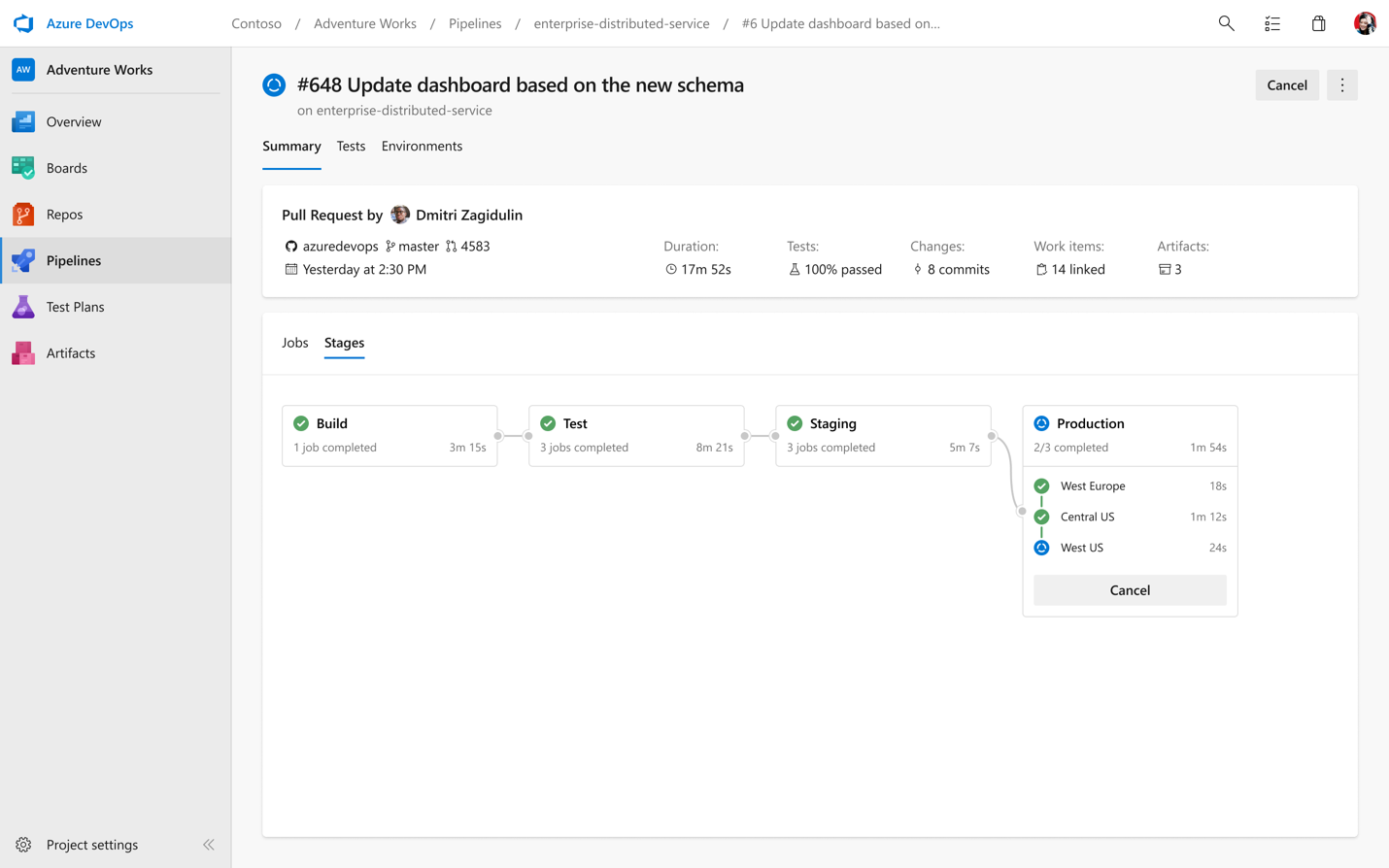
What’s new with Azure Pipelines

Today, we are announcing new features for Azure Pipelines, including multi-stage YAML pipelines (for CI and CD), environments and deployment strategies, and Kubernetes support.

Announcing Kubernetes integration for Azure Pipelines
We are announcing new features features designed to help our customers build applications with Docker containers and deploy them to Kubernetes clusters, on all cloud providers and on-premises.

A simpler way to buy Azure DevOps

We are constantly working to improve our experience end-to-end, including how our products are purchased. In response to feedback from our customers, we are pleased to announce some changes that will simplify how some Azure DevOps services are purchased.

Top Stories from the Microsoft DevOps Community – 2019.05.03

It's Friday - which means that Microsoft Build 2019 starts Monday! I'm literally writing this on my way to the airport and I couldn't be more excited to be able to talk to so many passionate, creative developers next week. If you're there, please stop by the Azure DevOps booth on the expo floor to say hi, and be sure to check out all the DevOps focused breakout sessions. And if you're not there? Don't miss everything that's streaming live because we've got so much to show you. How to edit a YAML Azure DevOps Pipeline So you're committed to checking in your build definition as YAML? (You are, right?!) That's awes...

Announcing Azure DevOps Server 2019.0.1 RC

Today, we are releasing Azure DevOps Server 2019.0.1 RC. This is a go-live release, meaning it is supported on production instances, and you will be able to upgrade to our final release. Azure DevOps Server 2019.0.1 includes bug fixes for Azure DevOps Server 2019. You can find the details of the fixes in our release notes. You can upgrade to Azure DevOps Server 2019.0.1 from Azure DevOps Server 2019 or previous versions of Team Foundation Server. You can also install Azure DevOps Server 2019.0.1 without first installing Azure DevOps Server 2019. Here are some key links: We’d love for you to install this ...

Azure DevOps Roadmap update for 2019 Q2

Last week we published an update to the Features Timeline. The features listed below link to the public roadmap project where you can find more details about each item. Here are a few highlights on some of the features for Q2.
Top Stories from the Microsoft DevOps Community – 2019.04.26
Whew, it's been a busy week! The team is getting ready for the Microsoft Build 2019 conference, in just two weeks! We can't wait to show you what we've been working on, so if you're there, be sure to stop by the Azure DevOps breakout sessions and at our booth to chat with us! But what's going on this week? Here's what the community has to say: Migrating a GUI based build to YAML in Azure DevOps Pipelines YAML builds in Azure Pipelines are great, because they let you check in the build definition right next to the code that it's building. That means that even as build definitions evolve, you always have a build d...

Azure DevOps Labs now includes Azure DevOps Server 2019 VM and labs

We are excited to announce the availability of Azure DevOps Server 2019 Virtual Machine and the corresponding self-paced labs. To access the VM and the hands-on labs, check out Azure DevOps Labs
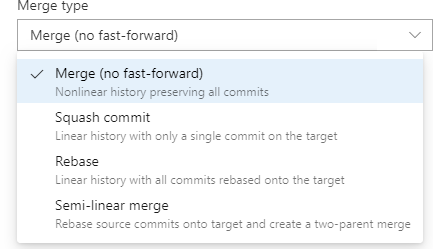
Pull Requests with Rebase
We're excited to roll out another way to integrate your pull requests in Azure Repos. Arriving in the Sprint 150 update is an option to rebase your pull request into the target branch. This lets you keep a linear commit history in your master branch, which many people think is an elegant way to visualize history. Like tabs vs spaces, the way code gets integrated is the subject of heated debates on teams. Some people prefer merges, some people prefer rebase, and some people prefer a hybrid approach or even a "squash". Azure Repos supports each of these scenarios: Merge (no fast-forward) This is the default int...