
Azure SQL Dev Corner
Voices from the Azure SQL PM Team, focusing on development and developers
Latest posts

Soccer Analytics Copilot with Azure SQL and OpenAI


The Football (aka Soccer in US 😀) Analisys Copilot provides an intuitive interface for users to interact with complex football data without needing advanced technical skills. By utilizing natural language processing, users can ask questions and retrieve detailed insights from vast datasets, including competitions, matches, teams, players, and events. This makes data exploration accessible to analysts, coaches, and fans who may not be familiar with coding or database queries, enabling them to gain valuable information through simple conversations with the chatbot. Through this interactive platform, users ca...
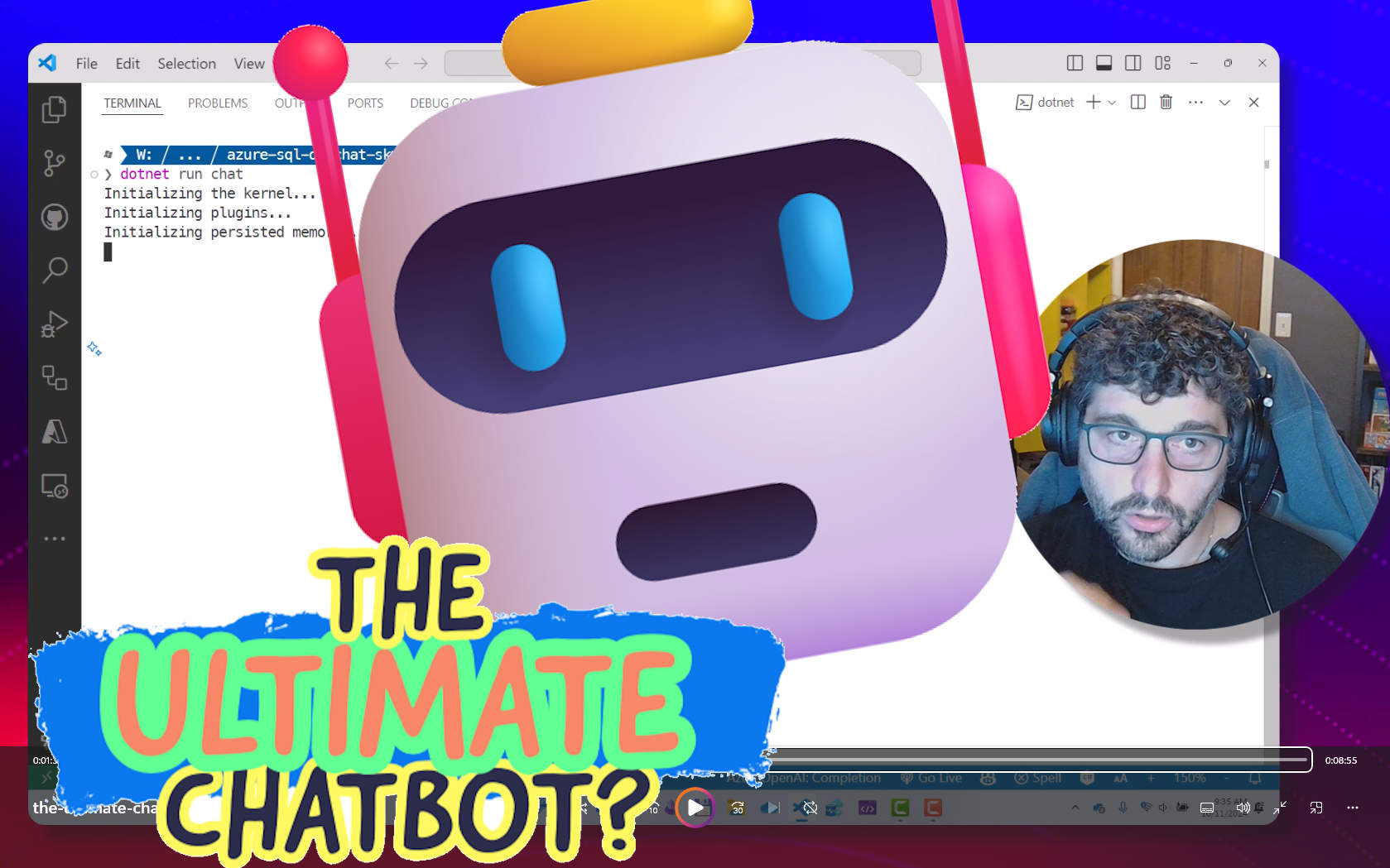
The ultimate chatbot?
RAG - Retrieval Augmented Generation - is by far one of the most common patterns today as it enables the creation of chatbots that can chat on your own data, as I described in my previous "Retrieval Augmented Generation with Azure SQL" blog post. As soon as you start to use it excitement grows, as it provides a sort of a magical experience. Experience that unfortunately stops the moment you try to ask it question that requires the ability to extract data from a structured source, like a database, as RAG is great when dealing with unstructured data, like text. By integrating the RAG pattern alongside NL2SQL, wh...

Smart Resume Matching: Document RAG with Azure SQL DB & Document Intelligence

Hey Azure SQL enthusiasts! 👋 We had a hiring event last week, and as I was going through a stack of digital resumes, I thought, "There has to be an easier way to do this." That's when it hit me—why not use Azure SQL DB’s new vector data type to revolutionize our hiring process? Not only could we find the perfect candidate faster, but we could also identify key focus areas for the interview. It’s a win-win! So, buckle up because today, we’re diving into how Azure SQL DB’s vector capabilities can enable advanced resume matching. We’ll be using Azure Document Intelligence and Azure OpenAI to make this magic ha...
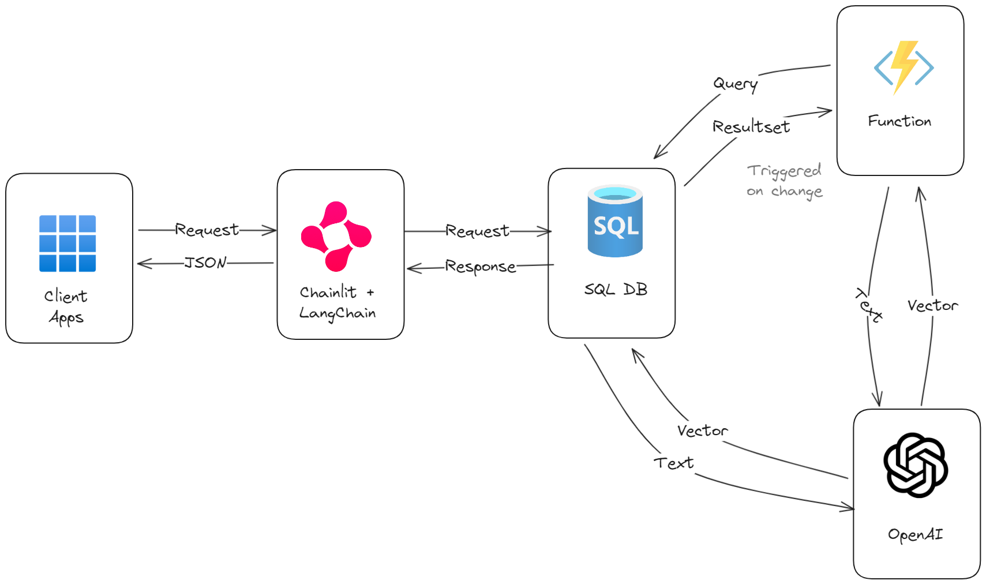
Build a chatbot on your own data in 1 hour with Azure SQL, Langchain and Chainlit
Chatbots are the hot topic lately, and now you can create them easily by downloading solutions like OpenWebUI, connect it to Ollama or any OpenAI compatible API, choose your favorite language model, and then run it. It just takes a few minutes and it's done. But building chatbots is not enough, you most likely want to build a chatbot on your own data. Luckly, the software ecosystem around AI and chatbot is growing every day, and today creating a chatbot that allow your users to chat with data stored in your database is very easy, thanks to libraries like LangChain, ChainLit and, of course, Azure SQL. To get...
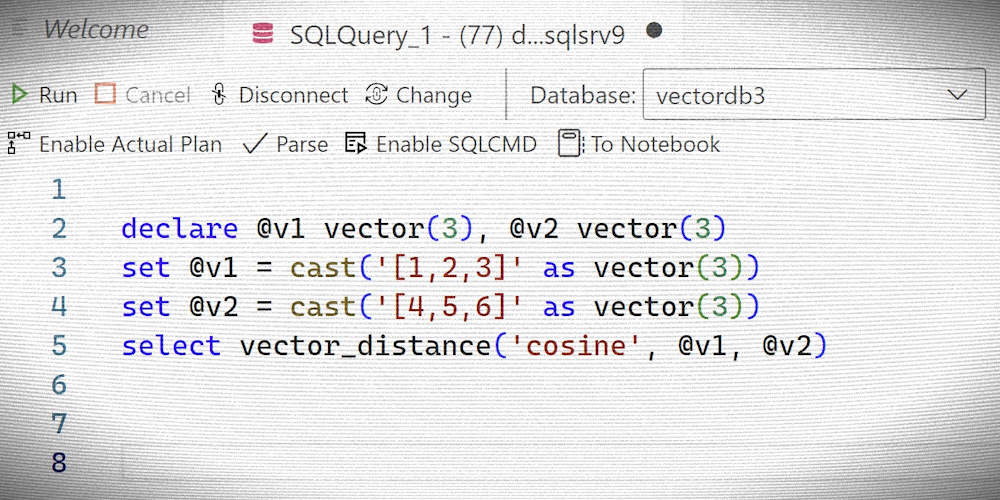
EAP for Vector Support Refresh – Introducing Vector type
Latest update - 06 November 2024 Vector Support is now available as Public Preview! Read the announcement here: Public Preview of Native Vector Support in Azure SQL Database! Access to full documentation here: Vector functions. The new data type Not even 6 months ago we started the Early Adopter Preview vector data support in Azure SQL, and we got great feedback and a lot of enthusiasm about the feature. Developers are excited to be able to easily build AI-enabled solution using an enterprise ready, secure, scalable and proven platform like Azure SQL, without the need to move data outside the database for...
Vector Support EAP extended to Azure SQL MI
If you are looking forward to build AI-enabled applications on your own data, you'll be excited to know that the Early Adopter Preview announced for Azure SQL DB on native vector capabilities is now available also for those who have data stored in Azure SQL Managed Instance! Make sure to learn how to store and use vectors functions reading the original post here: Announcing EAP for Vector Support in Azure SQL Database and then fill out the participation form at the end of that post to ask to join the Early Adopter Preview. Azure SQL Managed Instance is designed for customers looking to migrate a large numbe...

Retrieval Augmented Generation with Azure SQL
Retrieval Augmented Generation, or RAG, is one of the hottest topics at the moment as it opens up the possibility of interacting with data using natural language, which is a long-time dream finally coming true. It is very likely that a lot of your data is already stored or will be stored in Azure SQL, so a common request is to have an example on how to apply the RAG pattern to your own data stored an Azure SQL database. This blog post is all about that. Let's start from the basics and make sure the RAG pattern is clearly understood. RAG Pattern 101 To make the explanation easy to understand, even if y...
Simplify development with Dev Container templates for Azure SQL Database

In today's fast-paced software development landscape, having a reliable and efficient local development setup is crucial. Dev Containers provide developers with a seamless way to build and test applications locally before deploying them to the cloud. We are announcing the Public Preview of Dev Container templates for Azure SQL Database. This release provides pre-configured development environments tailored for Azure SQL Database, making it easier for developers to integrate and work with Azure SQL Database in their projects. In this blog post, we'll explore these new development container templates, discuss th...

Similarity Search with FAISS and Azure SQL

In today’s data-driven world, finding similar items within large datasets is a common challenge. Whether it’s recommending products, identifying similar documents, or clustering data points, efficient similarity search is crucial. This blog post will explore how to leverage FAISS (Facebook AI Similarity Search) and Azure SQL to perform similarity searches on Wikipedia movie plots data. The blog will also cover sample code to help you get started. Check out Data exposed video for quick overview and follow along with the code sample. What is Faiss? FAISS (Facebook AI Similarity Search) is a library that allows d...