
Azure Cosmos DB Blog
The latest news, updates and technical insights from the Azure Cosmos DB team
Latest posts

Migrating data from DynamoDB to Azure Cosmos DB

Co-authors: RK Iyer, Mangal Dutta Migrating stateful systems, such as databases, is a complex process. A frequent requirement for customers is to transfer data from DynamoDB to Azure Cosmos DB for NoSQL. This process involves several stages, including exporting data from DynamoDB, performing necessary transformations, and importing the data into Azure Cosmos DB. Common migration techniques: Offline and Online Migration strategies include offline and online approaches, which can be used independently or combined based on your needs. Online migration is ideal for applications requiring real-time data transfer ...

New Azure Cosmos DB Design Patterns Video Series – Learn, Implement, and Contribute!

We’re excited to introduce the Azure Cosmos DB Design Patterns video series—your go-to resource for learning how to design scalable, efficient, and cost-effective applications with Azure Cosmos DB. Built on real-world use cases, each episode explores a proven design pattern, walking through how it works, when to use it, and how to implement it using sample code from the Azure Cosmos DB Design Patterns GitHub repository. Hosted by Mark Brown (Azure Cosmos DB Principal Program Manager) and Jasmine Greenaway (Microsoft Senior Cloud Advocate), this series provides actionable insights to help you optimize your data ...

Moving to TLS 1.2 for Azure Cosmos DB: Ensuring Secure Connections

Security and reliability are at the core of modern cloud applications. To strengthen data protection and align with industry best practices, we encourage all Azure Cosmos DB customers to transition to TLS 1.2. This post explains why this change is important, how to make the transition, and the benefits it brings to your applications. Why Move to TLS 1.2? Transport Layer Security (TLS) is a critical component in securing data transmitted over networks. TLS 1.2 offers enhanced security features compared to its predecessors, TLS 1.0 and 1.1. By moving to TLS 1.2 or later, you ensure that your data is protected wi...

DocumentDB is Gaining Momentum in the Open-Source Database World

In the short amount of time since we unveiled DocumentDB, our open-source document database platform powering the vCore based Azure Cosmos DB for MongoDB, and the feedback has been nothing short of phenomenal. In this short time, we've received a lot of attention from tech media and community members alike. Rapid Community Adoption Developers and database enthusiasts have embraced DocumentDB with overwhelming enthusiasm, rapidly driving traction among both users and contributors. In just under a week, our project earned 1000 GitHub stars, nearly 50 forks, and multiple pull requests and issues—clear evidence of ...

A Powerful, Open-Source MongoDB GUI for Everyone

Editor's note (November 2025): Azure Cosmos DB for MongoDB (vCore) has been renamed to Azure DocumentDB. This article was originally published before the rename, so it uses the product name that was current at the time. While the product name has changed, the technical concepts discussed in this article remain applicable unless otherwise noted. For the latest Azure DocumentDB announcements, features, and technical guidance, visit the Azure DocumentDB Dev Blog. Introduction Azure Cosmos DB for MongoDB provides robust support through its Request Units (RU) model and vCore-based architecture, enabling flexible and...
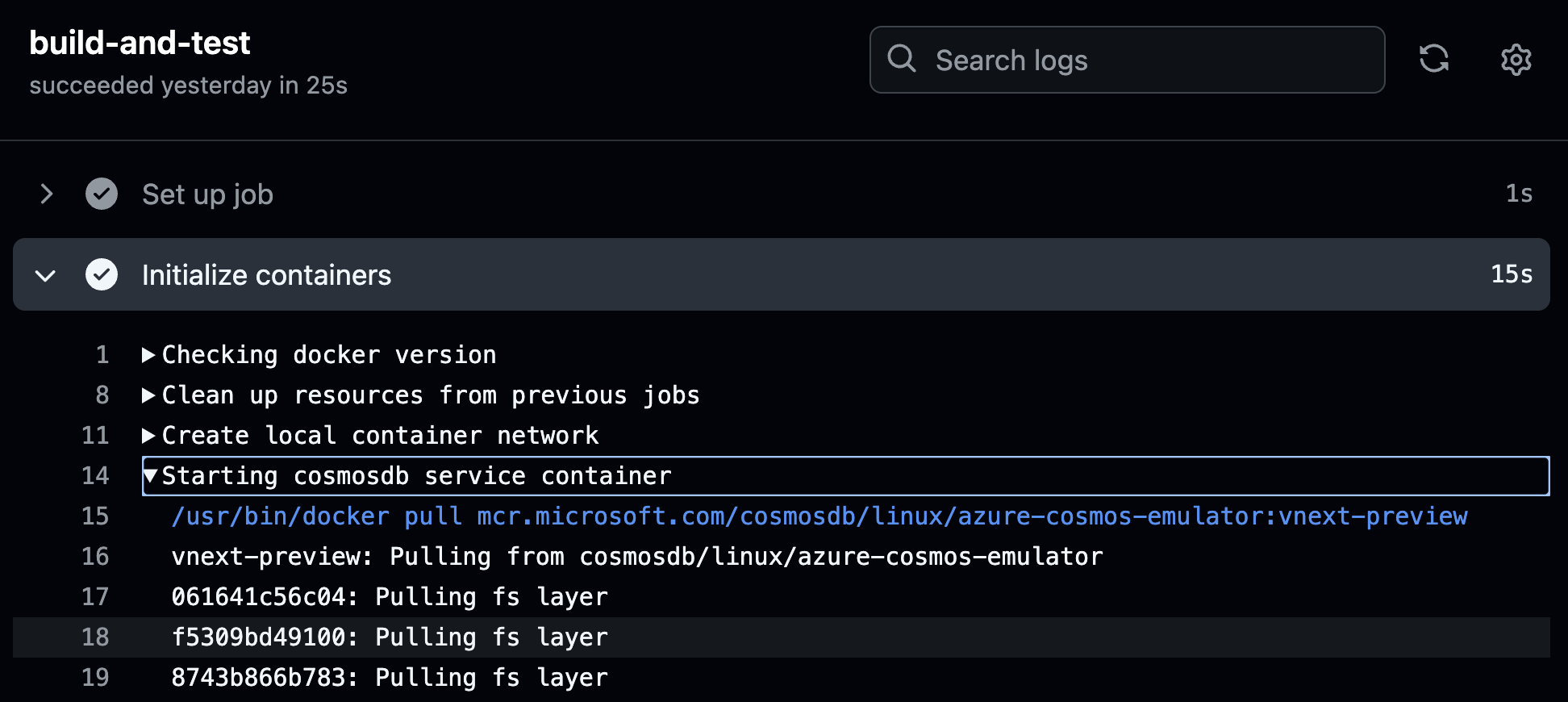
Use Azure Cosmos DB as a Docker container in CI/CD pipelines
There are lot of benefits to using Docker containers in CI/CD pipelines, especially for stateful systems like databases. For example, when you run integration tests, each CI job can start the database in an isolated container with a clean state, preventing conflicts between tests. This results in a testing environment that is reliable, consistent, and cost effective. This approach also reduces latency and improves the overall performance of the CI/CD pipeline because the database is locally accessible. The Linux-based Azure Cosmos DB emulator is available as a Docker container and can run on a variety of platf...

Doctors generate faster, more accurate medical charts with Sayvant and Azure Cosmos DB

This article is guest authored by Justin Mardjuki, CEO, Sayvant. Emergency rooms and urgent care facilities handle an estimated 350 million visits each year. Acute care environments are fast-paced, unpredictable, and high stakes. In these settings, providing care quickly is paramount. That’s why we created Sayvant, the leading clinical documentation AI solution for acute care. Sayvant helps clinicians generate accurate, defensible medical charts in seconds, enabling them to focus on delivering patient care instead of administrative tasks like documentation. Sayvant automates the creation of clinically accurate...
Revolutionizing Large-Scale AI with Janusgraph and Azure Managed Instance for Apache Cassandra

JanusGraph is a high-performance graph database that offers flexibility in choosing storage backends. Apache Cassandra is a distributed NoSQL database known for its scalability and fault tolerance. Combining these two technologies can create a robust and efficient graph database solution. You can use the Azure Managed Instance for Apache Cassandra which is a fully-managed offering on Azure with boasts of features such as Turnkey Horizontal and Vertical Scaling, Support for Customer Managed Keys, LDAP support, auto patch of OS, automatic repairs, Azure Monitor, Lucene Index support and keeping in line with tod...

Join the Conversation: Call for Proposals for Azure Cosmos DB Conf 2025!
Are you passionate about Azure Cosmos DB? Do you have insights, experiences, or innovations that the developer community would love to hear? Now is your chance to shine at the Azure Cosmos DB Conference 2025 – a free, virtual developer event co-organized by Microsoft and the vibrant Azure Cosmos DB community. Mark your calendar for April 15, 2025, and join us online for an exciting day of learning, sharing, and inspiration! This is our fifth annual conference, and we’re looking for YOU to contribute to making it an unforgettable experience! Why Submit a Proposal? Azure Cosmos DB Conference 2025 isn't jus...