
Windows Command Line
Windows Terminal, Console and Command Line, Windows Subsystem for Linux, WSL, Windows Package Manager
Latest posts
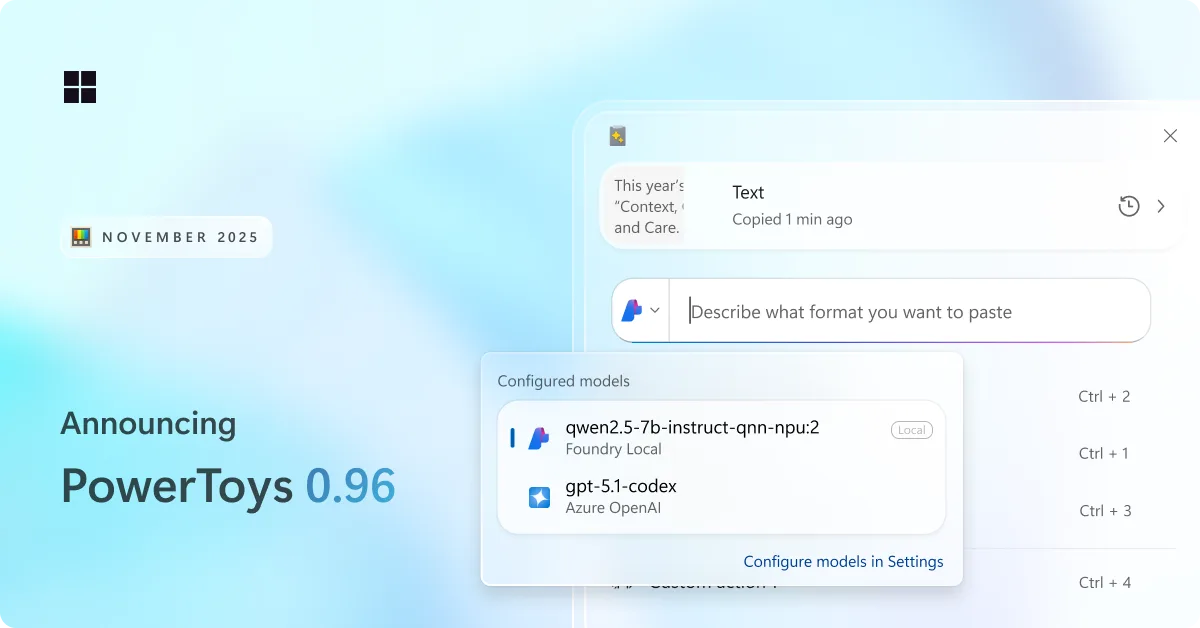
PowerToys 0.96 is here: endpoints for Advanced Paste, metadata support for PowerRename and more!

We are back with a fresh PowerToys release! This month brings a redesigned Advanced Paste experience with support for multiple AI model endpoints, a wave of improvements to Command Palette, and plenty of smaller upgrades across the utility suite. Grab the update by checking for updates in PowerToys or heading to the release page. Let's jump in! 📋 Smarter, faster, and more flexible: Advanced Paste gets a big upgrade We have been hard at work improving Advanced Paste. Both the Settings experience and the Advanced Paste UI have been refreshed with a cleaner, more modern design. A lot of you asked for more flexib...
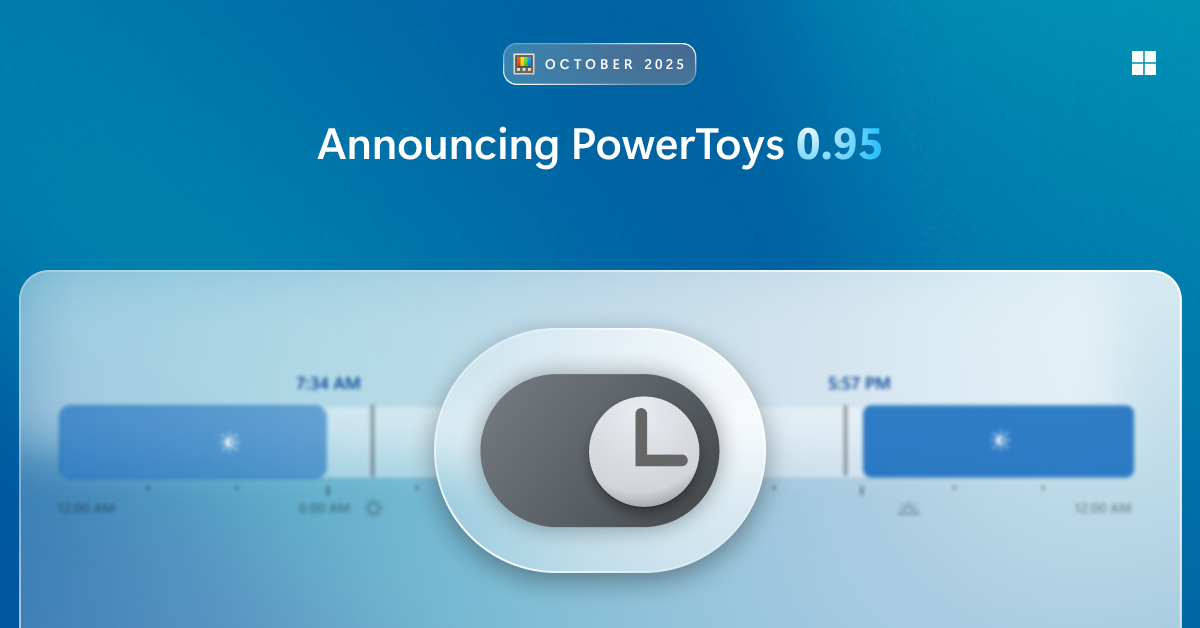
PowerToys 0.95 is here: new Light Switch utility, faster Command Palette, and Peek with Spacebar
New month, new release! This one’s packed with quality-of-life improvements, performance boosts, and a bunch of long-standing community requests finally checked off the list — all while keeping the focus on fundamentals like speed and reliability! Get the update by checking for updates in PowerToys or heading to the release page. Let’s dive in! 🆕 Automatically switch between light and dark-mode with Light Switch Meet Light Switch, a brand-new utility that automatically switches your PC between light and dark mode! You can set custom start and end times, or let Light Switch handle it for you by using the sunri...
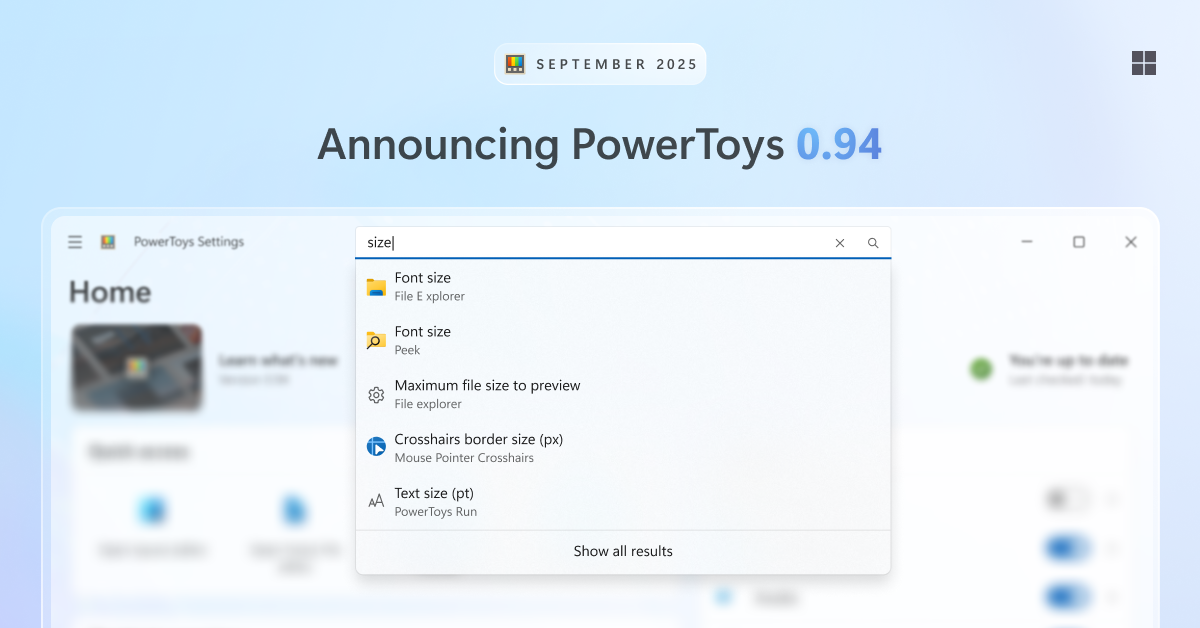
PowerToys 0.94 is here: Settings search, shortcut conflict detection and more!
This release is all about quality-of-life improvements — making it easier to find the setting you’re looking for, spot shortcut conflicts, and even adding a new way to move your mouse cursor. Get the update by checking for updates in PowerToys or heading to the release page. Search in Settings PowerToys has grown a lot over the years, and with so many settings it can sometimes be hard to find exactly what you need. That’s why we’ve added a search box in Settings. Search supports fuzzy matching, so you don’t need to type the exact name. Just press Ctrl+F (or click the search box) and start typing. Suggestion...
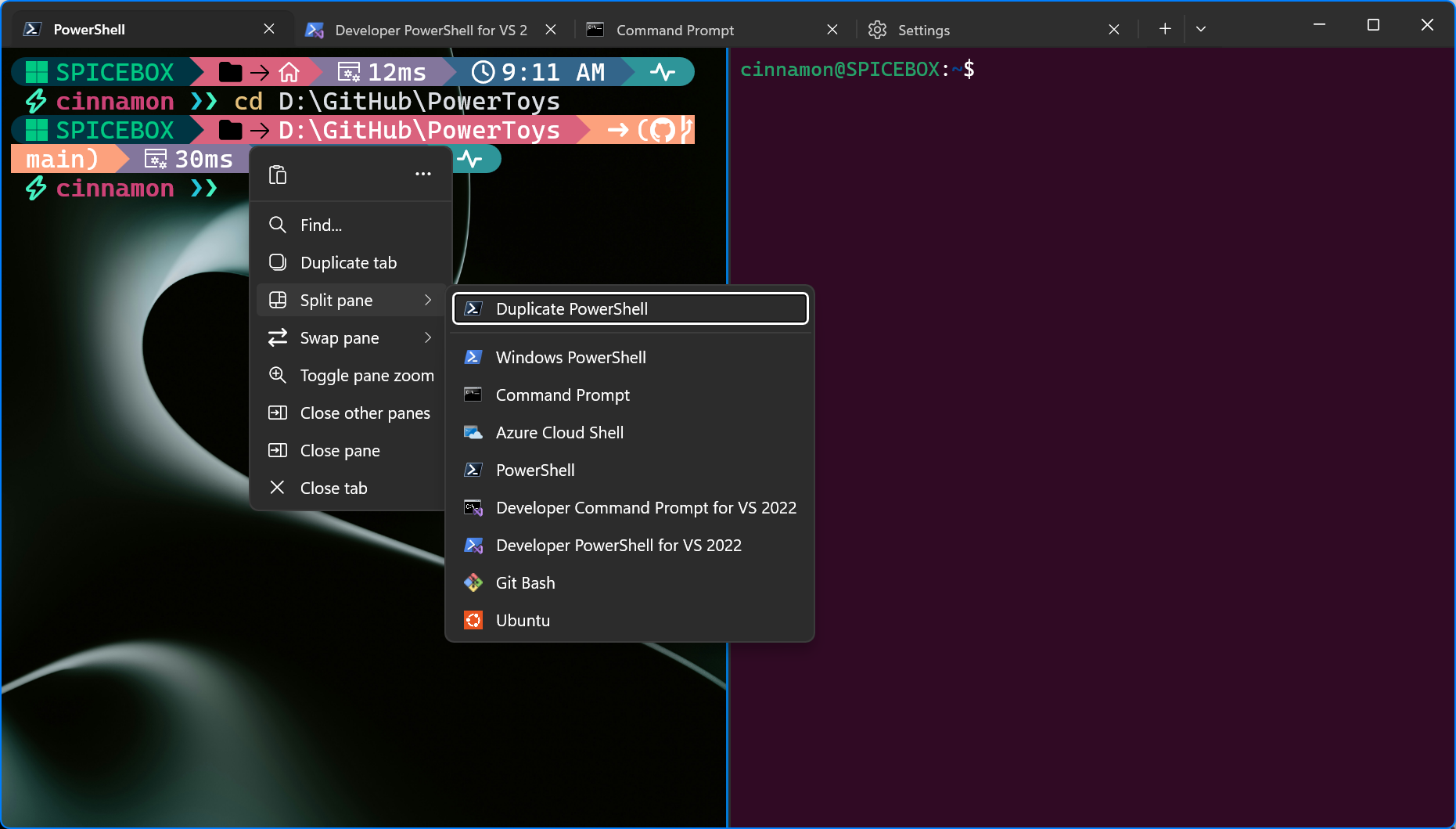
Windows Terminal Preview 1.24 Release

We’re back with another Terminal release for you! This development cycle, we focused on overall quality of life improvements and bug fixes. We are also updating Windows Terminal stable to version 1.23, which will include all of the features from this previous blog post. Some notable features to call out are: 🌟 A completely new and more reliable windowing architecture, featuring a more robust tray icon, window actions, and "summoning" (i.e. Quake mode). 🌟 A new UI in settings for customizing your New Tab dropdown menu. 🌟 Additional settings that have been added to the settings UI that originally only existed i...
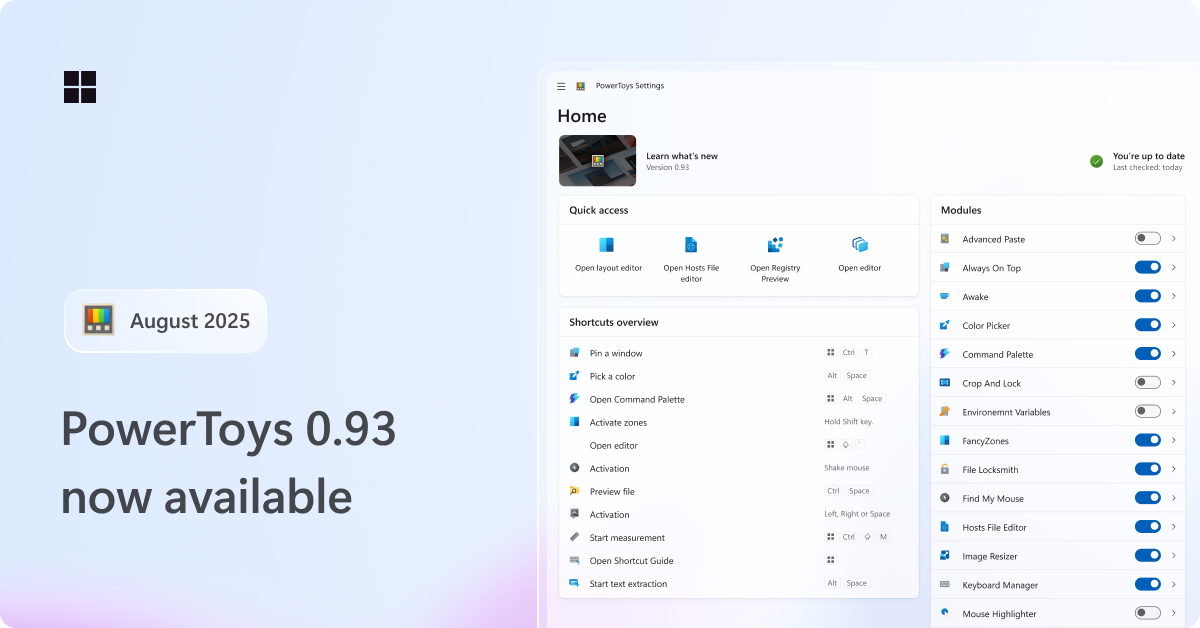
PowerToys 0.93 is here: faster Command Palette, new dashboard UX and more
Hey PowerToys fans! We’re back with a fresh release: PowerToys 0.93! As usual, we've squashed a bunch of bugs and made some small quality of life tweaks, but we've also packed in some bigger, exciting changes you'll want to check out. Get the update by checking for updates in PowerToys or heading to the release page. Command Palette – smaller, better, faster, stronger! We’ve been hard at work with the community to iron out issues and speed things up. And wow… it’s paid off. By enabling Ahead of Time (AOT) compilation in the Windows App SDK, we successfully reduced the startup memory usage by 15%, load time b...

Edit is now open source

What is Edit? Edit is a new command-line text editor in Windows. Edit is open source, so you can build the code or install the latest version from GitHub! This CLI text editor will be available to preview in the Windows Insider Program in the coming months. After that, it will ship as part of Windows 11! How to use Edit Open Edit by running in the command line or running . With this, you will be able to edit files directly in the command line without context switching. What are Edit's features? Edit is still in an early stage, but it has several features out of the box. Here are some highlights! Lightwe...
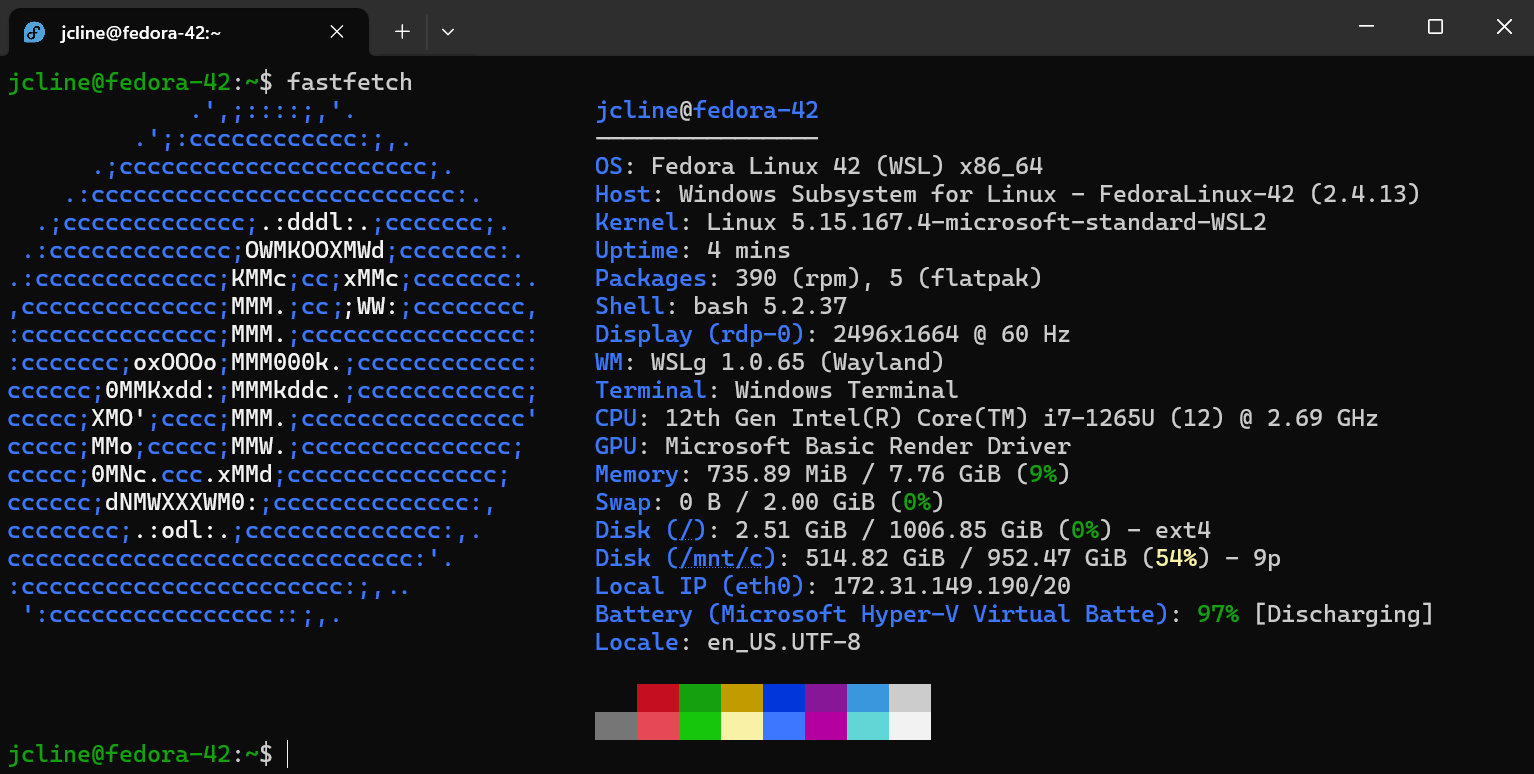
Fedora Linux is now an official WSL distro

We’re pleased to announce that one of the latest additions to the list of official WSL distros is Fedora Linux! The Fedora Project has taken advantage of WSL’s new tar-based architecture to produce WSL images beginning with Fedora 42. Try it out To install it, run and then launch it with . You’ll be prompted for a username, and then you’ll be ready to go. By default, your user does not have a password and is part of the group which allows you to use to run commands that require elevated privileges. Tour of Fedora 42 If this is your first time using Fedora, the Fedora documentation is a good place to start a...

Terminal Chat now included in GitHub Copilot Free
Windows Terminal Canary users can now use Terminal Chat with the GitHub Copilot Free plan! 🚀 GitHub Copilot Free is limited to 50 chat messages per month. This includes the usage of Copilot in the CLI, VS Code, and Visual Studio. If you reach your quota, you can upgrade on the web. You can sign up for GitHub Copilot Free through the Copilot setting in your GitHub account. No subscription needed! :D What is GitHub Copilot? GitHub Copilot is an AI coding assistant that helps you write code faster and with less effort, allowing you to focus more energy on problem solving and collaboration. GitHub Copilot has ...

Windows Terminal Preview 1.23 Release
Happy New Year everyone! Here is our first Windows Terminal Preview release of the year! In this release, we focused on porting many of our beloved settings to the Settings UI. We also have several bug fixes and accessibility updates as well. We are also updating Windows Terminal stable to version 1.22 which will include all of the features from this previous blog post. Those that loved our sixel support and Snippets Pane in 1.22 Preview can now see those features in our mainline product! Also, huge thanks to the folks that have shared the cool stuff they've been doing with sixels to us. We're glad that you fol...

What’s new in the Windows Subsystem for Linux in November 2024

The latest updates to WSL bring new enterprise security features, new improvements to WSL distros, and the announcement that RedHat is officially becoming a WSL distro! Check out the table of contents in this post for a quick overview of all the announcements! Red Hat is becoming an official WSL distro Although you can run any Linux distro in WSL, being an official distro makes it easier for WSL users to install and discover it with actions like and . We’re excited to announce that Red Hat will soon be delivering a Red Hat Enterprise Linux WSL distro image in the coming months, and it will be shipped with t...

GitHub Copilot in Windows Terminal
GitHub Copilot users can now use the power of GitHub Copilot to get command suggestions and explanations without leaving the terminal with Terminal Chat in Windows Terminal Canary 🚀 This is available for all GitHub Copilot Individual, Business, and Enterprise customers. To get started, sign up for a GitHub Copilot free trial and check out the GitHub Copilot quickstart guide. What is GitHub Copilot? GitHub Copilot is an AI coding assistant that helps you write code faster and with less effort, allowing you to focus more energy on problem solving and collaboration. GitHub Copilot has been proven to increase d...

Windows Terminal Preview 1.22 Release
Hello friends, we have a new Windows Terminal Preview release! Windows Terminal Preview 1.22 is a large release that contains new features such as Sixel image support (a LARGE community contribution!), Grapheme Cluster Support, the Snippets Pane, Quick Fixes in CMD, and a new Cooked Read popup in CMD to name a few! We are also updating Windows Terminal stable to version 1.21 which will include all of the features from this previous blog post. For those that use Input Method Editor (IME), you will notice that we have improved our IME integration in Windows Terminal 1.21. We strive to make a globally-conscious pro...
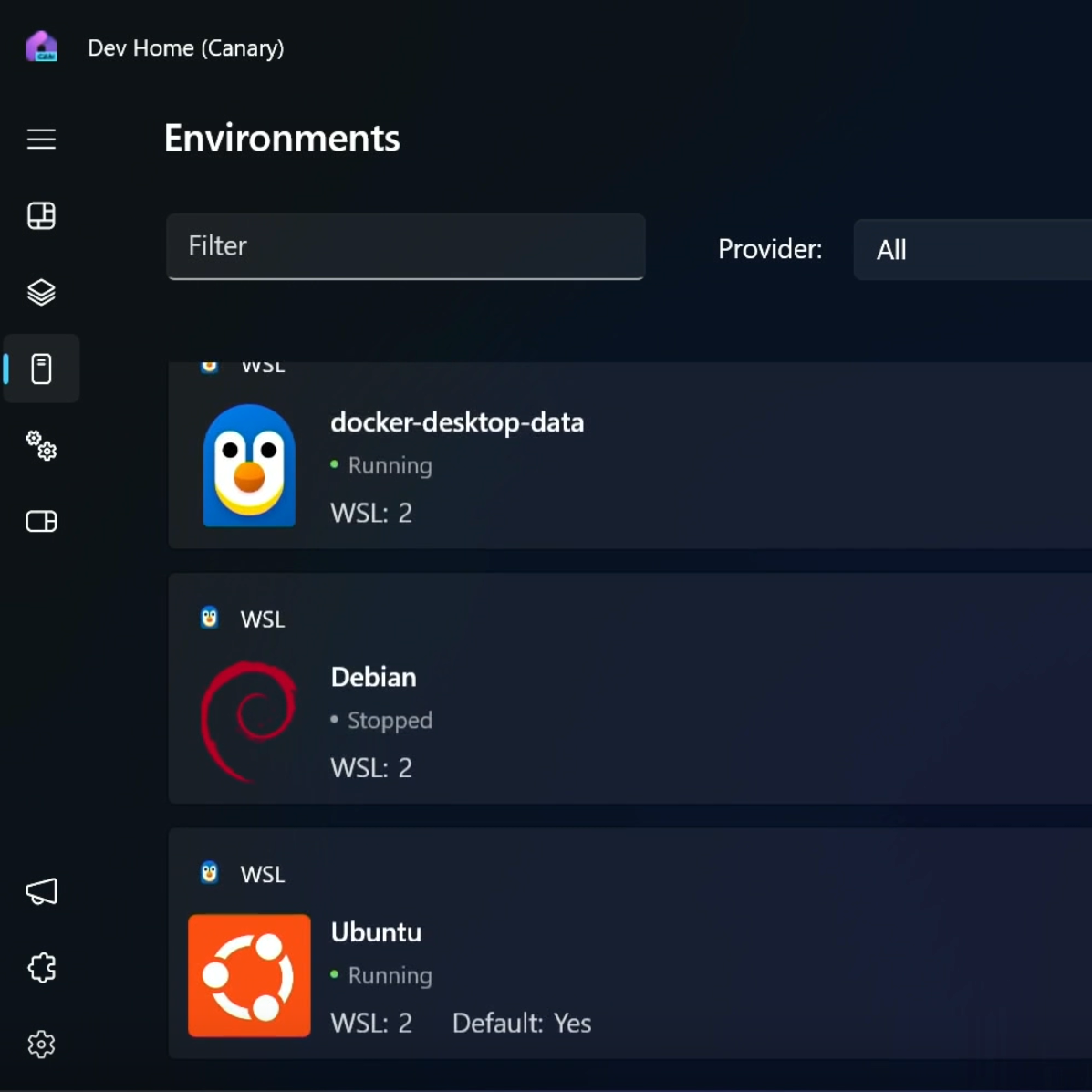
What’s new in the Windows Subsystem for Linux in May 2024
For this year's Microsoft BUILD conference, we are thrilled to announce significant updates to WSL. This blog post will provide an overview of these enhancements and the recent developments in WSL. Memory, storage, and networking improvements We announced several improvements back in September as experimental features and have since been moving these features from experimental to the default settings. The latest pre-release version of WSL contains improvements to fundamentals of WSL, including: Experimental features include: - to enable automatic disk space reclaim. - wslconfig setting of s...
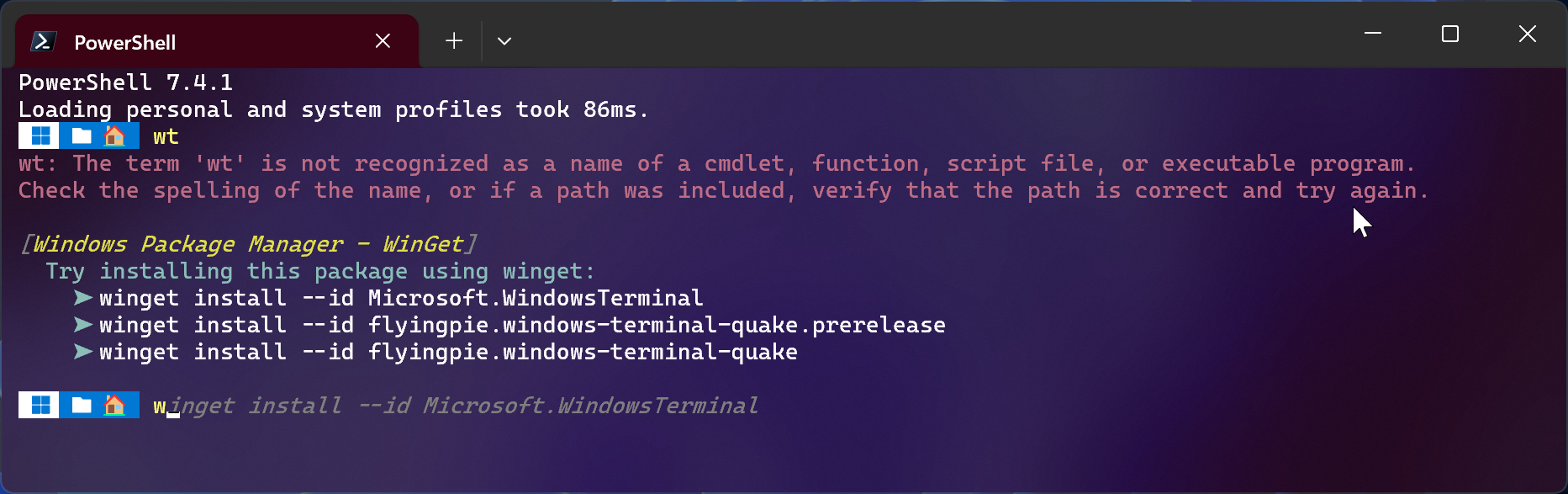
WinGet.CommandNotFound
We are pleased to announce the release of ! This PowerShell module is a feedback provider plugin for PowerShell that leverages the Windows Package Manager to provide suggestions for packages to install when a native command cannot be found. The command-line predictor feature in PowerShell enables this module to display WinGet packages as predictive suggestions. This module was originally incubated as a utility in PowerToys. Thanks to the help of the PowerShell and PowerToys community, we got lots of positive feedback to turn this PowerToys utility into a real PowerShell module! :) Requirements The module is...
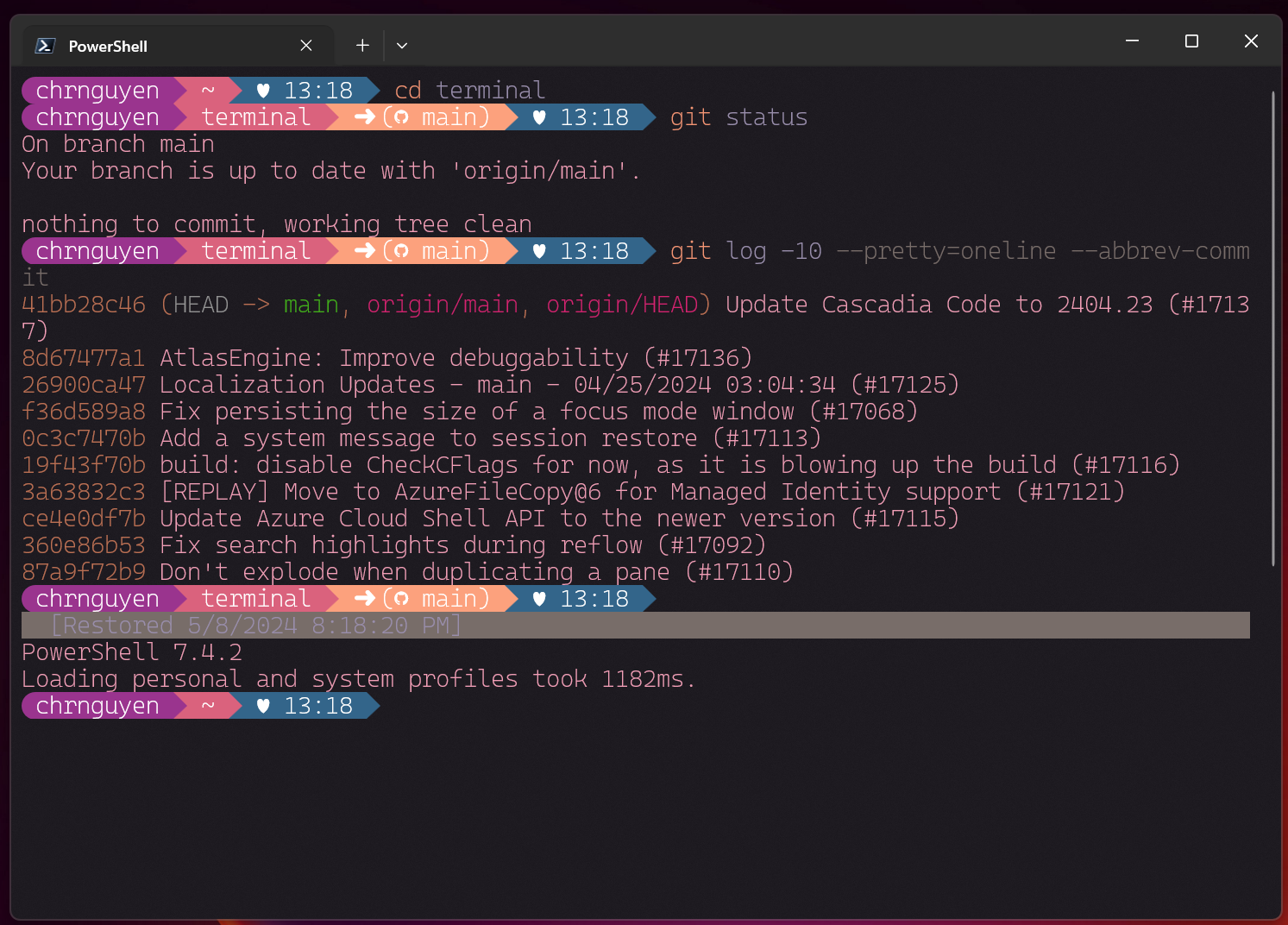
Windows Terminal Preview 1.21 Release
Windows Terminal is back with another preview release! Windows Terminal Preview 1.21 introduces long-awaited features like Buffer Restore and fontfall back as well as new experimental features like Scratchpad and the ability to load up an image as a texture. There's also a LOT MORE stuff so check out the rest of this blog post to learn more! We are also updating Windows Terminal stable to version 1.20 which will include all of the features from this previous blog post. You can install Windows Terminal and Windows Terminal Preview from the Microsoft Store, from the GitHub releases page, or by using winget. If yo...
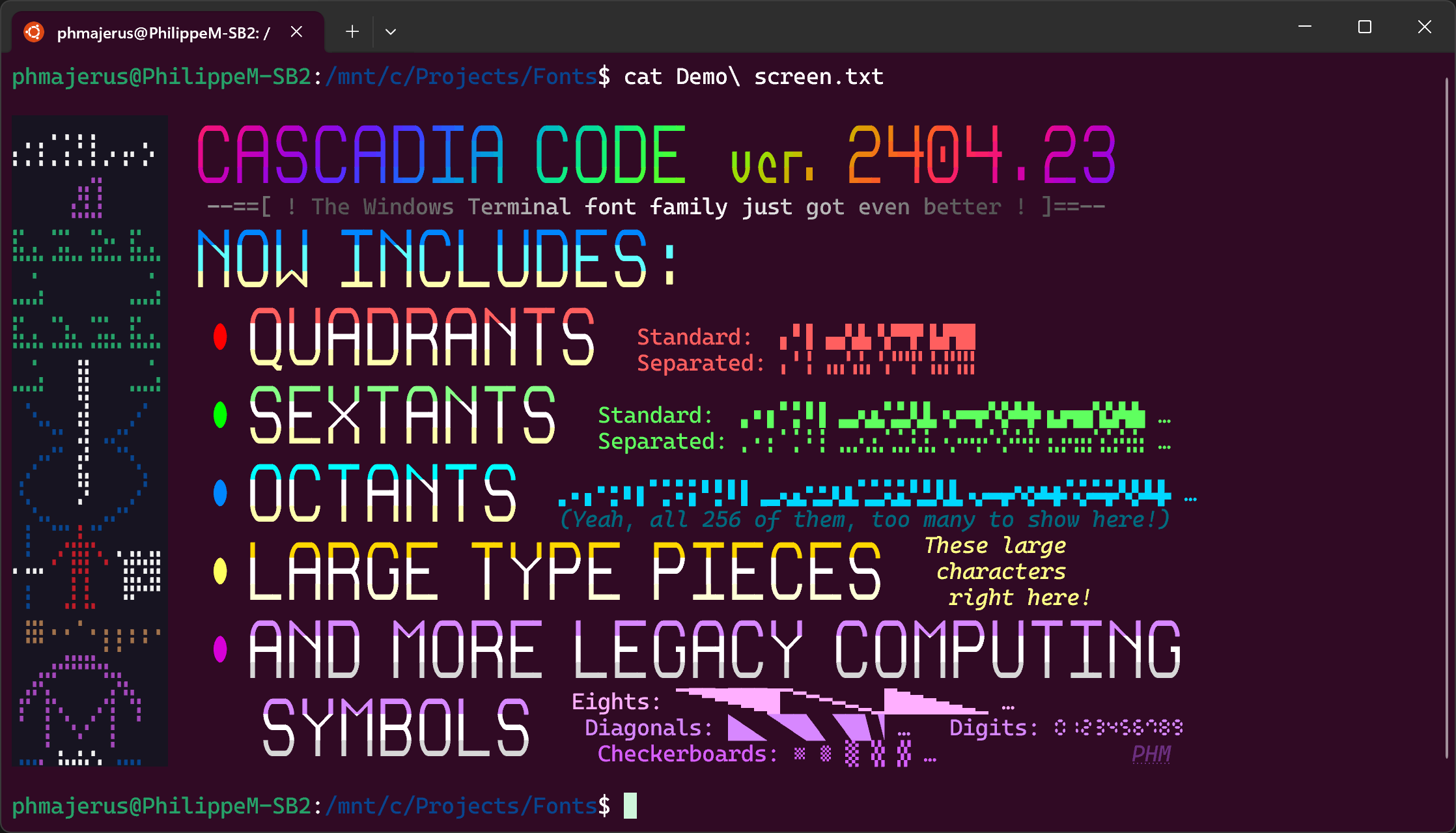
Cascadia Code 2404.23
Hello world! We are excited to announce the first major version update of Cascadia Code since the 2111.01 release three years ago! (Wow, time sure flies!) In this new 2404.03 release, we have added support for Quadrants, Sextants, Octants, Large Type Pieces, more legacy computing symbols, and Nerd Fonts to Cascadia Code. Huge shoutouts to Philippe Majerus (@PhMajerus), Aaron Bell (@aaronbell), and Fini (@Finii) for contributing to this release! You can download the latest version of the font from the GitHub releases page and it will be shipped in the latest update of the Windows Terminal. Quadrants and Sexta...

Introducing Sudo for Windows!

Introducing Sudo for Windows We're excited to announce the release of Sudo for Windows in Windows 11 Insider Preview Build 26052! Sudo for Windows is a new way for users to run elevated commands directly from an unelevated console session. It is an ergonomic and familiar solution for users who want to elevate a command without having to first open a new elevated console. We are also excited to announce that we are open-sourcing this project here on GitHub! We're working hard to add more information about the project in the GitHub repo and will be sharing more details about our plans in the coming months! If you...
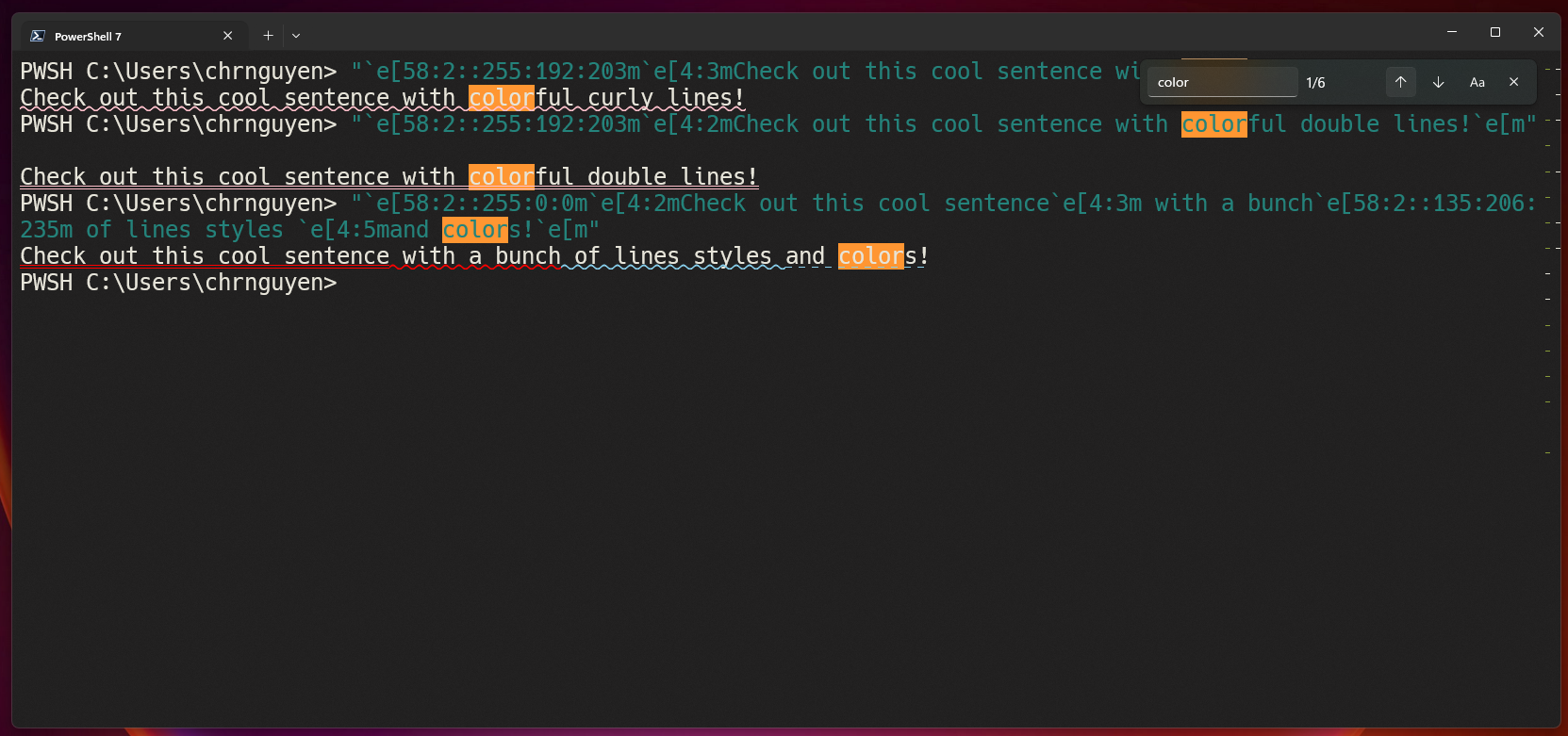
Windows Terminal Preview 1.20 Release
Happy New Year! The Windows Terminal team is back with our first preview release of the year! Windows Terminal Preview 1.20 introduces several changes such as the automatic deferral of package updates while Windows Terminal is running, support for colorful and crazy line styles, changes to the way search results are highlighted and LOTS of usability updates and bug fixes! We are also updating Windows Terminal stable to version 1.19 which will include all of the features from this previous blog post. As always, you can install Windows Terminal and Windows Terminal Preview from the Microsoft Store, from the GitHub...
Self-help support for Azure using Help API : CLI Extension

Today, Azure customers navigate across multiple tools, portals and knowledge bases to troubleshoot Azure incidents. Azure is now introducing Help API, an offering that streamlines and simplifies troubleshooting steps by returning relevant solutions associated with the problem, wherever you need them! Help API empowers you and/or your users to access rich, Azure curated self-help solutions, diagnostics and troubleshooters from your preferred interface, without the need to create a support case, thereby putting the power of troubleshooting issues in your own hands, within minutes from when the issue occurs! In this...

Terminal Chat in Windows Terminal Canary
At Build 2023, we announced that Windows Terminal users will be able to take advantage of natural language AI to recommend commands, explain errors and take actions within Windows Terminal. Since then, we have been listening to customer feedback and iterating on our AI chat experiments in Windows Terminal. The Windows Terminal team is committed to transparency, and we want to give the open-source community an opportunity to help us define what AI looks like in a terminal application. As a result, we are open sourcing our work on Terminal Chat, our AI chat feature. Open sourcing this feature will allow developer...
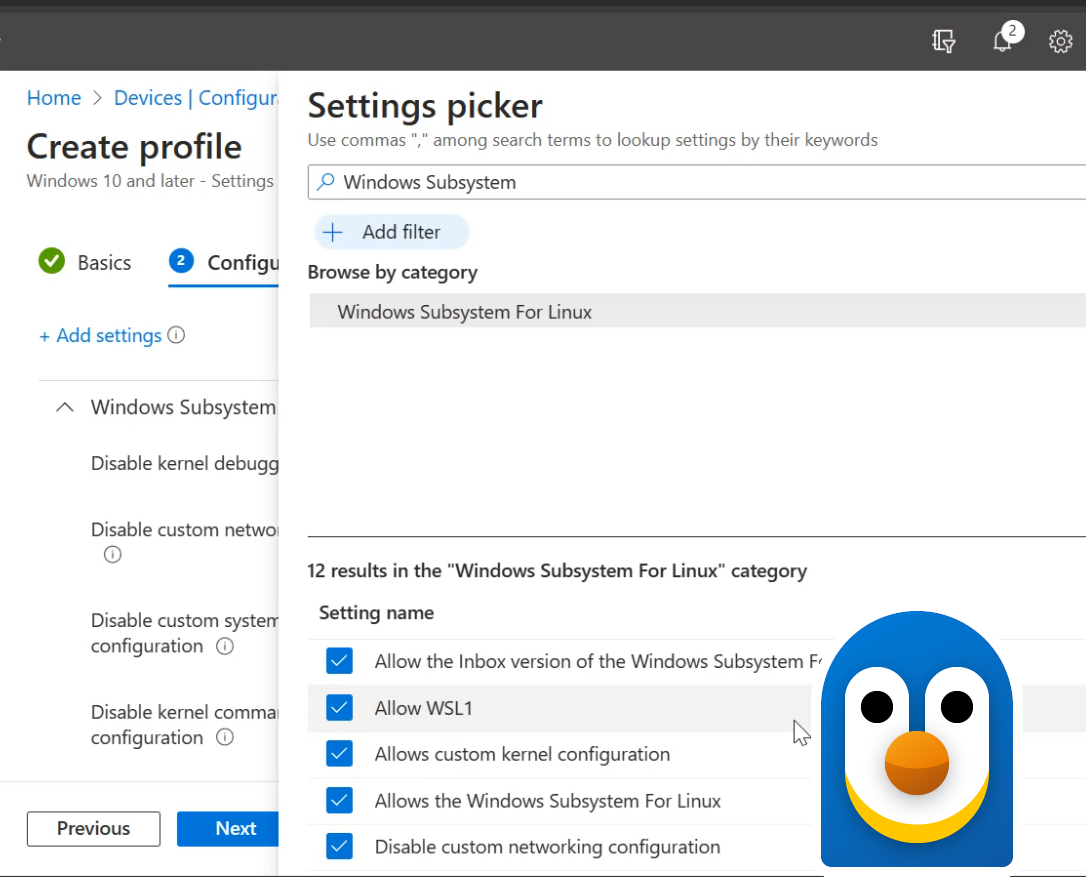
New enterprise-grade security controls for the Windows Subsystem for Linux
The Windows Subsystem for Linux (WSL) has added new enterprise-oriented features that will help you deploy, monitor, and configure WSL safely within your organization's setting. Virtual Machine-based environments, like WSL, can be difficult to manage security for in enterprise business settings. We've listened to your feedback and have developed new features to enhance this specific scenario, enabling any Enterprise to use WSL securely and reliably. WSL has these new capabilities which you can learn more about below: See and monitor all WSL distributions with Microsoft Defender for Endpoint While WSL ...

Introducing Windows Terminal Canary
Windows Terminal is distributed in a variety of formats. We are thrilled to announce that we are adding Windows Terminal Canary to the Windows Terminal family. Windows Terminal Canary is a new canary channel of Windows Terminal that ships nightly and includes “hot off the presses” features. This Canary channel gives users the opportunity to try new and experimental features before those features go into Windows Terminal Preview. Windows Terminal Canary can be installed side-by-side with Windows Terminal stable and Windows Terminal Preview. The Canary channel is also our least stable channel, so you may discover...
Windows Terminal Preview 1.19 Release
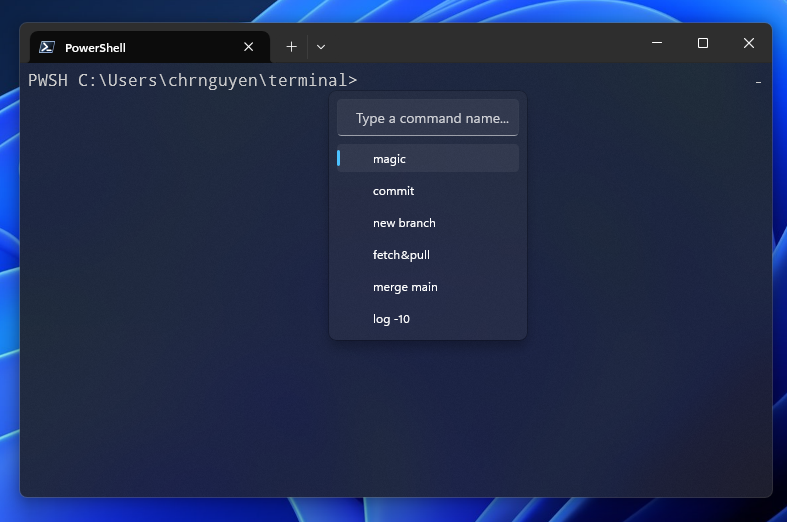
The Windows Terminal team is back with a new preview release! Windows Terminal Preview 1.19 introduces new features such as Broadcast Input, Web Search, the Suggestions UI and more! We are also updating Windows Terminal to version 1.18 which will include all of the features from this previous blog post. As always, you can install Windows Terminal and Windows Terminal Preview from the Microsoft Store, from the GitHub releases page, or by using winget. Let's talk about these new Windows Terminal Preview 1.19 features and how to set them up! Broadcast Input Broadcast Input allows the contents of one terminal pan...
Windows Subsystem for Linux September 2023 update
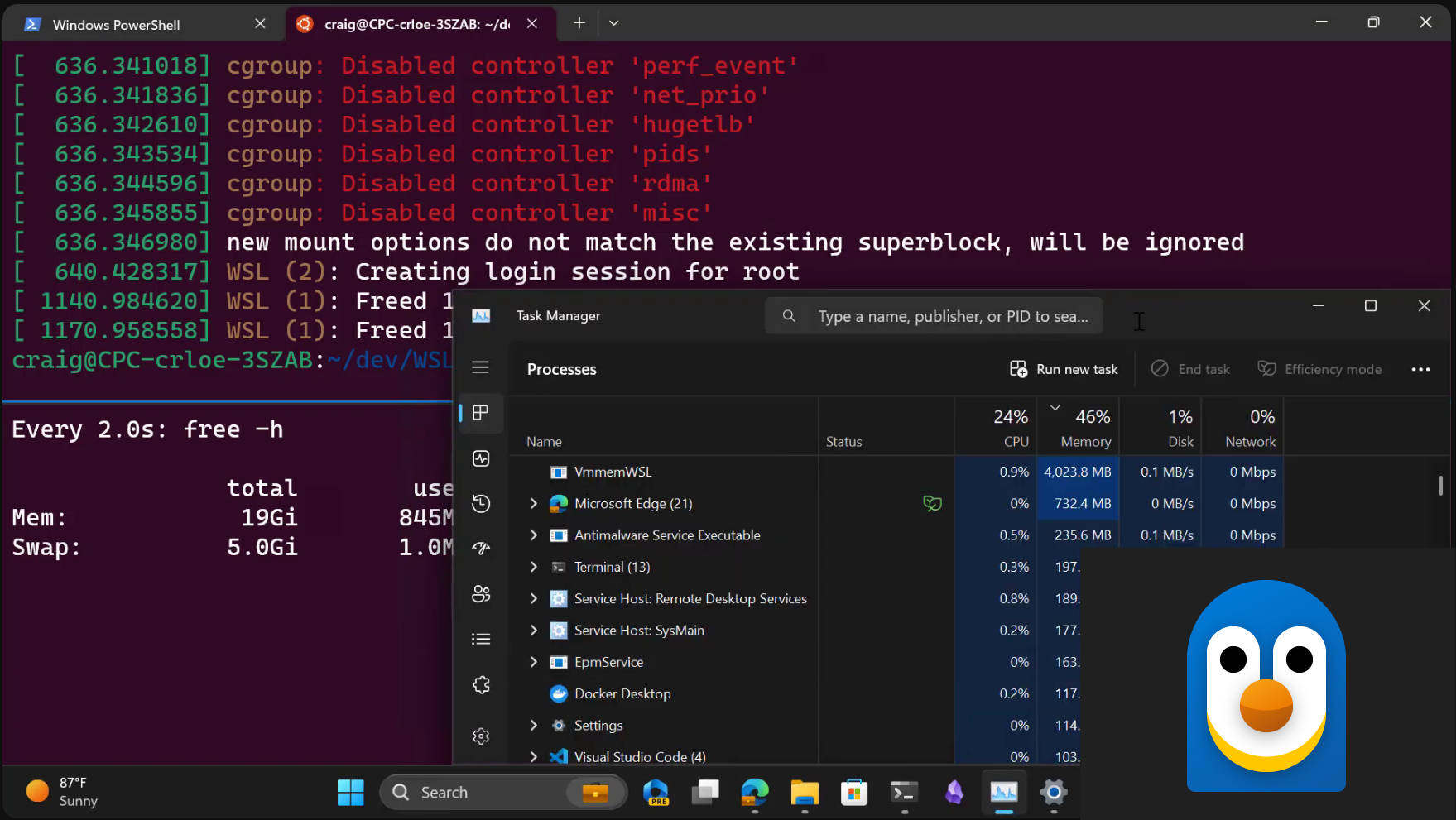
There is a new release for the Windows Subsystem for Linux (WSL) with new features and bug fixes! Check out the summary below, and read on to learn more about new experimental features, and some significant quality improvements. Experimental features We know that WSL is used for a wide array of workflows and we want to help you get the best performance and quality experience from these workflows. That's why we are introducing new features listed below as experimental features, so you can try them and provide us feedback and we will make the features you love as default! Here’s the summary of what we’re adding...
Walkthroughs in the Windows Terminal Repository

Note: You can also watch a video version of this blog post on Open at Microsoft. Driving open-source contributions in large projects can be a challenge. As a new contributor, you might have a great idea for a new feature, or want to help fix a nagging bug, but you don't know where to start. Even with a small project, it can be difficult to find the right place to start writing code. As a maintainer, you might know exactly where to start working on a feature or a bug fix. You might even have a good idea of how to implement it. But, you don't have the time to write up a detailed guide for every feature. How t...

Windows Terminal on Open at Microsoft
Are curious about how the Windows Terminal project got started? Are you interested in open sourcing your own project? Check out this special Open at Microsoft episode where we discuss the history of Windows Terminal and recap the decisions that led to Windows Terminal being an open-source project 🙂 What is Open at Microsoft? Open at Microsoft is a weekly show for open-source enthusiasts. It features a diverse group of guests including maintainers, software and DevOps engineers, and community members who come together to share their insights on an open-source project. Each episode focuses on one collaborative ...
Shell integration in the Windows Terminal
Starting in Terminal 1.15 Preview, the Windows Terminal has started experimentally supporting some new "shell integration" features that make the command line easier to use. In earlier releases, we enabled the shell to inform the Terminal about the current working directory. Now, we have added support for more sequences that allow your shell to semantically describe parts of the terminal output as a "prompt," a "command," or "output." The shell can also indicate whether a command has succeeded or failed. This is a guide to some of the shell integration features we've rolled out as of Terminal v1.18. We're planni...