
Azure SQL Devs’ Corner
Voices from the Azure SQL PM Team, focusing on development and developers
Latest posts
Introducing Budget Bytes: Build Powerful AI Apps for Under $25


When developers hear "cloud" and "AI," their first thought is often about cost. "How much will this cost me to learn? Can I build something meaningful without racking up a surprise bill?" Budget Bytes is a new series is designed to inspire developers to build affordable, production-quality AI applications on Azure with a budget of $25 or less. Yes, you read that right, twenty-five dollars! What is Budget Bytes? Budget Bytes is an episodic video series featuring developers building end-to-end scenarios from scratch. But here's what makes it different: This season c...
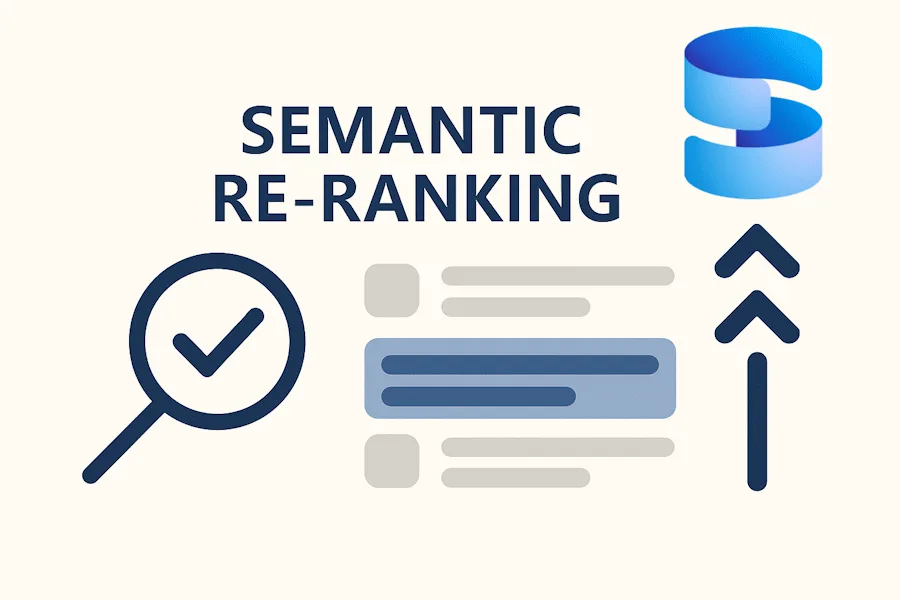
Semantic Reranking with Azure SQL, SQL Server 2025 and Cohere Rerank models

Supporting re‑ranking has been one of the most common requests lately. While not always essential, it can be a valuable addition to a solution when you want to improve the precision of your results. Unfortunately, there isn’t a universal, standardized API for a “re‑rank” call across providers, so the most reliable approach today is to issue a manual REST request and build the payload according to the documentation of the re‑ranker you choose. How a Re-ranking Model Improves Retrieval Vector search is excellent for quickly finding likely matches, but it can still surface items that aren’t the best answer. A re‑r...

Data API builder’s “request-body-strict” Simplifies Client Code

Data API builder (DAB) provides REST and GraphQL endpoints over SQL Server, Azure Cosmos DB, PostgreSQL, MySQL, and SQL Data Warehouse. The configuration value controls how REST endpoints treat unknown JSON properties in the payload: Read the documentation. Let's try it out The database table Imagine a simple table called Category with only two columns: The configuration file Create your Data API builder configuration file with the following command line commands: The JSON payload When you call the REST endpoint for Category at , the resulting JSON looks like this: The C...
MSSQL Extension for VS Code: Introducing Edit Data (Public Preview)

Overview Working with table data is an essential part of database development — whether you’re validating behavior, debugging issues, or quickly seeding data. But switching between tools or writing repetitive T-SQL statements can slow down your workflow. We are excited to announce the Public Preview of Edit Data in the MSSQL extension for Visual Studio Code — a modern, interactive way to browse and modify table data directly within the editor. Edit Data (Preview) brings a familiar, spreadsheet-like experience, combining inline editing, validation, pagination, and real-time script generation into a fast and intu...

New T-SQL AI Features are now in Public Preview for Azure SQL and SQL database in Microsoft Fabric

At the start of this year, we released a new set of T-SQL AI features for embedding your relational data for AI applications. Today, we have brought those features to Azure SQL and SQL database in Microsoft Fabric. This post will help you get started using the new AI functions of Azure SQL. Prerequisites Set up your environment The following section guides you through setting up the environment and installing the necessary software and utilities. Set up the database The following section guides you through using the embeddings model to create vector arrays on relation data and use ...
MSSQL Extension for VS Code: GitHub Copilot Chat GA and New Public Previews for Edit Data, Data-tier Application, and more


The MSSQL Extension for VS Code continues to evolve, delivering features that make SQL development more integrated, more consistent, and more developer-friendly. In version v1.37.0, we’re announcing the Public Preview of Edit Data, Data-tier Application (DACPAC/BACPAC) export & import, and the SQL Database Projects Publish Dialog, along with the General Availability of GitHub Copilot — four capabilities that bring modern data editing, migration workflows, schema publishing, and AI-powered assistance directly into your development workflow inside Visual Studio Code. What’s new in MSSQL extension for VS Code...
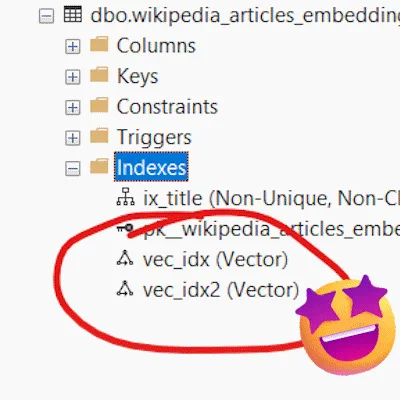
Public preview of vector indexing in Azure SQL DB, Azure SQL MI, and SQL database in Microsoft Fabric

We are happy to share that DiskANN vector indexing is now in public preview across Azure SQL Database, Azure SQL Managed Instance, and SQL database in Microsoft Fabric. DiskANN is a cutting-edge algorithm for efficient vector similarity search, making it ideal for powering recommendation systems, image and multimedia search, and advanced retrieval-augmented generation (RAG) solutions. Built for large-scale vector search, DiskANN integrates seamlessly with the Microsoft SQL query engine, enabling you to combine semantic search with the full power of T‑SQL, joins, filters, analytics, without moving data or addin...
SQL Server 2025 Embraces Vectors: setting the foundation for empowering your data with AI
SQL Server 2025 marks a major milestone in database innovation by introducing native support for VECTOR data types and vector functions. These are now fully available in the freshly released SQL Server 2025 RTM. This means you can store and process high-dimensional embeddings directly within your database. It eliminates the need to move data across separate systems. With this integration, your data remains secure, synchronized, and governed by SQL Server’s enterprise-grade compliance and security features. The RTM release includes the VECTOR data type and built-in functions like VECTOR_DISTANCE. This suppor...
General Availability Announcement: Regex Support in SQL Server 2025 & Azure SQL

We’re excited to announce the General Availability (GA) of native Regex support in SQL Server 2025 and Azure SQL — a long-awaited capability that brings powerful pattern matching directly into T-SQL. This release marks a significant milestone in modernizing string operations and enabling advanced text processing scenarios natively within the database engine. What is Regex? The other day, while building LEGO with my 3-year-old — an activity that’s equal parts joy and chaos — I spent minutes digging for one tiny piece and thought, “If only Regex worked on LEGO.” That moment of playful frustration tur...
Build an AI Agentic RAG search application with React, SQL Azure and Azure Static Web Apps

Introduction Leveraging OpenAI for semantic searches on structured databases like Azure SQL enhances search accuracy and context-awareness, providing more relevant and insightful results. This example showcases the use of Azure SQL for storing and searching data with AI. By implementing the RAG pattern with Azure SQL, the sample efficiently searches for the most relevant code and comprehensive end-to-end examples based on user queries. The AI then generates results that include the most pertinent documents along with explanations of their relevance. The final result is a web application, mobile friendl...
Data API builder 1.6: Advanced Behaviors with Special HTTP Headers
Data API builder (DAB) provides REST and GraphQL endpoints over SQL Server, Azure Cosmos DB, PostgreSQL, MySQL, and SQL Data Warehouse. REST endpoints support several HTTP headers that let you control how requests behave. These headers give you precision over updates, caching, and discovering new resources. If-Match By default, DAB treats PUT and PATCH as upserts: update if the row exists, insert if not. Sometimes you need stricter semantics. If-Match provides update-only behavior. If-Match in DAB only supports *. Any other value is rejected. Example request that only updates if the row exists: ...
Data API builder 1.6: Flexible Logging for Every Developer
Previously, developers were limited to the default log levels and filters hardcoded into DAB. With release 1.6, you can now configure filters and levels for logs emitted by the engine. This release also adds new sinks. In addition to Application Insights and OpenTelemetry publishing, Data API builder now supports both file and Azure Log Analytics as targets. Rich, configurable logging wherever you need it. File sink (⭐ new!) Until now, DAB developers were mostly limited to console logs in the container. With release 1.6, you can sink logs to local files in a container folder to systematically debug and ob...

Using the new SqlVector type with EF Core and Dapper
Azure SQL vector support has been generally available for a few months now, and the ecosystem is quickly evolving to make working with vectors in your applications as seamless and efficient as possible. With the release of Microsoft.Data.SqlClient 6.1, developers can now take advantage of binary transport for vector data via the new class. This significantly improves performance when moving vectors between your application and the database, laying the groundwork for optimized vector handling in popular .NET libraries like: Here’s how you can start using in each of these libraries: EF Core 9...
SQL Server 2025 RC1: faster DiskANN and FP16 support
We’re excited to announce major improvements to DiskANN in SQL Server 2025 RC1, making vector search faster, more scalable, and more storage-efficient than ever before. ⚡ Significantly Faster Index Builds Building DiskANN indexes is now considerably faster, thanks to optimizations that better utilize all available CPU cores and improve the efficiency of vector space traversal. This means quicker index creation and faster time-to-results for your AI-powered applications. 🧠 Improved Scalability Across Processors SQL Server 2025 RC1 brings enhanced scalability to DiskANN, allowing it to scale more effici...

MSSQL Extension for VS Code: Fabric Integration and GitHub Copilot Slash Commands (Public Preview)
The MSSQL Extension for VS Code continues to evolve, delivering features that make SQL development more integrated, more consistent, and more developer-friendly. In version v1.36.0, we’re announcing the Public Preview of Fabric Connectivity (Browse), SQL Database in Fabric Provisioning, and GitHub Copilot Slash Commands — three capabilities that bring Microsoft Fabric and AI-powered assistance directly into your development workflow inside Visual Studio Code. What’s new in MSSQL extension for VS Code v1.36 This release introduces three major capabilities designed to streamline the SQL development experience: ...

AI-based T-SQL Refactoring: an automatic intelligent code optimization with Azure OpenAI

This article presents an AI-powered approach to automating SQL Server code analysis and refactoring. The system intelligently identifies inefficiencies and common T-SQL anti-patterns, applying best practices through a set of formalized coding rules, using prompt-driven instructions. It not only automatically rewrites problematic and inefficient code but also delivers contextual recommendations to improve quality, security, and maintainability. Designed to address real-world use cases, this methodology enables organizations to modernize and optimize their SQL workloads more efficiently, accelerating migrati...

Using SQL Server’s new AI features and Python to create a T-SQL assistant

I recently created a GitHub repository to share the T-SQL scripts I've accumulated over 10 years as a DBA. However, I've always struggled to find the right script when I need it. For years, I relied on simple shell commands like find or just my memory, which could take 10-30 minutes, if I was lucky enough to find it. But, we are in the AI age, so I created that simple web application where you type what you want, and it finds the best scripts for your needs. The solution was created using the following technologies: In this post, I will focus on SQL Server's role, exploring i...

Create embeddings in SQL Server 2025 RC0 with a local ONNX model on Windows
With the release of SQL Server 2025 RC0, we have enabled the ability to use a local ONNX model on the server for embeddings. This allows you to use these models without having any network traffic leaving the local environment. Getting Started This example guides you through setting up SQL Server 2025 on Windows with an ONNX runtime to enable local AI-powered text embedding generation. ONNX Runtime is an open-source inference engine that allows you to run machine learning models locally, making it ideal for integrating AI capabilities into SQL Server environments. Step 1: Enable developer preview ...
MSSQL Extension for VS Code: Schema Compare, Schema Designer, Local SQL Server Container GA
The MSSQL Extension for VS Code continues to evolve, delivering features that make SQL development more visual, more consistent, and more developer-friendly. In version v1.35.0, we’re announcing the General Availability (GA) of Schema Designer, Schema Compare, and Local SQL Server Containers — three powerful tools that bring structure, clarity, and flexibility to your local development workflow. What’s new in MSSQL extension for VS Code v1.35 This release introduces three major capabilities designed to streamline the SQL development experience: In addition to these major features, this rele...
Updated .NET and JDBC Drivers with Native Vector Data Support for High-Performance AI Workload
We’ve just released major updates to our data access libraries, bringing native support for vector data to both the .NET and JDBC ecosystems, unlocking significant performance gains for AI and machine learning workloads. Microsoft.Data.SqlClient 6.1.0 With the new class, you can now handle vector data in binary format, replacing the slower JSON array approach. This means: Check out the official documentation with a sample: Native vector data type .NET Driver Support For all details, check out the release notes: https://github.com/dotnet/SqlClient/releases/tag/v6.1.0 Microsoft JDBC Driver ...
Announcing General Availability of UNISTR function and ANSI SQL || Operator in Azure SQL
We’re excited to announce the General Availability (GA) of two long-standing capabilities that address critical needs for SQL developers and enterprise customers in Azure SQL Database and Azure SQL Managed Instance, configured with the Always-up-to-date update policy: These additions improve ANSI SQL compliance in Azure SQL, streamline migration from other platforms, and boost developer productivity. UNISTR function: Unicode made easy The UNISTR function provides support for Unicode string literals by letting you specify the Unicode encoding value of characters in the string, making...
MSSQL Extension for VS Code: Agent Mode Updates, Colored Connections, and Schema Designer Enhancements
The MSSQL Extension for VS Code keeps getting better—bringing thoughtful updates that make SQL development more conversational, more visual, and more local. In version v1.34.0, we’ve focused this release on deepening GitHub Copilot Agent Mode, improving connection clarity through color-coded indicators, making local container workflows more flexible, enhancing the Schema Designer, and solving bugs across the experience. Here’s a look at what’s new in this release and how it helps simplify your SQL development workflow. What’s new in MSSQL extension for VS Code v1.34 This release includes three major improvem...
Announcing General Availability of Native Vector Type & Functions in Azure SQL
We are happy to announce that Native vector support in Azure SQL Database and Azure SQL Managed Instance is moving to General Availability this summer. Deployments are already underway, and several regions have begun receiving the feature. What is going GA? Integrated Vector Data Type Azure SQL introduces a dedicated VECTOR data type that simplifies the creation, storage, and querying of high-dimensional vector embeddings vector embeddings directly within your relational database. Built-in Vector Functions Includes essential vector operations like: VECTOR_DISTANCE , VECTOR_NORM VECTOR_NORMALIZE. Read ...
MSSQL Extension for VS Code: Local Containers, GitHub Copilot Agent Mode and Connection Groups
The MSSQL Extension for VS Code continues to evolve, bringing powerful new features that make SQL development more local, more organized, and more intelligent. In version v1.33.0, we’re introducing Local SQL Server container, GitHub Copilot Agent Mode, and Connection Groups—three capabilities designed to simplify and modernize the way developers build applications using SQL Server in Visual Studio Code. Here’s a closer look at what’s included in this release and how these features can enhance your SQL development workflow. What’s new in MSSQL extension for VS Code v1.33 This release introduces three major ca...

SQL Server 2025 CTP 2.1: DiskANN Improvements
I'm happy to announce that SQL Server 2025 CTP 2.1 is now available, and it brings significant improvements to DiskANN support. While DiskANN remains in preview, each release continues to remove limitations and boost performance. In this release, we’ve made a particularly notable leap in vector index creation speed, with more enhancements on the horizon. What’s New in DiskANN DiskANN is Microsoft’s algorithm for large-scale vector search and recommendation systems. It’s designed to scale to web-sized datasets while maintaining high recall and performance. With SQL Server 2025, DiskANN is fully integrated in...
An open-source AutoScaler for Azure SQL Hyperscale Elastic Pools

TrackAbout is a worldwide provider of SaaS applications for tracking reusable, durable, physical assets like chemical containers and gas cylinders. With over 22 million physical assets tracked across 350 customers, each with their own Azure SQL database, optimizing our infrastructure for both cost and performance is a critical, ongoing mission. Our journey with Microsoft technologies goes back to our founding in 2002. We started by racking our own servers, moved to managed hosting, and finally migrated to Azure in 2016 to gain more control and scalability. A core part of our architecture today is Azure SQL...

A story of collaborating agents: chatting with your database the right way
Today, more and more customers are embracing AI with one clear goal in mind: they want to chat with their data. And by "data," they mean all of it: structured tables, unstructured documents, images, audio, and more. This demand has given rise to hybrid approaches that blend semantic understanding with precise data retrieval. But here’s the challenge: while embeddings and vector search play a critical role in semantic search, they’re not enough on their own — especially when the question is highly specific and demands an exact answer. As I discussed in Improve the “R” in RAG and Embrace Agentic RAG in Azure...