
Windows Command Line
Insights from the teams behind Windows Terminal, PowerToys, WinGet, and WSL
Latest posts
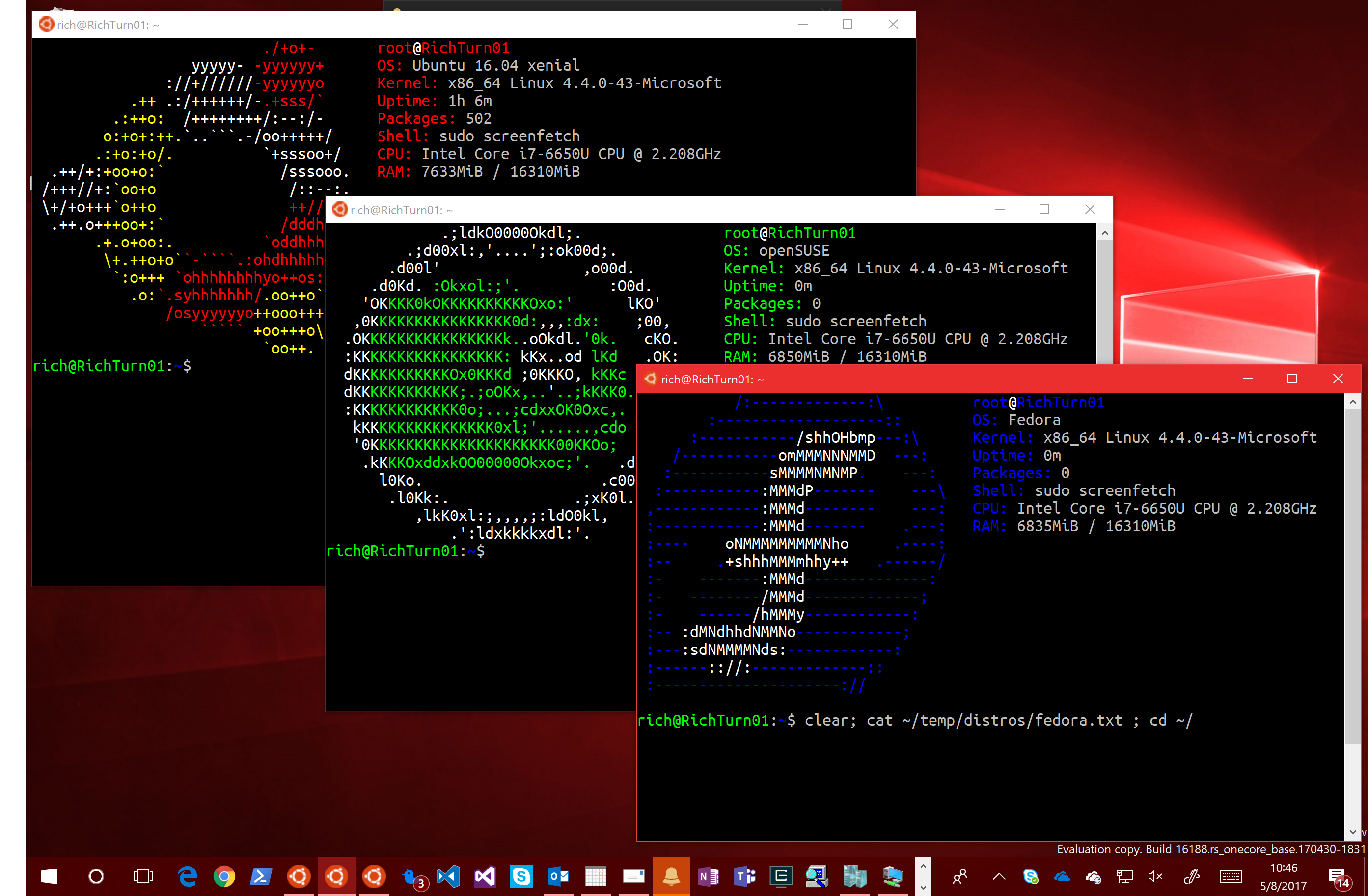
New distros coming to Bash/WSL via Windows Store

We're REALLY excited about this announcement and think many of you will be too ;) On May 11th 2017, during Microsoft's Build conference keynote, Terry Myerson (EVP for Windows & Devices Group) made several announcements about the Windows Subsystem for Linux: And at OSCON 2017 I delivered a talk on the architecture and history of Bash/WSL, and outlined these new features. Thanks to the great OSCON audience & attendees for all your great support & engagement :) These new features deliver several key benefits including: WSL was always designed to be distro-agnostic and this is the f...

Bash/WSL Insiders build now supports usb/serial comms and mounting removable storage & network shares
At the end the post announcing what's new in Bash/WSL in Win10 Creators Update, I stated: We continue to forge ahead with many planned improvements and exciting new features. Stay tuned for lots more exciting features coming in future releases of Windows 10: If you want to be among the first to access and experience improvements planned for the next Windows 10 release, be sure to sign up to the Windows Insider program and set your Windows Insider Update Ring to "Fast"! I wasn't kidding! ;) The first new post-Windows 10 CU Insiders builds were released over the last couple of weeks - build #16176 and #1618...
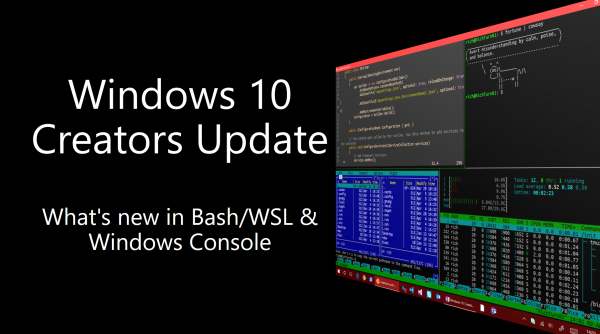
Windows 10 Creators Update: What’s new in Bash/WSL & Windows Console
When Windows 10 Anniversary Update (AU) was shipped, the Windows Subsystem for Linux (WSL) was still far from complete, and was known to have many incompatibilities, especially with popular developer tools like node.js, Java, etc. However, it was important to get this exciting new feature into the hands of real users so that we could learn from them - YOU! - what WSL needed to run, what worked, and what didn't, etc. And wow! did you, our community respond! :) This release was built by and for YOU! On behalf of the WSL & Console engineering teams, a very sincere and grateful THANK YOU to all of you who've ...

Haskell on Bash/WSL
I've recently received a couple of questions asking when Haskell support would be added to WSL, and was surprised since I thought Bash/WSL users were aware of the fact that Haskell has been working for the last few weeks, ever since #14986 in fact, but it appears that we'd not explicitly communicated the fact, so ... here we are! :) Haskell now runs in Bash on Windows!* ** You'll need to be running Windows 10 Insider build #14986 or later.* Background Haskell is a popular and powerful functional programming language which wasn't able to run on Bash/WSL in Anniversary Update or earlier Insider builds, beca...
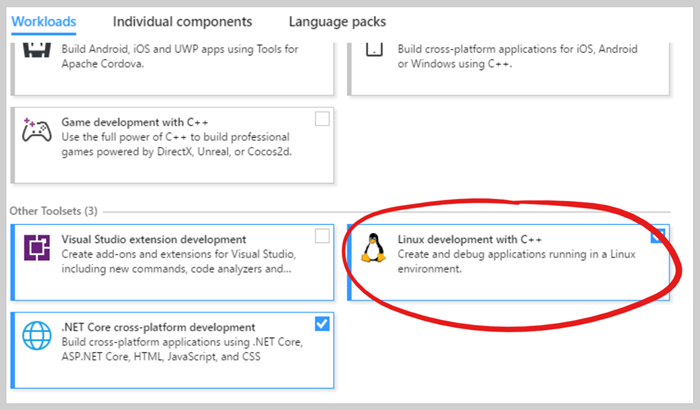
Use Visual C++ for Linux to build and debug C++ code on the Windows Subsystem for Linux
I first learned about Visual C++ for Linux, which was released in March 2016, shortly before the Windows Subsystem for Linux (WSL) was first announced. I was immediately blown away by how VERY cool this feature of Visual Studio is! What's insanely cool about this feature is that when the project is built, VS opens an SSH channel to a target Linux instance, and uses that channel to copy your C++ project's source code to the target, and builds the code using the native Linux tools. What's more, Visual Studio's debugger can also drive GDB on the target to debug your binary ... while it runs in the target Linux inst...
Bash in Windows Insider build 15002 – many fixes but a couple of bugs!
[Update 2017-02-07] Note that both of the two issues noted below have been fixed in more recent Insider builds Windows Insider build #15002 started shipping to Windows Insider Fast Ring users today, January 9th 2017. As is often the case in software development, after many teams have been beavering-away on their features for several months, things really start to come together toward the end of the development cycle. This is especially true when said feature cycle ends just after Xmas ;) Build 15002 is a good example of this phenomenon: This is a MASSIVE release, with many, MANY exciting new features, capabilit...
Rumors of Cmd’s death have been greatly exaggerated
This post is in response to a story published on December 6th 2016 by ComputerWorld titled "Say goodbye to the MS-DOS command prompt" and its follow-up article "Follow-up: MS-DOS lives on after all". These "stories" were subsequently picked up by Business Insider and Life Hacker among others and fueled a number of concerned Tweets some of which I responded to directly, along with much discussion on Reddit, Hacker News, and elsewhere. It also resulted in several customers/partners sending me concerned emails asking if this "news" was true. So, I'd like to take a moment to allay everyone's fears: The Windows ...

Do not change Linux files using Windows apps and tools
Update - May 2019 Windows 10 version 1903 has now been released and allows an important update to WSL that allows Windows applications and tools to access Linux files directly. To do this, WSL hosts a new 9P fileserver, which exposes distro filesystems to Windows apps and tools via ! You can read all about the feature in the blog post "What's new for WSL in Windows 10 version 1903". The post below contains the original guidance, which also remains true: DO NOT access the Linux files inside of your folder, since you should only be accessing them . If you'd like to learn more about why you shouldn't go dig...

More easily invoke Windows apps and tools from Bash on Windows
Along with support for ifconfig & network connection enumeration, Windows 10 Insider Build 14965 delivers a small but important change was made which will enable you more easily invoke Windows tools & applications from within Bash: Your Windows user environment path is now appended to the WSL path by default. This means you can now type notepad.exe (or the name of any other app on your default Windows path) without adding the absolute path to the , or to your Linux path itself! Also, GitHub issue #1254 has been fixed, allowing you to invoke Windows binaries from within Bash even if the current working...