


Today we released PIX version 2601.15, which can be downloaded here. This release includes everything in the previous 2509.25 release, plus:
- A new Intel plugin with many new features and improvements
- Many new Buffer Viewer and Buffer Formatter improvements
- Misc other bug fixes and improvements
As usual, please get in touch with us if you have any feedback or issues. The best ways to contact us are via the Send Feedback button in PIX or via the #pix channel on the DirectX Discord server.
New Intel Plugin
This version of PIX includes a revamped plugin from Intel, giving you a far better profiling experience for Intel GPUs in PIX than ever before. Many thanks to our partners at Intel for making this happen! Improvements include:
- New counter graphs, including a “bottleneck”-style Xe GPU Utilization lane
- Major counter accuracy improvements
- Major counter collection speed improvements
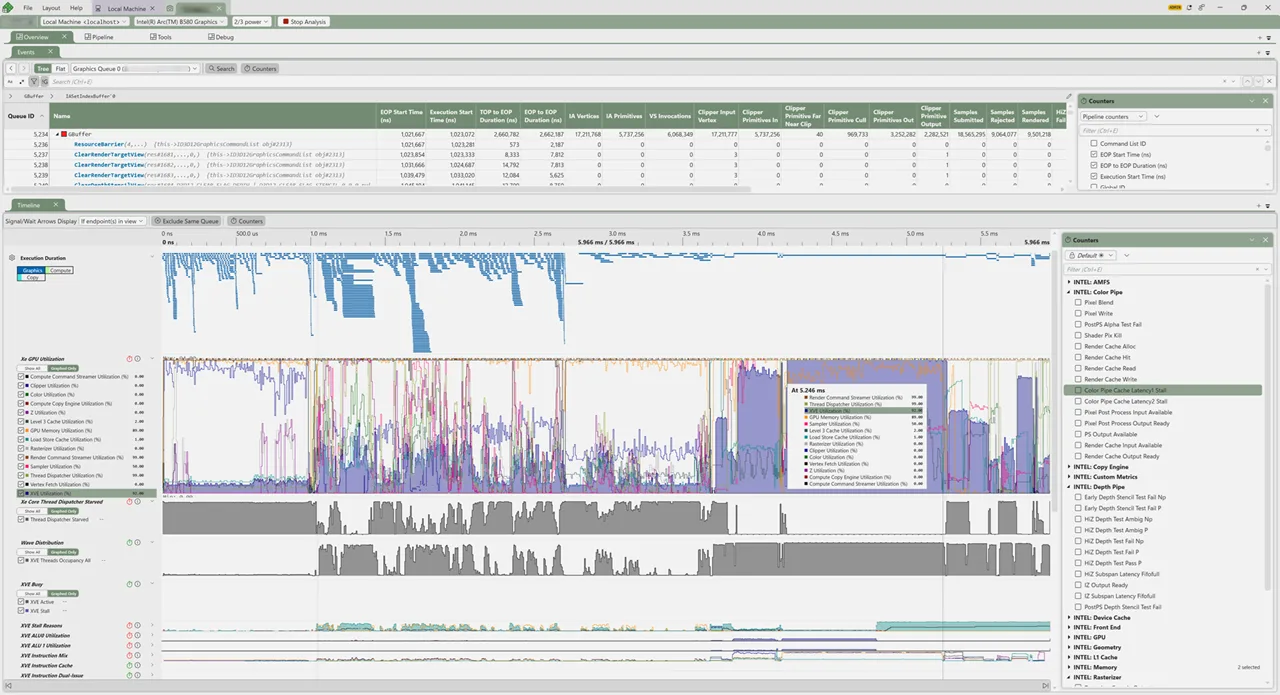
For a lot more information about the plugin and advice on how to use it, please see Steven Tovey’s presentation at the Graphics Programming Conference in November.
Buffer Viewer Improvements
We have made a lot of improvements to the Buffer Viewer and the Buffer Formatter in this release.
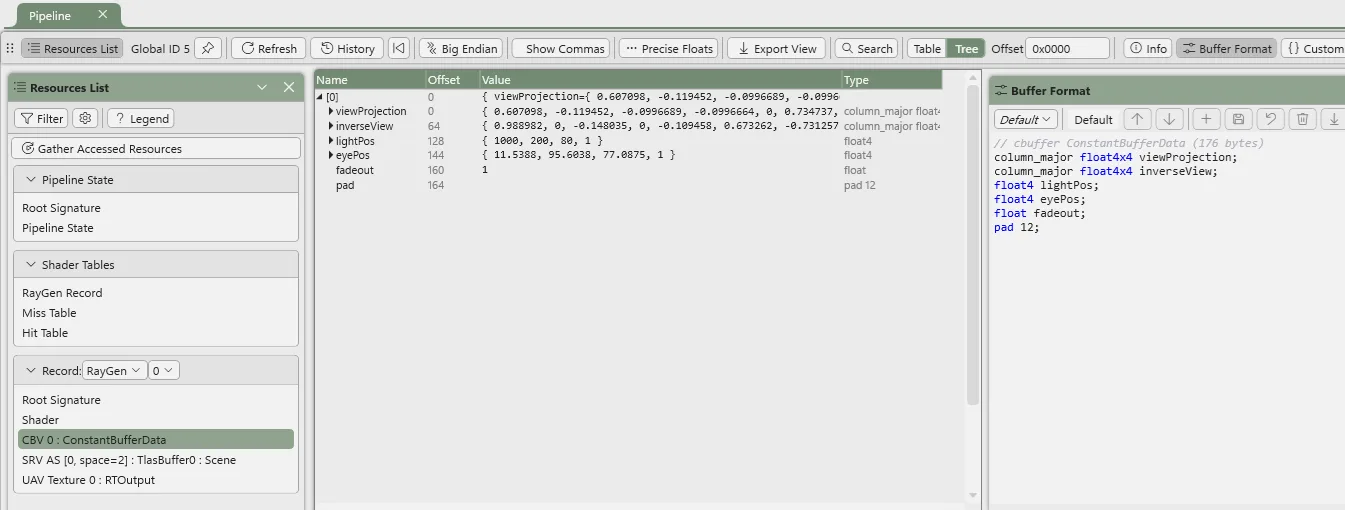
The buffer formatter is now automatically populated for constant buffers in raytracing shaders, based on reflection data and/or shader symbol data:
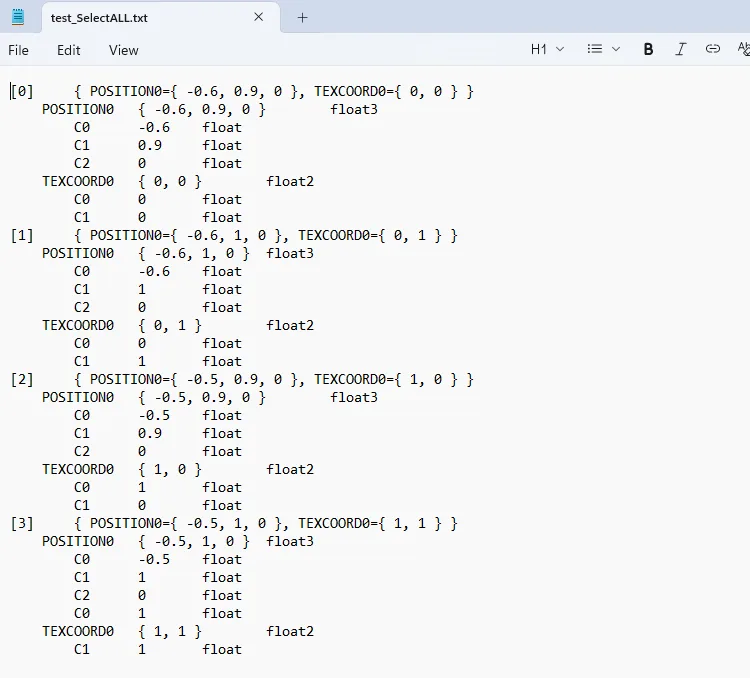
We have added a button to export the contents of the buffer view to CSV:
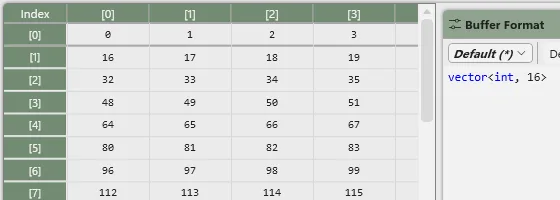
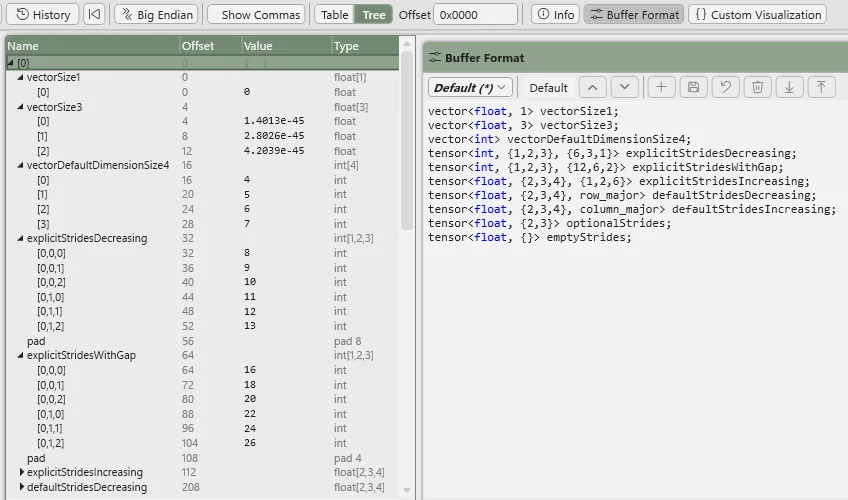
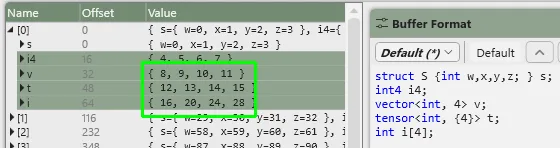
A new vector keyword (e.g. vector<float32_t, 4>) has been added. This also enables long vectors, no longer limited to 1-4 elements:
Arrays work in table view now, including multiple dimensions in tree and table view. e.g. uint8_t x[12][16]:
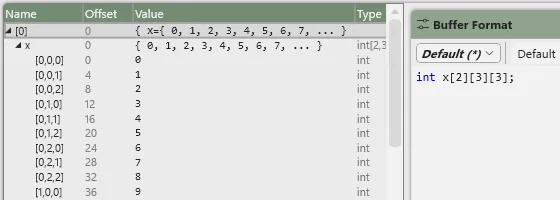
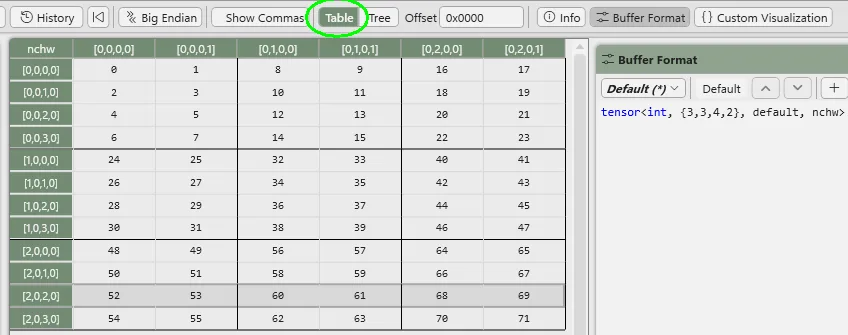
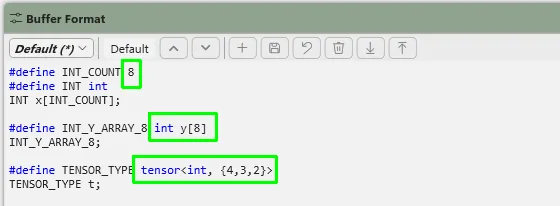
We’ve added a new tensor pseudo-keyword that supports any data type (primitive and structures), dimensions, element strides, and layout (e.g. tensor<float32_t, {128,64}>). Strides can specify element order (e.g. tensor<float32_t, {12,7}, column_major>) and explicit dimension alignment for padding (tensor<uint32_t, {12,7}, {8,1}>). Higher dimensions can be semantically labeled and flattened onto a 2D view. e.g. tensor<float32_t, {3,4,5,6}, default, nchw> or tensor<float32_t, {12,16}, row_major, xy>. Axis remapping is also supported via a 5th parameter to rearrange elements in the view, for example to show an NCHW layout as NHWC with the channels adjacent. e.g. tensor<float32_t, {1,3,4,5}, default, nchw, nhwc>:
We added a using keyword added for type definitions, which supersedes macros, honoring scope and enabling array definitions. e.g. using uint32_t8 = uint32_t[8]:
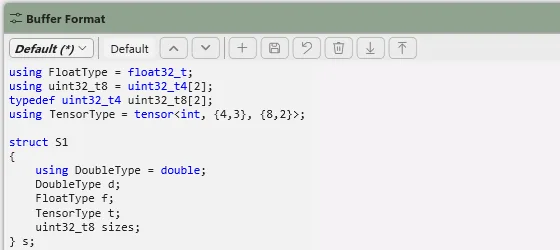
#define macro definitions are more generic, supporting arbitrary tokens which is useful for other scenarios (like say defining an array which wasn’t possible with macros). e.g. #define ARRAY_LENGTH 42:
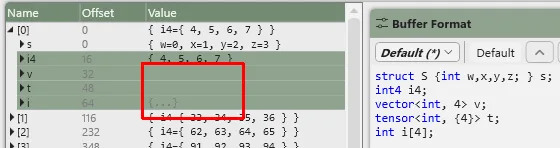
We added more direct previews in the value column without needing to explicitly expand the rows to see them. New (above) vs old (below):
Expanding all/selected rows and columns is now possible via context menu and keypresses (NumPad * expand all children, double click toggles). Expanding a node that contains a nested series of single nodes will just expand that whole series, saving clicks:
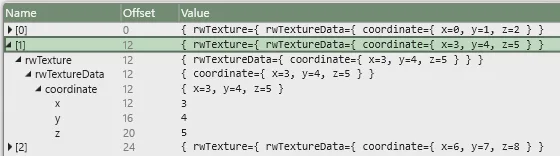
Hierarchy context is preserved in table view for nested single node structures:
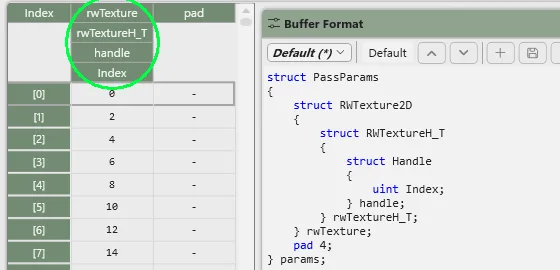
Additionally:
- The buffer formatter view is now populated before start analysis, and far more quickly than before.
- We added a field offset column added to tree view.
- Constant buffers and UAV’s now follow natural field alignments without needing all the explicit padding (though explicit padding an
[[offset(28)]]still work). - Matrix shapes 2×3 and 3×2 now show correct offsets and values.
- New data types added:
int8_t,float8m3e4s1_t,float8m2e5s1_t. - Mouse wheel scrolling is faster, rather than a single line per scroll.
- Bitfields honor big endian option.
- Binary values 0b show consistent digit counts.
Misc Other Improvements
GPU Captures
- Strip DENY_SHADER_RESOURCE from acceleration structures created via enhanced barriers to fix some capture/replay issues
- Fix issue capture/replaying D3D12 Tight Alignment, caused by the desc returned by ID3D12Resource::GetDesc() not being valid to pass into GetResourceAlllocationInfo()
- Fix issue capturing ClearRenderTargetView() with null pRects, causing replay-time errors
- Fix some issues with Export-to-C++ for Work Graphs
- Misc improvements to the Shader Symbols view in PIX, including bug fixes and usability improvements
- Improved the text in the “PIX was unable to create D3D12 device” error dialog to make it a bit more actionable
- Various timeline/counter usability improvements
- Misc mesh viewer improvements
- Improved the Acceleration Structure Viewer’s default camera location
- Fixed capture/replay Present() issues in certain media player apps using rarer present paths
- Made Gather Accessed Resources button visible on SEnC
- Fix a regression that broke pixtool’s “recapture-region” command
Misc
- Worked around OS race condition in certain DXCore API that could falsely report device removal when trying to populate system information on the Connection page
- Updated to DirectX Agility SDK 618.5 and the bug fixes it contains
- Misc System Monitor usability improvements
0 comments