


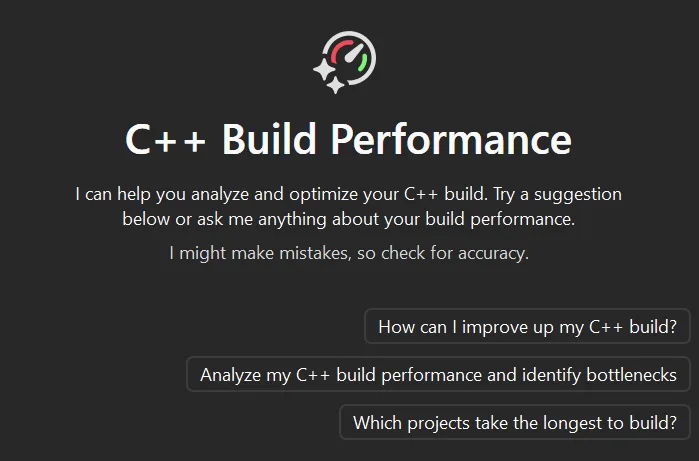
Slow builds are a consistent theme of feedback from C++ developers. We built GitHub Copilot build performance for Windows so you can leverage Copilot to optimize your project’s build times. This workflow will find optimizations that bring your build times down.
At first, we only measured the impact of build optimizations on full clean builds. While that number is valuable, we know that you are not rebuilding from scratch on most days. You edit a file and build, then repeat the process as part of your iterative loop.
Working with customers after the public preview, we noticed that every now and then, the agent proposed a change that made the clean build slightly slower. On its own, that suggestion may look like a regression you would reject. After further investigation, we learned that the same change can often make the iterative build faster. For instance, you may want a faster iterative build in exchange for your full builds to be a little slower.
This is how we came up with the iterative build tool. Today, you can measure how each change affects your iterative builds and not just your clean builds, right inside GitHub Copilot build performance for Windows. The tool is available now in Visual Studio 2026 18.6.1 Stable and 18.7 Insiders. You will see both numbers side by side so you can make the right call for your team.
Iterative Build Tool
We learned that a full rebuild doesn’t always reflect how you work from day to day. For example, precompiled headers can look slower in a clean rebuild but make your real, everyday incremental builds noticeably faster. When the agent sees a change that looks worse in a full rebuild, it won’t throw it away. Instead, the agent reruns a comparable incremental build to check whether the change helps your workflow.
The iterative build tool is the newest part of the agent’s optimization loop. It attempts a change, runs a quick build to check whether the change helped, then decides what to do next. If a change made things worse or did nothing, the agent rolls it back and tries something else. If it improves your build time, the agent keeps it and moves on. Then, it will present all the changes to you at the end of the flow. With the new tool, the agent now takes smaller steps and gives faster feedback through fewer wasted builds while giving you the ultimate decision. With these optimizations, you can apply them to configurations you use on a day-to-day basis with the decision ultimately being yours.
Try It Now
The iterative build tool ships as part of GitHub Copilot build performance for Windows in Visual Studio 2026 18.6.
- Open a C++ project and type in Copilot Chat: “make my build faster”
- If you want to test the tool on a sample project, we recommend libmodem.
- The agent will capture a trace, then apply optimizations.
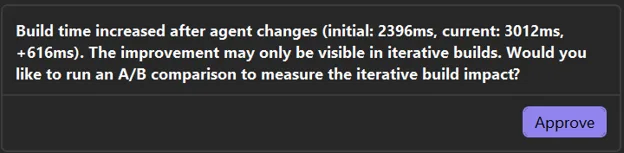
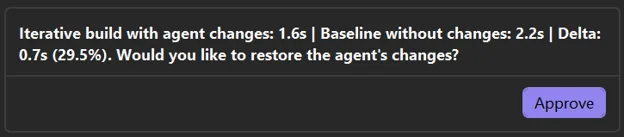
- If the build time increases after agent changes, the agent will seek approval to run experiments.
- After accepting, the Iterative Build Tool will fire and request your permission to test with agent changes.
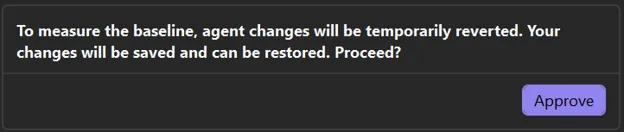
- The agent will also ask for permission to establish a baseline measurement.
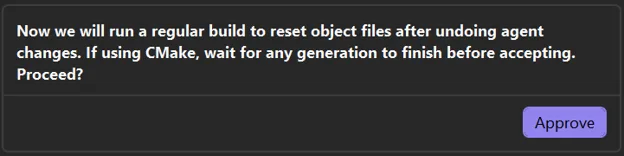
- You will then be asked to run a regular build. If you are using CMake, you will be asked for an additional approval after CMake generation has finished.
- Finally, the agent asks if you would like to apply the optimizations that will improve your iterative build.

Feedback Wanted
As always, your feedback provides crucial guidance on how we build our products. If you try the iterative build tool on a real project, we would love to hear how it goes. Please give us feedback by filling out this survey. We encourage you to share your thoughts with us by commenting below, through Help > Send Feedback in Visual Studio, or on X (@VisualC). Thank you for your continued support!
Learn more: Documentation for GitHub Copilot build performance for Windows | Microsoft Learn


0 comments