
Performance and Diagnostics
Platform Health & Diagnostics Tools
Latest posts
Windows Performance Analyzer – Table & Graph Configurations (Part 1)

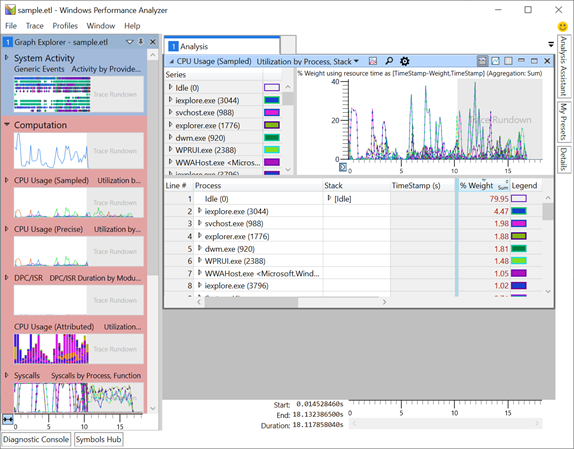
In the previous post, we discussed a brief intro into Windows Performance Analyzer (WPA) and its feature set. WPA can display trace data in a wide array of formats, most of which are pre-configured as presets designed for drilling into specific data points. Here is one for example: WPA's CPU Usage (Sampled) table has a few different presets, each reconfigures the view of both table and graph data. This blog post is the first of a multi-part series that goes into detail on how to configure the table and graph views to create your own presets: Column Options Depending on the column's da...
Authoring Custom Profiles – Part 2

In this post, we enhance the simple custom profile for WPR by adding the system tracing session. Because kernel events provide critical information about processes, threads, modules, and more, collecting the system events greatly extends your ability to analyze traces and diagnose issues.
Authoring custom profiles – Part 1
This is the first post in a multi-part series about authoring custom profiles for Windows Performance Recorder (WPR.) In a previous post, we have looked at how to start a trace with built-in profiles. The built-in profiles offer wide variety of preset profiles that we can use for different scenarios. There are built-in profiles for CPU usage, Networking I/O activity, VirtualAlloc usage, Xaml activity, and many more. However, none of the built-in profiles will collect any custom instrumentation you may have added to your code. To record a trace capturing your specific events you will need to author a custom pro...
WPR Start and Stop Commands
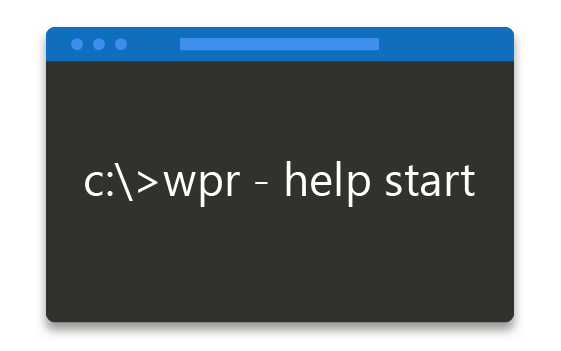
In this post, we show how to start and stop the trace using WPR. The first step is doing 'wpr -help start'. The command parameters seems to be cryptic. We explain those parameters in detail with examples.
Windows Performance Analyzer “WPA” Intro
If you do a search online for WPA, you might find information for protecting your Wi-Fi, but that is a different type of WPA. In the performance & diagnostics space WPA stands for Windows Performance Analyzer, a friendly but intricate UI that allows for developers and analyst to deep dive into performance traces captured on Windows (and beyond…but more on that in a future post 😊). Its great for discovering why CPU utilization is high? How much memory is being used in the system per process? Why does WPA itself use so much memory? WPA has siblings that help record traces on Windows, Windows Performance R...
WPR Intro
This is the first blog post about WPR. WPR is an acronym for Windows Performance Recorder. This post introduces list of acronyms that are used commonly performance tools, installation steps, the difference between WPR and WPRUI, and finally about the instance name and the error.