


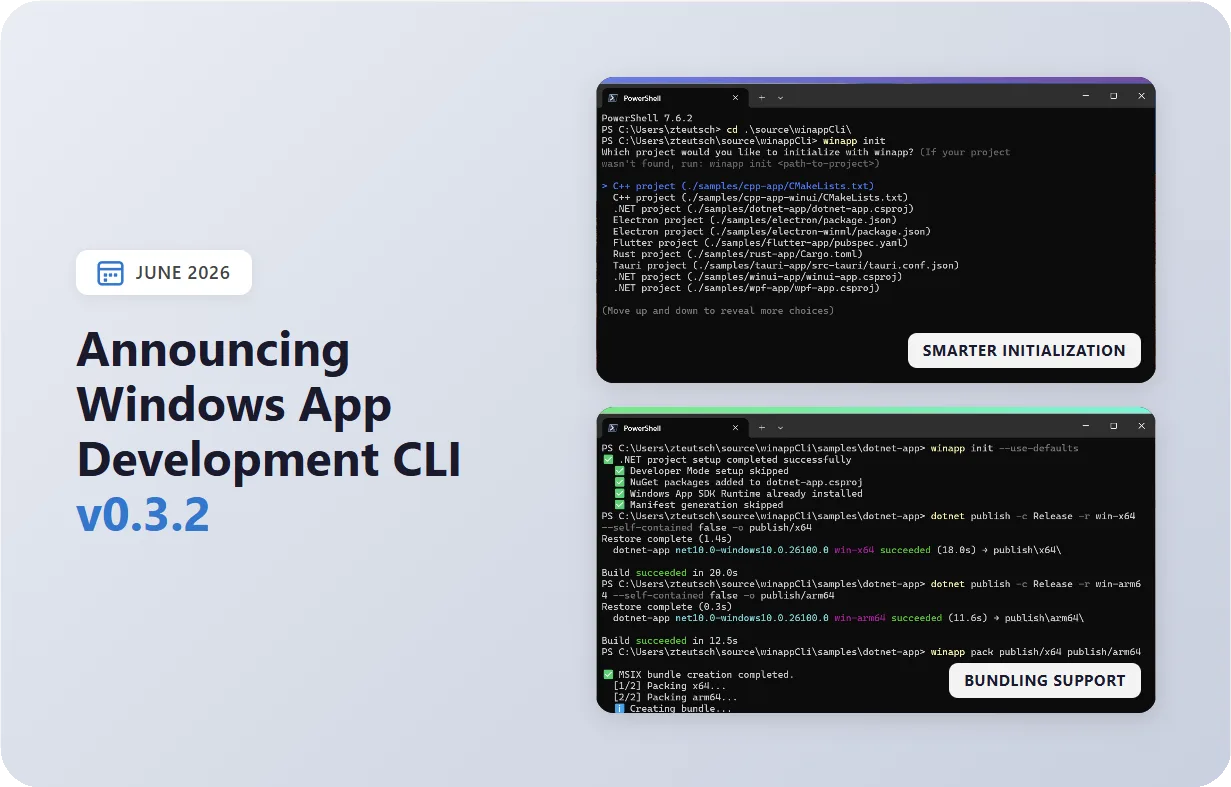
Windows App Development CLI v0.3.2 is here! This release brings MSIX bundle support for multi-architecture packaging, a smarter winapp init experience that auto-detects your projects, higher quality UI screenshots, and a handful of reliability fixes across the board. Get the update by running winget install Microsoft.WinAppCLI or check the repo for other install options.
Let’s take a look at what’s new.
📦 MSIX Bundle Support
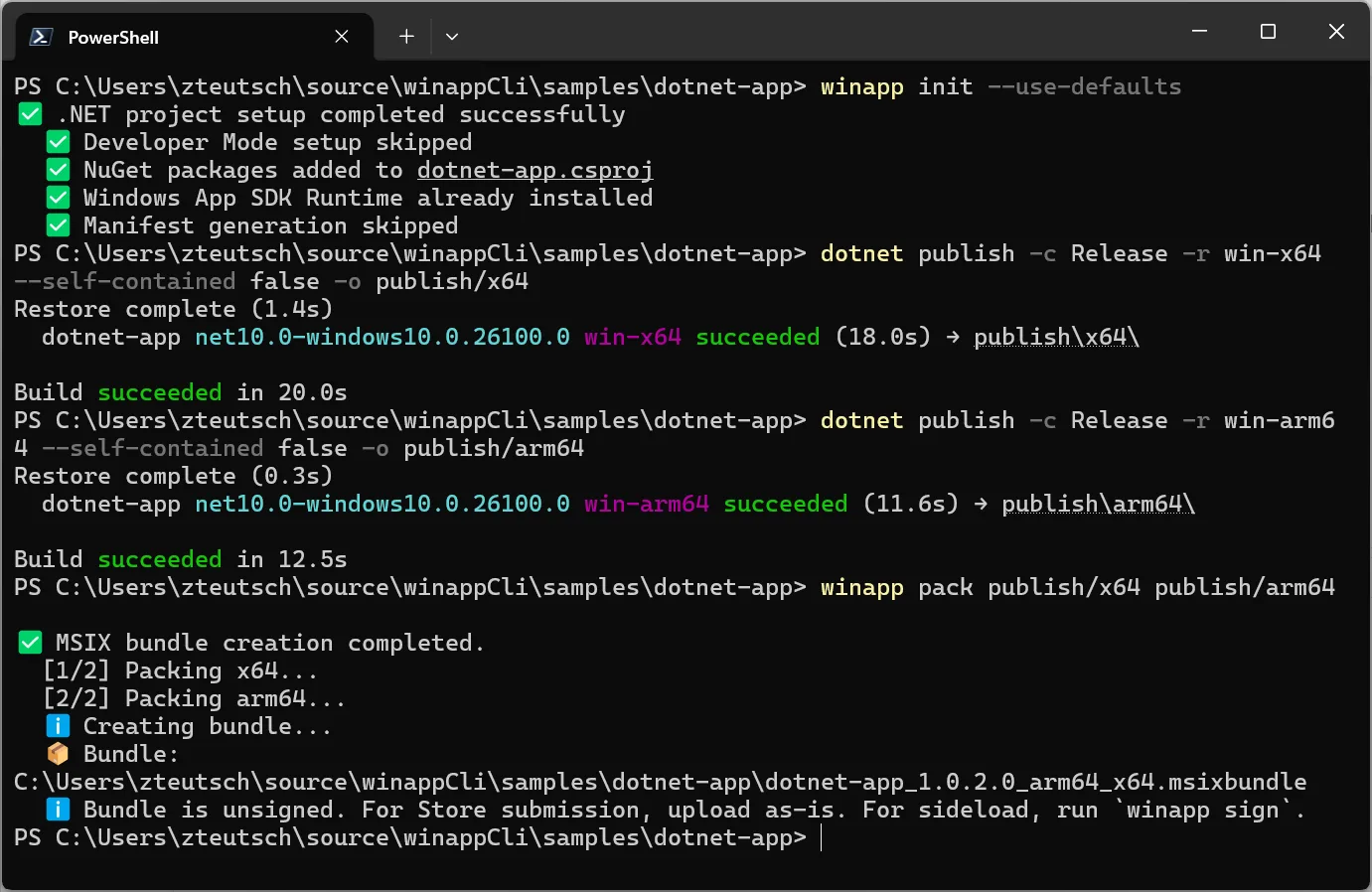
The pack command now supports creating MSIX bundles — multi-architecture packages that combine x64 and ARM64 builds into a single .msixbundle file. This is the format the Microsoft Store expects for multi-arch submissions, and it’s now a single command away.
# Build for both architectures
dotnet build -c Release -r win-x64 -o publish/x64
dotnet build -c Release -r win-arm64 -o publish/arm64

# Bundle them together
winapp pack publish/x64 publish/arm6
That’s it. WinApp CLI detects the architectures from each folder, packages them individually, and wraps them into a bundle. The output is a ready-to-upload .msixbundle — unsigned for Store submissions (where Microsoft signs on your behalf) or ready for winapp sign if you’re sideloading.
🧠 Smarter Initialization
The init command got a significant upgrade in how it discovers and configures projects. Run it in a directory with multiple project types and it now detects compatible projects and presents a clean selection menu:

The command also now warns you when you’re running in an incompatible directory (like the root of a monorepo) and places configuration files in the right location relative to your project file. For CI and scripting, –use-defaults skips all prompts and applies sensible defaults automatically. We also fixed a crash that occurred when running winapp init in non-interactive shells — it now falls back to default behavior gracefully.
📸 Higher Quality UI Screenshots
The winapp ui screenshot command now produces higher quality captures that preserve rounded window corners and don’t include any black border. We’ve also added a –focus flag that brings the target window to the foreground before capturing.
# Capture a high-quality screenshot of a specific window

winapp ui screenshot --process MyApp --focus
⚡ Other Notable Changes
- App update notifications: WinApp CLI now checks for updates once daily on your first command run and lets you know when a new version is available.
winapp runpassthrough arguments (v0.3.1): Use “–” to pass arguments directly to your app without quoting gymnastics:winapp run . -- --my-flag value- Plain progress output for CI/AI terminals (v0.3.1): Auto-detects non-interactive environments (GitHub Actions, Azure DevOps, Copilot CLI, etc.) and falls back to append-only progress lines instead of animated spinners.
ui inspect --interactiveimprovements (v0.3.1): Non-interactive ancestors are collapsed and surfaced as `ancestorPath`, making large UI trees much easier to navigate.
🐛 Bug Fixes
- Fixed init crash in non-interactive shells
- Fixed duplicate files from runtime overwriting resources during MSIX packing
- Improved process name ambiguity reporting for partial matches
- Resolved update check timeout issue
- Run command no longer accidentally picks createdump.exe over your app
- Fixed register command misreporting package-already-exists conflicts as Developer Mode errors
- Fixed data-loss bugs in unregister command with per-package safety checks
- NuGet version range parsing fix on cache-warm runs
- Added forward compatibility for WinAppSDK 2.0.1 framework package naming
⛓️💥 Breaking Changes
winapp ui --jsonoutput reshaped (v0.3.1): JSON output for UI commands has been restructured for consistency. If you’re parsing these outputs in scripts, check the 0.3.1 release notes for the new shapes.
🖥️ Get started today
The Windows App Development CLI is available now in public preview. Visit our GitHub repository for documentation, guides, and to file issues. We would love to hear your feedback!
Install via WinGet:
winget install microsoft.winappcliInstall via npm:
npm install --save-dev @microsoft-winappcliHappy coding!



0 comments
Be the first to start the discussion.