


As developers, we often need to compare two files to find the differences. Sometimes, even comparing the content of the clipboard with a file on disk. And again, sometimes comparing our local changes to previous versions from our Git commit history. There is no straightforward way in Visual Studio to do those things today, but in this month’s experiment we’re going to change that.
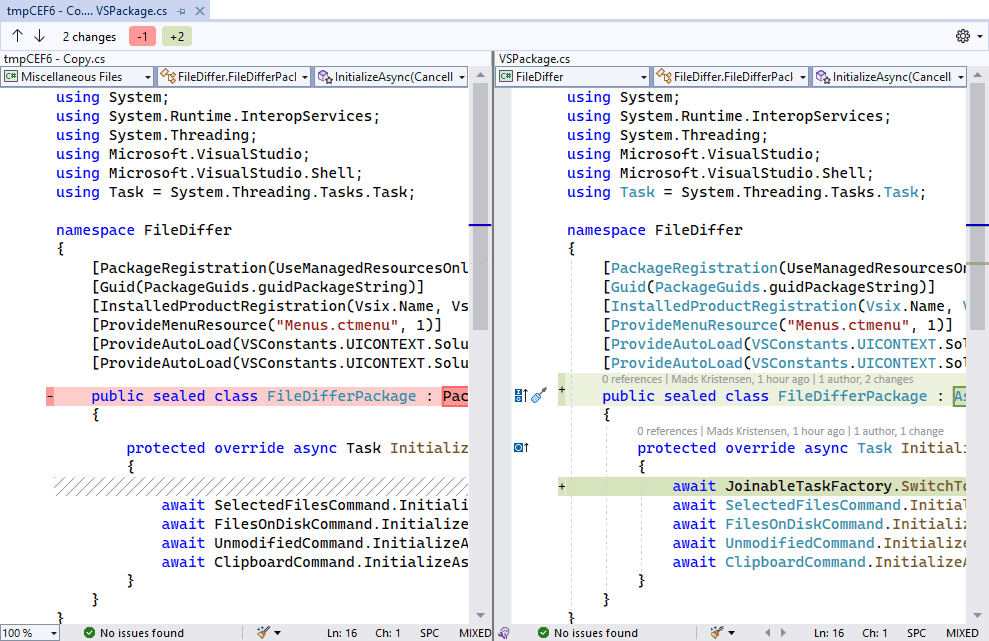
Various editors and IDEs offer this feature today, but Visual Studio has required the use of extensions such as VS Diff to provide the feature. An interesting thing about the various implementations is that they offer slightly different features and with different UI paradigms. They all perform basic comparison between files rather well, and we think it’s time we figured out how to design this feature for Visual Studio.
A feature request on the Visual Studio Developer Community is also now gaining steam asking for file comparison, so please vote and comment if you agree.
So, with increased interest and multiple viable solutions, what would the right implementation look like for Visual Studio users?
Let’s do an experiment to find out.
The experiment
We’re starting out with an extension to kick off the experiment. We call it File Differ and the first iteration adds basic file diffing capabilities.
Solution Explorer
Here’s are the commands available from the right-click menu in Solution Explorer:
- Compare two files in Solution Explorer
- Compare file with another file on disks
- Compare file with content of clipboard
- Compare file with its unmodified version
Compare selected files
Select two files in Solution Explorer and right-click to bring up the context menu.
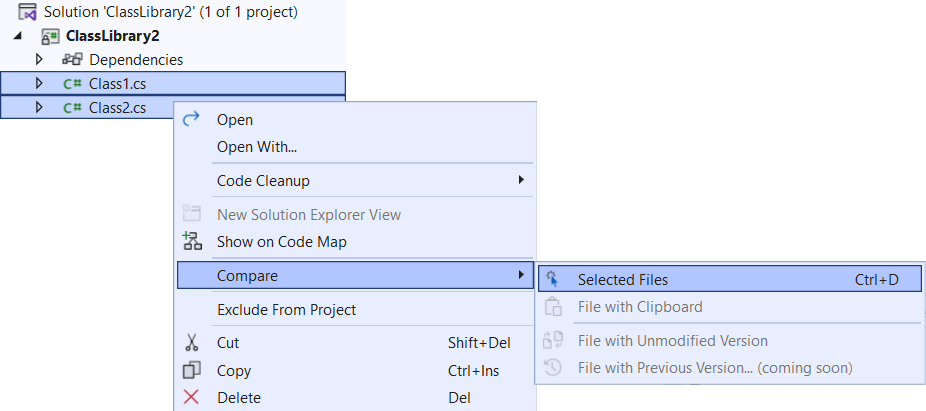
Then select Selected Files to see them side-by-side in the diff view.
Compare with a file on disk
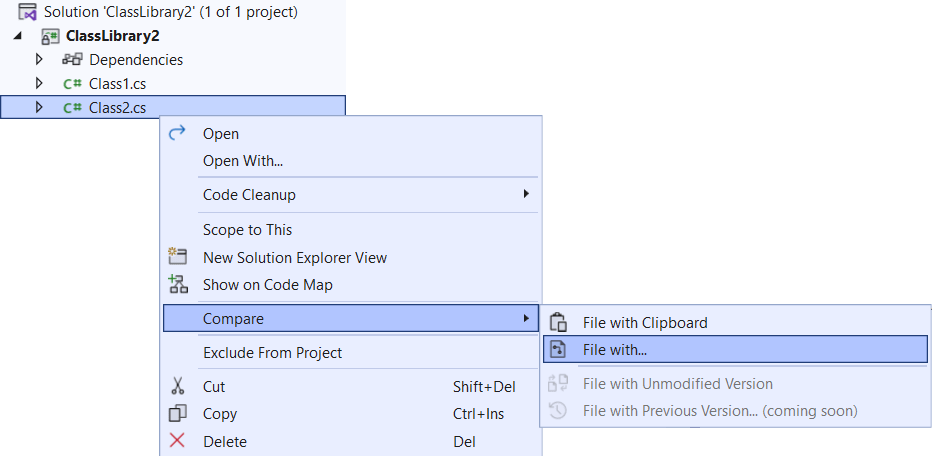
If you only selected a single file, a file selector prompt will show up to let you select which file on disk to diff against.
Compare with clipboard
If there is text content on the clipboard, you can compare a file with it by selecting File with Clipboard from the context menu.
Code editor
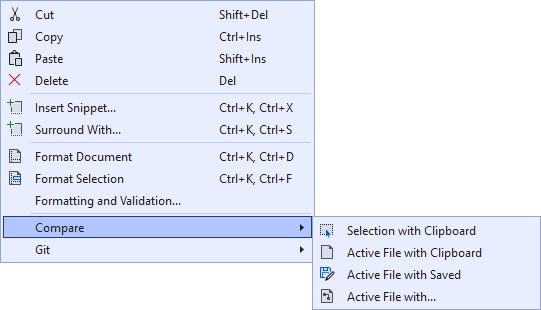
There are also commands specific to the code editor. By right-clicking inside the code editor, you’ll get the following options for diffing:
- Compare selection with clipboard
- Compare active file with clipboard
- Compare active file with saved version
- Compare active file with file on disk
Next steps
If this feature is interesting to you, please install the File Differ extension and take it for a ride. Make sure to share any ideas and bugs on the GitHub issue tracker, and feel free to send pull requests too. The feature request ticket is a suitable place to share your comments and thoughts, so make sure to vote and comment there as well.
Do you like the idea of community experiments like this one? Let us know in the comments below.


As we are moving to the web, the feature I miss the most in VS is JSON diff or YAML diff. Is there a plan to add those diff formats?
I'll comment on something that may seem unrelated to the article but it is to me. Many times we have added extensions developed by Microsoft, worked with them (took them for a ride) loved them and then Microsoft (for one reason or another) instead of making the extension part of the main Visual Studio software, it ditched them, leaving us developers wondering and complaining about Microsoft's decision. I will mention for example the "Custom Document Well" (CDW) that many of us, developers found to be an extremely helpful extension. For whatever reason, instead of improving it or even rewriting it...
I strongly agree with this. Over the last decade having the rug pulled out from under us by Microsoft has become the norm over all their products.
I used to be a skeptic of open-source projects, as there always existed the risk of a project being abandoned, but now those projects have a better record of longevity and responsive support than Microsoft. What puts the open-source projects over the top for me is the ability to download the project source and ensure that we have the ability to modify and build the project in the event it is abandoned, something we...
Nice, so in simple cases I don’t have to leave VS for that.
Have you considered semantic diffing like the gmaster git client had? Currently SemanticMerge which is shipped with Unity’s Plastic SCM seems to be the only tool on the market that has this capability.
As others have mentioned beyond compare is the gold standard imo, 3 way merge view with a 4th pane for output that you can modify.
Anyone doing a git merge or rebase without a proper 3 way merge tool is playing with one arm tied behind their back.
If beyond compare is the gold standard, SemanticMerge has to be platin, right?