


You know a change was present in an earlier commit, and you want to see how the code in front of you differs now. Comparing two commits answers part of that question, but it leaves out work you haven’t committed yet.
Visual Studio 2026 version 18.11 adds Compare with Working Tree to the repository-level commit workflow. You can compare a historical commit with your current code without checking out that commit or leaving your current branch.
- Open commit history or use the branch list to reach the commit you want to inspect.
- Right-click the commit and select Compare with Working Tree.
- In the compare view, select changed files to inspect their diffs.
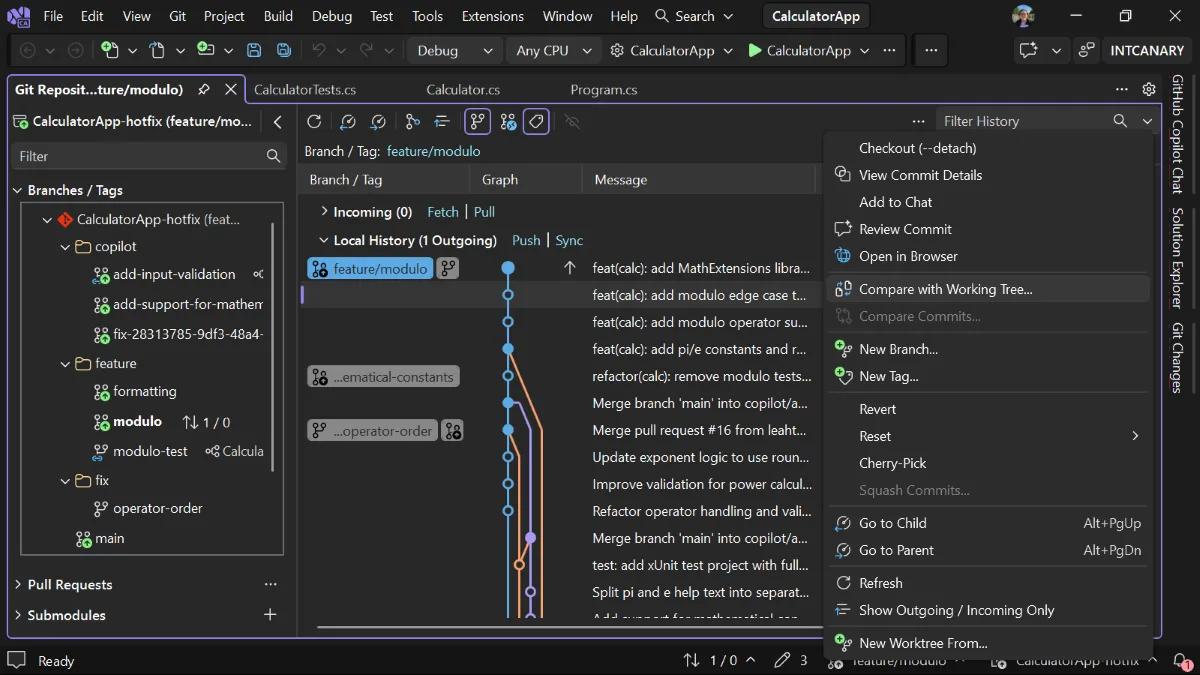
The selected commit is the baseline which gets compared with your working tree. Visual Studio will list every file that differs, not just the ones changed in that commit.
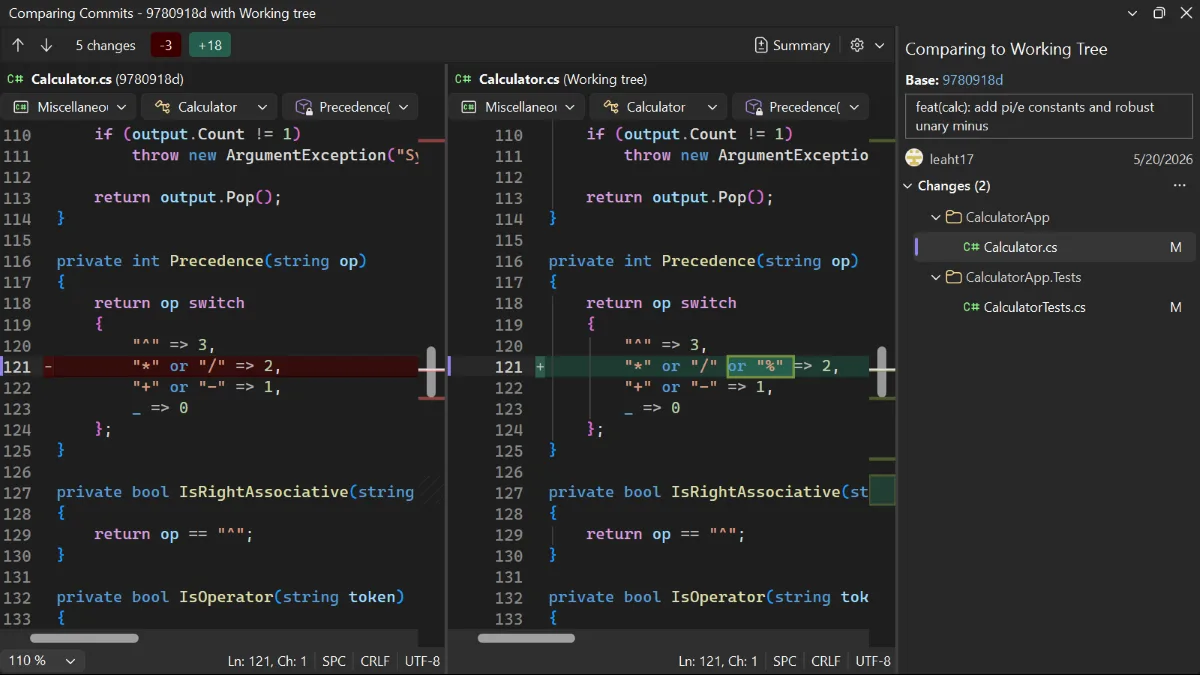
See Browse your repository history in Visual Studio to trace when a problem was introduced or to check out a commit and run older code.
Thanks for the community request that led to this feature. Keep sharing your ideas and issues on Developer Community.


It’s all cool, but can you please make the repository refresh a bit smarter? Object cache would help.
And also, fix the refresh going to runaway.
Also, DO NOT reload commit windows on repository changes. Commits are immutable by definition, they don’t change. They can change, but I doubt very much you know when they do.