


Today we’re announcing the public preview of the Microsoft 365 Copilot Agent Evaluations tool. The Agent Evaluations CLI tool helps developers measure and improve the quality of agents they build for Microsoft 365 Copilot. The tool provides a command-line interface that sends prompts to a deployed agent, captures responses, and scores them with the help of Azure OpenAI LLM models. It produces structured reports developers can use in their inner loop of development and in CI/CD pipelines.
This release is a step toward making rigorous, repeatable evaluation a standard part of how developers build for Microsoft 365 Copilot, alongside the broader work happening across the platform, from Work IQ to agent creation with the Microsoft 365 Agents Toolkit.
Why evaluations matter now
Our mission is to enable Microsoft partners, ISVs, and enterprise developers to extend Microsoft 365 Copilot with custom agents, actions, and knowledge so Copilot can reason over any data and take action across any system.
As agents move from demos into core business workflows, the bar for shipping rises with them. Customers expect agents that are accurate, grounded, and consistent across the breadth of real-world prompts they receive. Meeting that bar requires more than manual testing. It requires an evaluation framework that is objective, repeatable, and integrated into the developer workflow. The Agent Evaluations tool is designed to make that practical.
What’s in the public preview
The public preview brings the full evaluation loop into a simple command-line workflow. The CLI is designed to fit naturally into the way Microsoft 365 developers already build agents. Developers can invoke the CLI to evaluate declarative agents right inside the Microsoft 365 Agents Toolkit.
- The tool supports evaluation of single-turn or multi-turn conversations to make it possible to test how an agent retains context, handles follow-ups, and completes end-to-end tasks the way real users actually interact with it.
- The tool offers an easy experience to select which agent to run an evaluation against. The interactive agent picker ensures that testing teams alongside development teams can evaluate the agents.
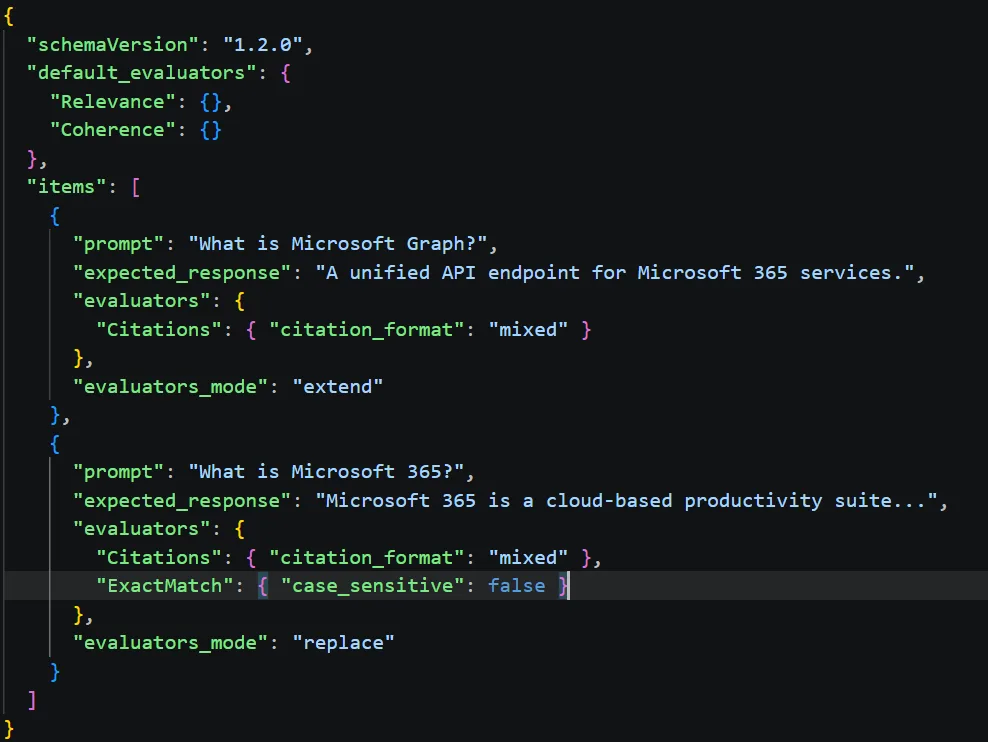
- Responses are then scored automatically against evaluators like Coherence, Groundedness (LLM based) or ExactMatch /PartialMatch (Code based), and more evaluators.
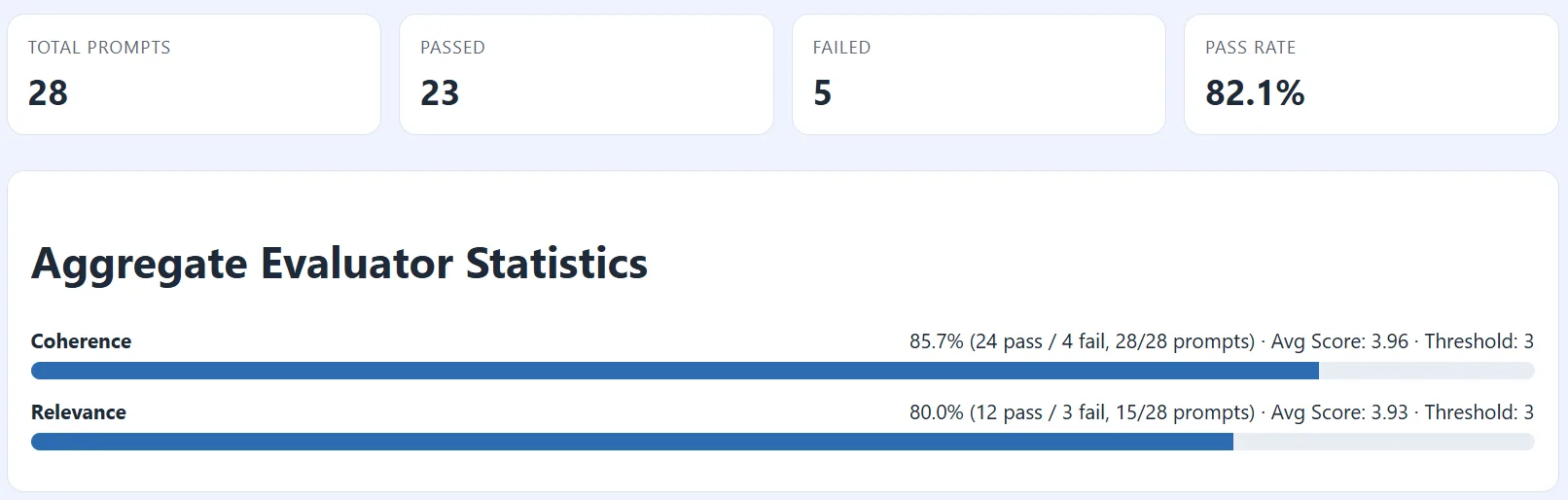
- Results are emitted in an HTML scorecard report. Developers can use the scorecard as a sharable artifact that captures objective evidence of agent quality across their inner loop, code reviews, and CI/CD pipelines.
You can also access the evaluation skill wherever you vibe-code with your coding agents.
Get started
The preview tool is free to install during public preview. You’ll need a Microsoft 365 Copilot license, an agent deployed to your tenant, Node.js 24.12.0+, admin consent to run the tool in your tenant, and an Azure OpenAI endpoint for the LLM-judge evaluators. Ask your admin to enable the tool for your tenant today.
Get started: Microsoft 365 Copilot Agent Evaluations CLI overview
Source & samples (GitHub): github.com/microsoft/m365-copilot-eval
Agents Toolkit: Create declarative agents using Microsoft 365 Agents Toolkit | Microsoft Learn
Agent evaluation skill – Use the microsoft-365-agents-toolkit@workiq skill for Claude Code and Copilot to create and evaluate agents using Agents Toolkit and Agents Evaluation Tool.
We want your feedback
During the preview period, we need your voice. Try the tool against your agents, file issues in the GitHub repo, and tell us which evaluators, integrations, and workflows make the biggest difference for your team. Your feedback will directly shape the path to general availability (GA).
We can’t wait to see the high-quality, trustworthy agents for Microsoft 365 Copilot you’ll ship next.


Neat feature!
FYI. “Get started” overview is pointing to the review link.
https://review.learn.microsoft.com/en-us/microsoft-365/copilot/extensibility/evaluations-cli-overview?branch=pr-en-us-1487
Should be, https://learn.microsoft.com/en-us/microsoft-365/copilot/extensibility/evaluations-cli-overview
Thank you very much for pointing this out! The link is fixed now.