


We are excited to announce the general availability of the SharePoint Framework (SPFx) 1.23, continuing our journey to evolve the development model for Microsoft 365 extensibility. SharePoint Framework remains the easiest and most widely used approach to build enterprise solutions across Microsoft 365, providing automatic single sign-on, automatic hosting, and seamless integration with industry standard web development tooling.
With the 1.23 release, we continue to build on the modernized foundation introduced in previous releases, focusing on improving developer productivity, aligning with the latest web ecosystem advancements, and enabling enhanced extensibility scenarios across Microsoft 365. This release reinforces our long term commitment to making SPFx the primary extensibility model for SharePoint and beyond. We will continue building on this momentum with the upcoming exciting features.
Your input and feedback have been invaluable to define the key features for our releases, both current and future. Thank you 👏
You can find the full list of released details from the following documentation:
Feedback survey 👋
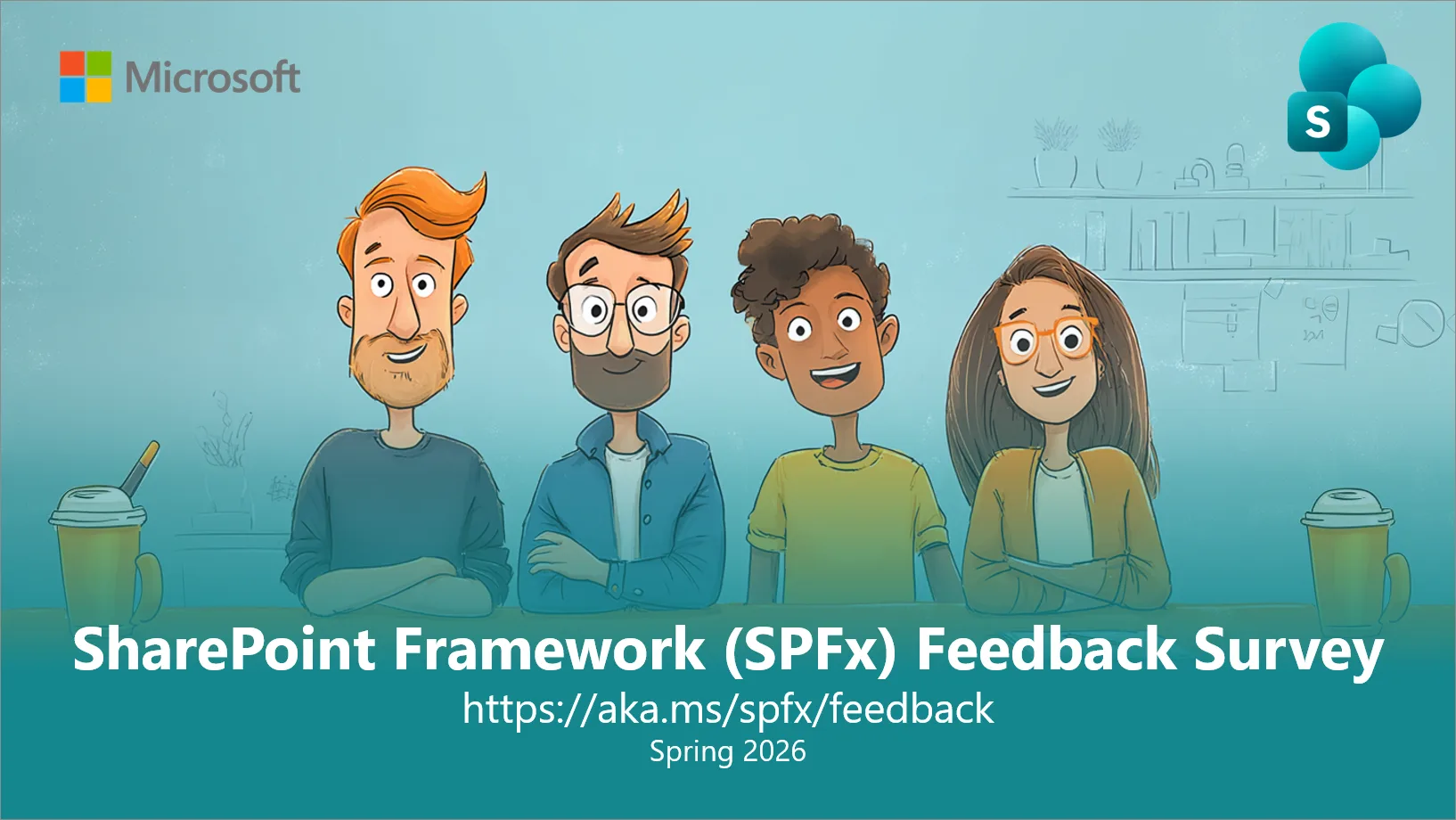
We will be also running a public feedback survey on SPFx until end of May to collect feedback. This only takes few minutes to fill in but has a huge impact on our future planning as we move forward with 2026 and 2027. If you don’t like something – please share details, so that we can address your feedback. Help us to help you. Fill in the form at:
Key features in the 1.23 release 📝
Grouping support for list view command sets
Starting with the SPFx 1.23, we are supporting grouping of list view command sets in the toolbar and in the context menu. This provides more control on how the list view commands are rendered in lists and libraries.
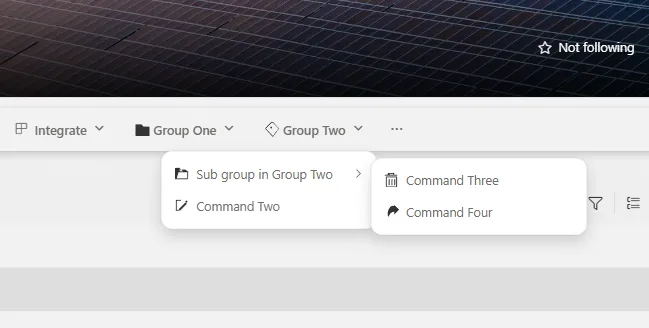
See more details on how to build grouping within the command sets from following documentation
Preview of new SPFx CLI and open-sourced project templates
We’re excited to provide a first preview version of upcoming SPFx CLI (Command Line Interface) which will eventually replace the current usage of Yeoman generator. We’re also open-sourcing the used solution templates that the SPFx CLI tool is using for the solution creation.
SPFx CLI can be used to scaffold SPFx solutions in the same way as SPFx Yeoman generator previously. Used templates are open-source and you can also configure the CLI to use alternative templates that you’re storing in another location (locally or in your own GitHub repository). This enables ecosystem to build replacement templates or project specific templates, optimized for the use case.
SPFx CLI and templates are available in GitHub as open-source solution and we welcome Pull Requests and suggestions on the needed changes.
You can install the SPFx CLI from npm using following command:
npm install @microsoft/spfx-cli --globalWhen CLI is installed, you can use for example following command to scaffold your project:
spfx create \
  --template webpart-react \
  --library-name my-spfx-library \
  --component-name "Hello World"
You can find more options and details from the SPFx CLI GitHub repository.
Addressing npm audit issues
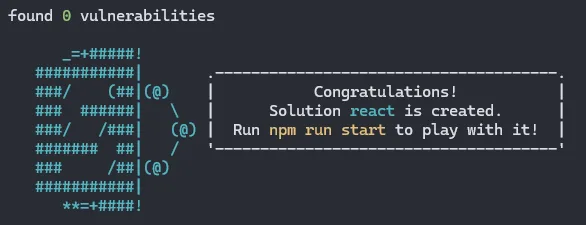
When installing the SharePoint Framework Yeoman generator or scaffolding solutions, we have worked on the reported npm audit issues. Addressing vulnerabilities is a moving target, which we are planning to address also on upcoming releases.
Installing SharePoint Framework 1.23 👩💻
You can install SharePoint Framework 1.23 by using the following command which will install always the latest generally available version.
npm install @microsoft/generator-sharepoint@latest --global
Deprecations 🚨
We also are announcing two new deprecations (with end of life date) around the SharePoint Framework as follows:
- SharePoint Framework Online Workbench will be retired from SharePoint Online on 1st of December 2026
- We encourage to use the debugging toolbar and do testing and validation of your code on normal SharePoint pages.
- Geolocation feature is deprecated in the context of Adaptive Card Extensions (ACEs) with full retirement from SharePoint Online on 1st of December 2026
We continue evolving the platform based on your feedback and the usage details also in future.
What’s SharePoint Framework? 🚀
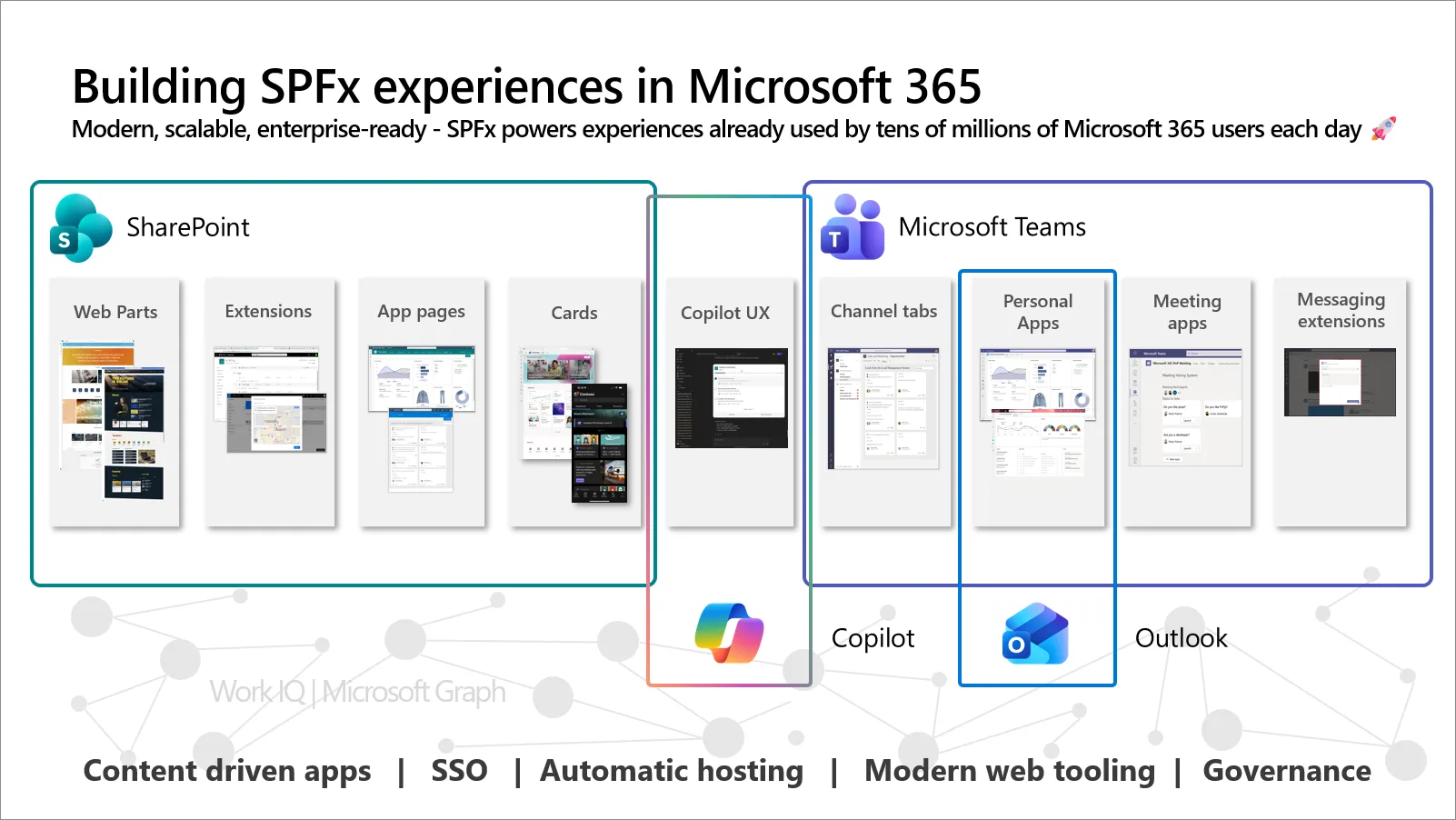
The SharePoint Framework (SPFx) is the leading extensibility model for Microsoft 365, powering custom solutions used by millions of users across SharePoint, Microsoft Teams, and Microsoft Viva. It enables developers, partners, and organizations to build integrated, enterprise-grade experiences that align seamlessly with the Microsoft 365 platform.
Built on modern web standards and designed for a multi-surface Microsoft 365 environment, SPFx provides a consistent and efficient way to create secure, scalable, and reusable solutions. It helps you maximize development investments while accelerating delivery of business value.
Whether you are getting started with the SPFx Yeoman generator or using advanced tooling and workflows, SPFx offers a unified development model to build, deploy, and manage solutions across Microsoft 365 without rewriting code for each host experience.
Key capabilities of the SharePoint Framework:
- Build once, run across Microsoft 365 – Create components that work across SharePoint, Microsoft Teams, and Viva with a single codebase. This reduces development overhead and ensures consistent user experiences across different entry points.
- Automatic hosting with zero infrastructure overhead – SPFx solutions are hosted within Microsoft 365, removing the need to manage infrastructure. This simplifies operations and allows teams to focus fully on delivering value.
- Seamless single sign-on (SSO) – SPFx solutions automatically inherit the user’s Microsoft 365 session, enabling secure access to APIs and services without additional authentication flows or user prompts.
- Integrated with Microsoft 365 data and services – Connect easily to Microsoft Graph and other Microsoft 365 services, or integrate external systems to deliver solutions that align with organizational data, content, and workflows.
- Modern web development foundation – Use widely adopted technologies such as TypeScript, Node.js, and your preferred JavaScript frameworks. SPFx aligns with industry standards, enabling reuse of existing skills and investments.
- Centralized deployment and governance – Administrators manage SPFx solutions through a unified deployment model, enabling controlled rollout, permission management, and compliance with organizational policies.
- Built for enterprise scale and reliability – SPFx aligns with Microsoft 365 security, compliance, and lifecycle management, making it a reliable choice for enterprise solutions and partner offerings.

Additional resources and support 🤝
-
- Please report any issues or feedback using following issue list – https://aka.ms/spfx/issues
- We have engineering people monitoring any incoming issues and helping you to get unblocked or getting your questions answered.
- Overview documentation
- Getting started documentation
- Build for Microsoft Teams using SharePoint Framework
- Overview of Viva Connections Extensibility
- Microsoft Learn – Extend Microsoft Viva Connections
- SharePoint Framework Toolkit
- CLI for Microsoft 365 – SharePoint Framework Upgrade tooling from previous versions to latest
- SharePoint Framework web part samples
- Viva Connections samples
- Please report any issues or feedback using following issue list – https://aka.ms/spfx/issues
If you are looking to build experiences for Microsoft 365, we strongly recommend joining our community calls and other Microsoft 365 & Power Platform Community activities covering Microsoft 365 Copilot, SharePoint, Copilot Studio, Power Platform, Microsoft Teams, Power Apps, Microsoft Viva, and more… More details here https://aka.ms/community/home 🚀
And, follow us on LinkedIn or in X to stay up to date on Microsoft 365 Platform announcements.
Happy coding! Sharing is caring! 


0 comments