

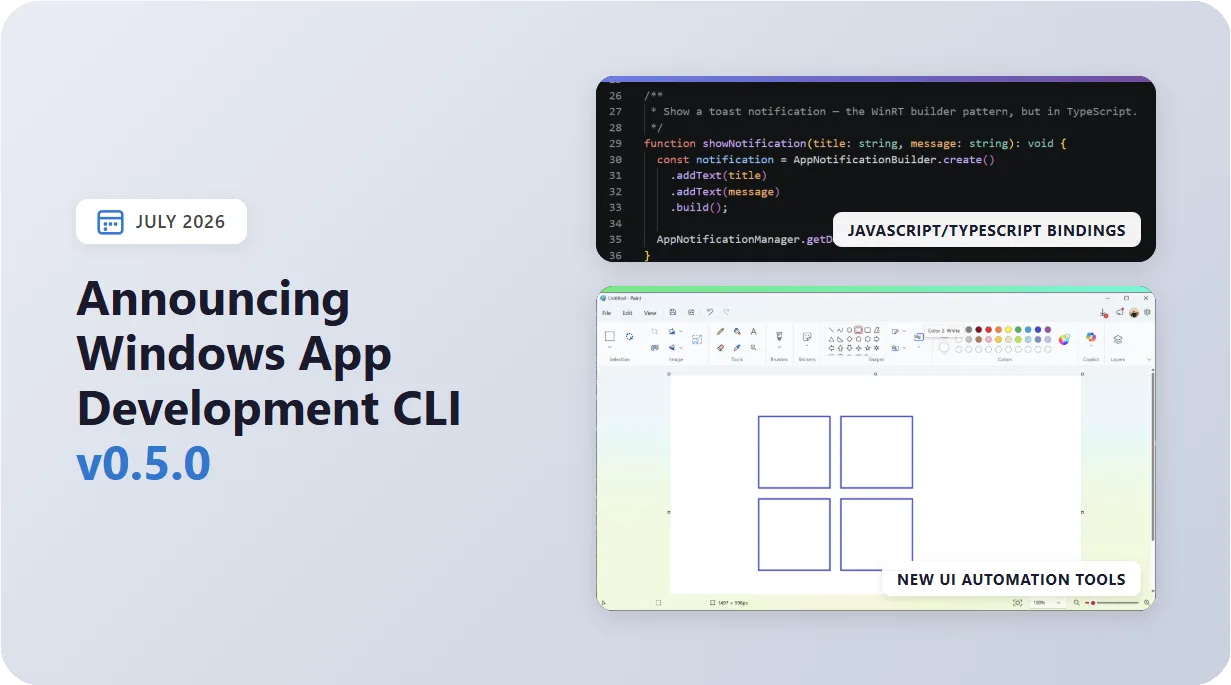
WinApp CLI v0.5.0 greatly expands the UI automation toolkit (recording, touch, pen, and keyboard injection), lets you call Windows Runtime APIs straight from JavaScript and TypeScript with zero native addons, and makes WinUI crashes far easier to diagnose. Get the update by running winget install Microsoft.WinAppCLI or check the repo for other install options.
Here’s what the new version has to offer in depth:
🕹️ An expanded UI automation toolkit
The winapp ui command family grew from inspection into a complete automation toolkit. On top of the existing inspect/click/screenshot verbs, these releases add real input injection, including touch, pen, and keyboard. Additionally, we added screen recording, so that you (or an AI agent) can drive and verify any Windows app end-to-end from the terminal.
# Record a session to MP4 (great for demos and bug reports)
winapp ui record -a myapp --duration-sec 10 --output demo.mp4

# Synthesize real touch gestures
winapp ui touch img-map-9f8e -a myapp --gesture pinch --distance 200
winapp ui touch -a myapp --at 100,300 --gesture swipe --to-point 400,300

# Draw and erase with a simulated pen/stylus
winapp ui pen -a myapp --path "100,100 150,120 210,140 260,120"
winapp ui pen -a myapp --at 320,240 --pressure 0.8 --tilt-x 30

# Send real keystrokes, including chords and typed text
winapp ui send-keys "ctrl+a delete" -a myapp
winapp ui send-keys "Hello world" --target txt-name-a1b2 -a myapp
Rounding out the set: ui hover captures tooltips and flyouts, ui drag performs press-move-release drags (element-to-element or raw coordinates), and ui scroll --wheel drives mouse-wheel scrolling:
# Hover to reveal a tooltip, then screenshot it
winapp ui hover btn-info-a1b2 -a myapp
winapp ui screenshot -a myapp --capture-screen

# Drag one element onto another (or use raw screen coords)
winapp ui drag itm-card-9f8e itm-slot-2c1a -a myapp
winapp ui drag 120,200 480,200 -a myapp

# Mouse-wheel scroll over an element
winapp ui scroll img-map-a1b2 --wheel -1 -a myapp
These new automation actions enable agents to interact fully with a running application. The following MS Paint demo was fully automated using ui commands (including invoke and drag), and was recorded using ui record:
🟨 Call Windows APIs Directly from JavaScript & TypeScript
Electron and Node developers can now call modern Windows Runtime (WinRT) APIs, including notifications, file pickers, Windows AI, WinML, and more, directly from JavaScript or TypeScript. No native addon, no node-gyp or MSBuild step, and full IntelliSense.
Add typed bindings to a new or existing project with a single flag:
npx winapp init . --use-defaults --add-js-bindingsWinApp CLI generates typed .js + .d.ts bindings from the WinAppSDK (and any other WinRT) .winmd metadata, and those bindings call into WinRT at runtime via @microsoft/dynwinrt. Import them through the #winapp/bindings subpath and call WinRT like ordinary JavaScript:
const {
  AppNotificationBuilder,
  AppNotificationManager,
} = require('#winapp/bindings');

const notification = AppNotificationBuilder
  .create()
  .addText('Hello from WinRT — no native addon required')
  .build();

AppNotificationManager.getDefault().show(notification);
The generated bindings stay version-synced with your WinAppSDK packages, so IntelliSense always matches the APIs you actually have.
We’ll be releasing a full blog post on using these bindings soon, so stay tuned for that. In the meantime, you can check out our guide on calling Windows APIs from JavaScript.
🩺 Better WinUI Crash Diagnostics
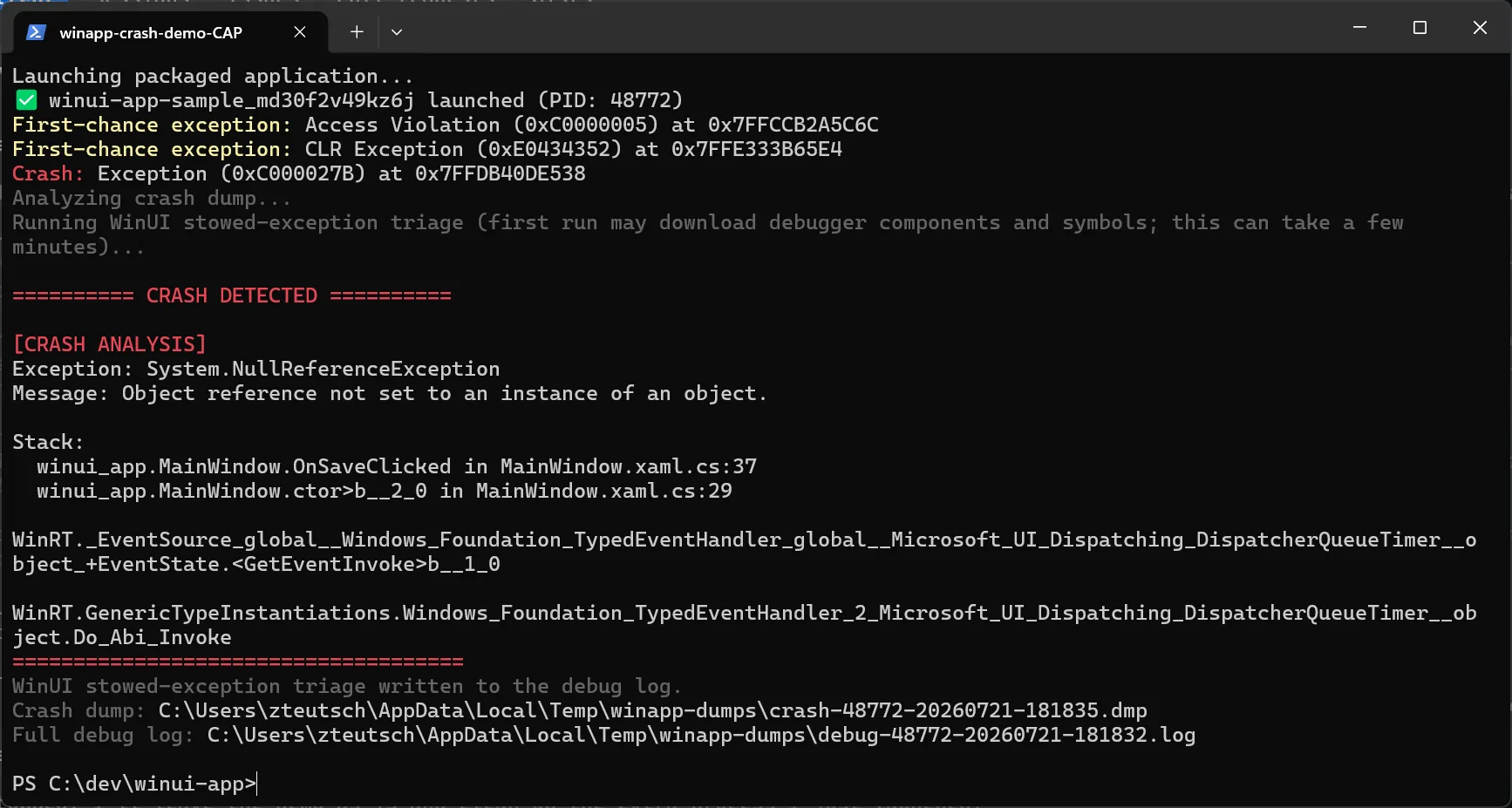
Debugging WinUI 3 crashes has always been painful: most start inside a XAML event handler and surface later as a stowed exception (0xC000027B) re-raised from the dispatcher, so by the time the app dies the stack no longer points at the real cause.
Now winapp run --debug-output automatically runs an extra WinUI stowed-exception triage pass whenever the crashed app loaded Microsoft.UI.Xaml.dll. No new flag is required; it will kick in for any WinUI dumps and surfaces:
- The originating HRESULT and its full ErrorContext chain
- The native XAML dispatch stack (
Microsoft.UI.Xaml→CXcpDispatcher→CoreMessagingXP→ CLR host) - The managed user frame that actually threw, from the existing ClrMD analysis
# Auto-triage on crash; add --symbols for fully-resolved names
winapp run .\build\Debug --debug-output --symbols
Under the hood, winapp hosts DbgEng and runs the WinUI team’s triage extension against the same minidump, so no WinDbg install is required. All debugger binaries are version-pinned, hash-verified, and signature-checked before use, and everything is cached for offline runs. The standard managed/native analysis is unchanged for every other app. Here’s an example of the new crash output:
⚡ Other Notable Changes
- Native PowerShell winget cmdlet: The README now documents installing via the native PowerShell
wingetcmdlet alongside the classic CLI. screenshotauto-creates output directories: Pointui screenshotat a path that doesn’t exist yet and winapp creates it instead of erroring out.- Claude Code plugin: Added a Claude Code plugin, kept automatically in sync with the GitHub Copilot CLI plugin.
- WinApp VS Code extension: Added AppxManifest editor support; the extension now lives in its own microsoft/WinAppVSCE repository and is available on the Visual Studio Marketplace. Read more about the new manifest editor in the latest WinApp VSCE blog post.
🐛 Bug Fixes
- Fixed a certificate bug with multi-component publisher validation
- Fixed
ui send-keys --via send-inputsilently dropping characters on long text - Fixed
ui send-keys --via post-messagesilently dropping input - Fixed a dropped
\nescape insend-keys text= ui touch/ui pennow warn (instead of rejecting) on out-of-window coordinates- Fixed
ui set-valueon RichEditBox / TextPattern-only edit controls via a LegacyIAccessible fallback - Fixed
@-prefixed arguments being swallowed by response-file expansion - Fixed a silent failure in
--debug-outputand added a warning when--symbolsis passed on its own
⛓️💥 Breaking Changes
- UI coordinate terminology standardized (v0.5.0): “app” coordinates are now called “screen” coordinates across the
uicommands. If your scripts reference the old terminology, update them to match. See the 0.5.0 release notes.
🖥️ Get started today
The Windows App Development CLI is available now in public preview. Visit our GitHub repository for documentation, guides, and to file issues. We would love to hear your feedback!
Install via WinGet:
winget install microsoft.winappcliInstall via npm:
npm install --save-dev @microsoft/winappcliHappy coding!

0 comments