

Today, we are announcing the general availability (GA) of the DocumentDB extension for Visual Studio Code, a developer-first tool built for Azure DocumentDB.
If you build on Azure DocumentDB, this extension gives you two ways to work in one place. Go visual when you want fast insight, and go hands-on when you want direct command control. And if your team also works with open-source DocumentDB or other MongoDB-compatible environments, the same extension supports those workflows too.
Built for Azure DocumentDB. Open to any MongoDB-compatible database.
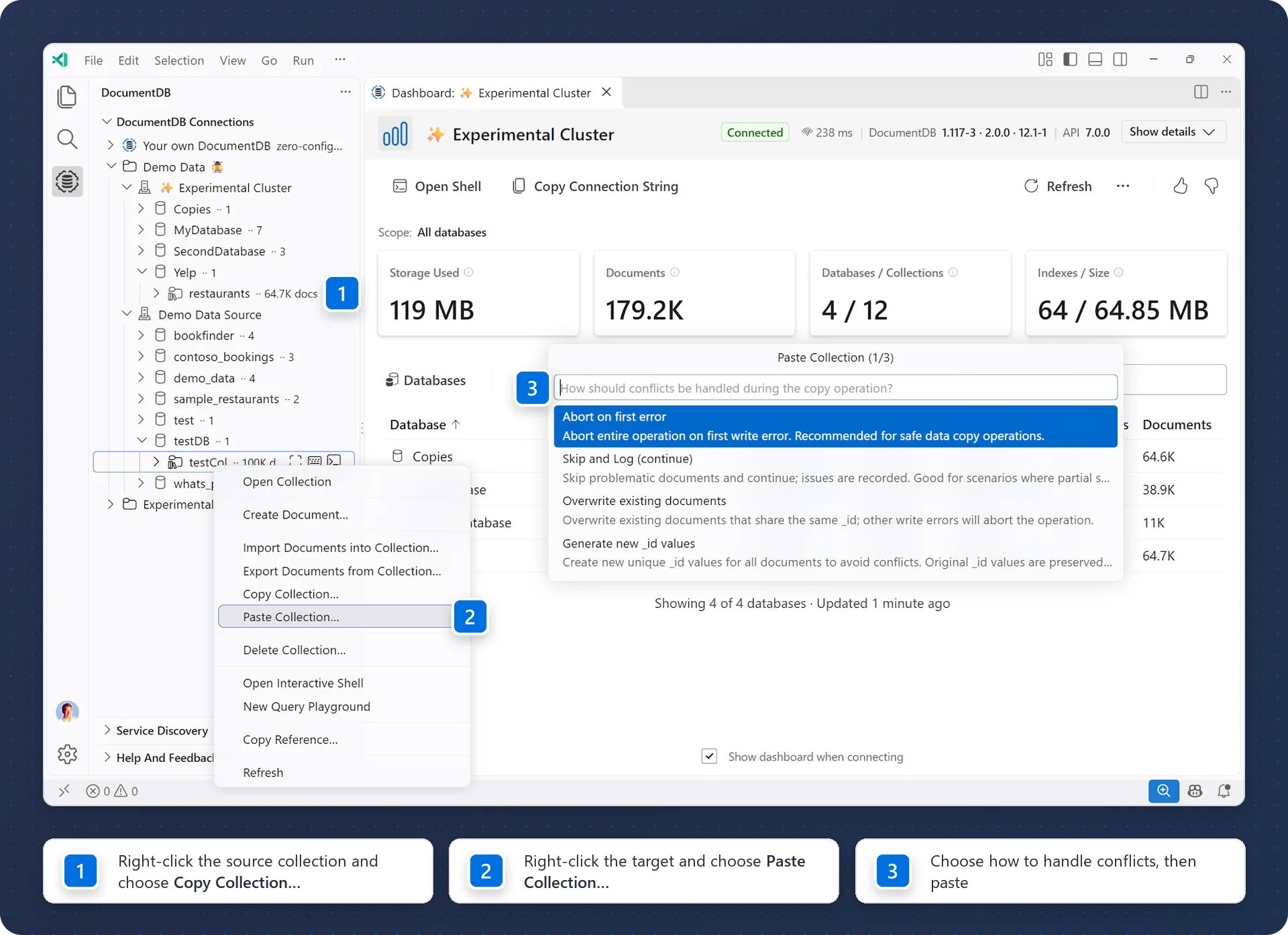
One tool, two modes: visual plus shell
The story is simple. You get both worlds in one tool.
- Visual mode for dashboards, data exploration, query analysis, and index tuning
- Shell mode for direct, command-first control in an integrated shell
One connected workflow where you move between visual and shell without changing tools or re-authenticating
For many teams, this is the key advantage of the GA release. You can inspect data visually, jump into the shell for precision changes, and return to visual views to validate outcomes immediately.
Why the integrated shell matters for Azure DocumentDB
The integrated shell is not an add-on. It is a core part of the Azure DocumentDB developer experience.
Shell users often hit friction when combining command workflows with Microsoft Entra ID in standalone tools like mongosh. This extension removes that split experience by keeping shell and visual workflows together under the same connection context.
That means your Entra-authenticated session carries across dashboard actions, query analysis, index operations, and shell commands in one place.
Secure by default with Microsoft Entra ID
For Azure DocumentDB teams, authentication is built in. The extension supports Microsoft Entra ID sign-in through your VS Code account and managed identity for Azure VMs.
This gives teams secure, passwordless access patterns while preserving developer speed, especially for shell-heavy workflows.
Built for Azure DocumentDB productivity
The GA release brings together core workflows Azure developers use every day:
- Fast setup and connection management for Azure DocumentDB environments
- Cluster-level visibility into databases, collections, storage, indexes, and document counts
- Query plan and execution analysis with Query Insights
- Integrated index operations for tuning in place
- A single connection context across dashboard, shell, and management workflows
Local development when you need it
For rapid prototyping, the extension also supports DocumentDB Local setup from within VS Code. You can spin up a local environment in minutes, test ideas quickly, and move back to Azure DocumentDB with the same familiar experience.
Enterprise-first and open by design
This GA milestone reflects our focus on making Azure DocumentDB operations simpler for application developers, platform engineers, and data teams. The extension also supports OSS DocumentDB and other MongoDB-compatible deployments for hybrid and multi-environment teams.
Why this GA matters
The GA milestone reflects a year-plus of iteration with the community. The result is a practical, editor-native experience for teams building on DocumentDB, Azure DocumentDB, and other MongoDB-compatible databases.
Get started
Install the extension from the Visual Studio Marketplace
Learn more:
0 comments
Be the first to start the discussion.