


Now officially released, Shader Execution Reordering (SER) is an addition to DirectX Raytracing that enables application shader code inform hardware how to find coherency across rays so they can be sorted to execute better in parallel. SER support is a required feature in Shader Model 6.9, meaning all drivers must accept shader code using SER. It’s up to individual devices to take advantage if possible.
At GDC 2025 DXR 1.2 was announced including SER, and you can see it discussed in this: GDC DirectX State Of The Union YouTube Recording. In the video, Remedy showed raytracing cost reduced by 1/3 using a synergistic combination of OMMs and Shader Execution Reordering in Alan Wake 2.
The rest of this blog summarizes the feature, how to get bits, and highlights some sample code to help get started.
Parent blog for all other features in this release.
Overview
Because of the stochastic nature of many raytracing workloads, DXR applications often suffer from divergent shader execution and divergent data access. Tackling the problem with application-side logic has many downsides, both in terms of achievable performance and developer effort. The existing DXR API allows implementations to dynamically schedule shading work triggered by TraceRay and CallShader, but does not offer a way for the application to control scheduling in any way. Shader Execution Reordering (SER) fills this gap by introducing HLSL primitives that enable application-controlled reordering of work across the GPU for improved execution and data coherence.
Furthermore, the current TraceRay pipeline of traversal and ClosestHit/Miss shading is not always flexible enough. First, common code, such as vertex fetch and interpolation, must be duplicated in all ClosestHit shaders. Second, simple visibility rays must unnecessarily execute hit shaders in order to access basic information about the hit. To address these problems, the concept of a HitObject decouples raytracing traversal (including AnyHit shading and Intersection shading) from ClosestHit and Miss shading. This enables arbitrary RayGeneration code to execute between traversal, execution reordering, and ClosestHit/Miss handling, and allows ClosestHit/Miss dispatch starting from hit information from sources other than traversal, such as RayQuery.
The combination of HitObject and SER is particularly powerful and enables reordering for execution and data coherence using information in the HitObject and additional hints supplied by the user. The result is further improved coherence potential for hit/miss processing.
Specification (Docs)
For full documentation see the Shader Execution Reordering section of the DXR spec.
The DXR spec also has a section describing D3D12_RAYTRACING_TIER_1_2 including how SER fits in.
Availability
SER is a required part of Shader Model 6.9. This requires:
Device support:
For device and driver support see: https://devblogs.microsoft.com/directx/shader-model-6-9-retail-and-more/
Make sure raytracing is supported by checking the raytracing tier (not shown here). There is a D3D12_RAYTRACING_TIER_1_2 tier that can be queried, but that means all the features in this tier are supported: SER and Opacity Micromaps. If only SER is needed, just check for Shader Model 6.9 and D3D12_RAYTRACING_TIER_1_0/1_1 as needed.
Also see https://github.com/microsoft/DirectX-Specs/blob/master/d3d/Raytracing.md#ser-device-support, which also discusses a device query that reports if it actually tries to do thread sorting requested by use of the SER feature, and it isn’t just a no-op. This can be useful during development and testing particular devices, or if an app wanted to do its own manual sorting if SER wasn’t going to actually sort.
PIX
As usual SER comes with Day One PIX support. Please read the PIX blog post for more information.
NVIDIA Sample
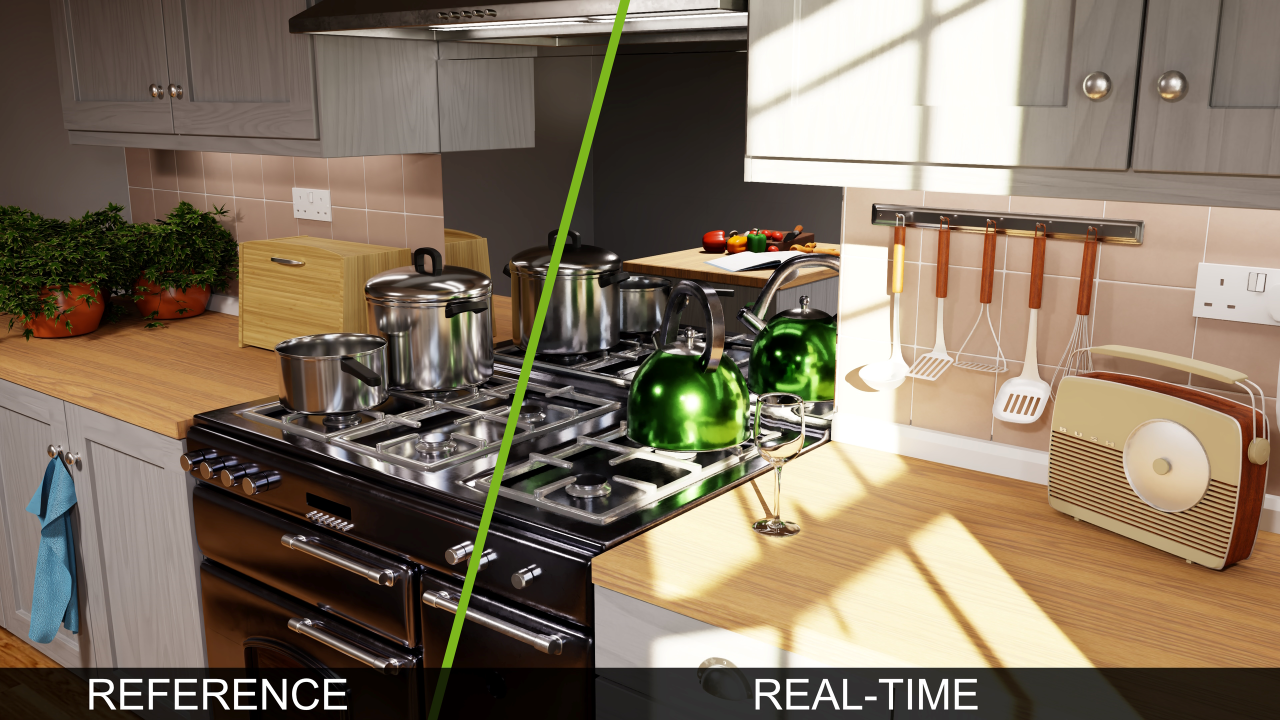
RTX Path Tracing is a code sample that strives to embody years of raytracing and neural graphics research and experience. It is intended as a starting point for a path tracer integration, as a reference for various integrated SDKs, and/or for learning and experimentation. This now has a DXR path with SER. In the codebase, look for relevant code guarded with “USE_DX_HIT_OBJECT_EXTENSION“.
Simple Microsoft SER Sample
The D3D12RaytracingHelloShaderExecutionReordering modifies the original D3D12RaytracingHelloWorld sample to minimally demonstrate various uses of Shader Execution Reordering and showing performance gains described below.
[Edit, added this note based on some of the understandable press/public response to the juicy numbers here: Keep in mind perf numbers in synthetic test like this shouldn’t be expected to translate to the same performance in games where so many other factors are at play. Like how much game rendering workload happens to be a direct candidate for SER to help, and then how much SER ends up being able to actually help with those workloads. It’s reasonable to expect efficiency gains as developers adopt the feature over time and device implementations improve, however expect less than the best-case numbers here.]
D3D12RaytracingHelloShaderExecutionReordering can be found in the DirectX-Graphics-Samples repo on github here.
This sample simply draws a fullscreen quad with triangle barycentrics used as the pixel color. Each ray does some artificial work when shading, and some proportion of rays do a heavier artificial workload, rendered white (vertical stripes). The Ray Generation Shader uses SER to tell the system which threads will be more expensive so it can try to sort similar threads to be together.
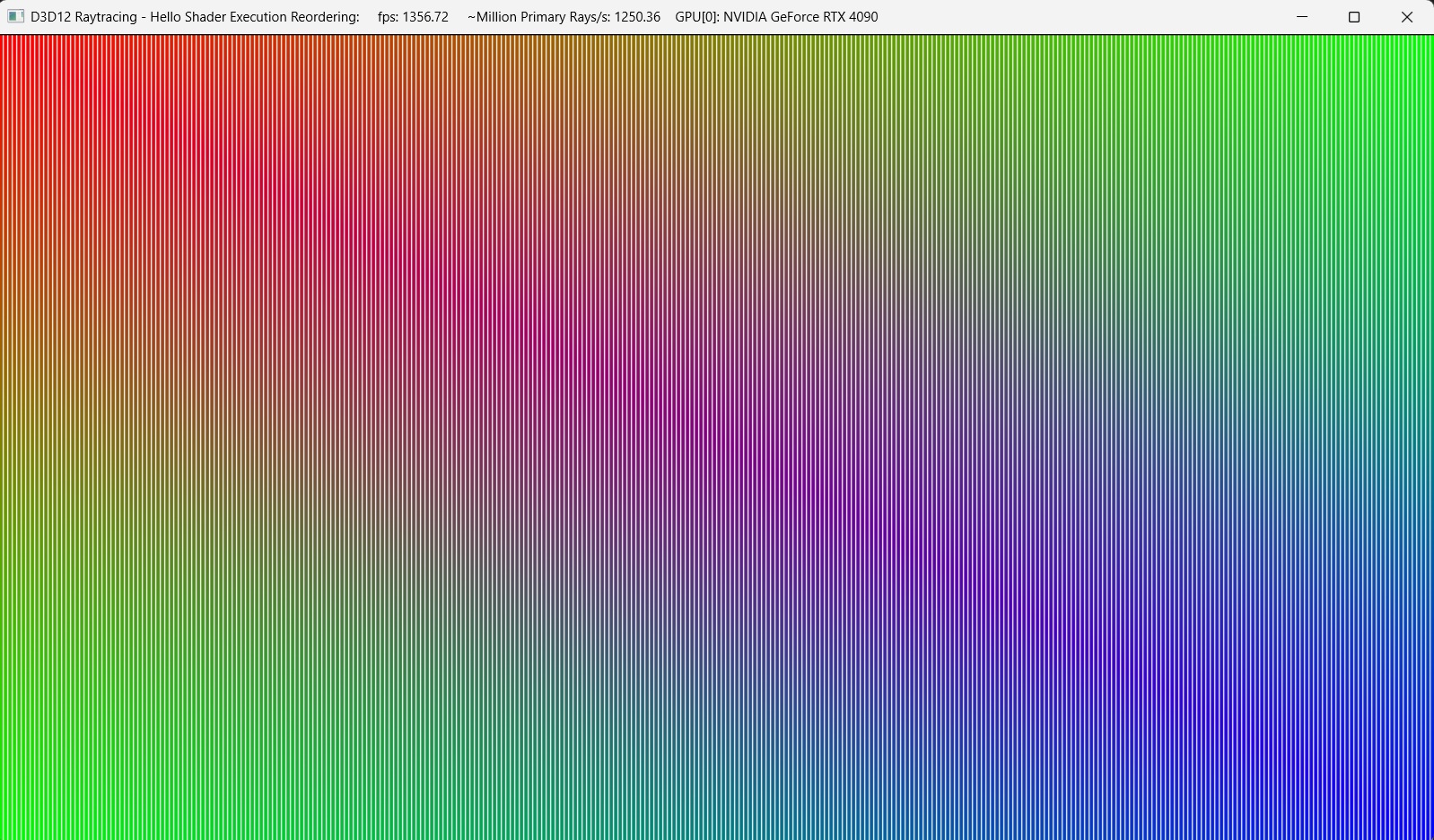
The shader file, Raytracing.hlsl contains some configuration options that can be tweaked before running the app, where the shader is compiled at launch. The options allow
comparing the performance of ways of using SER, as well as not using SER at all. In fact the mechanics SER can be understood simply by playing with this shader file and running the app, ignoring the rest of the boilerplate C++ code in the sample.
Using SER with the settings below running on an NVIDIA RTX 4090 showed a 40% framerate increase versus not using SER, and a couple of configurations of Intel Arc B-Series GPUs each showed a 90% framerate increase.
//*********************************************************
// Configuration options
//*********************************************************

// TraceRay the old fashioned way
//#define USE_ORIGINAL_TRACERAY_NO_SER

// Call MaybeReorderThread(sortKey,1), sortKey is 1 bit
// indicating if the thread has dummy work
#define REQUEST_REORDER

// Don't invoke ClosestHit or Miss shaders, use hitObject
// properties in RayGen to shade
//#define SKIP_INVOKE_INSTEAD_SHADE_IN_RAYGEN

// Rays do loop a of artificial work in the
// Closest Hit shader.  This setting makes
// some rays looping more than others (a sort candidate):
#define USE_VARYING_ARTIFICIAL_WORK

// Number of iterations in the heavy artificial work loop
#define WORK_LOOP_ITERATIONS_HEAVY 5000

// Number of iterations in the light artificial work loop
#define WORK_LOOP_ITERATIONS_LIGHT 1000

// N, where 1/N is the proportion of rays that do the
// heavy artificial work load
#define RAYS_WITH_HEAVY_WORK_FRACTION 4

// Put all the rays with dummy work on the left side
// #define SPATIALLY_SORTED

//*********************************************************
Below is the sample’s Ray Generation Shader
illustrating various basic uses of SER via the above options. Notice
that when SER is used, TraceRay returns a HitObject.
Depending on the config, the shader can call MaybeReorderThread(), in this
case taking a shader defined sort key, though there’s another variant not shown that takes
the hit object and sorts on its properties.
Finally, depending on the config, the shader can call HitObject::Invoke() to
run Closest Hit or Miss Shader on the hit, or not bother calling Invoke() at
all and do shading locally based on hit object properties. In this case shading is based
on hit attributes (barycentrics) returned via hit.GetAttributes().
using namespace dx; // dx::HitObject and dx::MaybeReorderThread
[shader("raygeneration")]
void MyRaygenShader()
{
    RayDesc ray =
        SetupRay(DispatchRaysIndex(), DispatchRaysDimensions());

    uint iterations = WORK_LOOP_ITERATIONS_LIGHT;

    #ifdef USE_VARYING_ARTIFICIAL_WORK

        #ifdef SPATIALLY_SORTED
            // Extra work is all on left side of screen
            if((origin.x + 1)/2.f <= 1.f/RAYS_WITH_HEAVY_WORK_FRACTION)
            {
                iterations = WORK_LOOP_ITERATIONS_HEAVY;
            }
        #else
            // Extra work distributed in vertical bands
            if( (DispatchRaysIndex().x) % RAYS_WITH_HEAVY_WORK_FRACTION == 0 )
            {
                iterations = WORK_LOOP_ITERATIONS_HEAVY;
            }
        #endif

    #endif

    RayPayload payload = { float4(0, 0, 0, 0), iterations };
    float4 color = float4(1,1,1,1);

    #ifdef USE_ORIGINAL_TRACERAY_NO_SER
        TraceRay(Scene, RAY_FLAG_NONE, ~0, 0, 1, 0, ray, payload);
        color = payload.color;
    #else

        HitObject hit =
            HitObject::TraceRay(Scene, RAY_FLAG_NONE, ~0, 0, 1, 0,
                                ray, payload);

        #ifdef REQUEST_REORDER
            int sortKey = iterations != WORK_LOOP_ITERATIONS_LIGHT ? 1:0;
            dx::MaybeReorderThread(sortKey, 1);

            // There's currently a DXC bug that causes "using namespace dx;"
            // (at the top) to generate bad DXIL for MaybeReorderThread,
            // so it's explicitly scoped here. The namespace works fine for
            // HitObject
        #endif

        #ifdef SKIP_INVOKE_INSTEAD_SHADE_IN_RAYGEN
            if(hit.IsHit())
            {
                MyAttributes attr = hit.GetAttributes();
                color = ClosestHitWorker(attr,iterations);
            }
            else
            {
                color = MissWorker();
            }

        #else
            HitObject::Invoke(hit, payload);
            color = payload.color;
        #endif

    #endif

    // Write the raytraced color to the output texture.
    RenderTarget[DispatchRaysIndex().xy] = color;
}


Amar, I’m ready to use S.E.R. please let me know the instructions on how to install it for nvidia GPU’s thanks in advance!
Hi Alberto,
See the device support section in the blog, which links to the main SM 6.9 blog with links to initial drivers including NVIDIA. Assuming you're a gamer, to see wins from SER developers will first have to start using and ship support in their games which will take some time. Since you mention NVIDIA in particular, some titles already used NVIDIA's original custom exposure of SER by their drivers, before it completed standardizing in D3D12 where now the API can work across vendors. I believe Alan Wake 2 is one of several examples...