




Over the last several years, we have encouraged customers to move their repositories from Azure Repos to GitHub to take advantage of the latest AI powered and agentic development experiences that GitHub is delivering.
At the same time, we recognize that migrating repositories to GitHub can vary significantly in complexity depending on an organization’s size, customizations, compliance requirements, tooling, and industry constraints. While many customers are actively planning and executing migrations to GitHub, many others are not yet ready to move and continue to rely on Azure Repos for day-to-day development.
For customers continuing to build on Azure Repos, we have exciting news. We are announcing a limited public preview that brings GitHub Copilot code reviews directly to your pull requests in Azure Repos.
🪧 Sign up for the Technical Preview
We are making the technical preview available through a sign-up process. Customers interested in participating can request access, and we will enable the feature for their organization as capacity allows.
Access will be granted in waves based on when requests are received, so enablement may take one or weeks. We will notify each customer by email once the feature has been enabled for their organization.
This phased rollout allows us to closely monitor usage, collect feedback, and validate the experience before making the feature more broadly available.
If you are interested in participating in the preview, you can sign up today.
🚛 Getting Started
Once we enable the feature, there are a few setup steps required before it can be used. First, Copilot code review must be enabled at the organization level. This allows the feature to then be enabled on individual repositories. This step must be completed by an organization administrator.
Go to Organization Settings > Repositories

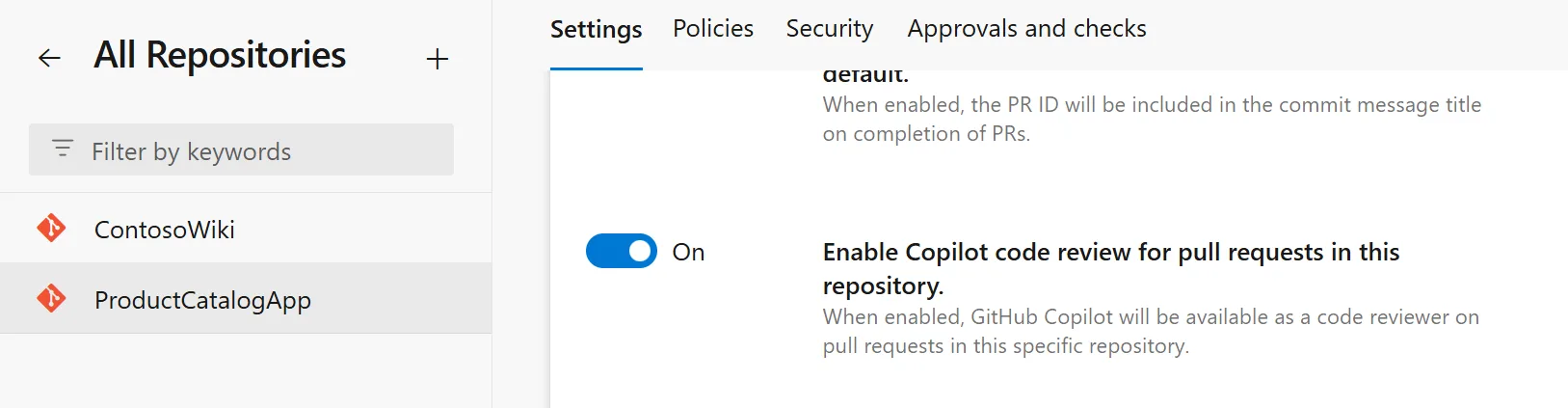
Once the organization level setting has been enabled, repository administrators can enable Copilot Code Review for individual repositories.
To enable the feature, go to Project > Repositories > Manage Repositories and select the desired repository. From there, you will see the option to enable Copilot Code Review for pull requests in that repository.
🤖 Code Review Process
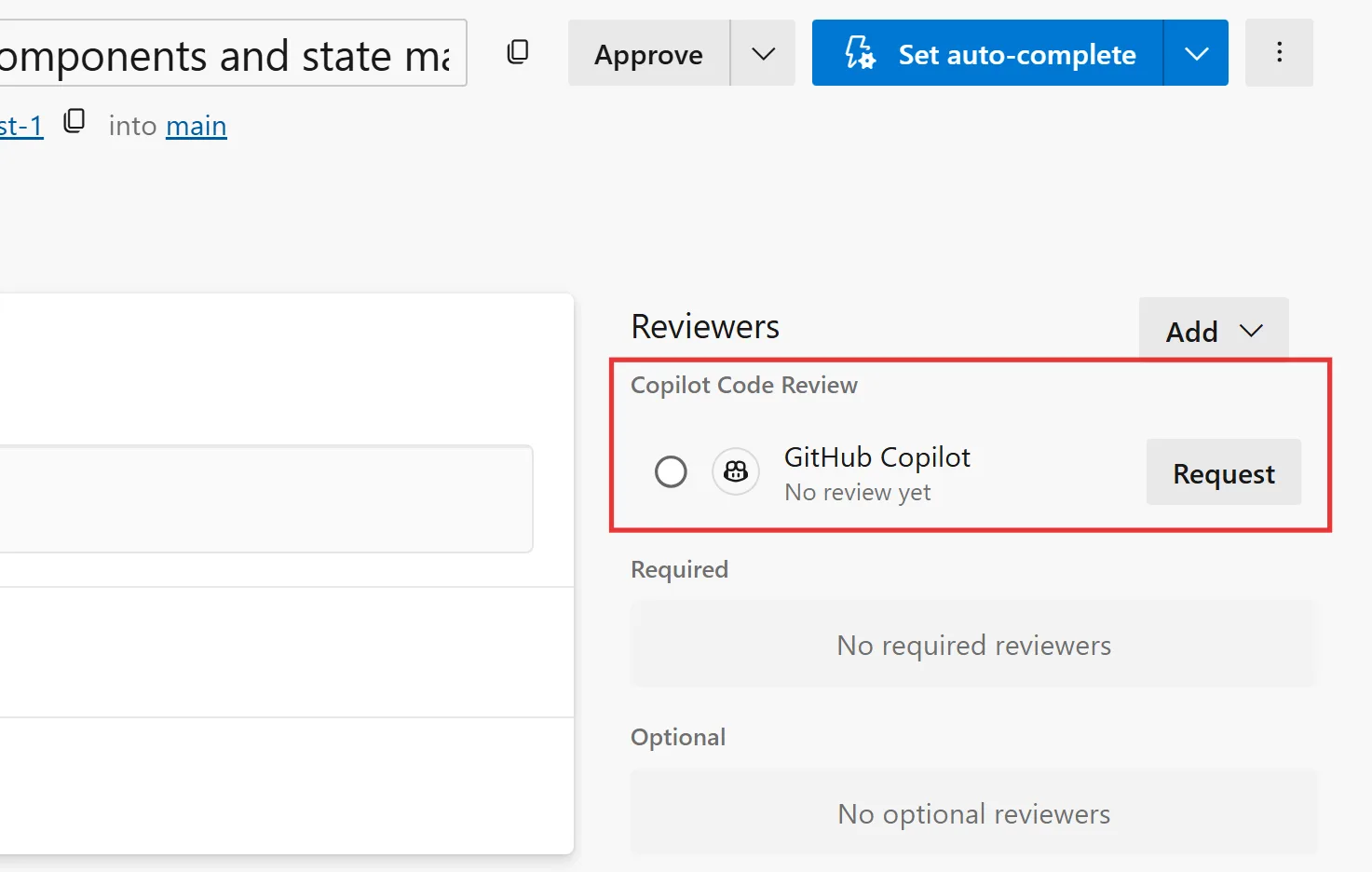
Once you have completed the getting started steps, initiating a Copilot Code Review is straightforward. First, make your code changes and create a pull request. When the pull request is ready for review, you can request a Copilot review by clicking the Request button next to Copilot Code Review in the Reviewers section.
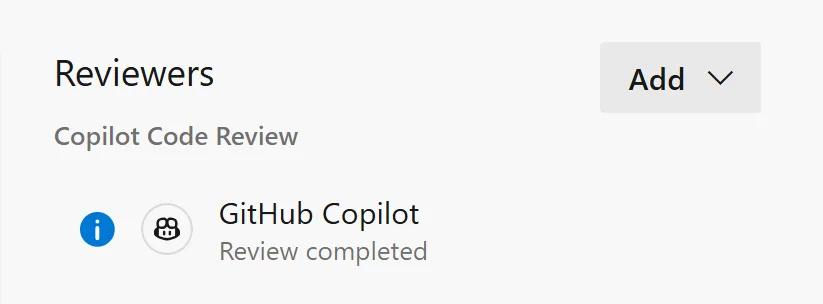
The code review may take a few moments to complete, depending on the size of the repository and the number of changes included in the pull request. Once the review is complete, the status of the code review will change to Review completed.
If Copilot identifies potential issues in your pull request, it will add comments and suggestions directly to the review for you to examine and address.
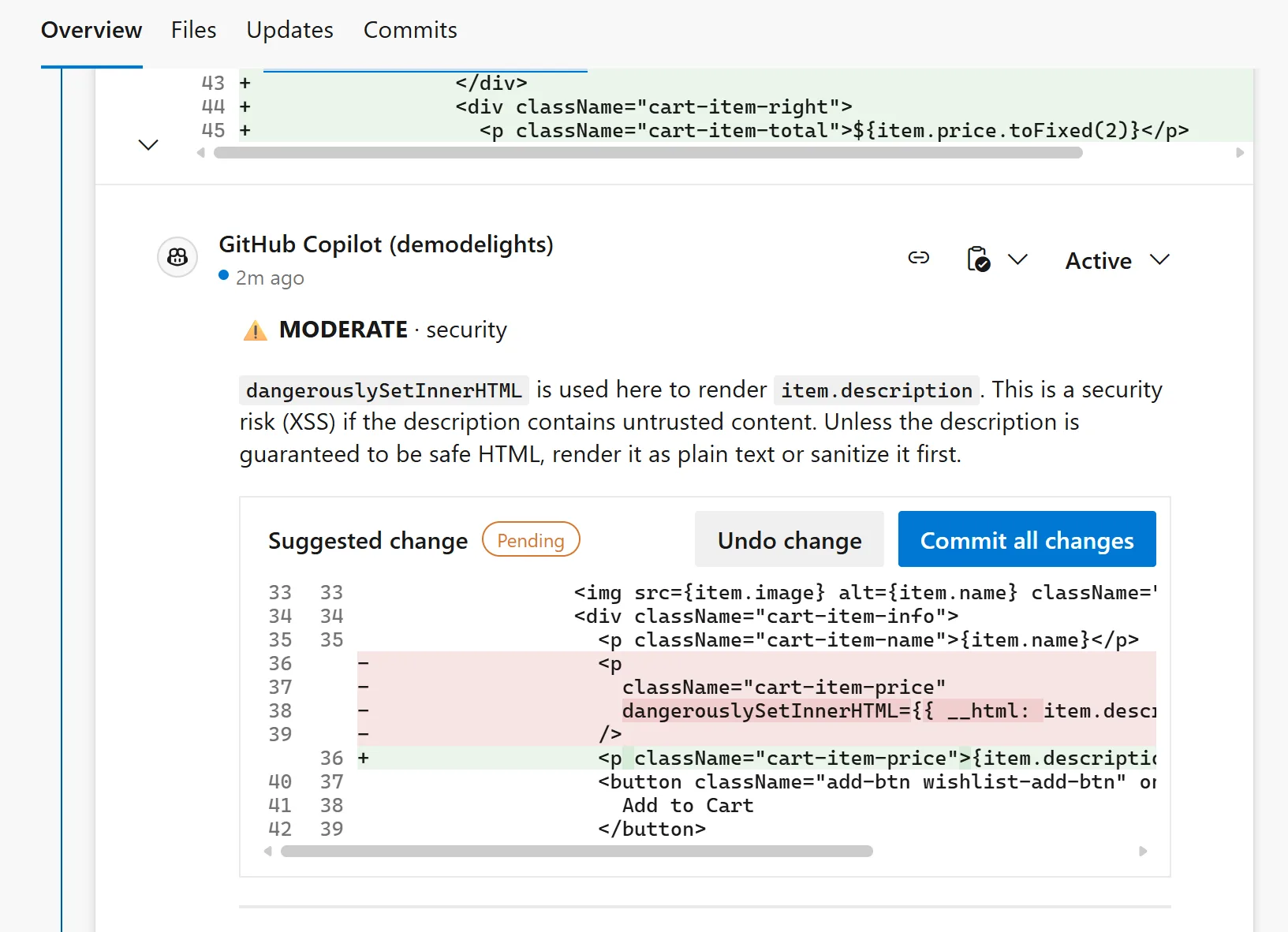
From here you can apply changes recommended by Copilot or you can go back to your IDE, make the necessary changes, and re-commit. Once you create another commit, you can elect to run another Copilot code review.
🚂 Guardrails and Limits
For customers interested in trying this feature during the preview, there are a few limitations and guardrails to be aware of. These are in place to help ensure a stable experience as we onboard additional organizations and continue to learn from real-world usage during the rollout.
The following limits will apply during the preview and our subject to change.
| Item | Limit |
|---|---|
| Repository size | 10 GB |
| Pull request changed files | 100 files |
| Pull request status | Must be Active |
| Pull request merge status | Must have no merge conflicts (Merge Succeeded) |
| Duplicate review on same PR version | 1 completed review per merge commit |
| Concurrent reviews per pull request | 1 |
| Concurrent reviews per organization | 5 |
| Concurrent reviews per user | 2 |
🪙 Billing
Each completed code review consumes tokens, including input tokens sent to the model, output tokens generated by the model, and cached tokens that reuse existing context.
To simplify billing, the tokens used for each review are converted into a standard billing unit called a GitHub AI credit, where 1 credit equals $0.01 USD. Charges are billed to the Azure subscription linked to your Azure DevOps organization and appear as a separate meter in Azure Cost Management.
The cost of each review will vary depending on factors such as pull request size and the number of lines changed. To estimate expected costs in your environment, we recommend enabling the feature for one or two repositories first and monitoring daily usage.
To monitor your daily charges, go into your Subscription > Resources > Cost Management > Cost analysis.
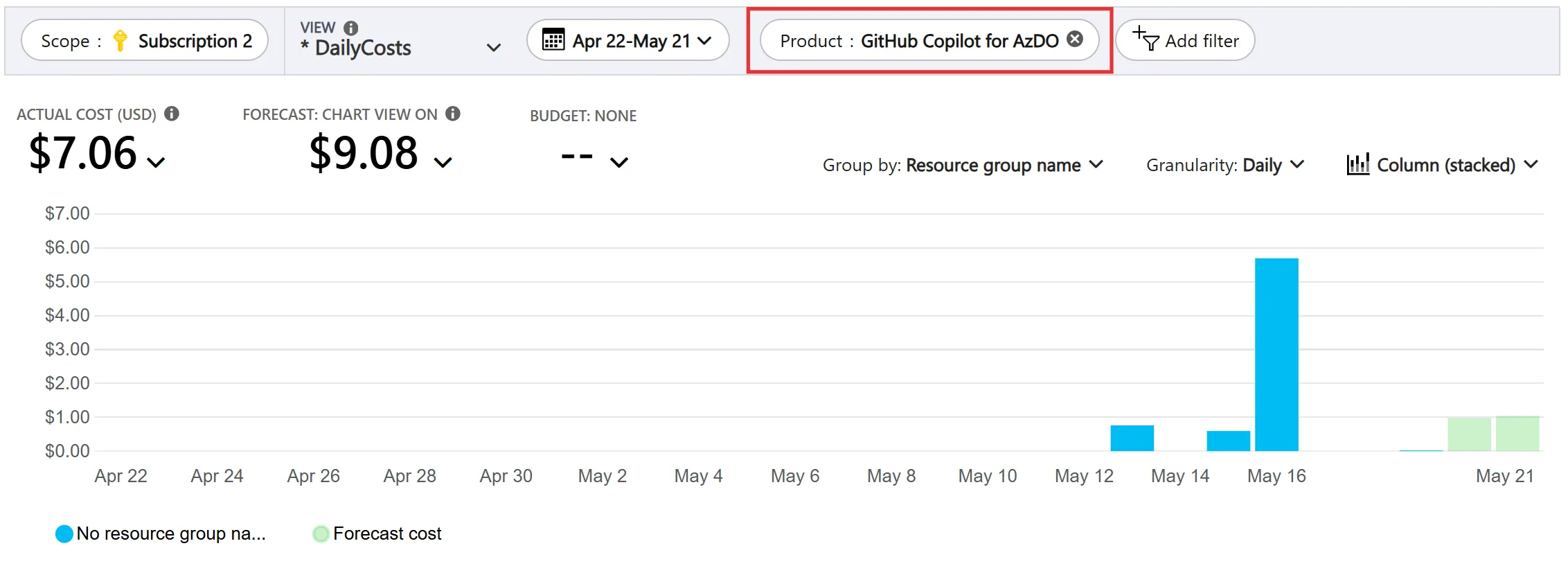
From here, you can filter by product to view the organization’s daily costs. Please note, it does take 24-48 hours for the usage information to show up in the azure portal.
💬 Feedback
We expect to remain in limited public preview over the next couple of months as we continue refining the experience, adding new features, and incorporating customer feedback. Your input is vital to making this experience successful.
If you are interested in participating, please sign up for the limited public preview. We will follow up with all the information you need to get started.


I am looking at the billing and just want one minor clarification as we are just testing this. As of now we are just using the free ms hosted minutes. Are the tokens included in that cost, or are they being billed separately regardless?
Hi Matt,
Are you using Cost analysis in the portal or an export of the data? Both Product and Meter subcategory are filters I can use in the portal, but maybe Product isn’t shown for all subscription types. Do you know what subscription offer type you have?
The billing data is aggregated by day, and the date you end up seeing should be based on that, but it may be the next day, depending on the time of the daily cutoff. There isn’t a clean way to correlate specific runs to specific cost unfortunately.
Hi,
Thanks for that. It would be great to correlate specific runs as that allows us to fine tune PR sizes for the best efficiency, and employ stacked PRs as required. We are now seeing some of the previously missing days (ca. a week later), so that gives us an idea.
We are only billing your subscription for the consumption of the Copilot tokens. Pipeline usage is up to you.
You can use the free Microsoft hosted pool, but you will be subject to the parallelism limits. If you need more capacity, you can pay for additional parallelism or create your own pool.
Hi Dan,
The billing section has mistakes. There’s no product group to filter by (we found meter subcategory copilot for azdo). We ran this on a few different days from 26th onward, but only have billing events for 27th and 28th.
It says there’s a billing delay, but does the final billing actually correlate on dates, or some other correlation? Specifically we are trying to map specific runs to specific billing.
We are really interested in having it do an Copilot review automatically on PR’s rather than our current method of manually running it, the documentation mentions this is possible but we are not seeing the toggle for it at a Project or Repository scope.
https://learn.microsoft.com/en-us/azure/devops/repos/git/copilot-code-reviews?view=azure-devops#configure-copilot-code-review
The option to turn automatic code reviews is at the branch policy level.
https://devblogs.microsoft.com/devops/copilot-code-reviews-for-azure-repos-public-preview
anchor link directly to that section: https://devblogs.microsoft.com/devops/copilot-code-reviews-for-azure-repos-public-preview/#automatic-code-reviews
We are using the public preview version and encountered an issue this week where a run remained inactive for about an hour and ultimately ended in a failed state. The issue is still persisting, and we are currently unable to use the service successfully.
Are there any logs, diagnostics, or troubleshooting methods available that could help identify the reason for the failure?
https://learn.microsoft.com/en-us/azure/devops/repos/git/copilot-code-reviews-faq?view=azure-devops#troubleshoot-failed-code-reviews
This is a known issue, and we have fix rolling out now. It will take a week or so for it to reach all organizations.
Thank you for sharing the troubleshooting guidance and log collection information.
I observed that successful reviews completed normally, while recent reviews appear to stop after the plan-tool execution phase and then remain idle until they are automatically cancelled after approximately 60 minutes.
Is this behavior consistent with the known issue that is currently being addressed?
Any updates on this? We’d love to test code reviews in azure devops with Copilot as well!
https://devblogs.microsoft.com/devops/copilot-code-reviews-for-azure-repos/?commentid=5428#comment-5428