


Over the last few years, we’ve encouraged customers to move their repositories from Azure Repos to GitHub, where the newest AI-powered and agentic development experiences land first.
Migrating isn’t equally simple for everyone. A move to GitHub can range from straightforward to a multi-year program, depending on an organization’s size, customizations, compliance requirements, tooling, and industry constraints. While many customers are actively planning or running migrations today, others aren’t ready yet. They continue to rely on Azure Repos for day-to-day development.
For teams still building on Azure Repos, here’s what’s new. Copilot Autofix is available today in limited private preview for GitHub Advanced Security for Azure DevOps. To request enrollment, sign up here. Enablement is processed in waves, and it may take a few weeks before the functionality is available for your organization. We will notify each customer by email once the feature has been enabled for their organization.
This phased rollout allows us to closely monitor usage, collect feedback, and validate the experience before making the feature more broadly available.
Why Autofix
Advanced Security has been good at finding vulnerabilities. CodeQL scans your code, flags the SQL injection or the path traversal, and hands you an alert. Until now, fixing it has been the part left to you. You research the vulnerability, work out a safe change, write the patch, and open a pull request. For most teams, that’s where alerts pile up.
Autofix closes that gap. It uses the same CodeQL engine that finds a vulnerability to generate an AI-suggested fix for it, right in the Azure DevOps alert experience. You review the suggested change, edit it if you need to, and then commit it to a pull request without leaving the alert.
From scanning to remediation, on the same surface
When you open a CodeQL alert in the Advanced Security tab of your repository, you’ll see a new Generate fix button on alerts from supported rules.
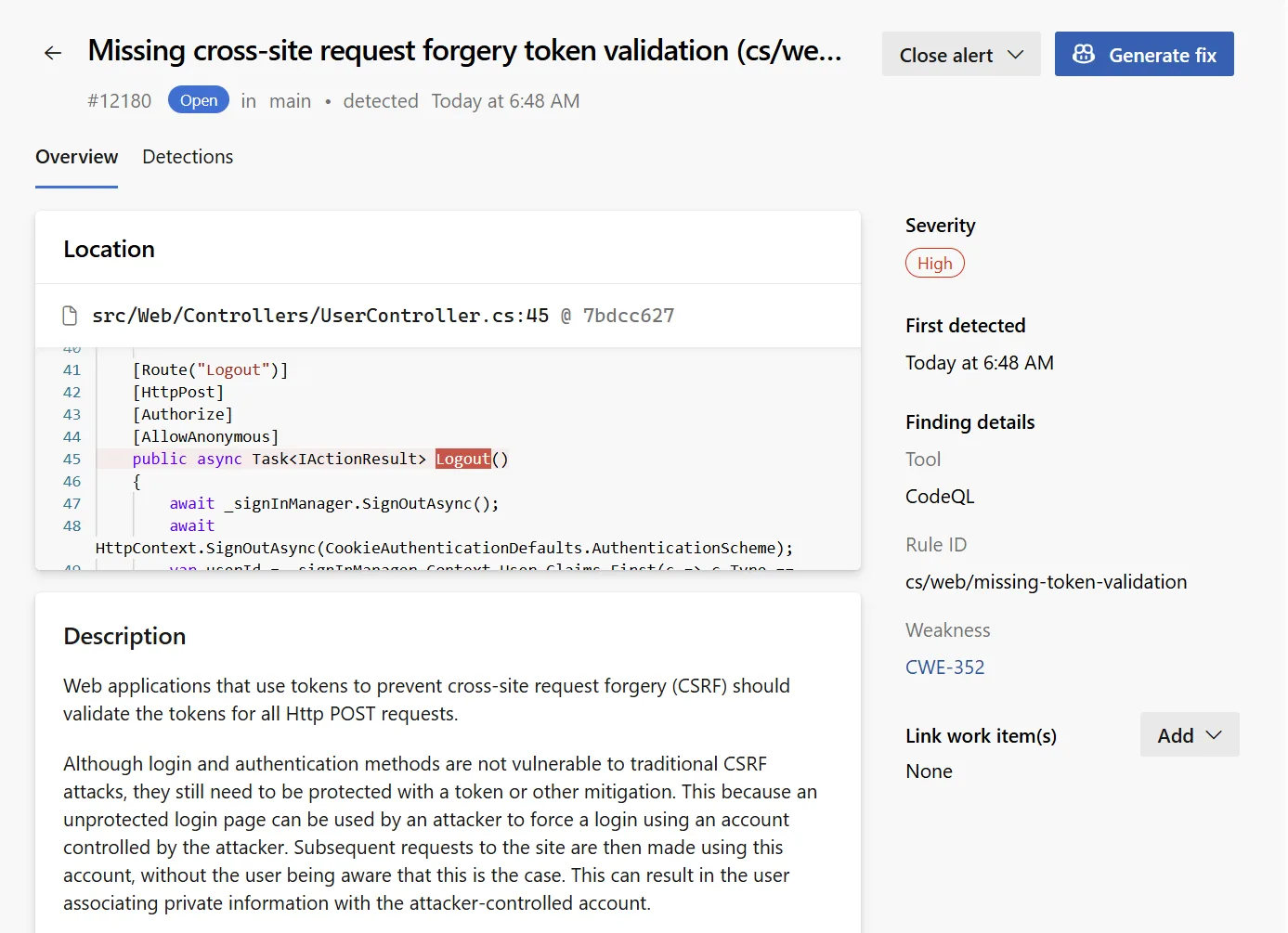
Autofix gathers the surrounding code and alert context to return a suggested change automatically as a pull request.
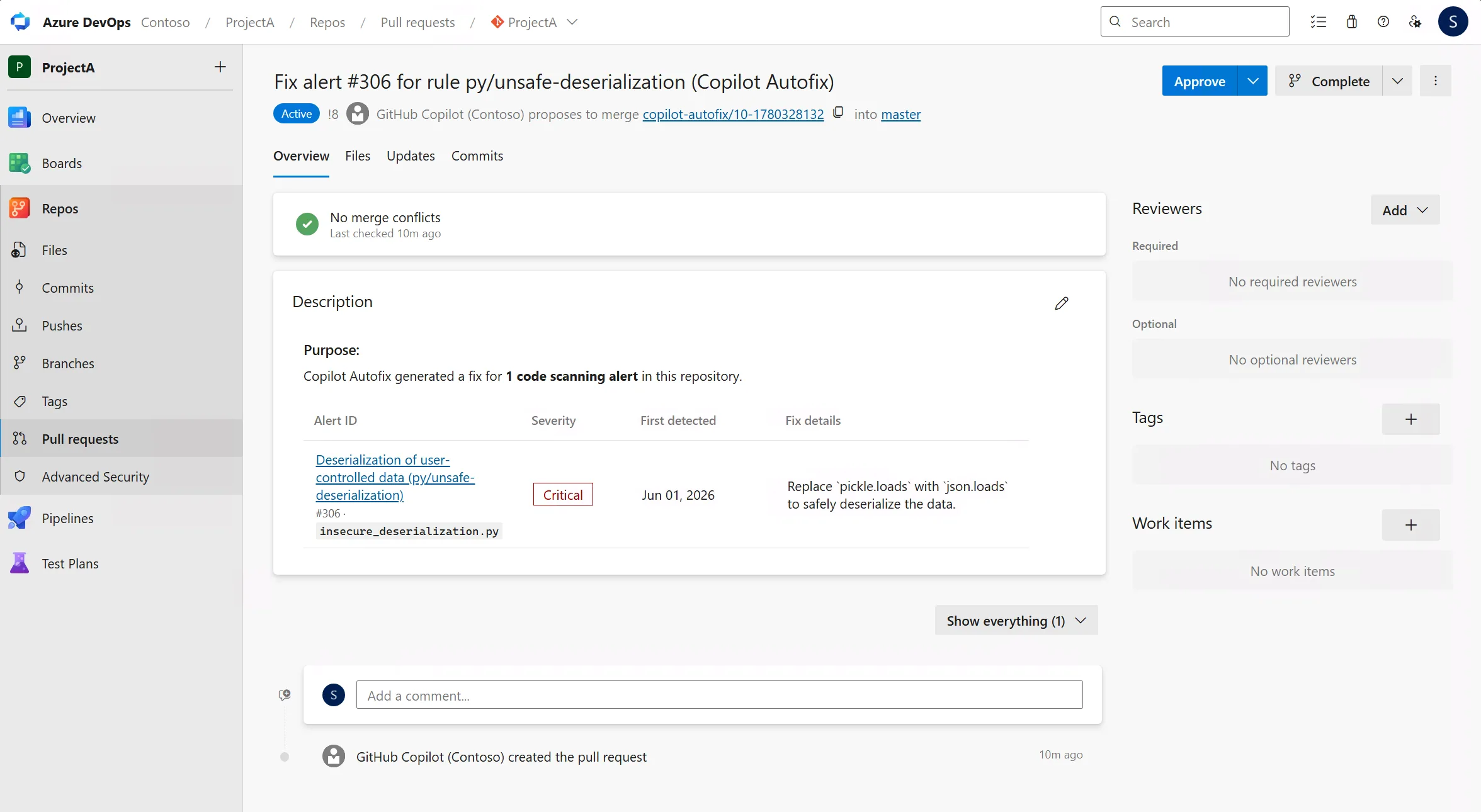
Your usual review and build gates run on the pull request. Once it merges and the next CodeQL scan completes, the alert resolves on its own.
This works well alongside CodeQL default setup. Default setup turns scanning on without any pipeline configuration, and Autofix then turns the resulting alerts into pull requests without a manual rewrite. Together, they shorten the path from “we have a vulnerability” to “we have a fix in review.” A developer can do it in a few minutes.
What’s in the preview
Copilot Autofix at limited private preview covers:
- All CodeQL-supported languages — C/C++, C#, Go, Java, Kotlin, JavaScript, TypeScript, Python, Ruby, and Swift
- A curated set of CodeQL queries — the same set GitHub uses on GitHub.com, covering the highest-frequency vulnerability classes: SQL injection, cross-site scripting, path traversal, hardcoded credentials, and more
- Backlog alerts in the Advanced Security tab for the default branch
It’s included with your GitHub Advanced Security for Azure DevOps license. Fix generation consumes AI credits from your organization’s Azure billing meter.
Billing
Each fix generation consumes tokens. These include input tokens for the code context sent to the model, output tokens for the suggested change, and cached tokens that reuse existing context.
To keep billing simple, we convert those tokens into a standard unit called a GitHub AI credit, where 1 credit equals $0.01 USD. We bill the charges to the Azure subscription linked to your Azure DevOps organization, and they appear as a separate meter in Azure Cost Management.
The cost of each fix varies with the size of the surrounding code context and the complexity of the change. So before you roll Autofix out widely, enable it on one or two repositories first and watch daily usage.
To monitor your daily charges, go to Subscription > Cost Management > Cost analysis in the Azure portal.
Getting started
Copilot Autofix is gated for limited private preview. To request enrollment, sign up here. We’ll be onboarding customers in waves over the next several weeks.
Once your organization is enrolled:
- Make sure Code Security and CodeQL code scanning is configured on the repository — either with default setup or by adding CodeQL tasks to your pipeline.
- Enable the feature at the repository-level.

- Select a CodeQL alert in Advanced Security.
- Select Generate fix on any alert from a supported rule.
- Review the suggestion, refine if needed, and merge the pull request.
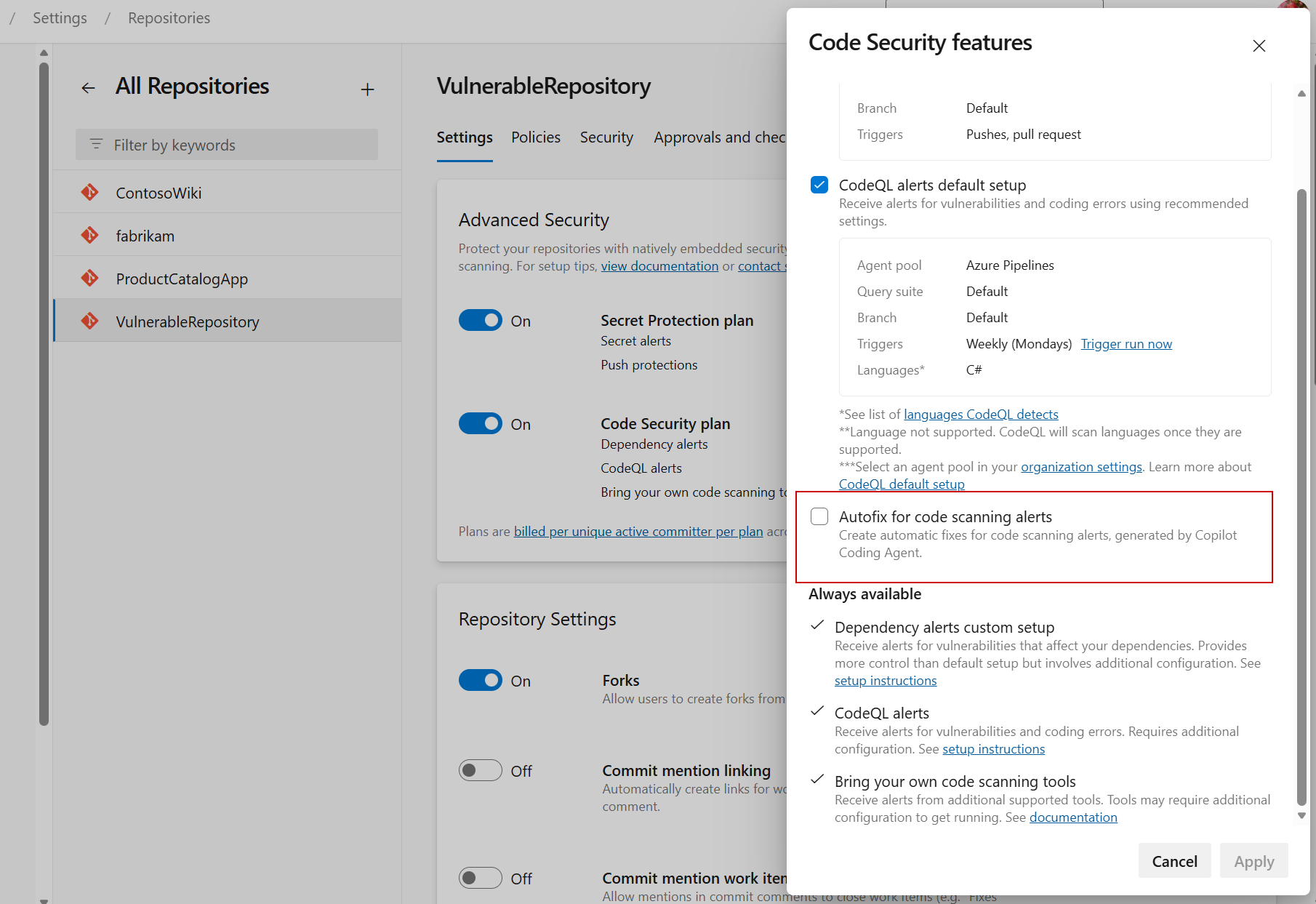
Full setup and usage guidance lives in the new Fix code scanning alerts with Copilot Autofix (Preview) documentation.
What’s next
Next, we’re working on bringing Autofix to all CodeQL alerts for all branches, then enabling Autofix for all code scanning alerts.
If you want to shape our roadmap, sign up for the preview and tell us what’s working and what isn’t. We’re closing the gap on remediation, and we’d like to build the rest of it with you.


I have a few issues implementing this can you help out.
1. Autofix can't complete its PR — "Commit author email validation" policy blocks it
Our repo enforces a policy, commit-author-email allow-list. The initial Autofix commit pushes fine (author.email = noreply@dev.azure.com, whitelisted). But completing the PR fails: "The push was rejected because one or more commits contain author email 'GitHub Copilot ' which does not match the policy-specified patterns."
After investigation that identity is a built-in service principal (Microsoft.TeamFoundation.ServiceIdentity ... AdvSecAutofix) whose Mail property is a genuinely empty string — so no allow-list entry can ever match. Granting it "Bypass policies...
We just got enabled for the preview and it is fantastic. Many thanks 🙏. Can’t wait for it to also work for dependencies, given all the recent supply chain attacks.
FYI: The link to ” … Fix code scanning alerts with Copilot Autofix (Preview) …” is broken.
Fixed – thank you!