



Today, we’re announcing the public preview of GitHub Copilot Code Review for Azure Repos, making the feature available to all Azure DevOps customers using the service. There’s no longer a need to sign up for early access. Customers can now enable Copilot Code Review for their Azure Repos repositories and start using it.
With the public preview, we’re also introducing several improvements we’ve made over the past couple of months based on what we’ve learned during the technical preview.
Before getting started, be sure to read the official documentation for details on how Copilot Code Review works, how to enable it, and what to expect around usage and billing.
Let’s take a look at what’s new.
Onboarding improvements
We’ve made it easier to control where GitHub Copilot Code Review is enabled, with options at the organization, project, and repository levels.
At the organization level, you can enable Copilot Code Review for all repositories across all projects.

You can also delegate that decision to project administrators, allowing them to enable Copilot Code Review for all repositories within their project.
For organizations that want more granular control, Copilot Code Review can also be enabled or disabled at the individual repository level.
Support for Managed DevOps Pools
Copilot Code Review uses Azure Pipelines to orchestrate code reviews. By default, these reviews run using Microsoft-hosted agents. However, not every organization uses the default Azure Pipelines agent pool.
Organizations using Managed DevOps Pools can now configure Copilot Code Review to use their managed pool instead. Simply select the desired pool at the organization level, and all Copilot code reviews across the organization will run using that pool.
Self-hosted agents are not currently supported.
Custom instructions
Every team has its own expectations for what good code looks like. With custom instructions, you can define the standards and practices that matter to your organization and have Copilot take them into account when reviewing pull requests.
Instructions can be applied across an entire organization or project, configured for a specific repository, or targeted to specific paths within a repository.
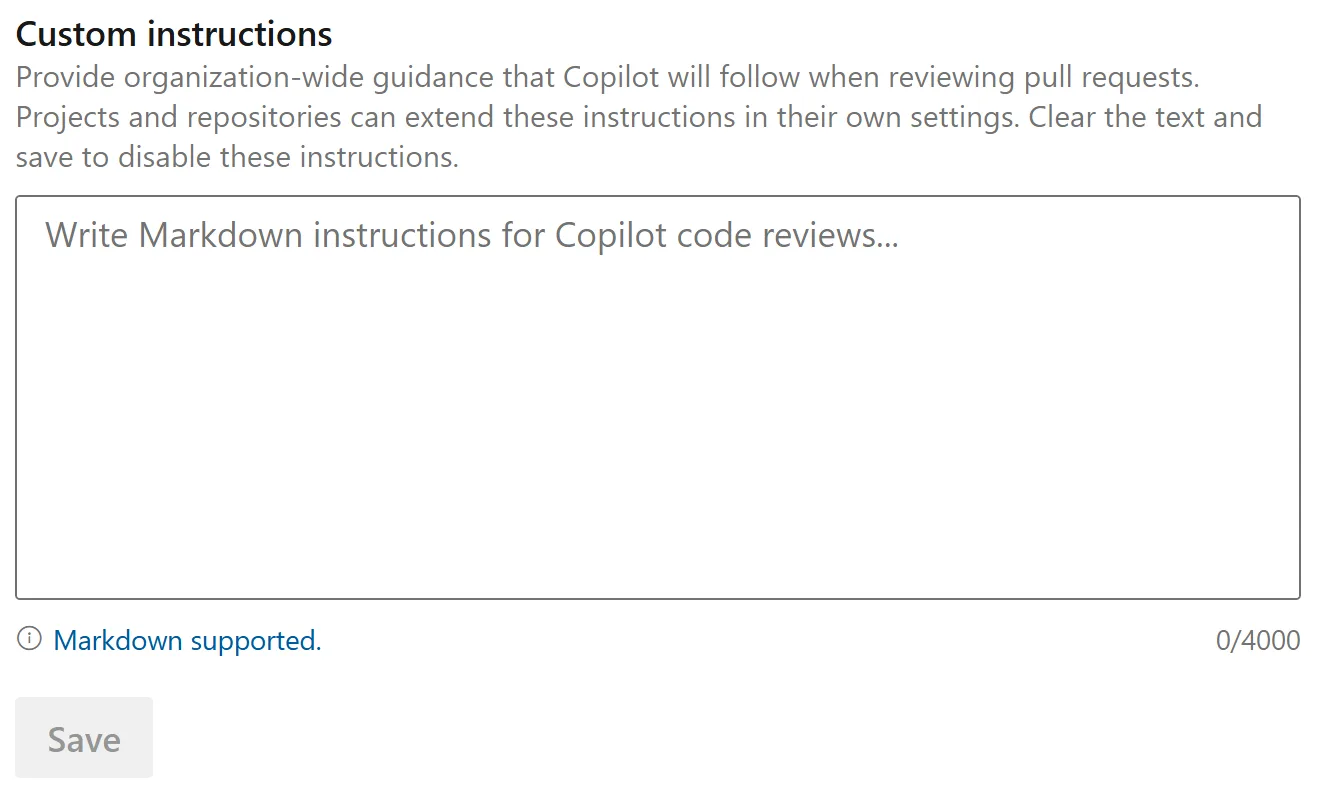
The result is code review feedback that is better aligned with how your teams build software, while helping apply important standards more consistently across repositories and projects.
To learn more about configuring custom instructions for Copilot Code Review, see the Microsoft Learn documentation.
Automatic code reviews
Automatically run a Copilot Code Review when a pull request is created by configuring branch policies. This ensures the code is reviewed without requiring developers to manually request a Copilot review for each pull request.
You can configure the policy for a single repository or apply it to all repositories within a project.
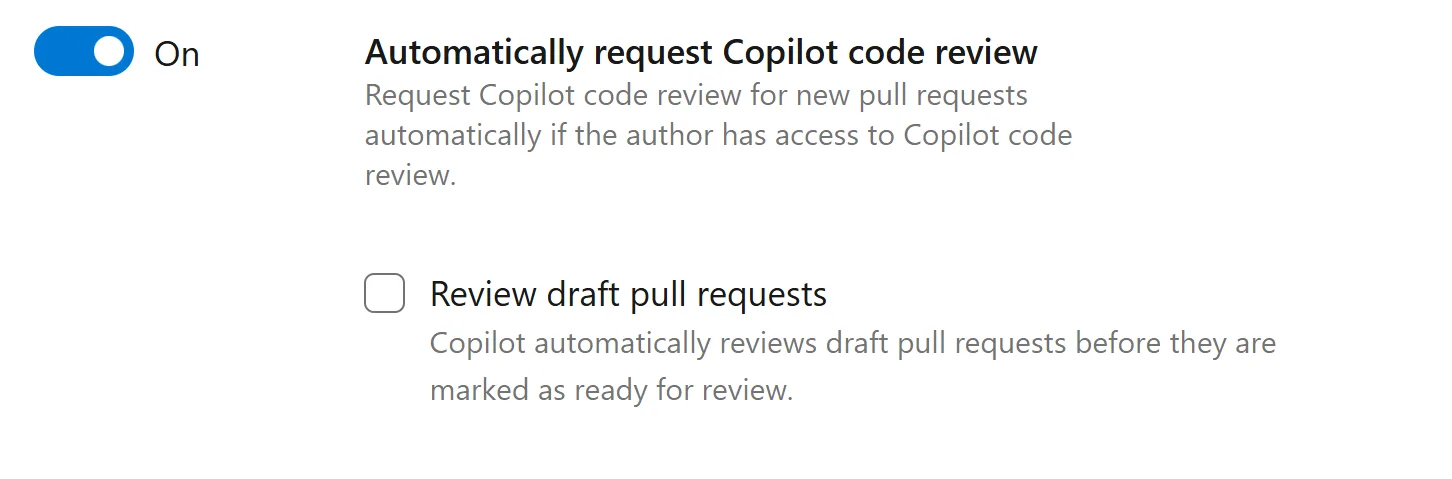
Automatic code reviews also support draft pull requests, allowing engineers to get feedback from Copilot earlier in process.
Smarter billing and cost visibility
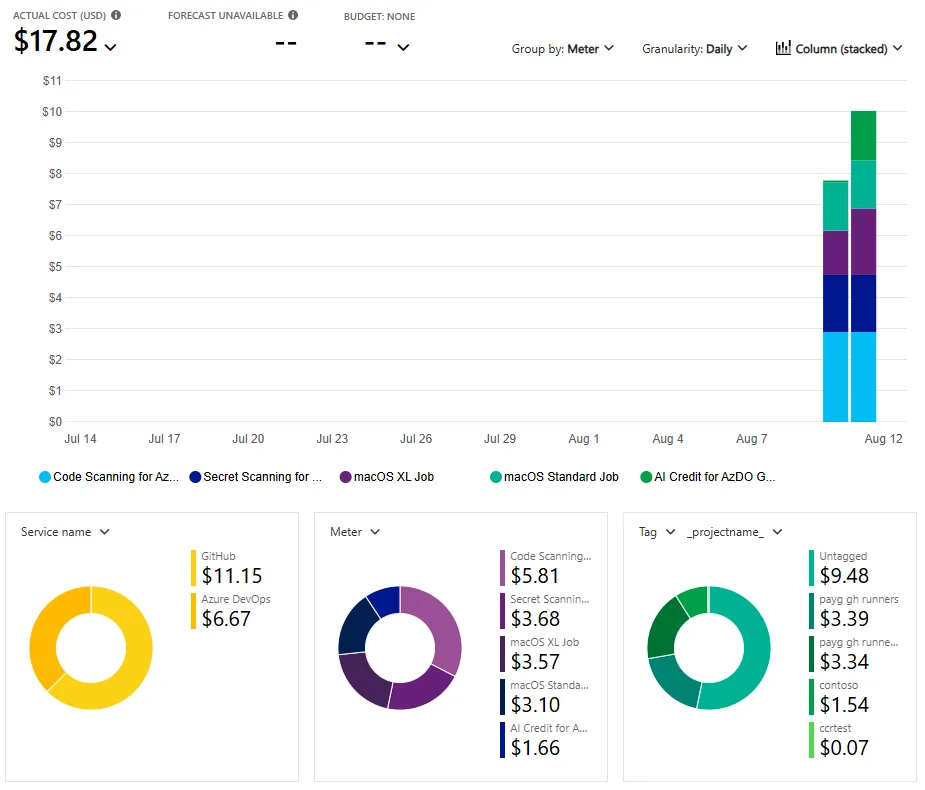
Copilot Code Review usage is billed through your linked Azure subscription and shows up as its own meter in Azure Cost Management. Previously, those charges could only be viewed at the organization level, which made it difficult to tell which teams were driving the spend.
Charges now include Azure DevOps project tags, so you can filter or group cost analysis by project and attribute usage back to the teams generating it. Because these are standard Azure tags, they work anywhere tags are supported in Cost Management, including cost analysis views, exports, and budgets.
You can create a budget alert filtered to the Copilot Code Review meter and scoped to a specific project tag, then get an email when actual or forecasted spend crosses a threshold you set.
View logs (coming soon)
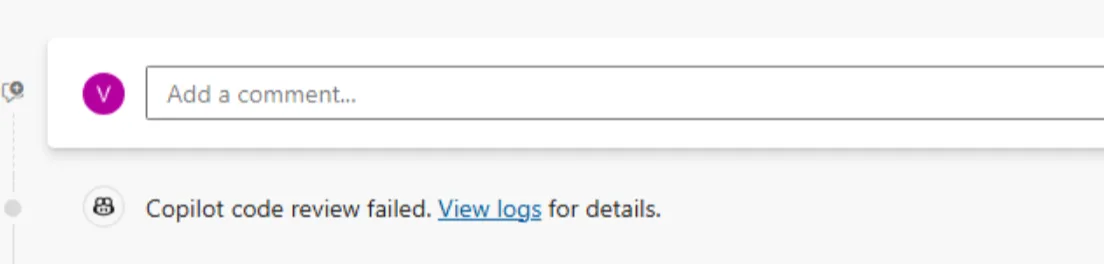
If a code review does fail, we will post a link to the logs on the pull request. This will allow you to dig into details of what failed and why.
Level of review (coming soon)
To align with GitHub’s recent announcement, Copilot Code Review for Azure DevOps will also support Lite and Balanced review levels, giving teams more control over how thoroughly Copilot reviews a pull request.
Different changes call for different levels of attention. A small bug fix or documentation update may benefit from a quicker, more focused review, while larger changes involving complex logic, security considerations, or multiple services may warrant a more comprehensive review.
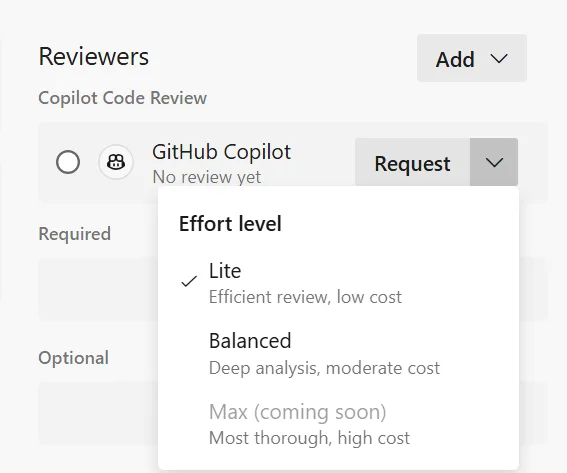
With configurable review levels, teams can choose the approach that best fits the scope and complexity of the changes being reviewed.
Rollout Expectations
Copilot Code Review will roll out gradually across regions, so when it becomes available for your organization will depend on where your organization is hosted.
The rollout can take 2 to 3 weeks (maybe longer) to reach all organizations. If you manage multiple organizations, you may see Copilot Code Review become available in one before it appears in another.
We appreciate your patience as we complete the rollout.


I’ve noticed a bit of an inconsistent feedback loop during PR reviews and wanted to see if others are experiencing this. When I address the initial batch of comments and re-run the review, I often receive a set of entirely new comments on unrelated code sections—issues that could have been pointed out in the first pass. This creates a circular process that makes it very difficult to get a clean approval. Is anyone else running into this?
Is there a specific reason why custom instructions are limited to 4,000 characters? It would be great to see this increased to around 10,000 to 15,000 characters, as the current limit can be restrictive when providing detailed context and guidance.
The limit of 4,000 matches the limit in GitHub. Which is what we are aligned on. We will work with GitHub on increasing the limit in the future.
As with the GitHub Copilot Enterprise plan, our code isn’t used for training, correct?
Great changes