



The Azure DevOps plugin is now available for the GitHub Copilot app, allowing you to view and manage Azure DevOps pull requests and work items directly in the Copilot app.
What you can do
The initial release supports:
- View your work items and pull requests from My Work
- Open work items and pull requests
- Edit work items
- Edit and complete pull requests
You can find your assigned work, make changes, and complete pull requests without leaving the GitHub Copilot app.
Get started
Open the GitHub Copilot app and select Customize. From the Editor’s picks tab, find and install the Azure DevOps plugin.
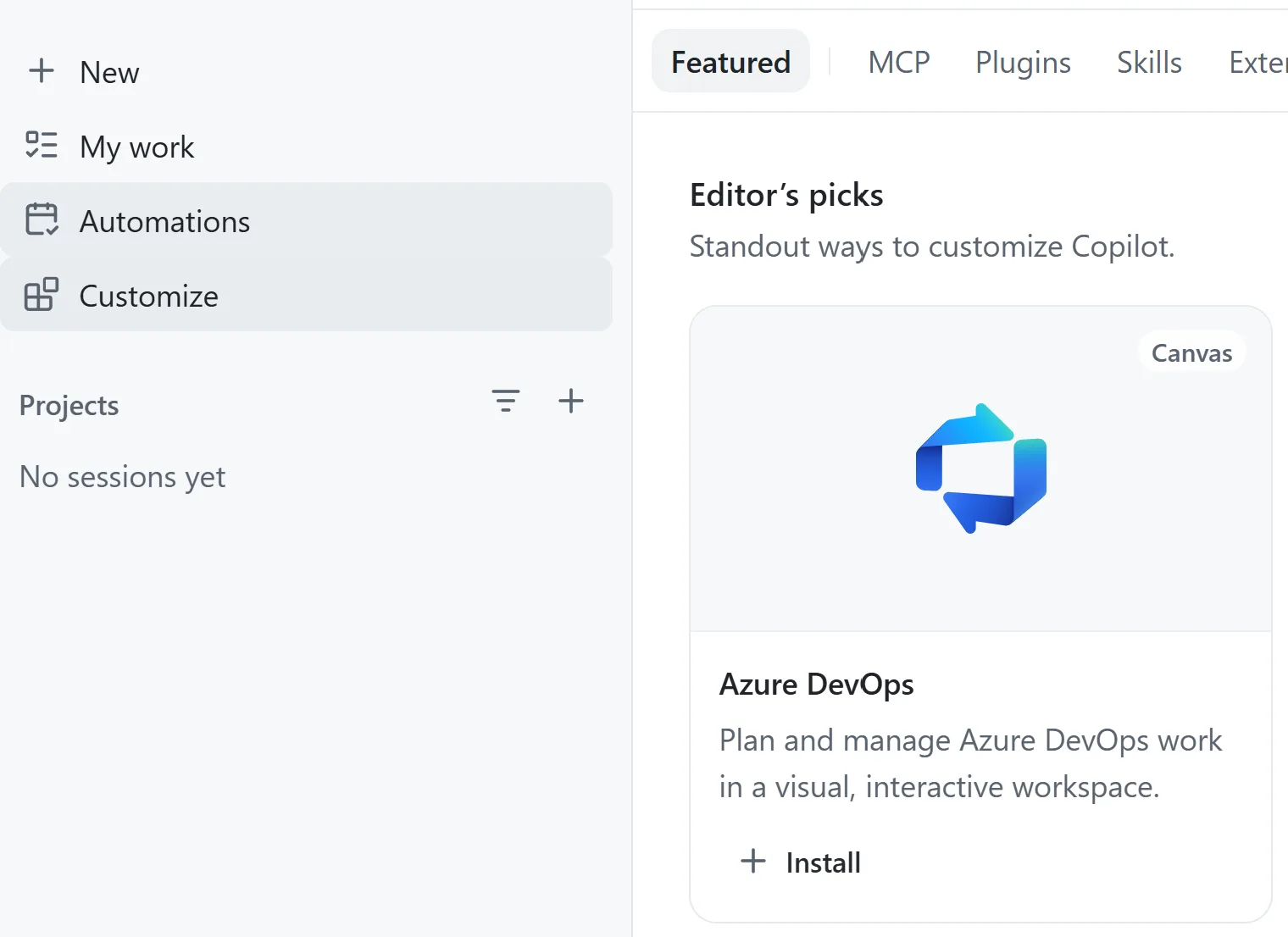
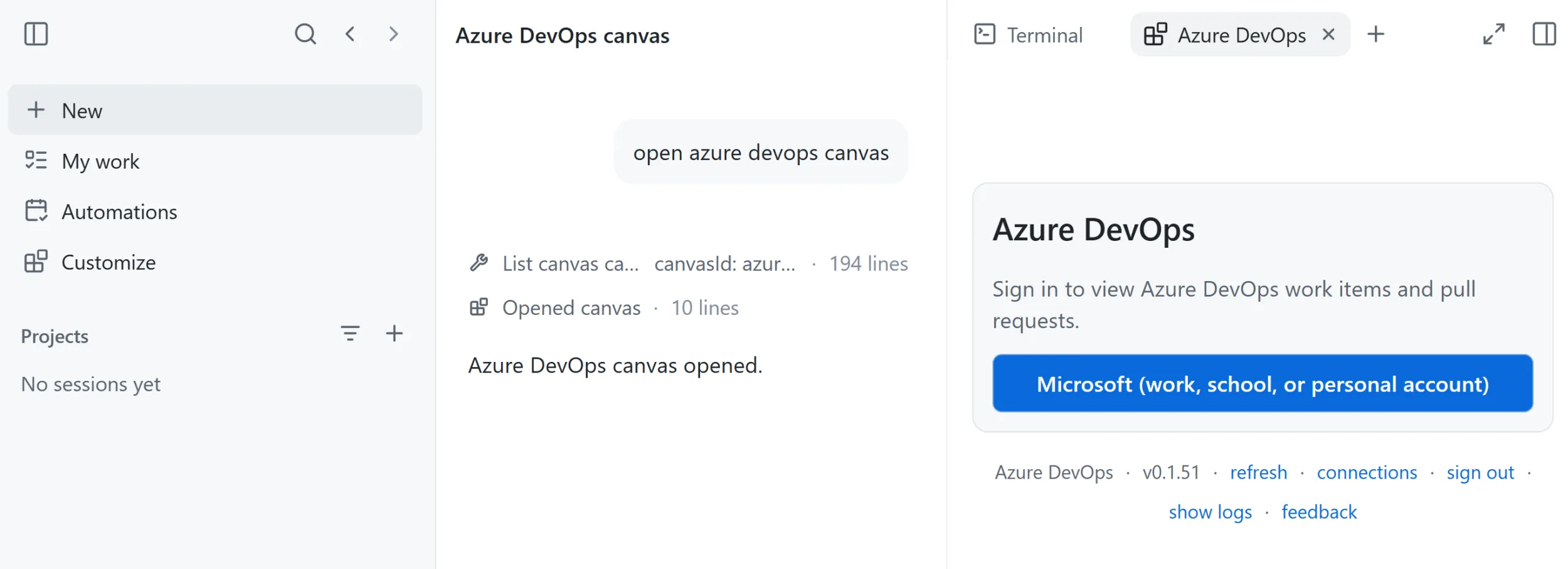
Once the plugin is installed, start a new session from chat or select New session from the plugin card under Editor’s picks. Sign in and enter your Azure DevOps organization and project information.
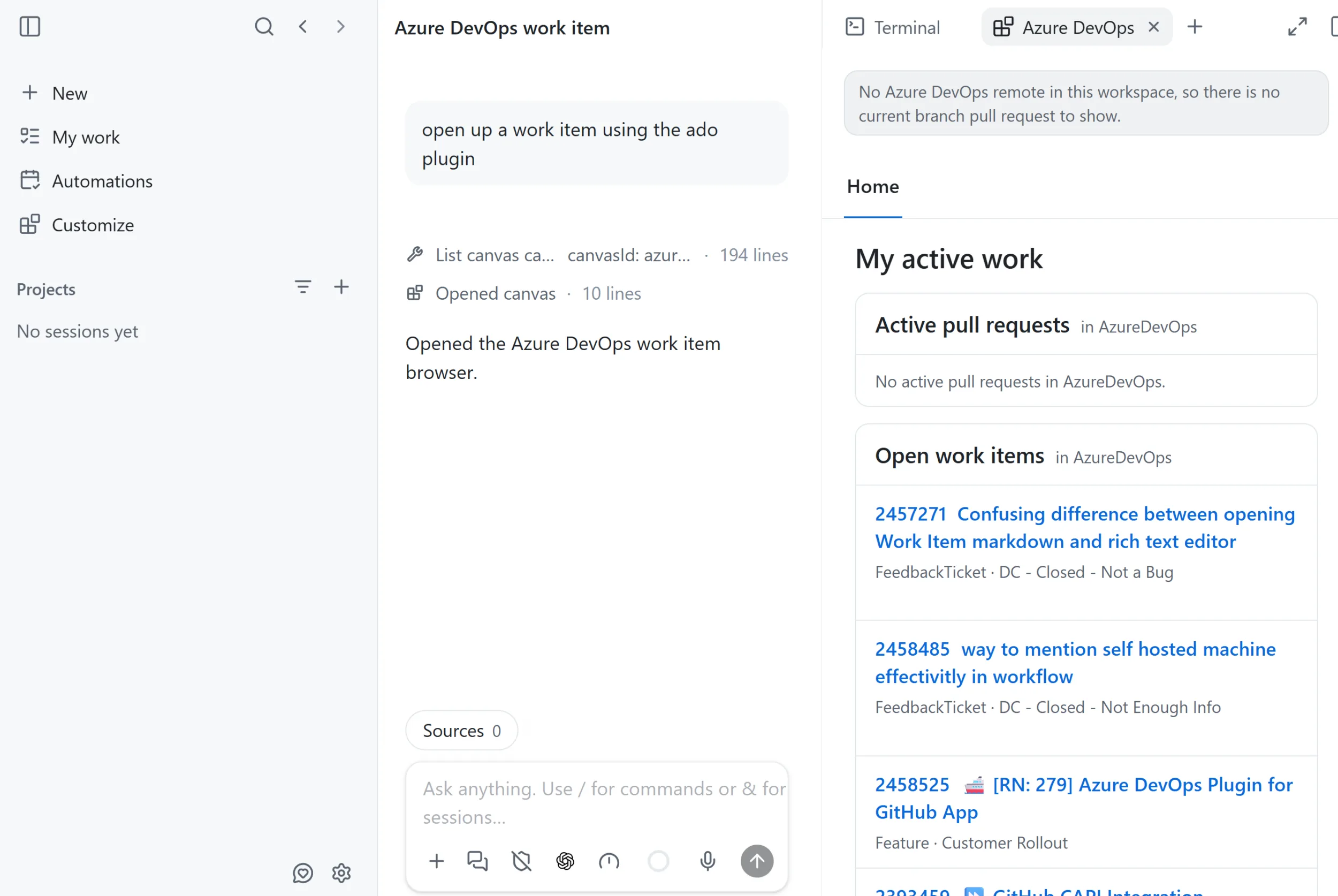
You’ll then see your open pull requests and work items. You can open and edit them directly from the GitHub Copilot app.
Feedback
The Azure DevOps app extension is still in its early stages, and functionality is currently limited. We’re working to add more capabilities over time. If there are key scenarios or capabilities you’d like us to support, please share them in the comments below.
If you have questions, run into an issue, or have other feedback, please open an issue in the repository.


Thanks for sharing !
I’ve tried to connect with company azureDevops and github copilot app and I’ve got an error on the callback . Any known policy or configuration needs to be activated by org administrator ?
This needs to become a first party plugin for Cowork! I have been managing ADO work from VS Code and Scout for a while but having it available in Cowork would be game changing to the rest of our SCRUM team.
We are working on this