


When Visual Studio 2026 reached General Availability in November, it included several versions of the Microsoft C++ (MSVC) Build Tools:
- 14.50 (initially shipped with Visual Studio 2026)
- 14.44 (initially shipped with Visual Studio 2022 version 17.14)
- 14.29 (initially shipped with Visual Studio 2019 version 16.11)
- 14.16 (initially shipped with Visual Studio 2017 version 15.9)
- 14.00 (initially shipped with Visual Studio 2015)
To make it easier to bring your Visual Studio 2022 projects to Visual Studio 2026, we are now including all the versions of MSVC that shipped in Visual Studio 2022 version 17.0 and later to the Visual Studio 2026 installer. This includes MSVC versions 14.30 – 14.43 and x64/x86 and ARM64/ARM64EC build targets. This change also addresses a request from our users on Visual Studio Developer Community.
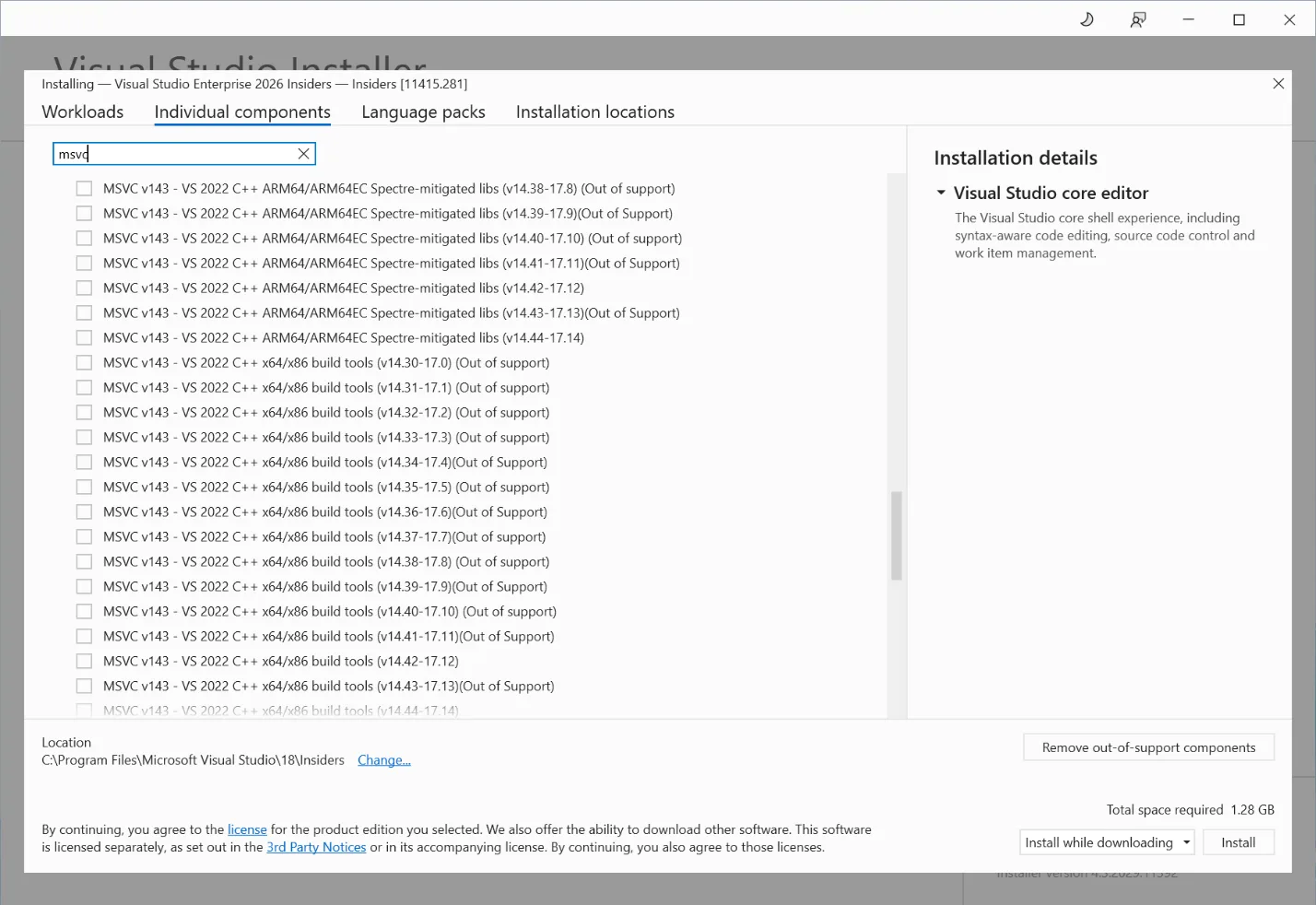
With these new options in the installer, you can try out the latest IDE without having to move your C++ build tools forward. We still recommend upgrading your MSVC version to the latest available, when possible, to get the latest features, performance improvements, and security patches. Please also see the Lifecycle FAQ – Microsoft C++ Build Tools, Redistributable, and runtime libraries for more information about servicing for different MSVC versions.
Try out Visual Studio 2026 today!
Visual Studio 2026 is our most advanced IDE yet for C++ development. We encourage you to download it and share any feedback you have with us via the Help > Send Feedback menu.
Also take a look at Upgrading C++ Projects to Visual Studio 2026 to learn more about how to try out the new IDE with minimal friction and eventually fully migrate to it as well as the latest MSVC Build Tools. To further assist you with this, we recommend trying out the GitHub Copilot app modernization for C++ (now in Public Preview) for a smoother MSVC upgrade experience.
Additional resources:
- What’s New for C++ Developers in Visual Studio 2026 version 18.0 – C++ Team Blog
- Upgrading C++ Projects to Visual Studio 2026 – C++ Team Blog
- New release cadence and support lifecycle for Microsoft C++ Build Tools – C++ Team Blog
0 comments