

Co-authored with Praveen Raja P
Quick hint
Connectors run in a Confluent organization provisioned through Apache Kafka & Apache Flink on Confluent Cloud, an Azure Native Integrations service. The organization is managed as an Azure resource, uses Microsoft Entra ID single sign-on, and is billed through your Azure invoice.
No organization yet? Select Create Confluent organization on the Integrations > Apache Kafka on Confluent Cloud page to launch the creation experience in place. Confluent also offers a free trial with credits to get started with the Confluent Cloud – Pay as you Go plan. Once the organization is created, it’s selected automatically, so you can move straight to creating a connector.
Azure Cosmos DB already includes a powerful event foundation: change feed provides a durable, ordered record of item changes within each logical partition. It is ideal for reacting to operational data as it changes, building projections, and driving workflows directly from the database. Confluent Cloud adds a complementary event layer rather than replacing change feed. Kafka topics can carry database changes alongside explicit business events from many systems, retain them independently from the operational database, and let multiple consumer groups process and replay each stream at their own pace. Teams also gain Kafka’s broad ecosystem for stream processing, integration, governance, and cross-system event distribution, while Azure Cosmos DB continues to serve globally distributed operational state with low latency.
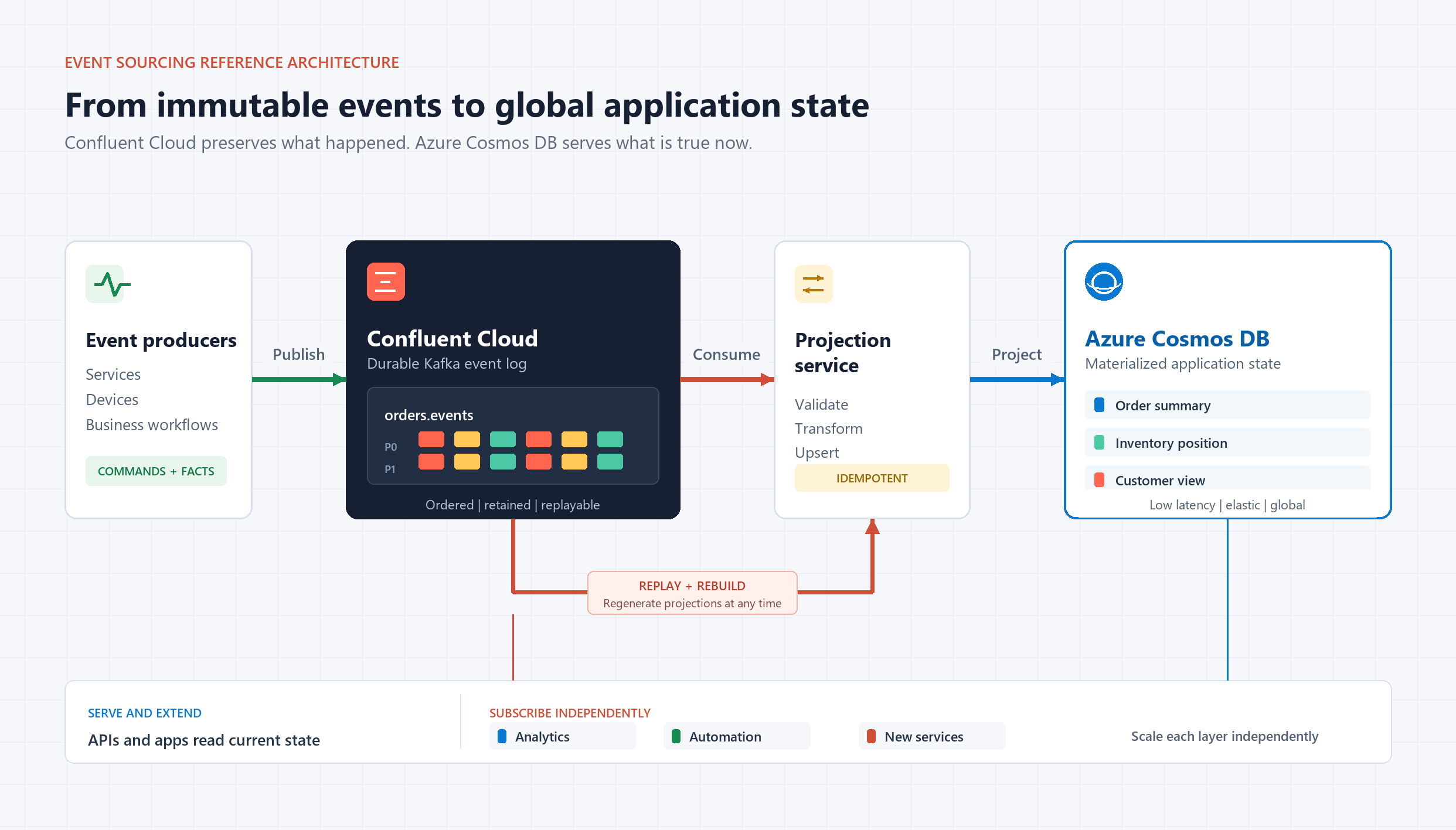
Together, they support data movement in both directions: publish Azure Cosmos DB changes to Kafka for independent downstream consumers, or project Kafka events into Azure Cosmos DB as application-ready views. This existing integration is backed by the fully managed V2 Kafka connector for Azure Cosmos DB, and today we are announcing a new native Azure portal experience. Connector discovery, resource selection, validation, and cluster creation can now happen directly from your Azure Cosmos DB account, without custom relay plumbing or switching between consoles.
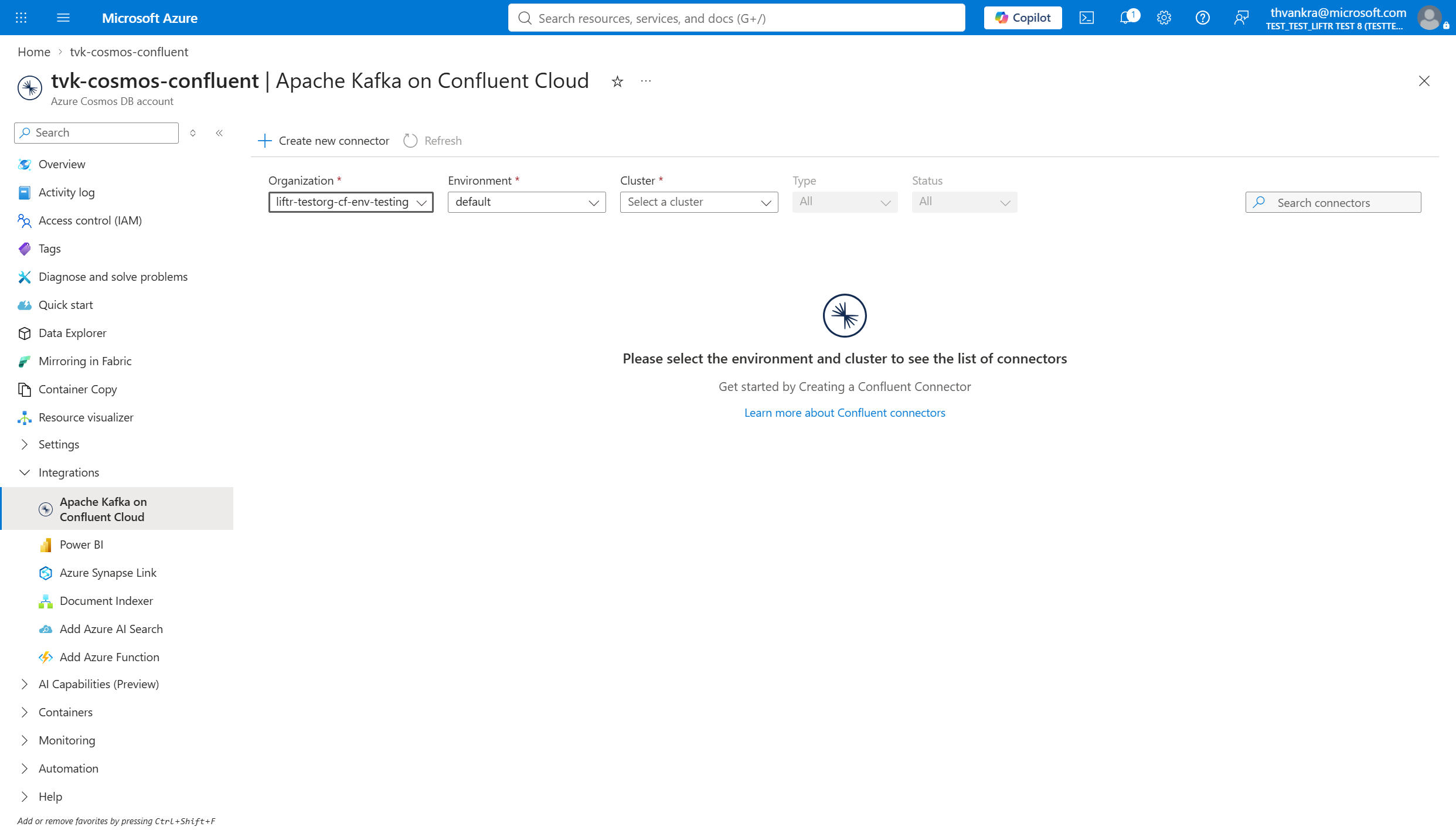
Start where your operational data lives
In an Azure Cosmos DB for NoSQL account, open Integrations > Apache Kafka on Confluent Cloud. Select a Confluent organization, environment, and cluster to view connectors or create one.
Choose the data direction
Select Create new connector. The guided workflow covers Basics, Authentication, Configuration, and Review + Create while carrying the Azure Cosmos DB account and selected Confluent resources forward.
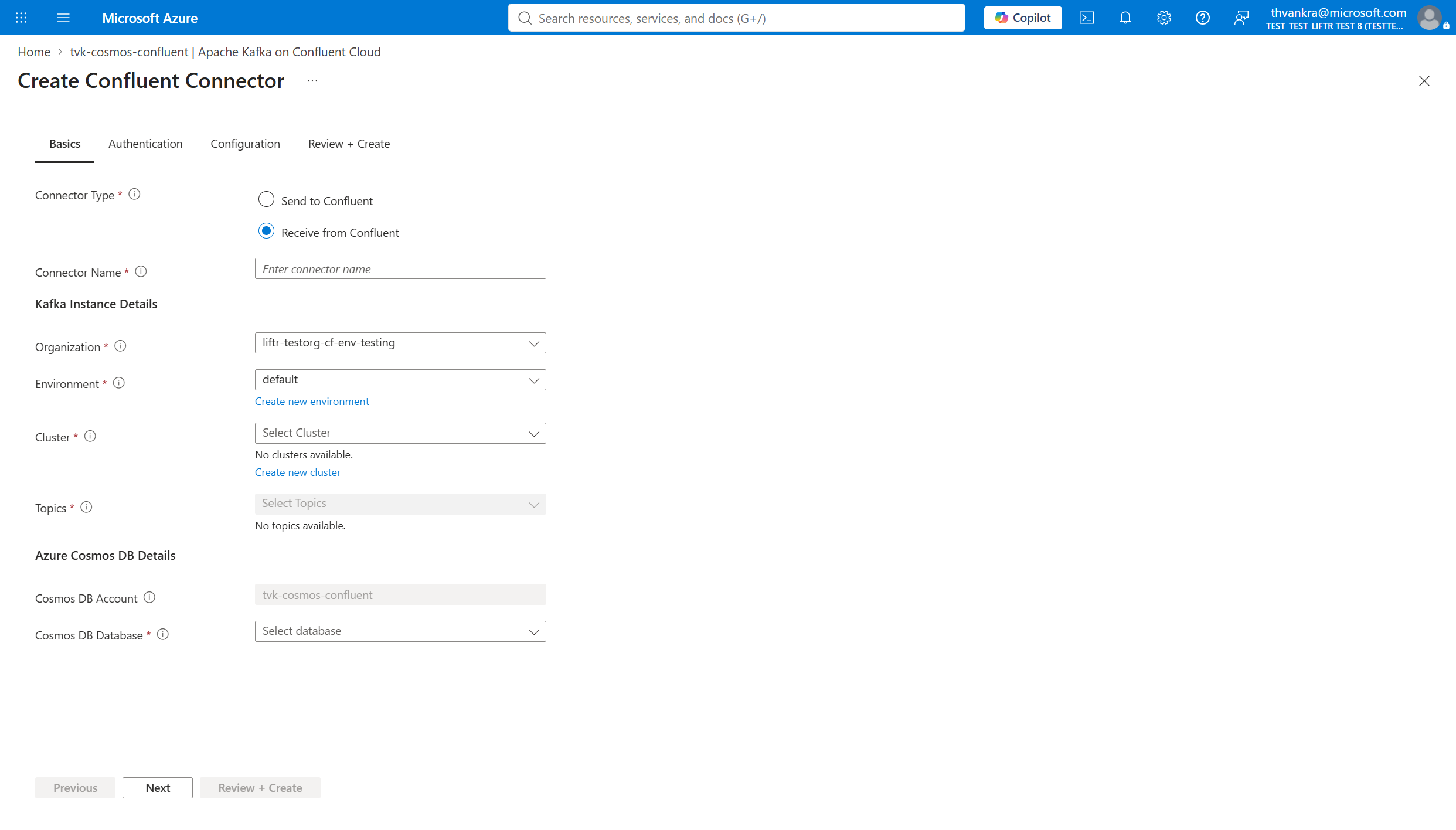
- Send to Confluent streams Cosmos DB changes to Kafka for downstream consumers.
- Receive from Confluent writes Kafka records to Cosmos DB to build application-ready projections.
Before starting, prepare a Confluent cluster and topic, an Azure Cosmos DB database and container, and permissions for both services. The Basics step validates these dependencies in place.
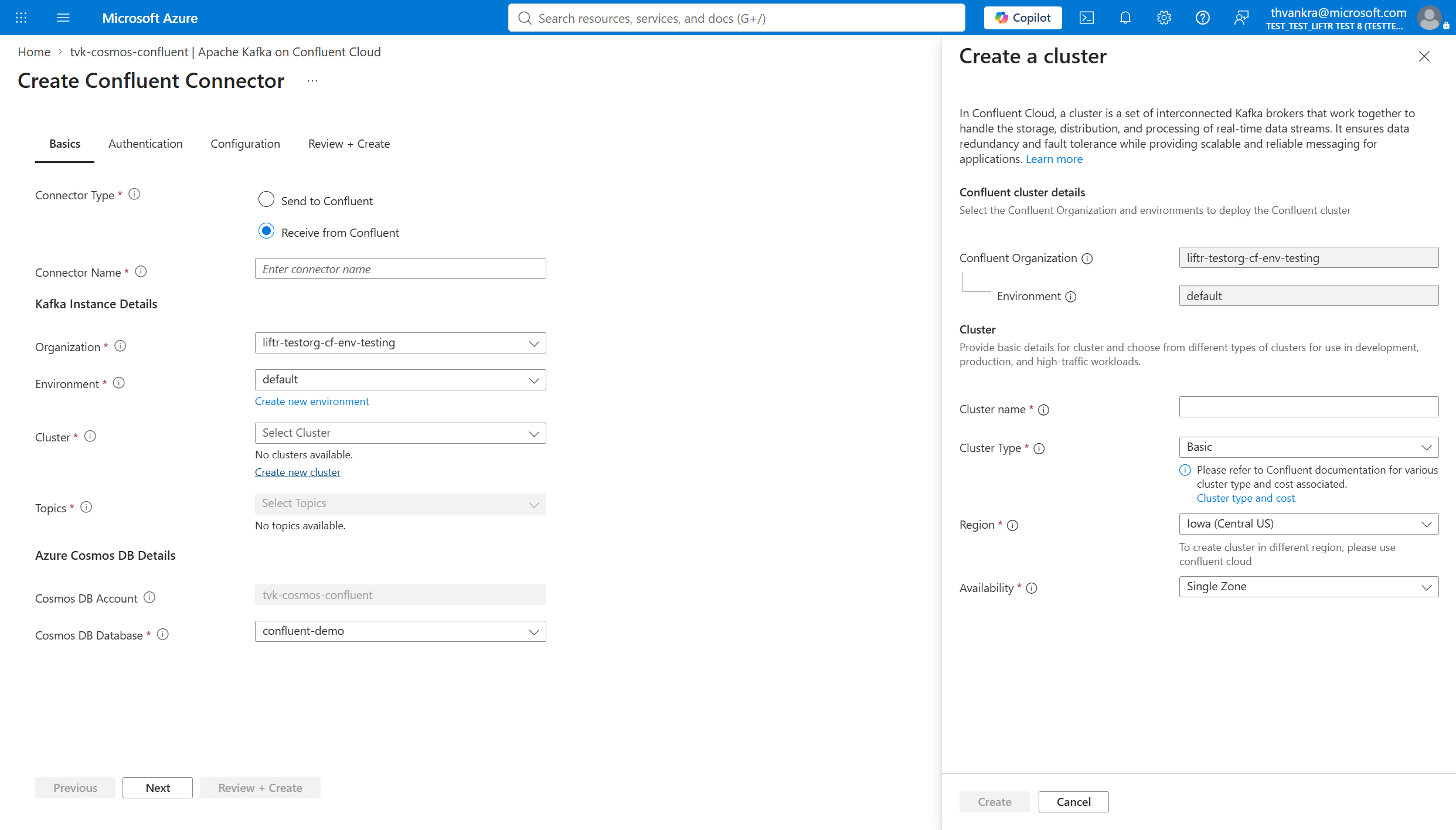
Resource creation stays in context
If the environment has no cluster, select Create new cluster. A side pane keeps the connector form in place and carries over the organization and environment.
From event log to global application state
Confluent Cloud preserves events for processing and replay; Cosmos DB serves the resulting state to applications worldwide. The native connector experience reduces the setup between them to one guided Azure workflow, helping teams move faster from event streams to responsive applications.
About Azure Cosmos DB
Azure Cosmos DB is a fully managed and serverless NoSQL and vector database for modern app development, including AI applications. With its SLA-backed speed and availability as well as instant dynamic scalability, it is ideal for real-time NoSQL and MongoDB applications that require high performance and global distribution.
To stay in the loop on Azure Cosmos DB updates, follow us on X, YouTube, and LinkedIn.


0 comments
Be the first to start the discussion.