


~1,900 lines of Python. Zero dependencies. Saves you an hour a day.
GitHub → · pip install auto-memory
Now give Copilot CLI enhanced context recall. Point it at deploy/install.md and let it cook. 🍳
Are you tired of using the slash /compact command every 10 min?
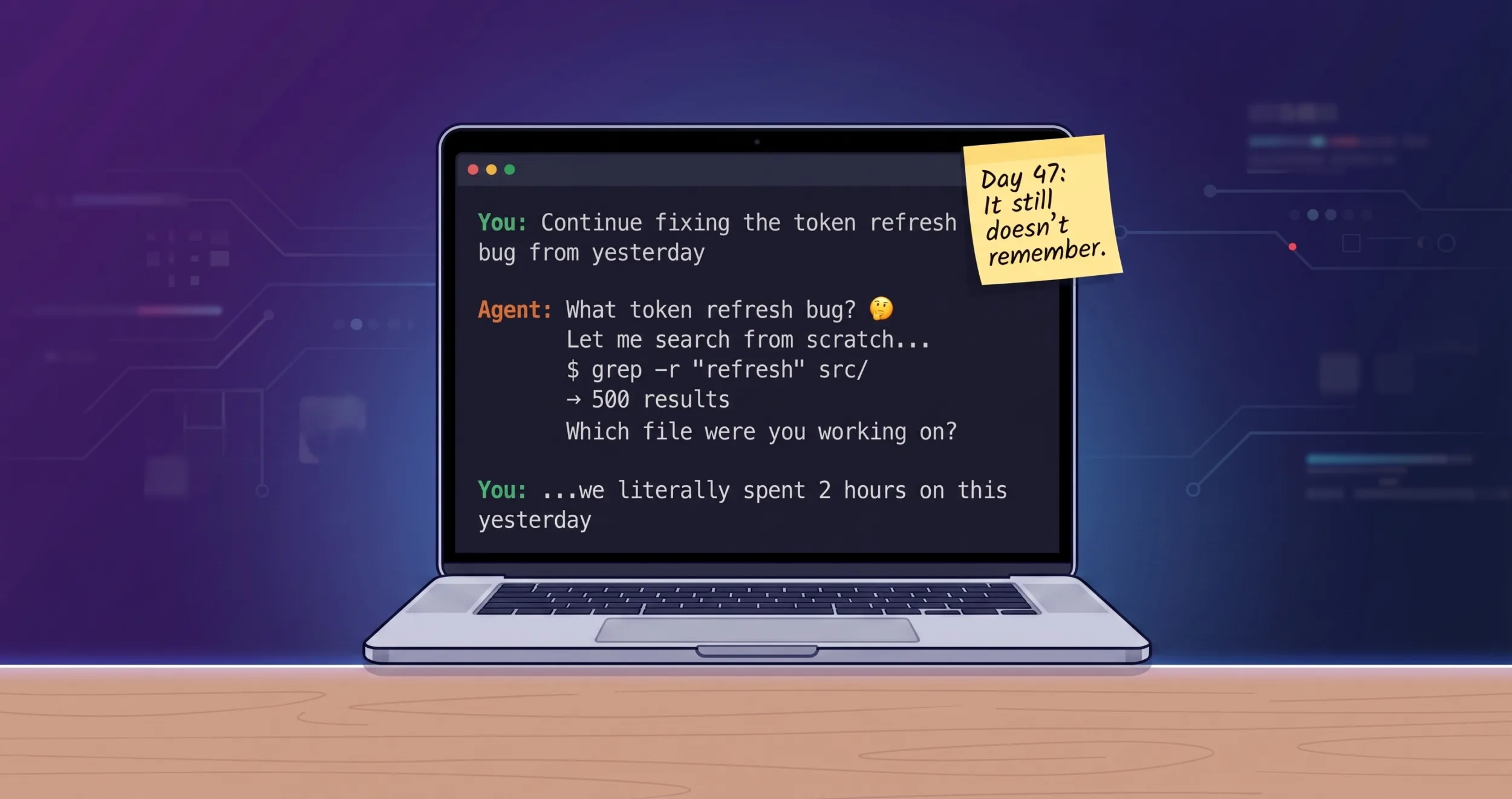
The Context Window Is a Lie
Every AI coding agent ships with a big number on the box. 200K tokens. Sounds massive. You could fit an entire codebase in there, right?
Here’s what actually happens when you start a session:
200,000 tokens — your context window (on paper)
-65,000 tokens — MCP tools load at startup (~33%)
-10,000 tokens — instruction files (copilot-instructions.md, AGENTS.md)(~5%)
=========
~125,000 tokens — what’s left before you’ve typed a word (63%)
But here’s the part nobody talks about: you don’t actually have 110K usable tokens. That number is a ceiling, not a guarantee.
Context Rot
LLMs don’t degrade gracefully. They hit a wall. Research and real-world usage both show the same pattern — once you cross roughly 60% of the context window, the model starts losing coherence. It forgets things mentioned 30 turns ago. It contradicts its own earlier responses. It hallucinates file names it confidently stated five minutes earlier. It starts “drifting.”
The industry calls this the “lost in the middle” problem. The model pays attention to the beginning (your instructions) and the end (recent turns), but everything in the middle — your actual working context — gets progressively fuzzier.
So the real math looks more like this:
But context rot kicks in at ~60% usage (120K tokens). You already burned 75K on overhead. That leaves:
120,000 tokens — effective limit before quality degrades -75,000 tokens — already consumed (MCP + instructions) ========= ~45,000 tokens — what you ACTUALLY have before the agent starts drifting
Forthy five thousand tokens. That’s maybe 30-40 turns of conversation before the model starts losing the plot. That’s why you’re hitting /compact every 45 minutes — not because you’ve filled 200K tokens, but because the model is already rotting at 120K.
I was testing this with Copilot Claude Opus 4.7. which consumes token faster on every turn i literally hit after 5-10 prompts going back and forth refining a plan.
Now start working. Every file read, every grep result, every agent response eats into that remaining window. After 20-30 turns of conversation, you’re staring at the dreaded compaction warning. You run /compact. And then:
“What were we working on?”
The agent has no idea. You’re back to zero.
The Compaction Tax
Let’s talk about what /compact actually costs you. Not in tokens — in momentum.
You’re deep in a debugging session. You’ve built up 30 minutes of shared context with the agent — it knows the file structure, the failing test, the three things you already tried, the hypothesis you’re currently testing. You’re in flow state. The agent is being useful.
Then the context warning hits. You have two choices:
- Ignore it and watch the agent get progressively dumber as it loses the oldest context, starts hallucinating file names, forgets the test you fixed ten minutes ago.
- Run
/compactand watch the agent lobotomize itself. Now it has a tidy 2-paragraph summary of a 30-minute investigation, and no memory of the details that actually matter.
Either way, you lose. Either way, you’re spending the next 5 minutes re-explaining things. Either way, the flow state is gone.
And this happens every 20-30 turns. That’s roughly every 45 minutes of active work. On a heavy coding day, you’re hitting /compact or /clear six, eight, ten times. Each one is a 5-minute interruption where you stop coding and start narrating your own project back to the agent like it’s a new hire on day one.
I timed it over a week. 68 minutes per day — just on re-orientation after compactions and new sessions. More than an hour. Every day. Doing nothing productive. Just… catching the agent up.
It’s not a minor annoyance. It’s a tax on every session. And it compounds — because after each compaction, the agent is slightly less effective, so you burn more tokens explaining things, which fills the context faster, which triggers compaction sooner. A death spiral of diminishing context.
The New Flow:
Once you get near 50%-70% you hit /clear. then prompt: review last sessions we discussed topic X
The Amnesia Loop
I tracked the specifics for a week. Every time I started a new session or hit /compact, the same ritual played out:
- Re-explain context — “We’re working on the auth module, specifically the token refresh flow in
src/auth/refresh.py…” (5 minutes, ~2K tokens) - Agent does blind searches —
grep -r "refresh" src/returns 500 results.find . -name "*.py"returns 200 more. The agent reads half of them trying to figure out which ones matter. (~10K tokens burned) - Re-discover state — “Oh, we had a failing test in
test_refresh_edge_cases.py, what was the error again?” (another 5 minutes of archaeology)
Total cost: 5-10 minutes and 12K+ tokens per re-orientation. Multiply by 10 sessions a day. That’s 50-100 minutes wasted just telling the agent things it already knew five minutes ago.
The cruelest part? The memory already exists. Copilot CLI writes every session to a local SQLite database — ~/.copilot/session-store.db. Every file you touched, every conversation turn, every checkpoint. It’s all sitting right there on disk.
The agent just can’t read it.
The 200x ROI
Here’s the cost comparison that made me build this:
| Operation | Tokens | What you get |
|---|---|---|
grep -r "auth" src/ |
~5,000–10,000 | 500 results, most irrelevant |
find . -name "*.py" |
~2,000 | Every Python file, no context |
| Agent re-orientation | ~2,000 | You explaining what it should already know |
auto-memory files --json --limit 10 |
~50 | Exactly the 10 files you touched yesterday |
That’s not a typo. 50 tokens vs 10,000. A 200x improvement.
⭐ auto-memory on GitHub — zero deps, read-only, installs in 30 seconds.
One auto-memory call replaces an entire cycle of grep → read → grep again → oh wait wrong file → read another file. The agent gets surgical precision on the first try.
It’s Not a Memory System. It’s a Recall System.
This is the key insight that made auto-memory simple.
I didn’t need to build a memory system. Copilot CLI already has one — it writes structured session data to SQLite after every conversation. Sessions, turns, files touched, checkpoints, summaries. The database is already there, already populated, already growing with every session you run.
What was missing was recall — a way for the agent to query that database cheaply and get exactly the context it needs.
auto-memory is a read-only query layer. It never writes to the session database. It can’t corrupt anything. It just reads what’s already there and returns it in a format the agent can consume in 50 tokens.
Unlimited Context From a Finite Window
Here’s the mental model that makes this click:
- Context window = RAM. Fast, limited, clears on restart. 200K tokens, minus overhead, minus conversation history. Temporary by nature.
- session-store.db = Disk. Persistent, searchable, grows forever. 400+ sessions spanning months. Never clears, never compacts, never forgets.
auto-memory is the page fault handler. When the agent needs something that’s not in its current context, it doesn’t panic and grep the filesystem. It pulls the exact fact from the database in ~50 tokens.
The agent’s working memory stays at 200K tokens. But its effective recall becomes unbounded — every session you’ve ever had, every file you’ve ever touched, every checkpoint you’ve ever saved. All queryable on demand.
Without auto-memory:
  Agent knows: [current session only]
  Agent recalls: nothing from yesterday

With auto-memory:
  Agent knows: [current session]
  Agent recalls: [every session, ever] → via 50-token queries
You stop hitting /compact because you’re afraid of losing context. Compact freely — the important stuff is in the database. Start a new session — the agent instantly knows what you were doing. Switch between projects — the agent picks up each one exactly where you left off.
It’s not unlimited context. It’s unlimited context recall. And in practice, that’s the same thing.
The Architecture: Deliberate Simplicity
┌─────────────────────────────────────────────────┐
│  copilot-instructions.md                        │
│  "Run auto-memory FIRST on every prompt"        │
└──────────────────┬──────────────────────────────┘
                   │ agent reads instruction
                   ▼
┌─────────────────────────────────────────────────┐
│  auto-memory CLI                                │
│  (pure Python, zero deps, read-only)            │
└──────────────────┬──────────────────────────────┘
                   │ SELECT ... FROM sessions
                   ▼
┌─────────────────────────────────────────────────┐
│  ~/.copilot/session-store.db                    │
│  (SQLite + FTS5, owned by Copilot CLI binary)   │
└─────────────────────────────────────────────────┘
That’s it. No server. No daemon. No MCP. No hooks. No Docker. No Redis. No Postgres. No API keys.
One CLI tool. One instruction block. The agent reads the instruction, runs the command, gets context, and moves on. Works today, works tomorrow, works when Copilot CLI ships a new version (we validate the schema on every call and fail fast if it drifts).
Design decisions I’m opinionated about
Zero dependencies. auto-memory uses only Python stdlib — sqlite3, json, argparse, os. No pip install headaches. No version conflicts. No supply chain risk. If Python runs on your machine, auto-memory runs on your machine.
Read-only, always. The database belongs to Copilot CLI. We never write to it, never acquire write locks, never risk corrupting the session store. WAL-mode safe with exponential backoff retry on SQLITE_BUSY (50→150→450ms).
Progressive disclosure. Not every question needs a deep dive. The agent follows a 3-tier ladder:
- Tier 1 —
files --limit 10+list --limit 5(~50 tokens). Cheap scan. Usually enough. - Tier 2 —
search "specific term" --days 5(~200 tokens). Focused recall when Tier 1 isn’t enough. - Tier 3 —
show <session-id>(~500 tokens). Full session detail, only when investigating something specific.
Most prompts never get past Tier 1. The agent gets what it needs in 50 tokens and starts working.
Instruction-driven, not platform-locked. auto-memory works with any agent that reads instruction files. Today it’s Copilot CLI. Tomorrow it could be Claude Code, Cursor, Windsurf, or whatever ships next month. The integration is a text block, not an SDK.
Before and After
Before auto-memory — new session on a project:
You: Fix the failing test in the auth module

Agent: Let me explore the project structure...
       $ find . -name "*.py" | head -50           ← 2K tokens
       $ grep -r "test.*auth" tests/              ← 5K tokens
       $ cat tests/test_auth.py                    ← 3K tokens
       $ cat src/auth/handler.py                   ← 2K tokens
       I see several test files. Which test is failing?

You: The one we were working on yesterday, the token refresh edge case

Agent: Let me search for that...
       $ grep -r "refresh" tests/                  ← 4K tokens
       ...
Total: ~16K tokens burned, 8 minutes elapsed, agent still isn’t oriented.
After auto-memory — same scenario:
You: Fix the failing test in the auth module

Agent: [auto-recall: auto-memory files --json --limit 10]
       → src/auth/refresh.py, tests/test_refresh_edge_cases.py,
         src/auth/token_store.py (last touched 14h ago)

       [auto-recall: auto-memory list --json --limit 3]
       → Yesterday: "Fixed token refresh race condition, one edge case
         test still failing on expired token + network timeout combo"

       I can see from your last session that test_refresh_edge_cases.py
       has a failing test for the expired token + network timeout case.
       Let me look at that specific test...
       $ cat tests/test_refresh_edge_cases.py      ← 1K tokens (targeted)
Total: ~1.1K tokens, 30 seconds, agent is immediately productive.
The Health Check
Because silent failures are the enemy:
$ auto-memory health

Dim Name                   Zone     Score  Detail
----------------------------------------------------------------------
 1  DB Freshness           🟢 GREEN   8.0  15.8h old
 2  Schema Integrity       🟢 GREEN  10.0  All tables/columns OK
 3  Query Latency          🟢 GREEN  10.0  1ms
 4  Corpus Size            🟢 GREEN  10.0  399 sessions
 5  Summary Coverage       🟢 GREEN   7.4  92% (367/399)
 6  Repo Coverage          🟢 GREEN  10.0  8 sessions for owner/repo
 7  Concurrency            🟢 GREEN  10.0  busy=0.0%, p95=48ms
 8  E2E Probe              🟢 GREEN  10.0  list→show OK
Eight dimensions. If anything goes red — stale database, schema drift after an upgrade, slow queries from lock contention — you know immediately. Not after the agent silently fails for three days.
What This Isn’t
I want to be honest about scope. auto-memory is not:
- A vector database. No embeddings, no semantic search. It uses SQLite FTS5 for full-text search. Good enough for “what did I work on yesterday?” questions. Not trying to be a RAG pipeline.
- Cross-machine sync. Your session history is local. If you work on two machines, each has its own history. That’s fine — your sessions are already machine-specific.
- A replacement for project documentation. auto-memory recalls what you did, not how the system works. Write your docs. This just prevents re-explaining what the agent already saw last session.
Get Started
30 seconds. No really.
pip install auto-memory
session-recall health          # verify it works
Point your agent at deploy/install.md and let it cook. 🍳
The Takeaway
The best developer tools don’t add complexity. They remove friction from what you’re already doing.
Your AI coding agent already remembers everything — it writes every session to a SQLite database on your disk. It just can’t access its own memory. auto-memory is 1,900 lines of zero-dependency Python that bridges that gap.
Fifty tokens instead of ten thousand. Thirty seconds instead of ten minutes. An agent that picks up exactly where you left off instead of asking “what were we working on?”
Install it in 30 seconds. Your agent will thank you.
References
| Resource | Link |
|---|---|
| auto-memory — zero-dependency recall layer for Copilot CLI | github.com/dezgit2025/auto-memory |
| GitHub Copilot CLI — AI-powered terminal assistant | docs.github.com/…/copilot-cli |
| Copilot CLI — Custom instructions | docs.github.com/…/add-custom-instructions |
| SQLite FTS5 — full-text search extension | sqlite.org/fts5.html |
| “Lost in the Middle” paper — context rot research | arxiv.org/abs/2307.03172 |
auto-memory is MIT licensed. Not affiliated with GitHub, Microsoft, or Anthropic. Just an engineer who got tired of re-explaining context.


The problems you describe seems very similar to experience on codex. It would be amazing if something similar was build for codex.
Does this type of issue come up also using vscode? In that case the automatic compact issue triggered. Is your auto-memory working only for github copilot cli?
Only for copilot cli right now.
Inspired by your post, I created https://github.com/shiblon/engram
Very new, but already helping me with Claude 🙂
I’d love to collab if you want – the key was just to get hooks set up to create and maintain a database like copilot’s, since Claude doesn’t do that part.