

Today I want to look at how we can improve on the test coverage that we have in the Interview Coach application. This application has some unit tests in it already, but I’m sure there is room for improvement.
Defining our baseline
Before we start writing tests, it’s a good idea to have a baseline of what our coverage is so that we can find out where the gaps are, rather than just writing tests “for the sake of writing tests”.
We can do this using the Analyze Code Coverage for All Tests, from either the Command Palette (CTRL + SHIFT + P) or the Tests menu.
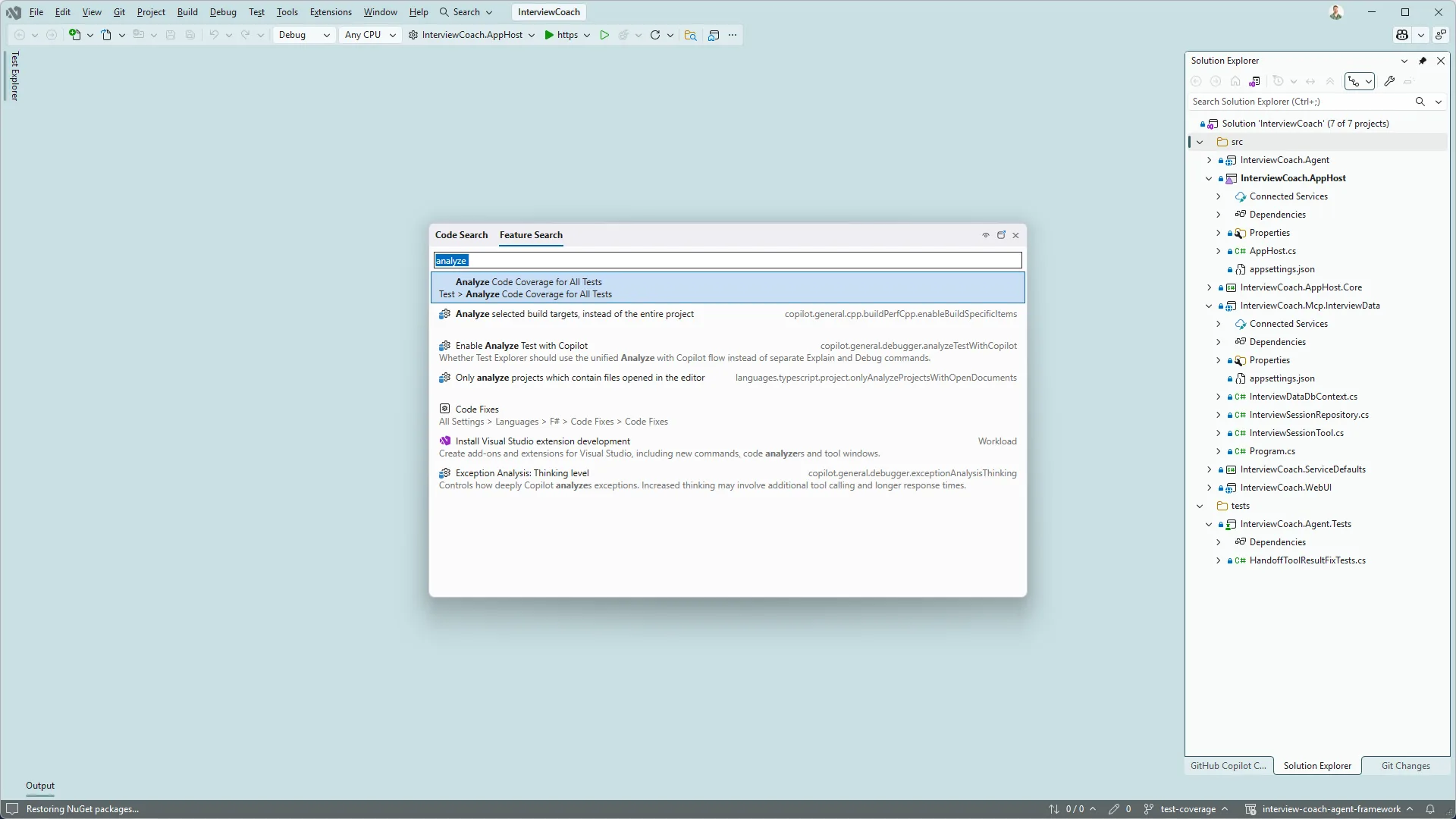
Running the analyzer, we can see where our coverage is sitting:
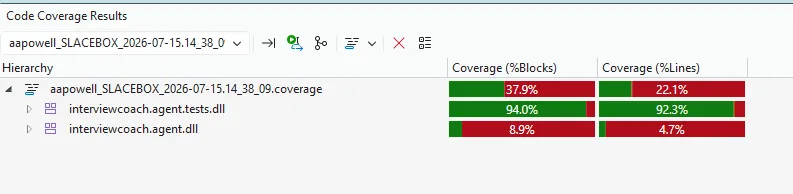
It looks like our coverage isn’t great, there’s a lot of gaps in the InterviewCoach.Agent project, and then other projects, such as InterviewCoach.Mcp.InterviewData, which doesn’t even have any tests. Let’s start with some tests for the InterviewSessionTool class within that project.
Writing tests with Copilot
The class we’re going to write tests for is a simple class, it takes an interface of our repository, so we can mock the database calls, and the methods receive a payload to work with the repository.
To speed things along, we’re going to use the Test Agent from GitHub Copilot and provide it with the file we want the tests written for.
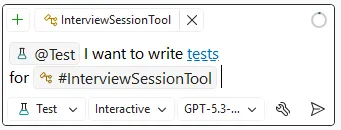
The agent will analyse the class, then the solution to find the right approach to writing tests. Since we don’t have a test class for the project yet, it’ll generate one, add the references, and then write our test cases.
After a few minutes the agent is done.
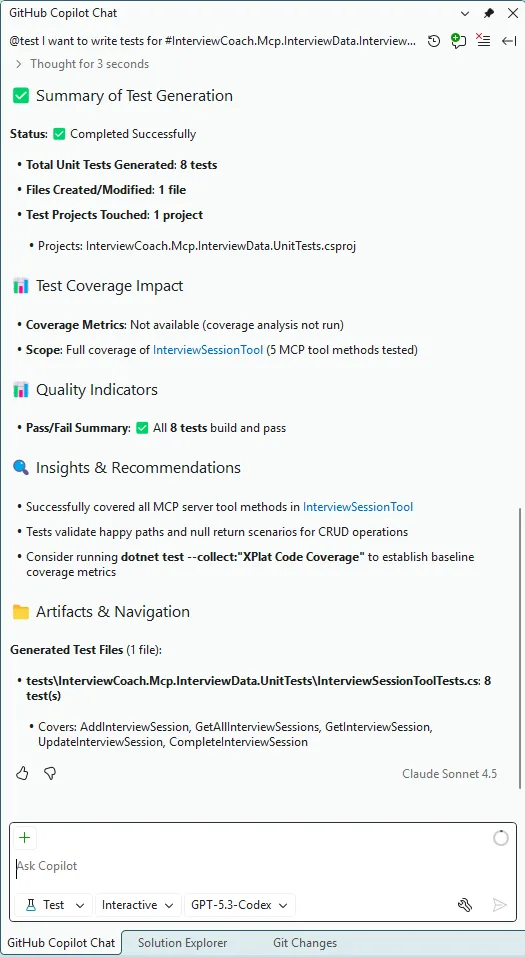
It gives a nice summary of what’s been completed, we have 8 new tests added, along with a new test project. The tests were run, and it’s suggesting we run the coverage report again.
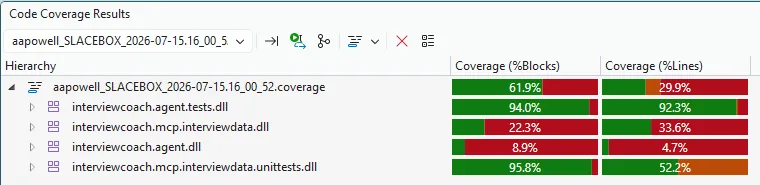
This is a considerable improvement on where we were at beforehand.
Full solution test analysis
The Test agent has done a great job at building out the tests for our class, but there’s still a lot of the codebase that doesn’t have tests, and we can use the Test agent to help with that because we can tell it to run across the whole solution and analyze our gaps:
@test #solution
This time, we’re using the #solution context for Copilot, and now the Test agent will analyze all projects and code paths. After a few minutes, Copilot has come back to me with tests covering the repository, the DbContext, our extension methods, as well as more tests in the InterviewCoach.Agent project. It also identified that there was no value in writing tests for files such as AgentMode.cs since it just contains an enum, thus there’s nothing to test.
With this, our coverage is up to 81%, up from 37% to start with, and includes three projects we originally didn’t have tests for at all.
Wrap-up
While we know the value of writing tests, knowing where we should invest that effort is something that is often overlooked. Using the Code Coverage analysis in Visual Studio gives us that overview, so we can identify the gaps in our testing, then combining that with the Test agent, we can build out targeted tests for a single class or perform a solution-wide analysis and uplift.


0 comments
Be the first to start the discussion.