


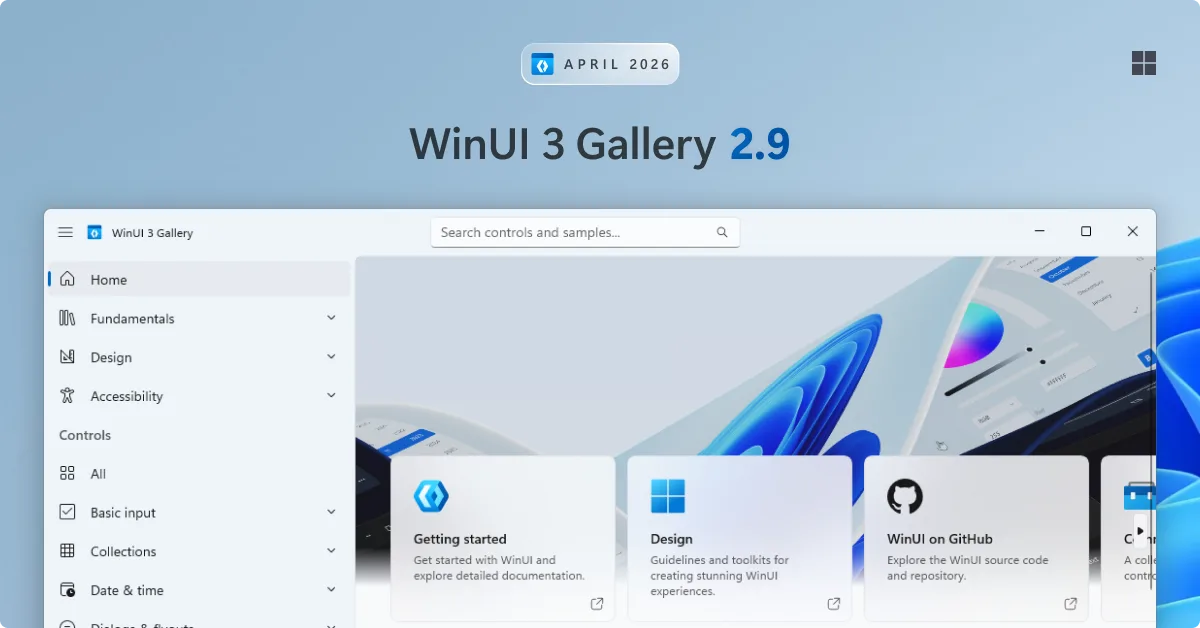
Hey WinUI developers! If you’re new around here, WinUI Gallery is the go-to app for exploring WinUI 3 controls, samples, design guidance, and handy tools — all in one place. Today, we’re excited to announce WinUI 3 Gallery 2.9, our first release built on Windows App SDK 2.0, packed with brand new control samples and a few delightful additions!
📦 Built on Windows App SDK 2.0
🧪 New samples
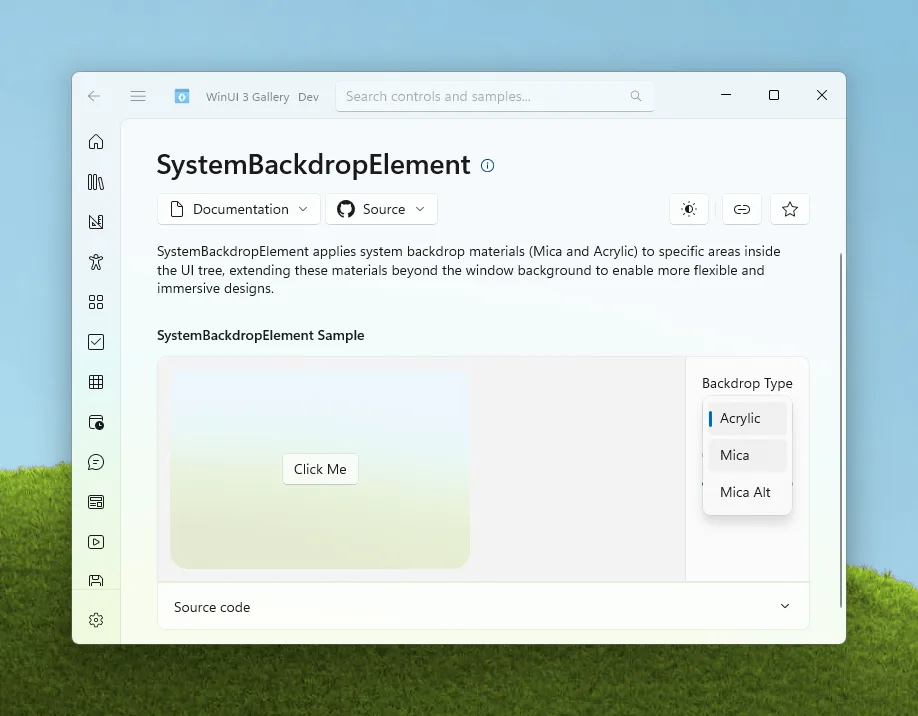
SystemBackdropElement
SystemBackdropElement, which is a game-changer for working with Fluent materials in WinUI. Up until now, system backdrops like Mica and Acrylic were a window-level affair: you applied them to the whole window and that was that. With SystemBackdropElement, you can drop these materials in as a regular XAML element — anywhere in your visual tree — and get all the benefits of true system-level Mica and Acrylic without any of the old workarounds.Some of the things this unlocks:
- Acrylic on custom surfaces. Bring real Acrylic into flyouts, panes, sidebars, cards, or any custom control where you previously had to fall back to
AcrylicBrush. Because it’s the actual system backdrop, you get the real-time blur on top of the pixels that are behind the window. - Transparent windows with in-app material. Make your window background fully transparent and use
SystemBackdropElementto draw Acrylic or Mica only on the parts of your UI that need it. Great for floating toolbars, HUDs, or non-rectangular window shapes.
SplitMenuFlyoutItem
SplitMenuFlyoutItem sample shows how to add split-button-style entries to your menu flyouts, giving users both a primary action and a related submenu in one tidy control.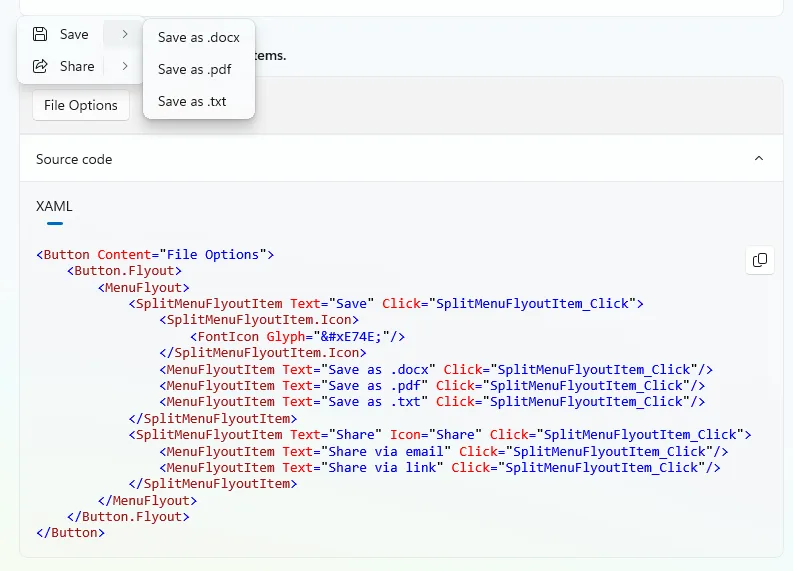
XAML conditions
IXamlCondition interface, which lets you define your own custom conditions that plug into XAML’s conditional namespace syntax and are evaluated at XAML parse time. In other words: you can now show or hide entire chunks of markup based on whatever your app cares about — without code-behind hacks or visibility toggles.IXamlCondition, hook it up via a conditional XAML namespace, and use it to gate elements in your markup.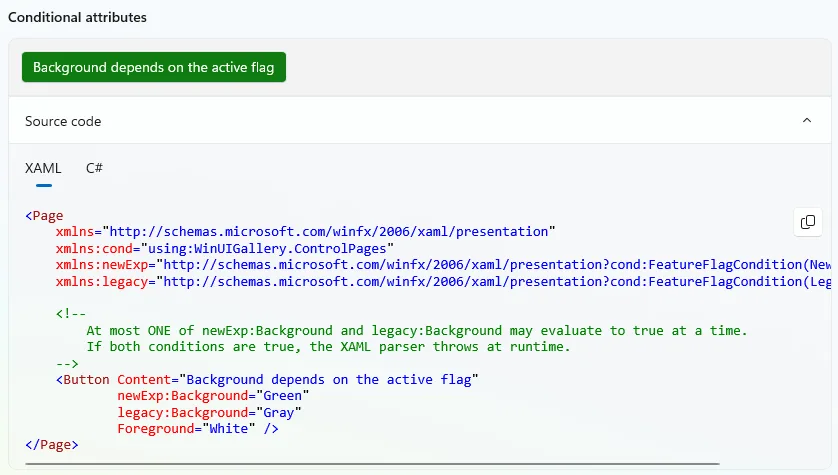
🧪 Other notable changes
- Two new
NavigationTransitionInfooptions added to the page transition sample (#2141) — thanks @HO-COOH! ConnectedAnimationwithItemsRepeaterMediaPlayerElementnow supports playing local files in its sample, making it easier to see how playback works with content on disk (#2157) — thanks again @HO-COOH!- Improved Mica and Acrylic descriptions on the System Backdrops page, with clearer guidance on when to use each material (#2161).
See the full release notes on GitHub.
Thanks!
This release was made possible by our amazing community contributors – big thanks to @HO-COOH, @AndrewKeepCoding, @Zakariathr22, @ianjbryant and @sshubhavee for their contributions as well as everyone who filed issues and helped test along the way!
All in all, this new version is packed with polish, new samples, and community love! Grab it from the Microsoft Store or check out the GitHub repo if you want to contribute.
Happy coding! 💻✨



Hey guys, could you create a lightweight version of Windows 11 that runs on older devices, officially supporting all devices, and also clean it up by removing all unnecessary and annoying applications and requirements, including those annoying ads that consume a lot of system resources?
Guys you need to investigate something about this app cause windows sometime to freeze or unresponsive, I don’t know what is it (I wish I know more but I’m unable to pick up any suspicious activity in task manager) I clearly notice the slow down when having WinUI3 Gallery open for a short periods of time. This does not happen on WinUI2 tho