

With .NET 6 Preview 3 we are shipping the latest progress for mobile and desktop development with .NET Multi-platform App UI. This release adds the Windows platform with WinUI 3, improves the base application and startup builder, adds native lifecycle events, and continues to add more UI controls and layout capabilities. We are also introducing new semantic properties for accessibility. As we explore each of these in a bit more detail, we invite you to dotnet new along with us and share your feedback.
Windows Desktop Now Supported
Project Reunion 0.5 has shipped! Now Windows joins Android, iOS, and macOS as target platforms you can reach with .NET MAUI! To get started, follow the Project Reunion installation instructions. For this release we have created a sample project that you can explore and run from the 16.10 preview of Visual Studio 2019.
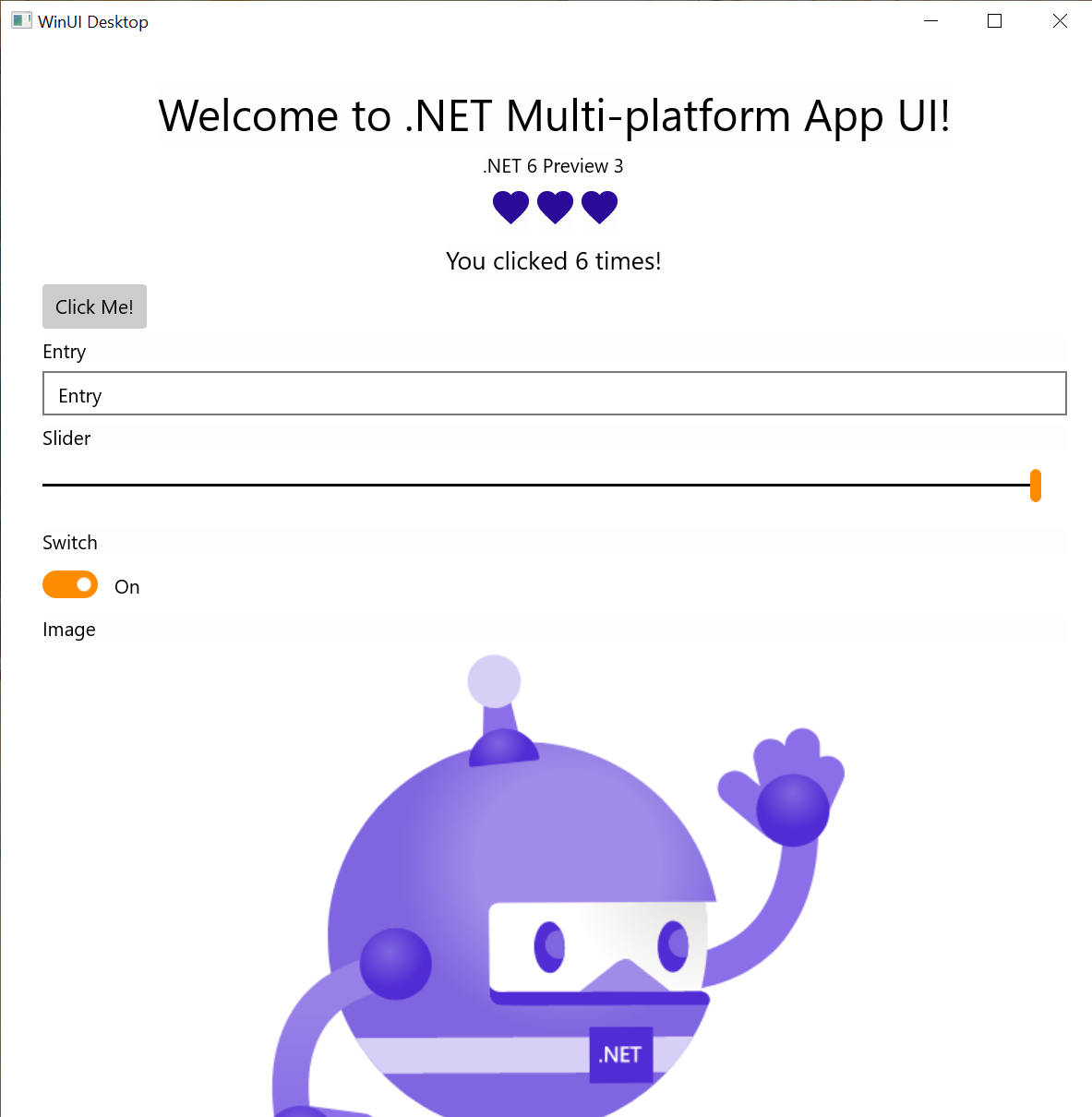
Once we have the necessary .NET 6 build infrastructure for Project Reunion, we will add Windows to our single project templates.
Getting Started
As we are still in the early stages of preview, the process of installing all the dependencies you need for mobile and desktop development is a bit manual. To help ourselves, and you, Jonathan Dick has put together a useful dotnet tool that evaluates your system and gathers as many of the required pieces as it can. To get started, install maui-check globally from the command line:
dotnet tool install -g Redth.Net.Maui.Check
Source: https://github.com/Redth/dotnet-maui-check
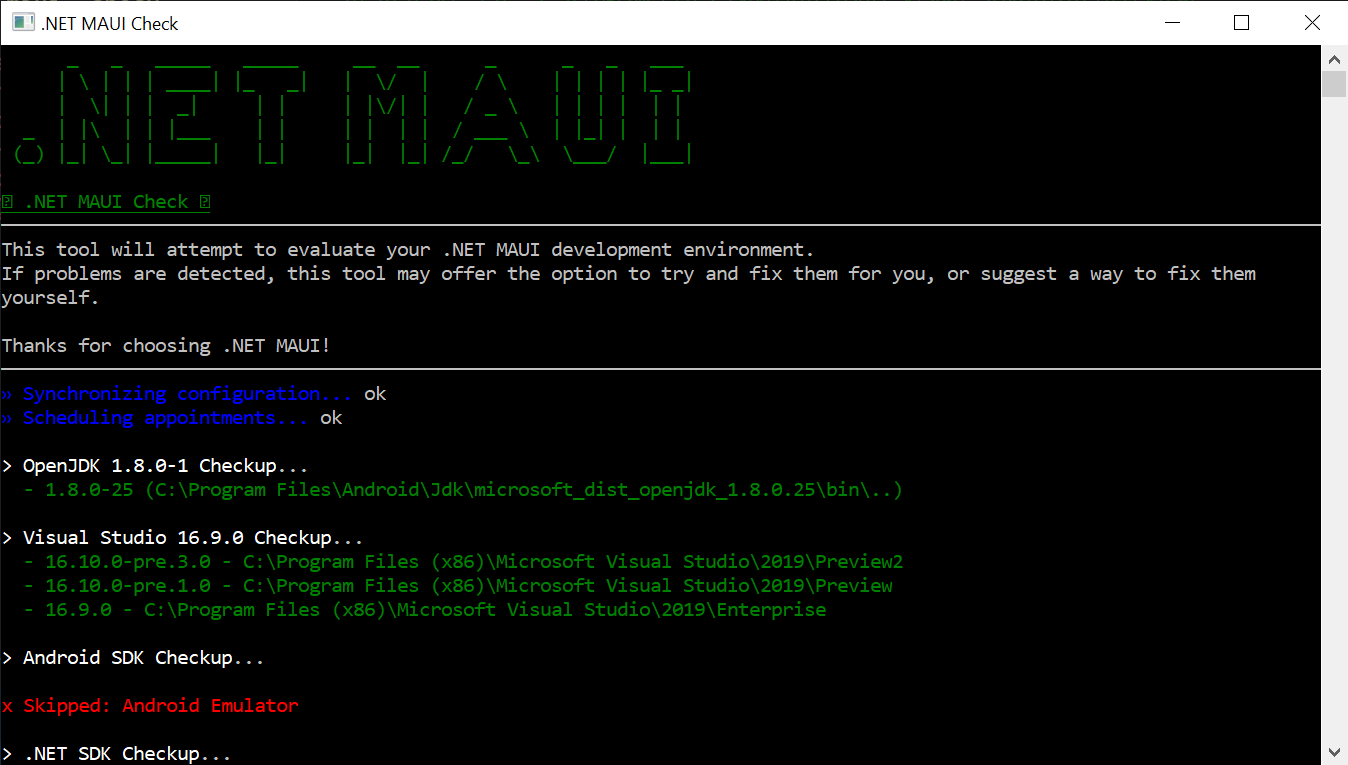
Now run > maui-check and follow the instructions. Once you succeed, you’re ready to create your first app:
dotnet new maui -n HelloMaui
Step-by-step instructions for installing and getting started may also be found at https://github.com/dotnet/maui/wiki/Getting-Started.
Your First Application
.NET MAUI starts every application using the Microsoft.Extensions HostBuilder. This provides a consistent pattern for application developers as well as library maintainers to quickly develop native applications. Each platform has a different starting point, and the consistent point of entry for your application is Startup.cs. Here is the most basic example:
public class Startup : IStartup
{
    public void Configure(IAppHostBuilder appBuilder)
    {
        appBuilder
            .UseMauiApp<App>();
    }
}
This is where you can do such things as register fonts and register compatibility for Xamarin.Forms renderers or your own custom renderers. This is also where you introduce your App, an implementation of Application which is responsible for (at least) creating a new Window:
public partial class App : Application
{
    public override IWindow CreateWindow(IActivationState activationState)
    {
        return new MainWindow();
    }
}
To complete the path to your content, a view is added to the MainWindow:
public class MainWindow : IWindow
{
    public MainWindow()
    {
        Page = new MainPage();
    }

    public IPage Page { get; set; }

    public IMauiContext MauiContext { get; set; }
}
And that’s it! You now have content in a window.
Native Lifecycle Events
Expanding on the startup extensions, Preview 3 introduces ConfigureLifecycleEvents for easily hooking into native platform lifecycle events. This is an important introduction, especially for the single project experience, to simplify initialization and configuration needed by many libraries.
As a basic example, you can hook to the Android back button event and handle it as needed:
public class Startup : IStartup
{
    public void Configure(IAppHostBuilder appBuilder)
    {
        appBuilder
            .UseMauiApp<App>()
            .ConfigureLifecycleEvents(lifecycle => {
                #if ANDROID
                lifecycle.AddAndroid(d => {
                    d.OnBackPressed(activity => {
                        System.Diagnostics.Debug.WriteLine("Back button pressed!");
                    });
                });
                #endif
            });
    }
}
Now let’s look at how libraries can use these methods to streamline their platform initialization work. Essentials (Microsoft.Maui.Essentials), a library for cross-platform non-UI services that is now a part of .NET MAUI, makes use of this to configure everything needed for all platforms in a single location:
public class Startup : IStartup
{
    public void Configure(IAppHostBuilder appBuilder)
    {
        appBuilder
            .UseMauiApp<App>()
            .ConfigureEssentials(essentials =>
            {
                essentials
                    .UseVersionTracking()
                    .UseMapServiceToken("YOUR-KEY-HERE");
            });
    }
}
Within the Essentials code, you can see how the ConfigureEssentials extension method is created and hooks into the platform lifecycle events to greatly streamline cross-platform native configuration.
public static IAppHostBuilder ConfigureEssentials(this IAppHostBuilder builder, Action<HostBuilderContext, IEssentialsBuilder> configureDelegate = null)
{
    builder.ConfigureLifecycleEvents(life =>
    {
#if __ANDROID__
        Platform.Init(MauiApplication.Current);

        life.AddAndroid(android => android
            .OnRequestPermissionsResult((activity, requestCode, permissions, grantResults) =>
            {
                Platform.OnRequestPermissionsResult(requestCode, permissions, grantResults);
            })
            .OnNewIntent((activity, intent) =>
            {
                Platform.OnNewIntent(intent);
            })
            .OnResume((activity) =>
            {
                Platform.OnResume();
            }));
#elif __IOS__
        life.AddiOS(ios => ios
            .ContinueUserActivity((application, userActivity, completionHandler) =>
            {
                return Platform.ContinueUserActivity(application, userActivity, completionHandler);
            })
            .OpenUrl((application, url, options) =>
            {
                return Platform.OpenUrl(application, url, options);
            })
            .PerformActionForShortcutItem((application, shortcutItem, completionHandler) =>
            {
                Platform.PerformActionForShortcutItem(application, shortcutItem, completionHandler);
            }));
#elif WINDOWS
        life.AddWindows(windows => windows
            .OnLaunched((application, args) =>
            {
                Platform.OnLaunched(args);
            }));
#endif
    });

    if (configureDelegate != null)
        builder.ConfigureServices<EssentialsBuilder>(configureDelegate);

    return builder;
}
You can see the full class on dotnet/maui. We are excited to see more libraries take advantage of this pattern to streamline their usage.
Updates to Controls and Layouts
Work continues enabling more controls, properties, and layout options in .NET MAUI, in addition to the existing compatibility renderers brought in from Xamarin.Forms. If you begin your application with a startup like the code above, then you’ll be using only the handlers currently implemented. To see what’s currently implemented, you can review the Handlers folder at dotnet/maui.
To track incoming work we have a Project Board setup for all the handlers we are accepting pull requests for. Several developers have already contributed, and early feedback indicates this architecture provides a much improved experience for ease of contribution.
“Porting handlers are fun. Any mid-senior developer can handle if they had a little bit of a proper understanding of how Xamarin Forms renderers and how Xamarin in general work.” – Burak
Special thanks to these community contributors:
Layouts have also received some updates in Preview 3. The Grid now supports absolute sizes and auto (sizes to the content). LayoutAlignment options are also now available for Grid and StackLayout so you can begin positioning views with HorizontalLayoutAlignment and VerticalLayoutAlignment properties.
Semantic Properties for Accessibility
We have been working with many customers to better understand common difficulties around implementing accessibility across multiple native platforms, and how we might make this easier in .NET MAUI. One of the initiatives to come from this is adding new semantic properties to map cross-platform properties to native accessibility properties.
<Label
Text="Welcome to .NET MAUI!"
SemanticProperties.HeadingLevel="Level1"
FontSize="32"
HorizontalOptions="CenterAndExpand" />
<Label
Style="{DynamicResource Glyph}"
Text=""
SemanticProperties.Description="Heart" />
<Label
Text="Click the button. You know you want to!"
FontSize="18"
x:Name="CounterLabel"
HorizontalOptions="CenterAndExpand" />
<Button
Text="Click Me!"
Clicked="OnButtonClicked"
SemanticProperties.Hint="Counts the number of times you click"/>
For more information, the original specification and discussion is on this dotnet/maui issue.
Share Your Feedback
We are excited for this release, and look forward to your feedback. Join us at dotnet/maui and let us know what you think of these improvements.
With each new preview of .NET 6 you can expect more and more capabilities to “light up” in .NET MAUI. For now, please focus on the “dotnet new” experience. Xamarin.Forms developers should look forward to a mid-year release when we’ll encourage more migration exploration.


If I look at the code. I’m horrified. This is NOT how transparent cross platform code looks like.
to be able to write a DESKTOP app in .Net and run it for customers on windows, linux, and mac will be dream come true. This will be a total killer app if supported with passion by Microsoft, the way you guys have supported development of vscode if you put in the same passion, this will be loved by devs for decades to come.
Try Firemonkey. Its already there.
Will MAUI support WebView2?
Still waiting for the new WPF hires. UWP/Reunion is a waste of time, lip service. Do you truly expect me to trudge along with a framework that has no public source code and no actual desktop controls like menubar/MDI/docking? Surely you jest. I learned during the MFC days why app developers need any and all framework source code and that hasn't changed in 20 years. I'm not turning my powerful desktop apps into bland transplatform apps that don't visually scale to match the user workload AT ALL, merely to justify the political aftermath of Windows 8. Let WinRT die already,...
Guess what! At a huge IT company, we are just starting new medium-sized commercial PC app project (for Win platform) . We chose .NET Forms! Well tested, well known, very simple. Cons are considered and known. Still.
Line of business developers have been left now for over 15+ years with buggy WPF, unfortunately you will be waiting another 20 years if you expect any change as Microsoft will be too busy trying to copy the next shiny thing Apple does. Even open sourcing WPF didn’t help as they employed nobody to manage the commits.
Microsoft cannot seem to grasp the wild crazy idea of multi window enterprise applications controlled via mouse and keyboard. WOW!! Wild eh!