


The third preview of .NET Multi-platform App UI (MAUI) in .NET 8 is now available. This release we are focusing on improving the quality of the UI controls, layout, and memory management. Also new in .NET 8 we are introducing NuGet packages for your flexibility to preview future builds and lock your applications to a specific version.
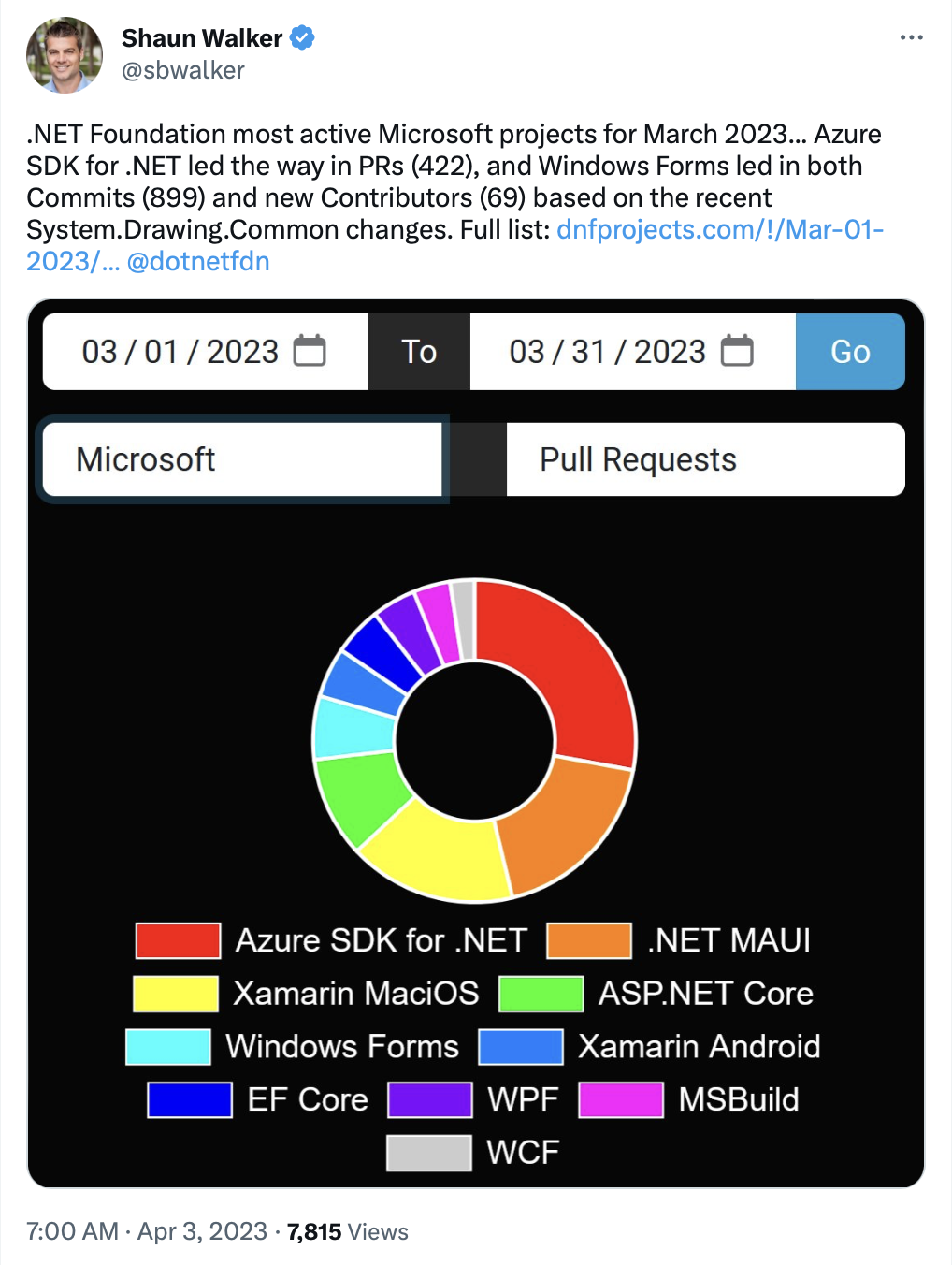
.NET MAUI is one of the most active projects in the .NET Foundation. When you combine Android, iOS, and .NET MAUI together, it’s far and away the most active for issues and pull requests. In less than a year .NET MAUI usage has grown 450%. Our goal in .NET 8 is to make you even more successful using .NET to build apps for Android, iOS, macOS, and Windows with .NET MAUI.
Improving Quality
The main focus for our .NET 8 release is improving the quality and stability of the entire product. We have been prioritizing the highest impact issues on the most used controls. Those receiving the most attention have been layout, CollectionView, Shell, and drawing (shapes, shadows, clipping).
Thus far in .NET 8 we have now resolved 303 issues and merged 713 pull requests. We’d like to say a huge thank you to the over 50 contributors that have taken part in making .NET MAUI successful!

Among some of the most high-impact improvements touch on keyboard with Entry and Editor interactions (#13499), Grid helper methods (#13408), and Shell lifecycle events (#13177).
Those are just a few highlights. For complete details, check out the release notes.
Improving Memory Management
You need and expect .NET MAUI apps to make efficient use of memory so they remain performant and safely operate for extended periods of time. In .NET 8 we’ve been on the hunt for memory leaks, and one of our senior engineers, Jonathan Peppers, has been documenting the progress. He found that when navigating forward and back repeatedly the memory would grow ~2.45KB each time. By implementing a WeakList<T> to keep track of references, he was able to make sure the memory is properly released.
Other areas improved include Button (#14280), Page and Layout (#14108), Window(#14073), Shadow (#13960), Clip (#13806), Background brush (#13656), BindableLayout (#13550), and more. Additional work is underway to improve memory management in CollectionView (#14329).
Several of these have been backported to .NET 7.
NuGet Packages
While .NET MAUI continues to be a .NET workload that you install via Visual Studio or the dotnet command line, you can now layer specific versions of NuGet packages into your project. This is great for:
- reviewing a pull request
- previewing unreleased or experimental builds
- pinning a project to specific version
From any pull request and branch at dotnet/maui you can navigate to the Azure build pipeline by clicking the green checkmark and locating the build artifacts.
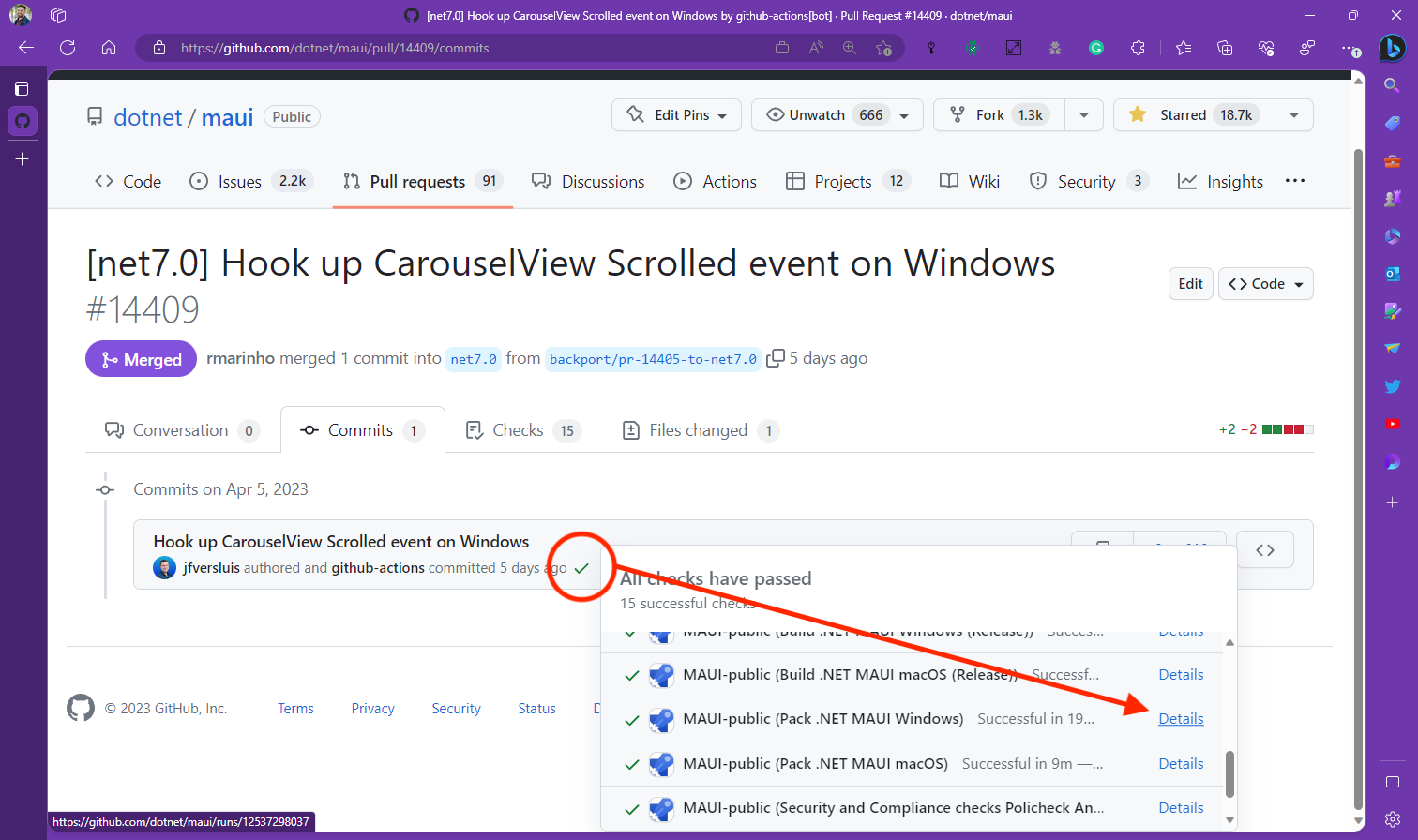
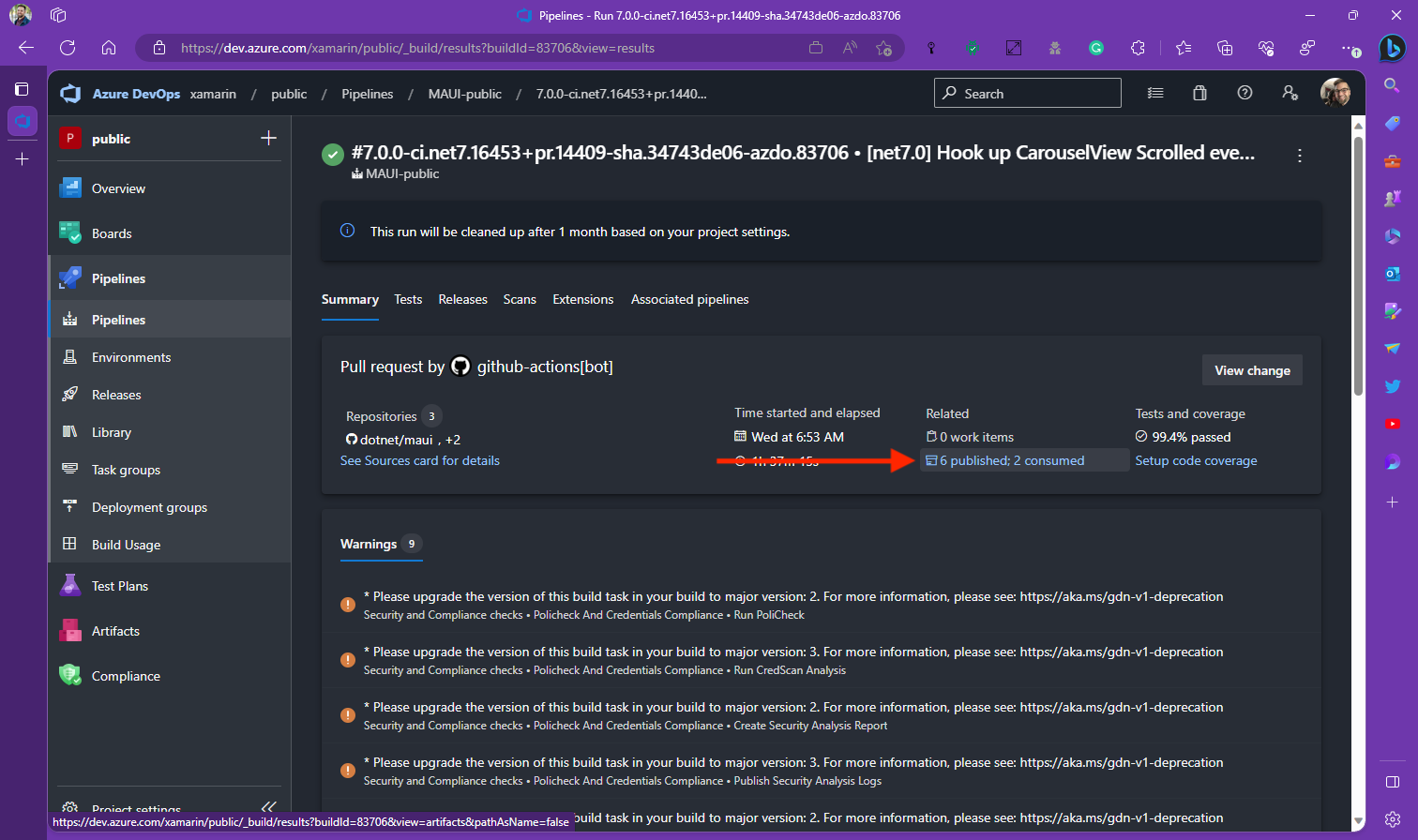
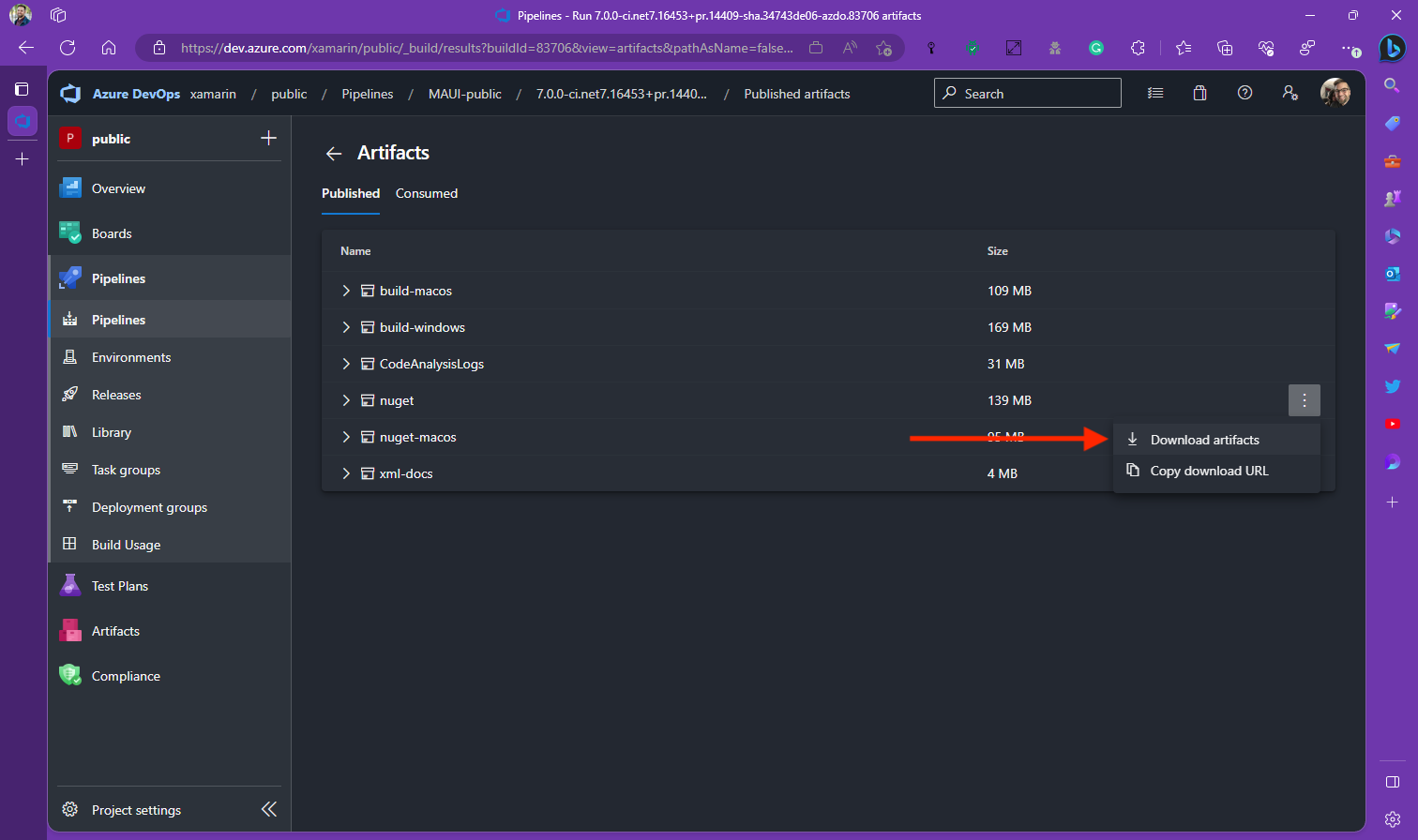
Download the NuGet artifacts and extract them to a local directory. Within Visual Studio set a NuGet source path to that same directory, or use a nuget.config file. Then within your project’s csproj file you can specify the version (e.g. 8.0.0-ci.net8.11560) of that build:
<PropertyGroup>
    <MauiVersion>8.0.0-ci.net8.11560</MauiVersion>
</PropertyGroup>
Additional work is happening to improve your workloads experience in general. For more details, read up on GitHub.
Getting Started
To begin previewing .NET MAUI in .NET 8 today, install .NET 8 Preview 3 on Linux, macOS, or Windows. Once installed, run the workload installation command from your favorite CLI.
dotnet workload install mauiFull Visual Studio 2022 support for .NET 8 previews will come in a future release. For a more complete look at the .NET 8 roadmap for .NET MAUI, check out themesof.net.
Feedback Welcome
We’d love to hear your feedback. As you encounter issues in the release or have suggestions, please open an issue on GitHub.


We believe you and thank you for providing updates. My only concern is starting from Xamrin Forms to MAUI we are still stuck with basic user controls performance related issues. Will these ever be fixed for sure?
Soy uno de los que ha optado por confiar en Net Maui, pero al día de hoy veo que es muy lento el avance de errores. Actualmente estoy trabajando con net7 y hay muchas fallas todavía, hoy instale net8 ejecute un proyecto que esta funcional en net7 y no muestra los registros de los collection views (en windows) creo es un error de los converters. Es entendible que Maui esta en etapa de prueba, pero es muy frustrante cada vez que se actualiza una versión dar varios pasos para atrás. De todas formas sigo apostando y confiando que pronto habrá...
“To begin previewing .NET MAUI in .NET 8 today, install .NET 8 Preview 3 on Linux, macOS, or Windows.”
Linux? Really? That would be nice, but I think that’s a typo.
Thank you for adding the nuget option. This is definitely helpful, especially as MAUI still have some core bugs or introducing core bugs on newer versions I often felt that I either wanted to stay on a specific MAUI version or that I looked forward to a specific (not released) MAUI version. Now we can easily do that, thats super cool.